手把手教程:为WordPress实现基于地理围栏的网站内容区域化展示工具 引言:地理围栏技术与网站内容区域化的价值 在当今全球化的互联网环境中,网站访问者可能来自世界各地。然而,并非所有内容都适合向所有地区的用户展示。基于地理围栏的内容区域化技术能够根据用户的地理位置,智能展示相关性强、合规性高的内容,这已成为现代网站开发的重要趋势。 地理围栏(Geo-fencing)是一种基于位置的服务技术,通过GPS、RFID、Wi-Fi或蜂窝数据等定位方式,在现实世界中创建一个虚拟的边界。当设备进入或离开这个边界时,可以触发预设的操作或通知。在网站开发中,这一技术可以用于根据用户的地理位置展示不同的内容、广告或功能。 对于WordPress网站而言,实现基于地理围栏的内容区域化展示具有多重价值: 提升用户体验:向用户展示与其地理位置相关的内容,如本地新闻、活动、产品等 合规性管理:根据不同地区的法律法规展示合规内容 营销精准化:针对不同地区实施差异化的营销策略 内容优化:根据地区特点优化内容展示,提高转化率 本教程将详细介绍如何通过WordPress代码二次开发,实现一个基于地理围栏的网站内容区域化展示工具,让您的网站具备智能化的区域内容展示能力。 第一部分:准备工作与环境配置 1.1 理解WordPress开发基础 在开始开发之前,我们需要确保具备以下基础知识: WordPress主题和插件的基本结构 PHP编程基础 JavaScript/jQuery基础 WordPress钩子(Hooks)和过滤器(Filters)的使用 基本的HTML/CSS知识 1.2 开发环境搭建 本地开发环境:建议使用XAMPP、MAMP或Local by Flywheel等工具搭建本地WordPress开发环境 代码编辑器:推荐使用VS Code、PHPStorm或Sublime Text 版本控制:使用Git进行代码版本管理 测试工具:浏览器开发者工具、Postman等API测试工具 1.3 创建自定义插件 我们将创建一个独立的WordPress插件来实现地理围栏功能,这样可以确保功能的独立性和可移植性。 在WordPress的wp-content/plugins/目录下创建新文件夹geo-fencing-content,并在其中创建主插件文件: <?php /** * Plugin Name: 地理围栏内容区域化工具 * Plugin URI: https://yourwebsite.com/ * Description: 基于用户地理位置实现网站内容区域化展示的WordPress插件 * Version: 1.0.0 * Author: 您的名称 * License: GPL v2 or later * Text Domain: geo-fencing-content */ // 防止直接访问 if (!defined('ABSPATH')) { exit; } // 定义插件常量 define('GFC_VERSION', '1.0.0'); define('GFC_PLUGIN_DIR', plugin_dir_path(__FILE__)); define('GFC_PLUGIN_URL', plugin_dir_url(__FILE__)); // 初始化插件 require_once GFC_PLUGIN_DIR . 'includes/class-geo-fencing-core.php'; function gfc_init() { $plugin = new Geo_Fencing_Core(); $plugin->run(); } add_action('plugins_loaded', 'gfc_init'); 第二部分:地理定位技术与实现方案 2.1 地理位置获取方案比较 实现地理围栏功能的第一步是获取用户的准确地理位置。以下是几种常用的技术方案: HTML5 Geolocation API:浏览器原生支持,精度较高,但需要用户授权 IP地址定位:通过用户IP地址推断地理位置,无需用户授权但精度有限 第三方定位服务:如MaxMind、IPinfo等专业服务,精度和可靠性较高 2.2 实现IP地址定位功能 我们将首先实现基于IP地址的地理定位功能,作为基础方案。创建includes/class-geo-location.php文件: <?php class Geo_Location { private $api_key; private $cache_time; public function __construct() { // 可以从插件设置中获取API密钥 $this->api_key = get_option('gfc_ipapi_key', ''); $this->cache_time = 24 * 60 * 60; // 缓存24小时 } /** * 获取用户IP地址 */ public function get_user_ip() { $ip_keys = array('HTTP_CLIENT_IP', 'HTTP_X_FORWARDED_FOR', 'HTTP_X_FORWARDED', 'HTTP_X_CLUSTER_CLIENT_IP', 'HTTP_FORWARDED_FOR', 'HTTP_FORWARDED', 'REMOTE_ADDR'); foreach ($ip_keys as $key) { if (array_key_exists($key, $_SERVER) === true) { foreach (explode(',', $_SERVER[$key]) as $ip) { $ip = trim($ip); // 验证IP地址格式 if (filter_var($ip, FILTER_VALIDATE_IP, FILTER_FLAG_NO_PRIV_RANGE | FILTER_FLAG_NO_RES_RANGE) !== false) { return $ip; } } } } return $_SERVER['REMOTE_ADDR']; } /** * 通过IP地址获取地理位置信息 */ public function get_location_by_ip($ip = '') { if (empty($ip)) { $ip = $this->get_user_ip(); } // 检查缓存 $cache_key = 'gfc_location_' . md5($ip); $cached_data = get_transient($cache_key); if ($cached_data !== false) { return $cached_data; } // 使用ip-api.com免费服务(限制:45次/分钟) $url = "http://ip-api.com/json/{$ip}"; if (!empty($this->api_key)) { // 如果有付费API密钥,可以使用更专业的服务 // $url = "https://api.ipgeolocation.io/ipgeo?apiKey={$this->api_key}&ip={$ip}"; } $response = wp_remote_get($url, array('timeout' => 5)); if (is_wp_error($response)) { // 如果API请求失败,使用备用方法 return $this->get_fallback_location(); } $body = wp_remote_retrieve_body($response); $data = json_decode($body, true); // 标准化返回数据 $location_data = array( 'country' => isset($data['country']) ? $data['country'] : '', 'country_code' => isset($data['countryCode']) ? $data['countryCode'] : '', 'region' => isset($data['region']) ? $data['region'] : '', 'region_name' => isset($data['regionName']) ? $data['regionName'] : '', 'city' => isset($data['city']) ? $data['city'] : '', 'zip' => isset($data['zip']) ? $data['zip'] : '', 'lat' => isset($data['lat']) ? $data['lat'] : 0, 'lon' => isset($data['lon']) ? $data['lon'] : 0, 'timezone' => isset($data['timezone']) ? $data['timezone'] : '', 'isp' => isset($data['isp']) ? $data['isp'] : '', 'ip' => $ip ); // 缓存结果 set_transient($cache_key, $location_data, $this->cache_time); return $location_data; } /** * 备用定位方法 */ private function get_fallback_location() { // 这里可以添加备用定位逻辑 // 例如使用其他免费API或默认位置 return array( 'country' => '未知', 'country_code' => 'UN', 'region' => '', 'city' => '', 'lat' => 0, 'lon' => 0, 'ip' => $this->get_user_ip() ); } /** * 计算两点之间的距离(用于地理围栏判断) */ public function calculate_distance($lat1, $lon1, $lat2, $lon2, $unit = 'km') { $theta = $lon1 - $lon2; $dist = sin(deg2rad($lat1)) * sin(deg2rad($lat2)) + cos(deg2rad($lat1)) * cos(deg2rad($lat2)) * cos(deg2rad($theta)); $dist = acos($dist); $dist = rad2deg($dist); $miles = $dist * 60 * 1.1515; switch ($unit) { case 'km': return $miles * 1.609344; case 'm': return $miles * 1.609344 * 1000; case 'mile': default: return $miles; } } } 第三部分:地理围栏系统设计与实现 3.1 地理围栏数据结构设计 我们需要设计一个灵活的地理围栏系统,支持多种形状的围栏(圆形、多边形等)。首先在数据库中创建存储地理围栏的表。 创建数据库表的代码可以放在插件激活钩子中。在class-geo-fencing-core.php中添加: class Geo_Fencing_Core { public function __construct() { // 构造函数 } public function run() { // 注册激活钩子 register_activation_hook(__FILE__, array($this, 'activate_plugin')); // 注册其他钩子和过滤器 $this->register_hooks(); } public function activate_plugin() { // 创建数据库表 $this->create_database_tables(); // 设置默认选项 $this->set_default_options(); } private function create_database_tables() { global $wpdb; $charset_collate = $wpdb->get_charset_collate(); $table_name = $wpdb->prefix . 'geo_fences'; $sql = "CREATE TABLE IF NOT EXISTS $table_name ( id mediumint(9) NOT NULL AUTO_INCREMENT, name varchar(100) NOT NULL, fence_type varchar(20) NOT NULL DEFAULT 'circle', coordinates text NOT NULL, radius float DEFAULT 0, content_rule text, priority int(11) DEFAULT 0, is_active tinyint(1) DEFAULT 1, created_at datetime DEFAULT CURRENT_TIMESTAMP, PRIMARY KEY (id), KEY is_active (is_active), KEY priority (priority) ) $charset_collate;"; require_once(ABSPATH . 'wp-admin/includes/upgrade.php'); dbDelta($sql); // 创建内容关联表 $relation_table = $wpdb->prefix . 'geo_fence_content'; $sql2 = "CREATE TABLE IF NOT EXISTS $relation_table ( id mediumint(9) NOT NULL AUTO_INCREMENT, fence_id mediumint(9) NOT NULL, content_type varchar(50) NOT NULL, content_id bigint(20) NOT NULL, action_type varchar(50) NOT NULL DEFAULT 'show', conditions text, PRIMARY KEY (id), KEY fence_id (fence_id), KEY content_type (content_type, content_id) ) $charset_collate;"; dbDelta($sql2); } } 3.2 地理围栏管理界面 我们需要创建一个管理界面,让网站管理员可以添加、编辑和删除地理围栏。创建admin/class-geo-fencing-admin.php: class Geo_Fencing_Admin { private $plugin_name; private $version; public function __construct($plugin_name, $version) { $this->plugin_name = $plugin_name; $this->version = $version; add_action('admin_menu', array($this, 'add_admin_menu')); add_action('admin_enqueue_scripts', array($this, 'enqueue_admin_scripts')); } public function add_admin_menu() { add_menu_page( '地理围栏管理', '地理围栏', 'manage_options', 'geo-fencing', array($this, 'display_admin_page'), 'dashicons-location-alt', 30 ); add_submenu_page( 'geo-fencing', '地理围栏列表', '围栏列表', 'manage_options', 'geo-fencing', array($this, 'display_admin_page') ); add_submenu_page( 'geo-fencing', '添加新围栏', '添加围栏', 'manage_options', 'geo-fencing-add', array($this, 'display_add_fence_page') ); add_submenu_page( 'geo-fencing', '地理围栏设置', '设置', 'manage_options', 'geo-fencing-settings', array($this, 'display_settings_page') ); } public function display_admin_page() { include GFC_PLUGIN_DIR . 'admin/views/fence-list.php'; } public function display_add_fence_page() { include GFC_PLUGIN_DIR . 'admin/views/fence-edit.php'; } public function display_settings_page() { include GFC_PLUGIN_DIR . 'admin/views/settings.php'; } public function enqueue_admin_scripts($hook) { if (strpos($hook, 'geo-fencing') === false) { return; } // 加载Leaflet地图库 wp_enqueue_style('leaflet-css', 'https://unpkg.com/leaflet@1.7.1/dist/leaflet.css'); wp_enqueue_script('leaflet-js', 'https://unpkg.com/leaflet@1.7.1/dist/leaflet.js', array(), '1.7.1', true); // 加载插件自定义脚本 wp_enqueue_script( $this->plugin_name . '-admin', GFC_PLUGIN_URL . 'admin/js/admin.js', array('jquery', 'leaflet-js'), $this->version, true ); wp_enqueue_style( $this->plugin_name . '-admin', GFC_PLUGIN_URL . 'admin/css/admin.css', array(), $this->version ); // 传递数据到JavaScript wp_localize_script($this->plugin_name . '-admin', 'gfc_admin_data', array( 'ajax_url' => admin_url('admin-ajax.php'), 'nonce' => wp_create_nonce('gfc_admin_nonce'), 'default_lat' => get_option('gfc_default_lat', 39.9042), 'default_lng' => get_option('gfc_default_lng', 116.4074) )); } } 3.3 地理围栏编辑器实现 创建admin/views/fence-edit.php文件,实现围栏编辑界面: <div class="wrap"> <h1><?php echo isset($_GET['action']) && $_GET['action'] == 'edit' ? '编辑地理围栏' : '添加新地理围栏'; ?></h1> <form method="post" action="<?php echo admin_url('admin-post.php'); ?>" id="gfc-fence-form"> <input type="hidden" name="action" value="gfc_save_fence"> <?php wp_nonce_field('gfc_save_fence_action', 'gfc_fence_nonce'); ?> <?php if (isset($_GET['id'])): ?> <input type="hidden" name="fence_id" value="<?php echo intval($_GET['id']); ?>"> <?php endif; ?> <table class="form-table"> <tr> <th scope="row"><label for="fence_name">围栏名称</label></th> <td> <input type="text" name="fence_name" id="fence_name" class="regular-text" required> <p class="description">用于识别此地理围栏的名称</p> </td> </tr> <tr> <th scope="row"><label for="fence_type">围栏类型</label></th> <td> <select name="fence_type" id="fence_type"> <option value="circle">圆形围栏</option> <option value="polygon">多边形围栏</option> <option value="rectangle">矩形围栏</option> </select> </td> </tr> <tr id="circle_fields"> <th scope="row"><label for="center_point">中心点坐标</label></th> <td> <div class="coordinates-input"> <input type="text" name="center_lat" id="center_lat" placeholder="纬度" class="small-text"> <input type="text" name="center_lng" id="center_lng" placeholder="经度" class="small-text"> <button type="button" class="button" id="get_current_location">获取当前位置</button> </div> <p class="description">格式:纬度,经度(例如:39.9042,116.4074)</p> </td> </tr> <tr id="circle_radius_field"> <th scope="row"><label for="radius">半径</label></th> <td> <input type="number" name="radius" id="radius" min="0.1" step="0.1" class="small-text"> <select name="radius_unit"> <option value="km">公里</option> <option value="m">米</option> <option value="mile">英里</option> </select> </td> </tr> <tr id="polygon_fields" style="display:none;"> <tr id="polygon_fields" style="display:none;"> <th scope="row"><label for="polygon_coords">多边形坐标</label></th> <td> <textarea name="polygon_coords" id="polygon_coords" rows="5" cols="50" placeholder="格式:纬度,经度 例如: 39.9042,116.4074 39.9142,116.4174 39.8942,116.4274"></textarea> <p class="description">每行输入一个坐标点,格式:纬度,经度</p> </td> </tr> <tr> <th scope="row"><label for="fence_priority">优先级</label></th> <td> <input type="number" name="fence_priority" id="fence_priority" value="0" min="0" class="small-text"> <p class="description">数值越大优先级越高,当用户位于多个围栏重叠区域时生效</p> </td> </tr> <tr> <th scope="row"><label for="is_active">状态</label></th> <td> <label> <input type="checkbox" name="is_active" id="is_active" value="1" checked> 启用此围栏 </label> </td> </tr> </table> <div class="map-container"> <h3>地图预览</h3> <div id="fence_map" style="height: 400px; width: 100%;"></div> <p class="description">在地图上点击可以设置围栏中心点或添加多边形顶点</p> </div> <h2>内容规则设置</h2> <div id="content_rules"> <div class="content-rule"> <h4>规则 #1</h4> <table class="form-table"> <tr> <th scope="row"><label>内容类型</label></th> <td> <select name="content_type[]" class="content-type-select"> <option value="post">文章</option> <option value="page">页面</option> <option value="category">分类目录</option> <option value="custom">自定义内容</option> </select> </td> </tr> <tr> <th scope="row"><label>内容选择</label></th> <td> <select name="content_id[]" class="content-id-select" style="width: 300px;"> <option value="">请选择内容</option> </select> </td> </tr> <tr> <th scope="row"><label>操作类型</label></th> <td> <select name="action_type[]"> <option value="show">显示内容</option> <option value="hide">隐藏内容</option> <option value="replace">替换内容</option> <option value="redirect">重定向</option> </select> </td> </tr> <tr class="replace-content" style="display:none;"> <th scope="row"><label>替换内容</label></th> <td> <textarea name="replace_content[]" rows="3" cols="50" placeholder="输入替换内容或短代码"></textarea> </td> </tr> <tr class="redirect-url" style="display:none;"> <th scope="row"><label>重定向URL</label></th> <td> <input type="url" name="redirect_url[]" class="regular-text" placeholder="https://"> </td> </tr> </table> <hr> </div> </div> <button type="button" class="button" id="add_content_rule">添加新规则</button> <p class="submit"> <input type="submit" name="submit" id="submit" class="button button-primary" value="保存围栏"> </p> </form> </div> <script>jQuery(document).ready(function($) { // 初始化地图 var map = L.map('fence_map').setView([39.9042, 116.4074], 10); L.tileLayer('https://{s}.tile.openstreetmap.org/{z}/{x}/{y}.png', { attribution: '© <a href="https://www.openstreetmap.org/copyright">OpenStreetMap</a> contributors' }).addTo(map); // 地图点击事件 var marker; var polygonPoints = []; var polygonLayer; map.on('click', function(e) { var lat = e.latlng.lat; var lng = e.latlng.lng; $('#center_lat').val(lat.toFixed(6)); $('#center_lng').val(lng.toFixed(6)); // 更新地图标记 if (marker) { map.removeLayer(marker); } marker = L.marker([lat, lng]).addTo(map); // 如果是多边形模式,添加顶点 if ($('#fence_type').val() === 'polygon') { polygonPoints.push([lat, lng]); updatePolygonPreview(); } }); // 围栏类型切换 $('#fence_type').on('change', function() { var type = $(this).val(); if (type === 'circle') { $('#circle_fields, #circle_radius_field').show(); $('#polygon_fields').hide(); } else if (type === 'polygon') { $('#circle_fields, #circle_radius_field').hide(); $('#polygon_fields').show(); polygonPoints = []; if (polygonLayer) { map.removeLayer(polygonLayer); } } }); // 更新多边形预览 function updatePolygonPreview() { if (polygonLayer) { map.removeLayer(polygonLayer); } if (polygonPoints.length >= 3) { polygonLayer = L.polygon(polygonPoints, {color: 'blue'}).addTo(map); map.fitBounds(polygonLayer.getBounds()); // 更新坐标文本 var coordsText = polygonPoints.map(function(point) { return point[0].toFixed(6) + ',' + point[1].toFixed(6); }).join('n'); $('#polygon_coords').val(coordsText); } } // 获取当前位置 $('#get_current_location').on('click', function() { if (navigator.geolocation) { navigator.geolocation.getCurrentPosition(function(position) { var lat = position.coords.latitude; var lng = position.coords.longitude; $('#center_lat').val(lat.toFixed(6)); $('#center_lng').val(lng.toFixed(6)); // 更新地图 if (marker) { map.removeLayer(marker); } marker = L.marker([lat, lng]).addTo(map); map.setView([lat, lng], 13); }); } else { alert('您的浏览器不支持地理位置功能'); } }); // 操作类型切换 $(document).on('change', 'select[name="action_type[]"]', function() { var actionType = $(this).val(); var ruleDiv = $(this).closest('.content-rule'); ruleDiv.find('.replace-content, .redirect-url').hide(); if (actionType === 'replace') { ruleDiv.find('.replace-content').show(); } else if (actionType === 'redirect') { ruleDiv.find('.redirect-url').show(); } }); // 添加新规则 $('#add_content_rule').on('click', function() { var ruleCount = $('#content_rules .content-rule').length + 1; var newRule = $('#content_rules .content-rule:first').clone(); newRule.find('h4').text('规则 #' + ruleCount); newRule.find('input, textarea, select').val(''); newRule.find('.replace-content, .redirect-url').hide(); $('#content_rules').append(newRule); }); });</script> ## 第四部分:核心功能实现与集成 ### 4.1 地理围栏检测算法 创建`includes/class-geo-fence-detector.php`,实现围栏检测逻辑: <?phpclass Geo_Fence_Detector { private $location_service; public function __construct($location_service) { $this->location_service = $location_service; } /** * 检测用户是否在指定围栏内 */ public function is_user_in_fence($fence_data, $user_location = null) { if (empty($user_location)) { $user_location = $this->location_service->get_location_by_ip(); } if (empty($user_location['lat']) || empty($user_location['lon'])) { return false; } $user_lat = floatval($user_location['lat']); $user_lng = floatval($user_location['lon']); switch ($fence_data['fence_type']) { case 'circle': return $this->check_circle_fence($fence_data, $user_lat, $user_lng); case 'polygon': return $this->check_polygon_fence($fence_data, $user_lat, $user_lng); case 'rectangle': return $this->check_rectangle_fence($fence_data, $user_lat, $user_lng); default: return false; } } /** * 检测圆形围栏 */ private function check_circle_fence($fence_data, $user_lat, $user_lng) { $center_coords = explode(',', $fence_data['coordinates']); if (count($center_coords) !== 2) { return false; } $center_lat = floatval(trim($center_coords[0])); $center_lng = floatval(trim($center_coords[1])); $radius = floatval($fence_data['radius']); // 计算距离 $distance = $this->location_service->calculate_distance( $center_lat, $center_lng, $user_lat, $user_lng, 'km' ); return $distance <= $radius; } /** * 检测多边形围栏(使用射线法) */ private function check_polygon_fence($fence_data, $user_lat, $user_lng) { $coordinates = $this->parse_polygon_coordinates($fence_data['coordinates']); if (count($coordinates) < 3) { return false; } $inside = false; $n = count($coordinates); for ($i = 0, $j = $n - 1; $i < $n; $j = $i++) { $xi = $coordinates[$i][0]; $yi = $coordinates[$i][1]; $xj = $coordinates[$j][0]; $yj = $coordinates[$j][1]; $intersect = (($yi > $user_lng) != ($yj > $user_lng)) && ($user_lat < ($xj - $xi) * ($user_lng - $yi) / ($yj - $yi) + $xi); if ($intersect) { $inside = !$inside; } } return $inside; } /** * 解析多边形坐标 */ private function parse_polygon_coordinates($coords_string) { $coordinates = array(); $lines = explode("n", $coords_string); foreach ($lines as $line) { $line = trim($line); if (empty($line)) continue; $parts = explode(',', $line); if (count($parts) === 2) { $lat = floatval(trim($parts[0])); $lng = floatval(trim($parts[1])); $coordinates[] = array($lat, $lng); } } return $coordinates; } /** * 检测矩形围栏 */ private function check_rectangle_fence($fence_data, $user_lat, $user_lng) { $bounds = explode('|', $fence_data['coordinates']); if (count($bounds) !== 4) { return false; } $min_lat = floatval($bounds[0]); $max_lat = floatval($bounds[1]); $min_lng = floatval($bounds[2]); $max_lng = floatval($bounds[3]); return ($user_lat >= $min_lat && $user_lat <= $max_lat && $user_lng >= $min_lng && $user_lng <= $max_lng); } /** * 获取用户所在的所有围栏 */ public function get_user_fences($user_location = null) { global $wpdb; $table_name = $wpdb->prefix . 'geo_fences'; // 获取所有启用的围栏 $fences = $wpdb->get_results( "SELECT * FROM $table_name WHERE is_active = 1 ORDER BY priority DESC", ARRAY_A ); $user_fences = array(); foreach ($fences as $fence) { if ($this->is_user_in_fence($fence, $user_location)) { $user_fences[] = $fence; } } return $user_fences; } /** * 获取适用于用户的内容规则 */ public function get_content_rules_for_user() { $user_fences = $this->get_user_fences(); $all_rules = array(); foreach ($user_fences as $fence) { $fence_rules = $this->get_fence_content_rules($fence['id']); $all_rules = array_merge($all_rules, $fence_rules); } // 按优先级排序 usort($all_rules, function($a, $b) { return $b['priority'] - $a['priority']; }); return $all_rules; } /** * 获取围栏的内容规则 */ private function get_fence_content_rules($fence_id) { global $wpdb; $table_name = $wpdb->prefix . 'geo_fence_content'; return $wpdb->get_results( $wpdb->prepare( "SELECT * FROM $table_name WHERE fence_id = %d", $fence_id ), ARRAY_A ); } } ### 4.2 WordPress内容过滤与替换 创建`includes/class-content-filter.php`,实现内容过滤功能: <?phpclass Geo_Content_Filter { private $fence_detector; private $user_rules; public function __construct($fence_detector) { $this->fence_detector = $fence_detector; $this->user_rules = null; } public function init() { // 只在非管理页面应用规则 if (!is_admin()) { // 文章内容过滤 add_filter('the_content', array($this, 'filter_post_content'), 10, 1); // 小工具过滤 add_filter('widget_display_callback', array($this, 'filter_widget'), 10, 3); // 菜单过滤 add_filter('wp_nav_menu_objects', array($this, 'filter_menu_items'), 10, 2); // 重定向处理 add_action('template_redirect', array($this, 'handle_redirects')); // 短代码支持 add_shortcode('geo_content', array($this, 'geo_content_shortcode')); } } /** * 获取用户规则(懒加载) */ private function get_user_rules() { if ($this->user_rules === null) { $this->user_rules = $this->fence_detector->get_content_rules_for_user(); } return $this->user_rules; } /** * 过滤文章内容 */ public function filter_post_content($content) { global $post; if (empty($post)) { return $content; } $rules = $this->get_user_rules(); foreach ($rules as $rule) { if ($this->rule_applies_to_content($rule, $post)) { $content = $this->apply_rule_to_content($rule, $content, $post); } } return $content; } /** * 检查规则是否适用于当前内容 */ private function rule_applies_to_content($rule, $post) { switch ($rule['content_type']) { case 'post': return ($post->post_type == 'post' && $rule['content_id'] == $post->ID); case 'page': return ($post->post_type == 'page' && $rule['content_id'] == $post->ID); case 'category': return has_category($rule['content_id'], $post); case 'custom': // 自定义规则,可以扩展 return $this->check_custom_rule($rule, $post); default: return false; } } /** * 应用规则到内容 */ private function apply_rule_to_content($rule, $content, $post) { switch ($rule['action_type']) { case 'hide': return ''; // 完全隐藏内容 case 'replace': return $this->get_replacement_content($rule); case 'show': // 默认就是
发表评论分类: 应用软件

开发指南:打造网站内嵌的在线音频剪辑与播客节目制作工具 摘要 随着播客和音频内容的兴起,越来越多的网站需要集成音频处理功能。本文将详细介绍如何通过WordPress程序的代码二次开发,实现一个功能完整的在线音频剪辑与播客节目制作工具。我们将从需求分析、技术选型、架构设计到具体实现,全面解析这一过程,帮助开发者打造一个既实用又易于集成的音频处理解决方案。 一、项目背景与需求分析 1.1 音频内容的市场趋势 近年来,音频内容市场呈现爆发式增长。根据最新数据,全球播客听众数量已超过4亿,预计到2025年将增长至5.5亿。与此同时,音频内容创作者数量也在快速增长,从专业媒体机构到个人创作者,都在寻求简单易用的音频制作工具。 1.2 网站集成音频工具的需求 传统音频处理软件如Audacity、Adobe Audition等虽然功能强大,但存在以下问题: 需要下载安装,使用门槛较高 无法与网站内容管理系统无缝集成 协作功能有限,不适合团队远程工作 因此,开发一个能够内嵌在网站中的在线音频剪辑工具,具有以下优势: 降低使用门槛:用户无需安装任何软件,打开网页即可使用 无缝集成:与网站用户系统、内容管理系统深度整合 便于协作:支持多人同时编辑,实时保存进度 内容生态闭环:剪辑完成后可直接发布到网站播客频道 1.3 功能需求清单 基于用户调研,我们确定了以下核心功能需求: 基础音频处理功能: 音频文件上传与导入 多轨道时间线编辑 基本的剪切、复制、粘贴、删除操作 音量调整与淡入淡出效果 音频片段拖拽排序 高级音频处理功能: 降噪与音频增强 均衡器调整 多音频轨道混合 音频速度调整 音高修正 播客制作专用功能: 片头片尾模板 广告位标记与插入 多主持人音轨管理 实时语音转文字(字幕生成) 章节标记与时间戳生成 输出与发布功能: 多种格式导出(MP3、WAV、M4A等) 直接发布到WordPress媒体库 生成播客RSS feed 社交媒体一键分享 二、技术架构与选型 2.1 WordPress作为开发平台的优势 选择WordPress作为开发平台有以下优势: 庞大的用户基础:全球超过40%的网站使用WordPress 成熟的插件体系:便于功能扩展和模块化开发 丰富的API接口:REST API和众多钩子函数便于二次开发 强大的媒体管理:内置媒体库便于音频文件管理 用户权限系统:成熟的角色和权限管理机制 2.2 前端技术选型 音频处理核心库: Web Audio API:现代浏览器原生支持的音频处理API,性能优秀 wavesurfer.js:专业的音频波形可视化库,支持多种交互 Recorder.js:用于音频录制的轻量级库 前端框架: React:组件化开发,适合复杂交互界面 Redux:状态管理,确保复杂应用的数据一致性 UI组件库: Material-UI:提供现代化、响应式的UI组件 自定义组件:针对音频编辑器的专用UI组件 2.3 后端技术方案 WordPress核心扩展: 自定义Post Type:用于管理音频项目和播客节目 自定义字段:存储音频项目的元数据 REST API端点:提供前端所需的数据接口 AJAX处理:处理音频文件上传和实时操作 音频处理服务端组件: FFmpeg:通过PHP执行命令行处理音频文件 LAME MP3编码器:用于高质量MP3编码 音频处理队列:使用WordPress Cron或外部队列处理耗时任务 存储方案: WordPress媒体库:存储原始音频和最终成品 临时文件系统:处理过程中的临时文件存储 数据库:存储项目结构、用户操作记录等 2.4 系统架构设计 用户界面层 (React + Web Audio API) ↓ API接口层 (WordPress REST API + 自定义端点) ↓ 业务逻辑层 (自定义插件 + 音频处理服务) ↓ 数据存储层 (WordPress数据库 + 文件系统) ↓ 第三方服务层 (转码服务、语音识别API等) 三、WordPress插件开发基础 3.1 创建插件基本结构 首先,我们需要创建一个标准的WordPress插件: /* Plugin Name: 在线音频剪辑与播客制作工具 Plugin URI: https://yourwebsite.com/audio-editor Description: 网站内嵌的在线音频剪辑与播客节目制作工具 Version: 1.0.0 Author: 您的名称 License: GPL v2 or later */ // 防止直接访问 if (!defined('ABSPATH')) { exit; } // 定义插件常量 define('AUDIO_EDITOR_VERSION', '1.0.0'); define('AUDIO_EDITOR_PLUGIN_DIR', plugin_dir_path(__FILE__)); define('AUDIO_EDITOR_PLUGIN_URL', plugin_dir_url(__FILE__)); // 初始化插件 require_once AUDIO_EDITOR_PLUGIN_DIR . 'includes/class-audio-editor.php'; function audio_editor_init() { $plugin = new Audio_Editor(); $plugin->run(); } add_action('plugins_loaded', 'audio_editor_init'); 3.2 创建自定义Post Type 为了管理音频项目,我们需要创建自定义Post Type: class Audio_Editor { public function __construct() { // 构造函数 } public function run() { // 注册钩子和过滤器 add_action('init', array($this, 'register_audio_project_cpt')); add_action('admin_menu', array($this, 'add_admin_menu')); add_action('wp_enqueue_scripts', array($this, 'enqueue_public_scripts')); add_action('admin_enqueue_scripts', array($this, 'enqueue_admin_scripts')); } // 注册音频项目自定义文章类型 public function register_audio_project_cpt() { $labels = array( 'name' => '音频项目', 'singular_name' => '音频项目', 'menu_name' => '音频编辑器', 'add_new' => '新建项目', 'add_new_item' => '新建音频项目', 'edit_item' => '编辑音频项目', 'new_item' => '新音频项目', 'view_item' => '查看项目', 'search_items' => '搜索音频项目', 'not_found' => '未找到音频项目', 'not_found_in_trash' => '回收站中无音频项目' ); $args = array( 'labels' => $labels, 'public' => true, 'publicly_queryable' => true, 'show_ui' => true, 'show_in_menu' => true, 'query_var' => true, 'rewrite' => array('slug' => 'audio-project'), 'capability_type' => 'post', 'has_archive' => true, 'hierarchical' => false, 'menu_position' => 20, 'menu_icon' => 'dashicons-format-audio', 'supports' => array('title', 'editor', 'author', 'thumbnail'), 'show_in_rest' => true, // 启用REST API支持 ); register_post_type('audio_project', $args); } } 3.3 创建自定义字段 使用WordPress的REST API和register_meta函数为音频项目添加自定义字段: // 注册音频项目的元数据字段 public function register_audio_project_meta() { $meta_fields = array( 'audio_project_data' => array( 'type' => 'string', 'description' => '音频项目数据(JSON格式)', 'single' => true, 'show_in_rest' => true, ), 'audio_duration' => array( 'type' => 'number', 'description' => '音频时长(秒)', 'single' => true, 'show_in_rest' => true, ), 'audio_format' => array( 'type' => 'string', 'description' => '音频格式', 'single' => true, 'show_in_rest' => true, ), 'project_status' => array( 'type' => 'string', 'description' => '项目状态', 'single' => true, 'show_in_rest' => true, ), ); foreach ($meta_fields as $key => $args) { register_post_meta('audio_project', $key, $args); } } add_action('init', array($this, 'register_audio_project_meta')); 四、前端音频编辑器实现 4.1 编辑器界面架构 创建React组件结构: // 主编辑器组件 import React, { useState, useEffect, useRef } from 'react'; import { useSelector, useDispatch } from 'react-redux'; import WaveSurfer from 'wavesurfer.js'; import Timeline from './components/Timeline'; import Toolbar from './components/Toolbar'; import TrackList from './components/TrackList'; import EffectsPanel from './components/EffectsPanel'; import ExportPanel from './components/ExportPanel'; const AudioEditor = ({ projectId }) => { const [audioContext, setAudioContext] = useState(null); const [wavesurfer, setWavesurfer] = useState(null); const waveformRef = useRef(null); // 初始化音频上下文 useEffect(() => { const AudioContext = window.AudioContext || window.webkitAudioContext; const context = new AudioContext(); setAudioContext(context); // 初始化波形图 if (waveformRef.current) { const ws = WaveSurfer.create({ container: waveformRef.current, waveColor: '#4F46E5', progressColor: '#7C3AED', cursorColor: '#000', barWidth: 2, barRadius: 3, cursorWidth: 1, height: 200, barGap: 3, responsive: true, backend: 'WebAudio', }); setWavesurfer(ws); // 加载项目音频 if (projectId) { loadProjectAudio(projectId, ws); } } return () => { if (wavesurfer) { wavesurfer.destroy(); } if (audioContext) { audioContext.close(); } }; }, [projectId]); return ( <div className="audio-editor-container"> <div className="editor-header"> <h1>在线音频编辑器</h1> <Toolbar wavesurfer={wavesurfer} /> </div> <div className="editor-main"> <div className="waveform-container"> <div ref={waveformRef} id="waveform"></div> <Timeline wavesurfer={wavesurfer} /> </div> <div className="editor-sidebar"> <TrackList audioContext={audioContext} /> <EffectsPanel /> <ExportPanel projectId={projectId} /> </div> </div> </div> ); }; export default AudioEditor; 4.2 音频时间线组件 时间线是音频编辑器的核心组件,需要实现以下功能: // 时间线组件 import React, { useEffect, useRef } from 'react'; const Timeline = ({ wavesurfer }) => { const timelineRef = useRef(null); useEffect(() => { if (wavesurfer && timelineRef.current) { // 创建时间线 const TimelinePlugin = window.WaveSurfer.timeline; wavesurfer.addPlugin(TimelinePlugin.create({ container: timelineRef.current, primaryLabelInterval: 60, secondaryLabelInterval: 10, primaryColor: '#4B5563', secondaryColor: '#9CA3AF', primaryFontColor: '#6B7280', secondaryFontColor: '#9CA3AF', })).initPlugin('timeline'); } }, [wavesurfer]); return ( <div className="timeline-container"> <div ref={timelineRef} id="timeline"></div> <div className="time-display"> <span id="current-time">0:00</span> / <span id="total-time">0:00</span> </div> </div> ); }; export default Timeline; 4.3 音频轨道管理系统 实现多轨道音频管理: // 轨道列表组件 import React, { useState } from 'react'; import TrackItem from './TrackItem'; const TrackList = ({ audioContext }) => { const [tracks, setTracks] = useState([]); const [nextTrackId, setNextTrackId] = useState(1); // 添加新轨道 const addTrack = () => { const newTrack = { id: nextTrackId, name: `轨道 ${nextTrackId}`, volume: 1.0, pan: 0, muted: false, solo: false, clips: [], audioBuffer: null, sourceNode: null, gainNode: null, pannerNode: null, }; // 创建音频节点 if (audioContext) { newTrack.gainNode = audioContext.createGain(); newTrack.pannerNode = audioContext.createStereoPanner(); // 连接节点 newTrack.gainNode.connect(newTrack.pannerNode); newTrack.pannerNode.connect(audioContext.destination); } setTracks([...tracks, newTrack]); setNextTrackId(nextTrackId + 1); }; // 删除轨道 const removeTrack = (trackId) => { setTracks(tracks.filter(track => track.id !== trackId)); }; // 更新轨道属性 const updateTrack = (trackId, updates) => { setTracks(tracks.map(track => track.id === trackId ? { ...track, ...updates } : track )); }; return ( <div className="track-list"> <div className="track-list-header"> <h3>音频轨道</h3> <button onClick={addTrack} className="add-track-btn"> + 添加轨道 </button> </div> <div className="tracks"> {tracks.map(track => ( <TrackItem key={track.id} track={track} onUpdate={updateTrack} onRemove={removeTrack} audioContext={audioContext} /> ))} </div> </div> ); }; export default TrackList; 五、音频处理功能实现 5.1 音频文件上传与处理 在WordPress中处理音频文件上传: // 处理音频文件上传 public function handle_audio_upload() { // 验证nonce if (!wp_verify_nonce($_POST['nonce'], 'audio_editor_nonce')) { wp_die('安全验证失败'); } // 检查用户权限 if (!current_user_can('upload_files')) { wp_die('权限不足'); } // 处理文件上传 $file = $_FILES['audio_file']; // 检查文件类型 $allowed_types = array('audio/mpeg', 'audio/wav', 'audio/x-wav', 'audio/mp4'); if (!in_array($file['type'], $allowed_types)) { wp_send_json_error('不支持的文件格式'); } // 上传文件到WordPress媒体库 require_once(ABSPATH . 'wp-admin/includes/file.php'); require_once(ABSPATH . 'wp-admin/includes/media.php'); require_once(ABSPATH . 'wp-admin/includes/image.php'); $upload_overrides = array('test_form' => false); $uploaded_file = wp_handle_upload($file, $upload_overrides); if (isset($uploaded_file['error'])) { wp_send_json_error($uploaded_file['error']); } // 创建媒体附件 $attachment = array( 'post_mime_type' => $uploaded_file['type'], 'post_title' => preg_replace('/.[^.]+$/', '', basename($uploaded_file['file'])), 'post_content' => '', 'post_status' => 'inherit', 'guid' => $uploaded_file['url'] ); $attach_id = wp_insert_attachment($attachment, $uploaded_file['file']); // 生成附件元数据 $attach_data = wp_generate_attachment_metadata($attach_id, $uploaded_file['file']); wp_update_attachment_metadata($attach_id, $attach_data); // 获取音频信息 $audio_info = $this->get_audio_info($uploaded_file['file']); // 返回响应 wp_send_json_success(array( 'id' => $attach_id, 'url' => $uploaded_file['url'], 'title' => $attachment['post_title'], 'duration' => $audio_info['duration'], 'format' => $audio_info['format'], )); } // 获取音频文件信息 private function get_audio_info($file_path) { $info = array( 'duration' => 0, 'format' => '', 'bitrate' => 0, 'sample_rate' => 0, ); // 使用FFmpeg获取音频信息 // 检查FFmpeg是否可用 if (function_exists('shell_exec')) { $ffmpeg_path = $this->get_ffmpeg_path(); if ($ffmpeg_path) { $command = escapeshellcmd($ffmpeg_path) . " -i " . escapeshellarg($file_path) . " 2>&1"; $output = shell_exec($command); // 解析FFmpeg输出获取音频信息 if (preg_match('/Duration: (d{2}):(d{2}):(d{2}.d{2})/', $output, $matches)) { $hours = intval($matches[1]); $minutes = intval($matches[2]); $seconds = floatval($matches[3]); $info['duration'] = $hours * 3600 + $minutes * 60 + $seconds; } if (preg_match('/Audio: (w+)/', $output, $matches)) { $info['format'] = $matches[1]; } if (preg_match('/bitrate: (d+) kb/s/', $output, $matches)) { $info['bitrate'] = intval($matches[1]); } if (preg_match('/(d+) Hz/', $output, $matches)) { $info['sample_rate'] = intval($matches[1]); } } } return $info; } // 获取FFmpeg路径 private function get_ffmpeg_path() { // 尝试常见路径 $possible_paths = array( '/usr/bin/ffmpeg', '/usr/local/bin/ffmpeg', '/opt/homebrew/bin/ffmpeg', 'ffmpeg', // 如果已在PATH中 ); foreach ($possible_paths as $path) { if (is_executable($path)) { return $path; } } // 检查shell命令是否可用 $test = shell_exec('which ffmpeg 2>/dev/null'); if ($test) { return trim($test); } return false; } 5.2 音频剪辑核心功能实现 在前端实现音频剪辑的核心功能: // 音频剪辑管理器 class AudioClipManager { constructor(audioContext) { this.audioContext = audioContext; this.clips = []; this.isPlaying = false; this.startTime = 0; this.currentTime = 0; this.playbackRate = 1.0; } // 添加音频片段 async addClip(trackId, audioBuffer, startTime, duration, offset = 0) { const clip = { id: Date.now() + Math.random(), trackId, audioBuffer, startTime, // 在时间轴上的开始时间 duration, offset, // 在源音频中的偏移量 sourceNode: null, gainNode: null, isMuted: false, fadeIn: { duration: 0, type: 'linear' }, fadeOut: { duration: 0, type: 'linear' }, effects: [] }; this.clips.push(clip); return clip; } // 剪切音频片段 splitClip(clipId, splitTime) { const clipIndex = this.clips.findIndex(c => c.id === clipId); if (clipIndex === -1) return null; const originalClip = this.clips[clipIndex]; const splitPosition = splitTime - originalClip.startTime; if (splitPosition <= 0 || splitPosition >= originalClip.duration) { return null; } // 创建第一个片段 const firstClip = { ...originalClip, id: Date.now() + Math.random(), duration: splitPosition }; // 创建第二个片段 const secondClip = { ...originalClip, id: Date.now() + Math.random() + 1, startTime: splitTime, offset: originalClip.offset + splitPosition, duration: originalClip.duration - splitPosition }; // 替换原片段 this.clips.splice(clipIndex, 1, firstClip, secondClip); return [firstClip, secondClip]; } // 合并音频片段 mergeClips(clipIds) { const clipsToMerge = this.clips.filter(c => clipIds.includes(c.id)); if (clipsToMerge.length < 2) return null; // 按开始时间排序 clipsToMerge.sort((a, b) => a.startTime - b.startTime); // 检查片段是否连续 for (let i = 1; i < clipsToMerge.length; i++) { const prevClip = clipsToMerge[i - 1]; const currentClip = clipsToMerge[i]; if (prevClip.startTime + prevClip.duration !== currentClip.startTime) { console.error('片段不连续,无法合并'); return null; } } // 创建合并后的片段 const mergedClip = { ...clipsToMerge[0], id: Date.now() + Math.random(), duration: clipsToMerge.reduce((sum, clip) => sum + clip.duration, 0) }; // 移除原片段,添加新片段 this.clips = this.clips.filter(c => !clipIds.includes(c.id)); this.clips.push(mergedClip); return mergedClip; } // 播放音频 play() { if (this.isPlaying) return; this.isPlaying = true; this.startTime = this.audioContext.currentTime - this.currentTime; this.scheduleClips(); } // 暂停音频 pause() { if (!this.isPlaying) return; this.isPlaying = false; this.currentTime = this.audioContext.currentTime - this.startTime; // 停止所有音频源 this.clips.forEach(clip => { if (clip.sourceNode) { clip.sourceNode.stop(); clip.sourceNode = null; } }); } // 调度音频片段播放 scheduleClips() { const currentTime = this.audioContext.currentTime; const playbackStartTime = this.startTime + this.currentTime; this.clips.forEach(clip => { if (clip.isMuted) return; const clipStartTime = clip.startTime / this.playbackRate; const clipEndTime = clipStartTime + clip.duration / this.playbackRate; // 如果片段在当前播放位置之后,调度播放 if (clipEndTime > this.currentTime && clipStartTime < this.currentTime + 10) { this.scheduleClipPlayback(clip, playbackStartTime); } }); } // 调度单个片段播放 scheduleClipPlayback(clip, playbackStartTime) { const sourceNode = this.audioContext.createBufferSource(); const gainNode = this.audioContext.createGain(); sourceNode.buffer = clip.audioBuffer; sourceNode.playbackRate.value = this.playbackRate; // 设置增益节点(音量控制) gainNode.gain.setValueAtTime(0, playbackStartTime + clip.startTime / this.playbackRate); // 淡入效果 if (clip.fadeIn.duration > 0) { gainNode.gain.linearRampToValueAtTime( 1, playbackStartTime + clip.startTime / this.playbackRate + clip.fadeIn.duration ); } else { gainNode.gain.setValueAtTime(1, playbackStartTime + clip.startTime / this.playbackRate); } // 淡出效果 if (clip.fadeOut.duration > 0) { const fadeOutStart = playbackStartTime + (clip.startTime + clip.duration - clip.fadeOut.duration) / this.playbackRate; gainNode.gain.setValueAtTime(1, fadeOutStart); gainNode.gain.linearRampToValueAtTime( 0, fadeOutStart + clip.fadeOut.duration / this.playbackRate ); } // 连接节点 sourceNode.connect(gainNode); gainNode.connect(this.audioContext.destination); // 应用效果器 clip.effects.forEach(effect => { this.applyEffect(effect, gainNode); }); // 开始播放 const startTime = Math.max( 0, playbackStartTime + clip.startTime / this.playbackRate - this.currentTime ); sourceNode.start( this.audioContext.currentTime + startTime, clip.offset / this.playbackRate, clip.duration / this.playbackRate ); // 保存节点引用 clip.sourceNode = sourceNode; clip.gainNode = gainNode; } // 应用音频效果 applyEffect(effect, inputNode) { switch (effect.type) { case 'equalizer': const eq = this.audioContext.createBiquadFilter(); eq.type = effect.filterType || 'peaking'; eq.frequency.value = effect.frequency || 1000; eq.gain.value = effect.gain || 0; eq.Q.value = effect.Q || 1; inputNode.disconnect(); inputNode.connect(eq); eq.connect(this.audioContext.destination); break; case 'compressor': const compressor = this.audioContext.createDynamicsCompressor(); compressor.threshold.value = effect.threshold || -24; compressor.knee.value = effect.knee || 30; compressor.ratio.value = effect.ratio || 12; compressor.attack.value = effect.attack || 0.003; compressor.release.value = effect.release || 0.25; inputNode.disconnect(); inputNode.connect(compressor); compressor.connect(this.audioContext.destination); break; case 'reverb': const convolver = this.audioContext.createConvolver(); // 这里需要加载脉冲响应文件 // 简化实现:创建人工混响 const reverbGain = this.audioContext.createGain(); reverbGain.gain.value = effect.mix || 0.5; inputNode.disconnect(); inputNode.connect(this.audioContext.destination); // 干声 inputNode.connect(reverbGain); reverbGain.connect(convolver); convolver.connect(this.audioContext.destination); // 湿声 break; } } } 5.3 音频效果处理器 实现常用的音频效果处理: // 音频效果处理器 class AudioEffectProcessor { constructor(audioContext) { this.audioContext = audioContext; this.effects = new Map(); } // 创建均衡器效果 createEqualizer(params = {}) { const eq = { type: 'equalizer', bands: [ { frequency: 60, gain: 0, type: 'lowshelf' }, { frequency: 230, gain: 0, type: 'peaking' }, { frequency: 910, gain: 0, type: 'peaking' }, { frequency: 4000, gain: 0, type: 'peaking' }, { frequency: 14000, gain: 0, type: 'highshelf' } ], ...params }; const effectId = 'eq_' + Date.now(); this.effects.set(effectId, eq); return { id: effectId, apply: (inputNode) => this.applyEqualizer(inputNode, eq), update: (updates) => this.updateEffect(effectId, updates) }; } // 应用均衡器 applyEqualizer(inputNode, eq) { const nodes = []; let lastNode = inputNode; eq.bands.forEach((band, index) => { const filter = this.audioContext.createBiquadFilter(); filter.type = band.type; filter.frequency.value = band.frequency; filter.gain.value = band.gain; filter.Q.value = band.Q || 1; lastNode.disconnect(); lastNode.connect(filter); lastNode = filter; nodes.push(filter); }); return { input: inputNode, output: lastNode, nodes: nodes, updateBand: (bandIndex, updates) => { if (nodes[bandIndex]) { Object.keys(updates).forEach(key => { if (nodes[bandIndex][key] && typeof nodes[bandIndex][key].setValueAtTime === 'function') { nodes[bandIndex][key].setValueAtTime(updates[key], this.audioContext.currentTime); } }); } } }; } // 创建压缩器效果 createCompressor(params = {}) { const compressor = this.audioContext.createDynamicsCompressor(); // 设置参数 compressor.threshold.value = params.threshold || -24; compressor.knee.value = params.knee || 30; compressor.ratio.value = params.ratio || 12; compressor.attack.value = params.attack || 0.003; compressor.release.value = params.release || 0.25; const effectId = 'comp_' + Date.now(); this.effects.set(effectId, { type: 'compressor', node: compressor, params: params }); return { id: effectId, apply: (inputNode) => { inputNode.disconnect(); inputNode.connect(compressor); return { input: inputNode, output: compressor, update: (updates) => this.updateCompressor(compressor, updates) }; } }; } // 更新压缩器参数 updateCompressor(compressor, updates) { Object.keys(updates).forEach(param => { if (compressor[param] && typeof compressor[param].setValueAtTime === 'function') { compressor[param].setValueAtTime(updates[param], this.audioContext.currentTime); } }); } // 创建噪声消除效果 async createNoiseReduction(noiseProfile) { // 注意:完整的噪声消除需要复杂的信号处理 // 这里提供简化实现 const effectId = 'noise_' + Date.now(); // 创建高通滤波器去除低频噪声 const highpass = this.audioContext.createBiquadFilter(); highpass.type = 'highpass'; highpass.frequency.value = 80; // 去除80Hz以下的噪声 // 创建噪声门 const noiseGate = this.audioContext.createGain(); noiseGate.gain.value = 1; // 简单的噪声门实现(需要更复杂的实现用于实际应用) const analyser = this.audioContext.createAnalyser(); analyser.fftSize = 2048; this.effects.set(effectId, { type: 'noiseReduction', nodes: { highpass, noiseGate, analyser } }); return { id: effectId, apply: (inputNode) => { inputNode.disconnect(); inputNode.connect(highpass); highpass.connect(noiseGate); noiseGate.connect(analyser); // 简单的噪声门逻辑 const dataArray = new Uint8Array(analyser.frequencyBinCount); const checkNoise = () => { analyser.getByteFrequencyData(dataArray); const average = dataArray.reduce((a, b) => a + b) / dataArray.length; // 如果平均音量低于阈值,关闭增益 if (average < 10) { // 阈值需要根据实际情况调整 noiseGate.gain.setTargetAtTime(0.01, this.audioContext.currentTime, 0.1); } else { noiseGate.gain.setTargetAtTime(1, this.audioContext.currentTime, 0.05); } requestAnimationFrame(checkNoise); }; checkNoise(); return { input: inputNode, output: analyser, update: () => {} // 简化实现,不提供参数更新 }; } }; } } 六、播客制作专用功能 6.1 片头片尾模板系统 // WordPress后端:片头片尾模板管理 class PodcastTemplateManager { // 注册片头片尾模板自定义文章类型 public function register_template_cpt() { $args = array( 'label' => '播客模板', 'public' => false, 'show_ui' => true, 'show_in_menu' => 'edit.php?post_type=audio_project', 'capability_type' => 'post', 'hierarchical' => false, 'supports' => array('title', 'thumbnail'), 'show_in_rest' => true, ); register_post_type('podcast_template', $args); // 注册模板类型分类 register_taxonomy('template_type', 'podcast_template', array( 'label' => '模板类型', 'hierarchical' => true, 'show_in_rest' => true, 'terms' => array('intro', 'outro', 'ad_break', 'transition') )); } // 获取可用模板 public function get_templates($type = '') { $args = array( 'post_type' => 'podcast_template', 'posts_per_page' => -1, 'post_status' => 'publish' ); if ($type) { $args['tax_query'] = array( array( 'taxonomy' => 'template_type', 'field' => 'slug', 'terms' => $type ) ); } $templates = get_posts($args); $result = array(); foreach ($templates as $template) {
发表评论
WordPress集成教程:连接航空航班动态API实现实时信息查询 引言:为什么要在WordPress中集成航班动态功能? 在当今数字化时代,网站已不仅仅是信息展示平台,更是功能服务的载体。对于旅游类网站、企业差旅管理平台或航空公司相关网站而言,提供实时航班动态查询功能可以显著提升用户体验和网站实用性。WordPress作为全球最流行的内容管理系统,通过代码二次开发可以轻松集成各类API功能,将专业数据服务转化为网站实用工具。 本教程将详细指导您如何在WordPress中连接航空航班动态API,实现实时航班信息查询功能。我们将从API选择、开发环境搭建、代码实现到前端展示,一步步构建一个完整的航班查询工具。无论您是WordPress开发者、网站管理员还是对Web开发感兴趣的爱好者,都能通过本教程掌握将第三方API集成到WordPress中的核心技能。 第一章:准备工作与环境配置 1.1 选择合适的航空航班动态API 在开始开发前,首先需要选择一个可靠且功能完善的航班动态API服务。目前市场上有多种选择: 航空数据API:如FlightAware、FlightStats、AviationStack等专业服务 综合性旅行API:如Amadeus、Sabre等提供的航班状态接口 免费API选项:部分服务提供有限的免费调用额度,适合小型网站 对于本教程,我们选择使用AviationStack API,因为它提供免费套餐(每月500次请求),且文档清晰、数据准确。您需要前往其官网注册账户并获取API密钥。 1.2 WordPress开发环境搭建 确保您已具备以下环境: WordPress安装:建议使用最新版本的WordPress(5.8+) 开发主题或子主题:建议创建子主题进行开发,避免主题更新丢失修改 代码编辑器:如VS Code、Sublime Text或PHPStorm 本地开发环境:可使用XAMPP、MAMP或Local by Flywheel 基本PHP和JavaScript知识 1.3 创建插件结构 我们将创建一个独立的WordPress插件来实现航班查询功能,这样可以确保功能独立且易于维护。 在wp-content/plugins/目录下创建新文件夹flight-status-checker,并在其中创建以下文件结构: flight-status-checker/ ├── flight-status-checker.php # 主插件文件 ├── includes/ │ ├── class-api-handler.php # API处理类 │ ├── class-shortcode.php # 短代码类 │ └── class-admin-settings.php # 管理设置类 ├── assets/ │ ├── css/ │ │ └── frontend.css # 前端样式 │ └── js/ │ └── frontend.js # 前端交互脚本 ├── templates/ │ └── flight-form.php # 查询表单模板 └── languages/ # 国际化文件(可选) 第二章:创建WordPress插件框架 2.1 主插件文件配置 打开flight-status-checker.php,添加插件基本信息: <?php /** * Plugin Name: 航班动态查询工具 * Plugin URI: https://yourwebsite.com/flight-status-checker * Description: 在WordPress网站中集成实时航班动态查询功能 * Version: 1.0.0 * Author: 您的名称 * Author URI: https://yourwebsite.com * License: GPL v2 or later * Text Domain: flight-status-checker * Domain Path: /languages */ // 防止直接访问 if (!defined('ABSPATH')) { exit; } // 定义插件常量 define('FSC_VERSION', '1.0.0'); define('FSC_PLUGIN_DIR', plugin_dir_path(__FILE__)); define('FSC_PLUGIN_URL', plugin_dir_url(__FILE__)); define('FSC_API_CACHE_TIME', 300); // API缓存时间(秒) // 检查必要扩展 add_action('admin_init', function() { if (!extension_loaded('curl')) { add_action('admin_notices', function() { echo '<div class="notice notice-error"><p>航班动态查询插件需要cURL扩展支持。请联系您的主机提供商启用cURL。</p></div>'; }); } }); // 自动加载类文件 spl_autoload_register(function($class_name) { $prefix = 'FSC_'; $base_dir = FSC_PLUGIN_DIR . 'includes/'; // 检查类是否使用我们的前缀 $len = strlen($prefix); if (strncmp($prefix, $class_name, $len) !== 0) { return; } $relative_class = substr($class_name, $len); $file = $base_dir . 'class-' . strtolower(str_replace('_', '-', $relative_class)) . '.php'; if (file_exists($file)) { require_once $file; } }); // 初始化插件 add_action('plugins_loaded', 'fsc_init_plugin'); function fsc_init_plugin() { // 加载文本域用于国际化 load_plugin_textdomain('flight-status-checker', false, dirname(plugin_basename(__FILE__)) . '/languages'); // 初始化各个组件 if (is_admin()) { new FSC_Admin_Settings(); } new FSC_API_Handler(); new FSC_Shortcode(); // 注册激活/停用钩子 register_activation_hook(__FILE__, 'fsc_activate_plugin'); register_deactivation_hook(__FILE__, 'fsc_deactivate_plugin'); } function fsc_activate_plugin() { // 创建必要的数据库表或选项 if (!get_option('fsc_settings')) { $default_settings = array( 'api_key' => '', 'cache_enabled' => true, 'default_airline' => '', 'date_format' => 'Y-m-d', 'time_format' => 'H:i' ); add_option('fsc_settings', $default_settings); } // 设置定时任务清理缓存 if (!wp_next_scheduled('fsc_clear_cache_daily')) { wp_schedule_event(time(), 'daily', 'fsc_clear_cache_daily'); } } function fsc_deactivate_plugin() { // 清理定时任务 wp_clear_scheduled_hook('fsc_clear_cache_daily'); // 可选:清理缓存数据 // fsc_clear_all_cache(); } // 添加清理缓存的每日任务 add_action('fsc_clear_cache_daily', 'fsc_clear_old_cache'); function fsc_clear_old_cache() { global $wpdb; $table_name = $wpdb->prefix . 'options'; $time = time() - (7 * 24 * 60 * 60); // 删除7天前的缓存 $wpdb->query( $wpdb->prepare( "DELETE FROM $table_name WHERE option_name LIKE %s AND option_value < %d", '_transient_fsc_flight_%', $time ) ); } 第三章:API处理类实现 3.1 创建API处理类 在includes/class-api-handler.php中创建API处理核心类: <?php class FSC_API_Handler { private $api_key; private $api_endpoint = 'http://api.aviationstack.com/v1/'; private $settings; public function __construct() { $this->settings = get_option('fsc_settings', array()); $this->api_key = isset($this->settings['api_key']) ? $this->settings['api_key'] : ''; // 注册AJAX处理函数 add_action('wp_ajax_fsc_get_flight_status', array($this, 'ajax_get_flight_status')); add_action('wp_ajax_nopriv_fsc_get_flight_status', array($this, 'ajax_get_flight_status')); // 注册REST API端点(可选) add_action('rest_api_init', array($this, 'register_rest_routes')); } /** * 获取航班状态 */ public function get_flight_status($params) { // 参数验证 $flight_number = isset($params['flight_number']) ? sanitize_text_field($params['flight_number']) : ''; $airline_iata = isset($params['airline']) ? sanitize_text_field($params['airline']) : ''; $date = isset($params['date']) ? sanitize_text_field($params['date']) : date('Y-m-d'); if (empty($flight_number)) { return array( 'success' => false, 'message' => __('请输入航班号', 'flight-status-checker') ); } // 检查缓存 $cache_key = 'fsc_flight_' . md5($flight_number . $airline_iata . $date); $cached_data = get_transient($cache_key); if ($cached_data !== false && isset($this->settings['cache_enabled']) && $this->settings['cache_enabled']) { return $cached_data; } // 构建API请求参数 $api_params = array( 'access_key' => $this->api_key, 'flight_iata' => $flight_number, 'flight_date' => $date ); if (!empty($airline_iata)) { $api_params['airline_iata'] = $airline_iata; } // 发送API请求 $response = $this->make_api_request('flights', $api_params); if ($response['success']) { // 处理API响应数据 $processed_data = $this->process_flight_data($response['data']); // 缓存结果 if (isset($this->settings['cache_enabled']) && $this->settings['cache_enabled']) { set_transient($cache_key, $processed_data, FSC_API_CACHE_TIME); } return $processed_data; } else { return array( 'success' => false, 'message' => $response['message'] ); } } /** * 发送API请求 */ private function make_api_request($endpoint, $params) { if (empty($this->api_key)) { return array( 'success' => false, 'message' => __('API密钥未配置,请在插件设置中配置API密钥。', 'flight-status-checker') ); } $url = $this->api_endpoint . $endpoint . '?' . http_build_query($params); // 使用WordPress HTTP API $response = wp_remote_get($url, array( 'timeout' => 15, 'sslverify' => false )); if (is_wp_error($response)) { return array( 'success' => false, 'message' => $response->get_error_message() ); } $body = wp_remote_retrieve_body($response); $data = json_decode($body, true); if (isset($data['error'])) { return array( 'success' => false, 'message' => isset($data['error']['message']) ? $data['error']['message'] : __('API请求失败', 'flight-status-checker') ); } if (isset($data['data']) && is_array($data['data']) && count($data['data']) > 0) { return array( 'success' => true, 'data' => $data['data'] ); } else { return array( 'success' => false, 'message' => __('未找到航班信息', 'flight-status-checker') ); } } /** * 处理航班数据 */ private function process_flight_data($flight_data) { if (empty($flight_data) || !is_array($flight_data)) { return array( 'success' => false, 'message' => __('航班数据格式错误', 'flight-status-checker') ); } $flight = $flight_data[0]; // 取第一个结果 // 格式化数据 $formatted_data = array( 'success' => true, 'flight' => array( 'number' => isset($flight['flight']['iata']) ? $flight['flight']['iata'] : '', 'airline' => isset($flight['airline']['name']) ? $flight['airline']['name'] : '', 'status' => isset($flight['flight_status']) ? $this->translate_flight_status($flight['flight_status']) : '', 'departure' => array( 'airport' => isset($flight['departure']['airport']) ? $flight['departure']['airport'] : '', 'iata' => isset($flight['departure']['iata']) ? $flight['departure']['iata'] : '', 'scheduled' => isset($flight['departure']['scheduled']) ? $this->format_datetime($flight['departure']['scheduled']) : '', 'estimated' => isset($flight['departure']['estimated']) ? $this->format_datetime($flight['departure']['estimated']) : '', 'actual' => isset($flight['departure']['actual']) ? $this->format_datetime($flight['departure']['actual']) : '', 'gate' => isset($flight['departure']['gate']) ? $flight['departure']['gate'] : '--', 'terminal' => isset($flight['departure']['terminal']) ? $flight['departure']['terminal'] : '--' ), 'arrival' => array( 'airport' => isset($flight['arrival']['airport']) ? $flight['arrival']['airport'] : '', 'iata' => isset($flight['arrival']['iata']) ? $flight['arrival']['iata'] : '', 'scheduled' => isset($flight['arrival']['scheduled']) ? $this->format_datetime($flight['arrival']['scheduled']) : '', 'estimated' => isset($flight['arrival']['estimated']) ? $this->format_datetime($flight['arrival']['estimated']) : '', 'actual' => isset($flight['arrival']['actual']) ? $this->format_datetime($flight['arrival']['actual']) : '', 'gate' => isset($flight['arrival']['gate']) ? $flight['arrival']['gate'] : '--', 'terminal' => isset($flight['arrival']['terminal']) ? $flight['arrival']['terminal'] : '--' ), 'aircraft' => isset($flight['aircraft']['iata']) ? $flight['aircraft']['iata'] : '--', 'live' => isset($flight['live']) ? $flight['live'] : null ) ); return $formatted_data; } /** * 翻译航班状态 */ private function translate_flight_status($status) { $status_map = array( 'scheduled' => '计划中', 'active' => '飞行中', 'landed' => '已降落', 'cancelled' => '已取消', 'incident' => '异常', 'diverted' => '已改航' ); return isset($status_map[$status]) ? $status_map[$status] : $status; } /** * 格式化日期时间 */ private function format_datetime($datetime_string) { if (empty($datetime_string)) { return '--'; } $date_format = isset($this->settings['date_format']) ? $this->settings['date_format'] : 'Y-m-d'; $time_format = isset($this->settings['time_format']) ? $this->settings['time_format'] : 'H:i'; $timestamp = strtotime($datetime_string); return date($date_format . ' ' . $time_format, $timestamp); } /** * AJAX处理函数 */ public function ajax_get_flight_status() { // 验证nonce if (!check_ajax_referer('fsc_ajax_nonce', 'nonce', false)) { wp_die(json_encode(array( 'success' => false, 'message' => __('安全验证失败', 'flight-status-checker') ))); } $params = array( 'flight_number' => isset($_POST['flight_number']) ? sanitize_text_field($_POST['flight_number']) : '', 'airline' => isset($_POST['airline']) ? sanitize_text_field($_POST['airline']) : '', 'date' => isset($_POST['date']) ? sanitize_text_field($_POST['date']) : date('Y-m-d') ); $result = $this->get_flight_status($params); wp_send_json($result); } /** * 注册REST API路由 */ public function register_rest_routes() { register_rest_route('flight-status/v1', '/check', array( 'methods' => 'GET', 'callback' => array($this, 'rest_get_flight_status'), 'permission_callback' => '__return_true', 'args' => array( 'flight_number' => array( 'required' => true, 'validate_callback' => function($param) { return !empty($param); } ), 'date' => array( 'required' => false, 'default' => date('Y-m-d') ) ) )); } public function rest_get_flight_status($request) { $params = $request->get_params(); $result = $this->get_flight_status($params); return rest_ensure_response($result); } } 第四章:创建短代码和前端界面 4.1 短代码类实现 在includes/class-shortcode.php中创建短代码处理类: <?php class FSC_Shortcode { public function __construct() { add_shortcode('flight_status_checker', array($this, 'render_shortcode')); // 注册前端脚本和样式 add_action('wp_enqueue_scripts', array($this, 'enqueue_frontend_assets')); } /** * 渲染短代码 */ public function render_shortcode($atts) { // 短代码属性 $atts = shortcode_atts(array( 'title' => '航班动态查询', 'show_airline_field' => 'yes', 'default_date' => '', 'button_text' => '查询航班状态', 'layout' => 'default' // default, compact, detailed ), $atts, 'flight_status_checker'); // 获取模板 ob_start(); include FSC_PLUGIN_DIR . 'templates/flight-form.php'; return ob_get_clean(); } /** * 加载前端资源 */ public function enqueue_frontend_assets() { // 只在需要时加载 global $post; if (is_a($post, 'WP_Post') && has_shortcode($post->post_content, 'flight_status_checker')) { // 加载CSS wp_enqueue_style( 'fsc-frontend-style', FSC_PLUGIN_URL . 'assets/css/frontend.css', array(), FSC_VERSION ); // 加载JavaScript wp_enqueue_script( 'fsc-frontend-script', FSC_PLUGIN_URL . 'assets/js/frontend.js', array('jquery'), FSC_VERSION, true ); // 本地化脚本 wp_localize_script('fsc-frontend-script', 'fsc_ajax', array( 'ajax_url' => admin_url('admin-ajax.php'), 'nonce' => wp_create_nonce('fsc_ajax_nonce'), 'loading_text' => __('查询中...', 'flight-status-checker'), 'error_messages' => array( 'flight_required' => __('请输入航班号', 'flight-status-checker'), 'invalid_format' => __('航班号格式不正确', 'flight-status-checker') ) )); } } } 4.2 创建查询表单模板 在templates/flight-form.php中创建前端表单: <div class="fsc-flight-checker-wrapper layout-<?php echo esc_attr($atts['layout']); ?>"> <div class="fsc-header"> <h3><?php echo esc_html($atts['title']); ?></h3> <p class="fsc-description"><?php _e('输入航班号查询实时航班动态信息', 'flight-status-checker'); ?></p> </div> <div class="fsc-form-container"> <form id="fsc-flight-form" method="post"> <div class="fsc-form-row"> <div class="fsc-form-group"> <label for="fsc-flight-number"> <i class="fsc-icon fsc-icon-flight"></i> <?php _e('航班号', 'flight-status-checker'); ?> </label> <input type="text" id="fsc-flight-number" name="flight_number" placeholder="例如:CA123" required pattern="[A-Za-z]{2}d{1,4}" title="<?php _e('请输入正确的航班号格式,如:CA123', 'flight-status-checker'); ?>" > <small class="fsc-hint"><?php _e('格式:航空公司代码+数字,如:CA123, MU586', 'flight-status-checker'); ?></small> </div> <?php if ($atts['show_airline_field'] === 'yes') : ?> <div class="fsc-form-group"> <label for="fsc-airline"> <i class="fsc-icon fsc-icon-airline"></i> <?php _e('航空公司代码(可选)', 'flight-status-checker'); ?> </label> <input type="text" id="fsc-airline" name="airline" placeholder="例如:CA" pattern="[A-Za-z]{2}" title="<?php _e('请输入2位航空公司代码', 'flight-status-checker'); ?>" > <small class="fsc-hint"><?php _e('2位IATA航空公司代码', 'flight-status-checker'); ?></small> </div> <?php endif; ?> <div class="fsc-form-group"> <label for="fsc-date"> <i class="fsc-icon fsc-icon-calendar"></i> <?php _e('航班日期', 'flight-status-checker'); ?> </label> <input type="date" id="fsc-date" name="date" value="<?php echo empty($atts['default_date']) ? date('Y-m-d') : esc_attr($atts['default_date']); ?>" min="<?php echo date('Y-m-d', strtotime('-30 days')); ?>" max="<?php echo date('Y-m-d', strtotime('+30 days')); ?>" > </div> </div> <div class="fsc-form-actions"> <button type="submit" class="fsc-submit-btn"> <i class="fsc-icon fsc-icon-search"></i> <?php echo esc_html($atts['button_text']); ?> </button> <button type="button" class="fsc-reset-btn"> <?php _e('重置', 'flight-status-checker'); ?> </button> </div> </form> </div> <div class="fsc-results-container" style="display: none;"> <div class="fsc-loading"> <div class="fsc-spinner"></div> <p><?php _e('正在查询航班信息...', 'flight-status-checker'); ?></p> </div> <div class="fsc-results" style="display: none;"> <!-- 结果将通过JavaScript动态填充 --> </div> <div class="fsc-error" style="display: none;"> <!-- 错误信息将通过JavaScript动态填充 --> </div> </div> <div class="fsc-footer"> <p class="fsc-disclaimer"> <small> <i class="fsc-icon fsc-icon-info"></i> <?php _e('数据来源:AviationStack API,信息仅供参考,请以航空公司官方信息为准。', 'flight-status-checker'); ?> </small> </p> </div> </div> 4.3 前端样式设计 在assets/css/frontend.css中创建样式: /* 航班查询工具主样式 */ .fsc-flight-checker-wrapper { max-width: 800px; margin: 2rem auto; padding: 2rem; background: #ffffff; border-radius: 12px; box-shadow: 0 4px 20px rgba(0, 0, 0, 0.1); font-family: -apple-system, BlinkMacSystemFont, 'Segoe UI', Roboto, Oxygen, Ubuntu, sans-serif; } .fsc-header { text-align: center; margin-bottom: 2rem; padding-bottom: 1.5rem; border-bottom: 2px solid #f0f0f0; } .fsc-header h3 { color: #1a237e; margin: 0 0 0.5rem 0; font-size: 1.8rem; font-weight: 600; } .fsc-description { color: #666; margin: 0; font-size: 1rem; } /* 表单样式 */ .fsc-form-container { margin-bottom: 2rem; } .fsc-form-row { display: grid; grid-template-columns: repeat(auto-fit, minmax(200px, 1fr)); gap: 1.5rem; margin-bottom: 1.5rem; } .fsc-form-group { display: flex; flex-direction: column; } .fsc-form-group label { display: flex; align-items: center; margin-bottom: 0.5rem; color: #333; font-weight: 500; font-size: 0.95rem; } .fsc-icon { margin-right: 0.5rem; font-size: 1.1rem; color: #1a237e; } .fsc-form-group input { padding: 0.75rem 1rem; border: 2px solid #e0e0e0; border-radius: 8px; font-size: 1rem; transition: all 0.3s ease; background: #fafafa; } .fsc-form-group input:focus { outline: none; border-color: #1a237e; background: #fff; box-shadow: 0 0 0 3px rgba(26, 35, 126, 0.1); } .fsc-hint { margin-top: 0.25rem; color: #666; font-size: 0.85rem; line-height: 1.3; } /* 按钮样式 */ .fsc-form-actions { display: flex; gap: 1rem; justify-content: center; margin-top: 1.5rem; } .fsc-submit-btn, .fsc-reset-btn { padding: 0.875rem 2rem; border: none; border-radius: 8px; font-size: 1rem; font-weight: 500; cursor: pointer; transition: all 0.3s ease; display: flex; align-items: center; justify-content: center; gap: 0.5rem; } .fsc-submit-btn { background: linear-gradient(135deg, #1a237e 0%, #283593 100%); color: white; min-width: 180px; } .fsc-submit-btn:hover { background: linear-gradient(135deg, #283593 0%, #303f9f 100%); transform: translateY(-2px); box-shadow: 0 4px 12px rgba(26, 35, 126, 0.3); } .fsc-reset-btn { background: #f5f5f5; color: #666; border: 2px solid #e0e0e0; } .fsc-reset-btn:hover { background: #e0e0e0; color: #333; } /* 加载状态 */ .fsc-loading { text-align: center; padding: 3rem; } .fsc-spinner { width: 50px; height: 50px; border: 4px solid #f3f3f3; border-top: 4px solid #1a237e; border-radius: 50%; animation: fsc-spin 1s linear infinite; margin: 0 auto 1rem; } @keyframes fsc-spin { 0% { transform: rotate(0deg); } 100% { transform: rotate(360deg); } } .fsc-loading p { color: #666; margin: 0; } /* 结果展示 */ .fsc-results { background: #f8f9ff; border-radius: 10px; padding: 2rem; margin-top: 1.5rem; border: 1px solid #e0e7ff; } .fsc-flight-header { display: flex; justify-content: space-between; align-items: center; margin-bottom: 2rem; padding-bottom: 1rem; border-bottom: 2px solid #e0e7ff; } .fsc-flight-number { font-size: 1.8rem; font-weight: 700; color: #1a237e; margin: 0; } .fsc-flight-status { padding: 0.5rem 1.5rem; border-radius: 20px; font-weight: 600; font-size: 0.9rem; } .fsc-status-scheduled { background: #e3f2fd; color: #1565c0; } .fsc-status-active { background: #e8f5e9; color: #2e7d32; } .fsc-status-landed { background: #f1f8e9; color: #558b2f; } .fsc-status-cancelled { background: #ffebee; color: #c62828; } .fsc-status-delayed { background: #fff3e0; color: #ef6c00; } .fsc-flight-details { display: grid; grid-template-columns: 1fr auto 1fr; gap: 2rem; align-items: center; margin-bottom: 2rem; } .fsc-departure, .fsc-arrival { padding: 1.5rem; background: white; border-radius: 8px; box-shadow: 0 2px 8px rgba(0, 0, 0, 0.05); } .fsc-airport-name { font-size: 1.3rem; font-weight: 600; color: #333; margin: 0 0 0.5rem 0; } .fsc-airport-code { color: #666; font-size: 0.9rem; margin-bottom: 1rem; } .fsc-time-group { margin-bottom: 1rem; } .fsc-time-label { display: block; color: #888; font-size: 0.85rem; margin-bottom: 0.25rem; } .fsc-time-value { font-size: 1.1rem; font-weight: 500; color: #333; } .fsc-terminal-info { display: flex; gap: 1rem; margin-top: 1rem; padding-top: 1rem; border-top: 1px solid #eee; } .fsc-terminal-info span { font-size: 0.9rem; color: #666; } .fsc-flight-path { text-align: center; position: relative; } .fsc-flight-path::before { content: ''; position: absolute; top: 50%; left: 0; right: 0; height: 2px; background: linear-gradient(90deg, #1a237e, #283593); z-index: 1; } .fsc-flight-path i { position: relative; z-index: 2; background: white; padding: 0 1rem; color: #1a237e; font-size: 1.5rem; } .fsc-flight-meta { display: grid; grid-template-columns: repeat(auto-fit, minmax(150px, 1fr)); gap: 1rem; padding: 1.5rem; background: white; border-radius: 8px; box-shadow: 0 2px 8px rgba(0, 0, 0, 0.05); } .fsc-meta-item { text-align: center; } .fsc-meta-label { display: block; color: #888; font-size: 0.85rem; margin-bottom: 0.25rem; } .fsc-meta-value { font-size: 1.1rem; font-weight: 500; color: #333; } /* 错误信息 */ .fsc-error { padding: 2rem; text-align: center; background: #ffebee; border-radius: 8px; border-left: 4px solid #c62828; } .fsc-error-icon { font-size: 3rem; color: #c62828; margin-bottom: 1rem; } .fsc-error-title { color: #c62828; margin: 0 0 0.5rem 0; font-size: 1.2rem; } .fsc-error-message { color: #666; margin: 0; } /* 页脚 */ .fsc-footer { margin-top: 2rem; padding-top: 1.5rem; border-top: 1px solid #f0f0f0; } .fsc-disclaimer { color: #888; font-size: 0.85rem; line-height: 1.5; margin: 0; display: flex; align-items: flex-start; gap: 0.5rem; } /* 响应式设计 */ @media (max-width: 768px) { .fsc-flight-checker-wrapper { padding: 1.5rem; margin: 1rem auto; } .fsc-form-row { grid-template-columns: 1fr; gap: 1rem; } .fsc-flight-details { grid-template-columns: 1fr; gap: 1rem; } .fsc-flight-path { display: none; } .fsc-form-actions { flex-direction: column; } .fsc-submit-btn, .fsc-reset-btn { width: 100%; } } /* 紧凑布局 */ .fsc-flight-checker-wrapper.layout-compact { max-width: 500px; padding: 1.5rem; } .fsc-flight-checker-wrapper.layout-compact .fsc-form-row { grid-template-columns: 1fr; } .fsc-flight-checker-wrapper.layout-compact .fsc-results { padding: 1rem; } /* 详细布局 */ .fsc-flight-checker-wrapper.layout-detailed .fsc-flight-details { grid-template-columns: 1fr auto 1fr; } .fsc-flight-checker-wrapper.layout-detailed .fsc-flight-meta { grid-template-columns: repeat(4, 1fr); } 4.4 前端交互脚本 在`assets
发表评论
WordPress会议室预订与资源调度管理系统开发详细教程 引言:为什么需要会议室预订与资源调度系统 在现代办公环境中,会议室和各种共享资源(如投影仪、车辆、设备等)的高效管理是企业运营的重要环节。传统的人工预约方式不仅效率低下,还容易引发时间冲突和资源浪费。随着远程办公和混合工作模式的普及,一个数字化的资源调度系统变得尤为重要。 WordPress作为全球最流行的内容管理系统,不仅适用于博客和网站建设,通过代码二次开发,完全可以实现会议室预订与资源调度这样的专业功能。本教程将详细指导您如何从零开始,在WordPress平台上开发一个功能完善的会议室预订与资源调度管理系统。 第一部分:系统需求分析与规划 1.1 核心功能需求 在开始开发之前,我们需要明确系统应具备的核心功能: 会议室管理:添加、编辑、删除会议室,设置容量、设备配置等信息 资源管理:管理可预订资源(投影仪、白板、视频会议设备等) 预订功能:用户可查看可用时间段并进行预订 冲突检测:自动检测时间冲突,避免重复预订 日历视图:直观展示会议室和资源的占用情况 用户权限管理:不同用户角色拥有不同权限 通知系统:预订确认、提醒、变更通知 报表统计:使用频率统计、资源利用率分析 1.2 技术架构设计 我们将采用以下技术架构: 前端:HTML5、CSS3、JavaScript(jQuery)、FullCalendar.js 后端:PHP(WordPress核心)、MySQL数据库 通信:AJAX实现无刷新操作 安全性:WordPress非ces、数据验证、权限检查 1.3 数据库设计 我们需要创建以下自定义数据表: wp_meeting_rooms:存储会议室信息 wp_resources:存储可预订资源信息 wp_bookings:存储预订记录 wp_booking_resources:预订与资源的关联表 第二部分:开发环境搭建与基础配置 2.1 开发环境准备 首先确保您具备以下环境: WordPress 5.0+ 安装 PHP 7.4+ 版本 MySQL 5.6+ 数据库 代码编辑器(VS Code、Sublime Text等) 2.2 创建自定义插件 我们将创建一个独立的插件来实现所有功能,确保与主题分离,便于维护和迁移。 在WordPress的wp-content/plugins/目录下创建新文件夹meeting-room-booking-system,并在其中创建主插件文件: <?php /** * Plugin Name: 会议室预订与资源调度管理系统 * Plugin URI: https://yourwebsite.com/ * Description: 一个功能完整的会议室与资源预订管理系统 * Version: 1.0.0 * Author: 您的名称 * License: GPL v2 or later * Text Domain: mr-booking */ // 防止直接访问 if (!defined('ABSPATH')) { exit; } // 定义插件常量 define('MRB_PLUGIN_PATH', plugin_dir_path(__FILE__)); define('MRB_PLUGIN_URL', plugin_dir_url(__FILE__)); define('MRB_VERSION', '1.0.0'); // 初始化插件 require_once MRB_PLUGIN_PATH . 'includes/class-init.php'; 2.3 创建数据库表 在插件初始化类中,添加创建数据库表的代码: class MRB_Init { public function __construct() { // 激活插件时创建表 register_activation_hook(__FILE__, array($this, 'create_tables')); // 加载其他组件 $this->load_dependencies(); } public function create_tables() { global $wpdb; $charset_collate = $wpdb->get_charset_collate(); // 会议室表 $rooms_table = $wpdb->prefix . 'meeting_rooms'; $rooms_sql = "CREATE TABLE IF NOT EXISTS $rooms_table ( id mediumint(9) NOT NULL AUTO_INCREMENT, name varchar(100) NOT NULL, description text, capacity smallint NOT NULL DEFAULT 10, location varchar(200), amenities text, status tinyint(1) DEFAULT 1, created_at datetime DEFAULT CURRENT_TIMESTAMP, PRIMARY KEY (id) ) $charset_collate;"; // 资源表 $resources_table = $wpdb->prefix . 'resources'; $resources_sql = "CREATE TABLE IF NOT EXISTS $resources_table ( id mediumint(9) NOT NULL AUTO_INCREMENT, name varchar(100) NOT NULL, type varchar(50) NOT NULL, description text, quantity smallint NOT NULL DEFAULT 1, status tinyint(1) DEFAULT 1, created_at datetime DEFAULT CURRENT_TIMESTAMP, PRIMARY KEY (id) ) $charset_collate;"; // 预订表 $bookings_table = $wpdb->prefix . 'bookings'; $bookings_sql = "CREATE TABLE IF NOT EXISTS $bookings_table ( id mediumint(9) NOT NULL AUTO_INCREMENT, room_id mediumint(9) NOT NULL, user_id bigint(20) NOT NULL, title varchar(200) NOT NULL, description text, start_time datetime NOT NULL, end_time datetime NOT NULL, attendees smallint DEFAULT 1, status varchar(20) DEFAULT 'confirmed', created_at datetime DEFAULT CURRENT_TIMESTAMP, PRIMARY KEY (id), KEY room_id (room_id), KEY user_id (user_id), KEY start_time (start_time), KEY end_time (end_time) ) $charset_collate;"; // 预订资源关联表 $booking_resources_table = $wpdb->prefix . 'booking_resources'; $booking_resources_sql = "CREATE TABLE IF NOT EXISTS $booking_resources_table ( id mediumint(9) NOT NULL AUTO_INCREMENT, booking_id mediumint(9) NOT NULL, resource_id mediumint(9) NOT NULL, quantity smallint NOT NULL DEFAULT 1, PRIMARY KEY (id), KEY booking_id (booking_id), KEY resource_id (resource_id) ) $charset_collate;"; require_once(ABSPATH . 'wp-admin/includes/upgrade.php'); dbDelta($rooms_sql); dbDelta($resources_sql); dbDelta($bookings_sql); dbDelta($booking_resources_sql); } private function load_dependencies() { // 加载其他类文件 require_once MRB_PLUGIN_PATH . 'includes/class-admin.php'; require_once MRB_PLUGIN_PATH . 'includes/class-frontend.php'; require_once MRB_PLUGIN_PATH . 'includes/class-ajax.php'; require_once MRB_PLUGIN_PATH . 'includes/class-shortcodes.php'; } } new MRB_Init(); 第三部分:后台管理界面开发 3.1 创建管理菜单 在class-admin.php中,添加管理菜单功能: class MRB_Admin { public function __construct() { add_action('admin_menu', array($this, 'add_admin_menus')); add_action('admin_enqueue_scripts', array($this, 'enqueue_admin_scripts')); } public function add_admin_menus() { // 主菜单 add_menu_page( '会议室预订系统', '会议室预订', 'manage_options', 'mrb-dashboard', array($this, 'dashboard_page'), 'dashicons-calendar-alt', 30 ); // 子菜单 add_submenu_page( 'mrb-dashboard', '会议室管理', '会议室', 'manage_options', 'mrb-rooms', array($this, 'rooms_page') ); add_submenu_page( 'mrb-dashboard', '资源管理', '资源', 'manage_options', 'mrb-resources', array($this, 'resources_page') ); add_submenu_page( 'mrb-dashboard', '预订管理', '预订', 'manage_options', 'mrb-bookings', array($this, 'bookings_page') ); add_submenu_page( 'mrb-dashboard', '系统设置', '设置', 'manage_options', 'mrb-settings', array($this, 'settings_page') ); } public function enqueue_admin_scripts($hook) { // 仅在我们的插件页面加载脚本 if (strpos($hook, 'mrb-') !== false) { wp_enqueue_style('mrb-admin-style', MRB_PLUGIN_URL . 'assets/css/admin.css', array(), MRB_VERSION); wp_enqueue_script('mrb-admin-script', MRB_PLUGIN_URL . 'assets/js/admin.js', array('jquery'), MRB_VERSION, true); // 本地化脚本,传递数据到JS wp_localize_script('mrb-admin-script', 'mrb_admin', array( 'ajax_url' => admin_url('admin-ajax.php'), 'nonce' => wp_create_nonce('mrb_admin_nonce') )); } } public function dashboard_page() { include MRB_PLUGIN_PATH . 'templates/admin/dashboard.php'; } public function rooms_page() { include MRB_PLUGIN_PATH . 'templates/admin/rooms.php'; } public function resources_page() { include MRB_PLUGIN_PATH . 'templates/admin/resources.php'; } public function bookings_page() { include MRB_PLUGIN_PATH . 'templates/admin/bookings.php'; } public function settings_page() { include MRB_PLUGIN_PATH . 'templates/admin/settings.php'; } } 3.2 会议室管理界面 创建templates/admin/rooms.php文件: <div class="wrap mrb-admin-wrap"> <h1 class="wp-heading-inline">会议室管理</h1> <a href="#" class="page-title-action" id="mrb-add-room">添加新会议室</a> <hr class="wp-header-end"> <!-- 添加/编辑会议室表单 (默认隐藏) --> <div id="mrb-room-form-container" style="display:none;"> <h2 id="mrb-form-title">添加会议室</h2> <form id="mrb-room-form" method="post"> <?php wp_nonce_field('mrb_save_room', 'mrb_room_nonce'); ?> <input type="hidden" id="room_id" name="room_id" value="0"> <table class="form-table"> <tr> <th scope="row"><label for="room_name">会议室名称</label></th> <td><input type="text" id="room_name" name="room_name" class="regular-text" required></td> </tr> <tr> <th scope="row"><label for="room_capacity">容量</label></th> <td><input type="number" id="room_capacity" name="room_capacity" min="1" max="500" value="10" required></td> </tr> <tr> <th scope="row"><label for="room_location">位置</label></th> <td><input type="text" id="room_location" name="room_location" class="regular-text"></td> </tr> <tr> <th scope="row"><label for="room_description">描述</label></th> <td><textarea id="room_description" name="room_description" rows="5" class="large-text"></textarea></td> </tr> <tr> <th scope="row"><label for="room_amenities">设备配置</label></th> <td> <textarea id="room_amenities" name="room_amenities" rows="3" class="large-text" placeholder="例如:投影仪、白板、视频会议系统"></textarea> <p class="description">每行一个设备,或使用逗号分隔</p> </td> </tr> <tr> <th scope="row"><label for="room_status">状态</label></th> <td> <select id="room_status" name="room_status"> <option value="1">可用</option> <option value="0">不可用</option> </select> </td> </tr> </table> <p class="submit"> <button type="submit" class="button button-primary">保存会议室</button> <button type="button" class="button" id="mrb-cancel-form">取消</button> </p> </form> </div> <!-- 会议室列表 --> <div id="mrb-rooms-list"> <table class="wp-list-table widefat fixed striped"> <thead> <tr> <th scope="col" width="5%">ID</th> <th scope="col" width="20%">名称</th> <th scope="col" width="10%">容量</th> <th scope="col" width="20%">位置</th> <th scope="col" width="25%">设备配置</th> <th scope="col" width="10%">状态</th> <th scope="col" width="10%">操作</th> </tr> </thead> <tbody id="mrb-rooms-table-body"> <!-- 通过AJAX加载数据 --> <tr> <td colspan="7">加载中...</td> </tr> </tbody> </table> </div> </div> 第四部分:前端预订界面开发 4.1 创建前端短代码 在class-shortcodes.php中,创建用于前端显示的短代码: class MRB_Shortcodes { public function __construct() { add_shortcode('meeting_room_booking', array($this, 'booking_calendar_shortcode')); add_shortcode('meeting_room_list', array($this, 'room_list_shortcode')); add_action('wp_enqueue_scripts', array($this, 'enqueue_frontend_scripts')); } public function enqueue_frontend_scripts() { global $post; // 仅在包含我们短代码的页面加载脚本 if (is_a($post, 'WP_Post') && has_shortcode($post->post_content, 'meeting_room_booking')) { // FullCalendar库 wp_enqueue_style('fullcalendar-css', 'https://cdn.jsdelivr.net/npm/fullcalendar@5.10.1/main.min.css', array(), '5.10.1'); wp_enqueue_script('fullcalendar-js', 'https://cdn.jsdelivr.net/npm/fullcalendar@5.10.1/main.min.js', array('jquery'), '5.10.1', true); // 本地化日历 wp_enqueue_script('fullcalendar-locale', 'https://cdn.jsdelivr.net/npm/fullcalendar@5.10.1/locales/zh-cn.js', array('fullcalendar-js'), '5.10.1', true); // 插件前端样式和脚本 wp_enqueue_style('mrb-frontend-style', MRB_PLUGIN_URL . 'assets/css/frontend.css', array(), MRB_VERSION); wp_enqueue_script('mrb-frontend-script', MRB_PLUGIN_URL . 'assets/js/frontend.js', array('jquery', 'fullcalendar-js'), MRB_VERSION, true); // 传递数据到前端JS wp_localize_script('mrb-frontend-script', 'mrb_frontend', array( 'ajax_url' => admin_url('admin-ajax.php'), 'nonce' => wp_create_nonce('mrb_frontend_nonce'), 'current_user_id' => get_current_user_id(), 'calendar_locale' => get_locale(), 'time_format' => get_option('time_format', 'H:i'), 'date_format' => get_option('date_format', 'Y-m-d') )); } } public function booking_calendar_shortcode($atts) { // 检查用户是否登录 if (!is_user_logged_in()) { return '<div class="mrb-login-required">请先登录系统以预订会议室。</div>'; } ob_start(); include MRB_PLUGIN_PATH . 'templates/frontend/booking-calendar.php'; return ob_get_clean(); } public function room_list_shortcode($atts) { ob_start(); include MRB_PLUGIN_PATH . 'templates/frontend/room-list.php'; return ob_get_clean(); } } 4.2 预订日历界面 创建templates/frontend/booking-calendar.php: <div class="mrb-booking-container"> <div class="mrb-booking-header"> <h2>会议室预订系统</h2> <div class="mrb-user-info"> 欢迎,<?php echo wp_get_current_user()->display_name; ?>! </div> </div> <div class="mrb-booking-main"> <div class="mrb-sidebar"> <div class="mrb-room-filter"> <h3>筛选会议室</h3> <div class="mrb-filter-section"> <label for="mrb-filter-capacity">最小容量:</label> <select id="mrb-filter-capacity"> <option value="0">不限</option> <option value="5">5人以上</option> <option value="10">10人以上</option> <option value="20">20人以上</option> <option value="30">30人以上</option> <option value="50">50人以上</option> </select> </div> <div class="mrb-filter-section"> <label for="mrb-filter-equipment">设备要求:</label> <div class="mrb-equipment-checkboxes"> <label><input type="checkbox" value="projector"> 投影仪</label> <label><input type="checkbox" value="whiteboard"> 白板</label> <label><input type="checkbox" value="videoconf"> 视频会议</label> <label><input type="checkbox" value="phone"> 电话会议</label> </div> </div> <button id="mrb-apply-filter" class="button">应用筛选</button> <button id="mrb-reset-filter" class="button button-secondary">重置筛选</button> </div> <div class="mrb-room-list"> <h3>可用会议室</h3> <div id="mrb-rooms-container"> <!-- 通过AJAX加载会议室列表 --> <div class="mrb-loading">加载中...</div> </div> </div> <div class="mrb-resource-list"> <h3>可预订资源</h3> <div id="mrb-resources-container"> <!-- 通过AJAX加载资源列表 --> <div class="mrb-loading">加载中...</div> </div> </div> </div> <div class="mrb-calendar-section"> <div class="mrb-calendar-controls"> <button id="mrb-prev-week" class="button">< 上周</button> <button id="mrb-today" class="button">今天</button> <button id="mrb-next-week" class="button">下周 ></button> <span id="mrb-current-week" class="mrb-week-display"></span> <div class="mrb-view-toggle"> <button class="button active" data-view="week">周视图</button> <button class="button" data-view="day">日视图</button> <button class="button" data-view="month">月视图</button> </div> </div> <div id="mrb-booking-calendar"></div> <div class="mrb-legend"> <div class="mrb-legend-item"> <span class="mrb-legend-color available"></span> <span>可预订</span> </div> <div class="mrb-legend-item"> <span class="mrb-legend-color booked"></span> <span>已预订</span> </div> <div class="mrb-legend-item"> <span class="mrb-legend-color your-booking"></span> <span>您的预订</span> </div> <div class="mrb-legend-item"> <span class="mrb-legend-color unavailable"></span> <span>不可用</span> </div> </div> </div> </div> </div> <!-- 预订模态框 --><div id="mrb-booking-modal" class="mrb-modal" style="display:none;"> <div class="mrb-modal-content"> <div class="mrb-modal-header"> <h3>新建预订</h3> <span class="mrb-modal-close">×</span> </div> <div class="mrb-modal-body"> <form id="mrb-booking-form"> <?php wp_nonce_field('mrb_create_booking', 'mrb_booking_nonce'); ?> <input type="hidden" id="booking_room_id" name="room_id"> <input type="hidden" id="booking_start" name="start_time"> <input type="hidden" id="booking_end" name="end_time"> <div class="mrb-form-group"> <label for="booking_title">会议主题 *</label> <input type="text" id="booking_title" name="title" required> </div> <div class="mrb-form-group"> <label for="booking_description">会议描述</label> <textarea id="booking_description" name="description" rows="3"></textarea> </div> <div class="mrb-form-row"> <div class="mrb-form-group"> <label for="booking_date">日期</label> <input type="text" id="booking_date" name="date" readonly> </div> <div class="mrb-form-group"> <label for="booking_start_time">开始时间</label> <select id="booking_start_time" name="start_time_select"> <!-- 通过JS动态生成时间选项 --> </select> </div> <div class="mrb-form-group"> <label for="booking_end_time">结束时间</label> <select id="booking_end_time" name="end_time_select"> <!-- 通过JS动态生成时间选项 --> </select> </div> </div> <div class="mrb-form-group"> <label for="booking_attendees">参会人数 *</label> <input type="number" id="booking_attendees" name="attendees" min="1" value="1" required> <span id="booking_capacity_info" class="mrb-hint"></span> </div> <div class="mrb-form-group"> <label>预订资源</label> <div id="mrb-booking-resources"> <!-- 通过JS动态生成资源选项 --> </div> </div> <div class="mrb-form-group"> <label for="booking_recurring">重复预订</label> <select id="booking_recurring" name="recurring"> <option value="none">不重复</option> <option value="daily">每天</option> <option value="weekly">每周</option> <option value="monthly">每月</option> </select> <div id="mrb-recurring-options" style="display:none;"> <label for="booking_recurring_count">重复次数:</label> <input type="number" id="booking_recurring_count" name="recurring_count" min="1" max="12" value="1"> </div> </div> <div class="mrb-form-actions"> <button type="submit" class="button button-primary">确认预订</button> <button type="button" class="button mrb-modal-cancel">取消</button> </div> </form> </div> </div> </div> ## 第五部分:AJAX处理与数据交互 ### 5.1 AJAX处理类 在`class-ajax.php`中,处理所有前端和后端的AJAX请求: class MRB_Ajax { public function __construct() { // 前端AJAX动作 add_action('wp_ajax_mrb_get_rooms', array($this, 'get_rooms')); add_action('wp_ajax_nopriv_mrb_get_rooms', array($this, 'get_rooms')); add_action('wp_ajax_mrb_get_resources', array($this, 'get_resources')); add_action('wp_ajax_nopriv_mrb_get_resources', array($this, 'get_resources')); add_action('wp_ajax_mrb_get_bookings', array($this, 'get_bookings')); add_action('wp_ajax_nopriv_mrb_get_bookings', array($this, 'get_bookings')); add_action('wp_ajax_mrb_create_booking', array($this, 'create_booking')); add_action('wp_ajax_mrb_cancel_booking', array($this, 'cancel_booking')); // 后台AJAX动作 add_action('wp_ajax_mrb_admin_save_room', array($this, 'admin_save_room')); add_action('wp_ajax_mrb_admin_delete_room', array($this, 'admin_delete_room')); add_action('wp_ajax_mrb_admin_get_rooms', array($this, 'admin_get_rooms')); } /** * 获取会议室列表 */ public function get_rooms() { // 验证nonce if (!check_ajax_referer('mrb_frontend_nonce', 'nonce', false)) { wp_die('安全验证失败', 403); } global $wpdb; $table_name = $wpdb->prefix . 'meeting_rooms'; // 获取筛选参数 $capacity = isset($_POST['capacity']) ? intval($_POST['capacity']) : 0; $equipment = isset($_POST['equipment']) ? $_POST['equipment'] : array(); // 构建查询 $where = array('status = 1'); $params = array(); if ($capacity > 0) { $where[] = 'capacity >= %d'; $params[] = $capacity; } $where_sql = !empty($where) ? 'WHERE ' . implode(' AND ', $where) : ''; // 如果有设备筛选,需要进一步处理 if (!empty($equipment) && is_array($equipment)) { $query = "SELECT * FROM $table_name $where_sql"; if (!empty($params)) { $query = $wpdb->prepare($query, $params); } $rooms = $wpdb->get_results($query); // 过滤设备 $filtered_rooms = array(); foreach ($rooms as $room) { $amenities = explode(',', $room->amenities); $amenities = array_map('trim', $amenities); $match = true; foreach ($equipment as $eq) { if (!in_array($eq, $amenities)) { $match = false; break; } } if ($match) { $filtered_rooms[] = $room; } } $rooms = $filtered_rooms; } else { $query = "SELECT * FROM $table_name $where_sql ORDER BY name ASC"; if (!empty($params)) { $query = $wpdb->prepare($query, $params); } $rooms = $wpdb->get_results($query); } // 格式化返回数据 $formatted_rooms = array(); foreach ($rooms as $room) { $formatted_rooms[] = array( 'id' => $room->id, 'name' => $room->name, 'capacity' => $room->capacity, 'location' => $room->location, 'amenities' => $room->amenities, 'description' => $room->description ); } wp_send_json_success($formatted_rooms); } /** * 获取资源列表 */ public function get_resources() { if (!check_ajax_referer('mrb_frontend_nonce', 'nonce', false)) { wp_die('安全验证失败', 403); } global $wpdb; $table_name = $wpdb->prefix . 'resources'; $resources = $wpdb->get_results( "SELECT * FROM $table_name WHERE status = 1 ORDER BY type, name ASC" ); $formatted_resources = array(); foreach ($resources as $resource) { $formatted_resources[] = array( 'id' => $resource->id, 'name' => $resource->name, 'type' => $resource->type, 'description' => $resource->description, 'quantity' => $resource->quantity, 'available' => $resource->quantity // 简化处理,实际需要计算已预订数量 ); } wp_send_json_success($formatted_resources); } /** * 获取预订数据 */ public function get_bookings() { if (!check_ajax_referer('mrb_frontend_nonce', 'nonce', false)) { wp_die('安全验证失败', 403); } global $wpdb; $start = isset($_POST['start']) ? sanitize_text_field($_POST['start']) : date('Y-m-d'); $end = isset($_POST['end']) ? sanitize_text_field($_POST['end']) : date('Y-m-d', strtotime('+1 month')); $room_id = isset($_POST['room_id']) ? intval($_POST['room_id']) : 0; $bookings_table = $wpdb->prefix . 'bookings'; $rooms_table = $wpdb->prefix . 'meeting_rooms'; // 构建查询 $where = array("b.start_time >= %s", "b.end_time <= %s", "b.status != 'cancelled'"); $params = array($start, $end); if ($room_id > 0) { $where[] = "b.room_id = %d"; $params[] = $room_id; } $where_sql = implode(' AND ', $where); $query = $wpdb->prepare( "SELECT b.*, r.name as room_name, r.color as room_color FROM $bookings_table b LEFT JOIN $rooms_table r ON b.room_id = r.id WHERE $where_sql ORDER BY b.start_time ASC", $params ); $bookings = $wpdb->get_results($query); // 格式化FullCalendar事件数据 $events = array(); $current_user_id = get_current_user_id(); foreach ($bookings as $booking) { $color = '#3788d8'; // 默认蓝色 if ($booking->user_id == $current_user_id) { $color = '#28a745'; // 用户自己的预订,绿色 } elseif ($booking->status == 'pending') { $color = '#ffc107'; // 待审核,黄色 } $events[] = array( 'id' => $booking->id, 'title' => $booking->title . ' (' . $booking->room_name . ')', 'start' => $booking->start_time, 'end' => $booking->end_time, 'color' => $color, 'extendedProps' => array( 'room_id' => $booking->room_id, 'room_name' => $booking->room_name, 'description' => $booking->description, 'attendees' => $booking->attendees, 'status' => $booking->status, 'user_id' => $booking->user_id ) ); } wp_send_json_success($events); } /** * 创建新预订 */ public function create_booking() { if (!check_ajax_referer('mrb_frontend_nonce', 'nonce', false)) { wp_die('安全验证失败', 403); } // 验证用户登录 if (!is_user_logged_in()) { wp_send_json_error('请先登录'); } // 验证输入数据 $required_fields = array('room_id', 'title', 'start_time', 'end_time', 'attendees'); foreach ($required_fields as $field) { if (empty($_POST[$field])) { wp_send_json_error('缺少必要字段: ' . $field); } } global $wpdb; $room_id = intval($_POST['room_id']); $user_id = get_current_user_id(); $title = sanitize_text_field($_POST['title']); $description = isset($_POST['description']) ? sanitize_textarea_field($_POST['description']) : ''; $start_time = sanitize_text_field($_POST['start_time']); $end_time = sanitize_text_field($_POST['end_time']); $attendees = intval($_POST['attendees']); $resources = isset($_POST['resources']) ? $_POST['resources'] : array(); // 检查会议室是否存在且可用 $room = $wpdb->get_row($wpdb->prepare( "SELECT * FROM {$wpdb->prefix}meeting_rooms WHERE id = %d AND status = 1", $room_id )); if (!$room) { wp_send_json_error('会议室不存在或不可用'); } // 检查容量 if ($attendees > $room->capacity) { wp_send_json_error('参会人数超过会议室容量'); } // 检查时间冲突 $conflict = $wpdb->get_var($wpdb->prepare( "SELECT COUNT(*) FROM {$wpdb->prefix}bookings WHERE room_id = %d AND status != 'cancelled' AND ( (start_time < %s AND end_time > %s) OR (start_time >= %s AND start_time < %s) OR (end_time > %s AND end_time <= %s) )", $room_id, $end_time, $start_time, $start_time, $end_time, $start_time, $end_time )); if ($conflict > 0) { wp_send_json_error('该时间段已被预订'); } // 检查资源可用性 $resource_errors = array(); if (is_array($resources) && !empty($resources)) { foreach ($resources as $resource_id => $quantity) { $resource_id = intval($resource_id); $quantity = intval($quantity); if ($quantity > 0) { // 检查资源是否存在 $resource = $wpdb->get_row($wpdb->prepare( "SELECT * FROM {$wpdb->prefix}resources WHERE id = %d AND status = 1", $resource_id )); if (!$resource) { $resource_errors[] = "资源ID {$resource_id} 不存在"; continue
发表评论
一步步教你,集成在线简易海报设计与宣传图生成工具到WordPress网站 引言:为什么网站需要集成海报设计工具? 在当今数字化营销时代,视觉内容的重要性不言而喻。据统计,带有图片的社交媒体帖子比纯文本帖子获得更多的互动——平均高出2.3倍的参与度。对于网站运营者而言,为用户提供便捷的视觉内容创建工具,不仅能增强用户粘性,还能促进内容生成和分享。 然而,专业的图像设计软件如Photoshop学习成本高,而在线设计工具往往需要跳转到第三方网站,导致用户流失。将简易海报设计与宣传图生成工具直接集成到WordPress网站中,可以完美解决这一问题。用户无需离开您的网站即可创建吸引人的视觉内容,这不仅能提升用户体验,还能增加网站的功能价值和竞争力。 本文将详细指导您如何通过WordPress代码二次开发,将在线简易海报设计与宣传图生成工具集成到您的网站中,实现这一实用的互联网小工具功能。 第一部分:准备工作与环境配置 1.1 工具集成方案选择 在开始之前,我们需要确定合适的技术方案。目前主要有三种集成方式: 使用现有插件:如Canva的嵌入代码或类似设计工具的API 自定义开发简单设计器:基于HTML5 Canvas和JavaScript 混合方案:结合现有库和自定义功能 考虑到灵活性和控制度,我们将选择第二种方案,使用Fabric.js库构建一个轻量级但功能齐全的设计工具。Fabric.js是一个强大的Canvas库,专门用于处理图形和图像操作。 1.2 开发环境准备 首先,确保您具备以下条件: 一个运行中的WordPress网站(版本5.0以上) 访问WordPress文件系统的权限(通过FTP或文件管理器) 基础的HTML、CSS、JavaScript和PHP知识 代码编辑器(如VS Code、Sublime Text等) 1.3 创建开发子主题 为了避免主题更新导致自定义代码丢失,我们将在子主题中进行开发: 在WordPress的wp-content/themes/目录下创建新文件夹,命名为my-design-tool-theme 在该文件夹中创建style.css文件,添加以下内容: /* Theme Name: My Design Tool Theme Template: your-parent-theme-folder-name Version: 1.0 Description: 子主题,用于集成海报设计工具 */ 创建functions.php文件,暂时留空 在WordPress后台启用这个子主题 第二部分:构建海报设计器前端界面 2.1 引入必要的JavaScript库 在子主题的functions.php中添加以下代码,引入Fabric.js和其他必要的库: function design_tool_enqueue_scripts() { // 引入Fabric.js库 wp_enqueue_script('fabric-js', 'https://cdnjs.cloudflare.com/ajax/libs/fabric.js/4.5.0/fabric.min.js', array(), '4.5.0', true); // 引入html2canvas用于导出图片 wp_enqueue_script('html2canvas', 'https://cdnjs.cloudflare.com/ajax/libs/html2canvas/1.4.1/html2canvas.min.js', array(), '1.4.1', true); // 引入我们的自定义脚本 wp_enqueue_script('design-tool-script', get_stylesheet_directory_uri() . '/js/design-tool.js', array('fabric-js', 'jquery'), '1.0', true); // 引入样式文件 wp_enqueue_style('design-tool-style', get_stylesheet_directory_uri() . '/css/design-tool.css', array(), '1.0'); // 本地化脚本,传递PHP变量到JavaScript wp_localize_script('design-tool-script', 'designToolAjax', array( 'ajax_url' => admin_url('admin-ajax.php'), 'nonce' => wp_create_nonce('design_tool_nonce') )); } add_action('wp_enqueue_scripts', 'design_tool_enqueue_scripts'); 2.2 创建设计器HTML结构 在子主题目录下创建template-parts文件夹,然后创建design-tool-template.php文件: <?php /** * 海报设计工具模板 */ ?> <div class="design-tool-container"> <div class="design-tool-header"> <h1>简易海报设计工具</h1> <p>创建吸引人的宣传图、社交媒体图片和海报</p> </div> <div class="design-tool-wrapper"> <!-- 左侧工具栏 --> <div class="design-sidebar"> <div class="tool-section"> <h3>模板</h3> <div class="template-thumbnails"> <div class="template-item" data-template="social-media"> <img src="<?php echo get_stylesheet_directory_uri(); ?>/images/template-social.jpg" alt="社交媒体模板"> <span>社交媒体</span> </div> <div class="template-item" data-template="poster"> <img src="<?php echo get_stylesheet_directory_uri(); ?>/images/template-poster.jpg" alt="海报模板"> <span>海报</span> </div> <div class="template-item" data-template="banner"> <img src="<?php echo get_stylesheet_directory_uri(); ?>/images/template-banner.jpg" alt="横幅模板"> <span>横幅广告</span> </div> </div> </div> <div class="tool-section"> <h3>元素</h3> <button class="tool-btn" data-action="add-text">添加文本</button> <button class="tool-btn" data-action="add-image">添加图片</button> <button class="tool-btn" data-action="add-shape">添加形状</button> <button class="tool-btn" data-action="add-background">更改背景</button> </div> <div class="tool-section"> <h3>属性</h3> <div id="property-panel"> <p>选择元素以编辑属性</p> </div> </div> </div> <!-- 中间画布区域 --> <div class="design-main"> <div class="canvas-toolbar"> <button id="btn-undo" title="撤销">↶</button> <button id="btn-redo" title="重做">↷</button> <button id="btn-clear" title="清空画布">×</button> <select id="canvas-size"> <option value="800x600">800×600 (通用)</option> <option value="1200x628">1200×628 (Facebook)</option> <option value="1080x1080">1080×1080 (Instagram)</option> <option value="1500x500">1500×500 (Twitter横幅)</option> </select> </div> <div class="canvas-container"> <canvas id="design-canvas"></canvas> </div> <div class="canvas-footer"> <button id="btn-save-draft" class="btn-secondary">保存草稿</button> <button id="btn-export-png" class="btn-primary">导出为PNG</button> <button id="btn-export-jpg" class="btn-primary">导出为JPG</button> </div> </div> <!-- 右侧资源库 --> <div class="design-resources"> <div class="tool-section"> <h3>背景图片</h3> <div class="background-thumbnails"> <?php for($i=1; $i<=6; $i++): ?> <div class="bg-item" data-bg="<?php echo get_stylesheet_directory_uri(); ?>/images/bg<?php echo $i; ?>.jpg"> <img src="<?php echo get_stylesheet_directory_uri(); ?>/images/bg<?php echo $i; ?>.jpg" alt="背景<?php echo $i; ?>"> </div> <?php endfor; ?> </div> </div> <div class="tool-section"> <h3>字体选择</h3> <select id="font-selector"> <option value="Arial">Arial</option> <option value="Helvetica">Helvetica</option> <option value="Times New Roman">Times New Roman</option> <option value="Georgia">Georgia</option> <option value="Courier New">Courier New</option> </select> </div> <div class="tool-section"> <h3>颜色选择</h3> <div class="color-palette"> <div class="color-item" data-color="#FF0000" style="background-color:#FF0000;"></div> <div class="color-item" data-color="#00FF00" style="background-color:#00FF00;"></div> <div class="color-item" data-color="#0000FF" style="background-color:#0000FF;"></div> <div class="color-item" data-color="#FFFF00" style="background-color:#FFFF00;"></div> <div class="color-item" data-color="#FF00FF" style="background-color:#FF00FF;"></div> <div class="color-item" data-color="#00FFFF" style="background-color:#00FFFF;"></div> <div class="color-item" data-color="#000000" style="background-color:#000000;"></div> <div class="color-item" data-color="#FFFFFF" style="background-color:#FFFFFF; border:1px solid #ccc;"></div> </div> <input type="color" id="color-picker" value="#FF0000"> </div> </div> </div> <!-- 模态框 --> <div id="image-upload-modal" class="modal"> <div class="modal-content"> <span class="close-modal">×</span> <h3>上传图片</h3> <div class="upload-options"> <div class="upload-option"> <h4>从电脑上传</h4> <input type="file" id="file-upload" accept="image/*"> <button id="btn-upload">上传</button> </div> <div class="upload-option"> <h4>从URL添加</h4> <input type="text" id="image-url" placeholder="输入图片URL"> <button id="btn-add-url">添加</button> </div> </div> </div> </div> </div> 2.3 设计器CSS样式 创建css/design-tool.css文件: /* 设计工具主容器 */ .design-tool-container { font-family: 'Segoe UI', Tahoma, Geneva, Verdana, sans-serif; max-width: 1400px; margin: 0 auto; padding: 20px; background-color: #f5f7fa; min-height: 100vh; } .design-tool-header { text-align: center; margin-bottom: 30px; padding-bottom: 20px; border-bottom: 1px solid #e1e5eb; } .design-tool-header h1 { color: #2c3e50; margin-bottom: 10px; } .design-tool-header p { color: #7f8c8d; font-size: 1.1rem; } /* 设计工具布局 */ .design-tool-wrapper { display: flex; gap: 20px; background-color: white; border-radius: 10px; box-shadow: 0 5px 15px rgba(0,0,0,0.08); overflow: hidden; min-height: 700px; } .design-sidebar, .design-resources { width: 250px; padding: 20px; background-color: #f8f9fa; border-right: 1px solid #e9ecef; } .design-resources { border-right: none; border-left: 1px solid #e9ecef; } .design-main { flex: 1; display: flex; flex-direction: column; padding: 20px; } /* 工具栏样式 */ .tool-section { margin-bottom: 30px; } .tool-section h3 { color: #495057; font-size: 1.1rem; margin-bottom: 15px; padding-bottom: 8px; border-bottom: 1px solid #dee2e6; } .tool-btn { display: block; width: 100%; padding: 10px 15px; margin-bottom: 10px; background-color: #4dabf7; color: white; border: none; border-radius: 5px; cursor: pointer; transition: background-color 0.2s; font-size: 0.95rem; } .tool-btn:hover { background-color: #339af0; } /* 模板缩略图 */ .template-thumbnails { display: grid; grid-template-columns: 1fr 1fr; gap: 10px; } .template-item { border: 1px solid #dee2e6; border-radius: 5px; overflow: hidden; cursor: pointer; transition: transform 0.2s, box-shadow 0.2s; } .template-item:hover { transform: translateY(-3px); box-shadow: 0 5px 10px rgba(0,0,0,0.1); } .template-item img { width: 100%; height: 70px; object-fit: cover; } .template-item span { display: block; text-align: center; padding: 5px; font-size: 0.8rem; color: #495057; } /* 画布区域 */ .canvas-toolbar { display: flex; gap: 10px; margin-bottom: 20px; padding-bottom: 15px; border-bottom: 1px solid #e9ecef; } .canvas-toolbar button, .canvas-toolbar select { padding: 8px 15px; border: 1px solid #ced4da; border-radius: 5px; background-color: white; cursor: pointer; } .canvas-toolbar button:hover { background-color: #f8f9fa; } .canvas-container { flex: 1; display: flex; justify-content: center; align-items: center; border: 1px dashed #adb5bd; border-radius: 5px; background-color: #f8f9fa; margin-bottom: 20px; overflow: auto; } #design-canvas { background-color: white; box-shadow: 0 3px 10px rgba(0,0,0,0.1); } .canvas-footer { display: flex; justify-content: center; gap: 15px; padding-top: 20px; border-top: 1px solid #e9ecef; } .btn-primary, .btn-secondary { padding: 12px 25px; border: none; border-radius: 5px; cursor: pointer; font-size: 1rem; font-weight: 500; transition: all 0.2s; } .btn-primary { background-color: #40c057; color: white; } .btn-primary:hover { background-color: #37b24d; } .btn-secondary { background-color: #e9ecef; color: #495057; } .btn-secondary:hover { background-color: #dee2e6; } /* 资源库样式 */ .background-thumbnails { display: grid; grid-template-columns: 1fr 1fr; gap: 10px; } .bg-item { border: 1px solid #dee2e6; border-radius: 5px; overflow: hidden; cursor: pointer; height: 70px; } .bg-item img { width: 100%; height: 100%; object-fit: cover; } .color-palette { display: grid; grid-template-columns: repeat(4, 1fr); gap: 8px; margin-bottom: 15px; } .color-item { width: 30px; height: 30px; border-radius: 50%; cursor: pointer; border: 2px solid transparent; } .color-item:hover { border-color: #495057; } #color-picker { width: 100%; height: 40px; border: none; cursor: pointer; border-radius: 5px; overflow: hidden; } #font-selector { width: 100%; padding: 8px; border: 1px solid #ced4da; border-radius: 5px; } /* 模态框样式 */ .modal { display: none; position: fixed; z-index: 1000; left: 0; top: 0; width: 100%; height: 100%; background-color: rgba(0,0,0,0.5); } .modal-content { background-color: white; margin: 10% auto; padding: 25px; width: 500px; border-radius: 10px; box-shadow: 0 5px 20px rgba(0,0,0,0.2); position: relative; } .close-modal { position: absolute; right: 20px; top: 15px; font-size: 28px; cursor: pointer; color: #7f8c8d; } .close-modal:hover { color: #2c3e50; } .upload-options { display: flex; gap: 20px; margin-top: 20px; } .upload-option { flex: 1; padding: 20px; border: 1px solid #e9ecef; border-radius: 5px; } .upload-option h4 { margin-top: 0; margin-bottom: 15px; color: #495057; } .upload-option input { width: 100%; padding: 8px; margin-bottom: 10px; border: 1px solid #ced4da; border-radius: 5px; } .upload-option button { padding: 8px 15px; background-color: #4dabf7; color: white; border: none; border-radius: 5px; cursor: pointer; } / 响应式设计 /@media (max-width: 1200px) { .design-tool-wrapper { flex-direction: column; } .design-sidebar, .design-resources { width: 100%; border-right: none; border-left: none; border-bottom: 1px solid #e9ecef; } .design-resources { border-top: 1px solid #e9ecef; } } / 属性面板样式 / property-panel { background-color: white; padding: 15px; border-radius: 5px; border: 1px solid #e9ecef; min-height: 150px; } .property-group { margin-bottom: 15px; } .property-group label { display: block; margin-bottom: 5px; font-size: 0.9rem; color: #495057; } .property-group input,.property-group select { width: 100%; padding: 6px; border: 1px solid #ced4da; border-radius: 3px; } ## 第三部分:实现设计器核心功能 ### 3.1 初始化设计器JavaScript 创建`js/design-tool.js`文件,开始实现核心功能: jQuery(document).ready(function($) { // 初始化变量 let canvas, currentTool = 'select', history = [], historyIndex = -1; let selectedObject = null; // 初始化画布 function initCanvas(width = 800, height = 600) { canvas = new fabric.Canvas('design-canvas', { width: width, height: height, backgroundColor: '#ffffff', preserveObjectStacking: true }); // 添加默认文本 addDefaultText(); // 监听选择变化 canvas.on('selection:created', handleSelection); canvas.on('selection:updated', handleSelection); canvas.on('selection:cleared', clearSelection); // 监听对象修改 canvas.on('object:modified', saveState); canvas.on('object:added', saveState); canvas.on('object:removed', saveState); // 保存初始状态 saveState(); } // 添加默认文本 function addDefaultText() { const text = new fabric.Textbox('双击编辑文本', { left: 100, top: 100, width: 200, fontSize: 24, fill: '#333333', fontFamily: 'Arial' }); canvas.add(text); canvas.setActiveObject(text); } // 处理选择对象 function handleSelection(options) { selectedObject = canvas.getActiveObject(); updatePropertyPanel(); } // 清除选择 function clearSelection() { selectedObject = null; updatePropertyPanel(); } // 更新属性面板 function updatePropertyPanel() { const panel = $('#property-panel'); if (!selectedObject) { panel.html('<p>选择元素以编辑属性</p>'); return; } let html = '<div class="property-group">'; html += '<label>元素类型: ' + selectedObject.type + '</label>'; html += '</div>'; // 通用属性 html += '<div class="property-group">'; html += '<label>位置 X:</label>'; html += '<input type="number" id="prop-left" value="' + Math.round(selectedObject.left) + '">'; html += '</div>'; html += '<div class="property-group">'; html += '<label>位置 Y:</label>'; html += '<input type="number" id="prop-top" value="' + Math.round(selectedObject.top) + '">'; html += '</div>'; // 文本特定属性 if (selectedObject.type === 'textbox' || selectedObject.type === 'text') { html += '<div class="property-group">'; html += '<label>文本内容:</label>'; html += '<input type="text" id="prop-text" value="' + selectedObject.text + '">'; html += '</div>'; html += '<div class="property-group">'; html += '<label>字体大小:</label>'; html += '<input type="number" id="prop-font-size" value="' + selectedObject.fontSize + '">'; html += '</div>'; html += '<div class="property-group">'; html += '<label>字体:</label>'; html += '<select id="prop-font-family">'; html += '<option value="Arial"' + (selectedObject.fontFamily === 'Arial' ? ' selected' : '') + '>Arial</option>'; html += '<option value="Helvetica"' + (selectedObject.fontFamily === 'Helvetica' ? ' selected' : '') + '>Helvetica</option>'; html += '<option value="Times New Roman"' + (selectedObject.fontFamily === 'Times New Roman' ? ' selected' : '') + '>Times New Roman</option>'; html += '<option value="Georgia"' + (selectedObject.fontFamily === 'Georgia' ? ' selected' : '') + '>Georgia</option>'; html += '</select>'; html += '</div>'; html += '<div class="property-group">'; html += '<label>文本颜色:</label>'; html += '<input type="color" id="prop-fill" value="' + rgbToHex(selectedObject.fill) + '">'; html += '</div>'; } // 图像特定属性 if (selectedObject.type === 'image') { html += '<div class="property-group">'; html += '<label>透明度:</label>'; html += '<input type="range" id="prop-opacity" min="0" max="1" step="0.1" value="' + selectedObject.opacity + '">'; html += '</div>'; } panel.html(html); // 绑定属性变化事件 bindPropertyEvents(); } // 绑定属性变化事件 function bindPropertyEvents() { if (!selectedObject) return; // 位置属性 $('#prop-left').on('change', function() { selectedObject.set('left', parseInt($(this).val())); canvas.renderAll(); saveState(); }); $('#prop-top').on('change', function() { selectedObject.set('top', parseInt($(this).val())); canvas.renderAll(); saveState(); }); // 文本属性 $('#prop-text').on('change', function() { if (selectedObject.type === 'textbox' || selectedObject.type === 'text') { selectedObject.set('text', $(this).val()); canvas.renderAll(); saveState(); } }); $('#prop-font-size').on('change', function() { if (selectedObject.type === 'textbox' || selectedObject.type === 'text') { selectedObject.set('fontSize', parseInt($(this).val())); canvas.renderAll(); saveState(); } }); $('#prop-font-family').on('change', function() { if (selectedObject.type === 'textbox' || selectedObject.type === 'text') { selectedObject.set('fontFamily', $(this).val()); canvas.renderAll(); saveState(); } }); $('#prop-fill').on('change', function() { if (selectedObject.type === 'textbox' || selectedObject.type === 'text') { selectedObject.set('fill', $(this).val()); canvas.renderAll(); saveState(); } }); // 图像透明度 $('#prop-opacity').on('input', function() { if (selectedObject.type === 'image') { selectedObject.set('opacity', parseFloat($(this).val())); canvas.renderAll(); saveState(); } }); } // RGB转十六进制颜色 function rgbToHex(rgb) { if (!rgb) return '#000000'; if (rgb.startsWith('#')) return rgb; if (rgb.startsWith('rgb')) { const values = rgb.match(/d+/g); if (values && values.length >= 3) { const r = parseInt(values[0]).toString(16).padStart(2, '0'); const g = parseInt(values[1]).toString(16).padStart(2, '0'); const b = parseInt(values[2]).toString(16).padStart(2, '0'); return `#${r}${g}${b}`; } } return '#000000'; } // 保存状态到历史记录 function saveState() { // 只保留最近20个状态 if (history.length > 20) { history.shift(); } // 如果当前不是最新状态,移除后面的状态 if (historyIndex < history.length - 1) { history = history.slice(0, historyIndex + 1); } const state = JSON.stringify(canvas.toJSON()); history.push(state); historyIndex = history.length - 1; } // 撤销 function undo() { if (historyIndex > 0) { historyIndex--; loadState(history[historyIndex]); } } // 重做 function redo() { if (historyIndex < history.length - 1) { historyIndex++; loadState(history[historyIndex]); } } // 加载状态 function loadState(state) { canvas.loadFromJSON(state, function() { canvas.renderAll(); // 重新绑定事件 canvas.getObjects().forEach(function(obj) { obj.setCoords(); }); }); } // 添加文本 function addText() { const text = new fabric.Textbox('新文本', { left: 100, top: 100, width: 200, fontSize: 24, fill: $('#color-picker').val(), fontFamily: $('#font-selector').val() }); canvas.add(text); canvas.setActiveObject(text); updatePropertyPanel(); } // 添加形状 function addShape(shapeType = 'rect') { let shape; const color = $('#color-picker').val(); switch(shapeType) { case 'rect': shape = new fabric.Rect({ left: 150, top: 150, width: 100, height: 100, fill: color, strokeWidth: 2, stroke: '#333333' }); break; case 'circle': shape = new fabric.Circle({ left: 150, top: 150, radius: 50, fill: color, strokeWidth: 2, stroke: '#333333' }); break; case 'triangle': shape = new fabric.Triangle({ left: 150, top: 150, width: 100, height: 100, fill: color, strokeWidth: 2, stroke: '#333333' }); break; } canvas.add(shape); canvas.setActiveObject(shape); updatePropertyPanel(); } // 添加图片 function addImage(url) { fabric.Image.fromURL(url, function(img) { // 限制图片大小 const maxWidth = 400; const maxHeight = 400; let scale = 1; if (img.width > maxWidth) { scale = maxWidth / img.width; } if (img.height * scale > maxHeight) { scale = maxHeight / img.height; } img.scale(scale); img.set({ left: 200, top: 200 }); canvas.add(img); canvas.setActiveObject(img); updatePropertyPanel(); }); } // 更改背景 function changeBackground(type, value) { if (type === 'color') { canvas.setBackgroundColor(value, canvas.renderAll.bind(canvas)); } else if (type === 'image') { fabric.Image.fromURL(value, function(img) { canvas.setBackgroundImage(img, canvas.renderAll.bind(canvas), { scaleX: canvas.width / img.width, scaleY: canvas.height / img.height }); }); } saveState(); } // 更改画布尺寸 function changeCanvasSize(width, height) { canvas.setDimensions({width: width, height: height}); canvas.renderAll(); saveState(); } // 导出为图片 function exportImage(format = 'png', quality = 1.0) { const dataURL = canvas.toDataURL({ format: format, quality: quality }); // 创建下载链接 const link = document.createElement('a'); link.download = 'design-' + Date.now() + '.' + format; link.href = dataURL; document.body.appendChild(link); link.click(); document.body.removeChild(link); } // 保存草稿到服务器 function saveDraft() { const designData = JSON.stringify(canvas.toJSON()); $.ajax({ url: designToolAjax.ajax_url, type: 'POST', data: { action: 'save_design_draft', nonce: designToolAjax.nonce, design_data: designData }, success: function(response) { if (response.success) { alert('草稿保存成功!'); } else { alert('保存失败:' + response.data); } }, error: function() { alert('网络错误,请重试'); } }); } // 初始化事件监听 function initEventListeners() { // 工具栏按钮 $('[data-action="add-text"]').click(addText); $('[data-action="add-shape"]').click(function() { addShape('rect'); }); $('[data-action="add-image"]').click(function() { $('#image-upload-modal').show(); }); $('[data-action="add-background"]').click(function() { changeBackground('color', $('#color-picker').val()); }); // 模板选择 $('.template-item').click(function() { const template = $(this).data('template'); loadTemplate(template); }); // 背景选择 $('.bg-item').click(function() { const bgUrl = $(this).data('bg'); changeBackground('image', bgUrl); }); // 颜色选择 $('.color-item').click(function() { const color = $(this).data('color'); $('#color-picker').val(color); // 如果当前有选中对象,应用颜色 if (selectedObject && selectedObject.type === 'textbox') { selectedObject.set('fill', color); canvas.renderAll(); saveState(); updatePropertyPanel(); } }); $('#color-picker').change(function() { const color = $(this).val(); // 如果当前有选中文本对象,应用颜色 if (selectedObject && selectedObject.type === 'textbox') { selectedObject.set('fill', color); canvas.renderAll(); saveState(); updatePropertyPanel(); } }); // 字体选择 $('#font-selector').change(function() { const font = $(this).val(); // 如果当前有选中文本对象,应用字体 if (selectedObject && selectedObject.type === 'textbox') { selectedObject.set('fontFamily', font); canvas.renderAll(); saveState(); updatePropertyPanel(); } }); // 画布尺寸选择 $('#canvas-size').change(function() { const size = $(this).val().split('x'); const width = parseInt(size[0]); const height = parseInt(size[1]); changeCanvasSize(width, height); }); // 工具栏按钮 $('#btn-undo').click(undo); $('#btn-redo').click(redo); $('#btn-clear').click(function() { if (confirm('确定要清空画布吗?')) { canvas.clear(); addDefaultText(); saveState(); } }); // 导出按钮 $('#btn-export-png').click(function() { exportImage('png'); }); $('#btn-export-jpg').click(function() { exportImage('jpeg', 0.9); }); // 保存草稿 $('#btn-save-draft').click(saveDraft); // 图片上传模态框 $('.close-modal').click(function() { $('#image-upload-modal').hide(); }); $(window).click(function(event) { if ($(event.target).is('#image-upload-modal')) { $('#image-upload-modal').hide(); } }); // 上传图片 $('#btn-upload').click(function() { const fileInput = $('#file-upload')[0]; if (fileInput.files.length === 0) { alert('请选择图片文件'); return; } const file = fileInput.files[0]; const reader = new FileReader(); reader.onload = function(e) { addImage(e.target.result); $('#image-upload-modal').hide(); $('#file-upload').val(''); }; reader.readAsDataURL(file); }); // 从URL添加图片
发表评论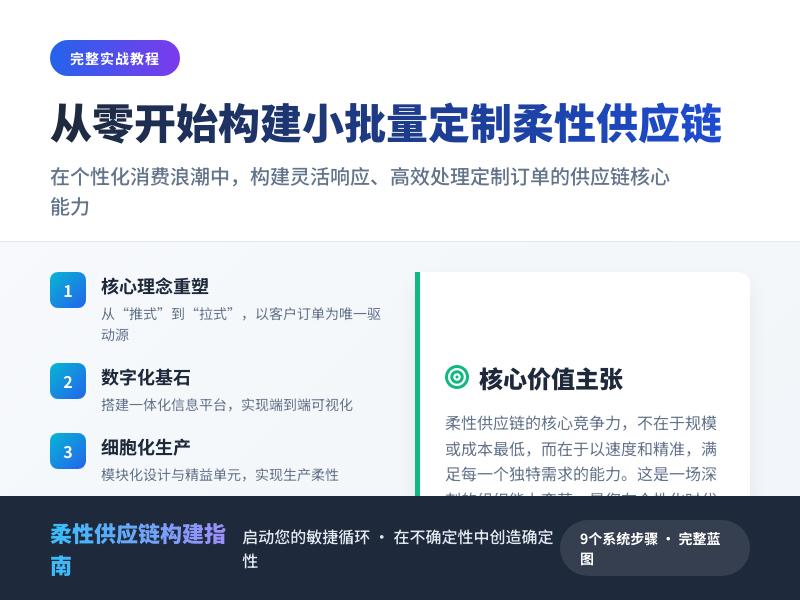
WordPress插件开发教程:实现网站内容自动同步至新闻资讯聚合平台 引言:WordPress插件开发的无限可能 在当今数字化时代,内容分发已成为网站运营的关键环节。WordPress作为全球最受欢迎的内容管理系统,其强大的可扩展性为开发者提供了无限可能。本教程将深入探讨如何通过WordPress插件开发,实现网站内容自动同步至新闻资讯聚合平台,并在此过程中展示如何通过代码二次开发实现常用互联网小工具功能。 随着信息爆炸式增长,单一平台的内容传播已无法满足现代网站的需求。新闻资讯聚合平台如Flipboard、今日头条、Google新闻等已成为用户获取信息的重要渠道。通过自动化同步机制,WordPress网站可以显著扩大内容覆盖面,提高流量和影响力。 第一部分:WordPress插件开发基础 1.1 WordPress插件架构概述 WordPress插件本质上是一组PHP文件,遵循特定的结构和命名规范。一个标准的WordPress插件至少包含: 主插件文件(必须包含插件头信息) 功能实现文件 可选的CSS、JavaScript和图像资源 插件头信息是插件的"身份证",必须放置在主插件文件的顶部: <?php /** * Plugin Name: 内容同步与工具增强插件 * Plugin URI: https://yourwebsite.com/sync-plugin * Description: 自动同步WordPress内容至新闻聚合平台,并提供实用小工具功能 * Version: 1.0.0 * Author: 你的名字 * Author URI: https://yourwebsite.com * License: GPL v2 or later * Text Domain: content-sync-tools */ 1.2 插件开发环境搭建 在开始开发前,需要准备以下环境: 本地开发环境:推荐使用XAMPP、MAMP或Local by Flywheel 代码编辑器:VS Code、PHPStorm或Sublime Text 测试WordPress安装:建议使用最新版本的WordPress 调试工具:启用WP_DEBUG,安装Query Monitor插件 创建插件目录结构: /wp-content/plugins/content-sync-tools/ ├── content-sync-tools.php # 主插件文件 ├── includes/ # 包含文件目录 │ ├── class-sync-manager.php # 同步管理器 │ ├── class-tools-manager.php # 工具管理器 │ └── class-api-handler.php # API处理器 ├── admin/ # 后台管理文件 │ ├── css/ │ ├── js/ │ └── admin-settings.php ├── public/ # 前端文件 │ ├── css/ │ └── js/ └── uninstall.php # 插件卸载处理 第二部分:内容自动同步功能实现 2.1 同步机制设计原理 内容自动同步的核心是在特定事件触发时,将文章数据发送到目标平台。WordPress提供了多种钩子(Hooks)来实现这一功能: 发布钩子:publish_post - 文章发布时触发 更新钩子:save_post - 文章保存时触发 定时发布钩子:future_to_publish - 定时文章发布时触发 同步流程设计: 用户发布或更新文章 插件捕获发布事件 提取文章数据并格式化 通过API发送到目标聚合平台 记录同步状态和结果 2.2 同步管理器类实现 创建同步管理器类,负责处理所有同步逻辑: <?php // includes/class-sync-manager.php class Content_Sync_Manager { private $target_platforms; private $sync_options; public function __construct() { $this->target_platforms = array( 'news_aggregator_1' => array( 'name' => '新闻聚合平台A', 'api_endpoint' => 'https://api.platform-a.com/v1/submit', 'api_key' => '', 'enabled' => false ), 'news_aggregator_2' => array( 'name' => '新闻聚合平台B', 'api_endpoint' => 'https://api.platform-b.com/publish', 'api_key' => '', 'enabled' => false ) ); $this->sync_options = get_option('content_sync_settings', array()); $this->init_hooks(); } private function init_hooks() { // 文章发布时触发同步 add_action('publish_post', array($this, 'sync_on_publish'), 10, 2); // 文章更新时触发同步 add_action('save_post', array($this, 'sync_on_update'), 10, 3); // 添加管理菜单 add_action('admin_menu', array($this, 'add_admin_menu')); // 注册设置 add_action('admin_init', array($this, 'register_settings')); } public function sync_on_publish($post_id, $post) { // 防止无限循环 if (defined('DOING_AUTOSAVE') && DOING_AUTOSAVE) return; if (wp_is_post_revision($post_id)) return; // 检查文章类型 if ($post->post_type !== 'post') return; // 检查是否已同步 $already_synced = get_post_meta($post_id, '_synced_to_platforms', true); if ($already_synced) return; // 执行同步 $this->sync_post($post_id); } private function sync_post($post_id) { $post = get_post($post_id); $author = get_userdata($post->post_author); $categories = wp_get_post_categories($post_id, array('fields' => 'names')); $tags = wp_get_post_tags($post_id, array('fields' => 'names')); // 准备同步数据 $sync_data = array( 'title' => $post->post_title, 'content' => $this->prepare_content($post->post_content), 'excerpt' => $post->post_excerpt ?: wp_trim_words(strip_tags($post->post_content), 55, '...'), 'author' => $author->display_name, 'categories' => $categories, 'tags' => $tags, 'publish_date' => $post->post_date, 'url' => get_permalink($post_id), 'featured_image' => get_the_post_thumbnail_url($post_id, 'full'), 'source' => get_bloginfo('name'), 'source_url' => get_site_url() ); $synced_platforms = array(); // 遍历所有平台进行同步 foreach ($this->target_platforms as $platform_id => $platform) { if (isset($this->sync_options[$platform_id . '_enabled']) && $this->sync_options[$platform_id . '_enabled'] === '1') { $api_key = isset($this->sync_options[$platform_id . '_api_key']) ? $this->sync_options[$platform_id . '_api_key'] : ''; $result = $this->send_to_platform($platform_id, $sync_data, $api_key); if ($result['success']) { $synced_platforms[] = $platform_id; // 记录日志 $this->log_sync($post_id, $platform_id, 'success', $result['message']); } else { $this->log_sync($post_id, $platform_id, 'error', $result['message']); } } } // 更新同步状态 if (!empty($synced_platforms)) { update_post_meta($post_id, '_synced_to_platforms', $synced_platforms); update_post_meta($post_id, '_last_sync_time', current_time('mysql')); } } private function prepare_content($content) { // 清理和格式化内容 $content = strip_shortcodes($content); $content = strip_tags($content, '<p><br><h2><h3><strong><em><ul><ol><li><a>'); // 移除多余空白 $content = preg_replace('/s+/', ' ', $content); // 限制长度(根据平台要求调整) $max_length = 5000; if (strlen($content) > $max_length) { $content = substr($content, 0, $max_length) . '...'; } return $content; } private function send_to_platform($platform_id, $data, $api_key) { $platform = $this->target_platforms[$platform_id]; // 根据平台要求格式化数据 $formatted_data = $this->format_for_platform($platform_id, $data); // 发送HTTP请求 $args = array( 'method' => 'POST', 'timeout' => 30, 'headers' => array( 'Content-Type' => 'application/json', 'Authorization' => 'Bearer ' . $api_key, 'User-Agent' => 'WordPress Content Sync Plugin/1.0' ), 'body' => json_encode($formatted_data) ); $response = wp_remote_post($platform['api_endpoint'], $args); if (is_wp_error($response)) { return array( 'success' => false, 'message' => $response->get_error_message() ); } $response_code = wp_remote_retrieve_response_code($response); $response_body = wp_remote_retrieve_body($response); if ($response_code >= 200 && $response_code < 300) { return array( 'success' => true, 'message' => '同步成功: ' . $response_body ); } else { return array( 'success' => false, 'message' => '同步失败 (HTTP ' . $response_code . '): ' . $response_body ); } } private function format_for_platform($platform_id, $data) { // 根据不同平台的API要求格式化数据 switch ($platform_id) { case 'news_aggregator_1': return array( 'article' => array( 'title' => $data['title'], 'body' => $data['content'], 'summary' => $data['excerpt'], 'author' => $data['author'], 'categories' => $data['categories'], 'tags' => $data['tags'], 'published_at' => $data['publish_date'], 'original_url' => $data['url'], 'image_url' => $data['featured_image'] ) ); case 'news_aggregator_2': return array( 'title' => $data['title'], 'content' => $data['content'], 'description' => $data['excerpt'], 'author_name' => $data['author'], 'topics' => array_merge($data['categories'], $data['tags']), 'source' => array( 'name' => $data['source'], 'url' => $data['source_url'] ), 'url' => $data['url'], 'images' => $data['featured_image'] ? array($data['featured_image']) : array() ); default: return $data; } } private function log_sync($post_id, $platform_id, $status, $message) { $log_entry = array( 'time' => current_time('mysql'), 'post_id' => $post_id, 'platform' => $platform_id, 'status' => $status, 'message' => $message ); $logs = get_option('content_sync_logs', array()); $logs[] = $log_entry; // 只保留最近100条日志 if (count($logs) > 100) { $logs = array_slice($logs, -100); } update_option('content_sync_logs', $logs); } // 管理界面方法将在下一部分实现 public function add_admin_menu() { /* ... */ } public function register_settings() { /* ... */ } } 2.3 后台管理界面实现 创建用户友好的后台界面,让网站管理员可以配置同步设置: <?php // admin/admin-settings.php class Content_Sync_Admin { public function __construct() { add_action('admin_menu', array($this, 'add_admin_menu')); add_action('admin_init', array($this, 'register_settings')); add_action('admin_enqueue_scripts', array($this, 'enqueue_admin_scripts')); } public function add_admin_menu() { add_menu_page( '内容同步设置', '内容同步', 'manage_options', 'content-sync-settings', array($this, 'render_settings_page'), 'dashicons-share', 30 ); add_submenu_page( 'content-sync-settings', '同步日志', '同步日志', 'manage_options', 'content-sync-logs', array($this, 'render_logs_page') ); } public function register_settings() { register_setting('content_sync_settings_group', 'content_sync_settings'); // 平台A设置 add_settings_section( 'platform_a_section', '新闻聚合平台A设置', array($this, 'render_platform_a_section'), 'content-sync-settings' ); add_settings_field( 'platform_a_enabled', '启用平台A', array($this, 'render_checkbox_field'), 'content-sync-settings', 'platform_a_section', array( 'label_for' => 'platform_a_enabled', 'description' => '启用同步到新闻聚合平台A' ) ); add_settings_field( 'platform_a_api_key', 'API密钥', array($this, 'render_text_field'), 'content-sync-settings', 'platform_a_section', array( 'label_for' => 'platform_a_api_key', 'description' => '从平台A获取的API密钥' ) ); // 平台B设置 add_settings_section( 'platform_b_section', '新闻聚合平台B设置', array($this, 'render_platform_b_section'), 'content-sync-settings' ); // 类似地添加平台B的字段... } public function render_settings_page() { ?> <div class="wrap"> <h1>内容同步设置</h1> <form method="post" action="options.php"> <?php settings_fields('content_sync_settings_group'); do_settings_sections('content-sync-settings'); submit_button(); ?> </form> <div class="sync-test-section"> <h2>测试同步功能</h2> <p>选择一篇文章测试同步功能:</p> <select id="test_post_select"> <option value="">选择文章...</option> <?php $recent_posts = wp_get_recent_posts(array( 'numberposts' => 10, 'post_status' => 'publish' )); foreach ($recent_posts as $post) { echo '<option value="' . $post['ID'] . '">' . $post['post_title'] . '</option>'; } ?> </select> <button id="test_sync_btn" class="button button-secondary">测试同步</button> <div id="test_result" style="margin-top: 15px; display: none;"></div> </div> </div> <?php } public function render_logs_page() { $logs = get_option('content_sync_logs', array()); ?> <div class="wrap"> <h1>同步日志</h1> <table class="wp-list-table widefat fixed striped"> <thead> <tr> <th>时间</th> <th>文章ID</th> <th>平台</th> <th>状态</th> <th>消息</th> </tr> </thead> <tbody> <?php if (empty($logs)): ?> <tr> <td colspan="5">暂无同步日志</td> </tr> <?php else: ?> <?php foreach (array_reverse($logs) as $log): ?> <tr> <td><?php echo $log['time']; ?></td> <td> <a href="<?php echo get_edit_post_link($log['post_id']); ?>"> <?php echo $log['post_id']; ?> </a> </td> <td><?php echo $log['platform']; ?></td> <td> <span class="sync-status <?php echo $log['status']; ?>"> <?php echo $log['status']; ?> </span> </td> <td><?php echo $log['message']; ?></td> </tr> <?php endforeach; ?> <?php endif; ?> </tbody> </table> </div> <?php } public function enqueue_admin_scripts($hook) { if ($hook === 'toplevel_page_content-sync-settings' || $hook === 'content-sync_page_content-sync-logs') { wp_enqueue_style( 'content-sync-admin', plugin_dir_url(__FILE__) . 'css/admin-style.css', array(), '1.0.0' ); wp_enqueue_script( 'content-sync-admin', plugin_dir_url(__FILE__) . 'js/admin-script.js', array('jquery'), '1.0.0', true ); wp_localize_script('content-sync-admin', 'contentSyncAjax', array( 'ajax_url' => admin_url('admin-ajax.php'), 'nonce' => wp_create_nonce('content_sync_test') )); } } public function render_checkbox_field($args) { $options = get_option('content_sync_settings'); $value = isset($options[$args['label_for']]) ? $options[$args['label_for']] : '0'; ?> <input type="checkbox" id="<?php echo esc_attr($args['label_for']); ?>" name="content_sync_settings[<?php echo esc_attr($args['label_for']); ?>]" value="1" <?php checked($value, '1'); ?>> <p class="description"><?php echo esc_html($args['description']); ?></p> <?php } public function render_text_field($args) { $options = get_option('content_sync_settings'); $value = isset($options[$args['label_for']]) ? $options[$args['label_for']] : ''; ?> <input type="text" id="<?php echo esc_attr($args['label_for']); ?>" name="content_sync_settings[<?php echo esc_attr($args['label_for']); ?>]" value="<?php echo esc_attr($value); ?>" class="regular-text"> <p class="description"><?php echo esc_html($args['description']); ?></p> <?php } } ## 第三部分:常用互联网小工具功能实现 ### 3.1 小工具管理器设计 除了内容同步功能,我们还可以为WordPress添加实用的互联网小工具。创建一个统一的小工具管理器: <?php// includes/class-tools-manager.php class Internet_Tools_Manager { private $available_tools; public function __construct() { $this->available_tools = array( 'url_shortener' => array( 'name' => 'URL短链接生成器', 'description' => '将长URL转换为短链接', 'class' => 'URL_Shortener_Tool' ), 'qr_code_generator' => array( 'name' => '二维码生成器', 'description' => '为URL或文本生成二维码', 'class' => 'QR_Code_Generator_Tool' ), 'social_share' => array( 'name' => '社交分享增强', 'description' => '增强文章社交分享功能', 'class' => 'Social_Share_Tool' ), 'related_content' => array( 'name' => '智能相关内容推荐', 'description' => '基于AI的内容推荐系统', 'class' => 'Related_Content_Tool' ) ); $this->init_hooks(); $this->load_tools(); } private function init_hooks() { add_action('widgets_init', array($this, 'register_widgets')); add_action('wp_enqueue_scripts', array($this, 'enqueue_frontend_scripts')); add_action('admin_menu', array($this, 'add_tools_admin_menu')); add_action('the_content', array($this, 'enhance_content'), 20); } private function load_tools() { foreach ($this->available_tools as $tool_id => $tool_info) { $tool_class = $tool_info['class']; $tool_file = plugin_dir_path(__FILE__) . 'tools/class-' . str_replace('_', '-', strtolower($tool_id)) . '.php'; if (file_exists($tool_file)) { require_once $tool_file; if (class_exists($tool_class)) { new $tool_class(); } } } } public function enhance_content($content) { if (!is_single() || !is_main_query()) { return $content; } global $post; // 在文章末尾添加工具 $enhanced_content = $content; // 添加社交分享按钮 if ($this->is_tool_enabled('social_share')) { $enhanced_content .= $this->get_social_share_buttons($post); } // 添加相关内容推荐 if ($this->is_tool_enabled('related_content')) { $enhanced_content .= $this->get_related_content($post); } // 添加二维码 if ($this->is_tool_enabled('qr_code_generator')) { $enhanced_content .= $this->get_qr_code_section($post); } return $enhanced_content; } private function is_tool_enabled($tool_id) { $tools_settings = get_option('internet_tools_settings', array()); return isset($tools_settings[$tool_id . '_enabled']) && $tools_settings[$tool_id . '_enabled'] === '1'; } private function get_social_share_buttons($post) { $post_url = urlencode(get_permalink($post->ID)); $post_title = urlencode(get_the_title($post->ID)); $post_excerpt = urlencode(wp_trim_words(get_the_excerpt($post), 20)); ob_start(); ?> <div class="social-share-tool"> <h3>分享这篇文章</h3> <div class="share-buttons"> <a href="https://www.facebook.com/sharer/sharer.php?u=<?php echo $post_url; ?>" target="_blank" class="share-btn facebook" title="分享到Facebook"> <span class="dashicons dashicons-facebook"></span> Facebook </a> <a href="https://twitter.com/intent/tweet?url=<?php echo $post_url; ?>&text=<?php echo $post_title; ?>" target="_blank" class="share-btn twitter" title="分享到Twitter"> <span class="dashicons dashicons-twitter"></span> Twitter </a> <a href="https://www.linkedin.com/shareArticle?mini=true&url=<?php echo $post_url; ?>&title=<?php echo $post_title; ?>&summary=<?php echo $post_excerpt; ?>" target="_blank" class="share-btn linkedin" title="分享到LinkedIn"> <span class="dashicons dashicons-linkedin"></span> LinkedIn </a> <a href="https://api.whatsapp.com/send?text=<?php echo $post_title . ' ' . $post_url; ?>" target="_blank" class="share-btn whatsapp" title="分享到WhatsApp"> <span class="dashicons dashicons-whatsapp"></span> WhatsApp </a> <button class="share-btn copy-link" title="复制链接" data-url="<?php echo get_permalink($post->ID); ?>"> <span class="dashicons dashicons-admin-links"></span> 复制链接 </button> </div> </div> <?php return ob_get_clean(); } private function get_related_content($post) { $related_posts = $this->find_related_posts($post); if (empty($related_posts)) { return ''; } ob_start(); ?> <div class="related-content-tool"> <h3>相关内容推荐</h3> <div class="related-posts-grid"> <?php foreach ($related_posts as $related_post): ?> <div class="related-post-item"> <a href="<?php echo get_permalink($related_post->ID); ?>"> <?php if (has_post_thumbnail($related_post->ID)): ?> <div class="related-post-thumbnail"> <?php echo get_the_post_thumbnail($related_post->ID, 'medium'); ?> </div> <?php endif; ?> <h4><?php echo get_the_title($related_post->ID); ?></h4> <p><?php echo wp_trim_words(get_the_excerpt($related_post->ID), 15); ?></p> </a> </div> <?php endforeach; ?> </div> </div> <?php return ob_get_clean(); } private function find_related_posts($post, $limit = 3) { $categories = wp_get_post_categories($post->ID, array('fields' => 'ids')); $tags = wp_get_post_tags($post->ID, array('fields' => 'ids')); $args = array( 'post_type' => 'post', 'post_status' => 'publish', 'posts_per_page' => $limit, 'post__not_in' => array($post->ID), 'orderby' => 'rand', 'tax_query' => array( 'relation' => 'OR', array( 'taxonomy' => 'category', 'field' => 'term_id', 'terms' => $categories ), array( 'taxonomy' => 'post_tag', 'field' => 'term_id', 'terms' => $tags ) ) ); return get_posts($args); } private function get_qr_code_section($post) { $post_url = get_permalink($post->ID); $qr_code_url = 'https://api.qrserver.com/v1/create-qr-code/?size=150x150&data=' . urlencode($post_url); ob_start(); ?> <div class="qr-code-tool"> <h3>手机阅读二维码</h3> <div class="qr-code-container"> <img src="<?php echo esc_url($qr_code_url); ?>" alt="文章二维码" class="qr-code-image"> <div class="qr-code-info"> <p>扫描二维码,在手机上阅读此文章</p> <div class="url-shortener"> <input type="text" value="<?php echo esc_url($post_url); ?>" readonly class="url-display"> <button class="copy-url-btn" data-url="<?php echo esc_url($post_url); ?>"> 复制链接 </button> </div> </div> </div> </div> <?php return ob_get_clean(); } public function register_widgets() { register_widget('URL_Shortener_Widget'); register_widget('QR_Code_Widget'); } public function enqueue_frontend_scripts() { if (is_single()) { wp_enqueue_style( 'internet-tools-frontend', plugin_dir_url(__FILE__) . '../public/css/tools-style.css', array(), '1.0.0' ); wp_enqueue_script( 'internet-tools-frontend', plugin_dir_url(__FILE__) . '../public/js/tools-script.js', array('jquery'), '1.0.0', true ); wp_localize_script('internet-tools-frontend', 'toolsData', array( 'ajax_url' => admin_url('admin-ajax.php'), 'nonce' => wp_create_nonce('internet_tools_nonce') )); } } public function add_tools_admin_menu() { add_submenu_page( 'content-sync-settings', '小工具设置', '小工具设置', 'manage_options', 'internet-tools-settings', array($this, 'render_tools_settings_page') ); } public function render_tools_settings_page() { ?> <div class="wrap"> <h1>互联网小工具设置</h1> <form method="post" action="options.php"> <?php settings_fields('internet_tools_settings_group'); do_settings_sections('internet-tools-settings'); submit_button(); ?> </form> </div> <?php } } ### 3.2 URL短链接生成器实现 <?php// tools/class-url-shortener-tool.php class URL_Shortener_Tool { private $api_services; public function __construct() { $this->api_services = array( 'bitly' => array( 'name' => 'Bitly', 'endpoint' => 'https://api-ssl.bitly.com/v4/shorten', 'requires_key' => true ), 'tinyurl' => array( 'name' => 'TinyURL', 'endpoint' => 'https://tinyurl.com/api-create.php', 'requires_key' => false ), 'isgd' => array( 'name' => 'is.gd', 'endpoint' => 'https://is.gd/create.php', 'requires_key' => false ) ); $this->init_hooks(); } private function init_hooks() { add_action('admin_bar_menu', array($this, 'add_admin_bar_shortener'), 100); add_action('wp_ajax_generate_short_url', array($this, 'ajax_generate_short_url')); add_action('wp_ajax_nopriv_generate_short_url', array($this, 'ajax_generate_short_url')); } public function add_admin_bar_shortener($admin_bar) { if (!current_user_can('edit_posts') || !is_single()) { return; } global $post; $admin_bar->add_node(array( 'id' => 'url-shortener', 'title' => '生成短链接', 'href' => '#', 'meta' => array( 'class' => 'url-shortener-tool', 'onclick' => 'generateShortURL(' . $post->ID . '); return false;', 'title' => '为当前文章生成短链接' ) )); } public function ajax_generate_short_url() { check_ajax_referer('internet_tools_nonce', 'nonce'); $post_id = intval($_POST['post_id']); $service = sanitize_text_field($_POST['service']); if (!$post_id) { wp_die(json_encode(array( 'success' => false, 'message' => '无效的文章ID' ))); } $post_url = get_permalink($post_id); $short_url = $this->shorten_url($post_url, $service); if ($short_url) { // 保存到文章元数据 update_post_meta($post_id, '_short_url_' . $service, $short_url); wp_die(json_encode(array( 'success' => true, 'short_url' => $short_url, 'message' => '短链接生成成功' ))); } else { wp_die(json_encode(array( 'success' => false, 'message' => '短链接生成失败' ))); } } private function shorten_url($url, $service) { if (!isset($this->api_services[$service])) { return false; } $service_info = $this->api_services[$service]; switch ($service) { case 'bitly': return $this->shorten_with_bitly($url); case 'tinyurl': return $this->shorten_with_tinyurl($url); case 'isgd': return $this->shorten_with_isgd($url); default: return false; } } private function shorten_with_bitly($url) { $api_key = get_option('bitly_api_key', ''); if (empty($api_key)) { return false; } $args = array( 'method' => 'POST', 'headers' => array( 'Content-Type' => 'application/json', 'Authorization' => 'Bearer ' . $api_key ), 'body' => json_encode(array( 'long_url' => $url, 'domain' => 'bit.ly' )) ); $response = wp_remote_post($this->api_services['bitly']['endpoint'], $args); if (is_wp_error($response)) { return false; } $body = json_decode(wp_remote_retrieve_body($response), true); return isset($body['link']) ? $body['link'] : false; } private function shorten_with_tinyurl($url) { $api_url = $this->api_services['tinyurl']['endpoint'] . '?url=' . urlencode($url); $response = wp_remote_get($api_url); if (is_wp_error($response)) { return false; } return wp_remote_retrieve_body($response); } private function shorten_with_isgd($url) { $api_url = $this->api_services['isgd']['endpoint'] . '?format=simple&url=' . urlencode($url); $response = wp_remote_get($api_url); if (is_wp_error($response)) { return false; } return wp_remote_retrieve_body($response); } } // URL短链接小工具class URL_Shortener_Widget extends WP_Widget { public function __construct() { parent::__construct( 'url_shortener_widget', 'URL短链接生成器', array('description' => '生成当前页面的短链接') ); } public function widget($args, $instance) { if (!is_single() && !is_page()) { return; } global $post; echo $args['before_widget']; if (!empty($instance['title'])) { echo $args['before_title'] . apply_filters('widget_title', $instance['title']) . $args['after_title']; } ?> <div class="url-shortener-widget"> <input type="text" id="current-url"
发表评论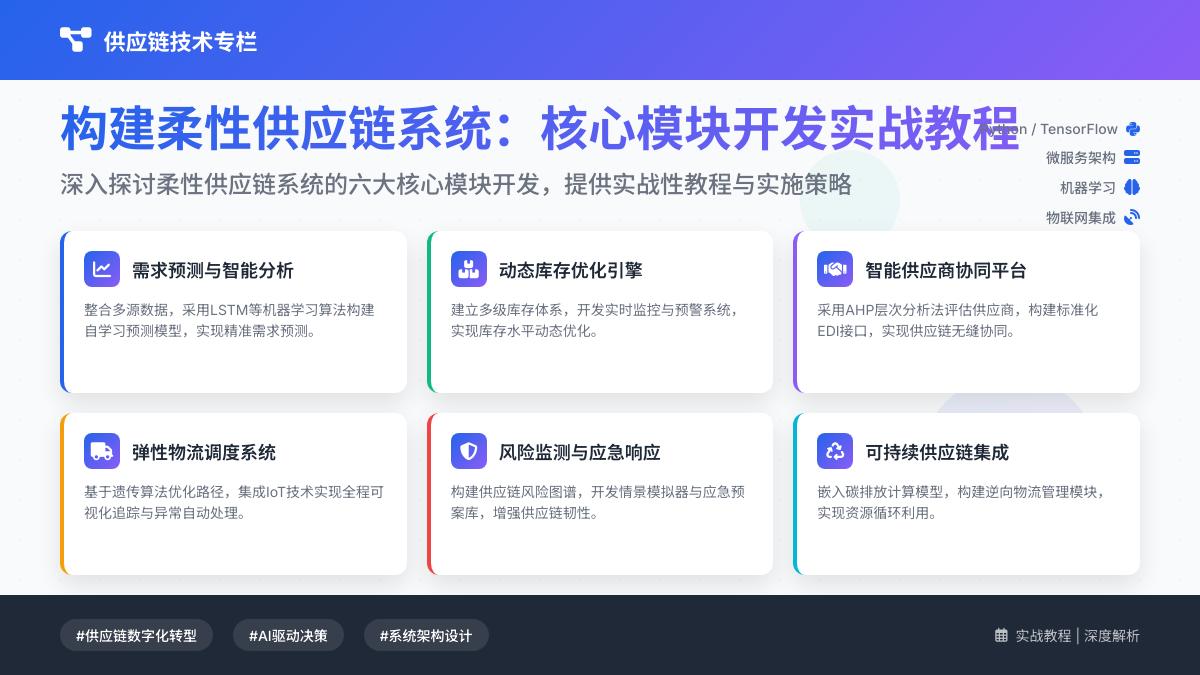
实战教程:在WordPress网站中添加在线个人健康数据记录与趋势分析小程序 摘要 本教程将详细介绍如何在WordPress网站中通过代码二次开发,实现一个功能完整的在线个人健康数据记录与趋势分析小程序。我们将从需求分析、数据库设计、前端界面开发、后端数据处理到数据可视化展示,一步步构建一个实用的健康管理工具。本教程适合有一定WordPress开发基础的开发者,通过约5000字的详细讲解,帮助您掌握在WordPress中集成自定义功能的完整流程。 目录 项目概述与需求分析 环境准备与WordPress开发基础 数据库设计与数据表创建 用户界面设计与前端开发 后端数据处理与API开发 数据可视化与趋势分析实现 安全性与数据隐私保护 测试、优化与部署 功能扩展与未来改进方向 1. 项目概述与需求分析 1.1 项目背景 随着健康意识的提升,越来越多的人希望系统性地记录和分析自己的健康数据。然而,市面上的健康管理应用往往存在数据隐私担忧、功能过于复杂或缺乏定制化等问题。通过在个人或企业WordPress网站中集成健康数据记录与分析功能,用户可以完全控制自己的数据,同时获得个性化的健康管理体验。 1.2 核心功能需求 用户认证与权限管理:确保用户只能访问自己的健康数据 健康数据录入:支持多种数据类型(体重、血压、血糖、运动量等) 数据存储与管理:安全可靠的数据库存储与检索 数据可视化:图表展示健康数据变化趋势 趋势分析与报告:基于历史数据的智能分析 数据导出:支持CSV、PDF等格式导出 移动端适配:确保在手机和平板上良好显示 1.3 技术选型 核心平台:WordPress 5.8+ 前端技术:HTML5、CSS3、JavaScript (jQuery/Vue.js可选) 图表库:Chart.js 或 Google Charts 数据库:MySQL (WordPress默认) 开发方式:WordPress插件开发模式 2. 环境准备与WordPress开发基础 2.1 开发环境搭建 安装本地开发环境(推荐XAMPP、MAMP或Local by Flywheel) 下载最新版WordPress并完成安装 配置调试模式,在wp-config.php中添加: define('WP_DEBUG', true); define('WP_DEBUG_LOG', true); define('WP_DEBUG_DISPLAY', false); 2.2 WordPress插件开发基础 我们将以插件形式开发健康管理功能,确保与主题的兼容性和可移植性。 创建插件基本结构: wp-content/plugins/health-tracker/ ├── health-tracker.php // 主插件文件 ├── includes/ // 包含文件目录 │ ├── class-database.php // 数据库处理类 │ ├── class-shortcodes.php // 短码处理类 │ ├── class-api.php // API处理类 │ └── class-analysis.php // 数据分析类 ├── admin/ // 后台管理文件 ├── public/ // 前端文件 │ ├── css/ // 样式文件 │ ├── js/ // JavaScript文件 │ └── templates/ // 前端模板 └── assets/ // 静态资源 2.3 插件主文件结构 创建health-tracker.php作为插件入口: <?php /** * Plugin Name: 个人健康数据记录与分析 * Plugin URI: https://yourwebsite.com/health-tracker * Description: 在WordPress网站中添加个人健康数据记录与趋势分析功能 * Version: 1.0.0 * Author: 您的名称 * License: GPL v2 or later * Text Domain: health-tracker */ // 防止直接访问 if (!defined('ABSPATH')) { exit; } // 定义插件常量 define('HEALTH_TRACKER_VERSION', '1.0.0'); define('HEALTH_TRACKER_PLUGIN_DIR', plugin_dir_path(__FILE__)); define('HEALTH_TRACKER_PLUGIN_URL', plugin_dir_url(__FILE__)); // 初始化插件 require_once HEALTH_TRACKER_PLUGIN_DIR . 'includes/class-database.php'; require_once HEALTH_TRACKER_PLUGIN_DIR . 'includes/class-shortcodes.php'; require_once HEALTH_TRACKER_PLUGIN_DIR . 'includes/class-api.php'; require_once HEALTH_TRACKER_PLUGIN_DIR . 'includes/class-analysis.php'; class Health_Tracker { private static $instance = null; public static function get_instance() { if (null === self::$instance) { self::$instance = new self(); } return self::$instance; } private function __construct() { $this->init_hooks(); } private function init_hooks() { // 激活/停用钩子 register_activation_hook(__FILE__, array($this, 'activate')); register_deactivation_hook(__FILE__, array($this, 'deactivate')); // 初始化组件 add_action('init', array($this, 'init')); // 加载文本域 add_action('plugins_loaded', array($this, 'load_textdomain')); } public function activate() { // 创建数据库表 Health_Tracker_Database::create_tables(); // 设置默认选项 update_option('health_tracker_version', HEALTH_TRACKER_VERSION); update_option('health_tracker_installed', time()); } public function deactivate() { // 清理临时数据 // 注意:不删除用户数据 } public function init() { // 初始化短码 Health_Tracker_Shortcodes::init(); // 初始化API Health_Tracker_API::init(); // 加载前端资源 add_action('wp_enqueue_scripts', array($this, 'enqueue_public_scripts')); // 加载后台资源 add_action('admin_enqueue_scripts', array($this, 'enqueue_admin_scripts')); } public function load_textdomain() { load_plugin_textdomain('health-tracker', false, dirname(plugin_basename(__FILE__)) . '/languages/'); } public function enqueue_public_scripts() { // 前端资源加载 wp_enqueue_style('health-tracker-public', HEALTH_TRACKER_PLUGIN_URL . 'public/css/health-tracker-public.css', array(), HEALTH_TRACKER_VERSION); wp_enqueue_script('health-tracker-public', HEALTH_TRACKER_PLUGIN_URL . 'public/js/health-tracker-public.js', array('jquery', 'chartjs'), HEALTH_TRACKER_VERSION, true); // 本地化脚本 wp_localize_script('health-tracker-public', 'healthTrackerAjax', array( 'ajaxurl' => admin_url('admin-ajax.php'), 'nonce' => wp_create_nonce('health_tracker_nonce'), 'user_id' => get_current_user_id() )); } public function enqueue_admin_scripts($hook) { // 仅在我们的设置页面加载 if ('toplevel_page_health-tracker' !== $hook) { return; } wp_enqueue_style('health-tracker-admin', HEALTH_TRACKER_PLUGIN_URL . 'admin/css/health-tracker-admin.css', array(), HEALTH_TRACKER_VERSION); wp_enqueue_script('health-tracker-admin', HEALTH_TRACKER_PLUGIN_URL . 'admin/js/health-tracker-admin.js', array('jquery'), HEALTH_TRACKER_VERSION, true); } } // 启动插件 Health_Tracker::get_instance(); 3. 数据库设计与数据表创建 3.1 数据库表设计 我们需要创建两个主要数据表: wp_health_data - 存储健康数据记录 wp_health_metrics - 存储健康指标定义 3.2 数据库类实现 创建includes/class-database.php: <?php class Health_Tracker_Database { public static function create_tables() { global $wpdb; $charset_collate = $wpdb->get_charset_collate(); $table_prefix = $wpdb->prefix . 'health_'; // 健康指标定义表 $metrics_table = $table_prefix . 'metrics'; $metrics_sql = "CREATE TABLE IF NOT EXISTS $metrics_table ( id mediumint(9) NOT NULL AUTO_INCREMENT, metric_name varchar(100) NOT NULL, metric_unit varchar(50) NOT NULL, metric_type varchar(50) NOT NULL, min_value decimal(10,2) DEFAULT NULL, max_value decimal(10,2) DEFAULT NULL, default_value decimal(10,2) DEFAULT NULL, description text, is_active tinyint(1) DEFAULT 1, created_at datetime DEFAULT CURRENT_TIMESTAMP, PRIMARY KEY (id), UNIQUE KEY metric_name (metric_name) ) $charset_collate;"; // 健康数据记录表 $data_table = $table_prefix . 'data'; $data_sql = "CREATE TABLE IF NOT EXISTS $data_table ( id bigint(20) NOT NULL AUTO_INCREMENT, user_id bigint(20) NOT NULL, metric_id mediumint(9) NOT NULL, metric_value decimal(10,2) NOT NULL, recorded_at datetime NOT NULL, notes text, created_at datetime DEFAULT CURRENT_TIMESTAMP, PRIMARY KEY (id), KEY user_id (user_id), KEY metric_id (metric_id), KEY recorded_at (recorded_at), FOREIGN KEY (metric_id) REFERENCES {$metrics_table}(id) ON DELETE CASCADE ) $charset_collate;"; require_once(ABSPATH . 'wp-admin/includes/upgrade.php'); dbDelta($metrics_sql); dbDelta($data_sql); // 插入默认健康指标 self::insert_default_metrics(); } private static function insert_default_metrics() { global $wpdb; $table_name = $wpdb->prefix . 'health_metrics'; $default_metrics = array( array( 'metric_name' => '体重', 'metric_unit' => 'kg', 'metric_type' => 'numeric', 'min_value' => 30, 'max_value' => 200, 'default_value' => 65, 'description' => '体重记录,单位千克' ), array( 'metric_name' => '收缩压', 'metric_unit' => 'mmHg', 'metric_type' => 'numeric', 'min_value' => 80, 'max_value' => 200, 'default_value' => 120, 'description' => '血压高压值' ), array( 'metric_name' => '舒张压', 'metric_unit' => 'mmHg', 'metric_type' => 'numeric', 'min_value' => 50, 'max_value' => 130, 'default_value' => 80, 'description' => '血压低压值' ), array( 'metric_name' => '空腹血糖', 'metric_unit' => 'mmol/L', 'metric_type' => 'numeric', 'min_value' => 3.0, 'max_value' => 20.0, 'default_value' => 5.5, 'description' => '空腹血糖值' ), array( 'metric_name' => '步数', 'metric_unit' => '步', 'metric_type' => 'numeric', 'min_value' => 0, 'max_value' => 50000, 'default_value' => 8000, 'description' => '每日步数' ), array( 'metric_name' => '睡眠时长', 'metric_unit' => '小时', 'metric_type' => 'numeric', 'min_value' => 0, 'max_value' => 24, 'default_value' => 7.5, 'description' => '每日睡眠时长' ) ); foreach ($default_metrics as $metric) { $wpdb->replace($table_name, $metric); } } public static function get_user_health_data($user_id, $metric_id = null, $start_date = null, $end_date = null, $limit = 100) { global $wpdb; $table_data = $wpdb->prefix . 'health_data'; $table_metrics = $wpdb->prefix . 'health_metrics'; $where_clauses = array("d.user_id = %d"); $where_values = array($user_id); if ($metric_id) { $where_clauses[] = "d.metric_id = %d"; $where_values[] = $metric_id; } if ($start_date) { $where_clauses[] = "d.recorded_at >= %s"; $where_values[] = $start_date; } if ($end_date) { $where_clauses[] = "d.recorded_at <= %s"; $where_values[] = $end_date; } $where_sql = implode(' AND ', $where_clauses); $query = $wpdb->prepare( "SELECT d.*, m.metric_name, m.metric_unit FROM $table_data d JOIN $table_metrics m ON d.metric_id = m.id WHERE $where_sql ORDER BY d.recorded_at DESC LIMIT %d", array_merge($where_values, array($limit)) ); return $wpdb->get_results($query); } public static function add_health_data($user_id, $metric_id, $value, $recorded_at = null, $notes = '') { global $wpdb; $table_name = $wpdb->prefix . 'health_data'; if (!$recorded_at) { $recorded_at = current_time('mysql'); } $data = array( 'user_id' => $user_id, 'metric_id' => $metric_id, 'metric_value' => $value, 'recorded_at' => $recorded_at, 'notes' => $notes ); $format = array('%d', '%d', '%f', '%s', '%s'); return $wpdb->insert($table_name, $data, $format); } public static function get_available_metrics() { global $wpdb; $table_name = $wpdb->prefix . 'health_metrics'; return $wpdb->get_results( "SELECT * FROM $table_name WHERE is_active = 1 ORDER BY metric_name" ); } } 4. 用户界面设计与前端开发 4.1 创建前端模板 在public/templates/目录下创建健康数据记录界面: <!-- public/templates/dashboard.php --> <div class="health-tracker-container"> <div class="health-tracker-header"> <h1><?php _e('个人健康数据记录', 'health-tracker'); ?></h1> <p><?php _e('记录并分析您的健康指标', 'health-tracker'); ?></p> </div> <div class="health-tracker-main"> <!-- 数据录入部分 --> <div class="health-tracker-section"> <h2><?php _e('新增记录', 'health-tracker'); ?></h2> <form id="health-data-form" class="health-data-form"> <div class="form-group"> <label for="metric-select"><?php _e('选择指标', 'health-tracker'); ?></label> <select id="metric-select" name="metric_id" required> <option value=""><?php _e('请选择健康指标', 'health-tracker'); ?></option> <!-- 通过AJAX动态加载 --> </select> </div> <div class="form-group"> <label for="metric-value"><?php _e('数值', 'health-tracker'); ?></label> <input type="number" id="metric-value" name="metric_value" step="0.01" required> <span class="unit-display" id="unit-display"></span> </div> <div class="form-group"> <label for="record-date"><?php _e('记录日期', 'health-tracker'); ?></label> <input type="datetime-local" id="record-date" name="recorded_at" value="<?php echo date('Y-m-dTH:i'); ?>"> </div> <div class="form-group"> <label for="notes"><?php _e('备注', 'health-tracker'); ?></label> <textarea id="notes" name="notes" rows="3" placeholder="<?php _e('可选的备注信息...', 'health-tracker'); ?>"></textarea> </div> <button type="submit" class="submit-btn"> <?php _e('保存记录', 'health-tracker'); ?> </button> </form> </div> <!-- 数据可视化部分 --> <div class="health-tracker-section"> <h2><?php _e('趋势分析', 'health-tracker'); ?></h2> <div class="chart-controls"> <select id="chart-metric-select"> <option value=""><?php _e('选择要分析的指标', 'health-tracker'); ?></option> </select> <select id="chart-period"> <option value="7"><?php _e('最近7天', 'health-tracker'); ?></option> <option value="30" selected><?php _e('最近30天', 'health-tracker'); ?></option> <button type="submit" class="submit-btn"> <?php _e('保存记录', 'health-tracker'); ?> </button> </form> </div> <!-- 数据可视化部分 --> <div class="health-tracker-section"> <h2><?php _e('趋势分析', 'health-tracker'); ?></h2> <div class="chart-controls"> <select id="chart-metric-select"> <option value=""><?php _e('选择要分析的指标', 'health-tracker'); ?></option> </select> <select id="chart-period"> <option value="7"><?php _e('最近7天', 'health-tracker'); ?></option> <option value="30" selected><?php _e('最近30天', 'health-tracker'); ?></option> <option value="90"><?php _e('最近90天', 'health-tracker'); ?></option> <option value="365"><?php _e('最近1年', 'health-tracker'); ?></option> </select> <button id="update-chart" class="btn-secondary"> <?php _e('更新图表', 'health-tracker'); ?> </button> </div> <div class="chart-container"> <canvas id="health-trend-chart"></canvas> </div> <div class="chart-stats" id="chart-stats"> <!-- 统计数据将通过JavaScript动态生成 --> </div> </div> <!-- 历史记录部分 --> <div class="health-tracker-section"> <h2><?php _e('历史记录', 'health-tracker'); ?></h2> <div class="history-controls"> <select id="history-metric-filter"> <option value=""><?php _e('所有指标', 'health-tracker'); ?></option> </select> <input type="date" id="history-start-date" placeholder="<?php _e('开始日期', 'health-tracker'); ?>"> <input type="date" id="history-end-date" placeholder="<?php _e('结束日期', 'health-tracker'); ?>"> <button id="filter-history" class="btn-secondary"> <?php _e('筛选', 'health-tracker'); ?> </button> <button id="export-history" class="btn-secondary"> <?php _e('导出CSV', 'health-tracker'); ?> </button> </div> <div class="history-table-container"> <table id="health-history-table" class="health-history-table"> <thead> <tr> <th><?php _e('指标', 'health-tracker'); ?></th> <th><?php _e('数值', 'health-tracker'); ?></th> <th><?php _e('记录时间', 'health-tracker'); ?></th> <th><?php _e('备注', 'health-tracker'); ?></th> <th><?php _e('操作', 'health-tracker'); ?></th> </tr> </thead> <tbody> <!-- 数据将通过JavaScript动态加载 --> </tbody> </table> <div id="history-pagination" class="pagination"> <!-- 分页控件 --> </div> </div> </div> </div> </div> ### 4.2 前端样式设计 创建`public/css/health-tracker-public.css`: / 健康追踪器主容器 /.health-tracker-container { max-width: 1200px; margin: 0 auto; padding: 20px; font-family: -apple-system, BlinkMacSystemFont, 'Segoe UI', Roboto, Oxygen, Ubuntu, sans-serif; } .health-tracker-header { text-align: center; margin-bottom: 40px; padding-bottom: 20px; border-bottom: 2px solid #4CAF50; } .health-tracker-header h1 { color: #2c3e50; margin-bottom: 10px; } .health-tracker-header p { color: #7f8c8d; font-size: 1.1em; } / 各部分样式 /.health-tracker-section { background: white; border-radius: 10px; padding: 25px; margin-bottom: 30px; box-shadow: 0 4px 6px rgba(0, 0, 0, 0.1); border: 1px solid #e0e0e0; } .health-tracker-section h2 { color: #3498db; margin-top: 0; margin-bottom: 20px; padding-bottom: 10px; border-bottom: 1px solid #eee; } / 表单样式 /.health-data-form .form-group { margin-bottom: 20px; } .health-data-form label { display: block; margin-bottom: 8px; font-weight: 600; color: #34495e; } .health-data-form select,.health-data-form input[type="number"],.health-data-form input[type="datetime-local"],.health-data-form textarea { width: 100%; padding: 12px; border: 1px solid #ddd; border-radius: 6px; font-size: 16px; transition: border-color 0.3s; box-sizing: border-box; } .health-data-form select:focus,.health-data-form input:focus,.health-data-form textarea:focus { outline: none; border-color: #3498db; box-shadow: 0 0 0 2px rgba(52, 152, 219, 0.2); } .unit-display { margin-left: 10px; color: #7f8c8d; font-style: italic; } .submit-btn { background: linear-gradient(135deg, #4CAF50 0%, #45a049 100%); color: white; border: none; padding: 14px 28px; font-size: 16px; border-radius: 6px; cursor: pointer; transition: all 0.3s; font-weight: 600; width: 100%; } .submit-btn:hover { background: linear-gradient(135deg, #45a049 0%, #3d8b40 100%); transform: translateY(-2px); box-shadow: 0 4px 8px rgba(0, 0, 0, 0.2); } / 图表控制区域 /.chart-controls,.history-controls { display: flex; flex-wrap: wrap; gap: 10px; margin-bottom: 20px; align-items: center; } .chart-controls select,.history-controls select,.history-controls input { padding: 10px; border: 1px solid #ddd; border-radius: 4px; font-size: 14px; } .btn-secondary { background: #3498db; color: white; border: none; padding: 10px 20px; border-radius: 4px; cursor: pointer; transition: background 0.3s; } .btn-secondary:hover { background: #2980b9; } / 图表容器 /.chart-container { position: relative; height: 400px; margin: 20px 0; background: #f8f9fa; border-radius: 8px; padding: 15px; } .chart-stats { display: grid; grid-template-columns: repeat(auto-fit, minmax(200px, 1fr)); gap: 15px; margin-top: 20px; } .stat-card { background: white; padding: 15px; border-radius: 6px; border-left: 4px solid #3498db; box-shadow: 0 2px 4px rgba(0, 0, 0, 0.1); } .stat-card h4 { margin: 0 0 10px 0; color: #7f8c8d; font-size: 14px; text-transform: uppercase; } .stat-card .stat-value { font-size: 24px; font-weight: bold; color: #2c3e50; } .stat-card .stat-change { font-size: 14px; margin-top: 5px; } .stat-change.positive { color: #27ae60; } .stat-change.negative { color: #e74c3c; } / 历史记录表格 /.history-table-container { overflow-x: auto; } .health-history-table { width: 100%; border-collapse: collapse; margin-top: 20px; } .health-history-table th { background: #f8f9fa; padding: 12px; text-align: left; font-weight: 600; color: #2c3e50; border-bottom: 2px solid #dee2e6; } .health-history-table td { padding: 12px; border-bottom: 1px solid #dee2e6; } .health-history-table tr:hover { background: #f8f9fa; } .health-history-table .metric-name { font-weight: 600; color: #3498db; } .health-history-table .metric-value { font-weight: bold; color: #2c3e50; } .health-history-table .metric-unit { color: #7f8c8d; font-size: 0.9em; margin-left: 2px; } .health-history-table .record-time { color: #7f8c8d; font-size: 0.9em; } .health-history-table .action-buttons { display: flex; gap: 5px; } .action-btn { padding: 5px 10px; border: none; border-radius: 3px; cursor: pointer; font-size: 12px; transition: all 0.2s; } .edit-btn { background: #f39c12; color: white; } .delete-btn { background: #e74c3c; color: white; } .action-btn:hover { opacity: 0.9; transform: translateY(-1px); } / 分页样式 /.pagination { display: flex; justify-content: center; align-items: center; margin-top: 20px; gap: 10px; } .pagination button { padding: 8px 16px; border: 1px solid #ddd; background: white; cursor: pointer; border-radius: 4px; transition: all 0.3s; } .pagination button:hover:not(:disabled) { background: #3498db; color: white; border-color: #3498db; } .pagination button:disabled { opacity: 0.5; cursor: not-allowed; } .pagination .page-info { color: #7f8c8d; font-size: 14px; } / 响应式设计 /@media (max-width: 768px) { .health-tracker-container { padding: 10px; } .health-tracker-section { padding: 15px; } .chart-controls, .history-controls { flex-direction: column; align-items: stretch; } .chart-container { height: 300px; } .health-history-table { font-size: 14px; } .health-history-table th, .health-history-table td { padding: 8px; } } / 加载动画 /.loading { display: inline-block; width: 20px; height: 20px; border: 3px solid #f3f3f3; border-top: 3px solid #3498db; border-radius: 50%; animation: spin 1s linear infinite; } @keyframes spin { 0% { transform: rotate(0deg); } 100% { transform: rotate(360deg); } } / 消息提示 /.message { padding: 12px; border-radius: 6px; margin: 10px 0; display: none; } .message.success { background: #d4edda; color: #155724; border: 1px solid #c3e6cb; } .message.error { background: #f8d7da; color: #721c24; border: 1px solid #f5c6cb; } .message.info { background: #d1ecf1; color: #0c5460; border: 1px solid #bee5eb; } ### 4.3 前端JavaScript逻辑 创建`public/js/health-tracker-public.js`: (function($) { 'use strict'; // 全局变量 let healthTracker = { metrics: [], currentChart: null, currentPage: 1, itemsPerPage: 10, currentFilter: {} }; // 初始化 $(document).ready(function() { initHealthTracker(); }); function initHealthTracker() { // 加载健康指标 loadMetrics(); // 绑定事件 bindEvents(); // 加载历史记录 loadHistory(); } function loadMetrics() { $.ajax({ url: healthTrackerAjax.ajaxurl, type: 'POST', data: { action: 'health_tracker_get_metrics', nonce: healthTrackerAjax.nonce }, beforeSend: function() { $('#metric-select, #chart-metric-select, #history-metric-filter').append( '<option value="" disabled>加载中...</option>' ); }, success: function(response) { if (response.success) { healthTracker.metrics = response.data; populateMetricSelects(); } else { showMessage('error', '加载指标失败: ' + response.data); } }, error: function() { showMessage('error', '网络错误,请稍后重试'); } }); } function populateMetricSelects() { // 清空所有选择框 $('#metric-select, #chart-metric-select, #history-metric-filter').empty(); // 添加默认选项 $('#metric-select').append('<option value="">请选择健康指标</option>'); $('#chart-metric-select').append('<option value="">选择要分析的指标</option>'); $('#history-metric-filter').append('<option value="">所有指标</option>'); // 添加指标选项 healthTracker.metrics.forEach(function(metric) { $('#metric-select').append( `<option value="${metric.id}" data-unit="${metric.metric_unit}">${metric.metric_name} (${metric.metric_unit})</option>` ); $('#chart-metric-select').append( `<option value="${metric.id}">${metric.metric_name}</option>` ); $('#history-metric-filter').append( `<option value="${metric.id}">${metric.metric_name}</option>` ); }); } function bindEvents() { // 指标选择变化时更新单位显示 $('#metric-select').on('change', function() { const selectedOption = $(this).find('option:selected'); const unit = selectedOption.data('unit'); $('#unit-display').text(unit ? `单位: ${unit}` : ''); }); // 提交健康数据表单 $('#health-data-form').on('submit', function(e) { e.preventDefault(); submitHealthData(); }); // 更新图表 $('#update-chart').on('click', function() { updateChart(); }); // 筛选历史记录 $('#filter-history').on('click', function() { healthTracker.currentPage = 1; updateHistoryFilter(); loadHistory(); }); // 导出历史记录 $('#export-history').on('click', function() { exportHistoryToCSV(); }); // 图表指标选择变化时自动更新图表 $('#chart-metric-select').on('change', function() { if ($(this).val()) { updateChart(); } }); // 分页按钮 $(document).on('click', '.page-btn', function() { const page = $(this).data('page'); if (page) { healthTracker.currentPage = page; loadHistory(); } }); } function submitHealthData() { const formData = $('#health-data-form').serializeArray(); const data = {}; // 转换为对象 formData.forEach(function(item) { data[item.name] = item.value; }); // 添加用户ID data.user_id = healthTrackerAjax.user_id; data.action = 'health_tracker_add_data'; data.nonce = healthTrackerAjax.nonce; $.ajax({ url: healthTrackerAjax.ajaxurl, type: 'POST', data: data, beforeSend: function() { $('.submit-btn').prop('disabled', true).html('<span class="loading"></span> 保存中...'); }, success: function(response) { if (response.success) { showMessage('success', '数据保存成功!'); $('#health-data-form')[0].reset(); $('#unit-display').text(''); // 重新加载历史记录 loadHistory(); // 如果当前图表显示的是刚添加的指标,更新图表 const selectedMetric = $('#chart-metric-select').val(); if (selectedMetric && selectedMetric == data.metric_id) { updateChart(); } } else { showMessage('error', '保存失败: ' + response.data); } }, error: function() { showMessage('error', '网络错误,请稍后重试'); }, complete: function() { $('.submit-btn').prop('disabled', false).text('保存记录'); } }); } function updateChart() { const metric
发表评论手把手教学:为WordPress集成智能化的网站死链检测与自动修复工具 引言:为什么WordPress网站需要死链检测与修复工具 在当今互联网时代,网站链接的完整性和可用性直接影响用户体验和搜索引擎排名。根据权威统计,一个拥有超过1000个页面的网站中,平均有5%-10%的链接可能失效或成为"死链"。对于使用WordPress构建的网站而言,随着内容不断积累和更新,死链问题会日益严重。 死链不仅导致访客无法访问目标内容,还会损害网站的专业形象,更重要的是,搜索引擎会将死链数量作为网站质量评估的指标之一,直接影响SEO排名。传统的手动检测方法耗时耗力,且难以实时发现新出现的死链问题。因此,为WordPress集成智能化的死链检测与自动修复工具显得尤为重要。 本文将详细介绍如何通过WordPress代码二次开发,实现一个功能完善的死链检测与自动修复系统,让您的网站始终保持链接健康状态。 第一章:准备工作与环境配置 1.1 开发环境要求 在开始开发之前,我们需要确保具备以下环境条件: WordPress 5.0及以上版本 PHP 7.2及以上版本(推荐PHP 7.4+) MySQL 5.6及以上版本 服务器支持cURL扩展 适当的服务器内存和CPU资源(检测过程可能消耗资源) 1.2 创建插件基础结构 首先,我们需要创建一个独立的WordPress插件来承载我们的死链检测功能: 在WordPress的wp-content/plugins/目录下创建新文件夹smart-link-checker 在该文件夹中创建主插件文件smart-link-checker.php 添加插件基本信息: <?php /** * Plugin Name: Smart Link Checker & Fixer * Plugin URI: https://yourwebsite.com/smart-link-checker * Description: 智能化的网站死链检测与自动修复工具 * Version: 1.0.0 * Author: Your Name * License: GPL v2 or later * Text Domain: smart-link-checker */ // 防止直接访问 if (!defined('ABSPATH')) { exit; } // 定义插件常量 define('SLC_VERSION', '1.0.0'); define('SLC_PLUGIN_DIR', plugin_dir_path(__FILE__)); define('SLC_PLUGIN_URL', plugin_dir_url(__FILE__)); define('SLC_MAX_LINKS_PER_RUN', 100); // 每次运行检测的最大链接数 define('SLC_REQUEST_TIMEOUT', 15); // 请求超时时间(秒) 1.3 创建数据库表结构 我们需要创建数据库表来存储链接检测结果和历史记录: // 在插件激活时创建数据库表 register_activation_hook(__FILE__, 'slc_create_database_tables'); function slc_create_database_tables() { global $wpdb; $charset_collate = $wpdb->get_charset_collate(); $table_name = $wpdb->prefix . 'slc_links'; $history_table = $wpdb->prefix . 'slc_link_history'; // 主链接表 $sql = "CREATE TABLE IF NOT EXISTS $table_name ( id bigint(20) NOT NULL AUTO_INCREMENT, url varchar(1000) NOT NULL, source_id bigint(20) NOT NULL, source_type varchar(50) NOT NULL, last_checked datetime DEFAULT NULL, status_code int(4) DEFAULT NULL, status varchar(50) DEFAULT 'pending', redirect_to varchar(1000) DEFAULT NULL, error_message text, check_count int(11) DEFAULT 0, created_at datetime DEFAULT CURRENT_TIMESTAMP, PRIMARY KEY (id), KEY url_index (url(191)), KEY status_index (status), KEY source_index (source_type, source_id) ) $charset_collate;"; // 历史记录表 $sql2 = "CREATE TABLE IF NOT EXISTS $history_table ( id bigint(20) NOT NULL AUTO_INCREMENT, link_id bigint(20) NOT NULL, status_code int(4) DEFAULT NULL, response_time float DEFAULT NULL, checked_at datetime DEFAULT CURRENT_TIMESTAMP, notes text, PRIMARY KEY (id), KEY link_id_index (link_id) ) $charset_collate;"; require_once(ABSPATH . 'wp-admin/includes/upgrade.php'); dbDelta($sql); dbDelta($sql2); // 添加默认选项 add_option('slc_settings', array( 'check_frequency' => 'daily', 'auto_fix_redirects' => true, 'send_notifications' => true, 'notification_email' => get_option('admin_email'), 'excluded_domains' => array(), 'max_redirects' => 3 )); } 第二章:核心功能模块开发 2.1 链接提取器模块 首先,我们需要从WordPress内容中提取所有链接: class SLC_Link_Extractor { /** * 从所有文章和页面中提取链接 */ public static function extract_all_links() { global $wpdb; $links = array(); // 从文章内容中提取链接 $posts = $wpdb->get_results("SELECT ID, post_content FROM {$wpdb->posts} WHERE post_status = 'publish' AND post_type IN ('post', 'page')"); foreach ($posts as $post) { $post_links = self::extract_from_content($post->post_content); foreach ($post_links as $link) { $links[] = array( 'url' => $link, 'source_id' => $post->ID, 'source_type' => 'post' ); } } // 从评论中提取链接 $comments = $wpdb->get_results("SELECT comment_ID, comment_content FROM {$wpdb->comments} WHERE comment_approved = '1'"); foreach ($comments as $comment) { $comment_links = self::extract_from_content($comment->comment_content); foreach ($comment_links as $link) { $links[] = array( 'url' => $link, 'source_id' => $comment->comment_ID, 'source_type' => 'comment' ); } } return $links; } /** * 从文本内容中提取URL */ private static function extract_from_content($content) { $pattern = '/https?://[^s'"<>]+/i'; preg_match_all($pattern, $content, $matches); $urls = array(); if (!empty($matches[0])) { foreach ($matches[0] as $url) { // 清理URL $url = rtrim($url, '.,;:!?'); $url = html_entity_decode($url); // 排除站内链接(可选) if (!self::is_internal_link($url)) { $urls[] = $url; } } } return array_unique($urls); } /** * 判断是否为站内链接 */ private static function is_internal_link($url) { $site_url = site_url(); $parsed_url = parse_url($url); $parsed_site = parse_url($site_url); if (!isset($parsed_url['host'])) { return false; } return $parsed_url['host'] === $parsed_site['host']; } } 2.2 链接检测器模块 接下来,我们创建链接检测的核心功能: class SLC_Link_Checker { private $timeout; private $user_agent; public function __construct() { $this->timeout = SLC_REQUEST_TIMEOUT; $this->user_agent = 'Mozilla/5.0 (compatible; SmartLinkChecker/1.0; +' . site_url() . ')'; } /** * 检测单个链接的状态 */ public function check_single_link($url) { $start_time = microtime(true); // 初始化cURL $ch = curl_init(); curl_setopt_array($ch, array( CURLOPT_URL => $url, CURLOPT_RETURNTRANSFER => true, CURLOPT_FOLLOWLOCATION => true, CURLOPT_MAXREDIRS => 5, CURLOPT_TIMEOUT => $this->timeout, CURLOPT_CONNECTTIMEOUT => 10, CURLOPT_SSL_VERIFYPEER => false, CURLOPT_SSL_VERIFYHOST => false, CURLOPT_USERAGENT => $this->user_agent, CURLOPT_HEADER => true, CURLOPT_NOBODY => true, // 只获取头部信息,提高速度 )); $response = curl_exec($ch); $http_code = curl_getinfo($ch, CURLINFO_HTTP_CODE); $total_time = curl_getinfo($ch, CURLINFO_TOTAL_TIME); $effective_url = curl_getinfo($ch, CURLINFO_EFFECTIVE_URL); $redirect_count = curl_getinfo($ch, CURLINFO_REDIRECT_COUNT); $error = curl_error($ch); curl_close($ch); $response_time = microtime(true) - $start_time; // 分析结果 $result = array( 'url' => $url, 'http_code' => $http_code, 'response_time' => $response_time, 'effective_url' => $effective_url, 'redirect_count' => $redirect_count, 'error' => $error, 'status' => $this->determine_status($http_code, $error) ); return $result; } /** * 根据HTTP状态码确定链接状态 */ private function determine_status($http_code, $error) { if (!empty($error)) { return 'error'; } if ($http_code >= 200 && $http_code < 300) { return 'working'; } elseif ($http_code >= 300 && $http_code < 400) { return 'redirect'; } elseif ($http_code == 404) { return 'broken'; } elseif ($http_code >= 400 && $http_code < 500) { return 'client_error'; } elseif ($http_code >= 500) { return 'server_error'; } else { return 'unknown'; } } /** * 批量检测链接 */ public function check_batch_links($links, $batch_size = 10) { $results = array(); $batches = array_chunk($links, $batch_size); foreach ($batches as $batch) { $batch_results = $this->check_batch_concurrently($batch); $results = array_merge($results, $batch_results); // 避免对目标服务器造成过大压力 sleep(1); } return $results; } /** * 并发检测(使用curl_multi) */ private function check_batch_concurrently($links) { $mh = curl_multi_init(); $channels = array(); foreach ($links as $i => $link) { $ch = curl_init(); curl_setopt_array($ch, array( CURLOPT_URL => $link['url'], CURLOPT_RETURNTRANSFER => true, CURLOPT_FOLLOWLOCATION => true, CURLOPT_MAXREDIRS => 3, CURLOPT_TIMEOUT => $this->timeout, CURLOPT_CONNECTTIMEOUT => 5, CURLOPT_SSL_VERIFYPEER => false, CURLOPT_USERAGENT => $this->user_agent, CURLOPT_HEADER => true, CURLOPT_NOBODY => true, )); curl_multi_add_handle($mh, $ch); $channels[$i] = array( 'channel' => $ch, 'link' => $link ); } // 执行并发请求 $active = null; do { $mrc = curl_multi_exec($mh, $active); } while ($mrc == CURLM_CALL_MULTI_PERFORM); while ($active && $mrc == CURLM_OK) { if (curl_multi_select($mh) != -1) { do { $mrc = curl_multi_exec($mh, $active); } while ($mrc == CURLM_CALL_MULTI_PERFORM); } } // 收集结果 $results = array(); foreach ($channels as $i => $channel) { $ch = $channel['channel']; $link = $channel['link']; $http_code = curl_getinfo($ch, CURLINFO_HTTP_CODE); $effective_url = curl_getinfo($ch, CURLINFO_EFFECTIVE_URL); $error = curl_error($ch); $results[] = array_merge($link, array( 'http_code' => $http_code, 'effective_url' => $effective_url, 'error' => $error, 'status' => $this->determine_status($http_code, $error) )); curl_multi_remove_handle($mh, $ch); curl_close($ch); } curl_multi_close($mh); return $results; } } 2.3 智能修复模块 检测到死链后,我们需要尝试自动修复: class SLC_Link_Fixer { /** * 尝试自动修复死链 */ public static function try_auto_fix($link_data) { $url = $link_data['url']; $source_id = $link_data['source_id']; $source_type = $link_data['source_type']; // 检查是否为404错误 if ($link_data['http_code'] != 404) { return false; } // 尝试常见的修复策略 $fixed_url = self::try_fix_strategies($url); if ($fixed_url && $fixed_url !== $url) { // 验证修复后的链接是否有效 $checker = new SLC_Link_Checker(); $check_result = $checker->check_single_link($fixed_url); if ($check_result['status'] === 'working') { // 更新数据库中的链接 self::update_link_in_database($link_data['id'], $fixed_url, $check_result['http_code']); // 更新内容中的链接 self::update_link_in_content($source_id, $source_type, $url, $fixed_url); return array( 'original_url' => $url, 'fixed_url' => $fixed_url, 'http_code' => $check_result['http_code'], 'success' => true ); } } return false; } /** * 尝试多种修复策略 */ private static function try_fix_strategies($url) { $strategies = array( 'remove_www' => function($url) { return preg_replace('/^(https?://)www./i', '$1', $url); }, 'add_www' => function($url) { $parsed = parse_url($url); if (!preg_match('/^www./i', $parsed['host'])) { $parsed['host'] = 'www.' . $parsed['host']; return self::build_url($parsed); } return $url; }, 'force_https' => function($url) { return preg_replace('/^http:/i', 'https:', $url); }, 'force_http' => function($url) { return preg_replace('/^https:/i', 'http:', $url); }, 'remove_trailing_slash' => function($url) { return rtrim($url, '/'); }, 'add_trailing_slash' => function($url) { $parsed = parse_url($url); if (!isset($parsed['path']) || substr($parsed['path'], -1) !== '/') { $parsed['path'] = ($parsed['path'] ?? '') . '/'; return self::build_url($parsed); } return $url; } ); foreach ($strategies as $strategy) { $fixed_url = $strategy($url); if ($fixed_url !== $url) { // 简单验证URL格式 if (filter_var($fixed_url, FILTER_VALIDATE_URL)) { return $fixed_url; } } } return false; } /** * 从解析的URL部分重建完整URL */ private static function build_url($parts) { $scheme = isset($parts['scheme']) ? $parts['scheme'] . '://' : ''; $host = $parts['host'] ?? ''; $port = isset($parts['port']) ? ':' . $parts['port'] : ''; $path = $parts['path'] ?? ''; $query = isset($parts['query']) ? '?' . $parts['query'] : ''; $fragment = isset($parts['fragment']) ? '#' . $parts['fragment'] : ''; return $scheme . $host . $port . $path . $query . $fragment; } /** * 更新数据库中的链接记录 */ private static function update_link_in_database($link_id, $new_url, $http_code) { global $wpdb; $table_name = $wpdb->prefix . 'slc_links'; $wpdb->update( $table_name, array( 'url' => $new_url, 'status_code' => $http_code, 'status' => 'fixed', 'last_checked' => current_time('mysql') ), array('id' => $link_id), array('%s', '%d', '%s', '%s'), array('%d') ); // 记录修复历史 $history_table = $wpdb->prefix . 'slc_link_history'; $wpdb->insert( $history_table, array( 'link_id' => $link_id, 'status_code' => $http_code, 'checked_at' => current_time('mysql'), 'notes' => '自动修复: ' . $new_url ) ); } /** * 更新内容中的链接 */ private static function update_link_in_content($source_id, $source_type, $old_url, $new_url) { if ($source_type === 'post') { $post = get_post($source_id); if ($post) { $new_content = str_replace($old_url, $new_url, $post->post_content); wp_update_post(array( 'ID' => $source_id, 'post_content' => $new_content )); } } elseif ($source_type === 'comment') { $comment = get_comment($source_id); if ($comment) { $new_content = str_replace($old_url, $new_url, $comment->comment_content); wp_update_comment(array( 'comment_ID' => $source_id, 'comment_content' => $new_content )); } } } /** * 查找可能的替代链接(通过搜索引擎API) */ public static function find_alternative_url($url, $title = '') { // 这里可以集成搜索引擎API来查找替代链接 // 由于API需要密钥,这里仅提供框架代码 $parsed = parse_url($url); $domain = $parsed['host'] ?? ''; $path = $parsed['path'] ?? ''; // 尝试通过Wayback Machine查找存档 $wayback_url = "https://archive.org/wayback/available?url=" . urlencode($url); $response = wp_remote_get($wayback_url, array('timeout' => 10)); if (!is_wp_error($response)) { $body = wp_remote_retrieve_body($response); $data = json_decode($body, true); if (isset($data['archived_snapshots']['closest']['url'])) { return $data['archived_snapshots']['closest']['url']; } } return false; } } ## 第三章:后台管理与用户界面 ### 3.1 创建管理菜单和页面 class SLC_Admin { public function __construct() { add_action('admin_menu', array($this, 'add_admin_menu')); add_action('admin_enqueue_scripts', array($this, 'enqueue_admin_scripts')); add_action('wp_ajax_slc_start_scan', array($this, 'ajax_start_scan')); add_action('wp_ajax_slc_get_stats', array($this, 'ajax_get_stats')); add_action('wp_ajax_slc_fix_link', array($this, 'ajax_fix_link')); } /** * 添加管理菜单 */ public function add_admin_menu() { add_menu_page( '智能死链检测', '死链检测', 'manage_options', 'smart-link-checker', array($this, 'render_main_page'), 'dashicons-admin-links', 30 ); add_submenu_page( 'smart-link-checker', '检测设置', '设置', 'manage_options', 'slc-settings', array($this, 'render_settings_page') ); add_submenu_page( 'smart-link-checker', '检测报告', '报告', 'manage_options', 'slc-reports', array($this, 'render_reports_page') ); } /** * 渲染主页面 */ public function render_main_page() { ?> <div class="wrap slc-admin"> <h1>智能死链检测与修复</h1> <div class="slc-dashboard"> <div class="slc-stats-cards"> <div class="card"> <h3>总链接数</h3> <p class="stat-number" id="total-links">0</p> </div> <div class="card"> <h3>正常链接</h3> <p class="stat-number" id="working-links">0</p> </div> <div class="card"> <h3>死链数</h3> <p class="stat-number" id="broken-links">0</p> </div> <div class="card"> <h3>已修复</h3> <p class="stat-number" id="fixed-links">0</p> </div> </div> <div class="slc-controls"> <button id="start-scan" class="button button-primary button-large"> <span class="dashicons dashicons-search"></span> 开始检测 </button> <button id="stop-scan" class="button button-secondary button-large" disabled> <span class="dashicons dashicons-controls-pause"></span> 停止检测 </button> <button id="export-report" class="button button-secondary"> <span class="dashicons dashicons-download"></span> 导出报告 </button> </div> <div class="slc-progress-container" style="display: none;"> <h3>检测进度</h3> <div class="progress-bar"> <div class="progress-fill" id="scan-progress" style="width: 0%"></div> </div> <p class="progress-text" id="progress-text">准备开始...</p> </div> <div class="slc-results"> <h2>检测结果</h2> <div class="tablenav top"> <div class="alignleft actions"> <select id="status-filter"> <option value="all">所有状态</option> <option value="broken">死链</option> <option value="working">正常</option> <option value="redirect">重定向</option> <option value="error">错误</option> </select> <button id="apply-filter" class="button">筛选</button> </div> <div class="tablenav-pages"> <span class="displaying-num" id="displaying-num">0个项目</span> <div class="pagination"> <button class="button" id="prev-page" disabled>上一页</button> <span id="current-page">1</span> / <span id="total-pages">1</span> <button class="button" id="next-page" disabled>下一页</button> </div> </div> </div> <table class="wp-list-table widefat fixed striped" id="links-table"> <thead> <tr> <th width="5%">ID</th> <th width="30%">URL</th> <th width="10%">状态码</th> <th width="15%">状态</th> <th width="20%">来源</th> <th width="15%">最后检测</th> <th width="15%">操作</th> </tr> </thead> <tbody id="links-tbody"> <!-- 动态加载数据 --> </tbody> </table> </div> </div> </div> <?php } /** * 渲染设置页面 */ public function render_settings_page() { $settings = get_option('slc_settings', array()); ?> <div class="wrap"> <h1>死链检测设置</h1> <form method="post" action="options.php"> <?php settings_fields('slc_settings_group'); ?> <table class="form-table"> <tr> <th scope="row">检测频率</th> <td> <select name="slc_settings[check_frequency]"> <option value="hourly" <?php selected($settings['check_frequency'], 'hourly'); ?>>每小时</option> <option value="twicedaily" <?php selected($settings['check_frequency'], 'twicedaily'); ?>>每天两次</option> <option value="daily" <?php selected($settings['check_frequency'], 'daily'); ?>>每天</option> <option value="weekly" <?php selected($settings['check_frequency'], 'weekly'); ?>>每周</option> <option value="monthly" <?php selected($settings['check_frequency'], 'monthly'); ?>>每月</option> </select> <p class="description">自动检测死链的频率</p> </td> </tr> <tr> <th scope="row">自动修复</th> <td> <label> <input type="checkbox" name="slc_settings[auto_fix_redirects]" value="1" <?php checked($settings['auto_fix_redirects'], true); ?>> 自动尝试修复重定向和简单错误 </label> </td> </tr> <tr> <th scope="row">邮件通知</th> <td> <label> <input type="checkbox" name="slc_settings[send_notifications]" value="1" <?php checked($settings['send_notifications'], true); ?>> 检测到死链时发送邮件通知 </label> <p class="description"> <input type="email" name="slc_settings[notification_email]" value="<?php echo esc_attr($settings['notification_email']); ?>" placeholder="通知邮箱地址"> </p> </td> </tr> <tr> <th scope="row">排除域名</th> <td> <textarea name="slc_settings[excluded_domains]" rows="5" cols="50" placeholder="每行一个域名,例如:example.com"><?php echo esc_textarea(implode("n", $settings['excluded_domains'] ?? array())); ?></textarea> <p class="description">不检测这些域名的链接</p> </td> </tr> <tr> <th scope="row">最大重定向次数</th> <td> <input type="number" name="slc_settings[max_redirects]" value="<?php echo esc_attr($settings['max_redirects']); ?>" min="1" max="10"> <p class="description">检测时允许的最大重定向次数</p> </td> </tr> <tr> <th scope="row">请求超时时间</th> <td> <input type="number" name="slc_settings[request_timeout]" value="<?php echo esc_attr($settings['request_timeout'] ?? SLC_REQUEST_TIMEOUT); ?>" min="5" max="60"> <span>秒</span> <p class="description">检测单个链接的最大等待时间</p> </td> </tr> </table> <?php submit_button(); ?> </form> </div> <?php } /** * 注册设置 */ public function register_settings() { register_setting('slc_settings_group', 'slc_settings', array( 'sanitize_callback' => array($this, 'sanitize_settings') )); } /** * 清理设置数据 */ public function sanitize_settings($input) { $sanitized = array(); $sanitized['check_frequency'] = sanitize_text_field($input['check_frequency']); $sanitized['auto_fix_redirects'] = isset($input['auto_fix_redirects']); $sanitized['send_notifications'] = isset($input['send_notifications']); $sanitized['notification_email'] = sanitize_email($input['notification_email']); // 处理排除域名 $excluded_domains = explode("n", $input['excluded_domains']); $sanitized['excluded_domains'] = array_map('trim', $excluded_domains); $sanitized['excluded_domains'] = array_filter($sanitized['excluded_domains']); $sanitized['max_redirects'] = absint($input['max_redirects']); if ($sanitized['max_redirects'] < 1 || $sanitized['max_redirects'] > 10) { $sanitized['max_redirects'] = 3; } $sanitized['request_timeout'] = absint($input['request_timeout']); if ($sanitized['request_timeout'] < 5 || $sanitized['request_timeout'] > 60) { $sanitized['request_timeout'] = SLC_REQUEST_TIMEOUT; } return $sanitized; } } ### 3.2 AJAX处理与前端交互 // 继续SLC_Admin类中的方法 /** * AJAX开始扫描 */ public function ajax_start_scan() { check_ajax_referer('slc_ajax_nonce', 'nonce'); if (!current_user_can('manage_options')) { wp_die('权限不足'); } // 获取所有链接 $links = SLC_Link_Extractor::extract_all_links(); // 保存到数据库 $this->save_links_to_db($links); // 开始后台处理 wp_schedule_single_event(time() + 1, 'slc_process_batch'); wp_send_json_success(array( 'message' => '扫描已开始', 'total_links' => count($links) )); } /** * 保存链接到数据库 */ private function save_links_to_db($links) { global $wpdb; $table_name = $wpdb->prefix . 'slc_links'; // 清空旧数据 $wpdb->query("TRUNCATE TABLE $table_name"); // 批量插入新数据 $values = array(); $placeholders = array(); foreach ($links as $link) { array_push( $values, $link['url'], $link['source_id'], $link['source_type'] ); $placeholders[] = "(%s, %d, %s, 'pending')"; } if (!empty($values)) { $query = "INSERT INTO $table_name (url, source_id, source_type, status) VALUES "; $query .= implode(', ', $placeholders); $wpdb->query($wpdb->prepare($query, $values)); } } /** * AJAX获取统计信息 */ public function ajax_get_stats() { global $wpdb; $table_name = $wpdb->prefix . 'slc_links'; $stats = array( 'total' => $wpdb->get_var("SELECT COUNT(*) FROM $table_name"), 'working' => $wpdb->get_var("SELECT COUNT(*) FROM $table_name WHERE status = 'working'"), 'broken' => $wpdb->get_var("SELECT COUNT(*) FROM $table_name WHERE status = 'broken'"), 'fixed' => $wpdb->get_var("SELECT COUNT(*) FROM $table_name WHERE status = 'fixed'"), 'pending' => $wpdb->get_var("SELECT COUNT(*) FROM $table_name WHERE status = 'pending'") ); wp_send_json_success($stats); } /** * AJAX修复链接 */ public function ajax_fix_link() { check_ajax_referer('slc_ajax_nonce', 'nonce'); if (!current_user_can('manage_options')) { wp_die('权限不足'); } $link_id = intval($_POST['link_id']); $fix_type = sanitize_text_field($_POST['fix_type']); global $wpdb; $table_name = $wpdb->prefix . 'slc_links'; $link = $wpdb->get_row($wpdb->prepare( "SELECT * FROM $table_name WHERE id = %d", $link_id )); if (!$link) { wp_send_json_error('链接不存在'); } $result = false; switch ($fix_type) { case 'auto': $result = SLC_Link_Fixer::try_auto_fix((array)$link); break; case 'manual': $new_url = sanitize_text_field($_POST['new_url']); if ($new_url && filter_var($new_url, FILTER_VALIDATE_URL)) { $result = SLC_Link_Fixer::update_link_in_content( $link->source_id, $link->source_type, $link->url, $new_url ); } break; case 'remove': // 从内容中移除链接 $result = SLC_Link_Fixer::update_link_in_content( $link->source_id, $link->source_type, $link->url, '' ); break; } if ($result) { wp_send_json_success(array( 'message' => '修复成功', 'link_id' => $link_id )); } else { wp_send_json_error('修复失败'); } } /** * 加载管理脚本和样式 */ public function enqueue_admin_scripts($hook) {
发表评论
详细指南:开发网站活动在线抽奖与中奖结果公证展示系统 摘要 随着互联网活动的日益普及,在线抽奖已成为企业营销、社区互动和用户增长的重要手段。然而,如何确保抽奖过程的公平性和中奖结果的公信力,一直是组织者面临的挑战。本文将详细介绍如何通过WordPress程序的代码二次开发,实现一个功能完善的在线抽奖与中奖结果公证展示系统。我们将从系统设计、功能实现、安全性保障到用户体验优化等多个维度进行全面解析,帮助开发者构建一个既实用又可信赖的在线抽奖平台。 一、系统概述与需求分析 1.1 在线抽奖系统的核心价值 在线抽奖系统不仅是一个简单的随机选择工具,更是一个集用户参与、活动管理、结果公证和营销推广于一体的综合平台。一个优秀的在线抽奖系统应具备以下特点: 公平性:确保每个参与者有平等的获奖机会 透明性:抽奖过程和中奖结果可追溯、可验证 易用性:用户参与简单,管理后台操作便捷 可扩展性:支持多种抽奖规则和活动形式 安全性:防止作弊和恶意攻击 1.2 系统功能需求 基于WordPress开发在线抽奖系统,我们需要实现以下核心功能: 用户参与模块:注册、登录、参与抽奖 抽奖活动管理:创建、编辑、删除抽奖活动 抽奖规则设置:参与条件、中奖人数、奖品设置 实时抽奖引擎:公平的随机算法实现 中奖结果展示:可视化展示中奖结果 公证验证系统:提供抽奖过程的可验证证据 数据统计与分析:参与数据、中奖率等统计 1.3 技术选型与架构设计 选择WordPress作为开发基础有以下优势: 成熟的用户管理系统 丰富的插件生态和主题支持 良好的扩展性和二次开发能力 广泛的技术社区支持 系统架构采用WordPress核心+自定义插件+定制主题的模式,确保系统稳定性的同时提供高度定制化功能。 二、开发环境搭建与准备工作 2.1 开发环境配置 在开始开发前,需要准备以下环境: 本地开发环境:推荐使用XAMPP、MAMP或Local by Flywheel WordPress安装:最新稳定版WordPress 代码编辑器:VS Code、PHPStorm等 版本控制:Git 调试工具:Query Monitor、Debug Bar等WordPress调试插件 2.2 创建自定义插件 我们将创建一个独立插件来管理所有抽奖功能: <?php /** * Plugin Name: 在线抽奖与公证系统 * Plugin URI: https://yourwebsite.com/ * Description: 功能完整的在线抽奖与中奖结果公证展示系统 * Version: 1.0.0 * Author: Your Name * License: GPL v2 or later */ // 防止直接访问 if (!defined('ABSPATH')) { exit; } // 定义插件常量 define('LOTTERY_PLUGIN_PATH', plugin_dir_path(__FILE__)); define('LOTTERY_PLUGIN_URL', plugin_dir_url(__FILE__)); define('LOTTERY_VERSION', '1.0.0'); // 初始化插件 require_once LOTTERY_PLUGIN_PATH . 'includes/class-lottery-core.php'; function lottery_init() { $lottery = new Lottery_Core(); $lottery->init(); } add_action('plugins_loaded', 'lottery_init'); 2.3 数据库设计 我们需要创建自定义数据表来存储抽奖活动、参与记录和中奖信息: // 在插件激活时创建数据表 function lottery_create_tables() { global $wpdb; $charset_collate = $wpdb->get_charset_collate(); // 抽奖活动表 $table_activities = $wpdb->prefix . 'lottery_activities'; $sql_activities = "CREATE TABLE IF NOT EXISTS $table_activities ( id INT(11) NOT NULL AUTO_INCREMENT, title VARCHAR(255) NOT NULL, description TEXT, start_date DATETIME NOT NULL, end_date DATETIME NOT NULL, status ENUM('draft', 'active', 'ended', 'cancelled') DEFAULT 'draft', rules TEXT, prizes TEXT, winner_count INT(11) DEFAULT 1, created_at DATETIME DEFAULT CURRENT_TIMESTAMP, PRIMARY KEY (id) ) $charset_collate;"; // 参与记录表 $table_participants = $wpdb->prefix . 'lottery_participants'; $sql_participants = "CREATE TABLE IF NOT EXISTS $table_participants ( id INT(11) NOT NULL AUTO_INCREMENT, activity_id INT(11) NOT NULL, user_id INT(11), user_email VARCHAR(255), user_name VARCHAR(255), ip_address VARCHAR(45), user_agent TEXT, participation_code VARCHAR(100) UNIQUE, status ENUM('valid', 'invalid') DEFAULT 'valid', participated_at DATETIME DEFAULT CURRENT_TIMESTAMP, PRIMARY KEY (id), INDEX activity_user (activity_id, user_id), FOREIGN KEY (activity_id) REFERENCES $table_activities(id) ON DELETE CASCADE ) $charset_collate;"; // 中奖记录表 $table_winners = $wpdb->prefix . 'lottery_winners'; $sql_winners = "CREATE TABLE IF NOT EXISTS $table_winners ( id INT(11) NOT NULL AUTO_INCREMENT, activity_id INT(11) NOT NULL, participant_id INT(11) NOT NULL, prize_level INT(11), prize_name VARCHAR(255), awarded_at DATETIME DEFAULT CURRENT_TIMESTAMP, verification_hash VARCHAR(255), PRIMARY KEY (id), FOREIGN KEY (activity_id) REFERENCES $table_activities(id) ON DELETE CASCADE, FOREIGN KEY (participant_id) REFERENCES $table_participants(id) ON DELETE CASCADE ) $charset_collate;"; require_once(ABSPATH . 'wp-admin/includes/upgrade.php'); dbDelta($sql_activities); dbDelta($sql_participants); dbDelta($sql_winners); } register_activation_hook(__FILE__, 'lottery_create_tables'); 三、核心功能模块开发 3.1 抽奖活动管理模块 3.1.1 后台管理界面 创建抽奖活动管理后台页面: class Lottery_Admin { public function __construct() { add_action('admin_menu', array($this, 'add_admin_menu')); add_action('admin_enqueue_scripts', array($this, 'enqueue_admin_scripts')); } public function add_admin_menu() { add_menu_page( '在线抽奖系统', '抽奖管理', 'manage_options', 'lottery-management', array($this, 'render_admin_page'), 'dashicons-tickets-alt', 30 ); add_submenu_page( 'lottery-management', '抽奖活动', '活动列表', 'manage_options', 'lottery-activities', array($this, 'render_activities_page') ); add_submenu_page( 'lottery-management', '添加抽奖活动', '添加活动', 'manage_options', 'lottery-add-activity', array($this, 'render_add_activity_page') ); } public function render_activities_page() { include LOTTERY_PLUGIN_PATH . 'admin/views/activities-list.php'; } public function render_add_activity_page() { include LOTTERY_PLUGIN_PATH . 'admin/views/activity-form.php'; } public function enqueue_admin_scripts($hook) { if (strpos($hook, 'lottery') !== false) { wp_enqueue_style('lottery-admin-style', LOTTERY_PLUGIN_URL . 'assets/css/admin.css'); wp_enqueue_script('lottery-admin-script', LOTTERY_PLUGIN_URL . 'assets/js/admin.js', array('jquery', 'jquery-ui-datepicker'), LOTTERY_VERSION, true); wp_enqueue_style('jquery-ui-style', '//code.jquery.com/ui/1.12.1/themes/base/jquery-ui.css'); } } } 3.1.2 活动表单与数据保存 // 处理活动表单提交 function lottery_save_activity() { if (!isset($_POST['lottery_nonce']) || !wp_verify_nonce($_POST['lottery_nonce'], 'lottery_save_activity')) { wp_die('安全验证失败'); } global $wpdb; $table_name = $wpdb->prefix . 'lottery_activities'; $data = array( 'title' => sanitize_text_field($_POST['title']), 'description' => wp_kses_post($_POST['description']), 'start_date' => sanitize_text_field($_POST['start_date']), 'end_date' => sanitize_text_field($_POST['end_date']), 'status' => sanitize_text_field($_POST['status']), 'winner_count' => intval($_POST['winner_count']), 'rules' => wp_json_encode($_POST['rules']), 'prizes' => wp_json_encode($_POST['prizes']) ); if (isset($_POST['activity_id']) && !empty($_POST['activity_id'])) { // 更新现有活动 $wpdb->update($table_name, $data, array('id' => intval($_POST['activity_id']))); $message = '活动更新成功'; } else { // 创建新活动 $wpdb->insert($table_name, $data); $message = '活动创建成功'; } wp_redirect(admin_url('admin.php?page=lottery-activities&message=' . urlencode($message))); exit; } add_action('admin_post_lottery_save_activity', 'lottery_save_activity'); 3.2 用户参与模块 3.2.1 前端参与界面 创建短代码让用户可以在任何页面参与抽奖: class Lottery_Shortcodes { public function __construct() { add_shortcode('lottery_participation', array($this, 'render_participation_form')); add_shortcode('lottery_results', array($this, 'render_results_display')); } public function render_participation_form($atts) { $atts = shortcode_atts(array( 'activity_id' => 0, 'title' => '参与抽奖' ), $atts); $activity_id = intval($atts['activity_id']); if (!$activity_id) { return '<p>错误:未指定抽奖活动</p>'; } // 检查活动状态 $activity = $this->get_activity($activity_id); if (!$activity) { return '<p>错误:抽奖活动不存在</p>'; } // 检查活动时间 $current_time = current_time('mysql'); if ($current_time < $activity->start_date) { return '<div class="lottery-notice">抽奖活动尚未开始</div>'; } if ($current_time > $activity->end_date) { return '<div class="lottery-notice">抽奖活动已结束</div>'; } // 检查用户是否已参与 $user_id = get_current_user_id(); $has_participated = $this->check_participation($activity_id, $user_id); if ($has_participated) { return '<div class="lottery-notice">您已参与本次抽奖,请等待开奖结果</div>'; } // 渲染参与表单 ob_start(); include LOTTERY_PLUGIN_PATH . 'public/views/participation-form.php'; return ob_get_clean(); } private function get_activity($activity_id) { global $wpdb; $table_name = $wpdb->prefix . 'lottery_activities'; return $wpdb->get_row($wpdb->prepare( "SELECT * FROM $table_name WHERE id = %d AND status = 'active'", $activity_id )); } private function check_participation($activity_id, $user_id) { global $wpdb; $table_name = $wpdb->prefix . 'lottery_participants'; if ($user_id) { return $wpdb->get_var($wpdb->prepare( "SELECT COUNT(*) FROM $table_name WHERE activity_id = %d AND user_id = %d", $activity_id, $user_id )); } return false; } } 3.2.2 参与表单处理 // 处理用户参与请求 function lottery_handle_participation() { // 验证nonce if (!isset($_POST['lottery_nonce']) || !wp_verify_nonce($_POST['lottery_nonce'], 'lottery_participate')) { wp_send_json_error(array('message' => '安全验证失败')); } $activity_id = intval($_POST['activity_id']); // 验证活动 $activity = lottery_get_activity($activity_id); if (!$activity || $activity->status !== 'active') { wp_send_json_error(array('message' => '抽奖活动无效或已结束')); } // 检查时间 $current_time = current_time('mysql'); if ($current_time < $activity->start_date || $current_time > $activity->end_date) { wp_send_json_error(array('message' => '不在抽奖活动时间内')); } // 获取用户信息 $user_id = get_current_user_id(); $user_email = ''; $user_name = ''; if ($user_id) { $user = get_userdata($user_id); $user_email = $user->user_email; $user_name = $user->display_name; } else { // 匿名用户需要提供邮箱 if (empty($_POST['user_email']) || !is_email($_POST['user_email'])) { wp_send_json_error(array('message' => '请输入有效的邮箱地址')); } $user_email = sanitize_email($_POST['user_email']); $user_name = !empty($_POST['user_name']) ? sanitize_text_field($_POST['user_name']) : ''; } // 检查是否已参与 if (lottery_check_participation($activity_id, $user_id, $user_email)) { wp_send_json_error(array('message' => '您已经参与过本次抽奖')); } // 生成参与码 $participation_code = lottery_generate_participation_code(); // 保存参与记录 global $wpdb; $table_name = $wpdb->prefix . 'lottery_participants'; $data = array( 'activity_id' => $activity_id, 'user_id' => $user_id, 'user_email' => $user_email, 'user_name' => $user_name, 'ip_address' => lottery_get_client_ip(), 'user_agent' => $_SERVER['HTTP_USER_AGENT'], 'participation_code' => $participation_code ); $result = $wpdb->insert($table_name, $data); if ($result) { // 发送确认邮件 lottery_send_participation_email($user_email, $activity, $participation_code); wp_send_json_success(array( 'message' => '参与成功!您的参与码是:' . $participation_code, 'code' => $participation_code )); } else { wp_send_json_error(array('message' => '参与失败,请稍后重试')); } } add_action('wp_ajax_lottery_participate', 'lottery_handle_participation'); add_action('wp_ajax_nopriv_lottery_participate', 'lottery_handle_participation'); 3.3 抽奖引擎与随机算法 3.3.1 公平随机算法实现 class Lottery_Draw_Engine { /** * 执行抽奖 * @param int $activity_id 活动ID * @param int $winner_count 中奖人数 * @return array 中奖者列表 */ public function draw_winners($activity_id, $winner_count) { // 获取所有有效参与者 $participants = $this->get_valid_participants($activity_id); if (empty($participants)) { return array('success' => false, 'message' => '没有有效参与者'); } if (count($participants) < $winner_count) { return array('success' => false, 'message' => '参与者数量少于中奖人数'); } // 使用加密安全的随机数生成器 $winners = $this->secure_random_draw($participants, $winner_count); // 记录中奖结果 $result = $this->record_winners($activity_id, $winners); // 生成可验证的抽奖证明 $verification_data = $this->generate_verification_data($activity_id, $participants, $winners); return array( 'success' => true, 'winners' => $winners, 'verification_hash' => $verification_data['hash'], 'verification_data' => $verification_data['data'] ); } /** * 加密安全的随机抽选算法 */ private function secure_random_draw($participants, $winner_count) { $total = count($participants); $winners = array(); $selected_indices = array(); // 使用加密安全的随机数生成器 while (count($winners) < $winner_count) { // 生成随机索引 $random_index = random_int(0, $total - 1); // 确保不重复选择 if (!in_array($random_index, $selected_indices)) { $selected_indices[] = $random_index; $winners[] = $participants[$random_index]; } } return $winners; } /** * 生成可验证的抽奖证明 */ private function generate_verification_data($activity_id, $participants, $winners) { // 创建抽奖数据快照 $snapshot = array( 'activity_id' => $activity_id, 'draw_time' => current_time('mysql'), 'total_participants' => count($participants), 'participant_ids' => array_column($participants, 'id'), 'winner_ids' => array_column($winners, 'id'), 'server_seed' => bin2hex(random_bytes(32)), 'client_seed' => $this->get_client_seed($activity_id) ); // 计算验证哈希 $hash_data = json_encode($snapshot); $verification_hash = hash('sha256', $hash_data); // 保存验证数据 $this->save_verification_data($activity_id, $hash_data, $verification_hash); return array( 'hash' => $verification_hash, 'data' => $snapshot ); } /** * 获取客户端种子(基于活动数据) */ private function get_client_seed($activity_id) { global $wpdb; $table_name = $wpdb->prefix . 'lottery_activities'; $activity = $wpdb->get_row($wpdb->prepare( "SELECT title, start_date, end_date FROM $table_name WHERE id = %d", $activity_id )); if ($activity) { return hash('sha256', $activity->title . $activity->start_date . $activity->end_date); } return hash('sha256', (string) $activity_id); } } 3.3.2 批量抽奖与结果处理 // 后台执行抽奖的接口 function lottery_execute_draw() { if (!current_user_can('manage_options')) { wp_die('权限不足'); } $activity_id = intval($_POST['activity_id']); // 验证活动状态 $activity = lottery_get_activity($activity_id); if (!$activity || $activity->status !== 'active') { wp_send_json_error(array('message' => '活动状态不允许抽奖')); } // 检查是否已开奖 if (lottery_has_winners($activity_id)) { wp_send_json_error(array('message' => '该活动已开奖')); } // 执行抽奖 $draw_engine = new Lottery_Draw_Engine(); $result = $draw_engine->draw_winners($activity_id, $activity->winner_count); if ($result['success']) { // 更新活动状态 lottery_update_activity_status($activity_id, 'ended'); // 发送中奖通知 lottery_send_winner_notifications($activity_id, $result['winners']); wp_send_json_success(array( 'message' => '抽奖完成', 'winners' => $result['winners'], 'verification_hash' => $result['verification_hash'] )); } else { wp_send_json_error(array('message' => $result['message'])); } } add_action('wp_ajax_lottery_execute_draw', 'lottery_execute_draw'); 3.4 中奖结果公证展示系统 3.4.1 可视化结果展示 class Lottery_Results_Display { public function render_results($activity_id) { $activity = lottery_get_activity($activity_id); $winners = lottery_get_winners($activity_id); $verification_data = lottery_get_verification_data($activity_id); ob_start(); ?> <div class="lottery-results-container"> <div class="lottery-results-header"> <h2><?php echo esc_html($activity->title); ?> - 中奖结果</h2> <div class="lottery-meta"> <span class="lottery-date">开奖时间: <?php echo date('Y-m-d H:i:s', strtotime($verification_data['draw_time'])); ?></span> <span class="lottery-participants">参与人数: <?php echo $verification_data['total_participants']; ?></span> </div> </div> <div class="lottery-verification-section"> <h3>抽奖公正性验证</h3> <div class="verification-info"> <p>验证哈希: <code class="verification-hash"><?php echo esc_html($verification_data['hash']); ?></code></p> <button class="btn-verify" onclick="lotteryShowVerificationDetails()">查看验证详情</button> </div> <div id="verification-details" style="display: none;"> <h4>抽奖数据快照</h4> <pre><?php echo json_encode($verification_data['data'], JSON_PRETTY_PRINT); ?></pre> <p>您可以使用SHA256哈希验证器验证上述数据的哈希值是否匹配。</p> </div> </div> <div class="lottery-winners-section"> <h3>中奖名单</h3> <?php if (!empty($winners)): ?> <div class="winners-list"> <?php foreach ($winners as $index => $winner): ?> <div class="winner-item"> <div class="winner-rank"><?php echo $index + 1; ?></div> <div class="winner-info"> <h4><?php echo esc_html($winner->prize_name); ?></h4> <p class="winner-name"> <?php if ($winner->user_name) { echo esc_html(mb_substr($winner->user_name, 0, 1) . '**'); } else { echo esc_html(substr($winner->user_email, 0, 3) . '***' . substr($winner->user_email, strpos($winner->user_email, '@'))); } ?> </p> <p class="winner-code">参与码: <?php echo esc_html($winner->participation_code); ?></p> </div> </div> <?php endforeach; ?> </div> <?php else: ?> <p class="no-winners">暂无中奖者</p> <?php endif; ?> </div> <div class="lottery-statistics"> <h3>抽奖统计</h3> <div class="stats-grid"> <div class="stat-item"> <span class="stat-label">总参与人数</span> <span class="stat-value"><?php echo $verification_data['total_participants']; ?></span> </div> <div class="stat-item"> <span class="stat-label">中奖人数</span> <span class="stat-value"><?php echo count($winners); ?></span> </div> <div class="stat-item"> <span class="stat-label">中奖率</span> <span class="stat-value"> <?php if ($verification_data['total_participants'] > 0) { echo round((count($winners) / $verification_data['total_participants']) * 100, 2) . '%'; } else { echo '0%'; } ?> </span> </div> </div> </div> </div> <script> function lotteryShowVerificationDetails() { var details = document.getElementById('verification-details'); if (details.style.display === 'none') { details.style.display = 'block'; } else { details.style.display = 'none'; } } </script> <?php return ob_get_clean(); } } 3.4.2 验证系统实现 class Lottery_Verification_System { /** * 验证抽奖结果的真实性 */ public function verify_draw_result($activity_id, $user_provided_hash = '') { global $wpdb; // 获取存储的验证数据 $table_name = $wpdb->prefix . 'lottery_verification'; $verification = $wpdb->get_row($wpdb->prepare( "SELECT * FROM $table_name WHERE activity_id = %d", $activity_id )); if (!$verification) { return array( 'valid' => false, 'message' => '未找到该活动的验证数据' ); } // 计算哈希 $calculated_hash = hash('sha256', $verification->verification_data); // 验证哈希 if ($user_provided_hash && $user_provided_hash !== $calculated_hash) { return array( 'valid' => false, 'message' => '哈希值不匹配,数据可能被篡改' ); } // 解析验证数据 $verification_data = json_decode($verification->verification_data, true); // 验证参与者数据 $participants_valid = $this->verify_participants( $activity_id, $verification_data['participant_ids'] ); // 验证中奖者数据 $winners_valid = $this->verify_winners( $activity_id, $verification_data['winner_ids'] ); // 重新计算哈希验证 $recalculated_hash = hash('sha256', json_encode($verification_data)); return array( 'valid' => $participants_valid && $winners_valid && ($recalculated_hash === $calculated_hash), 'message' => $participants_valid && $winners_valid ? '验证通过' : '数据验证失败', 'verification_data' => $verification_data, 'stored_hash' => $verification->hash_value, 'calculated_hash' => $calculated_hash ); } /** * 提供公开的验证接口 */ public function public_verification_endpoint() { if (!isset($_GET['activity_id']) || !isset($_GET['hash'])) { wp_send_json_error(array('message' => '缺少必要参数')); } $activity_id = intval($_GET['activity_id']); $hash = sanitize_text_field($_GET['hash']); $result = $this->verify_draw_result($activity_id, $hash); wp_send_json(array( 'success' => $result['valid'], 'data' => $result )); } } 四、前端界面与用户体验优化 4.1 响应式设计实现 /* assets/css/lottery-public.css */ .lottery-container { max-width: 1200px; margin: 0 auto; padding: 20px; font-family: -apple-system, BlinkMacSystemFont, 'Segoe UI', Roboto, Oxygen, Ubuntu, sans-serif; } /* 参与表单样式 */ .lottery-participation-form { background: linear-gradient(135deg, #667eea 0%, #764ba2 100%); border-radius: 15px; padding: 40px; color: white; box-shadow: 0 20px 40px rgba(0,0,0,0.1); } .lottery-form-title { font-size: 2.5rem; margin-bottom: 10px; text-align: center; } .lottery-form-description { text-align: center; opacity: 0.9; margin-bottom: 30px; } .form-group { margin-bottom: 20px; } .form-control { width: 100%; padding: 12px 15px; border: none; border-radius: 8px; font-size: 16px; background: rgba(255,255,255,0.9); } .btn-participate { background: #ff6b6b; color: white; border: none; padding: 15px 30px; border-radius: 8px; font-size: 18px; font-weight: bold; cursor: pointer; width: 100%; transition: transform 0.3s, box-shadow 0.3s; } .btn-participate:hover { transform: translateY(-2px); box-shadow: 0 10px 20px rgba(255,107,107,0.3); } /* 结果展示样式 */ .lottery-results-container { background: white; border-radius: 15px; overflow: hidden; box-shadow: 0 10px 30px rgba(0,0,0,0.1); } .lottery-results-header { background: linear-gradient(135deg, #4facfe 0%, #00f2fe 100%); color: white; padding: 30px; text-align: center; } .winners-list { padding: 20px; } .winner-item { display: flex; align-items: center; padding: 20px; margin-bottom: 15px; background: #f8f9fa; border-radius: 10px; border-left: 5px solid #4facfe; transition: transform 0.3s; } .winner-item:hover { transform: translateX(10px); background: #e9ecef; } .winner-rank { font-size: 24px; font-weight: bold; color: #4facfe; margin-right: 20px; min-width: 50px; } .winner-info h4 { margin: 0 0 5px 0; color: #333; } .winner-name { font-size: 18px; font-weight: bold; color: #555; margin: 0 0 5px 0; } .winner-code { font-family: monospace; color: #666; font-size: 14px; margin: 0; } /* 统计信息样式 */ .lottery-statistics { padding: 30px; background: #f8f9fa; } .stats-grid { display: grid; grid-template-columns: repeat(auto-fit, minmax(200px, 1fr)); gap: 20px; } .stat-item { background: white; padding: 20px; border-radius: 10px; text-align: center; box-shadow: 0 5px 15px rgba(0,0,0,0.05); } .stat-label { display: block; color: #666; font-size: 14px; margin-bottom: 5px; } .stat-value { display: block; font-size: 32px; font-weight: bold; color: #4facfe; } /* 响应式设计 */ @media (max-width: 768px) { .lottery-container { padding: 10px; } .lottery-participation-form { padding: 20px; } .lottery-form-title { font-size: 1.8rem; } .winner-item { flex-direction: column; text-align: center; } .winner-rank { margin-right: 0; margin-bottom: 10px; } .stats-grid { grid-template-columns: 1fr; } } /* 动画效果 */ @keyframes fadeIn { from { opacity: 0; transform: translateY(20px); } to { opacity: 1; transform: translateY(0); } } .lottery-results-container { animation: fadeIn 0.6s ease-out; } .winner-item { animation: fadeIn 0.5s ease-out; animation-fill-mode: both; } .winner-item:nth-child(1) { animation-delay: 0.1s; } .winner-item:nth-child(2) { animation-delay: 0.2s; } .winner-item:nth-child(3) { animation-delay: 0.3s; } .winner-item:nth-child(4) { animation-delay: 0.4s; } .winner-item:nth-child(5) { animation-delay: 0.5s; } 4.2 实时状态更新 // assets/js/lottery-public.js jQuery(document).ready(function($) { // 参与抽奖 $('.lottery-participation-form').on('submit', function(e) { e.preventDefault(); var form = $(this); var submitBtn = form.find('.btn-participate'); var originalText = submitBtn.text(); // 显示加载状态 submitBtn.prop('disabled', true).text('提交中...'); // 收集表单数据 var formData = form.serialize(); $.ajax({ url: lottery_ajax.ajax_url, type: 'POST', data: { action: 'lottery_participate', nonce: lottery_ajax.nonce, form_data: formData }, success: function(response) { if (response.success) { // 显示成功消息 form.html(` <div class="participation-success"> <div class="success-icon">🎉</div> <h3>参与成功!</h3>
发表评论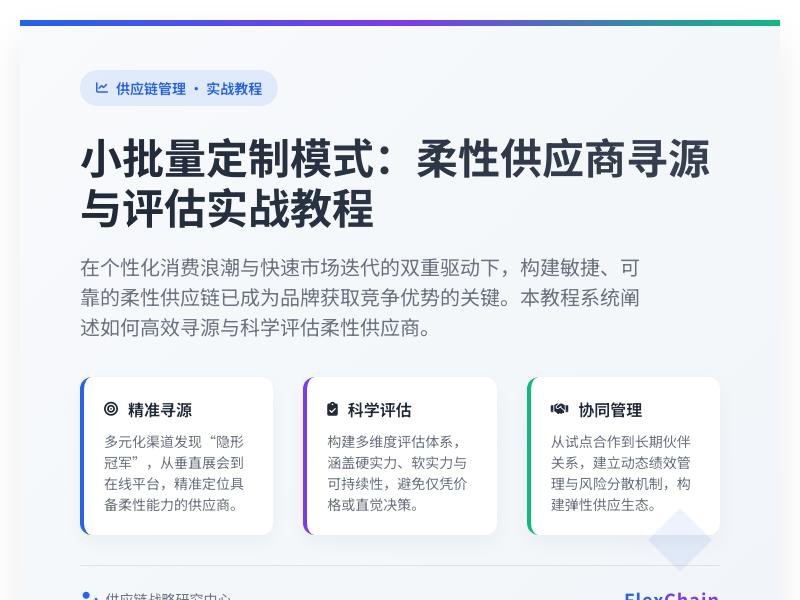
一步步实现:为WordPress打造内嵌的在线Markdown笔记与共享协作工具 引言:为什么WordPress需要内嵌Markdown协作工具? 在当今数字化工作环境中,内容创作和团队协作的效率直接影响着项目的成功。WordPress作为全球最流行的内容管理系统,虽然拥有强大的发布功能,但在实时协作和结构化笔记方面却存在明显不足。传统的WordPress编辑器对于需要频繁协作的技术团队、内容创作者和教育机构来说,往往显得笨重且效率低下。 Markdown作为一种轻量级标记语言,以其简洁的语法和清晰的格式呈现,已经成为技术文档、笔记和协作内容的首选格式。将Markdown编辑与实时协作功能集成到WordPress中,不仅可以提升内容创作效率,还能为团队提供无缝的协作体验。 本文将详细介绍如何通过WordPress代码二次开发,构建一个功能完整的内嵌式Markdown笔记与共享协作工具,让您的WordPress网站具备类似Notion、语雀等现代协作平台的核心功能。 第一部分:项目规划与技术选型 1.1 功能需求分析 在开始开发之前,我们需要明确工具的核心功能需求: Markdown编辑器:支持实时预览、语法高亮、常用格式快捷键 实时协作功能:多用户同时编辑、光标位置显示、更改实时同步 笔记管理:文件夹/标签分类、全文搜索、版本历史 权限控制系统:基于角色的访问控制、分享链接设置 数据存储与同步:可靠的数据存储机制、离线编辑支持 WordPress集成:用户系统集成、主题样式兼容、插件化部署 1.2 技术架构设计 为了实现上述功能,我们采用以下技术栈: 前端框架:React + TypeScript(提供良好的组件化开发和类型安全) 实时通信:WebSocket(用于实时协作同步) Markdown解析:Marked.js + highlight.js(轻量且功能强大) 编辑器组件:CodeMirror 6(现代化、可扩展的代码编辑器) 后端框架:WordPress REST API扩展 + 自定义数据库表 数据同步:Operational Transformation(OT)算法解决冲突 存储方案:MySQL自定义表 + 本地存储备份 1.3 开发环境搭建 首先,我们需要设置开发环境: # 创建插件目录结构 mkdir wp-markdown-collab cd wp-markdown-collab # 初始化插件主文件 touch wp-markdown-collab.php # 创建核心目录 mkdir includes mkdir admin mkdir public mkdir assets mkdir build # 初始化package.json用于前端构建 npm init -y # 安装前端依赖 npm install react react-dom typescript @types/react @types/react-dom npm install codemirror @uiw/react-codemirror marked highlight.js npm install socket.io-client npm install --save-dev webpack webpack-cli babel-loader @babel/core @babel/preset-react @babel/preset-typescript 第二部分:构建Markdown编辑器核心 2.1 创建基础编辑器组件 让我们从构建Markdown编辑器开始。首先创建编辑器React组件: // assets/js/components/MarkdownEditor.tsx import React, { useState, useEffect } from 'react'; import CodeMirror from '@uiw/react-codemirror'; import { markdown, markdownLanguage } from '@codemirror/lang-markdown'; import { languages } from '@codemirror/language-data'; import { oneDark } from '@codemirror/theme-one-dark'; import { EditorView } from '@codemirror/view'; import { marked } from 'marked'; import hljs from 'highlight.js'; import 'highlight.js/styles/github-dark.css'; interface MarkdownEditorProps { content: string; onChange: (content: string) => void; readOnly?: boolean; } const MarkdownEditor: React.FC<MarkdownEditorProps> = ({ content, onChange, readOnly = false }) => { const [preview, setPreview] = useState<string>(''); const [activeTab, setActiveTab] = useState<'edit' | 'preview' | 'split'>('split'); // 配置marked解析器 marked.setOptions({ highlight: function(code, lang) { if (lang && hljs.getLanguage(lang)) { return hljs.highlight(code, { language: lang }).value; } return hljs.highlightAuto(code).value; }, breaks: true, gfm: true }); // 更新预览内容 useEffect(() => { const renderPreview = async () => { const html = await marked.parse(content || ''); setPreview(html as string); }; renderPreview(); }, [content]); // CodeMirror扩展配置 const extensions = [ markdown({ base: markdownLanguage, codeLanguages: languages }), EditorView.lineWrapping, EditorView.theme({ "&": { height: "100%" }, ".cm-scroller": { overflow: "auto", fontFamily: "'Fira Code', monospace" }, ".cm-content": { padding: "10px 0" } }) ]; return ( <div className="wp-md-editor-container"> <div className="editor-toolbar"> <button className={`tab-btn ${activeTab === 'edit' ? 'active' : ''}`} onClick={() => setActiveTab('edit')} > 编辑 </button> <button className={`tab-btn ${activeTab === 'preview' ? 'active' : ''}`} onClick={() => setActiveTab('preview')} > 预览 </button> <button className={`tab-btn ${activeTab === 'split' ? 'active' : ''}`} onClick={() => setActiveTab('split')} > 分屏 </button> <div className="toolbar-actions"> <button className="toolbar-btn" title="加粗">B</button> <button className="toolbar-btn" title="斜体">I</button> <button className="toolbar-btn" title="链接">🔗</button> <button className="toolbar-btn" title="代码块">{"</>"}</button> <button className="toolbar-btn" title="图片">🖼️</button> </div> </div> <div className={`editor-content ${activeTab}`}> {(activeTab === 'edit' || activeTab === 'split') && ( <div className={`editor-pane ${activeTab === 'split' ? 'half' : 'full'}`}> <CodeMirror value={content} height="100%" theme={oneDark} extensions={extensions} onChange={(value) => onChange(value)} readOnly={readOnly} basicSetup={{ lineNumbers: true, highlightActiveLineGutter: true, bracketMatching: true, closeBrackets: true, autocompletion: true, rectangularSelection: true, crosshairCursor: true, highlightActiveLine: true, foldGutter: true, dropCursor: true, allowMultipleSelections: true, indentOnInput: true, syntaxHighlighting: true, tabSize: 2 }} /> </div> )} {(activeTab === 'preview' || activeTab === 'split') && ( <div className={`preview-pane ${activeTab === 'split' ? 'half' : 'full'}`}> <div className="markdown-preview" dangerouslySetInnerHTML={{ __html: preview }} /> </div> )} </div> </div> ); }; export default MarkdownEditor; 2.2 实现编辑器工具栏功能 接下来,我们需要为编辑器添加实用的工具栏功能: // assets/js/components/EditorToolbar.tsx import React from 'react'; interface EditorToolbarProps { onFormatAction: (action: string, value?: string) => void; onSave: () => void; onExport: (format: 'html' | 'pdf' | 'md') => void; isCollaborating: boolean; collaborators: Array<{id: number, name: string, color: string}>; } const EditorToolbar: React.FC<EditorToolbarProps> = ({ onFormatAction, onSave, onExport, isCollaborating, collaborators }) => { const handleFormatClick = (action: string) => { const actions: Record<string, {prefix: string, suffix: string, placeholder?: string}> = { bold: { prefix: '**', suffix: '**', placeholder: '加粗文字' }, italic: { prefix: '*', suffix: '*', placeholder: '斜体文字' }, link: { prefix: '[', suffix: '](url)', placeholder: '链接文字' }, image: { prefix: '', placeholder: '图片描述' }, code: { prefix: '`', suffix: '`', placeholder: '代码' }, codeBlock: { prefix: '```n', suffix: 'n```', placeholder: '代码块' }, quote: { prefix: '> ', suffix: '', placeholder: '引用文字' }, list: { prefix: '- ', suffix: '', placeholder: '列表项' }, numberedList: { prefix: '1. ', suffix: '', placeholder: '列表项' }, heading1: { prefix: '# ', suffix: '', placeholder: '一级标题' }, heading2: { prefix: '## ', suffix: '', placeholder: '二级标题' }, heading3: { prefix: '### ', suffix: '', placeholder: '三级标题' }, }; onFormatAction(action, actions[action]?.placeholder); }; return ( <div className="editor-toolbar-extended"> <div className="toolbar-section"> <div className="format-buttons"> <button onClick={() => handleFormatClick('heading1')} title="标题1">H1</button> <button onClick={() => handleFormatClick('heading2')} title="标题2">H2</button> <button onClick={() => handleFormatClick('heading3')} title="标题3">H3</button> <div className="separator"></div> <button onClick={() => handleFormatClick('bold')} title="加粗"> <strong>B</strong> </button> <button onClick={() => handleFormatClick('italic')} title="斜体"> <em>I</em> </button> <button onClick={() => handleFormatClick('link')} title="链接">🔗</button> <button onClick={() => handleFormatClick('image')} title="图片">🖼️</button> <div className="separator"></div> <button onClick={() => handleFormatClick('code')} title="行内代码"> {"</>"} </button> <button onClick={() => handleFormatClick('codeBlock')} title="代码块"> {"{ }"} </button> <button onClick={() => handleFormatClick('quote')} title="引用">❝</button> <button onClick={() => handleFormatClick('list')} title="无序列表">•</button> <button onClick={() => handleFormatClick('numberedList')} title="有序列表">1.</button> </div> </div> <div className="toolbar-section"> <div className="action-buttons"> <button onClick={onSave} className="save-btn"> 💾 保存 </button> <div className="export-dropdown"> <button className="export-btn">📥 导出</button> <div className="export-menu"> <button onClick={() => onExport('html')}>HTML</button> <button onClick={() => onExport('pdf')}>PDF</button> <button onClick={() => onExport('md')}>Markdown</button> </div> </div> {isCollaborating && ( <div className="collaborators-indicator"> <span className="collab-icon">👥</span> <span className="collab-count">{collaborators.length + 1}</span> <div className="collaborators-list"> {collaborators.map(collab => ( <div key={collab.id} className="collaborator"> <span className="user-avatar" style={{backgroundColor: collab.color}} > {collab.name.charAt(0)} </span> <span className="user-name">{collab.name}</span> </div> ))} </div> </div> )} </div> </div> </div> ); }; export default EditorToolbar; 第三部分:实现实时协作系统 3.1 WebSocket服务器集成 实时协作需要WebSocket服务器来处理实时通信。我们将在WordPress中集成WebSocket功能: <?php // includes/class-websocket-server.php class WP_Markdown_WebSocket_Server { private $server; private $clients; private $documents; public function __construct() { $this->clients = new SplObjectStorage; $this->documents = []; add_action('init', [$this, 'init_websocket']); } public function init_websocket() { // 检查是否应该启动WebSocket服务器 if (defined('DOING_AJAX') && DOING_AJAX) { return; } // 创建WebSocket服务器 $this->server = new RatchetApp( get_bloginfo('name'), 8080, '0.0.0.0' ); // 注册消息处理类 $this->server->route('/collab', new CollaborationHandler(), ['*']); // 在后台进程中运行服务器 if (php_sapi_name() === 'cli') { $this->server->run(); } } } class CollaborationHandler implements RatchetMessageComponentInterface { protected $clients; protected $documents; public function __construct() { $this->clients = new SplObjectStorage; $this->documents = []; } public function onOpen(RatchetConnectionInterface $conn) { $this->clients->attach($conn); error_log("New connection: {$conn->resourceId}"); // 发送欢迎消息 $conn->send(json_encode([ 'type' => 'welcome', 'message' => 'Connected to collaboration server', 'clientId' => $conn->resourceId ])); } public function onMessage(RatchetConnectionInterface $from, $msg) { $data = json_decode($msg, true); if (!$data || !isset($data['type'])) { return; } switch ($data['type']) { case 'join_document': $this->handleJoinDocument($from, $data); break; case 'text_update': $this->handleTextUpdate($from, $data); break; case 'cursor_move': $this->handleCursorMove($from, $data); break; case 'selection_change': $this->handleSelectionChange($from, $data); break; } } private function handleJoinDocument($conn, $data) { $docId = $data['documentId']; $userId = $data['userId']; $userName = $data['userName']; if (!isset($this->documents[$docId])) { $this->documents[$docId] = [ 'content' => '', 'clients' => [], 'version' => 0 ]; } // 存储客户端信息 $this->documents[$docId]['clients'][$conn->resourceId] = [ 'userId' => $userId, 'userName' => $userName, 'cursor' => null, 'selection' => null, 'color' => $this->generateUserColor($userId) ]; // 发送当前文档状态给新用户 $conn->send(json_encode([ 'type' => 'document_state', 'documentId' => $docId, 'content' => $this->documents[$docId]['content'], 'version' => $this->documents[$docId]['version'], 'clients' => $this->documents[$docId]['clients'] ])); // 通知其他用户有新用户加入 $this->broadcastToDocument($docId, $conn, [ 'type' => 'user_joined', 'clientId' => $conn->resourceId, 'userId' => $userId, 'userName' => $userName, 'color' => $this->documents[$docId]['clients'][$conn->resourceId]['color'] ]); } private function handleTextUpdate($conn, $data) { $docId = $data['documentId']; $operations = $data['operations']; $clientVersion = $data['version']; if (!isset($this->documents[$docId])) { return; } $serverVersion = $this->documents[$docId]['version']; // 检查版本冲突 if ($clientVersion !== $serverVersion) { // 发送冲突解决请求 $conn->send(json_encode([ 'type' => 'version_conflict', 'serverVersion' => $serverVersion, 'serverContent' => $this->documents[$docId]['content'] ])); return; } // 应用操作到文档 $this->applyOperations($docId, $operations); // 增加版本号 $this->documents[$docId]['version']++; // 广播更新给其他用户 $this->broadcastToDocument($docId, $conn, [ 'type' => 'text_updated', 'operations' => $operations, 'version' => $this->documents[$docId]['version'], resourceId, 'userId' => $this->documents[$docId]['clients'][$conn->resourceId]['userId'] ]); } private function applyOperations($docId, $operations) { $content = $this->documents[$docId]['content']; foreach ($operations as $op) { if ($op['type'] === 'insert') { $position = $op['position']; $text = $op['text']; $content = substr($content, 0, $position) . $text . substr($content, $position); } elseif ($op['type'] === 'delete') { $position = $op['position']; $length = $op['length']; $content = substr($content, 0, $position) . substr($content, $position + $length); } } $this->documents[$docId]['content'] = $content; } private function broadcastToDocument($docId, $excludeConn, $message) { foreach ($this->clients as $client) { if ($client !== $excludeConn && isset($this->documents[$docId]['clients'][$client->resourceId])) { $client->send(json_encode($message)); } } } private function generateUserColor($userId) { $colors = [ '#FF6B6B', '#4ECDC4', '#FFD166', '#06D6A0', '#118AB2', '#073B4C', '#EF476F', '#7209B7' ]; return $colors[abs(crc32($userId)) % count($colors)]; } public function onClose(RatchetConnectionInterface $conn) { // 从所有文档中移除客户端 foreach ($this->documents as $docId => $document) { if (isset($document['clients'][$conn->resourceId])) { $userInfo = $document['clients'][$conn->resourceId]; // 通知其他用户该用户已离开 $this->broadcastToDocument($docId, $conn, [ 'type' => 'user_left', 'clientId' => $conn->resourceId, 'userId' => $userInfo['userId'] ]); unset($this->documents[$docId]['clients'][$conn->resourceId]); } } $this->clients->detach($conn); error_log("Connection closed: {$conn->resourceId}"); } public function onError(RatchetConnectionInterface $conn, Exception $e) { error_log("Error: {$e->getMessage()}"); $conn->close(); } } ### 3.2 前端实时协作客户端 现在创建前端的WebSocket客户端来处理实时协作: // assets/js/services/CollaborationClient.tsimport { io, Socket } from 'socket.io-client'; export interface Operation { type: 'insert' | 'delete'; position: number; text?: string; length?: number; clientId?: number; timestamp: number;} export interface ClientInfo { userId: number; userName: string; color: string; cursor: { line: number; ch: number } | null; selection: { from: number; to: number } | null;} export interface DocumentState { content: string; version: number; clients: Record<number, ClientInfo>;} class CollaborationClient { private socket: Socket | null = null; private documentId: string | null = null; private userId: number; private userName: string; private isConnected = false; private operationsBuffer: Operation[] = []; private lastSentVersion = 0; // 事件监听器 private listeners: { textUpdate: ((operations: Operation[], version: number) => void)[]; userJoined: ((clientId: number, userInfo: ClientInfo) => void)[]; userLeft: ((clientId: number, userId: number) => void)[]; cursorMove: ((clientId: number, cursor: any) => void)[]; selectionChange: ((clientId: number, selection: any) => void)[]; connectionChange: ((connected: boolean) => void)[]; } = { textUpdate: [], userJoined: [], userLeft: [], cursorMove: [], selectionChange: [], connectionChange: [] }; constructor(userId: number, userName: string) { this.userId = userId; this.userName = userName; } connect(serverUrl: string): Promise<void> { return new Promise((resolve, reject) => { this.socket = io(serverUrl, { path: '/collab', transports: ['websocket', 'polling'], reconnection: true, reconnectionAttempts: 5, reconnectionDelay: 1000 }); this.socket.on('connect', () => { this.isConnected = true; this.notifyConnectionChange(true); console.log('Connected to collaboration server'); resolve(); }); this.socket.on('disconnect', () => { this.isConnected = false; this.notifyConnectionChange(false); console.log('Disconnected from collaboration server'); }); this.socket.on('connect_error', (error) => { console.error('Connection error:', error); reject(error); }); // 注册消息处理器 this.setupMessageHandlers(); }); } private setupMessageHandlers() { if (!this.socket) return; this.socket.on('welcome', (data: any) => { console.log('Server welcome:', data.message); }); this.socket.on('document_state', (data: any) => { console.log('Received document state, version:', data.version); // 这里可以触发文档状态更新事件 }); this.socket.on('text_updated', (data: any) => { console.log('Text updated by client:', data.clientId); this.listeners.textUpdate.forEach(callback => callback(data.operations, data.version) ); }); this.socket.on('user_joined', (data: any) => { console.log('User joined:', data.userName); this.listeners.userJoined.forEach(callback => callback(data.clientId, { userId: data.userId, userName: data.userName, color: data.color, cursor: null, selection: null }) ); }); this.socket.on('user_left', (data: any) => { console.log('User left:', data.userId); this.listeners.userLeft.forEach(callback => callback(data.clientId, data.userId) ); }); this.socket.on('cursor_moved', (data: any) => { this.listeners.cursorMove.forEach(callback => callback(data.clientId, data.cursor) ); }); this.socket.on('selection_changed', (data: any) => { this.listeners.selectionChange.forEach(callback => callback(data.clientId, data.selection) ); }); this.socket.on('version_conflict', (data: any) => { console.warn('Version conflict detected'); this.handleVersionConflict(data.serverVersion, data.serverContent); }); } joinDocument(documentId: string, initialContent: string = ''): void { this.documentId = documentId; if (!this.socket || !this.isConnected) { console.error('Not connected to server'); return; } this.socket.emit('join_document', { documentId, userId: this.userId, userName: this.userName, initialContent }); } sendOperations(operations: Operation[], currentVersion: number): void { if (!this.socket || !this.documentId || !this.isConnected) { // 缓存操作,等待连接恢复 this.operationsBuffer.push(...operations); return; } this.socket.emit('text_update', { documentId: this.documentId, operations, version: currentVersion, clientId: this.socket.id }); this.lastSentVersion = currentVersion; } sendCursorMove(cursor: { line: number; ch: number }): void { if (!this.socket || !this.documentId || !this.isConnected) return; this.socket.emit('cursor_move', { documentId: this.documentId, cursor, clientId: this.socket.id }); } sendSelectionChange(selection: { from: number; to: number }): void { if (!this.socket || !this.documentId || !this.isConnected) return; this.socket.emit('selection_change', { documentId: this.documentId, selection, clientId: this.socket.id }); } private handleVersionConflict(serverVersion: number, serverContent: string): void { // 这里实现OT冲突解决算法 console.log('Resolving version conflict:', { serverVersion, clientVersion: this.lastSentVersion, serverContentLength: serverContent.length }); // 触发冲突解决事件 // 实际实现中需要更复杂的OT算法 } // 事件监听管理 onTextUpdate(callback: (operations: Operation[], version: number) => void): void { this.listeners.textUpdate.push(callback); } onUserJoined(callback: (clientId: number, userInfo: ClientInfo) => void): void { this.listeners.userJoined.push(callback); } onUserLeft(callback: (clientId: number, userId: number) => void): void { this.listeners.userLeft.push(callback); } onCursorMove(callback: (clientId: number, cursor: any) => void): void { this.listeners.cursorMove.push(callback); } onSelectionChange(callback: (clientId: number, selection: any) => void): void { this.listeners.selectionChange.push(callback); } onConnectionChange(callback: (connected: boolean) => void): void { this.listeners.connectionChange.push(callback); } private notifyConnectionChange(connected: boolean): void { this.listeners.connectionChange.forEach(callback => callback(connected)); } disconnect(): void { if (this.socket) { this.socket.disconnect(); this.socket = null; } this.isConnected = false; this.documentId = null; } getConnectionStatus(): boolean { return this.isConnected; }} export default CollaborationClient; ## 第四部分:WordPress后端集成 ### 4.1 创建数据库表结构 我们需要创建自定义数据库表来存储Markdown笔记和相关数据: <?php// includes/class-database.php class WP_Markdown_Notes_DB { private static $instance = null; private $charset_collate; public static function get_instance() { if (null === self::$instance) { self::$instance = new self(); } return self::$instance; } private function __construct() { global $wpdb; $this->charset_collate = $wpdb->get_charset_collate(); register_activation_hook(__FILE__, [$this, 'create_tables']); add_action('plugins_loaded', [$this, 'check_tables']); } public function create_tables() { global $wpdb; require_once(ABSPATH . 'wp-admin/includes/upgrade.php'); $tables = [ $this->create_notes_table(), $this->create_note_versions_table(), $this->create_collaborators_table(), $this->create_folders_table(), $this->create_tags_table(), $this->create_note_tags_table() ]; foreach ($tables as $sql) { dbDelta($sql); } // 添加默认数据 $this->add_default_data(); } private function create_notes_table() { global $wpdb; $table_name = $wpdb->prefix . 'md_notes'; $sql = "CREATE TABLE IF NOT EXISTS $table_name ( id BIGINT(20) UNSIGNED NOT NULL AUTO_INCREMENT, title VARCHAR(255) NOT NULL DEFAULT '', content LONGTEXT NOT NULL, excerpt TEXT, folder_id BIGINT(20) UNSIGNED DEFAULT 0, author_id BIGINT(20) UNSIGNED NOT NULL, status VARCHAR(20) NOT NULL DEFAULT 'draft', is_public TINYINT(1) NOT NULL DEFAULT 0, share_token VARCHAR(32), view_count BIGINT(20) UNSIGNED DEFAULT 0, last_modified_by BIGINT(20) UNSIGNED, created_at DATETIME DEFAULT CURRENT_TIMESTAMP, updated_at DATETIME DEFAULT CURRENT_TIMESTAMP ON UPDATE CURRENT_TIMESTAMP, PRIMARY KEY (id), KEY author_id (author_id), KEY folder_id (folder_id), KEY status (status), KEY share_token (share_token), KEY created_at (created_at), FULLTEXT KEY content_ft (title, content, excerpt) ) {$this->charset_collate};"; return $sql; } private function create_note_versions_table() { global $wpdb; $table_name = $wpdb->prefix . 'md_note_versions'; $sql = "CREATE TABLE IF NOT EXISTS $table_name ( id BIGINT(20) UNSIGNED NOT NULL AUTO_INCREMENT, note_id BIGINT(20) UNSIGNED NOT NULL, version_number INT(11) NOT NULL, title VARCHAR(255), content LONGTEXT, author_id BIGINT(20) UNSIGNED NOT NULL, created_at DATETIME DEFAULT CURRENT_TIMESTAMP, change_summary VARCHAR(255), PRIMARY KEY (id), KEY note_id (note_id), KEY version_number (version_number), KEY created_at (created_at), FOREIGN KEY (note_id) REFERENCES {$wpdb->prefix}md_notes(id) ON DELETE CASCADE ) {$this->charset_collate};"; return $sql; } private function create_collaborators_table() { global $wpdb; $table_name = $wpdb->prefix . 'md_collaborators'; $sql = "CREATE TABLE IF NOT EXISTS $table_name ( id BIGINT(20) UNSIGNED NOT NULL AUTO_INCREMENT, note_id BIGINT(20) UNSIGNED NOT NULL, user_id BIGINT(20) UNSIGNED NOT NULL, permission_level ENUM('view', 'edit', 'admin') NOT NULL DEFAULT 'view', invited_by BIGINT(20) UNSIGNED, invited_at DATETIME DEFAULT CURRENT_TIMESTAMP, last_accessed DATETIME, PRIMARY KEY (id), UNIQUE KEY note_user (note_id, user_id), KEY user_id (user_id), KEY permission_level (permission_level), FOREIGN KEY (note_id) REFERENCES {$wpdb->prefix}md_notes(id) ON DELETE CASCADE ) {$this->charset_collate};"; return $sql; } private function create_folders_table() { global $wpdb; $table_name = $wpdb->prefix . 'md_folders'; $sql = "CREATE TABLE IF NOT EXISTS $table_name ( id BIGINT(20) UNSIGNED NOT NULL AUTO_INCREMENT, name VARCHAR(255) NOT NULL, parent_id BIGINT(20) UNSIGNED DEFAULT 0, author_id BIGINT(20) UNSIGNED NOT NULL, color VARCHAR(7), icon VARCHAR(50), sort_order INT(11) DEFAULT 0, created_at DATETIME DEFAULT CURRENT_TIMESTAMP, updated_at DATETIME DEFAULT CURRENT_TIMESTAMP ON UPDATE CURRENT_TIMESTAMP, PRIMARY KEY (id), KEY parent_id (parent_id), KEY author_id (author_id), KEY sort_order (sort_order) ) {$this->charset_collate};"; return $sql; } private function create_tags_table() { global $wpdb; $table_name = $wpdb->prefix . 'md_tags'; $sql = "CREATE TABLE IF NOT EXISTS $table_name ( id BIGINT(20) UNSIGNED NOT NULL AUTO_INCREMENT, name VARCHAR(100) NOT NULL, slug VARCHAR(100) NOT NULL, author_id BIGINT(20) UNSIGNED NOT NULL, color VARCHAR(7), created_at DATETIME DEFAULT CURRENT_TIMESTAMP, PRIMARY KEY (id), UNIQUE KEY slug (slug), KEY author_id (author_id), KEY name (name) ) {$this->charset_collate};"; return $sql; } private function create_note_tags_table() { global $wpdb; $table_name = $wpdb->prefix . 'md_note_tags'; $sql = "CREATE TABLE IF NOT EXISTS $table_name ( id BIGINT(20) UNSIGNED NOT NULL AUTO_INCREMENT, note_id BIGINT(20) UNSIGNED NOT NULL, tag_id BIGINT(20) UNSIGNED NOT NULL, created_at DATETIME DEFAULT CURRENT_TIMESTAMP, PRIMARY KEY (id), UNIQUE KEY note_tag (note_id, tag_id), KEY tag_id (tag_id), FOREIGN KEY (note_id) REFERENCES {$wpdb->prefix}md_notes(id) ON DELETE CASCADE, FOREIGN KEY (tag_id) REFERENCES {$wpdb->prefix}md_tags(id) ON DELETE CASCADE ) {$this->charset_collate};"; return $sql; } private function add_default_data() { global $wpdb; // 创建默认文件夹 $user_id = get_current_user_id(); if ($user_id) { $folders_table = $wpdb->prefix . 'md_folders'; $default_folders = [ ['name' => '个人笔记', 'color' => '#4ECDC4', 'icon' => '📝'], ['name' =>
发表评论