WordPress插件开发教程:实现网站活动日历与票务验票核销系统 引言:为什么选择WordPress进行功能扩展 在当今数字化时代,网站功能多样化已成为吸引用户、提升用户体验的关键因素。WordPress作为全球最受欢迎的内容管理系统,其强大的可扩展性为开发者提供了无限可能。通过插件开发,我们可以在不修改核心代码的前提下,为网站添加各种定制化功能。 本教程将详细讲解如何开发一个集活动日历与票务验票核销系统于一体的WordPress插件。这个插件不仅可以帮助网站管理者轻松发布和管理活动,还能实现电子票务的生成、验证和核销功能,适用于各类活动主办方、会议组织者和票务销售平台。 第一部分:开发环境准备与插件基础架构 1.1 开发环境配置 在开始开发之前,我们需要准备以下环境: 本地开发环境:推荐使用XAMPP、MAMP或Local by Flywheel WordPress安装:最新版本的WordPress(建议5.6以上) 代码编辑器:VS Code、PHPStorm或Sublime Text 浏览器开发者工具:用于调试前端代码 1.2 创建插件基础文件 首先,在WordPress的wp-content/plugins目录下创建一个新文件夹,命名为event-ticket-system。在该文件夹中创建以下基础文件: event-ticket-system/ ├── event-ticket-system.php (主插件文件) ├── includes/ │ ├── class-database.php (数据库处理类) │ ├── class-events.php (活动管理类) │ ├── class-tickets.php (票务管理类) │ └── class-checkin.php (验票核销类) ├── admin/ │ ├── css/ (后台样式) │ ├── js/ (后台脚本) │ └── admin-pages.php (后台页面) ├── public/ │ ├── css/ (前端样式) │ ├── js/ (前端脚本) │ └── shortcodes.php (短代码处理) ├── templates/ (模板文件) ├── assets/ (静态资源) └── languages/ (国际化文件) 1.3 插件主文件结构 打开event-ticket-system.php文件,添加以下基础代码: <?php /** * Plugin Name: 活动日历与票务系统 * Plugin URI: https://yourwebsite.com/event-ticket-system * Description: 一个完整的活动日历与电子票务验票核销系统 * Version: 1.0.0 * Author: 你的名字 * Author URI: https://yourwebsite.com * License: GPL v2 or later * Text Domain: event-ticket-system * Domain Path: /languages */ // 防止直接访问 if (!defined('ABSPATH')) { exit; } // 定义插件常量 define('ETS_VERSION', '1.0.0'); define('ETS_PLUGIN_DIR', plugin_dir_path(__FILE__)); define('ETS_PLUGIN_URL', plugin_dir_url(__FILE__)); define('ETS_PLUGIN_BASENAME', plugin_basename(__FILE__)); // 自动加载类文件 spl_autoload_register(function ($class_name) { $prefix = 'ETS_'; $base_dir = ETS_PLUGIN_DIR . 'includes/'; $len = strlen($prefix); if (strncmp($prefix, $class_name, $len) !== 0) { return; } $relative_class = substr($class_name, $len); $file = $base_dir . 'class-' . strtolower(str_replace('_', '-', $relative_class)) . '.php'; if (file_exists($file)) { require_once $file; } }); // 初始化插件 function ets_init_plugin() { // 检查依赖 if (!function_exists('register_post_type')) { add_action('admin_notices', function() { echo '<div class="notice notice-error"><p>活动票务系统需要WordPress 5.0或更高版本。</p></div>'; }); return; } // 初始化数据库 ETS_Database::init(); // 初始化其他组件 if (is_admin()) { require_once ETS_PLUGIN_DIR . 'admin/admin-pages.php'; } // 加载前端功能 require_once ETS_PLUGIN_DIR . 'public/shortcodes.php'; // 加载文本域 load_plugin_textdomain('event-ticket-system', false, dirname(ETS_PLUGIN_BASENAME) . '/languages'); } add_action('plugins_loaded', 'ets_init_plugin'); // 激活插件时执行的操作 function ets_activate_plugin() { require_once ETS_PLUGIN_DIR . 'includes/class-database.php'; ETS_Database::create_tables(); // 设置默认选项 add_option('ets_version', ETS_VERSION); add_option('ets_currency', 'CNY'); add_option('ets_timezone', 'Asia/Shanghai'); // 刷新重写规则 flush_rewrite_rules(); } register_activation_hook(__FILE__, 'ets_activate_plugin'); // 停用插件时执行的操作 function ets_deactivate_plugin() { // 清理临时数据 // 注意:这里不删除数据表,以防数据丢失 flush_rewrite_rules(); } register_deactivation_hook(__FILE__, 'ets_deactivate_plugin'); 第二部分:数据库设计与活动管理 2.1 数据库表结构设计 在includes/class-database.php中,我们创建数据库表: <?php class ETS_Database { public static function init() { // 确保数据库表存在 self::create_tables(); } public static function create_tables() { global $wpdb; $charset_collate = $wpdb->get_charset_collate(); $table_prefix = $wpdb->prefix . 'ets_'; // 活动表 $events_table = $table_prefix . 'events'; $events_sql = "CREATE TABLE IF NOT EXISTS $events_table ( id bigint(20) UNSIGNED NOT NULL AUTO_INCREMENT, post_id bigint(20) UNSIGNED NOT NULL, title varchar(255) NOT NULL, description text, start_date datetime NOT NULL, end_date datetime NOT NULL, venue varchar(255), address text, capacity int(11) DEFAULT 0, booked int(11) DEFAULT 0, price decimal(10,2) DEFAULT 0.00, currency varchar(10) DEFAULT 'CNY', status varchar(20) DEFAULT 'draft', created_at datetime DEFAULT CURRENT_TIMESTAMP, updated_at datetime DEFAULT CURRENT_TIMESTAMP ON UPDATE CURRENT_TIMESTAMP, PRIMARY KEY (id), KEY post_id (post_id), KEY start_date (start_date), KEY status (status) ) $charset_collate;"; // 票务表 $tickets_table = $table_prefix . 'tickets'; $tickets_sql = "CREATE TABLE IF NOT EXISTS $tickets_table ( id bigint(20) UNSIGNED NOT NULL AUTO_INCREMENT, event_id bigint(20) UNSIGNED NOT NULL, ticket_number varchar(100) NOT NULL, attendee_name varchar(255) NOT NULL, attendee_email varchar(255) NOT NULL, attendee_phone varchar(50), quantity int(11) DEFAULT 1, total_price decimal(10,2) DEFAULT 0.00, payment_status varchar(20) DEFAULT 'pending', payment_method varchar(50), transaction_id varchar(100), checkin_status tinyint(1) DEFAULT 0, checkin_time datetime, checkin_by bigint(20) UNSIGNED, created_at datetime DEFAULT CURRENT_TIMESTAMP, updated_at datetime DEFAULT CURRENT_TIMESTAMP ON UPDATE CURRENT_TIMESTAMP, PRIMARY KEY (id), UNIQUE KEY ticket_number (ticket_number), KEY event_id (event_id), KEY attendee_email (attendee_email), KEY checkin_status (checkin_status) ) $charset_collate;"; // 票务类型表 $ticket_types_table = $table_prefix . 'ticket_types'; $ticket_types_sql = "CREATE TABLE IF NOT EXISTS $ticket_types_table ( id bigint(20) UNSIGNED NOT NULL AUTO_INCREMENT, event_id bigint(20) UNSIGNED NOT NULL, name varchar(255) NOT NULL, description text, price decimal(10,2) NOT NULL, quantity int(11) DEFAULT 0, sold int(11) DEFAULT 0, sale_start datetime, sale_end datetime, status varchar(20) DEFAULT 'active', created_at datetime DEFAULT CURRENT_TIMESTAMP, PRIMARY KEY (id), KEY event_id (event_id), KEY status (status) ) $charset_collate;"; require_once(ABSPATH . 'wp-admin/includes/upgrade.php'); dbDelta($events_sql); dbDelta($tickets_sql); dbDelta($ticket_types_sql); } } 2.2 自定义文章类型:活动 在includes/class-events.php中创建活动管理类: <?php class ETS_Events { public function __construct() { add_action('init', array($this, 'register_event_post_type')); add_action('add_meta_boxes', array($this, 'add_event_meta_boxes')); add_action('save_post', array($this, 'save_event_meta_data')); add_filter('manage_event_posts_columns', array($this, 'add_event_columns')); add_action('manage_event_posts_custom_column', array($this, 'manage_event_columns'), 10, 2); } // 注册自定义文章类型:活动 public function register_event_post_type() { $labels = array( 'name' => __('活动', 'event-ticket-system'), 'singular_name' => __('活动', 'event-ticket-system'), 'menu_name' => __('活动管理', 'event-ticket-system'), 'add_new' => __('添加活动', 'event-ticket-system'), 'add_new_item' => __('添加新活动', 'event-ticket-system'), 'edit_item' => __('编辑活动', 'event-ticket-system'), 'new_item' => __('新活动', 'event-ticket-system'), 'view_item' => __('查看活动', 'event-ticket-system'), 'search_items' => __('搜索活动', 'event-ticket-system'), 'not_found' => __('未找到活动', 'event-ticket-system'), 'not_found_in_trash' => __('回收站中无活动', 'event-ticket-system'), ); $args = array( 'labels' => $labels, 'public' => true, 'publicly_queryable' => true, 'show_ui' => true, 'show_in_menu' => true, 'query_var' => true, 'rewrite' => array('slug' => 'event'), 'capability_type' => 'post', 'has_archive' => true, 'hierarchical' => false, 'menu_position' => 5, 'menu_icon' => 'dashicons-calendar-alt', 'supports' => array('title', 'editor', 'thumbnail', 'excerpt'), 'show_in_rest' => true, ); register_post_type('event', $args); // 注册活动分类 $category_labels = array( 'name' => __('活动分类', 'event-ticket-system'), 'singular_name' => __('活动分类', 'event-ticket-system'), 'search_items' => __('搜索分类', 'event-ticket-system'), 'all_items' => __('所有分类', 'event-ticket-system'), 'parent_item' => __('父分类', 'event-ticket-system'), 'parent_item_colon' => __('父分类:', 'event-ticket-system'), 'edit_item' => __('编辑分类', 'event-ticket-system'), 'update_item' => __('更新分类', 'event-ticket-system'), 'add_new_item' => __('添加新分类', 'event-ticket-system'), 'new_item_name' => __('新分类名称', 'event-ticket-system'), 'menu_name' => __('活动分类', 'event-ticket-system'), ); register_taxonomy('event_category', 'event', array( 'labels' => $category_labels, 'hierarchical' => true, 'public' => true, 'show_ui' => true, 'show_admin_column' => true, 'show_in_rest' => true, 'query_var' => true, 'rewrite' => array('slug' => 'event-category'), )); } // 添加活动元数据框 public function add_event_meta_boxes() { add_meta_box( 'event_details', __('活动详情', 'event-ticket-system'), array($this, 'render_event_details_meta_box'), 'event', 'normal', 'high' ); add_meta_box( 'ticket_settings', __('票务设置', 'event-ticket-system'), array($this, 'render_ticket_settings_meta_box'), 'event', 'normal', 'high' ); } // 渲染活动详情元数据框 public function render_event_details_meta_box($post) { wp_nonce_field('event_details_nonce', 'event_details_nonce_field'); $start_date = get_post_meta($post->ID, '_event_start_date', true); $end_date = get_post_meta($post->ID, '_event_end_date', true); $venue = get_post_meta($post->ID, '_event_venue', true); $address = get_post_meta($post->ID, '_event_address', true); $capacity = get_post_meta($post->ID, '_event_capacity', true); ?> <div class="event-details-container"> <table class="form-table"> <tr> <th><label for="event_start_date"><?php _e('开始时间', 'event-ticket-system'); ?></label></th> <td> <input type="datetime-local" id="event_start_date" name="event_start_date" value="<?php echo esc_attr($start_date); ?>" class="regular-text" required> </td> </tr> <tr> <th><label for="event_end_date"><?php _e('结束时间', 'event-ticket-system'); ?></label></th> <td> <input type="datetime-local" id="event_end_date" name="event_end_date" value="<?php echo esc_attr($end_date); ?>" class="regular-text" required> </td> </tr> <tr> <th><label for="event_venue"><?php _e('活动地点', 'event-ticket-system'); ?></label></th> <td> <input type="text" id="event_venue" name="event_venue" value="<?php echo esc_attr($venue); ?>" class="regular-text"> </td> </tr> <tr> <th><label for="event_address"><?php _e('详细地址', 'event-ticket-system'); ?></label></th> <td> <textarea id="event_address" name="event_address" rows="3" class="large-text"><?php echo esc_textarea($address); ?></textarea> </td> </tr> <tr> <th><label for="event_capacity"><?php _e('活动容量', 'event-ticket-system'); ?></label></th> <td> <input type="number" id="event_capacity" name="event_capacity" value="<?php echo esc_attr($capacity); ?>" min="0" class="small-text"> <p class="description"><?php _e('0表示无限制', 'event-ticket-system'); ?></p> </td> </tr> </table> </div> <?php } // 保存活动元数据 public function save_event_meta_data($post_id) { if (!isset($_POST['event_details_nonce_field']) || !wp_verify_nonce($_POST['event_details_nonce_field'], 'event_details_nonce')) { return; } if (defined('DOING_AUTOSAVE') && DOING_AUTOSAVE) { return; } if (!current_user_can('edit_post', $post_id)) { return; } $fields = array( 'event_start_date', 'event_end_date', 'event_venue', 'event_address', 'event_capacity' ); foreach ($fields as $field) { if (isset($_POST[$field])) { update_post_meta($post_id, '_' . $field, sanitize_text_field($_POST[$field])); } } // 同步到自定义数据库表 $this->sync_event_to_custom_table($post_id); } // 同步活动数据到自定义表 private function sync_event_to_custom_table($post_id) { global $wpdb; $post = get_post($post_id); if ($post->post_type !== 'event') { return; } $table_name = $wpdb->prefix . 'ets_events'; $event_data = array( 'post_id' => $post_id, 'title' => $post->post_title, 'description' => $post->post_content, 'start_date' => get_post_meta($post_id, '_event_start_date', true), 第三部分:票务系统与验票核销功能 3.1 票务管理类实现 在includes/class-tickets.php中创建票务管理类: <?php class ETS_Tickets { private $db; public function __construct() { global $wpdb; $this->db = $wpdb; add_action('wp_ajax_ets_purchase_ticket', array($this, 'handle_ticket_purchase')); add_action('wp_ajax_nopriv_ets_purchase_ticket', array($this, 'handle_ticket_purchase')); add_action('wp_ajax_ets_generate_ticket', array($this, 'generate_ticket')); add_action('wp_enqueue_scripts', array($this, 'enqueue_frontend_scripts')); } // 生成唯一票号 public function generate_ticket_number($event_id) { $prefix = 'TICKET'; $timestamp = time(); $random = mt_rand(1000, 9999); return $prefix . '-' . $event_id . '-' . $timestamp . '-' . $random; } // 处理购票请求 public function handle_ticket_purchase() { // 验证nonce if (!isset($_POST['nonce']) || !wp_verify_nonce($_POST['nonce'], 'ets_ticket_nonce')) { wp_send_json_error(array('message' => __('安全验证失败', 'event-ticket-system'))); } // 验证必填字段 $required_fields = array('event_id', 'ticket_type_id', 'attendee_name', 'attendee_email', 'quantity'); foreach ($required_fields as $field) { if (empty($_POST[$field])) { wp_send_json_error(array('message' => sprintf(__('缺少必填字段: %s', 'event-ticket-system'), $field))); } } $event_id = intval($_POST['event_id']); $ticket_type_id = intval($_POST['ticket_type_id']); $attendee_name = sanitize_text_field($_POST['attendee_name']); $attendee_email = sanitize_email($_POST['attendee_email']); $attendee_phone = isset($_POST['attendee_phone']) ? sanitize_text_field($_POST['attendee_phone']) : ''; $quantity = intval($_POST['quantity']); $payment_method = isset($_POST['payment_method']) ? sanitize_text_field($_POST['payment_method']) : 'online'; // 检查活动是否存在 $event = $this->get_event($event_id); if (!$event) { wp_send_json_error(array('message' => __('活动不存在', 'event-ticket-system'))); } // 检查票务类型 $ticket_type = $this->get_ticket_type($ticket_type_id); if (!$ticket_type || $ticket_type->event_id != $event_id) { wp_send_json_error(array('message' => __('票务类型无效', 'event-ticket-system'))); } // 检查余票 if ($ticket_type->quantity > 0 && ($ticket_type->sold + $quantity) > $ticket_type->quantity) { wp_send_json_error(array('message' => __('余票不足', 'event-ticket-system'))); } // 计算总价 $total_price = $ticket_type->price * $quantity; // 开始事务 $this->db->query('START TRANSACTION'); try { // 更新已售数量 $update_result = $this->db->update( $this->db->prefix . 'ets_ticket_types', array('sold' => $ticket_type->sold + $quantity), array('id' => $ticket_type_id), array('%d'), array('%d') ); if (!$update_result) { throw new Exception(__('更新票务数据失败', 'event-ticket-system')); } // 创建票务记录 $ticket_data = array(); for ($i = 0; $i < $quantity; $i++) { $ticket_number = $this->generate_ticket_number($event_id); $ticket_data[] = array( 'event_id' => $event_id, 'ticket_type_id' => $ticket_type_id, 'ticket_number' => $ticket_number, 'attendee_name' => $attendee_name, 'attendee_email' => $attendee_email, 'attendee_phone' => $attendee_phone, 'quantity' => 1, 'total_price' => $ticket_type->price, 'payment_status' => 'pending', 'payment_method' => $payment_method, 'created_at' => current_time('mysql') ); } // 批量插入票务记录 foreach ($ticket_data as $data) { $insert_result = $this->db->insert( $this->db->prefix . 'ets_tickets', $data, array('%d', '%d', '%s', '%s', '%s', '%s', '%d', '%f', '%s', '%s', '%s') ); if (!$insert_result) { throw new Exception(__('创建票务记录失败', 'event-ticket-system')); } $ticket_id = $this->db->insert_id; // 发送确认邮件 $this->send_ticket_confirmation_email($ticket_id, $data['ticket_number']); } // 提交事务 $this->db->query('COMMIT'); // 返回成功响应 wp_send_json_success(array( 'message' => __('购票成功!请查收确认邮件。', 'event-ticket-system'), 'ticket_numbers' => array_column($ticket_data, 'ticket_number') )); } catch (Exception $e) { // 回滚事务 $this->db->query('ROLLBACK'); wp_send_json_error(array('message' => $e->getMessage())); } } // 发送票务确认邮件 private function send_ticket_confirmation_email($ticket_id, $ticket_number) { $ticket = $this->get_ticket_by_number($ticket_number); if (!$ticket) { return false; } $event = $this->get_event($ticket->event_id); $attendee_email = $ticket->attendee_email; $subject = sprintf(__('【%s】活动票务确认', 'event-ticket-system'), get_bloginfo('name')); $message = sprintf(__('尊敬的 %s:', 'event-ticket-system'), $ticket->attendee_name) . "nn"; $message .= __('感谢您购买活动票务,以下是您的票务信息:', 'event-ticket-system') . "nn"; $message .= __('活动名称:', 'event-ticket-system') . $event->title . "n"; $message .= __('活动时间:', 'event-ticket-system') . $event->start_date . "n"; $message .= __('活动地点:', 'event-ticket-system') . $event->venue . "n"; $message .= __('票务号码:', 'event-ticket-system') . $ticket->ticket_number . "n"; $message .= __('购票数量:', 'event-ticket-system') . $ticket->quantity . "n"; $message .= __('总金额:', 'event-ticket-system') . $ticket->total_price . ' ' . $event->currency . "nn"; $message .= __('验票二维码:', 'event-ticket-system') . "n"; $message .= site_url('/check-ticket?code=' . urlencode($ticket->ticket_number)) . "nn"; $message .= __('注意事项:', 'event-ticket-system') . "n"; $message .= __('1. 请妥善保管此邮件,活动当天凭票务二维码入场', 'event-ticket-system') . "n"; $message .= __('2. 如需退票,请在活动开始前24小时联系客服', 'event-ticket-system') . "n"; $message .= __('3. 如有疑问,请回复此邮件咨询', 'event-ticket-system') . "nn"; $message .= __('祝您活动愉快!', 'event-ticket-system') . "n"; $message .= get_bloginfo('name') . "n"; $message .= date('Y-m-d'); $headers = array('Content-Type: text/plain; charset=UTF-8'); return wp_mail($attendee_email, $subject, $message, $headers); } // 获取活动信息 private function get_event($event_id) { $table_name = $this->db->prefix . 'ets_events'; return $this->db->get_row($this->db->prepare( "SELECT * FROM $table_name WHERE id = %d", $event_id )); } // 获取票务类型 private function get_ticket_type($ticket_type_id) { $table_name = $this->db->prefix . 'ets_ticket_types'; return $this->db->get_row($this->db->prepare( "SELECT * FROM $table_name WHERE id = %d", $ticket_type_id )); } // 根据票号获取票务信息 private function get_ticket_by_number($ticket_number) { $table_name = $this->db->prefix . 'ets_tickets'; return $this->db->get_row($this->db->prepare( "SELECT * FROM $table_name WHERE ticket_number = %s", $ticket_number )); } // 加载前端脚本 public function enqueue_frontend_scripts() { if (is_singular('event')) { wp_enqueue_script( 'ets-ticket-script', ETS_PLUGIN_URL . 'public/js/ticket-purchase.js', array('jquery'), ETS_VERSION, true ); wp_localize_script('ets-ticket-script', 'ets_ajax', array( 'ajax_url' => admin_url('admin-ajax.php'), 'nonce' => wp_create_nonce('ets_ticket_nonce') )); wp_enqueue_style( 'ets-ticket-style', ETS_PLUGIN_URL . 'public/css/ticket-style.css', array(), ETS_VERSION ); } } } 3.2 验票核销系统 在includes/class-checkin.php中创建验票核销类: <?php class ETS_Checkin { private $db; public function __construct() { global $wpdb; $this->db = $wpdb; add_action('admin_menu', array($this, 'add_checkin_page')); add_action('wp_ajax_ets_check_ticket', array($this, 'check_ticket')); add_action('wp_ajax_ets_validate_ticket', array($this, 'validate_ticket')); add_action('init', array($this, 'register_checkin_shortcode')); } // 添加验票管理页面 public function add_checkin_page() { add_submenu_page( 'edit.php?post_type=event', __('验票核销', 'event-ticket-system'), __('验票核销', 'event-ticket-system'), 'manage_options', 'event-checkin', array($this, 'render_checkin_page') ); } // 渲染验票页面 public function render_checkin_page() { ?> <div class="wrap"> <h1><?php _e('活动票务验票核销系统', 'event-ticket-system'); ?></h1> <div class="checkin-container"> <div class="checkin-scanner"> <h2><?php _e('扫码验票', 'event-ticket-system'); ?></h2> <div id="qr-scanner" style="width: 400px; height: 300px; margin: 20px 0;"> <!-- QR扫码器将在这里渲染 --> </div> <div class="manual-checkin"> <h3><?php _e('手动输入票号', 'event-ticket-system'); ?></h3> <input type="text" id="manual-ticket-number" placeholder="<?php _e('输入票务号码', 'event-ticket-system'); ?>" style="width: 300px;"> <button id="manual-check-btn" class="button button-primary"><?php _e('验证', 'event-ticket-system'); ?></button> </div> </div> <div class="checkin-results"> <h2><?php _e('验票结果', 'event-ticket-system'); ?></h2> <div id="checkin-result" style="padding: 20px; border: 1px solid #ddd; min-height: 200px;"> <?php _e('等待验票...', 'event-ticket-system'); ?> </div> <div class="checkin-stats"> <h3><?php _e('今日统计', 'event-ticket-system'); ?></h3> <?php $this->display_daily_stats(); ?> </div> </div> </div> <div class="recent-checkins"> <h2><?php _e('最近验票记录', 'event-ticket-system'); ?></h2> <?php $this->display_recent_checkins(); ?> </div> </div> <script> jQuery(document).ready(function($) { // 初始化QR扫码器 initQRScanner(); // 手动验票 $('#manual-check-btn').click(function() { var ticketNumber = $('#manual-ticket-number').val(); if (ticketNumber) { validateTicket(ticketNumber); } }); // 回车键触发验票 $('#manual-ticket-number').keypress(function(e) { if (e.which == 13) { $('#manual-check-btn').click(); } }); }); function initQRScanner() { // 这里可以集成第三方QR扫码库,如Html5Qrcode console.log('QR扫码器初始化'); } function validateTicket(ticketNumber) { jQuery.ajax({ url: ajaxurl, type: 'POST', data: { action: 'ets_validate_ticket', ticket_number: ticketNumber, nonce: '<?php echo wp_create_nonce("ets_checkin_nonce"); ?>' }, success: function(response) { if (response.success) { $('#checkin-result').html(response.data.message); if (response.data.checked_in) { $('#checkin-result').addClass('success').removeClass('error'); } else { $('#checkin-result').addClass('error').removeClass('success'); } } else { $('#checkin-result').html(response.data).addClass('error'); } } }); } </script> <style> .checkin-container { display: flex; gap: 30px; margin: 20px 0; } .checkin-scanner { flex: 1; } .checkin-results { flex: 1; } .success { background-color: #d4edda; border-color: #c3e6cb; color: #155724; } .error { background-color: #f8d7da; border-color: #f5c6cb; color: #721c24; } </style> <?php } // 验证票务 public function validate_ticket() { // 验证nonce if (!isset($_POST['nonce']) || !wp_verify_nonce($_POST['nonce'], 'ets_checkin_nonce')) { wp_send_json_error(__('安全验证失败', 'event-ticket-system')); } $ticket_number = sanitize_text_field($_POST['ticket_number']); if (empty($ticket_number)) { wp_send_json_error(__('请输入票务号码', 'event-ticket-system')); } // 查询票务信息 $ticket = $this->get_ticket_details($ticket_number); if (!$ticket) { wp_send_json_error(__('票务号码无效', 'event-ticket-system')); } // 检查是否已验票 if ($ticket->checkin_status) { $message = sprintf( __('该票务已于 %s 验票通过<br>验票人员:%s', 'event-ticket-system'), $ticket->checkin_time, get_userdata($ticket->checkin_by)->display_name ); wp_send_json_success(array( 'message' => $message, 'checked_in' => true, 'ticket' => $ticket )); } // 检查活动是否已开始 $event = $this->get_event($ticket->event_id); $current_time = current_time('mysql'); if (strtotime($current_time) < strtotime($event->start_date)) { wp_send_json_error(__('活动尚未开始', 'event-ticket-system')); } // 执行验票 $result = $this->perform_checkin($ticket->id); if ($result) { $message = sprintf( __('验票成功!<br>票务号码:%s<br>参会人:%s<br>验票时间:%s', 'event-ticket-system'), $ticket->ticket_number, $ticket->attendee_name, current_time('mysql') ); wp_send_json_success(array( 'message' => $message, 'checked_in' => false,
发表评论分类: 网站建设
实战教程:在WordPress网站中添加在线食谱管理与食材采购清单工具 引言:为什么网站需要实用小工具? 在当今互联网时代,网站的功能性已成为吸引和留住用户的关键因素。对于美食、生活类网站而言,提供实用工具不仅能增加用户粘性,还能显著提升用户体验。想象一下,当用户在你的美食博客上找到心仪的食谱后,能够直接保存到个人收藏夹,并一键生成食材采购清单,这将大大简化他们的烹饪准备过程。 本教程将详细指导您如何通过WordPress代码二次开发,为您的网站添加在线食谱管理与食材采购清单工具。我们将从零开始,逐步构建这两个实用功能,无需依赖昂贵的插件,完全自主控制功能与样式。 第一部分:准备工作与环境搭建 1.1 开发环境要求 在开始之前,请确保您的开发环境满足以下要求: WordPress 5.0或更高版本 PHP 7.2或更高版本(建议7.4+) MySQL 5.6或更高版本 基本的HTML、CSS、JavaScript和PHP知识 代码编辑器(如VS Code、Sublime Text等) 本地开发环境(如XAMPP、MAMP或Local by Flywheel) 1.2 创建子主题 为了避免主题更新时丢失自定义代码,我们首先创建一个子主题: 在WordPress的wp-content/themes/目录下创建新文件夹,命名为my-cooking-tools 在该文件夹中创建style.css文件,添加以下内容: /* Theme Name: My Cooking Tools Theme URI: https://yourwebsite.com Description: 子主题用于添加食谱管理功能 Author: Your Name Author URI: https://yourwebsite.com Template: your-parent-theme // 替换为您的父主题名称 Version: 1.0.0 */ /* 导入父主题样式 */ @import url("../your-parent-theme/style.css"); 创建functions.php文件,添加以下基础代码: <?php // 子主题功能文件 // 添加父主题样式 add_action('wp_enqueue_scripts', 'my_cooking_tools_enqueue_styles'); function my_cooking_tools_enqueue_styles() { wp_enqueue_style('parent-style', get_template_directory_uri() . '/style.css'); wp_enqueue_style('child-style', get_stylesheet_directory_uri() . '/style.css', array('parent-style')); } // 在这里添加自定义功能代码 ?> 在WordPress后台启用这个子主题 第二部分:数据库设计与数据模型 2.1 创建自定义数据库表 我们需要创建两个自定义表来存储食谱和食材清单数据。在子主题的functions.php文件中添加以下代码: // 创建自定义数据库表 register_activation_hook(__FILE__, 'cooking_tools_create_tables'); function cooking_tools_create_tables() { global $wpdb; $charset_collate = $wpdb->get_charset_collate(); $recipes_table = $wpdb->prefix . 'user_recipes'; $ingredients_table = $wpdb->prefix . 'recipe_ingredients'; $shopping_lists_table = $wpdb->prefix . 'shopping_lists'; // 用户食谱表 $recipes_sql = "CREATE TABLE IF NOT EXISTS $recipes_table ( id mediumint(9) NOT NULL AUTO_INCREMENT, user_id bigint(20) NOT NULL, recipe_title varchar(255) NOT NULL, recipe_content longtext NOT NULL, prep_time int(11), cook_time int(11), servings int(11), difficulty varchar(50), category varchar(100), tags text, featured_image varchar(255), created_at datetime DEFAULT CURRENT_TIMESTAMP, updated_at datetime DEFAULT CURRENT_TIMESTAMP ON UPDATE CURRENT_TIMESTAMP, PRIMARY KEY (id), KEY user_id (user_id) ) $charset_collate;"; // 食谱食材表 $ingredients_sql = "CREATE TABLE IF NOT EXISTS $ingredients_table ( id mediumint(9) NOT NULL AUTO_INCREMENT, recipe_id mediumint(9) NOT NULL, ingredient_name varchar(255) NOT NULL, quantity decimal(10,2), unit varchar(50), notes text, sort_order int(11) DEFAULT 0, PRIMARY KEY (id), KEY recipe_id (recipe_id) ) $charset_collate;"; // 采购清单表 $shopping_lists_sql = "CREATE TABLE IF NOT EXISTS $shopping_lists_table ( id mediumint(9) NOT NULL AUTO_INCREMENT, user_id bigint(20) NOT NULL, list_name varchar(255) NOT NULL, ingredients text NOT NULL, status varchar(50) DEFAULT 'active', created_at datetime DEFAULT CURRENT_TIMESTAMP, updated_at datetime DEFAULT CURRENT_TIMESTAMP ON UPDATE CURRENT_TIMESTAMP, PRIMARY KEY (id), KEY user_id (user_id) ) $charset_collate;"; require_once(ABSPATH . 'wp-admin/includes/upgrade.php'); dbDelta($recipes_sql); dbDelta($ingredients_sql); dbDelta($shopping_lists_sql); } 2.2 数据模型类 为了更好的代码组织,我们创建一个数据模型类来处理数据库操作: // 食谱管理数据模型类 class CookingTools_Model { private $wpdb; private $recipes_table; private $ingredients_table; private $shopping_lists_table; public function __construct() { global $wpdb; $this->wpdb = $wpdb; $this->recipes_table = $wpdb->prefix . 'user_recipes'; $this->ingredients_table = $wpdb->prefix . 'recipe_ingredients'; $this->shopping_lists_table = $wpdb->prefix . 'shopping_lists'; } // 获取用户食谱 public function get_user_recipes($user_id, $limit = 20, $offset = 0) { $sql = $this->wpdb->prepare( "SELECT * FROM {$this->recipes_table} WHERE user_id = %d ORDER BY created_at DESC LIMIT %d OFFSET %d", $user_id, $limit, $offset ); return $this->wpdb->get_results($sql); } // 获取单个食谱 public function get_recipe($recipe_id, $user_id = null) { if ($user_id) { $sql = $this->wpdb->prepare( "SELECT * FROM {$this->recipes_table} WHERE id = %d AND user_id = %d", $recipe_id, $user_id ); } else { $sql = $this->wpdb->prepare( "SELECT * FROM {$this->recipes_table} WHERE id = %d", $recipe_id ); } return $this->wpdb->get_row($sql); } // 保存食谱 public function save_recipe($data) { $defaults = array( 'user_id' => get_current_user_id(), 'created_at' => current_time('mysql'), 'updated_at' => current_time('mysql') ); $data = wp_parse_args($data, $defaults); if (isset($data['id']) && $data['id'] > 0) { // 更新现有食谱 $recipe_id = $data['id']; unset($data['id']); $this->wpdb->update($this->recipes_table, $data, array('id' => $recipe_id)); return $recipe_id; } else { // 插入新食谱 unset($data['id']); $this->wpdb->insert($this->recipes_table, $data); return $this->wpdb->insert_id; } } // 获取食谱食材 public function get_recipe_ingredients($recipe_id) { $sql = $this->wpdb->prepare( "SELECT * FROM {$this->ingredients_table} WHERE recipe_id = %d ORDER BY sort_order ASC", $recipe_id ); return $this->wpdb->get_results($sql); } // 保存食谱食材 public function save_recipe_ingredients($recipe_id, $ingredients) { // 先删除旧的食材 $this->wpdb->delete($this->ingredients_table, array('recipe_id' => $recipe_id)); // 插入新食材 foreach ($ingredients as $index => $ingredient) { $ingredient_data = array( 'recipe_id' => $recipe_id, 'ingredient_name' => sanitize_text_field($ingredient['name']), 'quantity' => floatval($ingredient['quantity']), 'unit' => sanitize_text_field($ingredient['unit']), 'notes' => sanitize_text_field($ingredient['notes']), 'sort_order' => $index ); $this->wpdb->insert($this->ingredients_table, $ingredient_data); } } // 获取用户采购清单 public function get_user_shopping_lists($user_id) { $sql = $this->wpdb->prepare( "SELECT * FROM {$this->shopping_lists_table} WHERE user_id = %d ORDER BY created_at DESC", $user_id ); return $this->wpdb->get_results($sql); } // 保存采购清单 public function save_shopping_list($data) { $defaults = array( 'user_id' => get_current_user_id(), 'status' => 'active', 'created_at' => current_time('mysql'), 'updated_at' => current_time('mysql') ); $data = wp_parse_args($data, $defaults); if (isset($data['id']) && $data['id'] > 0) { // 更新现有清单 $list_id = $data['id']; unset($data['id']); $this->wpdb->update($this->shopping_lists_table, $data, array('id' => $list_id)); return $list_id; } else { // 插入新清单 unset($data['id']); $this->wpdb->insert($this->shopping_lists_table, $data); return $this->wpdb->insert_id; } } // 删除食谱 public function delete_recipe($recipe_id, $user_id) { // 先删除相关食材 $this->wpdb->delete($this->ingredients_table, array('recipe_id' => $recipe_id)); // 再删除食谱 return $this->wpdb->delete($this->recipes_table, array('id' => $recipe_id, 'user_id' => $user_id) ); } } 第三部分:前端界面设计与开发 3.1 创建食谱管理页面模板 在子主题目录中创建recipe-manager.php文件: <?php /** * Template Name: 食谱管理器 */ get_header(); ?> <div class="cooking-tools-container"> <div class="recipe-manager-wrapper"> <header class="recipe-manager-header"> <h1><?php the_title(); ?></h1> <div class="user-actions"> <?php if (is_user_logged_in()): ?> <button id="add-new-recipe" class="btn btn-primary">添加新食谱</button> <a href="#shopping-lists" class="btn btn-secondary">我的采购清单</a> <?php else: ?> <p>请<a href="<?php echo wp_login_url(get_permalink()); ?>">登录</a>以使用食谱管理功能</p> <?php endif; ?> </div> </header> <?php if (is_user_logged_in()): ?> <div class="recipe-manager-content"> <!-- 食谱列表区域 --> <section id="recipes-list" class="recipes-section"> <h2>我的食谱</h2> <div class="recipes-filter"> <input type="text" id="recipe-search" placeholder="搜索食谱..." class="search-input"> <select id="category-filter" class="filter-select"> <option value="">所有分类</option> <option value="早餐">早餐</option> <option value="午餐">午餐</option> <option value="晚餐">晚餐</option> <option value="甜点">甜点</option> <option value="饮品">饮品</option> </select> </div> <div class="recipes-grid" id="recipes-container"> <!-- 食谱将通过AJAX加载 --> <div class="loading-spinner">加载中...</div> </div> <div class="pagination" id="recipes-pagination"></div> </section> <!-- 食谱编辑/添加区域 --> <section id="recipe-editor" class="editor-section" style="display:none;"> <h2 id="editor-title">添加新食谱</h2> <form id="recipe-form" class="recipe-form"> <input type="hidden" id="recipe-id" name="recipe_id" value="0"> <div class="form-group"> <label for="recipe-title">食谱名称 *</label> <input type="text" id="recipe-title" name="recipe_title" required class="form-control"> </div> <div class="form-row"> <div class="form-group"> <label for="prep-time">准备时间 (分钟)</label> <input type="number" id="prep-time" name="prep_time" min="0" class="form-control"> </div> <div class="form-group"> <label for="cook-time">烹饪时间 (分钟)</label> <input type="number" id="cook-time" name="cook_time" min="0" class="form-control"> </div> <div class="form-group"> <label for="servings">份量</label> <input type="number" id="servings" name="servings" min="1" class="form-control"> </div> </div> <div class="form-group"> <label for="difficulty">难度</label> <select id="difficulty" name="difficulty" class="form-control"> <option value="">选择难度</option> <option value="简单">简单</option> <option value="中等">中等</option> <option value="困难">困难</option> </select> </div> <div class="form-group"> <label for="category">分类</label> <select id="category" name="category" class="form-control"> <option value="">选择分类</option> <option value="早餐">早餐</option> <option value="午餐">午餐</option> <option value="晚餐">晚餐</option> <option value="甜点">甜点</option> <option value="饮品">饮品</option> <option value="其他">其他</option> </select> </div> <div class="form-group"> <label for="recipe-content">食谱步骤 *</label> <textarea id="recipe-content" name="recipe_content" rows="8" required class="form-control"></textarea> <small class="form-text">请详细描述烹饪步骤,每一步用换行分隔</small> </div> <!-- 食材管理部分 --> <div class="form-group"> <label>食材清单</label> <div class="ingredients-container" id="ingredients-container"> <div class="ingredient-row"> <input type="text" class="ingredient-name" placeholder="食材名称" name="ingredients[0][name]"> <input type="number" step="0.01" class="ingredient-quantity" placeholder="数量" name="ingredients[0][quantity]"> <input type="text" class="ingredient-unit" placeholder="单位 (克/个/汤匙等)" name="ingredients[0][unit]"> <input type="text" class="ingredient-notes" placeholder="备注" name="ingredients[0][notes]"> <button type="button" class="btn-remove-ingredient">×</button> </div> </div> <button type="button" id="add-ingredient" class="btn btn-secondary">添加食材</button> </div> <div class="form-group"> <label for="tags">标签</label> <input type="text" id="tags" name="tags" class="form-control" placeholder="用逗号分隔标签,如:中式,辣味,健康"> </div> <div class="form-actions"> <button type="submit" class="btn btn-primary">保存食谱</button> <button type="button" id="cancel-edit" class="btn btn-secondary">取消</button> <button type="button" id="generate-shopping-list" class="btn btn-success" style="display:none;">生成采购清单</button> </div> </form> </section> <!-- 采购清单区域 --> <section id="shopping-lists" class="shopping-section" style="display:none;"> <h2>我的采购清单</h2> <div class="shopping-lists-container" id="shopping-lists-container"> <!-- 采购清单将通过AJAX加载 --> </div> <div class="shopping-list-editor" id="shopping-list-editor" style="display:none;"> <h3 id="shopping-list-title">新建采购清单</h3> <form id="shopping-list-form"> <input type="hidden" id="shopping-list-id" name="list_id" value="0"> <div class="form-group"> <label for="list-name">清单名称</label> <input type="text" id="list-name" name="list_name" required class="form-control"> </div> <div class="form-group"> <label>清单内容</label> <div class="shopping-items-container" id="shopping-items-container"> <div class="shopping-item-row"> <input type="text" class="shopping-item-name" placeholder="物品名称" name="items[0][name]"> <input type="number" step="0.01" class="shopping-item-quantity" placeholder="数量" name="items[0][quantity]"> <input type="text" class="shopping-item-unit" placeholder="单位" name="items[0][unit]"> <div class="item-checkbox"> <input type="checkbox" class="shopping-item-checked" name="items[0][checked]"> <label>已购</label> </div> <button type="button" class="btn-remove-item">×</button> </div> </div> <button type="button" id="add-shopping-item" class="btn btn-secondary">添加物品</button> </div> <div class="form-actions"> <button type="submit" class="btn btn-primary">保存清单</button> <button type="button" id="cancel-shopping-edit" class="btn btn-secondary">取消</button> </div> </form> </div> </section> </div> <?php endif; ?> </div> </div> <?php get_footer(); ?> ### 3.2 添加CSS样式 在子主题的`style.css`文件中添加以下样式: / 食谱管理工具样式 / / 容器样式 /.cooking-tools-container { max-width: 1200px; margin: 0 auto; padding: 20px; } .recipe-manager-wrapper { background: #fff; border-radius: 8px; box-shadow: 0 2px 10px rgba(0,0,0,0.1); overflow: hidden; } / 头部样式 /.recipe-manager-header { background: linear-gradient(135deg, #f093fb 0%, #f5576c 100%); color: white; padding: 30px; text-align: center; } .recipe-manager-header h1 { margin: 0 0 20px 0; font-size: 2.5em; } .user-actions { display: flex; justify-content: center; gap: 15px; flex-wrap: wrap; } / 按钮样式 /.btn { padding: 10px 20px; border: none; border-radius: 4px; cursor: pointer; font-size: 16px; transition: all 0.3s ease; text-decoration: none; display: inline-block; } .btn-primary { background-color: #4CAF50; color: white; } .btn-primary:hover { background-color: #45a049; transform: translateY(-2px); } .btn-secondary { background-color: #f0f0f0; color: #333; } .btn-secondary:hover { background-color: #e0e0e0; } .btn-success { background-color: #2196F3; color: white; } .btn-success:hover { background-color: #0b7dda; } / 内容区域 /.recipe-manager-content { padding: 30px; } / 食谱列表样式 /.recipes-section, .editor-section, .shopping-section { margin-bottom: 40px; } .recipes-section h2, .editor-section h2, .shopping-section h2 { color: #333; border-bottom: 2px solid #f0f0f0; padding-bottom: 10px; margin-bottom: 20px; } / 筛选区域 /.recipes-filter { display: flex; gap: 15px; margin-bottom: 20px; flex-wrap: wrap; } .search-input, .filter-select, .form-control { padding: 10px 15px; border: 1px solid #ddd; border-radius: 4px; font-size: 16px; flex: 1; min-width: 200px; } / 食谱网格 /.recipes-grid { display: grid; grid-template-columns: repeat(auto-fill, minmax(300px, 1fr)); gap: 20px; margin-bottom: 30px; } .recipe-card { background: #fff; border-radius: 8px; overflow: hidden; box-shadow: 0 3px 10px rgba(0,0,0,0.1); transition: transform 0.3s ease, box-shadow 0.3s ease; border: 1px solid #eee; } .recipe-card:hover { transform: translateY(-5px); box-shadow: 0 5px 15px rgba(0,0,0,0.15); } .recipe-image { height: 180px; background: linear-gradient(135deg, #f5f7fa 0%, #c3cfe2 100%); display: flex; align-items: center; justify-content: center; color: #666; } .recipe-info { padding: 20px; } .recipe-title { font-size: 1.3em; margin: 0 0 10px 0; color: #333; } .recipe-meta { display: flex; gap: 15px; margin-bottom: 15px; color: #666; font-size: 0.9em; } .recipe-meta span { display: flex; align-items: center; gap: 5px; } .recipe-actions { display: flex; gap: 10px; margin-top: 15px; } / 表单样式 /.form-group { margin-bottom: 20px; } .form-group label { display: block; margin-bottom: 8px; font-weight: 600; color: #333; } .form-row { display: flex; gap: 20px; flex-wrap: wrap; } .form-row .form-group { flex: 1; min-width: 200px; } / 食材管理 /.ingredients-container, .shopping-items-container { border: 1px solid #ddd; border-radius: 4px; padding: 15px; margin-bottom: 15px; max-height: 300px; overflow-y: auto; } .ingredient-row, .shopping-item-row { display: flex; gap: 10px; margin-bottom: 10px; align-items: center; flex-wrap: wrap; } .ingredient-row input, .shopping-item-row input { flex: 1; min-width: 150px; padding: 8px 12px; border: 1px solid #ddd; border-radius: 4px; } .ingredient-name, .shopping-item-name { min-width: 200px !important; } .btn-remove-ingredient, .btn-remove-item { background: #ff6b6b; color: white; border: none; border-radius: 50%; width: 30px; height: 30px; cursor: pointer; font-size: 18px; display: flex; align-items: center; justify-content: center; } .btn-remove-ingredient:hover, .btn-remove-item:hover { background: #ff5252; } / 采购清单样式 /.shopping-lists-container { display: grid; grid-template-columns: repeat(auto-fill, minmax(350px, 1fr)); gap: 20px; } .shopping-list-card { background: #fff; border-radius: 8px; padding: 20px; box-shadow: 0 3px 10px rgba(0,0,0,0.1); border-left: 4px solid #4CAF50; } .shopping-list-header { display: flex; justify-content: space-between; align-items: center; margin-bottom: 15px; } .shopping-list-title { font-size: 1.2em; margin: 0; color: #333; } .shopping-list-date { color: #666; font-size: 0.9em; } .shopping-items-list { margin: 15px 0; } .shopping-item { display: flex; align-items: center; padding: 8px 0; border-bottom: 1px solid #f0f0f0; } .shopping-item:last-child { border-bottom: none; } .shopping-item.checked { opacity: 0.6; text-decoration: line-through; } .item-checkbox { margin-left: auto; display: flex; align-items: center; gap: 8px; } / 响应式设计 /@media (max-width: 768px) { .recipes-grid { grid-template-columns: 1fr; } .shopping-lists-container { grid-template-columns: 1fr; } .form-row { flex-direction: column; } .ingredient-row, .shopping-item-row { flex-direction: column; align-items: stretch; } .ingredient-row input, .shopping-item-row input { min-width: 100% !important; } } / 加载动画 /.loading-spinner { text-align: center; padding: 40px; color: #666; font-size: 1.1em; } / 分页样式 /.pagination { display: flex; justify-content: center; gap: 10px; margin-top: 30px; } .page-number { padding: 8px 15px; border: 1px solid #ddd; border-radius: 4px; cursor: pointer; transition: all 0.3s ease; } .page-number.active { background-color: #4CAF50; color: white; border-color: #4CAF50; } .page-number:hover:not(.active) { background-color: #f0f0f0; } ## 第四部分:JavaScript功能实现 ### 4.1 创建JavaScript文件 在子主题目录中创建`js/cooking-tools.js`文件: // 食谱管理工具JavaScript功能 jQuery(document).ready(function($) { // 初始化变量 let currentPage = 1; let recipesPerPage = 9; let currentRecipeId = 0; let ingredientCounter = 0; let shoppingItemCounter = 0; // 初始化模型对象 const cookingToolsModel = { // 获取食谱列表 getRecipes: function(page = 1, search = '', category = '') { return $.ajax({ url: cookingToolsAjax.ajax_url, type: 'POST', data: { action: 'cooking_tools_get_recipes', page: page, search: search, category: category, per_page: recipesPerPage, nonce: cookingToolsAjax.nonce } }); }, // 获取单个食谱 getRecipe: function(recipeId) { return $.ajax({ url: cookingToolsAjax.ajax_url, type: 'POST', data: { action: 'cooking_tools_get_recipe', recipe_id: recipeId, nonce: cookingToolsAjax.nonce } }); }, // 保存食谱 saveRecipe: function(recipeData) { return $.ajax({ url: cookingToolsAjax.ajax_url, type: 'POST', data: { action: 'cooking_tools_save_recipe', recipe_data: recipeData, nonce: cookingToolsAjax.nonce } }); }, // 删除食谱 deleteRecipe: function(recipeId) { return $.ajax({ url: cookingToolsAjax.ajax_url, type: 'POST', data: { action: 'cooking_tools_delete_recipe', recipe_id: recipeId, nonce: cookingToolsAjax.nonce } }); }, // 获取采购清单 getShoppingLists: function() { return $.ajax({ url: cookingToolsAjax.ajax_url, type: 'POST', data: { action: 'cooking_tools_get_shopping_lists', nonce: cookingToolsAjax.nonce } }); }, // 保存采购清单 saveShoppingList: function(listData) { return $.ajax({ url: cookingToolsAjax.ajax_url, type: 'POST', data: { action: 'cooking_tools_save_shopping_list', list_data: listData, nonce: cookingToolsAjax.nonce } }); }, // 删除采购清单 deleteShoppingList: function(listId) { return $.ajax({ url: cookingToolsAjax.ajax_url, type: 'POST', data: { action: 'cooking_tools_delete_shopping_list', list_id: listId, nonce: cookingToolsAjax.nonce } }); } }; // 初始化UI组件 const cookingToolsUI = { // 显示食谱列表 showRecipesList: function() { $('#recipe-editor').hide(); $('#shopping-lists').hide(); $('#recipes-list').show(); $('#add-new-recipe').text('添加新食谱'); }, // 显示食谱编辑器 showRecipeEditor: function(recipeId = 0) { $('#recipes-list').hide(); $('#shopping-lists').hide(); $('#recipe-editor').show(); if (recipeId === 0) { $('#editor-title').text('添加新食谱'); $('#recipe-id').val(0); $('#recipe-form')[0].reset(); $('#ingredients-container').html(this.createIngredientRow(0)); ingredientCounter = 1; $('#generate-shopping-list').hide(); } else { $('#editor-title').text('编辑食谱'); $('#generate-shopping-list').show(); } $('#add-new-recipe').text('返回食谱列表'); }, // 显示采购清单 showShoppingLists: function() { $('#recipes-list').hide(); $('#recipe-editor').hide(); $('#shopping-lists').show(); $('#add-new-recipe').text('返回食谱列表'); }, // 创建食材行 createIngredientRow: function(index) { return ` <div class="ingredient-row"> <input type="text" class="ingredient-name" placeholder="食材名称" name="ingredients[${index}][name]"> <input type="number" step="0.01" class="ingredient-quantity" placeholder="数量" name="ingredients[${index}][quantity]"> <input type="text" class="ingredient-unit" placeholder="单位 (克/个/汤匙等)" name="ingredients[${index}][unit]"> <input type="text" class="ingredient-notes" placeholder="备注" name="ingredients[${index}][notes]"> <button type="button" class="btn-remove-ingredient">×</button> </div> `; }, // 创建采购物品行 createShoppingItemRow: function(index) { return ` <div class="shopping-item-row"> <input type="text" class="shopping-item-name" placeholder="物品名称" name="items[${index}][name]"> <input type="number" step="0.01" class="shopping-item-quantity" placeholder="数量" name="items[${index}][quantity]"> <input type="text" class="shopping-item-unit" placeholder="单位" name="items[${index}][unit]"> <div class="item-checkbox"> <input type="checkbox" class="shopping-item-checked" name="items[${index}][checked]"> <label>已购</label> </div> <button type="button" class="btn-remove-item">×</button> </div> `; }, // 渲染食谱卡片 renderRecipeCard: function(recipe) { const prepTime = recipe.prep_time ? `${recipe.prep_time}分钟` : '未设置'; const cookTime = recipe.cook_time ? `${recipe.cook_time}分钟` : '未设置'; const servings = recipe.servings ? `${recipe.servings}人份` : '未设置'; return ` <div class="recipe-card" data-recipe-id="${recipe.id}"> <div class="recipe-image"> ${recipe.featured_image ? `<img src="${recipe.featured_image}" alt="${recipe.recipe_title}" style="width:100%;height:100%;object-fit:cover;">` : '<span>暂无图片</span>' } </div> <div class="recipe-info"> <h3 class="recipe-title">${recipe.recipe_title}</h3> <div class="recipe-meta"> <span title="准备时间">⏱️ ${prepTime}</span> <span title="烹饪时间">🔥 ${cookTime}</span> <span title="份量">👥 ${servings}</span> </div> <div class="recipe-category"> <span class="category-badge">${recipe.category || '未分类'}</span> ${recipe.difficulty ? `<span class="difficulty-badge">${recipe.difficulty}</span>` : ''} </div> <div class="recipe-actions"> <button class="btn btn-secondary btn-view-recipe" data-id="${recipe.id}">查看</button> <button class="btn btn-primary btn-edit-recipe" data-id="${recipe.id}">编辑</button> <button class="btn btn-danger btn-delete-recipe" data-id="${recipe.id}">删除</button> </div> </div> </div>
发表评论
手把手教学:为WordPress集成网站Uptime监控与停机报警通知 引言:为什么WordPress网站需要Uptime监控? 在当今数字化时代,网站的可用性直接关系到企业的声誉、客户信任和收入。根据行业研究,即使是短短几分钟的停机时间,也可能导致数千美元的损失,更不用说对搜索引擎排名和用户体验的长期负面影响。对于使用WordPress构建的网站而言,由于其动态特性和插件依赖,面临停机风险的可能性更高。 传统的监控解决方案往往需要第三方服务,这些服务可能价格昂贵,或者无法完全满足个性化需求。通过WordPress代码二次开发,我们可以创建一个轻量级、高度可定制的Uptime监控与报警系统,不仅能够实时监测网站状态,还能在发现问题时立即通知管理员,大大缩短故障响应时间。 本文将详细介绍如何通过WordPress代码二次开发,实现一个完整的网站Uptime监控与停机报警系统。我们将从基础概念讲起,逐步深入到具体实现,最终打造一个功能完善、稳定可靠的监控解决方案。 第一部分:Uptime监控系统设计原理 1.1 监控系统的基本架构 一个完整的Uptime监控系统通常包含以下核心组件: 监控代理:定期检查网站状态 状态存储:记录检查结果和历史数据 报警引擎:分析状态数据并触发报警 通知系统:向管理员发送报警信息 管理界面:配置和查看监控状态 对于WordPress集成方案,我们可以利用其现有的数据库结构、调度系统和插件架构,将这些组件无缝整合到WordPress生态中。 1.2 WordPress作为监控平台的优势 WordPress本身提供了许多可用于构建监控系统的功能: Cron调度系统:可以定期执行监控任务 数据库抽象层:方便存储监控数据 用户角色系统:控制不同用户对监控功能的访问权限 REST API:可以扩展为监控API端点 丰富的钩子系统:允许在适当位置插入监控逻辑 1.3 监控频率与性能平衡 在设计监控系统时,需要平衡监控频率与服务器负载。过于频繁的检查会增加服务器负担,而间隔太长则可能无法及时发现故障。对于大多数网站,5-10分钟的检查间隔是一个合理的起点。我们将设计一个可配置的监控频率系统,允许管理员根据实际需求进行调整。 第二部分:搭建基础监控框架 2.1 创建监控插件的基本结构 首先,我们需要创建一个独立的WordPress插件来承载监控功能。以下是插件的基本目录结构: wp-uptime-monitor/ ├── wp-uptime-monitor.php # 主插件文件 ├── includes/ │ ├── class-monitor-core.php # 监控核心类 │ ├── class-checker.php # 网站检查器 │ ├── class-notifier.php # 通知处理器 │ └── class-database.php # 数据库操作类 ├── admin/ │ ├── css/ │ │ └── admin-style.css # 管理界面样式 │ ├── js/ │ │ └── admin-script.js # 管理界面脚本 │ └── class-admin-panel.php # 管理面板 ├── public/ │ └── class-public-display.php # 前端显示 └── templates/ ├── settings-page.php # 设置页面模板 └── status-page.php # 状态页面模板 2.2 主插件文件初始化 在wp-uptime-monitor.php中,我们需要设置插件的基本信息和初始化逻辑: <?php /** * Plugin Name: WordPress Uptime Monitor * Plugin URI: https://yourwebsite.com/uptime-monitor * Description: 一个完整的网站Uptime监控与停机报警系统 * Version: 1.0.0 * Author: Your Name * License: GPL v2 or later * Text Domain: wp-uptime-monitor */ // 防止直接访问 if (!defined('ABSPATH')) { exit; } // 定义插件常量 define('WUM_VERSION', '1.0.0'); define('WUM_PLUGIN_DIR', plugin_dir_path(__FILE__)); define('WUM_PLUGIN_URL', plugin_dir_url(__FILE__)); define('WUM_CHECK_INTERVAL', 300); // 默认检查间隔:5分钟 // 自动加载类文件 spl_autoload_register(function ($class_name) { $prefix = 'WUM_'; $base_dir = WUM_PLUGIN_DIR . 'includes/'; $len = strlen($prefix); if (strncmp($prefix, $class_name, $len) !== 0) { return; } $relative_class = substr($class_name, $len); $file = $base_dir . 'class-' . str_replace('_', '-', strtolower($relative_class)) . '.php'; if (file_exists($file)) { require $file; } }); // 初始化插件 function wum_init_plugin() { // 检查WordPress版本 if (version_compare(get_bloginfo('version'), '5.0', '<')) { add_action('admin_notices', function() { echo '<div class="notice notice-error"><p>'; echo __('WordPress Uptime Monitor需要WordPress 5.0或更高版本。', 'wp-uptime-monitor'); echo '</p></div>'; }); return; } // 初始化核心组件 $monitor_core = new WUM_Monitor_Core(); $monitor_core->init(); // 初始化管理界面 if (is_admin()) { $admin_panel = new WUM_Admin_Panel(); $admin_panel->init(); } } add_action('plugins_loaded', 'wum_init_plugin'); // 插件激活时执行的操作 register_activation_hook(__FILE__, function() { require_once WUM_PLUGIN_DIR . 'includes/class-database.php'; $database = new WUM_Database(); $database->create_tables(); // 设置默认选项 $default_options = array( 'check_interval' => WUM_CHECK_INTERVAL, 'notification_emails' => get_option('admin_email'), 'enable_sms' => false, 'sms_phone' => '', 'enable_discord' => false, 'discord_webhook' => '', 'uptime_goal' => 99.9, 'check_timeout' => 30, ); add_option('wum_settings', $default_options); // 调度监控任务 if (!wp_next_scheduled('wum_perform_check')) { wp_schedule_event(time(), 'wum_five_minutes', 'wum_perform_check'); } }); // 插件停用时执行的操作 register_deactivation_hook(__FILE__, function() { // 清除调度任务 $timestamp = wp_next_scheduled('wum_perform_check'); if ($timestamp) { wp_unschedule_event($timestamp, 'wum_perform_check'); } // 可选:保留数据以便重新激活时使用 // 或者添加设置选项让用户选择是否删除数据 }); // 添加自定义Cron调度间隔 add_filter('cron_schedules', function($schedules) { $schedules['wum_five_minutes'] = array( 'interval' => 300, 'display' => __('每5分钟', 'wp-uptime-monitor') ); $schedules['wum_ten_minutes'] = array( 'interval' => 600, 'display' => __('每10分钟', 'wp-uptime-monitor') ); $schedules['wum_thirty_minutes'] = array( 'interval' => 1800, 'display' => __('每30分钟', 'wp-uptime-monitor') ); return $schedules; }); 2.3 创建数据库表结构 监控系统需要存储检查结果和历史数据。在includes/class-database.php中创建必要的数据库表: <?php class WUM_Database { public function create_tables() { global $wpdb; $charset_collate = $wpdb->get_charset_collate(); $table_name = $wpdb->prefix . 'wum_checks'; $history_table = $wpdb->prefix . 'wum_history'; $incidents_table = $wpdb->prefix . 'wum_incidents'; // 检查结果表 $sql = "CREATE TABLE IF NOT EXISTS $table_name ( id bigint(20) NOT NULL AUTO_INCREMENT, check_time datetime DEFAULT CURRENT_TIMESTAMP NOT NULL, response_code int(11) NOT NULL, response_time float NOT NULL, status varchar(20) NOT NULL, error_message text, PRIMARY KEY (id), KEY check_time (check_time), KEY status (status) ) $charset_collate;"; // 历史统计表(每日汇总) $sql .= "CREATE TABLE IF NOT EXISTS $history_table ( id bigint(20) NOT NULL AUTO_INCREMENT, date date NOT NULL, total_checks int(11) NOT NULL DEFAULT 0, successful_checks int(11) NOT NULL DEFAULT 0, total_response_time float NOT NULL DEFAULT 0, downtime_minutes int(11) NOT NULL DEFAULT 0, PRIMARY KEY (id), UNIQUE KEY date (date) ) $charset_collate;"; // 故障事件表 $sql .= "CREATE TABLE IF NOT EXISTS $incidents_table ( id bigint(20) NOT NULL AUTO_INCREMENT, start_time datetime NOT NULL, end_time datetime, duration_minutes int(11), resolved tinyint(1) DEFAULT 0, notification_sent tinyint(1) DEFAULT 0, PRIMARY KEY (id), KEY start_time (start_time), KEY resolved (resolved) ) $charset_collate;"; require_once(ABSPATH . 'wp-admin/includes/upgrade.php'); dbDelta($sql); } } 第三部分:实现核心监控功能 3.1 网站状态检查器 创建includes/class-checker.php,实现网站状态检查功能: <?php class WUM_Checker { private $timeout; private $check_url; public function __construct() { $settings = get_option('wum_settings', array()); $this->timeout = isset($settings['check_timeout']) ? $settings['check_timeout'] : 30; $this->check_url = home_url(); } /** * 执行网站状态检查 */ public function perform_check() { $start_time = microtime(true); // 使用WordPress HTTP API进行请求 $response = wp_remote_get($this->check_url, array( 'timeout' => $this->timeout, 'sslverify' => false, 'redirection' => 0 )); $response_time = microtime(true) - $start_time; // 分析响应 if (is_wp_error($response)) { return $this->handle_error($response, $response_time); } $response_code = wp_remote_retrieve_response_code($response); // 判断是否成功(2xx和3xx状态码视为成功) $is_success = ($response_code >= 200 && $response_code < 400); return array( 'success' => $is_success, 'response_code' => $response_code, 'response_time' => round($response_time, 3), 'error_message' => $is_success ? '' : 'HTTP错误: ' . $response_code, 'check_time' => current_time('mysql') ); } /** * 处理请求错误 */ private function handle_error($error, $response_time) { $error_message = $error->get_error_message(); // 根据错误类型分类 if (strpos($error_message, 'cURL error 28') !== false) { $error_message = '请求超时 (' . $this->timeout . '秒)'; } elseif (strpos($error_message, 'cURL error 6') !== false) { $error_message = '无法解析主机名'; } elseif (strpos($error_message, 'cURL error 7') !== false) { $error_message = '无法连接到主机'; } return array( 'success' => false, 'response_code' => 0, 'response_time' => round($response_time, 3), 'error_message' => $error_message, 'check_time' => current_time('mysql') ); } /** * 执行深度检查(检查关键页面和功能) */ public function perform_deep_check() { $checks = array(); // 检查首页 $checks['homepage'] = $this->check_specific_url(home_url()); // 检查WP REST API端点 $checks['rest_api'] = $this->check_specific_url(rest_url('wp/v2/posts')); // 检查登录页面 $checks['login_page'] = $this->check_specific_url(wp_login_url()); // 检查数据库连接 $checks['database'] = $this->check_database(); // 检查磁盘空间 $checks['disk_space'] = $this->check_disk_space(); return $checks; } /** * 检查特定URL */ private function check_specific_url($url) { $response = wp_remote_get($url, array( 'timeout' => 10, 'sslverify' => false )); return !is_wp_error($response) && wp_remote_retrieve_response_code($response) == 200; } /** * 检查数据库连接 */ private function check_database() { global $wpdb; $start_time = microtime(true); $result = $wpdb->get_var("SELECT 1"); $query_time = microtime(true) - $start_time; return array( 'success' => ($result === '1'), 'query_time' => round($query_time, 3) ); } /** * 检查磁盘空间 */ private function check_disk_space() { if (function_exists('disk_free_space')) { $free_space = disk_free_space(ABSPATH); $total_space = disk_total_space(ABSPATH); if ($total_space > 0) { $percentage_free = ($free_space / $total_space) * 100; return array( 'free_gb' => round($free_space / 1024 / 1024 / 1024, 2), 'total_gb' => round($total_space / 1024 / 1024 / 1024, 2), 'percentage_free' => round($percentage_free, 1), 'warning' => $percentage_free < 10 ); } } return array( 'free_gb' => 0, 'total_gb' => 0, 'percentage_free' => 0, 'warning' => false ); } } 3.2 监控核心逻辑 创建includes/class-monitor-core.php,实现监控系统的核心逻辑: <?php class WUM_Monitor_Core { private $checker; private $notifier; private $last_status; public function __construct() { $this->checker = new WUM_Checker(); $this->notifier = new WUM_Notifier(); $this->last_status = $this->get_last_status(); } public function init() { // 注册监控检查动作 add_action('wum_perform_check', array($this, 'perform_scheduled_check')); // 注册AJAX端点用于手动检查 add_action('wp_ajax_wum_manual_check', array($this, 'ajax_manual_check')); // 注册REST API端点 add_action('rest_api_init', array($this, 'register_rest_routes')); } /** * 执行计划检查 */ public function perform_scheduled_check() { global $wpdb; // 执行基本检查 $check_result = $this->checker->perform_check(); // 保存检查结果 $table_name = $wpdb->prefix . 'wum_checks'; $wpdb->insert($table_name, array( 'response_code' => $check_result['response_code'], 'response_time' => $check_result['response_time'], 'status' => $check_result['success'] ? 'up' : 'down', 'error_message' => $check_result['error_message'] )); // 更新历史统计 $this->update_daily_stats($check_result['success'], $check_result['response_time']); // 检查状态变化并处理 $this->handle_status_change($check_result['success'], $check_result['error_message']); // 如果状态为down,执行深度检查 if (!$check_result['success']) { $deep_checks = $this->checker->perform_deep_check(); $this->log_deep_checks($deep_checks); } // 清理旧数据(保留30天) $this->cleanup_old_data(); } /** * 处理状态变化 */ private function handle_status_change($current_status, $error_message = '') { // 如果状态没有变化,直接返回 if ($this->last_status === $current_status) { return; } // 状态从up变为down:记录故障开始 if ($this->last_status === true && $current_status === false) { $this->record_incident_start($error_message); } // 状态从down变为up:记录故障结束 if ($this->last_status === false && $current_status === true) { $this->record_incident_end(); } // 更新最后状态 $this->update_last_status($current_status); } /** * 记录故障开始 */ private function record_incident_start($error_message) { global $wpdb; $table_name = $wpdb->prefix . 'wum_incidents'; $wpdb->insert($table_name, array( 'start_time' => current_time('mysql'), 'resolved' => 0, 'notification_sent' => 0 )); $incident_id = $wpdb->insert_id; // 发送故障通知 $this->notifier->send_downtime_notification($incident_id, $error_message); // 标记通知已发送 $wpdb->update($table_name, array('notification_sent' => 1), array('id' => $incident_id) ); } /** * 记录故障结束 */ private function record_incident_end() { global $wpdb; $table_name = $wpdb->prefix . 'wum_incidents'; // 获取未解决的故障 $unresolved = $wpdb->get_row( "SELECT * FROM $table_name WHERE resolved = 0 ORDER BY start_time DESC LIMIT 1" ); if ($unresolved) { $end_time = current_time('mysql'); $start_time = strtotime($unresolved->start_time); $duration_minutes = round((strtotime($end_time) - $start_time) / 60); $wpdb->update($table_name, array( 'end_time' => $end_time, 'duration_minutes' => $duration_minutes, 'resolved' => 1 ), array('id' => $unresolved->id) ); // 发送恢复通知 $this->notifier->send_recovery_notification($unresolved->id, $duration_minutes); } } /** * 更新每日统计 */ private function update_daily_stats($success, $response_time) { global $wpdb; $today = current_time('Y-m-d'); $table_name = $wpdb->prefix . 'wum_history'; // 检查今天是否已有记录 $existing = $wpdb->get_row( $wpdb->prepare("SELECT * FROM $table_name WHERE date = %s", $today) ); if ($existing) { // 更新现有记录 $data = array( 'total_checks' => $existing->total_checks + 1, 'total_response_time' => $existing->total_response_time + $response_time ); if ($success) { $data['successful_checks'] = $existing->successful_checks + 1; } else { $data['downtime_minutes'] = $existing->downtime_minutes + 5; // 假设5分钟检查间隔 } $wpdb->update($table_name, $data, array('id' => $existing->id)); } else { // 创建新记录 $data = array( 'date' => $today, 'total_checks' => 1, 'successful_checks' => $success ? 1 : 0, 'total_response_time' => $response_time, 'downtime_minutes' => $success ? 0 : 5 ); $wpdb->insert($table_name, $data); } } /** * 记录深度检查结果 */ private function log_deep_checks($deep_checks) { // 这里可以将深度检查结果记录到单独的日志表或选项 update_option('wum_last_deep_check', array( 'time' => current_time('mysql'), 'results' => $deep_checks )); } /** * 清理旧数据 */ private function cleanup_old_data() { global $wpdb; $retention_days = 30; $delete_before = date('Y-m-d H:i:s', strtotime("-$retention_days days")); // 删除旧的检查记录 $checks_table = $wpdb->prefix . 'wum_checks'; $wpdb->query( $wpdb->prepare("DELETE FROM $checks_table WHERE check_time < %s", $delete_before) ); // 删除旧的故障记录(只保留已解决的) $incidents_table = $wpdb->prefix . 'wum_incidents'; $wpdb->query( $wpdb->prepare( "DELETE FROM $incidents_table WHERE resolved = 1 AND start_time < %s", $delete_before ) ); } /** * 获取最后状态 */ private function get_last_status() { global $wpdb; $table_name = $wpdb->prefix . 'wum_checks'; $last_check = $wpdb->get_row( "SELECT status FROM $table_name ORDER BY check_time DESC LIMIT 1" ); return $last_check ? ($last_check->status === 'up') : true; } /** * 更新最后状态 */ private function update_last_status($status) { $this->last_status = $status; } /** * AJAX手动检查 */ public function ajax_manual_check() { // 检查权限 if (!current_user_can('manage_options')) { wp_die('权限不足'); } // 执行检查 $check_result = $this->checker->perform_check(); $deep_checks = $this->checker->perform_deep_check(); // 保存结果 $this->perform_scheduled_check(); // 返回结果 wp_send_json_success(array( 'basic_check' => $check_result, 'deep_checks' => $deep_checks, 'timestamp' => current_time('mysql') )); } /** * 注册REST API路由 */ public function register_rest_routes() { register_rest_route('wum/v1', '/status', array( 'methods' => 'GET', 'callback' => array($this, 'rest_get_status'), 'permission_callback' => array($this, 'rest_permission_check') )); register_rest_route('wum/v1', '/stats', array( 'methods' => 'GET', 'callback' => array($this, 'rest_get_stats'), 'permission_callback' => array($this, 'rest_permission_check') )); } /** * REST API权限检查 */ public function rest_permission_check() { // 可以设置为需要API密钥或用户权限 return current_user_can('manage_options') || $this->validate_api_key($_GET['api_key'] ?? ''); } /** * 验证API密钥 */ private function validate_api_key($api_key) { $stored_key = get_option('wum_api_key', ''); return !empty($stored_key) && hash_equals($stored_key, $api_key); } /** * 获取状态REST端点 */ public function rest_get_status() { global $wpdb; $table_name = $wpdb->prefix . 'wum_checks'; $last_check = $wpdb->get_row( "SELECT * FROM $table_name ORDER BY check_time DESC LIMIT 1" ); $incidents_table = $wpdb->prefix . 'wum_incidents'; $active_incident = $wpdb->get_row( "SELECT * FROM $incidents_table WHERE resolved = 0 ORDER BY start_time DESC LIMIT 1" ); return rest_ensure_response(array( 'status' => $last_check ? $last_check->status : 'unknown', 'last_check' => $last_check ? $last_check->check_time : null, 'response_time' => $last_check ? $last_check->response_time : null, 'active_incident' => $active_incident ? true : false, 'incident_start' => $active_incident ? $active_incident->start_time : null )); } /** * 获取统计REST端点 */ public function rest_get_stats() { global $wpdb; $history_table = $wpdb->prefix . 'wum_history'; // 获取最近30天数据 $recent_stats = $wpdb->get_results( "SELECT * FROM $history_table ORDER BY date DESC LIMIT 30" ); // 计算总体统计 $total_checks = 0; $successful_checks = 0; $total_downtime = 0; foreach ($recent_stats as $stat) { $total_checks += $stat->total_checks; $successful_checks += $stat->successful_checks; $total_downtime += $stat->downtime_minutes; } $uptime_percentage = $total_checks > 0 ? ($successful_checks / $total_checks) * 100 : 100; return rest_ensure_response(array( 'uptime_percentage' => round($uptime_percentage, 2), 'total_checks' => $total_checks, 'successful_checks' => $successful_checks, 'total_downtime_minutes' => $total_downtime, 'recent_stats' => $recent_stats )); } } ## 第四部分:实现多通道报警通知系统 ### 4.1 通知处理器基础类 创建`includes/class-notifier.php`,实现多通道通知功能: <?phpclass WUM_Notifier { private $settings; public function __construct() { $this->settings = get_option('wum_settings', array()); } /** * 发送停机通知 */ public function send_downtime_notification($incident_id, $error_message) { $subject = '🚨 网站停机警报 - ' . get_bloginfo('name'); $message = $this->build_downtime_message($incident_id, $error_message); // 发送到所有启用的通道 $this->send_to_all_channels($subject, $message, 'downtime'); } /** * 发送恢复通知 */ public function send_recovery_notification($incident_id, $duration_minutes) { $subject = '✅ 网站恢复通知 - ' . get_bloginfo('name'); $message = $this->build_recovery_message($incident_id, $duration_minutes); $this->send_to_all_channels($subject, $message, 'recovery'); } /** * 构建停机消息 */ private function build_downtime_message($incident_id, $error_message) { $site_name = get_bloginfo('name'); $site_url = home_url(); $current_time = current_time('Y-m-d H:i:s'); $message = "🚨 网站停机警报nn"; $message .= "网站名称: $site_namen"; $message .= "网站地址: $site_urln"; $message .= "故障时间: $current_timen"; $message .= "故障ID: #$incident_idn"; $message .= "错误信息: $error_messagenn"; $message .= "请立即检查服务器状态。n"; $message .= "监控系统将持续检查,恢复后将发送通知。"; return $message; } /** * 构建恢复消息 */ private function build_recovery_message($incident_id, $duration_minutes) { $site_name = get_bloginfo('name'); $site_url = home_url(); $current_time = current_time('Y-m-d H:i:s'); $message = "✅ 网站恢复通知nn"; $message .= "网站名称: $site_namen"; $message .= "网站地址: $site_urln"; $message .= "恢复时间: $current_timen"; $message .= "故障ID: #$incident_idn"; $message .= "停机时长: $duration_minutes 分钟nn"; $message .= "网站现已恢复正常运行。n"; $message .= "建议检查日志以确定故障原因。"; return $message; } /** * 发送到所有通道 */ private function send_to_all_channels($subject, $message, $type) { // 电子邮件通知 if (!empty($this->settings['notification_emails'])) { $this->send_email_notification($subject, $message); } // SMS通知(需要集成第三方服务) if (!empty($this->settings['enable_sms']) && !empty($this->settings['sms_phone'])) { $this->send_sms_notification($message); } // Discord Webhook通知 if (!empty($this->settings['enable_discord']) && !empty($this->settings['discord_webhook'])) { $this->send_discord_notification($subject, $message, $type); } // Slack Webhook通知 if (!empty($this->settings['enable_slack']) && !empty($this->settings['slack_webhook'])) { $this->send_slack_notification($subject, $message, $type); } // 微信通知(需要企业微信或Server酱) if (!empty($this->settings['enable_wechat']) && !empty($this->settings['wechat_key'])) { $this->send_wechat_notification($subject, $message); } // 执行自定义动作 do_action('wum_notification_sent', $type, $subject, $message); } /** * 发送电子邮件通知 */ private function send_email_notification($subject, $message) { $emails = explode(',', $this->settings['notification_emails']); $emails = array_map('trim', $emails); $headers = array('Content-Type: text/plain; charset=UTF-8'); foreach ($emails as $email) { if (is_email($email)) { wp_mail($email, $subject, $message, $headers); } } } /** * 发送SMS通知(示例:使用Twilio) */ private function send_sms_notification($message) { // 这里需要集成SMS服务提供商,如Twilio、阿里云等 $phone = $this->settings['sms_phone']; $api_key = $this->settings['sms_api_key'] ?? ''; $api_secret = $this->settings['sms_api_secret'] ?? ''; // 示例:使用Twilio if (class_exists('TwilioRestClient') && $api_key && $api_secret) { try { $client = new TwilioRestClient($api_key, $api_secret); $client->messages->create( $phone, array( 'from' => $this->settings['sms_from_number'], 'body' => substr($message, 0, 160) // SMS长度限制 ) ); } catch (Exception $e) { error_log('WUM SMS发送失败: ' . $e->getMessage()); } } } /** * 发送Discord通知 */ private function send_discord_notification($subject, $message, $type) { $webhook_url = $this->settings['discord_webhook']; // 根据类型设置颜色和标题 $color = $type === 'downtime' ? 15158332 : 3066993; // 红色或绿色 $title = $type === 'downtime' ? '🚨 网站停机警报' : '✅ 网站恢复通知'; $embed = array( 'title' => $title, 'description' => $message, 'color' => $color, 'timestamp' => date('c'), 'footer' => array( 'text' => get_bloginfo('name') . ' 监控系统' ) ); $data = array('embeds' => array($embed)); $response = wp_remote_post($webhook_url, array( 'headers' => array('Content-Type' => 'application/json'), 'body' => json_encode($data), 'timeout' => 10 )); if (is_wp_error($response)) { error_log('WUM Discord通知发送失败: ' . $response->get_error_message()); } } /** * 发送Slack通知 */ private function send_slack_notification($subject, $message, $type) { $webhook_url = $this->settings['slack_webhook']; $icon = $type === 'downtime' ? ':warning:' : ':white_check_mark:'; $color = $type === 'downtime' ? 'danger' : 'good'; $attachments = array(array( 'fallback' => $subject, 'color' => $color, 'title' => $subject, 'text' => $message, 'footer' => get_bloginfo('name'), 'ts' => time() )); $data = array( 'attachments' => $attachments, 'icon_emoji' => $icon ); $response = wp_remote_post($webhook_url, array( 'headers' => array('Content-Type
发表评论
详细指南:开发WordPress内嵌在线流程图与思维导图协作工具 引言:为什么在WordPress中集成协作工具? 在当今数字化工作环境中,可视化协作工具已成为团队沟通和项目管理的重要组成部分。流程图和思维导图能够帮助团队清晰地表达复杂概念、规划项目流程和激发创意。然而,许多团队面临工具碎片化的问题——使用外部工具导致数据分散、协作不便和额外成本。 将在线流程图与思维导图工具直接集成到WordPress网站中,可以解决这些问题。用户无需离开网站即可创建、编辑和协作,所有数据集中存储,与现有用户系统无缝集成。本指南将详细介绍如何通过WordPress代码二次开发,实现这一功能强大的协作工具。 第一部分:项目规划与技术选型 1.1 功能需求分析 在开始开发前,我们需要明确工具的核心功能: 流程图功能: 基本图形绘制(矩形、圆形、菱形等) 连接线与箭头 文本编辑与格式化 拖拽与缩放界面 图层管理与分组 思维导图功能: 中心主题与分支节点 节点折叠/展开 主题样式与颜色 关系连接线 图标与图片插入 协作功能: 实时协同编辑 用户权限管理 版本历史与恢复 评论与批注系统 导出与分享功能 WordPress集成: 用户系统对接 数据存储与检索 短代码嵌入 媒体库集成 响应式设计 1.2 技术架构设计 基于功能需求,我们选择以下技术栈: 前端框架:React.js + Redux(用于复杂状态管理) 绘图库:JointJS或GoJS(专业图表库) 实时协作:Socket.io或Pusher(实时通信) WordPress集成:自定义插件架构 数据存储:WordPress自定义数据库表 + 文件系统 样式框架:Tailwind CSS(快速UI开发) 1.3 开发环境搭建 安装本地WordPress开发环境(推荐使用Local by Flywheel或Docker) 设置代码编辑器(VS Code推荐) 配置Node.js环境用于前端开发 安装Git进行版本控制 准备测试数据库 第二部分:WordPress插件基础架构 2.1 创建插件基本结构 首先,在WordPress的wp-content/plugins目录下创建插件文件夹collab-diagram-tool,并建立以下结构: collab-diagram-tool/ ├── collab-diagram-tool.php # 主插件文件 ├── includes/ # PHP包含文件 │ ├── class-database.php # 数据库处理 │ ├── class-shortcodes.php # 短代码处理 │ ├── class-api.php # REST API端点 │ └── class-admin.php # 后台管理 ├── assets/ # 静态资源 │ ├── css/ │ ├── js/ │ └── images/ ├── src/ # React前端源码 │ ├── components/ │ ├── redux/ │ ├── utils/ │ └── App.js ├── templates/ # 前端模板 └── vendor/ # 第三方库 2.2 主插件文件配置 <?php /** * Plugin Name: 协作流程图与思维导图工具 * Plugin URI: https://yourwebsite.com/ * Description: 在WordPress中嵌入在线流程图与思维导图协作工具 * Version: 1.0.0 * Author: 您的名称 * License: GPL v2 or later */ // 防止直接访问 if (!defined('ABSPATH')) { exit; } // 定义插件常量 define('CDT_VERSION', '1.0.0'); define('CDT_PLUGIN_DIR', plugin_dir_path(__FILE__)); define('CDT_PLUGIN_URL', plugin_dir_url(__FILE__)); // 自动加载类文件 spl_autoload_register(function ($class) { $prefix = 'CDT_'; $base_dir = CDT_PLUGIN_DIR . 'includes/'; $len = strlen($prefix); if (strncmp($prefix, $class, $len) !== 0) { return; } $relative_class = substr($class, $len); $file = $base_dir . 'class-' . strtolower(str_replace('_', '-', $relative_class)) . '.php'; if (file_exists($file)) { require $file; } }); // 初始化插件 function cdt_init() { // 检查依赖 if (!function_exists('register_rest_route')) { add_action('admin_notices', function() { echo '<div class="notice notice-error"><p>协作流程图工具需要WordPress 4.7+版本支持REST API。</p></div>'; }); return; } // 初始化组件 CDT_Database::init(); CDT_Shortcodes::init(); CDT_API::init(); CDT_Admin::init(); // 加载文本域 load_plugin_textdomain('cdt', false, dirname(plugin_basename(__FILE__)) . '/languages/'); } add_action('plugins_loaded', 'cdt_init'); // 激活/停用钩子 register_activation_hook(__FILE__, ['CDT_Database', 'create_tables']); register_deactivation_hook(__FILE__, ['CDT_Database', 'cleanup']); 第三部分:数据库设计与实现 3.1 数据库表结构 我们需要创建多个表来存储图表数据、用户协作信息等: class CDT_Database { public static function create_tables() { global $wpdb; $charset_collate = $wpdb->get_charset_collate(); // 图表主表 $table_diagrams = $wpdb->prefix . 'cdt_diagrams'; $sql1 = "CREATE TABLE IF NOT EXISTS $table_diagrams ( id bigint(20) NOT NULL AUTO_INCREMENT, title varchar(255) NOT NULL, type enum('flowchart','mindmap') NOT NULL DEFAULT 'flowchart', content longtext, settings text, created_by bigint(20) NOT NULL, created_at datetime DEFAULT CURRENT_TIMESTAMP, updated_at datetime DEFAULT CURRENT_TIMESTAMP ON UPDATE CURRENT_TIMESTAMP, status varchar(20) DEFAULT 'draft', PRIMARY KEY (id), KEY created_by (created_by), KEY status (status) ) $charset_collate;"; // 协作权限表 $table_collaborators = $wpdb->prefix . 'cdt_collaborators'; $sql2 = "CREATE TABLE IF NOT EXISTS $table_collaborators ( id bigint(20) NOT NULL AUTO_INCREMENT, diagram_id bigint(20) NOT NULL, user_id bigint(20) NOT NULL, permission enum('view','edit','admin') NOT NULL DEFAULT 'view', invited_by bigint(20) NOT NULL, invited_at datetime DEFAULT CURRENT_TIMESTAMP, PRIMARY KEY (id), UNIQUE KEY diagram_user (diagram_id, user_id), KEY user_id (user_id) ) $charset_collate;"; // 版本历史表 $table_versions = $wpdb->prefix . 'cdt_versions'; $sql3 = "CREATE TABLE IF NOT EXISTS $table_versions ( id bigint(20) NOT NULL AUTO_INCREMENT, diagram_id bigint(20) NOT NULL, version int(11) NOT NULL, content longtext, created_by bigint(20) NOT NULL, created_at datetime DEFAULT CURRENT_TIMESTAMP, change_log text, PRIMARY KEY (id), KEY diagram_version (diagram_id, version) ) $charset_collate;"; require_once(ABSPATH . 'wp-admin/includes/upgrade.php'); dbDelta($sql1); dbDelta($sql2); dbDelta($sql3); } } 3.2 数据模型类 创建数据操作类来处理CRUD操作: class CDT_Diagram_Model { private $wpdb; private $table; public function __construct() { global $wpdb; $this->wpdb = $wpdb; $this->table = $wpdb->prefix . 'cdt_diagrams'; } public function create($data) { $defaults = [ 'title' => '未命名图表', 'type' => 'flowchart', 'content' => '{}', 'settings' => '{}', 'created_by' => get_current_user_id(), 'status' => 'draft' ]; $data = wp_parse_args($data, $defaults); $this->wpdb->insert($this->table, $data); if ($this->wpdb->insert_id) { $diagram_id = $this->wpdb->insert_id; // 自动添加创建者为管理员 $this->add_collaborator($diagram_id, $data['created_by'], 'admin'); return $diagram_id; } return false; } public function update($id, $data) { $data['updated_at'] = current_time('mysql'); return $this->wpdb->update($this->table, $data, ['id' => $id]); } public function get($id) { return $this->wpdb->get_row( $this->wpdb->prepare("SELECT * FROM $this->table WHERE id = %d", $id) ); } public function get_by_user($user_id, $limit = 20, $offset = 0) { $collaborator_table = $this->wpdb->prefix . 'cdt_collaborators'; $query = $this->wpdb->prepare( "SELECT d.*, c.permission FROM $this->table d INNER JOIN $collaborator_table c ON d.id = c.diagram_id WHERE c.user_id = %d ORDER BY d.updated_at DESC LIMIT %d OFFSET %d", $user_id, $limit, $offset ); return $this->wpdb->get_results($query); } private function add_collaborator($diagram_id, $user_id, $permission) { $table = $this->wpdb->prefix . 'cdt_collaborators'; return $this->wpdb->insert($table, [ 'diagram_id' => $diagram_id, 'user_id' => $user_id, 'permission' => $permission, 'invited_by' => get_current_user_id() ]); } } 第四部分:前端编辑器开发 4.1 React应用架构 在src/目录下创建React应用: // src/App.js import React, { useState, useEffect } from 'react'; import { Provider } from 'react-redux'; import { createStore, applyMiddleware } from 'redux'; import thunk from 'redux-thunk'; import rootReducer from './redux/reducers'; import DiagramEditor from './components/DiagramEditor'; import Toolbar from './components/Toolbar'; import Sidebar from './components/Sidebar'; import CollaborationPanel from './components/CollaborationPanel'; import './styles/main.css'; const store = createStore(rootReducer, applyMiddleware(thunk)); function App({ diagramId, userId, userPermission }) { const [isLoaded, setIsLoaded] = useState(false); const [diagramData, setDiagramData] = useState(null); useEffect(() => { // 加载图表数据 fetchDiagramData(diagramId).then(data => { setDiagramData(data); setIsLoaded(true); }); }, [diagramId]); if (!isLoaded) { return <div className="loading">加载中...</div>; } return ( <Provider store={store}> <div className="cdt-app"> <Toolbar diagramId={diagramId} permission={userPermission} /> <div className="cdt-main-area"> <Sidebar /> <DiagramEditor data={diagramData} diagramId={diagramId} userId={userId} /> <CollaborationPanel diagramId={diagramId} permission={userPermission} /> </div> </div> </Provider> ); } export default App; 4.2 流程图编辑器组件 // src/components/DiagramEditor/FlowchartEditor.js import React, { useRef, useEffect } from 'react'; import * as joint from 'jointjs'; import 'jointjs/dist/joint.css'; const FlowchartEditor = ({ data, onUpdate, readOnly }) => { const containerRef = useRef(null); const graphRef = useRef(null); const paperRef = useRef(null); useEffect(() => { if (!containerRef.current) return; // 初始化JointJS图形 const graph = new joint.dia.Graph(); graphRef.current = graph; // 创建画布 const paper = new joint.dia.Paper({ el: containerRef.current, model: graph, width: '100%', height: '100%', gridSize: 10, drawGrid: true, background: { color: '#f8f9fa' }, interactive: !readOnly }); paperRef.current = paper; // 加载现有数据 if (data && data.elements) { graph.fromJSON(data); } // 监听变化 graph.on('change', () => { if (onUpdate) { onUpdate(graph.toJSON()); } }); // 添加工具面板 if (!readOnly) { initTools(paper, graph); } return () => { paper.remove(); graph.clear(); }; }, [data, readOnly]); const initTools = (paper, graph) => { // 创建图形工具 const shapes = { rectangle: new joint.shapes.standard.Rectangle(), circle: new joint.shapes.standard.Circle(), ellipse: new joint.shapes.standard.Ellipse(), rhombus: new joint.shapes.standard.Rhombus() }; // 设置默认样式 Object.values(shapes).forEach(shape => { shape.attr({ body: { fill: '#ffffff', stroke: '#333333', strokeWidth: 2 }, label: { text: '文本', fill: '#333333', fontSize: 14, fontFamily: 'Arial' } }); }); // 连接线 const link = new joint.shapes.standard.Link(); link.attr({ line: { stroke: '#333333', strokeWidth: 2, targetMarker: { type: 'path', d: 'M 10 -5 0 0 10 5 z' } } }); // 将工具暴露给全局,供工具栏使用 window.cdtTools = { shapes, link, graph, paper }; }; return ( <div className="flowchart-editor"> <div ref={containerRef} className="joint-paper-container" /> </div> ); }; export default FlowchartEditor; 4.3 思维导图编辑器组件 // src/components/DiagramEditor/MindmapEditor.js import React, { useState, useRef, useEffect } from 'react'; import MindNode from './MindNode'; const MindmapEditor = ({ data, onUpdate, readOnly }) => { const [nodes, setNodes] = useState(data?.nodes || []); const [connections, setConnections] = useState(data?.connections || []); const containerRef = useRef(null); // 添加新节点 const addNode = (parentId = null) => { const newNode = { id: `node_${Date.now()}`, content: '新节点', x: parentId ? 200 : 400, y: parentId ? 150 : 300, width: 120, height: 40, color: '#ffffff', borderColor: '#4a90e2', parentId }; setNodes(prev => [...prev, newNode]); if (parentId) { setConnections(prev => [...prev, { id: `conn_${Date.now()}`, from: parentId, to: newNode.id, type: 'straight' }]); } if (onUpdate) { onUpdate({ nodes: [...nodes, newNode], connections }); } }; // 更新节点 const updateNode = (id, updates) => { const updatedNodes = nodes.map(node => node.id === id ? { ...node, ...updates } : node ); setNodes(updatedNodes); if (onUpdate) { onUpdate({ nodes: updatedNodes, connections }); } }; // 删除节点 const deleteNode = (id) => { // 递归删除子节点 const getChildIds = (parentId) => { const children = nodes.filter(n => n.parentId === parentId); let ids = children.map(c => c.id); children.forEach(child => { ids = [...ids, ...getChildIds(child.id)]; }); return ids; }; const idsToDelete = [id, ...getChildIds(id)]; const updatedNodes = nodes.filter(n => !idsToDelete.includes(n.id)); const updatedConnections = connections.filter( c => !idsToDelete.includes(c.from) && !idsToDelete.includes(c.to) ); setNodes(updatedNodes); setConnections(updatedConnections); if (onUpdate) { onUpdate({ nodes: updatedNodes, connections: updatedConnections }); } }; // 绘制连接线 useEffect(() => { if (!containerRef.current) return; const canvas = containerRef.current; const ctx = canvas.getContext('2d'); // 设置Canvas尺寸 const resizeCanvas = () => { const container = canvas.parentElement; canvas.width = container.clientWidth; canvas.height = container.clientHeight; }; resizeCanvas(); window.addEventListener('resize', resizeCanvas); // 绘制函数 const drawConnections = () => { ctx.clearRect(0, 0, canvas.width, canvas.height); ctx.strokeStyle = '#999'; ctx.lineWidth = 2; connections.forEach(conn => { const fromNode = nodes.find(n => n.id === conn.from); const toNode = nodes.find(n => n.id === conn.to); if (!fromNode || !toNode) return; const startX = fromNode.x + fromNode.width; const startY = fromNode.y + fromNode.height / 2; const endX = toNode.x; const endY = toNode.y + toNode.height / 2; // 绘制贝塞尔曲线 ctx.beginPath(); ctx.moveTo(startX, startY); const cp1x = startX + (endX - startX) / 3; const cp2x = startX + 2 * (endX - startX) / 3; ctx.bezierCurveTo( cp1x, startY, cp2x, endY, endX, endY ); ctx.stroke(); // 绘制箭头 const angle = Math.atan2(endY - startY, endX - startX); const arrowLength = 10; ctx.beginPath(); ctx.moveTo(endX, endY); ctx.lineTo( endX - arrowLength * Math.cos(angle - Math.PI / 6), endY - arrowLength * Math.sin(angle - Math.PI / 6) ); ctx.moveTo(endX, endY); ctx.lineTo( endX - arrowLength * Math.cos(angle + Math.PI / 6), endY - arrowLength * Math.sin(angle + Math.PI / 6) ); ctx.stroke(); }); }; drawConnections(); return () => { window.removeEventListener('resize', resizeCanvas); }; }, [nodes, connections]); return ( <div className="mindmap-editor"> <canvas ref={containerRef} className="connections-canvas" /> <div className="nodes-container"> {nodes.map(node => ( <MindNode key={node.id} node={node} onUpdate={updateNode} onDelete={deleteNode} onAddChild={() => addNode(node.id)} readOnly={readOnly} /> ))} </div> {!readOnly && ( <button className="add-root-node" onClick={() => addNode()} > + 添加根节点 </button> )} </div> ); }; export default MindmapEditor; 第五部分:实时协作功能实现 5.1 WebSocket服务器集成 由于WordPress本身不是实时服务器,我们需要集成WebSocket服务: // includes/class-websocket.php class CDT_WebSocket { private static $instance = null; private $server; public static function init() { if (null === self::$instance) { self::$instance = new self(); } return self::$instance; } private function __construct() { add_action('init', [$this, 'start_websocket_server']); add_action('wp_enqueue_scripts', [$this, 'enqueue_websocket_client']); } public function start_websocket_server() { // 检查是否应该启动WebSocket服务器 if (defined('DOING_AJAX') && DOING_AJAX) { return; } // 使用外部WebSocket服务或启动内置服务器 if (apply_filters('cdt_use_external_websocket', false)) { $this->init_external_websocket(); } else { $this->init_builtin_websocket(); } } private function init_external_websocket() { // 集成Pusher或Socket.io服务 $service = get_option('cdt_websocket_service', 'pusher'); if ($service === 'pusher') { $this->init_pusher(); } elseif ($service === 'socketio') { $this->init_socketio(); } } private function init_pusher() { // Pusher.com集成 $app_id = get_option('cdt_pusher_app_id'); $key = get_option('cdt_pusher_key'); $secret = get_option('cdt_pusher_secret'); $cluster = get_option('cdt_pusher_cluster', 'mt1'); if ($app_id && $key && $secret) { // 注册Pusher PHP库 if (!class_exists('PusherPusher')) { require_once CDT_PLUGIN_DIR . 'vendor/autoload.php'; } $this->pusher = new PusherPusher( $key, $secret, $app_id, ['cluster' => $cluster] ); } } public function enqueue_websocket_client() { if (is_singular() && has_shortcode(get_post()->post_content, 'collab_diagram')) { $service = get_option('cdt_websocket_service', 'pusher'); if ($service === 'pusher') { wp_enqueue_script( 'pusher-js', 'https://js.pusher.com/7.0/pusher.min.js', [], '7.0', true ); wp_add_inline_script('pusher-js', ' document.addEventListener("DOMContentLoaded", function() { const pusher = new Pusher("' . get_option('cdt_pusher_key') . '", { cluster: "' . get_option('cdt_pusher_cluster', 'mt1') . '" }); window.cdtPusher = pusher; }); '); } } } // 发送实时更新 public function broadcast_update($diagram_id, $data, $exclude_user = null) { $channel = 'cdt-diagram-' . $diagram_id; $event = 'diagram-update'; if (isset($this->pusher)) { $this->pusher->trigger($channel, $event, [ 'data' => $data, 'timestamp' => time(), 'exclude' => $exclude_user ]); } } } 5.2 前端协作逻辑 // src/utils/collaboration.js class CollaborationManager { constructor(diagramId, userId) { this.diagramId = diagramId; this.userId = userId; this.pusher = null; this.channel = null; this.lastUpdateTime = 0; this.updateQueue = []; this.isProcessing = false; this.initWebSocket(); } initWebSocket() { if (window.cdtPusher) { this.pusher = window.cdtPusher; this.channel = this.pusher.subscribe(`cdt-diagram-${this.diagramId}`); this.channel.bind('diagram-update', (data) => { // 排除自己发送的更新 if (data.exclude === this.userId) return; this.handleRemoteUpdate(data.data); }); this.channel.bind('user-joined', (data) => { this.onUserJoined(data.user); }); this.channel.bind('user-left', (data) => { this.onUserLeft(data.user); }); } } // 发送本地更新 sendUpdate(updateData, isImmediate = false) { const now = Date.now(); // 防抖处理:避免发送过多更新 if (!isImmediate && now - this.lastUpdateTime < 100) { this.updateQueue.push(updateData); if (!this.isProcessing) { this.processQueue(); } return; } this.lastUpdateTime = now; // 发送到服务器 fetch(cdtApi.diagramUpdate(this.diagramId), { method: 'POST', headers: { 'Content-Type': 'application/json', 'X-WP-Nonce': cdtApi.nonce }, body: JSON.stringify({ update: updateData, userId: this.userId, timestamp: now }) }).then(response => response.json()) .then(data => { if (data.success && this.pusher) { // 广播给其他用户,排除自己 this.pusher.trigger(`cdt-diagram-${this.diagramId}`, 'diagram-update', { data: updateData, exclude: this.userId }); } }); } processQueue() { if (this.updateQueue.length === 0) { this.isProcessing = false; return; } this.isProcessing = true; // 合并队列中的更新 const mergedUpdate = this.mergeUpdates(this.updateQueue); this.updateQueue = []; // 发送合并后的更新 this.sendUpdate(mergedUpdate, true); // 继续处理可能的新更新 setTimeout(() => this.processQueue(), 50); } mergeUpdates(updates) { // 根据具体数据结构实现合并逻辑 // 这里简化为返回最后一个更新 return updates[updates.length - 1]; } handleRemoteUpdate(remoteData) { // 处理远程更新,与本地状态合并 // 这里需要根据具体业务逻辑实现冲突解决 if (this.onRemoteUpdate) { this.onRemoteUpdate(remoteData); } } onUserJoined(user) { console.log(`用户 ${user.name} 加入了协作`); if (this.onUserJoinedCallback) { this.onUserJoinedCallback(user); } } onUserLeft(user) { console.log(`用户 ${user.name} 离开了协作`); if (this.onUserLeftCallback) { this.onUserLeftCallback(user); } } disconnect() { if (this.channel) { this.channel.unbind_all(); this.channel.unsubscribe(); } } } export default CollaborationManager; 5.3 协同光标与选择指示 // src/components/Collaboration/CursorIndicator.js import React, { useEffect, useRef } from 'react'; const CursorIndicator = ({ userId, userName, color, x, y, isActive }) => { const cursorRef = useRef(null); useEffect(() => { if (cursorRef.current && x !== undefined && y !== undefined) { cursorRef.current.style.transform = `translate(${x}px, ${y}px)`; } }, [x, y]); if (!isActive) return null; return ( <div ref={cursorRef} className="cursor-indicator" style={{ '--cursor-color': color, position: 'absolute', left: 0, top: 0, zIndex: 1000, pointerEvents: 'none', transition: 'transform 0.1s ease-out' }} > <svg width="24" height="24" viewBox="0 0 24 24"> <path d="M3 3L10 18L13 13L18 10L3 3Z" fill={color} stroke="#fff" strokeWidth="1" /> </svg> <div className="cursor-label" style={{ backgroundColor: color, color: '#fff', padding: '2px 6px', borderRadius: '3px', fontSize: '12px', whiteSpace: 'nowrap', transform: 'translate(5px, 5px)' }}> {userName} </div> </div> ); }; // 用户状态管理 const UserPresenceManager = ({ diagramId, currentUser }) => { const [users, setUsers] = useState([]); const collaborationRef = useRef(null); useEffect(() => { collaborationRef.current = new CollaborationManager(diagramId, currentUser.id); collaborationRef.current.onUserJoinedCallback = (user) => { setUsers(prev => { const exists = prev.find(u => u.id === user.id); if (exists) return prev; return [...prev, { ...user, active: true, lastSeen: Date.now() }]; }); }; collaborationRef.current.onUserLeftCallback = (user) => { setUsers(prev => prev.map(u => u.id === user.id ? { ...u, active: false, lastSeen: Date.now() } : u ) ); }; // 定期清理不活跃用户 const cleanupInterval = setInterval(() => { const now = Date.now(); setUsers(prev => prev.filter(u => u.active || now - u.lastSeen < 300000) // 5分钟 ); }, 60000); return () => { clearInterval(cleanupInterval); if (collaborationRef.current) { collaborationRef.current.disconnect(); } }; }, [diagramId, currentUser.id]); // 发送光标位置 const sendCursorPosition = useCallback((x, y) => { if (collaborationRef.current) { collaborationRef.current.sendUpdate({ type: 'cursor_move', position: { x, y }, userId: currentUser.id, timestamp: Date.now() }, true); // 立即发送光标更新 } }, [currentUser.id]); return ( <div className="user-presence"> <div className="active-users"> {users.filter(u => u.active).map(user => ( <div key={user.id} className="user-badge" style={{ backgroundColor: user.color, color: '#fff' }}> {user.name.charAt(0)} </div> ))} </div> </div> ); }; 第六部分:WordPress REST API集成 6.1 创建自定义API端点 // includes/class-api.php class CDT_API { public static function init() { add_action('rest_api_init', [self::class, 'register_routes']); } public static function register_routes() { // 图表CRUD端点 register_rest_route('cdt/v1', '/diagrams', [ [ 'methods' => 'GET', 'callback' => [self::class, 'get_diagrams'], 'permission_callback' => [self::class, 'check_permission'], 'args' => [ 'page' => [ 'required' => false, 'default' => 1, 'sanitize_callback' => 'absint' ], 'per_page' => [ 'required' => false, 'default' => 20, 'sanitize_callback' => 'absint' ] ] ], [ 'methods' => 'POST', 'callback' => [self::class, 'create_diagram'], 'permission_callback' => [self::class, 'check_permission'] ] ]); register_rest_route('cdt/v1', '/diagrams/(?P<id>d+)', [ [ 'methods' => 'GET', 'callback' => [self::class, 'get_diagram'], 'permission_callback' => [self::class, 'check_diagram_permission'] ], [ 'methods' => 'PUT', 'callback' => [self::class, 'update_diagram'], 'permission_callback' => [self::class, 'check_diagram_edit_permission'] ], [ 'methods' => 'DELETE', 'callback' => [self::class, 'delete_diagram'], 'permission_callback' => [self::class, 'check_diagram_admin_permission'] ] ]); // 实时更新端点 register_rest_route('cdt/v1', '/diagrams/(?P<id>d+)/update', [ 'methods' => 'POST', 'callback' => [self::class, 'update_diagram_content'], 'permission_callback' => [self::class, 'check_diagram_edit_permission'] ]); // 协作管理端点 register_rest_route('cdt/v1', '/diagrams/(?P<id>d+)/collaborators', [ 'methods' => 'GET', 'callback' => [self::class, 'get_collaborators'], 'permission_callback' => [self::class, 'check_diagram_permission'] ]); register_rest_route('cdt/v1', '/diagrams/(?P<id>d+)/collaborators/(?P<user_id>d+)', [ 'methods' => 'PUT', 'callback' => [self::class, 'update_collaborator'], 'permission_callback' => [self::class, 'check_diagram_admin_permission'] ]); } public static function check_permission($request) { return is_user_logged_in(); } public static function check_diagram_permission($request) { $diagram_id = $request->get_param('id');
发表评论
一步步实现:为WordPress打造智能化的内容过期检测与更新提醒工具 引言:为什么WordPress需要内容过期检测功能 在当今信息爆炸的时代,网站内容的时效性变得尤为重要。无论是新闻资讯、产品评测、技术教程还是行业分析,过时的内容不仅会降低用户体验,还可能影响网站的权威性和搜索引擎排名。对于拥有大量内容的WordPress网站来说,手动跟踪每篇文章的时效性几乎是不可能的任务。 据统计,超过60%的企业网站存在大量过时内容,这些内容可能导致用户流失率增加40%以上。同时,搜索引擎越来越重视内容的时效性,新鲜度已成为排名算法的重要因素之一。 本文将通过WordPress代码二次开发,打造一个智能化的内容过期检测与更新提醒工具,帮助网站管理员自动识别需要更新的内容,确保网站始终保持活力与相关性。 第一部分:需求分析与功能规划 1.1 核心需求分析 在开始开发之前,我们需要明确工具的核心需求: 自动检测内容时效性:根据预设规则判断内容是否过期 智能提醒机制:通过多种渠道通知相关人员 优先级分类系统:区分内容的紧急更新程度 数据统计与分析:提供内容时效性的整体报告 灵活的配置选项:允许不同网站根据需求调整参数 1.2 功能模块设计 基于以上需求,我们将工具分为以下几个模块: 过期检测引擎:核心检测逻辑 提醒通知系统:邮件、站内信、Slack等通知方式 管理界面:后台配置和内容管理 数据统计面板:可视化报告和数据分析 API接口:与其他系统集成的可能性 第二部分:开发环境准备与基础架构 2.1 开发环境配置 首先,我们需要准备一个安全的开发环境: // 创建插件基础结构 /* Plugin Name: 智能内容过期检测工具 Description: 自动检测WordPress内容时效性并发送更新提醒 Version: 1.0.0 Author: Your Name */ // 防止直接访问 if (!defined('ABSPATH')) { exit; } 2.2 数据库表设计 为了存储检测结果和配置信息,我们需要创建必要的数据库表: class ContentExpiry_Setup { public static function activate() { global $wpdb; $charset_collate = $wpdb->get_charset_collate(); $table_name = $wpdb->prefix . 'content_expiry_logs'; $sql = "CREATE TABLE IF NOT EXISTS $table_name ( id bigint(20) NOT NULL AUTO_INCREMENT, post_id bigint(20) NOT NULL, post_type varchar(50) NOT NULL, expiry_status varchar(50) NOT NULL, expiry_date datetime DEFAULT NULL, last_checked datetime DEFAULT CURRENT_TIMESTAMP, notified tinyint(1) DEFAULT 0, notification_sent_date datetime DEFAULT NULL, priority_level int(11) DEFAULT 1, custom_notes text, PRIMARY KEY (id), KEY post_id (post_id), KEY expiry_status (expiry_status), KEY priority_level (priority_level) ) $charset_collate;"; require_once(ABSPATH . 'wp-admin/includes/upgrade.php'); dbDelta($sql); // 创建配置表 $config_table = $wpdb->prefix . 'content_expiry_config'; $sql_config = "CREATE TABLE IF NOT EXISTS $config_table ( config_id bigint(20) NOT NULL AUTO_INCREMENT, config_key varchar(100) NOT NULL, config_value text, config_group varchar(50) DEFAULT 'general', PRIMARY KEY (config_id), UNIQUE KEY config_key (config_key) ) $charset_collate;"; dbDelta($sql_config); } } 第三部分:核心检测引擎的实现 3.1 过期检测算法设计 内容过期检测需要考虑多个因素: class ContentExpiry_Detector { private $detection_rules = array(); public function __construct() { $this->load_detection_rules(); } private function load_detection_rules() { // 默认检测规则 $this->detection_rules = array( 'time_based' => array( 'enabled' => true, 'max_age_days' => 365, // 默认365天为过期 'warning_before_days' => 30 // 提前30天警告 ), 'reference_based' => array( 'enabled' => true, 'check_external_links' => true, 'broken_link_threshold' => 3 ), 'engagement_based' => array( 'enabled' => true, 'comment_threshold' => 50, 'view_threshold' => 1000 ), 'seasonal_content' => array( 'enabled' => true, 'seasonal_months' => array(12, 1, 2) // 季节性内容检测 ) ); } public function check_post_expiry($post_id) { $post = get_post($post_id); if (!$post) { return false; } $expiry_data = array( 'post_id' => $post_id, 'post_type' => $post->post_type, 'checks' => array(), 'score' => 0, 'status' => 'fresh' ); // 执行各项检测 $expiry_data['checks']['time_check'] = $this->check_by_time($post); $expiry_data['checks']['reference_check'] = $this->check_references($post); $expiry_data['checks']['engagement_check'] = $this->check_engagement($post); $expiry_data['checks']['seasonal_check'] = $this->check_seasonal($post); // 计算综合分数 $expiry_data['score'] = $this->calculate_expiry_score($expiry_data['checks']); $expiry_data['status'] = $this->determine_status($expiry_data['score']); return $expiry_data; } private function check_by_time($post) { $post_date = strtotime($post->post_date); $current_time = current_time('timestamp'); $days_old = floor(($current_time - $post_date) / (60 * 60 * 24)); $max_age = $this->detection_rules['time_based']['max_age_days']; $warning_days = $this->detection_rules['time_based']['warning_before_days']; $result = array( 'days_old' => $days_old, 'max_allowed' => $max_age, 'status' => 'fresh' ); if ($days_old > $max_age) { $result['status'] = 'expired'; } elseif ($days_old > ($max_age - $warning_days)) { $result['status'] = 'warning'; } return $result; } private function check_references($post) { // 检查外部链接是否有效 $content = $post->post_content; $broken_links = 0; $total_links = 0; // 使用正则表达式提取链接 preg_match_all('/href=["'](https?://[^"']+)["']/i', $content, $matches); if (!empty($matches[1])) { $total_links = count($matches[1]); // 抽样检查部分链接 $sample_links = array_slice($matches[1], 0, min(5, $total_links)); foreach ($sample_links as $link) { if (!$this->check_link_status($link)) { $broken_links++; } } } return array( 'total_links' => $total_links, 'broken_links' => $broken_links, 'status' => ($broken_links > 2) ? 'warning' : 'fresh' ); } private function check_link_status($url) { // 简化的链接检查 $headers = @get_headers($url); if (!$headers) { return false; } $status_code = substr($headers[0], 9, 3); return ($status_code == '200' || $status_code == '301' || $status_code == '302'); } } 3.2 智能检测算法优化 为了提高检测的准确性,我们可以引入机器学习概念: class ContentExpiry_AI_Detector extends ContentExpiry_Detector { private $learning_data = array(); public function __construct() { parent::__construct(); $this->load_learning_data(); } private function load_learning_data() { // 从数据库加载历史学习数据 global $wpdb; $table_name = $wpdb->prefix . 'content_expiry_learning'; $results = $wpdb->get_results("SELECT * FROM $table_name LIMIT 1000"); foreach ($results as $row) { $this->learning_data[] = array( 'features' => unserialize($row->feature_vector), 'label' => $row->expiry_label ); } } public function enhanced_check($post_id) { $basic_result = parent::check_post_expiry($post_id); // 添加AI增强检测 $ai_features = $this->extract_ai_features($post_id); $ai_prediction = $this->predict_expiry($ai_features); // 结合传统检测和AI预测 $final_score = ($basic_result['score'] * 0.7) + ($ai_prediction * 0.3); $basic_result['ai_prediction'] = $ai_prediction; $basic_result['enhanced_score'] = $final_score; $basic_result['status'] = $this->determine_status($final_score); return $basic_result; } private function extract_ai_features($post_id) { $features = array(); // 提取多种特征 $post = get_post($post_id); // 1. 内容特征 $content = strip_tags($post->post_content); $features['content_length'] = strlen($content); $features['word_count'] = str_word_count($content); // 2. 互动特征 $features['comment_count'] = get_comments_number($post_id); $features['view_count'] = $this->get_post_views($post_id); // 3. SEO特征 $features['seo_score'] = $this->calculate_seo_score($content); // 4. 更新历史 $features['update_frequency'] = $this->get_update_frequency($post_id); return $features; } private function predict_expiry($features) { // 简化的预测算法 $score = 0; // 基于规则的基础预测 if ($features['content_length'] < 500) { $score += 20; // 短内容更容易过期 } if ($features['comment_count'] > 50) { $score -= 15; // 高互动内容更持久 } if ($features['update_frequency'] < 0.5) { $score += 25; // 很少更新的内容 } return min(max($score, 0), 100); } } 第四部分:通知提醒系统的构建 4.1 多渠道通知系统 class ContentExpiry_Notifier { private $notification_methods = array(); public function __construct() { $this->init_notification_methods(); } private function init_notification_methods() { $this->notification_methods = array( 'email' => array( 'enabled' => true, 'priority' => 1, 'handler' => 'send_email_notification' ), 'slack' => array( 'enabled' => false, 'priority' => 2, 'handler' => 'send_slack_notification' ), 'webhook' => array( 'enabled' => false, 'priority' => 3, 'handler' => 'send_webhook_notification' ), 'dashboard' => array( 'enabled' => true, 'priority' => 0, 'handler' => 'add_dashboard_notice' ) ); } public function send_expiry_notification($post_id, $expiry_data) { $notifications_sent = array(); // 按优先级排序 uasort($this->notification_methods, function($a, $b) { return $a['priority'] <=> $b['priority']; }); foreach ($this->notification_methods as $method => $config) { if ($config['enabled']) { $handler = $config['handler']; if (method_exists($this, $handler)) { $result = $this->$handler($post_id, $expiry_data); if ($result) { $notifications_sent[] = $method; } } } } return $notifications_sent; } private function send_email_notification($post_id, $expiry_data) { $post = get_post($post_id); $admin_email = get_option('admin_email'); $subject = sprintf('[内容过期提醒] %s 需要更新', $post->post_title); $message = $this->build_email_template($post, $expiry_data); $headers = array( 'Content-Type: text/html; charset=UTF-8', 'From: WordPress内容管理系统 <noreply@' . $_SERVER['HTTP_HOST'] . '>' ); return wp_mail($admin_email, $subject, $message, $headers); } private function build_email_template($post, $expiry_data) { $template = ' <!DOCTYPE html> <html> <head> <style> body { font-family: Arial, sans-serif; line-height: 1.6; } .container { max-width: 600px; margin: 0 auto; padding: 20px; } .header { background: #f8f9fa; padding: 20px; border-radius: 5px; } .content { padding: 20px 0; } .status-badge { display: inline-block; padding: 5px 10px; border-radius: 3px; color: white; font-weight: bold; } .status-expired { background: #dc3545; } .status-warning { background: #ffc107; color: #000; } .status-fresh { background: #28a745; } .button { display: inline-block; padding: 10px 20px; background: #0073aa; color: white; text-decoration: none; border-radius: 3px; } </style> </head> <body> <div class="container"> <div class="header"> <h2>内容过期检测提醒</h2> </div> <div class="content"> <h3>' . esc_html($post->post_title) . '</h3> <p><strong>状态:</strong> <span class="status-badge status-' . $expiry_data['status'] . '"> ' . $this->get_status_text($expiry_data['status']) . ' </span> </p> <p><strong>过期评分:</strong> ' . $expiry_data['score'] . '/100</p> <h4>检测详情:</h4> <ul>'; foreach ($expiry_data['checks'] as $check_name => $check_result) { $template .= '<li>' . $this->format_check_result($check_name, $check_result) . '</li>'; } $template .= ' </ul> <p>建议您在方便的时候更新此内容,以保持网站的新鲜度和权威性。</p> <a href="' . get_edit_post_link($post->ID) . '" class="button"> 立即编辑内容 </a> <p style="margin-top: 30px; color: #666; font-size: 12px;"> 此邮件由智能内容过期检测系统自动发送。<br> 如需调整通知设置,请访问插件设置页面。 </p> </div> </div> </body> </html>'; return $template; } private function send_slack_notification($post_id, $expiry_data) { $slack_webhook = get_option('content_expiry_slack_webhook'); if (!$slack_webhook) { return false; } $post = get_post($post_id); $message = array( 'text' => sprintf('*内容过期提醒*: %s', $post->post_title), 'attachments' => array( array( 'color' => $this->get_slack_color($expiry_data['status']), 'fields' => array( array( 'title' => '状态', 'value' => $this->get_status_text($expiry_data['status']), 'short' => true ), array( 'title' => '评分', 'value' => $expiry_data['score'] . '/100', 'short' => true ), array( 'title' => '操作', 'value' => '<' . get_edit_post_link($post_id) . '|编辑内容>', 'short' => false ) ) ) ) ); $args = array( 'body' => json_encode($message), 'headers' => array( 第四部分:通知提醒系统的构建(续) 4.2 智能通知调度与频率控制 class ContentExpiry_Notification_Scheduler { private $notification_log = array(); public function __construct() { add_action('content_expiry_daily_check', array($this, 'daily_notification_batch')); } public function schedule_notification($post_id, $expiry_data) { $notification_needed = $this->should_notify($post_id, $expiry_data); if (!$notification_needed) { return false; } // 根据紧急程度安排通知时间 $schedule_time = $this->calculate_schedule_time($expiry_data['status']); // 将通知加入队列 $this->add_to_notification_queue($post_id, $expiry_data, $schedule_time); return true; } private function should_notify($post_id, $expiry_data) { // 检查是否已发送过通知 $last_notification = $this->get_last_notification_time($post_id); if ($last_notification) { $days_since_last = (time() - $last_notification) / (60 * 60 * 24); // 根据状态确定通知频率 $min_interval_days = $this->get_notification_interval($expiry_data['status']); if ($days_since_last < $min_interval_days) { return false; } } // 检查是否达到通知阈值 return $expiry_data['score'] >= $this->get_notification_threshold($expiry_data['status']); } private function get_notification_interval($status) { $intervals = array( 'expired' => 7, // 过期内容每周提醒一次 'warning' => 14, // 警告内容每两周提醒一次 'fresh' => 30 // 新鲜内容每月提醒一次 ); return isset($intervals[$status]) ? $intervals[$status] : 30; } public function daily_notification_batch() { global $wpdb; $table_name = $wpdb->prefix . 'content_expiry_logs'; // 获取需要今天发送通知的内容 $today = current_time('mysql'); $query = $wpdb->prepare( "SELECT * FROM $table_name WHERE expiry_status IN ('expired', 'warning') AND notified = 0 AND DATE(expiry_date) <= DATE(%s) ORDER BY priority_level DESC", $today ); $expired_items = $wpdb->get_results($query); if (empty($expired_items)) { return; } // 分组处理,避免一次性发送太多通知 $batches = array_chunk($expired_items, 10); // 每批10个 foreach ($batches as $batch) { $this->process_notification_batch($batch); } } private function process_notification_batch($items) { $notifier = new ContentExpiry_Notifier(); foreach ($items as $item) { $expiry_data = array( 'status' => $item->expiry_status, 'score' => $item->priority_level * 10, 'checks' => unserialize($item->custom_notes) ); $notifier->send_expiry_notification($item->post_id, $expiry_data); // 标记为已通知 $this->mark_as_notified($item->id); } } private function mark_as_notified($log_id) { global $wpdb; $table_name = $wpdb->prefix . 'content_expiry_logs'; $wpdb->update( $table_name, array( 'notified' => 1, 'notification_sent_date' => current_time('mysql') ), array('id' => $log_id) ); } } 4.3 邮件模板优化与个性化 class ContentExpiry_Email_Templates { private $templates = array(); public function __construct() { $this->load_templates(); } private function load_templates() { $this->templates = array( 'expired' => array( 'subject' => '紧急:内容已过期 - {post_title}', 'priority' => 'high', 'template' => 'expired-template.php' ), 'warning' => array( 'subject' => '提醒:内容即将过期 - {post_title}', 'priority' => 'normal', 'template' => 'warning-template.php' ), 'weekly_summary' => array( 'subject' => '内容过期情况周报 - {site_name}', 'priority' => 'low', 'template' => 'weekly-summary.php' ) ); } public function get_template($type, $data = array()) { if (!isset($this->templates[$type])) { $type = 'warning'; } $template_config = $this->templates[$type]; // 加载模板文件 $template_path = plugin_dir_path(__FILE__) . 'templates/email/' . $template_config['template']; if (file_exists($template_path)) { ob_start(); extract($data); include($template_path); return ob_get_clean(); } // 如果模板文件不存在,返回默认模板 return $this->get_default_template($type, $data); } private function get_default_template($type, $data) { $default_templates = array( 'expired' => ' <h2>紧急内容更新通知</h2> <p>您的内容 <strong>{post_title}</strong> 已被标记为过期。</p> <p>过期时间:{expiry_date}</p> <p>过期评分:{expiry_score}/100</p> <p>请尽快更新此内容以保持网站质量。</p> <a href="{edit_link}" style="background: #dc3545; color: white; padding: 10px 20px; text-decoration: none; border-radius: 5px;"> 立即更新 </a> ', 'weekly_summary' => ' <h2>内容过期情况周报</h2> <p>本周内容过期统计:</p> <ul> <li>过期内容:{expired_count} 篇</li> <li>即将过期:{warning_count} 篇</li> <li>需要关注:{attention_count} 篇</li> </ul> <p>详细报告请登录后台查看。</p> ' ); $template = isset($default_templates[$type]) ? $default_templates[$type] : $default_templates['expired']; // 替换变量 foreach ($data as $key => $value) { $template = str_replace('{' . $key . '}', $value, $template); } return $template; } public function send_weekly_summary() { $stats = $this->get_weekly_stats(); $data = array( 'site_name' => get_bloginfo('name'), 'expired_count' => $stats['expired'], 'warning_count' => $stats['warning'], 'attention_count' => $stats['attention'], 'report_date' => date('Y年m月d日'), 'admin_url' => admin_url('admin.php?page=content-expiry-reports') ); $subject = $this->templates['weekly_summary']['subject']; $subject = str_replace('{site_name}', $data['site_name'], $subject); $message = $this->get_template('weekly_summary', $data); // 获取所有管理员邮箱 $admin_emails = $this->get_admin_emails(); foreach ($admin_emails as $email) { wp_mail($email, $subject, $message, array('Content-Type: text/html; charset=UTF-8')); } } private function get_weekly_stats() { global $wpdb; $table_name = $wpdb->prefix . 'content_expiry_logs'; $week_ago = date('Y-m-d', strtotime('-7 days')); $stats = $wpdb->get_row(" SELECT SUM(CASE WHEN expiry_status = 'expired' THEN 1 ELSE 0 END) as expired, SUM(CASE WHEN expiry_status = 'warning' THEN 1 ELSE 0 END) as warning, SUM(CASE WHEN expiry_status = 'attention' THEN 1 ELSE 0 END) as attention FROM $table_name WHERE last_checked >= '$week_ago' ", ARRAY_A); return $stats ?: array('expired' => 0, 'warning' => 0, 'attention' => 0); } } 第五部分:管理界面与用户交互 5.1 后台管理页面开发 class ContentExpiry_Admin_Interface { public function __construct() { add_action('admin_menu', array($this, 'add_admin_menu')); add_action('admin_enqueue_scripts', array($this, 'enqueue_admin_scripts')); add_action('wp_ajax_content_expiry_actions', array($this, 'handle_ajax_requests')); } public function add_admin_menu() { // 主菜单 add_menu_page( '内容过期检测', '内容过期', 'manage_options', 'content-expiry', array($this, 'render_main_page'), 'dashicons-calendar-alt', 30 ); // 子菜单 add_submenu_page( 'content-expiry', '过期内容列表', '过期内容', 'manage_options', 'content-expiry-list', array($this, 'render_expired_list') ); add_submenu_page( 'content-expiry', '检测设置', '设置', 'manage_options', 'content-expiry-settings', array($this, 'render_settings_page') ); add_submenu_page( 'content-expiry', '统计报告', '报告', 'manage_options', 'content-expiry-reports', array($this, 'render_reports_page') ); } public function render_main_page() { ?> <div class="wrap content-expiry-dashboard"> <h1 class="wp-heading-inline">内容过期检测仪表板</h1> <div class="dashboard-widgets"> <div class="widget-card"> <h3>内容健康度概览</h3> <div class="health-score"> <?php $this->render_health_score(); ?> </div> </div> <div class="widget-card"> <h3>紧急任务</h3> <div class="urgent-tasks"> <?php $this->render_urgent_tasks(); ?> </div> </div> <div class="widget-card full-width"> <h3>最近检测结果</h3> <div class="recent-checks"> <?php $this->render_recent_checks(); ?> </div> </div> </div> <div class="quick-actions"> <button class="button button-primary" onclick="runQuickScan()"> <span class="dashicons dashicons-update"></span> 快速扫描 </button> <button class="button button-secondary" onclick="viewFullReport()"> <span class="dashicons dashicons-chart-bar"></span> 查看完整报告 </button> <button class="button" onclick="manageNotifications()"> <span class="dashicons dashicons-email"></span> 通知设置 </button> </div> </div> <script> function runQuickScan() { jQuery.post(ajaxurl, { action: 'content_expiry_actions', task: 'quick_scan' }, function(response) { alert('扫描完成:' + response.message); location.reload(); }); } </script> <style> .content-expiry-dashboard { padding: 20px; } .dashboard-widgets { display: grid; grid-template-columns: repeat(auto-fit, minmax(300px, 1fr)); gap: 20px; margin: 20px 0; } .widget-card { background: white; border: 1px solid #ccd0d4; border-radius: 4px; padding: 20px; box-shadow: 0 1px 1px rgba(0,0,0,.04); } .widget-card.full-width { grid-column: 1 / -1; } .quick-actions { margin-top: 30px; display: flex; gap: 10px; } </style> <?php } private function render_health_score() { global $wpdb; $table_name = $wpdb->prefix . 'content_expiry_logs'; $stats = $wpdb->get_row(" SELECT COUNT(*) as total, AVG(priority_level) as avg_score, SUM(CASE WHEN expiry_status = 'expired' THEN 1 ELSE 0 END) as expired_count FROM $table_name "); if ($stats) { $health_score = 100 - ($stats->expired_count / max(1, $stats->total) * 100); ?> <div class="score-circle" style=" width: 120px; height: 120px; border-radius: 50%; background: conic-gradient( #4CAF50 <?php echo $health_score * 3.6; ?>deg, #f0f0f0 0deg ); display: flex; align-items: center; justify-content: center; margin: 0 auto 20px; "> <div style=" background: white; width: 80px; height: 80px; border-radius: 50%; display: flex; align-items: center; justify-content: center; font-size: 24px; font-weight: bold; "> <?php echo round($health_score); ?>% </div> </div> <p>已检测内容:<?php echo $stats->total; ?> 篇</p> <p>过期内容:<?php echo $stats->expired_count; ?> 篇</p> <?php } } public function render_expired_list() { ?> <div class="wrap"> <h1 class="wp-heading-inline">过期内容管理</h1> <div class="tablenav top"> <div class="alignleft actions"> <select name="filter_status"> <option value="">所有状态</option> <option value="expired">已过期</option> <option value="warning">即将过期</option> <option value="fresh">正常</option> </select> <select name="filter_post_type"> <option value="">所有类型</option> <?php $post_types = get_post_types(array('public' => true), 'objects'); foreach ($post_types as $post_type) { echo '<option value="' . $post_type->name . '">' . $post_type->label . '</option>'; } ?> </select> <button class="button" onclick="filterContent()">筛选</button> </div> <div class="alignright"> <button class="button button-primary" onclick="exportToCSV()"> <span class="dashicons dashicons-download"></span> 导出CSV </button> </div> </div> <table class="wp-list-table widefat fixed striped"> <thead> <tr> <th width="50">ID</th> <th>标题</th> <th width="100">类型</th> <th width="100">状态</th> <th width="120">过期时间</th> <th width="100">优先级</th> <th width="150">操作</th> </tr> </thead> <tbody id="expired-content-list"> <?php $this->render_expired_content_rows(); ?> </tbody> </table> <div class="tablenav bottom"> <div class="tablenav-pages"> <?php $this->render_pagination(); ?> </div> </div> </div> <script> function filterContent() { var status = jQuery('select[name="filter_status"]').val(); var postType = jQuery('select[name="filter_post_type"]').val(); jQuery.post(ajaxurl, { action: 'content_expiry_actions', task: 'filter_content', status: status, post_type: postType }, function(response) { jQuery('#expired-content-list').html(response.data); }); } function exportToCSV() { window.location.href = ajaxurl + '?action=content_expiry_export&type=csv'; } </script> <?php } private function render_expired_content_rows() { global $wpdb; $table_name = $wpdb->prefix . 'content_expiry_logs'; $page = isset($_GET['paged']) ? max(1, intval($_GET['paged'])) : 1; $per_page = 20; $offset = ($page - 1) * $per_page; $items = $wpdb->get_results(" SELECT l.*, p.post_title, p.post_type FROM $table_name l
发表评论
WordPress开发教程:集成用户反馈收集与需求投票系统 引言:为什么WordPress需要用户反馈系统 在当今互联网时代,用户参与度已成为网站成功的关键因素之一。无论是企业官网、博客还是电子商务平台,了解用户需求、收集反馈意见对于优化用户体验、提升产品价值至关重要。WordPress作为全球最流行的内容管理系统,虽然拥有丰富的插件生态系统,但有时特定需求仍需要通过代码二次开发来实现。 本教程将详细介绍如何在WordPress中通过代码开发集成用户反馈收集与需求投票系统。这种集成不仅能够增强用户参与感,还能为网站优化提供数据支持,帮助站长更好地理解用户需求,从而做出更明智的决策。 系统架构设计 1.1 功能需求分析 在开始编码之前,我们需要明确系统应具备的功能: 用户反馈收集:允许用户提交问题、建议或bug报告 需求投票系统:用户可以对提出的功能需求进行投票 反馈分类管理:将反馈按类型(如功能建议、bug报告、用户体验问题等)分类 状态跟踪:跟踪反馈的处理状态(如待处理、已审核、开发中、已解决等) 用户通知:当反馈状态更新时通知提交者 管理后台:管理员可以查看、管理和回复所有反馈 数据统计:提供反馈和投票数据的可视化统计 1.2 数据库设计 我们需要在WordPress数据库中添加以下自定义表: -- 反馈主表 CREATE TABLE wp_feedback_items ( id INT AUTO_INCREMENT PRIMARY KEY, user_id INT, title VARCHAR(255) NOT NULL, content TEXT NOT NULL, type ENUM('feature', 'bug', 'improvement', 'other') DEFAULT 'feature', status ENUM('pending', 'reviewed', 'planned', 'in_progress', 'completed', 'rejected') DEFAULT 'pending', created_at DATETIME DEFAULT CURRENT_TIMESTAMP, updated_at DATETIME DEFAULT CURRENT_TIMESTAMP ON UPDATE CURRENT_TIMESTAMP, FOREIGN KEY (user_id) REFERENCES wp_users(ID) ON DELETE SET NULL ); -- 投票表 CREATE TABLE wp_feedback_votes ( id INT AUTO_INCREMENT PRIMARY KEY, feedback_id INT NOT NULL, user_id INT NOT NULL, vote_type ENUM('up', 'down') DEFAULT 'up', created_at DATETIME DEFAULT CURRENT_TIMESTAMP, UNIQUE KEY unique_vote (feedback_id, user_id), FOREIGN KEY (feedback_id) REFERENCES wp_feedback_items(id) ON DELETE CASCADE, FOREIGN KEY (user_id) REFERENCES wp_users(ID) ON DELETE CASCADE ); -- 评论/回复表 CREATE TABLE wp_feedback_comments ( id INT AUTO_INCREMENT PRIMARY KEY, feedback_id INT NOT NULL, user_id INT, comment TEXT NOT NULL, is_admin BOOLEAN DEFAULT FALSE, created_at DATETIME DEFAULT CURRENT_TIMESTAMP, FOREIGN KEY (feedback_id) REFERENCES wp_feedback_items(id) ON DELETE CASCADE, FOREIGN KEY (user_id) REFERENCES wp_users(ID) ON DELETE SET NULL ); 开发环境准备 2.1 创建自定义插件 首先,我们需要创建一个独立的WordPress插件来管理所有功能: <?php /** * Plugin Name: WordPress用户反馈与投票系统 * Plugin URI: https://yourwebsite.com/ * Description: 集成用户反馈收集与需求投票系统的WordPress插件 * Version: 1.0.0 * Author: 你的名字 * License: GPL v2 or later */ // 防止直接访问 if (!defined('ABSPATH')) { exit; } // 定义插件常量 define('WPFB_VERSION', '1.0.0'); define('WPFB_PLUGIN_DIR', plugin_dir_path(__FILE__)); define('WPFB_PLUGIN_URL', plugin_dir_url(__FILE__)); // 初始化插件 require_once WPFB_PLUGIN_DIR . 'includes/class-feedback-system.php'; // 激活和停用钩子 register_activation_hook(__FILE__, array('Feedback_System', 'activate')); register_deactivation_hook(__FILE__, array('Feedback_System', 'deactivate')); // 初始化插件 add_action('plugins_loaded', array('Feedback_System', 'get_instance')); 2.2 创建数据库表 在插件激活时创建必要的数据库表: class Feedback_System { private static $instance = null; public static function get_instance() { if (null === self::$instance) { self::$instance = new self(); } return self::$instance; } private function __construct() { $this->init_hooks(); } private function init_hooks() { // 初始化数据库 add_action('init', array($this, 'init')); // 添加管理菜单 add_action('admin_menu', array($this, 'add_admin_menu')); // 加载脚本和样式 add_action('wp_enqueue_scripts', array($this, 'enqueue_public_scripts')); add_action('admin_enqueue_scripts', array($this, 'enqueue_admin_scripts')); // 处理AJAX请求 add_action('wp_ajax_submit_feedback', array($this, 'ajax_submit_feedback')); add_action('wp_ajax_nopriv_submit_feedback', array($this, 'ajax_submit_feedback')); add_action('wp_ajax_vote_feedback', array($this, 'ajax_vote_feedback')); add_action('wp_ajax_nopriv_vote_feedback', array($this, 'ajax_vote_feedback')); } public static function activate() { global $wpdb; $charset_collate = $wpdb->get_charset_collate(); // 创建反馈表 $feedback_table = $wpdb->prefix . 'feedback_items'; $sql = "CREATE TABLE IF NOT EXISTS $feedback_table ( id INT AUTO_INCREMENT PRIMARY KEY, user_id INT, title VARCHAR(255) NOT NULL, content TEXT NOT NULL, type VARCHAR(50) DEFAULT 'feature', status VARCHAR(50) DEFAULT 'pending', created_at DATETIME DEFAULT CURRENT_TIMESTAMP, updated_at DATETIME DEFAULT CURRENT_TIMESTAMP ON UPDATE CURRENT_TIMESTAMP ) $charset_collate;"; // 创建投票表 $votes_table = $wpdb->prefix . 'feedback_votes'; $sql .= "CREATE TABLE IF NOT EXISTS $votes_table ( id INT AUTO_INCREMENT PRIMARY KEY, feedback_id INT NOT NULL, user_id INT NOT NULL, vote_type VARCHAR(10) DEFAULT 'up', created_at DATETIME DEFAULT CURRENT_TIMESTAMP, UNIQUE KEY unique_vote (feedback_id, user_id) ) $charset_collate;"; // 创建评论表 $comments_table = $wpdb->prefix . 'feedback_comments'; $sql .= "CREATE TABLE IF NOT EXISTS $comments_table ( id INT AUTO_INCREMENT PRIMARY KEY, feedback_id INT NOT NULL, user_id INT, comment TEXT NOT NULL, is_admin BOOLEAN DEFAULT FALSE, created_at DATETIME DEFAULT CURRENT_TIMESTAMP ) $charset_collate;"; require_once(ABSPATH . 'wp-admin/includes/upgrade.php'); dbDelta($sql); // 添加版本号 add_option('wpfb_version', WPFB_VERSION); } } 前端反馈表单实现 3.1 创建反馈提交表单 我们需要创建一个用户友好的前端表单,让用户可以轻松提交反馈: class Feedback_Form { public static function render_form() { // 检查用户是否登录 $user_id = get_current_user_id(); $user_name = $user_id ? wp_get_current_user()->display_name : ''; $user_email = $user_id ? wp_get_current_user()->user_email : ''; ob_start(); ?> <div class="feedback-form-container"> <h3>提交反馈或建议</h3> <?php if (isset($_GET['feedback_submitted']) && $_GET['feedback_submitted'] == 'success'): ?> <div class="feedback-success"> 感谢您的反馈!我们已经收到您的提交。 </div> <?php endif; ?> <form id="feedback-form" method="post" action="<?php echo admin_url('admin-ajax.php'); ?>"> <input type="hidden" name="action" value="submit_feedback"> <?php wp_nonce_field('submit_feedback_nonce', 'feedback_nonce'); ?> <div class="form-group"> <label for="feedback-title">标题 *</label> <input type="text" id="feedback-title" name="title" required placeholder="请简要描述您的反馈或建议"> </div> <div class="form-group"> <label for="feedback-type">反馈类型 *</label> <select id="feedback-type" name="type" required> <option value="">请选择类型</option> <option value="feature">功能建议</option> <option value="bug">错误报告</option> <option value="improvement">改进建议</option> <option value="other">其他</option> </select> </div> <div class="form-group"> <label for="feedback-content">详细描述 *</label> <textarea id="feedback-content" name="content" rows="6" required placeholder="请详细描述您的反馈或建议..."></textarea> </div> <?php if (!$user_id): ?> <div class="form-row"> <div class="form-group"> <label for="feedback-name">您的姓名 *</label> <input type="text" id="feedback-name" name="user_name" required> </div> <div class="form-group"> <label for="feedback-email">电子邮箱 *</label> <input type="email" id="feedback-email" name="user_email" required> </div> </div> <?php endif; ?> <div class="form-group"> <button type="submit" class="submit-feedback-btn">提交反馈</button> <div class="form-loading" style="display:none;"> 提交中,请稍候... </div> </div> </form> </div> <script> jQuery(document).ready(function($) { $('#feedback-form').on('submit', function(e) { e.preventDefault(); var form = $(this); var submitBtn = form.find('.submit-feedback-btn'); var loading = form.find('.form-loading'); // 验证表单 if (!form[0].checkValidity()) { form[0].reportValidity(); return; } // 显示加载状态 submitBtn.prop('disabled', true); loading.show(); // 收集表单数据 var formData = new FormData(this); // 发送AJAX请求 $.ajax({ url: '<?php echo admin_url("admin-ajax.php"); ?>', type: 'POST', data: formData, processData: false, contentType: false, success: function(response) { if (response.success) { // 提交成功,重定向到成功页面 window.location.href = window.location.href + '?feedback_submitted=success'; } else { alert(response.data || '提交失败,请重试。'); submitBtn.prop('disabled', false); loading.hide(); } }, error: function() { alert('网络错误,请重试。'); submitBtn.prop('disabled', false); loading.hide(); } }); }); }); </script> <?php return ob_get_clean(); } } 3.2 创建短代码 为了让用户可以在任何文章或页面中插入反馈表单,我们创建一个短代码: // 在Feedback_System类中添加短代码注册 add_shortcode('feedback_form', array($this, 'feedback_form_shortcode')); public function feedback_form_shortcode($atts) { $atts = shortcode_atts(array( 'title' => '提交反馈', 'show_type' => true ), $atts, 'feedback_form'); return Feedback_Form::render_form(); } 现在用户可以在文章或页面中使用 [feedback_form] 短代码来显示反馈表单。 需求投票系统实现 4.1 创建投票界面 投票系统允许用户对已有的反馈进行投票,帮助确定需求的优先级: class Voting_System { public static function render_voting_section($feedback_id = null) { global $wpdb; if (!$feedback_id) { return ''; } $user_id = get_current_user_id(); $table_name = $wpdb->prefix . 'feedback_items'; $votes_table = $wpdb->prefix . 'feedback_votes'; // 获取反馈详情 $feedback = $wpdb->get_row($wpdb->prepare( "SELECT * FROM $table_name WHERE id = %d", $feedback_id )); if (!$feedback) { return ''; } // 获取投票统计 $upvotes = $wpdb->get_var($wpdb->prepare( "SELECT COUNT(*) FROM $votes_table WHERE feedback_id = %d AND vote_type = 'up'", $feedback_id )); $downvotes = $wpdb->get_var($wpdb->prepare( "SELECT COUNT(*) FROM $votes_table WHERE feedback_id = %d AND vote_type = 'down'", $feedback_id )); // 检查当前用户是否已投票 $user_vote = null; if ($user_id) { $user_vote = $wpdb->get_var($wpdb->prepare( "SELECT vote_type FROM $votes_table WHERE feedback_id = %d AND user_id = %d", $feedback_id, $user_id )); } ob_start(); ?> <div class="feedback-voting" data-feedback-id="<?php echo esc_attr($feedback_id); ?>"> <div class="vote-count"> <span class="vote-total"><?php echo ($upvotes - $downvotes); ?></span> <span class="vote-label">票</span> </div> <div class="vote-buttons"> <button class="vote-btn vote-up <?php echo ($user_vote == 'up') ? 'voted' : ''; ?>" data-vote-type="up" <?php echo (!$user_id) ? 'disabled title="请登录后投票"' : ''; ?>> <span class="dashicons dashicons-thumbs-up"></span> <span class="vote-count"><?php echo $upvotes; ?></span> </button> <button class="vote-btn vote-down <?php echo ($user_vote == 'down') ? 'voted' : ''; ?>" data-vote-type="down" <?php echo (!$user_id) ? 'disabled title="请登录后投票"' : ''; ?>> <span class="dashicons dashicons-thumbs-down"></span> <span class="vote-count"><?php echo $downvotes; ?></span> </button> </div> <?php if (!$user_id): ?> <p class="vote-login-notice">请<a href="<?php echo wp_login_url(get_permalink()); ?>">登录</a>后投票</p> <?php endif; ?> </div> <script> jQuery(document).ready(function($) { $('.vote-btn').on('click', function(e) { e.preventDefault(); var button = $(this); var feedbackId = button.closest('.feedback-voting').data('feedback-id'); var voteType = button.data('vote-type'); // 如果已经投票,则取消投票 if (button.hasClass('voted')) { var newVoteType = null; } else { var newVoteType = voteType; } $.ajax({ url: '<?php echo admin_url("admin-ajax.php"); ?>', type: 'POST', data: { action: 'vote_feedback', feedback_id: feedbackId, vote_type: newVoteType, nonce: '<?php echo wp_create_nonce("vote_feedback_nonce"); ?>' }, success: function(response) { if (response.success) { // 更新UI var votingSection = button.closest('.feedback-voting'); votingSection.find('.vote-total').text(response.data.total_votes); votingSection.find('.vote-up .vote-count').text(response.data.upvotes); votingSection.find('.vote-down .vote-count').text(response.data.downvotes); // 更新按钮状态 votingSection.find('.vote-btn').removeClass('voted'); if (newVoteType) { votingSection.find('.vote-btn[data-vote-type="' + newVoteType + '"]').addClass('voted'); } } else { alert(response.data || '投票失败,请重试。'); } } }); }); }); </script> <?php return ob_get_clean(); } } 4.2 处理投票的AJAX请求 // 在Feedback_System类中添加投票处理 public function ajax_vote_feedback() { // 验证nonce if (!wp_verify_nonce($_POST['nonce'], 'vote_feedback_nonce')) { wp_die('安全验证失败'); } $user_id = get_current_user_id(); if (!$user_id) { wp_send_json_error('请登录后投票'); } $feedback_id = intval($_POST['feedback_id']); $vote_type = $_POST['vote_type'] ? sanitize_text_field($_POST['vote_type']) : null; global $wpdb; $votes_table = $wpdb->prefix . 'feedback_votes'; // 检查是否已投票 $existing_vote = $wpdb->get_row($wpdb->prepare( WordPress开发教程:集成用户反馈收集与需求投票系统(续) 投票系统实现(续) 4.3 处理投票的AJAX请求(续) // 在Feedback_System类中添加投票处理 public function ajax_vote_feedback() { // 验证nonce if (!wp_verify_nonce($_POST['nonce'], 'vote_feedback_nonce')) { wp_die('安全验证失败'); } $user_id = get_current_user_id(); if (!$user_id) { wp_send_json_error('请登录后投票'); } $feedback_id = intval($_POST['feedback_id']); $vote_type = $_POST['vote_type'] ? sanitize_text_field($_POST['vote_type']) : null; global $wpdb; $votes_table = $wpdb->prefix . 'feedback_votes'; // 检查是否已投票 $existing_vote = $wpdb->get_row($wpdb->prepare( "SELECT * FROM $votes_table WHERE feedback_id = %d AND user_id = %d", $feedback_id, $user_id )); if ($existing_vote) { if ($vote_type) { // 更新现有投票 $wpdb->update( $votes_table, array('vote_type' => $vote_type, 'created_at' => current_time('mysql')), array('id' => $existing_vote->id) ); } else { // 删除投票(取消投票) $wpdb->delete( $votes_table, array('id' => $existing_vote->id) ); } } else { if ($vote_type) { // 插入新投票 $wpdb->insert( $votes_table, array( 'feedback_id' => $feedback_id, 'user_id' => $user_id, 'vote_type' => $vote_type, 'created_at' => current_time('mysql') ) ); } } // 重新计算投票统计 $upvotes = $wpdb->get_var($wpdb->prepare( "SELECT COUNT(*) FROM $votes_table WHERE feedback_id = %d AND vote_type = 'up'", $feedback_id )); $downvotes = $wpdb->get_var($wpdb->prepare( "SELECT COUNT(*) FROM $votes_table WHERE feedback_id = %d AND vote_type = 'down'", $feedback_id )); $total_votes = $upvotes - $downvotes; wp_send_json_success(array( 'total_votes' => $total_votes, 'upvotes' => $upvotes, 'downvotes' => $downvotes )); } 反馈列表与展示页面 5.1 创建反馈列表页面 用户需要能够查看所有提交的反馈并进行投票: class Feedback_List { public static function render_feedback_list($atts = array()) { global $wpdb; $atts = shortcode_atts(array( 'type' => 'all', 'status' => 'all', 'per_page' => 10, 'show_voting' => true, 'show_filters' => true ), $atts, 'feedback_list'); $page = isset($_GET['fb_page']) ? max(1, intval($_GET['fb_page'])) : 1; $offset = ($page - 1) * $atts['per_page']; $table_name = $wpdb->prefix . 'feedback_items'; $votes_table = $wpdb->prefix . 'feedback_votes'; // 构建查询条件 $where_conditions = array('1=1'); $query_params = array(); if ($atts['type'] != 'all') { $where_conditions[] = "type = %s"; $query_params[] = $atts['type']; } if ($atts['status'] != 'all') { $where_conditions[] = "status = %s"; $query_params[] = $atts['status']; } $where_clause = implode(' AND ', $where_conditions); // 获取总数量 $count_query = "SELECT COUNT(*) FROM $table_name WHERE $where_clause"; if ($query_params) { $count_query = $wpdb->prepare($count_query, $query_params); } $total_items = $wpdb->get_var($count_query); $total_pages = ceil($total_items / $atts['per_page']); // 获取反馈列表 $query = "SELECT f.*, COUNT(CASE WHEN v.vote_type = 'up' THEN 1 END) as upvotes, COUNT(CASE WHEN v.vote_type = 'down' THEN 1 END) as downvotes FROM $table_name f LEFT JOIN $votes_table v ON f.id = v.feedback_id WHERE $where_clause GROUP BY f.id ORDER BY (upvotes - downvotes) DESC, f.created_at DESC LIMIT %d OFFSET %d"; $query_params[] = $atts['per_page']; $query_params[] = $offset; $feedback_items = $wpdb->get_results($wpdb->prepare($query, $query_params)); ob_start(); ?> <div class="feedback-list-container"> <?php if ($atts['show_filters']): ?> <div class="feedback-filters"> <form method="get" class="filter-form"> <input type="hidden" name="fb_page" value="1"> <div class="filter-group"> <label for="filter-type">反馈类型:</label> <select id="filter-type" name="fb_type" onchange="this.form.submit()"> <option value="all" <?php selected($atts['type'], 'all'); ?>>全部类型</option> <option value="feature" <?php selected($atts['type'], 'feature'); ?>>功能建议</option> <option value="bug" <?php selected($atts['type'], 'bug'); ?>>错误报告</option> <option value="improvement" <?php selected($atts['type'], 'improvement'); ?>>改进建议</option> </select> </div> <div class="filter-group"> <label for="filter-status">状态:</label> <select id="filter-status" name="fb_status" onchange="this.form.submit()"> <option value="all" <?php selected($atts['status'], 'all'); ?>>全部状态</option> <option value="pending" <?php selected($atts['status'], 'pending'); ?>>待处理</option> <option value="reviewed" <?php selected($atts['status'], 'reviewed'); ?>>已审核</option> <option value="planned" <?php selected($atts['status'], 'planned'); ?>>计划中</option> <option value="in_progress" <?php selected($atts['status'], 'in_progress'); ?>>开发中</option> <option value="completed" <?php selected($atts['status'], 'completed'); ?>>已完成</option> </select> </div> <button type="submit" class="filter-btn">筛选</button> </form> </div> <?php endif; ?> <div class="feedback-items"> <?php if (empty($feedback_items)): ?> <div class="no-feedback"> <p>暂无反馈记录</p> </div> <?php else: ?> <?php foreach ($feedback_items as $item): ?> <?php echo self::render_feedback_item($item, $atts['show_voting']); ?> <?php endforeach; ?> <?php endif; ?> </div> <?php if ($total_pages > 1): ?> <div class="feedback-pagination"> <?php echo paginate_links(array( 'base' => add_query_arg('fb_page', '%#%'), 'format' => '', 'prev_text' => '«', 'next_text' => '»', 'total' => $total_pages, 'current' => $page, 'add_args' => array( 'fb_type' => $atts['type'], 'fb_status' => $atts['status'] ) )); ?> </div> <?php endif; ?> </div> <?php return ob_get_clean(); } private static function render_feedback_item($item, $show_voting = true) { $type_labels = array( 'feature' => '功能建议', 'bug' => '错误报告', 'improvement' => '改进建议', 'other' => '其他' ); $status_labels = array( 'pending' => array('label' => '待处理', 'class' => 'status-pending'), 'reviewed' => array('label' => '已审核', 'class' => 'status-reviewed'), 'planned' => array('label' => '计划中', 'class' => 'status-planned'), 'in_progress' => array('label' => '开发中', 'class' => 'status-in-progress'), 'completed' => array('label' => '已完成', 'class' => 'status-completed'), 'rejected' => array('label' => '已拒绝', 'class' => 'status-rejected') ); $user_info = $item->user_id ? get_userdata($item->user_id) : null; $user_name = $user_info ? $user_info->display_name : '匿名用户'; $user_avatar = $user_info ? get_avatar($item->user_id, 40) : get_avatar(0, 40); $total_votes = $item->upvotes - $item->downvotes; ob_start(); ?> <div class="feedback-item" id="feedback-<?php echo $item->id; ?>"> <div class="feedback-header"> <div class="user-info"> <div class="user-avatar"> <?php echo $user_avatar; ?> </div> <div class="user-details"> <span class="user-name"><?php echo esc_html($user_name); ?></span> <span class="feedback-date"><?php echo date('Y-m-d H:i', strtotime($item->created_at)); ?></span> </div> </div> <div class="feedback-meta"> <span class="feedback-type type-<?php echo $item->type; ?>"> <?php echo $type_labels[$item->type]; ?> </span> <span class="feedback-status <?php echo $status_labels[$item->status]['class']; ?>"> <?php echo $status_labels[$item->status]['label']; ?> </span> </div> </div> <div class="feedback-content"> <h3 class="feedback-title"><?php echo esc_html($item->title); ?></h3> <div class="feedback-description"> <?php echo wpautop(esc_html($item->content)); ?> </div> </div> <div class="feedback-footer"> <?php if ($show_voting): ?> <div class="feedback-voting-section"> <?php echo Voting_System::render_voting_section($item->id); ?> </div> <?php endif; ?> <div class="feedback-actions"> <a href="<?php echo add_query_arg('feedback_id', $item->id, get_permalink()); ?>" class="view-details-btn"> 查看详情 </a> <?php if (current_user_can('manage_options') || get_current_user_id() == $item->user_id): ?> <button class="add-comment-btn" data-feedback-id="<?php echo $item->id; ?>"> 添加评论 </button> <?php endif; ?> </div> </div> <?php echo self::render_comments_section($item->id); ?> </div> <?php return ob_get_clean(); } } 5.2 添加短代码支持 // 在Feedback_System类中添加短代码 add_shortcode('feedback_list', array($this, 'feedback_list_shortcode')); public function feedback_list_shortcode($atts) { return Feedback_List::render_feedback_list($atts); } 管理后台界面开发 6.1 创建管理菜单和页面 class Feedback_Admin { public static function add_admin_menu() { // 主菜单 add_menu_page( '用户反馈管理', '用户反馈', 'manage_options', 'feedback-management', array(__CLASS__, 'render_admin_page'), 'dashicons-feedback', 30 ); // 子菜单 add_submenu_page( 'feedback-management', '所有反馈', '所有反馈', 'manage_options', 'feedback-management', array(__CLASS__, 'render_admin_page') ); add_submenu_page( 'feedback-management', '反馈统计', '统计报表', 'manage_options', 'feedback-statistics', array(__CLASS__, 'render_statistics_page') ); add_submenu_page( 'feedback-management', '反馈设置', '设置', 'manage_options', 'feedback-settings', array(__CLASS__, 'render_settings_page') ); } public static function render_admin_page() { global $wpdb; $table_name = $wpdb->prefix . 'feedback_items'; $votes_table = $wpdb->prefix . 'feedback_votes'; // 处理批量操作 if (isset($_POST['bulk_action']) && isset($_POST['feedback_ids'])) { self::handle_bulk_actions($_POST['bulk_action'], $_POST['feedback_ids']); } // 处理单个操作 if (isset($_GET['action']) && isset($_GET['feedback_id'])) { self::handle_single_action($_GET['action'], $_GET['feedback_id']); } // 分页参数 $per_page = 20; $page = isset($_GET['paged']) ? max(1, intval($_GET['paged'])) : 1; $offset = ($page - 1) * $per_page; // 搜索和筛选条件 $where_conditions = array('1=1'); $query_params = array(); if (!empty($_GET['s'])) { $where_conditions[] = "(title LIKE %s OR content LIKE %s)"; $search_term = '%' . $wpdb->esc_like($_GET['s']) . '%'; $query_params[] = $search_term; $query_params[] = $search_term; } if (!empty($_GET['type'])) { $where_conditions[] = "type = %s"; $query_params[] = $_GET['type']; } if (!empty($_GET['status'])) { $where_conditions[] = "status = %s"; $query_params[] = $_GET['status']; } $where_clause = implode(' AND ', $where_conditions); // 获取总数 $count_query = "SELECT COUNT(*) FROM $table_name WHERE $where_clause"; if ($query_params) { $count_query = $wpdb->prepare($count_query, $query_params); } $total_items = $wpdb->get_var($count_query); $total_pages = ceil($total_items / $per_page); // 获取数据 $query = "SELECT f.*, u.user_login, u.display_name, u.user_email, COUNT(CASE WHEN v.vote_type = 'up' THEN 1 END) as upvotes, COUNT(CASE WHEN v.vote_type = 'down' THEN 1 END) as downvotes FROM $table_name f LEFT JOIN {$wpdb->users} u ON f.user_id = u.ID LEFT JOIN $votes_table v ON f.id = v.feedback_id WHERE $where_clause GROUP BY f.id ORDER BY f.created_at DESC LIMIT %d OFFSET %d"; $query_params[] = $per_page; $query_params[] = $offset; $feedback_items = $wpdb->get_results($wpdb->prepare($query, $query_params)); ?> <div class="wrap"> <h1 class="wp-heading-inline">用户反馈管理</h1> <form method="get" class="search-form"> <input type="hidden" name="page" value="feedback-management"> <div class="tablenav top"> <div class="alignleft actions bulkactions"> <select name="bulk_action"> <option value="">批量操作</option> <option value="mark_reviewed">标记为已审核</option> <option value="mark_in_progress">标记为开发中</option> <option value="mark_completed">标记为已完成</option> <option value="delete">删除</option> </select> <button type="submit" class="button action">应用</button> </div> <div class="alignleft actions"> <select name="type"> <option value="">所有类型</option> <option value="feature" <?php selected(@$_GET['type'], 'feature'); ?>>功能建议</option> <option value="bug" <?php selected(@$_GET['type'], 'bug'); ?>>错误报告</option> <option value="improvement" <?php selected(@$_GET['type'], 'improvement'); ?>>改进建议</option> </select> <select name="status"> <option value="">所有状态</option> <option value="pending" <?php selected(@$_GET['status'], 'pending'); ?>>待处理</option>
发表评论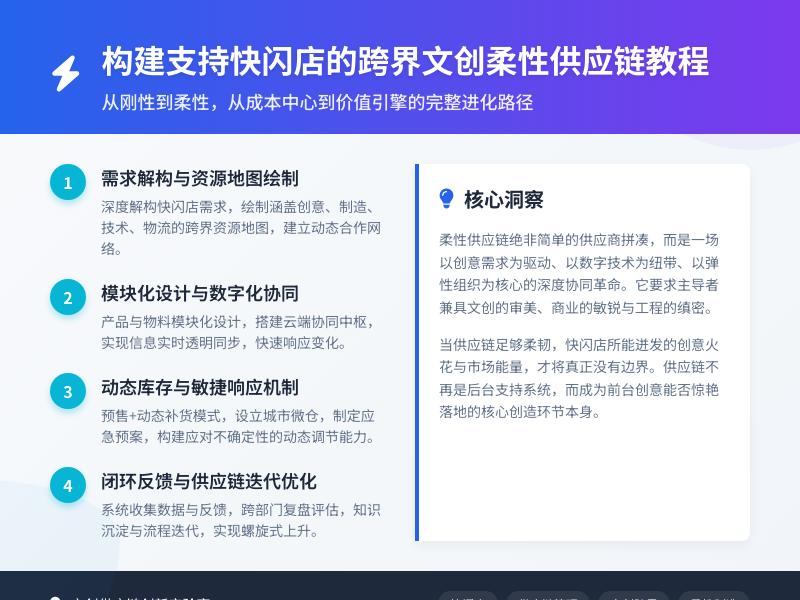
实战教学:为WordPress网站添加基于AR的虚拟产品摆放与场景体验功能 引言:AR技术如何重塑电商体验 在当今数字化时代,增强现实(AR)技术正以前所未有的速度改变着消费者的购物体验。想象一下,当用户访问您的网站时,他们不仅能看到产品的平面图片,还能通过手机摄像头将虚拟产品"放置"在自己的真实环境中,从各个角度查看产品细节,甚至与产品进行互动。这种沉浸式体验不仅显著提升用户参与度,还能大幅降低退货率,提高转化率。 根据最新市场研究,采用AR技术的电商平台平均转化率提升了40%,客户互动时间增加了近一倍。对于WordPress网站所有者来说,集成AR功能不再是遥不可及的高科技梦想,而是可以通过代码二次开发实现的实用功能。 本教程将详细指导您如何为WordPress网站添加基于AR的虚拟产品摆放与场景体验功能,通过实用的代码示例和分步指南,帮助您打造前沿的交互式购物体验。 第一部分:AR技术基础与准备工作 1.1 AR技术原理简介 增强现实(AR)是一种将虚拟信息叠加到真实世界中的技术,通过设备摄像头捕捉现实场景,并在其上叠加计算机生成的图像、视频或3D模型。在电商领域,AR主要应用于: 虚拟试穿/试戴:用户可以看到产品穿戴在身上的效果 虚拟摆放:将家具、装饰品等放置在实际环境中查看效果 产品交互:允许用户旋转、缩放、自定义虚拟产品 1.2 技术选型与工具准备 在开始开发前,我们需要选择合适的AR技术方案: 方案一:基于Web的AR(WebAR) 优点:无需安装应用,跨平台兼容性好 技术栈:A-Frame、AR.js、Three.js 适合:轻量级AR体验,快速部署 方案二:原生AR SDK集成 优点:性能更好,功能更丰富 技术栈:ARKit(iOS)、ARCore(Android) 适合:高性能要求的复杂AR体验 方案三:混合方案 结合WebAR和原生SDK的优势 使用WebXR Device API 对于WordPress网站,我们推荐使用WebAR方案,因为它具有最好的兼容性和部署便利性。 开发环境准备: WordPress开发环境(本地或测试服务器) 代码编辑器(VS Code、Sublime Text等) 基础的前端开发知识(HTML、CSS、JavaScript) 3D模型处理工具(如Blender,用于准备产品模型) 1.3 3D模型准备与优化 AR体验的核心是3D模型,我们需要为每个产品准备高质量的3D模型: 模型格式选择: GLTF/GLB:推荐格式,体积小,加载快 OBJ+MTL:通用格式,但文件较大 FBX:功能丰富,但需要转换 模型优化技巧: 减少多边形数量(在保持质量的前提下) 压缩纹理图像 使用合理的LOD(细节层次)系统 确保模型尺寸与实际产品一致 模型创建流程: 产品测量 → 3D建模 → 纹理贴图 → 模型优化 → 格式转换 → 测试验证 第二部分:WordPress环境配置与基础架构 2.1 创建自定义插件框架 首先,我们需要创建一个WordPress插件来管理所有AR相关功能: <?php /** * Plugin Name: AR Product Viewer for WordPress * Plugin URI: https://yourwebsite.com/ * Description: 为WordPress网站添加AR产品查看和虚拟摆放功能 * Version: 1.0.0 * Author: Your Name * License: GPL v2 or later */ // 防止直接访问 if (!defined('ABSPATH')) { exit; } // 定义插件常量 define('ARPV_VERSION', '1.0.0'); define('ARPV_PLUGIN_DIR', plugin_dir_path(__FILE__)); define('ARPV_PLUGIN_URL', plugin_dir_url(__FILE__)); // 初始化插件 class AR_Product_Viewer { private static $instance = null; public static function get_instance() { if (null === self::$instance) { self::$instance = new self(); } return self::$instance; } private function __construct() { $this->init_hooks(); } private function init_hooks() { // 后台初始化 add_action('admin_init', array($this, 'admin_init')); // 添加管理菜单 add_action('admin_menu', array($this, 'add_admin_menu')); // 前端资源加载 add_action('wp_enqueue_scripts', array($this, 'enqueue_frontend_assets')); // 后台资源加载 add_action('admin_enqueue_scripts', array($this, 'enqueue_admin_assets')); // 添加短代码 add_shortcode('ar_product_viewer', array($this, 'ar_product_viewer_shortcode')); // 为产品添加自定义字段 add_action('add_meta_boxes', array($this, 'add_product_ar_meta_box')); add_action('save_post', array($this, 'save_product_ar_meta')); } // 更多方法将在后续章节实现... } // 启动插件 AR_Product_Viewer::get_instance(); ?> 2.2 数据库设计与模型管理 我们需要扩展WordPress数据库来存储AR相关数据: // 在插件激活时创建数据库表 register_activation_hook(__FILE__, 'arpv_create_database_tables'); function arpv_create_database_tables() { global $wpdb; $charset_collate = $wpdb->get_charset_collate(); $table_name = $wpdb->prefix . 'arpv_models'; $sql = "CREATE TABLE IF NOT EXISTS $table_name ( id mediumint(9) NOT NULL AUTO_INCREMENT, product_id bigint(20) NOT NULL, model_name varchar(255) NOT NULL, model_file_url varchar(500) NOT NULL, model_type varchar(50) DEFAULT 'glb', model_size int(11) DEFAULT 0, scale_x float DEFAULT 1.0, scale_y float DEFAULT 1.0, scale_z float DEFAULT 1.0, created_at datetime DEFAULT CURRENT_TIMESTAMP, updated_at datetime DEFAULT CURRENT_TIMESTAMP ON UPDATE CURRENT_TIMESTAMP, PRIMARY KEY (id), KEY product_id (product_id) ) $charset_collate;"; require_once(ABSPATH . 'wp-admin/includes/upgrade.php'); dbDelta($sql); // 添加版本选项 add_option('arpv_db_version', '1.0'); } 2.3 后台管理界面设计 创建用户友好的后台界面来管理AR模型: // 添加管理菜单 public function add_admin_menu() { add_menu_page( 'AR产品查看器', 'AR产品查看器', 'manage_options', 'ar-product-viewer', array($this, 'render_admin_page'), 'dashicons-visibility', 30 ); add_submenu_page( 'ar-product-viewer', '模型管理', '模型管理', 'manage_options', 'arpv-model-manager', array($this, 'render_model_manager_page') ); add_submenu_page( 'ar-product-viewer', 'AR设置', '设置', 'manage_options', 'arpv-settings', array($this, 'render_settings_page') ); } // 渲染模型管理页面 public function render_model_manager_page() { ?> <div class="wrap"> <h1>AR模型管理</h1> <div class="arpv-admin-container"> <div class="arpv-admin-header"> <button id="arpv-add-model" class="button button-primary">添加新模型</button> <div class="arpv-search-box"> <input type="text" id="arpv-model-search" placeholder="搜索模型..."> </div> </div> <div class="arpv-model-list"> <table class="wp-list-table widefat fixed striped"> <thead> <tr> <th>ID</th> <th>产品名称</th> <th>模型名称</th> <th>文件类型</th> <th>文件大小</th> <th>操作</th> </tr> </thead> <tbody id="arpv-model-table-body"> <!-- 通过AJAX动态加载 --> </tbody> </table> </div> <!-- 模型上传模态框 --> <div id="arpv-upload-modal" class="arpv-modal" style="display:none;"> <div class="arpv-modal-content"> <span class="arpv-close-modal">×</span> <h2>上传3D模型</h2> <form id="arpv-upload-form"> <div class="arpv-form-group"> <label for="arpv-product-select">关联产品</label> <select id="arpv-product-select" required> <option value="">选择产品...</option> <?php $products = get_posts(array( 'post_type' => 'product', 'posts_per_page' => -1, 'post_status' => 'publish' )); foreach ($products as $product) { echo '<option value="' . $product->ID . '">' . $product->post_title . '</option>'; } ?> </select> </div> <div class="arpv-form-group"> <label for="arpv-model-name">模型名称</label> <input type="text" id="arpv-model-name" required> </div> <div class="arpv-form-group"> <label for="arpv-model-file">模型文件</label> <input type="file" id="arpv-model-file" accept=".glb,.gltf,.fbx,.obj" required> <p class="description">支持GLB, GLTF, FBX, OBJ格式,建议使用GLB格式以获得最佳性能</p> </div> <div class="arpv-form-group"> <label for="arpv-model-scale">模型缩放比例</label> <input type="number" id="arpv-model-scale" step="0.1" value="1.0" min="0.1" max="10"> </div> <button type="submit" class="button button-primary">上传模型</button> </form> </div> </div> </div> </div> <?php } 第三部分:WebAR核心功能实现 3.1 集成AR.js与Three.js框架 首先,我们需要在前端加载必要的AR和3D渲染库: // 前端资源加载 public function enqueue_frontend_assets() { // 只在需要AR功能的页面加载 if ($this->should_load_ar_assets()) { // Three.js - 3D渲染引擎 wp_enqueue_script('three-js', 'https://cdnjs.cloudflare.com/ajax/libs/three.js/r128/three.min.js', array(), 'r128', true); // AR.js - WebAR框架 wp_enqueue_script('ar-js', 'https://cdn.jsdelivr.net/npm/ar.js@latest/aframe/build/aframe-ar.min.js', array('three-js'), null, true); // GLTF加载器 wp_enqueue_script('gltf-loader', ARPV_PLUGIN_URL . 'assets/js/loaders/GLTFLoader.js', array('three-js'), '1.0', true); // 自定义AR控制器 wp_enqueue_script('arpv-ar-controller', ARPV_PLUGIN_URL . 'assets/js/ar-controller.js', array('three-js', 'ar-js', 'gltf-loader'), ARPV_VERSION, true); // AR样式 wp_enqueue_style('arpv-ar-style', ARPV_PLUGIN_URL . 'assets/css/ar-style.css', array(), ARPV_VERSION); // 传递数据到前端 wp_localize_script('arpv-ar-controller', 'arpv_ajax', array( 'ajax_url' => admin_url('admin-ajax.php'), 'nonce' => wp_create_nonce('arpv_nonce') )); } } // 判断是否需要加载AR资源 private function should_load_ar_assets() { // 检查是否在产品页面 if (is_product() || has_shortcode(get_post()->post_content, 'ar_product_viewer')) { return true; } // 检查是否在支持AR的页面模板 $template = get_page_template_slug(); if ($template === 'template-ar-product.php') { return true; } return false; } 3.2 创建AR查看器组件 实现核心的AR查看器组件: // assets/js/ar-controller.js class ARProductViewer { constructor(options) { this.options = { containerId: 'ar-viewer-container', productId: 0, modelUrl: '', modelScale: 1.0, ...options }; this.scene = null; this.camera = null; this.renderer = null; this.controls = null; this.model = null; this.arToolkitSource = null; this.arToolkitContext = null; this.init(); } init() { this.createARScene(); this.loadProductModel(); this.setupEventListeners(); this.animate(); } createARScene() { // 创建场景 this.scene = new THREE.Scene(); // 创建相机 this.camera = new THREE.PerspectiveCamera(60, window.innerWidth / window.innerHeight, 0.01, 20); // 创建渲染器 this.renderer = new THREE.WebGLRenderer({ antialias: true, alpha: true }); this.renderer.setPixelRatio(window.devicePixelRatio); this.renderer.setSize(window.innerWidth, window.innerHeight); this.renderer.outputEncoding = THREE.sRGBEncoding; // 添加到容器 const container = document.getElementById(this.options.containerId); if (container) { container.appendChild(this.renderer.domElement); } // 添加光源 const ambientLight = new THREE.AmbientLight(0xffffff, 0.8); this.scene.add(ambientLight); const directionalLight = new THREE.DirectionalLight(0xffffff, 0.5); directionalLight.position.set(0, 10, 5); this.scene.add(directionalLight); // 初始化AR.js this.initARToolkit(); } initARToolkit() { // 创建AR.js源 this.arToolkitSource = new THREEx.ArToolkitSource({ sourceType: 'webcam', sourceWidth: 1280, sourceHeight: 720, displayWidth: window.innerWidth, displayHeight: window.innerHeight }); // 初始化源 this.arToolkitSource.init(() => { // 调整渲染器大小 this.onResize(); }); // 创建AR.js上下文 this.arToolkitContext = new THREEx.ArToolkitContext({ cameraParametersUrl: ARPV_PLUGIN_URL + 'assets/data/camera_para.dat', detectionMode: 'mono', maxDetectionRate: 30, canvasWidth: this.arToolkitSource.domElement.clientWidth, canvasHeight: this.arToolkitSource.domElement.clientHeight }); // 初始化上下文 this.arToolkitContext.init(() => { // 相机投影矩阵将根据AR上下文更新 this.camera.projectionMatrix.copy(this.arToolkitContext.getProjectionMatrix()); }); // 创建AR标记 const markerRoot = new THREE.Group(); this.scene.add(markerRoot); // 创建标记控制器 const markerControls = new THREEx.ArMarkerControls(this.arToolkitContext, markerRoot, { type: 'pattern', patternUrl: ARPV_PLUGIN_URL + 'assets/data/patt.hiro', changeMatrixMode: 'cameraTransformMatrix' }); // 将模型添加到标记根组 this.modelContainer = markerRoot; } async loadProductModel() { if (!this.options.modelUrl) { console.error('未提供模型URL'); return; } try { const loader = new THREE.GLTFLoader(); loader.load( this.options.modelUrl, (gltf) => { this.model = gltf.scene; // 调整模型大小和位置 const box = new THREE.Box3().setFromObject(this.model); const size = box.getSize(new THREE.Vector3()); const maxDim = Math.max(size.x, size.y, size.z); const scale = this.options.modelScale / maxDim; this.model.scale.set(scale, scale, scale); this.model.position.set(0, 0, 0); // 添加到场景 if (this.modelContainer) { this.modelContainer.add(this.model); } else { this.scene.add(this.model); } // 触发模型加载完成事件 this.dispatchEvent('modelLoaded', { model: this.model }); console.log('模型加载成功'); }, (progress) => { // 加载进度 const percent = (progress.loaded / progress.total * 100).toFixed(2); this.dispatchEvent('modelLoading', { percent }); }, (error) => { console.error('模型加载失败:', error); this.dispatchEvent('modelError', { error }); } ); } catch (error) { console.error('加载模型时出错:', error); } 3.3 实现模型交互控制 // 继续 assets/js/ar-controller.js setupEventListeners() { // 窗口大小调整 window.addEventListener('resize', () => this.onResize()); // 触摸/鼠标事件 this.setupInteractionEvents(); // 键盘控制 window.addEventListener('keydown', (e) => this.onKeyDown(e)); // 自定义事件监听 this.eventListeners = {}; } setupInteractionEvents() { const canvas = this.renderer.domElement; let isDragging = false; let previousMousePosition = { x: 0, y: 0 }; // 触摸事件 canvas.addEventListener('touchstart', (e) => { e.preventDefault(); if (e.touches.length === 1) { // 单指触摸 - 旋转 isDragging = true; previousMousePosition = { x: e.touches[0].clientX, y: e.touches[0].clientY }; } else if (e.touches.length === 2) { // 双指触摸 - 缩放 this.startPinchDistance = this.getPinchDistance(e); } }); canvas.addEventListener('touchmove', (e) => { e.preventDefault(); if (e.touches.length === 1 && isDragging && this.model) { // 单指拖动 - 旋转模型 const currentMousePosition = { x: e.touches[0].clientX, y: e.touches[0].clientY }; const delta = { x: currentMousePosition.x - previousMousePosition.x, y: currentMousePosition.y - previousMousePosition.y }; // 根据拖动距离旋转模型 this.rotateModel(delta.x * 0.01, delta.y * 0.01); previousMousePosition = currentMousePosition; } else if (e.touches.length === 2 && this.startPinchDistance && this.model) { // 双指捏合 - 缩放模型 const currentPinchDistance = this.getPinchDistance(e); const scaleFactor = currentPinchDistance / this.startPinchDistance; this.scaleModel(scaleFactor); this.startPinchDistance = currentPinchDistance; } }); canvas.addEventListener('touchend', (e) => { isDragging = false; this.startPinchDistance = null; }); // 鼠标事件(桌面设备) canvas.addEventListener('mousedown', (e) => { if (e.button === 0) { // 左键 isDragging = true; previousMousePosition = { x: e.clientX, y: e.clientY }; } }); canvas.addEventListener('mousemove', (e) => { if (isDragging && this.model) { const currentMousePosition = { x: e.clientX, y: e.clientY }; const delta = { x: currentMousePosition.x - previousMousePosition.x, y: currentMousePosition.y - previousMousePosition.y }; this.rotateModel(delta.x * 0.01, delta.y * 0.01); previousMousePosition = currentMousePosition; } }); canvas.addEventListener('mouseup', () => { isDragging = false; }); // 鼠标滚轮缩放 canvas.addEventListener('wheel', (e) => { e.preventDefault(); if (this.model) { const scaleFactor = e.deltaY > 0 ? 0.9 : 1.1; this.scaleModel(scaleFactor); } }); } getPinchDistance(e) { const dx = e.touches[0].clientX - e.touches[1].clientX; const dy = e.touches[0].clientY - e.touches[1].clientY; return Math.sqrt(dx * dx + dy * dy); } rotateModel(deltaX, deltaY) { if (!this.model) return; // 限制旋转角度 this.model.rotation.y += deltaX; this.model.rotation.x = Math.max(-Math.PI/2, Math.min(Math.PI/2, this.model.rotation.x + deltaY)); } scaleModel(factor) { if (!this.model) return; // 限制缩放范围 const currentScale = this.model.scale.x; const newScale = Math.max(0.1, Math.min(5, currentScale * factor)); this.model.scale.set(newScale, newScale, newScale); } onKeyDown(e) { if (!this.model) return; switch(e.key) { case 'r': // 重置模型位置和旋转 this.model.rotation.set(0, 0, 0); this.model.scale.set(1, 1, 1); break; case '+': // 放大 this.scaleModel(1.1); break; case '-': // 缩小 this.scaleModel(0.9); break; case ' ': // 空格键 - 切换AR模式 this.toggleARMode(); break; } } toggleARMode() { // 切换AR模式和普通3D查看模式 this.isARMode = !this.isARMode; if (this.isARMode) { this.enterARMode(); } else { this.exitARMode(); } } enterARMode() { // 启动摄像头 this.arToolkitSource.init(() => { this.arToolkitContext.arController.play(); }); this.dispatchEvent('arModeEntered'); } exitARMode() { // 停止摄像头 this.arToolkitContext.arController.stop(); this.dispatchEvent('arModeExited'); } onResize() { if (this.arToolkitSource) { this.arToolkitSource.onResizeElement(); this.arToolkitSource.copyElementSizeTo(this.renderer.domElement); } if (this.camera) { this.camera.aspect = window.innerWidth / window.innerHeight; this.camera.updateProjectionMatrix(); } this.renderer.setSize(window.innerWidth, window.innerHeight); } animate() { requestAnimationFrame(() => this.animate()); // 更新AR上下文 if (this.arToolkitSource && this.arToolkitSource.ready) { this.arToolkitContext.update(this.arToolkitSource.domElement); } // 渲染场景 this.renderer.render(this.scene, this.camera); } // 事件系统 addEventListener(event, callback) { if (!this.eventListeners[event]) { this.eventListeners[event] = []; } this.eventListeners[event].push(callback); } removeEventListener(event, callback) { if (this.eventListeners[event]) { const index = this.eventListeners[event].indexOf(callback); if (index > -1) { this.eventListeners[event].splice(index, 1); } } } dispatchEvent(event, data) { if (this.eventListeners[event]) { this.eventListeners[event].forEach(callback => { callback(data); }); } } // 销毁清理 destroy() { window.removeEventListener('resize', this.onResize); if (this.model && this.scene) { this.scene.remove(this.model); } if (this.renderer) { this.renderer.dispose(); this.renderer.forceContextLoss(); } if (this.arToolkitContext) { this.arToolkitContext.arController.stop(); } } } // 全局访问 window.ARProductViewer = ARProductViewer; 3.4 创建产品页面集成短代码 // 在插件主类中添加短代码处理 public function ar_product_viewer_shortcode($atts) { $atts = shortcode_atts(array( 'product_id' => 0, 'width' => '100%', 'height' => '500px', 'mode' => 'both' // '3d', 'ar', 'both' ), $atts, 'ar_product_viewer'); // 获取产品信息 $product_id = $atts['product_id'] ?: get_the_ID(); $model_data = $this->get_product_model_data($product_id); if (!$model_data) { return '<p class="arpv-error">该产品暂无AR模型</p>'; } // 生成唯一ID $viewer_id = 'arpv-' . uniqid(); ob_start(); ?> <div class="arpv-product-viewer-container"> <div id="<?php echo esc_attr($viewer_id); ?>" class="arpv-viewer" style="width: <?php echo esc_attr($atts['width']); ?>; height: <?php echo esc_attr($atts['height']); ?>;"> </div> <div class="arpv-controls"> <div class="arpv-control-group"> <button class="arpv-btn arpv-btn-rotate" title="旋转"> <span class="dashicons dashicons-image-rotate"></span> </button> <button class="arpv-btn arpv-btn-zoom-in" title="放大"> <span class="dashicons dashicons-plus"></span> </button> <button class="arpv-btn arpv-btn-zoom-out" title="缩小"> <span class="dashicons dashicons-minus"></span> </button> <button class="arpv-btn arpv-btn-reset" title="重置"> <span class="dashicons dashicons-image-rotate"></span> </button> </div> <?php if ($atts['mode'] !== '3d') : ?> <div class="arpv-control-group"> <button class="arpv-btn arpv-btn-ar arpv-btn-primary" title="AR模式"> <span class="dashicons dashicons-camera"></span> <span>在您的空间中查看</span> </button> </div> <?php endif; ?> <div class="arpv-control-group arpv-instructions"> <p class="arpv-hint"> <span class="dashicons dashicons-info"></span> 提示:使用鼠标拖动旋转,滚轮缩放,或点击AR按钮在真实环境中查看 </p> </div> </div> <div class="arpv-ar-overlay" style="display: none;"> <div class="arpv-ar-header"> <button class="arpv-btn arpv-btn-close-ar">返回</button> <h3>AR模式</h3> <p>将相机对准平面表面,等待模型出现</p> </div> <div class="arpv-ar-hint"> <p>移动设备:单指旋转模型,双指缩放</p> </div> </div> </div> <script type="text/javascript"> jQuery(document).ready(function($) { // 初始化AR查看器 const viewer = new ARProductViewer({ containerId: '<?php echo esc_js($viewer_id); ?>', productId: <?php echo intval($product_id); ?>, modelUrl: '<?php echo esc_js($model_data['url']); ?>', modelScale: <?php echo floatval($model_data['scale']); ?> }); // 绑定控制按钮 $('.arpv-btn-rotate').on('click', function() { // 自动旋转动画 viewer.startAutoRotate(); }); $('.arpv-btn-zoom-in').on('click', function() { viewer.scaleModel(1.2); }); $('.arpv-btn-zoom-out').on('click', function() { viewer.scaleModel(0.8); }); $('.arpv-btn-reset').on('click', function() { viewer.resetModel(); }); $('.arpv-btn-ar').on('click', function() { $('.arpv-ar-overlay').show(); viewer.enterARMode(); }); $('.arpv-btn-close-ar').on('click', function() { $('.arpv-ar-overlay').hide(); viewer.exitARMode(); }); // 处理模型加载事件 viewer.addEventListener('modelLoaded', function(data) { console.log('模型加载完成', data); $('.arpv-hint').fadeOut(); }); viewer.addEventListener('modelLoading', function(data) { console.log('模型加载进度:', data.percent + '%'); }); }); </script> <?php return ob_get_clean(); } private function get_product_model_data($product_id) { global $wpdb; $table_name = $wpdb->prefix . 'arpv_models'; $model = $wpdb->get_row($wpdb->prepare( "SELECT * FROM $table_name WHERE product_id = %d ORDER BY id DESC LIMIT 1", $product_id )); if ($model) { return array( 'url' => $model->model_file_url, 'scale' => $model->scale_x, 'name' => $model->model_name ); } return false; } 第四部分:高级功能与优化 4.1 多模型场景与产品搭配 // 添加多模型支持 public function add_scene_builder_meta_box() { add_meta_box( 'arpv_scene_builder', 'AR场景构建器', array($this, 'render_scene_builder_meta_box'), 'product', 'normal', 'high' ); } public function render_scene_builder_meta_box($post) { wp_nonce_field('arpv_scene_builder', 'arpv_scene_builder_nonce'); $scene_data = get_post_meta($post->ID, '_arpv_scene_data', true); $scene_data = $scene_data ? json_decode($scene_data, true) : array(); ?> <div class="arpv-scene-builder"> <div class="arpv-scene-controls"> <button type="button" class="button arpv-add-to-scene">添加产品到场景</button> <button type="button" class="button arpv-save-scene">保存场景</button> <button type="button" class="button arpv-reset-scene">重置场景</button> </div> <div class="arpv-scene-preview"> <div id="arpv-scene-viewer" style="width: 100%; height: 400px; background: #f5f5f5;"> <!-- 3D场景预览 --> </div> </div> <div class="arpv-scene-items"> <h3>场景中的产品</h3> <ul id="arpv-scene-list"> <?php if (!empty($scene_data['items'])) : ?> <?php foreach ($scene_data['items'] as $item) : ?> <li data-product-id="<?php echo esc_attr($item['product_id']); ?>"> <span class="arpv-item-name"><?php echo esc_html($item['name']); ?></span> <button type="button" class="button arpv-remove-item">移除</button> </li> <?php endforeach; ?> <?php endif; ?> </ul> </div> <input type="hidden" id="arpv-scene-data" name="arpv_scene_data" value="<?php echo esc_attr(json_encode($scene_data)); ?>"> </div> <script type="text/javascript"> jQuery(document).ready(function($) { let sceneViewer = null; let sceneItems = <?php echo $scene_data ? json_encode($scene_data['items']) : '[]'; ?>; // 初始化场景查看器 function initSceneViewer() { sceneViewer = new ARSceneViewer({ containerId: 'arpv-scene-viewer', items: sceneItems }); } // 添加产品到场景 $('.arpv-add-to-scene').on('click', function() { // 打开产品选择模态框 $('#arpv-product-selector').show(); }); // 保存场景 $('.arpv-save-scene').on('click', function() { const sceneData = { items: sceneItems, camera_position: sceneViewer ? sceneViewer.getCameraPosition() : null, lighting: sceneViewer ? sceneViewer.getLightingSettings() : null }; $('#arpv-scene-data').val(JSON.stringify(sceneData)); alert('场景已保存'); }); // 初始化 initSceneViewer(); }); </script> <?php } 4.2 性能优化与缓存策略 // 实现模型缓存和CDN集成 class ARPV_Cache_Manager { private static $instance = null; public static function get_instance() { if (null === self::$instance) { self::$instance = new self(); } return self::$instance; } public function get_model_url($model_id, $use_cache = true) { $cache_key = 'arpv_model_' . $model_id; if ($use_cache) { $cached_url = get_transient($cache_key); if ($cached_url !== false) { return $cached_url; } } // 从数据库获取模型信息 global $wpdb; $table_name = $wpdb->prefix . 'arpv_models'; $model = $wpdb->get_row($wpdb->prepare(
发表评论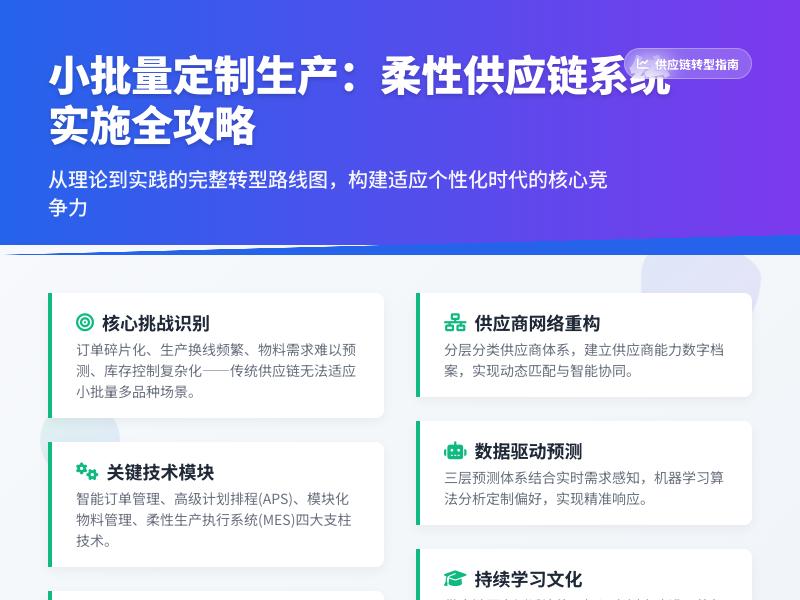
手把手教程:在WordPress中实现自动化社交媒体内容同步与发布 引言:为什么需要自动化社交媒体同步? 在当今数字营销时代,社交媒体已成为企业与个人品牌推广不可或缺的渠道。然而,手动将WordPress网站内容同步到各个社交媒体平台不仅耗时耗力,还容易出错。据统计,营销人员平均每周花费6-15小时在社交媒体内容管理上,其中大部分时间用于内容分发和调度。 通过WordPress代码二次开发实现自动化社交媒体同步,不仅可以节省大量时间,还能确保内容在不同平台间的一致性,提高发布效率。本教程将引导您从零开始,通过自定义开发实现这一功能,同时探索如何将常用互联网小工具集成到WordPress中。 第一部分:准备工作与环境配置 1.1 理解WordPress钩子系统 WordPress的强大之处在于其完善的钩子(Hooks)系统,包括动作(Actions)和过滤器(Filters)。要实现自动化社交媒体同步,我们需要利用这些钩子在适当的时候触发我们的代码。 // 示例:基本的WordPress钩子使用 add_action('publish_post', 'sync_to_social_media', 10, 2); function sync_to_social_media($post_id, $post) { // 当文章发布时执行社交媒体同步 // 具体实现代码将在后续部分添加 } 1.2 创建自定义插件 为了避免主题更新导致代码丢失,我们建议将功能实现为独立插件: 在wp-content/plugins/目录下创建新文件夹social-auto-sync 创建主插件文件social-auto-sync.php 添加插件头部信息: <?php /** * Plugin Name: 社交媒体自动同步 * Plugin URI: https://yourwebsite.com/ * Description: 自动将WordPress内容同步到各大社交媒体平台 * Version: 1.0.0 * Author: 您的名字 * License: GPL v2 or later */ 1.3 配置开发环境 确保您的开发环境满足以下要求: WordPress 5.0+ PHP 7.4+ 启用curl扩展(用于API调用) 文本编辑器或IDE(如VS Code、PHPStorm) 第二部分:社交媒体API集成基础 2.1 获取API密钥与权限 要实现自动化同步,首先需要获取各社交媒体平台的API访问权限: Twitter(X):通过Twitter开发者门户创建应用 Facebook:使用Facebook开发者工具创建应用并获取访问令牌 LinkedIn:在LinkedIn开发者门户创建应用 Instagram:通过Facebook开发者工具(Instagram属于Facebook生态) 2.2 安全存储API凭证 永远不要在代码中硬编码API密钥。使用WordPress选项API安全存储: // 创建设置页面存储API密钥 add_action('admin_menu', 'social_sync_add_admin_menu'); function social_sync_add_admin_menu() { add_options_page( '社交媒体同步设置', '社媒同步', 'manage_options', 'social-sync-settings', 'social_sync_settings_page' ); } function social_sync_settings_page() { ?> <div class="wrap"> <h1>社交媒体同步设置</h1> <form method="post" action="options.php"> <?php settings_fields('social_sync_settings_group'); do_settings_sections('social-sync-settings'); submit_button(); ?> </form> </div> <?php } // 注册设置 add_action('admin_init', 'social_sync_settings_init'); function social_sync_settings_init() { register_setting('social_sync_settings_group', 'social_sync_settings'); add_settings_section( 'social_sync_api_section', 'API设置', null, 'social-sync-settings' ); add_settings_field( 'twitter_api_key', 'Twitter API密钥', 'social_sync_api_key_callback', 'social-sync-settings', 'social_sync_api_section', ['label_for' => 'twitter_api_key'] ); // 添加更多API字段... } function social_sync_api_key_callback($args) { $options = get_option('social_sync_settings'); $id = $args['label_for']; $value = isset($options[$id]) ? $options[$id] : ''; ?> <input type="password" id="<?php echo esc_attr($id); ?>" name="social_sync_settings[<?php echo esc_attr($id); ?>]" value="<?php echo esc_attr($value); ?>" class="regular-text"> <?php } 第三部分:核心同步功能实现 3.1 文章发布自动同步 当WordPress文章发布时,自动提取内容并分享到社交媒体: // 监听文章发布 add_action('publish_post', 'auto_share_on_publish', 10, 2); function auto_share_on_publish($post_id, $post) { // 防止无限循环 if (defined('DOING_AUTOSAVE') && DOING_AUTOSAVE) return; if (wp_is_post_revision($post_id)) return; // 检查是否已经分享过 if (get_post_meta($post_id, '_social_shared', true)) return; // 获取文章信息 $title = get_the_title($post_id); $excerpt = wp_trim_words(get_the_excerpt($post_id), 30, '...'); $permalink = get_permalink($post_id); $featured_image = get_the_post_thumbnail_url($post_id, 'medium'); // 构建分享内容 $message = $title . "nn" . $excerpt . "nn阅读更多: " . $permalink; // 分享到各个平台 $results = []; // Twitter分享 if (get_option('social_sync_twitter_enable')) { $results['twitter'] = share_to_twitter($message, $featured_image); } // Facebook分享 if (get_option('social_sync_facebook_enable')) { $results['facebook'] = share_to_facebook($message, $permalink, $featured_image); } // LinkedIn分享 if (get_option('social_sync_linkedin_enable')) { $results['linkedin'] = share_to_linkedin($title, $excerpt, $permalink, $featured_image); } // 标记为已分享 update_post_meta($post_id, '_social_shared', true); update_post_meta($post_id, '_social_share_results', $results); // 记录日志 social_sync_log('文章发布同步', $post_id, $results); } 3.2 Twitter API集成实现 function share_to_twitter($message, $image_url = null) { $settings = get_option('social_sync_settings'); $api_key = $settings['twitter_api_key'] ?? ''; $api_secret = $settings['twitter_api_secret'] ?? ''; $access_token = $settings['twitter_access_token'] ?? ''; $access_secret = $settings['twitter_access_secret'] ?? ''; if (empty($api_key) || empty($access_token)) { return ['success' => false, 'error' => 'API凭证未配置']; } // 使用Twitter API v2 $endpoint = 'https://api.twitter.com/2/tweets'; // 构建请求数据 $data = ['text' => substr($message, 0, 280)]; // Twitter限制280字符 // 如果有图片,先上传媒体 if ($image_url) { $media_id = upload_twitter_media($image_url, $api_key, $api_secret, $access_token, $access_secret); if ($media_id) { $data['media'] = ['media_ids' => [$media_id]]; } } // 发送请求 $response = wp_remote_post($endpoint, [ 'headers' => [ 'Authorization' => 'Bearer ' . $access_token, 'Content-Type' => 'application/json', ], 'body' => json_encode($data), 'timeout' => 30, ]); if (is_wp_error($response)) { return ['success' => false, 'error' => $response->get_error_message()]; } $body = json_decode(wp_remote_retrieve_body($response), true); if (isset($body['data']['id'])) { return ['success' => true, 'tweet_id' => $body['data']['id']]; } else { return ['success' => false, 'error' => $body['errors'][0]['detail'] ?? '未知错误']; } } function upload_twitter_media($image_url, $api_key, $api_secret, $access_token, $access_secret) { // 下载图片 $image_data = wp_remote_get($image_url); if (is_wp_error($image_data)) { return false; } $image_content = wp_remote_retrieve_body($image_data); // 上传到Twitter媒体端点 $upload_endpoint = 'https://upload.twitter.com/1.1/media/upload.json'; $response = wp_remote_post($upload_endpoint, [ 'headers' => [ 'Authorization' => 'OAuth oauth_consumer_key="' . $api_key . '", oauth_nonce="' . wp_generate_uuid4() . '", oauth_signature_method="HMAC-SHA1", oauth_timestamp="' . time() . '", oauth_token="' . $access_token . '", oauth_version="1.0"', ], 'body' => [ 'media_data' => base64_encode($image_content) ], 'timeout' => 30, ]); if (is_wp_error($response)) { return false; } $body = json_decode(wp_remote_retrieve_body($response), true); return $body['media_id_string'] ?? false; } 3.3 Facebook API集成实现 function share_to_facebook($message, $link, $image_url = null) { $settings = get_option('social_sync_settings'); $page_id = $settings['facebook_page_id'] ?? ''; $access_token = $settings['facebook_access_token'] ?? ''; if (empty($page_id) || empty($access_token)) { return ['success' => false, 'error' => 'Facebook配置不完整']; } $endpoint = "https://graph.facebook.com/v12.0/{$page_id}/feed"; // 构建请求数据 $data = [ 'message' => $message, 'link' => $link, 'access_token' => $access_token, ]; // 如果有图片,附加图片URL if ($image_url) { $data['picture'] = $image_url; } // 发送请求 $response = wp_remote_post($endpoint, [ 'body' => $data, 'timeout' => 30, ]); if (is_wp_error($response)) { return ['success' => false, 'error' => $response->get_error_message()]; } $body = json_decode(wp_remote_retrieve_body($response), true); if (isset($body['id'])) { return ['success' => true, 'post_id' => $body['id']]; } else { return ['success' => false, 'error' => $body['error']['message'] ?? '未知错误']; } } 第四部分:高级功能与优化 4.1 定时与计划发布 除了即时发布,还可以实现定时发布到社交媒体: // 创建自定义计划任务 add_action('social_sync_scheduled_share', 'scheduled_social_share', 10, 1); function scheduled_social_share($post_id) { $post = get_post($post_id); if (!$post || $post->post_status !== 'future') { return; } // 执行社交媒体分享 auto_share_on_publish($post_id, $post); } // 当定时文章发布时触发 add_action('publish_future_post', 'schedule_social_share_on_publish', 10, 1); function schedule_social_share_on_publish($post_id) { $post = get_post($post_id); $publish_time = strtotime($post->post_date); // 安排在文章发布时间执行社交媒体分享 wp_schedule_single_event($publish_time, 'social_sync_scheduled_share', [$post_id]); } 4.2 内容格式化与优化 不同社交媒体平台有不同的内容要求,需要针对性地优化: function format_content_for_platform($content, $platform, $post_id) { $formatted = $content; switch ($platform) { case 'twitter': // Twitter: 280字符限制,添加话题标签 $formatted = substr($content, 0, 250); // 留空间给链接和标签 // 自动提取或添加话题标签 $tags = get_post_tags($post_id); if ($tags) { $tag_names = array_slice(wp_list_pluck($tags, 'name'), 0, 3); $hashtags = ' ' . implode(' ', array_map(function($tag) { return '#' . preg_replace('/s+/', '', $tag); }, $tag_names)); if (strlen($formatted . $hashtags) <= 280) { $formatted .= $hashtags; } } break; case 'linkedin': // LinkedIn: 更专业的语气,可以更长 $formatted = $content . "nn#WordPress #内容营销"; break; case 'facebook': // Facebook: 更友好,可以添加表情符号 $formatted = "📢 新文章发布!nn" . $content . "nn点击链接阅读全文 👇"; break; } return $formatted; } 4.3 错误处理与日志系统 完善的错误处理是自动化系统可靠性的关键: function social_sync_log($action, $post_id, $data) { $log_entry = [ 'timestamp' => current_time('mysql'), 'action' => $action, 'post_id' => $post_id, 'data' => $data, 'ip' => $_SERVER['REMOTE_ADDR'] ?? '未知', ]; // 获取现有日志 $logs = get_option('social_sync_logs', []); // 限制日志数量(保留最近100条) if (count($logs) >= 100) { array_shift($logs); } // 添加新日志 $logs[] = $log_entry; // 保存日志 update_option('social_sync_logs', $logs, false); } // 创建日志查看页面 add_action('admin_menu', 'social_sync_logs_page'); function social_sync_logs_page() { add_submenu_page( 'options-general.php', '社交媒体同步日志', '社媒同步日志', 'manage_options', 'social-sync-logs', 'social_sync_logs_page_content' ); } function social_sync_logs_page_content() { $logs = get_option('social_sync_logs', []); ?> <div class="wrap"> <h1>社交媒体同步日志</h1> <?php if (empty($logs)): ?> <p>暂无日志记录。</p> <?php else: ?> <table class="wp-list-table widefat fixed striped"> <thead> <tr> <th>时间</th> <th>操作</th> <th>文章ID</th> <th>结果</th> <th>IP地址</th> </tr> </thead> <tbody> <?php foreach (array_reverse($logs) as $log): ?> <tr> <td><?php echo esc_html($log['timestamp']); ?></td> <td><?php echo esc_html($log['action']); ?></td> <td> <?php if ($log['post_id']): ?> <a href="<?php echo get_edit_post_link($log['post_id']); ?>"> 文章#<?php echo esc_html($log['post_id']); ?> </a> <?php else: ?> N/A <?php endif; ?> </td> <td> <?php if (is_array($log['data'])) { foreach ($log['data'] as $platform => $result) { echo esc_html($platform) . ': ' . ($result['success'] ? '成功' : '失败') . '<br>'; if (!$result['success'] && isset($result['error'])) { echo '<small style="color:red;">' . esc_html($result['error']) . '</small><br>'; } } } ?> </td> <td><?php echo esc_html($log['ip']); ?></td> </tr> <?php endforeach; ?> </tbody> </table> <form method="post" style="margin-top: 20px;"> <?php wp_nonce_field('clear_social_sync_logs', 'social_sync_nonce'); ?> <input type="hidden" name="action" value="clear_logs"> <input type="submit" class="button button-secondary" value="清空日志"> </form> <?php endif; ?> </div> <?php // 处理清空日志请求 if ($_SERVER['REQUEST_METHOD'] === 'POST' && isset($_POST['action']) && $_POST['action'] === 'clear_logs' && `clear_social_sync_logs', 'social_sync_nonce')) { update_option('social_sync_logs', []); echo '<div class="notice notice-success is-dismissible"><p>日志已清空。</p></div>'; } } ## 第五部分:常用互联网小工具集成 ### 5.1 URL短链接生成器 集成短链接服务,优化社交媒体分享: function generate_short_url($long_url, $service = 'bitly') { $settings = get_option('social_sync_settings'); switch ($service) { case 'bitly': $access_token = $settings['bitly_access_token'] ?? ''; if (empty($access_token)) return $long_url; $endpoint = 'https://api-ssl.bitly.com/v4/shorten'; $response = wp_remote_post($endpoint, [ 'headers' => [ 'Authorization' => 'Bearer ' . $access_token, 'Content-Type' => 'application/json', ], 'body' => json_encode(['long_url' => $long_url]), 'timeout' => 15, ]); if (!is_wp_error($response)) { $body = json_decode(wp_remote_retrieve_body($response), true); if (isset($body['link'])) { return $body['link']; } } break; case 'tinyurl': $endpoint = 'https://tinyurl.com/api-create.php?url=' . urlencode($long_url); $response = wp_remote_get($endpoint); if (!is_wp_error($response)) { $short_url = wp_remote_retrieve_body($response); if (filter_var($short_url, FILTER_VALIDATE_URL)) { return $short_url; } } break; } return $long_url; // 失败时返回原链接 } // 在分享函数中使用短链接function auto_share_on_publish_with_shorturl($post_id, $post) { // ... 之前的代码 ... $permalink = get_permalink($post_id); $short_url = generate_short_url($permalink, 'bitly'); // 使用短链接构建消息 $message = $title . "nn" . $excerpt . "nn" . $short_url; // ... 后续分享代码 ... } ### 5.2 内容分析工具集成 集成内容分析功能,优化分享效果: function analyze_content_for_sharing($post_id) { $post = get_post($post_id); $content = $post->post_content; $title = $post->post_title; $analysis = [ 'readability_score' => calculate_readability($content), 'keyword_density' => get_keyword_density($content, $title), 'optimal_length' => check_length_optimization($content), 'image_count' => count_images_in_content($content), 'has_video' => has_video_content($content), ]; // 根据分析结果给出建议 $suggestions = generate_sharing_suggestions($analysis); return [ 'analysis' => $analysis, 'suggestions' => $suggestions, ]; } function calculate_readability($content) { // 实现Flesch-Kincaid可读性测试简化版 $text = strip_tags($content); $words = str_word_count($text); $sentences = preg_split('/[.!?]+/', $text); $sentence_count = count(array_filter($sentences)); if ($words === 0 || $sentence_count === 0) { return 0; } $average_words_per_sentence = $words / $sentence_count; $average_syllables_per_word = estimate_syllables($text) / $words; // Flesch Reading Ease公式 $score = 206.835 - (1.015 * $average_words_per_sentence) - (84.6 * $average_syllables_per_word); return round($score, 2); } function generate_sharing_suggestions($analysis) { $suggestions = []; if ($analysis['readability_score'] < 60) { $suggestions[] = '内容可读性较低,建议简化句子结构'; } if ($analysis['image_count'] === 0) { $suggestions[] = '建议添加相关图片以提高社交媒体参与度'; } if ($analysis['has_video']) { $suggestions[] = '检测到视频内容,建议在社交媒体上突出显示'; } return $suggestions; } ### 5.3 自动话题标签生成器 function generate_hashtags($content, $title, $count = 5) { // 提取关键词 $keywords = extract_keywords($content . ' ' . $title); // 过滤和排序关键词 $filtered_keywords = array_filter($keywords, function($word) { // 移除太短或太常见的词 return strlen($word) > 3 && !in_array(strtolower($word), [ 'this', 'that', 'with', 'from', 'have', 'were', 'they' ]); }); // 转换为话题标签 $hashtags = array_map(function($word) { // 移除特殊字符,转换为小写 $clean_word = preg_replace('/[^a-zA-Z0-9]/', '', $word); return '#' . ucfirst(strtolower($clean_word)); }, array_slice($filtered_keywords, 0, $count)); return $hashtags; } function extract_keywords($text) { // 移除HTML标签和特殊字符 $clean_text = strip_tags($text); $clean_text = preg_replace('/[^p{L}p{N}s]/u', ' ', $clean_text); // 分词 $words = preg_split('/s+/', $clean_text); // 统计词频 $word_counts = array_count_values(array_map('strtolower', $words)); // 按频率排序 arsort($word_counts); return array_keys($word_counts); } ## 第六部分:用户界面与交互优化 ### 6.1 文章编辑界面集成 在文章编辑界面添加社交媒体分享控制面板: add_action('add_meta_boxes', 'add_social_sync_meta_box'); function add_social_sync_meta_box() { add_meta_box( 'social_sync_meta_box', '社交媒体分享设置', 'render_social_sync_meta_box', 'post', 'side', 'high' ); } function render_social_sync_meta_box($post) { wp_nonce_field('social_sync_meta_box', 'social_sync_nonce'); $shared = get_post_meta($post->ID, '_social_shared', true); $share_results = get_post_meta($post->ID, '_social_share_results', true); ?> <div id="social-sync-controls"> <p> <label> <input type="checkbox" name="auto_share" value="1" <?php checked(!$shared); ?> <?php echo $shared ? 'disabled' : ''; ?>> 发布时自动分享到社交媒体 </label> </p> <?php if ($shared): ?> <div class="notice notice-success inline"> <p>✅ 已分享到社交媒体</p> <?php if ($share_results): ?> <ul style="margin: 5px 0; padding-left: 20px;"> <?php foreach ($share_results as $platform => $result): ?> <li> <?php echo esc_html(ucfirst($platform)); ?>: <?php echo $result['success'] ? '✅ 成功' : '❌ 失败'; ?> <?php if (!$result['success'] && isset($result['error'])): ?> <br><small style="color: #666;"><?php echo esc_html($result['error']); ?></small> <?php endif; ?> </li> <?php endforeach; ?> </ul> <?php endif; ?> </div> <p> <button type="button" id="reshare-button" class="button button-secondary"> 重新分享 </button> <span class="description">强制重新分享到所有平台</span> </p> <?php endif; ?> <div id="platform-selection" style="margin-top: 10px; <?php echo $shared ? 'display:none;' : ''; ?>"> <p><strong>选择分享平台:</strong></p> <?php $platforms = [ 'twitter' => 'Twitter', 'facebook' => 'Facebook', 'linkedin' => 'LinkedIn', ]; foreach ($platforms as $key => $label): $enabled = get_option("social_sync_{$key}_enable", true); ?> <p> <label> <input type="checkbox" name="share_platforms[]" value="<?php echo esc_attr($key); ?>" <?php checked($enabled); ?> <?php echo $enabled ? '' : 'disabled'; ?>> <?php echo esc_html($label); ?> <?php if (!$enabled): ?> <br><small style="color: #999;">(在设置中启用)</small> <?php endif; ?> </label> </p> <?php endforeach; ?> </div> <div id="custom-message" style="margin-top: 10px; display: none;"> <p><strong>自定义分享消息:</strong></p> <textarea name="custom_share_message" rows="3" style="width:100%;"></textarea> <p class="description">留空使用自动生成的消息</p> </div> <p> <a href="#" id="toggle-custom-message">自定义消息</a> | <a href="#" id="preview-share">预览</a> </p> </div> <script> jQuery(document).ready(function($) { // 切换自定义消息区域 $('#toggle-custom-message').click(function(e) { e.preventDefault(); $('#custom-message').toggle(); }); // 预览分享 $('#preview-share').click(function(e) { e.preventDefault(); $.ajax({ url: ajaxurl, type: 'POST', data: { action: 'preview_social_share', post_id: <?php echo $post->ID; ?>, nonce: '<?php echo wp_create_nonce("preview_share_{$post->ID}"); ?>' }, success: function(response) { if (response.success) { // 显示预览模态框 showPreviewModal(response.data); } } }); }); // 重新分享按钮 $('#reshare-button').click(function() { if (confirm('确定要重新分享这篇文章吗?')) { $.ajax({ url: ajaxurl, type: 'POST', data: { action: 'reshare_post', post_id: <?php echo $post->ID; ?>, nonce: '<?php echo wp_create_nonce("reshare_{$post->ID}"); ?>' }, success: function(response) { if (response.success) { location.reload(); } else { alert('重新分享失败:' + response.data); } } }); } }); function showPreviewModal(previews) { // 创建并显示预览模态框 // 实现模态框显示逻辑 } }); </script> <?php } ### 6.2 AJAX交互处理 add_action('wp_ajax_preview_social_share', 'handle_preview_social_share');add_action('wp_ajax_reshare_post', 'handle_reshare_post'); function handle_preview_social_share() { check_ajax_referer('preview_share_' . $_POST['post_id'], 'nonce'); $post_id = intval($_POST['post_id']); $post = get_post($post_id); if (!$post) { wp_die('文章不存在'); } $previews = []; $platforms = ['twitter', 'facebook', 'linkedin']; foreach ($platforms as $platform) { if (get_option("social_sync_{$platform}_enable")) { $message = generate_share_message($post, $platform); $previews[$platform] = [ 'message' => $message, 'length' => strlen($message), 'max_length' => $platform === 'twitter' ? 280 : 5000, ]; } } wp_send_json_success($previews); } function handle_reshare_post() { check_ajax_referer('reshare_' . $_POST['post_id'], 'nonce'); $post_id = intval($_POST['post_id']); $post = get_post($post_id); if (!$post) { wp_send_json_error('文章不存在'); } // 清除之前的分享标记 delete_post_meta($post_id, '_social_shared'); delete_post_meta($post_id, '_social_share_results'); // 重新分享 auto_share_on_publish($post_id, $post); wp_send_json_success('重新分享成功'); } ## 第七部分:性能优化与安全考虑 ### 7.1 异步处理优化 对于耗时的社交媒体API调用,使用异步处理避免阻塞: function async_share_to_social_media($post_id) { // 使用WordPress后台任务系统 if (!wp_next_scheduled('async_social_share', [$post_id])) { wp_schedule_single_event(time() + 5, 'async_social_share', [$post_id]); } } add_action('async_social_share', 'execute_async_social_share'); function execute_async_social_share($post_id) { $post = get_post($post_id); if ($post && $post->post_status === 'publish') { auto_share_on_publish($post_id, $post); } } // 修改发布钩子使用异步处理add_action('publish_post', function($post_id, $post) { if (defined('DOING_AUTOSAVE') && DOING_AUTOSAVE) return; if (wp_is_post_revision($post_id)) return; // 使用异步处理 async_share_to_social_media($post_id); }, 10, 2); ### 7.2 缓存策略 class SocialSyncCache { private static $cache_group = 'social_sync'; private static $cache_expiration = 3600; // 1小时 public static function get($key) { return wp_cache_get($key, self::$cache_group); } public static function set($key, $data) { return wp_cache_set($key, $data, self::$cache_group, self::$cache_expiration); } public static function delete($key) { return wp_cache_delete($key, self::$cache_group); } // 缓存API响应 public static function cached_api_call($callback, $args, $cache_key) { $cached = self::get($cache_key); if ($cached !== false) { return $cached; } $result = call_user_func_array($callback, $args); self::set($cache_key, $result); return $result; } } // 使用缓存的API调用示例function get_cached_twitter_profile() { $cache_key = 'twitter_profile_' . md5(get_option('twitter_access_token')); return SocialSyncCache::cached_api_call( 'fetch_twitter_profile', [], $cache_key ); } ### 7.3 安全加固 class SocialSyncSecurity { // 验证API响应 public static function validate_api_response($response, $expected_structure) { if (is_wp_error($response)) { return false; } $body = json_decode(wp_remote_retrieve_body($response), true); foreach ($expected_structure as $key => $type) { if (!isset($body[$key])) { return false; } if (gettype($body[$key]) !== $type) { return false; } } return true; } // 清理用户输入 public static function sanitize_social_message($message) { // 移除潜在的危险内容 $message = strip_tags($message); $message = preg_replace('/[^p{L}p{N}p{P}p{S}s]/u', '', $message); // 限制长度 $message = substr($message, 0, 5000); return $message; } // 验证访问权限 public static function check_api_permissions($platform) { $user_id = get_current_user_id(); if (!current_user_can('publish_posts')) { return false; } // 检查用户是否有该平台的分享权限 $user_permissions = get_user_meta($user_id, 'social_sync_permissions', true); if (empty($user_permissions) || !in_array($platform, $user_permissions)) { return false; } return true; } } ## 第八部分:测试与部署 ### 8.1 单元测试示例 // 测试文件:test-social-sync.phpclass SocialSyncTest extends WP_UnitTestCase { public function setUp() { parent::setUp(); // 初始化插件 require_once plugin_dir_path(__FILE__) . 'social-auto-sync.php'; }
发表评论
详细教程:为WordPress网站集成在线心理测评与职业倾向分析工具 引言:为什么网站需要集成心理测评与职业分析工具 在当今数字化时代,网站已不仅仅是信息展示平台,更是用户互动与价值传递的重要载体。对于教育机构、职业咨询平台、人力资源网站或企业招聘门户而言,集成专业的心理测评与职业倾向分析工具能够显著提升用户体验和网站价值。 通过WordPress这一全球最流行的内容管理系统,我们可以通过代码二次开发实现这些功能,而无需依赖昂贵的第三方服务。本教程将详细指导您如何从零开始,为您的WordPress网站集成专业的在线心理测评与职业倾向分析工具,同时确保数据安全、用户体验和系统稳定性。 第一部分:准备工作与环境配置 1.1 系统需求分析 在开始开发之前,我们需要明确技术需求: WordPress版本:5.0或更高(推荐最新版本) PHP版本:7.4或更高(推荐8.0+) MySQL版本:5.6或更高 服务器内存:至少512MB(推荐1GB以上) 必要的WordPress权限:主题编辑、插件安装、文件上传 1.2 开发环境搭建 为了安全地进行开发,建议首先在本地或测试服务器搭建环境: 本地开发环境选择: XAMPP(Windows/Mac/Linux) Local by Flywheel(特别适合WordPress开发) Docker WordPress开发环境 测试服务器配置: # 示例:通过SSH配置测试服务器环境 sudo apt update sudo apt install apache2 mysql-server php libapache2-mod-php php-mysql sudo systemctl restart apache2 WordPress安装与基础配置: 下载最新WordPress版本 创建数据库和用户 完成五步安装流程 设置固定链接结构(推荐"文章名"格式) 1.3 安全备份策略 在进行任何代码修改前,必须建立完整备份: 数据库备份: -- 通过phpMyAdmin或命令行备份 mysqldump -u username -p database_name > backup_date.sql 文件备份: # 备份整个WordPress目录 tar -czf wordpress_backup_date.tar.gz /path/to/wordpress 使用备份插件: UpdraftPlus BackWPup Duplicator(特别适合迁移) 第二部分:心理测评系统设计与数据库规划 2.1 测评类型与结构设计 我们需要设计两种主要测评类型: 心理测评:包含人格测试、情绪评估、压力测试等 职业倾向分析:基于霍兰德职业兴趣理论、MBTI等经典模型 2.2 数据库表设计 在WordPress数据库中添加自定义表来存储测评数据: -- 测评问卷表 CREATE TABLE wp_assessment_questionnaires ( id INT AUTO_INCREMENT PRIMARY KEY, title VARCHAR(255) NOT NULL, description TEXT, type ENUM('psychological', 'career') NOT NULL, questions_count INT DEFAULT 0, time_estimate INT COMMENT '预计完成时间(分钟)', created_at TIMESTAMP DEFAULT CURRENT_TIMESTAMP, updated_at TIMESTAMP DEFAULT CURRENT_TIMESTAMP ON UPDATE CURRENT_TIMESTAMP, status ENUM('active', 'inactive', 'draft') DEFAULT 'draft' ); -- 测评问题表 CREATE TABLE wp_assessment_questions ( id INT AUTO_INCREMENT PRIMARY KEY, questionnaire_id INT NOT NULL, question_text TEXT NOT NULL, question_type ENUM('single_choice', 'multiple_choice', 'likert_scale', 'open_ended') NOT NULL, options JSON COMMENT 'JSON格式存储选项', sort_order INT DEFAULT 0, FOREIGN KEY (questionnaire_id) REFERENCES wp_assessment_questionnaires(id) ON DELETE CASCADE ); -- 测评结果表 CREATE TABLE wp_assessment_results ( id INT AUTO_INCREMENT PRIMARY KEY, user_id BIGINT(20) UNSIGNED, questionnaire_id INT NOT NULL, answers JSON NOT NULL COMMENT '用户答案JSON', score_data JSON COMMENT '得分与解析JSON', completed_at TIMESTAMP DEFAULT CURRENT_TIMESTAMP, ip_address VARCHAR(45), session_id VARCHAR(255), FOREIGN KEY (user_id) REFERENCES wp_users(ID) ON DELETE SET NULL, FOREIGN KEY (questionnaire_id) REFERENCES wp_assessment_questionnaires(id) ON DELETE CASCADE ); -- 职业倾向分析结果表 CREATE TABLE wp_career_analysis ( id INT AUTO_INCREMENT PRIMARY KEY, user_id BIGINT(20) UNSIGNED, holland_code CHAR(3) COMMENT '霍兰德代码如RIA, SEC等', mbti_type VARCHAR(4) COMMENT 'MBTI类型如INTJ, ENFP等', strengths TEXT COMMENT '优势分析', career_suggestions JSON COMMENT '职业建议', analysis_date TIMESTAMP DEFAULT CURRENT_TIMESTAMP, FOREIGN KEY (user_id) REFERENCES wp_users(ID) ON DELETE SET NULL ); 2.3 WordPress自定义表集成 在插件或主题中注册自定义表: // 在插件激活时创建表 function assessment_tools_install_tables() { global $wpdb; require_once(ABSPATH . 'wp-admin/includes/upgrade.php'); // 获取字符集和排序规则 $charset_collate = $wpdb->get_charset_collate(); // 创建问卷表 $table_name = $wpdb->prefix . 'assessment_questionnaires'; $sql = "CREATE TABLE $table_name ( id INT AUTO_INCREMENT PRIMARY KEY, title VARCHAR(255) NOT NULL, description TEXT, type ENUM('psychological', 'career') NOT NULL, questions_count INT DEFAULT 0, time_estimate INT COMMENT '预计完成时间(分钟)', created_at TIMESTAMP DEFAULT CURRENT_TIMESTAMP, updated_at TIMESTAMP DEFAULT CURRENT_TIMESTAMP ON UPDATE CURRENT_TIMESTAMP, status ENUM('active', 'inactive', 'draft') DEFAULT 'draft' ) $charset_collate;"; dbDelta($sql); // 类似创建其他表... // 添加默认测评数据 assessment_tools_add_default_data(); } register_activation_hook(__FILE__, 'assessment_tools_install_tables'); 第三部分:前端测评界面开发 3.1 响应式测评界面设计 使用HTML5、CSS3和JavaScript创建现代化测评界面: <!-- 测评容器模板 --> <div class="assessment-container" id="assessment-container"> <!-- 进度指示器 --> <div class="assessment-progress"> <div class="progress-bar"> <div class="progress-fill" id="progress-fill"></div> </div> <div class="progress-text"> 问题 <span id="current-question">1</span> / <span id="total-questions">10</span> </div> </div> <!-- 问题展示区 --> <div class="question-container"> <h2 class="question-title" id="question-title"></h2> <div class="question-options" id="question-options"></div> </div> <!-- 导航按钮 --> <div class="assessment-navigation"> <button class="btn btn-secondary" id="prev-btn">上一题</button> <button class="btn btn-primary" id="next-btn">下一题</button> <button class="btn btn-success" id="submit-btn" style="display:none;">提交测评</button> </div> </div> <!-- 结果展示模态框 --> <div class="modal fade" id="result-modal" tabindex="-1"> <div class="modal-dialog modal-lg"> <div class="modal-content"> <div class="modal-header"> <h5 class="modal-title">测评结果</h5> </div> <div class="modal-body" id="result-content"> <!-- 结果内容将通过AJAX加载 --> </div> <div class="modal-footer"> <button type="button" class="btn btn-secondary" data-bs-dismiss="modal">关闭</button> <button type="button" class="btn btn-primary" id="download-report">下载报告</button> </div> </div> </div> </div> 3.2 交互逻辑与状态管理 使用JavaScript实现测评流程控制: // 测评状态管理 class AssessmentManager { constructor(questionnaireId) { this.questionnaireId = questionnaireId; this.currentQuestionIndex = 0; this.questions = []; this.answers = {}; this.isLoading = false; this.init(); } async init() { await this.loadQuestions(); this.renderQuestion(); this.setupEventListeners(); } async loadQuestions() { try { const response = await fetch( `/wp-json/assessment/v1/questions/${this.questionnaireId}` ); this.questions = await response.json(); this.updateProgress(); } catch (error) { console.error('加载问题失败:', error); } } renderQuestion() { if (this.questions.length === 0) return; const question = this.questions[this.currentQuestionIndex]; document.getElementById('question-title').textContent = question.text; const optionsContainer = document.getElementById('question-options'); optionsContainer.innerHTML = ''; // 根据问题类型渲染不同选项 switch(question.type) { case 'single_choice': this.renderSingleChoiceOptions(question, optionsContainer); break; case 'likert_scale': this.renderLikertScaleOptions(question, optionsContainer); break; // 其他类型处理... } this.updateNavigationButtons(); } renderSingleChoiceOptions(question, container) { question.options.forEach((option, index) => { const optionId = `option-${index}`; const isChecked = this.answers[question.id] === option.value; const optionElement = document.createElement('div'); optionElement.className = 'form-check'; optionElement.innerHTML = ` <input class="form-check-input" type="radio" name="question-${question.id}" id="${optionId}" value="${option.value}" ${isChecked ? 'checked' : ''}> <label class="form-check-label" for="${optionId}"> ${option.text} </label> `; container.appendChild(optionElement); }); } updateNavigationButtons() { const prevBtn = document.getElementById('prev-btn'); const nextBtn = document.getElementById('next-btn'); const submitBtn = document.getElementById('submit-btn'); prevBtn.disabled = this.currentQuestionIndex === 0; if (this.currentQuestionIndex === this.questions.length - 1) { nextBtn.style.display = 'none'; submitBtn.style.display = 'inline-block'; } else { nextBtn.style.display = 'inline-block'; submitBtn.style.display = 'none'; } } setupEventListeners() { document.getElementById('prev-btn').addEventListener('click', () => { if (this.currentQuestionIndex > 0) { this.saveCurrentAnswer(); this.currentQuestionIndex--; this.renderQuestion(); this.updateProgress(); } }); document.getElementById('next-btn').addEventListener('click', () => { if (this.validateCurrentAnswer()) { this.saveCurrentAnswer(); this.currentQuestionIndex++; this.renderQuestion(); this.updateProgress(); } }); document.getElementById('submit-btn').addEventListener('click', () => { this.submitAssessment(); }); } saveCurrentAnswer() { const question = this.questions[this.currentQuestionIndex]; const selectedOption = document.querySelector( `input[name="question-${question.id}"]:checked` ); if (selectedOption) { this.answers[question.id] = selectedOption.value; } } async submitAssessment() { this.saveCurrentAnswer(); const submissionData = { questionnaire_id: this.questionnaireId, answers: this.answers, user_id: window.currentUserId || 0 }; try { const response = await fetch('/wp-json/assessment/v1/submit', { method: 'POST', headers: { 'Content-Type': 'application/json', 'X-WP-Nonce': window.wpApiSettings.nonce }, body: JSON.stringify(submissionData) }); const result = await response.json(); this.showResults(result); } catch (error) { console.error('提交失败:', error); alert('提交失败,请稍后重试'); } } showResults(resultData) { // 显示结果模态框 const modal = new bootstrap.Modal(document.getElementById('result-modal')); document.getElementById('result-content').innerHTML = this.formatResults(resultData); modal.show(); } formatResults(resultData) { // 根据测评类型格式化结果 let html = `<h3>${resultData.title}</h3>`; html += `<div class="score-section">得分: ${resultData.score}/100</div>`; html += `<div class="interpretation">${resultData.interpretation}</div>`; if (resultData.recommendations) { html += `<h4>建议与推荐</h4><ul>`; resultData.recommendations.forEach(rec => { html += `<li>${rec}</li>`; }); html += `</ul>`; } return html; } updateProgress() { const progress = ((this.currentQuestionIndex + 1) / this.questions.length) * 100; document.getElementById('progress-fill').style.width = `${progress}%`; document.getElementById('current-question').textContent = this.currentQuestionIndex + 1; document.getElementById('total-questions').textContent = this.questions.length; } } // 初始化测评管理器 document.addEventListener('DOMContentLoaded', function() { const questionnaireId = document.getElementById('assessment-container').dataset.questionnaireId; window.assessmentManager = new AssessmentManager(questionnaireId); }); 第四部分:后端API与数据处理 4.1 创建REST API端点 在WordPress中注册自定义REST API端点: // 注册测评相关REST API add_action('rest_api_init', function() { // 获取测评列表 register_rest_route('assessment/v1', '/questionnaires', [ 'methods' => 'GET', 'callback' => 'get_questionnaires', 'permission_callback' => function() { return current_user_can('read'); } ]); // 获取特定测评的问题 register_rest_route('assessment/v1', '/questions/(?P<id>d+)', [ 'methods' => 'GET', 'callback' => 'get_questions_by_questionnaire', 'permission_callback' => function() { return true; // 公开访问 } ]); // 提交测评答案 register_rest_route('assessment/v1', '/submit', [ 'methods' => 'POST', 'callback' => 'submit_assessment', 'permission_callback' => function() { return true; // 允许非登录用户提交 } ]); // 获取测评结果 register_rest_route('assessment/v1', '/results/(?P<id>d+)', [ 'methods' => 'GET', 'callback' => 'get_assessment_result', 'permission_callback' => function($request) { // 验证用户只能访问自己的结果 $result_id = $request->get_param('id'); return can_user_access_result($result_id); } ]); }); // 获取测评列表 function get_questionnaires($request) { global $wpdb; $table_name = $wpdb->prefix . 'assessment_questionnaires'; $status = $request->get_param('status') ?: 'active'; $type = $request->get_param('type'); $query = "SELECT * FROM $table_name WHERE status = %s"; $params = [$status]; if ($type) { $query .= " AND type = %s"; $params[] = $type; } $query .= " ORDER BY created_at DESC"; $results = $wpdb->get_results($wpdb->prepare($query, $params)); return rest_ensure_response($results); } // 获取测评问题 function get_questions_by_questionnaire($request) { $questionnaire_id = $request->get_param('id'); global $wpdb; $questions_table = $wpdb->prefix . 'assessment_questions'; $questions = $wpdb->get_results($wpdb->prepare( "SELECT * FROM $questions_table WHERE questionnaire_id = %d ORDER BY sort_order ASC", $questionnaire_id )); // 处理选项JSON foreach ($questions as &$question) { if ($question->options) { $question->options = json_decode($question->options); } } return rest_ensure_response($questions); } // 提交测评处理 function submit_assessment($request) { $data = $request->get_json_params(); // 验证数据 if (empty($data['questionnaire_id']) || empty($data['answers'])) { return new WP_Error('invalid_data', '无效的提交数据', ['status' => 400]); } global $wpdb; // 获取用户ID(如果已登录) $user_id = is_user_logged_in() ? get_current_user_id() : 0; // 获取问卷信息 $questionnaire = $wpdb->get_row($wpdb->prepare( "SELECT * FROM {$wpdb->prefix}assessment_questionnaires WHERE id = %d", $data['questionnaire_id'] )); if (!$questionnaire) { return new WP_Error('not_found', '测评不存在', ['status' => 404]); 第五部分:测评算法与结果分析系统 5.1 心理测评评分算法实现 // 心理测评评分系统 class PsychologicalAssessmentScorer { /** * 计算测评得分 */ public static function calculateScore($questionnaire_id, $answers) { global $wpdb; // 获取测评的评分规则 $scoring_rules = self::getScoringRules($questionnaire_id); $total_score = 0; $dimension_scores = []; $max_possible_score = 0; foreach ($answers as $question_id => $answer_value) { // 获取问题信息 $question = $wpdb->get_row($wpdb->prepare( "SELECT * FROM {$wpdb->prefix}assessment_questions WHERE id = %d", $question_id )); if (!$question) continue; // 解析问题选项 $options = json_decode($question->options, true); // 根据问题类型计算得分 $question_score = self::calculateQuestionScore( $question->question_type, $answer_value, $options, $scoring_rules ); $total_score += $question_score; // 记录维度得分(如果问题属于特定维度) if (!empty($question->dimension)) { $dimension = $question->dimension; if (!isset($dimension_scores[$dimension])) { $dimension_scores[$dimension] = [ 'score' => 0, 'count' => 0 ]; } $dimension_scores[$dimension]['score'] += $question_score; $dimension_scores[$dimension]['count']++; } // 计算最大可能得分 $max_possible_score += self::getMaxQuestionScore($question, $options); } // 计算百分比得分 $percentage_score = $max_possible_score > 0 ? round(($total_score / $max_possible_score) * 100, 1) : 0; // 计算维度平均分 foreach ($dimension_scores as $dimension => &$data) { $data['average'] = $data['count'] > 0 ? round($data['score'] / $data['count'], 2) : 0; } return [ 'total_score' => $total_score, 'percentage_score' => $percentage_score, 'dimension_scores' => $dimension_scores, 'max_possible_score' => $max_possible_score ]; } /** * 根据问题类型计算单个问题得分 */ private static function calculateQuestionScore($question_type, $answer_value, $options, $scoring_rules) { switch ($question_type) { case 'single_choice': return self::scoreSingleChoice($answer_value, $options); case 'likert_scale': return self::scoreLikertScale($answer_value, $options); case 'multiple_choice': return self::scoreMultipleChoice($answer_value, $options); default: return 0; } } /** * 单选题评分 */ private static function scoreSingleChoice($answer_value, $options) { foreach ($options as $option) { if ($option['value'] == $answer_value) { return isset($option['score']) ? (int)$option['score'] : 0; } } return 0; } /** * 李克特量表评分 */ private static function scoreLikertScale($answer_value, $options) { // 李克特量表通常为1-5分或1-7分 $score_map = [ 'strongly_disagree' => 1, 'disagree' => 2, 'neutral' => 3, 'agree' => 4, 'strongly_agree' => 5 ]; return isset($score_map[$answer_value]) ? $score_map[$answer_value] : 3; } /** * 获取评分规则 */ private static function getScoringRules($questionnaire_id) { // 从数据库或配置文件中获取评分规则 $rules = [ 'depression_scale' => [ 'ranges' => [ ['min' => 0, 'max' => 4, 'level' => 'normal', 'interpretation' => '无抑郁症状'], ['min' => 5, 'max' => 9, 'level' => 'mild', 'interpretation' => '轻度抑郁'], ['min' => 10, 'max' => 14, 'level' => 'moderate', 'interpretation' => '中度抑郁'], ['min' => 15, 'max' => 19, 'level' => 'severe', 'interpretation' => '中重度抑郁'], ['min' => 20, 'max' => 27, 'level' => 'extreme', 'interpretation' => '重度抑郁'] ] ], // 其他测评的评分规则... ]; return $rules; } } 5.2 职业倾向分析算法(霍兰德模型) // 霍兰德职业兴趣测评系统 class HollandCareerAnalyzer { // 霍兰德六种人格类型 const HOLLAND_TYPES = ['R', 'I', 'A', 'S', 'E', 'C']; // 类型描述 const TYPE_DESCRIPTIONS = [ 'R' => ['name' => '现实型', 'traits' => ['动手能力强', '喜欢具体任务', '实际', '稳定']], 'I' => ['name' => '研究型', 'traits' => ['分析能力强', '喜欢思考', '独立', '好奇']], 'A' => ['name' => '艺术型', 'traits' => ['创造力强', '喜欢表达', '独立', '理想化']], 'S' => ['name' => '社会型', 'traits' => ['善于沟通', '喜欢帮助他人', '友善', '合作']], 'E' => ['name' => '企业型', 'traits' => ['领导能力强', '喜欢影响他人', '自信', '冒险']], 'C' => ['name' => '常规型', 'traits' => ['注重细节', '喜欢有序', '谨慎', '高效']] ]; // 职业代码对应表 const CAREER_CODES = [ 'RIA' => ['机械工程师', '电子工程师', '技术员'], 'RIS' => ['外科医生', '牙医', '兽医'], 'RIE' => ['建筑师', '土木工程师', '制图员'], 'RSE' => ['消防员', '警察', '保安'], 'RSC' => ['理发师', '厨师', '工匠'], 'RAI' => ['摄影师', '音乐家', '画家'], 'RCE' => ['司机', '操作员', '装配工'], 'IAS' => ['心理学家', '社会学家', '人类学家'], 'IAR' => ['数学家', '物理学家', '天文学家'], 'ISC' => ['医生', '药剂师', '营养师'], 'ISR' => ['生物学家', '化学家', '地质学家'], 'IRA' => ['计算机科学家', '统计学家', '系统分析师'], 'IRE' => ['工程师', '技术专家', '研究员'], 'AIC' => ['作家', '编辑', '记者'], 'AIR' => ['作曲家', '指挥家', '音乐教师'], 'AIS' => ['演员', '导演', '舞蹈家'], 'ASE' => ['设计师', '艺术指导', '创意总监'], 'ASC' => ['广告经理', '公关专员', '活动策划'], 'AEI' => ['艺术家', '摄影师', '插画师'], 'AER' => ['建筑师', '室内设计师', '景观设计师'], 'SEC' => ['教师', '辅导员', '社工'], 'SEI' => ['护士', '理疗师', '营养师'], 'SER' => ['教练', '健身指导', '体育教师'], 'SEA' => ['心理咨询师', '职业顾问', '人力资源'], 'SAC' => ['销售员', '客户服务', '接待员'], 'SAI' => ['教师', '培训师', '教育顾问'], 'ECI' => ['经理', '主管', '执行官'], 'ECS' => ['销售经理', '市场经理', '业务经理'], 'ERI' => ['企业家', '投资人', '商业顾问'], 'ERA' => ['项目经理', '产品经理', '运营经理'], 'ESC' => ['行政主管', '办公室主任', '秘书'], 'ESR' => ['零售经理', '酒店经理', '餐厅经理'], 'CRI' => ['会计师', '审计师', '财务分析师'], 'CRA' => ['图书管理员', '档案管理员', '数据录入员'], 'CRE' => ['银行职员', '税务专员', '保险代理'], 'CSE' => ['行政助理', '文员', '接待员'], 'CSR' => ['客服代表', '技术支持', '电话销售'], 'CSI' => ['计算机操作员', '数据管理员', '统计员'] ]; /** * 分析霍兰德代码 */ public static function analyzeHollandCode($scores) { // 按得分排序 arsort($scores); // 获取前三高的类型代码 $top_three = array_slice(array_keys($scores), 0, 3); // 生成霍兰德三字代码 $holland_code = implode('', $top_three); // 获取类型描述 $type_descriptions = []; foreach ($top_three as $type) { if (isset(self::TYPE_DESCRIPTIONS[$type])) { $type_descriptions[$type] = self::TYPE_DESCRIPTIONS[$type]; } } // 获取推荐职业 $recommended_careers = self::getRecommendedCareers($holland_code); // 生成分析报告 $analysis = self::generateAnalysisReport($holland_code, $scores, $type_descriptions, $recommended_careers); return $analysis; } /** * 获取推荐职业 */ private static function getRecommendedCareers($holland_code) { $careers = []; // 精确匹配 if (isset(self::CAREER_CODES[$holland_code])) { $careers = self::CAREER_CODES[$holland_code]; } else { // 模糊匹配:尝试前两个字母匹配 $partial_code = substr($holland_code, 0, 2); foreach (self::CAREER_CODES as $code => $career_list) { if (strpos($code, $partial_code) === 0) { $careers = array_merge($careers, $career_list); } } // 如果还是没有匹配,返回通用职业建议 if (empty($careers)) { $careers = self::getGeneralCareers($holland_code); } } // 去重并限制数量 $careers = array_unique($careers); return array_slice($careers, 0, 10); } /** * 生成分析报告 */ private static function generateAnalysisReport($holland_code, $scores, $type_descriptions, $recommended_careers) { $report = [ 'holland_code' => $holland_code, 'primary_type' => [ 'code' => $holland_code[0], 'name' => $type_descriptions[$holland_code[0]]['name'] ?? '', 'description' => '这是您最突出的职业兴趣类型。', 'traits' => $type_descriptions[$holland_code[0]]['traits'] ?? [] ], 'secondary_type' => [ 'code' => $holland_code[1], 'name' => $type_descriptions[$holland_code[1]]['name'] ?? '', 'description' => '这是您的次要职业兴趣类型。', 'traits' => $type_descriptions[$holland_code[1]]['traits'] ?? [] ], 'tertiary_type' => [ 'code' => $holland_code[2], 'name' => $type_descriptions[$holland_code[2]]['name'] ?? '', 'description' => '这是您的第三职业兴趣类型。', 'traits' => $type_descriptions[$holland_code[2]]['traits'] ?? [] ], 'score_distribution' => $scores, 'career_recommendations' => $recommended_careers, 'interpretation' => self::generateInterpretation($holland_code, $scores), 'development_suggestions' => self::getDevelopmentSuggestions($holland_code) ]; return $report; } /** * 生成个性化解读 */ private static function generateInterpretation($holland_code, $scores) { $interpretations = [ 'R' => '您喜欢动手操作,倾向于从事技术性、机械性的工作。', 'I' => '您善于思考分析,适合研究型、探索性的工作环境。', 'A' => '您富有创造力,适合在艺术、设计等需要创新的领域发展。', 'S' => '您乐于助人,擅长人际交往,适合教育、服务等行业。', 'E' => '您具有领导才能,适合管理、销售等需要影响力的工作。', 'C' => '您注重细节和秩序,适合行政、财务等需要精确性的工作。' ]; $primary = $holland_code[0]; $secondary = $holland_code[1]; $text = "根据测评结果,您的霍兰德职业代码是<strong>{$holland_code}</strong>。"; $text .= "这表明您的主要职业兴趣是{$interpretations[$primary]}"; $text .= "同时,您还具有{$interpretations[$secondary]}的特点。"; // 添加组合类型的特殊解读 $combination_interpretations = [ 'RIS' => '您兼具研究精神和动手能力,适合医疗、科研等技术性工作。', 'ASE' => '您的创造力和社交能力结合,适合创意产业和市场营销。', 'SEC' => '您的服务精神和细致特点,适合教育、行政等支持性工作。', 'EIC' => '您的领导力、分析能力和条理性结合,适合管理和咨询工作。' ]; if (isset($combination_interpretations[$holland_code])) { $text .= " " . $combination_interpretations[$holland_code]; } return $text; } } 第六部分:数据可视化与报告生成 6.1 测评结果可视化图表 // 测评结果可视化类 class AssessmentVisualization { /** * 生成雷达图数据(用于多维度测评) */ public static function generateRadarChartData($dimension_scores) { $labels = []; $data = []; $max_values = []; foreach ($dimension_scores as $dimension => $score_data) { $labels[] = self::getDimensionLabel($dimension); $data[] = $score_data['average']; $max_values[] = 5; // 假设5分制 } return [ 'type' => 'radar', 'data' => [ 'labels' => $labels, 'datasets' => [[ 'label' => '您的得分', 'data' => $data, 'backgroundColor' => 'rgba(54, 162, 235, 0.2)', 'borderColor' => 'rgba(54, 162, 235, 1)', 'pointBackgroundColor' => 'rgba(54, 162, 235, 1)', 'pointBorderColor' => '#fff', 'pointHoverBackgroundColor' => '#fff', 'pointHoverBorderColor' => 'rgba(54, 162, 235, 1)' ]] ], 'options' => [ 'scale' => [ 'ticks' => [ 'beginAtZero' => true, 'max' => 5, 'stepSize' => 1 ] ], 'responsive' => true, 'maintainAspectRatio' => false ] ]; } /** * 生成柱状图数据(用于霍兰德测评) */ public static function generateHollandBarChart($holland_scores) { $colors = [ 'R' => '#FF6384', // 红色 'I' => '#36A2EB', // 蓝色 'A' => '#FFCE56', // 黄色 'S' => '#4BC0C0', // 青色 'E' => '#9966FF', // 紫色 'C' => '#FF9F40' // 橙色 ]; $labels = []; $data = []; $backgroundColors = []; $borderColors = []; foreach ($holland_scores as $type => $score) { $labels[] = self::getHollandTypeName($type); $data[] = $score; $backgroundColors[] = $colors[$type]; $borderColors[] = str_replace('0.2', '1', $colors[$type]); } return [ 'type' => 'bar', 'data' => [ 'labels' => $labels, 'datasets' => [[ 'label' => '兴趣强度', 'data' => $data, 'backgroundColor' => $backgroundColors, 'borderColor' => $borderColors, 'borderWidth' => 1 ]] ], 'options' => [
发表评论
WordPress高级教程:打造网站智能问答机器人集成知识图谱,通过WordPress程序的代码二次开发实现常用互联网小工具功能 引言:当WordPress遇见人工智能与知识图谱 在当今数字化浪潮中,企业网站已从简单的信息展示平台演变为智能交互门户。WordPress作为全球最受欢迎的内容管理系统,其灵活性和可扩展性为网站智能化提供了无限可能。本教程将深入探讨如何通过WordPress代码二次开发,集成智能问答机器人并构建知识图谱,同时实现一系列实用的互联网小工具功能,将您的网站从被动展示转变为主动服务的智能平台。 传统网站面临的核心问题是信息查找效率低下和用户交互体验单一。访问者需要浏览多个页面才能找到所需信息,而网站管理者则难以有效收集用户需求。智能问答机器人与知识图谱的结合,正是解决这些痛点的关键技术路径。通过本教程,您将学习如何利用WordPress的强大扩展能力,打造一个能够理解自然语言、基于结构化知识提供精准答案的智能系统。 第一章:WordPress二次开发基础与环境配置 1.1 WordPress开发环境搭建 在进行高级功能开发前,必须建立专业的开发环境。推荐使用Local by Flywheel或Docker WordPress开发环境,这些工具提供了完整的PHP、MySQL和Web服务器集成。对于本教程涉及的AI功能,建议使用PHP 7.4或更高版本,以确保最佳的性能和兼容性。 在主题开发方面,建议创建子主题而非直接修改父主题。在wp-content/themes目录下创建新文件夹,如“my-smart-theme”,并创建style.css和functions.php文件。在style.css头部添加主题信息: /* Theme Name: My Smart Theme Template: parent-theme-folder-name Version: 1.0 */ 1.2 WordPress核心概念与钩子系统 深入理解WordPress的钩子(Hooks)系统是进行高级开发的基础。动作钩子(Action Hooks)允许在特定点插入自定义代码,而过滤器钩子(Filter Hooks)则允许修改数据。例如,要在文章保存时执行自定义操作,可以使用以下代码: add_action('save_post', 'my_custom_save_function'); function my_custom_save_function($post_id) { // 自定义保存逻辑 if (defined('DOING_AUTOSAVE') && DOING_AUTOSAVE) return; // 更新文章元数据 update_post_meta($post_id, 'last_processed', current_time('mysql')); } 1.3 自定义文章类型与字段 为知识图谱创建专门的数据结构是至关重要的。使用register_post_type函数创建自定义文章类型“知识条目”: add_action('init', 'register_knowledge_post_type'); function register_knowledge_post_type() { $labels = array( 'name' => '知识条目', 'singular_name' => '知识条目' ); $args = array( 'labels' => $labels, 'public' => true, 'has_archive' => true, 'supports' => array('title', 'editor', 'custom-fields'), 'show_in_rest' => true // 启用Gutenberg编辑器支持 ); register_post_type('knowledge', $args); } 结合高级自定义字段(ACF)插件或自定义元框,可以为知识条目添加结构化字段,如实体类型、属性、关系等。 第二章:知识图谱的构建与管理 2.1 知识图谱基础架构设计 知识图谱本质上是一种语义网络,由实体、属性和关系组成。在WordPress中,我们可以利用自定义分类法(Taxonomy)来表示实体类型和关系。例如,创建“实体类型”分类法: add_action('init', 'register_entity_type_taxonomy'); function register_entity_type_taxonomy() { $args = array( 'hierarchical' => true, 'labels' => array('name' => '实体类型'), 'show_ui' => true, 'show_admin_column' => true, 'query_var' => true, 'rewrite' => array('slug' => 'entity-type'), 'show_in_rest' => true ); register_taxonomy('entity_type', array('knowledge'), $args); } 2.2 知识抽取与结构化存储 从现有WordPress内容中自动提取知识是构建知识图谱的关键步骤。可以利用自然语言处理技术,通过以下方式实现: 实体识别:使用PHP的NLP库或调用外部API识别文章中的命名实体 关系抽取:分析句子结构,提取实体间的关系 属性提取:从内容中识别实体的属性信息 以下是一个简化的实体识别函数示例: function extract_entities_from_content($content) { // 简化示例:使用规则匹配实体 $entities = array(); // 匹配产品名称(示例规则) preg_match_all('/b(?:iPhone|iPad|MacBook)s+w+b/i', $content, $product_matches); if (!empty($product_matches[0])) { foreach ($product_matches[0] as $match) { $entities[] = array( 'text' => $match, 'type' => '产品', 'start_pos' => strpos($content, $match) ); } } // 在实际应用中,这里应集成更复杂的NLP算法 // 或调用如Stanford NER、spaCy等工具 return $entities; } 2.3 知识图谱可视化与查询 构建知识图谱后,需要提供直观的查询和展示方式。可以使用D3.js或Vis.js等JavaScript库实现知识图谱的可视化。创建一个短代码,将知识图谱嵌入文章或页面: add_shortcode('knowledge_graph', 'render_knowledge_graph'); function render_knowledge_graph($atts) { wp_enqueue_script('d3-js', 'https://d3js.org/d3.v6.min.js'); wp_enqueue_script('knowledge-graph-js', get_stylesheet_directory_uri() . '/js/knowledge-graph.js'); ob_start(); ?> <div id="knowledge-graph-container" style="width:100%; height:600px;"></div> <script> // 知识图谱数据将通过AJAX加载 jQuery(document).ready(function($) { loadKnowledgeGraph(); }); </script> <?php return ob_get_clean(); } 第三章:智能问答机器人的集成与开发 3.1 问答系统架构设计 智能问答系统通常包含以下核心组件: 自然语言理解(NLU)模块:解析用户问题,识别意图和实体 知识检索模块:从知识图谱中查找相关信息 答案生成模块:基于检索结果生成自然语言回答 对话管理模块:维护对话上下文和状态 在WordPress中,我们可以通过REST API端点提供问答服务: add_action('rest_api_init', 'register_qa_endpoints'); function register_qa_endpoints() { register_rest_route('smart-qa/v1', '/ask', array( 'methods' => 'POST', 'callback' => 'handle_question', 'permission_callback' => '__return_true' )); } function handle_question($request) { $question = sanitize_text_field($request->get_param('question')); $session_id = $request->get_param('session_id'); // 处理问题并生成答案 $answer = process_question($question, $session_id); return rest_ensure_response(array( 'answer' => $answer['text'], 'confidence' => $answer['confidence'], 'sources' => $answer['sources'] )); } 3.2 自然语言处理集成 对于中小型网站,可以使用以下方式集成NLP能力: 本地NLP库:使用PHP-ML或调用Python服务 云API服务:集成如Google Dialogflow、Microsoft LUIS或阿里云NLP 混合方案:简单问题本地处理,复杂问题调用云端服务 以下是一个使用简单模式匹配的本地问答处理器: function process_question_local($question) { $patterns = array( '/价格|多少钱|报价/' => 'price_intent', '/功能|特点|特色/' => 'feature_intent', '/教程|指南|如何使用/' => 'tutorial_intent', '/比较|对比|区别/' => 'comparison_intent' ); $intent = 'general'; foreach ($patterns as $pattern => $matched_intent) { if (preg_match($pattern, $question)) { $intent = $matched_intent; break; } } // 根据意图处理问题 switch ($intent) { case 'price_intent': return process_price_question($question); case 'feature_intent': return process_feature_question($question); // 其他意图处理... default: return process_general_question($question); } } 3.3 上下文感知与多轮对话 实现多轮对话需要维护对话状态。可以使用WordPress的Transients API临时存储对话上下文: function manage_conversation_context($session_id, $question, $answer = null) { $context_key = 'qa_context_' . $session_id; $context = get_transient($context_key); if (!$context) { $context = array( 'history' => array(), 'current_topic' => '', 'pending_slots' => array() ); } // 添加当前对话到历史 $context['history'][] = array( 'question' => $question, 'answer' => $answer, 'time' => time() ); // 限制历史记录长度 if (count($context['history']) > 10) { array_shift($context['history']); } // 保存更新后的上下文 set_transient($context_key, $context, 3600); // 1小时过期 return $context; } 第四章:常用互联网小工具的实现 4.1 实时数据展示小工具 在网站侧边栏或内容区域添加实时数据展示小工具,如加密货币价格、天气预报或股票信息。首先创建一个小工具类: class RealTime_Data_Widget extends WP_Widget { public function __construct() { parent::__construct( 'realtime_data_widget', '实时数据小工具', array('description' => '显示实时数据如加密货币价格、天气等') ); } public function widget($args, $instance) { echo $args['before_widget']; if (!empty($instance['title'])) { echo $args['before_title'] . apply_filters('widget_title', $instance['title']) . $args['after_title']; } // 根据类型显示不同数据 $data_type = !empty($instance['data_type']) ? $instance['data_type'] : 'crypto'; switch ($data_type) { case 'crypto': $this->display_crypto_data($instance); break; case 'weather': $this->display_weather_data($instance); break; case 'stock': $this->display_stock_data($instance); break; } echo $args['after_widget']; } private function display_crypto_data($instance) { $crypto_symbol = !empty($instance['crypto_symbol']) ? $instance['crypto_symbol'] : 'BTC'; // 使用AJAX获取实时数据 ?> <div class="crypto-widget" data-symbol="<?php echo esc_attr($crypto_symbol); ?>"> <div class="crypto-name"><?php echo esc_html($crypto_symbol); ?></div> <div class="crypto-price">加载中...</div> <div class="crypto-change"></div> </div> <script> jQuery(document).ready(function($) { function updateCryptoPrice() { var symbol = $('.crypto-widget').data('symbol'); $.get('<?php echo admin_url('admin-ajax.php'); ?>', { action: 'get_crypto_price', symbol: symbol }, function(response) { if (response.success) { $('.crypto-price').text('$' + response.data.price); $('.crypto-change').text(response.data.change + '%'); $('.crypto-change').removeClass('positive negative') .addClass(response.data.change >= 0 ? 'positive' : 'negative'); } }); } updateCryptoPrice(); setInterval(updateCryptoPrice, 60000); // 每分钟更新 }); </script> <?php } // 其他数据显示方法... } 4.2 交互式计算工具 创建实用的交互式计算工具,如贷款计算器、货币转换器或单位换算器。以下是一个货币转换器的实现示例: add_shortcode('currency_converter', 'currency_converter_shortcode'); function currency_converter_shortcode($atts) { wp_enqueue_script('currency-converter', get_stylesheet_directory_uri() . '/js/currency-converter.js'); $default_currencies = array('USD', 'EUR', 'GBP', 'JPY', 'CNY'); ob_start(); ?> <div class="currency-converter-widget"> <h3>货币转换器</h3> <div class="converter-form"> <div class="input-group"> <input type="number" id="amount" value="1" min="0" step="0.01"> <select id="from_currency"> <?php foreach ($default_currencies as $currency): ?> <option value="<?php echo esc_attr($currency); ?>"><?php echo esc_html($currency); ?></option> <?php endforeach; ?> </select> </div> <div class="conversion-arrow">→</div> <div class="input-group"> <input type="text" id="converted_amount" readonly> <select id="to_currency"> <?php foreach ($default_currencies as $currency): ?> <option value="<?php echo esc_attr($currency); ?>" <?php selected($currency, 'CNY'); ?>> <?php echo esc_html($currency); ?> </option> <?php endforeach; ?> </select> </div> <button id="convert_currency">转换</button> <div class="update-time">汇率更新时间: <span id="rate_update_time">-</span></div> </div> </div> <script> // 内联JavaScript或外部文件 jQuery(document).ready(function($) { var exchangeRates = {}; function loadExchangeRates() { $.get('<?php echo admin_url('admin-ajax.php'); ?>', { action: 'get_exchange_rates' }, function(response) { if (response.success) { exchangeRates = response.data.rates; $('#rate_update_time').text(response.data.timestamp); convertCurrency(); } }); } function convertCurrency() { var amount = parseFloat($('#amount').val()); var from = $('#from_currency').val(); var to = $('#to_currency').val(); if (isNaN(amount) || amount < 0) { alert('请输入有效的金额'); return; } // 转换逻辑 if (from === 'USD') { var converted = amount * exchangeRates[to]; } else if (to === 'USD') { var converted = amount / exchangeRates[from]; } else { // 通过美元中转 var toUSD = amount / exchangeRates[from]; var converted = toUSD * exchangeRates[to]; } $('#converted_amount').val(converted.toFixed(2)); } $('#convert_currency').on('click', convertCurrency); $('#amount, #from_currency, #to_currency').on('change', convertCurrency); // 初始加载 loadExchangeRates(); setInterval(loadExchangeRates, 3600000); // 每小时更新汇率 }); </script> <?php return ob_get_clean(); } 4.3 内容增强与交互工具 创建增强内容交互的小工具,如交互式时间线、产品比较工具或个性化推荐引擎。以下是一个简单的个性化内容推荐小工具: class Personalized_Recommendation_Widget extends WP_Widget { public function widget($args, $instance) { // 基于用户行为生成推荐 $user_id = get_current_user_id(); $recommendations = $this->get_personalized_recommendations($user_id); if (empty($recommendations)) { $recommendations = $this->get_popular_content(); } echo $args['before_widget']; echo '<h3 class="widget-title">为您推荐</h3>'; echo '<ul class="recommendation-list">'; foreach ($recommendations as $post) { echo '<li>'; echo '<a href="' . get_permalink($post->ID) . '">'; echo get_the_title($post->ID); echo '</a>'; echo '<span class="recommendation-reason">' . $this->get_recommendation_reason($post->ID, $user_id) . '</span>'; echo '</li>'; } echo '</ul>'; echo $args['after_widget']; } private function get_personalized_recommendations($user_id) { if (!$user_id) { return array(); } // 基于用户浏览历史、搜索记录等生成推荐 $viewed_posts = get_user_meta($user_id, 'viewed_posts', true); $searched_terms = get_user_meta($user_id, 'searched_terms', true); // 简化的推荐算法:查找相似内容 $args = array( 'post_type' => 'post', 'posts_per_page' => 5, 'post__not_in' => $viewed_posts ? array_slice($viewed_posts, -10) : array(), // 排除最近浏览的10篇文章 'meta_query' => array( 'relation' => 'OR' ) ); // 如果用户有搜索记录,基于搜索词推荐 if ($searched_terms && is_array($searched_terms)) { $recent_searches = array_slice($searched_terms, -3); // 取最近3个搜索词 foreach ($recent_searches as $term) { $args['meta_query'][] = array( 'key' => '_search_related', 'value' => $term, 'compare' => 'LIKE' ); } } // 如果用户有浏览历史,基于标签推荐相似内容 if ($viewed_posts && count($viewed_posts) > 0) { $recent_viewed = array_slice($viewed_posts, -5); $tags = wp_get_post_tags($recent_viewed, array('fields' => 'ids')); if (!empty($tags)) { $args['tag__in'] = $tags; $args['tag__in_operator'] = 'IN'; } } return get_posts($args); } private function get_recommendation_reason($post_id, $user_id) { // 生成推荐理由 $reasons = array(); // 基于标签匹配 $user_tags = get_user_meta($user_id, 'preferred_tags', true); $post_tags = wp_get_post_tags($post_id, array('fields' => 'slugs')); if ($user_tags && $post_tags) { $matched_tags = array_intersect($user_tags, $post_tags); if (count($matched_tags) > 0) { $reasons[] = '与您关注的"' . implode('", "', $matched_tags) . '"相关'; } } // 基于浏览历史 $viewed_posts = get_user_meta($user_id, 'viewed_posts', true); if ($viewed_posts && in_array($post_id, $viewed_posts)) { $reasons[] = '您之前浏览过此内容'; } return !empty($reasons) ? '(' . implode(';', $reasons) . ')' : '(热门内容)'; } } // 注册小工具add_action('widgets_init', function() { register_widget('Personalized_Recommendation_Widget'); }); ### 第五章:系统集成与性能优化 #### 5.1 前端交互与用户体验优化 智能问答机器人的前端交互体验至关重要。创建一个美观且响应式的聊天界面: add_shortcode('smart_qa_chat', 'smart_qa_chat_shortcode');function smart_qa_chat_shortcode() { wp_enqueue_style('qa-chat-css', get_stylesheet_directory_uri() . '/css/qa-chat.css'); wp_enqueue_script('qa-chat-js', get_stylesheet_directory_uri() . '/js/qa-chat.js', array('jquery'), '1.0', true); // 传递AJAX URL到JavaScript wp_localize_script('qa-chat-js', 'qa_chat_params', array( 'ajax_url' => admin_url('admin-ajax.php'), 'nonce' => wp_create_nonce('qa_chat_nonce') )); ob_start(); ?> <div class="qa-chat-container"> <div class="chat-header"> <h3>智能问答助手</h3> <div class="chat-status"> <span class="status-indicator online"></span> <span class="status-text">在线</span> </div> </div> <div class="chat-messages" id="chatMessages"> <div class="message bot"> <div class="avatar">AI</div> <div class="content"> 您好!我是智能问答助手,可以回答关于本网站的各种问题。 您可以问我产品信息、使用教程、价格等问题。 </div> <div class="timestamp"><?php echo current_time('H:i'); ?></div> </div> </div> <div class="quick-questions"> <button class="quick-question" data-question="你们有哪些产品?">产品列表</button> <button class="quick-question" data-question="如何购买?">购买指南</button> <button class="quick-question" data-question="技术支持联系方式">技术支持</button> </div> <div class="chat-input-area"> <textarea id="chatInput" placeholder="请输入您的问题..." rows="2"></textarea> <button id="sendMessage">发送</button> <button id="voiceInput" class="voice-btn"> <span class="voice-icon">🎤</span> </button> </div> <div class="chat-features"> <label><input type="checkbox" id="enableVoice"> 语音输入</label> <label><input type="checkbox" id="saveHistory" checked> 保存对话记录</label> <button id="clearChat">清空对话</button> </div> </div> <!-- 知识图谱可视化模态框 --> <div id="knowledgeGraphModal" class="modal"> <div class="modal-content"> <span class="close-modal">×</span> <h3>相关知识图谱</h3> <div id="modalGraphContainer"></div> </div> </div> <?php return ob_get_clean(); } #### 5.2 缓存策略与性能优化 智能问答系统涉及复杂的计算和数据库查询,必须实施有效的缓存策略: class QA_Cache_Manager { private $cache_group = 'smart_qa'; private $cache_expiration = 3600; // 1小时 public function get_cached_answer($question_hash) { $cached = wp_cache_get($question_hash, $this->cache_group); if ($cached !== false) { // 检查缓存是否仍然有效 if ($this->validate_cache($cached)) { return $cached['answer']; } } return false; } public function cache_answer($question_hash, $answer, $dependencies = array()) { $cache_data = array( 'answer' => $answer, 'timestamp' => time(), 'dependencies' => $dependencies, 'version' => '1.0' ); wp_cache_set($question_hash, $cache_data, $this->cache_group, $this->cache_expiration); // 建立依赖关系 foreach ($dependencies as $dep) { $this->add_dependency($dep, $question_hash); } } public function invalidate_by_dependency($dependency) { $dependent_keys = get_transient('qa_cache_dep_' . md5($dependency)); if ($dependent_keys) { foreach ($dependent_keys as $key) { wp_cache_delete($key, $this->cache_group); } } } private function add_dependency($dependency, $question_hash) { $key = 'qa_cache_dep_' . md5($dependency); $dependents = get_transient($key); if (!$dependents) { $dependents = array(); } if (!in_array($question_hash, $dependents)) { $dependents[] = $question_hash; set_transient($key, $dependents, $this->cache_expiration * 2); } } } // 数据库查询优化function optimize_qa_queries($question, $context) { global $wpdb; // 使用预处理语句防止SQL注入 $query = $wpdb->prepare( "SELECT p.ID, p.post_title, p.post_content, MATCH(p.post_title, p.post_content) AGAINST (%s) as relevance FROM {$wpdb->posts} p WHERE p.post_status = 'publish' AND (p.post_type = 'post' OR p.post_type = 'page' OR p.post_type = 'knowledge') AND MATCH(p.post_title, p.post_content) AGAINST (%s IN BOOLEAN MODE) ORDER BY relevance DESC LIMIT 10", $question, $question ); return $wpdb->get_results($query); } // 实施懒加载和分页function get_knowledge_graph_data($page = 1, $per_page = 50) { $cache_key = 'knowledge_graph_page_' . $page; $cached = get_transient($cache_key); if ($cached !== false) { return $cached; } $offset = ($page - 1) * $per_page; $args = array( 'post_type' => 'knowledge', 'posts_per_page' => $per_page, 'offset' => $offset, 'meta_query' => array( array( 'key' => 'entity_type', 'compare' => 'EXISTS' ) ) ); $query = new WP_Query($args); $data = array(); if ($query->have_posts()) { while ($query->have_posts()) { $query->the_post(); $entity_type = get_post_meta(get_the_ID(), 'entity_type', true); $relations = get_post_meta(get_the_ID(), 'relations', true); $data[] = array( 'id' => get_the_ID(), 'title' => get_the_title(), 'type' => $entity_type, 'relations' => $relations ? json_decode($relations, true) : array(), 'excerpt' => get_the_excerpt() ); } } wp_reset_postdata(); // 缓存结果 set_transient($cache_key, $data, HOUR_IN_SECONDS); return $data; } #### 5.3 安全性与隐私保护 处理用户数据时必须确保安全性和隐私保护: class QA_Security_Manager { public function sanitize_user_input($input) { // 多层清理和验证 $cleaned = array(); if (is_array($input)) { foreach ($input as $key => $value) { $cleaned[$key] = $this->sanitize_single_input($value); } } else { $cleaned = $this->sanitize_single_input($input); } return $cleaned; } private function sanitize_single_input($value) { // 移除危险标签和属性 $value = wp_kses_post($value); // 限制长度 $value = substr($value, 0, 1000); // 编码特殊字符 $value = htmlspecialchars($value, ENT_QUOTES, 'UTF-8'); return $value; } public function validate_question($question) { // 检查问题是否包含恶意内容 $malicious_patterns = array( '/<script/i', '/javascript:/i', '/onload=/i', '/onerror=/i', '/eval(/i', '/union.*select/i', '/sleep(/i' ); foreach ($malicious_patterns as $pattern) { if (preg_match($pattern, $question)) { return false; } } // 检查问题长度 if (strlen($question) < 2 || strlen($question) > 500) { return false; } return true; } public function anonymize_user_data($user_data) { // GDPR合规:匿名化用户数据 $anonymized = array(); foreach ($user_data as $key => $value) { if (in_array($key, array('ip_address', 'user_agent', 'session_id'))) { $anonymized[$key] = $this->hash_sensitive_data($value); } else { $anonymized[$key] = $value; } } return $anonymized; } private function hash_sensitive_data($data) { // 使用盐值哈希敏感数据 $salt = defined('NONCE_SALT') ? NONCE_SALT : 'default_salt'; return hash('sha256', $data . $salt); } } // 实施速率限制防止滥用add_filter('rest_pre_dispatch', 'qa_rate_limit', 10, 3);function qa_rate_limit($result, $server, $request) { if (strpos($request->get_route(), '/smart-qa/v1/') === 0) { $ip = $_SERVER['REMOTE_ADDR']; $transient_key = 'qa_rate_limit_' . md5($ip); $requests = get_transient($transient_key); if (!$requests) { $requests = array(); } $current_time = time(); $requests[] = $current_time; // 保留最近1分钟的请求 $requests = array_filter($requests, function($time) use ($current_time) { return $current_time - $time < 60; }); // 限制每分钟最多30个请求 if (count($requests) > 30) { return new WP_Error( 'rate_limit_exceeded', '请求过于频繁,请稍后再试。', array('status' => 429) ); } set_transient($transient_key, $requests, 60); } return $result; } ### 第六章:部署、监控与维护 #### 6.1 系统部署与配置 创建一键部署脚本和配置管理: class QA_Deployment_Manager { public function run_installation() { // 创建必要的数据库表 $this->create_database_tables(); // 创建默认设置 $this->create_default_settings(); // 导入初始知识库 $this->import_initial_knowledge_base(); // 设置定时任务 $this->setup_cron_jobs(); return true; } private function create_database_tables() { global $wpdb; $charset_collate = $wpdb->get_charset_collate(); // 创建对话记录表 $table_name = $wpdb->prefix . 'qa_conversations'; $sql = "CREATE TABLE IF NOT EXISTS $table_name ( id bigint(20) NOT NULL AUTO_INCREMENT, session_id varchar(64) NOT NULL, user_id bigint(20) DEFAULT 0, question text NOT NULL, answer text NOT NULL, intent varchar(100) DEFAULT '', confidence float DEFAULT 0, created_at datetime DEFAULT CURRENT_TIMESTAMP, PRIMARY KEY (id), KEY session_id (session_id), KEY user_id (user_id), KEY created_at (created_at) ) $charset_collate;"; require_once(ABSPATH . 'wp-admin/includes/upgrade.php'); dbDelta($sql); // 创建知识图谱关系表 $table_name = $wpdb->prefix . 'knowledge_relations'; $sql = "CREATE TABLE IF NOT EXISTS $table_name ( id bigint(20) NOT NULL AUTO_INCREMENT, source_id bigint(20) NOT NULL, target_id bigint(20) NOT NULL, relation_type varchar(100) NOT NULL, weight float DEFAULT 1.0, created_at datetime DEFAULT CURRENT_TIMESTAMP, PRIMARY KEY (id), KEY source_id (source_id), KEY target_id (target_id), KEY relation_type (relation_type), UNIQUE KEY unique_relation (source_id, target_id, relation_type) ) $charset_collate;"; dbDelta($sql); } private function setup_cron_jobs() { // 每天清理旧对话记录 if (!wp_next_scheduled('qa_daily_cleanup')) { wp_schedule_event(time(), 'daily', 'qa_daily_cleanup'); } // 每小时更新知识图谱索引 if (!wp_next_scheduled('qa_hourly_index_update')) { wp_schedule_event(time(), 'hourly', 'qa_hourly_index_update'); } // 每周生成使用报告 if (!wp_next_scheduled('qa_weekly_report')) { wp_schedule_event(time(), 'weekly', 'qa_weekly_report'); } // 添加清理任务 add_action('qa_daily_cleanup', array($this, 'cleanup_old_conversations')); add_action('qa_hourly_index_update', array($this, 'update_knowledge_index')); add_action('qa_weekly_report', array($this, 'generate_usage_report')); } public function cleanup_old_conversations() { global $wpdb; $table_name = $wpdb->prefix . 'qa_conversations'; // 删除30天前的对话记录 $thirty_days_ago = date('Y-m-d H:i:s', strtotime('-30 days')); $wpdb->query( $wpdb->prepare( "DELETE FROM $table_name WHERE created_at < %s", $thirty_days_ago ) ); } } #### 6.2 监控与日志系统 实现全面的监控和日志记录: class QA_Monitoring_System { private $log_table; public function __construct() { global $wpdb; $this->log_table = $wpdb->prefix . 'qa_system_logs'; } public function log_event($event_type, $message, $data = array(), $level = 'info') { global $wpdb; $log_entry = array( 'event_type' => $event_type, 'message' => substr($message, 0,
发表评论