
一步步教你,在WordPress中添加网站内容自动生成思维导图与知识图谱工具 引言:当WordPress遇见知识可视化 在信息爆炸的时代,网站内容的管理和呈现方式直接影响着用户体验和知识传递效率。传统的线性文章结构虽然清晰,却难以展现复杂概念间的关联性。想象一下,当读者浏览一篇关于“人工智能发展史”的长文时,如果能同时看到一个动态生成的思维导图,清晰展示从图灵测试到深度学习的关键节点及其关联,理解效率将大幅提升。 WordPress作为全球最流行的内容管理系统,其强大之处不仅在于开箱即用的功能,更在于无限的可扩展性。通过代码二次开发,我们可以将这种知识可视化能力直接集成到WordPress中,让每一篇文章、每一个知识点都能自动转化为结构化的思维导图和知识图谱。 本文将详细指导您如何通过WordPress代码二次开发,实现网站内容的自动可视化,不仅提升用户体验,也为您的网站增添独特的智能工具功能。 第一部分:理解基础概念与技术选型 1.1 思维导图与知识图谱的核心区别 在开始技术实现之前,我们需要明确两个核心概念: 思维导图(Mind Map)是一种放射状的树形结构,以一个中心主题出发,逐级展开相关子主题,强调发散性思维和记忆关联。它适合用于内容摘要、思路整理和快速浏览。 知识图谱(Knowledge Graph)则是更为复杂的网络结构,由实体、属性和关系构成,能够表达多对多的复杂关联。它更适合表现深层次的知识体系和概念间的多维联系。 在WordPress中实现这两种可视化工具,需要根据内容类型和用户需求进行选择。例如,教程类文章更适合思维导图,而学术类或产品比较类内容则更适合知识图谱。 1.2 技术栈选择与评估 实现这一功能,我们需要考虑以下技术组件: 前端可视化库: Mind Map库:Markmap、jsMind、MindElixir都是优秀的选择。Markmap基于Markdown,与WordPress编辑器兼容性好;jsMind功能丰富,支持多种布局;MindElixir界面现代,交互流畅。 知识图谱库:Vis.js、D3.js、Cytoscape.js。Vis.js易于上手,性能良好;D3.js功能强大但学习曲线陡峭;Cytoscape.js专为复杂网络设计,适合大型知识图谱。 后端处理方案: 纯前端方案:内容直接在前端解析生成,适合小型网站,减轻服务器压力。 前后端结合:后端预处理内容结构,前端负责渲染,适合内容复杂、需要优化的场景。 API服务集成:利用第三方NLP服务进行内容分析,适合需要深度语义理解的场景。 WordPress集成方式: 短代码(Shortcode)实现:最简单的方式,通过短代码嵌入可视化内容 Gutenberg块开发:现代WordPress编辑器的原生扩展方式 元数据字段扩展:为文章添加结构化数据字段 独立插件开发:最灵活、可复用性最高的方式 考虑到可维护性和扩展性,本文将采用Gutenberg块开发为主,短代码为辅的混合方案。 第二部分:开发环境搭建与基础配置 2.1 本地开发环境配置 在开始编码前,我们需要搭建合适的开发环境: 本地服务器环境:推荐使用Local by Flywheel或XAMPP,它们提供了完整的PHP+MySQL环境,并针对WordPress进行了优化。 代码编辑器:VS Code是当前最流行的选择,安装以下扩展: PHP Intelephense(PHP智能提示) WordPress Snippet(WordPress代码片段) ESLint(JavaScript代码检查) GitLens(版本管理) 浏览器开发工具:Chrome DevTools是前端调试的必备工具,特别是Elements和Console面板。 版本控制:初始化Git仓库,定期提交代码变更。 2.2 创建自定义插件框架 我们首先创建一个独立的插件,避免直接修改主题文件: <?php /** * Plugin Name: Content Visualizer - Mind Map & Knowledge Graph * Plugin URI: https://yourwebsite.com/ * Description: 自动将WordPress内容转换为思维导图和知识图谱 * Version: 1.0.0 * Author: Your Name * License: GPL v2 or later */ // 防止直接访问 if (!defined('ABSPATH')) { exit; } // 定义插件常量 define('CV_PLUGIN_PATH', plugin_dir_path(__FILE__)); define('CV_PLUGIN_URL', plugin_dir_url(__FILE__)); define('CV_VERSION', '1.0.0'); // 初始化插件 class Content_Visualizer { private static $instance = null; public static function get_instance() { if (null === self::$instance) { self::$instance = new self(); } return self::$instance; } private function __construct() { $this->init_hooks(); } private function init_hooks() { // 前后端钩子 add_action('init', array($this, 'register_blocks')); add_action('wp_enqueue_scripts', array($this, 'enqueue_frontend_assets')); add_action('enqueue_block_editor_assets', array($this, 'enqueue_editor_assets')); // 短代码注册 add_shortcode('mind_map', array($this, 'mind_map_shortcode')); add_shortcode('knowledge_graph', array($this, 'knowledge_graph_shortcode')); } // 后续方法将在这里添加 } // 启动插件 Content_Visualizer::get_instance(); 2.3 资源文件组织架构 创建清晰的目录结构: content-visualizer/ ├── content-visualizer.php # 主插件文件 ├── includes/ # PHP类文件 │ ├── class-content-parser.php │ ├── class-mindmap-generator.php │ └── class-knowledgegraph-generator.php ├── assets/ # 静态资源 │ ├── css/ │ ├── js/ │ └── lib/ # 第三方库 ├── blocks/ # Gutenberg块 │ ├── mind-map/ │ └── knowledge-graph/ ├── templates/ # 前端模板 └── languages/ # 国际化文件 第三部分:内容解析与结构化处理 3.1 自动提取文章结构 内容解析是自动生成可视化的核心。我们需要从文章中提取层次结构和关键概念: // includes/class-content-parser.php class Content_Parser { /** * 从文章内容中提取标题层次结构 */ public static function extract_headings($content) { $pattern = '/<h([1-6])[^>]*>(.*?)</h[1-6]>/i'; preg_match_all($pattern, $content, $matches, PREG_SET_ORDER); $structure = array(); foreach ($matches as $match) { $level = intval($match[1]); $text = strip_tags($match[2]); $id = sanitize_title($text); $structure[] = array( 'level' => $level, 'text' => $text, 'id' => $id, 'children' => array() ); } // 构建层次树 return self::build_heading_tree($structure); } /** * 将扁平标题列表转换为树形结构 */ private static function build_heading_tree($headings) { $tree = array(); $stack = array(); foreach ($headings as $heading) { $node = array( 'text' => $heading['text'], 'id' => $heading['id'], 'children' => array() ); // 确定父节点 while (!empty($stack)) { $last = end($stack); if ($last['level'] < $heading['level']) { // 当前节点是最后一个节点的子节点 $tree_ref = &$this->find_node_ref($tree, $last['id']); $tree_ref['children'][] = &$node; break; } else { array_pop($stack); } } // 如果没有父节点,添加到根 if (empty($stack)) { $tree[] = &$node; } $stack[] = array( 'level' => $heading['level'], 'id' => $heading['id'], 'node' => &$node ); unset($node); } return $tree; } /** * 提取文章中的关键实体(人名、地名、专业术语等) */ public static function extract_entities($content) { // 简化版实体提取,实际项目中可集成NLP服务 $text = strip_tags($content); // 提取可能的技术术语(大写字母开头的单词序列) preg_match_all('/b[A-Z][a-z]+(?:s+[A-Z][a-z]+)*b/', $text, $matches); $technical_terms = array_unique($matches[0]); // 提取引号内的概念 preg_match_all('/["']([^"']+)["']/', $text, $matches); $quoted_concepts = array_unique($matches[1]); // 合并并过滤 $entities = array_merge($technical_terms, $quoted_concepts); $entities = array_filter($entities, function($entity) { return strlen($entity) > 2 && strlen($entity) < 50; }); return array_values($entities); } /** * 分析实体间的关系(基于共现分析) */ public static function analyze_relationships($content, $entities) { $relationships = array(); $text = strip_tags($content); $sentences = preg_split('/[.!?]+/', $text); foreach ($sentences as $sentence) { $sentence_entities = array(); foreach ($entities as $entity) { if (stripos($sentence, $entity) !== false) { $sentence_entities[] = $entity; } } // 如果句子中包含多个实体,建立关系 if (count($sentence_entities) > 1) { for ($i = 0; $i < count($sentence_entities); $i++) { for ($j = $i + 1; $j < count($sentence_entities); $j++) { $key = $sentence_entities[$i] . '|' . $sentence_entities[$j]; if (!isset($relationships[$key])) { $relationships[$key] = 0; } $relationships[$key]++; } } } } // 转换为前端需要的格式 $result = array(); foreach ($relationships as $key => $strength) { list($source, $target) = explode('|', $key); if ($strength > 1) { // 只保留强度大于1的关系 $result[] = array( 'source' => $source, 'target' => $target, 'strength' => $strength, 'label' => '相关' // 可进一步分析关系类型 ); } } return $result; } } 3.2 缓存机制优化性能 内容解析可能消耗较多资源,我们需要实现缓存机制: class Content_Cache { private static $cache_group = 'content_visualizer'; /** * 获取缓存内容 */ public static function get($post_id, $type) { $key = "{$type}_{$post_id}"; $cached = wp_cache_get($key, self::$cache_group); if ($cached !== false) { return $cached; } // 从数据库获取 $transient_key = "cv_{$key}"; $cached = get_transient($transient_key); if ($cached !== false) { wp_cache_set($key, $cached, self::$cache_group, 3600); return $cached; } return false; } /** * 设置缓存 */ public static function set($post_id, $type, $data, $expiration = 3600) { $key = "{$type}_{$post_id}"; // 设置内存缓存 wp_cache_set($key, $data, self::$cache_group, $expiration); // 设置数据库缓存 $transient_key = "cv_{$key}"; set_transient($transient_key, $data, $expiration); // 建立缓存索引,便于文章更新时清理 $index = get_option('cv_cache_index', array()); if (!isset($index[$post_id])) { $index[$post_id] = array(); } $index[$post_id][] = $transient_key; update_option('cv_cache_index', $index, false); } /** * 清理文章缓存 */ public static function clear_post_cache($post_id) { $index = get_option('cv_cache_index', array()); if (isset($index[$post_id])) { foreach ($index[$post_id] as $transient_key) { delete_transient($transient_key); } unset($index[$post_id]); update_option('cv_cache_index', $index, false); } // 清理内存缓存 wp_cache_delete("mindmap_{$post_id}", self::$cache_group); wp_cache_delete("knowledgegraph_{$post_id}", self::$cache_group); } } // 文章更新时清理缓存 add_action('save_post', function($post_id) { if (defined('DOING_AUTOSAVE') && DOING_AUTOSAVE) return; Content_Cache::clear_post_cache($post_id); }); 第四部分:思维导图功能实现 4.1 集成Markmap可视化库 Markmap是基于D3.js的思维导图库,支持Markdown直接转换: // assets/js/mindmap-renderer.js class MindmapRenderer { constructor(containerId, options = {}) { this.container = document.getElementById(containerId); this.options = Object.assign({ autoFit: true, duration: 500, maxWidth: 800, nodeMinHeight: 16, spacingVertical: 5, spacingHorizontal: 80, paddingX: 8 }, options); this.mindmap = null; this.initialized = false; } /** * 从文章结构数据生成思维导图 */ async renderFromStructure(structure) { if (!this.initialized) { await this.initialize(); } // 转换结构为Markdown格式 const markdown = this.structureToMarkdown(structure); // 创建Markmap const { Markmap } = window.markmap; const mm = Markmap.create(this.container, this.options, markdown); this.mindmap = mm; return mm; } /** * 将树形结构转换为Markdown */ structureToMarkdown(node, level = 0) { let markdown = ''; const indent = ' '.repeat(level); if (Array.isArray(node)) { // 根节点数组 node.forEach(child => { markdown += this.structureToMarkdown(child, level); }); } else { // 单个节点 markdown += `${indent}- ${node.text}n`; if (node.children && node.children.length > 0) { node.children.forEach(child => { markdown += this.structureToMarkdown(child, level + 1); }); } } return markdown; } /** * 初始化Markmap库 */ async initialize() { if (window.markmap) { this.initialized = true; return; } // 动态加载Markmap库 await this.loadScript(CV_PLUGIN_URL + 'assets/lib/markmap/markmap.min.js'); await this.loadStylesheet(CV_PLUGIN_URL + 'assets/lib/markmap/markmap.css'); this.initialized = true; } /** * 动态加载脚本 */ loadScript(src) { return new Promise((resolve, reject) => { const script = document.createElement('script'); script.src = src; script.onload = resolve; script.onerror = reject; document.head.appendChild(script); }); } /** * 动态加载样式 */ loadStylesheet(href) { return new Promise((resolve, reject) => { const link = document.createElement('link'); link.rel = 'stylesheet'; link.href = href; link.onload = resolve; link.onerror = reject; document.head.appendChild(link); }); } /** * 导出功能 */ exportAsImage(format = 'png') { if (!this.mindmap) return; const container = this.container; const svg = container.querySelector('svg'); if (format === 'svg') { // 导出SVG const serializer = new XMLSerializer(); const source = serializer.serializeToString(svg); const blob = new Blob([source], { type: 'image/svg+xml' }); this.downloadBlob(blob, 'mindmap.svg'); } else if (format === 'png') { // 导出PNG const canvas = document.createElement('canvas'); const ctx = canvas.getContext('2d'); const data = new XMLSerializer().serializeToString(svg); const img = new Image(); img.onload = () => { canvas.width = img.width; canvas.height = img.height; ctx.drawImage(img, 0, 0); canvas.toBlob(blob => { this.downloadBlob(blob, 'mindmap.png'); }, 'image/png'); }; btoa(unescape(encodeURIComponent(data))); } } /** * 下载Blob文件 */ downloadBlob(blob, filename) { const url = URL.createObjectURL(blob); const a = document.createElement('a'); a.href = url; a.download = filename; document.body.appendChild(a); a.click(); document.body.removeChild(a); URL.revokeObjectURL(url); } } // 全局可用window.MindmapRenderer = MindmapRenderer; #### 4.2 创建Gutenberg思维导图块 // blocks/mind-map/block.jsconst { registerBlockType } = wp.blocks;const { InspectorControls, useBlockProps, BlockControls } = wp.blockEditor;const { PanelBody, SelectControl, ToggleControl, RangeControl, ColorPicker } = wp.components;const { useState, useEffect } = wp.element; registerBlockType('content-visualizer/mind-map', { title: '思维导图', icon: 'chart-line', category: 'widgets', attributes: { postId: { type: 'number', default: 0 }, autoGenerate: { type: 'boolean', default: true }, layout: { type: 'string', default: 'tree' }, depth: { type: 'number', default: 3 }, primaryColor: { type: 'string', default: '#3366cc' }, showControls: { type: 'boolean', default: true } }, edit: function({ attributes, setAttributes, clientId }) { const blockProps = useBlockProps(); const [isLoading, setIsLoading] = useState(false); const [structure, setStructure] = useState(null); const [error, setError] = useState(null); // 获取当前文章ID useEffect(() => { if (attributes.postId === 0) { const currentPostId = wp.data.select('core/editor').getCurrentPostId(); setAttributes({ postId: currentPostId }); } }, []); // 加载文章结构 useEffect(() => { if (attributes.autoGenerate && attributes.postId > 0) { fetchStructure(); } }, [attributes.postId, attributes.autoGenerate]); const fetchStructure = async () => { setIsLoading(true); setError(null); try { const response = await wp.apiFetch({ path: `/content-visualizer/v1/mindmap/${attributes.postId}`, method: 'GET' }); if (response.success) { setStructure(response.data); } else { setError(response.message || '获取文章结构失败'); } } catch (err) { setError('网络请求失败: ' + err.message); } finally { setIsLoading(false); } }; const renderPreview = () => { if (isLoading) { return ( <div className="mindmap-loading"> <div className="spinner is-active"></div> <p>正在生成思维导图...</p> </div> ); } if (error) { return ( <div className="mindmap-error"> <p>❌ {error}</p> <button className="components-button is-secondary" onClick={fetchStructure} > 重试 </button> </div> ); } if (structure) { // 简化预览 return ( <div className="mindmap-preview"> <div className="mindmap-tree"> {renderTreePreview(structure)} </div> <p className="mindmap-hint"> 前端将显示交互式思维导图 </p> </div> ); } return ( <div className="mindmap-empty"> <p>请确保已选择文章并启用自动生成</p> </div> ); }; const renderTreePreview = (nodes, level = 0) => { if (!nodes || nodes.length === 0) return null; return ( <ul style={{ paddingLeft: level * 20 }}> {nodes.slice(0, 3).map((node, index) => ( <li key={index}> <span>{node.text}</span> {node.children && level < attributes.depth - 1 && renderTreePreview(node.children, level + 1)} </li> ))} {nodes.length > 3 && ( <li>... 还有 {nodes.length - 3} 个节点</li> )} </ul> ); }; return ( <div {...blockProps}> <BlockControls> <div className="components-toolbar"> <button className="components-button is-button" onClick={fetchStructure} disabled={isLoading} > {isLoading ? '刷新中...' : '刷新导图'} </button> </div> </BlockControls> <InspectorControls> <PanelBody title="基本设置" initialOpen={true}> <ToggleControl label="自动生成" checked={attributes.autoGenerate} onChange={(value) => setAttributes({ autoGenerate: value })} /> <SelectControl label="布局方式" value={attributes.layout} options={[ { label: '树状图', value: 'tree' }, { label: '放射状', value: 'radial' }, { label: '鱼骨图', value: 'fishbone' } ]} onChange={(value) => setAttributes({ layout: value })} /> <RangeControl label="显示深度" value={attributes.depth} onChange={(value) => setAttributes({ depth: value })} min={1} max={6} /> </PanelBody> <PanelBody title="样式设置" initialOpen={false}> <div className="color-picker-control"> <label>主色调</label> <ColorPicker color={attributes.primaryColor} onChangeComplete={(color) => setAttributes({ primaryColor: color.hex }) } disableAlpha /> </div> <ToggleControl label="显示控制按钮" checked={attributes.showControls} onChange={(value) => setAttributes({ showControls: value })} /> </PanelBody> </InspectorControls> <div className="mindmap-block"> <h3>思维导图预览</h3> {renderPreview()} </div> </div> ); }, save: function() { // 动态块,由前端渲染 return null; } }); #### 4.3 前端渲染与交互实现 // 在前端渲染思维导图add_action('wp_footer', function() { if (!has_block('content-visualizer/mind-map')) { return; } ?> <script type="text/javascript"> document.addEventListener('DOMContentLoaded', function() { // 查找所有思维导图容器 const mindmapContainers = document.querySelectorAll('.wp-block-content-visualizer-mind-map'); mindmapContainers.forEach(async (container, index) => { const blockId = container.getAttribute('data-block-id'); const postId = container.getAttribute('data-post-id'); const config = JSON.parse(container.getAttribute('data-config') || '{}'); // 创建唯一容器ID const renderContainerId = `mindmap-${postId}-${index}`; const renderDiv = document.createElement('div'); renderDiv.id = renderContainerId; renderDiv.className = 'mindmap-render-container'; container.appendChild(renderDiv); try { // 获取思维导图数据 const response = await fetch( `<?php echo rest_url('content-visualizer/v1/mindmap/'); ?>${postId}` ); if (!response.ok) { throw new Error('获取数据失败'); } const data = await response.json(); if (data.success) { // 初始化渲染器 const renderer = new MindmapRenderer(renderContainerId, { autoFit: true, maxWidth: config.maxWidth || 800, primaryColor: config.primaryColor || '#3366cc' }); // 渲染思维导图 await renderer.renderFromStructure(data.data); // 添加控制按钮 if (config.showControls !== false) { addControlButtons(renderDiv, renderer); } } else { renderDiv.innerHTML = `<p class="error">${data.message}</p>`; } } catch (error) { renderDiv.innerHTML = `<p class="error">加载失败: ${error.message}</p>`; } }); function addControlButtons(container, renderer) { const controls = document.createElement('div'); controls.className = 'mindmap-controls'; const zoomInBtn = createButton('放大', '+', () => { if (renderer.mindmap) { renderer.mindmap.fit(); renderer.mindmap.scale(renderer.mindmap.scale() * 1.2); } }); const zoomOutBtn = createButton('缩小', '-', () => { if (renderer.mindmap) { renderer.mindmap.scale(renderer.mindmap.scale() * 0.8); } }); const resetBtn = createButton('重置', '↺', () => { if (renderer.mindmap) { renderer.mindmap.fit(); } }); const exportPngBtn = createButton('导出PNG', '📷', () => { renderer.exportAsImage('png'); }); const exportSvgBtn = createButton('导出SVG', '🖼️', () => { renderer.exportAsImage('svg'); }); controls.appendChild(zoomInBtn); controls.appendChild(zoomOutBtn); controls.appendChild(resetBtn); controls.appendChild(exportPngBtn); controls.appendChild(exportSvgBtn); container.parentNode.insertBefore(controls, container.nextSibling); } function createButton(title, text, onClick) { const button = document.createElement('button'); button.className = 'mindmap-control-btn'; button.title = title; button.innerHTML = text; button.addEventListener('click', onClick); return button; } }); </script> <style> .mindmap-render-container { width: 100%; height: 500px; border: 1px solid #eee; border-radius: 8px; overflow: hidden; margin: 20px 0; } .mindmap-controls { display: flex; gap: 8px; margin-top: 10px; justify-content: center; } .mindmap-control-btn { padding: 6px 12px; background: #f5f5f5; border: 1px solid #ddd; border-radius: 4px; cursor: pointer; font-size: 14px; transition: all 0.2s; } .mindmap-control-btn:hover { background: #e9e9e9; border-color: #ccc; } .mindmap-loading, .mindmap-error, .mindmap-empty { padding: 40px; text-align: center; background: #f9f9f9; border-radius: 8px; margin: 20px 0; } .mindmap-preview .mindmap-tree { max-height: 300px; overflow-y: auto; padding: 15px; background: white; border-radius: 6px; border: 1px solid #e0e0e0; } .mindmap-preview ul { list-style-type: none; margin: 0; padding: 0; } .mindmap-preview li { padding: 4px 0; color: #333; } .mindmap-preview li span { padding: 2px 6px; background: #f0f7ff; border-radius: 3px; border-left: 3px solid #3366cc; } .mindmap-hint { font-size: 12px; color: #666; text-align: center; margin-top: 10px; font-style: italic; } </style> <?php }); ### 第五部分:知识图谱功能实现 #### 5.1 集成Vis.js网络图库 // includes/class-knowledgegraph-generator.phpclass KnowledgeGraph_Generator { /** * 生成知识图谱数据 */ public static function generate_graph_data($post_id) { // 检查缓存 $cached = Content_Cache::get($post_id, 'knowledgegraph'); if ($cached !== false) { return $cached; } $post = get_post($post_id); if (!$post) { return new WP_Error('invalid_post', '文章不存在'); } // 提取实体和关系 $entities = Content_Parser::extract_entities($post->post_content); $relationships = Content_Parser::analyze_relationships($post->post_content, $entities); // 构建Vis.js格式的数据 $nodes = array(); $edges = array(); // 创建节点 foreach ($entities as $index => $entity) { $nodes[] = array( 'id' => $index, 'label' => $entity, 'value' => self::calculate_entity_importance($entity, $post->post_content), 'title' => self::generate_entity_tooltip($entity, $post->post_content), 'group' => self::categorize_entity($entity), 'font' => array( 'size' => 16, 'bold' => true ) ); } // 创建边(关系) $entity_index = array_flip($entities); foreach ($relationships as $rel) { if (isset($entity_index[$rel['source']], $entity_index[$rel['target']])) { $edges[] = array( 'from' => $entity_index[$rel['source']], 'to' => $entity_index[$rel['target']], 'label' => $rel['label'], 'value' => $rel['strength'], 'title' => "关联强度: {$rel['strength']}", 'arrows' => 'to', 'smooth' => array('type' => 'continuous') ); } } $graph_data = array( 'nodes' => $nodes, 'edges' => $edges, 'metadata' => array( 'entity_count' => count($entities), 'relationship_count' => count($edges), 'generated_at' => current_time('mysql') ) ); // 缓存结果 Content_Cache::set($post_id, 'knowledgegraph', $graph_data, 86400); // 缓存24小时 return $graph_data; } /** * 计算实体重要性 */ private static function calculate_entity_importance($entity, $content) { // 基于出现频率和位置计算重要性 $frequency = substr_count(strtolower($content), strtolower($entity)); // 检查是否出现在标题中 $title_importance = 0; $post_title = get_the_title(); if (stripos($post_title, $entity) !== false) { $title_importance = 5; } // 检查是否出现在开头段落 $first_paragraph = wp_trim_words($content, 50); $position_importance = stripos($first_paragraph, $entity) !== false ? 3 : 1; return ($frequency * 2) + $title_importance + $position_importance; } /** * 生成实体悬停提示 */ private static function generate_entity_tooltip($entity, $content) { $sentences = array(); $pattern = '/[^.!?]*b' . preg_quote($entity, '/') . 'b[^.!?]*[.!?]/i'; preg_match_all($pattern, $content, $matches); if (!empty($matches[0])) { $sentences = array_slice($matches[0], 0, 3); // 取前3个包含实体的句子 } $tooltip = "<strong>{$entity}</strong><br><br>"; if (!empty($sentences)) { $tooltip .= "相关描述:<br>"; foreach ($sentences as $sentence) { $tooltip .= "• " . trim($sentence) . "<br>"; } } else { $tooltip .= "在文章中多次提及"; } return $tooltip; } /** * 实体分类 */ private static function categorize_entity($entity) { // 简单的分类逻辑,可根据需要扩展 $tech_keywords = ['AI', '算法', '编程', '数据', '网络', '系统']; $business_keywords = ['市场', '营销', '管理', '战略', '投资', '财务']; $people_keywords = ['先生', '女士', '博士', '教授', '团队', '专家']; $entity_lower = strtolower($entity); foreach ($tech_keywords as $keyword) { if (stripos($entity, $keyword) !== false) { return 'technology'; } } foreach ($business_keywords as $keyword) { if (stripos($entity, $keyword) !== false) { return 'business'; } } foreach ($people_keywords as $keyword) { if (stripos($entity_lower, strtol
发表评论分类: 网站建设

实战教程:为WordPress网站集成智能化的用户行为分析与个性化推荐引擎 引言:智能化网站运营的必要性 在当今互联网竞争日益激烈的环境下,网站运营已从简单的信息发布转变为以用户体验为核心的智能化运营。据统计,采用个性化推荐系统的网站平均能提升30%的用户参与度和20%的转化率。然而,许多中小型网站由于技术门槛和成本限制,难以享受到智能化运营带来的红利。 本教程将详细指导您如何通过WordPress代码二次开发,为您的网站集成用户行为分析与个性化推荐引擎,实现常用互联网小工具功能。无论您是WordPress开发者、网站管理员还是对网站智能化感兴趣的技术爱好者,都能通过本教程掌握实用技能,将您的网站提升到新的智能化水平。 第一部分:系统架构设计与技术选型 1.1 整体架构设计 为WordPress网站集成智能化功能,我们需要设计一个模块化、可扩展的系统架构: 数据采集层:负责收集用户行为数据 数据处理层:清洗、存储和分析用户数据 推荐算法层:基于用户行为生成个性化推荐 前端展示层:将推荐结果以友好方式展示给用户 1.2 技术选型与工具准备 我们将使用以下技术和工具: WordPress:作为基础CMS平台 PHP 7.4+:主要开发语言 MySQL 5.7+:数据存储 JavaScript/jQuery:前端交互与数据采集 Redis:缓存与实时数据处理(可选) Python:复杂算法处理(可选,通过API集成) 1.3 开发环境搭建 在开始开发前,请确保您的环境满足以下要求: 本地或服务器安装WordPress 5.0+ PHP环境支持mysqli扩展和JSON处理 MySQL数据库已创建 代码编辑器(如VS Code、PHPStorm等) 浏览器开发者工具用于调试 第二部分:用户行为数据采集系统开发 2.1 设计用户行为数据模型 首先,我们需要设计合理的数据结构来存储用户行为数据。在WordPress数据库中创建自定义表: CREATE TABLE wp_user_behavior ( id BIGINT(20) UNSIGNED NOT NULL AUTO_INCREMENT, user_id BIGINT(20) UNSIGNED DEFAULT NULL, session_id VARCHAR(64) NOT NULL, post_id BIGINT(20) UNSIGNED DEFAULT NULL, behavior_type ENUM('view', 'click', 'like', 'share', 'comment', 'purchase') NOT NULL, behavior_data TEXT, referrer VARCHAR(500), user_agent TEXT, ip_address VARCHAR(45), created_at TIMESTAMP DEFAULT CURRENT_TIMESTAMP, PRIMARY KEY (id), INDEX idx_user_id (user_id), INDEX idx_post_id (post_id), INDEX idx_behavior_type (behavior_type), INDEX idx_created_at (created_at) ) ENGINE=InnoDB DEFAULT CHARSET=utf8mb4 COLLATE=utf8mb4_unicode_ci; 2.2 创建数据采集插件 接下来,创建一个WordPress插件来采集用户行为数据: <?php /** * Plugin Name: 智能用户行为分析系统 * Description: 采集和分析用户行为数据,为个性化推荐提供支持 * Version: 1.0.0 * Author: 您的名称 */ // 防止直接访问 if (!defined('ABSPATH')) { exit; } class Intelligent_Behavior_Analysis { private static $instance = null; private $table_name; public static function get_instance() { if (null === self::$instance) { self::$instance = new self(); } return self::$instance; } private function __construct() { global $wpdb; $this->table_name = $wpdb->prefix . 'user_behavior'; // 初始化钩子 add_action('init', array($this, 'init_session')); add_action('wp_enqueue_scripts', array($this, 'enqueue_scripts')); add_action('wp_footer', array($this, 'add_tracking_code')); add_action('wp_ajax_track_behavior', array($this, 'track_behavior_ajax')); add_action('wp_ajax_nopriv_track_behavior', array($this, 'track_behavior_ajax')); // 文章浏览追踪 add_action('wp', array($this, 'track_post_view')); } // 初始化用户会话 public function init_session() { if (!session_id() && !headers_sent()) { session_start(); } if (!isset($_SESSION['user_session_id'])) { $_SESSION['user_session_id'] = $this->generate_session_id(); } } // 生成会话ID private function generate_session_id() { return md5(uniqid(mt_rand(), true) . $_SERVER['REMOTE_ADDR'] . $_SERVER['HTTP_USER_AGENT']); } // 加载前端脚本 public function enqueue_scripts() { wp_enqueue_script( 'behavior-tracker', plugin_dir_url(__FILE__) . 'js/behavior-tracker.js', array('jquery'), '1.0.0', true ); wp_localize_script('behavior-tracker', 'behaviorTracker', array( 'ajax_url' => admin_url('admin-ajax.php'), 'session_id' => isset($_SESSION['user_session_id']) ? $_SESSION['user_session_id'] : '', 'user_id' => is_user_logged_in() ? get_current_user_id() : 0 )); } // 追踪文章浏览 public function track_post_view() { if (is_single() || is_page()) { global $post; $user_id = is_user_logged_in() ? get_current_user_id() : 0; $session_id = isset($_SESSION['user_session_id']) ? $_SESSION['user_session_id'] : ''; $this->save_behavior(array( 'user_id' => $user_id, 'session_id' => $session_id, 'post_id' => $post->ID, 'behavior_type' => 'view', 'referrer' => isset($_SERVER['HTTP_REFERER']) ? $_SERVER['HTTP_REFERER'] : '', 'user_agent' => $_SERVER['HTTP_USER_AGENT'], 'ip_address' => $this->get_client_ip() )); } } // AJAX处理行为追踪 public function track_behavior_ajax() { check_ajax_referer('behavior_tracking_nonce', 'nonce'); $data = array( 'user_id' => intval($_POST['user_id']), 'session_id' => sanitize_text_field($_POST['session_id']), 'post_id' => isset($_POST['post_id']) ? intval($_POST['post_id']) : null, 'behavior_type' => sanitize_text_field($_POST['behavior_type']), 'behavior_data' => isset($_POST['behavior_data']) ? sanitize_textarea_field($_POST['behavior_data']) : '', 'referrer' => isset($_POST['referrer']) ? sanitize_text_field($_POST['referrer']) : '', 'user_agent' => isset($_SERVER['HTTP_USER_AGENT']) ? $_SERVER['HTTP_USER_AGENT'] : '', 'ip_address' => $this->get_client_ip() ); $result = $this->save_behavior($data); if ($result) { wp_send_json_success(array('message' => '行为记录成功')); } else { wp_send_json_error(array('message' => '行为记录失败')); } } // 保存行为数据到数据库 private function save_behavior($data) { global $wpdb; // 防止过于频繁的记录(同一用户同一内容30秒内不重复记录) $cache_key = 'behavior_' . md5(serialize($data)); if (get_transient($cache_key)) { return false; } set_transient($cache_key, true, 30); return $wpdb->insert( $this->table_name, $data, array('%d', '%s', '%d', '%s', '%s', '%s', '%s', '%s') ); } // 获取客户端IP private function get_client_ip() { $ip_keys = array('HTTP_CLIENT_IP', 'HTTP_X_FORWARDED_FOR', 'HTTP_X_FORWARDED', 'HTTP_X_CLUSTER_CLIENT_IP', 'HTTP_FORWARDED_FOR', 'HTTP_FORWARDED', 'REMOTE_ADDR'); foreach ($ip_keys as $key) { if (array_key_exists($key, $_SERVER) === true) { foreach (explode(',', $_SERVER[$key]) as $ip) { $ip = trim($ip); if (filter_var($ip, FILTER_VALIDATE_IP, FILTER_FLAG_NO_PRIV_RANGE | FILTER_FLAG_NO_RES_RANGE) !== false) { return $ip; } } } } return isset($_SERVER['REMOTE_ADDR']) ? $_SERVER['REMOTE_ADDR'] : '0.0.0.0'; } // 添加追踪代码到页脚 public function add_tracking_code() { ?> <script type="text/javascript"> // 非敏感数据追踪代码 console.log('智能行为分析系统已加载'); </script> <?php } } // 初始化插件 Intelligent_Behavior_Analysis::get_instance(); 2.3 前端行为追踪JavaScript 创建js/behavior-tracker.js文件: (function($) { 'use strict'; // 全局配置 const BehaviorTracker = { config: { ajax_url: behaviorTracker.ajax_url, session_id: behaviorTracker.session_id, user_id: behaviorTracker.user_id, nonce: behaviorTracker.nonce || '' }, // 初始化 init: function() { this.bindEvents(); this.trackPagePerformance(); }, // 绑定事件 bindEvents: function() { // 链接点击追踪 $(document).on('click', 'a[href*=""]', function(e) { const $link = $(this); const href = $link.attr('href'); // 排除外部链接和特殊链接 if (href.startsWith('#') || href.startsWith('javascript:') || href.startsWith('mailto:') || href.startsWith('tel:')) { return; } // 获取文章ID(如果链接指向站内文章) let postId = null; if (href.includes(window.location.origin)) { const match = href.match(//?p=(d+)/) || href.match(//(d+)//); if (match && match[1]) { postId = match[1]; } } BehaviorTracker.track('click', { element: $link.text().substring(0, 100), url: href, post_id: postId }); }); // 按钮点击追踪 $(document).on('click', 'button, .btn, input[type="submit"]', function(e) { const $btn = $(this); const text = $btn.text() || $btn.val() || $btn.attr('aria-label') || ''; BehaviorTracker.track('click', { element: 'button', text: text.substring(0, 100), class: $btn.attr('class') || '' }); }); // 表单提交追踪 $(document).on('submit', 'form', function(e) { const $form = $(this); const formId = $form.attr('id') || $form.attr('name') || ''; BehaviorTracker.track('form_submit', { form_id: formId, action: $form.attr('action') || '' }); }); // 滚动深度追踪 let scrollTracked = [25, 50, 75, 100]; $(window).on('scroll', $.throttle(250, function() { const scrollPercent = BehaviorTracker.getScrollPercentage(); scrollTracked = scrollTracked.filter(percent => { if (scrollPercent >= percent) { BehaviorTracker.track('scroll', { depth: percent, current_position: scrollPercent }); return false; } return true; }); })); // 视频播放追踪 $(document).on('play', 'video', function(e) { const $video = $(this); const src = $video.attr('src') || ''; BehaviorTracker.track('video_play', { video_src: src.substring(src.lastIndexOf('/') + 1), duration: $video.prop('duration') || 0 }); }); }, // 追踪行为 track: function(type, data = {}) { const postId = $('article').data('post-id') || $('.post').data('post-id') || $('#post-id').val() || null; $.ajax({ url: this.config.ajax_url, type: 'POST', data: { action: 'track_behavior', nonce: this.config.nonce, user_id: this.config.user_id, session_id: this.config.session_id, post_id: postId, behavior_type: type, behavior_data: JSON.stringify(data), referrer: document.referrer }, success: function(response) { if (!response.success) { console.warn('行为追踪失败:', response.data); } }, error: function(xhr, status, error) { console.error('行为追踪请求失败:', error); } }); }, // 获取滚动百分比 getScrollPercentage: function() { const windowHeight = $(window).height(); const documentHeight = $(document).height(); const scrollTop = $(window).scrollTop(); return Math.round((scrollTop / (documentHeight - windowHeight)) * 100); }, // 追踪页面性能 trackPagePerformance: function() { if (window.performance && window.performance.timing) { const perf = window.performance.timing; const pageLoadTime = perf.loadEventEnd - perf.navigationStart; const domReadyTime = perf.domContentLoadedEventEnd - perf.navigationStart; if (pageLoadTime > 0) { this.track('performance', { page_load_time: pageLoadTime, dom_ready_time: domReadyTime, redirect_time: perf.redirectEnd - perf.redirectStart, dns_time: perf.domainLookupEnd - perf.domainLookupStart, tcp_time: perf.connectEnd - perf.connectStart, request_time: perf.responseEnd - perf.requestStart, dom_parsing_time: perf.domComplete - perf.domInteractive }); } } } }; // jQuery节流函数 $.throttle = function(delay, callback) { let timeout = null; let lastExec = 0; return function() { const context = this; const args = arguments; const elapsed = Date.now() - lastExec; function exec() { lastExec = Date.now(); callback.apply(context, args); } if (timeout) { clearTimeout(timeout); } if (elapsed > delay) { exec(); } else { timeout = setTimeout(exec, delay - elapsed); } }; }; // 文档加载完成后初始化 $(document).ready(function() { BehaviorTracker.init(); }); })(jQuery); 第三部分:用户行为数据分析与处理 3.1 创建数据分析类 <?php /** * 用户行为数据分析类 */ class User_Behavior_Analyzer { private $wpdb; private $table_name; public function __construct() { global $wpdb; $this->wpdb = $wpdb; $this->table_name = $wpdb->prefix . 'user_behavior'; } // 获取用户兴趣标签 public function get_user_interests($user_id, $limit = 10) { $query = $this->wpdb->prepare( "SELECT p.ID as post_id, p.post_title, COUNT(ub.id) as view_count, GROUP_CONCAT(DISTINCT t.name) as tags, GROUP_CONCAT(DISTINCT c.name) as categories FROM {$this->table_name} ub LEFT JOIN {$this->wpdb->posts} p ON ub.post_id = p.ID LEFT JOIN {$this->wpdb->term_relationships} tr ON p.ID = tr.object_id LEFT JOIN {$this->wpdb->term_taxonomy} tt ON tr.term_taxonomy_id = tt.term_taxonomy_id LEFT JOIN {$this->wpdb->terms} t ON tt.term_id = t.term_id AND tt.taxonomy = 'post_tag' LEFT JOIN {$this->wpdb->terms} c ON tt.term_id = c.term_id AND tt.taxonomy = 'category' WHERE ub.user_id = %d AND ub.behavior_type IN ('view', 'click', 'like') AND ub.created_at >= DATE_SUB(NOW(), INTERVAL 30 DAY) AND p.post_status = 'publish' GROUP BY p.ID ORDER BY view_count DESC LIMIT %d", $user_id, $limit ); $results = $this->wpdb->get_results($query); // 提取标签和分类作为兴趣点 $interests = array(); foreach ($results as $row) { if ($row->tags) { $tags = explode(',', $row->tags); foreach ($tags as $tag) { $tag = trim($tag); if ($tag && !in_array($tag, $interests)) { } } } if ($row->categories) { $categories = explode(',', $row->categories); foreach ($categories as $category) { $category = trim($category); if ($category && !in_array($category, $interests)) { $interests[] = $category; } } } } return array_slice($interests, 0, $limit); } // 计算用户相似度(基于协同过滤) public function find_similar_users($user_id, $limit = 5) { // 获取目标用户浏览过的文章 $target_user_posts = $this->get_user_viewed_posts($user_id); if (empty($target_user_posts)) { return array(); } // 查找浏览过相同文章的其他用户 $post_ids_str = implode(',', array_keys($target_user_posts)); $query = $this->wpdb->prepare( "SELECT ub.user_id, COUNT(DISTINCT ub.post_id) as common_views, GROUP_CONCAT(DISTINCT ub.post_id) as common_post_ids FROM {$this->table_name} ub WHERE ub.user_id != %d AND ub.user_id > 0 AND ub.post_id IN ({$post_ids_str}) AND ub.behavior_type = 'view' AND ub.created_at >= DATE_SUB(NOW(), INTERVAL 60 DAY) GROUP BY ub.user_id HAVING common_views >= 2 ORDER BY common_views DESC LIMIT %d", $user_id, $limit ); return $this->wpdb->get_results($query); } // 获取用户浏览过的文章 private function get_user_viewed_posts($user_id) { $query = $this->wpdb->prepare( "SELECT post_id, COUNT(*) as view_count, MAX(created_at) as last_viewed FROM {$this->table_name} WHERE user_id = %d AND behavior_type = 'view' AND created_at >= DATE_SUB(NOW(), INTERVAL 60 DAY) GROUP BY post_id ORDER BY view_count DESC", $user_id ); $results = $this->wpdb->get_results($query); $posts = array(); foreach ($results as $row) { $posts[$row->post_id] = array( 'view_count' => $row->view_count, 'last_viewed' => $row->last_viewed ); } return $posts; } // 获取热门内容(基于浏览量和时间衰减) public function get_popular_content($limit = 10, $days = 30) { $query = $this->wpdb->prepare( "SELECT ub.post_id, p.post_title, p.post_type, COUNT(ub.id) as total_views, COUNT(DISTINCT ub.user_id) as unique_users, MAX(ub.created_at) as last_viewed, -- 时间衰减权重:最近7天的浏览量权重为1,8-30天的权重按线性衰减 SUM( CASE WHEN ub.created_at >= DATE_SUB(NOW(), INTERVAL 7 DAY) THEN 1.0 WHEN ub.created_at >= DATE_SUB(NOW(), INTERVAL %d DAY) THEN 1.0 - (DATEDIFF(NOW(), ub.created_at) - 7) / (%d - 7) * 0.7 ELSE 0.3 END ) as weighted_score FROM {$this->table_name} ub INNER JOIN {$this->wpdb->posts} p ON ub.post_id = p.ID WHERE ub.behavior_type = 'view' AND ub.created_at >= DATE_SUB(NOW(), INTERVAL %d DAY) AND p.post_status = 'publish' GROUP BY ub.post_id ORDER BY weighted_score DESC, total_views DESC LIMIT %d", $days, $days, $days, $limit ); return $this->wpdb->get_results($query); } // 获取用户行为统计报告 public function get_user_behavior_report($user_id = null, $days = 7) { $where_clause = ''; $params = array($days); if ($user_id) { $where_clause = 'AND ub.user_id = %d'; $params[] = $user_id; } $query = $this->wpdb->prepare( "SELECT DATE(ub.created_at) as date, COUNT(*) as total_actions, SUM(CASE WHEN ub.behavior_type = 'view' THEN 1 ELSE 0 END) as views, SUM(CASE WHEN ub.behavior_type = 'click' THEN 1 ELSE 0 END) as clicks, SUM(CASE WHEN ub.behavior_type = 'like' THEN 1 ELSE 0 END) as likes, SUM(CASE WHEN ub.behavior_type = 'comment' THEN 1 ELSE 0 END) as comments, COUNT(DISTINCT ub.post_id) as unique_posts, COUNT(DISTINCT ub.session_id) as sessions FROM {$this->table_name} ub WHERE ub.created_at >= DATE_SUB(NOW(), INTERVAL %d DAY) {$where_clause} GROUP BY DATE(ub.created_at) ORDER BY date DESC", ...$params ); return $this->wpdb->get_results($query); } // 获取内容关联性分析 public function get_content_relationships($post_id, $limit = 5) { // 查找同时浏览过这篇文章和其他文章的用户 $query = $this->wpdb->prepare( "SELECT ub2.post_id as related_post_id, p.post_title, COUNT(DISTINCT ub1.user_id) as common_users, COUNT(ub2.id) as total_views FROM {$this->table_name} ub1 INNER JOIN {$this->table_name} ub2 ON ub1.user_id = ub2.user_id AND ub1.session_id = ub2.session_id AND ub1.post_id != ub2.post_id INNER JOIN {$this->wpdb->posts} p ON ub2.post_id = p.ID WHERE ub1.post_id = %d AND ub1.behavior_type = 'view' AND ub2.behavior_type = 'view' AND ub1.created_at >= DATE_SUB(NOW(), INTERVAL 60 DAY) AND ub2.created_at >= DATE_SUB(NOW(), INTERVAL 60 DAY) AND p.post_status = 'publish' GROUP BY ub2.post_id ORDER BY common_users DESC, total_views DESC LIMIT %d", $post_id, $limit ); return $this->wpdb->get_results($query); } } ### 3.2 创建数据缓存与优化机制 为了提高系统性能,我们需要实现数据缓存机制: <?php/** 智能推荐缓存管理类 */ class Recommendation_Cache_Manager { private $cache_prefix = 'intelligent_rec_'; private $cache_expiration = 3600; // 1小时 // 获取缓存数据 public function get_cached_recommendations($key, $user_id = 0) { $cache_key = $this->get_cache_key($key, $user_id); $cached = get_transient($cache_key); if ($cached !== false) { return json_decode($cached, true); } return false; } // 设置缓存数据 public function set_cached_recommendations($key, $data, $user_id = 0) { $cache_key = $this->get_cache_key($key, $user_id); $cache_data = json_encode($data); // 根据数据类型设置不同的过期时间 $expiration = $this->cache_expiration; // 热门内容缓存时间较短(15分钟) if (strpos($key, 'popular') !== false) { $expiration = 900; } // 个性化推荐缓存时间较长(2小时) if (strpos($key, 'personal') !== false && $user_id > 0) { $expiration = 7200; } set_transient($cache_key, $cache_data, $expiration); // 记录缓存统计 $this->record_cache_stat($key, $user_id); return true; } // 删除缓存 public function delete_cached_recommendations($key, $user_id = 0) { $cache_key = $this->get_cache_key($key, $user_id); return delete_transient($cache_key); } // 生成缓存键 private function get_cache_key($key, $user_id) { return $this->cache_prefix . $key . '_' . $user_id; } // 记录缓存统计 private function record_cache_stat($key, $user_id) { $stats = get_option('rec_cache_stats', array()); $today = date('Y-m-d'); if (!isset($stats[$today])) { $stats[$today] = array( 'total' => 0, 'hits' => 0, 'misses' => 0, 'by_type' => array() ); } $stats[$today]['total']++; if (!isset($stats[$today]['by_type'][$key])) { $stats[$today]['by_type'][$key] = 0; } $stats[$today]['by_type'][$key]++; // 只保留最近30天的统计 if (count($stats) > 30) { ksort($stats); array_shift($stats); } update_option('rec_cache_stats', $stats, false); } // 获取缓存命中率 public function get_cache_hit_rate($days = 7) { $stats = get_option('rec_cache_stats', array()); $recent_stats = array_slice($stats, -$days, $days, true); $total_hits = 0; $total_misses = 0; foreach ($recent_stats as $day_stats) { $total_hits += $day_stats['hits']; $total_misses += $day_stats['misses']; } $total = $total_hits + $total_misses; if ($total > 0) { return array( 'hit_rate' => round($total_hits / $total * 100, 2), 'total_requests' => $total, 'hits' => $total_hits, 'misses' => $total_misses ); } return array('hit_rate' => 0, 'total_requests' => 0, 'hits' => 0, 'misses' => 0); } } ## 第四部分:个性化推荐引擎实现 ### 4.1 核心推荐算法类 <?php/** 个性化推荐引擎核心类 */ class Personalized_Recommendation_Engine { private $analyzer; private $cache_manager; public function __construct() { $this->analyzer = new User_Behavior_Analyzer(); $this->cache_manager = new Recommendation_Cache_Manager(); } // 获取个性化推荐(主入口方法) public function get_recommendations($user_id = null, $limit = 10, $strategy = 'hybrid') { $cache_key = 'rec_' . $strategy . '_' . $limit; // 尝试从缓存获取 if ($user_id) { $cached = $this->cache_manager->get_cached_recommendations($cache_key, $user_id); if ($cached !== false) { return $cached; } } // 根据策略选择推荐算法 $recommendations = array(); switch ($strategy) { case 'content_based': $recommendations = $this->get_content_based_recommendations($user_id, $limit); break; case 'collaborative': $recommendations = $this->get_collaborative_recommendations($user_id, $limit); break; case 'popular': $recommendations = $this->get_popular_recommendations($limit); break; case 'hybrid': default: $recommendations = $this->get_hybrid_recommendations($user_id, $limit); break; } // 过滤掉用户已经看过的内容 $recommendations = $this->filter_viewed_content($recommendations, $user_id); // 缓存结果 if ($user_id) { $this->cache_manager->set_cached_recommendations($cache_key, $recommendations, $user_id); } return $recommendations; } // 基于内容的推荐(根据用户兴趣标签) private function get_content_based_recommendations($user_id, $limit) { if (!$user_id) { return $this->get_popular_recommendations($limit); } // 获取用户兴趣标签 $user_interests = $this->analyzer->get_user_interests($user_id, 5); if (empty($user_interests)) { return $this->get_popular_recommendations($limit); } global $wpdb; // 构建标签查询条件 $tag_conditions = array(); $params = array(); foreach ($user_interests as $interest) { $tag_conditions[] = "(t.name LIKE %s OR c.name LIKE %s)"; $params[] = '%' . $wpdb->esc_like($interest) . '%'; $params[] = '%' . $wpdb->esc_like($interest) . '%'; } $tag_where = implode(' OR ', $tag_conditions); $query = $wpdb->prepare( "SELECT p.ID, p.post_title, p.post_excerpt, p.post_date, ( -- 标签匹配度评分 SUM( CASE WHEN t.name IN (" . implode(',', array_fill(0, count($user_interests), '%s')) . ") THEN 3 WHEN c.name IN (" . implode(',', array_fill(0, count($user_interests), '%s')) . ") THEN 2 ELSE 0 END ) + -- 时间衰减因子(最近发布的内容权重更高) (DATEDIFF(NOW(), p.post_date) <= 7) * 2 + (DATEDIFF(NOW(), p.post_date) <= 30) * 1 ) as relevance_score FROM {$wpdb->posts} p LEFT JOIN {$wpdb->term_relationships} tr ON p.ID = tr.object_id LEFT JOIN {$wpdb->term_taxonomy} tt ON tr.term_taxonomy_id = tt.term_taxonomy_id LEFT JOIN {$wpdb->terms} t ON tt.term_id = t.term_id AND tt.taxonomy = 'post_tag' LEFT JOIN {$wpdb->terms} c ON tt.term_id = c.term_id AND tt.taxonomy = 'category' WHERE p.post_status = 'publish' AND p.post_type = 'post' AND p.ID NOT IN ( SELECT post_id FROM {$wpdb->prefix}user_behavior WHERE user_id = %d AND behavior_type = 'view' AND created_at >= DATE_SUB(NOW(), INTERVAL 7 DAY) ) AND ({$tag_where}) GROUP BY p.ID HAVING relevance_score > 0 ORDER BY relevance_score DESC, p.post_date DESC LIMIT %d", ...array_merge($user_interests, $user_interests, array($user_id, $limit * 2)) ); $results = $wpdb->get_results($query); // 格式化结果 $recommendations = array(); foreach ($results as $post) { $recommendations[] = array( 'id' => $post->ID, 'title' => $post->post_title, 'excerpt' => wp_trim_words($post->post_excerpt, 20), 'date' => $post->post_date, 'score' => $post->relevance_score, 'type' => 'content_based', 'reason' => '基于您的兴趣标签推荐' ); } return array_slice($recommendations, 0, $limit); } // 协同过滤推荐(基于相似用户) private function get_collaborative_recommendations($user_id, $limit) { if (!$user_id) { return array(); } // 查找相似用户 $similar_users = $this->analyzer->find_similar_users($user_id, 3); if (empty($similar_users)) { return array(); } global $wpdb; // 获取相似用户喜欢但目标用户没看过的内容 $similar_user_ids = array(); foreach ($similar_users as $user) { $similar_user_ids[] = $user->user_id; } $similar_user_ids_str = implode(',', $similar_user_ids); $query = $wpdb->prepare( "SELECT ub.post_id, p.post_title, p.post_excerpt, p.post_date, COUNT(DISTINCT ub.user_id) as liked_by_users, SUM( CASE WHEN ub.behavior_type = 'like' THEN 2 WHEN ub.behavior_type = 'view' THEN 1 ELSE 0 END ) as engagement_score FROM {$wpdb->prefix}user_behavior ub INNER JOIN {$wpdb->posts} p
发表评论
详细指南:在WordPress中开发集成在线简易图片批量处理与格式转换工具 摘要 随着互联网内容的日益丰富,图片处理已成为网站运营中不可或缺的环节。对于WordPress网站管理员和内容创作者而言,拥有一个集成的图片批量处理与格式转换工具可以极大提高工作效率。本文将详细介绍如何在WordPress中通过代码二次开发,实现一个功能完善的在线简易图片批量处理与格式转换工具,涵盖从需求分析、技术选型到具体实现的完整流程。 目录 引言:为什么WordPress需要集成图片处理工具 需求分析与功能规划 技术选型与环境准备 创建WordPress插件基础结构 实现图片上传与批量选择功能 开发图片批量处理核心功能 集成图片格式转换模块 优化用户界面与用户体验 安全性与性能优化 测试与部署 扩展功能与未来展望 结论 1. 引言:为什么WordPress需要集成图片处理工具 WordPress作为全球最流行的内容管理系统,拥有超过40%的网站市场份额。尽管其内置了基础的图片上传和编辑功能,但在实际运营中,用户常常面临以下痛点: 需要批量调整图片尺寸以适应不同展示场景 需要将图片转换为不同格式(如PNG转JPG、WebP转换) 缺乏对图片进行批量压缩以优化网站加载速度的工具 依赖外部图片处理软件,工作流程不连贯 通过开发一个集成在WordPress后台的图片批量处理工具,管理员可以直接在熟悉的环境中完成这些操作,无需切换不同应用程序,大大提高了内容管理效率。本文将指导您通过WordPress代码二次开发,实现这样一个实用工具。 2. 需求分析与功能规划 2.1 核心功能需求 批量图片上传:支持多文件同时上传 图片预览:上传后显示缩略图预览 批量处理选项: 尺寸调整(按比例、固定尺寸) 质量压缩 格式转换(JPG、PNG、GIF、WebP之间转换) 处理进度显示:实时显示处理进度 结果下载:打包下载处理后的图片 2.2 技术需求 前端使用React或Vue.js实现交互界面 后端使用PHP配合WordPress钩子机制 图片处理使用GD库或ImageMagick 支持AJAX异步处理,避免超时问题 2.3 用户界面规划 WordPress后台独立菜单页 拖拽上传区域 图片预览网格 处理选项侧边栏 进度指示器 结果操作按钮 3. 技术选型与环境准备 3.1 开发环境要求 WordPress 5.0+ PHP 7.4+(支持GD库或ImageMagick扩展) MySQL 5.6+ 现代浏览器支持(Chrome、Firefox、Edge等) 3.2 关键技术选择 图片处理库选择: GD库:PHP内置,无需额外安装,基础功能齐全 ImageMagick:功能更强大,支持更多格式,需要服务器安装 考虑到通用性,本指南将使用GD库作为主要图片处理引擎,同时提供ImageMagick备选方案。 前端框架选择:考虑到与WordPress的兼容性和开发效率,我们选择使用原生JavaScript配合少量jQuery,避免框架冲突。 3.3 开发工具准备 本地WordPress开发环境(如Local by Flywheel、XAMPP) 代码编辑器(VS Code、PHPStorm等) 版本控制系统(Git) 浏览器开发者工具 4. 创建WordPress插件基础结构 4.1 插件目录结构 wp-content/plugins/bulk-image-processor/ ├── bulk-image-processor.php # 主插件文件 ├── includes/ │ ├── class-image-processor.php # 图片处理核心类 │ ├── class-ajax-handler.php # AJAX处理类 │ └── class-format-converter.php # 格式转换类 ├── admin/ │ ├── css/ │ │ └── admin-style.css # 后台样式 │ ├── js/ │ │ └── admin-script.js # 后台脚本 │ └── partials/ │ └── admin-display.php # 后台界面 ├── assets/ │ ├── images/ # 插件图片资源 │ └── fonts/ # 字体文件 └── languages/ # 国际化文件 4.2 主插件文件配置 <?php /** * Plugin Name: 批量图片处理器 * Plugin URI: https://yourwebsite.com/bulk-image-processor * Description: WordPress在线简易图片批量处理与格式转换工具 * Version: 1.0.0 * Author: 您的名称 * License: GPL v2 or later * Text Domain: bulk-image-processor */ // 防止直接访问 if (!defined('ABSPATH')) { exit; } // 定义插件常量 define('BIP_VERSION', '1.0.0'); define('BIP_PLUGIN_DIR', plugin_dir_path(__FILE__)); define('BIP_PLUGIN_URL', plugin_dir_url(__FILE__)); define('BIP_UPLOAD_DIR', wp_upload_dir()['basedir'] . '/bip-temp/'); define('BIP_UPLOAD_URL', wp_upload_dir()['baseurl'] . '/bip-temp/'); // 创建临时目录 if (!file_exists(BIP_UPLOAD_DIR)) { wp_mkdir_p(BIP_UPLOAD_DIR); } // 包含必要文件 require_once BIP_PLUGIN_DIR . 'includes/class-image-processor.php'; require_once BIP_PLUGIN_DIR . 'includes/class-ajax-handler.php'; require_once BIP_PLUGIN_DIR . 'includes/class-format-converter.php'; // 初始化插件 class Bulk_Image_Processor { private static $instance = null; public static function get_instance() { if (null === self::$instance) { self::$instance = new self(); } return self::$instance; } private function __construct() { $this->init_hooks(); } private function init_hooks() { // 后台菜单 add_action('admin_menu', array($this, 'add_admin_menu')); // 加载脚本和样式 add_action('admin_enqueue_scripts', array($this, 'enqueue_admin_assets')); // 初始化AJAX处理 $ajax_handler = new BIP_Ajax_Handler(); $ajax_handler->init(); // 插件激活/停用钩子 register_activation_hook(__FILE__, array($this, 'activate')); register_deactivation_hook(__FILE__, array($this, 'deactivate')); } public function add_admin_menu() { add_menu_page( '批量图片处理器', '图片批量处理', 'manage_options', 'bulk-image-processor', array($this, 'display_admin_page'), 'dashicons-images-alt2', 30 ); } public function display_admin_page() { include BIP_PLUGIN_DIR . 'admin/partials/admin-display.php'; } public function enqueue_admin_assets($hook) { if ('toplevel_page_bulk-image-processor' !== $hook) { return; } // 加载CSS wp_enqueue_style( 'bip-admin-style', BIP_PLUGIN_URL . 'admin/css/admin-style.css', array(), BIP_VERSION ); // 加载JavaScript wp_enqueue_script( 'bip-admin-script', BIP_PLUGIN_URL . 'admin/js/admin-script.js', array('jquery'), BIP_VERSION, true ); // 本地化脚本,传递数据到JS wp_localize_script('bip-admin-script', 'bip_ajax', array( 'ajax_url' => admin_url('admin-ajax.php'), 'nonce' => wp_create_nonce('bip_ajax_nonce'), 'max_file_size' => wp_max_upload_size(), 'supported_formats' => array('jpg', 'jpeg', 'png', 'gif', 'webp') )); } public function activate() { // 创建数据库表(如果需要) // 设置默认选项 } public function deactivate() { // 清理临时文件 $this->cleanup_temp_files(); } private function cleanup_temp_files() { // 删除临时目录中的所有文件 $files = glob(BIP_UPLOAD_DIR . '*'); foreach ($files as $file) { if (is_file($file)) { unlink($file); } } } } // 启动插件 Bulk_Image_Processor::get_instance(); 5. 实现图片上传与批量选择功能 5.1 创建后台界面 <!-- admin/partials/admin-display.php --> <div class="wrap bip-container"> <h1><?php echo esc_html(get_admin_page_title()); ?></h1> <div class="bip-upload-area" id="bip-dropzone"> <div class="bip-upload-icon"> <span class="dashicons dashicons-upload"></span> </div> <h3>拖放图片到这里,或点击选择文件</h3> <p>支持格式:JPG、PNG、GIF、WebP,最大文件大小:<?php echo size_format(wp_max_upload_size()); ?></p> <input type="file" id="bip-file-input" multiple accept="image/*" style="display: none;"> <button type="button" id="bip-select-files" class="button button-primary">选择图片</button> </div> <div class="bip-preview-container" id="bip-preview-container" style="display: none;"> <h3>已选择图片 (<span id="bip-selected-count">0</span>)</h3> <div class="bip-preview-grid" id="bip-preview-grid"> <!-- 图片预览将动态插入这里 --> </div> <div class="bip-preview-actions"> <button type="button" id="bip-remove-all" class="button">清除全部</button> <button type="button" id="bip-select-all" class="button">全选</button> </div> </div> <div class="bip-processing-options" id="bip-options-panel" style="display: none;"> <h3>处理选项</h3> <div class="bip-option-section"> <h4>尺寸调整</h4> <div class="bip-option-row"> <label> <input type="checkbox" id="bip-resize-enable"> 启用尺寸调整 </label> </div> <div class="bip-option-row bip-resize-options" style="display: none;"> <div class="bip-option-group"> <label>宽度:</label> <input type="number" id="bip-resize-width" min="1" placeholder="像素"> <label>高度:</label> <input type="number" id="bip-resize-height" min="1" placeholder="像素"> </div> <div class="bip-option-group"> <label>保持比例:</label> <input type="checkbox" id="bip-keep-aspect" checked> </div> </div> </div> <div class="bip-option-section"> <h4>格式转换</h4> <div class="bip-option-row"> <label>输出格式:</label> <select id="bip-output-format"> <option value="original">保持原格式</option> <option value="jpg">JPG</option> <option value="png">PNG</option> <option value="webp">WebP</option> <option value="gif">GIF</option> </select> </div> <div class="bip-option-row bip-jpg-quality" style="display: none;"> <label>JPG质量 (1-100):</label> <input type="range" id="bip-jpg-quality" min="1" max="100" value="85"> <span id="bip-quality-value">85</span> </div> </div> <div class="bip-option-section"> <h4>压缩选项</h4> <div class="bip-option-row"> <label> <input type="checkbox" id="bip-compress-enable"> 启用压缩优化 </label> </div> </div> <div class="bip-process-actions"> <button type="button" id="bip-start-process" class="button button-primary button-large">开始处理</button> </div> </div> <div class="bip-progress-container" id="bip-progress-container" style="display: none;"> <h3>处理进度</h3> <div class="bip-progress-bar"> <div class="bip-progress-fill" id="bip-progress-fill"></div> </div> <div class="bip-progress-text"> 正在处理:<span id="bip-current-file">-</span> </div> <div class="bip-progress-stats"> 已完成:<span id="bip-processed-count">0</span> / 总计:<span id="bip-total-count">0</span> </div> </div> <div class="bip-results-container" id="bip-results-container" style="display: none;"> <h3>处理完成</h3> <div class="bip-results-info"> <p>成功处理 <span id="bip-success-count">0</span> 张图片,失败 <span id="bip-failed-count">0</span> 张。</p> </div> <div class="bip-results-actions"> <button type="button" id="bip-download-all" class="button button-primary">下载全部</button> <button type="button" id="bip-process-again" class="button">再次处理</button> </div> </div> </div> 5.2 实现前端JavaScript功能 // admin/js/admin-script.js jQuery(document).ready(function($) { let selectedFiles = []; let processedFiles = []; // 初始化拖放上传 initDropzone(); // 文件选择按钮点击事件 $('#bip-select-files').on('click', function() { $('#bip-file-input').click(); }); // 文件输入变化事件 $('#bip-file-input').on('change', function(e) { handleFiles(e.target.files); }); // 初始化拖放区域 function initDropzone() { const dropzone = $('#bip-dropzone')[0]; dropzone.addEventListener('dragover', function(e) { e.preventDefault(); e.stopPropagation(); $(this).addClass('dragover'); }); dropzone.addEventListener('dragleave', function(e) { e.preventDefault(); e.stopPropagation(); $(this).removeClass('dragover'); }); dropzone.addEventListener('drop', function(e) { e.preventDefault(); e.stopPropagation(); $(this).removeClass('dragover'); const files = e.dataTransfer.files; handleFiles(files); }); } // 处理选择的文件 function handleFiles(files) { const supportedFormats = bip_ajax.supported_formats; for (let i = 0; i < files.length; i++) { const file = files[i]; const fileExt = file.name.split('.').pop().toLowerCase(); // 检查文件格式 if (!supportedFormats.includes(fileExt)) { alert(`文件 ${file.name} 格式不支持,已跳过。`); continue; } // 检查文件大小 if (file.size > bip_ajax.max_file_size) { alert(`文件 ${file.name} 太大,已跳过。`); continue; } // 添加到选择列表 if (!selectedFiles.some(f => f.name === file.name && f.size === file.size)) { selectedFiles.push(file); } } updatePreview(); } // 更新预览区域 function updatePreview() { const previewGrid = $('#bip-preview-grid'); previewGrid.empty(); if (selectedFiles.length === 0) { $('#bip-preview-container').hide(); $('#bip-options-panel').hide(); return; } $('#bip-preview-container').show(); $('#bip-options-panel').show(); $('#bip-selected-count').text(selectedFiles.length); selectedFiles.forEach((file, index) => { const reader = new FileReader(); reader.onload = function(e) { const previewItem = $(` <div class="bip-preview-item" data-index="${index}"> <div class="bip-preview-checkbox"> <input type="checkbox" class="bip-file-checkbox" checked data-index="${index}"> </div> <div class="bip-preview-image"> <img src="${e.target.result}" alt="${file.name}"> </div> <div class="bip-preview-info"> file.name}</div> <div class="bip-filesize">${formatFileSize(file.size)}</div> </div> <button type="button" class="bip-remove-file" data-index="${index}"> <span class="dashicons dashicons-no"></span> </button> </div> `); previewGrid.append(previewItem); }; reader.readAsDataURL(file); }); // 绑定移除按钮事件 $('.bip-remove-file').on('click', function() { const index = parseInt($(this).data('index')); selectedFiles.splice(index, 1); updatePreview(); }); // 绑定复选框事件 $('.bip-file-checkbox').on('change', function() { const index = parseInt($(this).data('index')); $(this).closest('.bip-preview-item').toggleClass('unselected', !this.checked); }); } // 全选/取消全选 $('#bip-select-all').on('click', function() { const allChecked = $('.bip-file-checkbox:checked').length === selectedFiles.length; $('.bip-file-checkbox').prop('checked', !allChecked).trigger('change'); }); // 清除全部 $('#bip-remove-all').on('click', function() { if (confirm('确定要清除所有已选择的图片吗?')) { selectedFiles = []; updatePreview(); } }); // 格式转换选项变化 $('#bip-output-format').on('change', function() { if ($(this).val() === 'jpg') { $('.bip-jpg-quality').show(); } else { $('.bip-jpg-quality').hide(); } }); // JPG质量滑块 $('#bip-jpg-quality').on('input', function() { $('#bip-quality-value').text($(this).val()); }); // 尺寸调整选项切换 $('#bip-resize-enable').on('change', function() { $('.bip-resize-options').toggle(this.checked); }); // 开始处理按钮 $('#bip-start-process').on('click', function() { startProcessing(); }); // 开始处理函数 function startProcessing() { // 获取选中的文件 const filesToProcess = []; $('.bip-file-checkbox:checked').each(function() { const index = parseInt($(this).data('index')); filesToProcess.push(selectedFiles[index]); }); if (filesToProcess.length === 0) { alert('请至少选择一张图片进行处理。'); return; } // 收集处理选项 const options = { resize: { enabled: $('#bip-resize-enable').is(':checked'), width: parseInt($('#bip-resize-width').val()) || 0, height: parseInt($('#bip-resize-height').val()) || 0, keepAspect: $('#bip-keep-aspect').is(':checked') }, format: $('#bip-output-format').val(), quality: parseInt($('#bip-jpg-quality').val()) || 85, compress: $('#bip-compress-enable').is(':checked') }; // 验证尺寸参数 if (options.resize.enabled) { if (options.resize.width <= 0 && options.resize.height <= 0) { alert('请至少指定宽度或高度中的一个值。'); return; } } // 显示进度条 $('#bip-options-panel').hide(); $('#bip-progress-container').show(); $('#bip-progress-fill').css('width', '0%'); $('#bip-total-count').text(filesToProcess.length); $('#bip-processed-count').text('0'); // 开始处理 processFiles(filesToProcess, options); } // 处理文件队列 async function processFiles(files, options) { processedFiles = []; for (let i = 0; i < files.length; i++) { const file = files[i]; // 更新进度显示 $('#bip-current-file').text(file.name); $('#bip-processed-count').text(i); const progress = ((i + 1) / files.length) * 100; $('#bip-progress-fill').css('width', progress + '%'); // 上传并处理文件 try { const result = await uploadAndProcessFile(file, options); processedFiles.push(result); } catch (error) { console.error('处理失败:', error); processedFiles.push({ success: false, filename: file.name, error: error.message }); } } // 处理完成 showResults(); } // 上传并处理单个文件 function uploadAndProcessFile(file, options) { return new Promise((resolve, reject) => { const formData = new FormData(); formData.append('action', 'bip_process_image'); formData.append('nonce', bip_ajax.nonce); formData.append('file', file); formData.append('options', JSON.stringify(options)); $.ajax({ url: bip_ajax.ajax_url, type: 'POST', data: formData, processData: false, contentType: false, dataType: 'json', success: function(response) { if (response.success) { resolve(response.data); } else { reject(new Error(response.data || '处理失败')); } }, error: function(xhr, status, error) { reject(new Error('上传失败: ' + error)); } }); }); } // 显示处理结果 function showResults() { const successCount = processedFiles.filter(f => f.success).length; const failedCount = processedFiles.length - successCount; $('#bip-success-count').text(successCount); $('#bip-failed-count').text(failedCount); $('#bip-progress-container').hide(); $('#bip-results-container').show(); } // 下载全部结果 $('#bip-download-all').on('click', function() { if (processedFiles.length === 0) return; // 创建ZIP文件 const zip = new JSZip(); processedFiles.forEach(file => { if (file.success && file.data) { // 将base64数据转换为二进制 const binaryData = atob(file.data.split(',')[1]); const array = []; for (let i = 0; i < binaryData.length; i++) { array.push(binaryData.charCodeAt(i)); } const blob = new Uint8Array(array); zip.file(file.filename, blob); } }); // 生成并下载ZIP zip.generateAsync({type: "blob"}) .then(function(content) { const link = document.createElement('a'); link.href = URL.createObjectURL(content); link.download = 'processed-images.zip'; link.click(); }); }); // 再次处理 $('#bip-process-again').on('click', function() { $('#bip-results-container').hide(); $('#bip-options-panel').show(); }); // 辅助函数:格式化文件大小 function formatFileSize(bytes) { if (bytes === 0) return '0 Bytes'; const k = 1024; const sizes = ['Bytes', 'KB', 'MB', 'GB']; const i = Math.floor(Math.log(bytes) / Math.log(k)); return parseFloat((bytes / Math.pow(k, i)).toFixed(2)) + ' ' + sizes[i]; } }); ## 6. 开发图片批量处理核心功能 ### 6.1 创建图片处理类 <?php// includes/class-image-processor.php class BIP_Image_Processor { private $image_resource = null; private $image_info = null; private $error = null; /** * 加载图片 */ public function load($file_path) { if (!file_exists($file_path)) { $this->error = '文件不存在: ' . $file_path; return false; } $this->image_info = getimagesize($file_path); if (!$this->image_info) { $this->error = '无法读取图片信息'; return false; } $mime_type = $this->image_info['mime']; switch ($mime_type) { case 'image/jpeg': case 'image/jpg': $this->image_resource = imagecreatefromjpeg($file_path); break; case 'image/png': $this->image_resource = imagecreatefrompng($file_path); break; case 'image/gif': $this->image_resource = imagecreatefromgif($file_path); break; case 'image/webp': if (function_exists('imagecreatefromwebp')) { $this->image_resource = imagecreatefromwebp($file_path); } else { $this->error = '服务器不支持WebP格式'; return false; } break; default: $this->error = '不支持的图片格式: ' . $mime_type; return false; } if (!$this->image_resource) { $this->error = '无法创建图片资源'; return false; } return true; } /** * 调整图片尺寸 */ public function resize($width, $height, $keep_aspect = true) { if (!$this->image_resource) { $this->error = '未加载图片'; return false; } $original_width = $this->image_info[0]; $original_height = $this->image_info[1]; // 计算新尺寸 if ($keep_aspect) { if ($width > 0 && $height > 0) { // 按最大边缩放 $width_ratio = $width / $original_width; $height_ratio = $height / $original_height; $ratio = min($width_ratio, $height_ratio); $new_width = round($original_width * $ratio); $new_height = round($original_height * $ratio); } elseif ($width > 0) { // 按宽度缩放 $ratio = $width / $original_width; $new_width = $width; $new_height = round($original_height * $ratio); } elseif ($height > 0) { // 按高度缩放 $ratio = $height / $original_height; $new_width = round($original_width * $ratio); $new_height = $height; } else { // 保持原尺寸 $new_width = $original_width; $new_height = $original_height; } } else { $new_width = $width > 0 ? $width : $original_width; $new_height = $height > 0 ? $height : $original_height; } // 创建新图片资源 $new_image = imagecreatetruecolor($new_width, $new_height); // 处理PNG和WebP的透明度 if ($this->image_info['mime'] == 'image/png' || $this->image_info['mime'] == 'image/webp') { imagealphablending($new_image, false); imagesavealpha($new_image, true); $transparent = imagecolorallocatealpha($new_image, 255, 255, 255, 127); imagefilledrectangle($new_image, 0, 0, $new_width, $new_height, $transparent); } // 调整尺寸 $result = imagecopyresampled( $new_image, $this->image_resource, 0, 0, 0, 0, $new_width, $new_height, $original_width, $original_height ); if (!$result) { $this->error = '调整尺寸失败'; return false; } // 替换原图片资源 imagedestroy($this->image_resource); $this->image_resource = $new_image; $this->image_info[0] = $new_width; $this->image_info[1] = $new_height; return true; } /** * 压缩图片 */ public function compress($quality = 85) { if (!$this->image_resource) { $this->error = '未加载图片'; return false; } // 对于JPG,使用指定的质量参数 // 对于PNG,使用压缩级别(0-9) // 这里主要针对JPG优化 return true; } /** * 保存图片到指定格式 */ public function save($file_path, $format = 'jpg', $quality = 85) { if (!$this->image_resource) { $this->error = '未加载图片'; return false; } $result = false; switch (strtolower($format)) { case 'jpg': case 'jpeg': $result = imagejpeg($this->image_resource, $file_path, $quality); break; case 'png': // PNG质量参数是压缩级别(0-9) $png_quality = 9 - round(($quality / 100) * 9); $result = imagepng($this->image_resource, $file_path, $png_quality); break; case 'gif': $result = imagegif($this->image_resource, $file_path); break; case 'webp': if (function_exists('imagewebp')) { $result = imagewebp($this->image_resource, $file_path, $quality); } else { $this->error = '服务器不支持WebP格式'; return false; } break; default: $this->error = '不支持的输出格式: ' . $format; return false; } if (!$result) { $this->error = '保存图片失败'; return false; } return true; } /** * 获取图片的base64编码 */ public function get_base64($format = 'jpg', $quality = 85) { if (!$this->image_resource) { $this->error = '未加载图片'; return false; } // 创建临时文件 $temp_file = tempnam(sys_get_temp_dir(), 'bip_'); if (!$this->save($temp_file, $format, $quality)) { unlink($temp_file); return false; } // 读取文件内容并转换为base64 $file_content = file_get_contents($temp_file); $base64 = 'data:image/' . $format . ';base64,' . base64_encode($file_content); // 清理临时文件 unlink($temp_file); return $base64; } /** * 获取错误信息 */ public function get_error() { return $this->error; } /** * 清理资源 */ public function cleanup() { if ($this->image_resource) { imagedestroy($this->image_resource); $this->image_resource = null; } } /** * 获取支持的图片格式 */ public static function get_supported_formats() { $formats = array('jpg', 'jpeg', 'png', 'gif'); if (function_exists('imagewebp')) { $formats[] = 'webp'; } return $formats; } /** * 批量处理图片 */ public static function batch_process($files, $options) { $results = array(); foreach ($files as $index => $file) { $processor = new self(); // 加载图片 if (!$processor->load($file['tmp_name'])) { $results[] = array( 'success' => false, 'filename' => $file['name'], 'error' => $processor->get_error() ); continue; } // 调整尺寸 if ($options['resize']['enabled']) { $width = $options['resize']['width']; $height = $options['resize']['height']; $keep_aspect = $options['resize']['keepAspect']; if (!$processor->resize($width, $height, $keep_aspect)) { $results[] = array( 'success' => false, 'filename' => $file['name'], 'error' => $processor->get_error() ); $processor->cleanup(); continue; } } // 压缩 if ($options['compress']) { $processor->compress($options['quality']); } // 获取处理后的图片 $output_format = $options['format'] == 'original' ? pathinfo($file['name'], PATHINFO_EXTENSION) : $options['format']; $base64_data = $processor->get_base64($output_format, $options['quality']); if ($base64_data) { $new_filename = pathinfo($file['name'], PATHINFO_FILENAME) . '_processed.' . $output_format; $results[] = array( 'success' => true, 'filename' => $new_filename, 'data' => $base64_data, 'format' => $output_format, 'size' => strlen(base64_decode(explode(',', $base64_data)[1])) ); } else { $results[] = array( 'success' => false, 'filename' => $file['name'], 'error' => $processor->get_error() ); } $processor->cleanup(); } return $results; } } ## 7. 集成图片格式转换模块
发表评论
手把手教学:为WordPress网站添加在线协同文档编辑与版本管理功能 引言:为什么网站需要协同编辑功能? 在当今数字化工作环境中,协同办公已成为企业和团队提高效率的关键。根据Statista的数据,2023年全球协同软件市场规模已达到138亿美元,预计到2027年将增长至287亿美元。对于拥有WordPress网站的企业、教育机构或内容创作团队而言,集成在线协同文档编辑功能可以显著提升团队协作效率,减少邮件往来,实现实时内容共创。 传统的WordPress内容编辑方式存在明显局限:单用户编辑锁定机制导致多人协作困难;版本管理功能有限,难以追踪每次修改;缺乏实时协同编辑体验,团队成员无法同时处理同一文档。本教程将指导您通过代码二次开发,为WordPress网站添加类似Google Docs的协同编辑与版本管理功能,而无需依赖昂贵的第三方服务。 第一部分:项目规划与技术选型 1.1 功能需求分析 在开始编码前,我们需要明确要实现的协同编辑系统应包含以下核心功能: 实时协同编辑:支持多用户同时编辑同一文档,实时显示他人光标位置和编辑内容 版本控制系统:完整记录文档修改历史,支持版本对比与回滚 用户权限管理:基于WordPress用户角色设置文档访问和编辑权限 冲突解决机制:智能处理编辑冲突,确保数据一致性 评论与批注系统:支持文档内评论和批注功能 导出与分享:支持多种格式导出和链接分享功能 1.2 技术架构设计 我们将采用以下技术栈实现协同编辑功能: 前端编辑器:使用开源协同编辑器框架如Y.js或ShareDB 实时通信:WebSocket协议实现实时数据同步 后端框架:基于WordPress REST API扩展 数据存储:MySQL数据库存储文档内容和版本历史 版本控制:自定义版本管理算法或集成Git原理 1.3 开发环境准备 确保您的开发环境满足以下要求: WordPress 5.8或更高版本 PHP 7.4+(建议使用PHP 8.0+以获得更好性能) MySQL 5.7+或MariaDB 10.3+ Node.js环境(用于构建前端资源) WebSocket服务器(如Socket.io服务器) 第二部分:构建协同编辑核心系统 2.1 创建自定义文章类型 首先,我们需要创建一个新的自定义文章类型来存储协同文档: // 在主题的functions.php或自定义插件中添加 function register_collaborative_doc_type() { $labels = array( 'name' => '协同文档', 'singular_name' => '协同文档', 'menu_name' => '协同文档', 'add_new' => '新建文档', 'add_new_item' => '新建协同文档', 'edit_item' => '编辑文档', 'new_item' => '新文档', 'view_item' => '查看文档', 'search_items' => '搜索文档', 'not_found' => '未找到文档', 'not_found_in_trash' => '回收站中无文档' ); $args = array( 'labels' => $labels, 'public' => true, 'publicly_queryable' => true, 'show_ui' => true, 'show_in_menu' => true, 'query_var' => true, 'rewrite' => array('slug' => 'collab-doc'), 'capability_type' => 'post', 'has_archive' => true, 'hierarchical' => false, 'menu_position' => 5, 'supports' => array('title', 'author'), 'show_in_rest' => true, // 启用REST API支持 ); register_post_type('collab_doc', $args); } add_action('init', 'register_collaborative_doc_type'); 2.2 设置WebSocket服务器 为了实现实时协同编辑,我们需要设置WebSocket服务器处理实时通信: // websocket-server.js - Node.js WebSocket服务器 const WebSocket = require('ws'); const http = require('http'); const server = http.createServer(); const wss = new WebSocket.Server({ server }); // 存储文档状态和连接 const documents = new Map(); wss.on('connection', (ws, request) => { const params = new URLSearchParams(request.url.split('?')[1]); const docId = params.get('docId'); const userId = params.get('userId'); if (!docId || !userId) { ws.close(); return; } // 初始化文档状态 if (!documents.has(docId)) { documents.set(docId, { content: '', users: new Map(), version: 0 }); } const doc = documents.get(docId); // 存储用户连接 doc.users.set(userId, { ws, cursorPosition: 0, lastActive: Date.now() }); // 发送当前文档状态给新用户 ws.send(JSON.stringify({ type: 'init', content: doc.content, version: doc.version, activeUsers: Array.from(doc.users.keys()).filter(id => id !== userId) })); // 广播新用户加入 broadcastToOthers(docId, userId, { type: 'user_joined', userId }); // 处理客户端消息 ws.on('message', (message) => { try { const data = JSON.parse(message); handleClientMessage(docId, userId, data); } catch (error) { console.error('消息解析错误:', error); } }); // 处理连接关闭 ws.on('close', () => { if (doc.users.has(userId)) { doc.users.delete(userId); broadcastToOthers(docId, userId, { type: 'user_left', userId }); } }); }); function handleClientMessage(docId, userId, data) { const doc = documents.get(docId); if (!doc) return; switch (data.type) { case 'edit': // 应用编辑操作 applyEdit(doc, data.operation); doc.version++; // 广播编辑给其他用户 broadcastToOthers(docId, userId, { type: 'update', operation: data.operation, version: doc.version, userId }); break; case 'cursor_move': // 广播光标移动 broadcastToOthers(docId, userId, { type: 'cursor_move', userId, position: data.position }); break; case 'selection_change': // 广播选择变化 broadcastToOthers(docId, userId, { type: 'selection_change', userId, selection: data.selection }); break; } } function applyEdit(doc, operation) { // 根据操作类型更新文档内容 // 这里需要实现操作转换(OT)或冲突无关数据类型(CRDT)逻辑 // 简化示例:直接替换内容 if (operation.type === 'insert') { doc.content = doc.content.slice(0, operation.position) + operation.text + doc.content.slice(operation.position); } else if (operation.type === 'delete') { doc.content = doc.content.slice(0, operation.position) + doc.content.slice(operation.position + operation.length); } } function broadcastToOthers(docId, excludeUserId, message) { const doc = documents.get(docId); if (!doc) return; doc.users.forEach((user, userId) => { if (userId !== excludeUserId && user.ws.readyState === WebSocket.OPEN) { user.ws.send(JSON.stringify(message)); } }); } // 启动服务器 const PORT = process.env.PORT || 8080; server.listen(PORT, () => { console.log(`WebSocket服务器运行在端口 ${PORT}`); }); 2.3 集成前端协同编辑器 创建前端编辑器界面,使用Y.js库实现协同编辑: <!-- collaborative-editor.php - 编辑器模板文件 --> <div id="collaborative-editor-container"> <div class="editor-header"> <h1 id="doc-title" contenteditable="true"><?php echo get_the_title(); ?></h1> <div class="editor-toolbar"> <button class="format-btn" data-format="bold">粗体</button> <button class="format-btn" data-format="italic">斜体</button> <button class="format-btn" data-format="underline">下划线</button> <select id="font-size"> <option value="12px">12px</option> <option value="14px">14px</option> <option value="16px" selected>16px</option> <option value="18px">18px</option> <option value="24px">24px</option> </select> <button id="save-version">保存版本</button> <button id="export-pdf">导出PDF</button> </div> <div class="user-presence"> <span>在线用户: </span> <div id="active-users"></div> </div> </div> <div class="editor-content"> <div id="editor" contenteditable="true"></div> </div> <div class="editor-sidebar"> <div class="version-history"> <h3>版本历史</h3> <ul id="version-list"></ul> </div> <div class="comments-section"> <h3>评论</h3> <div id="comments-container"></div> <textarea id="new-comment" placeholder="添加评论..."></textarea> <button id="add-comment">提交评论</button> </div> </div> </div> <script> // 协同编辑器前端JavaScript document.addEventListener('DOMContentLoaded', function() { const docId = <?php echo get_the_ID(); ?>; const userId = <?php echo get_current_user_id(); ?>; // 初始化Y.js协同编辑 const ydoc = new Y.Doc(); const ytext = ydoc.getText('content'); const editor = document.getElementById('editor'); // 连接WebSocket服务器 const ws = new WebSocket(`ws://localhost:8080?docId=${docId}&userId=${userId}`); // 绑定Y.js到编辑器 const binding = new Y.QuillBinding(ytext, editor); // 监听WebSocket消息 ws.onmessage = function(event) { const data = JSON.parse(event.data); switch(data.type) { case 'init': // 初始化文档内容 ytext.delete(0, ytext.length); ytext.insert(0, data.content); updateActiveUsers(data.activeUsers); break; case 'update': // 应用远程更新 applyRemoteUpdate(data.operation); break; case 'user_joined': addActiveUser(data.userId); break; case 'user_left': removeActiveUser(data.userId); break; case 'cursor_move': showRemoteCursor(data.userId, data.position); break; } }; // 发送本地编辑到服务器 ydoc.on('update', function(update) { ws.send(JSON.stringify({ type: 'edit', operation: extractOperationFromUpdate(update) })); }); // 光标移动跟踪 editor.addEventListener('keyup', function() { const selection = window.getSelection(); const position = getCursorPosition(editor, selection); ws.send(JSON.stringify({ type: 'cursor_move', position: position })); }); // 初始化版本历史 loadVersionHistory(docId); // 保存版本功能 document.getElementById('save-version').addEventListener('click', function() { saveDocumentVersion(docId, ytext.toString()); }); }); // 辅助函数 function updateActiveUsers(userIds) { const container = document.getElementById('active-users'); container.innerHTML = ''; userIds.forEach(userId => { const userElement = document.createElement('span'); userElement.className = 'active-user'; userElement.textContent = `用户${userId}`; userElement.style.backgroundColor = getUserColor(userId); container.appendChild(userElement); }); } function getUserColor(userId) { // 根据用户ID生成一致的颜色 const colors = ['#FF6B6B', '#4ECDC4', '#FFD166', '#06D6A0', '#118AB2']; return colors[userId % colors.length]; } function loadVersionHistory(docId) { // 通过AJAX加载版本历史 fetch(`/wp-json/collab/v1/document/${docId}/versions`) .then(response => response.json()) .then(versions => { const list = document.getElementById('version-list'); list.innerHTML = ''; versions.forEach(version => { const li = document.createElement('li'); li.innerHTML = ` <span>${version.date}</span> <span>${version.author}</span> <button onclick="restoreVersion(${version.id})">恢复</button> <button onclick="compareVersion(${version.id})">对比</button> `; list.appendChild(li); }); }); } function saveDocumentVersion(docId, content) { fetch(`/wp-json/collab/v1/document/${docId}/version`, { method: 'POST', headers: { 'Content-Type': 'application/json', 'X-WP-Nonce': collabVars.nonce }, body: JSON.stringify({ content: content, comment: document.getElementById('version-comment')?.value || '手动保存' }) }) .then(response => response.json()) .then(data => { if(data.success) { alert('版本保存成功'); loadVersionHistory(docId); } }); } </script> 第三部分:实现版本管理系统 3.1 设计版本数据库结构 我们需要创建自定义数据库表来存储文档版本历史: // 创建版本管理数据库表 function create_version_tables() { global $wpdb; $charset_collate = $wpdb->get_charset_collate(); $table_name = $wpdb->prefix . 'collab_doc_versions'; $sql = "CREATE TABLE IF NOT EXISTS $table_name ( id bigint(20) UNSIGNED NOT NULL AUTO_INCREMENT, doc_id bigint(20) UNSIGNED NOT NULL, version_number int(11) NOT NULL, content longtext NOT NULL, author_id bigint(20) UNSIGNED NOT NULL, created_at datetime DEFAULT CURRENT_TIMESTAMP NOT NULL, change_summary text, parent_version_id bigint(20) UNSIGNED DEFAULT NULL, PRIMARY KEY (id), KEY doc_id (doc_id), KEY author_id (author_id) ) $charset_collate;"; require_once(ABSPATH . 'wp-admin/includes/upgrade.php'); dbDelta($sql); } register_activation_hook(__FILE__, 'create_version_tables'); 3.2 实现版本控制API 创建REST API端点处理版本管理操作: // 版本管理REST API add_action('rest_api_init', function() { // 获取文档版本列表 register_rest_route('collab/v1', '/document/(?P<id>d+)/versions', array( 'methods' => 'GET', 'callback' => 'get_document_versions', 'permission_callback' => 'check_document_permission' )); // 创建新版本 register_rest_route('collab/v1', '/document/(?P<id>d+)/version', array( 'methods' => 'POST', 'callback' => 'create_document_version', 'permission_callback' => 'check_document_permission' )); // 恢复特定版本 register_rest_route('collab/v1', '/version/(?P<id>d+)/restore', array( 'methods' => 'POST', 'callback' => 'restore_document_version', 'permission_callback' => 'check_document_permission' )); // 比较两个版本 register_rest_route('collab/v1', '/compare-versions', array( 'methods' => 'GET', 'callback' => 'compare_versions', 'permission_callback' => 'check_document_permission' )); }); function get_document_versions($request) { global $wpdb; $doc_id = $request['id']; $table_name = $wpdb->prefix . 'collab_doc_versions'; $versions = $wpdb->get_results($wpdb->prepare( "SELECT v.*, u.user_login as author_name FROM $table_name v LEFT JOIN {$wpdb->users} u ON v.author_id = u.ID WHERE v.doc_id = %d ORDER BY v.created_at DESC LIMIT 50", $doc_id )); // 格式化返回数据 $formatted_versions = array(); foreach ($versions as $version) { $formatted_versions[] = array( 'id' => $version->id, 'version_number' => $version->version_number, 'created_at' => $version->created_at, 'author' => $version->author_name, 'change_summary' => $version->change_summary, 'content_preview' => wp_trim_words($version->content, 20) ); } return rest_ensure_response($formatted_versions); } function create_document_version($request) { global $wpdb; $doc_id = $request['id']; current_user_id(); $content = sanitize_text_field($request['content']); $comment = sanitize_text_field($request['comment']); // 获取当前最高版本号 $table_name = $wpdb->prefix . 'collab_doc_versions'; $latest_version = $wpdb->get_var($wpdb->prepare( "SELECT MAX(version_number) FROM $table_name WHERE doc_id = %d", $doc_id )); $new_version = $latest_version ? $latest_version + 1 : 1; // 插入新版本 $result = $wpdb->insert( $table_name, array( 'doc_id' => $doc_id, 'version_number' => $new_version, 'content' => $content, 'author_id' => $user_id, 'change_summary' => $comment, 'parent_version_id' => $latest_version ? $wpdb->get_var($wpdb->prepare( "SELECT id FROM $table_name WHERE doc_id = %d AND version_number = %d", $doc_id, $latest_version )) : null ), array('%d', '%d', '%s', '%d', '%s', '%d') ); if ($result) { return rest_ensure_response(array( 'success' => true, 'version_id' => $wpdb->insert_id, 'version_number' => $new_version )); } return new WP_Error('version_creation_failed', '版本创建失败', array('status' => 500)); } function restore_document_version($request) { global $wpdb; $version_id = $request['id']; // 获取版本内容 $table_name = $wpdb->prefix . 'collab_doc_versions'; $version = $wpdb->get_row($wpdb->prepare( "SELECT * FROM $table_name WHERE id = %d", $version_id )); if (!$version) { return new WP_Error('version_not_found', '版本不存在', array('status' => 404)); } // 更新文档当前内容 update_post_meta($version->doc_id, '_current_content', $version->content); // 创建恢复记录 $user_id = get_current_user_id(); $latest_version = $wpdb->get_var($wpdb->prepare( "SELECT MAX(version_number) FROM $table_name WHERE doc_id = %d", $version->doc_id )); $wpdb->insert( $table_name, array( 'doc_id' => $version->doc_id, 'version_number' => $latest_version + 1, 'content' => $version->content, 'author_id' => $user_id, 'change_summary' => sprintf('恢复到版本 %d', $version->version_number), 'parent_version_id' => $version->id ), array('%d', '%d', '%s', '%d', '%s', '%d') ); return rest_ensure_response(array( 'success' => true, 'message' => '版本恢复成功' )); } function compare_versions($request) { $version1_id = $request->get_param('v1'); $version2_id = $request->get_param('v2'); global $wpdb; $table_name = $wpdb->prefix . 'collab_doc_versions'; $version1 = $wpdb->get_row($wpdb->prepare( "SELECT content FROM $table_name WHERE id = %d", $version1_id )); $version2 = $wpdb->get_row($wpdb->prepare( "SELECT content FROM $table_name WHERE id = %d", $version2_id )); if (!$version1 || !$version2) { return new WP_Error('versions_not_found', '版本不存在', array('status' => 404)); } // 使用文本差异算法比较版本 $diff = compute_text_diff($version1->content, $version2->content); return rest_ensure_response(array( 'diff' => $diff, 'version1' => array('id' => $version1_id), 'version2' => array('id' => $version2_id) )); } function compute_text_diff($text1, $text2) { // 使用PHP内置的差异计算函数 require_once(ABSPATH . 'wp-admin/includes/diff.php'); $text1_lines = explode("n", $text1); $text2_lines = explode("n", $text2); $diff = new Text_Diff($text1_lines, $text2_lines); $renderer = new Text_Diff_Renderer_inline(); return $renderer->render($diff); } ### 3.3 自动版本保存机制 实现智能的自动版本保存功能: // 自动版本保存机制class AutoVersionSaver { private $save_threshold = 30; // 每30秒检查一次 private $change_threshold = 10; // 至少10个字符变化才保存 public function __construct() { add_action('wp_ajax_save_auto_version', array($this, 'handle_auto_save')); add_action('wp_ajax_nopriv_save_auto_version', array($this, 'handle_auto_save')); } public function handle_auto_save() { $doc_id = intval($_POST['doc_id']); $content = wp_unslash($_POST['content']); $last_saved_version = isset($_POST['last_saved']) ? $_POST['last_saved'] : null; // 验证权限 if (!current_user_can('edit_post', $doc_id)) { wp_die('权限不足'); } // 获取上次保存的内容 $last_content = $this->get_last_saved_content($doc_id, $last_saved_version); // 计算变化量 $changes = $this->calculate_changes($last_content, $content); // 如果变化足够大,则保存新版本 if ($changes['change_count'] >= $this->change_threshold) { $this->save_minor_version($doc_id, $content, $changes['summary']); wp_send_json_success(array( 'saved' => true, 'change_summary' => $changes['summary'], 'timestamp' => current_time('mysql') )); } else { wp_send_json_success(array( 'saved' => false, 'message' => '变化太小,未保存版本' )); } } private function get_last_saved_content($doc_id, $last_saved_version) { global $wpdb; $table_name = $wpdb->prefix . 'collab_doc_versions'; if ($last_saved_version) { $content = $wpdb->get_var($wpdb->prepare( "SELECT content FROM $table_name WHERE id = %d", $last_saved_version )); } else { $content = $wpdb->get_var($wpdb->prepare( "SELECT content FROM $table_name WHERE doc_id = %d ORDER BY created_at DESC LIMIT 1", $doc_id )); } return $content ?: ''; } private function calculate_changes($old_content, $new_content) { // 简单计算变化:字符差异 $old_length = strlen($old_content); $new_length = strlen($new_content); $length_change = $new_length - $old_length; // 使用更高级的差异检测(可选) similar_text($old_content, $new_content, $similarity); $change_percentage = 100 - $similarity; // 生成变化摘要 $summary = sprintf( '长度变化: %+d 字符, 相似度: %.1f%%', $length_change, $similarity ); return array( 'change_count' => abs($length_change), 'summary' => $summary, 'similarity' => $similarity ); } private function save_minor_version($doc_id, $content, $summary) { global $wpdb; $table_name = $wpdb->prefix . 'collab_doc_versions'; $user_id = get_current_user_id(); // 获取当前版本号 $latest_version = $wpdb->get_var($wpdb->prepare( "SELECT MAX(version_number) FROM $table_name WHERE doc_id = %d", $doc_id )); $new_version = $latest_version ? $latest_version + 1 : 1; $wpdb->insert( $table_name, array( 'doc_id' => $doc_id, 'version_number' => $new_version, 'content' => $content, 'author_id' => $user_id, 'change_summary' => '自动保存: ' . $summary, 'parent_version_id' => $latest_version ? $wpdb->get_var($wpdb->prepare( "SELECT id FROM $table_name WHERE doc_id = %d AND version_number = %d", $doc_id, $latest_version )) : null ), array('%d', '%d', '%s', '%d', '%s', '%d') ); } } new AutoVersionSaver(); ## 第四部分:用户权限与访问控制 ### 4.1 扩展WordPress权限系统 // 协同文档权限管理class CollaborativeDocPermissions { public function __construct() { add_filter('user_has_cap', array($this, 'add_collab_capabilities'), 10, 4); add_action('admin_init', array($this, 'setup_roles_and_capabilities')); } public function setup_roles_and_capabilities() { $roles = array('administrator', 'editor', 'author', 'contributor', 'subscriber'); foreach ($roles as $role_name) { $role = get_role($role_name); if ($role) { // 基础权限 $role->add_cap('read_collab_doc'); // 根据角色分配不同权限 switch ($role_name) { case 'administrator': case 'editor': $role->add_cap('edit_collab_docs'); $role->add_cap('edit_others_collab_docs'); $role->add_cap('publish_collab_docs'); $role->add_cap('delete_collab_docs'); $role->add_cap('manage_collab_doc_settings'); break; case 'author': $role->add_cap('edit_collab_docs'); $role->add_cap('publish_collab_docs'); $role->add_cap('delete_collab_docs'); break; case 'contributor': $role->add_cap('edit_collab_docs'); break; } } } } public function add_collab_capabilities($allcaps, $caps, $args, $user) { $requested_capability = $args[0]; $post_id = isset($args[2]) ? $args[2] : 0; // 处理协同文档特定权限 if (strpos($requested_capability, 'collab_doc') !== false && $post_id) { $post_type = get_post_type($post_id); if ($post_type === 'collab_doc') { // 检查文档特定权限设置 $doc_permissions = get_post_meta($post_id, '_collab_permissions', true); if (!empty($doc_permissions)) { $user_id = $user->ID; // 文档所有者有完全权限 $post = get_post($post_id); if ($post && $post->post_author == $user_id) { $allcaps['edit_collab_docs'] = true; $allcaps['edit_others_collab_docs'] = true; $allcaps['delete_collab_docs'] = true; return $allcaps; } // 检查用户是否在允许列表中 if (isset($doc_permissions['allowed_users'])) { $allowed_users = $doc_permissions['allowed_users']; if (in_array($user_id, $allowed_users)) { $permission_level = $doc_permissions['user_levels'][$user_id] ?? 'viewer'; switch ($permission_level) { case 'editor': $allcaps['edit_collab_docs'] = true; break; case 'commenter': $allcaps['comment_collab_docs'] = true; break; case 'viewer': $allcaps['read_collab_doc'] = true; break; } } } // 检查用户组权限 if (isset($doc_permissions['allowed_roles'])) { $user_roles = $user->roles; foreach ($user_roles as $role) { if (in_array($role, $doc_permissions['allowed_roles'])) { $allcaps['read_collab_doc'] = true; if (in_array($role, $doc_permissions['editor_roles'])) { $allcaps['edit_collab_docs'] = true; } break; } } } } } } return $allcaps; } // 文档共享功能 public static function share_document($doc_id, $user_emails, $permission_level = 'viewer') { $user_ids = array(); foreach ($user_emails as $email) { $user = get_user_by('email', $email); if ($user) { $user_ids[] = $user->ID; // 发送通知邮件 self::send_sharing_notification($user, $doc_id, $permission_level); } } // 更新文档权限设置 $permissions = get_post_meta($doc_id, '_collab_permissions', true) ?: array(); if (!isset($permissions['allowed_users'])) { $permissions['allowed_users'] = array(); } foreach ($user_ids as $user_id) { if (!in_array($user_id, $permissions['allowed_users'])) { $permissions['allowed_users'][] = $user_id; } $permissions['user_levels'][$user_id] = $permission_level; } update_post_meta($doc_id, '_collab_permissions', $permissions); return count($user_ids); } private static function send_sharing_notification($user, $doc_id, $permission_level) { $doc_title = get_the_title($doc_id); $doc_link = get_permalink($doc_id); $admin_email = get_option('admin_email'); $subject = sprintf('您被邀请协作编辑文档: %s', $doc_title); $message = sprintf( "您好 %s,nn您被邀请%s文档《%s》。nn文档链接: %snn权限级别: %snn请点击链接开始协作。nn此邮件由系统自动发送,请勿回复。", $user->display_name, $permission_level === 'viewer' ? '查看' : ($permission_level === 'commenter' ? '评论' : '编辑'), $doc_title, $doc_link, $permission_level ); wp_mail($user->user_email, $subject, $message, array( 'From: ' . get_bloginfo('name') . ' <' . $admin_email . '>' )); } } new CollaborativeDocPermissions(); ### 4.2 实时用户状态显示 // 实时用户状态管理class UserPresenceManager { constructor(docId) { this.docId = docId; this.activeUsers = new Map(); this.userColors = new Map(); this.cursorPositions = new Map(); this.initWebSocket(); this.setupHeartbeat(); } initWebSocket() { this.ws = new WebSocket(`ws://localhost:8080/presence?docId=${this.docId}&userId=${this.userId}`); this.ws.onmessage = (event) => { const data = JSON.parse(event.data); this.handlePresenceUpdate(data); }; this.ws.onopen = () => { this.sendHeartbeat(); }; } handlePresenceUpdate(data) { switch(data.type) { case 'user_joined': this.addUser(data.userId, data.userInfo); break; case 'user_left': this.removeUser(data.userId); break; case 'user_activity': this.updateUserActivity(data.userId, data.activity); break; case 'cursor_update': this.updateCursor(data.userId, data.position, data.selection); break; } } addUser(userId, userInfo) { if (!this.activeUsers.has(userId)) { this.activeUsers.set(userId, { ...userInfo, lastActive: Date.now(), color: this.getUserColor(userId) }); this.updateUI(); // 显示通知 this.showNotification(`${userInfo.name} 加入了文档`); } } removeUser(userId) { if (this.activeUsers.has(userId)) { const user = this.activeUsers.get(userId); this.activeUsers.delete(userId); this.updateUI(); // 显示通知 this.showNotification(`${user.name} 离开了文档`); // 移除光标显示 this.removeCursor(userId); } } updateCursor(userId,
发表评论WordPress插件开发教程:集成实时翻译与跨语言即时通讯工具 引言:WordPress插件开发的无限可能 在当今全球化的互联网环境中,多语言支持和跨语言交流已成为网站建设的重要需求。WordPress作为全球最受欢迎的内容管理系统,其强大的插件架构为开发者提供了无限的可能性。本教程将深入探讨如何通过WordPress插件开发,集成网站实时翻译与跨语言即时通讯工具,将常用互联网小工具功能融入您的WordPress网站。 随着人工智能和自然语言处理技术的飞速发展,实时翻译和即时通讯已成为现代网站的标配功能。通过本教程,您将学习如何利用WordPress的插件架构,创建功能强大、用户友好的多语言交流工具,不仅提升用户体验,还能拓展网站的国际化潜力。 第一部分:WordPress插件开发基础 1.1 WordPress插件架构概述 WordPress插件系统基于事件驱动的钩子(Hooks)机制,主要包括动作(Actions)和过滤器(Filters)。理解这一架构是开发高级插件的基础。 创建插件基本结构: <?php /** * Plugin Name: 多语言交流工具包 * Plugin URI: https://yourwebsite.com/ * Description: 集成实时翻译与跨语言即时通讯的WordPress插件 * Version: 1.0.0 * Author: 您的姓名 * License: GPL v2 or later */ // 防止直接访问 if (!defined('ABSPATH')) { exit; } // 定义插件常量 define('MLC_PLUGIN_PATH', plugin_dir_path(__FILE__)); define('MLC_PLUGIN_URL', plugin_dir_url(__FILE__)); define('MLC_VERSION', '1.0.0'); // 初始化插件 function mlc_init() { // 插件初始化代码 } add_action('plugins_loaded', 'mlc_init'); 1.2 插件开发最佳实践 在开始具体功能开发前,遵循以下最佳实践至关重要: 命名空间和前缀:为所有函数、类和变量添加唯一前缀,避免与其他插件冲突 国际化支持:使用WordPress的翻译函数,使插件支持多语言 安全性考虑:对所有用户输入进行验证和清理,使用nonce保护表单 性能优化:合理使用缓存,避免不必要的数据库查询 错误处理:实现完善的错误处理机制,提供有意义的错误信息 第二部分:集成实时翻译功能 2.1 选择翻译API服务 市场上有多种翻译API可供选择,包括Google Translate API、Microsoft Azure Translator、DeepL API等。本教程以Google Translate API为例,但原理适用于其他服务。 API选择考虑因素: 翻译质量和语言支持 价格和免费额度 API调用限制和响应时间 数据隐私和合规性 2.2 实现翻译功能核心类 创建翻译处理类,封装API调用和缓存逻辑: class MLC_Translator { private $api_key; private $cache_enabled; private $cache_expiry; public function __construct($api_key) { $this->api_key = $api_key; $this->cache_enabled = true; $this->cache_expiry = 24 * HOUR_IN_SECONDS; // 缓存24小时 // 初始化缓存表 $this->init_cache_table(); } /** * 翻译文本 * @param string $text 待翻译文本 * @param string $target_lang 目标语言代码 * @param string $source_lang 源语言代码(可选,自动检测) * @return string 翻译结果 */ public function translate($text, $target_lang, $source_lang = 'auto') { // 检查缓存 if ($this->cache_enabled) { $cached = $this->get_cached_translation($text, $source_lang, $target_lang); if ($cached !== false) { return $cached; } } // 调用翻译API $translated_text = $this->call_translation_api($text, $target_lang, $source_lang); // 缓存结果 if ($this->cache_enabled && $translated_text) { $this->cache_translation($text, $source_lang, $target_lang, $translated_text); } return $translated_text; } /** * 调用Google翻译API */ private function call_translation_api($text, $target_lang, $source_lang) { $url = 'https://translation.googleapis.com/language/translate/v2'; $args = array( 'method' => 'POST', 'timeout' => 15, 'headers' => array( 'Content-Type' => 'application/json', ), 'body' => json_encode(array( 'q' => $text, 'target' => $target_lang, 'source' => $source_lang, 'format' => 'text', 'key' => $this->api_key )) ); $response = wp_remote_post($url, $args); if (is_wp_error($response)) { // 错误处理 error_log('翻译API调用失败: ' . $response->get_error_message()); return $text; // 返回原文作为降级方案 } $body = wp_remote_retrieve_body($response); $data = json_decode($body, true); if (isset($data['data']['translations'][0]['translatedText'])) { return $data['data']['translations'][0]['translatedText']; } return $text; } /** * 初始化翻译缓存表 */ private function init_cache_table() { global $wpdb; $table_name = $wpdb->prefix . 'mlc_translation_cache'; // 检查表是否存在 if ($wpdb->get_var("SHOW TABLES LIKE '$table_name'") != $table_name) { $charset_collate = $wpdb->get_charset_collate(); $sql = "CREATE TABLE $table_name ( id bigint(20) NOT NULL AUTO_INCREMENT, source_text text NOT NULL, source_lang varchar(10) NOT NULL, target_lang varchar(10) NOT NULL, translated_text text NOT NULL, created_at datetime DEFAULT CURRENT_TIMESTAMP, PRIMARY KEY (id), KEY source_lang (source_lang), KEY target_lang (target_lang), KEY source_text_hash (source_text(100), source_lang, target_lang) ) $charset_collate;"; require_once(ABSPATH . 'wp-admin/includes/upgrade.php'); dbDelta($sql); } } // 其他缓存相关方法... } 2.3 前端翻译界面实现 创建用户友好的前端翻译界面,允许访客实时翻译页面内容: class MLC_Frontend_Translator { public function __construct() { // 添加前端资源 add_action('wp_enqueue_scripts', array($this, 'enqueue_scripts')); // 添加翻译工具栏 add_action('wp_footer', array($this, 'add_translation_toolbar')); // AJAX翻译端点 add_action('wp_ajax_mlc_translate_text', array($this, 'ajax_translate_text')); add_action('wp_ajax_nopriv_mlc_translate_text', array($this, 'ajax_translate_text')); } public function enqueue_scripts() { // 加载CSS样式 wp_enqueue_style( 'mlc-frontend-style', MLC_PLUGIN_URL . 'assets/css/frontend.css', array(), MLC_VERSION ); // 加载JavaScript wp_enqueue_script( 'mlc-frontend-script', MLC_PLUGIN_URL . 'assets/js/frontend.js', array('jquery'), MLC_VERSION, true ); // 本地化脚本,传递参数给JavaScript wp_localize_script('mlc-frontend-script', 'mlc_ajax', array( 'ajax_url' => admin_url('admin-ajax.php'), 'nonce' => wp_create_nonce('mlc_translate_nonce'), 'default_language' => get_locale(), 'available_languages' => $this->get_available_languages() )); } public function add_translation_toolbar() { if (!is_user_logged_in() && !current_user_can('edit_posts')) { // 可根据需要调整显示条件 return; } $languages = $this->get_available_languages(); ?> <div id="mlc-translation-toolbar" class="mlc-hidden"> <div class="mlc-toolbar-header"> <span class="mlc-toolbar-title"><?php _e('实时翻译', 'mlc'); ?></span> <button class="mlc-close-toolbar">×</button> </div> <div class="mlc-toolbar-body"> <div class="mlc-translation-controls"> <div class="mlc-language-selectors"> <div class="mlc-language-from"> <label for="mlc-source-lang"><?php _e('从', 'mlc'); ?></label> <select id="mlc-source-lang"> <option value="auto"><?php _e('自动检测', 'mlc'); ?></option> <?php foreach ($languages as $code => $name): ?> <option value="<?php echo esc_attr($code); ?>"><?php echo esc_html($name); ?></option> <?php endforeach; ?> </select> </div> <div class="mlc-language-swap"> <button id="mlc-swap-languages">⇄</button> </div> <div class="mlc-language-to"> <label for="mlc-target-lang"><?php _e('到', 'mlc'); ?></label> <select id="mlc-target-lang"> <?php foreach ($languages as $code => $name): ?> <option value="<?php echo esc_attr($code); ?>" <?php selected($code, 'en_US'); ?>> <?php echo esc_html($name); ?> </option> <?php endforeach; ?> </select> </div> </div> <div class="mlc-text-areas"> <textarea id="mlc-source-text" placeholder="<?php esc_attr_e('输入要翻译的文本...', 'mlc'); ?>"></textarea> <textarea id="mlc-translated-text" readonly placeholder="<?php esc_attr_e('翻译结果将显示在这里...', 'mlc'); ?>"></textarea> </div> <div class="mlc-translation-actions"> <button id="mlc-translate-btn" class="mlc-primary-btn"> <?php _e('翻译', 'mlc'); ?> </button> <button id="mlc-clear-text" class="mlc-secondary-btn"> <?php _e('清空', 'mlc'); ?> </button> <button id="mlc-speak-source" class="mlc-icon-btn" title="<?php esc_attr_e('朗读原文', 'mlc'); ?>"> 🔊 </button> <button id="mlc-speak-translation" class="mlc-icon-btn" title="<?php esc_attr_e('朗读翻译', 'mlc'); ?>"> 🔊 </button> <button id="mlc-copy-translation" class="mlc-icon-btn" title="<?php esc_attr_e('复制翻译', 'mlc'); ?>"> 📋 </button> </div> </div> <div class="mlc-page-translation"> <h4><?php _e('翻译当前页面', 'mlc'); ?></h4> <select id="mlc-page-target-lang"> <?php foreach ($languages as $code => $name): ?> <option value="<?php echo esc_attr($code); ?>"><?php echo esc_html($name); ?></option> <?php endforeach; ?> </select> <button id="mlc-translate-page" class="mlc-primary-btn"> <?php _e('翻译页面', 'mlc'); ?> </button> <div class="mlc-page-translation-status"></div> </div> </div> </div> <button id="mlc-toggle-toolbar" class="mlc-floating-btn" title="<?php esc_attr_e('打开翻译工具', 'mlc'); ?>"> 🌐 </button> <?php } public function ajax_translate_text() { // 验证nonce if (!wp_verify_nonce($_POST['nonce'], 'mlc_translate_nonce')) { wp_die('安全验证失败'); } // 获取参数 $text = sanitize_text_field($_POST['text']); $target_lang = sanitize_text_field($_POST['target_lang']); $source_lang = sanitize_text_field($_POST['source_lang']); // 调用翻译器 $translator = new MLC_Translator(get_option('mlc_google_api_key')); $translated = $translator->translate($text, $target_lang, $source_lang); // 返回结果 wp_send_json_success(array( 'translated_text' => $translated, 'source_lang' => $source_lang === 'auto' ? $this->detect_language($text) : $source_lang )); } // 其他辅助方法... } 第三部分:实现跨语言即时通讯工具 3.1 设计通讯系统架构 跨语言即时通讯系统需要处理以下核心功能: 用户身份管理(注册/登录/匿名) 实时消息传递 消息自动翻译 对话管理 通知系统 系统架构设计: 前端:使用WebSocket或长轮询实现实时通信 后端:WordPress REST API处理消息逻辑 数据库:存储用户、对话和消息数据 翻译服务:集成到消息处理流程中 3.2 创建聊天数据库表 class MLC_Chat_Database { public static function create_tables() { global $wpdb; $charset_collate = $wpdb->get_charset_collate(); // 对话表 $conversations_table = $wpdb->prefix . 'mlc_conversations'; $sql1 = "CREATE TABLE IF NOT EXISTS $conversations_table ( id bigint(20) NOT NULL AUTO_INCREMENT, title varchar(255) DEFAULT '', created_by bigint(20), created_at datetime DEFAULT CURRENT_TIMESTAMP, updated_at datetime DEFAULT CURRENT_TIMESTAMP ON UPDATE CURRENT_TIMESTAMP, status varchar(20) DEFAULT 'active', PRIMARY KEY (id), KEY created_by (created_by), KEY status (status) ) $charset_collate;"; // 对话参与者表 $participants_table = $wpdb->prefix . 'mlc_conversation_participants'; $sql2 = "CREATE TABLE IF NOT EXISTS $participants_table ( id bigint(20) NOT NULL AUTO_INCREMENT, conversation_id bigint(20) NOT NULL, user_id bigint(20), user_type varchar(20) DEFAULT 'registered', -- registered, guest, support user_language varchar(10) DEFAULT 'en_US', joined_at datetime DEFAULT CURRENT_TIMESTAMP, last_seen datetime DEFAULT CURRENT_TIMESTAMP, PRIMARY KEY (id), UNIQUE KEY participant_conversation (conversation_id, user_id, user_type), KEY conversation_id (conversation_id), KEY user_id (user_id) ) $charset_collate;"; // 消息表 $messages_table = $wpdb->prefix . 'mlc_messages'; $sql3 = "CREATE TABLE IF NOT EXISTS $messages_table ( id bigint(20) NOT NULL AUTO_INCREMENT, conversation_id bigint(20) NOT NULL, sender_id bigint(20), sender_type varchar(20) DEFAULT 'registered', message_type varchar(20) DEFAULT 'text', -- text, image, file, system original_text text NOT NULL, original_language varchar(10) DEFAULT 'en_US', translated_text text, translated_language varchar(10), translation_status varchar(20) DEFAULT 'pending', -- pending, completed, failed attachments text, -- JSON格式存储附件信息 sent_at datetime DEFAULT CURRENT_TIMESTAMP, delivered_at datetime, read_at datetime, PRIMARY KEY (id), KEY conversation_id (conversation_id), KEY sender_info (sender_id, sender_type), KEY sent_at (sent_at) ) $charset_collate;"; require_once(ABSPATH . 'wp-admin/includes/upgrade.php'); dbDelta($sql1); dbDelta($sql2); dbDelta($sql3); } } 3.3 实现实时通讯后端 class MLC_Chat_Server { private $translator; public function __construct() { $this->translator = new MLC_Translator(get_option('mlc_google_api_key')); // 注册REST API端点 add_action('rest_api_init', array($this, 'register_rest_routes')); // 初始化WebSocket服务器(如果使用WebSocket) $this->init_websocket_server(); } public function register_rest_routes() { // 创建新对话 register_rest_route('mlc/v1', '/conversations', array( 'methods' => 'POST', 'callback' => array($this, 'create_conversation'), 'permission_callback' => array($this, 'check_chat_permission') )); // 发送消息 register_rest_route('mlc/v1', '/conversations/(?P<id>d+)/messages', array( 'methods' => 'POST', 'callback' => array($this, 'send_message'), 'permission_callback' => array($this, 'check_chat_permission') )); // 获取消息历史 register_rest_route('mlc/v1', '/conversations/(?P<id>d+)/messages', array( 'methods' => 'GET', 'callback' => array($this, 'get_messages'), 'permission_callback' => array($this, 'check_chat_permission') )); // 获取用户对话列表 register_rest_route('mlc/v1', '/users/(?P<user_id>d+)/conversations', array( 'methods' => 'GET', 'callback' => array($this, 'get_user_conversations'), 'permission_callback' => array($this, 'check_chat_permission') )); } public function create_conversation($request) { global $wpdb; $participants = $request->get_param('participants'); $title = sanitize_text_field($request->get_param('title')); $current_user_id = get_current_user_id(); // 开始事务 $wpdb->query('START TRANSACTION'); try { // 创建对话 $conversations_table = $wpdb->prefix . 'mlc_conversations'; $wpdb->insert( $conversations_table, array( 'title' => $title, 'created_by' => $current_user_id, 'status' => 'active' ) ); $conversation_id = $wpdb->insert_id; if (!$conversation_id) { throw new Exception('创建对话失败'); } // 添加参与者 $participants_table = $wpdb->prefix . 'mlc_conversation_participants'; // 添加创建者 $wpdb->insert( $participants_table, array( 'conversation_id' => $conversation_id, 'user_id' => $current_user_id, 'user_type' => 'registered', 'user_language' => get_user_locale($current_user_id) ) ); // 添加其他参与者 foreach ($participants as $participant) { $wpdb->insert( $participants_table, array( 'conversation_id' => $conversation_id, 'user_id' => $participant['user_id'], 'user_type' => $participant['user_type'] ?? 'registered', 'user_language' => $participant['language'] ?? 'en_US' ) ); } $wpdb->query('COMMIT'); return rest_ensure_response(array( 'success' => true, 'conversation_id' => $conversation_id, 'message' => '对话创建成功' )); } catch (Exception $e) { $wpdb->query('ROLLBACK'); return new WP_Error('create_failed', $e->getMessage(), array('status' => 500)); } } public function send_message($request) { global $wpdb; $conversation_id = $request->get_param('id'); $message_text = sanitize_textarea_field($request->get_param('message')); $attachments = $request->get_param('attachments'); $current_user_id = get_current_user_id(); // 验证用户是否参与对话 if (!$this->is_user_in_conversation($current_user_id, $conversation_id)) { return new WP_Error('permission_denied', '您不在这个对话中', array('status' => 403)); } // 获取用户语言设置 $user_language = $this->get_user_language($current_user_id, $conversation_id); // 插入原始消息 $messages_table = $wpdb->prefix . 'mlc_messages'; $wpdb->insert( $messages_table, array( 'conversation_id' => $conversation_id, 'sender_id' => $current_user_id, 'sender_type' => 'registered', 'message_type' => 'text', 'original_text' => $message_text, 'original_language' => $user_language, 'translation_status' => 'pending', 'attachments' => $attachments ? json_encode($attachments) : null, 'sent_at' => current_time('mysql') ) ); $message_id = $wpdb->insert_id; if (!$message_id) { return new WP_Error('send_failed', '发送消息失败', array('status' => 500)); } // 异步处理消息翻译 $this->process_message_translation_async($message_id, $conversation_id); // 实时推送消息给其他参与者 $this->broadcast_message($message_id, $conversation_id); return rest_ensure_response(array( 'success' => true, 'message_id' => $message_id, 'sent_at' => current_time('mysql') )); } private function process_message_translation_async($message_id, $conversation_id) { // 使用WordPress的调度系统异步处理翻译 wp_schedule_single_event(time() + 1, 'mlc_process_message_translation', array( 'message_id' => $message_id, 'conversation_id' => $conversation_id )); } public function process_message_translation($message_id, $conversation_id) { global $wpdb; $messages_table = $wpdb->prefix . 'mlc_messages'; $participants_table = $wpdb->prefix . 'mlc_conversation_participants'; // 获取原始消息 $message = $wpdb->get_row($wpdb->prepare( "SELECT * FROM $messages_table WHERE id = %d", $message_id )); if (!$message) { return; } // 获取对话中的所有参与者(除了发送者) $participants = $wpdb->get_results($wpdb->prepare( "SELECT user_id, user_type, user_language FROM $participants_table WHERE conversation_id = %d AND (user_id != %d OR user_type != 'registered')", $conversation_id, $message->sender_id )); // 为每个语言需求生成翻译 $translations = array(); foreach ($participants as $participant) { $target_language = $participant->user_language; // 如果目标语言与原始语言相同,不需要翻译 if ($target_language === $message->original_language) { $translations[$target_language] = $message->original_text; continue; } // 检查是否已有该语言的翻译 if (!isset($translations[$target_language])) { $translated_text = $this->translator->translate( $message->original_text, $target_language, $message->original_language ); $translations[$target_language] = $translated_text; } } // 更新消息记录,存储翻译结果 $wpdb->update( $messages_table, array( 'translation_status' => 'completed', 'translated_text' => json_encode($translations), 'translated_language' => json_encode(array_keys($translations)) ), array('id' => $message_id) ); // 通知客户端翻译完成 $this->notify_translation_complete($message_id, $conversation_id); } private function broadcast_message($message_id, $conversation_id) { // 这里实现WebSocket或Server-Sent Events推送 // 实际实现取决于您选择的实时通信技术 // 示例:使用Action钩子让其他插件处理推送 do_action('mlc_message_sent', $message_id, $conversation_id); } // 其他必要的方法... } 3.4 前端聊天界面实现 // assets/js/chat-frontend.js class MLChat { constructor(options) { this.options = Object.assign({ container: '#mlc-chat-container', apiUrl: mlc_ajax.ajax_url, websocketUrl: mlc_ajax.websocket_url, currentUserId: mlc_ajax.current_user_id, currentUserLanguage: mlc_ajax.current_language, nonce: mlc_ajax.nonce }, options); this.conversations = []; this.activeConversation = null; this.websocket = null; this.init(); } init() { this.renderContainer(); this.loadConversations(); this.initWebSocket(); this.bindEvents(); } renderContainer() { const container = document.querySelector(this.options.container); if (!container) return; container.innerHTML = ` <div class="mlc-chat-wrapper"> <div class="mlc-chat-sidebar"> <div class="mlc-chat-header"> <h3>${mlc_ajax.i18n.conversations}</h3> <button class="mlc-new-chat-btn">+ ${mlc_ajax.i18n.new_chat}</button> </div> <div class="mlc-conversations-list"> <!-- 对话列表将通过JavaScript动态加载 --> </div> <div class="mlc-user-profile"> <div class="mlc-user-avatar"> ${this.getUserAvatar()} </div> <div class="mlc-user-info"> <span class="mlc-user-name">${mlc_ajax.current_user_name}</span> <select class="mlc-user-language"> ${this.getLanguageOptions()} </select> </div> </div> </div> <div class="mlc-chat-main"> <div class="mlc-chat-empty-state"> <div class="mlc-empty-icon">💬</div> <h4>${mlc_ajax.i18n.select_conversation}</h4> <p>${mlc_ajax.i18n.select_conversation_desc}</p> <button class="mlc-start-new-chat">${mlc_ajax.i18n.start_chat}</button> </div> <div class="mlc-chat-active" style="display: none;"> <div class="mlc-chat-header"> <div class="mlc-chat-info"> <h4 class="mlc-chat-title"></h4> <span class="mlc-chat-participants"></span> </div> <div class="mlc-chat-actions"> <button class="mlc-translate-chat" title="${mlc_ajax.i18n.translate_chat}">🌐</button> <button class="mlc-chat-settings" title="${mlc_ajax.i18n.settings}">⚙️</button> </div> </div> <div class="mlc-messages-container"> <div class="mlc-messages-loading">${mlc_ajax.i18n.loading}</div> <div class="mlc-messages-list"></div> </div> <div class="mlc-message-input-area"> <div class="mlc-input-tools"> <button class="mlc-attach-file" title="${mlc_ajax.i18n.attach_file}">📎</button> <button class="mlc-emoji-picker" title="${mlc_ajax.i18n.emoji}">😊</button> <select class="mlc-translation-mode"> <option value="auto">${mlc_ajax.i18n.translate_auto}</option> <option value="manual">${mlc_ajax.i18n.translate_manual}</option> <option value="off">${mlc_ajax.i18n.translate_off}</option> </select> </div> <textarea class="mlc-message-input" placeholder="${mlc_ajax.i18n.type_message}"></textarea> <button class="mlc-send-message">${mlc_ajax.i18n.send}</button> </div> </div> </div> <div class="mlc-chat-modal" id="mlc-new-chat-modal" style="display: none;"> <div class="mlc-modal-content"> <h3>${mlc_ajax.i18n.new_conversation}</h3> <div class="mlc-modal-body"> <input type="text" class="mlc-chat-title-input" placeholder="${mlc_ajax.i18n.conversation_title}"> <div class="mlc-participants-selector"> <h4>${mlc_ajax.i18n.select_participants}</h4> <div class="mlc-users-list"></div> </div> </div> <div class="mlc-modal-footer"> <button class="mlc-modal-cancel">${mlc_ajax.i18n.cancel}</button> <button class="mlc-modal-create">${mlc_ajax.i18n.create}</button> </div> </div> </div> </div> `; } async loadConversations() { try { const response = await fetch( `${this.options.apiUrl}/wp-json/mlc/v1/users/${this.options.currentUserId}/conversations`, { headers: { 'X-WP-Nonce': this.options.nonce } } ); if (response.ok) { const data = await response.json(); this.conversations = data; this.renderConversationsList(); } } catch (error) { console.error('加载对话失败:', error); } } async sendMessage(conversationId, messageText, attachments = []) { try { const response = await fetch( `${this.options.apiUrl}/wp-json/mlc/v1/conversations/${conversationId}/messages`, { method: 'POST', headers: { 'Content-Type': 'application/json', 'X-WP-Nonce': this.options.nonce }, body: JSON.stringify({ message: messageText, attachments: attachments }) } ); if (response.ok) { const data = await response.json(); return data; } } catch (error) { console.error('发送消息失败:', error); throw error; } } initWebSocket() { if (!this.options.websocketUrl) return; this.websocket = new WebSocket(this.options.websocketUrl); this.websocket.onopen = () => { console.log('WebSocket连接已建立'); // 发送身份验证 this.websocket.send(JSON.stringify({ type: 'auth', userId: this.options.currentUserId, nonce: this.options.nonce })); }; this.websocket.onmessage = (event) => { const data = JSON.parse(event.data); this.handleWebSocketMessage(data); }; this.websocket.onclose = () => { console.log('WebSocket连接已关闭'); // 尝试重新连接 setTimeout(() => this.initWebSocket(), 5000); }; } handleWebSocketMessage(data) { switch (data.type) { case 'new_message': this.handleNewMessage(data.message); break; case 'translation_complete': this.handleTranslationComplete(data.messageId, data.translations); break; case 'user_online': this.updateUserStatus(data.userId, true); break; case 'user_offline': this.updateUserStatus(data.userId, false); break; } } handleNewMessage(message) { // 如果消息属于当前活跃对话,则显示 if (this.activeConversation && this.activeConversation.id === message.conversation_id) { this.appendMessage(message); } // 更新对话列表中的最后消息预览 this.updateConversationPreview(message.conversation_id, message); // 显示通知 if (!document.hasFocus() || this.activeConversation?.id !== message.conversation_id) { this.showNotification(message); } } // 其他前端方法... } 第四部分:集成其他常用互联网小工具 4.1 创建小工具管理器 class MLC_Tools_Manager { private $available_tools = array(); public function __construct() { $this->init_tools(); add_action('widgets_init', array($this, 'register_widgets')); add_shortcode('mlc_tool', array($this, 'tool_shortcode')); } private function init_tools() { // 注册可用工具 $this->available_tools = array( 'currency_converter' => array( 'name' => __('货币转换器', 'mlc'), 'description' => __('实时货币汇率转换工具', 'mlc'), 'class' => 'MLC_Currency_Converter', 'icon' => '💰' ), 'timezone_converter' => array( 'name' => __('时区转换器', 'mlc'), 'description' => __('全球时区转换和会议时间安排', 'mlc'), 'class' => 'MLC_Timezone_Converter', 'icon' => '🕐' ), 'unit_converter' => array( 'name' => __('单位转换器', 'mlc'), 'description' => __('长度、重量、温度等单位转换', 'mlc'),
发表评论手把手教程:为WordPress实现基于用户画像的个性化弹窗与内容推荐工具 引言:个性化体验在网站运营中的重要性 在当今互联网环境中,用户期望获得与其兴趣和需求高度相关的个性化体验。根据Monetate的研究,93%的企业表示个性化策略显著提升了他们的业务转化率。对于WordPress网站运营者而言,实现个性化内容推荐和智能弹窗功能,不仅能提升用户体验,还能有效提高用户参与度和转化率。 本教程将详细指导您如何通过WordPress代码二次开发,创建一个基于用户画像的个性化弹窗与内容推荐系统。我们将从零开始,逐步构建一个完整的解决方案,涵盖用户数据收集、画像构建、智能推荐算法和弹窗展示等核心功能。 第一部分:项目规划与准备工作 1.1 系统架构设计 在开始编码之前,我们需要规划整个系统的架构: 用户数据收集模块:负责收集用户行为数据 用户画像构建模块:分析用户数据并创建用户画像 内容推荐引擎:根据用户画像匹配相关内容 智能弹窗系统:在适当时机展示个性化内容 管理后台界面:供管理员配置系统参数 1.2 开发环境准备 确保您的开发环境满足以下要求: WordPress 5.0或更高版本 PHP 7.2或更高版本(推荐7.4+) MySQL 5.6或更高版本 基本的HTML/CSS/JavaScript知识 对WordPress钩子(Hooks)和过滤器(Filters)有基本了解 1.3 创建插件基础结构 首先,我们需要创建一个新的WordPress插件: 在wp-content/plugins/目录下创建新文件夹personalized-popup-recommendations 在该文件夹中创建主插件文件personalized-popup-recommendations.php 添加插件头部信息: <?php /** * Plugin Name: 个性化弹窗与内容推荐工具 * Plugin URI: https://yourwebsite.com/ * Description: 基于用户画像的个性化弹窗与内容推荐系统 * Version: 1.0.0 * Author: 您的名字 * License: GPL v2 or later * Text Domain: personalized-popup */ // 防止直接访问 if (!defined('ABSPATH')) { exit; } // 定义插件常量 define('PPR_VERSION', '1.0.0'); define('PPR_PLUGIN_DIR', plugin_dir_path(__FILE__)); define('PPR_PLUGIN_URL', plugin_dir_url(__FILE__)); 第二部分:用户数据收集与存储 2.1 创建数据库表结构 我们需要创建数据库表来存储用户行为数据和画像信息。在插件激活时创建这些表: // 注册激活钩子 register_activation_hook(__FILE__, 'ppr_activate_plugin'); function ppr_activate_plugin() { global $wpdb; $charset_collate = $wpdb->get_charset_collate(); $table_prefix = $wpdb->prefix . 'ppr_'; // 用户行为记录表 $user_behavior_table = $table_prefix . 'user_behavior'; $sql1 = "CREATE TABLE IF NOT EXISTS $user_behavior_table ( id bigint(20) NOT NULL AUTO_INCREMENT, user_id bigint(20) DEFAULT NULL, session_id varchar(100) NOT NULL, behavior_type varchar(50) NOT NULL, object_id bigint(20) DEFAULT NULL, object_type varchar(50) DEFAULT NULL, metadata text, created_at datetime DEFAULT CURRENT_TIMESTAMP, PRIMARY KEY (id), KEY user_id (user_id), KEY session_id (session_id), KEY behavior_type (behavior_type) ) $charset_collate;"; // 用户画像表 $user_profile_table = $table_prefix . 'user_profiles'; $sql2 = "CREATE TABLE IF NOT EXISTS $user_profile_table ( id bigint(20) NOT NULL AUTO_INCREMENT, user_id bigint(20) DEFAULT NULL, session_id varchar(100) NOT NULL, interests text, behavior_pattern text, last_updated datetime DEFAULT CURRENT_TIMESTAMP, PRIMARY KEY (id), UNIQUE KEY unique_user_session (user_id, session_id), KEY session_id (session_id) ) $charset_collate;"; // 推荐记录表 $recommendations_table = $table_prefix . 'recommendations'; $sql3 = "CREATE TABLE IF NOT EXISTS $recommendations_table ( id bigint(20) NOT NULL AUTO_INCREMENT, user_id bigint(20) DEFAULT NULL, session_id varchar(100) NOT NULL, content_id bigint(20) NOT NULL, recommendation_type varchar(50) NOT NULL, shown_count int(11) DEFAULT 0, clicked_count int(11) DEFAULT 0, last_shown datetime DEFAULT NULL, created_at datetime DEFAULT CURRENT_TIMESTAMP, PRIMARY KEY (id), KEY user_session_content (user_id, session_id, content_id) ) $charset_collate;"; require_once(ABSPATH . 'wp-admin/includes/upgrade.php'); dbDelta($sql1); dbDelta($sql2); dbDelta($sql3); // 设置默认选项 add_option('ppr_db_version', PPR_VERSION); } 2.2 实现用户行为追踪 创建用户行为追踪类,用于记录用户在网站上的各种行为: class PPR_User_Tracker { private static $instance = null; private $session_id; public static function get_instance() { if (null === self::$instance) { self::$instance = new self(); } return self::$instance; } private function __construct() { $this->init_session(); $this->setup_hooks(); } private function init_session() { if (!session_id()) { session_start(); } if (!isset($_SESSION['ppr_session_id'])) { $_SESSION['ppr_session_id'] = $this->generate_session_id(); } $this->session_id = $_SESSION['ppr_session_id']; } private function generate_session_id() { return md5(uniqid(wp_rand(), true) . $_SERVER['REMOTE_ADDR'] . time()); } private function setup_hooks() { // 追踪页面访问 add_action('wp', array($this, 'track_page_view')); // 追踪文章阅读 add_action('the_post', array($this, 'track_post_view')); // 追踪搜索行为 add_action('pre_get_posts', array($this, 'track_search')); // 追踪点击行为 add_action('wp_footer', array($this, 'add_click_tracking')); } public function track_page_view() { if (is_admin()) return; $user_id = is_user_logged_in() ? get_current_user_id() : null; $current_url = home_url($_SERVER['REQUEST_URI']); $this->record_behavior('page_view', array( 'url' => $current_url, 'page_title' => wp_get_document_title(), 'referrer' => isset($_SERVER['HTTP_REFERER']) ? $_SERVER['HTTP_REFERER'] : '' )); } public function track_post_view($post) { if (!is_single() && !is_page()) return; $user_id = is_user_logged_in() ? get_current_user_id() : null; $this->record_behavior('post_view', $post->ID, 'post', array( 'post_type' => $post->post_type, 'category_ids' => wp_get_post_categories($post->ID, array('fields' => 'ids')), 'tag_ids' => wp_get_post_tags($post->ID, array('fields' => 'ids')) )); } public function track_search($query) { if (!$query->is_search() || $query->is_admin()) return; $search_query = get_search_query(); if (empty($search_query)) return; $user_id = is_user_logged_in() ? get_current_user_id() : null; $this->record_behavior('search', null, null, array( 'search_query' => $search_query, 'results_count' => $query->found_posts )); } public function record_behavior($behavior_type, $object_id = null, $object_type = null, $metadata = array()) { global $wpdb; $user_id = is_user_logged_in() ? get_current_user_id() : null; $table_name = $wpdb->prefix . 'ppr_user_behavior'; $wpdb->insert( $table_name, array( 'user_id' => $user_id, 'session_id' => $this->session_id, 'behavior_type' => $behavior_type, 'object_id' => $object_id, 'object_type' => $object_type, 'metadata' => $metadata ? json_encode($metadata) : null ), array('%d', '%s', '%s', '%d', '%s', '%s') ); } public function add_click_tracking() { if (is_admin()) return; ?> <script type="text/javascript"> (function($) { 'use strict'; // 追踪链接点击 $(document).on('click', 'a[href*="<?php echo home_url(); ?>"]', function(e) { var link = $(this); var href = link.attr('href'); var linkText = link.text().substring(0, 200); // 发送AJAX请求记录点击 $.ajax({ url: '<?php echo admin_url('admin-ajax.php'); ?>', type: 'POST', data: { action: 'ppr_track_click', href: href, link_text: linkText, nonce: '<?php echo wp_create_nonce('ppr_tracking_nonce'); ?>' } }); }); // 追踪按钮点击 $(document).on('click', 'button, input[type="submit"]', function(e) { var button = $(this); var buttonText = button.text().substring(0, 200) || button.val().substring(0, 200); // 发送AJAX请求记录点击 $.ajax({ url: '<?php echo admin_url('admin-ajax.php'); ?>', type: 'POST', data: { action: 'ppr_track_button_click', button_text: buttonText, nonce: '<?php echo wp_create_nonce('ppr_tracking_nonce'); ?>' } }); }); })(jQuery); </script> <?php } } // 初始化追踪器 add_action('init', function() { PPR_User_Tracker::get_instance(); }); // 处理AJAX点击追踪 add_action('wp_ajax_ppr_track_click', 'ppr_ajax_track_click'); add_action('wp_ajax_nopriv_ppr_track_click', 'ppr_ajax_track_click'); function ppr_ajax_track_click() { check_ajax_referer('ppr_tracking_nonce', 'nonce'); $tracker = PPR_User_Tracker::get_instance(); $href = sanitize_text_field($_POST['href']); $link_text = sanitize_text_field($_POST['link_text']); // 尝试从URL中提取文章ID $post_id = url_to_postid($href); $tracker->record_behavior('link_click', $post_id ?: null, $post_id ? 'post' : null, array( 'href' => $href, 'link_text' => $link_text )); wp_die(); } 第三部分:用户画像构建与分析 3.1 用户画像分析引擎 创建用户画像分析类,用于处理收集到的用户行为数据并构建用户画像: class PPR_User_Profile_Analyzer { private $user_id; private $session_id; public function __construct($user_id = null, $session_id = null) { $this->user_id = $user_id; if ($session_id) { $this->session_id = $session_id; } else { $tracker = PPR_User_Tracker::get_instance(); $this->session_id = $tracker->get_session_id(); } } public function analyze_and_update_profile() { global $wpdb; $behavior_table = $wpdb->prefix . 'ppr_user_behavior'; $profile_table = $wpdb->prefix . 'ppr_user_profiles'; // 获取用户最近的行为数据 $query = $wpdb->prepare( "SELECT * FROM $behavior_table WHERE (user_id = %d OR session_id = %s) AND created_at >= DATE_SUB(NOW(), INTERVAL 30 DAY) ORDER BY created_at DESC LIMIT 1000", $this->user_id ?: 0, $this->session_id ); $behaviors = $wpdb->get_results($query); if (empty($behaviors)) { return false; } // 分析行为数据 $interests = $this->analyze_interests($behaviors); $behavior_pattern = $this->analyze_behavior_pattern($behaviors); // 更新或插入用户画像 $wpdb->replace( $profile_table, array( 'user_id' => $this->user_id, 'session_id' => $this->session_id, 'interests' => json_encode($interests), 'behavior_pattern' => json_encode($behavior_pattern) ), array('%d', '%s', '%s', '%s') ); return true; } private function analyze_interests($behaviors) { $interests = array( 'categories' => array(), 'tags' => array(), 'post_types' => array(), 'topics' => array() ); foreach ($behaviors as $behavior) { if ($behavior->object_type === 'post' && $behavior->object_id) { $post_id = $behavior->object_id; // 分析分类兴趣 $categories = wp_get_post_categories($post_id, array('fields' => 'ids')); foreach ($categories as $cat_id) { if (!isset($interests['categories'][$cat_id])) { $interests['categories'][$cat_id] = 0; } $interests['categories'][$cat_id] += $this->get_behavior_weight($behavior->behavior_type); } // 分析标签兴趣 $tags = wp_get_post_tags($post_id, array('fields' => 'ids')); foreach ($tags as $tag_id) { if (!isset($interests['tags'][$tag_id])) { $interests['tags'][$tag_id] = 0; } $interests['tags'][$tag_id] += $this->get_behavior_weight($behavior->behavior_type); } // 分析内容类型兴趣 $post_type = get_post_type($post_id); if (!isset($interests['post_types'][$post_type])) { $interests['post_types'][$post_type] = 0; } $interests['post_types'][$post_type] += $this->get_behavior_weight($behavior->behavior_type); } // 分析搜索关键词 if ($behavior->behavior_type === 'search' && $behavior->metadata) { $metadata = json_decode($behavior->metadata, true); if (isset($metadata['search_query'])) { $keywords = $this->extract_keywords($metadata['search_query']); foreach ($keywords as $keyword) { if (!isset($interests['topics'][$keyword])) { $interests['topics'][$keyword] = 0; } $interests['topics'][$keyword] += 1; } } } } // 对兴趣进行排序,只保留前20个 foreach ($interests as $type => $items) { arsort($items); $interests[$type] = array_slice($items, 0, 20, true); } return $interests; } private function analyze_behavior_pattern($behaviors) { $pattern = array( 'visit_frequency' => 0, 'preferred_time' => array(), 'avg_session_duration' => 0, 'preferred_content_types' => array() ); // 分析访问频率 $visit_dates = array(); foreach ($behaviors as $behavior) { if ($behavior->behavior_type === 'page_view') { $date = date('Y-m-d', strtotime($behavior->created_at)); if (!in_array($date, $visit_dates)) { $visit_dates[] = $date; } } } $pattern['visit_frequency'] = count($visit_dates) / 30; // 30天内的平均每日访问次数 // 分析偏好访问时间 $hour_counts = array_fill(0, 24, 0); foreach ($behaviors as $behavior) { $hour = date('H', strtotime($behavior->created_at)); $hour_counts[(int)$hour]++; } arsort($hour_counts); $pattern['preferred_time'] = array_slice($hour_counts, 0, 3, true); return $pattern; } private function get_behavior_weight($behavior_type) { $weights = array( 'post_view' => 3, 'link_click' => 2, 'page_view' => 1, search' => 2 ); return isset($weights[$behavior_type]) ? $weights[$behavior_type] : 1; } private function extract_keywords($search_query) { // 移除停用词 $stop_words = array('的', '了', '在', '是', '我', '有', '和', '就', '不', '人', '都', '一', '一个', '上', '也', '很', '到', '说', '要', '去', '你', '会', '着', '没有', '看', '好', '自己', '这'); $words = preg_split('/[s,.。!!??]+/u', $search_query); $keywords = array(); foreach ($words as $word) { $word = trim($word); if (mb_strlen($word) > 1 && !in_array($word, $stop_words)) { $keywords[] = $word; } } return $keywords; } public function get_user_profile() { global $wpdb; $profile_table = $wpdb->prefix . 'ppr_user_profiles'; $query = $wpdb->prepare( "SELECT * FROM $profile_table WHERE (user_id = %d OR session_id = %s) ORDER BY last_updated DESC LIMIT 1", $this->user_id ?: 0, $this->session_id ); $profile = $wpdb->get_row($query); if ($profile) { $profile->interests = json_decode($profile->interests, true); $profile->behavior_pattern = json_decode($profile->behavior_pattern, true); } return $profile; } } // 定期分析用户画像add_action('ppr_daily_profile_analysis', 'ppr_perform_daily_analysis'); function ppr_perform_daily_analysis() { global $wpdb; $behavior_table = $wpdb->prefix . 'ppr_user_behavior'; // 获取最近有活动的用户和会话 $query = "SELECT DISTINCT user_id, session_id FROM $behavior_table WHERE created_at >= DATE_SUB(NOW(), INTERVAL 7 DAY)"; $users_sessions = $wpdb->get_results($query); foreach ($users_sessions as $item) { $analyzer = new PPR_User_Profile_Analyzer($item->user_id, $item->session_id); $analyzer->analyze_and_update_profile(); } } // 设置定时任务register_activation_hook(__FILE__, function() { if (!wp_next_scheduled('ppr_daily_profile_analysis')) { wp_schedule_event(time(), 'daily', 'ppr_daily_profile_analysis'); } }); register_deactivation_hook(__FILE__, function() { wp_clear_scheduled_hook('ppr_daily_profile_analysis'); }); ## 第四部分:智能内容推荐引擎 ### 4.1 推荐算法实现 创建内容推荐引擎类,根据用户画像匹配合适的内容: class PPR_Content_Recommender { private $user_profile; private $analyzer; public function __construct($user_id = null, $session_id = null) { $this->analyzer = new PPR_User_Profile_Analyzer($user_id, $session_id); $this->user_profile = $this->analyzer->get_user_profile(); } public function get_recommendations($limit = 5, $type = 'mixed') { if (!$this->user_profile) { return $this->get_fallback_recommendations($limit); } $recommendations = array(); // 基于兴趣的推荐 $interest_based = $this->get_interest_based_recommendations($limit); $recommendations = array_merge($recommendations, $interest_based); // 基于协同过滤的推荐(如果有足够数据) if (count($recommendations) < $limit) { $collaborative_based = $this->get_collaborative_recommendations($limit - count($recommendations)); $recommendations = array_merge($recommendations, $collaborative_based); } // 如果还不够,添加热门内容 if (count($recommendations) < $limit) { $popular_based = $this->get_popular_recommendations($limit - count($recommendations)); $recommendations = array_merge($recommendations, $popular_based); } // 去重并限制数量 $recommendations = $this->deduplicate_recommendations($recommendations); return array_slice($recommendations, 0, $limit); } private function get_interest_based_recommendations($limit) { $interests = $this->user_profile->interests; $recommendations = array(); // 基于分类兴趣的推荐 if (!empty($interests['categories'])) { $category_ids = array_keys($interests['categories']); $cat_recommendations = $this->get_posts_by_categories($category_ids, ceil($limit / 2)); $recommendations = array_merge($recommendations, $cat_recommendations); } // 基于标签兴趣的推荐 if (!empty($interests['tags']) && count($recommendations) < $limit) { $tag_ids = array_keys($interests['tags']); $tag_recommendations = $this->get_posts_by_tags($tag_ids, ceil($limit / 3)); $recommendations = array_merge($recommendations, $tag_recommendations); } // 基于主题关键词的推荐 if (!empty($interests['topics']) && count($recommendations) < $limit) { $topics = array_keys($interests['topics']); $topic_recommendations = $this->get_posts_by_topics($topics, ceil($limit / 4)); $recommendations = array_merge($recommendations, $topic_recommendations); } return $recommendations; } private function get_posts_by_categories($category_ids, $limit) { $args = array( 'post_type' => 'post', 'posts_per_page' => $limit * 2, // 获取更多以便筛选 'category__in' => $category_ids, 'post_status' => 'publish', 'orderby' => 'date', 'order' => 'DESC', 'date_query' => array( array( 'after' => '30 days ago' ) ) ); $posts = get_posts($args); // 根据用户兴趣权重排序 $scored_posts = array(); foreach ($posts as $post) { $score = $this->calculate_post_score($post, $category_ids); $scored_posts[] = array( 'post' => $post, 'score' => $score ); } // 按分数排序 usort($scored_posts, function($a, $b) { return $b['score'] <=> $a['score']; }); // 返回前$limit个 return array_slice(array_column($scored_posts, 'post'), 0, $limit); } private function calculate_post_score($post, $preferred_category_ids) { $score = 0; // 分类匹配分数 $post_categories = wp_get_post_categories($post->ID); $matched_categories = array_intersect($post_categories, $preferred_category_ids); $score += count($matched_categories) * 10; // 新鲜度分数(越新分数越高) $post_age = time() - strtotime($post->post_date); $freshness_score = max(0, 30 - ($post_age / (24 * 3600))); // 30天内有效 $score += $freshness_score; // 互动分数(评论数) $score += min($post->comment_count, 10); return $score; } private function get_collaborative_recommendations($limit) { global $wpdb; $behavior_table = $wpdb->prefix . 'ppr_user_behavior'; // 查找有相似行为的其他用户 $query = $wpdb->prepare( "SELECT DISTINCT b2.object_id FROM $behavior_table b1 JOIN $behavior_table b2 ON b1.object_id = b2.object_id AND b1.behavior_type = b2.behavior_type AND (b1.user_id != b2.user_id OR b1.session_id != b2.session_id) WHERE (b1.user_id = %d OR b1.session_id = %s) AND b2.object_type = 'post' AND b2.behavior_type IN ('post_view', 'link_click') AND b2.created_at >= DATE_SUB(NOW(), INTERVAL 30 DAY) GROUP BY b2.object_id ORDER BY COUNT(*) DESC LIMIT %d", $this->user_profile->user_id ?: 0, $this->user_profile->session_id, $limit * 2 ); $post_ids = $wpdb->get_col($query); if (empty($post_ids)) { return array(); } // 获取文章详情 $args = array( 'post__in' => $post_ids, 'posts_per_page' => $limit, 'post_type' => 'post', 'post_status' => 'publish', 'orderby' => 'post__in' ); return get_posts($args); } private function get_popular_recommendations($limit) { // 获取热门文章(基于浏览量) $args = array( 'post_type' => 'post', 'posts_per_page' => $limit, 'post_status' => 'publish', 'orderby' => 'meta_value_num', 'meta_key' => 'post_views_count', 'order' => 'DESC', 'date_query' => array( array( 'after' => '30 days ago' ) ) ); return get_posts($args); } private function get_fallback_recommendations($limit) { // 对于新用户,返回最新或最受欢迎的文章 $args = array( 'post_type' => 'post', 'posts_per_page' => $limit, 'post_status' => 'publish', 'orderby' => 'date', 'order' => 'DESC' ); return get_posts($args); } private function deduplicate_recommendations($recommendations) { $seen_ids = array(); $unique_recommendations = array(); foreach ($recommendations as $post) { if (!in_array($post->ID, $seen_ids)) { $seen_ids[] = $post->ID; $unique_recommendations[] = $post; } } return $unique_recommendations; } public function record_recommendation_shown($content_id, $recommendation_type = 'popup') { global $wpdb; $table_name = $wpdb->prefix . 'ppr_recommendations'; $user_id = $this->user_profile ? $this->user_profile->user_id : null; $session_id = $this->user_profile ? $this->user_profile->session_id : PPR_User_Tracker::get_instance()->get_session_id(); // 检查是否已有记录 $existing = $wpdb->get_row($wpdb->prepare( "SELECT id, shown_count FROM $table_name WHERE content_id = %d AND (user_id = %d OR session_id = %s) AND recommendation_type = %s", $content_id, $user_id ?: 0, $session_id, $recommendation_type )); if ($existing) { // 更新现有记录 $wpdb->update( $table_name, array( 'shown_count' => $existing->shown_count + 1, 'last_shown' => current_time('mysql') ), array('id' => $existing->id), array('%d', '%s'), array('%d') ); } else { // 插入新记录 $wpdb->insert( $table_name, array( 'user_id' => $user_id, 'session_id' => $session_id, 'content_id' => $content_id, 'recommendation_type' => $recommendation_type, 'shown_count' => 1, 'last_shown' => current_time('mysql') ), array('%d', '%s', '%d', '%s', '%d', '%s') ); } } } ## 第五部分:个性化弹窗系统 ### 5.1 弹窗触发与展示逻辑 创建智能弹窗系统,根据用户行为和画像决定何时显示弹窗: class PPR_Personalized_Popup { private $recommender; private $popup_settings; public function __construct() { $this->recommender = new PPR_Content_Recommender(); $this->popup_settings = get_option('ppr_popup_settings', array()); $this->setup_hooks(); } private function setup_hooks() { // 在页面底部添加弹窗HTML add_action('wp_footer', array($this, 'render_popup_html')); // 添加弹窗样式和脚本 add_action('wp_enqueue_scripts', array($this, 'enqueue_assets')); // AJAX处理弹窗内容 add_action('wp_ajax_ppr_get_popup_content', array($this, 'ajax_get_popup_content')); add_action('wp_ajax_nopriv_ppr_get_popup_content', array($this, 'ajax_get_popup_content')); // 追踪弹窗交互 add_action('wp_ajax_ppr_track_popup_interaction', array($this, 'ajax_track_popup_interaction')); add_action('wp_ajax_nopriv_ppr_track_popup_interaction', array($this, 'ajax_track_popup_interaction')); } public function enqueue_assets() { if ($this->should_show_popup()) { wp_enqueue_style( 'ppr-popup-style', PPR_PLUGIN_URL . 'assets/css/popup.css', array(), PPR_VERSION ); wp_enqueue_script( 'ppr-popup-script', PPR_PLUGIN_URL . 'assets/js/popup.js', array('jquery'), PPR_VERSION, true ); wp_localize_script('ppr-popup-script', 'ppr_ajax', array( 'ajax_url' => admin_url('admin-ajax.php'), 'nonce' => wp_create_nonce('ppr_popup_nonce') )); } } private function should_show_popup() { // 检查是否在后台 if (is_admin()) { return false; } // 检查是否已登录且是管理员(通常不给管理员显示弹窗) if (current_user_can('manage_options')) { return false; } // 检查页面类型排除 $excluded_pages = isset($this->popup_settings['excluded_pages']) ? $this->popup_settings['excluded_pages'] : array(); if (is_page($excluded_pages) || is_single($excluded_pages)) { return false; } // 检查触发条件 $trigger_condition = isset($this->popup_settings['trigger_condition']) ? $this->popup_settings['trigger_condition'] : 'time_on_page'; switch ($trigger_condition) { case 'time_on_page': return $this->check_time_on_page_trigger(); case 'scroll_depth': return $this->check_scroll_depth_trigger(); case 'exit_intent': return $this->check_exit_intent_trigger(); default: return false; } } private function check_time_on_page_trigger() { $delay = isset($this->popup_settings['time_delay']) ? intval($this->popup_settings['time_delay']) : 30; // 这个检查将在前端JavaScript中完成 return true; } public function render_popup_html() { if (!$this->should_show_popup()) { return; } ?> <div id="ppr-personalized-popup" class="ppr-popup-container" style="display: none;"> <div class="ppr-popup-overlay"></div> <div class="ppr-popup-content"> <button class="ppr-popup-close">×</button> <div class="ppr-popup-header"> <h3>为您推荐</h3> </div> <div class="ppr-popup-body"> <div class="ppr-loading"> <div class="ppr-spinner"></div> <p>正在为您生成个性化推荐...</p> </div> <div class="ppr-recommendations-container"></div> </div> <div class="ppr-popup-footer"> <p class="ppr-privacy-notice"> 推荐基于您的浏览行为生成,<a href="<?php echo get_privacy_policy_url(); ?>">了解隐私政策</a> </p> </div> </div> </div> <?php }
发表评论
开发指南:打造网站内嵌的在线图片基础处理与美化编辑器 摘要 在当今数字化时代,视觉内容已成为网站吸引用户的关键因素。本文将详细介绍如何通过WordPress程序的代码二次开发,实现一个内嵌于网站的在线图片基础处理与美化编辑器。我们将从需求分析、技术选型、架构设计到具体实现步骤,全面解析如何将常用互联网小工具功能集成到WordPress平台中,帮助网站管理员和内容创作者在不离开网站的情况下完成图片编辑工作,提升工作效率和用户体验。 一、项目背景与需求分析 1.1 为什么需要内嵌图片编辑器? 随着内容创作需求的日益增长,网站管理员和内容创作者经常需要处理大量图片。传统的图片处理流程通常包括:下载图片→使用专业软件编辑→重新上传到网站。这个过程不仅耗时耗力,还可能导致图片质量损失。内嵌图片编辑器可以解决以下痛点: 提高工作效率:无需切换不同应用程序,直接在网站后台完成编辑 降低技术门槛:提供简单易用的界面,无需专业设计技能 保持一致性:确保所有图片符合网站风格和尺寸要求 减少存储负担:避免同一图片的多个版本占用服务器空间 1.2 功能需求分析 基于常见使用场景,我们需要实现以下核心功能: 基础编辑功能:裁剪、旋转、调整大小、翻转 色彩调整:亮度、对比度、饱和度、色相调整 滤镜效果:多种预设滤镜,支持自定义参数 添加元素:文字、形状、贴纸、水印 绘图工具:画笔、橡皮擦、形状绘制 图层管理:基本的图层操作功能 格式转换:支持常见图片格式转换 批量处理:对多张图片进行相同操作 1.3 技术可行性分析 WordPress作为全球最流行的内容管理系统,拥有强大的扩展性和丰富的API接口,为二次开发提供了良好基础。通过合理的技术选型和架构设计,完全可以实现一个功能完善的在线图片编辑器。 二、技术选型与架构设计 2.1 技术栈选择 前端技术 React.js:组件化开发,提高代码复用性和维护性 Fabric.js:强大的Canvas库,专门用于图像处理和操作 Tailwind CSS:实用优先的CSS框架,快速构建美观界面 Redux:状态管理,处理复杂编辑器状态 后端技术 PHP:WordPress原生开发语言 WordPress REST API:与前端通信,处理数据存储 ImageMagick/GD库:服务器端图像处理 MySQL:WordPress默认数据库 2.2 系统架构设计 用户界面层 (React + Fabric.js + Tailwind CSS) ↓ API通信层 (WordPress REST API + 自定义端点) ↓ 业务逻辑层 (PHP插件,处理图像操作逻辑) ↓ 数据处理层 (WordPress数据库 + 文件系统) ↓ 图像处理层 (ImageMagick/GD库 + 缓存机制) 2.3 模块划分 编辑器核心模块:基于Fabric.js的图像操作核心 工具面板模块:各种编辑工具的UI实现 文件管理模块:图片上传、保存、导出功能 滤镜效果模块:预设滤镜和自定义滤镜 文字处理模块:字体、样式、排版功能 图层管理模块:图层操作和混合模式 批量处理模块:多图片批量操作 设置与配置模块:编辑器个性化设置 三、开发环境搭建与准备工作 3.1 开发环境配置 本地WordPress环境:使用Local by Flywheel或XAMPP搭建 代码编辑器:VS Code或PHPStorm 版本控制:Git + GitHub/GitLab 调试工具:浏览器开发者工具 + WordPress调试模式 3.2 WordPress插件基础结构 创建插件目录结构: wp-image-editor/ ├── wp-image-editor.php # 主插件文件 ├── includes/ │ ├── class-editor-core.php # 编辑器核心类 │ ├── class-image-processor.php # 图像处理类 │ ├── class-file-manager.php # 文件管理类 │ └── class-api-endpoints.php # REST API端点 ├── admin/ │ ├── css/ # 后台样式 │ ├── js/ # 后台脚本 │ └── views/ # 后台视图 ├── public/ │ ├── css/ # 前台样式 │ ├── js/ # 前台脚本 │ └── views/ # 前台视图 ├── assets/ # 静态资源 │ ├── fonts/ # 字体文件 │ ├── icons/ # 图标资源 │ └── presets/ # 预设配置 └── vendor/ # 第三方库 3.3 主插件文件配置 <?php /** * Plugin Name: WordPress内嵌图片编辑器 * Plugin URI: https://yourwebsite.com/ * Description: 在WordPress中内嵌在线图片基础处理与美化编辑器 * Version: 1.0.0 * Author: 您的名称 * License: GPL v2 or later * Text Domain: wp-image-editor */ // 防止直接访问 if (!defined('ABSPATH')) { exit; } // 定义插件常量 define('WPIE_VERSION', '1.0.0'); define('WPIE_PLUGIN_DIR', plugin_dir_path(__FILE__)); define('WPIE_PLUGIN_URL', plugin_dir_url(__FILE__)); define('WPIE_UPLOAD_DIR', 'wpie-editor'); // 自动加载类文件 spl_autoload_register(function ($class_name) { if (strpos($class_name, 'WPIE_') === 0) { $file = WPIE_PLUGIN_DIR . 'includes/class-' . strtolower(str_replace('_', '-', $class_name)) . '.php'; if (file_exists($file)) { require_once $file; } } }); // 初始化插件 function wpie_init() { // 检查WordPress版本 if (version_compare(get_bloginfo('version'), '5.0', '<')) { add_action('admin_notices', function() { echo '<div class="notice notice-error"><p>WordPress内嵌图片编辑器需要WordPress 5.0或更高版本。</p></div>'; }); return; } // 初始化核心类 $editor_core = new WPIE_Editor_Core(); $editor_core->init(); } add_action('plugins_loaded', 'wpie_init'); // 激活/停用插件时的操作 register_activation_hook(__FILE__, 'wpie_activate'); register_deactivation_hook(__FILE__, 'wpie_deactivate'); function wpie_activate() { // 创建必要的目录 $upload_dir = wp_upload_dir(); $wpie_dir = $upload_dir['basedir'] . '/' . WPIE_UPLOAD_DIR; if (!file_exists($wpie_dir)) { wp_mkdir_p($wpie_dir); } // 添加默认选项 add_option('wpie_settings', array( 'max_file_size' => 10, // MB 'allowed_formats' => array('jpg', 'jpeg', 'png', 'gif', 'webp'), 'default_quality' => 85, 'enable_watermark' => false, 'auto_save' => true )); } function wpie_deactivate() { // 清理临时文件 $upload_dir = wp_upload_dir(); $wpie_dir = $upload_dir['basedir'] . '/' . WPIE_UPLOAD_DIR . '/temp'; if (file_exists($wpie_dir)) { array_map('unlink', glob($wpie_dir . '/*')); rmdir($wpie_dir); } } 四、核心编辑器实现 4.1 前端编辑器框架搭建 创建React应用作为编辑器前端: // admin/js/editor-app.jsx import React, { useState, useRef, useEffect } from 'react'; import ReactDOM from 'react-dom'; import { fabric } from 'fabric'; import ToolPanel from './components/ToolPanel'; import CanvasArea from './components/CanvasArea'; import LayerPanel from './components/LayerPanel'; import PropertyPanel from './components/PropertyPanel'; import Header from './components/Header'; import { EditorProvider } from './context/EditorContext'; import './styles/editor.css'; const App = () => { const [canvas, setCanvas] = useState(null); const [activeTool, setActiveTool] = useState('select'); const [history, setHistory] = useState([]); const [historyIndex, setHistoryIndex] = useState(-1); const canvasRef = useRef(null); useEffect(() => { // 初始化Fabric.js画布 const initCanvas = new fabric.Canvas('editor-canvas', { width: 800, height: 600, backgroundColor: '#f5f5f5', preserveObjectStacking: true, }); setCanvas(initCanvas); // 保存初始状态到历史记录 saveToHistory(initCanvas); return () => { initCanvas.dispose(); }; }, []); const saveToHistory = (canvasInstance) => { const json = canvasInstance.toJSON(); const newHistory = history.slice(0, historyIndex + 1); newHistory.push(json); setHistory(newHistory); setHistoryIndex(newHistory.length - 1); }; const handleUndo = () => { if (historyIndex > 0) { const newIndex = historyIndex - 1; canvas.loadFromJSON(history[newIndex], () => { canvas.renderAll(); }); setHistoryIndex(newIndex); } }; const handleRedo = () => { if (historyIndex < history.length - 1) { const newIndex = historyIndex + 1; canvas.loadFromJSON(history[newIndex], () => { canvas.renderAll(); }); setHistoryIndex(newIndex); } }; const handleCanvasChange = () => { saveToHistory(canvas); }; return ( <EditorProvider value={{ canvas, activeTool, setActiveTool }}> <div className="editor-container"> <Header onUndo={handleUndo} onRedo={handleRedo} canUndo={historyIndex > 0} canRedo={historyIndex < history.length - 1} /> <div className="editor-main"> <ToolPanel /> <CanvasArea canvasRef={canvasRef} onCanvasChange={handleCanvasChange} /> <div className="editor-sidebar"> <PropertyPanel /> <LayerPanel /> </div> </div> </div> </EditorProvider> ); }; // 初始化编辑器 document.addEventListener('DOMContentLoaded', () => { const editorContainer = document.getElementById('wpie-editor-container'); if (editorContainer) { ReactDOM.render(<App />, editorContainer); } }); 4.2 图像处理核心类实现 // includes/class-image-processor.php class WPIE_Image_Processor { private $image_path; private $image_resource; private $image_info; public function __construct($image_path) { $this->image_path = $image_path; $this->image_info = getimagesize($image_path); $this->load_image(); } private function load_image() { $mime_type = $this->image_info['mime']; switch ($mime_type) { case 'image/jpeg': $this->image_resource = imagecreatefromjpeg($this->image_path); break; case 'image/png': $this->image_resource = imagecreatefrompng($this->image_path); break; case 'image/gif': $this->image_resource = imagecreatefromgif($this->image_path); break; case 'image/webp': if (function_exists('imagecreatefromwebp')) { $this->image_resource = imagecreatefromwebp($this->image_path); } break; default: throw new Exception('不支持的图片格式: ' . $mime_type); } if (!$this->image_resource) { throw new Exception('无法加载图片文件'); } } public function resize($width, $height, $keep_aspect_ratio = true) { $src_width = imagesx($this->image_resource); $src_height = imagesy($this->image_resource); if ($keep_aspect_ratio) { $ratio = $src_width / $src_height; if ($width / $height > $ratio) { $width = $height * $ratio; } else { $height = $width / $ratio; } } $new_image = imagecreatetruecolor($width, $height); // 保持透明度 $this->preserve_transparency($new_image); imagecopyresampled( $new_image, $this->image_resource, 0, 0, 0, 0, $width, $height, $src_width, $src_height ); imagedestroy($this->image_resource); $this->image_resource = $new_image; return $this; } public function crop($x, $y, $width, $height) { $new_image = imagecreatetruecolor($width, $height); // 保持透明度 $this->preserve_transparency($new_image); imagecopy( $new_image, $this->image_resource, 0, 0, $x, $y, $width, $height ); imagedestroy($this->image_resource); $this->image_resource = $new_image; return $this; } public function rotate($degrees) { $transparent = imagecolorallocatealpha($this->image_resource, 0, 0, 0, 127); $rotated = imagerotate($this->image_resource, $degrees, $transparent); // 保持透明度 imagesavealpha($rotated, true); imagealphablending($rotated, true); imagedestroy($this->image_resource); $this->image_resource = $rotated; return $this; } public function adjust_brightness($level) { imagefilter($this->image_resource, IMG_FILTER_BRIGHTNESS, $level); return $this; } public function adjust_contrast($level) { imagefilter($this->image_resource, IMG_FILTER_CONTRAST, $level); return $this; } public function apply_filter($filter_type, $args = []) { switch ($filter_type) { case 'grayscale': imagefilter($this->image_resource, IMG_FILTER_GRAYSCALE); break; case 'sepia': imagefilter($this->image_resource, IMG_FILTER_GRAYSCALE); imagefilter($this->image_resource, IMG_FILTER_COLORIZE, 100, 50, 0); break; case 'vintage': imagefilter($this->image_resource, IMG_FILTER_BRIGHTNESS, -30); imagefilter($this->image_resource, IMG_FILTER_CONTRAST, -10); imagefilter($this->image_resource, IMG_FILTER_COLORIZE, 60, 30, 0); break; case 'blur': $level = isset($args['level']) ? $args['level'] : 1; for ($i = 0; $i < $level; $i++) { imagefilter($this->image_resource, IMG_FILTER_GAUSSIAN_BLUR); } break; } return $this; } public function add_watermark($watermark_path, $position = 'bottom-right', $opacity = 50) { $watermark = imagecreatefrompng($watermark_path); $wm_width = imagesx($watermark); $wm_height = imagesy($watermark); $img_width = imagesx($this->image_resource); $img_height = imagesy($this->image_resource); // 计算水印位置 switch ($position) { case 'top-left': $dest_x = 10; $dest_y = 10; break; case 'top-right': $dest_x = $img_width - $wm_width - 10; $dest_y = 10; break; case 'bottom-left': $dest_x = 10; $dest_y = $img_height - $wm_height - 10; break; case 'bottom-right': $dest_x = $img_width - $wm_width - 10; $dest_y = $img_height - $wm_height - 10; break; case 'center': $dest_x = ($img_width - $wm_width) / 2; $dest_y = ($img_height - $wm_height) / 2; break; default: $dest_x = 10; $dest_y = 10; } // 合并水印 $this->imagecopymerge_alpha( $this->image_resource, $watermark, $dest_x, $dest_y, 0, 0, $wm_width, $wm_height, $opacity ); imagedestroy($watermark); return $this; } $src_x, $src_y, $src_w, $src_h, $pct ) { // 创建临时图像 $cut = imagecreatetruecolor($src_w, $src_h); // 复制源图像 imagecopy($cut, $dst_im, 0, 0, $dst_x, $dst_y, $src_w, $src_h); imagecopy($cut, $src_im, 0, 0, $src_x, $src_y, $src_w, $src_h); // 合并到目标图像 imagecopymerge($dst_im, $cut, $dst_x, $dst_y, 0, 0, $src_w, $src_h, $pct); imagedestroy($cut); } private function preserve_transparency($new_image) { $mime_type = $this->image_info['mime']; if ($mime_type == 'image/png' || $mime_type == 'image/gif') { imagealphablending($new_image, false); imagesavealpha($new_image, true); $transparent = imagecolorallocatealpha($new_image, 255, 255, 255, 127); imagefilledrectangle($new_image, 0, 0, imagesx($new_image), imagesy($new_image), $transparent); } } public function save($output_path, $quality = 85) { $extension = strtolower(pathinfo($output_path, PATHINFO_EXTENSION)); switch ($extension) { case 'jpg': case 'jpeg': imagejpeg($this->image_resource, $output_path, $quality); break; case 'png': // PNG质量参数为0-9,需要转换 $png_quality = 9 - round(($quality / 100) * 9); imagepng($this->image_resource, $output_path, $png_quality); break; case 'gif': imagegif($this->image_resource, $output_path); break; case 'webp': if (function_exists('imagewebp')) { imagewebp($this->image_resource, $output_path, $quality); } break; } return $output_path; } public function get_image_data() { ob_start(); $extension = strtolower(pathinfo($this->image_path, PATHINFO_EXTENSION)); switch ($extension) { case 'jpg': case 'jpeg': imagejpeg($this->image_resource, null, 90); break; case 'png': imagepng($this->image_resource, null, 9); break; case 'gif': imagegif($this->image_resource); break; case 'webp': if (function_exists('imagewebp')) { imagewebp($this->image_resource, null, 90); } break; } $image_data = ob_get_contents(); ob_end_clean(); return 'data:' . $this->image_info['mime'] . ';base64,' . base64_encode($image_data); } public function __destruct() { if ($this->image_resource) { imagedestroy($this->image_resource); } } } 4.3 工具面板组件实现 // admin/js/components/ToolPanel.jsx import React, { useContext } from 'react'; import { EditorContext } from '../context/EditorContext'; import { Crop, RotateCw, Type, Square, Circle, PenTool, Eraser, Image as ImageIcon, Filter, Layers, Settings } from 'lucide-react'; const ToolPanel = () => { const { activeTool, setActiveTool } = useContext(EditorContext); const tools = [ { id: 'select', name: '选择', icon: '↖' }, { id: 'crop', name: '裁剪', icon: <Crop size={20} /> }, { id: 'rotate', name: '旋转', icon: <RotateCw size={20} /> }, { id: 'text', name: '文字', icon: <Type size={20} /> }, { id: 'rectangle', name: '矩形', icon: <Square size={20} /> }, { id: 'circle', name: '圆形', icon: <Circle size={20} /> }, { id: 'brush', name: '画笔', icon: <PenTool size={20} /> }, { id: 'eraser', name: '橡皮', icon: <Eraser size={20} /> }, { id: 'image', name: '图片', icon: <ImageIcon size={20} /> }, { id: 'filter', name: '滤镜', icon: <Filter size={20} /> }, { id: 'layers', name: '图层', icon: <Layers size={20} /> }, { id: 'settings', name: '设置', icon: <Settings size={20} /> } ]; const handleToolClick = (toolId) => { setActiveTool(toolId); // 根据工具类型执行相应操作 switch (toolId) { case 'crop': // 激活裁剪模式 break; case 'text': // 添加文字对象 break; // ... 其他工具处理 } }; return ( <div className="tool-panel"> <div className="tool-category"> <h3 className="tool-category-title">选择与变换</h3> <div className="tool-grid"> {tools.slice(0, 4).map(tool => ( <button key={tool.id} className={`tool-button ${activeTool === tool.id ? 'active' : ''}`} onClick={() => handleToolClick(tool.id)} title={tool.name} > <span className="tool-icon">{tool.icon}</span> <span className="tool-name">{tool.name}</span> </button> ))} </div> </div> <div className="tool-category"> <h3 className="tool-category-title">绘图工具</h3> <div className="tool-grid"> {tools.slice(4, 8).map(tool => ( <button key={tool.id} className={`tool-button ${activeTool === tool.id ? 'active' : ''}`} onClick={() => handleToolClick(tool.id)} title={tool.name} > <span className="tool-icon">{tool.icon}</span> <span className="tool-name">{tool.name}</span> </button> ))} </div> </div> <div className="tool-category"> <h3 className="tool-category-title">效果与设置</h3> <div className="tool-grid"> {tools.slice(8).map(tool => ( <button key={tool.id} className={`tool-button ${activeTool === tool.id ? 'active' : ''}`} onClick={() => handleToolClick(tool.id)} title={tool.name} > <span className="tool-icon">{tool.icon}</span> <span className="tool-name">{tool.name}</span> </button> ))} </div> </div> </div> ); }; export default ToolPanel; 五、REST API接口设计与实现 5.1 自定义REST API端点 // includes/class-api-endpoints.php class WPIE_API_Endpoints { public function __construct() { add_action('rest_api_init', array($this, 'register_routes')); } public function register_routes() { // 上传图片 register_rest_route('wpie/v1', '/upload', array( 'methods' => 'POST', 'callback' => array($this, 'handle_upload'), 'permission_callback' => array($this, 'check_permission') )); // 处理图片 register_rest_route('wpie/v1', '/process', array( 'methods' => 'POST', 'callback' => array($this, 'handle_process'), 'permission_callback' => array($this, 'check_permission') )); // 应用滤镜 register_rest_route('wpie/v1', '/apply-filter', array( 'methods' => 'POST', 'callback' => array($this, 'apply_filter'), 'permission_callback' => array($this, 'check_permission') )); // 保存图片 register_rest_route('wpie/v1', '/save', array( 'methods' => 'POST', 'callback' => array($this, 'save_image'), 'permission_callback' => array($this, 'check_permission') )); // 批量处理 register_rest_route('wpie/v1', '/batch-process', array( 'methods' => 'POST', 'callback' => array($this, 'batch_process'), 'permission_callback' => array($this, 'check_permission') )); } public function check_permission() { return current_user_can('upload_files'); } public function handle_upload($request) { $files = $request->get_file_params(); if (empty($files['image'])) { return new WP_Error('no_file', '没有上传文件', array('status' => 400)); } $file = $files['image']; // 检查文件类型 $allowed_types = array('jpg', 'jpeg', 'png', 'gif', 'webp'); $file_ext = strtolower(pathinfo($file['name'], PATHINFO_EXTENSION)); if (!in_array($file_ext, $allowed_types)) { return new WP_Error('invalid_type', '不支持的文件类型', array('status' => 400)); } // 检查文件大小 $max_size = get_option('wpie_settings')['max_file_size'] * 1024 * 1024; if ($file['size'] > $max_size) { return new WP_Error('file_too_large', '文件太大', array('status' => 400)); } // 创建临时目录 $upload_dir = wp_upload_dir(); $temp_dir = $upload_dir['basedir'] . '/' . WPIE_UPLOAD_DIR . '/temp'; if (!file_exists($temp_dir)) { wp_mkdir_p($temp_dir); } // 生成唯一文件名 $filename = uniqid() . '.' . $file_ext; $temp_path = $temp_dir . '/' . $filename; // 移动文件 if (move_uploaded_file($file['tmp_name'], $temp_path)) { // 创建缩略图 $thumbnail_path = $temp_dir . '/thumb_' . $filename; $this->create_thumbnail($temp_path, $thumbnail_path, 300, 300); return rest_ensure_response(array( 'success' => true, 'data' => array( 'original' => basename($temp_path), 'thumbnail' => basename($thumbnail_path), 'url' => $upload_dir['baseurl'] . '/' . WPIE_UPLOAD_DIR . '/temp/' . basename($temp_path), 'thumb_url' => $upload_dir['baseurl'] . '/' . WPIE_UPLOAD_DIR . '/temp/' . basename($thumbnail_path), 'size' => filesize($temp_path), 'dimensions' => getimagesize($temp_path) ) )); } return new WP_Error('upload_failed', '上传失败', array('status' => 500)); } private function create_thumbnail($source_path, $dest_path, $width, $height) { $processor = new WPIE_Image_Processor($source_path); $processor->resize($width, $height, true); $processor->save($dest_path, 80); } public function handle_process($request) { $params = $request->get_json_params(); if (empty($params['image']) || empty($params['operations'])) { return new WP_Error('missing_params', '缺少必要参数', array('status' => 400)); } $upload_dir = wp_upload_dir(); $image_path = $upload_dir['basedir'] . '/' . WPIE_UPLOAD_DIR . '/temp/' . $params['image']; if (!file_exists($image_path)) { return new WP_Error('file_not_found', '文件不存在', array('status' => 404)); } try { $processor = new WPIE_Image_Processor($image_path); foreach ($params['operations'] as $operation) { switch ($operation['type']) { case 'resize': $processor->resize( $operation['width'], $operation['height'], $operation['keepAspectRatio'] ?? true ); break; case 'crop': $processor->crop( $operation['x'], $operation['y'], $operation['width'], $operation['height'] ); break; case 'rotate': $processor->rotate($operation['degrees']); break; case 'brightness': $processor->adjust_brightness($operation['value']); break; case 'contrast': $processor->adjust_contrast($operation['value']); break; } } // 生成处理后的临时文件 $output_filename = 'processed_' . uniqid() . '.png'; $output_path = dirname($image_path) . '/' . $output_filename; $processor->save($output_path); return rest_ensure_response(array( 'success' => true, 'data' => array( 'filename' => $output_filename, 'url' => $upload_dir['baseurl'] . '/' . WPIE_UPLOAD_DIR . '/temp/' . $output_filename, 'data_url' => $processor->get_image_data() ) )); } catch (Exception $e) { return new WP_Error('processing_error', $e->getMessage(), array('status' => 500)); } } public function apply_filter($request) { $params = $request->get_json_params(); if (empty($params['image']) || empty($params['filter'])) { return new WP_Error('missing_params', '缺少必要参数', array('status' => 400)); } $upload_dir = wp_upload_dir(); $image_path = $upload_dir['basedir'] . '/' . WPIE_UPLOAD_DIR . '/temp/' . $params['image']; if (!file_exists($image_path)) { return new WP_Error('file_not_found', '文件不存在', array('status' => 404)); } try { $processor = new WPIE_Image_Processor($image_path); $processor->apply_filter($params['filter'], $params['args'] ?? []); $output_filename = 'filtered_' . uniqid() . '.png'; $output_path = dirname($image_path) . '/' . $output_filename; $processor->save($output_path); return rest_ensure_response(array( 'success' => true, 'data' => array( 'filename' => $output_filename, 'url' => $upload_dir['baseurl'] . '/' . WPIE_UPLOAD_DIR . '/temp/' . $output_filename, 'data_url' => $processor->get_image_data() ) )); } catch (Exception $e) { return new WP_Error('filter_error', $e->getMessage(), array('status' => 500)); } } public function save_image($request) { $params = $request->get_json_params(); if (empty($params['image']) || empty($params['filename'])) { return new WP_Error('missing_params', '缺少必要参数', array('status' => 400)); } $upload_dir = wp_upload_dir(); $temp_path = $upload_dir['basedir'] . '/' . WPIE_UPLOAD_DIR . '/temp/' . $params['image']; if (!file_exists($temp_path)) { return new WP_Error('file_not_found', '文件不存在', array('status' => 404)); } // 准备保存到媒体库 $filename = sanitize_file_name($params['filename']); $file_content = file_get_contents($temp_path); $upload = wp_upload_bits($filename, null, $file_content); if ($upload['error']) { return new WP_Error('save_failed', $upload['error'], array('status' => 500)); } // 添加到媒体库 $attachment = array( 'post_mime_type' => mime_content_type($upload['file']), 'post_title' => preg_replace('/.[^.]+$/', '', $filename), 'post_content' => '', 'post_status' => 'inherit' ); $attach_id = wp_insert_attachment($attachment, $upload['file']); if (is_wp_error($attach_id)) { return $attach_id; } // 生成元数据 require_once(ABSPATH . 'wp-admin/includes/image.php'); $attach_data = wp_generate_attachment_metadata($attach_id, $upload['file']); wp_update_attachment_metadata($attach_id, $attach_data); // 清理临时文件 unlink($temp_path); return rest_ensure_response(array( 'success' => true, 'data' => array( 'id' => $attach_id, 'url' => wp_get_attachment_url($attach_id), 'edit_url' => get_edit_post_link($attach_id, '') ) )); }
发表评论
WordPress集成教程:连接公共交通API实现实时到站信息查询与展示 引言:为什么要在WordPress中集成公共交通信息? 在当今快节奏的城市生活中,实时公共交通信息已成为人们日常出行的重要参考。对于地方新闻网站、旅游博客、社区门户或企业网站而言,提供实时公交/地铁到站信息可以显著提升用户体验和网站实用性。WordPress作为全球最流行的内容管理系统,通过代码二次开发可以轻松集成这类实用功能。 本教程将详细指导您如何通过WordPress程序代码二次开发,连接公共交通API实现实时到站信息查询与展示功能。我们将从API选择、开发环境搭建、功能实现到前端展示,一步步构建一个完整的解决方案。 第一部分:准备工作与环境搭建 1.1 选择合适的公共交通API 在选择API前,需要考虑以下因素: 覆盖区域:确保API覆盖您需要的城市或地区 数据准确性:实时更新的频率和数据可靠性 成本:免费还是付费,调用限制如何 文档完整性:是否有完善的开发文档和示例 常用公共交通API推荐: TransitLand:覆盖全球多个城市的公共交通数据,提供丰富的API接口 Google Maps Transit API:集成在Google Maps平台中,数据全面但可能有使用限制 本地交通部门API:许多城市的交通部门提供官方API,数据最权威 Moovit API:提供全球范围内的公共交通数据 本教程将以一个模拟的公共交通API为例进行演示,实际应用中您需要替换为真实的API接口。 1.2 开发环境配置 在开始开发前,请确保您的WordPress环境满足以下条件: WordPress版本:5.0或更高版本 PHP版本:7.4或更高版本 必要的插件: Advanced Custom Fields(可选,用于创建管理界面) 缓存插件(如WP Rocket或W3 Total Cache) 代码编辑器:VS Code、PHPStorm或Sublime Text 本地开发环境:XAMPP、MAMP或Local by Flywheel 1.3 创建自定义插件 为了避免主题更新导致功能丢失,我们将创建一个独立插件来实现功能: <?php /** * Plugin Name: 公共交通实时信息查询 * Plugin URI: https://yourwebsite.com/ * Description: 在WordPress中集成公共交通API,显示实时到站信息 * Version: 1.0.0 * Author: 您的名称 * License: GPL v2 or later */ // 防止直接访问 if (!defined('ABSPATH')) { exit; } // 定义插件常量 define('PT_API_PLUGIN_PATH', plugin_dir_path(__FILE__)); define('PT_API_PLUGIN_URL', plugin_dir_url(__FILE__)); define('PT_API_CACHE_TIME', 300); // 缓存时间5分钟 // 初始化插件 require_once PT_API_PLUGIN_PATH . 'includes/class-public-transport-api.php'; require_once PT_API_PLUGIN_PATH . 'includes/class-api-handler.php'; require_once PT_API_PLUGIN_PATH . 'includes/class-shortcode-handler.php'; require_once PT_API_PLUGIN_PATH . 'includes/class-admin-settings.php'; // 初始化主类 function pt_api_init() { $plugin = new Public_Transport_API(); $plugin->run(); } add_action('plugins_loaded', 'pt_api_init'); 第二部分:API连接与数据处理 2.1 创建API处理类 <?php // includes/class-api-handler.php class PT_API_Handler { private $api_key; private $api_endpoint; private $cache_enabled; public function __construct() { // 从设置中获取API配置 $options = get_option('pt_api_settings'); $this->api_key = isset($options['api_key']) ? $options['api_key'] : ''; $this->api_endpoint = isset($options['api_endpoint']) ? $options['api_endpoint'] : 'https://api.example.com/transit'; $this->cache_enabled = isset($options['enable_cache']) ? $options['enable_cache'] : true; } /** * 获取公交线路信息 */ public function get_bus_routes($city = '') { $cache_key = 'pt_bus_routes_' . md5($city); // 检查缓存 if ($this->cache_enabled) { $cached_data = get_transient($cache_key); if ($cached_data !== false) { return $cached_data; } } // 构建API请求URL $url = $this->api_endpoint . '/routes'; if (!empty($city)) { $url .= '?city=' . urlencode($city); } // 发送API请求 $response = $this->make_api_request($url); if ($response && isset($response['routes'])) { // 缓存结果 if ($this->cache_enabled) { set_transient($cache_key, $response['routes'], PT_API_CACHE_TIME); } return $response['routes']; } return false; } /** * 获取实时到站信息 */ public function get_realtime_arrivals($route_id, $stop_id) { $cache_key = 'pt_arrivals_' . md5($route_id . $stop_id); // 实时数据缓存时间较短 if ($this->cache_enabled) { $cached_data = get_transient($cache_key); if ($cached_data !== false) { return $cached_data; } } // 构建API请求URL $url = $this->api_endpoint . '/realtime/arrivals'; $url .= '?route=' . urlencode($route_id); $url .= '&stop=' . urlencode($stop_id); // 发送API请求 $response = $this->make_api_request($url); if ($response && isset($response['arrivals'])) { // 实时数据只缓存1分钟 if ($this->cache_enabled) { set_transient($cache_key, $response['arrivals'], 60); } return $response['arrivals']; } return false; } /** * 搜索公交站点 */ public function search_stops($query, $city = '') { $cache_key = 'pt_stops_search_' . md5($query . $city); if ($this->cache_enabled) { $cached_data = get_transient($cache_key); if ($cached_data !== false) { return $cached_data; } } // 构建API请求URL $url = $this->api_endpoint . '/stops/search'; $url .= '?q=' . urlencode($query); if (!empty($city)) { $url .= '&city=' . urlencode($city); } // 发送API请求 $response = $this->make_api_request($url); if ($response && isset($response['stops'])) { if ($this->cache_enabled) { set_transient($cache_key, $response['stops'], PT_API_CACHE_TIME); } return $response['stops']; } return false; } /** * 发送API请求 */ private function make_api_request($url) { // 添加API密钥 $url .= (strpos($url, '?') === false ? '?' : '&') . 'api_key=' . $this->api_key; // 设置请求参数 $args = array( 'timeout' => 15, 'redirection' => 5, 'httpversion' => '1.1', 'user-agent' => 'WordPress Public Transport Plugin/1.0', 'headers' => array( 'Accept' => 'application/json', ), ); // 发送请求 $response = wp_remote_get($url, $args); // 检查响应 if (is_wp_error($response)) { error_log('公共交通API请求错误: ' . $response->get_error_message()); return false; } $body = wp_remote_retrieve_body($response); $data = json_decode($body, true); // 检查JSON解析 if (json_last_error() !== JSON_ERROR_NONE) { error_log('公共交通API JSON解析错误: ' . json_last_error_msg()); return false; } // 检查API返回的错误 if (isset($data['error'])) { error_log('公共交通API错误: ' . $data['error']['message']); return false; } return $data; } /** * 获取支持的城市列表 */ public function get_supported_cities() { $cache_key = 'pt_supported_cities'; if ($this->cache_enabled) { $cached_data = get_transient($cache_key); if ($cached_data !== false) { return $cached_data; } } $url = $this->api_endpoint . '/cities'; $response = $this->make_api_request($url); if ($response && isset($response['cities'])) { if ($this->cache_enabled) { set_transient($cache_key, $response['cities'], 24 * HOUR_IN_SECONDS); } return $response['cities']; } // 返回默认城市列表 return array( array('id' => 'beijing', 'name' => '北京'), array('id' => 'shanghai', 'name' => '上海'), array('id' => 'guangzhou', 'name' => '广州'), array('id' => 'shenzhen', 'name' => '深圳'), ); } } 2.2 创建短代码处理器 <?php // includes/class-shortcode-handler.php class PT_Shortcode_Handler { private $api_handler; public function __construct() { $this->api_handler = new PT_API_Handler(); // 注册短代码 add_shortcode('bus_arrivals', array($this, 'render_arrivals_shortcode')); add_shortcode('bus_route_search', array($this, 'render_search_shortcode')); add_shortcode('bus_stop_info', array($this, 'render_stop_info_shortcode')); // 注册AJAX处理 add_action('wp_ajax_pt_search_stops', array($this, 'ajax_search_stops')); add_action('wp_ajax_nopriv_pt_search_stops', array($this, 'ajax_search_stops')); add_action('wp_ajax_pt_get_arrivals', array($this, 'ajax_get_arrivals')); add_action('wp_ajax_nopriv_pt_get_arrivals', array($this, 'ajax_get_arrivals')); } /** * 渲染实时到站信息短代码 */ public function render_arrivals_shortcode($atts) { // 解析短代码属性 $atts = shortcode_atts(array( 'route' => '', 'stop' => '', 'title' => '实时到站信息', 'max_results' => 5, 'show_refresh' => true, 'city' => '', ), $atts, 'bus_arrivals'); // 生成唯一ID $container_id = 'pt-arrivals-' . uniqid(); // 如果提供了route和stop,直接加载数据 $initial_data = ''; if (!empty($atts['route']) && !empty($atts['stop'])) { $arrivals = $this->api_handler->get_realtime_arrivals($atts['route'], $atts['stop']); if ($arrivals) { $initial_data = json_encode($arrivals); } } // 输出HTML ob_start(); ?> <div id="<?php echo esc_attr($container_id); ?>" class="pt-arrivals-container" data-route="<?php echo esc_attr($atts['route']); ?>" data-stop="<?php echo esc_attr($atts['stop']); ?>" data-city="<?php echo esc_attr($atts['city']); ?>" data-max-results="<?php echo esc_attr($atts['max_results']); ?>"> <div class="pt-arrivals-header"> <h3><?php echo esc_html($atts['title']); ?></h3> <?php if ($atts['show_refresh']) : ?> <button class="pt-refresh-btn" onclick="ptRefreshArrivals('<?php echo esc_js($container_id); ?>')"> <span class="dashicons dashicons-update"></span> 刷新 </button> <?php endif; ?> </div> <div class="pt-arrivals-body"> <?php if (empty($atts['route']) || empty($atts['stop'])) : ?> <div class="pt-no-selection"> <p>请选择线路和站点查看实时到站信息</p> <div class="pt-search-form"> <input type="text" class="pt-stop-search" placeholder="搜索站点..." data-target="<?php echo esc_attr($container_id); ?>"> <div class="pt-search-results"></div> </div> </div> <?php else : ?> <div class="pt-arrivals-list"> <!-- 动态加载内容 --> </div> <?php endif; ?> </div> <div class="pt-arrivals-footer"> <small>数据更新时间: <span class="pt-update-time">--:--:--</span></small> </div> </div> <?php if (!empty($initial_data)) : ?> <script> jQuery(document).ready(function($) { ptRenderArrivals('<?php echo esc_js($container_id); ?>', <?php echo $initial_data; ?>); }); </script> <?php endif; ?> <?php return ob_get_clean(); } /** * 渲染搜索短代码 */ public function render_search_shortcode($atts) { $atts = shortcode_atts(array( 'city' => '', 'placeholder' => '输入公交线路或站点名称...', ), $atts, 'bus_route_search'); $container_id = 'pt-search-' . uniqid(); ob_start(); ?> <div id="<?php echo esc_attr($container_id); ?>" class="pt-search-container"> <div class="pt-search-box"> <input type="text" class="pt-global-search" placeholder="<?php echo esc_attr($atts['placeholder']); ?>" data-city="<?php echo esc_attr($atts['city']); ?>"> <button class="pt-search-btn"> <span class="dashicons dashicons-search"></span> </button> </div> <div class="pt-search-results-container"> <div class="pt-search-results"></div> </div> </div> <?php return ob_get_clean(); } /** * AJAX搜索站点 */ public function ajax_search_stops() { // 验证nonce if (!check_ajax_referer('pt_ajax_nonce', 'nonce', false)) { wp_die('安全验证失败', 403); } $query = isset($_POST['query']) ? sanitize_text_field($_POST['query']) : ''; $city = isset($_POST['city']) ? sanitize_text_field($_POST['city']) : ''; if (empty($query)) { wp_send_json_error('请输入搜索关键词'); } $stops = $this->api_handler->search_stops($query, $city); if ($stops) { wp_send_json_success($stops); } else { wp_send_json_error('未找到相关站点'); } } /** * AJAX获取到站信息 */ public function ajax_get_arrivals() { // 验证nonce if (!check_ajax_referer('pt_ajax_nonce', 'nonce', false)) { wp_die('安全验证失败', 403); } $route_id = isset($_POST['route']) ? sanitize_text_field($_POST['route']) : ''; $stop_id = isset($_POST['stop']) ? sanitize_text_field($_POST['stop']) : ''; if (empty($route_id) || empty($stop_id)) { wp_send_json_error('缺少必要参数'); } $arrivals = $this->api_handler->get_realtime_arrivals($route_id, $stop_id); if ($arrivals) { wp_send_json_success($arrivals); } else { wp_send_json_error('获取到站信息失败'); } } } 第三部分:前端展示与用户交互 3.1 添加前端样式 /* assets/css/public-transport.css */ /* 主容器样式 */ .pt-arrivals-container { background-color: #f8f9fa; border-radius: 8px; box-shadow: 0 2px 10px rgba(0, 0, 0, 0.1); padding: 20px; margin: 20px 0; font-family: -apple-system, BlinkMacSystemFont, "Segoe UI", Roboto, "Helvetica Neue", Arial, sans-serif; } /* 头部样式 */ .pt-arrivals-header { display: flex; justify-content: space-between; align-items: center; margin-bottom: 20px; border-bottom: 2px solid #007cba; padding-bottom: 10px; } .pt-arrivals-header h3 { margin: 0; color: #1d2327; font-size: 1.5em; } .pt-refresh-btn { background-color: #007cba; color: white; border: none; border-radius: 4px; padding: 8px 16px; cursor: pointer; font-size: 14px; display: flex; align-items: center; gap: 5px; transition: background-color 0.3s; } .pt-refresh-btn:hover { background-color: #005a87; } .pt-refresh-btn .dashicons { font-size: 16px; width: 16px; height: 16px; } / 到站信息列表 /.pt-arrivals-list { min-height: 200px; } .pt-arrival-item { background: white; border-radius: 6px; padding: 15px; margin-bottom: 10px; display: flex; justify-content: space-between; align-items: center; box-shadow: 0 1px 3px rgba(0, 0, 0, 0.1); transition: transform 0.2s; } .pt-arrival-item:hover { transform: translateY(-2px); box-shadow: 0 2px 5px rgba(0, 0, 0, 0.15); } .pt-arrival-info { flex: 1; } .pt-route-number { display: inline-block; background-color: #007cba; color: white; padding: 4px 12px; border-radius: 20px; font-weight: bold; font-size: 14px; margin-right: 10px; } .pt-destination { font-weight: 600; color: #1d2327; font-size: 16px; } .pt-stop-name { color: #646970; font-size: 14px; margin-top: 5px; } / 时间信息 /.pt-time-info { text-align: right; min-width: 120px; } .pt-arrival-time { font-size: 24px; font-weight: bold; color: #007cba; line-height: 1; } .pt-arrival-time.imminent { color: #d63638; } .pt-arrival-time.soon { color: #dba617; } .pt-time-unit { font-size: 12px; color: #646970; display: block; margin-top: 2px; } .pt-scheduled-time { font-size: 12px; color: #8c8f94; margin-top: 5px; } / 搜索框样式 /.pt-search-form { position: relative; margin: 20px 0; } .pt-stop-search { width: 100%; padding: 12px 15px; border: 2px solid #c3c4c7; border-radius: 6px; font-size: 16px; transition: border-color 0.3s; } .pt-stop-search:focus { outline: none; border-color: #007cba; } .pt-search-results { position: absolute; top: 100%; left: 0; right: 0; background: white; border: 1px solid #c3c4c7; border-radius: 0 0 6px 6px; box-shadow: 0 4px 6px rgba(0, 0, 0, 0.1); max-height: 300px; overflow-y: auto; z-index: 1000; display: none; } .pt-search-result-item { padding: 12px 15px; border-bottom: 1px solid #f0f0f1; cursor: pointer; transition: background-color 0.2s; } .pt-search-result-item:hover { background-color: #f6f7f7; } .pt-search-result-item:last-child { border-bottom: none; } .pt-result-stop-name { font-weight: 600; color: #1d2327; display: block; } .pt-result-route-list { font-size: 12px; color: #646970; margin-top: 4px; } / 全局搜索样式 /.pt-search-container { max-width: 600px; margin: 30px auto; } .pt-search-box { display: flex; gap: 10px; } .pt-global-search { flex: 1; padding: 15px; border: 2px solid #007cba; border-radius: 8px; font-size: 16px; } .pt-search-btn { background-color: #007cba; color: white; border: none; border-radius: 8px; padding: 0 25px; cursor: pointer; font-size: 16px; display: flex; align-items: center; justify-content: center; } .pt-search-btn:hover { background-color: #005a87; } / 加载状态 /.pt-loading { text-align: center; padding: 40px; color: #646970; } .pt-loading-spinner { border: 3px solid #f3f3f3; border-top: 3px solid #007cba; border-radius: 50%; width: 40px; height: 40px; animation: pt-spin 1s linear infinite; margin: 0 auto 15px; } @keyframes pt-spin { 0% { transform: rotate(0deg); } 100% { transform: rotate(360deg); } } / 空状态 /.pt-no-selection { text-align: center; padding: 40px 20px; color: #646970; } .pt-no-selection p { margin-bottom: 20px; font-size: 16px; } / 响应式设计 /@media (max-width: 768px) { .pt-arrival-item { flex-direction: column; align-items: flex-start; gap: 15px; } .pt-time-info { text-align: left; width: 100%; border-top: 1px solid #f0f0f1; padding-top: 10px; } .pt-search-box { flex-direction: column; } .pt-search-btn { padding: 15px; } } / 夜间模式支持 /@media (prefers-color-scheme: dark) { .pt-arrivals-container { background-color: #1d2327; color: #f0f0f1; } .pt-arrival-item { background-color: #2c3338; } .pt-arrivals-header h3, .pt-destination { color: #f0f0f1; } .pt-stop-search, .pt-global-search { background-color: #2c3338; border-color: #4f555c; color: #f0f0f1; } .pt-search-results { background-color: #2c3338; border-color: #4f555c; } } ### 3.2 添加JavaScript交互 // assets/js/public-transport.js (function($) { 'use strict'; // 全局变量 var ptAjaxUrl = ptSettings.ajax_url; var ptNonce = ptSettings.nonce; /** * 初始化插件功能 */ function initPublicTransport() { // 绑定搜索事件 $('.pt-stop-search').on('input', debounce(handleStopSearch, 300)); $('.pt-global-search').on('input', debounce(handleGlobalSearch, 300)); // 绑定搜索按钮点击事件 $('.pt-search-btn').on('click', handleSearchButtonClick); // 绑定搜索结果点击事件 $(document).on('click', '.pt-search-result-item', handleResultItemClick); // 自动刷新到站信息 initAutoRefresh(); } /** * 处理站点搜索 */ function handleStopSearch(event) { var $input = $(this); var query = $input.val().trim(); var city = $input.data('city') || ''; var $results = $input.siblings('.pt-search-results'); var targetContainer = $input.data('target'); if (query.length < 2) { $results.hide().empty(); return; } // 显示加载状态 $results.html('<div class="pt-loading"><div class="pt-loading-spinner"></div><p>搜索中...</p></div>').show(); $.ajax({ url: ptAjaxUrl, type: 'POST', data: { action: 'pt_search_stops', nonce: ptNonce, query: query, city: city }, success: function(response) { if (response.success && response.data.length > 0) { renderSearchResults($results, response.data, targetContainer); } else { $results.html('<div class="pt-no-results"><p>未找到相关站点</p></div>').show(); } }, error: function() { $results.html('<div class="pt-error"><p>搜索失败,请稍后重试</p></div>').show(); } }); } /** * 渲染搜索结果 */ function renderSearchResults($container, results, targetContainer) { var html = ''; results.forEach(function(stop) { var routes = stop.routes ? stop.routes.join('、') : '多条线路'; html += '<div class="pt-search-result-item" data-stop-id="' + stop.id + '" data-stop-name="' + stop.name + '" data-routes="' + JSON.stringify(stop.routes || []) + '" data-target="' + targetContainer + '">'; html += '<span class="pt-result-stop-name">' + stop.name + '</span>'; html += '<span class="pt-result-route-list">途经线路: ' + routes + '</span>'; html += '</div>'; }); $container.html(html).show(); } /** * 处理搜索结果点击 */ function handleResultItemClick() { var $item = $(this); var stopId = $item.data('stop-id'); var stopName = $item.data('stop-name'); var routes = $item.data('routes'); var targetContainer = $item.data('target'); // 隐藏搜索结果 $item.closest('.pt-search-results').hide().empty(); // 清空搜索框 $item.closest('.pt-search-form').find('.pt-stop-search').val(''); // 如果只有一个线路,自动选择 if (routes && routes.length === 1) { loadArrivalsForStop(targetContainer, routes[0], stopId, stopName); } else { // 显示线路选择 showRouteSelection(targetContainer, routes, stopId, stopName); } } /** * 显示线路选择 */ function showRouteSelection(containerId, routes, stopId, stopName) { var $container = $('#' + containerId); var html = '<div class="pt-route-selection">'; html += '<h4>选择线路 - ' + stopName + '</h4>'; html += '<div class="pt-route-list">'; routes.forEach(function(route) { html += '<button class="pt-route-option" data-route="' + route + '" data-stop="' + stopId + '">' + route + '路</button>'; }); html += '</div></div>'; $container.find('.pt-arrivals-body').html(html); // 绑定线路选择事件 $container.find('.pt-route-option').on('click', function() { var routeId = $(this).data('route'); loadArrivalsForStop(containerId, routeId, stopId, stopName); }); } /** * 加载到站信息 */ function loadArrivalsForStop(containerId, routeId, stopId, stopName) { var $container = $('#' + containerId); var maxResults = $container.data('max-results') || 5; // 显示加载状态 $container.find('.pt-arrivals-body').html('<div class="pt-loading"><div class="pt-loading-spinner"></div><p>加载到站信息中...</p></div>'); // 更新容器数据属性 $container.data('route', routeId); $container.data('stop', stopId); // 获取到站信息 $.ajax({ url: ptAjaxUrl, type: 'POST', data: { action: 'pt_get_arrivals', nonce: ptNonce, route: routeId, stop: stopId }, success: function(response) { if (response.success) { ptRenderArrivals(containerId, response.data); } else { showError($container, response.data || '加载失败'); } }, error: function() { showError($container, '网络错误,请稍后重试'); } }); } /** * 渲染到站信息 */ window.ptRenderArrivals = function(containerId, arrivals) { var $container = $('#' + containerId); var maxResults = $container.data('max-results') || 5; var routeId = $container.data('route'); var stopId = $container.data('stop'); if (!arrivals || arrivals.length === 0) { $container.find('.pt-arrivals-body').html('<div class="pt-no-arrivals"><p>暂无到站信息</p></div>'); updateTimeStamp($container); return; } // 限制显示数量 var displayArrivals = arrivals.slice(0, maxResults); var html = ''; displayArrivals.forEach(function(arrival) { var minutes = arrival.minutes || 0; var timeClass = 'pt-arrival-time'; if (minutes <= 2) { timeClass += ' imminent'; } else if (minutes <= 5) { timeClass += ' soon'; } html += '<div class="pt-arrival-item">'; html += '<div class="pt-arrival-info">'; html += '<span class="pt-route-number">' + (arrival.route || routeId) + '路</span>'; html += '<span class="pt-destination">' + (arrival.destination || '未知方向') + '</span>'; html += '<div class="pt-stop-name">' + (arrival.stop_name || '') + '</div>'; html += '</div>'; html += '<div class="pt-time-info">'; html += '<div class="' + timeClass + '">' + minutes + '<span class="pt-time-unit">分钟</span></div>'; if (arrival.scheduled_time) { html += '<div class="pt-scheduled-time">计划: ' + arrival.scheduled_time + '</div>'; } html += '</div>'; html += '</div>'; }); $container.find('.pt-arrivals-body').html(html); updateTimeStamp($container); }; /** * 刷新到站信息 */ window.ptRefreshArrivals = function(containerId) { var $container = $('#' + containerId); var routeId = $container.data('route'); var stopId = $container.data('stop'); if (!routeId || !stopId) { return; } loadArrivalsForStop(containerId, routeId, stopId); }; /** * 更新时间戳 */ function updateTimeStamp($container) { var now = new Date(); var timeString = now.getHours().toString().padStart(2, '0') + ':' + now.getMinutes().toString().padStart(2, '0') + ':' + now.getSeconds().toString().padStart(2, '0'); $container.find('.pt-update-time').text(timeString); } /** * 显示错误信息 */ function showError($container, message) { $container.find('.pt-arrivals-body').html('<div class="pt-error"><p>' + message + '</p></div>'); } /** * 初始化自动刷新 */ function initAutoRefresh() { // 每30秒刷新一次到站信息 setInterval(function() { $('.pt-arrivals-container').each(function() { var $container = $(this); var routeId = $container.data('route'); var stopId = $container.data('stop'); if (routeId && stopId) { // 静默刷新,不显示加载状态 $.ajax({ url: ptAjaxUrl, type: 'POST', data: { action: 'pt_get_arrivals', nonce: ptNonce, route: routeId, stop: stopId }, success: function(response) { if (response.success) { ptRenderArrivals($container.attr('id'), response.data); } } }); } }); }, 30000); // 30秒 } /** * 防抖函数 */ function debounce(func, wait) { var timeout; return function() { var context = this, args = arguments; clearTimeout(timeout); timeout = setTimeout(function() { func.apply(context, args); }, wait); }; } /** * 全局搜索处理 */ function handleGlobalSearch(event) { // 实现逻辑类似handleStopSearch,但用于全局搜索 console.log('全局搜索:', $(this).val()); } function handleSearchButtonClick
发表评论WordPress网站活动倒计时与自动提醒功能模块开发详细教程 引言:为什么需要活动倒计时与提醒功能 在当今数字营销时代,活动倒计时与自动提醒功能已成为网站提升用户参与度和转化率的重要工具。无论是电商限时促销、线上研讨会报名、产品发布会还是节日特惠活动,一个精心设计的倒计时模块能够有效制造紧迫感,激发用户行动。 对于WordPress网站管理员而言,虽然市面上有许多倒计时插件可供选择,但通过代码二次开发实现自定义功能具有独特优势:完全控制样式与行为、避免插件冲突、提升网站性能,以及根据特定需求定制功能。本教程将详细指导您如何为WordPress网站开发一个功能完整、可自定义的活动倒计时与自动提醒模块。 第一部分:开发环境准备与项目规划 1.1 开发环境配置 在开始开发之前,请确保您已准备好以下环境: 本地开发环境:推荐使用XAMPP、MAMP或Local by Flywheel搭建本地WordPress环境 代码编辑器:VS Code、Sublime Text或PHPStorm等 浏览器开发者工具:用于调试JavaScript和CSS 版本控制系统:Git(可选但推荐) 1.2 功能需求分析 我们的倒计时与提醒模块需要实现以下核心功能: 前端倒计时显示:在网站指定位置显示活动剩余时间 管理后台配置:允许管理员设置活动时间、提醒规则等 自动提醒系统:通过邮件或浏览器通知提醒用户 响应式设计:适配各种设备屏幕 短代码支持:方便在文章、页面和小工具中插入倒计时 1.3 项目文件结构规划 我们将创建一个独立的WordPress插件来实现此功能,文件结构如下: wp-content/plugins/countdown-reminder/ ├── countdown-reminder.php # 主插件文件 ├── includes/ │ ├── class-countdown-admin.php # 后台管理类 │ ├── class-countdown-frontend.php # 前端显示类 │ ├── class-countdown-reminder.php # 提醒功能类 │ └── class-countdown-shortcode.php # 短代码类 ├── assets/ │ ├── css/ │ │ ├── admin-style.css # 后台样式 │ │ └── frontend-style.css # 前端样式 │ └── js/ │ ├── admin-script.js # 后台脚本 │ └── frontend-script.js # 前端脚本 ├── templates/ # 模板文件 │ └── countdown-display.php └── languages/ # 国际化文件(可选) 第二部分:创建基础插件框架 2.1 主插件文件设置 首先创建主插件文件 countdown-reminder.php: <?php /** * Plugin Name: 活动倒计时与自动提醒 * Plugin URI: https://yourwebsite.com/countdown-reminder * Description: 为WordPress网站添加活动倒计时与自动提醒功能 * Version: 1.0.0 * Author: 您的名称 * Author URI: https://yourwebsite.com * License: GPL v2 or later * Text Domain: countdown-reminder * Domain Path: /languages */ // 防止直接访问 if (!defined('ABSPATH')) { exit; } // 定义插件常量 define('CDR_VERSION', '1.0.0'); define('CDR_PLUGIN_DIR', plugin_dir_path(__FILE__)); define('CDR_PLUGIN_URL', plugin_dir_url(__FILE__)); define('CDR_PLUGIN_BASENAME', plugin_basename(__FILE__)); // 自动加载类文件 spl_autoload_register(function ($class_name) { if (strpos($class_name, 'Countdown_Reminder_') !== false) { $class_file = 'class-' . strtolower(str_replace('_', '-', $class_name)) . '.php'; $file_path = CDR_PLUGIN_DIR . 'includes/' . $class_file; if (file_exists($file_path)) { require_once $file_path; } } }); // 初始化插件 function cdr_init_plugin() { // 检查WordPress版本 if (version_compare(get_bloginfo('version'), '5.0', '<')) { add_action('admin_notices', function() { echo '<div class="notice notice-error"><p>'; echo __('活动倒计时与自动提醒插件需要WordPress 5.0或更高版本。', 'countdown-reminder'); echo '</p></div>'; }); return; } // 初始化各个功能模块 if (is_admin()) { new Countdown_Reminder_Admin(); } new Countdown_Reminder_Frontend(); new Countdown_Reminder_Shortcode(); new Countdown_Reminder_Reminder(); } add_action('plugins_loaded', 'cdr_init_plugin'); // 插件激活时执行的操作 function cdr_activate_plugin() { // 创建必要的数据库表 cdr_create_database_tables(); // 设置默认选项 $default_options = array( 'default_countdown_style' => 'modern', 'enable_email_reminders' => true, 'enable_browser_notifications' => false, 'reminder_intervals' => array('24', '6', '1'), // 小时 'default_timezone' => get_option('timezone_string', 'UTC'), ); add_option('cdr_settings', $default_options); // 添加定时任务 if (!wp_next_scheduled('cdr_daily_reminder_check')) { wp_schedule_event(time(), 'hourly', 'cdr_daily_reminder_check'); } } register_activation_hook(__FILE__, 'cdr_activate_plugin'); // 插件停用时执行的操作 function cdr_deactivate_plugin() { // 清除定时任务 wp_clear_scheduled_hook('cdr_daily_reminder_check'); } register_deactivation_hook(__FILE__, 'cdr_deactivate_plugin'); // 创建数据库表 function cdr_create_database_tables() { global $wpdb; $charset_collate = $wpdb->get_charset_collate(); $table_name = $wpdb->prefix . 'cdr_events'; $sql = "CREATE TABLE IF NOT EXISTS $table_name ( id mediumint(9) NOT NULL AUTO_INCREMENT, event_name varchar(255) NOT NULL, event_description text, start_datetime datetime DEFAULT '0000-00-00 00:00:00' NOT NULL, end_datetime datetime DEFAULT '0000-00-00 00:00:00' NOT NULL, timezone varchar(50) DEFAULT 'UTC', countdown_style varchar(50) DEFAULT 'modern', enable_reminders tinyint(1) DEFAULT 1, reminder_intervals varchar(255) DEFAULT '24,6,1', status varchar(20) DEFAULT 'active', created_at datetime DEFAULT CURRENT_TIMESTAMP, PRIMARY KEY (id) ) $charset_collate;"; require_once(ABSPATH . 'wp-admin/includes/upgrade.php'); dbDelta($sql); // 创建提醒记录表 $reminders_table = $wpdb->prefix . 'cdr_reminders'; $sql2 = "CREATE TABLE IF NOT EXISTS $reminders_table ( id mediumint(9) NOT NULL AUTO_INCREMENT, event_id mediumint(9) NOT NULL, user_id mediumint(9), user_email varchar(255), reminder_type varchar(20) DEFAULT 'email', reminder_sent tinyint(1) DEFAULT 0, scheduled_time datetime NOT NULL, sent_time datetime, created_at datetime DEFAULT CURRENT_TIMESTAMP, PRIMARY KEY (id), KEY event_id (event_id), KEY user_email (user_email) ) $charset_collate;"; dbDelta($sql2); } 第三部分:开发后台管理界面 3.1 创建管理类 在 includes/class-countdown-admin.php 中创建后台管理类: <?php class Countdown_Reminder_Admin { private $settings_page; public function __construct() { add_action('admin_menu', array($this, 'add_admin_menu')); add_action('admin_init', array($this, 'register_settings')); add_action('admin_enqueue_scripts', array($this, 'enqueue_admin_scripts')); add_action('wp_ajax_cdr_save_event', array($this, 'ajax_save_event')); add_action('wp_ajax_cdr_get_events', array($this, 'ajax_get_events')); add_action('wp_ajax_cdr_delete_event', array($this, 'ajax_delete_event')); } public function add_admin_menu() { $this->settings_page = add_menu_page( __('活动倒计时管理', 'countdown-reminder'), __('活动倒计时', 'countdown-reminder'), 'manage_options', 'countdown-reminder', array($this, 'render_admin_page'), 'dashicons-clock', 30 ); // 添加子菜单 add_submenu_page( 'countdown-reminder', __('添加新活动', 'countdown-reminder'), __('添加新活动', 'countdown-reminder'), 'manage_options', 'countdown-reminder-add', array($this, 'render_add_event_page') ); add_submenu_page( 'countdown-reminder', __('设置', 'countdown-reminder'), __('设置', 'countdown-reminder'), 'manage_options', 'countdown-reminder-settings', array($this, 'render_settings_page') ); } public function enqueue_admin_scripts($hook) { if (strpos($hook, 'countdown-reminder') === false) { return; } // 引入日期时间选择器 wp_enqueue_style('jquery-ui-style', 'https://code.jquery.com/ui/1.12.1/themes/base/jquery-ui.css'); wp_enqueue_script('jquery-ui-datepicker'); // 引入时间选择器 wp_enqueue_style('timepicker-style', 'https://cdnjs.cloudflare.com/ajax/libs/timepicker/1.3.5/jquery.timepicker.min.css'); wp_enqueue_script('timepicker-script', 'https://cdnjs.cloudflare.com/ajax/libs/timepicker/1.3.5/jquery.timepicker.min.js', array('jquery'), '1.3.5', true); // 引入插件自定义样式和脚本 wp_enqueue_style('cdr-admin-style', CDR_PLUGIN_URL . 'assets/css/admin-style.css', array(), CDR_VERSION); wp_enqueue_script('cdr-admin-script', CDR_PLUGIN_URL . 'assets/js/admin-script.js', array('jquery', 'jquery-ui-datepicker'), CDR_VERSION, true); // 本地化脚本 wp_localize_script('cdr-admin-script', 'cdr_admin_ajax', array( 'ajax_url' => admin_url('admin-ajax.php'), 'nonce' => wp_create_nonce('cdr_admin_nonce'), 'confirm_delete' => __('确定要删除这个活动吗?', 'countdown-reminder'), 'saving' => __('保存中...', 'countdown-reminder'), 'saved' => __('已保存', 'countdown-reminder') )); } public function render_admin_page() { ?> <div class="wrap cdr-admin-wrap"> <h1><?php _e('活动倒计时管理', 'countdown-reminder'); ?></h1> <div class="cdr-admin-header"> <a href="<?php echo admin_url('admin.php?page=countdown-reminder-add'); ?>" class="button button-primary"> <?php _e('添加新活动', 'countdown-reminder'); ?> </a> <a href="<?php echo admin_url('admin.php?page=countdown-reminder-settings'); ?>" class="button"> <?php _e('设置', 'countdown-reminder'); ?> </a> </div> <div class="cdr-events-list"> <h2><?php _e('活动列表', 'countdown-reminder'); ?></h2> <div class="cdr-events-table-container"> <table class="wp-list-table widefat fixed striped"> <thead> <tr> <th><?php _e('活动名称', 'countdown-reminder'); ?></th> <th><?php _e('开始时间', 'countdown-reminder'); ?></th> <th><?php _e('结束时间', 'countdown-reminder'); ?></th> <th><?php _e('状态', 'countdown-reminder'); ?></th> <th><?php _e('操作', 'countdown-reminder'); ?></th> </tr> </thead> <tbody id="cdr-events-body"> <!-- 通过AJAX加载活动列表 --> <tr> <td colspan="5" class="cdr-loading"> <?php _e('加载中...', 'countdown-reminder'); ?> </td> </tr> </tbody> </table> </div> </div> <div class="cdr-shortcode-help"> <h3><?php _e('使用短代码', 'countdown-reminder'); ?></h3> <p><?php _e('在文章或页面中使用以下短代码显示倒计时:', 'countdown-reminder'); ?></p> <code>[countdown event_id="1"]</code> <p><?php _e('或使用活动名称:', 'countdown-reminder'); ?></p> <code>[countdown event_name="新年促销"]</code> <p><?php _e('在小工具中使用文本小工具并插入短代码。', 'countdown-reminder'); ?></p> </div> </div> <?php } public function render_add_event_page() { $timezones = timezone_identifiers_list(); $current_timezone = get_option('timezone_string', 'UTC'); ?> <div class="wrap cdr-admin-wrap"> <h1><?php _e('添加新活动', 'countdown-reminder'); ?></h1> <form id="cdr-event-form" method="post"> <?php wp_nonce_field('cdr_save_event_nonce', 'cdr_nonce'); ?> <div class="cdr-form-section"> <h2><?php _e('活动基本信息', 'countdown-reminder'); ?></h2> <div class="cdr-form-row"> <label for="event_name"><?php _e('活动名称 *', 'countdown-reminder'); ?></label> <input type="text" id="event_name" name="event_name" required class="regular-text"> </div> <div class="cdr-form-row"> <label for="event_description"><?php _e('活动描述', 'countdown-reminder'); ?></label> <textarea id="event_description" name="event_description" rows="4" class="large-text"></textarea> </div> </div> <div class="cdr-form-section"> <h2><?php _e('时间设置', 'countdown-reminder'); ?></h2> <div class="cdr-form-row"> <label for="start_date"><?php _e('开始日期', 'countdown-reminder'); ?></label> <input type="text" id="start_date" name="start_date" class="cdr-datepicker"> <input type="text" id="start_time" name="start_time" class="cdr-timepicker" placeholder="HH:MM"> </div> <div class="cdr-form-row"> <label for="end_date"><?php _e('结束日期 *', 'countdown-reminder'); ?></label> <input type="text" id="end_date" name="end_date" class="cdr-datepicker" required> <input type="text" id="end_time" name="end_time" class="cdr-timepicker" placeholder="HH:MM" required> </div> <div class="cdr-form-row"> <label for="timezone"><?php _e('时区', 'countdown-reminder'); ?></label> <select id="timezone" name="timezone"> <?php foreach ($timezones as $tz): ?> <option value="<?php echo esc_attr($tz); ?>" <?php selected($current_timezone, $tz); ?>> <?php echo esc_html($tz); ?> </option> <?php endforeach; ?> </select> </div> </div> <div class="cdr-form-section"> <h2><?php _e('倒计时样式', 'countdown-reminder'); ?></h2> <div class="cdr-form-row"> <label for="countdown_style"><?php _e('选择样式', 'countdown-reminder'); ?></label> <select id="countdown_style" name="countdown_style"> <option value="modern"><?php _e('现代风格', 'countdown-reminder'); ?></option> <option value="classic"><?php _e('经典风格', 'countdown-reminder'); ?></option> <option value="minimal"><?php _e('简约风格', 'countdown-reminder'); ?></option> <option value="flip"><?php _e('翻牌效果', 'countdown-reminder'); ?></option> </select> </div> <div class="cdr-style-previews"> preview" data-style="modern"> <h4><?php _e('现代风格', 'countdown-reminder'); ?></h4> <div class="preview-countdown"> <div class="countdown-unit"> <span class="number">12</span> <span class="label"><?php _e('天', 'countdown-reminder'); ?></span> </div> <div class="countdown-unit"> <span class="number">23</span> <span class="label"><?php _e('小时', 'countdown-reminder'); ?></span> </div> <div class="countdown-unit"> <span class="number">45</span> <span class="label"><?php _e('分钟', 'countdown-reminder'); ?></span> </div> <div class="countdown-unit"> <span class="number">30</span> <span class="label"><?php _e('秒', 'countdown-reminder'); ?></span> </div> </div> </div> </div> </div> <div class="cdr-form-section"> <h2><?php _e('提醒设置', 'countdown-reminder'); ?></h2> <div class="cdr-form-row"> <label> <input type="checkbox" id="enable_reminders" name="enable_reminders" value="1" checked> <?php _e('启用自动提醒', 'countdown-reminder'); ?> </label> </div> <div class="cdr-form-row cdr-reminder-intervals" id="reminder_intervals_container"> <label><?php _e('提醒间隔(活动开始前的小时数)', 'countdown-reminder'); ?></label> <div class="interval-checkboxes"> <label><input type="checkbox" name="reminder_intervals[]" value="168" checked> <?php _e('7天前', 'countdown-reminder'); ?></label> <label><input type="checkbox" name="reminder_intervals[]" value="72" checked> <?php _e('3天前', 'countdown-reminder'); ?></label> <label><input type="checkbox" name="reminder_intervals[]" value="24" checked> <?php _e('1天前', 'countdown-reminder'); ?></label> <label><input type="checkbox" name="reminder_intervals[]" value="6"> <?php _e('6小时前', 'countdown-reminder'); ?></label> <label><input type="checkbox" name="reminder_intervals[]" value="1"> <?php _e('1小时前', 'countdown-reminder'); ?></label> <label><input type="checkbox" name="reminder_intervals[]" value="0.5"> <?php _e('30分钟前', 'countdown-reminder'); ?></label> </div> </div> <div class="cdr-form-row"> <label for="reminder_message"><?php _e('自定义提醒消息', 'countdown-reminder'); ?></label> <textarea id="reminder_message" name="reminder_message" rows="3" class="large-text" placeholder="<?php esc_attr_e('例如:您关注的活动即将开始!不要错过...', 'countdown-reminder'); ?>"></textarea> <p class="description"><?php _e('使用 {event_name}、{start_time}、{days_left} 等占位符', 'countdown-reminder'); ?></p> </div> </div> <div class="cdr-form-actions"> <button type="submit" class="button button-primary button-large"> <?php _e('保存活动', 'countdown-reminder'); ?> </button> <a href="<?php echo admin_url('admin.php?page=countdown-reminder'); ?>" class="button button-large"> <?php _e('返回列表', 'countdown-reminder'); ?> </a> </div> <div id="cdr-form-message" class="cdr-message" style="display:none;"></div> </form> </div> <?php } public function render_settings_page() { $settings = get_option('cdr_settings', array()); ?> <div class="wrap cdr-admin-wrap"> <h1><?php _e('倒计时与提醒设置', 'countdown-reminder'); ?></h1> <form method="post" action="options.php"> <?php settings_fields('cdr_settings_group'); ?> <?php do_settings_sections('cdr_settings_group'); ?> <div class="cdr-form-section"> <h2><?php _e('常规设置', 'countdown-reminder'); ?></h2> <div class="cdr-form-row"> <label for="default_timezone"><?php _e('默认时区', 'countdown-reminder'); ?></label> <select id="default_timezone" name="cdr_settings[default_timezone]"> <?php $timezones = timezone_identifiers_list(); $current_tz = isset($settings['default_timezone']) ? $settings['default_timezone'] : get_option('timezone_string', 'UTC'); foreach ($timezones as $tz) { echo '<option value="' . esc_attr($tz) . '" ' . selected($current_tz, $tz, false) . '>' . esc_html($tz) . '</option>'; } ?> </select> </div> <div class="cdr-form-row"> <label for="default_countdown_style"><?php _e('默认倒计时样式', 'countdown-reminder'); ?></label> <select id="default_countdown_style" name="cdr_settings[default_countdown_style]"> <option value="modern" <?php selected(isset($settings['default_countdown_style']) ? $settings['default_countdown_style'] : 'modern', 'modern'); ?>> <?php _e('现代风格', 'countdown-reminder'); ?> </option> <option value="classic" <?php selected(isset($settings['default_countdown_style']) ? $settings['default_countdown_style'] : '', 'classic'); ?>> <?php _e('经典风格', 'countdown-reminder'); ?> </option> <option value="minimal" <?php selected(isset($settings['default_countdown_style']) ? $settings['default_countdown_style'] : '', 'minimal'); ?>> <?php _e('简约风格', 'countdown-reminder'); ?> </option> <option value="flip" <?php selected(isset($settings['default_countdown_style']) ? $settings['default_countdown_style'] : '', 'flip'); ?>> <?php _e('翻牌效果', 'countdown-reminder'); ?> </option> </select> </div> </div> <div class="cdr-form-section"> <h2><?php _e('提醒设置', 'countdown-reminder'); ?></h2> <div class="cdr-form-row"> <label> <input type="checkbox" name="cdr_settings[enable_email_reminders]" value="1" <?php checked(isset($settings['enable_email_reminders']) ? $settings['enable_email_reminders'] : true, true); ?>> <?php _e('启用邮件提醒', 'countdown-reminder'); ?> </label> </div> <div class="cdr-form-row"> <label> <input type="checkbox" name="cdr_settings[enable_browser_notifications]" value="1" <?php checked(isset($settings['enable_browser_notifications']) ? $settings['enable_browser_notifications'] : false, true); ?>> <?php _e('启用浏览器通知', 'countdown-reminder'); ?> </label> <p class="description"><?php _e('注意:浏览器通知需要用户授权', 'countdown-reminder'); ?></p> </div> <div class="cdr-form-row"> <label for="reminder_intervals"><?php _e('默认提醒间隔(小时,用逗号分隔)', 'countdown-reminder'); ?></label> <input type="text" id="reminder_intervals" name="cdr_settings[reminder_intervals]" value="<?php echo isset($settings['reminder_intervals']) ? esc_attr(is_array($settings['reminder_intervals']) ? implode(',', $settings['reminder_intervals']) : $settings['reminder_intervals']) : '24,6,1'; ?>" class="regular-text"> <p class="description"><?php _e('例如:24,6,1 表示活动开始前24小时、6小时和1小时发送提醒', 'countdown-reminder'); ?></p> </div> <div class="cdr-form-row"> <label for="email_from_name"><?php _e('发件人名称', 'countdown-reminder'); ?></label> <input type="text" id="email_from_name" name="cdr_settings[email_from_name]" value="<?php echo isset($settings['email_from_name']) ? esc_attr($settings['email_from_name']) : get_bloginfo('name'); ?>" class="regular-text"> </div> <div class="cdr-form-row"> <label for="email_from_address"><?php _e('发件人邮箱', 'countdown-reminder'); ?></label> <input type="email" id="email_from_address" name="cdr_settings[email_from_address]" value="<?php echo isset($settings['email_from_address']) ? esc_attr($settings['email_from_address']) : get_bloginfo('admin_email'); ?>" class="regular-text"> </div> <div class="cdr-form-row"> <label for="default_reminder_subject"><?php _e('默认提醒邮件主题', 'countdown-reminder'); ?></label> <input type="text" id="default_reminder_subject" name="cdr_settings[default_reminder_subject]" value="<?php echo isset($settings['default_reminder_subject']) ? esc_attr($settings['default_reminder_subject']) : __('活动提醒: {event_name}', 'countdown-reminder'); ?>" class="large-text"> </div> <div class="cdr-form-row"> <label for="default_reminder_message"><?php _e('默认提醒邮件内容', 'countdown-reminder'); ?></label> <textarea id="default_reminder_message" name="cdr_settings[default_reminder_message]" rows="6" class="large-text"><?php echo isset($settings['default_reminder_message']) ? esc_textarea($settings['default_reminder_message']) : __('亲爱的用户, 您关注的活动 "{event_name}" 即将开始!开始时间: {start_time}剩余时间: {days_left} 天 {hours_left} 小时 点击这里查看详情: {event_url} 祝好,{site_name}', 'countdown-reminder'); ?></textarea> <p class="description"><?php _e('可用占位符: {event_name}, {start_time}, {end_time}, {days_left}, {hours_left}, {event_url}, {site_name}', 'countdown-reminder'); ?></p> </div> </div> <div class="cdr-form-section"> <h2><?php _e('显示设置', 'countdown-reminder'); ?></h2> <div class="cdr-form-row"> <label> <input type="checkbox" name="cdr_settings[show_past_events]" value="1" <?php checked(isset($settings['show_past_events']) ? $settings['show_past_events'] : false, true); ?>> <?php _e('显示已结束的活动', 'countdown-reminder'); ?> </label> </div> <div class="cdr-form-row"> <label> <input type="checkbox" name="cdr_settings[auto_refresh]" value="1" <?php checked(isset($settings['auto_refresh']) ? $settings['auto_refresh'] : true, true); ?>> <?php _e('自动刷新倒计时', 'countdown-reminder'); ?> </label> </div> <div class="cdr-form-row"> <label for="refresh_interval"><?php _e('刷新间隔(秒)', 'countdown-reminder'); ?></label> <input type="number" id="refresh_interval" name="cdr_settings[refresh_interval]" value="<?php echo isset($settings['refresh_interval']) ? esc_attr($settings['refresh_interval']) : '1'; ?>" min="1" max="60" class="small-text"> </div> </div> <?php submit_button(); ?> </form> </div> <?php } public function register_settings() { register_setting('cdr_settings_group', 'cdr_settings', array($this, 'sanitize_settings')); } public function sanitize_settings($input) { $sanitized = array(); if (isset($input['default_timezone'])) { $sanitized['default_timezone'] = sanitize_text_field($input['default_timezone']); } if (isset($input['default_countdown_style'])) { $sanitized['default_countdown_style'] = sanitize_text_field($input['default_countdown_style']); } if (isset($input['enable_email_reminders'])) { $sanitized['enable_email_reminders'] = (bool)$input['enable_email_reminders']; } if (isset($input['enable_browser_notifications'])) { $sanitized['enable_browser_notifications'] = (bool)$input['enable_browser_notifications']; } if (isset($input['reminder_intervals'])) { $intervals = explode(',', $input['reminder_intervals']); $sanitized_intervals = array(); foreach ($intervals as $interval) { $clean_interval = absint(trim($interval)); if ($clean_interval > 0) { $sanitized_intervals[] = $clean_interval; } } $sanitized['reminder_intervals'] = $sanitized_intervals; } if (isset($input['email_from_name'])) { $sanitized['email_from_name'] = sanitize_text_field($input['email_from_name']); } if (isset($input['email_from_address'])) { $sanitized['email_from_address'] = sanitize_email($input['email_from_address']); } if (isset($input['default_reminder_subject'])) { $sanitized['default_reminder_subject'] = sanitize_text_field($input['default_reminder_subject']); } if (isset($input['default_reminder_message'])) { $sanitized['default_reminder_message'] = wp_kses_post($input['default_reminder_message']); } if (isset($input['show_past_events'])) { $sanitized['show_past_events'] = (bool)$input['show_past_events']; } if (isset($input['auto_refresh'])) { $sanitized['auto_refresh'] = (bool)$input['auto_refresh']; } if (isset($input['refresh_interval'])) { $sanitized['refresh_interval'] = absint($input['refresh_interval']); if ($sanitized['refresh_interval'] < 1) $sanitized['refresh_interval'] = 1; if ($sanitized['refresh_interval'] > 60) $sanitized['refresh_interval'] = 60; } return $sanitized; } public function ajax_save_event() { // 验证nonce if (!check_ajax_referer('cdr_admin_nonce', 'nonce', false)) { wp_die(json_encode(array( 'success' => false, 'message' => __('安全验证失败', 'countdown-reminder') ))); } // 验证权限 if (!current_user_can('manage_options')) { wp_die(json_encode(array( 'success' => false, 'message' => __('权限不足', 'countdown-reminder') ))); } global $wpdb; $table_name = $wpdb->prefix . 'cdr_events'; // 获取并清理数据 $event_data = array( 'event_name' => sanitize_text_field($_POST['event_name']), 'event_description' => wp_kses_post($_POST['event_description']), 'timezone' => sanitize_text_field($_POST['timezone']), 'countdown_style' => sanitize_text_field($_POST['countdown_style']), 'enable_reminders' => isset($_POST['enable_reminders']) ? 1 : 0, 'status' => 'active' ); // 处理日期时间 $start_date = sanitize_text_field($_POST['start_date']); $start_time = sanitize_text_field($_POST['start_time']); $end_date = sanitize_text_field($_POST['end_date']); $end_time = sanitize_text_field($_POST['end_time']); if (!empty($start_date) && !empty($start_time)) { $event_data['start_datetime'] = $this->combine_datetime($start_date, $start_time, $event_data['timezone']); } if (!empty($end_date) && !empty($end_time)) { $event_data['end_datetime'] = $this->combine_datetime($end_date, $end_time, $event
发表评论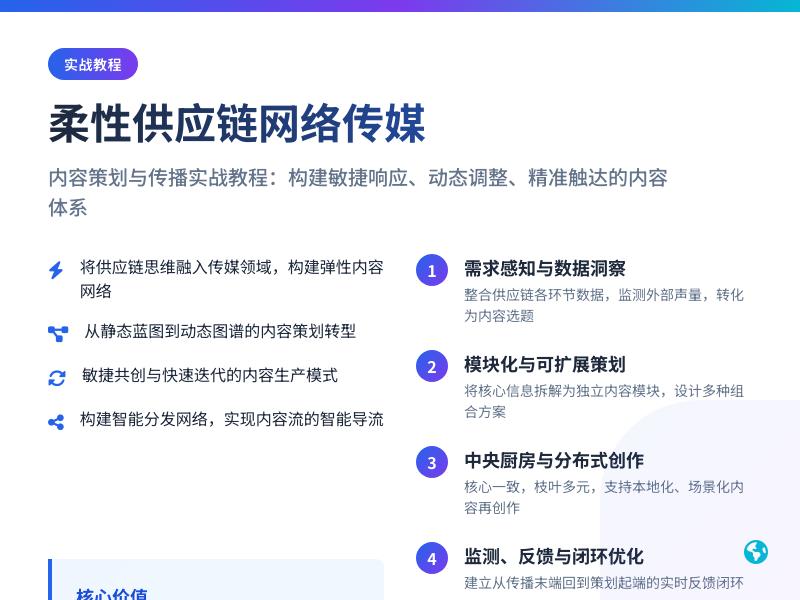
一步步教你,集成在线字体库预览与个性化网络字库管理工具到WordPress网站 引言:为什么网站需要字体管理工具? 在当今数字化时代,网站设计已成为品牌形象和用户体验的重要组成部分。字体作为视觉传达的核心元素之一,直接影响着网站的可读性、美观性和品牌一致性。然而,大多数网站开发者面临一个共同挑战:如何在保持设计灵活性的同时,确保字体加载效率和跨平台兼容性? 传统的字体管理方法通常依赖于系统默认字体或有限的网络字体库,这限制了设计师的创意表达。随着在线字体库的蓬勃发展,如Google Fonts、Adobe Fonts等提供了数千种高质量字体,但如何高效集成和管理这些资源成为了新的技术难题。 本文将详细介绍如何通过WordPress代码二次开发,集成在线字体库预览与个性化网络字库管理工具,使您的网站拥有专业级的字体管理能力,同时提升用户体验和设计自由度。 第一部分:准备工作与环境配置 1.1 理解WordPress字体管理现状 在开始开发之前,我们需要了解WordPress默认的字体处理方式。WordPress核心本身不提供高级字体管理功能,但通过主题和插件可以实现基本的字体控制。常见的方法包括: 主题自定义器中的字体选择器 通过CSS直接引入字体文件 使用插件如"Easy Google Fonts"或"Use Any Font" 然而,这些方法存在局限性:缺乏实时预览、字体库有限、管理不够直观等。我们的目标是创建一个更强大、更灵活的解决方案。 1.2 开发环境搭建 为了安全地进行代码二次开发,建议按照以下步骤配置开发环境: 创建子主题:避免直接修改父主题,确保更新不会丢失自定义功能 /* Theme Name: My Custom Theme Template: parent-theme-folder-name */ 启用调试模式:在wp-config.php中设置开发模式 define('WP_DEBUG', true); define('WP_DEBUG_LOG', true); define('WP_DEBUG_DISPLAY', false); 安装必要的开发工具:代码编辑器(如VS Code)、本地服务器环境(如XAMPP或Local by Flywheel)、Git版本控制系统 备份现有网站:在进行任何代码修改前,完整备份网站文件和数据库 1.3 确定技术架构 我们的字体管理工具将采用以下技术架构: 前端:HTML5、CSS3、JavaScript(使用Vue.js或React简化交互开发) 后端:PHP(WordPress核心语言) 数据存储:WordPress自定义数据库表 + 选项API API集成:连接Google Fonts API和其他字体服务API 缓存机制:Transients API提高性能 第二部分:创建字体管理核心功能 2.1 设计数据库结构 我们需要创建自定义数据库表来存储用户字体配置和收藏。在主题的functions.php中添加以下代码: function create_font_management_tables() { global $wpdb; $charset_collate = $wpdb->get_charset_collate(); $table_name = $wpdb->prefix . 'custom_fonts'; $sql = "CREATE TABLE IF NOT EXISTS $table_name ( id mediumint(9) NOT NULL AUTO_INCREMENT, font_name varchar(255) NOT NULL, font_family varchar(255) NOT NULL, font_source varchar(100) DEFAULT 'google', font_variants text, font_subsets text, is_active tinyint(1) DEFAULT 1, created_at datetime DEFAULT CURRENT_TIMESTAMP, PRIMARY KEY (id) ) $charset_collate;"; require_once(ABSPATH . 'wp-admin/includes/upgrade.php'); dbDelta($sql); // 创建字体使用记录表 $usage_table = $wpdb->prefix . 'font_usage'; $sql_usage = "CREATE TABLE IF NOT EXISTS $usage_table ( id mediumint(9) NOT NULL AUTO_INCREMENT, font_id mediumint(9) NOT NULL, element_type varchar(100), element_selector varchar(255), user_id bigint(20), created_at datetime DEFAULT CURRENT_TIMESTAMP, PRIMARY KEY (id), FOREIGN KEY (font_id) REFERENCES $table_name(id) ON DELETE CASCADE ) $charset_collate;"; dbDelta($sql_usage); } add_action('after_setup_theme', 'create_font_management_tables'); 2.2 集成Google Fonts API Google Fonts提供了丰富的免费字体库和易于使用的API。我们将创建一个类来处理与Google Fonts API的交互: class Google_Fonts_Integration { private $api_key = ''; // 可选,如果需要更高API限制 private $api_url = 'https://www.googleapis.com/webfonts/v1/webfonts'; public function __construct() { // 初始化方法 } public function get_all_fonts($sort = 'popularity') { $transient_key = 'google_fonts_list_' . $sort; $fonts = get_transient($transient_key); if (false === $fonts) { $url = $this->api_url . '?sort=' . $sort; if (!empty($this->api_key)) { $url .= '&key=' . $this->api_key; } $response = wp_remote_get($url); if (is_wp_error($response)) { return false; } $body = wp_remote_retrieve_body($response); $data = json_decode($body, true); if (isset($data['items'])) { $fonts = $data['items']; set_transient($transient_key, $fonts, WEEK_IN_SECONDS); } } return $fonts; } public function generate_font_import_url($font_family, $variants = array(), $subsets = array()) { $base_url = 'https://fonts.googleapis.com/css2'; $family_param = urlencode($font_family); if (!empty($variants)) { $variant_str = implode(',', $variants); $family_param .= ':wght@' . $variant_str; } $query_args = array('family' => $family_param); if (!empty($subsets)) { $query_args['subset'] = implode(',', $subsets); } return add_query_arg($query_args, $base_url); } } 2.3 创建字体预览功能 实时预览是字体管理工具的核心功能。我们将创建一个交互式预览界面: function enqueue_font_preview_assets() { // 仅在需要字体管理的页面加载资源 if (is_admin() || current_user_can('edit_theme_options')) { wp_enqueue_style('font-preview-admin', get_template_directory_uri() . '/css/font-preview.css'); wp_enqueue_script('vue-js', 'https://cdn.jsdelivr.net/npm/vue@2.6.14/dist/vue.js', array(), '2.6.14', true); wp_enqueue_script('font-preview-app', get_template_directory_uri() . '/js/font-preview.js', array('vue-js', 'jquery'), '1.0.0', true); // 传递数据到JavaScript wp_localize_script('font-preview-app', 'fontPreviewData', array( 'ajax_url' => admin_url('admin-ajax.php'), 'nonce' => wp_create_nonce('font_preview_nonce'), 'default_text' => __('The quick brown fox jumps over the lazy dog', 'textdomain'), 'font_categories' => array('serif', 'sans-serif', 'display', 'handwriting', 'monospace') )); } } add_action('admin_enqueue_scripts', 'enqueue_font_preview_assets'); 创建预览界面的HTML结构: <div id="font-preview-app" class="font-management-wrapper"> <div class="font-preview-container"> <div class="font-controls"> <div class="font-search"> <input type="text" v-model="searchQuery" placeholder="搜索字体..."> <select v-model="selectedCategory"> <option value="">所有分类</option> <option v-for="category in categories" :value="category">{{ category }}</option> </select> <select v-model="selectedSort"> <option value="popularity">最受欢迎</option> <option value="trending">趋势</option> <option value="alpha">字母顺序</option> </select> </div> <div class="preview-controls"> <div class="text-input"> <textarea v-model="previewText" placeholder="输入预览文本"></textarea> </div> <div class="size-control"> <label>字体大小:</label> <input type="range" v-model="fontSize" min="12" max="72" step="1"> <span>{{ fontSize }}px</span> </div> </div> </div> <div class="font-grid"> <div v-for="font in filteredFonts" :key="font.family" class="font-card" :class="{ active: isFontActive(font.family) }"> <div class="font-preview" :style="{ fontFamily: font.family, fontSize: fontSize + 'px' }"> {{ previewText || defaultText }} </div> <div class="font-info"> <h3>{{ font.family }}</h3> <div class="font-actions"> <button @click="toggleFont(font)" class="button"> {{ isFontActive(font.family) ? '已启用' : '启用' }} </button> <button @click="showVariants(font)" class="button button-secondary"> 变体 </button> </div> </div> </div> </div> <div class="pagination" v-if="totalPages > 1"> <button @click="prevPage" :disabled="currentPage === 1">上一页</button> <span>第 {{ currentPage }} 页,共 {{ totalPages }} 页</span> <button @click="nextPage" :disabled="currentPage === totalPages">下一页</button> </div> </div> <!-- 字体变体选择模态框 --> <div v-if="showVariantModal" class="modal-overlay"> <div class="modal-content"> <h2>选择字体变体: {{ selectedFont.family }}</h2> <div class="variant-grid"> <div v-for="variant in selectedFont.variants" :key="variant" class="variant-option"> <input type="checkbox" :id="'variant-' + variant" :value="variant" v-model="selectedVariants"> <label :for="'variant-' + variant" :style="{ fontFamily: selectedFont.family, fontWeight: variant }"> {{ getVariantName(variant) }} </label> </div> </div> <div class="modal-actions"> <button @click="applyVariants" class="button button-primary">应用</button> <button @click="closeModal" class="button">取消</button> </div> </div> </div> </div> 第三部分:实现个性化字体管理 3.1 创建字体管理界面 在WordPress后台添加自定义菜单页面,用于管理字体: function add_font_management_page() { add_menu_page( '字体管理', '字体管理', 'manage_options', 'font-management', 'render_font_management_page', 'dashicons-editor-textcolor', 30 ); add_submenu_page( 'font-management', '我的字体库', '我的字体库', 'manage_options', 'font-library', 'render_font_library_page' ); add_submenu_page( 'font-management', '字体设置', '字体设置', 'manage_options', 'font-settings', 'render_font_settings_page' ); } add_action('admin_menu', 'add_font_management_page'); function render_font_management_page() { ?> <div class="wrap"> <h1><?php echo esc_html(get_admin_page_title()); ?></h1> <div id="font-management-app"> <!-- 这里将加载Vue.js应用 --> </div> </div> <?php } 3.2 实现AJAX字体处理 处理字体启用/禁用、保存配置等操作: // 处理字体启用/禁用 add_action('wp_ajax_toggle_font', 'handle_toggle_font'); function handle_toggle_font() { // 验证nonce if (!wp_verify_nonce($_POST['nonce'], 'font_preview_nonce')) { wp_die('安全验证失败'); } $font_family = sanitize_text_field($_POST['font_family']); $variants = isset($_POST['variants']) ? array_map('sanitize_text_field', $_POST['variants']) : array('regular'); $action = sanitize_text_field($_POST['action_type']); // 'enable' 或 'disable' global $wpdb; $table_name = $wpdb->prefix . 'custom_fonts'; if ($action === 'enable') { // 检查是否已存在 $existing = $wpdb->get_var($wpdb->prepare( "SELECT id FROM $table_name WHERE font_family = %s", $font_family )); if (!$existing) { $wpdb->insert( $table_name, array( 'font_name' => $font_family, 'font_family' => $font_family, 'font_variants' => json_encode($variants), 'is_active' => 1 ), array('%s', '%s', '%s', '%d') ); } else { $wpdb->update( $table_name, array('is_active' => 1, 'font_variants' => json_encode($variants)), array('id' => $existing), array('%d', '%s'), array('%d') ); } // 更新CSS文件 update_font_css_file(); wp_send_json_success(array('message' => '字体已启用')); } else { $wpdb->update( $table_name, array('is_active' => 0), array('font_family' => $font_family), array('%d'), array('%s') ); update_font_css_file(); wp_send_json_success(array('message' => '字体已禁用')); } } // 更新字体CSS文件 function update_font_css_file() { global $wpdb; $table_name = $wpdb->prefix . 'custom_fonts'; $active_fonts = $wpdb->get_results( "SELECT font_family, font_variants, font_source FROM $table_name WHERE is_active = 1" ); $css_content = "/* 动态生成的字体CSS - 最后更新: " . date('Y-m-d H:i:s') . " */nn"; foreach ($active_fonts as $font) { $variants = json_decode($font->font_variants, true); if ($font->font_source === 'google') { $font_integration = new Google_Fonts_Integration(); $import_url = $font_integration->generate_font_import_url($font->font_family, $variants); $css_content .= "@import url('" . esc_url($import_url) . "');n"; } // 为每个字体生成CSS类 $font_class = sanitize_title($font->font_family); $css_content .= ".font-" . $font_class . " { font-family: '" . $font->font_family . "', sans-serif; }n"; } // 保存到文件 $upload_dir = wp_upload_dir(); $font_css_path = $upload_dir['basedir'] . '/dynamic-fonts.css'; file_put_contents($font_css_path, $css_content); // 更新选项记录文件路径 update_option('dynamic_font_css_path', $upload_dir['baseurl'] . '/dynamic-fonts.css'); } 3.3 集成自定义字体上传 除了在线字体库,用户可能希望上传自己的字体文件: function handle_custom_font_upload() { if (!current_user_can('upload_files')) { wp_die('权限不足'); } if (!wp_verify_nonce($_POST['_wpnonce'], 'custom_font_upload')) { wp_die('安全验证失败'); } $font_file = $_FILES['font_file']; // 检查文件类型 $allowed_types = array('ttf', 'otf', 'woff', 'woff2', 'eot'); $file_ext = pathinfo($font_file['name'], PATHINFO_EXTENSION); if (!in_array(strtolower($file_ext), $allowed_types)) { wp_send_json_error(array('message' => '不支持的文件类型')); } // 处理上传 require_once(ABSPATH . 'wp-admin/includes/file.php'); $upload_overrides = array('test_form' => false); $movefile = wp_handle_upload($font_file, $upload_overrides); if ($movefile && !isset($movefile['error'])) { // 保存字体信息到数据库 $font_name = sanitize_text_field($_POST['font_name']); $font_family = !empty($_POST['font_family']) ? sanitize_text_field($_POST['font_family']) : $font_name; global $wpdb; $table_name = $wpdb->prefix . 'custom_fonts'; $wpdb->insert( $table_name, array( 'font_name' => $font_name, 'font_family' => $font_family, 'font_source' => 'custom', 'font_variants' => json_encode(array('regular', 'bold')), 'font_file_url' => $movefile['url'], 'is_active' => 1 ), array('%s', '%s', '%s', '%s', '%s', '%d') ); // 生成@font-face规则 generate_custom_fontface_css($font_family, $movefile['url'], $file_ext); wp_send_json_success(array( 'message' => '字体上传成功', 'font_family' => $font_family, 'file_url' => $movefile['url'] )); } else { wp_send_json_error(array('message' => $movefile['error'])); } } add_action('wp_ajax_upload_custom_font', 'handle_custom_font_upload'); function generate_custom_fontface_css($font_family, $font_url, $font_ext) { $css_content = "n/* 自定义字体: " . $font_family . " */n"; $css_content .= "@font-face {n"; $css_content .= " font-family: '" . $font_family . "';n"; $css_content .= " src: url('" . $font_url . "') format('" . get_font_format($font_ext) . "');n"; $css_content .= " font-weight: normal;n"; $css_content .= " font-style: normal;n"; $css_content .= " font-display: swap;n"; $css_content .= "}nn"; // 追加到动态字体CSS文件 $upload_dir = wp_upload_dir(); $font_css_path = $upload_dir['basedir'] . '/dynamic-fonts.css'; if (file_exists($font_css_path)) { file_put_contents($font_css_path, $css_content, FILE_APPEND); } } function get_font_format($extension) { $formats = array( 'ttf' => 'truetype', 'otf' => 'opentype', 'woff' => 'woff', 'woff2' => 'woff2', 'eot' => 'embedded-opentype' ); return isset($formats[strtolower($extension)]) ? $formats[strtolower($extension)] : 'truetype'; } 第四部分:优化字体加载与性能 4.1 实现字体加载优化策略 字体加载是影响网站性能的关键因素。我们将实施多种优化策略: class Font_Performance_Optimizer { public function __construct() { add_action('wp_head', array($this, 'add_font_preload_tags'), 1); add_action('wp_enqueue_scripts', array($this, 'optimize_font_loading')); } public function add_font_preload_tags() { $active_fonts = $this->get_critical_fonts(); foreach ($active_fonts as $font) { if ($font['source'] === 'google') { // 预加载关键字体文件 echo '<link rel="preload" as="style" href="' . esc_url($font['url']) . '" crossorigin>'; // 添加预连接到Google Fonts域名 echo '<link rel="preconnect" href="https://fonts.gstatic.com" crossorigin>'; } elseif ($font['source'] === 'custom') { echo '<link rel="preload" as="font" href="' . esc_url($font['url']) . '" type="font/' . esc_attr($font['format']) . '" crossorigin>'; } } } public function optimize_font_loading() { // 延迟加载非关键字体 $font_css_url = get_option('dynamic_font_css_path'); if ($font_css_url) { // 使用media="print"技巧延迟加载 wp_register_style('dynamic-fonts-print', $font_css_url, array(), null, 'print'); wp_enqueue_style('dynamic-fonts-print'); // 加载后切换到all媒体类型 wp_add_inline_script('jquery', ' (function() { var fontStylesheet = document.querySelector("link[media='print']"); if (fontStylesheet) { fontStylesheet.media = "all"; } })(); '); } } private function get_critical_fonts() { global $wpdb; $table_name = $wpdb->prefix . 'custom_fonts'; $fonts = $wpdb->get_results( "SELECT font_family, font_source, font_file_url FROM $table_name WHERE is_active = 1 AND is_critical = 1", ARRAY_A ); return $fonts; } // 实现字体缓存机制 public static function cache_font_files($font_url, $font_family) { $upload_dir = wp_upload_dir(); $cache_dir = $upload_dir['basedir'] . '/font-cache/'; // 创建缓存目录 if (!file_exists($cache_dir)) { wp_mkdir_p($cache_dir); } $cache_key = md5($font_url . $font_family); $cache_file = $cache_dir . $cache_key . '.css'; // 检查缓存是否有效(24小时) if (file_exists($cache_file) && (time() - filemtime($cache_file)) < DAY_IN_SECONDS) { return str_replace($upload_dir['basedir'], $upload_dir['baseurl'], $cache_file); } // 下载并缓存字体CSS $response = wp_remote_get($font_url); if (!is_wp_error($response)) { $font_css = wp_remote_retrieve_body($response); // 本地化字体文件URL $font_css = self::localize_font_urls($font_css, $font_family); file_put_contents($cache_file, $font_css); return str_replace($upload_dir['basedir'], $upload_dir['baseurl'], $cache_file); } return $font_url; // 失败时返回原始URL } private static function localize_font_urls($css_content, $font_family) { // 匹配字体URL并下载到本地 preg_match_all('/url((https?://[^)]+))/', $css_content, $matches); if (!empty($matches[1])) { $upload_dir = wp_upload_dir(); $font_dir = $upload_dir['basedir'] . '/fonts/' . sanitize_title($font_family) . '/'; if (!file_exists($font_dir)) { wp_mkdir_p($font_dir); } foreach ($matches[1] as $font_url) { $font_filename = basename(parse_url($font_url, PHP_URL_PATH)); $local_font_path = $font_dir . $font_filename; // 下载字体文件 if (!file_exists($local_font_path)) { $font_data = wp_remote_get($font_url); if (!is_wp_error($font_data)) { file_put_contents($local_font_path, wp_remote_retrieve_body($font_data)); } } // 替换URL为本地路径 $local_font_url = str_replace( $upload_dir['basedir'], $upload_dir['baseurl'], $local_font_path ); $css_content = str_replace($font_url, $local_font_url, $css_content); } } return $css_content; } } new Font_Performance_Optimizer(); 4.2 实现字体使用分析 了解字体使用情况有助于优化决策: class Font_Analytics { public function __construct() { add_action('wp_footer', array($this, 'track_font_usage')); add_action('admin_menu', array($this, 'add_analytics_page')); } public function track_font_usage() { if (!current_user_can('manage_options')) { return; } ?> <script> (function() { // 检测页面中使用的字体 var usedFonts = new Set(); // 检查所有元素的计算字体 var allElements = document.querySelectorAll('*'); allElements.forEach(function(el) { var computedStyle = window.getComputedStyle(el); var fontFamily = computedStyle.fontFamily; if (fontFamily && fontFamily !== 'inherit') { // 提取字体族名称(去除引号和备用字体) var fonts = fontFamily.split(',')[0].replace(/['"]/g, '').trim(); if (fonts) { usedFonts.add(fonts); } } }); // 发送使用数据到服务器 if (usedFonts.size > 0) { var data = { action: 'track_font_usage', fonts: Array.from(usedFonts), page_url: window.location.href, nonce: '<?php echo wp_create_nonce("font_analytics_nonce"); ?>' }; // 使用navigator.sendBeacon确保数据发送 if (navigator.sendBeacon) { var formData = new FormData(); for (var key in data) { formData.append(key, data[key]); } navigator.sendBeacon('<?php echo admin_url("admin-ajax.php"); ?>', formData); } } })(); </script> <?php } public static function handle_usage_tracking() { if (!wp_verify_nonce($_POST['nonce'], 'font_analytics_nonce')) { wp_die('安全验证失败'); } $fonts = isset($_POST['fonts']) ? array_map('sanitize_text_field', $_POST['fonts']) : array(); $page_url = sanitize_url($_POST['page_url']); $user_id = get_current_user_id(); global $wpdb; $usage_table = $wpdb->prefix . 'font_usage'; $fonts_table = $wpdb->prefix . 'custom_fonts'; foreach ($fonts as $font_family) { // 查找字体ID $font_id = $wpdb->get_var($wpdb->prepare( "SELECT id FROM $fonts_table WHERE font_family = %s", $font_family )); if ($font_id) { // 记录使用情况 $wpdb->insert( $usage_table, array( 'font_id' => $font_id, 'page_url' => $page_url, 'user_id' => $user_id ), array('%d', '%s', '%d') ); } } wp_die(); } public function add_analytics_page() { add_submenu_page( 'font-management', '字体分析', '字体分析', 'manage_options', 'font-analytics', array($this, 'render_analytics_page') ); } public function render_analytics_page() { ?> <div class="wrap"> <h1>字体使用分析</h1> <div class="analytics-container"> <div class="analytics-stats"> <?php $this->display_font_statistics(); ?> </div> <div class="analytics-charts"> <canvas id="fontUsageChart" width="400" height="200"></canvas> </div> <div class="analytics-table"> <?php $this->display_font_usage_table(); ?> </div> </div> </div> <script src="https://cdn.jsdelivr.net/npm/chart.js"></script> <script> jQuery(document).ready(function($) { var ctx = document.getElementById('fontUsageChart').getContext('2d'); var chart = new Chart(ctx, { type: 'bar', data: { labels: <?php echo json_encode($this->get_font_labels()); ?>, datasets: [{ label: '使用次数', data: <?php echo json_encode($this->get_font_usage_data()); ?>, backgroundColor: 'rgba(54, 162, 235, 0.5)', borderColor: 'rgba(54, 162, 235, 1)', borderWidth: 1 }] }, options: { responsive: true, scales: { y: { beginAtZero: true } } } }); }); </script> <?php } private function display_font_statistics() { global $wpdb; $fonts_table = $wpdb->prefix . 'custom_fonts'; $usage_table = $wpdb->prefix . 'font_usage'; $total_fonts = $wpdb->get_var("SELECT COUNT(*) FROM $fonts_table WHERE is_active = 1"); $total_usage = $wpdb->get_var("SELECT COUNT(*) FROM $usage_table"); $most_used = $wpdb->get_row( "SELECT f.font_family, COUNT(u.id) as usage_count FROM $usage_table u JOIN $fonts_table f ON u.font_id = f.id GROUP BY u.font_id ORDER BY usage_count DESC LIMIT 1" ); echo '<div class="stat-card">'; echo '<h3>活跃字体数量</h3>'; echo '<p class="stat-number">' . $total_fonts . '</p>'; echo '</div>'; echo '<div class="stat-card">'; echo '<h3>总使用次数</h3>'; echo '<p class="stat-number">' . $total_usage . '</p>'; echo '</div>'; if ($most_used) { echo '<div class="stat-card">'; echo '<h3>最常用字体</h3>'; echo '<p class="stat-number">' . esc_html($most_used->font_family) . '</p>'; echo '<p class="stat-desc">使用次数: ' . $most_used->usage_count . '</p>'; echo '</div>'; } } } add_action('wp_ajax_track_font_usage', array('Font_Analytics', 'handle_usage_tracking')); add_action('wp_ajax_nopriv_track_font_usage', array('Font_Analytics', 'handle_usage_tracking')); 第五部分:创建前端字体选择器组件 5.1 开发可视化字体选择器 为内容编辑器和前端用户提供字体选择功能: class Frontend_Font_Selector { public function __construct() { // 为古腾堡编辑器添加字体选择控件 add_action('enqueue_block_editor_assets', array($this, 'add_block_editor_font_controls')); // 为经典编辑器添加字体下拉菜单 add_filter('mce_buttons_2', array($this, 'add_font_select_to_tinymce')); add_filter('tiny_mce_before_init', array($this, 'customize_tinymce_fonts')); // 前端字体选择器短代码 add_shortcode('font_selector', array($this, 'render_font_selector_shortcode')); } public function add_block_editor_font_controls() { wp_enqueue_script( 'gutenberg-font-controls', get_template_directory_uri() . '/js/gutenberg-font-controls.js', array('wp-blocks', 'wp-element', 'wp-components', 'wp-editor', 'wp-data'), '1.0.0', true ); // 传递可用字体列表 $active_fonts = $this->get_active_fonts(); wp_localize_script('gutenberg-font-controls', 'fontControlsData', array( 'fonts' => $active_fonts, 'defaultFont' => get_theme_mod('primary_font', 'Arial, sans-serif') )); // 添加编辑器样式 $font_css_url = get_option('dynamic_font_css_path'); if ($font_css_url) { wp_enqueue_style('editor-fonts', $font_css_url); } } public function add_font_select_to_tinymce($buttons) { array_unshift($buttons, 'fontselect'); return $buttons; } public function customize_tinymce_fonts($init) { $active_fonts = $this->get_active_fonts(); $font_formats = ''; foreach ($active_fonts as $font) { $font_formats .= $font['name'] . '=' . $font['family'] . ';'; } // 添加默认字体 $font_formats .= 'Arial=arial,helvetica,sans-serif;'; $font_formats .= 'Times New Roman=times new roman,times,serif;'; $init['font_formats'] = $font_formats; $init['fontsize_formats'] = "8px 10px 12px 14px 16px 18px 20px 24px 28px 32px 36px 48px"; return $init; } public function render_font_selector_shortcode($atts) { $atts = shortcode_atts(array( 'type' => 'dropdown', // dropdown, preview, or inline 'category' => '',
发表评论