
WordPress插件开发教程:实现网站文章自动转语音并生成播客订阅 引言:为什么需要文章转语音功能? 在当今快节奏的数字时代,用户获取信息的方式日益多样化。虽然阅读文字内容仍然是主要方式,但越来越多的人开始通过音频内容获取信息——在通勤途中、做家务时、运动时,音频内容提供了无需视觉参与的便利。根据Edison Research的数据,2023年有超过1亿美国人每月收听播客,这一数字比五年前增长了近一倍。 对于WordPress网站所有者而言,将文章内容转换为音频格式具有多重优势: 提高内容可访问性,服务视觉障碍用户 增加用户停留时间,降低跳出率 拓展内容分发渠道,触及更广泛的受众 提升SEO表现,增加网站可见性 创造新的变现机会,如播客广告 本教程将详细指导您开发一个完整的WordPress插件,实现文章自动转语音并生成播客订阅功能。我们将从零开始,逐步构建这个功能强大的工具。 第一部分:开发环境准备与插件基础结构 1.1 开发环境配置 在开始插件开发前,确保您已准备好以下环境: 本地开发环境:推荐使用XAMPP、MAMP或Local by Flywheel WordPress安装:最新版本的WordPress(建议5.8+) 代码编辑器:VS Code、PHPStorm或Sublime Text PHP版本:7.4或更高版本 调试工具:安装Query Monitor和Debug Bar插件 1.2 创建插件基础文件结构 首先,在WordPress的wp-content/plugins/目录下创建一个新文件夹,命名为article-to-podcast。在该文件夹中创建以下基础文件: article-to-podcast/ ├── article-to-podcast.php # 主插件文件 ├── uninstall.php # 卸载脚本 ├── includes/ # 核心功能文件 │ ├── class-tts-engine.php # 文字转语音引擎 │ ├── class-podcast-feed.php # 播客Feed生成 │ ├── class-admin-ui.php # 管理界面 │ └── class-ajax-handler.php # AJAX处理 ├── assets/ # 静态资源 │ ├── css/ │ ├── js/ │ └── images/ ├── languages/ # 国际化文件 └── templates/ # 前端模板 1.3 编写插件主文件 打开article-to-podcast.php,添加以下代码作为插件头部信息: <?php /** * Plugin Name: Article to Podcast Converter * Plugin URI: https://yourwebsite.com/article-to-podcast * Description: 自动将WordPress文章转换为语音并生成播客订阅 * Version: 1.0.0 * Author: Your Name * Author URI: https://yourwebsite.com * License: GPL v2 or later * Text Domain: article-to-podcast * Domain Path: /languages */ // 防止直接访问 if (!defined('ABSPATH')) { exit; } // 定义插件常量 define('ATPC_VERSION', '1.0.0'); define('ATPC_PLUGIN_DIR', plugin_dir_path(__FILE__)); define('ATPC_PLUGIN_URL', plugin_dir_url(__FILE__)); define('ATPC_PLUGIN_BASENAME', plugin_basename(__FILE__)); // 自动加载类文件 spl_autoload_register(function ($class) { $prefix = 'ATPC_'; $base_dir = ATPC_PLUGIN_DIR . 'includes/'; $len = strlen($prefix); if (strncmp($prefix, $class, $len) !== 0) { return; } $relative_class = substr($class, $len); $file = $base_dir . 'class-' . str_replace('_', '-', strtolower($relative_class)) . '.php'; if (file_exists($file)) { require $file; } }); // 初始化插件 function atpc_init() { // 检查必要扩展 if (!extension_loaded('simplexml')) { add_action('admin_notices', function() { echo '<div class="notice notice-error"><p>'; echo __('Article to Podcast插件需要SimpleXML扩展。请联系您的主机提供商启用此扩展。', 'article-to-podcast'); echo '</p></div>'; }); return; } // 初始化核心类 $tts_engine = new ATPC_TTS_Engine(); $podcast_feed = new ATPC_Podcast_Feed(); $admin_ui = new ATPC_Admin_UI(); $ajax_handler = new ATPC_Ajax_Handler(); // 注册激活/停用钩子 register_activation_hook(__FILE__, ['ATPC_Admin_UI', 'activate_plugin']); register_deactivation_hook(__FILE__, ['ATPC_Admin_UI', 'deactivate_plugin']); // 加载文本域 load_plugin_textdomain('article-to-podcast', false, dirname(ATPC_PLUGIN_BASENAME) . '/languages'); } add_action('plugins_loaded', 'atpc_init'); 第二部分:文字转语音引擎实现 2.1 选择TTS(文字转语音)服务 目前市场上有多种TTS服务可供选择,每种都有其优缺点: Google Cloud Text-to-Speech:质量高,支持多种语言,但需要付费 Amazon Polly:自然语音,价格合理,有免费套餐 Microsoft Azure Cognitive Services:语音自然度高,支持情感表达 IBM Watson Text to Speech:企业级解决方案 本地解决方案:如eSpeak(免费但质量较低) 本教程将使用Amazon Polly作为示例,因为它提供每月500万字符的免费套餐,适合中小型网站。 2.2 实现TTS引擎类 创建includes/class-tts-engine.php文件: <?php class ATPC_TTS_Engine { private $aws_access_key; private $aws_secret_key; private $aws_region; private $polly_client; public function __construct() { $options = get_option('atpc_settings'); $this->aws_access_key = isset($options['aws_access_key']) ? $options['aws_access_key'] : ''; $this->aws_secret_key = isset($options['aws_secret_key']) ? $options['aws_secret_key'] : ''; $this->aws_region = isset($options['aws_region']) ? $options['aws_region'] : 'us-east-1'; // 初始化AWS Polly客户端 $this->init_polly_client(); // 添加文章保存钩子 add_action('save_post', [$this, 'generate_audio_on_save'], 10, 3); } private function init_polly_client() { if (empty($this->aws_access_key) || empty($this->aws_secret_key)) { return; } try { require_once ATPC_PLUGIN_DIR . 'vendor/autoload.php'; $this->polly_client = new AwsPollyPollyClient([ 'version' => 'latest', 'region' => $this->aws_region, 'credentials' => [ 'key' => $this->aws_access_key, 'secret' => $this->aws_secret_key ] ]); } catch (Exception $e) { error_log('ATPC: Failed to initialize Polly client - ' . $e->getMessage()); } } public function generate_audio_on_save($post_id, $post, $update) { // 检查是否自动生成音频 $auto_generate = get_option('atpc_auto_generate', 'yes'); if ($auto_generate !== 'yes') { return; } // 检查文章状态和类型 if (wp_is_post_revision($post_id) || wp_is_post_autosave($post_id)) { return; } $allowed_post_types = get_option('atpc_post_types', ['post']); if (!in_array($post->post_type, $allowed_post_types)) { return; } // 检查文章是否已发布 if ($post->post_status !== 'publish') { return; } // 生成音频 $this->generate_audio($post_id); } public function generate_audio($post_id) { $post = get_post($post_id); if (!$post) { return false; } // 获取文章内容 $content = $this->prepare_content($post); // 检查内容长度 if (strlen($content) < 50) { error_log('ATPC: Content too short for post ID ' . $post_id); return false; } // 生成音频文件 $audio_url = $this->synthesize_speech($content, $post_id); if ($audio_url) { // 保存音频信息到文章元数据 update_post_meta($post_id, '_atpc_audio_url', $audio_url); update_post_meta($post_id, '_atpc_audio_generated', current_time('mysql')); update_post_meta($post_id, '_atpc_audio_duration', $this->calculate_duration($content)); // 触发动作,可供其他插件使用 do_action('atpc_audio_generated', $post_id, $audio_url); return $audio_url; } return false; } private function prepare_content($post) { // 获取文章标题和内容 $title = $post->post_title; $content = $post->post_content; // 移除短代码 $content = strip_shortcodes($content); // 移除HTML标签,但保留段落结构 $content = wp_strip_all_tags($content); // 清理多余空格和换行 $content = preg_replace('/s+/', ' ', $content); // 添加标题 $full_content = sprintf(__('文章标题:%s。正文内容:%s', 'article-to-podcast'), $title, $content); // 限制长度(Polly限制为3000个字符) if (strlen($full_content) > 3000) { $full_content = substr($full_content, 0, 2997) . '...'; } return $full_content; } private function synthesize_speech($text, $post_id) { if (!$this->polly_client) { error_log('ATPC: Polly client not initialized'); return false; } try { // 获取语音设置 $options = get_option('atpc_settings'); $voice_id = isset($options['voice_id']) ? $options['voice_id'] : 'Zhiyu'; $engine = isset($options['engine']) ? $options['engine'] : 'standard'; $language_code = isset($options['language_code']) ? $options['language_code'] : 'cmn-CN'; // 调用Polly API $result = $this->polly_client->synthesizeSpeech([ 'Text' => $text, 'OutputFormat' => 'mp3', 'VoiceId' => $voice_id, 'Engine' => $engine, 'LanguageCode' => $language_code, 'TextType' => 'text' ]); // 保存音频文件 $upload_dir = wp_upload_dir(); $audio_dir = $upload_dir['basedir'] . '/atpc-audio/'; if (!file_exists($audio_dir)) { wp_mkdir_p($audio_dir); } $filename = 'post-' . $post_id . '-' . time() . '.mp3'; $filepath = $audio_dir . $filename; // 保存音频数据 $audio_data = $result->get('AudioStream')->getContents(); file_put_contents($filepath, $audio_data); // 返回音频URL return $upload_dir['baseurl'] . '/atpc-audio/' . $filename; } catch (Exception $e) { error_log('ATPC: Failed to synthesize speech - ' . $e->getMessage()); return false; } } private function calculate_duration($text) { // 粗略估算:平均阅读速度约为150字/分钟 $word_count = str_word_count($text); $minutes = ceil($word_count / 150); // 格式化为HH:MM:SS $hours = floor($minutes / 60); $minutes = $minutes % 60; $seconds = 0; return sprintf('%02d:%02d:%02d', $hours, $minutes, $seconds); } public function get_available_voices() { if (!$this->polly_client) { return []; } try { $result = $this->polly_client->describeVoices(); $voices = $result->get('Voices'); $voice_list = []; foreach ($voices as $voice) { if (strpos($voice['LanguageCode'], 'zh') === 0 || strpos($voice['LanguageCode'], 'cmn') === 0) { $voice_list[] = [ 'id' => $voice['Id'], 'name' => $voice['Name'], 'language' => $voice['LanguageName'], 'gender' => $voice['Gender'] ]; } } return $voice_list; } catch (Exception $e) { error_log('ATPC: Failed to fetch voices - ' . $e->getMessage()); return []; } } } 第三部分:播客Feed生成与管理 3.1 理解播客RSS Feed规范 播客本质上是一个特殊的RSS Feed,包含一些额外的标签。关键的播客标签包括: <itunes:title>:播客标题 <itunes:author>:作者 <itunes:image>:播客封面 <itunes:category>:分类 <itunes:explicit>:是否包含成人内容 <itunes:duration>:音频时长 <enclosure>:音频文件URL、类型和大小 3.2 实现播客Feed类 创建includes/class-podcast-feed.php文件: <?php class ATPC_Podcast_Feed { private $feed_slug = 'podcast'; public function __construct() { // 添加播客Feed端点 add_action('init', [$this, 'add_podcast_feed_endpoint']); add_action('template_redirect', [$this, 'generate_podcast_feed']); // 添加播客头部信息 add_action('wp_head', [$this, 'add_podcast_feed_link']); } public function add_podcast_feed_endpoint() { add_rewrite_endpoint($this->feed_slug, EP_ROOT); add_rewrite_rule('^podcast/?$', 'index.php?podcast=feed', 'top'); add_rewrite_rule('^podcast/feed/?$', 'index.php?podcast=feed', 'top'); } public function generate_podcast_feed() { if (get_query_var('podcast') !== 'feed') { return; } // 设置内容类型为XML header('Content-Type: application/rss+xml; charset=' . get_option('blog_charset'), true); // 获取播客设置 $options = get_option('atpc_podcast_settings'); // 开始输出XML echo '<?xml version="1.0" encoding="' . get_option('blog_charset') . '"?>'; echo '<rss version="2.0" xmlns:itunes="http://www.itunes.com/dtds/podcast-1.0.dtd" xmlns:content="http://purl.org/rss/1.0/modules/content/">'; echo '<channel>'; // 频道信息 echo '<title>' . esc_html($options['title'] ?? get_bloginfo('name') . '播客') . '</title>'; echo '<link>' . esc_url(home_url()) . '</link>'; echo '<language>' . get_bloginfo('language') . '</language>'; echo '<copyright>' . esc_html($options['copyright'] ?? '版权所有 ' . date('Y') . ' ' . get_bloginfo('name')) . '</copyright>'; echo '<itunes:author>' . esc_html($options['author'] ?? get_bloginfo('name')) . '</itunes:author>'; echo '<description>' . esc_html($options['description'] ?? get_bloginfo('description')) . '</description>'; // 播客封面 if (!empty($options['cover_image'])) { echo '<itunes:image href="' . esc_url($options['cover_image']) . '" />'; } // 分类 if (!empty($options['category'])) { echo '<itunes:category text="' . esc_attr($options['category']) . '" />'; } // 是否包含成人内容 echo '<itunes:explicit>' . ($options['explicit'] ?? 'no') . '</itunes:explicit>'; // 获取有音频的文章 $args = [ 'post_type' => get_option('atpc_post_types', ['post']), 'posts_per_page' => 50, 'meta_query' => [ [ 'key' => '_atpc_audio_url', 'compare' => 'EXISTS' ] ], 'orderby' => 'date', 'order' => 'DESC' ]; $podcast_posts = new WP_Query($args); 作为播客项目 if ($podcast_posts->have_posts()) { while ($podcast_posts->have_posts()) { $podcast_posts->the_post(); global $post; $audio_url = get_post_meta($post->ID, '_atpc_audio_url', true); $audio_duration = get_post_meta($post->ID, '_atpc_audio_duration', true); if (!$audio_url) { continue; } echo '<item>'; echo '<title>' . esc_html(get_the_title()) . '</title>'; echo '<link>' . esc_url(get_permalink()) . '</link>'; echo '<guid isPermaLink="false">' . esc_url($audio_url) . '</guid>'; echo '<pubDate>' . get_post_time('r', true) . '</pubDate>'; echo '<description><![CDATA[' . get_the_excerpt() . ']]></description>'; echo '<content:encoded><![CDATA[' . get_the_content() . ']]></content:encoded>'; // 作者信息 $author = get_the_author(); echo '<itunes:author>' . esc_html($author) . '</itunes:author>'; // 音频时长 if ($audio_duration) { echo '<itunes:duration>' . esc_html($audio_duration) . '</itunes:duration>'; } // 音频文件 $audio_size = $this->get_remote_file_size($audio_url); echo '<enclosure url="' . esc_url($audio_url) . '" length="' . esc_attr($audio_size) . '" type="audio/mpeg" />'; // 分类 $categories = get_the_category(); if (!empty($categories)) { echo '<category>' . esc_html($categories[0]->name) . '</category>'; } echo '</item>'; } wp_reset_postdata(); } echo '</channel>'; echo '</rss>'; exit; } private function get_remote_file_size($url) { // 尝试获取文件大小 $headers = get_headers($url, 1); if (isset($headers['Content-Length'])) { return $headers['Content-Length']; } // 如果无法获取,使用默认值 return '1048576'; // 1MB默认值 } public function add_podcast_feed_link() { $feed_url = home_url('/podcast/'); echo '<link rel="alternate" type="application/rss+xml" title="' . esc_attr(get_bloginfo('name') . '播客') . '" href="' . esc_url($feed_url) . '" />'; } public function get_feed_url() { return home_url('/podcast/'); } public function submit_to_podcast_directories() { $options = get_option('atpc_podcast_settings'); $feed_url = $this->get_feed_url(); $directories = [ 'itunes' => 'https://podcasts.apple.com/podcasts/submit', 'google' => 'https://podcastsmanager.google.com/', 'spotify' => 'https://podcasters.spotify.com/submit', 'amazon' => 'https://podcasters.amazon.com/', ]; $submission_links = []; foreach ($directories as $platform => $url) { $submission_links[$platform] = [ 'url' => $url, 'feed_param' => '?feed=' . urlencode($feed_url) ]; } return $submission_links; } } ## 第四部分:管理界面设计与实现 ### 4.1 创建插件设置页面 创建`includes/class-admin-ui.php`文件: <?phpclass ATPC_Admin_UI { public function __construct() { // 添加管理菜单 add_action('admin_menu', [$this, 'add_admin_menu']); // 注册设置 add_action('admin_init', [$this, 'register_settings']); // 添加文章列表音频列 add_filter('manage_posts_columns', [$this, 'add_audio_column']); add_action('manage_posts_custom_column', [$this, 'display_audio_column'], 10, 2); // 添加批量操作 add_filter('bulk_actions-edit-post', [$this, 'add_bulk_actions']); add_filter('handle_bulk_actions-edit-post', [$this, 'handle_bulk_actions'], 10, 3); // 添加文章编辑框元数据 add_action('add_meta_boxes', [$this, 'add_audio_meta_box']); add_action('save_post', [$this, 'save_audio_meta_box'], 10, 2); // 添加脚本和样式 add_action('admin_enqueue_scripts', [$this, 'enqueue_admin_assets']); } public static function activate_plugin() { // 创建必要的数据库表 global $wpdb; $charset_collate = $wpdb->get_charset_collate(); $table_name = $wpdb->prefix . 'atpc_audio_logs'; $sql = "CREATE TABLE IF NOT EXISTS $table_name ( id bigint(20) NOT NULL AUTO_INCREMENT, post_id bigint(20) NOT NULL, audio_url varchar(500) NOT NULL, generated_at datetime DEFAULT CURRENT_TIMESTAMP, status varchar(20) DEFAULT 'success', error_message text, PRIMARY KEY (id), KEY post_id (post_id) ) $charset_collate;"; require_once(ABSPATH . 'wp-admin/includes/upgrade.php'); dbDelta($sql); // 设置默认选项 $default_settings = [ 'aws_access_key' => '', 'aws_secret_key' => '', 'aws_region' => 'us-east-1', 'voice_id' => 'Zhiyu', 'engine' => 'standard', 'language_code' => 'cmn-CN' ]; add_option('atpc_settings', $default_settings); $default_podcast_settings = [ 'title' => get_bloginfo('name') . '播客', 'author' => get_bloginfo('name'), 'description' => get_bloginfo('description'), 'cover_image' => '', 'category' => 'Technology', 'explicit' => 'no', 'copyright' => '版权所有 ' . date('Y') . ' ' . get_bloginfo('name') ]; add_option('atpc_podcast_settings', $default_podcast_settings); add_option('atpc_auto_generate', 'yes'); add_option('atpc_post_types', ['post']); // 刷新重写规则 flush_rewrite_rules(); } public static function deactivate_plugin() { // 清理临时数据 // 注意:不删除设置和音频文件,以便重新激活时继续使用 flush_rewrite_rules(); } public function add_admin_menu() { // 主菜单 add_menu_page( __('文章转播客', 'article-to-podcast'), __('文章转播客', 'article-to-podcast'), 'manage_options', 'article-to-podcast', [$this, 'display_main_page'], 'dashicons-controls-volumeon', 30 ); // 子菜单 add_submenu_page( 'article-to-podcast', __('设置', 'article-to-podcast'), __('设置', 'article-to-podcast'), 'manage_options', 'atpc-settings', [$this, 'display_settings_page'] ); add_submenu_page( 'article-to-podcast', __('播客设置', 'article-to-podcast'), __('播客设置', 'article-to-podcast'), 'manage_options', 'atpc-podcast-settings', [$this, 'display_podcast_settings_page'] ); add_submenu_page( 'article-to-podcast', __('批量生成', 'article-to-podcast'), __('批量生成', 'article-to-podcast'), 'manage_options', 'atpc-batch-generate', [$this, 'display_batch_generate_page'] ); add_submenu_page( 'article-to-podcast', __('统计', 'article-to-podcast'), __('统计', 'article-to-podcast'), 'manage_options', 'atpc-stats', [$this, 'display_stats_page'] ); } public function display_main_page() { ?> <div class="wrap atpc-dashboard"> <h1><?php echo esc_html(get_admin_page_title()); ?></h1> <div class="atpc-stats-cards"> <div class="card"> <h3><?php _e('已生成音频', 'article-to-podcast'); ?></h3> <p class="number"><?php echo $this->get_audio_count(); ?></p> </div> <div class="card"> <h3><?php _e('播客订阅', 'article-to-podcast'); ?></h3> <p class="number"><?php echo $this->get_feed_url(); ?></p> </div> <div class="card"> <h3><?php _e('最近生成', 'article-to-podcast'); ?></h3> <p class="number"><?php echo $this->get_recent_activity(); ?></p> </div> </div> <div class="atpc-quick-actions"> <h2><?php _e('快速操作', 'article-to-podcast'); ?></h2> <div class="action-buttons"> <a href="<?php echo admin_url('admin.php?page=atpc-batch-generate'); ?>" class="button button-primary"> <?php _e('批量生成音频', 'article-to-podcast'); ?> </a> <a href="<?php echo home_url('/podcast/'); ?>" target="_blank" class="button"> <?php _e('查看播客Feed', 'article-to-podcast'); ?> </a> <a href="<?php echo admin_url('admin.php?page=atpc-podcast-settings'); ?>" class="button"> <?php _e('播客目录提交', 'article-to-podcast'); ?> </a> </div> </div> <div class="atpc-recent-audio"> <h2><?php _e('最近生成的音频', 'article-to-podcast'); ?></h2> <?php $this->display_recent_audio_table(); ?> </div> </div> <?php } public function display_settings_page() { ?> <div class="wrap"> <h1><?php _e('TTS服务设置', 'article-to-podcast'); ?></h1> <form method="post" action="options.php"> <?php settings_fields('atpc_settings_group'); do_settings_sections('atpc-settings'); submit_button(); ?> </form> <div class="atpc-test-section"> <h2><?php _e('测试TTS服务', 'article-to-podcast'); ?></h2> <textarea id="atpc-test-text" rows="4" style="width: 100%;" placeholder="<?php esc_attr_e('输入要测试的文字...', 'article-to-podcast'); ?>"></textarea> <button id="atpc-test-tts" class="button button-secondary"> <?php _e('测试语音合成', 'article-to-podcast'); ?> </button> <div id="atpc-test-result"></div> </div> </div> <?php } public function register_settings() { // TTS设置 register_setting('atpc_settings_group', 'atpc_settings'); register_setting('atpc_settings_group', 'atpc_auto_generate'); register_setting('atpc_settings_group', 'atpc_post_types'); // 播客设置 register_setting('atpc_podcast_group', 'atpc_podcast_settings'); // TTS设置部分 add_settings_section( 'atpc_tts_section', __('文字转语音服务设置', 'article-to-podcast'), [$this, 'tts_section_callback'], 'atpc-settings' ); // AWS凭证字段 add_settings_field( 'aws_access_key', __('AWS访问密钥', 'article-to-podcast'), [$this, 'text_field_callback'], 'atpc-settings', 'atpc_tts_section', [ 'label_for' => 'aws_access_key', 'option_group' => 'atpc_settings', 'description' => __('Amazon Polly服务的Access Key ID', 'article-to-podcast') ] ); // 更多设置字段... } public function text_field_callback($args) { $option_group = $args['option_group']; $field_name = $args['label_for']; $options = get_option($option_group); $value = isset($options[$field_name]) ? $options[$field_name] : ''; echo '<input type="text" id="' . esc_attr($field_name) . '" name="' . esc_attr($option_group) . '[' . esc_attr($field_name) . ']" value="' . esc_attr($value) . '" class="regular-text">'; if (!empty($args['description'])) { echo '<p class="description">' . esc_html($args['description']) . '</p>'; } } public function add_audio_column($columns) { $columns['atpc_audio'] = __('音频', 'article-to-podcast'); return $columns; } public function display_audio_column($column, $post_id) { if ($column === 'atpc_audio') { $audio_url = get_post_meta($post_id, '_atpc_audio_url', true); if ($audio_url) { echo '<a href="' . esc_url($audio_url) . '" target="_blank" class="button button-small">'; echo __('播放', 'article-to-podcast'); echo '</a>'; echo '<button class="button button-small atpc-regenerate" data-post-id="' . esc_attr($post_id) . '">'; echo __('重新生成', 'article-to-podcast'); echo '</button>'; } else { echo '<button class="button button-small button-primary atpc-generate" data-post-id="' . esc_attr($post_id) . '">'; echo __('生成音频', 'article-to-podcast'); echo '</button>'; } } } public function add_bulk_actions($bulk_actions) { $bulk_actions['generate_audio'] = __('生成音频', 'article-to-podcast'); $bulk_actions['regenerate_audio'] = __('重新生成音频', 'article-to-podcast'); return $bulk_actions; } public function handle_bulk_actions($redirect_to, $doaction, $post_ids) { if ($doaction === 'generate_audio' || $doaction === 'regenerate_audio') { $tts_engine = new ATPC_TTS_Engine(); $processed = 0; foreach ($post_ids as $post_id) { if ($tts_engine->generate_audio($post_id)) { $processed++; } } $redirect_to = add_query_arg('bulk_audio_processed', $processed, $redirect_to); } return $redirect_to; } public function add_audio_meta_box() { $post_types = get_option('atpc_post_types', ['post']); foreach ($post_types as $post_type) { add_meta_box( 'atpc_audio_meta_box', __('文章音频', 'article-to-podcast'), [$this, 'render_audio_meta_box'], $post_type, 'side', 'high' ); } } public function render_audio_meta_box($post) { wp_nonce_field('atpc_audio_meta_box', 'atpc_audio_meta_box_nonce'); $audio_url = get_post_meta($post->ID, '_atpc_audio_url', true); $generated_time = get_post_meta($post->ID, '_atpc_audio_generated', true); if ($audio_url) { echo '<audio controls style="width: 100%; margin-bottom: 10px;">'; echo '<source src="' . esc_url($audio_url) . '" type="audio/mpeg">'; echo __('您的浏览器不支持音频播放。', 'article-to-podcast'); echo '</audio>'; echo '<p><strong>' . __('音频URL:', 'article-to-podcast') . '</strong><br>'; echo '<input type="text" readonly value="' . esc_url($audio_url) . '" style="width: 100%; font-size: 11px;"></p>'; if ($generated_time) { echo '<p><strong>' . __('生成时间:', 'article-to-podcast') . '</strong><br>'; echo esc_html($generated_time) . '</p>'; } echo '<button type="button" class="button button-secondary atpc-regenerate-single" data-post-id="' . esc_attr($post->ID) . '">'; echo __('重新生成音频', 'article-to-podcast'); echo '</button>'; echo '<button type="button" class="button atpc-copy-url" data-url="' . esc_url($audio_url) . '">'; echo __('复制URL', 'article-to-podcast'); echo '</button>'; } else { echo '<p>' . __('此文章
发表评论分类: 网站建设

实战教程:在WordPress网站中添加在线个人记账与预算规划管理小程序 摘要 本教程将详细介绍如何通过WordPress代码二次开发,在您的网站上添加一个功能完整的在线个人记账与预算规划管理小程序。我们将从零开始,逐步构建一个包含收入支出记录、预算管理、数据可视化等核心功能的实用工具,帮助您的网站访客更好地管理个人财务。 目录 项目概述与准备工作 WordPress开发环境搭建 数据库设计与表结构创建 用户界面设计与前端开发 后端API与数据处理逻辑 预算规划功能实现 数据可视化与报表生成 安全性与数据保护 性能优化与部署 功能扩展与维护建议 1. 项目概述与准备工作 1.1 项目目标 本项目的目标是在WordPress网站中集成一个完整的个人财务管理工具,使访客能够: 记录日常收入和支出 设置和管理预算 查看财务数据可视化报表 获得支出分类分析 导出财务数据 1.2 技术栈选择 前端:HTML5, CSS3, JavaScript (使用jQuery简化开发) 后端:PHP (WordPress原生支持) 数据库:MySQL (通过WordPress数据库操作类) 图表库:Chart.js (轻量级、响应式图表) UI框架:Bootstrap 5 (快速构建响应式界面) 1.3 准备工作 确保您拥有一个已安装的WordPress网站 具备基本的PHP、JavaScript和MySQL知识 准备一个代码编辑器(如VS Code、Sublime Text等) 备份您的WordPress网站,以防开发过程中出现问题 2. WordPress开发环境搭建 2.1 创建插件目录结构 在WordPress的wp-content/plugins/目录下创建一个新文件夹personal-finance-manager,并建立以下结构: personal-finance-manager/ ├── personal-finance-manager.php # 主插件文件 ├── includes/ │ ├── class-database.php # 数据库操作类 │ ├── class-shortcodes.php # 短代码处理类 │ ├── class-api.php # API处理类 │ └── class-charts.php # 图表生成类 ├── assets/ │ ├── css/ │ │ └── style.css # 样式文件 │ ├── js/ │ │ └── script.js # 前端脚本 │ └── lib/ │ └── chart.min.js # Chart.js库 ├── templates/ │ ├── dashboard.php # 主仪表板模板 │ ├── add-transaction.php # 添加交易模板 │ └── budget.php # 预算管理模板 └── languages/ # 国际化文件目录 2.2 创建主插件文件 在personal-finance-manager.php中添加以下代码: <?php /** * Plugin Name: 个人记账与预算规划管理 * Plugin URI: https://yourwebsite.com/ * Description: 在WordPress网站中添加在线个人记账与预算规划管理功能 * Version: 1.0.0 * Author: 您的名称 * License: GPL v2 or later * Text Domain: personal-finance-manager */ // 防止直接访问 if (!defined('ABSPATH')) { exit; } // 定义插件常量 define('PFM_VERSION', '1.0.0'); define('PFM_PLUGIN_DIR', plugin_dir_path(__FILE__)); define('PFM_PLUGIN_URL', plugin_dir_url(__FILE__)); // 加载必要文件 require_once PFM_PLUGIN_DIR . 'includes/class-database.php'; require_once PFM_PLUGIN_DIR . 'includes/class-shortcodes.php'; require_once PFM_PLUGIN_DIR . 'includes/class-api.php'; require_once PFM_PLUGIN_DIR . 'includes/class-charts.php'; // 初始化插件 class Personal_Finance_Manager { private static $instance = null; public static function get_instance() { if (null === self::$instance) { self::$instance = new self(); } return self::$instance; } private function __construct() { $this->init_hooks(); } private function init_hooks() { // 激活/停用钩子 register_activation_hook(__FILE__, array($this, 'activate')); register_deactivation_hook(__FILE__, array($this, 'deactivate')); // 初始化 add_action('init', array($this, 'init')); // 加载脚本和样式 add_action('wp_enqueue_scripts', array($this, 'enqueue_scripts')); // 初始化短代码 $shortcodes = new PFM_Shortcodes(); $shortcodes->init(); } public function activate() { // 创建数据库表 PFM_Database::create_tables(); // 设置默认选项 update_option('pfm_version', PFM_VERSION); } public function deactivate() { // 清理临时数据 // 注意:这里不删除用户数据,仅清理临时选项 delete_option('pfm_temp_data'); } public function init() { // 加载文本域 load_plugin_textdomain('personal-finance-manager', false, dirname(plugin_basename(__FILE__)) . '/languages'); } public function enqueue_scripts() { // 仅在有需要的页面加载 if (is_page('personal-finance') || has_shortcode(get_post()->post_content, 'personal_finance')) { // 加载CSS wp_enqueue_style('pfm-bootstrap', 'https://cdn.jsdelivr.net/npm/bootstrap@5.1.3/dist/css/bootstrap.min.css'); wp_enqueue_style('pfm-style', PFM_PLUGIN_URL . 'assets/css/style.css', array(), PFM_VERSION); // 加载JavaScript wp_enqueue_script('jquery'); wp_enqueue_script('pfm-bootstrap', 'https://cdn.jsdelivr.net/npm/bootstrap@5.1.3/dist/js/bootstrap.bundle.min.js', array('jquery'), '5.1.3', true); wp_enqueue_script('pfm-chartjs', PFM_PLUGIN_URL . 'assets/lib/chart.min.js', array(), '3.7.0', true); wp_enqueue_script('pfm-script', PFM_PLUGIN_URL . 'assets/js/script.js', array('jquery', 'pfm-chartjs'), PFM_VERSION, true); // 传递数据到前端 wp_localize_script('pfm-script', 'pfm_ajax', array( 'ajax_url' => admin_url('admin-ajax.php'), 'nonce' => wp_create_nonce('pfm_nonce'), 'user_id' => get_current_user_id() )); } } } // 启动插件 Personal_Finance_Manager::get_instance(); 3. 数据库设计与表结构创建 3.1 数据库表设计 我们需要创建三个主要表来存储财务数据: 交易记录表:存储收入和支出记录 预算表:存储用户设置的预算 分类表:存储收入和支出的分类 3.2 数据库操作类实现 在includes/class-database.php中添加以下代码: <?php class PFM_Database { private static $table_prefix; public static function init() { global $wpdb; self::$table_prefix = $wpdb->prefix . 'pfm_'; } public static function create_tables() { global $wpdb; $charset_collate = $wpdb->get_charset_collate(); self::$table_prefix = $wpdb->prefix . 'pfm_'; // 交易记录表 $transactions_table = self::$table_prefix . 'transactions'; $sql_transactions = "CREATE TABLE IF NOT EXISTS $transactions_table ( id INT(11) NOT NULL AUTO_INCREMENT, user_id INT(11) NOT NULL, type ENUM('income', 'expense') NOT NULL, category_id INT(11) NOT NULL, amount DECIMAL(10,2) NOT NULL, description TEXT, transaction_date DATE NOT NULL, created_at TIMESTAMP DEFAULT CURRENT_TIMESTAMP, PRIMARY KEY (id), INDEX user_id (user_id), INDEX transaction_date (transaction_date) ) $charset_collate;"; // 预算表 $budgets_table = self::$table_prefix . 'budgets'; $sql_budgets = "CREATE TABLE IF NOT EXISTS $budgets_table ( id INT(11) NOT NULL AUTO_INCREMENT, user_id INT(11) NOT NULL, category_id INT(11) NOT NULL, amount DECIMAL(10,2) NOT NULL, period ENUM('daily', 'weekly', 'monthly', 'yearly') DEFAULT 'monthly', start_date DATE NOT NULL, end_date DATE, created_at TIMESTAMP DEFAULT CURRENT_TIMESTAMP, PRIMARY KEY (id), INDEX user_id (user_id) ) $charset_collate;"; // 分类表 $categories_table = self::$table_prefix . 'categories'; $sql_categories = "CREATE TABLE IF NOT EXISTS $categories_table ( id INT(11) NOT NULL AUTO_INCREMENT, user_id INT(11) DEFAULT 0, name VARCHAR(100) NOT NULL, type ENUM('income', 'expense') NOT NULL, color VARCHAR(7) DEFAULT '#007bff', icon VARCHAR(50) DEFAULT 'fas fa-tag', is_default TINYINT(1) DEFAULT 0, created_at TIMESTAMP DEFAULT CURRENT_TIMESTAMP, PRIMARY KEY (id), INDEX user_id (user_id) ) $charset_collate;"; require_once(ABSPATH . 'wp-admin/includes/upgrade.php'); dbDelta($sql_transactions); dbDelta($sql_budgets); dbDelta($sql_categories); // 插入默认分类 self::insert_default_categories(); } private static function insert_default_categories() { global $wpdb; $categories_table = self::$table_prefix . 'categories'; $default_categories = array( // 收入分类 array('name' => '工资', 'type' => 'income', 'color' => '#28a745', 'icon' => 'fas fa-money-check-alt', 'is_default' => 1), array('name' => '投资', 'type' => 'income', 'color' => '#20c997', 'icon' => 'fas fa-chart-line', 'is_default' => 1), array('name' => '兼职', 'type' => 'income', 'color' => '#17a2b8', 'icon' => 'fas fa-briefcase', 'is_default' => 1), array('name' => '其他收入', 'type' => 'income', 'color' => '#6c757d', 'icon' => 'fas fa-coins', 'is_default' => 1), // 支出分类 array('name' => '餐饮', 'type' => 'expense', 'color' => '#dc3545', 'icon' => 'fas fa-utensils', 'is_default' => 1), array('name' => '交通', 'type' => 'expense', 'color' => '#fd7e14', 'icon' => 'fas fa-car', 'is_default' => 1), array('name' => '购物', 'type' => 'expense', 'color' => '#6f42c1', 'icon' => 'fas fa-shopping-cart', 'is_default' => 1), array('name' => '住房', 'type' => 'expense', 'color' => '#e83e8c', 'icon' => 'fas fa-home', 'is_default' => 1), array('name' => '娱乐', 'type' => 'expense', 'color' => '#20c997', 'icon' => 'fas fa-gamepad', 'is_default' => 1), array('name' => '医疗', 'type' => 'expense', 'color' => '#007bff', 'icon' => 'fas fa-heartbeat', 'is_default' => 1), array('name' => '教育', 'type' => 'expense', 'color' => '#17a2b8', 'icon' => 'fas fa-graduation-cap', 'is_default' => 1), array('name' => '其他支出', 'type' => 'expense', 'color' => '#6c757d', 'icon' => 'fas fa-tags', 'is_default' => 1), ); foreach ($default_categories as $category) { $wpdb->insert( $categories_table, $category, array('%s', '%s', '%s', '%s', '%d') ); } } // 获取用户交易记录 public static function get_transactions($user_id, $limit = 50, $offset = 0, $filters = array()) { global $wpdb; $transactions_table = self::$table_prefix . 'transactions'; $categories_table = self::$table_prefix . 'categories'; $where_clause = "WHERE t.user_id = %d"; $where_values = array($user_id); // 应用过滤器 if (!empty($filters['type'])) { $where_clause .= " AND t.type = %s"; $where_values[] = $filters['type']; } if (!empty($filters['category_id'])) { $where_clause .= " AND t.category_id = %d"; $where_values[] = $filters['category_id']; } if (!empty($filters['start_date'])) { $where_clause .= " AND t.transaction_date >= %s"; $where_values[] = $filters['start_date']; } if (!empty($filters['end_date'])) { $where_clause .= " AND t.transaction_date <= %s"; $where_values[] = $filters['end_date']; } $query = $wpdb->prepare( "SELECT t.*, c.name as category_name, c.color as category_color, c.icon as category_icon FROM $transactions_table t LEFT JOIN $categories_table c ON t.category_id = c.id $where_clause ORDER BY t.transaction_date DESC, t.created_at DESC LIMIT %d OFFSET %d", array_merge($where_values, array($limit, $offset)) ); return $wpdb->get_results($query); } // 添加交易记录 public static function add_transaction($data) { global $wpdb; $transactions_table = self::$table_prefix . 'transactions'; $result = $wpdb->insert( $transactions_table, $data, array('%d', '%s', '%d', '%f', '%s', '%s') ); return $result ? $wpdb->insert_id : false; } // 获取用户预算 public static function get_budgets($user_id, $period = 'monthly', $date = null) { global $wpdb; if (!$date) { $date = date('Y-m-d'); } $budgets_table = self::$table_prefix . 'budgets'; $categories_table = self::$table_prefix . 'categories'; $query = $wpdb->prepare( "SELECT b.*, c.name as category_name, c.type as category_type FROM $budgets_table b LEFT JOIN $categories_table c ON b.category_id = c.id WHERE b.user_id = %d AND b.period = %s AND (b.end_date IS NULL OR b.end_date >= %s) ORDER BY b.start_date DESC", array($user_id, $period, $date) ); return $wpdb->get_results($query); } // 更多数据库操作方法... } PFM_Database::init(); 4. 用户界面设计与前端开发 4.1 创建短代码类 在includes/class-shortcodes.php中添加以下代码: <?php class PFM_Shortcodes { public function init() { add_shortcode('personal_finance', array($this, 'render_main_dashboard')); add_shortcode('add_transaction', array($this, 'render_add_transaction')); add_shortcode('budget_planner', array($this, 'render_budget_planner')); } public function render_main_dashboard($atts) { // 检查用户是否登录 if (!is_user_logged_in()) { return $this->render_login_prompt(); } // 获取模板 ob_start(); include PFM_PLUGIN_DIR . 'templates/dashboard.php'; return ob_get_clean(); } public function render_add_transaction($atts) { if (!is_user_logged_in()) { return $this->render_login_prompt(); } ob_start(); include PFM_PLUGIN_DIR . 'templates/add-transaction.php'; return ob_get_clean(); } public function render_budget_planner($atts) { if (!is_user_logged_in()) { return $this->render_login_prompt(); } ob_start(); include PFM_PLUGIN_DIR . 'templates/budget.php'; return ob_get_clean(); } private function render_login_prompt() { get_permalink() . '">登录以使用个人记账功能。</div>'; } } ### 4.2 主仪表板模板 在`templates/dashboard.php`中添加以下代码: <div class="personal-finance-dashboard"> <div class="container-fluid"> <div class="row mb-4"> <div class="col-12"> <h1 class="h3 mb-0">个人财务管理中心</h1> <p class="text-muted">管理您的收入、支出和预算</p> </div> </div> <!-- 快速统计卡片 --> <div class="row mb-4"> <div class="col-md-3 mb-3"> <div class="card border-left-primary shadow h-100 py-2"> <div class="card-body"> <div class="row no-gutters align-items-center"> <div class="col mr-2"> <div class="text-xs font-weight-bold text-primary text-uppercase mb-1"> 本月收入</div> <div class="h5 mb-0 font-weight-bold text-gray-800" id="current-month-income">¥0.00</div> </div> <div class="col-auto"> <i class="fas fa-money-bill-wave fa-2x text-gray-300"></i> </div> </div> </div> </div> </div> <div class="col-md-3 mb-3"> <div class="card border-left-danger shadow h-100 py-2"> <div class="card-body"> <div class="row no-gutters align-items-center"> <div class="col mr-2"> <div class="text-xs font-weight-bold text-danger text-uppercase mb-1"> 本月支出</div> <div class="h5 mb-0 font-weight-bold text-gray-800" id="current-month-expense">¥0.00</div> </div> <div class="col-auto"> <i class="fas fa-shopping-cart fa-2x text-gray-300"></i> </div> </div> </div> </div> </div> <div class="col-md-3 mb-3"> <div class="card border-left-success shadow h-100 py-2"> <div class="card-body"> <div class="row no-gutters align-items-center"> <div class="col mr-2"> <div class="text-xs font-weight-bold text-success text-uppercase mb-1"> 本月结余</div> <div class="h5 mb-0 font-weight-bold text-gray-800" id="current-month-balance">¥0.00</div> </div> <div class="col-auto"> <i class="fas fa-piggy-bank fa-2x text-gray-300"></i> </div> </div> </div> </div> </div> <div class="col-md-3 mb-3"> <div class="card border-left-warning shadow h-100 py-2"> <div class="card-body"> <div class="row no-gutters align-items-center"> <div class="col mr-2"> <div class="text-xs font-weight-bold text-warning text-uppercase mb-1"> 预算使用率</div> <div class="h5 mb-0 font-weight-bold text-gray-800" id="budget-usage">0%</div> </div> <div class="col-auto"> <i class="fas fa-chart-pie fa-2x text-gray-300"></i> </div> </div> </div> </div> </div> </div> <!-- 主要内容和图表 --> <div class="row"> <!-- 左侧:图表区域 --> <div class="col-lg-8 mb-4"> <div class="card shadow mb-4"> <div class="card-header py-3 d-flex flex-row align-items-center justify-content-between"> <h6 class="m-0 font-weight-bold text-primary">月度收支趋势</h6> <div class="dropdown no-arrow"> <select class="form-control form-control-sm" id="chart-period"> <option value="3">最近3个月</option> <option value="6" selected>最近6个月</option> <option value="12">最近12个月</option> </select> </div> </div> <div class="card-body"> <div class="chart-area"> <canvas id="monthlyTrendChart"></canvas> </div> </div> </div> <div class="row"> <div class="col-lg-6 mb-4"> <div class="card shadow"> <div class="card-header py-3"> <h6 class="m-0 font-weight-bold text-primary">支出分类</h6> </div> <div class="card-body"> <div class="chart-pie pt-4"> <canvas id="expenseCategoryChart"></canvas> </div> </div> </div> </div> <div class="col-lg-6 mb-4"> <div class="card shadow"> <div class="card-header py-3"> <h6 class="m-0 font-weight-bold text-primary">预算执行情况</h6> </div> <div class="card-body"> <div id="budget-progress-container"> <!-- 预算进度条将通过JS动态生成 --> <div class="text-center py-4"> <div class="spinner-border text-primary" role="status"> <span class="visually-hidden">加载中...</span> </div> </div> </div> </div> </div> </div> </div> </div> <!-- 右侧:快速操作和最近交易 --> <div class="col-lg-4 mb-4"> <!-- 快速操作 --> <div class="card shadow mb-4"> <div class="card-header py-3"> <h6 class="m-0 font-weight-bold text-primary">快速操作</h6> </div> <div class="card-body"> <div class="d-grid gap-2"> <button class="btn btn-primary" id="btn-add-income"> <i class="fas fa-plus-circle me-2"></i>添加收入 </button> <button class="btn btn-danger" id="btn-add-expense"> <i class="fas fa-minus-circle me-2"></i>添加支出 </button> <button class="btn btn-success" id="btn-manage-budget"> <i class="fas fa-chart-line me-2"></i>管理预算 </button> <button class="btn btn-info" id="btn-export-data"> <i class="fas fa-download me-2"></i>导出数据 </button> </div> </div> </div> <!-- 最近交易 --> <div class="card shadow"> <div class="card-header py-3 d-flex flex-row align-items-center justify-content-between"> <h6 class="m-0 font-weight-bold text-primary">最近交易</h6> <a href="#" class="btn btn-sm btn-outline-primary" id="btn-view-all">查看全部</a> </div> <div class="card-body"> <div id="recent-transactions"> <!-- 最近交易列表将通过JS动态加载 --> <div class="text-center py-4"> <div class="spinner-border text-primary" role="status"> <span class="visually-hidden">加载中...</span> </div> </div> </div> </div> </div> </div> </div> </div> </div> <!-- 添加交易模态框 --><div class="modal fade" id="addTransactionModal" tabindex="-1" aria-hidden="true"> <div class="modal-dialog"> <div class="modal-content"> <div class="modal-header"> <h5 class="modal-title" id="transactionModalTitle">添加交易</h5> <button type="button" class="btn-close" data-bs-dismiss="modal" aria-label="Close"></button> </div> <div class="modal-body"> <form id="transaction-form"> <div class="mb-3"> <label for="transaction-type" class="form-label">交易类型</label> <div class="btn-group w-100" role="group"> <input type="radio" class="btn-check" name="transaction-type" id="type-income" value="income" autocomplete="off" checked> <label class="btn btn-outline-success" for="type-income">收入</label> <input type="radio" class="btn-check" name="transaction-type" id="type-expense" value="expense" autocomplete="off"> <label class="btn btn-outline-danger" for="type-expense">支出</label> </div> </div> <div class="mb-3"> <label for="transaction-amount" class="form-label">金额</label> <div class="input-group"> <span class="input-group-text">¥</span> <input type="number" class="form-control" id="transaction-amount" step="0.01" min="0.01" required> </div> </div> <div class="mb-3"> <label for="transaction-category" class="form-label">分类</label> <select class="form-select" id="transaction-category" required> <!-- 分类选项将通过JS动态加载 --> <option value="">请选择分类</option> </select> </div> <div class="mb-3"> <label for="transaction-date" class="form-label">日期</label> <input type="date" class="form-control" id="transaction-date" value="<?php echo date('Y-m-d'); ?>" required> </div> <div class="mb-3"> <label for="transaction-description" class="form-label">描述</label> <textarea class="form-control" id="transaction-description" rows="2" placeholder="请输入交易描述(可选)"></textarea> </div> <div class="d-grid"> <button type="submit" class="btn btn-primary" id="btn-save-transaction">保存交易</button> </div> </form> </div> </div> </div> </div> --- ## 5. 后端API与数据处理逻辑 ### 5.1 API处理类 在`includes/class-api.php`中添加以下代码: <?phpclass PFM_API { public function init() { // 注册AJAX处理函数 add_action('wp_ajax_pfm_add_transaction', array($this, 'add_transaction')); add_action('wp_ajax_nopriv_pfm_add_transaction', array($this, 'require_login')); add_action('wp_ajax_pfm_get_transactions', array($this, 'get_transactions')); add_action('wp_ajax_nopriv_pfm_get_transactions', array($this, 'require_login')); add_action('wp_ajax_pfm_get_statistics', array($this, 'get_statistics')); add_action('wp_ajax_nopriv_pfm_get_statistics', array($this, 'require_login')); add_action('wp_ajax_pfm_get_categories', array($this, 'get_categories')); add_action('wp_ajax_nopriv_pfm_get_categories', array($this, 'require_login')); add_action('wp_ajax_pfm_add_budget', array($this, 'add_budget')); add_action('wp_ajax_nopriv_pfm_add_budget', array($this, 'require_login')); add_action('wp_ajax_pfm_get_budgets', array($this, 'get_budgets')); add_action('wp_ajax_nopriv_pfm_get_budgets', array($this, 'require_login')); add_action('wp_ajax_pfm_export_data', array($this, 'export_data')); add_action('wp_ajax_nopriv_pfm_export_data', array($this, 'require_login')); } private function verify_nonce() { if (!isset($_POST['nonce']) || !wp_verify_nonce($_POST['nonce'], 'pfm_nonce')) { wp_send_json_error(array('message' => '安全验证失败')); } } public function require_login() { wp_send_json_error(array('message' => '请先登录')); } // 添加交易记录 public function add_transaction() { $this->verify_nonce(); $user_id = get_current_user_id(); if (!$user_id) { wp_send_json_error(array('message' => '用户未登录')); } // 验证数据 $type = sanitize_text_field($_POST['type']); $category_id = intval($_POST['category_id']); $amount = floatval($_POST['amount']); $description = sanitize_textarea_field($_POST['description']); $transaction_date = sanitize_text_field($_POST['transaction_date']); if (!in_array($type, array('income', 'expense'))) { wp_send_json_error(array('message' => '无效的交易类型')); } if ($amount <= 0) { wp_send_json_error(array('message' => '金额必须大于0')); } if (empty($transaction_date)) { $transaction_date = date('Y-m-d'); } // 保存到数据库 $data = array( 'user_id' => $user_id, 'type' => $type, 'category_id' => $category_id, 'amount' => $amount, 'description' => $description, 'transaction_date' => $transaction_date ); $transaction_id = PFM_Database::add_transaction($data); if ($transaction_id) { wp_send_json_success(array( 'message' => '交易记录添加成功', 'transaction_id' => $transaction_id )); } else { wp_send_json_error(array('message' => '添加交易记录失败')); } } // 获取交易记录 public function get_transactions() { $this->verify_nonce(); $user_id = get_current_user_id(); if (!$user_id) { wp_send_json_error(array('message' => '用户未登录')); } $limit = isset($_POST['limit']) ? intval($_POST['limit']) : 50; $offset = isset($_POST['offset']) ? intval($_POST['offset']) : 0; $filters = array(); if (isset($_POST['type'])) { $filters['type'] = sanitize_text_field($_POST['type']); } if (isset($_POST['category_id'])) { $filters['category_id'] = intval($_POST['category_id']); } if (isset($_POST['start_date'])) { $filters['start_date'] = sanitize_text_field($_POST['start_date']); } if (isset($_POST['end_date'])) { $filters['end_date'] = sanitize_text_field($_POST['end_date']); } $transactions = PFM_Database::get_transactions($user_id, $limit, $offset, $filters); // 格式化数据 $formatted_transactions = array(); foreach ($transactions as $transaction) { $formatted_transactions[] = array( 'id' => $transaction->id, 'type' => $transaction->type, 'type_text' => $transaction->type == 'income' ? '收入' : '支出', 'amount' => number_format($transaction->amount, 2), 'amount_raw' => $transaction->amount, 'category_name' => $transaction->category_name, 'category_color' => $transaction->category_color, 'description' => $transaction->description, 'date' => date('Y-m-d', strtotime($transaction->transaction_date)), 'date_formatted' => date('m月d日', strtotime($transaction->transaction_date)), 'created_at' => $transaction->created_at ); } wp_send_json_success(array( 'transactions' => $formatted_transactions, 'count' => count($formatted_transactions) )); } // 获取统计数据 public function get_statistics() { $this->verify_nonce(); $user_id = get_current_user_id(); if (!$user_id) { wp_send_json_error(array('message' => '用户未登录')); } global $wpdb; $table_prefix = $wpdb->prefix . 'pfm_'; $transactions_table = $table_prefix . 'transactions'; // 获取当前月份 $current_month = date('Y-m'); // 本月收入 $monthly_income = $wpdb->get_var($wpdb->prepare( "SELECT SUM(amount) FROM $transactions_table WHERE user_id = %d AND type = 'income' AND DATE_FORMAT(transaction_date, '%%Y-%%m') = %s", $user_id, $current_month )); // 本月支出 $monthly_expense = $wpdb->get_var($wpdb->prepare( "SELECT SUM(amount) FROM $transactions_table WHERE user_id = %d AND type = 'expense' AND DATE_FORMAT(transaction_date, '%%Y-%%m') = %s", $user_id, $current_month )); // 月度趋势数据(最近6个月) $months = array(); $income_trend = array(); $expense_trend = array();
发表评论
手把手教学:为WordPress集成智能化的网站表单数据验证与清洗工具 引言:为什么WordPress网站需要智能表单验证与清洗 在当今互联网环境中,网站表单是与用户互动的重要桥梁。无论是联系表单、注册表单、订单表单还是调查问卷,表单数据的质量直接影响到用户体验、数据分析和业务决策。然而,许多WordPress网站管理员面临一个共同问题:如何确保用户提交的表单数据既准确又安全? 传统的表单验证方法往往只停留在基础层面,如检查必填字段或简单的格式验证。但随着网络攻击手段的日益复杂和用户期望的提高,我们需要更智能的解决方案。本文将手把手教您如何通过WordPress代码二次开发,集成智能化的表单数据验证与清洗工具,将常用互联网小工具功能融入您的网站。 第一章:理解WordPress表单生态系统 1.1 WordPress常用表单插件分析 WordPress生态系统中有众多表单插件,如Contact Form 7、Gravity Forms、WPForms和Ninja Forms等。这些插件提供了丰富的表单构建功能,但在数据验证和清洗方面往往存在局限性: 基础验证功能:大多数插件提供必填字段、电子邮件格式、数字范围等基础验证 有限的清洗能力:对用户输入的潜在危险内容过滤不足 缺乏智能验证:无法识别虚假信息、垃圾内容或恶意输入 扩展性有限:自定义验证规则需要复杂的配置或额外插件 1.2 表单数据面临的主要风险 在集成智能验证工具前,我们需要了解表单数据面临的主要风险: 安全威胁:SQL注入、跨站脚本攻击(XSS)、跨站请求伪造(CSRF) 数据质量问题:虚假信息、格式错误、不一致的数据 垃圾信息:广告内容、垃圾邮件、机器人提交 用户体验问题:复杂的验证流程、不清晰的错误提示 1.3 智能验证与清洗的核心概念 智能表单验证与清洗不仅仅是检查数据格式,还包括: 上下文感知验证:根据字段类型和业务逻辑进行验证 实时反馈:在用户输入时提供即时验证反馈 数据标准化:将不同格式的数据转换为统一格式 威胁检测:识别并阻止恶意内容提交 垃圾信息过滤:使用多种技术识别和过滤垃圾提交 第二章:搭建开发环境与准备工作 2.1 开发环境配置 在开始二次开发前,确保您已准备好以下环境: 本地开发环境:推荐使用Local by Flywheel、XAMPP或MAMP 代码编辑器:VS Code、PHPStorm或Sublime Text WordPress安装:最新版本的WordPress 调试工具:安装Query Monitor、Debug Bar等调试插件 版本控制:Git用于代码版本管理 2.2 创建自定义插件 为了避免主题更新导致代码丢失,我们将创建一个独立插件来实现表单验证功能: 在wp-content/plugins/目录下创建新文件夹smart-form-validation 创建主插件文件smart-form-validation.php,添加插件头部信息: <?php /** * Plugin Name: Smart Form Validation & Sanitization * Plugin URI: https://yourwebsite.com/ * Description: 智能表单验证与清洗工具,增强WordPress表单安全性 * Version: 1.0.0 * Author: Your Name * License: GPL v2 or later * Text Domain: smart-form-validation */ 2.3 安全注意事项 在进行二次开发时,请牢记以下安全准则: 始终对用户输入进行验证、清洗和转义 使用WordPress非ce和权限检查功能 避免直接执行用户提供的代码 定期更新和维护您的自定义代码 第三章:核心验证功能实现 3.1 基础验证类设计 我们将创建一个核心验证类,包含常用的验证方法: class Smart_Form_Validator { private $errors = array(); private $cleaned_data = array(); /** * 验证电子邮件地址 */ public function validate_email($email, $field_name = 'email') { if (empty($email)) { $this->add_error($field_name, __('电子邮件地址不能为空', 'smart-form-validation')); return false; } // 使用WordPress内置函数验证邮箱格式 if (!is_email($email)) { $this->add_error($field_name, __('请输入有效的电子邮件地址', 'smart-form-validation')); return false; } // 检查邮箱域名是否真实存在 if (apply_filters('smart_form_check_email_domain', true)) { list($user, $domain) = explode('@', $email); if (!checkdnsrr($domain, 'MX')) { $this->add_error($field_name, __('电子邮件域名无效', 'smart-form-validation')); return false; } } $this->cleaned_data[$field_name] = sanitize_email($email); return true; } /** * 验证电话号码 */ public function validate_phone($phone, $field_name = 'phone', $country_code = 'CN') { $phone = preg_replace('/s+/', '', $phone); // 中国手机号验证 if ($country_code === 'CN') { if (!preg_match('/^1[3-9]d{9}$/', $phone)) { $this->add_error($field_name, __('请输入有效的中国手机号码', 'smart-form-validation')); return false; } } // 国际电话验证(简化版) else { if (!preg_match('/^+?[1-9]d{1,14}$/', $phone)) { $this->add_error($field_name, __('请输入有效的国际电话号码', 'smart-form-validation')); return false; } } $this->cleaned_data[$field_name] = sanitize_text_field($phone); return true; } /** * 验证URL */ public function validate_url($url, $field_name = 'url') { if (empty($url)) { return true; // URL字段可为空 } // 检查URL格式 if (!filter_var($url, FILTER_VALIDATE_URL)) { $this->add_error($field_name, __('请输入有效的URL地址', 'smart-form-validation')); return false; } // 检查URL是否安全 $parsed_url = parse_url($url); $blacklist_domains = apply_filters('smart_form_url_blacklist', array()); if (in_array($parsed_url['host'], $blacklist_domains)) { $this->add_error($field_name, __('该URL已被列入黑名单', 'smart-form-validation')); return false; } $this->cleaned_data[$field_name] = esc_url_raw($url); return true; } /** * 添加错误信息 */ private function add_error($field, $message) { $this->errors[$field] = $message; } /** * 获取所有错误 */ public function get_errors() { return $this->errors; } /** * 获取清洗后的数据 */ public function get_cleaned_data() { return $this->cleaned_data; } /** * 检查是否有错误 */ public function has_errors() { return !empty($this->errors); } } 3.2 高级验证功能实现 除了基础验证,我们还需要实现更智能的验证功能: /** * 智能文本内容验证 */ public function validate_smart_text($text, $field_name, $options = array()) { $defaults = array( 'min_length' => 0, 'max_length' => 0, 'allow_html' => false, 'block_spam_keywords' => true, 'check_duplicate' => false, ); $options = wp_parse_args($options, $defaults); // 检查长度 $text_length = mb_strlen($text, 'UTF-8'); if ($options['min_length'] > 0 && $text_length < $options['min_length']) { $this->add_error($field_name, sprintf(__('内容至少需要%d个字符', 'smart-form-validation'), $options['min_length'])); return false; } if ($options['max_length'] > 0 && $text_length > $options['max_length']) { $this->add_error($field_name, sprintf(__('内容不能超过%d个字符', 'smart-form-validation'), $options['max_length'])); return false; } // 垃圾关键词检测 if ($options['block_spam_keywords']) { $spam_keywords = $this->get_spam_keywords(); foreach ($spam_keywords as $keyword) { if (stripos($text, $keyword) !== false) { $this->add_error($field_name, __('内容包含不被允许的关键词', 'smart-form-validation')); return false; } } } // 重复内容检测 if ($options['check_duplicate']) { $hash = md5($text); $existing_hashes = get_option('smart_form_submission_hashes', array()); // 清理过期的哈希值(24小时前的提交) $one_day_ago = time() - 86400; foreach ($existing_hashes as $timestamp => $content_hash) { if ($timestamp < $one_day_ago) { unset($existing_hashes[$timestamp]); } } if (in_array($hash, $existing_hashes)) { $this->add_error($field_name, __('检测到重复提交的内容', 'smart-form-validation')); return false; } // 存储当前提交的哈希值 $existing_hashes[time()] = $hash; update_option('smart_form_submission_hashes', $existing_hashes); } // 数据清洗 if ($options['allow_html']) { // 允许有限的HTML标签 $allowed_tags = wp_kses_allowed_html('post'); $cleaned_text = wp_kses($text, $allowed_tags); } else { // 完全清除HTML $cleaned_text = sanitize_textarea_field($text); } $this->cleaned_data[$field_name] = $cleaned_text; return true; } /** * 获取垃圾关键词列表 */ private function get_spam_keywords() { $default_keywords = array( 'viagra', 'cialis', 'casino', 'loan', 'mortgage', '赚钱', '赌博', '色情', '代开发票', '信用卡套现' ); return apply_filters('smart_form_spam_keywords', $default_keywords); } 3.3 实时AJAX验证 为了提高用户体验,我们可以添加实时验证功能: /** * 注册AJAX验证端点 */ public function register_ajax_handlers() { add_action('wp_ajax_smart_form_validate_field', array($this, 'ajax_validate_field')); add_action('wp_ajax_nopriv_smart_form_validate_field', array($this, 'ajax_validate_field')); } /** * AJAX字段验证处理 */ public function ajax_validate_field() { // 安全检查 check_ajax_referer('smart_form_validation_nonce', 'nonce'); $field_name = sanitize_text_field($_POST['field_name'] ?? ''); $field_value = $_POST['field_value'] ?? ''; $field_type = sanitize_text_field($_POST['field_type'] ?? 'text'); $validator = new Smart_Form_Validator(); $is_valid = false; $message = ''; switch ($field_type) { case 'email': $is_valid = $validator->validate_email($field_value, $field_name); break; case 'phone': $is_valid = $validator->validate_phone($field_value, $field_name); break; case 'url': $is_valid = $validator->validate_url($field_value, $field_name); break; default: $is_valid = true; } if (!$is_valid) { $errors = $validator->get_errors(); $message = $errors[$field_name] ?? __('字段验证失败', 'smart-form-validation'); } wp_send_json(array( 'valid' => $is_valid, 'message' => $message, 'cleaned_value' => $validator->get_cleaned_data()[$field_name] ?? $field_value )); } 第四章:数据清洗与安全防护 4.1 深度数据清洗 数据清洗不仅仅是去除危险字符,还包括标准化和规范化: /** * 深度数据清洗类 */ class Smart_Data_Sanitizer { /** * 清洗用户输入数组 */ public static function sanitize_array($data, $rules = array()) { $sanitized = array(); foreach ($data as $key => $value) { $rule = $rules[$key] ?? 'text'; if (is_array($value)) { $sanitized[$key] = self::sanitize_array($value, $rules); } else { $sanitized[$key] = self::sanitize_field($value, $rule); } } return $sanitized; } /** * 根据规则清洗单个字段 */ public static function sanitize_field($value, $rule = 'text') { switch ($rule) { case 'email': return sanitize_email($value); case 'url': return esc_url_raw($value); case 'textarea': return sanitize_textarea_field($value); case 'html': $allowed_tags = wp_kses_allowed_html('post'); return wp_kses($value, $allowed_tags); case 'integer': return intval($value); case 'float': return floatval($value); case 'date': // 尝试解析日期并格式化为Y-m-d $timestamp = strtotime($value); return $timestamp ? date('Y-m-d', $timestamp) : ''; case 'phone': // 移除所有非数字字符,除了开头的+ $cleaned = preg_replace('/[^d+]/', '', $value); return substr($cleaned, 0, 20); // 限制长度 case 'credit_card': // 只保留数字,并添加掩码 $cleaned = preg_replace('/D/', '', $value); if (strlen($cleaned) >= 4) { return '**** **** **** ' . substr($cleaned, -4); } return $cleaned; case 'price': // 格式化价格,保留两位小数 $cleaned = preg_replace('/[^d.]/', '', $value); $float_value = floatval($cleaned); return number_format($float_value, 2, '.', ''); default: return sanitize_text_field($value); } } /** * 防止SQL注入 */ public static function prevent_sql_injection($input) { global $wpdb; // 使用$wpdb->prepare进行查询参数化 // 这里我们主要进行输入验证 $dangerous_patterns = array( '/unions+select/i', '/inserts+into/i', '/updates+.+set/i', '/deletes+from/i', '/drops+table/i', '/--/', '/#/', '//*/', '/*//', '/waitfors+delay/i', '/benchmark(/i' ); foreach ($dangerous_patterns as $pattern) { if (preg_match($pattern, $input)) { return ''; // 发现危险内容,返回空字符串 } } return $input; } /** * 防止XSS攻击 */ public static function prevent_xss($input) { // 移除危险的HTML属性和事件处理器 $dangerous_attributes = array( 'onload', 'onerror', 'onclick', 'onmouseover', 'onmouseout', 'onkeydown', 'onkeypress', 'onkeyup', 'javascript:', 'vbscript:', 'expression(' ); foreach ($dangerous_attributes as $attr) { $input = preg_replace('/' . preg_quote($attr, '/') . 's*:/i', 'blocked:', $input); $input = preg_replace('/' . preg_quote($attr, '/') . 's*=/i', 'blocked=', $input); } return $input; } } 4.2 垃圾信息检测与防护 /** * 垃圾信息检测类 */ class Smart_Spam_Detector { private $score = 0; private $threshold = 5; // 超过此分数视为垃圾信息 /** * 检测提交是否为垃圾信息 */ public function is_spam($data) { $this->score = 0; // 检查提交频率 $this->check_submission_frequency(); // 检查隐藏蜜罐字段 $this->check_honeypot($data); // 检查内容特征 if (isset($data['message'])) { $this->check_content_features($data['message']); } // 检查链接数量 $this->check_link_count($data); // 检查用户代理 $this->check_user_agent(); // 允许其他插件修改分数 $this->score = apply_filters('smart_form_spam_score', $this->score, $data); return $this->score >= $this->threshold; } /** * 检查提交频率 */ private function check_submission_frequency() { $ip = $this->get_user_ip(); $transient_key = 'smart_form_submission_' . md5($ip); $submission_count = get_transient($transient_key); if ($submission_count === false) { $submission_count = 0; set_transient($transient_key, 1, 300); // 5分钟限制 } else { $submission_count++; set_transient($transient_key, $submission_count, 300); // 短时间内多次提交增加垃圾分数 if ($submission_count > 3) { $this->score += ($submission_count - 2) * 2; } } } /** * 检查蜜罐字段 */ private function check_honeypot($data) { // 蜜罐字段名,对用户不可见 $honeypot_field = apply_filters('smart_form_honeypot_field', 'website_url'); if (isset($data[$honeypot_field]) && !empty($data[$honeypot_field])) { // 蜜罐字段被填写,很可能是机器人 $this->score += 10; } } /** * 检查内容特征 */ private function check_content_features($content) { // 检查大写字母比例 $total_chars = strlen($content); $uppercase_chars = preg_match_all('/[A-Z]/', $content); if ($total_chars > 10) { $uppercase_ratio = $uppercase_chars / $total_chars; if ($uppercase_ratio > 0.5) { $this->score += 3; // 过多大写字母 } } // 检查垃圾关键词 $spam_keywords = array( 'viagra', 'cialis', 'casino', 'loan', 'mortgage', '赚钱', '赌博', '色情', '代开发票', '信用卡套现' ); foreach ($spam_keywords as $keyword) { if (stripos($content, $keyword) !== false) { $this->score += 5; break; } } // 检查无意义重复 if ($this->has_repetitive_pattern($content)) { $this->score += 4; } } /** * 检查链接数量 */ private function check_link_count($data) { $total_links = 0; foreach ($data as $value) { if (is_string($value)) { // 简单统计链接数量 $links = preg_match_all('/https?://[^s]+/', $value, $matches); $total_links += $links; } } if ($total_links > 2) { $this->score += $total_links; // 每个链接加1分 } } /** * 检查用户代理 */ private function check_user_agent() { $user_agent = $_SERVER['HTTP_USER_AGENT'] ?? ''; if (empty($user_agent)) { $this->score += 3; // 空用户代理 return; } // 已知的垃圾机器人用户代理 $spam_bots = array( 'bot', 'crawler', 'spider', 'scraper', 'curl', 'wget', 'python-requests', 'java' ); foreach ($spam_bots as $bot) { if (stripos($user_agent, $bot) !== false) { $this->score += 2; break; } } } /** * 获取用户IP */ private function get_user_ip() { $ip = ''; if (!empty($_SERVER['HTTP_CLIENT_IP'])) { $ip = $_SERVER['HTTP_CLIENT_IP']; } elseif (!empty($_SERVER['HTTP_X_FORWARDED_FOR'])) { $ip = $_SERVER['HTTP_X_FORWARDED_FOR']; } else { $ip = $_SERVER['REMOTE_ADDR'] ?? ''; } return sanitize_text_field($ip); } /** * 检查是否有重复模式 */ private function has_repetitive_pattern($content) { // 检查连续重复的单词 if (preg_match('/(bw+b)(?:s+1){2,}/i', $content)) { return true; } // 检查重复字符 if (preg_match('/(.)1{5,}/', $content)) { return true; } return false; } } 第五章:集成常用互联网小工具功能 5.1 地址智能补全与验证 /** * 地址智能处理类 */ class Smart_Address_Processor { /** * 集成第三方地址API进行验证 */ public static function validate_address($address, $country = 'CN') { $result = array( 'valid' => false, 'normalized' => '', 'components' => array(), 'suggestions' => array() ); // 基础格式验证 if (empty($address) || strlen($address) < 5) { return $result; } // 使用百度地图API进行地址验证(示例) if ($country === 'CN' && defined('SMART_FORM_BAIDU_MAP_AK')) { $api_result = self::validate_via_baidu_map($address); if ($api_result) { return $api_result; } } // 本地规则验证 return self::validate_locally($address, $country); } /** * 通过百度地图API验证地址 */ private static function validate_via_baidu_map($address) { $api_key = SMART_FORM_BAIDU_MAP_AK; $url = "http://api.map.baidu.com/geocoding/v3/?address=" . urlencode($address) . "&output=json&ak=" . $api_key; $response = wp_remote_get($url, array('timeout' => 5)); if (is_wp_error($response)) { return false; } $body = wp_remote_retrieve_body($response); $data = json_decode($body, true); if ($data && $data['status'] == 0) { return array( 'valid' => true, 'normalized' => $data['result']['formatted_address'] ?? $address, 'components' => array( 'province' => $data['result']['addressComponent']['province'] ?? '', 'city' => $data['result']['addressComponent']['city'] ?? '', 'district' => $data['result']['addressComponent']['district'] ?? '', 'street' => $data['result']['addressComponent']['street'] ?? '' ), 'location' => array( 'lng' => $data['result']['location']['lng'] ?? '', 'lat' => $data['result']['location']['lat'] ?? '' ) ); } return false; } /** * 本地地址验证规则 */ private static function validate_locally($address, $country) { $result = array( 'valid' => false, 'normalized' => $address, 'components' => array() ); // 中国地址验证规则 if ($country === 'CN') { // 检查是否包含必要的地址元素 $required_elements = array('省', '市', '区', '路', '街', '号'); $found_elements = 0; foreach ($required_elements as $element) { if (mb_strpos($address, $element) !== false) { $found_elements++; } } $result['valid'] = $found_elements >= 2; // 尝试提取地址组件 if (preg_match('/(.*?[省市])(.*?[市区县])(.*?[路街道])(.*)/', $address, $matches)) { $result['components'] = array( 'province' => $matches[1] ?? '', 'city' => $matches[2] ?? '', 'district' => $matches[3] ?? '', 'detail' => $matches[4] ?? '' ); } } return $result; } /** * 地址自动补全 */ public static function autocomplete_address($input, $country = 'CN') { $suggestions = array(); // 这里可以集成第三方地址补全API // 示例:使用本地地址数据库 $address_database = get_option('smart_form_address_db', array()); if (!empty($address_database)) { foreach ($address_database as $address) { if (stripos($address, $input) !== false) { $suggestions[] = $address; if (count($suggestions) >= 5) { break; } } } } return apply_filters('smart_form_address_suggestions', $suggestions, $input, $country); } } 5.2 身份证号码验证工具 /** * 身份证验证类 */ class Smart_ID_Validator { /** * 验证中国身份证号码 */ public static function validate_chinese_id($id_number) { $id_number = strtoupper(trim($id_number)); // 基本格式验证 if (!preg_match('/^d{17}[dX]$/', $id_number)) { return array( 'valid' => false, 'error' => '身份证格式不正确', 'details' => array() ); } // 验证校验码 if (!self::verify_check_code($id_number)) { return array( 'valid' => false, 'error' => '身份证校验码错误', 'details' => array() ); } // 提取信息 $details = self::extract_id_info($id_number); // 验证出生日期 if (!checkdate($details['month'], $details['day'], $details['year'])) { return array( 'valid' => false, 'error' => '身份证出生日期无效', 'details' => $details ); } // 验证地区代码(前6位) if (!self::validate_region_code(substr($id_number, 0, 6))) { return array( 'valid' => false, 'error' => '身份证地区代码无效', 'details' => $details ); } return array( 'valid' => true, 'error' => '', 'details' => $details ); } /** * 验证校验码 */ private static function verify_check_code($id_number) { if (strlen($id_number) != 18) { return false; } // 加权因子 $weight_factors = array(7, 9, 10, 5, 8, 4, 2, 1, 6, 3, 7, 9, 10, 5, 8, 4, 2); // 校验码对应值 $check_codes = array('1', '0', 'X', '9', '8', '7', '6', '5', '4', '3', '2'); $sum = 0; for ($i = 0; $i < 17; $i++) { $sum += intval($id_number[$i]) * $weight_factors[$i]; } $mod = $sum % 11; $check_code = $check_codes[$mod]; return $check_code == $id_number[17]; } /** * 从身份证提取信息 */ private static function extract_id_info($id_number) { // 地区代码 $region_code = substr($id_number, 0, 6); // 出生日期 $birth_year = substr($id_number, 6, 4); $birth_month = substr($id_number, 10, 2); $birth_day = substr($id_number, 12, 2); // 顺序码 $sequence_code = substr($id_number, 14, 3); // 性别(顺序码奇数为男,偶数为女) $gender_code = intval($sequence_code); $gender = ($gender_code % 2 == 1) ? '男' : '女'; // 年龄计算 $current_year = date('Y'); $age = $current_year - $birth_year; // 判断是否已过生日 $current_month = date('m'); $current_day = date('d'); if ($current_month < $birth_month || ($current_month == $birth_month && $current_day < $birth_day)) { $age--; } return array( 'region_code' => $region_code, 'birth_date' => $birth_year . '-' . $birth_month . '-' . $birth_day, 'year' => intval($birth_year), 'month' => intval($birth_month), 'day' => intval($birth_day), 'sequence_code' => $sequence_code, 'gender' => $gender, 'age' => $age ); } /** * 验证地区代码 */ private static function validate_region_code($region_code) { // 这里可以集成地区代码数据库 // 简化版:只验证基本格式 $valid_prefixes = array( '11', '12', '13', '14', '15', // 华北 '21', '22', '23', // 东北 '31', '32', '33', '34', // 华东 '35', '36', '37', // 华中 '41', '42', '43', '44', '45', '46', // 华南 '50', '51', '52', '53', '54', // 西南 '61', '62', '63', '64', '65', // 西北 '71', '81', '82' // 港澳台 ); $prefix = substr($region_code, 0, 2); return in_array($prefix, $valid_prefixes); } } 5.3 银行卡号验证与识别 /** * 银行卡验证类 */ class Smart_Bankcard_Validator { /** * 验证银行卡号 */ public static function validate_bankcard($card_number) { $card_number = preg_replace('/s+/', '', $card_number); // 基本格式验证 if (!preg_match('/^d{13,19}$/', $card_number)) { return array( 'valid' => false, 'error' => '银行卡号格式不正确', 'details' => array() ); } // Luhn算法验证 if (!self::validate_luhn($card_number)) { return array( 'valid' => false, 'error' => '银行卡号校验失败', 'details' => array() ); } // 识别银行和卡类型 $details = self::identify_bankcard($card_number); return array( 'valid' => true, 'error' => '', 'details' => $details ); } /** * Luhn算法验证 */ private static function validate_luhn($card_number) { $sum = 0; $length = strlen($card_number); $parity = $length % 2; for ($i = 0; $i < $length; $i++) { $digit = intval($card_number[$i]); if ($i % 2 == $parity) { $digit *= 2; if ($digit > 9) { $digit -= 9; } } $sum += $digit; } return ($sum % 10) == 0; } /** * 识别银行卡信息 */ private static function identify_bankcard($card_number) { $bin_codes = array( // 借记卡 '622848' => array('bank' => '农业银行', 'type' => '借记卡'), '622700' => array('bank' => '建设银行', 'type' => '借记卡'), '622262' => array('bank' => '交通银行', 'type' => '借记卡'), '622588' => array('bank' => '招商银行', 'type' => '借记卡'), '622760' => array('bank' => '中国银行', 'type' => '借记卡'), '622202' => array('bank' => '工商银行', 'type' => '借记卡'), // 信用卡 '438088' => array('bank' => '建设银行', 'type' => '信用卡'), '518710' => array('bank' => '招商银行', 'type' => '信用卡'), '622155' => array('bank' => '工商银行', 'type' => '信用卡'), '622156' => array('bank' => '工商银行', 'type' => '信用卡'), // 更多BIN码可以继续添加 ); $details = array( 'bank' => '未知', 'type' => '未知', 'length' => strlen($card_number), 'bin' => substr($card_number, 0, 6) ); // 检查前6位BIN码 foreach ($bin_codes as $bin => $info) {
发表评论
详细指南:开发网站会员每日签到与连续登录奖励积分体系 摘要 在当今互联网时代,用户参与度和忠诚度是网站成功的关键因素之一。每日签到与连续登录奖励体系作为一种有效的用户激励策略,已被广泛应用于各类网站和应用程序中。本文将详细介绍如何通过WordPress程序的代码二次开发,实现一个功能完善的会员每日签到与连续登录奖励积分体系。我们将从系统设计、数据库结构、前端界面到后端逻辑进行全面讲解,帮助您打造一个能够提升用户活跃度的实用工具。 一、系统需求分析与设计 1.1 功能需求分析 在开始开发之前,我们需要明确系统应具备的核心功能: 每日签到功能:用户每天可进行一次签到,获得基础积分奖励 连续登录奖励:根据用户连续登录天数提供递增的积分奖励 签到日历展示:直观显示用户本月签到情况 积分记录查询:用户可查看自己的积分获取和消费记录 奖励规则配置:管理员可灵活配置签到奖励规则 用户等级体系:根据积分或连续签到天数划分用户等级 断签处理机制:定义连续签到中断后的处理规则 1.2 技术架构设计 本系统将基于WordPress平台开发,主要技术栈包括: 前端:HTML5、CSS3、JavaScript(jQuery)、AJAX 后端:PHP(WordPress核心API) 数据库:MySQL(WordPress数据库) 安全机制:WordPress非ces、数据验证与清理 1.3 数据库设计 我们需要在WordPress现有数据库结构基础上,添加以下自定义表: -- 用户签到记录表 CREATE TABLE wp_signin_records ( id INT AUTO_INCREMENT PRIMARY KEY, user_id BIGINT(20) NOT NULL, sign_date DATE NOT NULL, sign_time DATETIME NOT NULL, points_earned INT NOT NULL, continuous_days INT NOT NULL, UNIQUE KEY user_date (user_id, sign_date) ); -- 用户积分总表 CREATE TABLE wp_user_points ( id INT AUTO_INCREMENT PRIMARY KEY, user_id BIGINT(20) NOT NULL UNIQUE, total_points INT DEFAULT 0, current_points INT DEFAULT 0, last_sign_date DATE, continuous_days INT DEFAULT 0, max_continuous_days INT DEFAULT 0 ); -- 积分变动记录表 CREATE TABLE wp_points_log ( id INT AUTO_INCREMENT PRIMARY KEY, user_id BIGINT(20) NOT NULL, points_change INT NOT NULL, change_type VARCHAR(50) NOT NULL, change_reason VARCHAR(255), change_time DATETIME NOT NULL, related_id BIGINT(20) ); 二、开发环境搭建与准备工作 2.1 开发环境配置 本地开发环境:安装XAMPP/MAMP或Local by Flywheel WordPress安装:下载最新版WordPress并完成基本配置 代码编辑器:推荐使用VS Code、PHPStorm或Sublime Text 浏览器开发者工具:用于调试前端代码 2.2 创建WordPress插件 我们将以插件形式实现签到功能,确保与主题的独立性: 在wp-content/plugins/目录下创建新文件夹daily-signin-rewards 创建主插件文件daily-signin-rewards.php: <?php /** * Plugin Name: 每日签到与连续登录奖励系统 * Plugin URI: https://yourwebsite.com/ * Description: 为WordPress网站添加会员每日签到与连续登录奖励积分功能 * Version: 1.0.0 * Author: 您的名称 * License: GPL v2 or later * Text Domain: daily-signin */ // 防止直接访问 if (!defined('ABSPATH')) { exit; } // 定义插件常量 define('DSR_VERSION', '1.0.0'); define('DSR_PLUGIN_DIR', plugin_dir_path(__FILE__)); define('DSR_PLUGIN_URL', plugin_dir_url(__FILE__)); // 初始化插件 require_once DSR_PLUGIN_DIR . 'includes/class-dsr-core.php'; function dsr_init() { $plugin = new DSR_Core(); $plugin->run(); } add_action('plugins_loaded', 'dsr_init'); 2.3 创建数据库表 在插件激活时创建所需数据库表: // 在class-dsr-core.php中添加 class DSR_Core { // ... 其他代码 public function activate() { $this->create_tables(); $this->set_default_options(); } private function create_tables() { global $wpdb; $charset_collate = $wpdb->get_charset_collate(); // 创建签到记录表 $table_name = $wpdb->prefix . 'signin_records'; $sql = "CREATE TABLE IF NOT EXISTS $table_name ( id INT AUTO_INCREMENT PRIMARY KEY, user_id BIGINT(20) NOT NULL, sign_date DATE NOT NULL, sign_time DATETIME NOT NULL, points_earned INT NOT NULL, continuous_days INT NOT NULL, UNIQUE KEY user_date (user_id, sign_date) ) $charset_collate;"; // 创建其他表... require_once(ABSPATH . 'wp-admin/includes/upgrade.php'); dbDelta($sql); } } 三、核心功能模块开发 3.1 用户签到功能实现 3.1.1 签到逻辑处理 class DSR_Signin_Handler { // 处理用户签到请求 public function process_signin($user_id) { // 检查用户是否已签到 if ($this->has_signed_today($user_id)) { return array( 'success' => false, 'message' => '您今天已经签到过了,请明天再来!' ); } // 获取连续签到天数 $continuous_days = $this->calculate_continuous_days($user_id); $continuous_days++; // 计算本次签到应得积分 $points = $this->calculate_points($continuous_days); // 记录签到 $this->record_signin($user_id, $points, $continuous_days); // 更新用户积分 $this->update_user_points($user_id, $points, $continuous_days); // 记录积分变动 $this->log_points_change($user_id, $points, 'daily_signin', '每日签到奖励'); return array( 'success' => true, 'points' => $points, 'continuous_days' => $continuous_days, 'message' => sprintf('签到成功!获得%d积分,已连续签到%d天', $points, $continuous_days) ); } // 检查用户今天是否已签到 private function has_signed_today($user_id) { global $wpdb; $table_name = $wpdb->prefix . 'signin_records'; $today = current_time('Y-m-d'); $count = $wpdb->get_var($wpdb->prepare( "SELECT COUNT(*) FROM $table_name WHERE user_id = %d AND sign_date = %s", $user_id, $today )); return $count > 0; } // 计算连续签到天数 private function calculate_continuous_days($user_id) { global $wpdb; $table_name = $wpdb->prefix . 'user_points'; $result = $wpdb->get_row($wpdb->prepare( "SELECT last_sign_date, continuous_days FROM $table_name WHERE user_id = %d", $user_id )); if (!$result) { return 0; } $last_sign_date = $result->last_sign_date; $yesterday = date('Y-m-d', strtotime('-1 day')); // 如果昨天签到过,连续天数加1,否则重置为0 if ($last_sign_date == $yesterday) { return $result->continuous_days; } else { return 0; } } // 计算签到积分(可根据连续天数递增) private function calculate_points($continuous_days) { $base_points = get_option('dsr_base_points', 10); // 连续签到奖励规则 $continuous_bonus = 0; if ($continuous_days >= 7) { $continuous_bonus = get_option('dsr_week_bonus', 20); } elseif ($continuous_days >= 30) { $continuous_bonus = get_option('dsr_month_bonus', 50); } return $base_points + $continuous_bonus; } } 3.1.2 AJAX签到接口 // 添加AJAX处理钩子 add_action('wp_ajax_dsr_signin', 'dsr_ajax_signin'); add_action('wp_ajax_nopriv_dsr_signin', 'dsr_ajax_signin_nopriv'); function dsr_ajax_signin() { // 安全检查 check_ajax_referer('dsr_signin_nonce', 'nonce'); // 验证用户登录状态 if (!is_user_logged_in()) { wp_send_json_error(array('message' => '请先登录')); return; } $user_id = get_current_user_id(); $signin_handler = new DSR_Signin_Handler(); $result = $signin_handler->process_signin($user_id); if ($result['success']) { wp_send_json_success($result); } else { wp_send_json_error(array('message' => $result['message'])); } } function dsr_ajax_signin_nopriv() { wp_send_json_error(array('message' => '请先登录')); } 3.2 签到界面与交互设计 3.2.1 前端签到组件 <!-- 在插件中创建签到界面模板 --> <div class="dsr-signin-container"> <div class="dsr-signin-header"> <h3>每日签到</h3> <p class="dsr-user-stats"> 当前积分: <span id="dsr-current-points">0</span> | 连续签到: <span id="dsr-continuous-days">0</span>天 </p> </div> <div class="dsr-signin-calendar"> <div class="dsr-calendar-header"> <button class="dsr-prev-month"><</button> <h4 id="dsr-current-month">2023年10月</h4> <button class="dsr-next-month">></button> </div> <div class="dsr-calendar-days"> <!-- 通过JavaScript动态生成日历 --> </div> </div> <div class="dsr-signin-action"> <button id="dsr-signin-btn" class="dsr-signin-button"> <span class="dsr-button-text">立即签到</span> <span class="dsr-button-points">+10积分</span> </button> <p class="dsr-signin-tip" id="dsr-signin-status">今日尚未签到</p> </div> <div class="dsr-rewards-rules"> <h4>签到规则</h4> <ul> <li>每日签到可获得10基础积分</li> <li>连续签到7天额外奖励20积分</li> <li>连续签到30天额外奖励50积分</li> <li>中断签到后连续天数将重新计算</li> </ul> </div> </div> 3.2.2 日历生成与签到状态显示 // 前端JavaScript代码 jQuery(document).ready(function($) { // 初始化签到系统 function initSigninSystem() { // 获取用户签到数据 $.ajax({ url: dsr_ajax.ajax_url, type: 'POST', data: { action: 'dsr_get_signin_data', nonce: dsr_ajax.nonce }, success: function(response) { if (response.success) { updateUserStats(response.data); renderCalendar(response.data.calendar); updateSigninButton(response.data.signed_today); } } }); // 绑定签到按钮事件 $('#dsr-signin-btn').on('click', function() { if ($(this).hasClass('signed')) { return; } $.ajax({ url: dsr_ajax.ajax_url, type: 'POST', data: { action: 'dsr_signin', nonce: dsr_ajax.signin_nonce }, success: function(response) { if (response.success) { showSigninSuccess(response.data); } else { alert(response.data.message); } } }); }); } // 渲染签到日历 function renderCalendar(calendarData) { const $calendar = $('.dsr-calendar-days'); $calendar.empty(); // 生成日历标题行(星期) const weekdays = ['日', '一', '二', '三', '四', '五', '六']; weekdays.forEach(day => { $calendar.append(`<div class="dsr-weekday">${day}</div>`); }); // 生成日期格子 calendarData.days.forEach(day => { let dayClass = 'dsr-calendar-day'; if (day.is_today) dayClass += ' dsr-today'; if (day.signed) dayClass += ' dsr-signed'; if (!day.in_month) dayClass += ' dsr-other-month'; const dayHtml = ` <div class="${dayClass}" data-date="${day.date}"> <div class="dsr-day-number">${day.day}</div> ${day.signed ? '<div class="dsr-signed-icon">✓</div>' : ''} ${day.points ? `<div class="dsr-day-points">+${day.points}</div>` : ''} </div> `; $calendar.append(dayHtml); }); } // 显示签到成功效果 function showSigninSuccess(data) { const $btn = $('#dsr-signin-btn'); $btn.addClass('signed').html('今日已签到'); $('#dsr-signin-status').text('签到成功!'); // 显示积分动画 const $points = $('#dsr-current-points'); const currentPoints = parseInt($points.text()); const newPoints = currentPoints + data.points; animatePoints(currentPoints, newPoints, $points); $('#dsr-continuous-days').text(data.continuous_days); // 显示签到成功提示 const $tip = $('<div class="dsr-success-tip">签到成功!+' + data.points + '积分</div>'); $('.dsr-signin-action').append($tip); setTimeout(() => $tip.fadeOut(), 3000); } // 初始化 initSigninSystem(); }); 3.3 积分管理与等级系统 3.3.1 用户等级计算 class DSR_Level_System { // 根据积分计算用户等级 public function calculate_level($points) { $levels = $this->get_levels_config(); foreach ($levels as $level => $requirement) { if ($points >= $requirement['min_points']) { $current_level = $level; } else { break; } } return isset($current_level) ? $current_level : 1; } // 获取等级配置 private function get_levels_config() { return array( 1 => array('name' => '新手', 'min_points' => 0, 'icon' => '⭐'), 2 => array('name' => '青铜', 'min_points' => 100, 'icon' => '🥉'), 3 => array('name' => '白银', 'min_points' => 500, 'icon' => '🥈'), 4 => array('name' => '黄金', 'min_points' => 2000, 'icon' => '🥇'), 5 => array('name' => '铂金', 'min_points' => 5000, 'icon' => '💎'), 6 => array('name' => '钻石', 'min_points' => 10000, 'icon' => '👑'), 7 => array('name' => '至尊', 'min_points' => 20000, 'icon' => '🏆') ); } // 获取用户等级信息 public function get_user_level_info($user_id) { $points = $this->get_user_points($user_id); $level = $this->calculate_level($points); $levels = $this->get_levels_config(); $current_level_info = $levels[$level]; $next_level = $level + 1; $next_level_info = isset($levels[$next_level]) ? $levels[$next_level] : null; return array( 'level' => $level, 'level_name' => $current_level_info['name'], 'level_icon' => $current_level_info['icon'], 'current_points' => $points, 'next_level_points' => $next_level_info ? $next_level_info['min_points'] : null, 'points_to_next' => $next_level_info ? $next_level_info['min_points'] - $points : 0, 'progress_percentage' => $next_level_info ? min(100, round(($points / $next_level_info['min_points']) * 100, 2)) : 100 ); } } 3.3 3.3.2 积分消费与兑换功能 class DSR_Points_Exchange { // 处理积分兑换请求 public function process_exchange($user_id, $item_id, $quantity = 1) { // 获取兑换物品信息 $exchange_item = $this->get_exchange_item($item_id); if (!$exchange_item) { return array( 'success' => false, 'message' => '兑换物品不存在' ); } // 检查库存 if ($exchange_item['stock'] !== -1 && $exchange_item['stock'] < $quantity) { return array( 'success' => false, 'message' => '库存不足' ); } // 计算所需总积分 $total_points_needed = $exchange_item['points'] * $quantity; // 检查用户积分是否足够 $user_points = $this->get_user_available_points($user_id); if ($user_points < $total_points_needed) { return array( 'success' => false, 'message' => '积分不足,还需要' . ($total_points_needed - $user_points) . '积分' ); } // 执行兑换 $exchange_id = $this->record_exchange($user_id, $item_id, $quantity, $total_points_needed); // 扣除积分 $this->deduct_points($user_id, $total_points_needed, $exchange_id); // 更新库存 if ($exchange_item['stock'] !== -1) { $this->update_item_stock($item_id, $quantity); } // 发送兑换成功通知 $this->send_exchange_notification($user_id, $exchange_item, $quantity); return array( 'success' => true, 'exchange_id' => $exchange_id, 'message' => '兑换成功!' . $exchange_item['name'] . '×' . $quantity ); } // 获取可兑换物品列表 public function get_exchange_items($category = 'all') { global $wpdb; $table_name = $wpdb->prefix . 'dsr_exchange_items'; $where = "status = 'publish'"; if ($category !== 'all') { $where .= $wpdb->prepare(" AND category = %s", $category); } $items = $wpdb->get_results( "SELECT * FROM $table_name WHERE $where ORDER BY sort_order ASC, id DESC", ARRAY_A ); return $items; } } 四、后台管理功能开发 4.1 管理菜单与界面 class DSR_Admin { public function __construct() { add_action('admin_menu', array($this, 'add_admin_menu')); add_action('admin_enqueue_scripts', array($this, 'enqueue_admin_scripts')); } // 添加管理菜单 public function add_admin_menu() { add_menu_page( '签到系统', '签到系统', 'manage_options', 'dsr-dashboard', array($this, 'render_dashboard'), 'dashicons-calendar-alt', 30 ); add_submenu_page( 'dsr-dashboard', '签到统计', '签到统计', 'manage_options', 'dsr-statistics', array($this, 'render_statistics') ); add_submenu_page( 'dsr-dashboard', '奖励设置', '奖励设置', 'manage_options', 'dsr-settings', array($this, 'render_settings') ); add_submenu_page( 'dsr-dashboard', '积分兑换', '积分兑换', 'manage_options', 'dsr-exchange', array($this, 'render_exchange') ); add_submenu_page( 'dsr-dashboard', '用户积分', '用户积分', 'manage_options', 'dsr-users', array($this, 'render_users') ); } // 渲染仪表盘 public function render_dashboard() { ?> <div class="wrap dsr-admin-dashboard"> <h1>签到系统仪表盘</h1> <div class="dsr-stats-cards"> <div class="dsr-stat-card"> <h3>今日签到人数</h3> <p class="dsr-stat-number"><?php echo $this->get_today_signin_count(); ?></p> </div> <div class="dsr-stat-card"> <h3>本月签到总数</h3> <p class="dsr-stat-number"><?php echo $this->get_month_signin_count(); ?></p> </div> <div class="dsr-stat-card"> <h3>总发放积分</h3> <p class="dsr-stat-number"><?php echo $this->get_total_points_given(); ?></p> </div> <div class="dsr-stat-card"> <h3>活跃用户数</h3> <p class="dsr-stat-number"><?php echo $this->get_active_users_count(); ?></p> </div> </div> <div class="dsr-charts-section"> <h2>最近30天签到趋势</h2> <canvas id="dsr-signin-chart" width="800" height="300"></canvas> </div> <div class="dsr-recent-activity"> <h2>最近签到记录</h2> <table class="wp-list-table widefat fixed striped"> <thead> <tr> <th>用户</th> <th>签到时间</th> <th>获得积分</th> <th>连续天数</th> </tr> </thead> <tbody> <?php $this->display_recent_signins(); ?> </tbody> </table> </div> </div> <?php } } 4.2 奖励规则设置界面 // 奖励设置页面 public function render_settings() { // 保存设置 if (isset($_POST['submit']) && check_admin_referer('dsr_settings_save')) { $this->save_settings($_POST); echo '<div class="notice notice-success"><p>设置已保存!</p></div>'; } $settings = $this->get_settings(); ?> <div class="wrap"> <h1>签到奖励设置</h1> <form method="post" action=""> <?php wp_nonce_field('dsr_settings_save'); ?> <table class="form-table"> <tr> <th scope="row">基础积分</th> <td> <input type="number" name="base_points" value="<?php echo esc_attr($settings['base_points']); ?>" min="1" max="1000" /> <p class="description">用户每日签到可获得的基础积分</p> </td> </tr> <tr> <th scope="row">连续签到7天奖励</th> <td> <input type="number" name="week_bonus" value="<?php echo esc_attr($settings['week_bonus']); ?>" min="0" max="1000" /> <p class="description">连续签到7天时的额外奖励积分</p> </td> </tr> <tr> <th scope="row">连续签到30天奖励</th> <td> <input type="number" name="month_bonus" value="<?php echo esc_attr($settings['month_bonus']); ?>" min="0" max="5000" /> <p class="description">连续签到30天时的额外奖励积分</p> </td> </tr> <tr> <th scope="row">补签卡消耗积分</th> <td> <input type="number" name="re_sign_cost" value="<?php echo esc_attr($settings['re_sign_cost']); ?>" min="0" max="1000" /> <p class="description">使用补签卡需要消耗的积分</p> </td> </tr> <tr> <th scope="row">断签规则</th> <td> <select name="break_rule"> <option value="reset" <?php selected($settings['break_rule'], 'reset'); ?>> 完全重置 </option> <option value="keep_half" <?php selected($settings['break_rule'], 'keep_half'); ?>> 保留一半连续天数 </option> <option value="keep_max" <?php selected($settings['break_rule'], 'keep_max'); ?>> 保留历史最高记录 </option> </select> <p class="description">连续签到中断后的处理方式</p> </td> </tr> <tr> <th scope="row">特殊日期奖励</th> <td> <textarea name="special_dates" rows="5" cols="50"><?php echo esc_textarea($settings['special_dates']); ?></textarea> <p class="description">格式:日期=奖励积分,每行一个,如:01-01=100(元旦)</p> </td> </tr> </table> <?php submit_button('保存设置'); ?> </form> </div> <?php } 五、高级功能扩展 5.1 补签卡功能 class DSR_ReSign_Card { // 使用补签卡 public function use_resign_card($user_id, $target_date) { // 检查目标日期是否合法 if (!$this->is_valid_resign_date($target_date)) { return array( 'success' => false, 'message' => '该日期不可补签' ); } // 检查是否已签到 if ($this->has_signed_on_date($user_id, $target_date)) { return array( 'success' => false, 'message' => '该日期已签到' ); } // 检查补签卡数量 $card_count = $this->get_user_resign_card_count($user_id); if ($card_count < 1) { return array( 'success' => false, 'message' => '补签卡不足' ); } // 消耗补签卡 $this->deduct_resign_card($user_id, 1); // 执行补签 $signin_handler = new DSR_Signin_Handler(); $result = $signin_handler->process_resign($user_id, $target_date); if ($result['success']) { // 记录补签日志 $this->log_resign_usage($user_id, $target_date); return array( 'success' => true, 'message' => '补签成功!', 'data' => $result ); } return $result; } // 购买补签卡 public function buy_resign_card($user_id, $quantity = 1) { $card_price = get_option('dsr_resign_card_price', 100); $total_cost = $card_price * $quantity; // 检查用户积分 $user_points = $this->get_user_points($user_id); if ($user_points < $total_cost) { return array( 'success' => false, 'message' => '积分不足' ); } // 扣除积分 $this->deduct_points($user_id, $total_cost); // 增加补签卡 $this->add_resign_cards($user_id, $quantity); // 记录交易 $this->log_card_purchase($user_id, $quantity, $total_cost); return array( 'success' => true, 'message' => "成功购买{$quantity}张补签卡,消耗{$total_cost}积分" ); } } 5.2 签到提醒与推送 class DSR_Notifications { // 发送每日签到提醒 public function send_daily_reminder() { // 获取今天未签到的活跃用户 $users = $this->get_unsigned_active_users(); foreach ($users as $user) { // 发送站内信 $this->send_site_message($user->ID); // 发送邮件提醒(如果用户开启了邮件通知) if ($this->user_wants_email($user->ID)) { $this->send_email_reminder($user); } // 发送微信/APP推送(如果有集成) if ($this->has_wechat_integration()) { $this->send_wechat_push($user->ID); } } } // 发送连续签到成就通知 public function send_achievement_notification($user_id, $achievement_type, $data) { $user = get_userdata($user_id); $message = ''; switch ($achievement_type) { case 'continuous_7': $message = "恭喜您连续签到7天!获得额外奖励积分。"; break; case 'continuous_30': $message = "恭喜您连续签到30天!获得月度签到王称号。"; break; case 'total_points': $message = "恭喜您总积分达到{$data['points']}!升级为{$data['level']}。"; break; } // 添加站内通知 $this->add_site_notification($user_id, $message, 'achievement'); // 发送邮件 $this->send_achievement_email($user, $message); } } 5.3 社交分享激励 class DSR_Social_Share { // 处理社交分享奖励 public function process_share_reward($user_id, $platform, $content_type) { // 检查今日是否已分享 if ($this->has_shared_today($user_id, $platform)) { return array( 'success' => false, 'message' => '今日已通过此平台分享' ); } // 获取分享奖励积分 $points = $this->get_share_points($platform, $content_type); // 记录分享 $this->record_share($user_id, $platform, $content_type, $points); // 奖励积分 $this->add_points($user_id, $points, 'social_share', "{$platform}分享奖励"); return array( 'success' => true, 'points' => $points, 'message' => "分享成功!获得{$points}积分" ); } // 获取分享按钮HTML public function get_share_buttons($post_id = null) { $post_id = $post_id ?: get_the_ID(); $share_url = get_permalink($post_id); $title = get_the_title($post_id); $buttons = array( 'wechat' => array( 'name' => '微信', 'icon' => 'wechat', 'url' => 'javascript:;', 'class' => 'dsr-share-wechat', 'points' => 5 ), 'weibo' => array( 'name' => '微博', 'icon' => 'weibo', 'url' => "http://service.weibo.com/share/share.php?url={$share_url}&title={$title}", 'class' => 'dsr-share-weibo', 'points' => 10 ), 'qq' => array( 'name' => 'QQ', 'icon' => 'qq', 'url' => "https://connect.qq.com/widget/shareqq/index.html?url={$share_url}&title={$title}", 'class' => 'dsr-share-qq', 'points' => 8 ) ); ob_start(); ?> <div class="dsr-share-buttons"> <p>分享到社交网络可获得额外积分:</p> <div class="dsr-share-platforms"> <?php foreach ($buttons as $platform => $button): ?> <a href="<?php echo $button['url']; ?>" class="dsr-share-button <?php echo $button['class']; ?>" data-platform="<?php echo $platform; ?>" data-points="<?php echo $button['points']; ?>" target="_blank"> <span class="dsr-share-icon"><?php echo $button['icon']; ?></span> <span class="dsr-share-text"><?php echo $button['name']; ?></span> <span class="dsr-share-points">+<?php echo $button['points']; ?>积分</span> </a> <?php endforeach; ?> </div> </div> <?php return ob_get_clean(); } } 六、性能优化与安全加固 6.1 数据库查询优化 class DSR_Optimizer { // 使用缓存优化频繁查询 public function get_user_points_cached($user_id) { $cache_key = "dsr_user_points_{$user_id}"; $points = wp_cache_get($cache_key, 'dsr'); if (false === $points) { global $wpdb; $table_name = $wpdb->prefix . 'user_points'; $points = $wpdb->get_var($wpdb->prepare( "SELECT current_points FROM $table_name WHERE user_id = %d", $user_id )); if (is_null($points)) { $points = 0; }
发表评论
一步步实现:为WordPress打造内嵌的在线流程图与UI原型设计工具 引言:为什么WordPress需要内置设计工具? 在当今数字化时代,网站不仅仅是信息展示平台,更是用户体验和交互设计的重要载体。对于WordPress用户而言,虽然市面上有众多第三方设计工具,但频繁切换平台、格式兼容性问题以及额外成本常常成为工作流程中的痛点。想象一下,如果能在WordPress编辑器中直接创建流程图、线框图和UI原型,将极大提升内容创作效率和协作便利性。 本文将通过详细的代码实现步骤,展示如何为WordPress开发一个内嵌的在线设计工具,让用户无需离开WordPress环境就能完成专业的设计工作。我们将从需求分析开始,逐步深入到架构设计、核心功能实现和优化方案,最终打造一个功能完善、性能优异的WordPress设计工具插件。 第一章:项目规划与需求分析 1.1 核心功能需求 在开始编码之前,我们需要明确工具的核心功能: 流程图绘制:支持基本形状、连接线、文本标注 UI原型设计:提供常用UI组件库(按钮、输入框、导航栏等) 实时协作:支持多用户同时编辑(可选高级功能) 导出功能:支持PNG、SVG、PDF格式导出 版本控制:设计稿的版本管理和回溯 与WordPress内容集成:可将设计直接插入文章或页面 1.2 技术选型与架构设计 考虑到工具需要在浏览器中运行,我们选择以下技术栈: 前端框架:React + TypeScript(提供良好的组件化开发和类型安全) 绘图库:Fabric.js 或 Konva.js(处理Canvas绘图操作) 后端:WordPress REST API + 自定义端点 数据存储:WordPress数据库自定义表 + 文件系统存储 实时协作:WebSocket(使用Pusher或Socket.io) 1.3 开发环境搭建 首先,我们需要设置WordPress插件开发环境: <?php /** * Plugin Name: WP Design Studio * Plugin URI: https://example.com/wp-design-studio * Description: 内嵌的在线流程图与UI原型设计工具 * Version: 1.0.0 * Author: Your Name * License: GPL v2 or later */ // 防止直接访问 if (!defined('ABSPATH')) { exit; } // 定义插件常量 define('WPDS_VERSION', '1.0.0'); define('WPDS_PLUGIN_DIR', plugin_dir_path(__FILE__)); define('WPDS_PLUGIN_URL', plugin_dir_url(__FILE__)); 第二章:数据库设计与后端开发 2.1 创建自定义数据库表 我们需要存储设计项目的数据结构: // 在插件激活时创建数据库表 register_activation_hook(__FILE__, 'wpds_create_tables'); function wpds_create_tables() { global $wpdb; $charset_collate = $wpdb->get_charset_collate(); $table_name = $wpdb->prefix . 'wpds_designs'; $sql = "CREATE TABLE IF NOT EXISTS $table_name ( id bigint(20) NOT NULL AUTO_INCREMENT, user_id bigint(20) NOT NULL, title varchar(255) NOT NULL, type varchar(50) NOT NULL DEFAULT 'flowchart', content longtext NOT NULL, thumbnail varchar(500) DEFAULT NULL, settings text DEFAULT NULL, created_at datetime DEFAULT CURRENT_TIMESTAMP, updated_at datetime DEFAULT CURRENT_TIMESTAMP ON UPDATE CURRENT_TIMESTAMP, PRIMARY KEY (id), KEY user_id (user_id), KEY type (type) ) $charset_collate;"; require_once(ABSPATH . 'wp-admin/includes/upgrade.php'); dbDelta($sql); // 创建版本历史表 $history_table = $wpdb->prefix . 'wpds_design_history'; $sql_history = "CREATE TABLE IF NOT EXISTS $history_table ( id bigint(20) NOT NULL AUTO_INCREMENT, design_id bigint(20) NOT NULL, version int(11) NOT NULL, content longtext NOT NULL, created_at datetime DEFAULT CURRENT_TIMESTAMP, user_id bigint(20) NOT NULL, PRIMARY KEY (id), KEY design_id (design_id), KEY version (version) ) $charset_collate;"; dbDelta($sql_history); } 2.2 实现REST API端点 为前端提供数据交互接口: // 注册REST API路由 add_action('rest_api_init', 'wpds_register_rest_routes'); function wpds_register_rest_routes() { // 获取设计列表 register_rest_route('wpds/v1', '/designs', array( 'methods' => 'GET', 'callback' => 'wpds_get_designs', 'permission_callback' => function () { return current_user_can('edit_posts'); } )); // 获取单个设计 register_rest_route('wpds/v1', '/designs/(?P<id>d+)', array( 'methods' => 'GET', 'callback' => 'wpds_get_design', 'permission_callback' => function () { return current_user_can('edit_posts'); } )); // 创建/更新设计 register_rest_route('wpds/v1', '/designs', array( 'methods' => 'POST', 'callback' => 'wpds_save_design', 'permission_callback' => function () { return current_user_can('edit_posts'); } )); // 删除设计 register_rest_route('wpds/v1', '/designs/(?P<id>d+)', array( 'methods' => 'DELETE', 'callback' => 'wpds_delete_design', 'permission_callback' function () { return current_user_can('delete_posts'); } )); } // 获取设计列表的实现 function wpds_get_designs($request) { global $wpdb; $table_name = $wpdb->prefix . 'wpds_designs'; $user_id = get_current_user_id(); $page = $request->get_param('page') ? intval($request->get_param('page')) : 1; $per_page = $request->get_param('per_page') ? intval($request->get_param('per_page')) : 20; $offset = ($page - 1) * $per_page; $designs = $wpdb->get_results( $wpdb->prepare( "SELECT * FROM $table_name WHERE user_id = %d ORDER BY updated_at DESC LIMIT %d OFFSET %d", $user_id, $per_page, $offset ) ); $total = $wpdb->get_var( $wpdb->prepare( "SELECT COUNT(*) FROM $table_name WHERE user_id = %d", $user_id ) ); return new WP_REST_Response(array( 'designs' => $designs, 'pagination' => array( 'total' => $total, 'pages' => ceil($total / $per_page), 'current' => $page, 'per_page' => $per_page ) ), 200); } 第三章:前端架构与核心组件开发 3.1 设置React开发环境 由于WordPress传统开发方式与现代前端框架存在差异,我们需要特殊配置: // webpack.config.js const path = require('path'); const webpack = require('webpack'); module.exports = { entry: { 'wpds-editor': './src/editor/index.tsx', 'wpds-block': './src/block/index.tsx', }, output: { path: path.resolve(__dirname, 'assets/js'), filename: '[name].js', }, externals: { 'react': 'React', 'react-dom': 'ReactDOM', 'wp': 'wp', }, module: { rules: [ { test: /.(ts|tsx)$/, exclude: /node_modules/, use: 'ts-loader', }, { test: /.css$/, use: ['style-loader', 'css-loader'], }, ], }, resolve: { extensions: ['.ts', '.tsx', '.js', '.jsx'], }, plugins: [ new webpack.DefinePlugin({ 'process.env.NODE_ENV': JSON.stringify(process.env.NODE_ENV), }), ], }; 3.2 核心编辑器组件 实现设计工具的核心画布组件: // src/editor/components/DesignCanvas.tsx import React, { useRef, useEffect, useState } from 'react'; import { FabricCanvas } from './FabricCanvas'; import { Toolbar } from './Toolbar'; import { PropertiesPanel } from './PropertiesPanel'; import { ShapesLibrary } from './ShapesLibrary'; import { saveDesign, loadDesign } from '../services/api'; interface DesignCanvasProps { designId?: number; onSave?: (design: any) => void; } export const DesignCanvas: React.FC<DesignCanvasProps> = ({ designId, onSave }) => { const canvasRef = useRef<any>(null); const [selectedTool, setSelectedTool] = useState<string>('select'); const [selectedObject, setSelectedObject] = useState<any>(null); const [designData, setDesignData] = useState<any>(null); const [isLoading, setIsLoading] = useState<boolean>(false); // 加载设计数据 useEffect(() => { if (designId) { loadDesignData(designId); } }, [designId]); const loadDesignData = async (id: number) => { setIsLoading(true); try { const data = await loadDesign(id); setDesignData(data); if (canvasRef.current) { canvasRef.current.loadFromJSON(data.content); } } catch (error) { console.error('Failed to load design:', error); } finally { setIsLoading(false); } }; const handleSave = async () => { if (!canvasRef.current) return; const content = canvasRef.current.toJSON(); const design = { title: designData?.title || '未命名设计', type: 'flowchart', content: JSON.stringify(content), settings: JSON.stringify({}), }; try { const savedDesign = await saveDesign(design, designId); setDesignData(savedDesign); if (onSave) { onSave(savedDesign); } alert('设计已保存!'); } catch (error) { console.error('Failed to save design:', error); alert('保存失败,请重试!'); } }; const handleAddShape = (shapeType: string) => { if (!canvasRef.current) return; const canvas = canvasRef.current; let shape; switch (shapeType) { case 'rectangle': shape = new fabric.Rect({ left: 100, top: 100, width: 100, height: 60, fill: '#ffffff', stroke: '#333333', strokeWidth: 2, }); break; case 'circle': shape = new fabric.Circle({ left: 100, top: 100, radius: 50, fill: '#ffffff', stroke: '#333333', strokeWidth: 2, }); break; case 'arrow': // 箭头实现 break; default: return; } canvas.add(shape); canvas.setActiveObject(shape); setSelectedObject(shape); canvas.renderAll(); }; return ( <div className="wpds-design-canvas"> {isLoading ? ( <div className="wpds-loading">加载中...</div> ) : ( <> <Toolbar selectedTool={selectedTool} onToolSelect={setSelectedTool} onSave={handleSave} /> <div className="wpds-canvas-container"> <ShapesLibrary onShapeAdd={handleAddShape} /> <FabricCanvas ref={canvasRef} selectedTool={selectedTool} onObjectSelect={setSelectedObject} /> <PropertiesPanel selectedObject={selectedObject} onPropertyChange={(properties) => { if (selectedObject && canvasRef.current) { selectedObject.set(properties); canvasRef.current.renderAll(); } }} /> </div> </> )} </div> ); }; 3.3 Fabric.js画布集成 // src/editor/components/FabricCanvas.tsx import React, { forwardRef, useImperativeHandle, useEffect } from 'react'; import { fabric } from 'fabric'; interface FabricCanvasProps { selectedTool: string; onObjectSelect: (object: any) => void; } export const FabricCanvas = forwardRef((props: FabricCanvasProps, ref) => { const canvasRef = React.useRef<HTMLCanvasElement>(null); const fabricCanvasRef = React.useRef<fabric.Canvas | null>(null); // 初始化画布 useEffect(() => { if (!canvasRef.current) return; const canvas = new fabric.Canvas(canvasRef.current, { width: 800, height: 600, backgroundColor: '#f5f5f5', selection: true, }); fabricCanvasRef.current = canvas; // 设置事件监听 canvas.on('selection:created', (e) => { props.onObjectSelect(e.selected[0]); }); canvas.on('selection:updated', (e) => { props.onObjectSelect(e.selected[0]); }); canvas.on('selection:cleared', () => { props.onObjectSelect(null); }); // 根据选择的工具设置画布模式 updateCanvasMode(props.selectedTool); return () => { canvas.dispose(); }; }, []); // 更新工具选择 useEffect(() => { updateCanvasMode(props.selectedTool); }, [props.selectedTool]); const updateCanvasMode = (tool: string) => { if (!fabricCanvasRef.current) return; const canvas = fabricCanvasRef.current; switch (tool) { case 'select': canvas.isDrawingMode = false; canvas.selection = true; canvas.defaultCursor = 'default'; break; case 'rectangle': canvas.isDrawingMode = false; canvas.selection = false; canvas.defaultCursor = 'crosshair'; setupRectangleDrawing(canvas); break; case 'line': canvas.isDrawingMode = true; canvas.freeDrawingBrush = new fabric.PencilBrush(canvas); canvas.freeDrawingBrush.width = 2; canvas.freeDrawingBrush.color = '#333333'; break; case 'text': canvas.isDrawingMode = false; canvas.selection = false; canvas.defaultCursor = 'text'; setupTextTool(canvas); break; } }; const setupRectangleDrawing = (canvas: fabric.Canvas) => { let rect: fabric.Rect | null = null; let isDrawing = false; let startX = 0; let startY = 0; canvas.on('mouse:down', (o) => { isDrawing = true; const pointer = canvas.getPointer(o.e); startX = pointer.x; startY = pointer.y; rect = new fabric.Rect({ left: startX, top: startY, width: 0, height: 0, fill: 'transparent', stroke: '#333333', strokeWidth: 2, }); canvas.add(rect); }); canvas.on('mouse:move', (o) => { if (!isDrawing || !rect) return; const pointer = canvas.getPointer(o.e); const width = pointer.x - startX; const height = pointer.y - startY; rect.set({ width: Math.abs(width), height: Math.abs(height), left: width > 0 ? startX : pointer.x, top: height > 0 ? startY : pointer.y, }); canvas.renderAll(); }); canvas.on('mouse:up', () => { isDrawing = false; if (rect && (rect.width === 0 || rect.height === 0)) { canvas.remove(rect); } rect = null; }); }; const setupTextTool = (canvas: fabric.Canvas) => { canvas.on('mouse:down', (o) => { const pointer = canvas.getPointer(o.e); const text = new fabric.IText('双击编辑文本', { left: pointer.x, top: pointer.y, fontSize: 16, fill: '#333333', }); canvas.add(text); canvas.setActiveObject(text); text.enterEditing(); text.selectAll(); }); }; // 暴露方法给父组件 useImperativeHandle(ref, () => ({ getCanvas: () => fabricCanvasRef.current, loadFromJSON: (json: any) => { if (fabricCanvasRef.current) { fabricCanvasRef.current.loadFromJSON(json, () => { fabricCanvasRef.current?.renderAll(); }); } }, toJSON: () => { return fabricCanvasRef.current?.toJSON(); }, })); return ( <div className="wpds-fabric-canvas"> <canvas ref={canvasRef} /> </div> ); }); 第四章:WordPress集成与Gutenberg块开发 4.1 创建Gutenberg块 为了让用户能在文章/页面中插入设计,我们需要创建Gutenberg块: // src/block/index.js import { registerBlockType } from '@wordpress/blocks'; import { Button, Modal } from '@wordpress/components'; import { useState } from '@wordpress/element'; import { DesignCanvas } from '../editor/components/DesignCanvas'; /design-block', { title: '设计图', icon: 'layout', category: 'embed', attributes: { designId: { type: 'number', default: 0 }, designTitle: { type: 'string', default: '' }, thumbnail: { type: 'string', default: '' }, width: { type: 'string', default: '100%' }, align: { type: 'string', default: 'center' } }, edit: function({ attributes, setAttributes }) { const [isModalOpen, setIsModalOpen] = useState(false); const [selectedDesign, setSelectedDesign] = useState(null); // 打开设计库 const openDesignLibrary = async () => { try { const response = await fetch('/wp-json/wpds/v1/designs'); const designs = await response.json(); // 这里应该显示设计库模态框 setIsModalOpen(true); } catch (error) { console.error('Failed to load designs:', error); } }; // 创建新设计 const createNewDesign = () => { setIsModalOpen(true); setSelectedDesign(null); }; // 选择设计 const handleSelectDesign = (design) => { setAttributes({ designId: design.id, designTitle: design.title, thumbnail: design.thumbnail }); setIsModalOpen(false); }; // 保存设计 const handleSaveDesign = (design) => { setAttributes({ designId: design.id, designTitle: design.title, thumbnail: design.thumbnail }); }; return ( <div className={`wpds-design-block align${attributes.align}`}> {attributes.designId ? ( <div className="wpds-design-preview"> <img src={attributes.thumbnail || `${wpds_plugin_url}/assets/images/default-thumbnail.png`} alt={attributes.designTitle} style={{ width: attributes.width }} /> <div className="wpds-design-actions"> <Button isSecondary onClick={() => setIsModalOpen(true)}> 编辑设计 </Button> <Button isDestructive onClick={() => { setAttributes({ designId: 0, designTitle: '', thumbnail: '' }); }}> 移除 </Button> </div> </div> ) : ( <div className="wpds-design-placeholder"> <p>插入设计图</p> <div className="wpds-design-buttons"> <Button isPrimary onClick={createNewDesign}> 创建新设计 </Button> <Button isSecondary onClick={openDesignLibrary}> 从库中选择 </Button> </div> </div> )} {isModalOpen && ( <Modal title={selectedDesign ? "编辑设计" : "创建新设计"} onRequestClose={() => setIsModalOpen(false)} className="wpds-design-modal" > <DesignCanvas designId={selectedDesign?.id} onSave={handleSaveDesign} /> </Modal> )} </div> ); }, save: function({ attributes }) { if (!attributes.designId) { return null; } return ( <div className={`wpds-design-embed align${attributes.align}`}> <div className="wpds-design-container" data-design-id={attributes.designId} style={{ maxWidth: attributes.width }} > {/* 这里将渲染实际的设计图 */} <div className="wpds-design-loading"> 加载设计中... </div> </div> </div> ); } }); ### 4.2 前端渲染设计图 当文章显示时,我们需要在前端渲染设计图: // src/frontend/render.jsdocument.addEventListener('DOMContentLoaded', function() { // 查找所有设计图容器 const designContainers = document.querySelectorAll('.wpds-design-container[data-design-id]'); designContainers.forEach(container => { const designId = container.getAttribute('data-design-id'); loadAndRenderDesign(designId, container); }); }); async function loadAndRenderDesign(designId, container) { try { // 获取设计数据 const response = await fetch(`/wp-json/wpds/v1/designs/${designId}`); const design = await response.json(); // 创建Canvas元素 const canvas = document.createElement('canvas'); canvas.width = 800; canvas.height = 600; canvas.className = 'wpds-rendered-canvas'; container.innerHTML = ''; container.appendChild(canvas); // 使用Fabric.js渲染设计 const fabricCanvas = new fabric.Canvas(canvas); fabricCanvas.loadFromJSON(JSON.parse(design.content), () => { fabricCanvas.renderAll(); // 添加交互功能 if (design.type === 'prototype') { addPrototypeInteractions(fabricCanvas, design); } }); } catch (error) { console.error('Failed to render design:', error); container.innerHTML = '<div class="wpds-design-error">无法加载设计图</div>'; } } function addPrototypeInteractions(canvas, design) { // 为UI原型添加点击交互 canvas.on('mouse:down', function(e) { if (e.target && e.target.linkTo) { // 处理原型链接 if (e.target.linkTo.startsWith('#')) { // 内部页面跳转 const targetScreen = design.screens.find(s => s.id === e.target.linkTo.substring(1)); if (targetScreen) { // 切换到目标屏幕 canvas.loadFromJSON(targetScreen.content, () => { canvas.renderAll(); }); } } else { // 外部链接 window.open(e.target.linkTo, '_blank'); } } }); // 添加悬停效果 canvas.on('mouse:over', function(e) { if (e.target && e.target.linkTo) { canvas.defaultCursor = 'pointer'; e.target.set('stroke', '#007cba'); canvas.renderAll(); } }); canvas.on('mouse:out', function(e) { if (e.target && e.target.linkTo) { canvas.defaultCursor = 'default'; e.target.set('stroke', e.target.originalStroke || '#333333'); canvas.renderAll(); } }); } ## 第五章:UI组件库与模板系统 ### 5.1 构建UI组件库 // src/editor/components/UIComponentsLibrary.tsximport React from 'react'; const UI_COMPONENTS = { basic: [ { id: 'button', name: '按钮', icon: 'button', component: ButtonComponent }, { id: 'input', name: '输入框', icon: 'input', component: InputComponent }, { id: 'textarea', name: '文本域', icon: 'textarea', component: TextareaComponent }, { id: 'dropdown', name: '下拉菜单', icon: 'dropdown', component: DropdownComponent }, ], layout: [ { id: 'header', name: '页眉', icon: 'header', component: HeaderComponent }, { id: 'footer', name: '页脚', icon: 'footer', component: FooterComponent }, { id: 'sidebar', name: '侧边栏', icon: 'sidebar', component: SidebarComponent }, { id: 'navbar', name: '导航栏', icon: 'navbar', component: NavbarComponent }, ], mobile: [ { id: 'mobile-header', name: '移动端页眉', icon: 'smartphone', component: MobileHeaderComponent }, { id: 'tab-bar', name: '标签栏', icon: 'tab-bar', component: TabBarComponent }, { id: 'list-item', name: '列表项', icon: 'list', component: ListItemComponent }, ] }; export const UIComponentsLibrary: React.FC<{ onComponentAdd: (component: any) => void }> = ({ onComponentAdd }) => { const [activeCategory, setActiveCategory] = React.useState('basic'); const handleDragStart = (e: React.DragEvent, component: any) => { e.dataTransfer.setData('application/wpds-component', JSON.stringify(component)); }; return ( <div className="wpds-ui-library"> <div className="wpds-ui-categories"> {Object.keys(UI_COMPONENTS).map(category => ( <button key={category} className={`wpds-category-btn ${activeCategory === category ? 'active' : ''}`} onClick={() => setActiveCategory(category)} > {category === 'basic' ? '基础' : category === 'layout' ? '布局' : '移动端'} </button> ))} </div> <div className="wpds-components-grid"> {UI_COMPONENTS[activeCategory].map(component => ( <div key={component.id} className="wpds-component-item" draggable onDragStart={(e) => handleDragStart(e, component)} onClick={() => onComponentAdd(component)} > <div className="wpds-component-icon"> {/* 这里放置图标 */} </div> <span className="wpds-component-name">{component.name}</span> </div> ))} </div> </div> ); }; // 按钮组件定义const ButtonComponent = { type: 'button', config: { text: '按钮', width: 100, height: 40, backgroundColor: '#007cba', color: '#ffffff', borderRadius: 4, fontSize: 14, }, create: function(config = {}) { return new fabric.Rect({ width: config.width || 100, height: config.height || 40, fill: config.backgroundColor || '#007cba', rx: config.borderRadius || 4, ry: config.borderRadius || 4, strokeWidth: 0, data: { type: 'button', config: config } }); } }; ### 5.2 模板系统实现 // includes/class-templates.phpclass WPDS_Templates { private static $instance = null; private $templates = []; public static function get_instance() { if (null === self::$instance) { self::$instance = new self(); } return self::$instance; } private function __construct() { $this->load_default_templates(); add_action('init', [$this, 'register_template_post_type']); } public function register_template_post_type() { register_post_type('wpds_template', [ 'labels' => [ 'name' => __('设计模板', 'wpds'), 'singular_name' => __('模板', 'wpds'), ], 'public' => false, 'show_ui' => true, 'show_in_menu' => 'wpds-design-studio', 'supports' => ['title', 'thumbnail'], 'capability_type' => 'post', ]); } private function load_default_templates() { $this->templates = [ 'flowchart-basic' => [ 'name' => '基础流程图', 'type' => 'flowchart', 'thumbnail' => WPDS_PLUGIN_URL . 'assets/templates/flowchart-basic.png', 'content' => json_encode([ 'objects' => [ // 默认的流程图元素 ], 'background' => '#ffffff' ]) ], 'website-wireframe' => [ 'name' => '网站线框图', 'type' => 'wireframe', 'thumbnail' => WPDS_PLUGIN_URL . 'assets/templates/website-wireframe.png', 'content' => json_encode([ 'objects' => [ // 网站线框图元素 ], 'background' => '#f5f5f5' ]) ], 'mobile-app' => [ 'name' => '移动应用原型', 'type' => 'prototype', 'thumbnail' => WPDS_PLUGIN_URL . 'assets/templates/mobile-app.png', 'content' => json_encode([ 'screens' => [ // 多个屏幕定义 ] ]) ] ]; } public function get_templates($type = '') { if ($type) { return array_filter($this->templates, function($template) use ($type) { return $template['type'] === $type; }); } return $this->templates; } public function apply_template($template_id, $canvas) { if (!isset($this->templates[$template_id])) { return false; } $template = $this->templates[$template_id]; $canvas.loadFromJSON(json_decode($template['content'], true)); return true; } } ## 第六章:高级功能实现 ### 6.1 实时协作功能 // src/collaboration/CollaborationManager.jsimport Pusher from 'pusher-js'; export class CollaborationManager { constructor(designId, userId) { this.designId = designId; this.userId = userId; this.canvas = null; this.pusher = null; this.channel = null; this.cursors = new Map(); this.initializePusher(); } initializePusher() { // 初始化Pusher连接 this.pusher = new Pusher(wpds_pusher_key, { cluster: wpds_pusher_cluster, authEndpoint: '/wp-json/wpds/v1/pusher/auth', auth: { params: { user_id: this.userId, design_id: this.designId } } }); this.channel = this.pusher.subscribe(`private-design-${this.designId}`); // 监听其他用户的操作 this.channel.bind('client-object-added', this.handleObjectAdded.bind(this)); this.channel.bind('client-object-modified', this.handleObjectModified.bind(this)); this.channel.bind('client-object-removed', this.handleObjectRemoved.bind(this)); this.channel.bind('client-cursor-moved', this.handleCursorMoved.bind(this)); } setCanvas(canvas) { this.canvas = canvas; this.setupCanvasEvents(); } setupCanvasEvents() { if (!this.canvas) return; // 监听画布变化并广播 this.canvas.on('object:added', (e) => { if (e.target.__local) return; // 避免循环 this.broadcast('object-added', e.target.toJSON()); }); this.canvas.on('object:modified', (e) => { if (e.target.__local) return; this.broadcast('object-modified', { id: e.target.id, properties: e.target.toJSON() }); }); this.canvas.on('object:removed', (e) => { if (e.target.__local) return; this.broadcast('object-removed', e.target.id); }); // 监听鼠标移动 this.canvas.on('mouse:move', (e) => { const pointer = this.canvas.getPointer(e.e); this.broadcast('cursor-moved', { x: pointer.x, y: pointer.y, userId: this.userId }); }); } broadcast(event, data) { if (!this.channel) return; data.timestamp = Date.now(); data.userId = this.userId; this.channel.trigger(`client-${event}`, data); } handleObjectAdded(data) { if (data.userId === this.userId) return; fabric.util.enlivenObjects([data], (objects) => { objects.forEach(obj => { obj.__remote = true; this.canvas.add(obj); }); this.canvas.renderAll(); }); } handleObjectModified(data) { if (data.userId === this.userId) return; const obj = this.canvas.getObjects().find(o => o.id === data.id); if (obj) { obj.__remote = true; obj.set(data.properties); this.canvas.renderAll(); } } handleCursorMoved(data) { if (data.userId === this.userId) return; this.updateUserCursor(data.userId, data.x, data.y); } updateUserCursor(userId, x, y) { let cursor = this.cursors.get(userId); if (!cursor) { // 创建新的光标 cursor = new fabric.Circle({ radius: 5, fill: this.getUserColor(userId), left: x, top: y, selectable: false, hasControls: false, hasBorders: false }); // 添加用户标签 const text = new fabric.Text(`用户${userId}`, { left: x + 10, top: y - 10, fontSize: 12, fill: this.getUserColor(userId) }); cursor.label = text; this.canvas.add(cursor); this.canvas.add(text); this.cursors.set(userId, { cursor, label: text }); } else { // 更新现有光标位置 cursor.cursor.set({ left: x, top: y }); cursor.label.set({ left: x + 10, top: y - 10 }); } this.canvas.renderAll(); } getUserColor(userId) { const colors = ['#FF6B6B', '#4ECDC4', '#FFD166', '#06D6A0', '#118AB2']; return colors[userId % colors.length]; } destroy() { if (this.pusher) { this.pusher.disconnect(); } } }
发表评论
WordPress开发教程:集成网站自动化社媒舆情监测与预警通知系统 引言:WordPress的无限可能 在当今数字化时代,企业网站已不再仅仅是展示信息的静态页面,而是需要具备智能化、自动化功能的综合平台。WordPress作为全球最受欢迎的内容管理系统,其真正的强大之处在于其高度的可扩展性和灵活性。通过代码二次开发,我们可以将WordPress从一个简单的博客平台转变为功能强大的业务工具。本教程将深入探讨如何通过WordPress程序开发,集成网站自动化社交媒体舆情监测与预警通知系统,同时实现常用互联网小工具功能,为您的网站增添智能化翅膀。 第一部分:WordPress开发环境搭建与准备 1.1 开发环境配置 在进行WordPress二次开发前,首先需要搭建合适的开发环境。推荐使用本地开发环境如XAMPP、MAMP或Local by Flywheel,这些工具可以快速搭建包含Apache、MySQL和PHP的完整环境。对于代码编辑器,Visual Studio Code或PHPStorm都是优秀的选择,它们提供了强大的代码提示、调试和版本控制集成功能。 确保您的开发环境满足以下要求: PHP版本7.4或更高(推荐8.0+) MySQL 5.6+或MariaDB 10.1+ Apache或Nginx服务器 启用必要的PHP扩展(curl、json、mbstring等) 1.2 子主题创建与结构规划 为避免直接修改主题文件导致更新时丢失更改,我们强烈建议创建子主题。在wp-content/themes目录下创建新文件夹,命名为您的主题名加“-child”,例如“twentytwentyone-child”。 子主题至少需要包含以下文件: style.css:包含主题元数据 functions.php:用于添加自定义功能 可选的模板文件 在style.css中添加: /* Theme Name: Twenty Twenty-One Child Template: twentytwentyone Version: 1.0 */ 1.3 必备开发工具与插件 安装以下开发辅助插件: Query Monitor:数据库查询和性能分析 Debug Bar:PHP错误和警告显示 Show Current Template:显示当前使用的模板文件 Advanced Custom Fields:自定义字段管理(可选但推荐) 第二部分:社交媒体舆情监测系统开发 2.1 系统架构设计 社交媒体舆情监测系统需要包含以下核心模块: 数据采集模块:从各社交媒体平台获取数据 数据处理模块:清洗、分析和分类数据 存储模块:将处理后的数据存入数据库 展示模块:在WordPress后台和前端展示数据 预警模块:根据设定规则触发通知 2.2 社交媒体API集成 首先,我们需要集成主流社交媒体的API。以下是一个基础类,用于处理多个平台的API连接: class SocialMediaMonitor { private $platforms = []; private $api_keys = []; public function __construct() { $this->init_platforms(); } private function init_platforms() { // 从数据库或配置文件中读取API密钥 $this->api_keys = get_option('social_media_api_keys', []); // 初始化各平台连接 $this->platforms = [ 'twitter' => new TwitterAPI($this->api_keys['twitter'] ?? ''), 'facebook' => new FacebookAPI($this->api_keys['facebook'] ?? ''), 'instagram' => new InstagramAPI($this->api_keys['instagram'] ?? ''), 'weibo' => new WeiboAPI($this->api_keys['weibo'] ?? ''), ]; } public function fetch_posts($platform, $keywords, $limit = 100) { if (!isset($this->platforms[$platform])) { return new WP_Error('invalid_platform', '不支持的社交媒体平台'); } try { return $this->platforms[$platform]->search($keywords, $limit); } catch (Exception $e) { error_log('社交媒体数据获取失败: ' . $e->getMessage()); return []; } } } 2.3 数据采集与定时任务 使用WordPress的Cron系统定时采集数据: class SocialMediaCrawler { public function __construct() { add_action('init', [$this, 'schedule_crawling']); add_action('social_media_crawl_hook', [$this, 'crawl_all_platforms']); } public function schedule_crawling() { if (!wp_next_scheduled('social_media_crawl_hook')) { wp_schedule_event(time(), 'hourly', 'social_media_crawl_hook'); } } public function crawl_all_platforms() { $monitor = new SocialMediaMonitor(); $keywords = get_option('monitoring_keywords', []); foreach (['twitter', 'facebook', 'instagram'] as $platform) { $posts = $monitor->fetch_posts($platform, $keywords, 50); $this->process_and_store($posts, $platform); } // 记录最后一次爬取时间 update_option('last_crawl_time', current_time('mysql')); } private function process_and_store($posts, $platform) { global $wpdb; $table_name = $wpdb->prefix . 'social_media_posts'; foreach ($posts as $post) { $data = [ 'platform' => $platform, 'post_id' => $post['id'], 'author' => sanitize_text_field($post['author']), 'content' => wp_kses_post($post['content']), 'url' => esc_url_raw($post['url']), 'likes' => intval($post['likes']), 'shares' => intval($post['shares']), 'comments' => intval($post['comments']), 'post_time' => $post['created_at'], 'sentiment' => $this->analyze_sentiment($post['content']), 'created_at' => current_time('mysql') ]; $wpdb->insert($table_name, $data); } } } 2.4 情感分析与关键词提取 集成自然语言处理功能,分析文本情感和提取关键词: class SentimentAnalyzer { private $positive_words = []; private $negative_words = []; public function __construct() { // 加载情感词典 $this->load_sentiment_dictionaries(); } public function analyze($text) { $words = $this->tokenize($text); $positive_score = 0; $negative_score = 0; foreach ($words as $word) { if (in_array($word, $this->positive_words)) { $positive_score++; } if (in_array($word, $this->negative_words)) { $negative_score++; } } $total = $positive_score + $negative_score; if ($total == 0) { return 'neutral'; } $score = ($positive_score - $negative_score) / $total; if ($score > 0.2) { return 'positive'; } elseif ($score < -0.2) { return 'negative'; } else { return 'neutral'; } } public function extract_keywords($text, $limit = 5) { // 使用TF-IDF算法或简单词频统计 $words = $this->tokenize($text); $stop_words = $this->get_stop_words(); // 过滤停用词 $filtered_words = array_diff($words, $stop_words); // 统计词频 $word_freq = array_count_values($filtered_words); // 按频率排序 arsort($word_freq); // 返回前N个关键词 return array_slice(array_keys($word_freq), 0, $limit); } } 第三部分:预警通知系统实现 3.1 预警规则配置系统 创建灵活可配置的预警规则系统: class AlertSystem { private $rules = []; public function __construct() { $this->load_rules(); add_action('new_social_media_post', [$this, 'check_alerts'], 10, 2); } private function load_rules() { $this->rules = get_option('alert_rules', [ [ 'id' => 1, 'name' => '负面舆情预警', 'conditions' => [ 'sentiment' => 'negative', 'engagement' => '>100', 'keywords' => ['投诉', '问题', '故障'] ], 'channels' => ['email', 'slack'], 'recipients' => ['admin@example.com'], 'cooldown' => 300 // 5分钟内不重复报警 ] ]); } public function check_alerts($post_data, $platform) { foreach ($this->rules as $rule) { if ($this->matches_rule($post_data, $rule)) { $this->trigger_alert($rule, $post_data); } } } private function matches_rule($post_data, $rule) { foreach ($rule['conditions'] as $key => $value) { if (!$this->check_condition($post_data, $key, $value)) { return false; } } return true; } private function trigger_alert($rule, $post_data) { $last_alert = get_transient('alert_' . $rule['id']); if ($last_alert) { return; // 还在冷却期内 } // 发送通知到各个渠道 foreach ($rule['channels'] as $channel) { switch ($channel) { case 'email': $this->send_email_alert($rule, $post_data); break; case 'slack': $this->send_slack_alert($rule, $post_data); break; case 'webhook': $this->send_webhook_alert($rule, $post_data); break; } } // 设置冷却期 set_transient('alert_' . $rule['id'], true, $rule['cooldown']); // 记录报警历史 $this->log_alert($rule, $post_data); } } 3.2 多渠道通知集成 实现多种通知渠道: class NotificationChannels { public function send_email($to, $subject, $message, $headers = '') { if (empty($headers)) { $headers = [ 'Content-Type: text/html; charset=UTF-8', 'From: 舆情监测系统 <alerts@yourdomain.com>' ]; } return wp_mail($to, $subject, $message, $headers); } public function send_slack($webhook_url, $message, $channel = '#alerts') { $payload = [ 'channel' => $channel, 'username' => '舆情监测机器人', 'text' => $message, 'icon_emoji' => ':warning:' ]; $args = [ 'body' => json_encode($payload), 'headers' => ['Content-Type' => 'application/json'], 'timeout' => 30 ]; return wp_remote_post($webhook_url, $args); } public function send_webhook($url, $data) { $args = [ 'body' => json_encode($data), 'headers' => ['Content-Type' => 'application/json'], 'timeout' => 30 ]; return wp_remote_post($url, $args); } public function send_sms($phone, $message) { // 集成短信服务商API $api_key = get_option('sms_api_key'); $api_url = 'https://api.sms-provider.com/send'; $data = [ 'apikey' => $api_key, 'mobile' => $phone, 'text' => $message ]; return wp_remote_post($api_url, [ 'body' => $data, 'timeout' => 30 ]); } } 3.3 实时仪表盘与数据可视化 创建实时监控仪表盘: class MonitoringDashboard { public function __construct() { add_action('admin_menu', [$this, 'add_admin_pages']); add_action('wp_dashboard_setup', [$this, 'add_dashboard_widget']); add_shortcode('social_media_monitor', [$this, 'shortcode_display']); } public function add_admin_pages() { add_menu_page( '舆情监测系统', '舆情监测', 'manage_options', 'social-media-monitor', [$this, 'render_dashboard'], 'dashicons-chart-line', 30 ); // 添加子菜单 add_submenu_page( 'social-media-monitor', '预警设置', '预警设置', 'manage_options', 'alert-settings', [$this, 'render_alert_settings'] ); } public function render_dashboard() { ?> <div class="wrap"> <h1>社交媒体舆情监测仪表盘</h1> <div class="dashboard-grid"> <div class="dashboard-card"> <h3>今日舆情概览</h3> <div id="sentiment-chart"></div> </div> <div class="dashboard-card"> <h3>平台分布</h3> <div id="platform-chart"></div> </div> <div class="dashboard-card full-width"> <h3>实时动态</h3> <div id="realtime-feed"></div> </div> </div> <script> // 使用Chart.js或ECharts渲染图表 </script> </div> <?php } public function add_dashboard_widget() { wp_add_dashboard_widget( 'social_media_widget', '社交媒体舆情监控', [$this, 'render_dashboard_widget'] ); } public function shortcode_display($atts) { $atts = shortcode_atts([ 'platform' => 'all', 'limit' => 10, 'show_sentiment' => true ], $atts); ob_start(); $this->render_public_display($atts); return ob_get_clean(); } } 第四部分:常用互联网小工具集成 4.1 多功能工具类开发 创建通用工具类,集成常用功能: class WordPressTools { // URL缩短功能 public static function shorten_url($url, $service = 'bitly') { $api_keys = get_option('url_shortener_keys', []); switch ($service) { case 'bitly': return $this->bitly_shorten($url, $api_keys['bitly'] ?? ''); case 'tinyurl': return $this->tinyurl_shorten($url); default: return $url; } } // 二维码生成 public static function generate_qrcode($data, $size = 200) { $api_url = 'https://api.qrserver.com/v1/create-qr-code/'; return add_query_arg([ 'data' => urlencode($data), 'size' => $size . 'x' . $size ], $api_url); } // 内容摘要生成 public static function generate_excerpt($content, $length = 200) { $content = strip_tags($content); $content = preg_replace('/s+/', ' ', $content); if (mb_strlen($content) <= $length) { return $content; } return mb_substr($content, 0, $length) . '...'; } // 图片压缩与优化 public static function optimize_image($image_url, $quality = 80) { // 使用WordPress图像处理API $upload_dir = wp_upload_dir(); $image_path = str_replace($upload_dir['baseurl'], $upload_dir['basedir'], $image_url); if (file_exists($image_path)) { $editor = wp_get_image_editor($image_path); if (!is_wp_error($editor)) { $editor->set_quality($quality); $result = $editor->save(); if (!is_wp_error($result)) { return str_replace($upload_dir['basedir'], $upload_dir['baseurl'], $result['path']); } } } return $image_url; } } 4.2 短代码与小工具集成 创建易于使用的短代码和小工具: class ToolShortcodes { public function __construct() { // 注册短代码 add_shortcode('qrcode', [$this, 'qrcode_shortcode']); add_shortcode('countdown', [$this, 'countdown_shortcode']); add_shortcode('weather', [$this, 'weather_shortcode']); add_shortcode('calculator', [$this, 'calculator_shortcode']); // 注册小工具 add_action('widgets_init', [$this, 'register_widgets']); } public function qrcode_shortcode($atts) { $atts = shortcode_atts([ 'data' => get_permalink(), 'size' => '150', 'color' => '000000', 'bgcolor' => 'ffffff' ], $atts); $url = 'https://api.qrserver.com/v1/create-qr-code/'; $params = [ 'data' => $atts['data'], 'size' => $atts['size'] . 'x' . $atts['size'], 'color' => $atts['color'], 'bgcolor' => $atts['bgcolor'] ]; $src = add_query_arg($params, $url); return sprintf( 4.3 实用小工具示例:实时天气与计算器 // 天气小工具类 class WeatherWidget extends WP_Widget { public function __construct() { parent::__construct( 'weather_widget', '实时天气', ['description' => '显示当前位置的实时天气信息'] ); } public function widget($args, $instance) { echo $args['before_widget']; if (!empty($instance['title'])) { echo $args['before_title'] . apply_filters('widget_title', $instance['title']) . $args['after_title']; } $location = !empty($instance['location']) ? $instance['location'] : 'auto'; $units = !empty($instance['units']) ? $instance['units'] : 'metric'; $weather_data = $this->get_weather_data($location, $units); if ($weather_data) { ?> <div class="weather-widget"> <div class="weather-current"> <div class="weather-icon"> <img src="<?php echo esc_url($weather_data['icon']); ?>" alt="<?php echo esc_attr($weather_data['description']); ?>"> </div> <div class="weather-temp"> <span class="temp-number"><?php echo round($weather_data['temp']); ?></span> <span class="temp-unit">°<?php echo $units === 'metric' ? 'C' : 'F'; ?></span> </div> <div class="weather-details"> <p class="weather-desc"><?php echo esc_html($weather_data['description']); ?></p> <p class="weather-location"><?php echo esc_html($weather_data['location']); ?></p> <div class="weather-extra"> <span>湿度: <?php echo $weather_data['humidity']; ?>%</span> <span>风速: <?php echo $weather_data['wind_speed']; ?> km/h</span> </div> </div> </div> <?php if (!empty($weather_data['forecast'])) : ?> <div class="weather-forecast"> <?php foreach (array_slice($weather_data['forecast'], 0, 5) as $day) : ?> <div class="forecast-day"> <span class="day-name"><?php echo $day['day']; ?></span> <img src="<?php echo esc_url($day['icon']); ?>" alt="<?php echo esc_attr($day['desc']); ?>"> <span class="day-temp"><?php echo round($day['temp_max']); ?>°</span> </div> <?php endforeach; ?> </div> <?php endif; ?> </div> <?php } else { echo '<p>无法获取天气数据</p>'; } echo $args['after_widget']; } private function get_weather_data($location, $units) { $api_key = get_option('weather_api_key', ''); $cache_key = 'weather_data_' . md5($location . $units); $cached_data = get_transient($cache_key); if ($cached_data !== false) { return $cached_data; } if (empty($api_key)) { return false; } $api_url = 'https://api.openweathermap.org/data/2.5/weather'; if ($location === 'auto') { // 尝试获取用户IP位置 $ip = $_SERVER['REMOTE_ADDR']; $geo_data = wp_remote_get("http://ip-api.com/json/{$ip}"); if (!is_wp_error($geo_data)) { $geo = json_decode(wp_remote_retrieve_body($geo_data), true); if ($geo && $geo['status'] === 'success') { $location = "{$geo['lat']},{$geo['lon']}"; } } } $params = [ 'q' => $location, 'appid' => $api_key, 'units' => $units, 'lang' => 'zh_cn' ]; $response = wp_remote_get(add_query_arg($params, $api_url)); if (is_wp_error($response)) { return false; } $data = json_decode(wp_remote_retrieve_body($response), true); if ($data && $data['cod'] == 200) { $weather_data = [ 'location' => $data['name'] . ', ' . $data['sys']['country'], 'temp' => $data['main']['temp'], 'humidity' => $data['main']['humidity'], 'pressure' => $data['main']['pressure'], 'wind_speed' => $data['wind']['speed'], 'description' => $data['weather'][0]['description'], 'icon' => "https://openweathermap.org/img/wn/{$data['weather'][0]['icon']}@2x.png", 'forecast' => $this->get_forecast($data['coord']['lat'], $data['coord']['lon'], $api_key, $units) ]; // 缓存1小时 set_transient($cache_key, $weather_data, HOUR_IN_SECONDS); return $weather_data; } return false; } } // 计算器短代码实现 public function calculator_shortcode($atts) { $atts = shortcode_atts([ 'type' => 'basic', 'theme' => 'light', 'currency' => 'CNY' ], $atts); ob_start(); ?> <div class="calculator-container" data-theme="<?php echo esc_attr($atts['theme']); ?>"> <?php if ($atts['type'] === 'basic') : ?> <div class="calculator basic-calculator"> <div class="calculator-display"> <input type="text" readonly value="0" class="calc-display"> </div> <div class="calculator-buttons"> <button class="calc-btn operator" data-action="clear">C</button> <button class="calc-btn operator" data-action="backspace">⌫</button> <button class="calc-btn operator" data-action="percentage">%</button> <button class="calc-btn operator" data-action="divide">÷</button> <button class="calc-btn number" data-number="7">7</button> <button class="calc-btn number" data-number="8">8</button> <button class="calc-btn number" data-number="9">9</button> <button class="calc-btn operator" data-action="multiply">×</button> <button class="calc-btn number" data-number="4">4</button> <button class="calc-btn number" data-number="5">5</button> <button class="calc-btn number" data-number="6">6</button> <button class="calc-btn operator" data-action="subtract">-</button> <button class="calc-btn number" data-number="1">1</button> <button class="calc-btn number" data-number="2">2</button> <button class="calc-btn number" data-number="3">3</button> <button class="calc-btn operator" data-action="add">+</button> <button class="calc-btn number zero" data-number="0">0</button> <button class="calc-btn number" data-number=".">.</button> <button class="calc-btn operator equals" data-action="equals">=</button> </div> </div> <?php elseif ($atts['type'] === 'currency') : ?> <div class="calculator currency-converter"> <div class="converter-row"> <input type="number" class="amount-input" value="1" min="0" step="0.01"> <select class="currency-select from-currency"> <option value="CNY">人民币 (CNY)</option> <option value="USD">美元 (USD)</option> <option value="EUR">欧元 (EUR)</option> <option value="JPY">日元 (JPY)</option> <option value="GBP">英镑 (GBP)</option> </select> </div> <div class="converter-swap"> <button class="swap-btn">⇅</button> </div> <div class="converter-row"> <input type="number" class="amount-output" readonly> <select class="currency-select to-currency"> <option value="USD">美元 (USD)</option> <option value="CNY">人民币 (CNY)</option> <option value="EUR">欧元 (EUR)</option> <option value="JPY">日元 (JPY)</option> <option value="GBP">英镑 (GBP)</option> </select> </div> <div class="converter-rate"> 汇率: <span class="rate-value">1 CNY = 0.14 USD</span> <span class="rate-update">更新时间: <span class="update-time"></span></span> </div> </div> <?php endif; ?> </div> <script> (function($) { 'use strict'; <?php if ($atts['type'] === 'basic') : ?> // 基础计算器逻辑 $(document).ready(function() { let currentInput = '0'; let previousInput = ''; let operation = null; let resetScreen = false; $('.basic-calculator .calc-display').val(currentInput); $('.calc-btn.number').on('click', function() { const number = $(this).data('number'); if (currentInput === '0' || resetScreen) { currentInput = number; resetScreen = false; } else { currentInput += number; } $('.calc-display').val(currentInput); }); $('.calc-btn.operator').on('click', function() { const action = $(this).data('action'); switch(action) { case 'clear': currentInput = '0'; previousInput = ''; operation = null; break; case 'backspace': if (currentInput.length > 1) { currentInput = currentInput.slice(0, -1); } else { currentInput = '0'; } break; case 'percentage': currentInput = (parseFloat(currentInput) / 100).toString(); break; case 'add': case 'subtract': case 'multiply': case 'divide': if (previousInput !== '') { calculate(); } operation = action; previousInput = currentInput; resetScreen = true; break; case 'equals': if (previousInput !== '' && operation !== null) { calculate(); operation = null; previousInput = ''; } break; } $('.calc-display').val(currentInput); }); function calculate() { let prev = parseFloat(previousInput); let current = parseFloat(currentInput); let result = 0; switch(operation) { case 'add': result = prev + current; break; case 'subtract': result = prev - current; break; case 'multiply': result = prev * current; break; case 'divide': result = current !== 0 ? prev / current : '错误'; break; } currentInput = result.toString(); resetScreen = true; } }); <?php elseif ($atts['type'] === 'currency') : ?> // 货币转换器逻辑 $(document).ready(function() { const apiKey = '<?php echo get_option('currency_api_key', ''); ?>'; let exchangeRates = {}; let lastUpdate = null; function updateExchangeRates() { if (!apiKey) { // 使用免费API $.getJSON('https://api.exchangerate-api.com/v4/latest/CNY') .done(function(data) { exchangeRates = data.rates; lastUpdate = new Date(data.date); updateDisplay(); }) .fail(function() { // 备用数据源 loadFallbackRates(); }); } else { // 使用付费API $.ajax({ url: 'https://api.currencyapi.com/v3/latest', headers: { 'apikey': apiKey }, success: function(data) { exchangeRates = data.data; lastUpdate = new Date(data.meta.last_updated_at); updateDisplay(); } }); } } function loadFallbackRates() { // 硬编码的汇率(示例数据) exchangeRates = { 'CNY': 1, 'USD': 0.14, 'EUR': 0.13, 'JPY': 15.5, 'GBP': 0.11 }; lastUpdate = new Date(); updateDisplay(); } function updateDisplay() { const fromCurrency = $('.from-currency').val(); const toCurrency = $('.to-currency').val(); const amount = parseFloat($('.amount-input').val()); if (exchangeRates[fromCurrency] && exchangeRates[toCurrency]) { const rate = exchangeRates[toCurrency] / exchangeRates[fromCurrency]; const converted = amount * rate; $('.amount-output').val(converted.toFixed(2)); $('.rate-value').text(`1 ${fromCurrency} = ${rate.toFixed(4)} ${toCurrency}`); $('.update-time').text(lastUpdate.toLocaleTimeString()); } } // 初始化 updateExchangeRates(); // 事件监听 $('.amount-input, .from-currency, .to-currency').on('input change', updateDisplay); $('.swap-btn').on('click', function() { const fromVal = $('.from-currency').val(); const toVal = $('.to-currency').val(); $('.from-currency').val(toVal); $('.to-currency').val(fromVal); updateDisplay(); }); // 每30分钟更新一次汇率 setInterval(updateExchangeRates, 30 * 60 * 1000); }); <?php endif; ?> })(jQuery); </script> <style> .calculator-container { max-width: 400px; margin: 20px auto; border-radius: 10px; overflow: hidden; box-shadow: 0 4px 12px rgba(0,0,0,0.1); } .basic-calculator { background: #f5f5f5; padding: 20px; } .calculator-display { margin-bottom: 20px; } .calc-display { width: 100%; height: 60px; font-size: 24px; text-align: right; padding: 10px; border: none; background: white; border-radius: 5px; box-shadow: inset 0 2px 5px rgba(0,0,0,0.1); } .calculator-buttons { display: grid; grid-template-columns: repeat(4, 1fr); gap: 10px; } .calc-btn { height: 50px; font-size: 18px; border: none; border-radius: 5px; cursor: pointer; transition: all 0.2s; } .calc-btn.number { background: white; color: #333; } .calc-btn.operator { background: #4a90e2; color: white; } .calc-btn.equals { background: #f39c12; color: white; } .calc-btn.zero { grid-column: span 2; } .calc-btn:hover { opacity: 0.9; transform: translateY(-2px); } .currency-converter { background: white; padding: 20px; } .converter-row { display: flex; gap: 10px; margin-bottom: 15px; } .amount-input, .amount-output { flex: 1; height: 50px; font-size: 18px; padding: 10px; border: 1px solid #ddd; border-radius: 5px; } .currency-select { width: 150px; height: 50px; font-size: 16px; padding: 10px; border: 1px solid #ddd; border-radius: 5px; } .converter-swap { text-align: center; margin: 10px 0; } .swap-btn { width: 40px; height: 40px; border-radius: 50%; border: 2px solid #4a90e2; background: white; color: #4a90e2; font-size: 18px; cursor: pointer; transition: all 0.2s; } .swap-btn:hover { background: #4a90e2; color: white; } .converter-rate { margin-top: 20px; padding-top: 15px; border-top: 1px solid #eee; font-size: 14px; color: #666; } .rate-value { font-weight: bold; color: #333; } .rate-update { float: right; } </style> <?php return ob_get_clean(); } 第五部分:系统优化与安全加固 5.1 性能优化策略
发表评论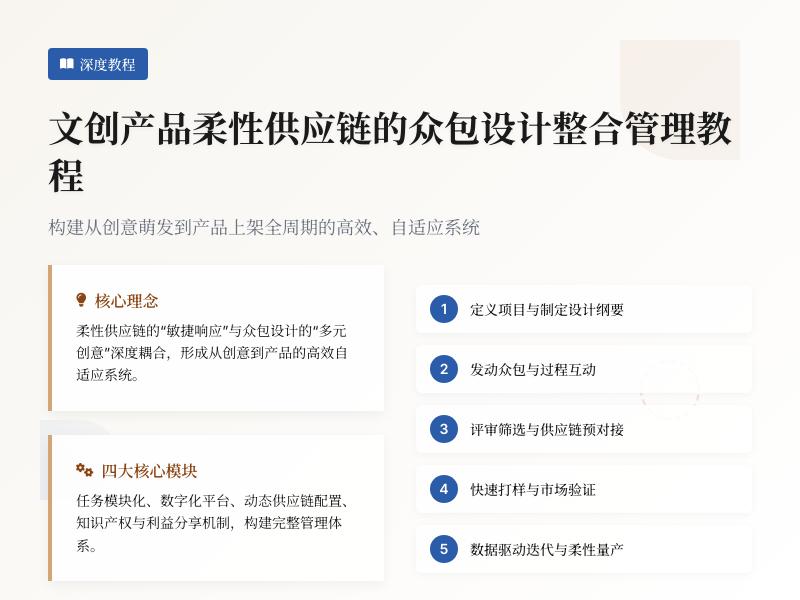
实战教学:为你的网站添加轻量级互动小游戏以提升用户参与度 引言:为什么网站需要互动小游戏? 在当今信息爆炸的互联网时代,用户注意力已成为最宝贵的资源。网站运营者面临着一个共同的挑战:如何在众多竞争者中脱颖而出,吸引并留住访问者?答案可能比你想象的更简单——互动性。 研究表明,具有互动元素的网站比静态网站的用户停留时间高出40%以上,页面浏览量增加35%,用户回访率提升25%。轻量级小游戏正是实现这种互动性的绝佳方式,它们不仅能够提升用户参与度,还能增强品牌记忆点,促进内容分享,甚至直接转化为商业价值。 WordPress作为全球最流行的内容管理系统,其强大的可扩展性为我们提供了实现这一目标的完美平台。通过代码二次开发,我们可以在不显著影响网站性能的前提下,为网站注入活力与趣味性。 第一部分:准备工作与环境搭建 1.1 选择合适的开发环境 在开始之前,我们需要确保拥有一个适合WordPress开发的环境: 本地开发环境:推荐使用XAMPP、MAMP或Local by Flywheel WordPress安装:最新稳定版本(建议5.8+) 代码编辑器:VS Code、Sublime Text或PHPStorm 浏览器开发者工具:Chrome DevTools或Firefox Developer Edition 1.2 创建自定义插件框架 为了避免主题更新时丢失自定义功能,我们将创建一个独立的插件: <?php /** * Plugin Name: 轻量级互动游戏套件 * Plugin URI: https://yourwebsite.com/ * Description: 为WordPress网站添加轻量级互动小游戏,提升用户参与度 * Version: 1.0.0 * Author: 你的名字 * License: GPL v2 or later */ // 防止直接访问 if (!defined('ABSPATH')) { exit; } // 定义插件常量 define('LIGHTGAMES_VERSION', '1.0.0'); define('LIGHTGAMES_PLUGIN_DIR', plugin_dir_path(__FILE__)); define('LIGHTGAMES_PLUGIN_URL', plugin_dir_url(__FILE__)); // 初始化插件 function lightgames_init() { // 加载文本域(用于国际化) load_plugin_textdomain('lightgames', false, dirname(plugin_basename(__FILE__)) . '/languages'); // 注册短代码 add_shortcode('lightgame_quiz', 'lightgames_quiz_shortcode'); add_shortcode('lightgame_memory', 'lightgames_memory_shortcode'); add_shortcode('lightgame_spinwheel', 'lightgames_spinwheel_shortcode'); // 注册管理菜单 if (is_admin()) { add_action('admin_menu', 'lightgames_admin_menu'); } } add_action('init', 'lightgames_init'); // 添加管理菜单 function lightgames_admin_menu() { add_menu_page( '互动游戏设置', '互动游戏', 'manage_options', 'lightgames-settings', 'lightgames_settings_page', 'dashicons-games', 30 ); } ?> 第二部分:实现第一个小游戏——知识问答 2.1 设计游戏逻辑与数据结构 知识问答是最简单且有效的互动形式之一。我们将创建一个可配置的问答游戏: // 在插件主文件中添加以下函数 function lightgames_quiz_shortcode($atts) { // 解析短代码属性 $atts = shortcode_atts(array( 'category' => 'general', 'questions' => 5, 'time' => 30 ), $atts, 'lightgame_quiz'); // 生成唯一ID用于游戏实例 $quiz_id = 'quiz_' . uniqid(); // 获取问题数据(实际应用中应从数据库或配置中获取) $questions = lightgames_get_quiz_questions($atts['category'], $atts['questions']); // 输出游戏HTML结构 ob_start(); ?> <div class="lightgame-quiz-container" id="<?php echo esc_attr($quiz_id); ?>" data-time="<?php echo esc_attr($atts['time']); ?>"> <div class="quiz-header"> <h3>知识挑战赛</h3> <div class="quiz-stats"> <span class="score">得分: <strong>0</strong></span> <span class="timer">时间: <strong><?php echo esc_html($atts['time']); ?></strong>秒</span> <span class="progress">问题: <strong>1</strong>/<?php echo esc_html($atts['questions']); ?></span> </div> </div> <div class="quiz-content"> <div class="question-container"> <!-- 问题将通过JavaScript动态加载 --> </div> <div class="options-container"> <!-- 选项将通过JavaScript动态加载 --> </div> <div class="quiz-controls"> <button class="quiz-btn prev-btn" disabled>上一题</button> <button class="quiz-btn next-btn">下一题</button> <button class="quiz-btn submit-btn">提交答案</button> </div> </div> <div class="quiz-results" style="display:none;"> <h3>测验完成!</h3> <div class="final-score">你的得分: <span>0</span>/<?php echo esc_html($atts['questions']); ?></div> <div class="result-message"></div> <button class="quiz-btn restart-btn">再试一次</button> <button class="quiz-btn share-btn">分享结果</button> </div> </div> <script type="application/json" class="quiz-questions-data"> <?php echo wp_json_encode($questions); ?> </script> <?php return ob_get_clean(); } // 获取问题数据的辅助函数 function lightgames_get_quiz_questions($category, $limit) { // 这里应该是从数据库或配置文件中获取问题 // 为示例目的,我们返回静态数据 $questions = array( array( 'question' => 'WordPress最初是什么类型的平台?', 'options' => array('博客平台', '电商系统', '社交网络', '论坛软件'), 'correct' => 0, 'explanation' => 'WordPress最初于2003年作为一个博客平台发布。' ), array( 'question' => '以下哪个不是JavaScript框架?', 'options' => array('React', 'Vue', 'Laravel', 'Angular'), 'correct' => 2, 'explanation' => 'Laravel是PHP框架,不是JavaScript框架。' ), // 可以添加更多问题... ); // 随机选择指定数量的问题 shuffle($questions); return array_slice($questions, 0, min($limit, count($questions))); } 2.2 添加游戏样式与交互逻辑 创建CSS和JavaScript文件来实现游戏的视觉表现和交互: /* lightgames.css */ .lightgame-quiz-container { max-width: 800px; margin: 20px auto; border: 1px solid #e0e0e0; border-radius: 10px; overflow: hidden; box-shadow: 0 5px 15px rgba(0,0,0,0.05); font-family: -apple-system, BlinkMacSystemFont, 'Segoe UI', Roboto, Oxygen, Ubuntu, sans-serif; } .quiz-header { background: linear-gradient(135deg, #6a11cb 0%, #2575fc 100%); color: white; padding: 20px; text-align: center; } .quiz-header h3 { margin: 0 0 15px 0; font-size: 1.8em; } .quiz-stats { display: flex; justify-content: space-around; font-size: 1.1em; } .quiz-stats strong { font-weight: 700; color: #ffde59; } .quiz-content { padding: 25px; background: #f9f9f9; } .question-container { margin-bottom: 25px; } .question-container h4 { font-size: 1.4em; color: #333; margin-bottom: 15px; line-height: 1.4; } .options-container { display: grid; grid-template-columns: 1fr; gap: 12px; margin-bottom: 25px; } @media (min-width: 600px) { .options-container { grid-template-columns: 1fr 1fr; } } .quiz-option { padding: 15px; background: white; border: 2px solid #e0e0e0; border-radius: 8px; cursor: pointer; transition: all 0.2s ease; font-size: 1.1em; text-align: left; } .quiz-option:hover { border-color: #2575fc; background: #f0f7ff; } .quiz-option.selected { border-color: #4CAF50; background: #e8f5e9; } .quiz-option.correct { border-color: #4CAF50; background: #e8f5e9; } .quiz-option.incorrect { border-color: #f44336; background: #ffebee; } .quiz-controls { display: flex; justify-content: space-between; margin-top: 20px; } .quiz-btn { padding: 12px 25px; background: #2575fc; color: white; border: none; border-radius: 6px; cursor: pointer; font-size: 1em; font-weight: 600; transition: all 0.2s ease; } .quiz-btn:hover { background: #1c65e0; transform: translateY(-2px); box-shadow: 0 4px 8px rgba(0,0,0,0.1); } .quiz-btn:disabled { background: #cccccc; cursor: not-allowed; transform: none; box-shadow: none; } .quiz-results { padding: 30px; text-align: center; background: white; } .final-score { font-size: 2em; margin: 20px 0; color: #333; } .final-score span { color: #4CAF50; font-weight: 700; } .result-message { font-size: 1.2em; margin: 20px 0; padding: 15px; background: #f5f5f5; border-radius: 8px; } // lightgames.js document.addEventListener('DOMContentLoaded', function() { // 初始化所有问答游戏 document.querySelectorAll('.lightgame-quiz-container').forEach(initQuizGame); }); function initQuizGame(quizContainer) { const questionsData = JSON.parse(quizContainer.querySelector('.quiz-questions-data').textContent); const timeLimit = parseInt(quizContainer.getAttribute('data-time')) || 30; let currentQuestion = 0; let score = 0; let userAnswers = []; let timeLeft = timeLimit; let timerInterval; const questionEl = quizContainer.querySelector('.question-container'); const optionsEl = quizContainer.querySelector('.options-container'); const scoreEl = quizContainer.querySelector('.score strong'); const timerEl = quizContainer.querySelector('.timer strong'); const progressEl = quizContainer.querySelector('.progress strong'); const prevBtn = quizContainer.querySelector('.prev-btn'); const nextBtn = quizContainer.querySelector('.next-btn'); const submitBtn = quizContainer.querySelector('.submit-btn'); const resultsEl = quizContainer.querySelector('.quiz-results'); const finalScoreEl = quizContainer.querySelector('.final-score span'); const resultMessageEl = quizContainer.querySelector('.result-message'); const restartBtn = quizContainer.querySelector('.restart-btn'); const shareBtn = quizContainer.querySelector('.share-btn'); // 初始化游戏 function initGame() { loadQuestion(currentQuestion); startTimer(); updateControls(); } // 加载问题 function loadQuestion(index) { const question = questionsData[index]; // 更新问题文本 questionEl.innerHTML = `<h4>${index + 1}. ${question.question}</h4>`; // 清空选项容器 optionsEl.innerHTML = ''; // 添加选项 question.options.forEach((option, i) => { const optionEl = document.createElement('button'); optionEl.className = 'quiz-option'; if (userAnswers[index] === i) { optionEl.classList.add('selected'); } optionEl.textContent = option; optionEl.addEventListener('click', () => selectOption(i)); optionsEl.appendChild(optionEl); }); // 更新进度 progressEl.textContent = index + 1; } // 选择选项 function selectOption(optionIndex) { // 移除之前的选择 optionsEl.querySelectorAll('.quiz-option').forEach(opt => { opt.classList.remove('selected'); }); // 标记当前选择 optionsEl.children[optionIndex].classList.add('selected'); // 保存答案 userAnswers[currentQuestion] = optionIndex; // 更新控制按钮状态 updateControls(); } // 更新控制按钮状态 function updateControls() { prevBtn.disabled = currentQuestion === 0; nextBtn.disabled = currentQuestion === questionsData.length - 1; submitBtn.disabled = userAnswers[currentQuestion] === undefined; } // 开始计时器 function startTimer() { clearInterval(timerInterval); timeLeft = timeLimit; updateTimerDisplay(); timerInterval = setInterval(() => { timeLeft--; updateTimerDisplay(); if (timeLeft <= 0) { clearInterval(timerInterval); endGame(); } }, 1000); } // 更新计时器显示 function updateTimerDisplay() { timerEl.textContent = timeLeft; // 时间不足时改变颜色 if (timeLeft <= 10) { timerEl.style.color = '#f44336'; } else { timerEl.style.color = ''; } } // 下一题 nextBtn.addEventListener('click', () => { if (currentQuestion < questionsData.length - 1) { currentQuestion++; loadQuestion(currentQuestion); updateControls(); } }); // 上一题 prevBtn.addEventListener('click', () => { if (currentQuestion > 0) { currentQuestion--; loadQuestion(currentQuestion); updateControls(); } }); // 提交答案 submitBtn.addEventListener('click', endGame); // 结束游戏 function endGame() { clearInterval(timerInterval); // 计算得分 score = 0; questionsData.forEach((question, index) => { if (userAnswers[index] === question.correct) { score++; } }); // 显示结果 quizContainer.querySelector('.quiz-content').style.display = 'none'; resultsEl.style.display = 'block'; finalScoreEl.textContent = `${score}/${questionsData.length}`; // 根据得分显示不同消息 const percentage = (score / questionsData.length) * 100; let message = ''; if (percentage >= 90) { message = '太棒了!你简直是专家!'; } else if (percentage >= 70) { message = '做得不错!你对这个主题有很好的了解。'; } else if (percentage >= 50) { message = '还可以,但还有提升空间。'; } else { message = '可能需要再复习一下这个主题。'; } resultMessageEl.textContent = message; // 更新得分显示 scoreEl.textContent = score; } // 重新开始 restartBtn.addEventListener('click', () => { currentQuestion = 0; score = 0; userAnswers = []; timeLeft = timeLimit; quizContainer.querySelector('.quiz-content').style.display = 'block'; resultsEl.style.display = 'none'; initGame(); }); // 分享结果 shareBtn.addEventListener('click', () => { const shareText = `我在知识挑战中获得了${score}/${questionsData.length}分!你也来试试吧!`; if (navigator.share) { navigator.share({ title: '知识挑战赛结果', text: shareText, url: window.location.href }); } else { // 备用方案:复制到剪贴板 navigator.clipboard.writeText(shareText + ' ' + window.location.href) .then(() => alert('结果已复制到剪贴板!')); } }); // 开始游戏 initGame(); } 2.3 注册并加载资源文件 在插件初始化函数中添加资源加载代码: // 在lightgames_init函数中添加 function lightgames_init() { // ... 之前的代码 ... // 注册前端资源 add_action('wp_enqueue_scripts', 'lightgames_enqueue_scripts'); } // 加载前端资源 function lightgames_enqueue_scripts() { // 仅在有短代码的页面加载资源 global $post; if (is_a($post, 'WP_Post') && (has_shortcode($post->post_content, 'lightgame_quiz') || has_shortcode($post->post_content, 'lightgame_memory') || has_shortcode($post->post_content, 'lightgame_spinwheel'))) { // 加载CSS wp_enqueue_style( 'lightgames-style', LIGHTGAMES_PLUGIN_URL . 'assets/css/lightgames.css', array(), LIGHTGAMES_VERSION ); 第三部分:实现第二个小游戏——记忆匹配 3.1 设计记忆匹配游戏逻辑 记忆匹配游戏是经典的互动游戏,能够有效提升用户的记忆力和参与度。我们将创建一个可配置的记忆卡片匹配游戏: // 在插件主文件中添加记忆游戏短代码函数 function lightgames_memory_shortcode($atts) { // 解析短代码属性 $atts = shortcode_atts(array( 'pairs' => 8, 'theme' => 'animals', 'difficulty' => 'medium' ), $atts, 'lightgame_memory'); // 根据难度设置时间限制 $time_limits = array( 'easy' => 120, 'medium' => 90, 'hard' => 60 ); $time_limit = isset($time_limits[$atts['difficulty']]) ? $time_limits[$atts['difficulty']] : 90; // 生成唯一ID $game_id = 'memory_' . uniqid(); // 获取卡片数据 $cards = lightgames_get_memory_cards($atts['pairs'], $atts['theme']); ob_start(); ?> <div class="lightgame-memory-container" id="<?php echo esc_attr($game_id); ?>" data-pairs="<?php echo esc_attr($atts['pairs']); ?>" data-time="<?php echo esc_attr($time_limit); ?>"> <div class="memory-header"> <h3>记忆大挑战</h3> <div class="memory-stats"> <span class="moves">步数: <strong>0</strong></span> <span class="timer">时间: <strong><?php echo esc_html($time_limit); ?></strong>秒</span> <span class="matches">匹配: <strong>0</strong>/<?php echo esc_html($atts['pairs']); ?></span> </div> <div class="difficulty-badge difficulty-<?php echo esc_attr($atts['difficulty']); ?>"> <?php echo esc_html(ucfirst($atts['difficulty'])); ?> 难度 </div> </div> <div class="memory-grid-container"> <div class="memory-grid" style="grid-template-columns: repeat(<?php echo min(6, ceil(sqrt($atts['pairs'] * 2))); ?>, 1fr);"> <!-- 卡片将通过JavaScript动态生成 --> </div> </div> <div class="memory-controls"> <button class="memory-btn start-btn">开始游戏</button> <button class="memory-btn restart-btn" disabled>重新开始</button> <button class="memory-btn hint-btn" disabled>提示</button> </div> <div class="memory-results" style="display:none;"> <h3>游戏完成!</h3> <div class="stats-summary"> <div class="stat-item"> <span class="stat-label">用时:</span> <span class="stat-value time-used">0</span>秒 </div> <div class="stat-item"> <span class="stat-label">步数:</span> <span class="stat-value total-moves">0</span> </div> <div class="stat-item"> <span class="stat-label">准确率:</span> <span class="stat-value accuracy">100%</span> </div> <div class="stat-item"> <span class="stat-label">得分:</span> <span class="stat-value final-score">0</span> </div> </div> <div class="performance-rating"></div> <div class="results-controls"> <button class="memory-btn play-again-btn">再玩一次</button> <button class="memory-btn share-results-btn">分享成绩</button> </div> </div> </div> <script type="application/json" class="memory-cards-data"> <?php echo wp_json_encode($cards); ?> </script> <?php return ob_get_clean(); } // 获取记忆卡片数据的辅助函数 function lightgames_get_memory_cards($pairs, $theme) { $pairs = min($pairs, 12); // 限制最大对数 // 不同主题的图标 $themes = array( 'animals' => array('🐶', '🐱', '🐭', '🐹', '🐰', '🦊', '🐻', '🐼', '🐨', '🐯', '🦁', '🐮'), 'food' => array('🍎', '🍌', '🍇', '🍓', '🍒', '🍑', '🍍', '🥭', '🍉', '🍊', '🍋', '🥝'), 'sports' => array('⚽', '🏀', '🏈', '⚾', '🎾', '🏐', '🏉', '🎱', '🏓', '🏸', '🏒', '🏏'), 'flags' => array('🇨🇳', '🇺🇸', '🇬🇧', '🇯🇵', '🇰🇷', '🇫🇷', '🇩🇪', '🇮🇹', '🇪🇸', '🇷🇺', '🇧🇷', '🇦🇺'), 'vehicles' => array('🚗', '🚕', '🚙', '🚌', '🚎', '🏎️', '🚓', '🚑', '🚒', '🚐', '🚚', '🚛') ); // 默认使用动物主题 $icons = isset($themes[$theme]) ? $themes[$theme] : $themes['animals']; // 创建卡片对 $cards = array(); for ($i = 0; $i < $pairs; $i++) { $icon = $icons[$i % count($icons)]; $cards[] = array( 'id' => $i * 2, 'value' => $icon, 'matched' => false ); $cards[] = array( 'id' => $i * 2 + 1, 'value' => $icon, 'matched' => false ); } // 打乱顺序 shuffle($cards); return $cards; } 3.2 添加记忆游戏样式 在lightgames.css文件中添加记忆游戏的样式: /* 记忆匹配游戏样式 */ .lightgame-memory-container { max-width: 900px; margin: 30px auto; background: #fff; border-radius: 15px; overflow: hidden; box-shadow: 0 10px 30px rgba(0,0,0,0.1); } .memory-header { background: linear-gradient(135deg, #ff6b6b 0%, #ffa726 100%); color: white; padding: 20px; position: relative; } .memory-header h3 { margin: 0 0 15px 0; font-size: 1.8em; text-align: center; } .memory-stats { display: flex; justify-content: space-around; font-size: 1.1em; margin-bottom: 10px; } .memory-stats strong { font-weight: 700; color: #fffacd; } .difficulty-badge { position: absolute; top: 20px; right: 20px; padding: 5px 15px; border-radius: 20px; font-size: 0.9em; font-weight: 600; } .difficulty-easy { background: #4CAF50; color: white; } .difficulty-medium { background: #FF9800; color: white; } .difficulty-hard { background: #F44336; color: white; } .memory-grid-container { padding: 25px; background: #f5f7fa; } .memory-grid { display: grid; gap: 12px; margin: 0 auto; max-width: 800px; } .memory-card { aspect-ratio: 1; background: linear-gradient(135deg, #6a11cb 0%, #2575fc 100%); border-radius: 10px; display: flex; align-items: center; justify-content: center; cursor: pointer; transform-style: preserve-3d; transition: transform 0.6s; font-size: 2.5em; position: relative; user-select: none; } .memory-card .card-front, .memory-card .card-back { position: absolute; width: 100%; height: 100%; backface-visibility: hidden; border-radius: 10px; display: flex; align-items: center; justify-content: center; } .memory-card .card-front { background: white; color: #333; transform: rotateY(180deg); } .memory-card .card-back { background: linear-gradient(135deg, #6a11cb 0%, #2575fc 100%); color: white; } .memory-card.flipped { transform: rotateY(180deg); } .memory-card.matched { transform: rotateY(180deg); cursor: default; } .memory-card.matched .card-front { background: #e8f5e9; border: 3px solid #4CAF50; } .memory-card.hint { animation: hint-pulse 1s ease-in-out; } @keyframes hint-pulse { 0%, 100% { box-shadow: 0 0 0 0 rgba(76, 175, 80, 0.7); } 50% { box-shadow: 0 0 0 10px rgba(76, 175, 80, 0); } } .memory-controls { padding: 20px; background: white; display: flex; justify-content: center; gap: 15px; border-top: 1px solid #eee; } .memory-btn { padding: 12px 25px; border: none; border-radius: 8px; cursor: pointer; font-size: 1em; font-weight: 600; transition: all 0.3s ease; } .start-btn { background: #4CAF50; color: white; } .restart-btn { background: #2196F3; color: white; } .hint-btn { background: #FF9800; color: white; } .memory-btn:hover:not(:disabled) { transform: translateY(-2px); box-shadow: 0 5px 15px rgba(0,0,0,0.1); } .memory-btn:disabled { opacity: 0.5; cursor: not-allowed; } .memory-results { padding: 30px; text-align: center; background: linear-gradient(135deg, #f5f7fa 0%, #c3cfe2 100%); } .stats-summary { display: grid; grid-template-columns: repeat(auto-fit, minmax(150px, 1fr)); gap: 20px; margin: 30px 0; max-width: 600px; margin-left: auto; margin-right: auto; } .stat-item { background: white; padding: 20px; border-radius: 10px; box-shadow: 0 3px 10px rgba(0,0,0,0.08); } .stat-label { display: block; color: #666; font-size: 0.9em; margin-bottom: 5px; } .stat-value { font-size: 1.8em; font-weight: 700; color: #2575fc; } .performance-rating { font-size: 1.3em; margin: 20px 0; padding: 15px; background: white; border-radius: 10px; display: inline-block; min-width: 300px; } .results-controls { margin-top: 30px; display: flex; justify-content: center; gap: 15px; } .play-again-btn { background: #4CAF50; color: white; } .share-results-btn { background: #2196F3; color: white; } 3.3 添加记忆游戏JavaScript逻辑 在lightgames.js文件中添加记忆游戏的交互逻辑: // 记忆匹配游戏逻辑 function initMemoryGame(gameContainer) { const cardsData = JSON.parse(gameContainer.querySelector('.memory-cards-data').textContent); const pairs = parseInt(gameContainer.getAttribute('data-pairs')); const timeLimit = parseInt(gameContainer.getAttribute('data-time')); let cards = []; let flippedCards = []; let matchedPairs = 0; let moves = 0; let timeLeft = timeLimit; let gameStarted = false; let gameTimer; let canFlip = true; // DOM元素 const gridEl = gameContainer.querySelector('.memory-grid'); const movesEl = gameContainer.querySelector('.moves strong'); const timerEl = gameContainer.querySelector('.timer strong'); const matchesEl = gameContainer.querySelector('.matches strong'); const startBtn = gameContainer.querySelector('.start-btn'); const restartBtn = gameContainer.querySelector('.restart-btn'); const hintBtn = gameContainer.querySelector('.hint-btn'); const resultsEl = gameContainer.querySelector('.memory-results'); const timeUsedEl = gameContainer.querySelector('.time-used'); const totalMovesEl = gameContainer.querySelector('.total-moves'); const accuracyEl = gameContainer.querySelector('.accuracy'); const finalScoreEl = gameContainer.querySelector('.final-score'); const performanceEl = gameContainer.querySelector('.performance-rating'); const playAgainBtn = gameContainer.querySelector('.play-again-btn'); const shareResultsBtn = gameContainer.querySelector('.share-results-btn'); // 初始化游戏板 function initGameBoard() { gridEl.innerHTML = ''; cards = [...cardsData]; cards.forEach((cardData, index) => { const card = document.createElement('div'); card.className = 'memory-card'; card.dataset.id = cardData.id; card.dataset.value = cardData.value; const cardFront = document.createElement('div'); cardFront.className = 'card-front'; cardFront.textContent = cardData.value; const cardBack = document.createElement('div'); cardBack.className = 'card-back'; cardBack.textContent = '?'; card.appendChild(cardFront); card.appendChild(cardBack); card.addEventListener('click', () => flipCard(card)); gridEl.appendChild(card); }); updateStats(); } // 开始游戏 function startGame() { if (gameStarted) return; gameStarted = true; startBtn.disabled = true; restartBtn.disabled = false; hintBtn.disabled = false; // 开始计时 startTimer(); // 短暂显示所有卡片 showAllCardsBriefly(); } // 显示所有卡片(游戏开始时) function showAllCardsBriefly() { const allCards = gridEl.querySelectorAll('.memory-card'); allCards.forEach(card => { card.classList.add('flipped'); }); setTimeout(() => { allCards.forEach(card => { card.classList.remove('flipped'); }); canFlip = true; }, 2000); } // 开始计时器 function startTimer() { clearInterval(gameTimer); timeLeft = timeLimit; updateTimerDisplay(); gameTimer = setInterval(() => { timeLeft--; updateTimerDisplay(); if (timeLeft <= 0) { endGame(false); } }, 1000); } // 更新计时器显示 function updateTimerDisplay() { timerEl.textContent = timeLeft; if (timeLeft <= 10) { timerEl.style.color = '#f44336'; timerEl.style.animation = timeLeft <= 5 ? 'pulse 0.5s infinite' : 'none'; } else { timerEl.style.color = ''; timerEl.style.animation = ''; } } // 翻转卡片 function flipCard(card) { if (!canFlip || !gameStarted) return; if (card.classList.contains('flipped') || card.classList.contains('matched')) return; if (flippedCards.length >= 2) return; card.classList.add('flipped'); flippedCards.push(card); if (flippedCards.length === 2) { moves++; movesEl.textContent = moves; canFlip = false; // 检查是否匹配 const card1 = flippedCards[0]; const card2 = flippedCards[1]; if (card1.dataset.value === card2.dataset.value) { // 匹配成功 setTimeout(() => { card1.classList.add('matched'); card2.classList.add('matched'); flippedCards = []; matchedPairs++; matchesEl.textContent = matchedPairs; canFlip = true; // 检查游戏是否完成 if (matchedPairs === pairs) { endGame(true); } }, 500); } else { // 不匹配,翻回去 setTimeout(() => { card1.classList.remove('flipped'); card2.classList.remove('flipped'); flippedCards = []; canFlip = true; }, 1000); } } } // 提示功能 function provideHint() { if (!gameStarted || flippedCards.length > 0) return; // 找到两个未匹配的相同卡片
发表评论
手把手教程:在WordPress中集成网站Cookie合规性管理与用户隐私同意控件 引言:数字时代的隐私合规挑战 在当今数字化时代,随着全球数据保护法规的不断完善,网站隐私合规性已成为每个网站所有者必须面对的重要课题。从欧盟的《通用数据保护条例》(GDPR)到加州的《消费者隐私法案》(CCPA),再到中国的《个人信息保护法》,全球各地都在加强对用户隐私的保护。对于使用WordPress构建的网站而言,如何有效管理Cookie和获取用户隐私同意,不仅是一项法律义务,更是建立用户信任的关键。 本教程将深入探讨如何通过WordPress代码二次开发,实现专业的Cookie合规性管理与用户隐私同意控件,同时集成常用互联网小工具功能。我们将从基础概念入手,逐步深入到具体实现,为您提供一套完整、实用的解决方案。 第一部分:理解Cookie合规性的基本要求 1.1 什么是Cookie合规性? Cookie合规性指的是网站在使用Cookie和其他跟踪技术时,必须遵守相关隐私法规的要求。这主要包括: 知情同意原则:在设置非必要Cookie前,必须获得用户的明确同意 透明度原则:清晰告知用户网站使用了哪些Cookie及其目的 控制权原则:允许用户随时撤回同意或调整Cookie偏好 数据最小化原则:只收集实现特定目的所需的最少数据 1.2 主要隐私法规概览 GDPR(欧盟通用数据保护条例):适用于处理欧盟公民数据的任何组织,无论其所在地 CCPA(加州消费者隐私法案):保护加州居民的个人信息权利 PIPL(中国个人信息保护法):规范在中国境内处理个人信息的活动 ePrivacy指令:专门规范电子通信隐私,包括Cookie使用 1.3 WordPress网站的特殊考虑 WordPress作为内容管理系统,本身及其插件、主题都可能设置各种Cookie。常见的包括: 会话Cookie(用于用户登录状态) 评论功能Cookie 统计分析Cookie(如Google Analytics) 社交媒体集成Cookie 广告跟踪Cookie 第二部分:规划Cookie合规解决方案 2.1 功能需求分析 一个完整的Cookie合规解决方案应包含以下核心功能: Cookie横幅/弹出窗口:首次访问时显示,请求用户同意 Cookie偏好中心:允许用户详细管理各类Cookie 同意记录与证明:存储用户同意状态,以便审计 脚本加载控制:根据用户同意状态有条件加载第三方脚本 自动阻止功能:在获得同意前阻止非必要Cookie 定期重新同意:根据法规要求定期更新用户同意 2.2 技术架构设计 我们将采用模块化设计,创建以下核心组件: 主控制器类:协调所有功能模块 前端展示模块:处理横幅和偏好中心的UI 同意管理模块:存储和管理用户同意状态 脚本控制模块:根据同意状态控制第三方脚本加载 设置管理模块:提供后台配置界面 小工具集成模块:扩展常用互联网工具功能 2.3 数据库设计 我们需要创建数据库表来存储: 用户同意记录 Cookie分类和描述 第三方服务配置 同意历史记录 第三部分:环境准备与基础设置 3.1 开发环境搭建 在开始编码前,请确保您已准备好: 本地WordPress开发环境:可以使用Local by Flywheel、XAMPP或Docker 代码编辑器:推荐VS Code、PHPStorm或Sublime Text 浏览器开发者工具:用于调试前端代码 Git版本控制系统:管理代码变更 3.2 创建WordPress插件 我们将创建一个独立的WordPress插件来实现所有功能: <?php /** * Plugin Name: Advanced Cookie Consent Manager * Plugin URI: https://yourwebsite.com/ * Description: 完整的Cookie合规性与隐私同意管理解决方案 * Version: 1.0.0 * Author: Your Name * License: GPL v2 or later * Text Domain: advanced-cookie-consent */ // 防止直接访问 if (!defined('ABSPATH')) { exit; } // 定义插件常量 define('ACCM_VERSION', '1.0.0'); define('ACCM_PLUGIN_DIR', plugin_dir_path(__FILE__)); define('ACCM_PLUGIN_URL', plugin_dir_url(__FILE__)); define('ACCM_PLUGIN_BASENAME', plugin_basename(__FILE__)); 3.3 插件目录结构 创建以下目录结构: advanced-cookie-consent/ ├── includes/ │ ├── class-main-controller.php │ ├── class-frontend-ui.php │ ├── class-consent-manager.php │ ├── class-script-controller.php │ ├── class-settings-manager.php │ └── class-widget-integration.php ├── assets/ │ ├── css/ │ │ ├── frontend.css │ │ └── admin.css │ ├── js/ │ │ ├── frontend.js │ │ └── admin.js │ └── images/ ├── languages/ ├── templates/ │ ├── cookie-banner.php │ └── preference-center.php └── advanced-cookie-consent.php 第四部分:核心功能实现 4.1 主控制器类实现 <?php // includes/class-main-controller.php class ACCM_Main_Controller { private static $instance = null; private $frontend_ui; private $consent_manager; private $script_controller; private $settings_manager; private $widget_integration; public static function get_instance() { if (null === self::$instance) { self::$instance = new self(); } return self::$instance; } private function __construct() { $this->load_dependencies(); $this->init_hooks(); } private function load_dependencies() { require_once ACCM_PLUGIN_DIR . 'includes/class-frontend-ui.php'; require_once ACCM_PLUGIN_DIR . 'includes/class-consent-manager.php'; require_once ACCM_PLUGIN_DIR . 'includes/class-script-controller.php'; require_once ACCM_PLUGIN_DIR . 'includes/class-settings-manager.php'; require_once ACCM_PLUGIN_DIR . 'includes/class-widget-integration.php'; $this->frontend_ui = new ACCM_Frontend_UI(); $this->consent_manager = new ACCM_Consent_Manager(); $this->script_controller = new ACCM_Script_Controller(); $this->settings_manager = new ACCM_Settings_Manager(); $this->widget_integration = new ACCM_Widget_Integration(); } private function init_hooks() { // 激活/停用插件钩子 register_activation_hook(__FILE__, array($this, 'activate_plugin')); register_deactivation_hook(__FILE__, array($this, 'deactivate_plugin')); // 初始化钩子 add_action('init', array($this, 'init')); // 管理界面钩子 add_action('admin_menu', array($this->settings_manager, 'add_admin_menu')); add_action('admin_init', array($this->settings_manager, 'register_settings')); // 前端钩子 add_action('wp_enqueue_scripts', array($this->frontend_ui, 'enqueue_assets')); add_action('wp_footer', array($this->frontend_ui, 'render_cookie_banner')); // 脚本控制钩子 add_action('wp_head', array($this->script_controller, 'add_script_control_scripts'), 1); } public function init() { // 加载文本域 load_plugin_textdomain('advanced-cookie-consent', false, dirname(ACCM_PLUGIN_BASENAME) . '/languages'); // 初始化组件 $this->consent_manager->init(); $this->widget_integration->init(); } public function activate_plugin() { // 创建数据库表 $this->consent_manager->create_tables(); // 设置默认选项 $this->settings_manager->set_default_options(); // 刷新重写规则 flush_rewrite_rules(); } public function deactivate_plugin() { // 清理临时数据 flush_rewrite_rules(); } } 4.2 前端UI与Cookie横幅实现 <?php // includes/class-frontend-ui.php class ACCM_Frontend_UI { private $consent_manager; public function __construct() { $this->consent_manager = ACCM_Consent_Manager::get_instance(); } public function enqueue_assets() { // 前端样式 wp_enqueue_style( 'accm-frontend-style', ACCM_PLUGIN_URL . 'assets/css/frontend.css', array(), ACCM_VERSION ); // 前端脚本 wp_enqueue_script( 'accm-frontend-script', ACCM_PLUGIN_URL . 'assets/js/frontend.js', array('jquery'), ACCM_VERSION, true ); // 本地化脚本 wp_localize_script('accm-frontend-script', 'accm_ajax', array( 'ajax_url' => admin_url('admin-ajax.php'), 'nonce' => wp_create_nonce('accm_nonce'), 'consent_categories' => $this->consent_manager->get_cookie_categories(), 'strings' => array( 'saving' => __('保存中...', 'advanced-cookie-consent'), 'saved' => __('设置已保存', 'advanced-cookie-consent'), 'error' => __('保存时出错,请重试', 'advanced-cookie-consent') ) )); } public function render_cookie_banner() { // 检查是否已获得同意 if ($this->consent_manager->has_consent()) { return; } // 获取设置 $settings = get_option('accm_settings', array()); // 包含横幅模板 include ACCM_PLUGIN_DIR . 'templates/cookie-banner.php'; } public function render_preference_center() { // 获取Cookie分类 $categories = $this->consent_manager->get_cookie_categories(); // 获取用户当前偏好 $user_preferences = $this->consent_manager->get_user_preferences(); // 包含偏好中心模板 include ACCM_PLUGIN_DIR . 'templates/preference-center.php'; } } 4.3 Cookie横幅模板 <?php // templates/cookie-banner.php $settings = get_option('accm_settings', array()); $banner_title = isset($settings['banner_title']) ? $settings['banner_title'] : __('Cookie设置', 'advanced-cookie-consent'); $banner_text = isset($settings['banner_text']) ? $settings['banner_text'] : __('我们使用Cookie来提升您的浏览体验,提供个性化内容并分析流量。点击"接受"即表示您同意我们使用所有Cookie。', 'advanced-cookie-consent'); $accept_text = isset($settings['accept_text']) ? $settings['accept_text'] : __('接受所有', 'advanced-cookie-consent'); $reject_text = isset($settings['reject_text']) ? $settings['reject_text'] : __('拒绝非必要', 'advanced-cookie-consent'); $preferences_text = isset($settings['preferences_text']) ? $settings['preferences_text'] : __('自定义设置', 'advanced-cookie-consent'); $privacy_policy_url = isset($settings['privacy_policy_url']) ? $settings['privacy_policy_url'] : get_privacy_policy_url(); $privacy_policy_text = isset($settings['privacy_policy_text']) ? $settings['privacy_policy_text'] : __('隐私政策', 'advanced-cookie-consent'); ?> <div id="accm-cookie-banner" class="accm-cookie-banner" style="display: none;"> <div class="accm-banner-content"> <div class="accm-banner-text"> <h3><?php echo esc_html($banner_title); ?></h3> <p><?php echo esc_html($banner_text); ?></p> <?php if ($privacy_policy_url): ?> <p class="accm-privacy-link"> <a href="<?php echo esc_url($privacy_policy_url); ?>" target="_blank"> <?php echo esc_html($privacy_policy_text); ?> </a> </p> <?php endif; ?> </div> <div class="accm-banner-buttons"> <button type="button" class="accm-btn accm-btn-preferences"> <?php echo esc_html($preferences_text); ?> </button> <button type="button" class="accm-btn accm-btn-reject"> <?php echo esc_html($reject_text); ?> </button> <button type="button" class="accm-btn accm-btn-accept accm-btn-primary"> <?php echo esc_html($accept_text); ?> </button> </div> </div> </div> <div id="accm-preference-modal" class="accm-modal" style="display: none;"> <div class="accm-modal-content"> <div class="accm-modal-header"> <h3><?php _e('Cookie偏好设置', 'advanced-cookie-consent'); ?></h3> <button type="button" class="accm-modal-close">×</button> </div> <div class="accm-modal-body"> <?php $this->render_preference_center(); ?> </div> <div class="accm-modal-footer"> <button type="button" class="accm-btn accm-btn-save-preferences accm-btn-primary"> <?php _e('保存设置', 'advanced-cookie-consent'); ?> </button> </div> </div> </div> 4.4 同意管理模块 <?php // includes/class-consent-manager.php class ACCM_Consent_Manager { private static $instance = null; private $cookie_name = 'accm_consent'; private $cookie_expiry = 365; // 天数 public static function get_instance() { if (null === self::$instance) { self::$instance = new self(); } return self::$instance; } public function init() { // 处理AJAX请求 add_action('wp_ajax_accm_save_consent', array($this, 'ajax_save_consent')); add_action('wp_ajax_nopriv_accm_save_consent', array($this, 'ajax_save_consent')); // 检查并处理Cookie同意 $this->check_consent_cookie(); } public function create_tables() { global $wpdb; $charset_collate = $wpdb->get_charset_collate(); $table_name = $wpdb->prefix . 'accm_consent_logs'; $sql = "CREATE TABLE IF NOT EXISTS $table_name ( id bigint(20) NOT NULL AUTO_INCREMENT, consent_id varchar(32) NOT NULL, user_id bigint(20) DEFAULT 0, user_ip varchar(45) DEFAULT '', user_agent text, consent_data text NOT NULL, consent_date datetime DEFAULT CURRENT_TIMESTAMP, PRIMARY KEY (id), KEY consent_id (consent_id), KEY user_id (user_id), KEY consent_date (consent_date) ) $charset_collate;"; require_once(ABSPATH . 'wp-admin/includes/upgrade.php'); dbDelta($sql); } public function get_cookie_categories() { $default_categories = array( 'necessary' => array( 'name' => __('必要', 'advanced-cookie-consent'), 'description' => __('这些Cookie对于网站的基本功能是必需的,无法关闭。', 'advanced-cookie-consent'), 'required' => true, 'default' => true ), 'preferences' => array( 'name' => __('偏好设置', 'advanced-cookie-consent'), 'description' => __('这些Cookie允许网站记住您的选择和偏好。', 'advanced-cookie-consent'), 'required' => false, 'default' => true ), 'analytics' => array( 'name' => __('统计分析', 'advanced-cookie-consent'), 'description' => __('这些Cookie帮助我们了解访问者如何与网站互动。', 'advanced-cookie-consent'), 'required' => false, 'default' => true ), 'marketing' => array( 'name' => __('营销', 'advanced-cookie-consent'), 'description' => __('这些Cookie用于跟踪广告效果和个性化广告。', 'advanced-cookie-consent'), 'required' => false, 'default' => false ) ); // 允许通过过滤器添加或修改分类 return apply_filters('accm_cookie_categories', $default_categories); } public function has_consent($category = '') { $consent_data = $this->get_consent_data(); if (empty($consent_data)) { return false; } if (empty($category)) { return !empty($consent_data); } $categories = $this->get_cookie_categories(); if (!isset($categories[$category])) { return false; } // 必要Cookie始终视为已同意 手把手教程:在WordPress中集成网站Cookie合规性管理与用户隐私同意控件(续) 第四部分:核心功能实现(续) 4.4 同意管理模块(续) <?php // includes/class-consent-manager.php(续) if ($categories[$category]['required']) { return true; } return isset($consent_data[$category]) && $consent_data[$category] === true; } private function get_consent_data() { static $consent_data = null; if ($consent_data !== null) { return $consent_data; } // 首先检查Cookie if (isset($_COOKIE[$this->cookie_name])) { $cookie_data = json_decode(stripslashes($_COOKIE[$this->cookie_name]), true); if (is_array($cookie_data)) { $consent_data = $cookie_data; return $consent_data; } } // 如果没有Cookie,检查默认设置 $settings = get_option('accm_settings', array()); $default_consent = isset($settings['default_consent']) ? $settings['default_consent'] : 'none'; if ($default_consent === 'all') { $categories = $this->get_cookie_categories(); $consent_data = array(); foreach ($categories as $key => $category) { $consent_data[$key] = true; } } else { $consent_data = array(); } return $consent_data; } public function get_user_preferences() { $consent_data = $this->get_consent_data(); $categories = $this->get_cookie_categories(); $preferences = array(); foreach ($categories as $key => $category) { $preferences[$key] = array( 'name' => $category['name'], 'description' => $category['description'], 'required' => $category['required'], 'enabled' => $this->has_consent($key) ); } return $preferences; } public function ajax_save_consent() { // 验证nonce if (!check_ajax_referer('accm_nonce', 'nonce', false)) { wp_die(json_encode(array( 'success' => false, 'message' => __('安全验证失败', 'advanced-cookie-consent') ))); } // 获取并验证数据 $consent_data = isset($_POST['consent_data']) ? $_POST['consent_data'] : array(); if (!is_array($consent_data)) { wp_die(json_encode(array( 'success' => false, 'message' => __('无效的数据格式', 'advanced-cookie-consent') ))); } // 验证分类 $categories = $this->get_cookie_categories(); $validated_data = array(); foreach ($categories as $key => $category) { if ($category['required']) { $validated_data[$key] = true; } else { $validated_data[$key] = isset($consent_data[$key]) && $consent_data[$key] === 'true'; } } // 生成唯一ID $consent_id = wp_generate_uuid4(); // 记录同意 $this->log_consent($consent_id, $validated_data); // 设置Cookie $this->set_consent_cookie($consent_id, $validated_data); // 返回成功响应 wp_die(json_encode(array( 'success' => true, 'message' => __('设置已保存', 'advanced-cookie-consent'), 'consent_id' => $consent_id ))); } private function log_consent($consent_id, $consent_data) { global $wpdb; $table_name = $wpdb->prefix . 'accm_consent_logs'; $user_id = get_current_user_id(); $user_ip = $this->get_user_ip(); $user_agent = isset($_SERVER['HTTP_USER_AGENT']) ? $_SERVER['HTTP_USER_AGENT'] : ''; $wpdb->insert( $table_name, array( 'consent_id' => $consent_id, 'user_id' => $user_id, 'user_ip' => $user_ip, 'user_agent' => $user_agent, 'consent_data' => json_encode($consent_data) ), array('%s', '%d', '%s', '%s', '%s') ); } private function set_consent_cookie($consent_id, $consent_data) { $cookie_data = array( 'consent_id' => $consent_id, 'categories' => $consent_data, 'timestamp' => time() ); $cookie_value = json_encode($cookie_data); // 设置Cookie setcookie( $this->cookie_name, $cookie_value, time() + ($this->cookie_expiry * DAY_IN_SECONDS), COOKIEPATH, COOKIE_DOMAIN, is_ssl(), true // HttpOnly ); // 立即在本次请求中可用 $_COOKIE[$this->cookie_name] = $cookie_value; } private function get_user_ip() { $ip = ''; if (!empty($_SERVER['HTTP_CLIENT_IP'])) { $ip = $_SERVER['HTTP_CLIENT_IP']; } elseif (!empty($_SERVER['HTTP_X_FORWARDED_FOR'])) { $ip = $_SERVER['HTTP_X_FORWARDED_FOR']; } else { $ip = $_SERVER['REMOTE_ADDR']; } return filter_var($ip, FILTER_VALIDATE_IP) ? $ip : ''; } private function check_consent_cookie() { // 检查Cookie是否需要更新 if (isset($_COOKIE[$this->cookie_name])) { $cookie_data = json_decode(stripslashes($_COOKIE[$this->cookie_name]), true); if (is_array($cookie_data) && isset($cookie_data['timestamp'])) { $cookie_age = time() - $cookie_data['timestamp']; $renewal_period = 365 * DAY_IN_SECONDS; // 一年后重新请求同意 if ($cookie_age > $renewal_period) { // 删除旧Cookie,强制重新同意 setcookie( $this->cookie_name, '', time() - 3600, COOKIEPATH, COOKIE_DOMAIN, is_ssl(), true ); unset($_COOKIE[$this->cookie_name]); } } } } } 4.5 脚本控制模块 <?php // includes/class-script-controller.php class ACCM_Script_Controller { private $consent_manager; private $blocked_scripts = array(); public function __construct() { $this->consent_manager = ACCM_Consent_Manager::get_instance(); // 注册脚本控制钩子 add_action('wp_head', array($this, 'add_script_control_scripts'), 1); add_filter('script_loader_tag', array($this, 'filter_script_tags'), 10, 3); add_action('wp_footer', array($this, 'load_blocked_scripts'), 99); } public function add_script_control_scripts() { // 添加脚本控制逻辑 ?> <script type="text/javascript"> window.accmScriptControl = { categories: <?php echo json_encode($this->consent_manager->get_cookie_categories()); ?>, hasConsent: function(category) { var consentData = this.getConsentData(); if (!consentData) return false; // 必要脚本始终允许 if (this.categories[category] && this.categories[category].required) { return true; } return consentData.categories && consentData.categories[category] === true; }, getConsentData: function() { try { var cookieValue = document.cookie .split('; ') .find(row => row.startsWith('accm_consent=')); if (cookieValue) { return JSON.parse(decodeURIComponent(cookieValue.split('=')[1])); } } catch(e) { console.error('Error parsing consent cookie:', e); } return null; }, loadScript: function(src, category, attributes) { if (!this.hasConsent(category)) { console.log('Script blocked due to missing consent:', src, 'Category:', category); return false; } var script = document.createElement('script'); script.src = src; if (attributes) { for (var attr in attributes) { if (attributes.hasOwnProperty(attr)) { script.setAttribute(attr, attributes[attr]); } } } document.head.appendChild(script); return true; } }; // 重写window.dataLayer.push以延迟Google Tag Manager if (typeof window.dataLayer === 'undefined') { window.dataLayer = []; } var originalDataLayerPush = window.dataLayer.push; window.dataLayer.push = function() { if (!accmScriptControl.hasConsent('analytics') && !accmScriptControl.hasConsent('marketing')) { console.log('GTM event blocked due to missing consent'); return; } return originalDataLayerPush.apply(this, arguments); }; </script> <?php } public function filter_script_tags($tag, $handle, $src) { // 获取脚本的Cookie类别 $script_categories = $this->get_script_categories($handle); if (empty($script_categories)) { return $tag; } // 检查是否所有需要的类别都有同意 $block_script = false; foreach ($script_categories as $category) { if (!$this->consent_manager->has_consent($category)) { $block_script = true; break; } } if ($block_script) { // 存储被阻止的脚本以便稍后加载 $this->blocked_scripts[] = array( 'tag' => $tag, 'handle' => $handle, 'src' => $src, 'categories' => $script_categories ); // 返回占位符或空字符串 return "<!-- Script '$handle' blocked due to missing cookie consent -->n"; } return $tag; } private function get_script_categories($handle) { $script_categories = array( 'google-analytics' => array('analytics'), 'gtm4wp' => array('analytics', 'marketing'), 'facebook-pixel' => array('marketing'), 'twitter-widgets' => array('marketing', 'preferences'), 'youtube-embed' => array('preferences'), 'vimeo-embed' => array('preferences'), 'google-maps' => array('preferences') ); // 允许通过过滤器添加或修改 $script_categories = apply_filters('accm_script_categories', $script_categories); return isset($script_categories[$handle]) ? $script_categories[$handle] : array(); } public function load_blocked_scripts() { if (empty($this->blocked_scripts)) { return; } ?> <script type="text/javascript"> document.addEventListener('DOMContentLoaded', function() { var blockedScripts = <?php echo json_encode($this->blocked_scripts); ?>; blockedScripts.forEach(function(scriptInfo) { var shouldLoad = true; scriptInfo.categories.forEach(function(category) { if (!accmScriptControl.hasConsent(category)) { shouldLoad = false; } }); if (shouldLoad) { // 创建并插入脚本 var script = document.createElement('script'); script.src = scriptInfo.src; // 复制原始属性 var regex = /(w+)=["']([^"']*)["']/g; var match; while ((match = regex.exec(scriptInfo.tag)) !== null) { if (match[1] !== 'src') { script.setAttribute(match[1], match[2]); } } document.head.appendChild(script); console.log('Previously blocked script loaded:', scriptInfo.handle); } }); }); </script> <?php } public function add_third_party_service($service_name, $script_code, $categories) { add_action('wp_footer', function() use ($service_name, $script_code, $categories) { $can_load = true; foreach ($categories as $category) { if (!$this->consent_manager->has_consent($category)) { $can_load = false; break; } } if ($can_load) { echo $script_code; } else { // 存储以便稍后加载 $this->blocked_scripts[] = array( 'tag' => $script_code, 'handle' => $service_name, 'categories' => $categories ); } }, 10); } } 4.6 设置管理模块 <?php // includes/class-settings-manager.php class ACCM_Settings_Manager { private $settings_page; private $settings_group = 'accm_settings_group'; private $settings_section = 'accm_settings_section'; private $option_name = 'accm_settings'; public function add_admin_menu() { $this->settings_page = add_options_page( __('Cookie同意设置', 'advanced-cookie-consent'), __('Cookie同意', 'advanced-cookie-consent'), 'manage_options', 'advanced-cookie-consent', array($this, 'render_settings_page') ); // 添加设置页面样式和脚本 add_action('admin_enqueue_scripts', array($this, 'enqueue_admin_assets')); } public function enqueue_admin_assets($hook) { if ($hook !== $this->settings_page) { return; } wp_enqueue_style( 'accm-admin-style', ACCM_PLUGIN_URL . 'assets/css/admin.css', array(), ACCM_VERSION ); wp_enqueue_script( 'accm-admin-script', ACCM_PLUGIN_URL . 'assets/js/admin.js', array('jquery', 'wp-color-picker'), ACCM_VERSION, true ); // 启用颜色选择器 wp_enqueue_style('wp-color-picker'); } public function register_settings() { register_setting( $this->settings_group, $this->option_name, array($this, 'sanitize_settings') ); add_settings_section( $this->settings_section, __('基本设置', 'advanced-cookie-consent'), array($this, 'render_section_header'), 'advanced-cookie-consent' ); // 添加设置字段 $this->add_settings_fields(); } private function add_settings_fields() { $fields = array( array( 'id' => 'banner_title', 'title' => __('横幅标题', 'advanced-cookie-consent'), 'callback' => 'render_text_field', 'args' => array( 'description' => __('Cookie横幅的标题', 'advanced-cookie-consent'), 'default' => __('Cookie设置', 'advanced-cookie-consent') ) ), array( 'id' => 'banner_text', 'title' => __('横幅文本', 'advanced-cookie-consent'), 'callback' => 'render_textarea_field', 'args' => array( 'description' => __('Cookie横幅的主要说明文本', 'advanced-cookie-consent'), 'default' => __('我们使用Cookie来提升您的浏览体验,提供个性化内容并分析流量。点击"接受"即表示您同意我们使用所有Cookie。', 'advanced-cookie-consent'), 'rows' => 4 ) ), array( 'id' => 'banner_position', 'title' => __('横幅位置', 'advanced-cookie-consent'), 'callback' => 'render_select_field', 'args' => array( 'description' => __('选择Cookie横幅的显示位置', 'advanced-cookie-consent'), 'options' => array( 'bottom' => __('底部', 'advanced-cookie-consent'), 'top' => __('顶部', 'advanced-cookie-consent'), 'bottom-left' => __('左下角', 'advanced-cookie-consent'), 'bottom-right' => __('右下角', 'advanced-cookie-consent') ), 'default' => 'bottom' ) ), array( 'id' => 'banner_style', 'title' => __('横幅样式', 'advanced-cookie-consent'), 'callback' => 'render_select_field', 'args' => array( 'description' => __('选择Cookie横幅的视觉样式', 'advanced-cookie-consent'), 'options' => array( 'light' => __('浅色', 'advanced-cookie-consent'), 'dark' => __('深色', 'advanced-cookie-consent'), 'minimal' => __('极简', 'advanced-cookie-consent') ), 'default' => 'light' ) ), array( 'id' => 'primary_color', 'title' => __('主色调', 'advanced-cookie-consent'), 'callback' => 'render_color_field', 'args' => array(
发表评论详细教程:为WordPress网站打造内嵌在线简易视频编辑与短片制作工具 引言:为什么网站需要内置视频编辑功能? 在当今数字内容爆炸的时代,视频已成为最受欢迎的内容形式之一。据统计,超过85%的互联网用户每周都会观看在线视频内容。对于内容创作者、营销人员和网站所有者来说,能够快速制作和编辑视频已成为一项核心竞争力。 然而,传统的视频编辑流程往往复杂且耗时:用户需要下载专业软件、学习复杂操作、导出文件后再上传到网站。这一过程不仅效率低下,还可能导致用户流失。通过在WordPress网站中内置简易视频编辑工具,我们可以: 大幅降低用户制作视频的门槛 提高用户参与度和内容产出率 创造独特的用户体验和竞争优势 减少对外部服务的依赖,保护用户数据隐私 本教程将详细指导您如何通过WordPress代码二次开发,为网站添加一个功能完整的在线简易视频编辑与短片制作工具。 第一部分:项目规划与技术选型 1.1 功能需求分析 在开始开发前,我们需要明确工具应具备的核心功能: 基础编辑功能: 视频裁剪与分割 多视频片段拼接 添加背景音乐和音效 文本叠加与字幕添加 基本滤镜和色彩调整 高级功能(可选): 绿幕抠像(色度键控) 转场效果 动画元素添加 语音转字幕 模板化快速制作 输出选项: 多种分辨率支持(480p、720p、1080p) 多种格式输出(MP4、WebM、GIF) 直接发布到网站媒体库 1.2 技术架构设计 我们将采用前后端分离的架构: 前端技术栈: HTML5 Video API:处理视频播放和基础操作 Canvas API:实现视频帧处理和滤镜效果 Web Audio API:处理音频混合 FFmpeg.wasm:在浏览器中实现视频转码和合成 React/Vue.js(可选):构建交互式UI 后端技术栈: WordPress REST API:处理用户认证和数据存储 PHP GD库/ImageMagick:服务器端图像处理 自定义数据库表:存储用户项目和编辑历史 关键技术挑战与解决方案: 浏览器性能限制:采用分段处理和Web Worker 大文件处理:使用流式处理和分块上传 跨浏览器兼容性:功能检测和渐进增强策略 第二部分:开发环境搭建与基础配置 2.1 创建WordPress插件框架 首先,我们需要创建一个基础的WordPress插件: <?php /** * Plugin Name: 简易在线视频编辑器 * Plugin URI: https://yourwebsite.com/ * Description: 为WordPress网站添加内置的在线视频编辑功能 * Version: 1.0.0 * Author: 您的名称 * License: GPL v2 or later */ // 防止直接访问 if (!defined('ABSPATH')) { exit; } // 定义插件常量 define('VIDEO_EDITOR_VERSION', '1.0.0'); define('VIDEO_EDITOR_PLUGIN_DIR', plugin_dir_path(__FILE__)); define('VIDEO_EDITOR_PLUGIN_URL', plugin_dir_url(__FILE__)); // 初始化插件 class Video_Editor_Plugin { private static $instance = null; public static function get_instance() { if (null === self::$instance) { self::$instance = new self(); } return self::$instance; } private function __construct() { $this->init_hooks(); } private function init_hooks() { // 注册激活和停用钩子 register_activation_hook(__FILE__, array($this, 'activate')); register_deactivation_hook(__FILE__, array($this, 'deactivate')); // 初始化 add_action('init', array($this, 'init')); // 管理菜单 add_action('admin_menu', array($this, 'add_admin_menu')); // 前端资源 add_action('wp_enqueue_scripts', array($this, 'enqueue_frontend_assets')); // 短代码 add_shortcode('video_editor', array($this, 'video_editor_shortcode')); } public function activate() { // 创建必要的数据库表 $this->create_database_tables(); // 设置默认选项 update_option('video_editor_max_upload_size', 500); // MB update_option('video_editor_allowed_formats', 'mp4,webm,mov,avi'); update_option('video_editor_default_quality', '720p'); } public function deactivate() { // 清理临时文件 $this->cleanup_temp_files(); } public function init() { // 注册自定义文章类型(如果需要) // 初始化REST API端点 add_action('rest_api_init', array($this, 'register_rest_routes')); } // 其他方法将在后续部分实现 } // 启动插件 Video_Editor_Plugin::get_instance(); ?> 2.2 创建必要的数据库表 我们需要创建表来存储用户的项目数据: private function create_database_tables() { global $wpdb; $charset_collate = $wpdb->get_charset_collate(); $table_name = $wpdb->prefix . 'video_editor_projects'; $sql = "CREATE TABLE IF NOT EXISTS $table_name ( id mediumint(9) NOT NULL AUTO_INCREMENT, user_id bigint(20) NOT NULL, project_name varchar(255) NOT NULL, project_data longtext NOT NULL, created_at datetime DEFAULT CURRENT_TIMESTAMP NOT NULL, updated_at datetime DEFAULT CURRENT_TIMESTAMP ON UPDATE CURRENT_TIMESTAMP NOT NULL, status varchar(20) DEFAULT 'draft', PRIMARY KEY (id), KEY user_id (user_id), KEY status (status) ) $charset_collate;"; require_once(ABSPATH . 'wp-admin/includes/upgrade.php'); dbDelta($sql); // 创建临时文件记录表 $temp_table = $wpdb->prefix . 'video_editor_temp_files'; $sql_temp = "CREATE TABLE IF NOT EXISTS $temp_table ( id mediumint(9) NOT NULL AUTO_INCREMENT, file_hash varchar(64) NOT NULL, file_path varchar(500) NOT NULL, created_at datetime DEFAULT CURRENT_TIMESTAMP NOT NULL, expires_at datetime NOT NULL, PRIMARY KEY (id), UNIQUE KEY file_hash (file_hash), KEY expires_at (expires_at) ) $charset_collate;"; dbDelta($sql_temp); } 第三部分:前端编辑器界面开发 3.1 构建编辑器HTML结构 创建编辑器的主要界面结构: <!-- 在插件目录中创建templates/editor-frontend.php --> <div id="video-editor-app" class="video-editor-container"> <!-- 顶部工具栏 --> <div class="editor-toolbar"> <div class="toolbar-left"> <button id="btn-new-project" class="editor-btn"> <i class="icon-new"></i> 新建项目 </button> <button id="btn-save-project" class="editor-btn"> <i class="icon-save"></i> 保存项目 </button> <button id="btn-export" class="editor-btn btn-primary"> <i class="icon-export"></i> 导出视频 </button> </div> <div class="toolbar-right"> <div class="project-name"> <input type="text" id="project-name" placeholder="项目名称" value="未命名项目"> </div> </div> </div> <!-- 主工作区 --> <div class="editor-workspace"> <!-- 左侧资源面板 --> <div class="panel-left"> <div class="panel-tabs"> <button class="panel-tab active" data-tab="media">媒体库</button> <button class="panel-tab" data-tab="text">文字</button> <button class="panel-tab" data-tab="audio">音频</button> <button class="panel-tab" data-tab="effects">特效</button> </div> <div class="panel-content"> <!-- 媒体库内容 --> <div id="tab-media" class="tab-content active"> <div class="media-actions"> <button id="btn-upload-media" class="action-btn"> <i class="icon-upload"></i> 上传媒体 </button> <button id="btn-record-video" class="action-btn"> <i class="icon-record"></i> 录制视频 </button> </div> <div class="media-library"> <!-- 动态加载媒体项 --> </div> </div> <!-- 其他标签页内容 --> <!-- ... --> </div> </div> <!-- 中央预览区 --> <div class="panel-center"> <div class="video-preview-container"> <div class="preview-controls"> <button id="btn-play" class="control-btn"> <i class="icon-play"></i> </button> <div class="timeline-container"> <div class="timeline-scrubber"></div> <div class="timeline-track" id="video-timeline"> <!-- 时间轴轨道 --> </div> </div> <div class="time-display"> <span id="current-time">00:00</span> / <span id="duration">00:00</span> </div> </div> <div class="video-canvas-container"> <canvas id="video-canvas" width="1280" height="720"></canvas> <video id="source-video" style="display:none;" crossorigin="anonymous"></video> </div> </div> </div> <!-- 右侧属性面板 --> <div class="panel-right"> <div class="property-panel"> <h3>视频属性</h3> <div class="property-group"> <label>裁剪</label> <div class="crop-controls"> <input type="number" id="crop-start" placeholder="开始时间(秒)" min="0"> <input type="number" id="crop-end" placeholder="结束时间(秒)" min="0"> <button id="btn-apply-crop" class="small-btn">应用</button> </div> </div> <div class="property-group"> <label>音量</label> <input type="range" id="volume-slider" min="0" max="200" value="100"> <span id="volume-value">100%</span> </div> <div class="property-group"> <label>滤镜</label> <select id="filter-select"> <option value="none">无滤镜</option> <option value="grayscale">灰度</option> <option value="sepia">怀旧</option> <option value="invert">反色</option> <option value="brightness">亮度增强</option> </select> </div> <div class="property-group"> <label>添加文字</label> <input type="text" id="text-input" placeholder="输入文字"> <div class="text-controls"> <input type="color" id="text-color" value="#FFFFFF"> <input type="number" id="text-size" min="10" max="100" value="24"> <button id="btn-add-text" class="small-btn">添加</button> </div> </div> </div> </div> </div> <!-- 底部时间轴 --> <div class="editor-timeline"> <div class="timeline-header"> <div class="track-labels"> <div class="track-label">视频轨道</div> <div class="track-label">音频轨道</div> <div class="track-label">文字轨道</div> </div> </div> <div class="timeline-body"> <div class="timeline-tracks"> <!-- 动态生成轨道 --> </div> <div class="timeline-ruler"> <!-- 时间刻度 --> </div> </div> </div> </div> 3.2 实现核心JavaScript编辑器类 创建编辑器的主要JavaScript逻辑: // 在插件目录中创建assets/js/video-editor-core.js class VideoEditor { constructor(config) { this.config = { containerId: 'video-editor-app', maxFileSize: 500 * 1024 * 1024, // 500MB allowedFormats: ['video/mp4', 'video/webm', 'video/ogg'], ...config }; this.state = { currentProject: null, mediaElements: [], timelineElements: [], isPlaying: false, currentTime: 0, duration: 0 }; this.init(); } async init() { // 初始化DOM元素引用 this.container = document.getElementById(this.config.containerId); this.canvas = document.getElementById('video-canvas'); this.video = document.getElementById('source-video'); this.ctx = this.canvas.getContext('2d'); // 初始化FFmpeg.wasm await this.initFFmpeg(); // 绑定事件 this.bindEvents(); // 加载用户媒体库 await this.loadMediaLibrary(); // 初始化时间轴 this.initTimeline(); } async initFFmpeg() { // 检查浏览器是否支持WebAssembly if (!window.WebAssembly) { console.error('浏览器不支持WebAssembly,部分功能将受限'); return; } try { // 加载FFmpeg.wasm const { createFFmpeg, fetchFile } = FFmpeg; this.ffmpeg = createFFmpeg({ log: true }); // 显示加载状态 this.showMessage('正在加载视频处理引擎...', 'info'); await this.ffmpeg.load(); this.showMessage('视频编辑器准备就绪', 'success'); } catch (error) { console.error('FFmpeg初始化失败:', error); this.showMessage('视频处理引擎加载失败,基础编辑功能仍可用', 'warning'); } } bindEvents() { // 播放控制 document.getElementById('btn-play').addEventListener('click', () => this.togglePlay()); // 文件上传 document.getElementById('btn-upload-media').addEventListener('click', () => this.openFileUpload()); // 时间轴拖动 this.setupTimelineEvents(); // 属性控制 document.getElementById('volume-slider').addEventListener('input', (e) => { this.setVolume(e.target.value / 100); document.getElementById('volume-value').textContent = `${e.target.value}%`; }); document.getElementById('filter-select').addEventListener('change', (e) => { this.applyFilter(e.target.value); }); // 文字添加 document.getElementById('btn-add-text').addEventListener('click', () => { const text = document.getElementById('text-input').value; const color = document.getElementById('text-color').value; const size = document.getElementById('text-size').value; if (text.trim()) { this.addTextElement(text, color, parseInt(size)); document.getElementById('text-input').value = ''; } }); // 裁剪应用 document.getElementById('btn-apply-crop').addEventListener('click', () => { const start = parseFloat(document.getElementById('crop-start').value) || 0; const end = parseFloat(document.getElementById('crop-end').value) || this.state.duration; if (end > start) { this.cropVideo(start, end); } }); } async openFileUpload() { // 创建文件输入元素 const input = document.createElement('input'); input.type = 'file'; input.accept = this.config.allowedFormats.join(','); input.multiple = true; input.onchange = async (e) => { const files = Array.from(e.target.files); for (const file of files) { // 检查文件大小 if (file.size > this.config.maxFileSize) { this.showMessage(`文件 ${file.name} 超过大小限制`, 'error'); continue; } // 检查文件类型 if (!this.config.allowedFormats.includes(file.type)) { this.showMessage(`文件 ${file.name} 格式不支持`, 'error'); continue; } // 上传文件 await this.uploadMediaFile(file); } }; input.click(); } async uploadMediaFile(file) { // 创建FormData const formData = new FormData(); formData.append('action', 'video_editor_upload'); formData.append('file', file); formData.append('nonce', this.config.nonce); try { this.showMessage(`正在上传 ${file.name}...`, 'info'); const response = await fetch(this.config.ajaxUrl, { method: 'POST', body: formData }); const result = await response.json(); if (result.success) { this.showMessage(`${file.name} 上传成功`, 'success'); this.addMediaToLibrary(result.data); } else { this.showMessage(`上传失败: ${result.data.message}`, 'error'); } } catch (error) { console.error('上传失败:', error); this.showMessage('上传失败,请检查网络连接', 'error'); } } addMediaToLibrary(mediaData) { // 创建媒体库项目 const mediaItem = { id: mediaData.id, type: mediaData.type, url: mediaData.url, thumbnail: mediaData.thumbnail || mediaData.url, duration: mediaData.duration || 0, name: mediaData.name }; this.state.mediaElements.push(mediaItem); // 更新媒体库UI this.renderMediaLibrary(); // 如果这是第一个视频,自动加载到编辑器 if (mediaData.type.startsWith('video/') && !this.state.currentProject) { this.loadVideo(mediaItem); } } async loadVideo(mediaItem) { this.showMessage(`正在加载视频: ${mediaItem.name}`, 'info'); // 设置视频源 this.video.src = mediaItem.url; // 等待视频元数据加载 await new Promise((resolve) => { this.video.onloadedmetadata = () => { this.state.duration = this.video.duration; this.updateDurationDisplay(); resolve(); }; }); // 初始化项目 this.state.currentProject = { id: Date.now().toString(), name: '未命名项目', sourceVideo: mediaItem, edits: [], elements: [] }; // 开始渲染循环 this.startRenderLoop(); this.showMessage('视频加载完成,可以开始编辑', 'success'); } startRenderLoop() { const renderFrame = () => { if (!this.state.isPlaying && this.state.currentTime === this.video.currentTime) { requestAnimationFrame(renderFrame); return; } this.state.currentTime = this.video.currentTime; this.updateTimeDisplay(); this.updateTimelinePosition(); // 清除画布 this.ctx.clearRect(0, 0, this.canvas.width, this.canvas.height); // 绘制视频帧 this.ctx.drawImage( this.video, 0, 0, this.video.videoWidth, this.video.videoHeight, 0, 0, this.canvas.width, this.canvas.height ); // 应用当前滤镜 this.applyCurrentFilter(); // 绘制叠加元素(文字、图形等) this.renderOverlayElements(); requestAnimationFrame(renderFrame); }; renderFrame(); } applyCurrentFilter() { const filter = document.getElementById('filter-select').value; switch(filter) { case 'grayscale': this.ctx.filter = 'grayscale(100%)'; this.ctx.drawImage(this.canvas, 0, 0); this.ctx.filter = 'none'; break; case 'sepia': this.ctx.filter = 'sepia(100%)'; this.ctx.drawImage(this.canvas, 0, 0); this.ctx.filter = 'none'; break; case 'invert': this.ctx.filter = 'invert(100%)'; this.ctx.drawImage(this.canvas, 0, 0); this.ctx.filter = 'none'; break; case 'brightness': this.ctx.filter = 'brightness(150%)'; this.ctx.drawImage(this.canvas, 0, 0); this.ctx.filter = 'none'; break; } } addTextElement(text, color, size) { const textElement = { id: `text_${Date.now()}`, type: 'text', content: text, color: color, size: size, position: { x: 50, y: 50 }, startTime: this.state.currentTime, duration: 5, // 显示5秒 font: 'Arial' }; this.state.currentProject.elements.push(textElement); this.addToTimeline(textElement); } renderOverlayElements() { const currentTime = this.state.currentTime; this.state.currentProject.elements.forEach(element => { if (currentTime >= element.startTime && currentTime <= element.startTime + element.duration) { if (element.type === 'text') { this.ctx.fillStyle = element.color; this.ctx.font = `${element.size}px ${element.font}`; this.ctx.fillText(element.content, element.position.x, element.position.y); } } }); } async cropVideo(startTime, endTime) { if (!this.ffmpeg) { this.showMessage('视频裁剪需要FFmpeg支持,请稍后再试', 'warning'); return; } this.showMessage('正在裁剪视频...', 'info'); try { // 获取视频文件 const response = await fetch(this.state.currentProject.sourceVideo.url); const videoBlob = await response.blob(); // 写入FFmpeg文件系统 this.ffmpeg.FS('writeFile', 'input.mp4', await fetchFile(videoBlob)); // 执行裁剪命令 await this.ffmpeg.run( '-i', 'input.mp4', '-ss', startTime.toString(), '-to', endTime.toString(), '-c', 'copy', 'output.mp4' ); // 读取结果 const data = this.ffmpeg.FS('readFile', 'output.mp4'); const croppedBlob = new Blob([data.buffer], { type: 'video/mp4' }); // 创建新视频元素 const croppedUrl = URL.createObjectURL(croppedBlob); const croppedVideo = { id: `cropped_${Date.now()}`, type: 'video/mp4', url: croppedUrl, name: `${this.state.currentProject.sourceVideo.name}_裁剪版`, duration: endTime - startTime }; // 添加到媒体库 this.addMediaToLibrary(croppedVideo); // 加载裁剪后的视频 this.loadVideo(croppedVideo); this.showMessage('视频裁剪完成', 'success'); } catch (error) { console.error('裁剪失败:', error); this.showMessage('视频裁剪失败', 'error'); } } // 其他辅助方法 togglePlay() { if (this.state.isPlaying) { this.video.pause(); } else { this.video.play(); } this.state.isPlaying = !this.state.isPlaying; const playBtn = document.getElementById('btn-play'); playBtn.innerHTML = this.state.isPlaying ? '<i class="icon-pause"></i>' : '<i class="icon-play"></i>'; } updateTimeDisplay() { document.getElementById('current-time').textContent = this.formatTime(this.state.currentTime); } updateDurationDisplay() { document.getElementById('duration').textContent = this.formatTime(this.state.duration); } formatTime(seconds) { const mins = Math.floor(seconds / 60); const secs = Math.floor(seconds % 60); return `${mins.toString().padStart(2, '0')}:${secs.toString().padStart(2, '0')}`; } showMessage(message, type = 'info') { // 创建消息元素 const messageEl = document.createElement('div'); messageEl.className = `editor-message editor-message-${type}`; messageEl.textContent = message; // 添加到容器 this.container.appendChild(messageEl); // 3秒后移除 setTimeout(() => { if (messageEl.parentNode) { messageEl.parentNode.removeChild(messageEl); } }, 3000); } // 初始化时间轴 initTimeline() { // 创建时间刻度 this.renderTimelineRuler(); // 设置拖动事件 this.setupTimelineEvents(); } renderTimelineRuler() { const ruler = document.querySelector('.timeline-ruler'); if (!ruler) return; const totalSeconds = Math.ceil(this.state.duration); const pixelsPerSecond = 50; // 每秒钟50像素 for (let i = 0; i <= totalSeconds; i += 5) { const tick = document.createElement('div'); tick.className = 'timeline-tick'; tick.style.left = `${i * pixelsPerSecond}px`; const label = document.createElement('span'); label.className = 'timeline-label'; label.textContent = this.formatTime(i); tick.appendChild(label); ruler.appendChild(tick); } } setupTimelineEvents() { const timeline = document.querySelector('.timeline-track'); if (!timeline) return; timeline.addEventListener('click', (e) => { const rect = timeline.getBoundingClientRect(); const clickX = e.clientX - rect.left; const pixelsPerSecond = 50; const time = clickX / pixelsPerSecond; this.video.currentTime = Math.min(time, this.state.duration); this.state.currentTime = this.video.currentTime; }); } updateTimelinePosition() { const scrubber = document.querySelector('.timeline-scrubber'); if (!scrubber) return; const progress = (this.state.currentTime / this.state.duration) * 100; scrubber.style.left = `${progress}%`; } addToTimeline(element) { const timelineTracks = document.querySelector('.timeline-tracks'); if (!timelineTracks) return; const track = document.createElement('div'); track.className = 'timeline-element'; track.dataset.id = element.id; // 计算位置和宽度 const pixelsPerSecond = 50; const left = element.startTime * pixelsPerSecond; const width = element.duration * pixelsPerSecond; track.style.left = `${left}px`; track.style.width = `${width}px`; // 根据类型设置样式 if (element.type === 'text') { track.classList.add('text-element'); track.innerHTML = `<span class="element-label">T</span>`; } timelineTracks.appendChild(track); } renderMediaLibrary() { const mediaLibrary = document.querySelector('.media-library'); if (!mediaLibrary) return; mediaLibrary.innerHTML = ''; this.state.mediaElements.forEach(media => { const item = document.createElement('div'); item.className = 'media-item'; item.dataset.id = media.id; item.innerHTML = ` <div class="media-thumbnail"> ${media.type.startsWith('video/') ? `<i class="icon-video"></i>` : `<i class="icon-audio"></i>`} </div> <div class="media-info"> <div class="media-name">${media.name}</div> ${media.duration ? `<div class="media-duration">${this.formatTime(media.duration)}</div>` : ''} </div> `; item.addEventListener('click', () => { if (media.type.startsWith('video/')) { this.loadVideo(media); } else if (media.type.startsWith('audio/')) { this.addAudioToProject(media); } }); mediaLibrary.appendChild(item); }); } } // 初始化编辑器document.addEventListener('DOMContentLoaded', () => { window.videoEditor = new VideoEditor({ ajaxUrl: videoEditorConfig.ajaxUrl, nonce: videoEditorConfig.nonce, userId: videoEditorConfig.userId }); }); ## 第四部分:后端API与数据处理 ### 4.1 实现REST API端点 扩展WordPress插件类,添加REST API支持: public function register_rest_routes() { // 项目管理端点 register_rest_route('video-editor/v1', '/projects', array( array( 'methods' => 'GET', 'callback' => array($this, 'get_user_projects'), 'permission_callback' => array($this, 'check_user_permission'), ), array( 'methods' => 'POST', 'callback' => array($this, 'create_project'), 'permission_callback' => array($this, 'check_user_permission'), ), )); register_rest_route('video-editor/v1', '/projects/(?P<id>d+)', array( array( 'methods' => 'GET', 'callback' => array($this, 'get_project'), 'permission_callback' => array($this, 'check_user_permission'), ), array( 'methods' => 'PUT', 'callback' => array($this, 'update_project'), 'permission_callback' => array($this, 'check_user_permission'), ), array( 'methods' => 'DELETE', 'callback' => array($this, 'delete_project'), 'permission_callback' => array($this, 'check_user_permission'), ), )); // 文件上传端点 register_rest_route('video-editor/v1', '/upload', array( 'methods' => 'POST', 'callback' => array($this, 'handle_file_upload'), 'permission_callback' => array($this, 'check_user_permission'), )); // 视频处理端点 register_rest_route('video-editor/v1', '/process', array( 'methods' => 'POST', 'callback' => array($this, 'process_video'), 'permission_callback' => array($this, 'check_user_permission'), )); } public function check_user_permission($request) { return is_user_logged_in(); } public function handle_file_upload($request) { // 检查文件上传 if (empty($_FILES['file'])) { return new WP_Error('no_file', '没有上传文件', array('status' => 400)); } $file = $_FILES['file']; // 检查文件类型 $allowed_types = get_option('video_editor_allowed_formats', 'mp4,webm,mov,avi'); $allowed_types = explode(',', $allowed_types); $file_ext = strtolower(pathinfo($file['name'], PATHINFO_EXTENSION)); if (!in_array($file_ext, $allowed_types)) { return new WP_Error('invalid_type', '不支持的文件格式', array('status' => 400)); } // 检查文件大小 $max_size = get_option('video_editor_max_upload_size', 500) * 1024 * 1024; if ($file['size'] > $max_size) { return new WP_Error('file_too_large', '文件太大', array('status' => 400)); } // 处理上传 require_once(ABSPATH . 'wp-admin/includes/file.php'); require_once(ABSPATH . 'wp-admin/includes/media.php'); require_once(ABSPATH . 'wp-admin/includes/image.php'); $upload_overrides = array('test_form' => false); $uploaded_file = wp_handle_upload($file, $upload_overrides); if (isset($uploaded_file['error'])) { return new WP_Error('upload_error', $uploaded_file['error'], array('status' => 500)); } // 创建附件 $attachment = array( 'post_mime_type' => $uploaded_file['type'], 'post_title' => preg_replace('/.[^.]+$/', '', basename($uploaded_file['file'])), 'post_content' => '', 'post_status' => 'inherit', 'guid' => $uploaded_file['url'] ); $attach_id = wp_insert_attachment($attachment, $uploaded_file['file']); // 生成元数据 $attach_data = wp_generate_attachment_metadata($attach_id, $uploaded_file['file']); wp_update_attachment_metadata($attach_id, $attach_data); // 获取视频时长(如果可能) $duration = 0; if (strpos($uploaded_file['type'], 'video/') === 0) { $duration = $this->get_video_duration($uploaded_file['file']); } // 生成缩略图 $thumbnail_url = ''; if (strpos($uploaded_file['type'], 'video/') === 0) { $thumbnail_url = $this->generate_video_thumbnail($attach_id, $uploaded_file['file']); } return rest_ensure_response(array( 'success' => true, 'data' => array( 'id' => $attach_id, 'url' => $uploaded_file['url'], 'type' => $uploaded_file['type'], 'name' => basename($uploaded_file['file']), 'duration' => $duration, 'thumbnail' => $thumbnail_url ) )); } private function get_video_duration($file_path) { // 使用FFmpeg获取视频时长 if (function_exists('shell_exec')) { $cmd = "ffprobe -v error -show_entries format=duration -of default=noprint_wrappers=1:nokey=1 " . escapeshellarg($file_path); $duration = shell_exec($cmd); return floatval($duration); } return 0; } private function generate_video_thumbnail($attachment_id, $file_path) { // 使用FFmpeg生成缩略图 $upload_dir = wp_upload_dir(); $thumbnail_path = $upload_dir['path'] . '/thumb_' . $attachment_id . '.jpg'; if (function_exists('shell_exec')) { $cmd = "ffmpeg -i " . escapeshellarg($file_path) . " -ss 00:00:01 -vframes 1 -q:v 2 " . escapeshellarg($thumbnail_path) . " 2>&1"; shell_exec($cmd); if (file_exists($thumbnail_path)) { // 将缩略图添加到媒体库 $thumbnail_attachment = array( 'post_mime_type' => 'image/jpeg', 'post_title'
发表评论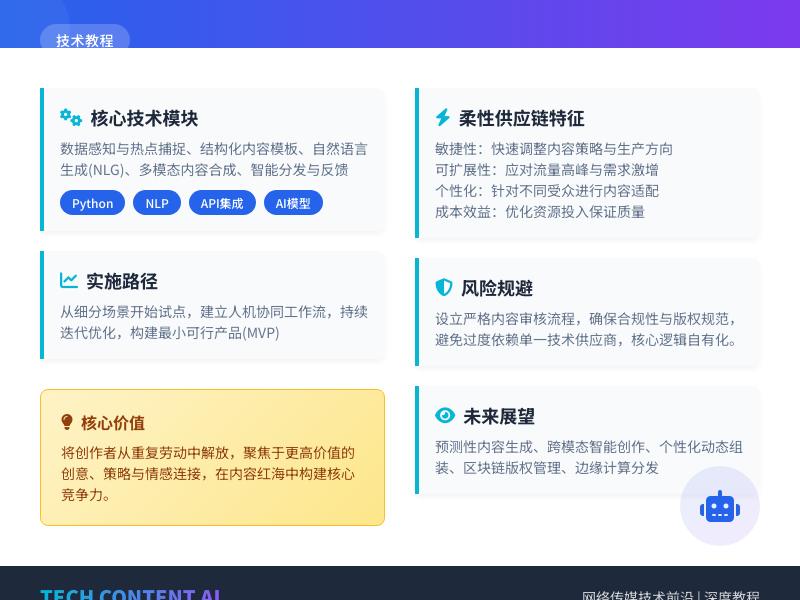
WordPress高级教程:开发集成在线问卷调研与可视化数据报告生成器 引言:WordPress作为企业级应用开发平台 WordPress早已超越了简单的博客系统范畴,成为功能强大的内容管理系统(CMS)和应用程序开发平台。全球超过43%的网站基于WordPress构建,其强大的插件架构和灵活的代码结构使其成为开发各种互联网小工具的理想选择。本教程将深入探讨如何通过WordPress代码二次开发,实现一个集在线问卷调研与可视化数据报告生成器于一体的高级功能模块。 在当今数据驱动的商业环境中,在线问卷调研和数据可视化分析已成为企业决策、市场研究和用户反馈收集的重要工具。通过将这些功能集成到WordPress网站中,我们可以为用户提供无缝的体验,同时利用WordPress强大的用户管理、权限控制和内容展示能力。 第一部分:项目架构设计与技术选型 1.1 系统需求分析 在开始开发之前,我们需要明确系统的核心需求: 问卷创建与管理:支持多种题型(单选、多选、文本输入、评分等) 问卷发布与收集:可通过短代码、小工具或独立页面嵌入 响应数据存储:高效存储和检索大量问卷响应数据 数据可视化:自动生成图表和报告 权限控制:基于WordPress角色系统的访问控制 数据导出:支持CSV、Excel和PDF格式导出 1.2 技术架构设计 我们将采用分层架构设计: 表现层 (Presentation Layer) ├── WordPress前端界面 ├── 管理后台界面 └── 可视化报告界面 业务逻辑层 (Business Logic Layer) ├── 问卷管理模块 ├── 响应处理模块 ├── 数据分析模块 └── 报告生成模块 数据访问层 (Data Access Layer) ├── WordPress自定义表 ├── 选项API (Options API) └── 文件系统(图表缓存) 基础服务层 (Infrastructure Layer) ├── WordPress核心API ├── 图表库(Chart.js或ECharts) └── PDF生成库 1.3 技术栈选择 核心框架:WordPress 5.8+ 前端图表库:Chart.js 3.x(轻量级且功能强大) PDF生成:TCPDF或Dompdf 数据导出:PhpSpreadsheet(用于Excel导出) AJAX处理:WordPress REST API + jQuery/Axios 数据库:MySQL 5.6+(与WordPress兼容) 第二部分:数据库设计与自定义表创建 2.1 自定义表设计 虽然WordPress提供了Posts和Post Meta表,但为了问卷数据的性能优化和规范化,我们将创建自定义表: -- 问卷主表 CREATE TABLE wp_surveys ( id BIGINT(20) UNSIGNED NOT NULL AUTO_INCREMENT, title VARCHAR(255) NOT NULL, description TEXT, status ENUM('draft', 'published', 'closed') DEFAULT 'draft', settings LONGTEXT, -- JSON格式存储配置 created_by BIGINT(20) UNSIGNED, created_at DATETIME DEFAULT CURRENT_TIMESTAMP, updated_at DATETIME DEFAULT CURRENT_TIMESTAMP ON UPDATE CURRENT_TIMESTAMP, PRIMARY KEY (id), KEY status_idx (status), KEY created_by_idx (created_by) ); -- 问卷问题表 CREATE TABLE wp_survey_questions ( id BIGINT(20) UNSIGNED NOT NULL AUTO_INCREMENT, survey_id BIGINT(20) UNSIGNED NOT NULL, question_text TEXT NOT NULL, question_type ENUM('single_choice', 'multiple_choice', 'text', 'rating', 'likert') NOT NULL, options LONGTEXT, -- JSON格式存储选项 is_required BOOLEAN DEFAULT FALSE, sort_order INT(11) DEFAULT 0, settings LONGTEXT, PRIMARY KEY (id), KEY survey_id_idx (survey_id), FOREIGN KEY (survey_id) REFERENCES wp_surveys(id) ON DELETE CASCADE ); -- 问卷响应表 CREATE TABLE wp_survey_responses ( id BIGINT(20) UNSIGNED NOT NULL AUTO_INCREMENT, survey_id BIGINT(20) UNSIGNED NOT NULL, respondent_ip VARCHAR(45), respondent_user_id BIGINT(20) UNSIGNED, started_at DATETIME, completed_at DATETIME, time_spent INT(11), -- 单位:秒 metadata LONGTEXT, PRIMARY KEY (id), KEY survey_id_idx (survey_id), KEY respondent_user_id_idx (respondent_user_id), FOREIGN KEY (survey_id) REFERENCES wp_surveys(id) ON DELETE CASCADE ); -- 响应答案表 CREATE TABLE wp_survey_answers ( id BIGINT(20) UNSIGNED NOT NULL AUTO_INCREMENT, response_id BIGINT(20) UNSIGNED NOT NULL, question_id BIGINT(20) UNSIGNED NOT NULL, answer_text TEXT, answer_value TEXT, PRIMARY KEY (id), KEY response_id_idx (response_id), KEY question_id_idx (question_id), FOREIGN KEY (response_id) REFERENCES wp_survey_responses(id) ON DELETE CASCADE, FOREIGN KEY (question_id) REFERENCES wp_survey_questions(id) ON DELETE CASCADE ); 2.2 数据库操作类实现 创建数据库操作类,封装所有数据库交互逻辑: <?php /** * 问卷系统数据库操作类 */ class Survey_DB_Manager { private static $instance = null; private $wpdb; private $charset_collate; private $table_prefix; // 表名常量 const TABLE_SURVEYS = 'surveys'; const TABLE_QUESTIONS = 'survey_questions'; const TABLE_RESPONSES = 'survey_responses'; const TABLE_ANSWERS = 'survey_answers'; private function __construct() { global $wpdb; $this->wpdb = $wpdb; $this->table_prefix = $wpdb->prefix . 'survey_'; $this->charset_collate = $wpdb->get_charset_collate(); } public static function get_instance() { if (null === self::$instance) { self::$instance = new self(); } return self::$instance; } /** * 创建或更新数据库表 */ public function create_tables() { require_once(ABSPATH . 'wp-admin/includes/upgrade.php'); $sql = array(); // 创建问卷主表 $sql[] = "CREATE TABLE {$this->table_prefix}surveys ( id BIGINT(20) UNSIGNED NOT NULL AUTO_INCREMENT, title VARCHAR(255) NOT NULL, description TEXT, status ENUM('draft', 'published', 'closed') DEFAULT 'draft', settings LONGTEXT, created_by BIGINT(20) UNSIGNED, created_at DATETIME DEFAULT CURRENT_TIMESTAMP, updated_at DATETIME DEFAULT CURRENT_TIMESTAMP ON UPDATE CURRENT_TIMESTAMP, PRIMARY KEY (id), KEY status_idx (status), KEY created_by_idx (created_by) ) {$this->charset_collate};"; // 创建其他表的SQL语句... // 执行所有SQL foreach ($sql as $query) { dbDelta($query); } // 更新数据库版本 update_option('survey_db_version', '1.0.0'); } /** * 获取问卷列表 */ public function get_surveys($args = array()) { $defaults = array( 'status' => 'published', 'per_page' => 10, 'page' => 1, 'orderby' => 'created_at', 'order' => 'DESC' ); $args = wp_parse_args($args, $defaults); $offset = ($args['page'] - 1) * $args['per_page']; $where = array('1=1'); $prepare_values = array(); if (!empty($args['status'])) { $where[] = 'status = %s'; $prepare_values[] = $args['status']; } if (!empty($args['created_by'])) { $where[] = 'created_by = %d'; $prepare_values[] = $args['created_by']; } $where_clause = implode(' AND ', $where); $query = "SELECT * FROM {$this->table_prefix}surveys WHERE {$where_clause} ORDER BY {$args['orderby']} {$args['order']} LIMIT %d OFFSET %d"; $prepare_values[] = $args['per_page']; $prepare_values[] = $offset; return $this->wpdb->get_results( $this->wpdb->prepare($query, $prepare_values) ); } /** * 保存问卷响应 */ public function save_response($survey_id, $answers, $user_id = null) { $this->wpdb->query('START TRANSACTION'); try { // 插入响应记录 $response_data = array( 'survey_id' => $survey_id, 'respondent_user_id' => $user_id, 'respondent_ip' => $this->get_client_ip(), 'started_at' => current_time('mysql'), 'completed_at' => current_time('mysql'), 'metadata' => json_encode(array( 'user_agent' => $_SERVER['HTTP_USER_AGENT'] ?? '', 'referer' => $_SERVER['HTTP_REFERER'] ?? '' )) ); $this->wpdb->insert( $this->table_prefix . 'responses', $response_data ); $response_id = $this->wpdb->insert_id; // 保存每个问题的答案 foreach ($answers as $question_id => $answer) { $answer_data = array( 'response_id' => $response_id, 'question_id' => $question_id, 'answer_text' => is_array($answer) ? json_encode($answer) : $answer, 'answer_value' => is_array($answer) ? implode(',', $answer) : $answer ); $this->wpdb->insert( $this->table_prefix . 'answers', $answer_data ); } $this->wpdb->query('COMMIT'); return $response_id; } catch (Exception $e) { $this->wpdb->query('ROLLBACK'); error_log('保存问卷响应失败: ' . $e->getMessage()); return false; } } /** * 获取客户端IP地址 */ private function get_client_ip() { $ip_keys = array('HTTP_CLIENT_IP', 'HTTP_X_FORWARDED_FOR', 'HTTP_X_FORWARDED', 'HTTP_X_CLUSTER_CLIENT_IP', 'HTTP_FORWARDED_FOR', 'HTTP_FORWARDED', 'REMOTE_ADDR'); foreach ($ip_keys as $key) { if (array_key_exists($key, $_SERVER) === true) { foreach (explode(',', $_SERVER[$key]) as $ip) { $ip = trim($ip); if (filter_var($ip, FILTER_VALIDATE_IP, FILTER_FLAG_NO_PRIV_RANGE | FILTER_FLAG_NO_RES_RANGE) !== false) { return $ip; } } } } return $_SERVER['REMOTE_ADDR'] ?? '0.0.0.0'; } /** * 获取问卷统计数据 */ public function get_survey_stats($survey_id) { $stats = array(); // 获取响应总数 $stats['total_responses'] = (int) $this->wpdb->get_var( $this->wpdb->prepare( "SELECT COUNT(*) FROM {$this->table_prefix}responses WHERE survey_id = %d", $survey_id ) ); // 获取最近7天的响应趋势 $stats['response_trend'] = $this->wpdb->get_results( $this->wpdb->prepare( "SELECT DATE(completed_at) as date, COUNT(*) as count FROM {$this->table_prefix}responses WHERE survey_id = %d AND completed_at >= DATE_SUB(NOW(), INTERVAL 7 DAY) GROUP BY DATE(completed_at) ORDER BY date ASC", $survey_id ) ); return $stats; } } ?> 第三部分:问卷系统核心功能开发 3.1 问卷创建与管理模块 创建问卷管理类,处理问卷的CRUD操作: <?php /** * 问卷管理类 */ class Survey_Manager { private $db; public function __construct() { $this->db = Survey_DB_Manager::get_instance(); } /** * 创建新问卷 */ public function create_survey($data) { $defaults = array( 'title' => '新问卷', 'description' => '', 'status' => 'draft', 'settings' => array( 'allow_multiple_responses' => false, 'require_login' => false, 'show_progress' => true, 'thank_you_message' => '感谢您的参与!' ) ); $data = wp_parse_args($data, $defaults); // 验证数据 if (empty($data['title'])) { return new WP_Error('empty_title', '问卷标题不能为空'); } // 获取当前用户ID $current_user_id = get_current_user_id(); $survey_data = array( 'title' => sanitize_text_field($data['title']), 'description' => wp_kses_post($data['description']), 'status' => in_array($data['status'], array('draft', 'published', 'closed')) ? $data['status'] : 'draft', 'settings' => json_encode($data['settings']), 'created_by' => $current_user_id ); // 插入数据库 global $wpdb; $table_name = $wpdb->prefix . 'survey_surveys'; $result = $wpdb->insert($table_name, $survey_data); if ($result === false) { return new WP_Error('db_error', '创建问卷失败'); } $survey_id = $wpdb->insert_id; // 记录操作日志 $this->log_activity($survey_id, 'create', '创建问卷'); return $survey_id; } /** * 添加问题到问卷 */ public function add_question($survey_id, $question_data) { // 验证问卷是否存在 if (!$this->survey_exists($survey_id)) { return new WP_Error('not_found', '问卷不存在'); } $defaults = array( 'question_text' => '', 'question_type' => 'single_choice', 'options' => array(), 'is_required' => false, 'settings' => array() ); $question_data = wp_parse_args($question_data, $defaults); // 根据问题类型验证选项 $validation_result = $this->validate_question($question_data); if (is_wp_error($validation_result)) { return $validation_result; } // 获取排序值 $sort_order = $this->get_next_sort_order($survey_id); $question = array( 'survey_id' => $survey_id, 'question_text' => sanitize_text_field($question_data['question_text']), 'question_type' => $question_data['question_type'], 'options' => json_encode($question_data['options']), 'is_required' => (bool) $question_data['is_required'], 'sort_order' => $sort_order, 'settings' => json_encode($question_data['settings']) ); global $wpdb; $table_name = $wpdb->prefix . 'survey_questions'; $result = $wpdb->insert($table_name, $question); if ($result === false) { return new WP_Error('db_error', '添加问题失败'); } $question_id = $wpdb->insert_id; // 记录操作日志 $this->log_activity($survey_id, 'add_question', '添加问题: ' . $question_data['question_text']); return $question_id; } /** * 验证问题数据 */ private function validate_question($question_data) { if (empty($question_data['question_text'])) { return new WP_Error('empty_question', '问题内容不能为空'); } $allowed_types = array('single_choice', 'multiple_choice', 'text', 'rating', 'likert'); if (!in_array($question_data['question_type'], $allowed_types)) { return new WP_Error('invalid_type', '无效的问题类型'); } // 对于选择题,验证选项 if (in_array($question_data['question_type'], array('single_choice', 'multiple_choice'))) { if (empty($question_data['options']) || !is_array($question_data['options'])) { return new WP_Error('empty_options', '选择题必须提供选项'); } // 验证每个选项 foreach ($question_data['options'] as $option) { if (empty(trim($option['text']))) { return new WP_Error('empty_option_text', '选项文本不能为空'); } } } return true; } /** * 获取下一个排序值 */ private function get_next_sort_order($survey_id) { global $wpdb; $table_name = $wpdb->prefix . 'survey_questions'; $max_sort = $wpdb->get_var( $wpdb->prepare( 第三部分:问卷系统核心功能开发(续) 3.2 问卷前端展示与提交处理 创建问卷前端渲染和提交处理类: <?php /** * 问卷前端展示类 */ class Survey_Frontend { private $db; private $survey_manager; public function __construct() { $this->db = Survey_DB_Manager::get_instance(); $this->survey_manager = new Survey_Manager(); add_shortcode('survey', array($this, 'render_survey_shortcode')); add_action('wp_enqueue_scripts', array($this, 'enqueue_frontend_scripts')); add_action('wp_ajax_submit_survey', array($this, 'handle_survey_submission')); add_action('wp_ajax_nopriv_submit_survey', array($this, 'handle_survey_submission')); } /** * 注册前端脚本和样式 */ public function enqueue_frontend_scripts() { // 问卷样式 wp_enqueue_style( 'survey-frontend-style', plugin_dir_url(__FILE__) . 'assets/css/survey-frontend.css', array(), '1.0.0' ); // 问卷脚本 wp_enqueue_script( 'survey-frontend-script', plugin_dir_url(__FILE__) . 'assets/js/survey-frontend.js', array('jquery'), '1.0.0', true ); // 本地化脚本 wp_localize_script('survey-frontend-script', 'survey_ajax', array( 'ajax_url' => admin_url('admin-ajax.php'), 'nonce' => wp_create_nonce('survey_nonce') )); } /** * 渲染问卷短代码 */ public function render_survey_shortcode($atts) { $atts = shortcode_atts(array( 'id' => 0, 'title' => true, 'description' => true ), $atts, 'survey'); $survey_id = intval($atts['id']); if (!$survey_id) { return '<div class="survey-error">请指定问卷ID</div>'; } // 获取问卷数据 $survey = $this->get_survey($survey_id); if (!$survey) { return '<div class="survey-error">问卷不存在或已被删除</div>'; } // 检查问卷状态 if ($survey->status !== 'published') { return '<div class="survey-error">该问卷当前不可用</div>'; } // 检查用户权限 $settings = json_decode($survey->settings, true); if ($settings['require_login'] && !is_user_logged_in()) { return '<div class="survey-login-required">请先登录以参与此问卷</div>'; } // 检查是否允许重复提交 if (!$settings['allow_multiple_responses'] && $this->has_user_responded($survey_id)) { return '<div class="survey-already-responded">您已经参与过此问卷,感谢您的参与!</div>'; } // 获取问卷问题 $questions = $this->get_survey_questions($survey_id); // 渲染问卷HTML ob_start(); ?> <div class="survey-container" data-survey-id="<?php echo esc_attr($survey_id); ?>"> <?php if ($atts['title']): ?> <div class="survey-header"> <h2 class="survey-title"><?php echo esc_html($survey->title); ?></h2> <?php if ($atts['description'] && !empty($survey->description)): ?> <div class="survey-description"> <?php echo wp_kses_post($survey->description); ?> </div> <?php endif; ?> </div> <?php endif; ?> <form id="survey-form-<?php echo esc_attr($survey_id); ?>" class="survey-form"> <div class="survey-questions"> <?php foreach ($questions as $index => $question): ?> <div class="survey-question" data-question-id="<?php echo esc_attr($question->id); ?>" data-question-type="<?php echo esc_attr($question->question_type); ?>"> <div class="question-header"> <h3 class="question-title"> <?php echo ($index + 1) . '. ' . esc_html($question->question_text); ?> <?php if ($question->is_required): ?> <span class="required-indicator">*</span> <?php endif; ?> </h3> </div> <div class="question-body"> <?php echo $this->render_question_field($question); ?> </div> <?php if ($settings['show_progress']): ?> <div class="question-progress"> <div class="progress-bar"> <div class="progress-fill" style="width: <?php echo (($index + 1) / count($questions)) * 100; ?>%"></div> </div> <div class="progress-text"> 问题 <?php echo $index + 1; ?> / <?php echo count($questions); ?> </div> </div> <?php endif; ?> </div> <?php endforeach; ?> </div> <div class="survey-footer"> <div class="form-actions"> <button type="submit" class="survey-submit-btn"> <span class="btn-text">提交问卷</span> <span class="spinner" style="display: none;"></span> </button> <button type="button" class="survey-clear-btn">清除答案</button> </div> <div class="required-notice"> <span class="required-indicator">*</span> 表示必填问题 </div> </div> <div class="survey-messages" style="display: none;"></div> </form> <div class="survey-thank-you" style="display: none;"> <div class="thank-you-content"> <?php echo wp_kses_post($settings['thank_you_message']); ?> </div> </div> </div> <?php return ob_get_clean(); } /** * 渲染问题字段 */ private function render_question_field($question) { $options = json_decode($question->options, true); $html = ''; switch ($question->question_type) { case 'single_choice': $html .= '<div class="single-choice-options">'; foreach ($options as $option) { $html .= sprintf( '<label class="option-label"><input type="radio" name="question_%s" value="%s" %s> %s</label>', esc_attr($question->id), esc_attr($option['value']), $question->is_required ? 'required' : '', esc_html($option['text']) ); } $html .= '</div>'; break; case 'multiple_choice': $html .= '<div class="multiple-choice-options">'; foreach ($options as $option) { $html .= sprintf( '<label class="option-label"><input type="checkbox" name="question_%s[]" value="%s"> %s</label>', esc_attr($question->id), esc_attr($option['value']), esc_html($option['text']) ); } $html .= '</div>'; break; case 'text': $html .= sprintf( '<textarea name="question_%s" rows="4" %s placeholder="请输入您的回答..."></textarea>', esc_attr($question->id), $question->is_required ? 'required' : '' ); break; case 'rating': $max_rating = isset($options['max_rating']) ? intval($options['max_rating']) : 5; $html .= '<div class="rating-options">'; for ($i = 1; $i <= $max_rating; $i++) { $html .= sprintf( '<label class="rating-label"><input type="radio" name="question_%s" value="%d" %s> %d</label>', esc_attr($question->id), $i, $question->is_required ? 'required' : '', $i ); } $html .= '</div>'; break; case 'likert': $html .= '<table class="likert-table">'; $html .= '<thead><tr><th></th>'; foreach ($options['scale'] as $scale_item) { $html .= '<th>' . esc_html($scale_item) . '</th>'; } $html .= '</tr></thead><tbody>'; foreach ($options['items'] as $item) { $html .= '<tr>'; $html .= '<td class="likert-item">' . esc_html($item) . '</td>'; foreach ($options['scale'] as $index => $scale_item) { $html .= sprintf( '<td><input type="radio" name="question_%s[%s]" value="%d"></td>', esc_attr($question->id), esc_attr($item), $index ); } $html .= '</tr>'; } $html .= '</tbody></table>'; break; } return $html; } /** * 处理问卷提交 */ public function handle_survey_submission() { // 验证nonce if (!check_ajax_referer('survey_nonce', 'nonce', false)) { wp_die(json_encode(array( 'success' => false, 'message' => '安全验证失败' ))); } // 获取提交数据 $survey_id = intval($_POST['survey_id']); $answers = isset($_POST['answers']) ? $_POST['answers'] : array(); // 验证问卷 $survey = $this->get_survey($survey_id); if (!$survey || $survey->status !== 'published') { wp_die(json_encode(array( 'success' => false, 'message' => '问卷不存在或已关闭' ))); } // 验证必填问题 $questions = $this->get_survey_questions($survey_id); $errors = array(); foreach ($questions as $question) { if ($question->is_required) { $question_id = $question->id; if (!isset($answers[$question_id]) || empty($answers[$question_id])) { $errors[] = sprintf('问题 "%s" 是必填项', $question->question_text); } } } if (!empty($errors)) { wp_die(json_encode(array( 'success' => false, 'message' => implode('<br>', $errors) ))); } // 获取当前用户ID $user_id = is_user_logged_in() ? get_current_user_id() : null; // 保存响应 $response_id = $this->db->save_response($survey_id, $answers, $user_id); if ($response_id) { // 发送成功响应 wp_die(json_encode(array( 'success' => true, 'message' => '问卷提交成功', 'response_id' => $response_id ))); } else { wp_die(json_encode(array( 'success' => false, 'message' => '提交失败,请稍后重试' ))); } } /** * 检查用户是否已经参与过问卷 */ private function has_user_responded($survey_id) { if (!is_user_logged_in()) { return false; } $user_id = get_current_user_id(); global $wpdb; $table_name = $wpdb->prefix . 'survey_responses'; $count = $wpdb->get_var($wpdb->prepare( "SELECT COUNT(*) FROM $table_name WHERE survey_id = %d AND respondent_user_id = %d", $survey_id, $user_id )); return $count > 0; } /** * 获取问卷数据 */ private function get_survey($survey_id) { global $wpdb; $table_name = $wpdb->prefix . 'survey_surveys'; return $wpdb->get_row($wpdb->prepare( "SELECT * FROM $table_name WHERE id = %d", $survey_id )); } /** * 获取问卷问题 */ private function get_survey_questions($survey_id) { global $wpdb; $table_name = $wpdb->prefix . 'survey_questions'; return $wpdb->get_results($wpdb->prepare( "SELECT * FROM $table_name WHERE survey_id = %d ORDER BY sort_order ASC", $survey_id )); } } ?> 3.3 前端JavaScript交互 创建前端JavaScript文件处理表单交互: // assets/js/survey-frontend.js (function($) { 'use strict'; // 问卷表单处理 class SurveyForm { constructor(formElement) { this.form = formElement; this.surveyId = formElement.closest('.survey-container').dataset.surveyId; this.submitBtn = formElement.querySelector('.survey-submit-btn'); this.clearBtn = formElement.querySelector('.survey-clear-btn'); this.messagesContainer = formElement.querySelector('.survey-messages'); this.thankYouContainer = formElement.closest('.survey-container').querySelector('.survey-thank-you'); this.init(); } init() { // 绑定事件 this.form.addEventListener('submit', this.handleSubmit.bind(this)); if (this.clearBtn) { this.clearBtn.addEventListener('click', this.handleClear.bind(this)); } // 初始化验证 this.initValidation(); // 初始化进度跟踪 this.initProgressTracking(); } initValidation() { // 实时验证 const inputs = this.form.querySelectorAll('input, textarea, select'); inputs.forEach(input => { input.addEventListener('blur', this.validateField.bind(this)); input.addEventListener('change', this.validateField.bind(this)); }); } initProgressTracking() { const questions = this.form.querySelectorAll('.survey-question'); if (questions.length === 0) return; // 跟踪已回答的问题 const updateProgress = () => { let answeredCount = 0; questions.forEach(question => { const inputs = question.querySelectorAll('input, textarea, select'); let isAnswered = false; inputs.forEach(input => { if (input.type === 'checkbox' || input.type === 'radio') { if (input.checked) isAnswered = true; } else if (input.type === 'text' || input.tagName === 'TEXTAREA' || input.tagName === 'SELECT') { if (input.value.trim() !== '') isAnswered = true; } }); if (isAnswered) answeredCount++; }); // 更新进度条 const progressFill = this.form.querySelector('.progress-fill'); if (progressFill) { const progress = (answeredCount / questions.length) * 100; progressFill.style.width = progress + '%'; } }; // 监听所有输入变化 this.form.addEventListener('input', updateProgress); this.form.addEventListener('change', updateProgress); // 初始更新 updateProgress(); } validateField(event) { const field = event.target; const question = field.closest('.survey-question'); if (!question) return; const isRequired = question.querySelector('.required-indicator') !== null; if (isRequired) { let isValid = true; const questionId = question.dataset.questionId; const questionType = question.dataset.questionType; switch (questionType) { case 'single_choice': const radios = question.querySelectorAll('input[type="radio"]'); isValid = Array.from(radios).some(radio => radio.checked); break; case 'multiple_choice': const checkboxes = question.querySelectorAll('input[type="checkbox"]:checked'); isValid = checkboxes.length > 0; break; case 'text': isValid = field.value.trim() !== ''; break; case 'rating': const ratingRadios = question.querySelectorAll('input[type="radio"]'); isValid = Array.from(ratingRadios).some(radio => radio.checked); break; } if (!isValid) { question.classList.add('has-error'); } else { question.classList.remove('has-error'); } } } collectFormData() { const formData = new FormData(); formData.append('action', 'submit_survey'); formData.append('nonce', survey_ajax.nonce); formData.append('survey_id', this.surveyId); const answers = {}; const questions = this.form.querySelectorAll('.survey-question'); questions.forEach(question => { const questionId = question.dataset.questionId; const questionType = question.dataset.questionType; switch (questionType) { case 'single_choice': const selectedRadio = question.querySelector('input[type="radio"]:checked'); if (selectedRadio) { answers[questionId] = selectedRadio.value; } break; case 'multiple_choice': const selectedCheckboxes = question.querySelectorAll('input[type="checkbox"]:checked'); const checkboxValues = Array.from(selectedCheckboxes).map(cb => cb.value); answers[questionId] = checkboxValues; break; case 'text': const textarea = question.querySelector('textarea'); if (textarea) { answers[questionId] = textarea.value.trim(); } break;
发表评论