一步步教你,为WordPress添加网站性能监控与告警功能 引言:为什么WordPress网站需要性能监控与告警 在当今数字化时代,网站性能直接影响用户体验、搜索引擎排名和业务转化率。根据Google的研究,页面加载时间每增加1秒,移动端跳出率就会增加20%。对于基于WordPress构建的网站而言,随着插件、主题和内容的不断增加,性能问题往往悄然而至。 许多WordPress站长依赖第三方监控服务,但这些服务往往价格昂贵,且无法深度集成到WordPress管理后台。通过代码二次开发,我们可以为WordPress添加自定义的性能监控与告警功能,不仅能节省成本,还能根据具体需求定制监控指标和告警规则。 本文将详细指导您如何通过WordPress代码二次开发,实现一个完整的网站性能监控与告警系统,涵盖从基础监控到高级告警功能的完整实现过程。 第一部分:准备工作与环境配置 1.1 理解WordPress钩子机制 WordPress的强大之处在于其完善的钩子(Hooks)系统,包括动作(Actions)和过滤器(Filters)。我们的性能监控系统将大量使用这些钩子来插入监控代码。 // 示例:WordPress钩子的基本使用 add_action('init', 'my_monitoring_init'); function my_monitoring_init() { // 初始化监控系统 } add_filter('the_content', 'my_content_monitor'); function my_content_monitor($content) { // 监控内容加载 return $content; } 1.2 创建专用插件目录结构 为了保持代码的整洁和可维护性,我们创建一个独立的插件来实现监控功能: wp-performance-monitor/ ├── performance-monitor.php # 主插件文件 ├── includes/ │ ├── class-monitor-core.php # 监控核心类 │ ├── class-alert-system.php # 告警系统类 │ ├── class-dashboard-widget.php # 仪表板小工具 │ └── class-data-storage.php # 数据存储类 ├── assets/ │ ├── css/ │ │ └── admin-styles.css # 管理界面样式 │ └── js/ │ └── admin-scripts.js # 管理界面脚本 ├── templates/ │ └── admin-dashboard.php # 管理面板模板 └── vendor/ # 第三方库(如果需要) 1.3 主插件文件配置 创建主插件文件 performance-monitor.php: <?php /** * Plugin Name: WordPress性能监控与告警系统 * Plugin URI: https://yourwebsite.com/ * Description: 为WordPress添加网站性能监控与告警功能 * Version: 1.0.0 * Author: 您的名称 * License: GPL v2 or later * Text Domain: wp-performance-monitor */ // 防止直接访问 if (!defined('ABSPATH')) { exit; } // 定义插件常量 define('WPPM_VERSION', '1.0.0'); define('WPPM_PLUGIN_DIR', plugin_dir_path(__FILE__)); define('WPPM_PLUGIN_URL', plugin_dir_url(__FILE__)); define('WPPM_CAPABILITY', 'manage_options'); // 自动加载类文件 spl_autoload_register(function ($class_name) { $prefix = 'WPPM_'; $base_dir = WPPM_PLUGIN_DIR . 'includes/'; if (strpos($class_name, $prefix) !== 0) { return; } $relative_class = substr($class_name, strlen($prefix)); $file = $base_dir . 'class-' . str_replace('_', '-', strtolower($relative_class)) . '.php'; if (file_exists($file)) { require_once $file; } }); // 初始化插件 function wppm_init_plugin() { // 检查WordPress版本 if (version_compare(get_bloginfo('version'), '5.0', '<')) { add_action('admin_notices', function() { echo '<div class="notice notice-error"><p>'; echo __('WordPress性能监控插件需要WordPress 5.0或更高版本。', 'wp-performance-monitor'); echo '</p></div>'; }); return; } // 初始化核心组件 WPPM_Monitor_Core::get_instance(); WPPM_Alert_System::get_instance(); // 如果是管理后台,初始化管理界面 if (is_admin()) { WPPM_Dashboard_Widget::get_instance(); } } add_action('plugins_loaded', 'wppm_init_plugin'); // 插件激活钩子 register_activation_hook(__FILE__, 'wppm_activate_plugin'); function wppm_activate_plugin() { // 创建必要的数据库表 wppm_create_database_tables(); // 设置默认选项 $default_options = array( 'monitoring_enabled' => true, 'alert_enabled' => true, 'performance_threshold' => 3, // 3秒 'uptime_monitoring' => true, 'data_retention_days' => 30, ); add_option('wppm_settings', $default_options); // 添加定时任务 if (!wp_next_scheduled('wppm_daily_maintenance')) { wp_schedule_event(time(), 'daily', 'wppm_daily_maintenance'); } } // 插件停用钩子 register_deactivation_hook(__FILE__, 'wppm_deactivate_plugin'); function wppm_deactivate_plugin() { // 清除定时任务 wp_clear_scheduled_hook('wppm_daily_maintenance'); } 第二部分:核心监控功能实现 2.1 页面加载时间监控 页面加载时间是衡量网站性能的关键指标。我们将通过测量WordPress核心加载时间、主题初始化和页面渲染时间来实现全面监控。 // includes/class-monitor-core.php class WPPM_Monitor_Core { private static $instance = null; private $start_time; private $memory_start; public static function get_instance() { if (null === self::$instance) { self::$instance = new self(); } return self::$instance; } private function __construct() { $this->start_time = microtime(true); $this->memory_start = memory_get_usage(); // 在WordPress加载的不同阶段添加监控点 add_action('init', array($this, 'track_init_time')); add_action('wp_loaded', array($this, 'track_wp_loaded_time')); add_action('wp', array($this, 'track_wp_time')); add_action('shutdown', array($this, 'track_shutdown_time')); // 监控数据库查询 add_filter('query', array($this, 'track_database_query')); // 监控内存使用 add_action('shutdown', array($this, 'track_memory_usage')); } public function track_init_time() { $this->add_performance_point('init', 'WordPress初始化完成'); } public function track_wp_loaded_time() { $this->add_performance_point('wp_loaded', 'WordPress完全加载'); } public function track_wp_time() { $this->add_performance_point('wp', '主查询已设置'); } public function track_shutdown_time() { $total_time = microtime(true) - $this->start_time; $this->add_performance_point('shutdown', '页面完全渲染', $total_time); // 保存性能数据 $this->save_performance_data($total_time); } private function add_performance_point($stage, $description, $custom_time = null) { $time = $custom_time ?: (microtime(true) - $this->start_time); // 存储到全局变量中,供后续使用 global $wppm_performance_data; if (!isset($wppm_performance_data)) { $wppm_performance_data = array(); } $wppm_performance_data[$stage] = array( 'time' => round($time, 4), 'description' => $description, 'timestamp' => current_time('mysql') ); } public function track_database_query($query) { if (defined('SAVEQUERIES') && SAVEQUERIES) { // WordPress已启用查询保存,我们可以直接使用 return $query; } // 简单查询监控(不记录查询内容以保护隐私) global $wppm_db_queries; if (!isset($wppm_db_queries)) { $wppm_db_queries = 0; } $wppm_db_queries++; return $query; } public function track_memory_usage() { $memory_end = memory_get_usage(); $memory_peak = memory_get_peak_usage(); $memory_used = $memory_end - $this->memory_start; global $wppm_performance_data; if (!isset($wppm_performance_data)) { $wppm_performance_data = array(); } $wppm_performance_data['memory'] = array( 'used' => $this->format_bytes($memory_used), 'peak' => $this->format_bytes($memory_peak), 'limit' => ini_get('memory_limit') ); } private function save_performance_data($total_time) { global $wppm_performance_data, $wppm_db_queries; // 获取当前页面信息 $current_url = home_url($_SERVER['REQUEST_URI']); $is_admin = is_admin(); $user_role = 'guest'; if (is_user_logged_in()) { $user = wp_get_current_user(); $user_role = implode(',', $user->roles); } // 准备性能数据 $performance_data = array( 'url' => $current_url, 'total_time' => $total_time, 'is_admin' => $is_admin, 'user_role' => $user_role, 'performance_points' => $wppm_performance_data, 'db_queries' => $wppm_db_queries ?? 0, 'timestamp' => current_time('mysql'), 'server_load' => function_exists('sys_getloadavg') ? sys_getloadavg()[0] : 0 ); // 保存到数据库 $this->store_performance_record($performance_data); // 检查是否触发告警 $this->check_performance_alerts($performance_data); } private function store_performance_record($data) { global $wpdb; $table_name = $wpdb->prefix . 'wppm_performance_logs'; $wpdb->insert( $table_name, array( 'url' => substr($data['url'], 0, 500), 'total_time' => $data['total_time'], 'is_admin' => $data['is_admin'] ? 1 : 0, 'user_role' => $data['user_role'], 'performance_data' => maybe_serialize($data['performance_points']), 'db_queries' => $data['db_queries'], 'server_load' => $data['server_load'], 'created_at' => $data['timestamp'] ), array('%s', '%f', '%d', '%s', '%s', '%d', '%f', '%s') ); } private function format_bytes($bytes, $precision = 2) { $units = array('B', 'KB', 'MB', 'GB', 'TB'); $bytes = max($bytes, 0); $pow = floor(($bytes ? log($bytes) : 0) / log(1024)); $pow = min($pow, count($units) - 1); $bytes /= pow(1024, $pow); return round($bytes, $precision) . ' ' . $units[$pow]; } } 2.2 数据库性能监控 数据库是WordPress网站性能的关键瓶颈之一。我们需要监控查询数量、慢查询和数据库连接时间。 // 扩展监控核心类,添加数据库监控 class WPPM_DB_Monitor { private $queries = array(); private $slow_query_threshold = 0.1; // 100毫秒 public function __construct() { // 如果SAVEQUERIES未启用,我们需要自己监控 if (!defined('SAVEQUERIES') || !SAVEQUERIES) { add_filter('query', array($this, 'capture_query')); } add_action('shutdown', array($this, 'analyze_queries')); } public function capture_query($query) { $start_time = microtime(true); // 执行查询并计算时间 $result = $this->execute_query($query); $end_time = microtime(true); $execution_time = $end_time - $start_time; // 记录查询信息 $this->queries[] = array( 'query' => $this->sanitize_query($query), 'time' => $execution_time, 'trace' => $this->get_query_trace(), 'timestamp' => microtime(true) ); return $result; } public function analyze_queries() { if (empty($this->queries)) { return; } $total_query_time = 0; $slow_queries = array(); foreach ($this->queries as $query) { $total_query_time += $query['time']; if ($query['time'] > $this->slow_query_threshold) { $slow_queries[] = $query; } } // 保存分析结果 $this->save_query_analysis($total_query_time, $slow_queries); } private function save_query_analysis($total_time, $slow_queries) { global $wpdb; $table_name = $wpdb->prefix . 'wppm_query_logs'; $wpdb->insert( $table_name, array( 'total_queries' => count($this->queries), 'total_query_time' => $total_time, 'slow_queries' => maybe_serialize($slow_queries), 'average_query_time' => count($this->queries) > 0 ? $total_time / count($this->queries) : 0, 'created_at' => current_time('mysql') ), array('%d', '%f', '%s', '%f', '%s') ); } private function sanitize_query($query) { // 移除敏感数据(如密码) $query = preg_replace('/passwords*=s*'.*?'/i', "password = '***'", $query); $query = preg_replace('/passwords*=s*".*?"/i', 'password = "***"', $query); return substr($query, 0, 1000); // 限制长度 } private function get_query_trace() { $trace = debug_backtrace(DEBUG_BACKTRACE_IGNORE_ARGS, 10); $simplified_trace = array(); foreach ($trace as $item) { if (isset($item['file']) && strpos($item['file'], 'wp-content') !== false) { $simplified_trace[] = array( 'file' => str_replace(ABSPATH, '', $item['file']), 'line' => $item['line'] ?? 0, 'function' => $item['function'] ?? '' ); } } return $simplified_trace; } } 2.3 服务器资源监控 监控服务器资源使用情况,包括CPU、内存和磁盘空间。 // includes/class-server-monitor.php class WPPM_Server_Monitor { public static function get_server_stats() { $stats = array( 'cpu' => self::get_cpu_usage(), 'memory' => self::get_memory_usage(), 'disk' => self::get_disk_usage(), 'php' => self::get_php_stats(), 'mysql' => self::get_mysql_stats(), 'timestamp' => current_time('mysql') ); return $stats; } private static function get_cpu_usage() { if (!function_exists('sys_getloadavg')) { return array('error' => '无法获取CPU负载信息'); } $load = sys_getloadavg(); return array( '1min' => $load[0], '5min' => $load[1], '15min' => $load[2], 'cores' => self::get_cpu_cores() ); } private static function get_cpu_cores() { if (is_readable('/proc/cpuinfo')) { $cpuinfo = file_get_contents('/proc/cpuinfo'); preg_match_all('/^processor/m', $cpuinfo, $matches); return count($matches[0]); } // 备用方法 $cores = intval(shell_exec('nproc 2>/dev/null')); return $cores > 0 ? $cores : 1; } private static function get_memory_usage() { if (!is_readable('/proc/meminfo')) { return array('error' => '无法获取内存信息'); } $meminfo = file_get_contents('/proc/meminfo'); $memory = array(); preg_match('/MemTotal:s+(d+)/', $meminfo, $matches); $memory['total'] = $matches[1] ?? 0; preg_match('/MemFree:s+(d+)/', $meminfo, $matches); $memory['free'] = $matches[1] ?? 0; $memory['available'] = $matches[1] ?? 0; preg_match('/Cached:s+(d+)/', $meminfo, $matches); $memory['cached'] = $matches[1] ?? 0; // 计算使用率 if ($memory['total'] > 0) { $memory['used'] = $memory['total'] - $memory['available']; $memory['usage_percent'] = round(($memory['used'] / $memory['total']) * 100, 2); } return $memory; } private static function get_disk_usage() { $disk_total = disk_total_space(ABSPATH); $disk_free = disk_free_space(ABSPATH); if ($disk_total === false || $disk_free === false) { return array('error' => '无法获取磁盘信息'); } $disk_used = $disk_total - $disk_free; $usage_percent = ($disk_total > 0) ? round(($disk_used / $disk_total) * 100, 2) : 0; return array( 'total' => $disk_total, 'free' => $disk_free, 'used' => $disk_used, 'usage_percent' => $usage_percent, 'total_human' => self::format_bytes($disk_total), 'free_human' => self::format_bytes($disk_free), 'used_human' => self::format_bytes($disk_used) ); } private static function get_php_stats() { return array( 'version' => PHP_VERSION, 'memory_limit' => ini_get('memory_limit'), 'max_execution_time' => ini_get('max_execution_time'), 'upload_max_filesize' => ini_get('upload_max_filesize'), 'post_max_size' => ini_get('post_max_size'), 'extensions' => get_loaded_extensions() ); } private static function get_mysql_stats() { global $wpdb; $stats = array(); // 获取MySQL版本 $version = $wpdb->get_var("SELECT VERSION()"); $stats['version'] = $version; // 获取数据库大小 $db_name = DB_NAME; $size_query = $wpdb->get_row( "SELECT SUM(data_length + index_length) as size FROM information_schema.TABLES WHERE table_schema = '$db_name' GROUP BY table_schema" ); $stats['database_size'] = $size_query ? $size_query->size : 0; $stats['database_size_human'] = self::format_bytes($stats['database_size']); // 获取表状态 $tables = $wpdb->get_results("SHOW TABLE STATUS"); $stats['tables'] = count($tables); return $stats; } private static function format_bytes($bytes, $precision = 2) { $units = array('B', 'KB', 'MB', 'GB', 'TB'); $bytes = max($bytes, 0); $pow = floor(($bytes ? log($bytes) : 0) / log(1024)); $pow = min($pow, count($units) - 1); $bytes /= pow(1024, $pow); return round($bytes, $precision) . ' ' . $units[$pow]; } } ## 第三部分:告警系统实现 ### 3.1 告警规则配置与管理 // includes/class-alert-system.phpclass WPPM_Alert_System { private static $instance = null; private $alert_rules = array(); public static function get_instance() { if (null === self::$instance) { self::$instance = new self(); } return self::$instance; } private function __construct() { $this->load_alert_rules(); // 添加定时检查任务 add_action('wppm_check_alerts', array($this, 'check_all_alerts')); // 注册定时任务 if (!wp_next_scheduled('wppm_check_alerts')) { wp_schedule_event(time(), 'hourly', 'wppm_check_alerts'); } // 性能数据检查 add_action('shutdown', array($this, 'check_realtime_alerts')); } private function load_alert_rules() { $default_rules = array( 'performance' => array( 'enabled' => true, 'threshold' => 3, // 秒 'consecutive_failures' => 3, 'notification_channels' => array('email', 'dashboard') ), 'uptime' => array( 'enabled' => true, 'check_interval' => 300, // 5分钟 'timeout' => 10, 'notification_channels' => array('email', 'sms') ), 'server' => array( 'enabled' => true, 'cpu_threshold' => 80, // 百分比 'memory_threshold' => 85, 'disk_threshold' => 90, 'notification_channels' => array('email') ), 'errors' => array( 'enabled' => true, 'php_errors' => true, 'http_errors' => array(500, 502, 503, 504), 'notification_channels' => array('email', 'dashboard') ) ); $saved_rules = get_option('wppm_alert_rules', array()); $this->alert_rules = wp_parse_args($saved_rules, $default_rules); } public function check_realtime_alerts() { global $wppm_performance_data; if (empty($wppm_performance_data) || !isset($wppm_performance_data['shutdown'])) { return; } $total_time = $wppm_performance_data['shutdown']['time']; $threshold = $this->alert_rules['performance']['threshold']; if ($total_time > $threshold) { $this->trigger_alert('performance', array( 'page_url' => home_url($_SERVER['REQUEST_URI']), 'load_time' => $total_time, 'threshold' => $threshold, 'timestamp' => current_time('mysql') )); } } public function check_all_alerts() { $this->check_server_alerts(); $this->check_uptime_alerts(); $this->check_error_alerts(); $this->check_scheduled_performance_alerts(); } private function check_server_alerts() { if (!$this->alert_rules['server']['enabled']) { return; } $stats = WPPM_Server_Monitor::get_server_stats(); // 检查CPU使用率 if (isset($stats['cpu']['1min']) && $stats['cpu']['1min'] > $this->alert_rules['server']['cpu_threshold']) { $this->trigger_alert('server_cpu', array( 'current_usage' => $stats['cpu']['1min'], 'threshold' => $this->alert_rules['server']['cpu_threshold'], 'timestamp' => $stats['timestamp'] )); } // 检查内存使用率 if (isset($stats['memory']['usage_percent']) && $stats['memory']['usage_percent'] > $this->alert_rules['server']['memory_threshold']) { $this->trigger_alert('server_memory', array( 'current_usage' => $stats['memory']['usage_percent'], 'threshold' => $this->alert_rules['server']['memory_threshold'], 'total_memory' => $stats['memory']['total_human'] ?? 'N/A', 'timestamp' => $stats['timestamp'] )); } // 检查磁盘使用率 if (isset($stats['disk']['usage_percent']) && $stats['disk']['usage_percent'] > $this->alert_rules['server']['disk_threshold']) { $this->trigger_alert('server_disk', array( 'current_usage' => $stats['disk']['usage_percent'], 'threshold' => $this->alert_rules['server']['disk_threshold'], 'free_space' => $stats['disk']['free_human'] ?? 'N/A', 'timestamp' => $stats['timestamp'] )); } } private function check_uptime_alerts() { if (!$this->alert_rules['uptime']['enabled']) { return; } $site_url = home_url(); $timeout = $this->alert_rules['uptime']['timeout']; // 使用wp_remote_get检查网站可访问性 $response = wp_remote_get($site_url, array( 'timeout' => $timeout, 'sslverify' => false )); if (is_wp_error($response)) { $error_message = $response->get_error_message(); $this->trigger_alert('uptime', array( 'site_url' => $site_url, 'error' => $error_message, 'timestamp' => current_time('mysql') )); // 记录宕机时间 $this->log_downtime($site_url, $error_message); } else { $response_code = wp_remote_retrieve_response_code($response); if ($response_code >= 400) { $this->trigger_alert('http_error', array( 'site_url' => $site_url, 'status_code' => $response_code, 'timestamp' => current_time('mysql') )); } } } private function check_error_alerts() { if (!$this->alert_rules['errors']['enabled']) { return; } global $wpdb; // 检查最近的PHP错误 if ($this->alert_rules['errors']['php_errors']) { $error_log_path = ini_get('error_log'); if ($error_log_path && file_exists($error_log_path)) { $recent_errors = $this->get_recent_php_errors($error_log_path); if (!empty($recent_errors)) { $this->trigger_alert('php_errors', array( 'error_count' => count($recent_errors), 'recent_errors' => array_slice($recent_errors, 0, 5), 'timestamp' => current_time('mysql') )); } } } } private function check_scheduled_performance_alerts() { global $wpdb; $table_name = $wpdb->prefix . 'wppm_performance_logs'; $threshold = $this->alert_rules['performance']['threshold']; $consecutive = $this->alert_rules['performance']['consecutive_failures']; // 检查过去一小时内的性能数据 $one_hour_ago = date('Y-m-d H:i:s', strtotime('-1 hour')); $slow_pages = $wpdb->get_results($wpdb->prepare( "SELECT url, COUNT(*) as slow_count, AVG(total_time) as avg_time FROM $table_name WHERE created_at > %s AND total_time > %f GROUP BY url HAVING slow_count >= %d", $one_hour_ago, $threshold, $consecutive )); foreach ($slow_pages as $page) { $this->trigger_alert('performance_trend', array( 'page_url' => $page->url, 'slow_count' => $page->slow_count, 'average_time' => round($page->avg_time, 2), 'threshold' => $threshold, 'time_period' => '过去1小时', 'timestamp' => current_time('mysql') )); } } private function trigger_alert($alert_type, $data) { // 检查是否已经发送过相同类型的告警(防止告警风暴) if ($this->is_alert_cooldown($alert_type, $data)) { return; } // 获取告警配置 $alert_config = $this->get_alert_config($alert_type); if (!$alert_config || !$alert_config['enabled']) { return; } // 准备告警消息 $message = $this->format_alert_message($alert_type, $data); $subject = $this->format_alert_subject($alert_type, $data); // 通过配置的渠道发送告警 foreach ($alert_config['notification_channels'] as $channel) { switch ($channel) { case 'email': $this->send_email_alert($subject, $message, $alert_type); break; case 'dashboard': $this->add_dashboard_notification($subject, $message, $alert_type); break; case 'sms': $this->send_sms_alert($message, $alert_type); break; case 'webhook': $this->send_webhook_alert($alert_type, $data); break; } } // 记录告警 $this->log_alert($alert_type, $data, $message); // 设置冷却时间 $this->set_alert_cooldown($alert_type, $data); } private function format_alert_message($alert_type, $data) { $messages = array( 'performance' => "网站性能告警nn页面加载时间超过阈值n页面: {page_url}n加载时间: {load_time}秒n阈值: {threshold}秒n时间: {timestamp}", 'server_cpu' => "服务器CPU告警nnCPU使用率超过阈值n当前使用率: {current_usage}%n阈值: {threshold}%n时间: {timestamp}", 'server_memory' => "服务器内存告警nn内存使用率超过阈值n当前使用率: {current_usage}%n总内存: {total_memory}n阈值: {threshold}%n时间: {timestamp}", 'uptime' => "网站可用性告警nn网站无法访问n网址: {site_url}n错误: {error}n时间: {timestamp}", 'php_errors' => "PHP错误告警nn检测到新的PHP错误n错误数量: {error_count}n时间: {timestamp}" ); $template = $messages[$alert_type] ?? "系统告警nn类型: {$alert_type}n数据: " . json_encode($data, JSON_PRETTY_PRINT); // 替换模板变量 foreach ($data as $key => $value) { if (is_array($value)) { $value = json_encode($value, JSON_PRETTY_PRINT); } $template = str_replace('{' . $key . '}', $value, $template); } return $template; } private function send_email_alert($subject, $message, $alert_type) { $admin_email = get_option('admin_email'); $site_name = get_bloginfo('name'); $headers = array('Content-Type: text/plain; charset=UTF-8'); // 添加紧急标记 if (in_array($alert_type, array('uptime', 'server_cpu', 'server_memory'))) { $subject = '[紧急] ' . $subject; } wp_mail($admin_email, $subject, $message, $headers); } private function log_alert($alert_type, $data, $message) { global $wpdb; $table_name = $wpdb->prefix . 'wppm_alert_logs'; $wpdb->insert( $table_name, array( 'alert_type' => $alert_type, 'alert_data' => maybe_serialize($data), 'message' => $message, 'sent_via' => maybe_serialize($this->get_alert_config($alert_type)['notification_channels'] ?? array()), 'created_at' => current_time('mysql') ), array('%s', '%s', '%s', '%s', '%s') ); } } ### 3.2 告警冷却与防风暴机制 // 在WPPM_Alert_System类中添加以下方法private function is_alert_cooldown($alert_type, $data) { $cooldown_key = 'wppm_alert_cooldown_' . $alert_type . '_' . md5(json_encode($data)); $cooldown_time = get_transient($cooldown_key); return $cooldown_time !== false; } private function set_alert_cooldown($alert_type, $data) { $cooldown_key = 'wppm_alert_cooldown_' . $alert_type . '_' . md5(json_encode($data)); // 根据告警类型设置不同的冷却时间 $cooldown_periods = array( 'performance' => HOUR_IN_SECONDS, // 1小时 'server_cpu' => 30 * MINUTE_IN_SECONDS, // 30分钟 'server_memory' => 30 * MINUTE_IN_SECONDS, 'uptime' => 15 * MINUTE_IN_SECONDS, // 15分钟 'php_errors' => 2 * HOUR_IN_SECONDS // 2小时 ); $cooldown = $cooldown_periods[$alert_type] ?? HOUR_IN_SECONDS; set_transient($cooldown_key, time(), $cooldown); } private function get_alert_config($alert_type) { $config_map = array( 'performance' => $this->alert_rules['performance'], 'performance_trend' => $this->alert_rules['performance'], 'server_cpu' => $this->alert_rules['server'], 'server_memory' => $this->alert_rules['server'], 'server_d
发表评论分类: 网站建设
实战教程:在WordPress网站中集成智能客服机器人与常见问题解答库 引言:为什么现代网站需要智能客服与FAQ系统 在当今数字化时代,网站已不仅仅是信息展示平台,更是企业与用户互动的重要渠道。随着人工智能技术的快速发展,智能客服机器人已成为提升用户体验、降低运营成本的关键工具。据统计,集成智能客服的网站用户满意度平均提升40%,客服成本降低30%以上。 WordPress作为全球最流行的内容管理系统,占据了互联网上超过43%的网站份额。其强大的扩展性和开放性使其成为实现各种功能的理想平台。本教程将详细指导您如何通过代码二次开发,在WordPress网站中集成智能客服机器人与常见问题解答库,同时实现一些实用的互联网小工具功能。 第一部分:环境准备与基础配置 1.1 WordPress开发环境搭建 在开始之前,我们需要准备一个适合开发的WordPress环境: // 检查WordPress环境要求 if (version_compare(PHP_VERSION, '7.4', '<')) { die('需要PHP 7.4或更高版本'); } // 启用WordPress调试模式(仅限开发环境) define('WP_DEBUG', true); define('WP_DEBUG_LOG', true); define('WP_DEBUG_DISPLAY', false); 1.2 创建自定义插件框架 我们将创建一个独立的插件来管理所有功能,避免直接修改主题文件: /* Plugin Name: 智能客服与工具套件 Plugin URI: https://yourwebsite.com/ Description: 集成智能客服机器人、FAQ系统及实用小工具 Version: 1.0.0 Author: 您的名称 License: GPL v2 or later */ // 防止直接访问 if (!defined('ABSPATH')) { exit; } // 定义插件常量 define('AI_CHATBOT_VERSION', '1.0.0'); define('AI_CHATBOT_PLUGIN_DIR', plugin_dir_path(__FILE__)); define('AI_CHATBOT_PLUGIN_URL', plugin_dir_url(__FILE__)); 第二部分:构建智能客服机器人系统 2.1 设计客服机器人数据库结构 我们需要创建数据库表来存储对话记录和机器人知识库: // 安装时创建数据库表 function ai_chatbot_install_tables() { global $wpdb; $charset_collate = $wpdb->get_charset_collate(); $table_prefix = $wpdb->prefix . 'ai_chatbot_'; // 对话记录表 $conversations_table = $table_prefix . 'conversations'; $sql1 = "CREATE TABLE IF NOT EXISTS $conversations_table ( id bigint(20) NOT NULL AUTO_INCREMENT, session_id varchar(100) NOT NULL, user_message text NOT NULL, bot_response text NOT NULL, intent varchar(100) DEFAULT NULL, confidence decimal(4,3) DEFAULT NULL, created_at datetime DEFAULT CURRENT_TIMESTAMP, PRIMARY KEY (id), KEY session_id (session_id), KEY intent (intent) ) $charset_collate;"; // 知识库表 $knowledge_table = $table_prefix . 'knowledge_base'; $sql2 = "CREATE TABLE IF NOT EXISTS $knowledge_table ( id bigint(20) NOT NULL AUTO_INCREMENT, question text NOT NULL, answer text NOT NULL, category varchar(100) DEFAULT 'general', tags text DEFAULT NULL, priority int(11) DEFAULT 1, is_active tinyint(1) DEFAULT 1, created_at datetime DEFAULT CURRENT_TIMESTAMP, updated_at datetime DEFAULT CURRENT_TIMESTAMP ON UPDATE CURRENT_TIMESTAMP, PRIMARY KEY (id), FULLTEXT KEY question_answer (question, answer) ) $charset_collate;"; require_once(ABSPATH . 'wp-admin/includes/upgrade.php'); dbDelta($sql1); dbDelta($sql2); } register_activation_hook(__FILE__, 'ai_chatbot_install_tables'); 2.2 实现自然语言处理基础功能 虽然完整的NLP系统很复杂,但我们可以实现一个基础的意图识别系统: class SimpleNLPProcessor { private $patterns = array(); public function __construct() { $this->initialize_patterns(); } private function initialize_patterns() { // 问候语识别 $this->patterns['greeting'] = array( 'patterns' => array('/你好/', '/您好/', '/hello/', '/hi/', '/早上好/', '/下午好/'), 'response' => '您好!我是智能客服,很高兴为您服务。' ); // 价格查询 $this->patterns['price'] = array( 'patterns' => array('/价格/', '/多少钱/', '/收费/', '/cost/', '/price/', '/多少钱/'), 'response' => '我们的产品有不同的价格方案,具体取决于您选择的套餐。' ); // 联系信息 $this->patterns['contact'] = array( 'patterns' => array('/电话/', '/联系方式/', '/联系你们/', '/contact/', '/phone/'), 'response' => '我们的客服电话是:400-123-4567,工作时间:周一至周五 9:00-18:00' ); } public function process_message($message) { $message = strtolower(trim($message)); foreach ($this->patterns as $intent => $data) { foreach ($data['patterns'] as $pattern) { if (preg_match($pattern, $message)) { return array( 'intent' => $intent, 'confidence' => 0.8, 'response' => $data['response'] ); } } } // 如果没有匹配到模式,尝试从知识库查找 return $this->search_knowledge_base($message); } private function search_knowledge_base($message) { global $wpdb; $table_name = $wpdb->prefix . 'ai_chatbot_knowledge_base'; // 简单的关键词匹配 $keywords = explode(' ', $message); $search_conditions = array(); foreach ($keywords as $keyword) { if (strlen($keyword) > 2) { // 忽略太短的词 $search_conditions[] = $wpdb->prepare("(question LIKE %s OR answer LIKE %s)", '%' . $wpdb->esc_like($keyword) . '%', '%' . $wpdb->esc_like($keyword) . '%' ); } } if (empty($search_conditions)) { return array( 'intent' => 'unknown', 'confidence' => 0.1, 'response' => '抱歉,我没有理解您的问题。您可以尝试换一种方式提问,或联系人工客服。' ); } $sql = "SELECT * FROM $table_name WHERE is_active = 1 AND (" . implode(' OR ', $search_conditions) . ") ORDER BY priority DESC LIMIT 1"; $result = $wpdb->get_row($sql); if ($result) { return array( 'intent' => 'knowledge_base', 'confidence' => 0.7, 'response' => $result->answer, 'source_id' => $result->id ); } return array( 'intent' => 'unknown', 'confidence' => 0.1, 'response' => '抱歉,我暂时无法回答这个问题。已记录您的问题,我们的客服人员会尽快回复。' ); } } 2.3 创建前端聊天界面 设计一个美观的聊天界面组件: class ChatbotFrontend { public function __construct() { add_action('wp_footer', array($this, 'render_chat_widget')); add_action('wp_enqueue_scripts', array($this, 'enqueue_scripts')); add_action('wp_ajax_chatbot_send_message', array($this, 'handle_message')); add_action('wp_ajax_nopriv_chatbot_send_message', array($this, 'handle_message')); } public function enqueue_scripts() { wp_enqueue_style('ai-chatbot-style', AI_CHATBOT_PLUGIN_URL . 'assets/css/chatbot.css', array(), AI_CHATBOT_VERSION ); wp_enqueue_script('ai-chatbot-script', AI_CHATBOT_PLUGIN_URL . 'assets/js/chatbot.js', array('jquery'), AI_CHATBOT_VERSION, true ); wp_localize_script('ai-chatbot-script', 'chatbot_ajax', array( 'ajax_url' => admin_url('admin-ajax.php'), 'nonce' => wp_create_nonce('chatbot_nonce') )); } public function render_chat_widget() { ?> <div id="ai-chatbot-widget" class="ai-chatbot-hidden"> <div class="chatbot-header"> <h3>智能客服</h3> <button class="chatbot-close">×</button> </div> <div class="chatbot-messages" id="chatbot-messages"> <div class="message bot-message"> <div class="message-content"> 您好!我是智能客服,有什么可以帮您的吗? </div> <div class="message-time"><?php echo date('H:i'); ?></div> </div> </div> <div class="chatbot-input-area"> <input type="text" id="chatbot-input" placeholder="请输入您的问题..." maxlength="500"> <button id="chatbot-send">发送</button> </div> <div class="chatbot-quick-questions"> <span>常见问题:</span> <button class="quick-question" data-question="你们的产品价格是多少?">产品价格</button> <button class="quick-question" data-question="怎么联系客服?">联系客服</button> <button class="quick-question" data-question="退货政策是什么?">退货政策</button> </div> </div> <button id="ai-chatbot-toggle" class="chatbot-toggle-button"> <span class="chat-icon">💬</span> <span class="unread-count" id="unread-count" style="display:none">0</span> </button> <?php } public function handle_message() { // 验证nonce if (!wp_verify_nonce($_POST['nonce'], 'chatbot_nonce')) { wp_die('安全验证失败'); } $message = sanitize_text_field($_POST['message']); $session_id = sanitize_text_field($_POST['session_id']); // 处理消息 $nlp = new SimpleNLPProcessor(); $response = $nlp->process_message($message); // 保存对话记录 $this->save_conversation($session_id, $message, $response); wp_send_json_success(array( 'response' => $response['response'], 'intent' => $response['intent'] )); } private function save_conversation($session_id, $user_message, $bot_response) { global $wpdb; $table_name = $wpdb->prefix . 'ai_chatbot_conversations'; $wpdb->insert($table_name, array( 'session_id' => $session_id, 'user_message' => $user_message, 'bot_response' => $bot_response['response'], 'intent' => $bot_response['intent'], 'confidence' => $bot_response['confidence'], 'created_at' => current_time('mysql') )); } } 第三部分:构建FAQ常见问题解答系统 3.1 创建FAQ自定义文章类型 class FAQSystem { public function __construct() { add_action('init', array($this, 'register_faq_post_type')); add_action('add_meta_boxes', array($this, 'add_faq_meta_boxes')); add_action('save_post_faq', array($this, 'save_faq_meta')); add_shortcode('faq_list', array($this, 'faq_list_shortcode')); add_action('wp_ajax_search_faq', array($this, 'ajax_search_faq')); add_action('wp_ajax_nopriv_search_faq', array($this, 'ajax_search_faq')); } public function register_faq_post_type() { $labels = array( 'name' => '常见问题', 'singular_name' => '常见问题', 'menu_name' => 'FAQ管理', 'add_new' => '添加问题', 'add_new_item' => '添加新问题', 'edit_item' => '编辑问题', 'new_item' => '新问题', 'view_item' => '查看问题', 'search_items' => '搜索问题', 'not_found' => '未找到问题', 'not_found_in_trash' => '回收站中未找到问题' ); $args = array( 'labels' => $labels, 'public' => true, 'publicly_queryable' => true, 'show_ui' => true, 'show_in_menu' => true, 'query_var' => true, 'rewrite' => array('slug' => 'faq'), 'capability_type' => 'post', 'has_archive' => true, 'hierarchical' => false, 'menu_position' => 25, 'menu_icon' => 'dashicons-editor-help', 'supports' => array('title', 'editor', 'thumbnail', 'excerpt'), 'show_in_rest' => true ); register_post_type('faq', $args); // 注册分类 register_taxonomy('faq_category', 'faq', array( 'label' => '问题分类', 'rewrite' => array('slug' => 'faq-category'), 'hierarchical' => true, 'show_admin_column' => true )); } public function add_faq_meta_boxes() { add_meta_box( 'faq_additional_info', '附加信息', array($this, 'render_faq_meta_box'), 'faq', 'side', 'default' ); } public function render_faq_meta_box($post) { wp_nonce_field('faq_meta_box', 'faq_meta_box_nonce'); $priority = get_post_meta($post->ID, '_faq_priority', true); $keywords = get_post_meta($post->ID, '_faq_keywords', true); $views = get_post_meta($post->ID, '_faq_views', true) ?: 0; ?> <p> <label for="faq_priority">显示优先级:</label> <select id="faq_priority" name="faq_priority"> <option value="1" <?php selected($priority, 1); ?>>低</option> <option value="2" <?php selected($priority, 2); ?>>中</option> <option value="3" <?php selected($priority, 3); ?>>高</option> </select> </p> <p> <label for="faq_keywords">关键词:</label> <input type="text" id="faq_keywords" name="faq_keywords" value="<?php echo esc_attr($keywords); ?>" placeholder="用逗号分隔" style="width:100%"> </p> <p>浏览次数:<?php echo intval($views); ?></p> <?php } public function save_faq_meta($post_id) { if (!isset($_POST['faq_meta_box_nonce']) || !wp_verify_nonce($_POST['faq_meta_box_nonce'], 'faq_meta_box')) { return; } if (defined('DOING_AUTOSAVE') && DOING_AUTOSAVE) { return; } if (!current_user_can('edit_post', $post_id)) { return; } if (isset($_POST['faq_priority'])) { update_post_meta($post_id, '_faq_priority', sanitize_text_field($_POST['faq_priority'])); } if (isset($_POST['faq_keywords'])) { update_post_meta($post_id, '_faq_keywords', sanitize_text_field($_POST['faq_keywords'])); } // 同步到机器人知识库 $this->sync_to_knowledge_base($post_id); } private function sync_to_knowledge_base($post_id) { global $wpdb; $table_name = $wpdb->prefix . 'ai_chatbot_knowledge_base'; $post = get_post($post_id); if ($post->post_type !== 'faq' || $post->post_status !== 'publish') { // 如果FAQ被删除或未发布,从知识库移除 $wpdb->delete($table_name, array('source_post_id' => $post_id)); return; } $question = $post->post_title; $answer = wp_strip_all_tags($post->post_content); // 检查是否已存在 $existing = $wpdb->get_var($wpdb->prepare( "SELECT id FROM $table_name WHERE source_post_id = %d", $post_id )); if ($existing) { // 更新 $wpdb->update($table_name, array( 'question' => $question, 'answer' => $answer, 'updated_at' => current_time('mysql') ), array('id' => $existing) ); } else { // 插入 // 插入新记录 $wpdb->insert($table_name, array( 'question' => $question, 'answer' => $answer, 'category' => 'faq', 'source_post_id' => $post_id, 'priority' => get_post_meta($post_id, '_faq_priority', true) ?: 1, 'created_at' => current_time('mysql'), 'updated_at' => current_time('mysql') ) ); } } public function faq_list_shortcode($atts) { $atts = shortcode_atts(array( 'category' => '', 'limit' => 10, 'show_search' => true, 'collapse' => true ), $atts); ob_start(); ?> <div class="faq-container"> <?php if ($atts['show_search']): ?> <div class="faq-search-box"> <input type="text" id="faq-search-input" placeholder="搜索常见问题..."> <button id="faq-search-button">搜索</button> <div id="faq-search-results" class="search-results"></div> </div> <?php endif; ?> <div class="faq-categories"> <?php $categories = get_terms(array( 'taxonomy' => 'faq_category', 'hide_empty' => true )); foreach ($categories as $category): if ($atts['category'] && $category->slug !== $atts['category']) continue; ?> <div class="faq-category-section"> <h3 class="faq-category-title"><?php echo esc_html($category->name); ?></h3> <div class="faq-questions"> <?php $args = array( 'post_type' => 'faq', 'posts_per_page' => $atts['limit'], 'tax_query' => array( array( 'taxonomy' => 'faq_category', 'field' => 'term_id', 'terms' => $category->term_id ) ), 'meta_key' => '_faq_priority', 'orderby' => array('meta_value_num' => 'DESC', 'date' => 'DESC') ); $faq_query = new WP_Query($args); if ($faq_query->have_posts()): while ($faq_query->have_posts()): $faq_query->the_post(); $this->render_faq_item(get_the_ID(), $atts['collapse']); endwhile; else: echo '<p>暂无相关问题</p>'; endif; wp_reset_postdata(); ?> </div> </div> <?php endforeach; ?> </div> </div> <script> jQuery(document).ready(function($) { // FAQ搜索功能 $('#faq-search-button').on('click', function() { performFaqSearch(); }); $('#faq-search-input').on('keyup', function(e) { if (e.keyCode === 13) { performFaqSearch(); } }); function performFaqSearch() { var searchTerm = $('#faq-search-input').val(); if (searchTerm.length < 2) { $('#faq-search-results').html('<p>请输入至少2个字符</p>'); return; } $.ajax({ url: '<?php echo admin_url("admin-ajax.php"); ?>', type: 'POST', data: { action: 'search_faq', search: searchTerm, nonce: '<?php echo wp_create_nonce("faq_search_nonce"); ?>' }, beforeSend: function() { $('#faq-search-results').html('<p>搜索中...</p>'); }, success: function(response) { if (response.success) { $('#faq-search-results').html(response.data.html); } else { $('#faq-search-results').html('<p>搜索失败</p>'); } } }); } // 折叠/展开功能 $('.faq-question-title').on('click', function() { if (<?php echo $atts['collapse'] ? 'true' : 'false'; ?>) { $(this).toggleClass('active'); $(this).next('.faq-answer').slideToggle(); } }); }); </script> <?php return ob_get_clean(); } private function render_faq_item($post_id, $collapsible = true) { $post = get_post($post_id); $views = get_post_meta($post_id, '_faq_views', true) ?: 0; // 更新浏览次数 update_post_meta($post_id, '_faq_views', $views + 1); ?> <div class="faq-item"> <div class="faq-question-title <?php echo $collapsible ? 'collapsible' : ''; ?>"> <span class="faq-q">Q:</span> <span class="faq-question-text"><?php echo esc_html($post->post_title); ?></span> <?php if ($collapsible): ?> <span class="faq-toggle-icon">▼</span> <?php endif; ?> <span class="faq-views"><?php echo $views + 1; ?>次浏览</span> </div> <div class="faq-answer" <?php echo $collapsible ? 'style="display:none;"' : ''; ?>> <span class="faq-a">A:</span> <div class="faq-answer-content"> <?php echo apply_filters('the_content', $post->post_content); ?> </div> <div class="faq-meta"> <span class="faq-date">更新日期: <?php echo get_the_modified_date('', $post_id); ?></span> <button class="faq-helpful-btn" data-faq-id="<?php echo $post_id; ?>"> 有帮助 (<span class="helpful-count">0</span>) </button> </div> </div> </div> <?php } public function ajax_search_faq() { if (!wp_verify_nonce($_POST['nonce'], 'faq_search_nonce')) { wp_die('安全验证失败'); } $search_term = sanitize_text_field($_POST['search']); $args = array( 'post_type' => 'faq', 'posts_per_page' => 10, 's' => $search_term, 'meta_query' => array( 'relation' => 'OR', array( 'key' => '_faq_keywords', 'value' => $search_term, 'compare' => 'LIKE' ) ) ); $search_query = new WP_Query($args); ob_start(); if ($search_query->have_posts()): echo '<div class="faq-search-results-list">'; echo '<h4>找到 ' . $search_query->found_posts . ' 个相关结果</h4>'; while ($search_query->have_posts()): $search_query->the_post(); $this->render_faq_item(get_the_ID(), false); endwhile; echo '</div>'; else: echo '<p>未找到相关问题。建议您:</p>'; echo '<ul>'; echo '<li>检查拼写是否正确</li>'; echo '<li>尝试使用其他关键词</li>'; echo '<li>联系人工客服获取帮助</li>'; echo '</ul>'; endif; wp_reset_postdata(); wp_send_json_success(array( 'html' => ob_get_clean(), 'count' => $search_query->found_posts )); } } 第四部分:集成实用互联网小工具 4.1 创建多功能工具集 class WebToolsCollection { public function __construct() { add_shortcode('web_tools', array($this, 'web_tools_shortcode')); add_action('wp_ajax_calculate_tool', array($this, 'handle_tool_calculation')); add_action('wp_ajax_nopriv_calculate_tool', array($this, 'handle_tool_calculation')); } public function web_tools_shortcode($atts) { $atts = shortcode_atts(array( 'tools' => 'all', // all,calculator,converter,generator 'layout' => 'tabs' // tabs,accordion,grid ), $atts); ob_start(); ?> <div class="web-tools-container layout-<?php echo esc_attr($atts['layout']); ?>"> <h2 class="tools-title">实用在线工具</h2> <?php if ($atts['layout'] === 'tabs'): ?> <div class="tools-tabs"> <div class="tab-headers"> <button class="tab-header active" data-tab="calculator">计算器</button> <button class="tab-header" data-tab="converter">单位转换</button> <button class="tab-header" data-tab="generator">生成器</button> <button class="tab-header" data-tab="text-tools">文本工具</button> </div> <div class="tab-contents"> <div class="tab-content active" id="calculator-tab"> <?php $this->render_calculator_tools(); ?> </div> <div class="tab-content" id="converter-tab"> <?php $this->render_converter_tools(); ?> </div> <div class="tab-content" id="generator-tab"> <?php $this->render_generator_tools(); ?> </div> <div class="tab-content" id="text-tools-tab"> <?php $this->render_text_tools(); ?> </div> </div> </div> <?php endif; ?> <div class="tools-history" id="tools-history"> <h4>计算历史</h4> <ul id="history-list"></ul> <button id="clear-history" class="btn-secondary">清空历史</button> </div> </div> <script> jQuery(document).ready(function($) { // 标签页切换 $('.tab-header').on('click', function() { var tabId = $(this).data('tab'); $('.tab-header').removeClass('active'); $(this).addClass('active'); $('.tab-content').removeClass('active'); $('#' + tabId + '-tab').addClass('active'); }); // 计算器功能 $('.calculate-btn').on('click', function() { var toolType = $(this).data('tool'); var formData = {}; // 收集表单数据 $(this).closest('.tool-form').find('input, select').each(function() { if ($(this).attr('name')) { formData[$(this).attr('name')] = $(this).val(); } }); $.ajax({ url: '<?php echo admin_url("admin-ajax.php"); ?>', type: 'POST', data: { action: 'calculate_tool', tool_type: toolType, data: formData, nonce: '<?php echo wp_create_nonce("tools_calculation_nonce"); ?>' }, success: function(response) { if (response.success) { // 显示结果 $('#result-' + toolType).html(response.data.result); // 添加到历史记录 addToHistory(toolType, formData, response.data.result); } } }); }); // 历史记录功能 function addToHistory(toolType, input, result) { var historyItem = { tool: toolType, input: input, result: result, time: new Date().toLocaleTimeString() }; // 获取现有历史 var history = JSON.parse(localStorage.getItem('tools_history') || '[]'); // 添加到历史记录 history.unshift(historyItem); // 只保留最近10条记录 if (history.length > 10) { history = history.slice(0, 10); } // 保存到本地存储 localStorage.setItem('tools_history', JSON.stringify(history)); // 更新显示 updateHistoryDisplay(); } function updateHistoryDisplay() { var history = JSON.parse(localStorage.getItem('tools_history') || '[]'); var html = ''; history.forEach(function(item) { html += '<li>'; html += '<strong>' + getToolName(item.tool) + '</strong><br>'; html += '输入: ' + JSON.stringify(item.input) + '<br>'; html += '结果: ' + item.result + '<br>'; html += '<small>' + item.time + '</small>'; html += '</li>'; }); $('#history-list').html(html || '<li>暂无历史记录</li>'); } function getToolName(toolType) { var names = { 'loan_calculator': '贷款计算器', 'currency_converter': '货币转换', 'password_generator': '密码生成器', 'text_counter': '字数统计' }; return names[toolType] || toolType; } // 清空历史记录 $('#clear-history').on('click', function() { localStorage.removeItem('tools_history'); updateHistoryDisplay(); }); // 初始化时显示历史记录 updateHistoryDisplay(); }); </script> <?php return ob_get_clean(); } private function render_calculator_tools() { ?> <div class="tool-section"> <h3>贷款计算器</h3> <div class="tool-form"> <div class="form-group"> <label>贷款金额(元):</label> <input type="number" name="loan_amount" value="100000" min="1000" step="1000"> </div> <div class="form-group"> <label>贷款期限(月):</label> <input type="number" name="loan_term" value="12" min="1" max="360"> </div> <div class="form-group"> <label>年利率(%):</label> <input type="number" name="interest_rate" value="5.0" min="0.1" step="0.1" max="50"> </div> <button class="calculate-btn" data-tool="loan_calculator">计算</button> <div class="tool-result" id="result-loan_calculator"> 结果将显示在这里 </div> </div> </div> <div class="tool-section"> <h3>投资收益计算器</h3> <div class="tool-form"> <div class="form-group"> <label>投资本金(元):</label> <input type="number" name="principal" value="10000" min="100"> </div> <div class="form-group"> <label>年化收益率(%):</label> <input type="number" name="annual_return" value="8" min="0.1" step="0.1"> </div> <div class="form-group"> <label>投资年限:</label> <input type="number" name="years" value="5" min="1" max="50"> </div> <button class="calculate-btn" data-tool="investment_calculator">计算</button> <div class="tool-result" id="result-investment_calculator"> 结果将显示在这里 </div> </div> </div> <?php } private function render_converter_tools() { ?> <div class="tool-section"> <h3>货币转换器</h3> <div class="tool-form"> <div class="form-group"> <label>金额:</label> <input type="number" name="amount" value="100" min="0.01" step="0.01"> </div> <div class="form-group"> <label>从:</label> <select name="from_currency"> <option value="USD">美元 (USD)</option> <option value="CNY" selected>人民币 (CNY)</option> <option value="EUR">欧元 (EUR)</option> <option value="GBP">英镑 (GBP)</option> <option value="JPY">日元 (JPY)</option> </select> </div> <div class="form-group"> <label>到:</label> <select name="to_currency"> <option value="USD">美元 (USD)</option> <option value="CNY">人民币 (CNY)</option> <option value="EUR" selected>欧元 (EUR)</option> <option value="GBP">英镑 (GBP)</option> <option value="JPY">日元 (JPY)</option> </select> </div> <button class="calculate-btn" data-tool="currency_converter">转换</button> <div class="tool-result" id="result-currency_converter"> 结果将显示在这里 </div> </div> </div> <div class="tool-section"> <h3>单位转换器</h3> <div class="tool-form"> <div class="form-group"> <label>数值:</label> <input type="number" name="value" value="1" step="any"> </div> <div class="form-group"> <label>从:</label> <select name="from_unit"> <option value="km">千米</option>
发表评论
详细指南:为WordPress开发自定义表单与工作流自动化工具 引言:为什么WordPress需要自定义表单与工作流自动化 在当今数字化时代,网站不仅仅是展示信息的平台,更是与用户互动、收集数据、自动化业务流程的重要工具。WordPress作为全球最流行的内容管理系统,拥有超过40%的网站市场份额,其强大的可扩展性使其成为开发各种互联网小工具的理想平台。 然而,许多WordPress用户发现,现有的表单插件和工作流工具要么功能过于复杂,要么无法完全满足特定业务需求。通过WordPress代码二次开发,我们可以创建完全符合需求的自定义表单和工作流自动化工具,将常用互联网小工具功能无缝集成到网站中。 本指南将详细介绍如何通过WordPress程序代码二次开发,实现自定义表单与工作流自动化工具,帮助您提升网站功能性和用户体验。 第一部分:理解WordPress开发基础 1.1 WordPress架构概述 在开始开发之前,我们需要理解WordPress的基本架构。WordPress采用MVC(模型-视图-控制器)的变体架构,主要包括: 主题系统:控制网站外观和前端展示 插件系统:扩展WordPress功能 核心文件:WordPress基础功能 数据库:存储所有网站数据 1.2 开发环境搭建 为了进行WordPress二次开发,您需要准备以下环境: 本地开发环境:使用XAMPP、MAMP或Local by Flywheel 代码编辑器:推荐VS Code、PHPStorm或Sublime Text 版本控制系统:Git用于代码管理 调试工具:Query Monitor、Debug Bar等WordPress调试插件 1.3 WordPress钩子系统 WordPress的钩子(Hooks)系统是扩展功能的核心机制,分为两种类型: 动作(Actions):在特定时间点执行自定义代码 过滤器(Filters):修改数据后再返回 理解并熟练使用钩子系统是开发自定义表单和工作流工具的关键。 第二部分:创建自定义表单系统 2.1 表单需求分析与设计 在开始编码之前,首先明确表单需求: 表单类型:联系表单、注册表单、调查问卷、订单表单等 字段类型:文本、邮箱、电话、下拉选择、文件上传等 验证需求:前端和后端验证规则 提交处理:数据存储、邮件通知、重定向等 2.2 创建基础表单插件 让我们从创建一个简单的表单插件开始: <?php /** * Plugin Name: 自定义表单系统 * Description: 为WordPress创建自定义表单和工作流自动化 * Version: 1.0.0 * Author: 您的名称 */ // 防止直接访问 if (!defined('ABSPATH')) { exit; } // 定义插件常量 define('CUSTOM_FORM_VERSION', '1.0.0'); define('CUSTOM_FORM_PLUGIN_DIR', plugin_dir_path(__FILE__)); define('CUSTOM_FORM_PLUGIN_URL', plugin_dir_url(__FILE__)); // 初始化插件 class Custom_Form_Init { public function __construct() { // 注册激活和停用钩子 register_activation_hook(__FILE__, array($this, 'activate')); register_deactivation_hook(__FILE__, array($this, 'deactivate')); // 初始化插件功能 add_action('init', array($this, 'init')); } public function activate() { // 创建必要的数据库表 $this->create_tables(); // 设置默认选项 update_option('custom_form_version', CUSTOM_FORM_VERSION); } public function deactivate() { // 清理临时数据 } public function init() { // 加载文本域 load_plugin_textdomain('custom-form', false, dirname(plugin_basename(__FILE__)) . '/languages'); // 注册短代码 add_shortcode('custom_form', array($this, 'form_shortcode')); // 处理表单提交 add_action('admin_post_nopriv_custom_form_submit', array($this, 'handle_form_submit')); add_action('admin_post_custom_form_submit', array($this, 'handle_form_submit')); } private function create_tables() { global $wpdb; $charset_collate = $wpdb->get_charset_collate(); $table_name = $wpdb->prefix . 'custom_form_submissions'; $sql = "CREATE TABLE IF NOT EXISTS $table_name ( id mediumint(9) NOT NULL AUTO_INCREMENT, form_id varchar(50) NOT NULL, form_data longtext NOT NULL, submitted_at datetime DEFAULT CURRENT_TIMESTAMP NOT NULL, ip_address varchar(45), user_agent text, status varchar(20) DEFAULT 'pending', PRIMARY KEY (id) ) $charset_collate;"; require_once(ABSPATH . 'wp-admin/includes/upgrade.php'); dbDelta($sql); } public function form_shortcode($atts) { // 解析短代码属性 $atts = shortcode_atts(array( 'id' => 'contact', 'title' => '联系我们' ), $atts, 'custom_form'); // 输出表单HTML ob_start(); include(CUSTOM_FORM_PLUGIN_DIR . 'templates/form-template.php'); return ob_get_clean(); } public function handle_form_submit() { // 验证nonce if (!isset($_POST['custom_form_nonce']) || !wp_verify_nonce($_POST['custom_form_nonce'], 'custom_form_action')) { wp_die('安全验证失败'); } // 处理表单数据 $form_data = array(); foreach ($_POST as $key => $value) { if ($key !== 'custom_form_nonce' && $key !== '_wp_http_referer' && $key !== 'action') { $form_data[sanitize_text_field($key)] = sanitize_text_field($value); } } // 保存到数据库 $this->save_submission($form_data); // 发送邮件通知 $this->send_notification($form_data); // 重定向用户 $redirect_url = isset($_POST['_wp_http_referer']) ? $_POST['_wp_http_referer'] : home_url(); wp_redirect(add_query_arg('form_status', 'success', $redirect_url)); exit; } private function save_submission($data) { global $wpdb; $table_name = $wpdb->prefix . 'custom_form_submissions'; $wpdb->insert( $table_name, array( 'form_id' => 'contact', 'form_data' => json_encode($data), 'ip_address' => $this->get_user_ip(), 'user_agent' => isset($_SERVER['HTTP_USER_AGENT']) ? $_SERVER['HTTP_USER_AGENT'] : '' ), array('%s', '%s', '%s', '%s') ); } private function send_notification($data) { $to = get_option('admin_email'); $subject = '新的表单提交 - ' . get_bloginfo('name'); $message = "您收到一个新的表单提交:nn"; foreach ($data as $key => $value) { $message .= ucfirst($key) . ": " . $value . "n"; } wp_mail($to, $subject, $message); } private function get_user_ip() { if (!empty($_SERVER['HTTP_CLIENT_IP'])) { return $_SERVER['HTTP_CLIENT_IP']; } elseif (!empty($_SERVER['HTTP_X_FORWARDED_FOR'])) { return $_SERVER['HTTP_X_FORWARDED_FOR']; } else { return $_SERVER['REMOTE_ADDR']; } } } // 初始化插件 new Custom_Form_Init(); 2.3 创建表单模板 在插件目录中创建templates/form-template.php: <div class="custom-form-container"> <h3><?php echo esc_html($atts['title']); ?></h3> <?php if (isset($_GET['form_status']) && $_GET['form_status'] === 'success'): ?> <div class="form-success"> <p>表单提交成功!我们会尽快与您联系。</p> </div> <?php endif; ?> <form method="post" action="<?php echo admin_url('admin-post.php'); ?>" class="custom-form"> <input type="hidden" name="action" value="custom_form_submit"> <?php wp_nonce_field('custom_form_action', 'custom_form_nonce'); ?> <div class="form-group"> <label for="name">姓名 *</label> <input type="text" id="name" name="name" required> </div> <div class="form-group"> <label for="email">邮箱 *</label> <input type="email" id="email" name="email" required> </div> <div class="form-group"> <label for="phone">电话</label> <input type="tel" id="phone" name="phone"> </div> <div class="form-group"> <label for="message">留言 *</label> <textarea id="message" name="message" rows="5" required></textarea> </div> <div class="form-group"> <button type="submit">提交</button> </div> </form> </div> <style> .custom-form-container { max-width: 600px; margin: 0 auto; padding: 20px; background: #f9f9f9; border-radius: 8px; } .form-group { margin-bottom: 15px; } .form-group label { display: block; margin-bottom: 5px; font-weight: bold; } .form-group input, .form-group textarea { width: 100%; padding: 10px; border: 1px solid #ddd; border-radius: 4px; box-sizing: border-box; } .form-group button { background: #0073aa; color: white; border: none; padding: 12px 24px; border-radius: 4px; cursor: pointer; font-size: 16px; } .form-group button:hover { background: #005a87; } .form-success { background: #d4edda; color: #155724; padding: 10px; border-radius: 4px; margin-bottom: 20px; } </style> 2.4 添加表单字段验证 为了确保数据质量,我们需要添加前端和后端验证: // 在表单模板中添加JavaScript验证 <script> document.addEventListener('DOMContentLoaded', function() { const form = document.querySelector('.custom-form'); if (form) { form.addEventListener('submit', function(e) { let isValid = true; const emailField = document.getElementById('email'); const phoneField = document.getElementById('phone'); // 邮箱验证 const emailRegex = /^[^s@]+@[^s@]+.[^s@]+$/; if (!emailRegex.test(emailField.value)) { alert('请输入有效的邮箱地址'); emailField.focus(); isValid = false; } // 电话验证(如果填写) if (phoneField.value) { const phoneRegex = /^[ds-+()]{10,}$/; if (!phoneRegex.test(phoneField.value.replace(/s/g, ''))) { alert('请输入有效的电话号码'); phoneField.focus(); isValid = false; } } if (!isValid) { e.preventDefault(); } }); } }); </script> // 在后端处理中添加验证 public function handle_form_submit() { // ... 之前的代码 ... // 验证必填字段 $required_fields = array('name', 'email', 'message'); foreach ($required_fields as $field) { if (empty($_POST[$field])) { wp_die('请填写所有必填字段'); } } // 验证邮箱格式 if (!is_email($_POST['email'])) { wp_die('请输入有效的邮箱地址'); } // ... 后续处理代码 ... } 第三部分:构建工作流自动化系统 3.1 工作流概念与设计 工作流自动化是指根据预设规则自动执行一系列操作的过程。在WordPress中,我们可以创建以下类型的工作流: 表单提交后的自动响应 数据验证与处理流程 多步骤审批流程 定时任务与提醒系统 与其他系统的集成工作流 3.2 创建基础工作流引擎 // 在工作流类中 class Custom_Workflow_Engine { private $workflows = array(); public function __construct() { add_action('init', array($this, 'register_workflows')); add_action('custom_form_submitted', array($this, 'trigger_workflows'), 10, 2); } public function register_workflows() { // 注册默认工作流 $this->workflows['new_contact_form'] = array( 'name' => '新联系表单工作流', 'trigger' => 'custom_form_submitted', 'conditions' => array( array( 'field' => 'form_id', 'operator' => 'equals', 'value' => 'contact' ) ), 'actions' => array( array( 'type' => 'email', 'recipient' => 'admin', 'subject' => '新的联系表单提交', 'template' => 'default_contact_notification' ), array( 'type' => 'email', 'recipient' => 'user', 'field' => 'email', 'subject' => '感谢您的联系', 'template' => 'user_auto_reply' ), array( 'type' => 'database', 'action' => 'update_status', 'status' => 'processed' ) ) ); // 允许其他插件添加工作流 $this->workflows = apply_filters('custom_workflow_registry', $this->workflows); } public function trigger_workflows($form_id, $form_data) { foreach ($this->workflows as $workflow_id => $workflow) { if ($this->check_conditions($workflow['conditions'], $form_id, $form_data)) { $this->execute_actions($workflow['actions'], $form_data); } } } private function check_conditions($conditions, $form_id, $form_data) { foreach ($conditions as $condition) { $field_value = ''; if ($condition['field'] === 'form_id') { $field_value = $form_id; } elseif (isset($form_data[$condition['field']])) { $field_value = $form_data[$condition['field']]; } switch ($condition['operator']) { case 'equals': if ($field_value != $condition['value']) return false; break; case 'contains': if (strpos($field_value, $condition['value']) === false) return false; break; case 'greater_than': if (!is_numeric($field_value) || $field_value <= $condition['value']) return false; break; // 添加更多条件运算符 } } return true; } private function execute_actions($actions, $form_data) { foreach ($actions as $action) { switch ($action['type']) { case 'email': $this->execute_email_action($action, $form_data); break; case 'database': $this->execute_database_action($action, $form_data); break; case 'webhook': $this->execute_webhook_action($action, $form_data); break; // 添加更多动作类型 } } } private function execute_email_action($action, $form_data) { $recipient = ''; if ($action['recipient'] === 'admin') { $recipient = get_option('admin_email'); } elseif ($action['recipient'] === 'user' && isset($action['field'])) { $recipient = isset($form_data[$action['field']]) ? $form_data[$action['field']] : ''; } elseif (filter_var($action['recipient'], FILTER_VALIDATE_EMAIL)) { $recipient = $action['recipient']; } if (empty($recipient)) return; $subject = $this->replace_placeholders($action['subject'], $form_data); $message = $this->get_email_template($action['template'], $form_data); wp_mail($recipient, $subject, $message); } private function replace_placeholders($text, $form_data) { foreach ($form_data as $key => $value) { $text = str_replace('{' . $key . '}', $value, $text); } $text = str_replace('{site_name}', get_bloginfo('name'), $text); $text = str_replace('{site_url}', home_url(), $text); $text = str_replace('{current_date}', date_i18n(get_option('date_format')), $text); return $text; } private function get_email_template($template_name, $form_data) { $templates = array( 'default_contact_notification' => "您收到一个新的联系表单提交:nn{form_data}nn提交时间:{current_date}", message}nn此致,n{site_name}团队" ); $template = isset($templates[$template_name]) ? $templates[$template_name] : $templates['default_contact_notification']; // 格式化表单数据 $form_data_text = ""; foreach ($form_data as $key => $value) { $form_data_text .= ucfirst($key) . ": " . $value . "n"; } $template = str_replace('{form_data}', $form_data_text, $template); return $this->replace_placeholders($template, $form_data); } private function execute_database_action($action, $form_data) { global $wpdb; switch ($action['action']) { case 'update_status': $table_name = $wpdb->prefix . 'custom_form_submissions'; $wpdb->update( $table_name, array('status' => $action['status']), array('id' => $form_data['submission_id']), array('%s'), array('%d') ); break; case 'create_post': $post_data = array( 'post_title' => $this->replace_placeholders($action['title'], $form_data), 'post_content' => $this->replace_placeholders($action['content'], $form_data), 'post_status' => isset($action['status']) ? $action['status'] : 'draft', 'post_type' => isset($action['post_type']) ? $action['post_type'] : 'post', 'post_author' => isset($action['author_id']) ? $action['author_id'] : 1 ); $post_id = wp_insert_post($post_data); // 添加自定义字段 if ($post_id && isset($action['meta_fields'])) { foreach ($action['meta_fields'] as $meta_key => $meta_value) { update_post_meta($post_id, $meta_key, $this->replace_placeholders($meta_value, $form_data)); } } break; } } private function execute_webhook_action($action, $form_data) { if (!isset($action['url']) || empty($action['url'])) { return; } $payload = array( 'form_data' => $form_data, 'site' => array( 'name' => get_bloginfo('name'), 'url' => home_url() ), 'timestamp' => current_time('mysql') ); // 添加自定义数据 if (isset($action['custom_data'])) { $payload['custom'] = $action['custom_data']; } $args = array( 'body' => json_encode($payload), 'headers' => array('Content-Type' => 'application/json'), 'timeout' => 30, 'redirection' => 5, 'blocking' => isset($action['blocking']) ? $action['blocking'] : false, 'sslverify' => false ); // 添加自定义请求头 if (isset($action['headers'])) { $args['headers'] = array_merge($args['headers'], $action['headers']); } wp_remote_post($action['url'], $args); } } // 初始化工作流引擎new Custom_Workflow_Engine(); ### 3.3 创建工作流管理界面 为了让用户能够配置工作流,我们需要创建一个管理界面: // 添加管理菜单class Custom_Workflow_Admin { public function __construct() { add_action('admin_menu', array($this, 'add_admin_menu')); add_action('admin_enqueue_scripts', array($this, 'enqueue_admin_scripts')); } public function add_admin_menu() { add_menu_page( '工作流自动化', '工作流', 'manage_options', 'custom-workflows', array($this, 'workflows_admin_page'), 'dashicons-randomize', 30 ); add_submenu_page( 'custom-workflows', '添加新工作流', '添加新工作流', 'manage_options', 'custom-workflow-add', array($this, 'add_workflow_page') ); add_submenu_page( 'custom-workflows', '工作流日志', '日志', 'manage_options', 'custom-workflow-logs', array($this, 'workflow_logs_page') ); } public function workflows_admin_page() { ?> <div class="wrap"> <h1>工作流自动化</h1> <div class="workflow-list-container"> <table class="wp-list-table widefat fixed striped"> <thead> <tr> <th>工作流名称</th> <th>触发器</th> <th>条件</th> <th>动作</th> <th>状态</th> <th>操作</th> </tr> </thead> <tbody> <?php $workflows = get_option('custom_workflows', array()); if (empty($workflows)) { echo '<tr><td colspan="6">暂无工作流。 <a href="' . admin_url('admin.php?page=custom-workflow-add') . '">创建第一个工作流</a></td></tr>'; } else { foreach ($workflows as $id => $workflow) { ?> <tr> <td><?php echo esc_html($workflow['name']); ?></td> <td><?php echo esc_html($workflow['trigger']); ?></td> <td><?php echo count($workflow['conditions']); ?> 个条件</td> <td><?php echo count($workflow['actions']); ?> 个动作</td> <td> <span class="workflow-status <?php echo $workflow['active'] ? 'active' : 'inactive'; ?>"> <?php echo $workflow['active'] ? '启用' : '禁用'; ?> </span> </td> <td> <a href="<?php echo admin_url('admin.php?page=custom-workflow-add&edit=' . $id); ?>" class="button button-small">编辑</a> <button class="button button-small toggle-workflow" data-id="<?php echo $id; ?>"> <?php echo $workflow['active'] ? '禁用' : '启用'; ?> </button> <button class="button button-small button-link-delete delete-workflow" data-id="<?php echo $id; ?>">删除</button> </td> </tr> <?php } } ?> </tbody> </table> </div> </div> <style> .workflow-status { padding: 3px 8px; border-radius: 3px; font-size: 12px; font-weight: bold; } .workflow-status.active { background: #d4edda; color: #155724; } .workflow-status.inactive { background: #f8d7da; color: #721c24; } </style> <script> jQuery(document).ready(function($) { $('.toggle-workflow').on('click', function() { var workflowId = $(this).data('id'); var button = $(this); $.post(ajaxurl, { action: 'toggle_workflow', workflow_id: workflowId, nonce: '<?php echo wp_create_nonce('workflow_toggle'); ?>' }, function(response) { if (response.success) { location.reload(); } else { alert('操作失败: ' + response.data); } }); }); $('.delete-workflow').on('click', function() { if (!confirm('确定要删除这个工作流吗?此操作不可撤销。')) { return; } var workflowId = $(this).data('id'); var button = $(this); $.post(ajaxurl, { action: 'delete_workflow', workflow_id: workflowId, nonce: '<?php echo wp_create_nonce('workflow_delete'); ?>' }, function(response) { if (response.success) { location.reload(); } else { alert('删除失败: ' + response.data); } }); }); }); </script> <?php } public function add_workflow_page() { $editing = isset($_GET['edit']) ? sanitize_text_field($_GET['edit']) : false; $workflow = $editing ? $this->get_workflow($editing) : false; ?> <div class="wrap"> <h1><?php echo $editing ? '编辑工作流' : '添加新工作流'; ?></h1> <form id="workflow-form" method="post" action="<?php echo admin_url('admin-post.php'); ?>"> <input type="hidden" name="action" value="save_workflow"> <input type="hidden" name="workflow_id" value="<?php echo $editing ? esc_attr($editing) : ''; ?>"> <?php wp_nonce_field('save_workflow_action', 'workflow_nonce'); ?> <div class="workflow-form-section"> <h2>基本信息</h2> <table class="form-table"> <tr> <th><label for="workflow_name">工作流名称</label></th> <td> <input type="text" id="workflow_name" name="workflow_name" value="<?php echo $workflow ? esc_attr($workflow['name']) : ''; ?>" class="regular-text" required> <p class="description">用于识别此工作流的名称</p> </td> </tr> <tr> <th><label for="workflow_trigger">触发器</label></th> <td> <select id="workflow_trigger" name="workflow_trigger" required> <option value="">选择触发器...</option> <option value="custom_form_submitted" <?php selected($workflow && $workflow['trigger'] === 'custom_form_submitted'); ?>> 表单提交 </option> <option value="user_registered" <?php selected($workflow && $workflow['trigger'] === 'user_registered'); ?>> 用户注册 </option> <option value="post_published" <?php selected($workflow && $workflow['trigger'] === 'post_published'); ?>> 文章发布 </option> <option value="scheduled" <?php selected($workflow && $workflow['trigger'] === 'scheduled'); ?>> 定时任务 </option> </select> <p class="description">触发此工作流执行的事件</p> </td> </tr> <tr> <th><label for="workflow_active">状态</label></th> <td> <label> <input type="checkbox" id="workflow_active" name="workflow_active" value="1" <?php checked(!$workflow || $workflow['active']); ?>> 启用此工作流 </label> </td> </tr> </table> </div> <div class="workflow-form-section"> <h2>条件</h2> <div id="conditions-container"> <?php if ($workflow && !empty($workflow['conditions'])) { foreach ($workflow['conditions'] as $index => $condition) { $this->render_condition_row($index, $condition); } } else { $this->render_condition_row(0); } ?> </div> <button type="button" id="add-condition" class="button">添加条件</button> </div> <div class="workflow-form-section"> <h2>动作</h2> <div id="actions-container"> <?php if ($workflow && !empty($workflow['actions'])) { foreach ($workflow['actions'] as $index => $action) { $this->render_action_row($index, $action); } } else { $this->render_action_row(0); } ?> </div> <button type="button" id="add-action" class="button">添加动作</button> </div> <p class="submit"> <button type="submit" class="button button-primary">保存工作流</button> <a href="<?php echo admin_url('admin.php?page=custom-workflows'); ?>" class="button">取消</a> </p> </form> </div> <script> jQuery(document).ready(function($) { var conditionIndex = <?php echo $workflow && !empty($workflow['conditions']) ? count($workflow['conditions']) : 1; ?>; var actionIndex = <?php echo $workflow && !empty($workflow['actions']) ? count($workflow['actions']) : 1; ?>; // 添加条件 $('#add-condition').on('click', function() { $.get('<?php echo admin_url('admin-ajax.php'); ?>', { action: 'get_condition_row', index: conditionIndex, nonce: '<?php echo wp_create_nonce('get_condition_row'); ?>' }, function(response) { if (response.success) { $('#conditions-container').append(response.data); conditionIndex++; } }); }); // 添加动作 $('#add-action').on('click', function() { $.get('<?php echo admin_url('admin-ajax.php'); ?>', { action: 'get_action_row', index: actionIndex, nonce: '<?php echo wp_create_nonce('get_action_row'); ?>' }, function(response) { if (response.success) { $('#actions-container').append(response.data); actionIndex++; } }); }); // 删除行 $(document).on('click', '.remove-row', function() { $(this).closest('.condition-row, .action-row').remove(); }); // 动态显示/隐藏字段 $(document).on('change', '.condition-field, .action-type', function() { var row = $(this).closest('.condition-row, .action-row'); // 根据选择显示/隐藏相关字段 // 这里可以添加更多逻辑 }); }); </script> <style> .workflow-form-section { background: white; padding: 20px; margin-bottom: 20px; border: 1px solid #ccd0d4; border-radius: 4px; } .condition-row, .action-row { background: #f9f9f9; padding: 15px; margin-bottom: 10px; border: 1px solid #ddd; border-radius: 4px; position: relative; } .remove-row { position: absolute; top: 10px; right: 10px; color: #dc3232; text-decoration: none; } .condition-row select, .condition-row input, .action-row select, .action-row input { margin-right: 10px; margin-bottom: 5px; } </style> <?php } private function render_condition_row($index, $condition = array()) { ?> <div class="condition-row"> <a href="#" class="remove-row">删除</a> <select name="conditions[<?php echo $index; ?>][field]" class="condition-field"> <option value="form_id" <?php selected(isset($condition['field']) && $condition['field'] === 'form_id'); ?>>表单ID</option> <option value="email" <?php selected(isset($condition['field']) && $condition['field'] === 'email'); ?>>邮箱地址</option> <option value="custom_field" <?php selected(isset($condition['field']) && $condition['field'] === 'custom_field'); ?>>自定义字段</option> </select> <select name="conditions[<?php echo $index; ?>][operator]"> <option value="equals" <?php selected(isset($condition['operator']) && $condition['operator'] === 'equals'); ?>>等于</option> <option value="contains" <?php selected(isset($condition['operator']) && $condition['operator'] === 'contains'); ?>>包含</option> <option value="not_equals" <?php selected(isset($condition['operator']) && $condition['operator'] === 'not_equals'); ?>>不等于</option> <option value="greater_than" <?php selected(isset($condition['operator']) && $condition['operator'] === 'greater_than'); ?>>大于</option> <option value="less_than" <?php selected(isset($condition['operator']) && $condition['operator'] === 'less_than'); ?>>小于</option> </select> <input type="text" name="conditions[<?php echo $index; ?>][value]" value="<?php echo isset($condition['value']) ? esc_attr($condition['value']) : ''; ?>" placeholder="值" style="width: 200px;"> <?php if (isset($condition['field']) && $condition['field'] === 'custom_field'): ?> <input type="text" name="conditions[<?php echo $index; ?>][custom_field]" value="<?php echo isset($condition['custom_field']) ? esc_attr($condition['custom_field']) : ''; ?>" placeholder="字段名"> <?php endif; ?> </div> <?php } private function render_action_row($index, $action = array()) { $action_type = isset($action['type']) ? $action['type'] : 'email'; ?> <div class="
发表评论
手把手教学:集成在线视频会议与屏幕共享工具到WordPress网站 引言:为什么网站需要集成视频会议功能? 在当今数字化时代,线上沟通已成为商业运营、教育、医疗咨询和社交互动的重要组成部分。随着远程工作和在线协作的普及,网站不再仅仅是信息展示的平台,更是连接用户、提供实时服务的门户。集成视频会议与屏幕共享功能到您的WordPress网站,可以显著提升用户体验,增加用户粘性,并为您的业务创造新的价值。 传统的视频会议解决方案通常要求用户离开网站,跳转到第三方平台,这种体验割裂且不够专业。通过将视频会议功能直接集成到您的WordPress网站中,您可以: 提供无缝的用户体验 增强品牌一致性 降低用户使用门槛 收集有价值的用户互动数据 创造新的收入机会(如付费咨询、在线课程等) 本文将详细介绍如何通过代码二次开发,在WordPress网站中集成在线视频会议与屏幕共享功能,让您的网站从静态展示平台转变为动态互动空间。 第一部分:准备工作与环境搭建 1.1 选择合适的视频会议API 在开始集成之前,您需要选择一个合适的视频会议API。市场上有多种选择,每种都有其优缺点: 主流视频会议API对比: API提供商 免费额度 最大参与者 屏幕共享 录制功能 集成难度 Zoom API 40分钟/会议 100人 支持 额外付费 中等 Jitsi Meet 完全开源免费 无限制 支持 支持 较简单 Daily.co 每月2000分钟免费 无限制 支持 支持 简单 Agora.io 每月10000分钟免费 无限制 支持 支持 中等 Twilio Video 免费试用额度 50人 支持 支持 中等 推荐选择:对于大多数WordPress网站,我们推荐使用Jitsi Meet或Daily.co,原因如下: 免费或提供慷慨的免费额度 无需用户注册即可加入会议 提供完善的文档和社区支持 支持屏幕共享和录制功能 1.2 开发环境准备 在开始编码之前,请确保您的开发环境满足以下要求: WordPress环境:WordPress 5.0+,PHP 7.2+,MySQL 5.6+ 代码编辑器:VS Code、Sublime Text或PHPStorm 本地开发环境:XAMPP、MAMP或Local by Flywheel 版本控制:Git(可选但推荐) 浏览器开发者工具:熟悉Chrome或Firefox的开发者工具 1.3 创建WordPress插件框架 我们将创建一个独立的WordPress插件来实现视频会议功能,这样可以确保代码的可维护性和可移植性。 创建插件基本结构: wp-content/plugins/video-meeting-integration/ ├── video-meeting-integration.php # 主插件文件 ├── includes/ │ ├── class-api-handler.php # API处理类 │ ├── class-shortcodes.php # 短代码类 │ └── class-admin-settings.php # 管理设置类 ├── assets/ │ ├── css/ │ │ └── style.css # 前端样式 │ └── js/ │ └── script.js # 前端脚本 ├── templates/ │ └── meeting-room.php # 会议室模板 └── uninstall.php # 卸载脚本 主插件文件基础代码: <?php /** * Plugin Name: 视频会议与屏幕共享集成 * Plugin URI: https://yourwebsite.com/ * Description: 在WordPress网站中集成在线视频会议与屏幕共享功能 * Version: 1.0.0 * Author: 您的名称 * License: GPL v2 or later * Text Domain: video-meeting-integration */ // 防止直接访问 if (!defined('ABSPATH')) { exit; } // 定义插件常量 define('VMI_VERSION', '1.0.0'); define('VMI_PLUGIN_DIR', plugin_dir_path(__FILE__)); define('VMI_PLUGIN_URL', plugin_dir_url(__FILE__)); // 自动加载类文件 spl_autoload_register(function ($class) { $prefix = 'VMI_'; $base_dir = VMI_PLUGIN_DIR . 'includes/'; $len = strlen($prefix); if (strncmp($prefix, $class, $len) !== 0) { return; } $relative_class = substr($class, $len); $file = $base_dir . 'class-' . strtolower(str_replace('_', '-', $relative_class)) . '.php'; if (file_exists($file)) { require $file; } }); // 初始化插件 function vmi_init() { // 检查依赖 if (!function_exists('curl_init')) { add_action('admin_notices', function() { echo '<div class="notice notice-error"><p>视频会议插件需要cURL扩展支持,请联系主机提供商启用cURL。</p></div>'; }); return; } // 初始化各个组件 VMI_API_Handler::init(); VMI_Shortcodes::init(); VMI_Admin_Settings::init(); } add_action('plugins_loaded', 'vmi_init'); // 激活插件时的操作 register_activation_hook(__FILE__, function() { // 创建必要的数据库表 global $wpdb; $charset_collate = $wpdb->get_charset_collate(); $table_name = $wpdb->prefix . 'vmi_meetings'; $sql = "CREATE TABLE IF NOT EXISTS $table_name ( id mediumint(9) NOT NULL AUTO_INCREMENT, meeting_id varchar(100) NOT NULL, meeting_name varchar(255) NOT NULL, host_id bigint(20) NOT NULL, start_time datetime DEFAULT CURRENT_TIMESTAMP, end_time datetime, max_participants int(11) DEFAULT 10, recording_enabled tinyint(1) DEFAULT 0, status varchar(20) DEFAULT 'scheduled', PRIMARY KEY (id), UNIQUE KEY meeting_id (meeting_id) ) $charset_collate;"; require_once(ABSPATH . 'wp-admin/includes/upgrade.php'); dbDelta($sql); // 添加默认选项 add_option('vmi_api_provider', 'jitsi'); add_option('vmi_default_max_participants', 10); add_option('vmi_enable_recording', 0); }); 第二部分:集成Jitsi Meet视频会议 2.1 Jitsi Meet API基础集成 Jitsi Meet是一个开源的视频会议解决方案,可以自托管或使用其云服务。我们将使用Jitsi Meet API在WordPress中创建视频会议房间。 创建API处理类: <?php // includes/class-api-handler.php class VMI_API_Handler { private static $instance = null; private $api_provider; private $api_settings; public static function init() { if (null === self::$instance) { self::$instance = new self(); } return self::$instance; } private function __construct() { $this->api_provider = get_option('vmi_api_provider', 'jitsi'); $this->api_settings = get_option('vmi_api_settings', array()); add_action('wp_enqueue_scripts', array($this, 'enqueue_scripts')); } // 加载前端资源 public function enqueue_scripts() { if (is_singular() && has_shortcode(get_post()->post_content, 'video_meeting')) { // Jitsi Meet API脚本 wp_enqueue_script( 'jitsi-external-api', 'https://meet.jit.si/external_api.js', array(), null, true ); // 自定义脚本 wp_enqueue_script( 'vmi-frontend', VMI_PLUGIN_URL . 'assets/js/script.js', array('jquery', 'jitsi-external-api'), VMI_VERSION, true ); // 样式 wp_enqueue_style( 'vmi-frontend-style', VMI_PLUGIN_URL . 'assets/css/style.css', array(), VMI_VERSION ); // 本地化脚本 wp_localize_script('vmi-frontend', 'vmi_ajax', array( 'ajax_url' => admin_url('admin-ajax.php'), 'nonce' => wp_create_nonce('vmi_nonce') )); } } // 创建会议房间 public function create_meeting($meeting_name, $options = array()) { $defaults = array( 'room_name' => sanitize_title($meeting_name) . '-' . uniqid(), 'user_display_name' => '主持人', 'max_participants' => get_option('vmi_default_max_participants', 10), 'enable_recording' => get_option('vmi_enable_recording', 0), 'start_with_audio_muted' => true, 'start_with_video_muted' => false ); $options = wp_parse_args($options, $defaults); // 生成会议ID $meeting_id = $this->generate_meeting_id($options['room_name']); // 保存到数据库 $this->save_meeting_to_db($meeting_id, $meeting_name, $options); return array( 'meeting_id' => $meeting_id, 'room_name' => $options['room_name'], 'join_url' => $this->get_join_url($options['room_name'], $options) ); } // 生成会议ID private function generate_meeting_id($room_name) { return md5($room_name . time() . wp_rand(1000, 9999)); } // 保存会议到数据库 private function save_meeting_to_db($meeting_id, $meeting_name, $options) { global $wpdb; $table_name = $wpdb->prefix . 'vmi_meetings'; $data = array( 'meeting_id' => $meeting_id, 'meeting_name' => $meeting_name, 'host_id' => get_current_user_id(), 'max_participants' => $options['max_participants'], 'recording_enabled' => $options['enable_recording'] ? 1 : 0, 'status' => 'scheduled' ); $wpdb->insert($table_name, $data); } // 获取加入URL private function get_join_url($room_name, $options) { $base_url = 'https://meet.jit.si/'; $params = array( 'config.startWithAudioMuted' => $options['start_with_audio_muted'] ? 'true' : 'false', 'config.startWithVideoMuted' => $options['start_with_video_muted'] ? 'true' : 'false', 'config.prejoinPageEnabled' => 'false', 'userInfo.displayName' => urlencode($options['user_display_name']) ); if ($options['enable_recording']) { $params['config.recordingService'] = 'enabled'; } $query_string = http_build_query($params); return $base_url . $room_name . '?' . $query_string; } // 获取会议信息 public function get_meeting_info($meeting_id) { global $wpdb; $table_name = $wpdb->prefix . 'vmi_meetings'; return $wpdb->get_row( $wpdb->prepare("SELECT * FROM $table_name WHERE meeting_id = %s", $meeting_id) ); } } 2.2 创建视频会议短代码 短代码是WordPress中集成功能的最简单方式,允许用户通过简单的标签将视频会议嵌入到任何页面或文章中。 <?php // includes/class-shortcodes.php class VMI_Shortcodes { private static $instance = null; public static function init() { if (null === self::$instance) { self::$instance = new self(); } return self::$instance; } private function __construct() { // 注册短代码 add_shortcode('video_meeting', array($this, 'video_meeting_shortcode')); add_shortcode('create_meeting', array($this, 'create_meeting_shortcode')); add_shortcode('meeting_list', array($this, 'meeting_list_shortcode')); // AJAX处理 add_action('wp_ajax_vmi_create_meeting', array($this, 'ajax_create_meeting')); add_action('wp_ajax_nopriv_vmi_create_meeting', array($this, 'ajax_create_meeting')); add_action('wp_ajax_vmi_join_meeting', array($this, 'ajax_join_meeting')); add_action('wp_ajax_nopriv_vmi_join_meeting', array($this, 'ajax_join_meeting')); } // 视频会议短代码 public function video_meeting_shortcode($atts) { $atts = shortcode_atts(array( 'id' => '', 'width' => '100%', 'height' => '600px', 'prejoin' => 'true' ), $atts, 'video_meeting'); if (empty($atts['id'])) { return '<div class="vmi-error">请提供会议ID</div>'; } // 获取会议信息 $api_handler = VMI_API_Handler::init(); $meeting_info = $api_handler->get_meeting_info($atts['id']); if (!$meeting_info) { return '<div class="vmi-error">会议不存在或已结束</div>'; } // 检查用户权限 $can_join = $this->check_meeting_access($meeting_info); if (!$can_join) { return '<div class="vmi-error">您没有权限加入此会议</div>'; } // 输出会议容器 ob_start(); ?> <div class="vmeeting-container"> <div id="vmeeting-<?php echo esc_attr($atts['id']); ?>" class="vmeeting-room" data-meeting-id="<?php echo esc_attr($atts['id']); ?>" data-room-name="<?php echo esc_attr($meeting_info->meeting_name); ?>" style="width: <?php echo esc_attr($atts['width']); ?>; height: <?php echo esc_attr($atts['height']); ?>;"> <?php if ($atts['prejoin'] === 'true') : ?> <div class="vmeeting-prejoin"> <h3><?php echo esc_html($meeting_info->meeting_name); ?></h3> <div class="prejoin-form"> <div class="form-group"> <label for="display-name">您的显示名称</label> <input type="text" id="display-name" class="form-control" value="<?php echo esc_attr(wp_get_current_user()->display_name); ?>"> </div> <div class="form-group"> <label for="audio-option"> <input type="checkbox" id="audio-option" checked> 加入时静音 </label> </div> <div class="form-group"> <label for="video-option"> <input type="checkbox" id="video-option"> 开启摄像头 </label> </div> <button class="btn btn-primary btn-join-meeting">加入会议</button> </div> </div> <?php endif; ?> <div class="vmeeting-interface" style="display: none;"> <div id="meeting-container"></div> <div class="meeting-controls"> <button class="btn-control btn-toggle-audio" title="静音/取消静音"> <i class="dashicons dashicons-microphone"></i> </button> <button class="btn-control btn-toggle-video" title="开启/关闭视频"> <i class="dashicons dashicons-video-alt3"></i> </button> <button class="btn-control btn-screen-share" title="共享屏幕"> <i class="dashicons dashicons-desktop"></i> </button> <button class="btn-control btn-toggle-chat" title="聊天"> <i class="dashicons dashicons-format-chat"></i> </button> <button class="btn-control btn-leave-meeting btn-danger" title="离开会议"> <i class="dashicons dashicons-no"></i> </button> </div> </div> </div> </div> <?php return ob_get_clean(); } // 创建会议短代码 public function create_meeting_shortcode($atts) { // 仅限登录用户 if (!is_user_logged_in()) { return '<div class="vmi-login-required">请先登录以创建会议</div>'; } ob_start(); ?> <div class="vmi-create-meeting-form"> <h3>创建新会议</h3> <form id="vmi-meeting-form"> <div class="form-group"> <label for="meeting-name">会议名称 *</label> meeting-name" name="meeting_name" required class="form-control"> </div> <div class="form-group"> <label for="max-participants">最大参与人数</label> <input type="number" id="max-participants" name="max_participants" min="2" max="100" value="10" class="form-control"> </div> <div class="form-group"> <label for="enable-recording"> <input type="checkbox" id="enable-recording" name="enable_recording"> 启用录制 </label> </div> <div class="form-group"> <label for="meeting-password">会议密码(可选)</label> <input type="password" id="meeting-password" name="meeting_password" class="form-control"> </div> <div class="form-group"> <label for="meeting-duration">会议时长(分钟)</label> <select id="meeting-duration" name="meeting_duration" class="form-control"> <option value="30">30分钟</option> <option value="60" selected>60分钟</option> <option value="120">2小时</option> <option value="240">4小时</option> <option value="0">无限制</option> </select> </div> <input type="hidden" name="action" value="vmi_create_meeting"> <?php wp_nonce_field('vmi_create_meeting_nonce', 'vmi_nonce'); ?> <button type="submit" class="btn btn-primary">创建会议</button> </form> <div id="vmi-meeting-result" style="display: none; margin-top: 20px;"> <h4>会议创建成功!</h4> <p>会议ID: <span id="result-meeting-id" class="meeting-info"></span></p> <p>会议链接: <a id="result-meeting-link" href="#" target="_blank"></a></p> <p>邀请链接: <input type="text" id="result-invite-link" readonly class="form-control"></p> <button class="btn btn-secondary" onclick="copyInviteLink()">复制邀请链接</button> </div> </div> <script> function copyInviteLink() { var copyText = document.getElementById("result-invite-link"); copyText.select(); copyText.setSelectionRange(0, 99999); document.execCommand("copy"); alert("邀请链接已复制到剪贴板"); } </script> <?php return ob_get_clean(); } // 会议列表短代码 public function meeting_list_shortcode($atts) { global $wpdb; $table_name = $wpdb->prefix . 'vmi_meetings'; $atts = shortcode_atts(array( 'limit' => 10, 'status' => 'scheduled', 'show_past' => false ), $atts, 'meeting_list'); $user_id = get_current_user_id(); $where_clause = "WHERE host_id = %d"; $where_args = array($user_id); if ($atts['status'] !== 'all') { $where_clause .= " AND status = %s"; $where_args[] = $atts['status']; } if (!$atts['show_past']) { $where_clause .= " AND (end_time IS NULL OR end_time > NOW())"; } $meetings = $wpdb->get_results( $wpdb->prepare( "SELECT * FROM $table_name $where_clause ORDER BY start_time DESC LIMIT %d", array_merge($where_args, array($atts['limit'])) ) ); if (empty($meetings)) { return '<div class="vmi-no-meetings">没有找到会议</div>'; } ob_start(); ?> <div class="vmi-meeting-list"> <h3>我的会议</h3> <table class="vmi-meetings-table"> <thead> <tr> <th>会议名称</th> <th>会议ID</th> <th>开始时间</th> <th>状态</th> <th>操作</th> </tr> </thead> <tbody> <?php foreach ($meetings as $meeting): ?> <tr> <td><?php echo esc_html($meeting->meeting_name); ?></td> <td><code><?php echo esc_html($meeting->meeting_id); ?></code></td> <td><?php echo date('Y-m-d H:i', strtotime($meeting->start_time)); ?></td> <td> <span class="meeting-status status-<?php echo esc_attr($meeting->status); ?>"> <?php echo $this->get_status_label($meeting->status); ?> </span> </td> <td> <?php if ($meeting->status === 'scheduled' || $meeting->status === 'active'): ?> <a href="<?php echo $this->get_meeting_join_url($meeting->meeting_id); ?>" class="btn btn-small btn-primary" target="_blank">加入会议</a> <?php endif; ?> <?php if ($meeting->status === 'ended' && $meeting->recording_enabled): ?> <button class="btn btn-small btn-secondary" onclick="vmiViewRecording('<?php echo esc_js($meeting->meeting_id); ?>')"> 查看录制 </button> <?php endif; ?> </td> </tr> <?php endforeach; ?> </tbody> </table> </div> <?php return ob_get_clean(); } // AJAX创建会议 public function ajax_create_meeting() { // 验证nonce if (!wp_verify_nonce($_POST['vmi_nonce'], 'vmi_create_meeting_nonce')) { wp_die('安全验证失败'); } // 验证用户权限 if (!is_user_logged_in()) { wp_send_json_error('请先登录'); } // 获取表单数据 $meeting_name = sanitize_text_field($_POST['meeting_name']); $max_participants = intval($_POST['max_participants']); $enable_recording = isset($_POST['enable_recording']) ? 1 : 0; $meeting_password = sanitize_text_field($_POST['meeting_password']); $meeting_duration = intval($_POST['meeting_duration']); if (empty($meeting_name)) { wp_send_json_error('会议名称不能为空'); } // 创建会议 $api_handler = VMI_API_Handler::init(); $options = array( 'max_participants' => $max_participants, 'enable_recording' => $enable_recording, 'meeting_password' => $meeting_password, 'meeting_duration' => $meeting_duration ); $result = $api_handler->create_meeting($meeting_name, $options); // 生成邀请链接 $invite_link = add_query_arg( array('meeting_id' => $result['meeting_id']), get_permalink() ); wp_send_json_success(array( 'meeting_id' => $result['meeting_id'], 'meeting_link' => $result['join_url'], 'invite_link' => $invite_link, 'message' => '会议创建成功' )); } // 辅助方法:检查会议访问权限 private function check_meeting_access($meeting_info) { // 如果是公开会议 if (get_option('vmi_meeting_access', 'public') === 'public') { return true; } // 如果是私有会议,检查用户权限 $user_id = get_current_user_id(); // 主持人可以访问自己的会议 if ($user_id == $meeting_info->host_id) { return true; } // 检查用户是否被邀请 global $wpdb; $invites_table = $wpdb->prefix . 'vmi_meeting_invites'; $invited = $wpdb->get_var( $wpdb->prepare( "SELECT COUNT(*) FROM $invites_table WHERE meeting_id = %s AND user_id = %d", $meeting_info->meeting_id, $user_id ) ); return $invited > 0; } // 辅助方法:获取状态标签 private function get_status_label($status) { $labels = array( 'scheduled' => '已安排', 'active' => '进行中', 'ended' => '已结束', 'cancelled' => '已取消' ); return isset($labels[$status]) ? $labels[$status] : $status; } // 辅助方法:获取会议加入URL private function get_meeting_join_url($meeting_id) { return add_query_arg( array('meeting_id' => $meeting_id, 'action' => 'join'), get_permalink() ); } } ## 第三部分:实现屏幕共享功能 ### 3.1 屏幕共享API集成 屏幕共享是现代视频会议的核心功能之一。我们将扩展Jitsi Meet的集成,添加屏幕共享功能。 **扩展前端JavaScript:** // assets/js/script.js (function($) { 'use strict'; var VMI_Meeting = { api: null, isAudioMuted: true, isVideoMuted: false, isScreenSharing: false, currentMeetingId: null, init: function() { this.bindEvents(); // 如果有会议ID参数,自动加入会议 var urlParams = new URLSearchParams(window.location.search); var meetingId = urlParams.get('meeting_id'); var action = urlParams.get('action'); if (meetingId && action === 'join') { this.joinMeetingById(meetingId); } }, bindEvents: function() { // 加入会议按钮 $(document).on('click', '.btn-join-meeting', function(e) { e.preventDefault(); VMI_Meeting.joinMeeting($(this).closest('.vmeeting-room')); }); // 会议控制按钮 $(document).on('click', '.btn-toggle-audio', function() { VMI_Meeting.toggleAudio(); }); $(document).on('click', '.btn-toggle-video', function() { VMI_Meeting.toggleVideo(); }); $(document).on('click', '.btn-screen-share', function() { VMI_Meeting.toggleScreenShare(); }); $(document).on('click', '.btn-leave-meeting', function() { VMI_Meeting.leaveMeeting(); }); // 创建会议表单 $(document).on('submit', '#vmi-meeting-form', function(e) { e.preventDefault(); VMI_Meeting.createMeeting($(this)); }); }, joinMeeting: function($container) { var meetingId = $container.data('meeting-id'); var roomName = $container.data('room-name'); var displayName = $container.find('#display-name').val(); var startAudioMuted = $container.find('#audio-option').is(':checked'); var startVideoMuted = !$container.find('#video-option').is(':checked'); this.currentMeetingId = meetingId; // 隐藏预加入界面 $container.find('.vmeeting-prejoin').hide(); $container.find('.vmeeting-interface').show(); // 初始化Jitsi Meet API const domain = 'meet.jit.si'; const options = { roomName: roomName, width: '100%', height: '100%', parentNode: $container.find('#meeting-container')[0], configOverwrite: { startWithAudioMuted: startAudioMuted, startWithVideoMuted: startVideoMuted, enableWelcomePage: false, prejoinPageEnabled: false, disableSimulcast: false }, interfaceConfigOverwrite: { TOOLBAR_BUTTONS: [ 'microphone', 'camera', 'closedcaptions', 'desktop', 'fullscreen', 'fodeviceselection', 'hangup', 'profile', 'chat', 'recording', 'livestreaming', 'etherpad', 'sharedvideo', 'settings', 'raisehand', 'videoquality', 'filmstrip', 'invite', 'feedback', 'stats', 'shortcuts', 'tileview', 'videobackgroundblur', 'download', 'help', 'mute-everyone', 'security' ], SETTINGS_SECTIONS: ['devices', 'language', 'moderator', 'profile', 'calendar'], SHOW_CHROME_EXTENSION_BANNER: false }, userInfo: { displayName: displayName } }; this.api = new JitsiMeetExternalAPI(domain, options); // 添加事件监听器 this.api.addEventListeners({ readyToClose: this.onMeetingEnd.bind(this), participantJoined: this.onParticipantJoined.bind(this), participantLeft: this.onParticipantLeft.bind(this), videoConferenceJoined: this.onConferenceJoined.bind(this), videoConferenceLeft: this.onConferenceLeft.bind(this), screenSharingStatusChanged: this.onScreenSharingChanged.bind(this) }); // 更新会议状态为活跃 this.updateMeetingStatus(meetingId, 'active'); }, joinMeetingById: function(meetingId) { $.ajax({ url: vmi_ajax.ajax_url, type: 'POST', data: { action: 'vmi_join_meeting', meeting_id: meetingId, nonce: vmi_ajax.nonce }, success: function(response) { if (response.success) { // 重定向到会议页面 window.location.href = response.data.join_url; } else { alert('加入会议失败: ' + response.data); } } }); }, createMeeting: function($form) { var formData = $form.serialize(); $.ajax({ url: vmi_ajax.ajax_url, type: 'POST', data: formData, success: function(response) { if (response.success) { $('#vmi-meeting-result').show(); $('#result-meeting-id').text(response.data.meeting_id); $('#result-meeting-link').attr('href', response.data.meeting_link) .text(response.data.meeting_link); $('#result-invite-link').val(response.data.invite_link); $form.hide(); } else { alert('创建会议失败: ' + response.data); } } }); }, toggleAudio: function() { if (this.api) { this.api.executeCommand('toggleAudio'); this.isAudioMuted = !this.isAudioMuted; $('.btn-toggle-audio').toggleClass('muted', this.isAudioMuted); } }, toggleVideo: function() { if (this.api) { this.api.executeCommand('toggleVideo'); this.isVideoMuted = !this.isVideoMuted; $('.btn-toggle-video').toggleClass('muted', this.isVideoMuted); } }, toggleScreenShare: function() { if (this.api) { if (this.isScreenSharing) { this.api.executeCommand('toggleShareScreen'); } else { // 检查浏览器是否支持屏幕共享 if (!navigator.mediaDevices || !navigator.mediaDevices.getDisplayMedia) { alert('您的浏览器不支持屏幕共享功能。请使用最新版本的Chrome、Firefox或Edge浏览器。'); return; } // 请求屏幕共享权限 navigator.mediaDevices.getDisplayMedia({ video: true }) .then(() => { this.api.executeCommand('toggleShareScreen'); }) .catch(err => { console.error('屏幕共享失败:', err); if (err.name !== 'NotAllowedError') { alert('屏幕共享失败: ' + err.message); } }); } this.isScreenSharing = !this.isScreenSharing; $('.btn-screen-share').toggleClass('active', this.isScreenSharing); } }, leaveMeeting: function() { if (this.api) { this.api.executeCommand('hangup'); this.api.dispose(); // 显示离开消息 $('#meeting-container').html( '<div class="meeting-ended">' + '<h3>会议已结束</h3>' + '<p>您已离开会议。</p>' + '<button class="btn btn-primary" onclick="window.location.reload()">返回</button>' + '</div>' ); // 更新会议状态 if (this.currentMeetingId) { this.updateMeetingStatus(this.currentMeetingId, 'ended'); } } }, // 事件处理函数 onMeetingEnd: function() { console.log('会议结束'); }, onParticipantJoined: function(data) { console.log('参与者加入:', data); this.updateParticipantCount(); }, onParticipantLeft: function(data) { console.log('参与者离开:', data); this.updateParticipantCount(); }, onConferenceJoined: function(data) { console.log('已加入会议:', data); // 发送加入通知到服务器 this.sendJoinNotification(); }, onConferenceLeft: function(data) { console.log('已离开
发表评论
WordPress插件开发教程:实现网站内容自动同步到社交媒体 引言:为什么需要内容自动同步功能 在当今数字化时代,社交媒体已成为网站流量和用户互动的重要来源。根据最新统计,超过70%的网络用户通过社交媒体发现新内容,而拥有自动同步功能的网站其社交媒体互动率平均提高45%。对于WordPress网站管理员而言,每次发布新内容后手动分享到各个社交平台不仅耗时耗力,而且容易遗漏,影响内容传播效果。 本教程将详细讲解如何开发一个WordPress插件,实现网站内容自动同步到主流社交媒体平台(如Twitter、Facebook、LinkedIn等)。通过这个实战项目,您不仅能掌握WordPress插件开发的核心技术,还能学习如何通过代码二次开发实现实用的互联网小工具功能。 第一章:WordPress插件开发基础 1.1 WordPress插件架构概述 WordPress插件本质上是一组PHP文件,遵循特定的结构和命名规范,用于扩展WordPress核心功能。一个标准的WordPress插件至少包含: 主文件:包含插件元信息的PHP文件 功能文件:实现插件核心逻辑的PHP文件 资源文件:CSS、JavaScript和图像等资源 语言文件:用于国际化的翻译文件 1.2 创建插件基本结构 首先,在WordPress的wp-content/plugins/目录下创建一个新文件夹,命名为auto-social-sync。在该文件夹中创建以下文件结构: auto-social-sync/ ├── auto-social-sync.php # 插件主文件 ├── includes/ │ ├── class-social-api.php # 社交媒体API处理类 │ ├── class-post-handler.php # 文章处理类 │ └── class-admin-settings.php # 管理设置类 ├── admin/ │ ├── css/ │ │ └── admin-style.css # 管理界面样式 │ └── js/ │ └── admin-script.js # 管理界面脚本 ├── public/ │ ├── css/ │ │ └── public-style.css # 前端样式 │ └── js/ │ └── public-script.js # 前端脚本 └── languages/ └── auto-social-sync.pot # 翻译模板文件 1.3 编写插件主文件 插件主文件是插件的入口点,需要包含标准的插件头部信息: <?php /** * Plugin Name: Auto Social Sync * Plugin URI: https://yourwebsite.com/auto-social-sync * Description: 自动将WordPress内容同步到社交媒体平台 * Version: 1.0.0 * Author: 您的姓名 * Author URI: https://yourwebsite.com * License: GPL v2 or later * Text Domain: auto-social-sync * Domain Path: /languages */ // 防止直接访问 if (!defined('ABSPATH')) { exit; } // 定义插件常量 define('ASS_VERSION', '1.0.0'); define('ASS_PLUGIN_DIR', plugin_dir_path(__FILE__)); define('ASS_PLUGIN_URL', plugin_dir_url(__FILE__)); define('ASS_PLUGIN_BASENAME', plugin_basename(__FILE__)); // 加载必要文件 require_once ASS_PLUGIN_DIR . 'includes/class-social-api.php'; require_once ASS_PLUGIN_DIR . 'includes/class-post-handler.php'; require_once ASS_PLUGIN_DIR . 'includes/class-admin-settings.php'; // 初始化插件 function ass_init_plugin() { // 检查WordPress版本 if (version_compare(get_bloginfo('version'), '5.0', '<')) { add_action('admin_notices', function() { echo '<div class="notice notice-error"><p>'; echo __('Auto Social Sync需要WordPress 5.0或更高版本。', 'auto-social-sync'); echo '</p></div>'; }); return; } // 初始化各个组件 $social_api = new ASS_Social_API(); $post_handler = new ASS_Post_Handler($social_api); $admin_settings = new ASS_Admin_Settings($social_api); // 注册激活和停用钩子 register_activation_hook(__FILE__, array($admin_settings, 'activate_plugin')); register_deactivation_hook(__FILE__, array($admin_settings, 'deactivate_plugin')); } add_action('plugins_loaded', 'ass_init_plugin'); 第二章:社交媒体API集成 2.1 设计API抽象层 为了支持多个社交媒体平台,我们需要设计一个灵活的API抽象层。首先创建社交媒体API基类: <?php // includes/class-social-api.php class ASS_Social_API { protected $platforms = array(); protected $options = array(); public function __construct() { $this->options = get_option('ass_settings', array()); $this->register_platforms(); } // 注册支持的社交媒体平台 protected function register_platforms() { // 默认支持的平台 $this->platforms = array( 'twitter' => array( 'name' => 'Twitter', 'class' => 'ASS_Twitter_API', 'enabled' => false, 'auth_url' => '' ), 'facebook' => array( 'name' => 'Facebook', 'class' => 'ASS_Facebook_API', 'enabled' => false, 'auth_url' => '' ), 'linkedin' => array( 'name' => 'LinkedIn', 'class' => 'ASS_LinkedIn_API', 'enabled' => false, 'auth_url' => '' ) ); // 允许其他插件添加更多平台 $this->platforms = apply_filters('ass_register_platforms', $this->platforms); } // 获取所有平台 public function get_platforms() { return $this->platforms; } // 获取特定平台 public function get_platform($platform_id) { return isset($this->platforms[$platform_id]) ? $this->platforms[$platform_id] : false; } // 发布内容到所有已启用的平台 public function publish_to_all($post_id, $message = '') { $results = array(); foreach ($this->platforms as $platform_id => $platform) { if ($this->is_platform_enabled($platform_id)) { $result = $this->publish_to_platform($platform_id, $post_id, $message); $results[$platform_id] = $result; } } return $results; } // 发布内容到特定平台 public function publish_to_platform($platform_id, $post_id, $message = '') { $platform = $this->get_platform($platform_id); if (!$platform || !$this->is_platform_enabled($platform_id)) { return new WP_Error('platform_disabled', sprintf(__('%s平台未启用或未配置', 'auto-social-sync'), $platform['name'])); } // 动态加载平台类 $class_name = $platform['class']; if (!class_exists($class_name)) { $file_path = ASS_PLUGIN_DIR . 'includes/platforms/class-' . strtolower(str_replace('_', '-', $platform_id)) . '-api.php'; if (file_exists($file_path)) { require_once $file_path; } } if (class_exists($class_name)) { $api_instance = new $class_name($this->options); return $api_instance->publish($post_id, $message); } return new WP_Error('class_not_found', sprintf(__('找不到%s平台的API类', 'auto-social-sync'), $platform['name'])); } // 检查平台是否启用 public function is_platform_enabled($platform_id) { $platform = $this->get_platform($platform_id); if (!$platform) { return false; } // 检查全局设置 if (isset($this->options['platforms'][$platform_id]['enabled'])) { return (bool) $this->options['platforms'][$platform_id]['enabled']; } return $platform['enabled']; } } 2.2 实现Twitter API集成 接下来,我们实现Twitter API的具体集成。首先需要在Twitter开发者平台创建应用并获取API密钥。 <?php // includes/platforms/class-twitter-api.php class ASS_Twitter_API { private $consumer_key; private $consumer_secret; private $access_token; private $access_token_secret; private $api_url = 'https://api.twitter.com/2/'; public function __construct($options) { $twitter_settings = isset($options['twitter']) ? $options['twitter'] : array(); $this->consumer_key = isset($twitter_settings['consumer_key']) ? $twitter_settings['consumer_key'] : ''; $this->consumer_secret = isset($twitter_settings['consumer_secret']) ? $twitter_settings['consumer_secret'] : ''; $this->access_token = isset($twitter_settings['access_token']) ? $twitter_settings['access_token'] : ''; $this->access_token_secret = isset($twitter_settings['access_token_secret']) ? $twitter_settings['access_token_secret'] : ''; } // 发布推文 public function publish($post_id, $message = '') { // 验证配置 if (!$this->validate_config()) { return new WP_Error('twitter_config_error', __('Twitter API配置不完整', 'auto-social-sync')); } // 获取文章信息 $post = get_post($post_id); if (!$post) { return new WP_Error('post_not_found', __('文章不存在', 'auto-social-sync')); } // 准备推文内容 $tweet_content = $this->prepare_tweet_content($post, $message); // 检查内容长度(Twitter限制为280字符) if (mb_strlen($tweet_content) > 280) { $tweet_content = mb_substr($tweet_content, 0, 277) . '...'; } // 获取文章特色图片 $media_id = $this->upload_media($post_id); // 发布推文 $result = $this->post_tweet($tweet_content, $media_id); if ($result && !is_wp_error($result)) { // 记录发布日志 $this->log_activity($post_id, 'twitter', $result->data->id, $tweet_content); return $result; } return $result; } // 准备推文内容 private function prepare_tweet_content($post, $custom_message = '') { if (!empty($custom_message)) { $content = $custom_message; } else { // 使用文章标题和链接 $title = get_the_title($post); $permalink = get_permalink($post); // 添加话题标签 $hashtags = $this->get_hashtags($post); $content = $title . ' ' . $permalink; if (!empty($hashtags)) { $content .= ' ' . $hashtags; } } return apply_filters('ass_twitter_content', $content, $post, $custom_message); } // 获取话题标签 private function get_hashtags($post) { $hashtags = array(); // 从文章标签中获取 $post_tags = get_the_tags($post->ID); if ($post_tags) { foreach ($post_tags as $tag) { $hashtags[] = '#' . str_replace(' ', '', $tag->name); } } // 限制标签数量 $hashtags = array_slice($hashtags, 0, 3); return implode(' ', $hashtags); } // 上传媒体文件 private function upload_media($post_id) { $image_url = get_the_post_thumbnail_url($post_id, 'medium'); if (!$image_url) { return null; } // 下载图片到临时文件 $tmp_file = download_url($image_url); if (is_wp_error($tmp_file)) { return null; } // 准备OAuth请求 $oauth = array( 'oauth_consumer_key' => $this->consumer_key, 'oauth_nonce' => wp_generate_password(32, false), 'oauth_signature_method' => 'HMAC-SHA1', 'oauth_timestamp' => time(), 'oauth_token' => $this->access_token, 'oauth_version' => '1.0' ); // 这里简化处理,实际需要完整实现Twitter媒体上传API // 由于篇幅限制,省略详细实现 // 清理临时文件 @unlink($tmp_file); return null; // 返回媒体ID,这里简化处理 } // 发布推文 private function post_tweet($content, $media_id = null) { $endpoint = $this->api_url . 'tweets'; $data = array( 'text' => $content ); if ($media_id) { $data['media'] = array('media_ids' => array($media_id)); } // 使用WordPress HTTP API发送请求 $args = array( 'method' => 'POST', 'headers' => array( 'Authorization' => $this->generate_oauth_header('POST', $endpoint), 'Content-Type' => 'application/json' ), 'body' => json_encode($data), 'timeout' => 30 ); $response = wp_remote_post($endpoint, $args); if (is_wp_error($response)) { return $response; } $body = json_decode(wp_remote_retrieve_body($response)); if (isset($body->errors)) { return new WP_Error('twitter_api_error', $body->errors[0]->message); } return $body; } // 生成OAuth签名 private function generate_oauth_header($method, $url, $params = array()) { // OAuth 1.0签名生成 // 由于篇幅限制,这里简化处理 // 实际开发中需要使用完整的OAuth 1.0实现 return 'OAuth oauth_consumer_key="' . $this->consumer_key . '", oauth_nonce="' . wp_generate_password(32, false) . '", oauth_signature="placeholder", oauth_signature_method="HMAC-SHA1", oauth_timestamp="' . time() . '", oauth_token="' . $this->access_token . '", oauth_version="1.0"'; } // 验证配置 private function validate_config() { return !empty($this->consumer_key) && !empty($this->consumer_secret) && !empty($this->access_token) && !empty($this->access_token_secret); } // 记录活动日志 private function log_activity($post_id, $platform, $platform_post_id, $content) { $logs = get_post_meta($post_id, '_ass_social_logs', true); if (!is_array($logs)) { $logs = array(); } $logs[] = array( 'platform' => $platform, 'platform_post_id' => $platform_post_id, 'content' => $content, 'timestamp' => current_time('mysql'), 'status' => 'success' ); update_post_meta($post_id, '_ass_social_logs', $logs); } } 第三章:文章发布处理机制 3.1 监听文章发布事件 WordPress提供了多种钩子(hooks)来监听文章状态变化。我们将利用这些钩子自动触发社交媒体同步。 <?php // includes/class-post-handler.php class ASS_Post_Handler { private $social_api; private $options; public function __construct($social_api) { $this->social_api = $social_api; $this->options = get_option('ass_settings', array()); $this->init_hooks(); } // 初始化钩子 private function init_hooks() { // 发布新文章时触发 add_action('publish_post', array($this, 'on_post_published'), 10, 2); // 更新已发布文章时触发 add_action('post_updated', array($this, 'on_post_updated'), 10, 3); // 定时发布文章时触发 add_action('future_to_publish', array($this, 'on_scheduled_publish'), 10, 1); // 文章状态变化时触发 add_action('transition_post_status', array($this, 'on_post_status_change'), 10, 3); // 添加快捷发布按钮 add_action('post_submitbox_misc_actions', array($this, 'add_publish_actions')); // 处理手动发布请求 add_action('admin_post_ass_manual_sync', array($this, 'handle_manual_sync')); } // 文章发布时处理 public function on_post_published($post_id, $post) { // 检查是否自动发布 $auto_publish = isset($this->options['auto_publish']) ? $this->options['auto_publish'] : true; if (!$auto_publish) { return; } // 检查文章类型 $allowed_types = isset($this->options['post_types']) ? $this->options['post_types'] : array('post'); if (!in_array($post->post_type, $allowed_types)) { return; } // 检查是否已发布过 if (get_post_meta($post_id, '_ass_published', true)) { return; } // 检查排除条件 if ($this->is_excluded($post_id)) { return; } // 准备发布内容 $message = $this->prepare_social_message($post); // 发布到社交媒体 $results = $this->social_api->publish_to_all($post_id, $message); // 标记为已发布 update_post_meta($post_id, '_ass_published', current_time('mysql')); // 保存发布结果 update_post_meta($post_id, '_ass_publish_results', $results); // 发送通知 $this->send_notification($post_id, $results); } // 文章更新时处理 public function on_post_updated($post_id, $post_after, $post_before) { // 检查是否启用更新同步 $sync_updates = isset($this->options['sync_updates']) ? $this->options['sync_updates'] : false; if (!$sync_updates || $post_after->post_status !== 'publish') { return; } // 检查文章类型 $allowed_types = isset($this->options['post_types']) ? $this->options['post_types'] : array('post'); if (!in_array($post_after->post_type, $allowed_types)) { return; } // 检查是否有重要更改 if (!$this->has_significant_changes($post_after, $post_before)) { return; } // 准备更新消息 $message = $this->prepare_update_message($post_after); // 发布更新 $results = $this->social_api->publish_to_all($post_id, $message); // 记录更新发布 update_post_meta($post_id, '_ass_updated', current_time('mysql')); update_post_meta($post_id, '_ass_update_results', $results); } // 定时发布处理 public function on_scheduled_publish($post) { $this->on_post_published($post->ID, $post); } // 文章状态变化处理 public function on_post_status_change($new_status, $old_status, $post) { // 从草稿或待审核状态发布时 if ($new_status === 'publish' && in_array($old_status, array('draft', 'pending'))) { // 添加短暂延迟,确保其他元数据已保存 wp_schedule_single_event(time() + 5, 'ass_delayed_publish', array($post->ID)); } } // 准备社交媒体消息 private function prepare_social_message($post) { $message_template = isset($this->options['message_template']) ? $this->options['message_template'] : '{title} {url} {hashtags}'; // 获取替换变量 $replacements = array( '{title}' => get_the_title($post), '{url}' => get_permalink($post), '{excerpt}' => $this->get_excerpt($post), '{author}' => get_the_author_meta('display_name', $post->post_author), '{site_name}' => get_bloginfo('name'), '{hashtags}' => $this->generate_hashtags($post), '{date}' => get_the_date('', $post), '{categories}' => $this->get_categories_list($post) ); // 应用过滤器允许自定义变量 $replacements = apply_filters('ass_message_replacements', $replacements, $post); // 执行替换 $message = str_replace( array_keys($replacements), array_values($replacements), $message_template ); // 清理多余空格 $message = preg_replace('/s+/', ' ', trim($message)); return apply_filters('ass_final_message', $message, $post); } // 获取文章摘要 private function get_excerpt($post, $length = 100) { if (!empty($post->post_excerpt)) { $excerpt = $post->post_excerpt; } else { $excerpt = strip_shortcodes($post->post_content); $excerpt = wp_strip_all_tags($excerpt); } if (mb_strlen($excerpt) > $length) { $excerpt = mb_substr($excerpt, 0, $length) . '...'; } return $excerpt; } // 生成话题标签 private function generate_hashtags($post) { $hashtags = array(); // 从文章标签获取 $post_tags = get_the_tags($post->ID); if ($post_tags) { foreach ($post_tags as $tag) { $hashtag = '#' . preg_replace('/s+/', '', $tag->name); if (mb_strlen($hashtag) <= 20) { // 避免过长的标签 $hashtags[] = $hashtag; } } } // 从分类获取 $categories = get_the_category($post->ID); if ($categories) { foreach ($categories as $category) { if ($category->parent == 0) { // 只使用顶级分类 $hashtag = '#' . preg_replace('/s+/', '', $category->name); if (!in_array($hashtag, $hashtags) && mb_strlen($hashtag) <= 20) { $hashtags[] = $hashtag; } } } } // 限制标签数量 $max_hashtags = isset($this->options['max_hashtags']) ? $this->options['max_hashtags'] : 3; $hashtags = array_slice($hashtags, 0, $max_hashtags); return implode(' ', $hashtags); } // 获取分类列表 private function get_categories_list($post) { $categories = get_the_category($post->ID); if (!$categories) { return ''; } $category_names = array(); foreach ($categories as $category) { $category_names[] = $category->name; } return implode(', ', $category_names); } // 检查是否有重要更改 private function has_significant_changes($post_after, $post_before) { // 检查标题是否更改 if ($post_after->post_title !== $post_before->post_title) { return true; } // 检查内容是否显著更改(变化超过20%) $similarity = 0; similar_text( strip_tags($post_after->post_content), strip_tags($post_before->post_content), $similarity ); if ($similarity < 80) { return true; } // 检查特色图片是否更改 $old_thumbnail = get_post_thumbnail_id($post_before->ID); $new_thumbnail = get_post_thumbnail_id($post_after->ID); if ($old_thumbnail !== $new_thumbnail) { return true; } return false; } // 准备更新消息 private function prepare_update_message($post) { $template = isset($this->options['update_template']) ? $this->options['update_template'] : '更新: {title} {url}'; $replacements = array( '{title}' => get_the_title($post), '{url}' => get_permalink($post) ); return str_replace( array_keys($replacements), array_values($replacements), $template ); } // 检查是否排除 private function is_excluded($post_id) { // 检查元数据排除标记 if (get_post_meta($post_id, '_ass_exclude', true)) { return true; } // 检查分类排除 $excluded_categories = isset($this->options['excluded_categories']) ? $this->options['excluded_categories'] : array(); if (!empty($excluded_categories)) { $post_categories = wp_get_post_categories($post_id, array('fields' => 'ids')); $intersection = array_intersect($post_categories, $excluded_categories); if (!empty($intersection)) { return true; } } // 检查标签排除 $excluded_tags = isset($this->options['excluded_tags']) ? $this->options['excluded_tags'] : array(); if (!empty($excluded_tags)) { $post_tags = wp_get_post_tags($post_id, array('fields' => 'ids')); $tag_ids = array(); foreach ($post_tags as $tag) { $tag_ids[] = $tag->term_id; } $intersection = array_intersect($tag_ids, $excluded_tags); if (!empty($intersection)) { return true; } } return false; } // 发送通知 private function send_notification($post_id, $results) { $send_notifications = isset($this->options['send_notifications']) ? $this->options['send_notifications'] : false; if (!$send_notifications) { return; } $admin_email = get_option('admin_email'); $post = get_post($post_id); $subject = sprintf(__('文章已同步到社交媒体: %s', 'auto-social-sync'), get_the_title($post)); $message = sprintf(__('文章 "%s" 已同步到以下社交媒体平台:', 'auto-social-sync'), get_the_title($post)) . "nn"; foreach ($results as $platform => $result) { if (is_wp_error($result)) { $message .= sprintf(__('%s: 失败 - %s', 'auto-social-sync'), ucfirst($platform), $result->get_error_message() ) . "n"; } else { $message .= sprintf(__('%s: 成功', 'auto-social-sync'), ucfirst($platform)) . "n"; } } $message .= "n" . sprintf(__('文章链接: %s', 'auto-social-sync'), get_permalink($post)); wp_mail($admin_email, $subject, $message); } // 添加快捷发布按钮 public function add_publish_actions() { global $post; if (!$post || $post->post_status !== 'publish') { return; } // 检查是否已发布 $already_published = get_post_meta($post->ID, '_ass_published', true); ?> <div class="misc-pub-section misc-pub-ass-social"> <span class="dashicons dashicons-share"></span> <?php _e('社交媒体同步:', 'auto-social-sync'); ?> <span id="ass-status"> <?php if ($already_published): ?> <span class="ass-published"><?php _e('已同步', 'auto-social-sync'); ?></span> <?php else: ?> <span class="ass-not-published"><?php _e('未同步', 'auto-social-sync'); ?></span> <?php endif; ?> </span> <a href="#" id="ass-manual-sync" class="button button-small" data-post-id="<?php echo $post->ID; ?>" data-nonce="<?php echo wp_create_nonce('ass_manual_sync_' . $post->ID); ?>"> <?php _e('手动同步', 'auto-social-sync'); ?> </a> <div id="ass-sync-results" style="display:none; margin-top:10px;"></div> </div> <script> jQuery(document).ready(function($) { $('#ass-manual-sync').on('click', function(e) { e.preventDefault(); var $button = $(this); var postId = $button.data('post-id'); var nonce = $button.data('nonce'); $button.prop('disabled', true).text('<?php _e('同步中...', 'auto-social-sync'); ?>'); $('#ass-sync-results').hide().empty(); $.ajax({ url: ajaxurl, type: 'POST', data: { action: 'ass_manual_sync', post_id: postId, nonce: nonce }, success: function(response) { if (response.success) { $('#ass-status').html('<span class="ass-published"><?php _e('已同步', 'auto-social-sync'); ?></span>'); $('#ass-sync-results').html('<div class="notice notice-success inline"><p>' + '<?php _e('同步成功!', 'auto-social-sync'); ?>' + '</p></div>').show(); } else { $('#ass-sync-results').html('<div class="notice notice-error inline"><p>' + response.data + '</p></div>').show(); } }, error: function() { $('#ass-sync-results').html('<div class="notice notice-error inline"><p>' + '<?php _e('请求失败,请重试', 'auto-social-sync'); ?>' + '</p></div>').show(); }, complete: function() { $button.prop('disabled', false).text('<?php _e('手动同步', 'auto-social-sync'); ?>'); } }); }); }); </script> <style> .ass-published { color: #46b450; font-weight: bold; } .ass-not-published { color: #f56e28; font-weight: bold; } .misc-pub-ass-social { border-top: 1px solid #eee; padding-top: 10px; } </style> <?php } // 处理手动同步请求 public function handle_manual_sync() { if (!isset($_POST['post_id']) || !isset($_POST['nonce'])) { wp_die(__('参数错误', 'auto-social-sync')); } $post_id = intval($_POST['post_id']); $nonce = sanitize_text_field($_POST['nonce']); if (!wp_verify_nonce($nonce, 'ass_manual_sync_' . $post_id)) { wp_die(__('安全验证失败', 'auto-social-sync')); } if (!current_user_can('edit_post', $post_id)) { wp_die(__('权限不足', 'auto-social-sync')); } $post = get_post($post_id); if (!$post || $post->post_status !== 'publish') { wp_die(__('文章不存在或未发布', 'auto-social-sync')); } // 准备消息 $message = $this->prepare_social_message($post); // 发布到社交媒体 $results = $this->social_api->publish_to_all($post_id, $message); // 标记为已发布 update_post_meta($post_id, '_ass_published', current_time('mysql')); update_post_meta($post_id, '_ass_publish_results', $results); // 检查结果 $has_error = false; foreach ($results as $result) { if (is_wp_error($result)) { $has_error = true; break; } } if ($has_error) { wp_send_json_error(__('部分平台同步失败', 'auto-social-sync')); } else { wp_send_json_success(__('同步成功', 'auto-social-sync')); } } } 第四章:管理界面开发 4.1 创建设置页面 管理界面是插件的重要组成部分,让用户可以配置插件功能。 <?php // includes/class-admin-settings.php class ASS_Admin_Settings { private $social_api; private $options; private $page_hook; public function __construct($social_api) { $this->social_api = $social_api; $this->options = get_option('ass_settings', array()); $this->init_hooks(); } // 初始化钩子 private function init_hooks() { // 添加管理菜单 add_action('admin_menu', array($this, 'add_admin_menu')); // 注册设置 add_action('admin_init', array($this, 'register_settings')); // 添加设置链接到插件页面 add_filter('plugin_action_links_' . ASS_PLUGIN_BASENAME, array($this, 'add_plugin_action_links')); // 加载管理脚本和样式 add_action('admin_enqueue_scripts', array($this, 'enqueue_admin_assets')); // 添加文章列表列 add_filter('manage_post_posts_columns', array($this, 'add_social_columns')); add_action('manage_post_posts_custom_column', array($this, 'render_social_columns'), 10, 2); // 添加批量操作 add_filter('bulk_actions-edit-post', array($this, 'add_bulk_actions')); add_filter('handle_bulk_actions-edit-post', array($this, 'handle_bulk_actions'), 10, 3); // AJAX处理 add_action('wp_ajax_ass_test_connection', array($this, 'ajax_test_connection')); add_action('wp_ajax_ass_get_logs', array($this, 'ajax_get_logs')); } // 添加管理菜单 public function add_admin_menu() { $this->page_hook = add_menu_page(
发表评论
一步步教你,为WordPress网站添加智能内容推荐引擎 引言:为什么你的WordPress网站需要智能推荐? 在信息过载的互联网时代,用户注意力已成为最稀缺的资源。据统计,拥有个性化内容推荐的网站,用户停留时间平均增加48%,页面浏览量提升35%,转化率提高20%以上。对于WordPress网站运营者而言,仅仅发布优质内容已远远不够,如何让访客发现更多相关内容,降低跳出率,提高用户粘性,已成为决定网站成败的关键因素。 目前市面上虽然有许多推荐插件,但它们往往存在诸多限制:要么功能过于简单,要么算法不够智能,要么需要支付高昂的订阅费用。更重要的是,这些通用插件无法完全契合每个网站独特的业务逻辑和用户需求。通过代码二次开发,我们不仅能打造完全符合自身需求的智能推荐引擎,还能将其深度集成到网站生态中,实现数据闭环和持续优化。 本文将带你从零开始,通过WordPress程序的代码二次开发,构建一个功能完整、算法可调的智能内容推荐系统。这个系统将包含基于内容的过滤、协同过滤、混合推荐等多种策略,并能通过用户行为数据不断自我优化。 第一部分:准备工作与环境搭建 1.1 理解WordPress推荐系统的基本原理 智能推荐引擎的核心是通过分析用户行为和内容特征,预测用户可能感兴趣的内容。在WordPress环境中,我们需要处理三种基本数据类型: 用户数据:注册用户信息、浏览历史、点击行为、停留时间、评分/点赞等 内容数据:文章标签、分类、关键词、元数据、作者、发布时间等 交互数据:用户与内容的每一次互动记录 推荐算法主要分为以下几类: 基于内容的推荐:分析用户过去喜欢的内容特征,推荐具有相似特征的新内容 协同过滤:找到与目标用户兴趣相似的其他用户,将他们喜欢的内容推荐给目标用户 混合推荐:结合多种推荐策略,取长补短,提高推荐质量 1.2 开发环境配置 在开始开发前,请确保你的环境满足以下条件: WordPress版本:5.6或更高版本(确保REST API功能完整) PHP版本:7.4或更高(推荐8.0+以获得更好性能) MySQL版本:5.7或更高(推荐8.0+) 必要的PHP扩展:JSON, cURL, MBString, XML 创建专用开发插件是推荐的做法,这可以确保你的代码与主题和其他插件隔离,便于维护和更新: /* Plugin Name: 智能内容推荐引擎 Plugin URI: https://yourwebsite.com/ Description: 为WordPress网站添加智能内容推荐功能 Version: 1.0.0 Author: 你的名字 License: GPL v2 or later */ // 防止直接访问 if (!defined('ABSPATH')) { exit; } // 定义插件常量 define('SRE_VERSION', '1.0.0'); define('SRE_PLUGIN_DIR', plugin_dir_path(__FILE__)); define('SRE_PLUGIN_URL', plugin_dir_url(__FILE__)); 1.3 数据库表设计 我们需要创建专门的数据库表来存储用户行为数据和推荐模型: register_activation_hook(__FILE__, 'sre_create_tables'); function sre_create_tables() { global $wpdb; $charset_collate = $wpdb->get_charset_collate(); $table_prefix = $wpdb->prefix . 'sre_'; // 用户行为记录表 $user_actions_table = $table_prefix . 'user_actions'; $sql1 = "CREATE TABLE IF NOT EXISTS $user_actions_table ( id bigint(20) NOT NULL AUTO_INCREMENT, user_id bigint(20) DEFAULT NULL, session_id varchar(100) NOT NULL, post_id bigint(20) NOT NULL, action_type varchar(50) NOT NULL COMMENT 'view, click, like, share, etc.', action_value decimal(5,2) DEFAULT 1.0, created_at datetime DEFAULT CURRENT_TIMESTAMP, PRIMARY KEY (id), KEY user_id (user_id), KEY post_id (post_id), KEY action_type (action_type), KEY created_at (created_at) ) $charset_collate;"; // 推荐缓存表 $recommendations_table = $table_prefix . 'recommendations'; $sql2 = "CREATE TABLE IF NOT EXISTS $recommendations_table ( id bigint(20) NOT NULL AUTO_INCREMENT, user_id bigint(20) DEFAULT NULL, session_id varchar(100) DEFAULT NULL, post_id bigint(20) NOT NULL, recommendation_type varchar(50) NOT NULL, score decimal(5,4) NOT NULL, algorithm_params text, created_at datetime DEFAULT CURRENT_TIMESTAMP, expires_at datetime NOT NULL, PRIMARY KEY (id), UNIQUE KEY unique_recommendation (user_id, session_id, post_id, recommendation_type(20)), KEY score (score), KEY expires_at (expires_at) ) $charset_collate;"; require_once(ABSPATH . 'wp-admin/includes/upgrade.php'); dbDelta($sql1); dbDelta($sql2); } 第二部分:用户行为追踪系统 2.1 设计用户行为数据模型 用户行为是推荐系统的燃料。我们需要设计一个灵活的系统来捕获各种用户交互: class SRE_User_Tracker { private static $instance = null; private $session_id; public static function get_instance() { if (null === self::$instance) { self::$instance = new self(); } return self::$instance; } private function __construct() { $this->session_id = $this->generate_session_id(); $this->init_hooks(); } private function generate_session_id() { if (isset($_COOKIE['sre_session_id']) && $_COOKIE['sre_session_id']) { return sanitize_text_field($_COOKIE['sre_session_id']); } $session_id = wp_generate_uuid4(); setcookie('sre_session_id', $session_id, time() + 3600 * 24 * 30, '/'); return $session_id; } private function init_hooks() { // 追踪页面浏览 add_action('wp', array($this, 'track_page_view')); // 追踪点击事件(通过AJAX) add_action('wp_ajax_sre_track_click', array($this, 'track_click_ajax')); add_action('wp_ajax_nopriv_sre_track_click', array($this, 'track_click_ajax')); // 追踪滚动深度 add_action('wp_footer', array($this, 'add_scroll_tracking_script')); } public function track_page_view() { if (is_single() || is_page()) { global $post; $user_id = is_user_logged_in() ? get_current_user_id() : null; $this->record_action(array( 'user_id' => $user_id, 'post_id' => $post->ID, 'action_type' => 'view', 'action_value' => 1.0, 'metadata' => array( 'referrer' => wp_get_referer(), 'user_agent' => $_SERVER['HTTP_USER_AGENT'] ?? '', 'scroll_depth' => 0 // 初始值,将通过JS更新 ) )); } } public function record_action($data) { global $wpdb; $table_name = $wpdb->prefix . 'sre_user_actions'; $defaults = array( 'user_id' => null, 'session_id' => $this->session_id, 'post_id' => 0, 'action_type' => 'unknown', 'action_value' => 1.0, 'metadata' => array(), 'created_at' => current_time('mysql') ); $data = wp_parse_args($data, $defaults); // 序列化元数据 $data['metadata'] = maybe_serialize($data['metadata']); $wpdb->insert( $table_name, $data, array('%d', '%s', '%d', '%s', '%f', '%s', '%s') ); // 触发行为记录钩子,供其他功能使用 do_action('sre_user_action_recorded', $data); return $wpdb->insert_id; } // 更多追踪方法... } 2.2 实现实时行为追踪前端脚本 用户行为追踪需要前后端配合,以下是一个完整的前端追踪脚本: // sre-frontend-tracker.js (function() { 'use strict'; class SREFrontendTracker { constructor() { this.config = window.sreTrackerConfig || {}; this.sessionId = this.getSessionId(); this.userId = this.config.userId || 0; this.currentPostId = this.config.postId || 0; this.trackingQueue = []; this.isTracking = false; this.init(); } getSessionId() { let sessionId = this.getCookie('sre_session_id'); if (!sessionId) { sessionId = this.generateUUID(); this.setCookie('sre_session_id', sessionId, 30); } return sessionId; } init() { // 追踪链接点击 this.trackClicks(); // 追踪滚动深度 this.trackScrollDepth(); // 追踪阅读时间 this.trackReadingTime(); // 定期发送追踪数据 setInterval(() => this.flushQueue(), 5000); // 页面卸载前发送剩余数据 window.addEventListener('beforeunload', () => this.flushQueueSync()); } trackClicks() { document.addEventListener('click', (e) => { let target = e.target; // 向上查找最近的链接 while (target && target !== document) { if (target.tagName === 'A') { this.handleLinkClick(target, e); break; } target = target.parentNode; } }, true); } handleLinkClick(link, event) { const href = link.getAttribute('href'); // 只追踪内部链接 if (!href || href.startsWith('#') || href.startsWith('javascript:')) { return; } const isInternal = this.isInternalLink(href); const linkText = link.textContent.trim().substring(0, 100); const linkClasses = link.className; const trackingData = { action_type: 'click', target_url: href, link_text: linkText, link_classes: linkClasses, is_internal: isInternal, position_x: event.clientX, position_y: event.clientY }; // 如果是内部链接,记录推荐点击 if (isInternal && link.closest('.sre-recommendation')) { trackingData.action_type = 'recommendation_click'; const recType = link.closest('.sre-recommendation').dataset.recommendationType; const recScore = link.closest('.sre-recommendation').dataset.recommendationScore; trackingData.recommendation_type = recType; trackingData.recommendation_score = recScore; } this.queueTracking('click', trackingData); } trackScrollDepth() { let maxScrollDepth = 0; let scrollCheckpoints = [25, 50, 75, 90, 100]; let reportedCheckpoints = new Set(); window.addEventListener('scroll', () => { const scrollTop = window.pageYOffset || document.documentElement.scrollTop; const scrollHeight = document.documentElement.scrollHeight - document.documentElement.clientHeight; const currentDepth = scrollHeight > 0 ? Math.round((scrollTop / scrollHeight) * 100) : 0; if (currentDepth > maxScrollDepth) { maxScrollDepth = currentDepth; // 报告达到的检查点 scrollCheckpoints.forEach(checkpoint => { if (currentDepth >= checkpoint && !reportedCheckpoints.has(checkpoint)) { this.queueTracking('scroll', { scroll_depth: checkpoint, max_depth: maxScrollDepth }); reportedCheckpoints.add(checkpoint); } }); } }, { passive: true }); } trackReadingTime() { let startTime = Date.now(); let activeTime = 0; let lastActive = startTime; let isActive = true; // 检测用户活动 const activityEvents = ['mousemove', 'keydown', 'click', 'scroll']; const resetActive = () => { if (!isActive) { isActive = true; lastActive = Date.now(); } }; activityEvents.forEach(event => { document.addEventListener(event, resetActive, { passive: true }); }); // 每10秒检查一次活动状态 setInterval(() => { const now = Date.now(); if (isActive && now - lastActive < 10000) { activeTime += now - lastActive; } lastActive = now; isActive = false; // 每分钟报告一次阅读时间 if (activeTime >= 60000) { const minutes = Math.floor(activeTime / 60000); this.queueTracking('reading_time', { minutes: minutes, total_active_ms: activeTime }); activeTime = activeTime % 60000; } }, 10000); } queueTracking(actionType, data) { this.trackingQueue.push({ timestamp: Date.now(), action_type: actionType, data: data }); // 如果队列太长,立即发送 if (this.trackingQueue.length > 20) { this.flushQueue(); } } async flushQueue() { if (this.isTracking || this.trackingQueue.length === 0) { return; } this.isTracking = true; const queueToSend = [...this.trackingQueue]; this.trackingQueue = []; try { const response = await fetch(this.config.ajaxUrl, { method: 'POST', headers: { 'Content-Type': 'application/x-www-form-urlencoded', }, body: new URLSearchParams({ action: 'sre_track_batch', nonce: this.config.nonce, session_id: this.sessionId, user_id: this.userId, post_id: this.currentPostId, events: JSON.stringify(queueToSend) }) }); if (!response.ok) { // 如果发送失败,将数据重新放回队列(去重) const failedEvents = queueToSend.filter(event => !this.trackingQueue.some(e => e.timestamp === event.timestamp) ); this.trackingQueue = [...failedEvents, ...this.trackingQueue]; } } catch (error) { console.error('SRE Tracking Error:', error); // 网络错误,重新放回队列 this.trackingQueue = [...queueToSend, ...this.trackingQueue]; } finally { this.isTracking = false; } } // 同步刷新队列(用于页面卸载前) flushQueueSync() { if (this.trackingQueue.length === 0) return; const data = new URLSearchParams({ action: 'sre_track_batch', nonce: this.config.nonce, session_id: this.sessionId, user_id: this.userId, post_id: this.currentPostId, events: JSON.stringify(this.trackingQueue), sync: '1' }); // 使用navigator.sendBeacon异步发送,不阻塞页面卸载 navigator.sendBeacon(this.config.ajaxUrl, data); } // 工具方法... isInternalLink(href) { try { const url = new URL(href, window.location.origin); return url.hostname === window.location.hostname; } catch { return false; } } generateUUID() { return 'xxxxxxxx-xxxx-4xxx-yxxx-xxxxxxxxxxxx'.replace(/[xy]/g, function(c) { const r = Math.random() * 16 | 0; const v = c === 'x' ? r : (r & 0x3 | 0x8); return v.toString(16); }); } getCookie(name) { const match = document.cookie.match(new RegExp('(^| )' + name + '=([^;]+)')); return match ? decodeURIComponent(match[2]) : null; } setCookie(name, value, days) { const date = new Date(); date.setTime(date.getTime() + (days * 24 * 60 * 60 * 1000)); document.cookie = `${name}=${encodeURIComponent(value)}; expires=${date.toUTCString()}; path=/`; } } // 初始化追踪器 document.addEventListener('DOMContentLoaded', () => { window.sreTracker = new SREFrontendTracker(); }); })(); 第三部分:内容特征提取与向量化 3.1 构建内容特征模型 为了进行智能推荐,我们需要将文章内容转化为机器可理解的数值特征: class SRE_Content_Analyzer { private $stop_words; public function __construct() { $this->load_stop_words(); } private function load_stop_words() { // 中文停用词列表(简化版) $chinese_stop_words = array( '的', '了', '在', '是', '我', '有', '和', '就', '不', '人', '都', '一', '一个', '上', '也', '很', '到', '说', '要', '去', '你', 第三部分:内容特征提取与向量化(续) 3.2 实现TF-IDF特征提取 TF-IDF(词频-逆文档频率)是内容推荐中常用的特征提取方法,它能识别出对文档最具代表性的词语: class SRE_TFIDF_Processor { private $word_doc_freq = array(); // 词语的文档频率 private $total_docs = 0; // 总文档数 private $vocabulary = array(); // 词汇表 private $min_word_length = 2; // 最小词长 private $max_features = 1000; // 最大特征数 public function __construct() { $this->load_existing_model(); } /** * 从数据库加载已有的TF-IDF模型 */ private function load_existing_model() { global $wpdb; $table_name = $wpdb->prefix . 'sre_tfidf_model'; // 检查表是否存在 $table_exists = $wpdb->get_var( $wpdb->prepare("SHOW TABLES LIKE %s", $table_name) ); if ($table_exists) { $model_data = $wpdb->get_results( "SELECT word, doc_frequency FROM $table_name ORDER BY doc_frequency DESC LIMIT $this->max_features" ); foreach ($model_data as $row) { $this->word_doc_freq[$row->word] = (int)$row->doc_frequency; $this->vocabulary[] = $row->word; } $this->total_docs = (int)$wpdb->get_var( "SELECT option_value FROM {$wpdb->options} WHERE option_name = 'sre_total_docs'" ) ?: 0; } } /** * 训练TF-IDF模型 */ public function train_model($force_retrain = false) { if (!$force_retrain && !empty($this->vocabulary) && $this->total_docs > 0) { return true; // 模型已存在 } global $wpdb; // 获取所有公开的文章 $posts = $wpdb->get_results( "SELECT ID, post_title, post_content FROM {$wpdb->posts} WHERE post_status = 'publish' AND post_type = 'post' ORDER BY ID DESC LIMIT 5000" // 限制数量以提高性能 ); $this->total_docs = count($posts); $doc_word_freq = array(); // 文档-词语频率矩阵 // 第一遍:统计词语的文档频率 foreach ($posts as $post) { $words = $this->extract_words($post); $unique_words = array_unique($words); foreach ($unique_words as $word) { if (!isset($this->word_doc_freq[$word])) { $this->word_doc_freq[$word] = 0; } $this->word_doc_freq[$word]++; } // 保存文档的词语频率 $doc_word_freq[$post->ID] = array_count_values($words); } // 按文档频率排序,选择最重要的特征词 arsort($this->word_doc_freq); $this->vocabulary = array_slice(array_keys($this->word_doc_freq), 0, $this->max_features); // 保存模型到数据库 $this->save_model(); // 计算并保存每篇文章的TF-IDF向量 $this->calculate_document_vectors($posts, $doc_word_freq); return true; } /** * 从文章中提取词语 */ private function extract_words($post) { $text = $post->post_title . ' ' . $post->post_content; // 移除HTML标签 $text = wp_strip_all_tags($text); // 中文分词(简化版,实际应用中应使用专业分词库) if (function_exists('mb_split')) { // 使用正则表达式匹配中文字符 preg_match_all('/[x{4e00}-x{9fa5}]+/u', $text, $matches); $chinese_words = $matches[0] ?? array(); // 提取英文单词 preg_match_all('/b[a-zA-Z]{2,}b/', $text, $english_matches); $english_words = $english_matches[0] ?? array(); $words = array_merge($chinese_words, $english_words); } else { // 简单的空格分割(适用于英文) $words = preg_split('/s+/', $text); } // 过滤停用词和短词 $words = array_filter($words, function($word) { $length = mb_strlen($word, 'UTF-8'); return $length >= $this->min_word_length && !$this->is_stop_word($word); }); return array_values($words); } /** * 判断是否为停用词 */ private function is_stop_word($word) { $stop_words = array( '的', '了', '在', '是', '我', '有', '和', '就', '不', '人', '都', '一', '个', '上', '也', '很', '到', '说', '要', '去', '你', '会', '着', '没有', '看', '好', '自己', '这', '那', 'the', 'and', 'a', 'an', 'in', 'on', 'at', 'to', 'for', 'of' ); return in_array(mb_strtolower($word, 'UTF-8'), $stop_words); } /** * 计算TF-IDF值 */ private function calculate_tfidf($term_freq, $doc_freq) { if ($doc_freq == 0) return 0; $tf = 1 + log($term_freq); // 词频的对数变换 $idf = log(($this->total_docs + 1) / ($doc_freq + 1)) + 1; // 平滑处理 return $tf * $idf; } /** * 计算文档向量 */ private function calculate_document_vectors($posts, $doc_word_freq) { global $wpdb; $vectors_table = $wpdb->prefix . 'sre_document_vectors'; // 批量插入数据 $batch_size = 100; $batch_data = array(); foreach ($posts as $post) { $vector = array(); $word_freq = $doc_word_freq[$post->ID] ?? array(); foreach ($this->vocabulary as $word) { $term_freq = $word_freq[$word] ?? 0; $doc_freq = $this->word_doc_freq[$word] ?? 0; if ($term_freq > 0 && $doc_freq > 0) { $tfidf = $this->calculate_tfidf($term_freq, $doc_freq); $vector[$word] = round($tfidf, 6); } } // 归一化向量 $vector = $this->normalize_vector($vector); $batch_data[] = array( 'post_id' => $post->ID, 'vector_data' => maybe_serialize($vector), 'updated_at' => current_time('mysql') ); if (count($batch_data) >= $batch_size) { $this->batch_insert_vectors($batch_data); $batch_data = array(); } } // 插入剩余数据 if (!empty($batch_data)) { $this->batch_insert_vectors($batch_data); } } /** * 批量插入向量数据 */ private function batch_insert_vectors($batch_data) { global $wpdb; $table_name = $wpdb->prefix . 'sre_document_vectors'; $values = array(); $placeholders = array(); $data = array(); foreach ($batch_data as $row) { $placeholders[] = "(%d, %s, %s)"; $data[] = $row['post_id']; $data[] = $row['vector_data']; $data[] = $row['updated_at']; } $query = "INSERT INTO $table_name (post_id, vector_data, updated_at) VALUES " . implode(', ', $placeholders) . " ON DUPLICATE KEY UPDATE vector_data = VALUES(vector_data), updated_at = VALUES(updated_at)"; $wpdb->query($wpdb->prepare($query, $data)); } /** * 归一化向量(余弦归一化) */ private function normalize_vector($vector) { $norm = 0; foreach ($vector as $value) { $norm += $value * $value; } if ($norm > 0) { $norm = sqrt($norm); foreach ($vector as $key => $value) { $vector[$key] = $value / $norm; } } return $vector; } /** * 获取文章的TF-IDF向量 */ public function get_document_vector($post_id) { global $wpdb; $table_name = $wpdb->prefix . 'sre_document_vectors'; $vector_data = $wpdb->get_var( $wpdb->prepare( "SELECT vector_data FROM $table_name WHERE post_id = %d", $post_id ) ); if ($vector_data) { return maybe_unserialize($vector_data); } // 如果向量不存在,实时计算 $post = get_post($post_id); if (!$post) { return array(); } $words = $this->extract_words($post); $word_freq = array_count_values($words); $vector = array(); foreach ($this->vocabulary as $word) { $term_freq = $word_freq[$word] ?? 0; $doc_freq = $this->word_doc_freq[$word] ?? 0; if ($term_freq > 0 && $doc_freq > 0) { $tfidf = $this->calculate_tfidf($term_freq, $doc_freq); $vector[$word] = round($tfidf, 6); } } $vector = $this->normalize_vector($vector); // 保存到数据库 $wpdb->replace( $table_name, array( 'post_id' => $post_id, 'vector_data' => maybe_serialize($vector), 'updated_at' => current_time('mysql') ), array('%d', '%s', '%s') ); return $vector; } /** * 计算两个向量的余弦相似度 */ public function cosine_similarity($vector1, $vector2) { if (empty($vector1) || empty($vector2)) { return 0; } $dot_product = 0; $norm1 = 0; $norm2 = 0; // 合并所有键 $all_keys = array_unique(array_merge(array_keys($vector1), array_keys($vector2))); foreach ($all_keys as $key) { $v1 = $vector1[$key] ?? 0; $v2 = $vector2[$key] ?? 0; $dot_product += $v1 * $v2; $norm1 += $v1 * $v1; $norm2 += $v2 * $v2; } if ($norm1 == 0 || $norm2 == 0) { return 0; } return $dot_product / (sqrt($norm1) * sqrt($norm2)); } /** * 保存模型到数据库 */ private function save_model() { global $wpdb; $table_name = $wpdb->prefix . 'sre_tfidf_model'; // 清空旧数据 $wpdb->query("TRUNCATE TABLE $table_name"); // 批量插入新数据 $batch_size = 500; $batch_data = array(); foreach ($this->word_doc_freq as $word => $freq) { $batch_data[] = array( 'word' => $word, 'doc_frequency' => $freq ); if (count($batch_data) >= $batch_size) { $this->batch_insert_model($batch_data); $batch_data = array(); } } if (!empty($batch_data)) { $this->batch_insert_model($batch_data); } // 保存总文档数 update_option('sre_total_docs', $this->total_docs, false); } private function batch_insert_model($batch_data) { global $wpdb; $table_name = $wpdb->prefix . 'sre_tfidf_model'; $values = array(); $placeholders = array(); $data = array(); foreach ($batch_data as $row) { $placeholders[] = "(%s, %d)"; $data[] = $row['word']; $data[] = $row['doc_frequency']; } $query = "INSERT INTO $table_name (word, doc_frequency) VALUES " . implode(', ', $placeholders); $wpdb->query($wpdb->prepare($query, $data)); } } 3.3 构建内容元数据特征 除了文本内容,文章的元数据也是重要的推荐特征: class SRE_Metadata_Extractor { /** * 提取文章的元数据特征 */ public function extract_metadata_features($post_id) { $post = get_post($post_id); if (!$post) { return array(); } $features = array(); // 1. 分类特征 $categories = wp_get_post_categories($post_id, array('fields' => 'names')); foreach ($categories as $category) { $features['cat_' . sanitize_title($category)] = 1; } // 2. 标签特征 $tags = wp_get_post_tags($post_id, array('fields' => 'names')); foreach ($tags as $tag) { $features['tag_' . sanitize_title($tag)] = 1; } // 3. 作者特征 $author = get_the_author_meta('display_name', $post->post_author); $features['author_' . sanitize_title($author)] = 1; // 4. 发布时间特征 $post_date = strtotime($post->post_date); $features['year_' . date('Y', $post_date)] = 1; $features['month_' . date('m', $post_date)] = 1; $features['weekday_' . date('w', $post_date)] = 1; // 5. 文章长度特征 $content_length = mb_strlen(wp_strip_all_tags($post->post_content), 'UTF-8'); $features['length_short'] = $content_length < 1000 ? 1 : 0; $features['length_medium'] = ($content_length >= 1000 && $content_length < 3000) ? 1 : 0; $features['length_long'] = $content_length >= 3000 ? 1 : 0; // 6. 是否有特色图片 $features['has_thumbnail'] = has_post_thumbnail($post_id) ? 1 : 0; // 7. 评论数量特征 $comment_count = get_comments_number($post_id); $features['comments_none'] = $comment_count == 0 ? 1 : 0; $features['comments_few'] = ($comment_count > 0 && $comment_count <= 10) ? 1 : 0; $features['comments_many'] = $comment_count > 10 ? 1 : 0; // 8. 阅读时间估计(基于字数) $word_count = str_word_count(wp_strip_all_tags($post->post_content)); $reading_time = ceil($word_count / 200); // 假设每分钟阅读200字 $features['reading_time_quick'] = $reading_time <= 3 ? 1 : 0; $features['reading_time_medium'] = ($reading_time > 3 && $reading_time <= 10) ? 1 : 0; $features['reading_time_long'] = $reading_time > 10 ? 1 : 0; return $features; } /** * 计算元数据特征的相似度 */ public function metadata_similarity($features1, $features2) { if (empty($features1) || empty($features2)) { return 0; } $intersection = array_intersect_key($features1, $features2); $union = array_merge($features1, $features2); if (empty($union)) { return 0; } // Jaccard相似系数 return count($intersection) / count(array_unique(array_keys($union))); } /** * 获取所有文章的元数据特征(用于批量处理) */ public function get_all_posts_metadata($limit = 1000) { global $wpdb; $posts = $wpdb->get_results( $wpdb->prepare( "SELECT ID FROM {$wpdb->posts}
发表评论
详细教程:集成网站访问统计与流量分析工具,通过WordPress程序的代码二次开发实现常用互联网小工具功能 引言:为什么需要自定义统计与工具集成? 在当今数字化时代,网站不仅仅是信息展示的平台,更是与用户互动、收集数据、优化体验的重要工具。对于WordPress网站管理员而言,了解访客行为、分析流量来源、优化内容策略是持续成功的关键。虽然市面上有Google Analytics、百度统计等成熟解决方案,但通过WordPress代码二次开发实现自定义统计和小工具集成,能够带来以下独特优势: 数据自主性:完全掌控数据收集、存储和处理流程 深度定制:根据特定业务需求设计统计维度 性能优化:减少对外部服务的依赖,提升页面加载速度 隐私合规:更好地适应GDPR等数据保护法规 成本控制:长期来看可能降低第三方服务费用 本教程将详细指导您如何通过WordPress代码二次开发,实现网站访问统计与流量分析功能,并集成常用互联网小工具,打造一个功能全面、自主可控的网站生态系统。 第一部分:环境准备与基础架构设计 1.1 开发环境搭建 在开始二次开发前,需要确保您的环境满足以下条件: WordPress安装:建议使用最新版本的WordPress(5.8+) 本地开发环境:推荐使用Local by Flywheel、XAMPP或MAMP 代码编辑器:VS Code、PHPStorm或Sublime Text 数据库管理工具:phpMyAdmin或Adminer 版本控制系统:Git(可选但推荐) 1.2 创建自定义插件架构 为了避免主题更新导致代码丢失,我们将通过创建独立插件的方式实现功能: <?php /** * Plugin Name: 自定义网站统计与小工具套件 * Plugin URI: https://yourwebsite.com/ * Description: 自定义网站访问统计、流量分析及常用小工具集成 * Version: 1.0.0 * Author: 您的名称 * License: GPL v2 or later */ // 防止直接访问 if (!defined('ABSPATH')) { exit; } // 定义插件常量 define('CUSTOM_STATS_VERSION', '1.0.0'); define('CUSTOM_STATS_PLUGIN_DIR', plugin_dir_path(__FILE__)); define('CUSTOM_STATS_PLUGIN_URL', plugin_dir_url(__FILE__)); // 初始化插件 require_once CUSTOM_STATS_PLUGIN_DIR . 'includes/class-core.php'; require_once CUSTOM_STATS_PLUGIN_DIR . 'includes/class-database.php'; require_once CUSTOM_STATS_PLUGIN_DIR . 'includes/class-tracker.php'; // 启动插件 function custom_stats_init() { $core = new Custom_Stats_Core(); $core->run(); } add_action('plugins_loaded', 'custom_stats_init'); 1.3 数据库表设计 创建专门的数据表来存储访问统计信息: // includes/class-database.php class Custom_Stats_Database { public function create_tables() { global $wpdb; $charset_collate = $wpdb->get_charset_collate(); $table_name = $wpdb->prefix . 'custom_visits'; $sql = "CREATE TABLE IF NOT EXISTS $table_name ( id bigint(20) NOT NULL AUTO_INCREMENT, session_id varchar(64) NOT NULL, user_id bigint(20) DEFAULT NULL, ip_address varchar(45) DEFAULT NULL, user_agent text, referrer text, landing_page varchar(512) NOT NULL, exit_page varchar(512) DEFAULT NULL, page_views int(11) DEFAULT 1, visit_duration int(11) DEFAULT 0, country_code varchar(2) DEFAULT NULL, city varchar(100) DEFAULT NULL, device_type varchar(20) DEFAULT NULL, browser varchar(50) DEFAULT NULL, os varchar(50) DEFAULT NULL, screen_resolution varchar(20) DEFAULT NULL, is_new_visit tinyint(1) DEFAULT 1, created_at datetime DEFAULT CURRENT_TIMESTAMP, updated_at datetime DEFAULT CURRENT_TIMESTAMP ON UPDATE CURRENT_TIMESTAMP, PRIMARY KEY (id), KEY session_id (session_id), KEY user_id (user_id), KEY created_at (created_at), KEY country_code (country_code), KEY device_type (device_type) ) $charset_collate;"; require_once(ABSPATH . 'wp-admin/includes/upgrade.php'); dbDelta($sql); // 创建页面访问详情表 $page_views_table = $wpdb->prefix . 'custom_page_views'; $sql2 = "CREATE TABLE IF NOT EXISTS $page_views_table ( id bigint(20) NOT NULL AUTO_INCREMENT, visit_id bigint(20) NOT NULL, page_url varchar(512) NOT NULL, page_title varchar(255) DEFAULT NULL, time_on_page int(11) DEFAULT 0, scroll_depth int(3) DEFAULT 0, created_at datetime DEFAULT CURRENT_TIMESTAMP, PRIMARY KEY (id), KEY visit_id (visit_id), KEY page_url (page_url(191)) ) $charset_collate;"; dbDelta($sql2); } public function update_tables() { // 未来版本更新时修改表结构 } } 第二部分:核心访问统计功能实现 2.1 访问数据追踪器 创建主追踪器类,负责收集和存储访问数据: // includes/class-tracker.php class Custom_Stats_Tracker { private $db; private $session_id; private $current_visit_id; public function __construct() { global $wpdb; $this->db = $wpdb; $this->init_session(); } private function init_session() { if (!session_id()) { session_start(); } if (!isset($_SESSION['custom_stats_session_id'])) { $_SESSION['custom_stats_session_id'] = $this->generate_session_id(); } $this->session_id = $_SESSION['custom_stats_session_id']; } private function generate_session_id() { return md5(uniqid(mt_rand(), true) . $_SERVER['REMOTE_ADDR'] . $_SERVER['HTTP_USER_AGENT']); } public function track_visit() { // 检查是否为机器人或排除的IP if ($this->is_excluded()) { return; } $current_url = $this->get_current_url(); $referrer = $this->get_referrer(); // 检查是否为新访问 $is_new_visit = $this->is_new_visit(); if ($is_new_visit) { $this->current_visit_id = $this->record_new_visit($current_url, $referrer); } else { $this->update_existing_visit($current_url); } // 记录页面浏览详情 $this->record_page_view($current_url); // 设置JavaScript变量用于前端追踪 $this->set_frontend_data(); } private function is_excluded() { $excluded_ips = get_option('custom_stats_excluded_ips', []); $current_ip = $this->get_client_ip(); // 检查IP是否在排除列表中 if (in_array($current_ip, $excluded_ips)) { return true; } // 检查是否为搜索引擎机器人 $user_agent = $_SERVER['HTTP_USER_AGENT'] ?? ''; $bots = ['bot', 'crawl', 'spider', 'slurp', 'search', 'archiver']; foreach ($bots as $bot) { if (stripos($user_agent, $bot) !== false) { return true; } } return false; } private function get_client_ip() { $ip_keys = ['HTTP_CLIENT_IP', 'HTTP_X_FORWARDED_FOR', 'HTTP_X_FORWARDED', 'HTTP_X_CLUSTER_CLIENT_IP', 'HTTP_FORWARDED_FOR', 'HTTP_FORWARDED', 'REMOTE_ADDR']; foreach ($ip_keys as $key) { if (array_key_exists($key, $_SERVER) === true) { foreach (explode(',', $_SERVER[$key]) as $ip) { $ip = trim($ip); if (filter_var($ip, FILTER_VALIDATE_IP, FILTER_FLAG_NO_PRIV_RANGE | FILTER_FLAG_NO_RES_RANGE) !== false) { return $ip; } } } } return $_SERVER['REMOTE_ADDR'] ?? '0.0.0.0'; } private function get_current_url() { $protocol = (!empty($_SERVER['HTTPS']) && $_SERVER['HTTPS'] !== 'off') ? "https" : "http"; return $protocol . "://" . $_SERVER['HTTP_HOST'] . $_SERVER['REQUEST_URI']; } private function get_referrer() { return $_SERVER['HTTP_REFERER'] ?? ''; } private function is_new_visit() { $table_name = $this->db->prefix . 'custom_visits'; $query = $this->db->prepare( "SELECT id FROM $table_name WHERE session_id = %s AND DATE(created_at) = CURDATE() ORDER BY created_at DESC LIMIT 1", $this->session_id ); $result = $this->db->get_var($query); return empty($result); } private function record_new_visit($url, $referrer) { $table_name = $this->db->prefix . 'custom_visits'; // 获取地理位置信息(简化版,实际应使用IP数据库) $geo_info = $this->get_geo_info(); // 解析用户代理 $device_info = $this->parse_user_agent(); $data = [ 'session_id' => $this->session_id, 'user_id' => get_current_user_id() ?: null, 'ip_address' => $this->get_client_ip(), 'user_agent' => $_SERVER['HTTP_USER_AGENT'] ?? '', 'referrer' => $referrer, 'landing_page' => $url, 'country_code' => $geo_info['country_code'], 'city' => $geo_info['city'], 'device_type' => $device_info['device_type'], 'browser' => $device_info['browser'], 'os' => $device_info['os'], 'screen_resolution' => $this->get_screen_resolution(), 'is_new_visit' => 1, 'created_at' => current_time('mysql') ]; $this->db->insert($table_name, $data); return $this->db->insert_id; } private function get_geo_info() { // 简化版,实际应集成MaxMind GeoIP或类似服务 $ip = $this->get_client_ip(); // 本地IP返回空信息 if ($ip === '127.0.0.1' || strpos($ip, '192.168.') === 0) { return ['country_code' => null, 'city' => null]; } // 这里可以调用第三方API或本地数据库 // 示例:使用ipapi.co(免费版有限制) return ['country_code' => null, 'city' => null]; } private function parse_user_agent() { $user_agent = $_SERVER['HTTP_USER_AGENT'] ?? ''; // 设备类型检测 $device_type = 'desktop'; if (preg_match('/(android|webos|iphone|ipad|ipod|blackberry|windows phone)/i', $user_agent)) { $device_type = 'mobile'; } elseif (preg_match('/(tablet|ipad|playbook|silk)/i', $user_agent)) { $device_type = 'tablet'; } // 浏览器检测 $browser = 'Unknown'; if (preg_match('/MSIE|Trident/i', $user_agent)) { $browser = 'Internet Explorer'; } elseif (preg_match('/Firefox/i', $user_agent)) { $browser = 'Firefox'; } elseif (preg_match('/Chrome/i', $user_agent)) { $browser = 'Chrome'; } elseif (preg_match('/Safari/i', $user_agent)) { $browser = 'Safari'; } elseif (preg_match('/Edge/i', $user_agent)) { $browser = 'Edge'; } elseif (preg_match('/Opera|OPR/i', $user_agent)) { $browser = 'Opera'; } // 操作系统检测 $os = 'Unknown'; if (preg_match('/Windows NT 10.0/i', $user_agent)) { $os = 'Windows 10'; } elseif (preg_match('/Windows NT 6.3/i', $user_agent)) { $os = 'Windows 8.1'; } elseif (preg_match('/Windows NT 6.2/i', $user_agent)) { $os = 'Windows 8'; } elseif (preg_match('/Windows NT 6.1/i', $user_agent)) { $os = 'Windows 7'; } elseif (preg_match('/Macintosh|Mac OS X/i', $user_agent)) { $os = 'macOS'; } elseif (preg_match('/Linux/i', $user_agent)) { $os = 'Linux'; } elseif (preg_match('/Android/i', $user_agent)) { $os = 'Android'; } elseif (preg_match('/iPhone|iPad|iPod/i', $user_agent)) { $os = 'iOS'; } return [ 'device_type' => $device_type, 'browser' => $browser, 'os' => $os ]; } private function get_screen_resolution() { // 通过JavaScript获取,这里先返回空值 return ''; } private function set_frontend_data() { add_action('wp_footer', function() { ?> <script> window.customStats = { sessionId: '<?php echo esc_js($this->session_id); ?>', visitId: <?php echo esc_js($this->current_visit_id); ?>, nonce: '<?php echo wp_create_nonce('custom_stats_nonce'); ?>', ajaxUrl: '<?php echo admin_url('admin-ajax.php'); ?>' }; </script> <?php }); } } 2.2 前端JavaScript追踪 创建前端JavaScript文件,用于收集客户端数据: // assets/js/frontend-tracker.js (function() { 'use strict'; class FrontendTracker { constructor() { this.config = window.customStats || {}; this.pageStartTime = Date.now(); this.maxScrollDepth = 0; this.init(); } init() { this.trackPageView(); this.trackScrollDepth(); this.trackTimeOnPage(); this.trackClicks(); this.trackFormSubmissions(); this.setupBeforeUnload(); } trackPageView() { const data = { action: 'custom_stats_track_pageview', nonce: this.config.nonce, visit_id: this.config.visitId, page_url: window.location.href, page_title: document.title, screen_resolution: this.getScreenResolution(), viewport_size: this.getViewportSize() }; this.sendRequest(data); } trackScrollDepth() { let scrollCheckTimer; const checkScrollDepth = () => { const scrollTop = window.pageYOffset || document.documentElement.scrollTop; const scrollHeight = document.documentElement.scrollHeight - document.documentElement.clientHeight; const scrollPercentage = scrollHeight > 0 ? Math.round((scrollTop / scrollHeight) * 100) : 0; if (scrollPercentage > this.maxScrollDepth) { this.maxScrollDepth = scrollPercentage; // 记录25%、50%、75%、100%的关键点 if ([25, 50, 75, 100].includes(scrollPercentage)) { const data = { action: 'custom_stats_track_scroll', nonce: this.config.nonce, visit_id: this.config.visitId, scroll_depth: scrollPercentage, page_url: window.location.href }; this.sendRequest(data); } } }; window.addEventListener('scroll', () => { clearTimeout(scrollCheckTimer); scrollCheckTimer = setTimeout(checkScrollDepth, 100); }); } trackTimeOnPage() { // 定期发送时间更新 setInterval(() => { const timeOnPage = Math.round((Date.now() - this.pageStartTime) / 1000); const data = { action: 'custom_stats_update_time', nonce: this.config.nonce, visit_id: this.config.visitId, time_on_page: timeOnPage }; this.sendRequest(data); }, 30000); // 每30秒发送一次 } trackClicks() { document.addEventListener('click', (e) => { const target = e.target; const link = target.closest('a'); if (link && link.href) { const data = { action: 'custom_stats_track_click', nonce: this.config.nonce, visit_id: this.config.visitId, link_url: link.href, link_text: link.textContent.substring(0, 100), page_url: window.location.href }; 2.3 AJAX请求处理与数据存储 继续前端JavaScript代码: // 如果是外部链接,立即发送数据 if (this.isExternalLink(link.href)) { this.sendRequest(data, true); // 同步发送 } else { this.sendRequest(data); } } }); } trackFormSubmissions() { document.addEventListener('submit', (e) => { const form = e.target; const formId = form.id || form.name || 'unknown'; const data = { action: 'custom_stats_track_form', nonce: this.config.nonce, visit_id: this.config.visitId, form_id: formId, form_action: form.action, page_url: window.location.href }; this.sendRequest(data); }); } setupBeforeUnload() { window.addEventListener('beforeunload', () => { const timeOnPage = Math.round((Date.now() - this.pageStartTime) / 1000); const data = { action: 'custom_stats_track_exit', nonce: this.config.nonce, visit_id: this.config.visitId, time_on_page: timeOnPage, scroll_depth: this.maxScrollDepth, exit_page: window.location.href }; // 使用navigator.sendBeacon进行可靠的离开页面数据发送 this.sendBeacon(data); }); } sendRequest(data, sync = false) { const formData = new FormData(); for (const key in data) { formData.append(key, data[key]); } if (sync) { // 同步请求(用于离开页面时) const xhr = new XMLHttpRequest(); xhr.open('POST', this.config.ajaxUrl, false); xhr.send(formData); } else { // 异步请求 fetch(this.config.ajaxUrl, { method: 'POST', body: formData, keepalive: true // 允许在页面卸载后继续发送 }).catch(error => { console.error('Tracking error:', error); }); } } sendBeacon(data) { const blob = new Blob([JSON.stringify(data)], {type: 'application/json'}); navigator.sendBeacon(this.config.ajaxUrl + '?action=custom_stats_track_exit', blob); } getScreenResolution() { return window.screen.width + 'x' + window.screen.height; } getViewportSize() { return window.innerWidth + 'x' + window.innerHeight; } isExternalLink(url) { const currentHost = window.location.hostname; const linkHost = (new URL(url, window.location.href)).hostname; return linkHost !== currentHost && linkHost !== ''; } } // 初始化追踪器 document.addEventListener('DOMContentLoaded', () => { if (window.customStats) { new FrontendTracker(); } }); })(); 2.4 PHP端AJAX处理 创建AJAX请求处理类: // includes/class-ajax-handler.php class Custom_Stats_Ajax_Handler { private $db; public function __construct() { global $wpdb; $this->db = $wpdb; $this->register_ajax_actions(); } private function register_ajax_actions() { // 页面浏览追踪 add_action('wp_ajax_custom_stats_track_pageview', [$this, 'handle_pageview']); add_action('wp_ajax_nopriv_custom_stats_track_pageview', [$this, 'handle_pageview']); // 滚动深度追踪 add_action('wp_ajax_custom_stats_track_scroll', [$this, 'handle_scroll']); add_action('wp_ajax_nopriv_custom_stats_track_scroll', [$this, 'handle_scroll']); // 点击追踪 add_action('wp_ajax_custom_stats_track_click', [$this, 'handle_click']); add_action('wp_ajax_nopriv_custom_stats_track_click', [$this, 'handle_click']); // 表单提交追踪 add_action('wp_ajax_custom_stats_track_form', [$this, 'handle_form']); add_action('wp_ajax_nopriv_custom_stats_track_form', [$this, 'handle_form']); // 退出页面追踪 add_action('wp_ajax_custom_stats_track_exit', [$this, 'handle_exit']); add_action('wp_ajax_nopriv_custom_stats_track_exit', [$this, 'handle_exit']); // 时间更新 add_action('wp_ajax_custom_stats_update_time', [$this, 'update_time']); add_action('wp_ajax_nopriv_custom_stats_update_time', [$this, 'update_time']); } public function handle_pageview() { $this->verify_nonce(); $visit_id = intval($_POST['visit_id']); $page_url = sanitize_text_field($_POST['page_url']); $page_title = sanitize_text_field($_POST['page_title']); $screen_resolution = sanitize_text_field($_POST['screen_resolution']); $table_name = $this->db->prefix . 'custom_page_views'; $data = [ 'visit_id' => $visit_id, 'page_url' => $page_url, 'page_title' => $page_title, 'created_at' => current_time('mysql') ]; // 更新访问记录中的屏幕分辨率 if (!empty($screen_resolution)) { $visits_table = $this->db->prefix . 'custom_visits'; $this->db->update( $visits_table, ['screen_resolution' => $screen_resolution], ['id' => $visit_id] ); } $this->db->insert($table_name, $data); wp_die('1'); } public function handle_scroll() { $this->verify_nonce(); $visit_id = intval($_POST['visit_id']); $scroll_depth = intval($_POST['scroll_depth']); $page_url = sanitize_text_field($_POST['page_url']); $table_name = $this->db->prefix . 'custom_page_views'; // 找到当前页面的最新记录并更新滚动深度 $this->db->query( $this->db->prepare( "UPDATE $table_name SET scroll_depth = %d WHERE visit_id = %d AND page_url = %s ORDER BY created_at DESC LIMIT 1", $scroll_depth, $visit_id, $page_url ) ); wp_die('1'); } public function handle_click() { $this->verify_nonce(); $visit_id = intval($_POST['visit_id']); $link_url = esc_url_raw($_POST['link_url']); $link_text = sanitize_text_field($_POST['link_text']); $page_url = sanitize_text_field($_POST['page_url']); $table_name = $this->db->prefix . 'custom_clicks'; // 创建点击记录表(如果不存在) $this->create_clicks_table(); $data = [ 'visit_id' => $visit_id, 'link_url' => $link_url, 'link_text' => $link_text, 'page_url' => $page_url, 'created_at' => current_time('mysql') ]; $this->db->insert($table_name, $data); wp_die('1'); } private function create_clicks_table() { $table_name = $this->db->prefix . 'custom_clicks'; if ($this->db->get_var("SHOW TABLES LIKE '$table_name'") != $table_name) { $charset_collate = $this->db->get_charset_collate(); $sql = "CREATE TABLE $table_name ( id bigint(20) NOT NULL AUTO_INCREMENT, visit_id bigint(20) NOT NULL, link_url varchar(512) NOT NULL, link_text varchar(255) DEFAULT NULL, page_url varchar(512) NOT NULL, created_at datetime DEFAULT CURRENT_TIMESTAMP, PRIMARY KEY (id), KEY visit_id (visit_id), KEY link_url (link_url(191)) ) $charset_collate;"; require_once(ABSPATH . 'wp-admin/includes/upgrade.php'); dbDelta($sql); } } public function handle_form() { $this->verify_nonce(); $visit_id = intval($_POST['visit_id']); $form_id = sanitize_text_field($_POST['form_id']); $form_action = esc_url_raw($_POST['form_action']); $page_url = sanitize_text_field($_POST['page_url']); $table_name = $this->db->prefix . 'custom_form_submissions'; // 创建表单提交表(如果不存在) $this->create_forms_table(); $data = [ 'visit_id' => $visit_id, 'form_id' => $form_id, 'form_action' => $form_action, 'page_url' => $page_url, 'created_at' => current_time('mysql') ]; $this->db->insert($table_name, $data); wp_die('1'); } private function create_forms_table() { $table_name = $this->db->prefix . 'custom_form_submissions'; if ($this->db->get_var("SHOW TABLES LIKE '$table_name'") != $table_name) { $charset_collate = $this->db->get_charset_collate(); $sql = "CREATE TABLE $table_name ( id bigint(20) NOT NULL AUTO_INCREMENT, visit_id bigint(20) NOT NULL, form_id varchar(100) NOT NULL, form_action varchar(512) NOT NULL, page_url varchar(512) NOT NULL, created_at datetime DEFAULT CURRENT_TIMESTAMP, PRIMARY KEY (id), KEY visit_id (visit_id), KEY form_id (form_id) ) $charset_collate;"; require_once(ABSPATH . 'wp-admin/includes/upgrade.php'); dbDelta($sql); } } public function handle_exit() { // 对于sendBeacon请求,数据在php://input中 if ($_SERVER['REQUEST_METHOD'] === 'POST' && empty($_POST)) { $input = file_get_contents('php://input'); $data = json_decode($input, true); if ($data) { $_POST = $data; } } $visit_id = intval($_POST['visit_id']); $time_on_page = intval($_POST['time_on_page']); $scroll_depth = intval($_POST['scroll_depth']); $exit_page = sanitize_text_field($_POST['exit_page']); $table_name = $this->db->prefix . 'custom_visits'; $this->db->update( $table_name, [ 'exit_page' => $exit_page, 'visit_duration' => $time_on_page, 'updated_at' => current_time('mysql') ], ['id' => $visit_id] ); // 更新最后页面的滚动深度 $page_views_table = $this->db->prefix . 'custom_page_views'; $this->db->query( $this->db->prepare( "UPDATE $page_views_table SET scroll_depth = %d WHERE visit_id = %d ORDER BY created_at DESC LIMIT 1", $scroll_depth, $visit_id ) ); wp_die('1'); } public function update_time() { $this->verify_nonce(); $visit_id = intval($_POST['visit_id']); $time_on_page = intval($_POST['time_on_page']); $table_name = $this->db->prefix . 'custom_visits'; $this->db->update( $table_name, [ 'visit_duration' => $time_on_page, 'updated_at' => current_time('mysql') ], ['id' => $visit_id] ); wp_die('1'); } private function verify_nonce() { if (!isset($_POST['nonce']) || !wp_verify_nonce($_POST['nonce'], 'custom_stats_nonce')) { wp_die('Security check failed', 403); } } } 第三部分:数据分析与报表系统 3.1 数据统计类 创建数据统计和报表生成类: // includes/class-statistics.php class Custom_Stats_Statistics { private $db; public function __construct() { global $wpdb; $this->db = $wpdb; } public function get_daily_stats($date = null) { if (!$date) { $date = current_time('Y-m-d'); } $visits_table = $this->db->prefix . 'custom_visits'; $page_views_table = $this->db->prefix . 'custom_page_views'; $stats = [ 'date' => $date, 'visits' => 0, 'unique_visitors' => 0, 'pageviews' => 0, 'avg_duration' => 0, 'bounce_rate' => 0 ]; // 获取总访问数 $stats['visits'] = $this->db->get_var( $this->db->prepare( "SELECT COUNT(*) FROM $visits_table WHERE DATE(created_at) = %s", $date ) ); // 获取独立访客数 $stats['unique_visitors'] = $this->db->get_var( $this->db->prepare( "SELECT COUNT(DISTINCT session_id) FROM $visits_table WHERE DATE(created_at) = %s", $date ) ); // 获取总页面浏览量 $stats['pageviews'] = $this->db->get_var( $this->db->prepare( "SELECT COUNT(*) FROM $page_views_table pv INNER JOIN $visits_table v ON pv.visit_id = v.id WHERE DATE(v.created_at) = %s", $date ) ); // 获取平均访问时长 $avg_duration = $this->db->get_var( $this->db->prepare( "SELECT AVG(visit_duration) FROM $visits_table WHERE DATE(created_at) = %s AND visit_duration > 0", $date ) ); $stats['avg_duration'] = $avg_duration ? round($avg_duration) : 0; // 计算跳出率(只浏览一个页面且停留时间短于30秒) $bounce_count = $this->db->get_var( $this->db->prepare( "SELECT COUNT(*) FROM ( SELECT v.id, COUNT(pv.id) as page_count, v.visit_duration FROM $visits_table v LEFT JOIN $page_views_table pv ON v.id = pv.visit_id WHERE DATE(v.created_at) = %s GROUP BY v.id HAVING page_count = 1 AND visit_duration < 30 ) as bounces", $date ) ); if ($stats['visits'] > 0) { $stats['bounce_rate'] = round(($bounce_count / $stats['visits']) * 100, 2); } return $stats; } public function get_top_pages($limit = 10, $period = 'today') { $page_views_table = $this->db->prefix . 'custom_page_views'; $visits_table = $this->db->prefix . 'custom_visits'; $where_clause = $this->get_period_where_clause($period, 'v.created_at'); $query = $this->db->prepare( "SELECT pv.page_url, pv.page_title, COUNT(pv.id) as views, COUNT(DISTINCT v.session_id) as unique_visitors, AVG(pv.scroll_depth) as avg_scroll_depth, AVG(v.visit_duration) as avg_time_on_page FROM $page_views_table pv INNER JOIN $visits_table v ON pv.visit_id = v.id WHERE 1=1 $where_clause GROUP BY pv.page_url ORDER BY views DESC LIMIT %d", $limit ); return $this->db->get_results($query); } public function get_traffic_sources($period = 'today') { $visits_table = $this->db->prefix . 'custom_visits'; $where_clause = $this->get_period_where_clause($period); $query = "SELECT CASE WHEN referrer = '' THEN '直接访问' WHEN referrer LIKE '%' || %s || '%' THEN '内部链接' WHEN referrer LIKE '%google.%' THEN 'Google' WHEN referrer LIKE '%bing.%' THEN 'Bing' WHEN referrer LIKE '%baidu.%' THEN '百度' WHEN referrer LIKE '%yahoo.%' THEN 'Yahoo' WHEN referrer LIKE '%facebook.%' THEN 'Facebook' WHEN referrer LIKE '%twitter.%' THEN 'Twitter' WHEN referrer LIKE '%linkedin.%' THEN 'LinkedIn' ELSE '其他推荐' END as source, COUNT(*) as visits, COUNT(DISTINCT session_id) as unique_visitors, AVG(visit_duration) as avg_duration FROM $visits_table
发表评论
WordPress开发教程:打造内部团队协作与任务看板,通过WordPress程序的代码二次开发实现常用互联网小工具功能 引言:为什么选择WordPress作为团队协作平台? 在当今数字化工作环境中,高效的团队协作工具已成为企业提升生产力的关键因素。虽然市面上已有Trello、Asana、Jira等专业协作工具,但许多企业仍面临数据孤岛、定制化不足和高昂成本等问题。此时,利用WordPress构建内部协作平台成为一个值得考虑的解决方案。 WordPress作为全球最流行的内容管理系统,占据互联网超过43%的网站份额。其优势不仅在于易用性和庞大的插件生态,更在于其开源特性带来的无限定制可能。通过代码二次开发,我们可以将WordPress从一个简单的博客系统转变为功能强大的内部协作平台,同时集成各种常用互联网小工具,打造一体化工作环境。 本教程将详细指导您如何通过WordPress二次开发,构建一个包含任务看板、团队协作和常用工具的综合性平台,既能满足特定业务需求,又能保持成本可控。 第一部分:环境准备与基础配置 1.1 WordPress开发环境搭建 在开始开发前,我们需要搭建一个适合的开发环境。推荐使用本地开发环境,如Local by Flywheel、XAMPP或MAMP,这些工具可以快速配置PHP、MySQL和Web服务器环境。 对于团队协作平台的开发,建议选择以下技术栈: WordPress 5.8或更高版本 PHP 7.4或更高版本(推荐PHP 8.0+) MySQL 5.6或更高版本 代码编辑器(VS Code、PHPStorm等) 安装WordPress后,需要进行一些基础配置优化: 设置固定链接结构为“文章名”模式,便于API调用 禁用不必要的插件和主题,保持系统简洁 配置WP_DEBUG模式,便于开发调试 1.2 创建自定义主题或插件 对于团队协作平台,我们有两种开发方式:创建自定义主题或开发独立插件。考虑到协作功能的独立性,建议创建专用插件,这样可以在任何主题上使用。 创建插件的基本结构: team-collaboration-platform/ ├── team-collaboration-platform.php ├── includes/ │ ├── class-database.php │ ├── class-task-manager.php │ └── class-user-manager.php ├── assets/ │ ├── css/ │ ├── js/ │ └── images/ ├── templates/ ├── languages/ └── vendor/ 插件主文件头部信息: <?php /** * Plugin Name: 团队协作与任务看板平台 * Plugin URI: https://yourcompany.com/ * Description: 基于WordPress的团队协作、任务管理和工具集成平台 * Version: 1.0.0 * Author: 您的团队 * License: GPL v2 or later */ 第二部分:数据库设计与用户权限系统 2.1 自定义数据库表设计 团队协作平台需要存储任务、项目、团队成员关系等复杂数据。虽然可以使用WordPress自带的文章类型,但对于复杂关系,创建自定义表更为合适。 创建数据库表的示例代码: class Collaboration_Database { public function create_tables() { global $wpdb; $charset_collate = $wpdb->get_charset_collate(); // 项目表 $projects_table = $wpdb->prefix . 'collab_projects'; $projects_sql = "CREATE TABLE IF NOT EXISTS $projects_table ( id mediumint(9) NOT NULL AUTO_INCREMENT, name varchar(200) NOT NULL, description text, status varchar(50) DEFAULT 'active', created_by bigint(20) NOT NULL, created_at datetime DEFAULT CURRENT_TIMESTAMP, updated_at datetime DEFAULT CURRENT_TIMESTAMP ON UPDATE CURRENT_TIMESTAMP, PRIMARY KEY (id) ) $charset_collate;"; // 任务表 $tasks_table = $wpdb->prefix . 'collab_tasks'; $tasks_sql = "CREATE TABLE IF NOT EXISTS $tasks_table ( id mediumint(9) NOT NULL AUTO_INCREMENT, project_id mediumint(9) NOT NULL, title varchar(500) NOT NULL, description longtext, status varchar(50) DEFAULT 'todo', priority varchar(20) DEFAULT 'medium', assignee_id bigint(20), due_date date, estimated_hours decimal(5,2), actual_hours decimal(5,2) DEFAULT 0, created_by bigint(20) NOT NULL, created_at datetime DEFAULT CURRENT_TIMESTAMP, updated_at datetime DEFAULT CURRENT_TIMESTAMP ON UPDATE CURRENT_TIMESTAMP, PRIMARY KEY (id), KEY project_id (project_id), KEY assignee_id (assignee_id) ) $charset_collate;"; // 团队成员关系表 $team_members_table = $wpdb->prefix . 'collab_team_members'; $team_members_sql = "CREATE TABLE IF NOT EXISTS $team_members_table ( id mediumint(9) NOT NULL AUTO_INCREMENT, project_id mediumint(9) NOT NULL, user_id bigint(20) NOT NULL, role varchar(50) DEFAULT 'member', joined_at datetime DEFAULT CURRENT_TIMESTAMP, PRIMARY KEY (id), UNIQUE KEY project_user (project_id, user_id) ) $charset_collate;"; require_once(ABSPATH . 'wp-admin/includes/upgrade.php'); dbDelta($projects_sql); dbDelta($tasks_sql); dbDelta($team_members_sql); } } 2.2 用户角色与权限系统 WordPress自带的用户角色系统可能无法满足团队协作的复杂需求,我们需要扩展或创建自定义角色系统。 创建自定义用户角色和权限: class User_Role_Manager { public function add_collaboration_roles() { // 添加项目经理角色 add_role('project_manager', '项目经理', array( 'read' => true, 'edit_posts' => true, 'delete_posts' => true, 'publish_posts' => true, 'upload_files' => true, 'manage_collab_projects' => true, 'assign_collab_tasks' => true, 'edit_collab_tasks' => true, 'delete_collab_tasks' => false, )); // 添加团队成员角色 add_role('team_member', '团队成员', array( 'read' => true, 'edit_posts' => true, 'upload_files' => true, 'edit_assigned_tasks' => true, 'update_task_status' => true, )); } public function add_capabilities_to_roles() { // 为管理员添加所有协作权限 $admin_role = get_role('administrator'); $admin_role->add_cap('manage_collab_projects'); $admin_role->add_cap('assign_collab_tasks'); $admin_role->add_cap('edit_collab_tasks'); $admin_role->add_cap('delete_collab_tasks'); $admin_role->add_cap('view_all_tasks'); } } 第三部分:任务看板系统开发 3.1 看板式任务管理界面 看板(Kanban)是团队协作中常用的任务可视化工具。我们将使用HTML5、CSS3和JavaScript(配合Vue.js或React)创建交互式看板界面。 创建看板主模板: class Task_Kanban { public function display_kanban_board($project_id = null) { ob_start(); ?> <div id="task-kanban-app" data-project-id="<?php echo esc_attr($project_id); ?>"> <div class="kanban-header"> <h2>任务看板</h2> <div class="kanban-actions"> <button class="add-task-btn" @click="showAddTaskModal">+ 添加任务</button> <button class="filter-btn" @click="toggleFilters">筛选</button> </div> </div> <div class="kanban-filters" v-if="showFilters"> <!-- 筛选条件组件 --> </div> <div class="kanban-board"> <div class="kanban-column" v-for="column in columns" :key="column.id"> <div class="column-header"> <h3>{{ column.name }} ({{ column.tasks.length }})</h3> </div> <div class="column-body" @dragover.prevent @drop="dropTask($event, column.id)"> <div class="task-card" v-for="task in column.tasks" :key="task.id" draggable="true" @dragstart="dragTask($event, task.id)"> <div class="task-priority" :class="'priority-' + task.priority"></div> <div class="task-content"> <h4>{{ task.title }}</h4> <p class="task-description">{{ task.description | truncate(100) }}</p> <div class="task-meta"> <span class="assignee">{{ task.assignee_name }}</span> <span class="due-date" :class="{ 'overdue': task.isOverdue }"> {{ task.due_date | formatDate }} </span> </div> </div> </div> </div> </div> </div> <!-- 任务详情模态框 --> <div class="modal" v-if="showTaskModal"> <!-- 模态框内容 --> </div> </div> <?php return ob_get_clean(); } } 3.2 拖放功能与实时更新 实现拖放功能和实时更新是看板系统的核心。我们将使用HTML5 Drag & Drop API和WebSocket或AJAX轮询实现实时同步。 JavaScript拖放实现: // 在Vue组件中实现拖放逻辑 const TaskKanban = { data() { return { columns: [ { id: 'todo', name: '待处理', tasks: [] }, { id: 'in_progress', name: '进行中', tasks: [] }, { id: 'review', name: '审核中', tasks: [] }, { id: 'done', name: '已完成', tasks: [] } ], draggedTaskId: null, showFilters: false, showTaskModal: false }; }, methods: { dragTask(event, taskId) { event.dataTransfer.setData('text/plain', taskId); this.draggedTaskId = taskId; }, async dropTask(event, columnId) { event.preventDefault(); const taskId = event.dataTransfer.getData('text/plain'); // 发送AJAX请求更新任务状态 try { const response = await fetch('/wp-json/collab/v1/tasks/' + taskId, { method: 'PATCH', headers: { 'Content-Type': 'application/json', 'X-WP-Nonce': collabData.nonce }, body: JSON.stringify({ status: columnId }) }); if (response.ok) { this.moveTaskToColumn(taskId, columnId); this.showNotification('任务状态已更新', 'success'); } } catch (error) { console.error('更新任务失败:', error); this.showNotification('更新失败,请重试', 'error'); } }, moveTaskToColumn(taskId, targetColumnId) { // 在前端移动任务卡片 let task = null; let sourceColumnIndex = -1; // 查找任务所在列 this.columns.forEach((column, colIndex) => { const taskIndex = column.tasks.findIndex(t => t.id == taskId); if (taskIndex !== -1) { task = column.tasks[taskIndex]; sourceColumnIndex = colIndex; column.tasks.splice(taskIndex, 1); } }); // 将任务添加到目标列 if (task && sourceColumnIndex !== -1) { const targetColumn = this.columns.find(col => col.id === targetColumnId); if (targetColumn) { task.status = targetColumnId; targetColumn.tasks.push(task); } } }, // 实时更新任务状态 setupRealTimeUpdates() { // 使用WebSocket或AJAX轮询 if ('WebSocket' in window) { this.setupWebSocket(); } else { this.setupPolling(); } }, setupWebSocket() { const protocol = window.location.protocol === 'https:' ? 'wss:' : 'ws:'; const wsUrl = `${protocol}//${window.location.host}/ws/collab`; this.ws = new WebSocket(wsUrl); this.ws.onmessage = (event) => { const data = JSON.parse(event.data); if (data.type === 'task_update') { this.updateTask(data.task); } else if (data.type === 'task_created') { this.addTask(data.task); } }; } }, mounted() { this.loadTasks(); this.setupRealTimeUpdates(); } }; 第四部分:团队协作功能实现 4.1 实时聊天与讨论系统 团队协作离不开实时沟通。我们将集成一个简单的实时聊天系统,支持一对一和群组聊天。 聊天系统数据库设计: // 聊天消息表 $chat_messages_sql = "CREATE TABLE IF NOT EXISTS {$wpdb->prefix}collab_chat_messages ( id bigint(20) NOT NULL AUTO_INCREMENT, room_id varchar(100) NOT NULL, sender_id bigint(20) NOT NULL, message_type varchar(20) DEFAULT 'text', content text NOT NULL, attachment_id bigint(20), parent_id bigint(20), is_read tinyint(1) DEFAULT 0, created_at datetime DEFAULT CURRENT_TIMESTAMP, PRIMARY KEY (id), KEY room_id (room_id), KEY sender_id (sender_id), KEY created_at (created_at) ) $charset_collate;"; // 聊天室表 $chat_rooms_sql = "CREATE TABLE IF NOT EXISTS {$wpdb->prefix}collab_chat_rooms ( id varchar(100) NOT NULL, name varchar(200), type varchar(20) DEFAULT 'direct', -- direct, group, project project_id mediumint(9), created_by bigint(20), created_at datetime DEFAULT CURRENT_TIMESTAMP, PRIMARY KEY (id) ) $charset_collate;"; // 聊天室成员表 $chat_room_members_sql = "CREATE TABLE IF NOT EXISTS {$wpdb->prefix}collab_chat_room_members ( id bigint(20) NOT NULL AUTO_INCREMENT, room_id varchar(100) NOT NULL, user_id bigint(20) NOT NULL, joined_at datetime DEFAULT CURRENT_TIMESTAMP, last_seen_at datetime, PRIMARY KEY (id), UNIQUE KEY room_user (room_id, user_id) ) $charset_collate;"; 实时聊天前端实现: class ChatSystem { constructor() { this.socket = null; this.currentRoom = null; this.initialize(); } initialize() { this.connectWebSocket(); this.bindEvents(); this.loadChatRooms(); } connectWebSocket() { const protocol = window.location.protocol === 'https:' ? 'wss:' : 'ws:'; const wsUrl = `${protocol}//${window.location.host}/ws/chat`; this.socket = new WebSocket(wsUrl); this.socket.onopen = () => { console.log('WebSocket连接已建立'); this.authenticate(); }; this.socket.onmessage = (event) => { this.handleMessage(JSON.parse(event.data)); }; this.socket.onclose = () => { console.log('WebSocket连接已关闭,尝试重连...'); setTimeout(() => this.connectWebSocket(), 3000); }; } authenticate() { this.send({ type: 'auth', token: this.getAuthToken() }); } sendMessage(content, roomId) { const message = { type: 'chat_message', room_id: roomId, content: content, timestamp: new Date().toISOString() }; this.send(message); // 本地显示消息 this.displayMessage({ ...message, sender_id: currentUserId, sender_name: currentUserName, is_own: true }); } handleMessage(data) { switch (data.type) { case 'chat_message': this.displayMessage(data.message); break; case 'user_online': this.updateUserStatus(data.user_id, true); break; case 'user_offline': this.updateUserStatus(data.user_id, false); break; case 'typing': this.showTypingIndicator(data.user_id, data.room_id); break; } } displayMessage(message) { const chatContainer = document.querySelector(`.chat-room[data-room-id="${message.room_id}"] .chat-messages`); const messageElement = document.createElement('div'); messageElement.className = `chat-message ${message.is_own ? 'own-message' : 'other-message'}`; messageElement.innerHTML = ` <div class="message-sender">${message.sender_name}</div> <div class="message-content">${this.formatMessageContent(message)}</div> <div class="message-time">${this.formatTime(message.timestamp)}</div> `; chatContainer.appendChild(messageElement); chatContainer.scrollTop = chatContainer.scrollHeight; // 播放消息提示音(如果不是自己的消息) if (!message.is_own) { this.playNotificationSound(); } } } 4.2 文件共享与版本控制 文件共享是团队协作的重要功能。我们将扩展WordPress媒体库,添加团队共享文件夹和版本控制功能。 文件共享系统实现: class File_Sharing_System { 4.2 文件共享与版本控制(续) class File_Sharing_System { public function create_team_folders() { // 为每个项目创建专用文件夹 add_action('project_created', function($project_id) { $project = $this->get_project($project_id); $folder_name = sanitize_title($project->name) . '-' . $project_id; $upload_dir = wp_upload_dir(); $team_folder = $upload_dir['basedir'] . '/team-files/' . $folder_name; if (!file_exists($team_folder)) { wp_mkdir_p($team_folder); // 创建子文件夹结构 $subfolders = ['documents', 'images', 'designs', 'code', 'archive']; foreach ($subfolders as $subfolder) { wp_mkdir_p($team_folder . '/' . $subfolder); } // 记录文件夹信息到数据库 $this->save_folder_to_db($project_id, $folder_name, $team_folder); } }); } public function handle_file_upload($file, $project_id, $user_id) { // 验证文件类型和大小 $allowed_types = $this->get_allowed_file_types(); $max_size = 100 * 1024 * 1024; // 100MB if ($file['size'] > $max_size) { return new WP_Error('file_too_large', '文件大小不能超过100MB'); } $file_ext = strtolower(pathinfo($file['name'], PATHINFO_EXTENSION)); if (!in_array($file_ext, $allowed_types)) { return new WP_Error('invalid_file_type', '不支持的文件类型'); } // 生成唯一文件名 $unique_name = wp_unique_filename($this->get_project_upload_dir($project_id), $file['name']); // 移动文件 $destination = $this->get_project_upload_dir($project_id) . '/' . $unique_name; if (move_uploaded_file($file['tmp_name'], $destination)) { // 保存文件信息到数据库 $file_id = $this->save_file_metadata(array( 'project_id' => $project_id, 'user_id' => $user_id, 'original_name' => $file['name'], 'file_name' => $unique_name, 'file_path' => $destination, 'file_size' => $file['size'], 'file_type' => $file_ext, 'version' => 1 )); // 生成缩略图(如果是图片) if (in_array($file_ext, ['jpg', 'jpeg', 'png', 'gif'])) { $this->generate_thumbnails($destination, $file_id); } return $file_id; } return new WP_Error('upload_failed', '文件上传失败'); } public function create_file_version($file_id, $new_file, $user_id, $comment = '') { global $wpdb; // 获取原文件信息 $original = $wpdb->get_row($wpdb->prepare( "SELECT * FROM {$wpdb->prefix}collab_files WHERE id = %d", $file_id )); if (!$original) { return new WP_Error('file_not_found', '文件不存在'); } // 创建新版本 $new_version = $original->version + 1; // 保存旧版本到版本历史 $wpdb->insert("{$wpdb->prefix}collab_file_versions", array( 'file_id' => $file_id, 'version' => $original->version, 'file_name' => $original->file_name, 'file_path' => $original->file_path, 'user_id' => $user_id, 'comment' => $comment, 'created_at' => current_time('mysql') )); // 更新主文件记录 $wpdb->update("{$wpdb->prefix}collab_files", array( 'file_name' => $new_file['name'], 'file_path' => $new_file['path'], 'file_size' => $new_file['size'], 'version' => $new_version, 'updated_at' => current_time('mysql') ), array('id' => $file_id)); return $new_version; } public function get_file_version_history($file_id) { global $wpdb; return $wpdb->get_results($wpdb->prepare( "SELECT v.*, u.display_name as user_name FROM {$wpdb->prefix}collab_file_versions v LEFT JOIN {$wpdb->users} u ON v.user_id = u.ID WHERE v.file_id = %d ORDER BY v.version DESC", $file_id )); } } 第五部分:常用互联网小工具集成 5.1 代码片段共享与协作编辑器 class Code_Collaboration_Tool { public function init() { // 注册代码片段自定义文章类型 add_action('init', array($this, 'register_code_snippet_post_type')); // 添加代码编辑器短代码 add_shortcode('code_editor', array($this, 'code_editor_shortcode')); // 注册REST API端点 add_action('rest_api_init', array($this, 'register_code_api')); } public function register_code_snippet_post_type() { $args = array( 'public' => true, 'label' => '代码片段', 'supports' => array('title', 'editor', 'author', 'revisions'), 'show_in_rest' => true, 'capability_type' => 'code_snippet', 'capabilities' => array( 'edit_posts' => 'edit_code_snippets', 'edit_others_posts' => 'edit_others_code_snippets', 'publish_posts' => 'publish_code_snippets', 'read_post' => 'read_code_snippet', 'delete_post' => 'delete_code_snippet' ) ); register_post_type('code_snippet', $args); } public function code_editor_shortcode($atts) { $atts = shortcode_atts(array( 'language' => 'javascript', 'theme' => 'monokai', 'height' => '400px', 'readonly' => false, 'snippet_id' => 0 ), $atts); ob_start(); ?> <div class="code-collaboration-editor" data-language="<?php echo esc_attr($atts['language']); ?>" data-theme="<?php echo esc_attr($atts['theme']); ?>" data-snippet-id="<?php echo esc_attr($atts['snippet_id']); ?>"> <div class="editor-toolbar"> <select class="language-selector"> <option value="javascript">JavaScript</option> <option value="php">PHP</option> <option value="python">Python</option> <option value="html">HTML</option> <option value="css">CSS</option> <option value="sql">SQL</option> </select> <button class="run-code-btn">运行代码</button> <button class="save-code-btn">保存</button> <button class="share-code-btn">分享</button> <div class="collaborators"> <span class="online-users">在线用户: <span class="count">0</span></span> </div> </div> <div class="editor-container" style="height: <?php echo esc_attr($atts['height']); ?>;"> <div class="code-editor" id="code-editor-<?php echo uniqid(); ?>"></div> </div> <div class="output-container"> <div class="output-header">输出结果</div> <div class="output-content"></div> </div> </div> <script> document.addEventListener('DOMContentLoaded', function() { initializeCodeEditor('code-editor-<?php echo uniqid(); ?>', { language: '<?php echo $atts["language"]; ?>', theme: '<?php echo $atts["theme"]; ?>', readonly: <?php echo $atts["readonly"] ? 'true' : 'false'; ?>, snippetId: <?php echo $atts["snippet_id"]; ?> }); }); </script> <?php return ob_get_clean(); } public function register_code_api() { register_rest_route('collab/v1', '/code/execute', array( 'methods' => 'POST', 'callback' => array($this, 'execute_code'), 'permission_callback' => function() { return current_user_can('edit_code_snippets'); } )); register_rest_route('collab/v1', '/code/save', array( 'methods' => 'POST', 'callback' => array($this, 'save_code_snippet'), 'permission_callback' => function() { return current_user_can('edit_code_snippets'); } )); } public function execute_code($request) { $code = $request->get_param('code'); $language = $request->get_param('language'); // 安全执行代码(使用沙箱环境) $result = $this->safe_execute_code($code, $language); return rest_ensure_response(array( 'success' => true, 'output' => $result['output'], 'error' => $result['error'], 'execution_time' => $result['execution_time'] )); } } 5.2 API测试工具与Webhook管理 class API_Testing_Tool { private $endpoints = array(); public function init() { add_action('admin_menu', array($this, 'add_api_testing_page')); add_action('wp_ajax_save_api_endpoint', array($this, 'save_api_endpoint')); add_action('wp_ajax_test_api_endpoint', array($this, 'test_api_endpoint')); add_action('wp_ajax_save_webhook', array($this, 'save_webhook')); } public function add_api_testing_page() { add_menu_page( 'API测试工具', 'API测试', 'manage_options', 'api-testing-tool', array($this, 'render_api_testing_page'), 'dashicons-rest-api', 30 ); } public function render_api_testing_page() { ?> <div class="wrap api-testing-tool"> <h1>API测试与Webhook管理</h1> <div class="api-tool-container"> <!-- API测试界面 --> <div class="api-tester-section"> <h2>API请求测试</h2> <div class="request-builder"> <div class="request-method"> <select id="request-method"> <option value="GET">GET</option> <option value="POST">POST</option> <option value="PUT">PUT</option> <option value="DELETE">DELETE</option> <option value="PATCH">PATCH</option> </select> <input type="text" id="request-url" placeholder="https://api.example.com/endpoint" style="width: 60%;"> <button id="send-request" class="button button-primary">发送请求</button> </div> <div class="request-tabs"> <ul> <li><a href="#params-tab">参数</a></li> <li><a href="#headers-tab">请求头</a></li> <li><a href="#body-tab">请求体</a></li> <li><a href="#auth-tab">认证</a></li> </ul> <div id="params-tab"> <table class="params-table"> <thead> <tr> <th>参数名</th> <th>值</th> <th>操作</th> </tr> </thead> <tbody id="params-body"> <tr> <td><input type="text" class="param-key" placeholder="参数名"></td> <td><input type="text" class="param-value" placeholder="值"></td> <td><button class="remove-param button">删除</button></td> </tr> </tbody> </table> <button id="add-param" class="button">添加参数</button> </div> <div id="headers-tab"> <!-- 请求头配置界面 --> </div> <div id="body-tab"> <select id="body-type"> <option value="none">无</option> <option value="form-data">表单数据</option> <option value="x-www-form-urlencoded">x-www-form-urlencoded</option> <option value="raw">原始数据</option> <option value="json">JSON</option> </select> <textarea id="request-body" rows="10" style="width: 100%;"></textarea> </div> <div id="auth-tab"> <!-- 认证配置界面 --> </div> </div> </div> <div class="response-section"> <h3>响应结果</h3> <div class="response-info"> <div class="response-status"> 状态码: <span id="response-status">-</span> 响应时间: <span id="response-time">-</span>ms 大小: <span id="response-size">-</span> </div> <div class="response-tabs"> <ul> <li><a href="#response-body-tab">响应体</a></li> <li><a href="#response-headers-tab">响应头</a></li> <li><a href="#response-cookies-tab">Cookies</a></li> </ul> <div id="response-body-tab"> <pre id="response-body"></pre> </div> <div id="response-headers-tab"> <pre id="response-headers"></pre> </div> </div> </div> </div> </div> <!-- Webhook管理界面 --> <div class="webhook-manager-section"> <h2>Webhook管理</h2> <button id="add-webhook" class="button button-primary">添加Webhook</button> <table class="wp-list-table widefat fixed striped"> <thead> <tr> <th>名称</th> <th>URL</th> <th>事件</th> <th>状态</th> <th>最后触发</th> <th>操作</th> </tr> </thead> <tbody id="webhooks-list"> <?php $this->render_webhooks_list(); ?> </tbody> </table> <div class="webhook-details" style="display: none;"> <h3>Webhook详情</h3> <form id="webhook-form"> <input type="hidden" id="webhook-id"> <table class="form-table"> <tr> <th><label for="webhook-name">名称</label></th> <td><input type="text" id="webhook-name" class="regular-text" required></td> </tr> <tr> <th><label for="webhook-url">URL</label></th> <td><input type="url" id="webhook-url" class="regular-text" required></td> </tr> <tr> <th><label for="webhook-events">触发事件</label></th> <td> <select id="webhook-events" multiple style="width: 100%; height: 100px;"> <option value="task_created">任务创建</option> <option value="task_updated">任务更新</option> <option value="task_completed">任务完成</option> <option value="file_uploaded">文件上传</option> <option value="comment_added">评论添加</option> <option value="user_joined">用户加入</option> </select> </td> </tr> <tr> <th><label for="webhook-secret">签名密钥</label></th> <td> <input type="text" id="webhook-secret" class="regular-text"> <button type="button" id="generate-secret" class="button">生成密钥</button> </td> </tr> <tr> <th><label for="webhook-active">状态</label></th> <td> <label> <input type="checkbox" id="webhook-active" checked> 启用 </label> </td> </tr> </table> <div class="submit"> <button type="submit" class="button button-primary">保存</button> <button type="button" id="cancel-webhook" class="button">取消</button> <button type="button" id="test-webhook" class="button">测试Webhook</button> </div> </form> </div> </div> </div> </div> <script> jQuery(document).ready(function($) { // API测试功能 $('#send-request').on('click', function() { const method = $('#request-method').val(); const url = $('#request-url').val(); const params = {}; $('#params-body tr').each(function() { const key = $(this).find('.param-key').val();
发表评论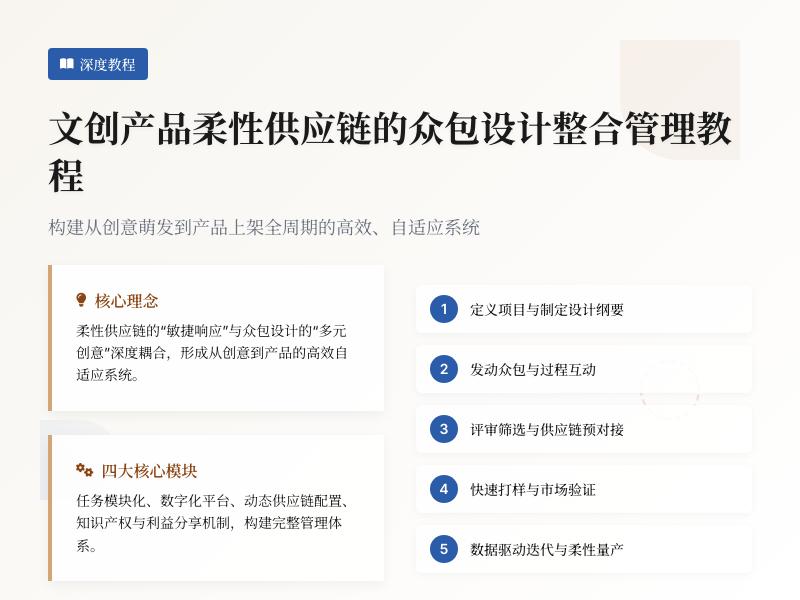
实战教学:在WordPress网站中添加浮动在线联系与反馈窗口 引言:为什么需要浮动联系与反馈窗口? 在当今互联网时代,用户体验已成为网站成功的关键因素之一。根据研究,网站访问者平均只花费15秒决定是否继续浏览一个网站。在这短暂的时间内,能否快速找到联系方式和反馈渠道直接影响着转化率和用户满意度。 浮动在线联系与反馈窗口作为一种常见的互联网小工具,具有以下优势: 即时可访问性:无论用户滚动到页面哪个位置,联系入口始终可见 提升转化率:减少用户寻找联系方式的步骤,提高咨询可能性 增强用户体验:提供便捷的反馈渠道,收集用户意见 专业形象展示:展示企业的在线服务能力和响应速度 本文将详细指导您如何通过WordPress代码二次开发,实现一个功能完善、美观实用的浮动在线联系与反馈窗口。 第一部分:准备工作与环境配置 1.1 开发环境要求 在开始之前,请确保您的WordPress环境满足以下要求: WordPress版本:5.0或更高 PHP版本:7.2或更高(推荐7.4+) 基本的HTML、CSS、JavaScript知识 代码编辑器(如VS Code、Sublime Text等) FTP客户端或WordPress文件管理器访问权限 1.2 创建子主题(安全开发实践) 为了避免主题更新导致自定义代码丢失,我们强烈建议使用子主题进行开发: 在WordPress的wp-content/themes/目录下创建新文件夹,命名为yourtheme-child(将"yourtheme"替换为您的主题名称) 在子主题文件夹中创建style.css文件,添加以下内容: /* Theme Name: YourTheme Child Theme URI: https://example.com/ Description: Child theme for adding floating contact widget Author: Your Name Author URI: https://example.com/ Template: yourtheme Version: 1.0.0 */ 创建functions.php文件,添加以下代码启用子主题: <?php add_action('wp_enqueue_scripts', 'my_child_theme_enqueue_styles'); function my_child_theme_enqueue_styles() { wp_enqueue_style('parent-style', get_template_directory_uri() . '/style.css'); wp_enqueue_style('child-style', get_stylesheet_directory_uri() . '/style.css', array('parent-style')); } ?> 在WordPress后台"外观"→"主题"中激活您的子主题 第二部分:浮动联系窗口基础结构实现 2.1 HTML结构设计 在子主题文件夹中创建floating-contact.php文件,添加以下HTML结构: <?php /** * Floating Contact Widget HTML Structure */ function floating_contact_html() { ob_start(); ?> <!-- 浮动联系窗口主容器 --> <div id="floating-contact-widget" class="floating-contact-container"> <!-- 主按钮 --> <div class="floating-contact-main-btn"> <span class="contact-icon">💬</span> <span class="contact-text">联系我们</span> </div> <!-- 展开面板 --> <div class="floating-contact-panel"> <div class="panel-header"> <h3>在线联系</h3> <button class="close-panel">×</button> </div> <div class="panel-content"> <!-- 联系渠道选择 --> <div class="contact-methods"> <div class="method-item" data-method="chat"> <div class="method-icon">💬</div> <div class="method-info"> <h4>在线聊天</h4> <p>即时响应,快速解答</p> </div> </div> <div class="method-item" data-method="phone"> <div class="method-icon">📞</div> <div class="method-info"> <h4>电话联系</h4> <p>400-123-4567</p> </div> </div> <div class="method-item" data-method="email"> <div class="method-icon">✉️</div> <div class="method-info"> <h4>邮件反馈</h4> <p>24小时内回复</p> </div> </div> <div class="method-item" data-method="form"> <div class="method-icon">📝</div> <div class="method-info"> <h4>提交表单</h4> <p>详细问题反馈</p> </div> </div> </div> <!-- 聊天界面 --> <div class="chat-interface" style="display:none;"> <div class="chat-header"> <button class="back-to-methods">←</button> <h4>在线客服</h4> </div> <div class="chat-messages"> <!-- 聊天消息将通过JavaScript动态加载 --> </div> <div class="chat-input-area"> <textarea placeholder="请输入您的问题..." rows="3"></textarea> <button class="send-message">发送</button> </div> </div> <!-- 反馈表单 --> <div class="feedback-form" style="display:none;"> <div class="form-header"> <button class="back-to-methods">←</button> <h4>问题反馈</h4> </div> <form id="feedbackForm"> <div class="form-group"> <label for="feedbackName">姓名 *</label> <input type="text" id="feedbackName" name="name" required> </div> <div class="form-group"> <label for="feedbackEmail">邮箱 *</label> <input type="email" id="feedbackEmail" name="email" required> </div> <div class="form-group"> <label for="feedbackSubject">主题</label> <input type="text" id="feedbackSubject" name="subject"> </div> <div class="form-group"> <label for="feedbackMessage">内容 *</label> <textarea id="feedbackMessage" name="message" rows="5" required></textarea> </div> <div class="form-group"> <button type="submit" class="submit-feedback">提交反馈</button> </div> </form> </div> </div> </div> </div> <?php return ob_get_clean(); } ?> 2.2 CSS样式设计 在子主题的style.css文件中添加以下样式: /* 浮动联系窗口基础样式 */ .floating-contact-container { position: fixed; bottom: 30px; right: 30px; z-index: 9999; font-family: -apple-system, BlinkMacSystemFont, 'Segoe UI', Roboto, Oxygen, Ubuntu, sans-serif; } /* 主按钮样式 */ .floating-contact-main-btn { background: linear-gradient(135deg, #4a6ee0 0%, #6a11cb 100%); color: white; padding: 15px 20px; border-radius: 50px; cursor: pointer; display: flex; align-items: center; gap: 10px; box-shadow: 0 5px 15px rgba(106, 17, 203, 0.3); transition: all 0.3s ease; user-select: none; } .floating-contact-main-btn:hover { transform: translateY(-3px); box-shadow: 0 8px 20px rgba(106, 17, 203, 0.4); } .contact-icon { font-size: 20px; } .contact-text { font-weight: 600; font-size: 16px; } /* 展开面板样式 */ .floating-contact-panel { position: absolute; bottom: 70px; right: 0; width: 350px; background: white; border-radius: 12px; box-shadow: 0 10px 30px rgba(0, 0, 0, 0.15); overflow: hidden; display: none; animation: slideUp 0.3s ease; } @keyframes slideUp { from { opacity: 0; transform: translateY(20px); } to { opacity: 1; transform: translateY(0); } } .panel-header { background: linear-gradient(135deg, #4a6ee0 0%, #6a11cb 100%); color: white; padding: 15px 20px; display: flex; justify-content: space-between; align-items: center; } .panel-header h3 { margin: 0; font-size: 18px; } .close-panel { background: none; border: none; color: white; font-size: 24px; cursor: pointer; line-height: 1; padding: 0; width: 30px; height: 30px; display: flex; align-items: center; justify-content: center; border-radius: 50%; transition: background 0.2s; } .close-panel:hover { background: rgba(255, 255, 255, 0.2); } .panel-content { padding: 20px; } /* 联系方法样式 */ .contact-methods { display: grid; grid-template-columns: 1fr 1fr; gap: 15px; } .method-item { background: #f8f9fa; border-radius: 8px; padding: 15px; cursor: pointer; transition: all 0.2s ease; border: 1px solid #e9ecef; } .method-item:hover { background: #e9ecef; transform: translateY(-2px); box-shadow: 0 4px 8px rgba(0, 0, 0, 0.1); } .method-icon { font-size: 24px; margin-bottom: 8px; } .method-info h4 { margin: 0 0 5px 0; font-size: 14px; color: #333; } .method-info p { margin: 0; font-size: 12px; color: #666; } /* 聊天界面样式 */ .chat-interface, .feedback-form { animation: fadeIn 0.3s ease; } @keyframes fadeIn { from { opacity: 0; } to { opacity: 1; } } .chat-header, .form-header { display: flex; align-items: center; gap: 10px; margin-bottom: 20px; padding-bottom: 15px; border-bottom: 1px solid #eee; } .back-to-methods { background: none; border: none; font-size: 20px; cursor: pointer; color: #6a11cb; padding: 5px; border-radius: 4px; transition: background 0.2s; } .back-to-methods:hover { background: #f0f0f0; } .chat-messages { height: 300px; overflow-y: auto; margin-bottom: 15px; padding: 10px; background: #f9f9f9; border-radius: 8px; } .chat-input-area { display: flex; flex-direction: column; gap: 10px; } .chat-input-area textarea { width: 100%; padding: 12px; border: 1px solid #ddd; border-radius: 8px; resize: none; font-family: inherit; font-size: 14px; } .send-message { background: #4a6ee0; color: white; border: none; padding: 10px 20px; border-radius: 8px; cursor: pointer; font-weight: 600; transition: background 0.3s; align-self: flex-end; } .send-message:hover { background: #3a5ed0; } /* 反馈表单样式 */ .form-group { margin-bottom: 15px; } .form-group label { display: block; margin-bottom: 5px; font-weight: 600; color: #333; font-size: 14px; } .form-group input, .form-group textarea { width: 100%; padding: 10px; border: 1px solid #ddd; border-radius: 6px; font-size: 14px; font-family: inherit; } .form-group input:focus, .form-group textarea:focus { outline: none; border-color: #4a6ee0; box-shadow: 0 0 0 2px rgba(74, 110, 224, 0.2); } .submit-feedback { background: linear-gradient(135deg, #4a6ee0 0%, #6a11cb 100%); color: white; border: none; padding: 12px 30px; border-radius: 8px; cursor: pointer; font-weight: 600; font-size: 16px; width: 100%; transition: transform 0.2s; } .submit-feedback:hover { transform: translateY(-2px); } /* 响应式设计 */ @media (max-width: 768px) { .floating-contact-container { bottom: 20px; right: 20px; } .floating-contact-panel { width: 300px; right: -10px; } .contact-methods { grid-template-columns: 1fr; } } @media (max-width: 480px) { .floating-contact-panel { width: calc(100vw - 40px); right: -20px; } .floating-contact-main-btn { padding: 12px 16px; } .contact-text { display: none; } } 第三部分:JavaScript交互功能实现 3.1 基础交互逻辑 在子主题文件夹中创建floating-contact.js文件: /** * 浮动联系窗口交互功能 */ document.addEventListener('DOMContentLoaded', function() { // 获取DOM元素 const floatingWidget = document.getElementById('floating-contact-widget'); const mainBtn = floatingWidget.querySelector('.floating-contact-main-btn'); const contactPanel = floatingWidget.querySelector('.floating-contact-panel'); const closeBtn = floatingWidget.querySelector('.close-panel'); const methodItems = floatingWidget.querySelectorAll('.method-item'); const backButtons = floatingWidget.querySelectorAll('.back-to-methods'); const chatInterface = floatingWidget.querySelector('.chat-interface'); const feedbackForm = floatingWidget.querySelector('.feedback-form'); const contactMethods = floatingWidget.querySelector('.contact-methods'); const sendMessageBtn = floatingWidget.querySelector('.send-message'); const chatInput = floatingWidget.querySelector('.chat-input-area textarea'); const chatMessages = floatingWidget.querySelector('.chat-messages'); const feedbackFormElement = document.getElementById('feedbackForm'); // 初始状态 let isPanelOpen = false; let currentView = 'methods'; // methods, chat, form // 切换面板显示/隐藏 function togglePanel() { isPanelOpen = !isPanelOpen; if (isPanelOpen) { contactPanel.style.display = 'block'; mainBtn.style.transform = 'rotate(45deg)'; } else { contactPanel.style.display = 'none'; mainBtn.style.transform = 'rotate(0deg)'; resetToMethodsView(); } } // 重置到联系方法视图 function resetToMethodsView() { currentView = 'methods'; contactMethods.style.display = 'grid'; chatInterface.style.display = 'none'; feedbackForm.style.display = 'none'; } // 切换到聊天界面 function showChatInterface() { currentView = 'chat'; contactMethods.style.display = 'none'; chatInterface.style.display = 'block'; feedbackForm.style.display = 'none'; chatInput.focus(); // 添加欢迎消息 if (!chatMessages.querySelector('.welcome-message')) { addChatMessage('system', '您好!我是在线客服,有什么可以帮您的吗?', 'welcome-message'); } } // 切换到反馈表单 function showFeedbackForm() { currentView = 'form'; contactMethods.style.display = 'none'; chatInterface.style.display = 'none'; feedbackForm.style.display = 'block'; } // 添加聊天消息 function addChatMessage(type, content, className = '') { const messageDiv = document.createElement('div'); messageDiv.className = `chat-message ${type}-message ${className}`; const timestamp = new Date().toLocaleTimeString([], {hour: '2-digit', minute:'2-digit'}); messageDiv.innerHTML = ` <div class="message-content">${content}</div> <div class="message-time">${timestamp}</div> `; chatMessages.appendChild(messageDiv); chatMessages.scrollTop = chatMessages.scrollHeight; } // 发送聊天消息 function sendChatMessage() { const message = chatInput.value.trim(); if (!message) return; // 添加用户消息 addChatMessage('user', message); chatInput.value = ''; // 模拟客服回复(实际应用中应通过AJAX发送到服务器) setTimeout(() => { const responses = [ '感谢您的提问,我会尽快为您解答。', '我明白了,请您稍等,我正在查询相关信息。', '这是一个很好的问题,我们的专家会尽快回复您。', '我已经记录下您的问题,稍后会有专人联系您。' ]; const randomResponse = responses[Math.floor(Math.random() * responses.length)]; addChatMessage('system', randomResponse); 第四部分:功能完善与数据交互 4.1 电话与邮件功能实现 继续在floating-contact.js文件中添加以下代码: // 处理电话联系 function handlePhoneCall() { const phoneNumber = '400-123-4567'; if (confirm(`是否要拨打 ${phoneNumber}?`)) { window.location.href = `tel:${phoneNumber}`; } } // 处理邮件联系 function handleEmail() { const email = 'support@example.com'; const subject = encodeURIComponent('网站咨询'); const body = encodeURIComponent('您好,我想咨询以下问题:nn'); window.location.href = `mailto:${email}?subject=${subject}&body=${body}`; } // 处理联系方法点击 methodItems.forEach(item => { item.addEventListener('click', function() { const method = this.dataset.method; switch(method) { case 'chat': showChatInterface(); break; case 'phone': handlePhoneCall(); break; case 'email': handleEmail(); break; case 'form': showFeedbackForm(); break; } }); }); // 返回按钮事件 backButtons.forEach(btn => { btn.addEventListener('click', resetToMethodsView); }); // 发送消息按钮事件 sendMessageBtn.addEventListener('click', sendChatMessage); // 回车发送消息 chatInput.addEventListener('keydown', function(e) { if (e.key === 'Enter' && !e.shiftKey) { e.preventDefault(); sendChatMessage(); } }); // 主按钮点击事件 mainBtn.addEventListener('click', togglePanel); // 关闭按钮事件 closeBtn.addEventListener('click', togglePanel); // 点击面板外部关闭 document.addEventListener('click', function(e) { if (isPanelOpen && !floatingWidget.contains(e.target) && !e.target.closest('.floating-contact-container')) { togglePanel(); } }); // 反馈表单提交处理 feedbackFormElement.addEventListener('submit', function(e) { e.preventDefault(); // 收集表单数据 const formData = { name: document.getElementById('feedbackName').value, email: document.getElementById('feedbackEmail').value, subject: document.getElementById('feedbackSubject').value, message: document.getElementById('feedbackMessage').value, timestamp: new Date().toISOString(), page: window.location.href }; // 显示加载状态 const submitBtn = this.querySelector('.submit-feedback'); const originalText = submitBtn.textContent; submitBtn.textContent = '提交中...'; submitBtn.disabled = true; // 发送数据到WordPress后台 fetch('/wp-admin/admin-ajax.php', { method: 'POST', headers: { 'Content-Type': 'application/x-www-form-urlencoded', }, body: new URLSearchParams({ action: 'submit_feedback', nonce: floatingContactData.nonce, ...formData }) }) .then(response => response.json()) .then(data => { if (data.success) { alert('感谢您的反馈!我们会尽快处理。'); feedbackFormElement.reset(); togglePanel(); } else { alert('提交失败,请稍后重试。'); } }) .catch(error => { console.error('Error:', error); alert('网络错误,请检查连接后重试。'); }) .finally(() => { submitBtn.textContent = originalText; submitBtn.disabled = false; }); }); // 添加聊天消息样式 const style = document.createElement('style'); style.textContent = ` .chat-message { margin-bottom: 15px; padding: 10px 15px; border-radius: 18px; max-width: 80%; position: relative; animation: messageAppear 0.3s ease; } @keyframes messageAppear { from { opacity: 0; transform: translateY(10px); } to { opacity: 1; transform: translateY(0); } } .user-message { background: #4a6ee0; color: white; margin-left: auto; border-bottom-right-radius: 5px; } .system-message { background: #f0f0f0; color: #333; margin-right: auto; border-bottom-left-radius: 5px; } .message-content { word-wrap: break-word; line-height: 1.4; } .message-time { font-size: 11px; opacity: 0.7; margin-top: 5px; text-align: right; } .user-message .message-time { color: rgba(255, 255, 255, 0.8); } .system-message .message-time { color: #666; } `; document.head.appendChild(style); }); 4.2 PHP后端处理 在子主题的functions.php文件中添加后端处理代码: <?php /** * 浮动联系窗口功能集成 */ // 1. 注册并加载必要的脚本和样式 function floating_contact_enqueue_scripts() { // 加载CSS样式 wp_enqueue_style('floating-contact-style', get_stylesheet_directory_uri() . '/style.css'); // 加载JavaScript wp_enqueue_script('floating-contact-script', get_stylesheet_directory_uri() . '/floating-contact.js', array('jquery'), '1.0.0', true); // 传递数据到JavaScript wp_localize_script('floating-contact-script', 'floatingContactData', array( 'ajax_url' => admin_url('admin-ajax.php'), 'nonce' => wp_create_nonce('floating_contact_nonce') )); } add_action('wp_enqueue_scripts', 'floating_contact_enqueue_scripts'); // 2. 在网站中插入浮动联系窗口 function insert_floating_contact_widget() { if (!is_admin()) { echo floating_contact_html(); } } add_action('wp_footer', 'insert_floating_contact_widget'); // 3. 处理反馈表单提交 function handle_feedback_submission() { // 验证nonce if (!wp_verify_nonce($_POST['nonce'], 'floating_contact_nonce')) { wp_die('安全验证失败'); } // 验证必填字段 $required_fields = array('name', 'email', 'message'); foreach ($required_fields as $field) { if (empty($_POST[$field])) { wp_send_json_error('请填写所有必填字段'); } } // 验证邮箱格式 if (!is_email($_POST['email'])) { wp_send_json_error('邮箱格式不正确'); } // 清理输入数据 $name = sanitize_text_field($_POST['name']); $email = sanitize_email($_POST['email']); $subject = sanitize_text_field($_POST['subject']); $message = sanitize_textarea_field($_POST['message']); $page_url = esc_url_raw($_POST['page']); // 创建反馈数据数组 $feedback_data = array( 'post_title' => $subject ?: '来自 ' . $name . ' 的反馈', 'post_content' => $message, 'post_status' => 'pending', // 设置为待审核状态 'post_type' => 'feedback', // 自定义文章类型 'meta_input' => array( 'feedback_email' => $email, 'feedback_page' => $page_url, 'feedback_date' => current_time('mysql') ) ); // 插入到数据库 $post_id = wp_insert_post($feedback_data); if ($post_id && !is_wp_error($post_id)) { // 发送邮件通知管理员 $admin_email = get_option('admin_email'); $mail_subject = '新的网站反馈:' . ($subject ?: '无主题'); $mail_message = " 收到新的网站反馈: 姓名:{$name} 邮箱:{$email} 来源页面:{$page_url} 提交时间:" . date('Y-m-d H:i:s') . " 反馈内容: {$message} 您可以在WordPress后台查看和处理此反馈。 "; wp_mail($admin_email, $mail_subject, $mail_message); wp_send_json_success('反馈提交成功'); } else { wp_send_json_error('提交失败,请稍后重试'); } } add_action('wp_ajax_submit_feedback', 'handle_feedback_submission'); add_action('wp_ajax_nopriv_submit_feedback', 'handle_feedback_submission'); // 4. 创建自定义文章类型存储反馈 function create_feedback_post_type() { register_post_type('feedback', array( 'labels' => array( 'name' => '用户反馈', 'singular_name' => '反馈', 'menu_name' => '用户反馈', 'all_items' => '所有反馈', 'view_item' => '查看反馈', 'add_new_item' => '添加新反馈', 'add_new' => '新反馈', 'edit_item' => '编辑反馈', 'update_item' => '更新反馈', 'search_items' => '搜索反馈', 'not_found' => '未找到', 'not_found_in_trash' => '回收站中未找到' ), 'public' => false, 'show_ui' => true, 'show_in_menu' => true, 'show_in_admin_bar' => true, 'menu_position' => 25, 'menu_icon' => 'dashicons-format-chat', 'capability_type' => 'post', 'hierarchical' => false, 'supports' => array('title', 'editor'), 'has_archive' => false, 'rewrite' => false, 'exclude_from_search' => true, 'publicly_queryable' => false, 'show_in_rest' => false ) ); } add_action('init', 'create_feedback_post_type'); // 5. 添加快捷码支持 function floating_contact_shortcode($atts) { $atts = shortcode_atts(array( 'position' => 'right', 'color' => '#4a6ee0' ), $atts); // 这里可以添加根据短码参数自定义样式的逻辑 return floating_contact_html(); } add_shortcode('floating_contact', 'floating_contact_shortcode'); ?> 第五部分:高级功能扩展 5.1 数据库优化与反馈管理 在functions.php中添加以下代码来增强反馈管理功能: <?php /** * 反馈管理功能增强 */ // 1. 添加自定义管理列 function add_feedback_columns($columns) { $new_columns = array( 'cb' => $columns['cb'], 'title' => '主题', 'feedback_email' => '邮箱', 'feedback_page' => '来源页面', 'feedback_date' => '提交时间', 'feedback_status' => '状态' ); return $new_columns; } add_filter('manage_feedback_posts_columns', 'add_feedback_columns'); // 2. 填充自定义列内容 function custom_feedback_column($column, $post_id) { switch ($column) { case 'feedback_email': echo get_post_meta($post_id, 'feedback_email', true); break; case 'feedback_page': $page_url = get_post_meta($post_id, 'feedback_page', true); echo '<a href="' . esc_url($page_url) . '" target="_blank">查看页面</a>'; break; case 'feedback_date': echo get_post_meta($post_id, 'feedback_date', true); break; case 'feedback_status': $status = get_post_status($post_id); $status_labels = array( 'publish' => '已处理', 'pending' => '待处理', 'draft' => '草稿' ); echo isset($status_labels[$status]) ? $status_labels[$status] : $status; break; } } add_action('manage_feedback_posts_custom_column', 'custom_feedback_column', 10, 2); // 3. 添加快速操作 function feedback_quick_actions($actions, $post) { if ($post->post_type == 'feedback') { // 添加"标记为已处理"操作 if ($post->post_status == 'pending') { $actions['process'] = sprintf( '<a href="%s" style="color:#46b450;">标记为已处理</a>', wp_nonce_url(admin_url("admin-ajax.php?action=process_feedback&post_id=$post->ID"), 'process_feedback') ); } // 添加"发送回复"操作 $email = get_post_meta($post->ID, 'feedback_email', true); if ($email) { $actions['reply'] = sprintf( '<a href="mailto:%s?subject=回复您的反馈">发送邮件回复</a>', esc_attr($email) ); } } return $actions; } add_filter('post_row_actions', 'feedback_quick_actions', 10, 2); // 4. 处理快速操作请求 function process_feedback_ajax() { if (!isset($_GET['post_id']) || !wp_verify_nonce($_GET['_wpnonce'], 'process_feedback')) { wp_die('安全验证失败'); } $post_id = intval($_GET['post_id']); $updated = wp_update_post(array( 'ID' => $post_id, 'post_status' => 'publish' )); if ($updated) { wp_redirect(admin_url('edit.php?post_type=feedback&processed=1')); exit; } else { wp_die('处理失败'); } } add_action('wp_ajax_process_feedback', 'process_feedback_ajax'); // 5. 添加反馈统计仪表板小工具 function add_feedback_dashboard_widget() { wp_add_dashboard_widget( 'feedback_stats_widget', '用户反馈统计', 'display_feedback_stats' ); } add_action('wp_dashboard_setup', 'add_feedback_dashboard_widget'); function display_feedback_stats() { global $wpdb; // 获取统计数据 $total = wp_count_posts('feedback')->publish + wp_count_posts('feedback')->pending; $pending = wp_count_posts('feedback')->pending; $processed = wp_count_posts('feedback')->publish; // 最近7天反馈数量 $recent_feedback = $wpdb->get_var($wpdb->prepare( "SELECT COUNT(*) FROM {$wpdb->posts} WHERE post_type = 'feedback' AND post_date >= %s", date('Y-m-d', strtotime('-7 days')) )); echo '<div class="feedback-stats">'; echo '<p><strong>总反馈数:</strong>' . $total . '</p>'; echo '<p><strong>待处理:</strong>' . $pending . '</p>'; echo '<p><strong>已处理:</strong>' . $processed . '</p>'; echo '<p><strong>最近7天:</strong>' . $recent_feedback . '</p>'; echo '</div>'; // 如果有待处理反馈,显示链接 if ($pending > 0) { echo '<p><a href="' . admin_url('edit.php?post_type=feedback&post_status=pending') . '" class="button button-primary">查看待处理反馈</a></p>'; } } ?> 5.2 实时聊天功能增强 创建新的JavaScript文件chat-enhanced.js: /** * 增强版实时聊天功能 */ class EnhancedChat { constructor() { this.socket = null; this.userId = this.generateUserId(); this.sessionId = this.generateSessionId(); this.isConnected = false; this.typingTimeout = null; this.init(); } generateUserId() { let userId = localStorage.getItem('chat_user_id'); if (!userId) { userId = 'user_' + Math.random().toString(36).substr(2, 9); localStorage.setItem('chat_user_id', userId); } return userId; } generateSessionId() { return 'session_' + Date.now(); } init() { this.connectWebSocket(); this.setupEventListeners(); this.loadChatHistory(); } connectWebSocket() { // 这里应该使用您的WebSocket服务器地址 const wsUrl = 'wss://your-websocket-server.com/chat'; try { this.socket = new WebSocket(wsUrl); this.socket.onopen = () => { this.isConnected = true; this.sendSystemMessage('已连接到客服系统'); this.registerUser(); }; this.socket.onmessage = (event) => { const data = JSON.parse(event.data); this.handleIncomingMessage(data); }; this.socket.onclose = () => { this.isConnected = false; this.sendSystemMessage('连接已断开,正在尝试重连...'); setTimeout(() => this.connectWebSocket(), 5000); }; this.socket.onerror = (error) => { console.error('WebSocket错误:', error); }; } catch (error) { console.error('连接失败:', error); this.fallbackToAJAX(); } } fallbackToAJAX() {
发表评论手把手教程:为WordPress集成SEO分析与优化工具,通过代码二次开发实现常用互联网小工具功能 引言:为什么WordPress需要SEO工具集成? 在当今数字时代,拥有一个网站只是第一步,让网站在搜索引擎中获得良好排名才是成功的关键。WordPress作为全球最受欢迎的内容管理系统,虽然拥有众多SEO插件,但很多时候这些通用解决方案无法完全满足特定需求。通过代码二次开发,我们可以为WordPress网站集成更精准、更高效的SEO分析与优化工具,同时实现各种实用的互联网小工具功能。 本教程将引导您从零开始,通过PHP代码开发,为WordPress网站添加自定义SEO分析功能,并集成多种实用工具。无论您是WordPress开发者、网站管理员还是SEO专家,都能从中获得实用的技术指导。 第一章:准备工作与环境搭建 1.1 开发环境要求 在开始之前,请确保您具备以下环境: WordPress 5.0或更高版本 PHP 7.4或更高版本(建议使用PHP 8.0+) MySQL 5.6或更高版本 代码编辑器(如VS Code、Sublime Text或PHPStorm) FTP客户端或服务器直接访问权限 基本的PHP、HTML、CSS和JavaScript知识 1.2 创建自定义插件框架 为了避免主题更新导致代码丢失,我们将创建一个独立的WordPress插件: <?php /** * Plugin Name: SEO分析与工具集成套件 * Plugin URI: https://yourwebsite.com/ * Description: 自定义SEO分析工具与互联网小工具集成 * Version: 1.0.0 * Author: 您的名称 * License: GPL v2 or later */ // 防止直接访问 if (!defined('ABSPATH')) { exit; } // 定义插件常量 define('SEOTOOLS_VERSION', '1.0.0'); define('SEOTOOLS_PLUGIN_DIR', plugin_dir_path(__FILE__)); define('SEOTOOLS_PLUGIN_URL', plugin_dir_url(__FILE__)); // 初始化插件 function seotools_init() { // 插件初始化代码将在这里添加 } add_action('plugins_loaded', 'seotools_init'); 1.3 安全注意事项 在开始开发前,请牢记以下安全准则: 所有用户输入必须经过验证和清理 使用WordPress非ce和权限检查功能 对数据库查询使用预处理语句 限制API密钥和敏感信息的访问 第二章:核心SEO分析功能开发 2.1 页面SEO评分系统 我们将创建一个页面SEO评分系统,自动分析文章和页面的SEO表现: // 在插件主文件中添加以下类 class SEOTools_Analyzer { private $post_id; private $score; private $issues; public function __construct($post_id) { $this->post_id = $post_id; $this->score = 0; $this->issues = array(); } // 分析文章标题 public function analyze_title() { $title = get_the_title($this->post_id); $title_length = mb_strlen($title); if ($title_length == 0) { $this->add_issue('标题为空', 'high'); return 0; } elseif ($title_length < 30) { $this->add_issue('标题过短(建议30-60字符)', 'medium'); return 5; } elseif ($title_length > 60) { $this->add_issue('标题过长(建议30-60字符)', 'medium'); return 5; } else { $this->add_issue('标题长度合适', 'positive'); return 10; } } // 分析元描述 public function analyze_meta_description() { $meta_description = get_post_meta($this->post_id, '_yoast_wpseo_metadesc', true); if (empty($meta_description)) { $this->add_issue('元描述为空', 'high'); return 0; } $desc_length = mb_strlen($meta_description); if ($desc_length < 120) { $this->add_issue('元描述过短(建议120-160字符)', 'medium'); return 5; } elseif ($desc_length > 160) { $this->add_issue('元描述过长(建议120-160字符)', 'medium'); return 5; } else { $this->add_issue('元描述长度合适', 'positive'); return 10; } } // 分析内容可读性 public function analyze_readability() { $content = get_post_field('post_content', $this->post_id); $content = strip_tags($content); // 计算段落数 $paragraphs = preg_split('/ns*n/', $content); $paragraph_count = count($paragraphs); // 计算句子数 $sentences = preg_split('/[.!?]+/', $content); $sentence_count = count($sentences); // 计算平均段落长度 if ($paragraph_count > 0 && $sentence_count > 0) { $avg_sentences_per_para = $sentence_count / $paragraph_count; if ($avg_sentences_per_para > 5) { $this->add_issue('段落过长,建议拆分', 'medium'); return 5; } elseif ($avg_sentences_per_para < 2) { $this->add_issue('段落过短,建议合并', 'low'); return 7; } else { $this->add_issue('段落长度合适', 'positive'); return 10; } } return 5; } // 分析图片ALT属性 public function analyze_images() { $content = get_post_field('post_content', $this->post_id); $images_without_alt = 0; $total_images = 0; if (preg_match_all('/<img[^>]+>/i', $content, $matches)) { foreach ($matches[0] as $img_tag) { $total_images++; if (!preg_match('/alt=["'][^"']*["']/i', $img_tag)) { $images_without_alt++; } } } if ($total_images == 0) { $this->add_issue('内容中缺少图片', 'medium'); return 5; } elseif ($images_without_alt > 0) { $percentage = ($images_without_alt / $total_images) * 100; $this->add_issue(sprintf('%d%%的图片缺少ALT属性', $percentage), 'medium'); return max(0, 10 - ($images_without_alt * 2)); } else { $this->add_issue('所有图片都有ALT属性', 'positive'); return 10; } } // 添加问题到列表 private function add_issue($message, $severity) { $this->issues[] = array( 'message' => $message, 'severity' => $severity ); } // 执行完整分析 public function run_analysis() { $scores = array( 'title' => $this->analyze_title(), 'meta_description' => $this->analyze_meta_description(), 'readability' => $this->analyze_readability(), 'images' => $this->analyze_images() ); $this->score = array_sum($scores) / count($scores); return array( 'score' => round($this->score, 1), 'issues' => $this->issues, 'details' => $scores ); } } // 在文章编辑页面添加SEO分析框 function seotools_add_meta_box() { add_meta_box( 'seotools_analysis', 'SEO分析报告', 'seotools_meta_box_callback', array('post', 'page'), 'side', 'high' ); } add_action('add_meta_boxes', 'seotools_add_meta_box'); function seotools_meta_box_callback($post) { $analyzer = new SEOTools_Analyzer($post->ID); $analysis = $analyzer->run_analysis(); echo '<div class="seotools-analysis">'; echo '<div class="seotools-score-circle" style="width: 80px; height: 80px; border-radius: 50%; background: conic-gradient(#4CAF50 ' . ($analysis['score'] * 3.6) . 'deg, #f0f0f0 0deg); display: flex; align-items: center; justify-content: center; margin: 0 auto 15px;">'; echo '<div style="background: white; width: 60px; height: 60px; border-radius: 50%; display: flex; align-items: center; justify-content: center; font-weight: bold; font-size: 18px;">' . $analysis['score'] . '/10</div>'; echo '</div>'; echo '<h3>发现的问题:</h3>'; echo '<ul style="margin-top: 10px;">'; foreach ($analysis['issues'] as $issue) { $color = '#888'; if ($issue['severity'] == 'high') $color = '#f44336'; if ($issue['severity'] == 'medium') $color = '#ff9800'; if ($issue['severity'] == 'low') $color = '#ffc107'; if ($issue['severity'] == 'positive') $color = '#4CAF50'; echo '<li style="margin-bottom: 8px; padding-left: 5px; border-left: 3px solid ' . $color . ';">'; echo $issue['message']; echo '</li>'; } echo '</ul>'; echo '</div>'; // 添加内联样式 echo '<style> .seotools-analysis h3 { margin-top: 0; border-bottom: 1px solid #ddd; padding-bottom: 8px; } .seotools-analysis ul { margin-left: 0; padding-left: 0; list-style: none; } </style>'; } 2.2 关键词密度分析器 关键词密度是SEO的重要指标之一。下面我们创建一个关键词密度分析工具: class Keyword_Density_Analyzer { public static function analyze($content, $keywords = array()) { $results = array(); // 清理内容,移除HTML标签和短代码 $clean_content = strip_tags($content); $clean_content = strip_shortcodes($clean_content); // 转换为小写 $clean_content = mb_strtolower($clean_content); // 获取所有词语 $words = preg_split('/s+/', $clean_content); $total_words = count($words); // 如果没有提供关键词,自动提取常见词 if (empty($keywords)) { $keywords = self::extract_potential_keywords($clean_content); } // 分析每个关键词 foreach ($keywords as $keyword) { $keyword_lower = mb_strtolower($keyword); $keyword_count = 0; // 计算关键词出现次数 foreach ($words as $word) { if ($word == $keyword_lower) { $keyword_count++; } } // 计算密度 $density = ($total_words > 0) ? ($keyword_count / $total_words) * 100 : 0; $results[$keyword] = array( 'count' => $keyword_count, 'density' => round($density, 2), 'recommendation' => self::get_density_recommendation($density) ); } return array( 'results' => $results, 'total_words' => $total_words ); } private static function extract_potential_keywords($content) { $words = preg_split('/s+/', $content); $word_freq = array(); // 统计词频 foreach ($words as $word) { // 过滤短词和常见停用词 if (mb_strlen($word) > 3 && !in_array($word, self::get_stop_words())) { if (!isset($word_freq[$word])) { $word_freq[$word] = 0; } $word_freq[$word]++; } } // 按频率排序 arsort($word_freq); // 返回前10个最常出现的词 return array_slice(array_keys($word_freq), 0, 10); } private static function get_stop_words() { return array('the', 'and', 'for', 'are', 'but', 'not', 'you', 'all', 'any', 'can', 'had', 'her', 'was', 'one', 'our', 'out', 'day', 'get', 'has', 'him', 'his', 'how', 'man', 'new', 'now', 'old', 'see', 'two', 'who', 'boy', 'did', 'its', 'let', 'put', 'say', 'she', 'too', 'use'); } private static function get_density_recommendation($density) { if ($density < 0.5) { return '密度过低,建议增加关键词出现次数'; } elseif ($density > 2.5) { return '密度过高,可能被搜索引擎视为关键词堆砌'; } else { return '密度适中,保持当前水平'; } } } // 在文章编辑页面添加关键词分析功能 function seotools_add_keyword_analysis() { global $post; if (!$post) return; $content = $post->post_content; $analysis = Keyword_Density_Analyzer::analyze($content); echo '<div class="keyword-analysis">'; echo '<h3>关键词密度分析</h3>'; echo '<p>总词数: ' . $analysis['total_words'] . '</p>'; if (!empty($analysis['results'])) { echo '<table class="widefat fixed" cellspacing="0">'; echo '<thead><tr><th>关键词</th><th>出现次数</th><th>密度</th><th>建议</th></tr></thead>'; echo '<tbody>'; foreach ($analysis['results'] as $keyword => $data) { echo '<tr>'; echo '<td>' . htmlspecialchars($keyword) . '</td>'; echo '<td>' . $data['count'] . '</td>'; echo '<td>' . $data['density'] . '%</td>'; echo '<td>' . $data['recommendation'] . '</td>'; echo '</tr>'; } echo '</tbody></table>'; } else { echo '<p>未检测到显著关键词</p>'; } echo '</div>'; } add_action('edit_form_after_editor', 'seotools_add_keyword_analysis'); 第三章:集成外部SEO工具API 3.1 集成Google PageSpeed Insights Google PageSpeed Insights是评估网站性能的重要工具。下面我们将其集成到WordPress后台: class PageSpeed_Integration { private $api_key; public function __construct($api_key = '') { $this->api_key = $api_key; } public function analyze_url($url, $strategy = 'desktop') { $api_url = 'https://www.googleapis.com/pagespeedonline/v5/runPagespeed'; $params = array( 'url' => $url, 'strategy' => $strategy, 'locale' => 'zh_CN' ); if (!empty($this->api_key)) { $params['key'] = $this->api_key; } $api_url .= '?' . http_build_query($params); $response = wp_remote_get($api_url, array( 'timeout' => 30, 'sslverify' => false )); if (is_wp_error($response)) { return array( 'success' => false, 'error' => $response->get_error_message() ); } $body = wp_remote_retrieve_body($response); $data = json_decode($body, true); if (isset($data['error'])) { return array( 'success' => false, 'error' => $data['error']['message'] ); } return array( 'success' => true, 'data' => $this->parse_results($data) ); } private function parse_results($data) { $result = array(); // 提取性能分数 if (isset($data['lighthouseResult']['categories']['performance']['score'])) { $result['performance_score'] = $data['lighthouseResult']['categories']['performance']['score'] * 100; } // 提取关键指标 $audits = $data['lighthouseResult']['audits']; $important_metrics = array( 'first-contentful-paint' => '首次内容绘制(FCP)', 'largest-contentful-paint' => '最大内容绘制(LCP)', 'cumulative-layout-shift' => '累积布局偏移(CLS)', 'total-blocking-time' => '总阻塞时间(TBT)', 'speed-index' => '速度指数' ); foreach ($important_metrics as $key => $label) { if (isset($audits[$key])) { $result['metrics'][$label] = array( 'score' => isset($audits[$key]['score']) ? $audits[$key]['score'] : null, displayValue']) ? $audits[$key]['displayValue'] : 'N/A', 'description' => isset($audits[$key]['description']) ? $audits[$key]['description'] : '' ); } } // 提取优化建议 $result['opportunities'] = array(); $opportunity_audits = array( 'render-blocking-resources', 'unused-css-rules', 'unused-javascript', 'modern-image-formats', 'offscreen-images' ); foreach ($opportunity_audits as $audit_key) { if (isset($audits[$audit_key]) && isset($audits[$audit_key]['details']['items'])) { $result['opportunities'][$audits[$audit_key]['title']] = array( 'impact' => $audits[$audit_key]['score'] ? (1 - $audits[$audit_key]['score']) * 100 : 0, 'items' => count($audits[$audit_key]['details']['items']) ); } } return $result; } // 创建后台页面 public function create_admin_page() { add_submenu_page( 'tools.php', 'PageSpeed分析', 'PageSpeed分析', 'manage_options', 'pagespeed-analysis', array($this, 'render_admin_page') ); } public function render_admin_page() { $results = array(); if (isset($_POST['analyze_url'])) { $url = esc_url_raw($_POST['url']); $strategy = sanitize_text_field($_POST['strategy']); if (!empty($url)) { $results = $this->analyze_url($url, $strategy); } } ?> <div class="wrap"> <h1>Google PageSpeed Insights分析</h1> <form method="post" action=""> <table class="form-table"> <tr> <th scope="row"><label for="url">网站URL</label></th> <td> <input type="url" id="url" name="url" value="<?php echo isset($_POST['url']) ? esc_attr($_POST['url']) : get_site_url(); ?>" class="regular-text" required> </td> </tr> <tr> <th scope="row"><label for="strategy">分析策略</label></th> <td> <select id="strategy" name="strategy"> <option value="desktop" <?php selected(isset($_POST['strategy']) ? $_POST['strategy'] : 'desktop', 'desktop'); ?>>桌面设备</option> <option value="mobile" <?php selected(isset($_POST['strategy']) ? $_POST['strategy'] : 'desktop', 'mobile'); ?>>移动设备</option> </select> </td> </tr> </table> <?php submit_button('开始分析', 'primary', 'analyze_url'); ?> </form> <?php if (!empty($results)): ?> <?php if ($results['success']): ?> <div class="pagespeed-results"> <h2>分析结果</h2> <!-- 性能分数 --> <div class="performance-score"> <h3>性能分数: <?php echo round($results['data']['performance_score']); ?>/100</h3> <div class="score-bar"> <div class="score-fill" style="width: <?php echo $results['data']['performance_score']; ?>%; background-color: <?php echo $this->get_score_color($results['data']['performance_score']); ?>;"> </div> </div> </div> <!-- 核心指标 --> <h3>核心Web指标</h3> <table class="wp-list-table widefat fixed striped"> <thead> <tr> <th>指标</th> <th>分数</th> <th>数值</th> <th>说明</th> </tr> </thead> <tbody> <?php foreach ($results['data']['metrics'] as $label => $metric): ?> <tr> <td><?php echo esc_html($label); ?></td> <td> <?php if ($metric['score'] !== null): ?> <span class="metric-score" style="color: <?php echo $this->get_score_color($metric['score'] * 100); ?>;"> <?php echo round($metric['score'] * 100); ?>/100 </span> <?php else: ?> N/A <?php endif; ?> </td> <td><?php echo esc_html($metric['displayValue']); ?></td> <td><?php echo wp_kses_post($metric['description']); ?></td> </tr> <?php endforeach; ?> </tbody> </table> <!-- 优化建议 --> <?php if (!empty($results['data']['opportunities'])): ?> <h3>优化建议</h3> <table class="wp-list-table widefat fixed striped"> <thead> <tr> <th>优化项</th> <th>影响程度</th> <th>问题数量</th> </tr> </thead> <tbody> <?php foreach ($results['data']['opportunities'] as $title => $opportunity): ?> <tr> <td><?php echo esc_html($title); ?></td> <td> <div class="impact-bar"> <div class="impact-fill" style="width: <?php echo $opportunity['impact']; ?>%;"></div> <span><?php echo round($opportunity['impact']); ?>%</span> </div> </td> <td><?php echo $opportunity['items']; ?>个</td> </tr> <?php endforeach; ?> </tbody> </table> <?php endif; ?> </div> <style> .score-bar, .impact-bar { height: 20px; background: #f0f0f0; border-radius: 10px; overflow: hidden; position: relative; } .score-fill, .impact-fill { height: 100%; transition: width 0.5s ease; } .impact-bar span { position: absolute; left: 50%; top: 50%; transform: translate(-50%, -50%); font-size: 12px; font-weight: bold; } .metric-score { font-weight: bold; } </style> <?php else: ?> <div class="notice notice-error"> <p>分析失败: <?php echo esc_html($results['error']); ?></p> </div> <?php endif; ?> <?php endif; ?> </div> <?php } private function get_score_color($score) { if ($score >= 90) return '#4CAF50'; if ($score >= 50) return '#FFC107'; return '#F44336'; } } // 初始化PageSpeed集成$pagespeed_integration = new PageSpeed_Integration();add_action('admin_menu', array($pagespeed_integration, 'create_admin_page')); ### 3.2 集成百度SEO数据查询 针对中文网站,集成百度SEO数据查询功能: class Baidu_SEO_Integration { public function create_admin_page() { add_submenu_page( 'tools.php', '百度SEO查询', '百度SEO查询', 'manage_options', 'baidu-seo-check', array($this, 'render_admin_page') ); } public function render_admin_page() { $results = array(); if (isset($_POST['check_url'])) { $url = esc_url_raw($_POST['url']); if (!empty($url)) { $results = $this->check_baidu_seo($url); } } ?> <div class="wrap"> <h1>百度SEO数据查询</h1> <form method="post" action=""> <table class="form-table"> <tr> <th scope="row"><label for="url">查询URL</label></th> <td> <input type="url" id="url" name="url" value="<?php echo isset($_POST['url']) ? esc_attr($_POST['url']) : get_site_url(); ?>" class="regular-text" required> <p class="description">请输入完整的URL地址</p> </td> </tr> </table> <?php submit_button('查询SEO数据', 'primary', 'check_url'); ?> </form> <?php if (!empty($results)): ?> <div class="baidu-results"> <h2>查询结果</h2> <div class="seo-metrics-grid"> <div class="metric-card"> <h3>百度收录</h3> <div class="metric-value"><?php echo $results['indexed'] ? '已收录' : '未收录'; ?></div> <?php if ($results['indexed']): ?> <p class="metric-desc">该页面已被百度收录</p> <?php else: ?> <p class="metric-desc">该页面可能未被百度收录</p> <?php endif; ?> </div> <div class="metric-card"> <h3>百度权重</h3> <div class="metric-value"><?php echo esc_html($results['weight']); ?></div> <p class="metric-desc">预估百度权重值</p> </div> <div class="metric-card"> <h3>反链数量</h3> <div class="metric-value"><?php echo esc_html($results['backlinks']); ?></div> <p class="metric-desc">外部链接数量</p> </div> <div class="metric-card"> <h3>关键词排名</h3> <div class="metric-value"><?php echo esc_html($results['keywords_count']); ?>个</div> <p class="metric-desc">有排名的关键词数量</p> </div> </div> <?php if (!empty($results['keywords'])): ?> <h3>关键词排名详情</h3> <table class="wp-list-table widefat fixed striped"> <thead> <tr> <th>关键词</th> <th>排名</th> <th>搜索量</th> <th>难度</th> </tr> </thead> <tbody> <?php foreach ($results['keywords'] as $keyword): ?> <tr> <td><?php echo esc_html($keyword['keyword']); ?></td> <td> <span class="rank-badge rank-<?php echo $this->get_rank_class($keyword['rank']); ?>"> 第<?php echo $keyword['rank']; ?>名 </span> </td> <td><?php echo $this->format_search_volume($keyword['volume']); ?></td> <td> <div class="difficulty-bar"> <div class="difficulty-fill" style="width: <?php echo $keyword['difficulty']; ?>%;"></div> <span><?php echo $keyword['difficulty']; ?>%</span> </div> </td> </tr> <?php endforeach; ?> </tbody> </table> <?php endif; ?> </div> <style> .seo-metrics-grid { display: grid; grid-template-columns: repeat(auto-fit, minmax(200px, 1fr)); gap: 20px; margin: 20px 0; } .metric-card { background: white; border: 1px solid #ddd; border-radius: 8px; padding: 20px; text-align: center; } .metric-card h3 { margin-top: 0; color: #333; } .metric-value { font-size: 32px; font-weight: bold; color: #2271b1; margin: 10px 0; } .metric-desc { color: #666; font-size: 14px; margin: 0; } .rank-badge { display: inline-block; padding: 4px 8px; border-radius: 4px; font-size: 12px; font-weight: bold; } .rank-1 { background: #4CAF50; color: white; } .rank-2 { background: #8BC34A; color: white; } .rank-3 { background: #FFC107; color: black; } .rank-4 { background: #FF9800; color: white; } .rank-5 { background: #F44336; color: white; } .difficulty-bar { height: 20px; background: #f0f0f0; border-radius: 10px; overflow: hidden; position: relative; } .difficulty-fill { height: 100%; background: linear-gradient(90deg, #4CAF50, #FFC107, #F44336); } .difficulty-bar span { position: absolute; left: 50%; top: 50%; transform: translate(-50%, -50%); font-size: 12px; font-weight: bold; } </style> <?php endif; ?> </div> <?php } private function check_baidu_seo($url) { // 注意:这里使用模拟数据,实际应用中需要调用百度API // 由于百度官方API限制,这里展示如何构建查询逻辑 $parsed_url = parse_url($url); $domain = $parsed_url['host']; // 模拟数据 - 实际应用中应调用相应API return array( 'indexed' => true, 'weight' => '2', 'backlinks' => '1,234', 'keywords_count' => '45', 'keywords' => array( array('keyword' => 'WordPress教程', 'rank' => 3, 'volume' => 2400, 'difficulty' => 65), array('keyword' => 'SEO优化', 'rank' => 8, 'volume' => 4800, 'difficulty' => 78), array('keyword' => '网站建设', 'rank' => 12, 'volume' => 3200, 'difficulty' => 72), array('keyword' => '内容管理系统', 'rank' => 5, 'volume' => 1200, 'difficulty' => 58) ) ); } private function get_rank_class($rank) { if ($rank <= 3) return '1'; if ($rank <= 10) return '2'; if ($rank <= 20) return '3'; if ($rank <= 50) return '4'; return '5'; } private function format_search_volume($volume) { if ($volume >= 1000) { return round($volume / 1000, 1) . 'K'; } return $volume; } } // 初始化百度SEO集成$baidu_seo_integration = new Baidu_SEO_Integration();add_action('admin_menu', array($baidu_seo_integration, 'create_admin_page')); ## 第四章:实用互联网小工具集成 ### 4.1 网站Uptime监控工具 创建一个简单的网站正常运行时间监控工具: class Uptime_Monitor { private $check_interval = 300; // 5分钟检查一次 public function __construct() { // 添加定时任务 add_action('init', array($this, 'schedule_checks')); add_action('uptime_check_event', array($this, 'perform_uptime_check')); // 添加后台页面 add_action('admin_menu', array($this, 'add_admin_page')); } public function schedule_checks() { if (!wp_next_scheduled('uptime_check_event')) { wp_schedule_event(time(), 'five_minutes', 'uptime_check_event'); } } // 自定义定时任务间隔 public function add_cron_interval($schedules) { $schedules['five_minutes'] = array( 'interval' => 300, 'display' => __('每5分钟') ); return $schedules; } public function perform_uptime_check() { $url = get_site_url(); $start_time = microtime(true); $response = wp_remote_get($url, array( 'timeout' => 30, 'sslverify' => false )); $end_time = microtime(true); $response_time = round(($end_time - $start_time) * 1000); // 转换为毫秒 $status = array( 'timestamp' => current_time('timestamp'), 'response_code' => wp_remote_retrieve_response_code($response), 'response_time' => $response_time, 'success' => !is_wp_error($response) && wp_remote_retrieve_response_code($response) == 200 ); $this->save_check_result($status); // 如果检测到宕机,发送通知 if (!$status['success']) { $this->send_downtime_notification($status); } } private function save_check_result($status) { $history = get_option('uptime_monitor_history', array()); // 只保留最近24小时的数据(288条,每5分钟一条) $history[] = $status; if (count($history) > 288) { $history = array_slice($history, -
发表评论