
详细指南:开发WordPress网站会员积分与等级系统 引言:为什么需要会员积分与等级系统? 在当今竞争激烈的互联网环境中,网站用户留存和活跃度已成为衡量网站成功的重要指标。会员积分与等级系统作为一种成熟的用户激励策略,能够有效提升用户参与度、增加用户粘性,并最终促进网站的商业转化。无论是电商平台、内容社区还是在线教育网站,一个设计良好的积分等级系统都能显著提升用户体验和忠诚度。 WordPress作为全球最流行的内容管理系统,拥有强大的扩展性和灵活性。通过代码二次开发,我们可以在WordPress网站上实现功能完善的会员积分与等级系统,而无需依赖昂贵的第三方插件。本指南将详细介绍如何从零开始,通过代码开发实现这一系统。 第一章:系统设计与规划 1.1 确定系统目标与功能需求 在开始编码之前,我们需要明确积分等级系统的核心目标: 用户激励:鼓励用户完成特定行为(发布内容、评论、登录等) 用户分层:根据用户活跃度划分不同等级,提供差异化权益 数据收集:获取用户行为数据,为后续运营决策提供支持 社区建设:促进用户互动,形成良性竞争氛围 基于这些目标,我们规划以下核心功能: 积分获取规则:定义用户可通过哪些行为获得积分 等级划分体系:设置多个用户等级及升级条件 特权与权益:不同等级用户享有不同特权 积分消耗机制:用户可使用积分兑换礼品或特权 数据统计与展示:用户可查看自己的积分、等级和排名 1.2 数据库结构设计 我们需要在WordPress现有数据库基础上,添加以下自定义表: -- 用户积分表 CREATE TABLE wp_user_points ( id INT AUTO_INCREMENT PRIMARY KEY, user_id BIGINT(20) NOT NULL, points INT DEFAULT 0, total_points INT DEFAULT 0, last_updated TIMESTAMP DEFAULT CURRENT_TIMESTAMP ON UPDATE CURRENT_TIMESTAMP, FOREIGN KEY (user_id) REFERENCES wp_users(ID) ON DELETE CASCADE ); -- 积分记录表 CREATE TABLE wp_points_log ( id INT AUTO_INCREMENT PRIMARY KEY, user_id BIGINT(20) NOT NULL, points_change INT NOT NULL, action_type VARCHAR(50) NOT NULL, related_id BIGINT(20), description TEXT, created_at TIMESTAMP DEFAULT CURRENT_TIMESTAMP, FOREIGN KEY (user_id) REFERENCES wp_users(ID) ON DELETE CASCADE ); -- 用户等级表 CREATE TABLE wp_user_levels ( id INT AUTO_INCREMENT PRIMARY KEY, level_name VARCHAR(50) NOT NULL, level_num INT NOT NULL, min_points INT NOT NULL, max_points INT, privileges TEXT, badge_url VARCHAR(255) ); -- 用户等级关系表 CREATE TABLE wp_user_level_relations ( id INT AUTO_INCREMENT PRIMARY KEY, user_id BIGINT(20) NOT NULL, level_id INT NOT NULL, achieved_date TIMESTAMP DEFAULT CURRENT_TIMESTAMP, FOREIGN KEY (user_id) REFERENCES wp_users(ID) ON DELETE CASCADE, FOREIGN KEY (level_id) REFERENCES wp_user_levels(id) ON DELETE CASCADE ); 1.3 系统架构设计 我们的积分等级系统将采用以下架构: 核心管理层:处理积分计算、等级评定等核心逻辑 行为监听层:监听用户行为并触发积分奖励 数据存储层:管理积分和等级数据的存储与检索 前端展示层:向用户展示积分、等级和排名信息 管理界面层:为管理员提供系统配置和监控功能 第二章:开发环境搭建与基础配置 2.1 创建自定义插件 为了避免主题更新导致代码丢失,我们将创建一个独立的WordPress插件: <?php /** * Plugin Name: 会员积分与等级系统 * Plugin URI: https://yourwebsite.com/ * Description: 为WordPress网站添加会员积分与等级功能 * Version: 1.0.0 * Author: Your Name * License: GPL v2 or later */ // 防止直接访问 if (!defined('ABSPATH')) { exit; } // 定义插件常量 define('MPL_PLUGIN_DIR', plugin_dir_path(__FILE__)); define('MPL_PLUGIN_URL', plugin_dir_url(__FILE__)); define('MPL_VERSION', '1.0.0'); // 包含必要文件 require_once MPL_PLUGIN_DIR . 'includes/class-database.php'; require_once MPL_PLUGIN_DIR . 'includes/class-points-manager.php'; require_once MPL_PLUGIN_DIR . 'includes/class-levels-manager.php'; require_once MPL_PLUGIN_DIR . 'includes/class-actions-listener.php'; require_once MPL_PLUGIN_DIR . 'includes/class-shortcodes.php'; require_once MPL_PLUGIN_DIR . 'includes/class-admin-panel.php'; 2.2 数据库表创建与更新 创建数据库管理类,负责表的创建和更新: <?php // includes/class-database.php class MPL_Database { private static $instance = null; public static function get_instance() { if (null === self::$instance) { self::$instance = new self(); } return self::$instance; } private function __construct() { // 注册激活钩子 register_activation_hook(__FILE__, array($this, 'create_tables')); // 注册更新检查 add_action('plugins_loaded', array($this, 'check_for_updates')); } public function create_tables() { global $wpdb; $charset_collate = $wpdb->get_charset_collate(); // 用户积分表 $table_points = $wpdb->prefix . 'user_points'; $sql_points = "CREATE TABLE IF NOT EXISTS $table_points ( id INT AUTO_INCREMENT PRIMARY KEY, user_id BIGINT(20) NOT NULL, points INT DEFAULT 0, total_points INT DEFAULT 0, last_updated TIMESTAMP DEFAULT CURRENT_TIMESTAMP ON UPDATE CURRENT_TIMESTAMP, UNIQUE KEY user_id (user_id) ) $charset_collate;"; // 积分记录表 $table_log = $wpdb->prefix . 'points_log'; $sql_log = "CREATE TABLE IF NOT EXISTS $table_log ( id INT AUTO_INCREMENT PRIMARY KEY, user_id BIGINT(20) NOT NULL, points_change INT NOT NULL, action_type VARCHAR(50) NOT NULL, related_id BIGINT(20), description TEXT, created_at TIMESTAMP DEFAULT CURRENT_TIMESTAMP, KEY user_id (user_id), KEY action_type (action_type) ) $charset_collate;"; // 用户等级表 $table_levels = $wpdb->prefix . 'user_levels'; $sql_levels = "CREATE TABLE IF NOT EXISTS $table_levels ( id INT AUTO_INCREMENT PRIMARY KEY, level_name VARCHAR(50) NOT NULL, level_num INT NOT NULL, min_points INT NOT NULL, max_points INT, privileges TEXT, badge_url VARCHAR(255), UNIQUE KEY level_num (level_num) ) $charset_collate;"; // 用户等级关系表 $table_level_relations = $wpdb->prefix . 'user_level_relations'; $sql_level_relations = "CREATE TABLE IF NOT EXISTS $table_level_relations ( id INT AUTO_INCREMENT PRIMARY KEY, user_id BIGINT(20) NOT NULL, level_id INT NOT NULL, achieved_date TIMESTAMP DEFAULT CURRENT_TIMESTAMP, UNIQUE KEY user_level (user_id, level_id) ) $charset_collate;"; require_once(ABSPATH . 'wp-admin/includes/upgrade.php'); dbDelta($sql_points); dbDelta($sql_log); dbDelta($sql_levels); dbDelta($sql_level_relations); // 插入默认等级数据 $this->insert_default_levels(); // 设置插件版本 update_option('mpl_db_version', MPL_VERSION); } private function insert_default_levels() { global $wpdb; $table_levels = $wpdb->prefix . 'user_levels'; // 检查是否已有数据 $count = $wpdb->get_var("SELECT COUNT(*) FROM $table_levels"); if ($count == 0) { $default_levels = array( array('level_name' => '新手', 'level_num' => 1, 'min_points' => 0, 'max_points' => 100), array('level_name' => '初级会员', 'level_num' => 2, 'min_points' => 101, 'max_points' => 500), array('level_name' => '中级会员', 'level_num' => 3, 'min_points' => 501, 'max_points' => 2000), array('level_name' => '高级会员', 'level_num' => 4, 'min_points' => 2001, 'max_points' => 10000), array('level_name' => '至尊会员', 'level_num' => 5, 'min_points' => 10001, 'max_points' => NULL), ); foreach ($default_levels as $level) { $wpdb->insert($table_levels, $level); } } } public function check_for_updates() { $current_version = get_option('mpl_db_version', '0'); if (version_compare($current_version, MPL_VERSION, '<')) { $this->create_tables(); } } } 第三章:核心功能开发 3.1 积分管理类实现 积分管理类是系统的核心,负责处理所有与积分相关的操作: <?php // includes/class-points-manager.php class MPL_Points_Manager { private static $instance = null; private $actions_points = array(); public static function get_instance() { if (null === self::$instance) { self::$instance = new self(); } return self::$instance; } private function __construct() { // 初始化积分规则 $this->init_points_rules(); // 添加用户注册时初始化积分记录 add_action('user_register', array($this, 'init_user_points')); // 添加删除用户时清理积分记录 add_action('delete_user', array($this, 'delete_user_points')); } private function init_points_rules() { // 定义各种行为对应的积分值 $this->actions_points = array( 'user_register' => 100, // 注册账号 'daily_login' => 10, // 每日登录 'publish_post' => 50, // 发布文章 'publish_comment' => 5, // 发表评论 'comment_approved' => 10, // 评论被审核通过 'post_liked' => 2, // 文章被点赞 'comment_liked' => 1, // 评论被点赞 'post_shared' => 20, // 分享文章 'profile_completed' => 30, // 完善个人资料 'referral_user' => 200, // 推荐用户注册 ); // 允许通过过滤器修改积分规则 $this->actions_points = apply_filters('mpl_points_rules', $this->actions_points); } public function init_user_points($user_id) { global $wpdb; $table_points = $wpdb->prefix . 'user_points'; // 检查用户是否已有积分记录 $existing = $wpdb->get_var($wpdb->prepare( "SELECT id FROM $table_points WHERE user_id = %d", $user_id )); if (!$existing) { $wpdb->insert($table_points, array( 'user_id' => $user_id, 'points' => 0, 'total_points' => 0 )); // 为新用户添加注册积分 $this->add_points($user_id, 'user_register', $user_id); } } public function add_points($user_id, $action_type, $related_id = null, $description = '') { global $wpdb; // 检查用户是否存在 if (!get_userdata($user_id)) { return false; } // 获取该行为对应的积分值 $points = isset($this->actions_points[$action_type]) ? $this->actions_points[$action_type] : 0; if ($points <= 0) { return false; } // 检查今日是否已获得过该类型积分(防止刷分) if ($this->is_action_limited($user_id, $action_type)) { return false; } $table_points = $wpdb->prefix . 'user_points'; $table_log = $wpdb->prefix . 'points_log'; // 开始事务 $wpdb->query('START TRANSACTION'); try { // 更新用户总积分 $result = $wpdb->query($wpdb->prepare( "UPDATE $table_points SET points = points + %d, total_points = total_points + %d WHERE user_id = %d", $points, $points, $user_id )); if ($result === false) { throw new Exception('更新用户积分失败'); } // 记录积分日志 $log_data = array( 'user_id' => $user_id, 'points_change' => $points, 'action_type' => $action_type, 'related_id' => $related_id, 'description' => $description ?: $this->get_action_description($action_type) ); $log_result = $wpdb->insert($table_log, $log_data); if ($log_result === false) { throw new Exception('记录积分日志失败'); } // 提交事务 $wpdb->query('COMMIT'); // 触发积分添加钩子 do_action('mpl_points_added', $user_id, $points, $action_type, $related_id); // 检查用户等级是否需要更新 $this->check_user_level($user_id); return true; } catch (Exception $e) { // 回滚事务 $wpdb->query('ROLLBACK'); error_log('MPL积分系统错误: ' . $e->getMessage()); return false; } } public function deduct_points($user_id, $points, $reason, $related_id = null) { global $wpdb; if ($points <= 0) { return false; } $table_points = $wpdb->prefix . 'user_points'; // 检查用户是否有足够积分 $current_points = $this->get_user_points($user_id); if ($current_points < $points) { return false; } // 开始事务 $wpdb->query('START TRANSACTION'); try { // 扣除积分 $result = $wpdb->query($wpdb->prepare( "UPDATE $table_points SET points = points - %d WHERE user_id = %d", $points, $user_id )); if ($result === false) { throw new Exception('扣除用户积分失败'); } // 记录积分日志(负值表示扣除) $table_log = $wpdb->prefix . 'points_log'; $log_data = array( 'user_id' => $user_id, 'points_change' => -$points, 'action_type' => 'points_deducted', 'related_id' => $related_id, 'description' => $reason ); $log_result = $wpdb->insert($table_log, $log_data); if ($log_result === false) { throw new Exception('记录积分扣除日志失败'); } // 提交事务 $wpdb->query('COMMIT'); // 触发积分扣除钩子 do_action('mpl_points_deducted', $user_id, $points, $reason, $related_id); return true; } catch (Exception $e) { // 回滚事务 $wpdb->query('ROLLBACK'); error_log('MPL积分系统错误: ' . $e->getMessage()); return false; } } public function get_user_points($user_id) { global $wpdb; $table_points = $wpdb->prefix . 'user_points'; $points = $wpdb->get_var($wpdb->prepare( "SELECT points FROM $table_points WHERE user_id = %d", $user_id )); return $points ? intval($points) : 0; } public function get_user_total_points($user_id) { global $wpdb; $table_points = $wpdb->prefix . 'user_points'; $total_points = $wpdb->get_var($wpdb->prepare( "SELECT total_points FROM $table_points WHERE user_id = %d", $user_id )); return $total_points ? intval($total_points) : 0; } public function get_points_log($user_id, $limit = 20, $offset = 0) { global $wpdb; $table_log = $wpdb->prefix . 'points_log'; $logs = $wpdb->get_results($wpdb->prepare( "SELECT * FROM $table_log WHERE user_id = %d ORDER BY created_at DESC LIMIT %d OFFSET %d", $user_id, $limit, $offset )); return $logs; } private function is_action_limited($user_id, $action_type) { // 对于某些行为,限制每日获取次数 3.2 等级管理类实现 等级管理类负责处理用户等级评定、升级逻辑和特权管理: <?php // includes/class-levels-manager.php class MPL_Levels_Manager { private static $instance = null; public static function get_instance() { if (null === self::$instance) { self::$instance = new self(); } return self::$instance; } private function __construct() { // 初始化钩子 add_action('mpl_points_added', array($this, 'check_user_level_on_points_change'), 10, 2); } public function check_user_level($user_id) { global $wpdb; $points_manager = MPL_Points_Manager::get_instance(); $current_points = $points_manager->get_user_points($user_id); // 获取用户当前等级 $current_level = $this->get_user_level($user_id); // 获取所有等级定义 $levels = $this->get_all_levels(); // 根据积分确定应属等级 $target_level = null; foreach ($levels as $level) { if ($current_points >= $level->min_points && ($level->max_points === null || $current_points <= $level->max_points)) { $target_level = $level; break; } } // 如果用户没有等级或需要升级 if (!$current_level || ($target_level && $target_level->level_num > $current_level->level_num)) { $this->update_user_level($user_id, $target_level->id); // 触发等级升级钩子 do_action('mpl_level_upgraded', $user_id, $current_level, $target_level); // 发送升级通知 $this->send_level_up_notification($user_id, $target_level); return true; } return false; } public function get_user_level($user_id) { global $wpdb; $table_level_relations = $wpdb->prefix . 'user_level_relations'; $table_levels = $wpdb->prefix . 'user_levels'; $level = $wpdb->get_row($wpdb->prepare( "SELECT l.* FROM $table_levels l INNER JOIN $table_level_relations r ON l.id = r.level_id WHERE r.user_id = %d ORDER BY l.level_num DESC LIMIT 1", $user_id )); return $level; } public function update_user_level($user_id, $level_id) { global $wpdb; $table_level_relations = $wpdb->prefix . 'user_level_relations'; // 检查是否已拥有该等级 $existing = $wpdb->get_var($wpdb->prepare( "SELECT id FROM $table_level_relations WHERE user_id = %d AND level_id = %d", $user_id, $level_id )); if (!$existing) { $wpdb->insert($table_level_relations, array( 'user_id' => $user_id, 'level_id' => $level_id )); return true; } return false; } public function get_all_levels() { global $wpdb; $table_levels = $wpdb->prefix . 'user_levels'; $levels = $wpdb->get_results( "SELECT * FROM $table_levels ORDER BY level_num ASC" ); return $levels; } public function get_level_by_points($points) { global $wpdb; $table_levels = $wpdb->prefix . 'user_levels'; $level = $wpdb->get_row($wpdb->prepare( "SELECT * FROM $table_levels WHERE min_points <= %d AND (max_points >= %d OR max_points IS NULL) ORDER BY level_num DESC LIMIT 1", $points, $points )); return $level; } public function get_next_level($current_level_num) { global $wpdb; $table_levels = $wpdb->prefix . 'user_levels'; $next_level = $wpdb->get_row($wpdb->prepare( "SELECT * FROM $table_levels WHERE level_num > %d ORDER BY level_num ASC LIMIT 1", $current_level_num )); return $next_level; } public function get_level_progress($user_id) { $points_manager = MPL_Points_Manager::get_instance(); $current_points = $points_manager->get_user_points($user_id); $current_level = $this->get_user_level($user_id); $next_level = $this->get_next_level($current_level->level_num); if (!$next_level) { return array( 'current_level' => $current_level, 'next_level' => null, 'progress_percentage' => 100, 'points_to_next' => 0, 'current_points' => $current_points ); } $points_range = $next_level->min_points - $current_level->min_points; $points_in_current = $current_points - $current_level->min_points; $progress_percentage = $points_range > 0 ? min(100, round(($points_in_current / $points_range) * 100, 2)) : 0; $points_to_next = max(0, $next_level->min_points - $current_points); return array( 'current_level' => $current_level, 'next_level' => $next_level, 'progress_percentage' => $progress_percentage, 'points_to_next' => $points_to_next, 'current_points' => $current_points ); } public function get_level_privileges($level_id) { global $wpdb; $table_levels = $wpdb->prefix . 'user_levels'; $privileges_json = $wpdb->get_var($wpdb->prepare( "SELECT privileges FROM $table_levels WHERE id = %d", $level_id )); if ($privileges_json) { return json_decode($privileges_json, true); } return array(); } public function check_user_privilege($user_id, $privilege_key) { $user_level = $this->get_user_level($user_id); if (!$user_level) { return false; } $privileges = $this->get_level_privileges($user_level->id); return isset($privileges[$privilege_key]) && $privileges[$privilege_key] === true; } private function send_level_up_notification($user_id, $new_level) { $user = get_userdata($user_id); if (!$user) { return; } $subject = sprintf('恭喜!您已升级为%s', $new_level->level_name); $message = sprintf( "亲爱的%s,nn恭喜您!您的会员等级已提升至【%s】。nn" . "这是对您长期支持的认可,您现在可以享受更多专属特权。nn" . "继续努力,向更高等级迈进吧!nn" . "祝您使用愉快!n%s团队", $user->display_name, $new_level->level_name, get_bloginfo('name') ); wp_mail($user->user_email, $subject, $message); // 同时发送站内通知 if (function_exists('bp_notifications_add_notification')) { // 如果使用BuddyPress,添加通知 bp_notifications_add_notification(array( 'user_id' => $user_id, 'item_id' => $new_level->id, 'secondary_item_id' => 0, 'component_name' => 'mpl_points', 'component_action' => 'level_upgraded', 'date_notified' => bp_core_current_time(), 'is_new' => 1, )); } } public function check_user_level_on_points_change($user_id, $points_added) { $this->check_user_level($user_id); } } 3.3 行为监听类实现 行为监听类负责监听用户的各种行为并触发相应的积分奖励: <?php // includes/class-actions-listener.php class MPL_Actions_Listener { private static $instance = null; private $points_manager; public static function get_instance() { if (null === self::$instance) { self::$instance = new self(); } return self::$instance; } private function __construct() { $this->points_manager = MPL_Points_Manager::get_instance(); // 初始化所有监听器 $this->init_listeners(); } private function init_listeners() { // 文章发布监听 add_action('publish_post', array($this, 'on_publish_post'), 10, 2); // 评论发布监听 add_action('comment_post', array($this, 'on_comment_post'), 10, 3); add_action('wp_set_comment_status', array($this, 'on_comment_approved'), 10, 2); // 每日登录监听 add_action('wp_login', array($this, 'on_user_login'), 10, 2); // 点赞系统集成(需要与点赞插件配合) add_action('mpl_post_liked', array($this, 'on_post_liked'), 10, 2); add_action('mpl_comment_liked', array($this, 'on_comment_liked'), 10, 2); // 分享监听 add_action('mpl_content_shared', array($this, 'on_content_shared'), 10, 2); // 个人资料完善监听 add_action('profile_update', array($this, 'on_profile_updated'), 10, 2); // 推荐用户注册监听 add_action('user_register', array($this, 'on_referral_registration'), 10, 1); } public function on_publish_post($post_id, $post) { // 确保是新建文章,而不是更新 if ($post->post_date !== $post->post_modified) { return; } $user_id = $post->post_author; $this->points_manager->add_points( $user_id, 'publish_post', $post_id, sprintf('发布文章《%s》', get_the_title($post_id)) ); } public function on_comment_post($comment_id, $comment_approved, $commentdata) { if ($comment_approved == 1) { $user_id = $commentdata['user_id']; // 匿名评论没有用户ID if ($user_id > 0) { $this->points_manager->add_points( $user_id, 'publish_comment', $comment_id, sprintf('发表评论于文章《%s》', get_the_title($commentdata['comment_post_ID'])) ); } } } public function on_comment_approved($comment_id, $comment_status) { if ($comment_status == 'approve') { $comment = get_comment($comment_id); if ($comment->user_id > 0) { // 如果之前已经因为评论获得过积分,不再重复奖励 global $wpdb; $table_log = $wpdb->prefix . 'points_log'; $existing = $wpdb->get_var($wpdb->prepare( "SELECT id FROM $table_log WHERE user_id = %d AND related_id = %d AND action_type = 'comment_approved'", $comment->user_id, $comment_id )); if (!$existing) { $this->points_manager->add_points( $comment->user_id, 'comment_approved', $comment_id, sprintf('评论在文章《%s》中被审核通过', get_the_title($comment->comment_post_ID)) ); } } } } public function on_user_login($user_login, $user) { $user_id = $user->ID; $today = date('Y-m-d'); // 检查今日是否已登录过 global $wpdb; $table_log = $wpdb->prefix . 'points_log'; $already_logged_today = $wpdb->get_var($wpdb->prepare( "SELECT id FROM $table_log WHERE user_id = %d AND action_type = 'daily_login' AND DATE(created_at) = %s", $user_id, $today )); if (!$already_logged_today) { $this->points_manager->add_points( $user_id, 'daily_login', null, '每日登录奖励' ); } } public function on_post_liked($post_id, $user_id) { $post_author = get_post_field('post_author', $post_id); if ($post_author && $post_author != $user_id) { $this->points_manager->add_points( $post_author, 'post_liked', $post_id, sprintf('文章《%s》被用户点赞', get_the_title($post_id)) ); } } public function on_comment_liked($comment_id, $user_id) { $comment = get_comment($comment_id); if ($comment->user_id && $comment->user_id != $user_id) { $this->points_manager->add_points( $comment->user_id, 'comment_liked', $comment_id, '评论被用户点赞' ); } } public function on_content_shared($content_id, $user_id) { $content_type = get_post_type($content_id); if ($content_type === 'post') { $this->points_manager->add_points( $user_id, 'post_shared', $content_id, sprintf('分享文章《%s》', get_the_title($content_id)) ); } } public function on_profile_updated($user_id, $old_user_data) { $user = get_userdata($user_id); $old_user = $old_user_data; // 检查是否完善了个人资料 $profile_completed = false; // 检查头像 if (get_user_meta($user_id, 'avatar_updated', true)) { $profile_completed = true; } // 检查个人简介 if (!empty($user->description) && empty($old_user->description)) { $profile_completed = true; } // 检查其他必填字段 $required_fields = array('first_name', 'last_name', 'user_url'); foreach ($required_fields as $field) { if (!empty($user->$field) && empty($old_user->$field)) { $profile_completed = true; break; } } if ($profile_completed) { // 确保只奖励一次 $already_rewarded = get_user_meta($user_id, 'profile_completion_rewarded', true); if (!$already_rewarded) { $this->points_manager->add_points( $user_id, 'profile_completed', null, '完善个人资料' ); update_user_meta($user_id, 'profile_completion_rewarded', true); } } } public function on_referral_registration($user_id) { // 检查是否有推荐人 $referrer_id = get_user_meta($user_id, 'referred_by', true); if ($referrer_id) { $this->points_manager->add_points( $referrer_id, 'referral_user', $user_id, sprintf('成功推荐用户 %s 注册', get_userdata($user_id)->display_name) ); } } } 第四章:前端展示与用户界面 4.1 短代码类实现 短代码类提供前端展示功能,让用户可以在任何页面查看积分和等级信息: <?php // includes/class-shortcodes.php class MPL_Shortcodes { private static $instance = null; private $points_manager; private $levels_manager; public static function get_instance() { if (null === self::$instance) { self::$instance = new self(); } return self::$instance; } private function __construct() { $this->points_manager = MPL_Points_Manager::get_instance(); $this->levels_manager = MPL_Levels_Manager::get_instance(); // 注册短代码 add_shortcode('mpl_user_points', array($this, 'user_points_shortcode')); add_shortcode('mpl_user_level', array($this, 'user_level_shortcode')); add_shortcode('mpl_level_progress', array($this, 'level_progress_shortcode')); add_shortcode('mpl_points_log', array($this, 'points_log_shortcode')); add_shortcode('mpl_leaderboard', array($this, 'leaderboard_shortcode')); add_shortcode('mpl_levels_list', array($this, 'levels_list_shortcode')); // 注册样式和脚本 add_action('wp_enqueue_scripts', array($this, 'enqueue_frontend_assets')); } public function enqueue_frontend_assets() { wp_enqueue_style( 'mpl-frontend', MPL_PLUGIN_URL . 'assets/css/frontend.css', array(), MPL_VERSION ); wp_enqueue_script( 'mpl-frontend',
发表评论分类: 网站建设
WordPress教程:集成网站内容自动备份与恢复工具,通过WordPress程序的代码二次开发实现常用互联网小工具功能 引言:为什么WordPress网站需要自动化备份与智能工具集成? 在当今数字化时代,网站已成为企业、个人展示和运营的重要平台。WordPress作为全球最受欢迎的内容管理系统,驱动着超过40%的网站。然而,随着网站功能的日益复杂和数据量的不断增长,网站安全、数据保护和功能扩展成为每个WordPress管理员必须面对的核心挑战。 数据丢失可能源于多种因素:服务器故障、黑客攻击、插件冲突、人为操作失误,甚至是更新过程中的意外错误。据行业统计,超过60%的小型网站在遭遇数据丢失后无法完全恢复,导致业务中断、品牌声誉受损和直接经济损失。与此同时,用户对网站功能的需求也日益多样化,从简单的社交分享到复杂的数据展示,传统插件往往无法完全满足个性化需求。 本教程将深入探讨如何通过WordPress代码二次开发,构建一个集自动化备份恢复与实用小工具于一体的综合解决方案。这不仅能够提升网站的数据安全性,还能通过定制化工具增强网站功能,减少对第三方插件的依赖,提高网站性能和可维护性。 第一部分:WordPress备份机制深度解析与自动化策略 1.1 WordPress数据架构与备份内容分析 要构建有效的备份系统,首先需要全面理解WordPress的数据架构。WordPress数据主要分为两大类别: 数据库内容: 核心数据表(wp_posts, wp_postmeta, wp_users等) 选项设置(wp_options) 评论数据(wp_comments) 用户关系数据(wp_usermeta) 文件系统内容: 主题文件(/wp-content/themes/) 插件文件(/wp-content/plugins/) 上传文件(/wp-content/uploads/) WordPress核心文件(/wp-admin/, /wp-includes/) 配置文件(wp-config.php) 一个完整的备份方案必须同时涵盖数据库和文件系统,并考虑它们之间的关联性。例如,媒体库中的文件在数据库中有关联记录,备份时需要保持这种关联的完整性。 1.2 传统备份方法的局限性分析 大多数WordPress用户依赖以下几种备份方式: 手动备份:通过phpMyAdmin导出数据库,通过FTP下载文件 插件备份:使用UpdraftPlus、BackupBuddy等插件 主机商备份:依赖主机提供的备份服务 这些方法各有局限:手动备份效率低下且容易遗漏;插件备份可能增加服务器负载,且与某些主题/插件存在兼容性问题;主机商备份通常不提供细粒度恢复选项,且恢复时间无法保证。 1.3 自动化备份系统的设计原则 基于以上分析,一个理想的自动化备份系统应遵循以下设计原则: 完整性:备份所有必要数据,无遗漏 增量性:支持增量备份,减少存储空间和服务器负载 可恢复性:确保备份数据能够顺利恢复 安全性:备份数据加密存储,防止未授权访问 监控性:提供备份状态监控和失败告警 效率性:优化备份过程,减少对网站性能的影响 第二部分:构建WordPress自动化备份系统 2.1 系统架构设计 我们的自动化备份系统将采用模块化设计,包含以下核心组件: 备份调度器:基于WordPress Cron系统管理备份计划 数据库备份模块:处理MySQL/MariaDB数据库的导出和优化 文件系统备份模块:处理文件和目录的增量备份 压缩加密模块:对备份数据进行压缩和加密 存储管理模块:支持本地、FTP、云存储等多种存储后端 监控通知模块:监控备份状态并发送通知 2.2 核心代码实现 2.2.1 备份调度器实现 class WP_Auto_Backup_Scheduler { private $backup_intervals; public function __construct() { $this->backup_intervals = array( 'daily' => 86400, 'twicedaily' => 43200, 'hourly' => 3600, 'weekly' => 604800, ); add_filter('cron_schedules', array($this, 'add_custom_schedules')); add_action('wp_auto_backup_event', array($this, 'execute_backup')); } public function add_custom_schedules($schedules) { foreach ($this->backup_intervals as $key => $interval) { if (!isset($schedules[$key])) { $schedules[$key] = array( 'interval' => $interval, 'display' => ucfirst($key) . ' Backup' ); } } return $schedules; } public function schedule_backup($interval = 'daily') { if (!wp_next_scheduled('wp_auto_backup_event')) { wp_schedule_event(time(), $interval, 'wp_auto_backup_event'); } } public function execute_backup() { $backup_manager = new WP_Backup_Manager(); $result = $backup_manager->perform_complete_backup(); if ($result['status'] === 'success') { $this->log_backup($result); $this->send_notification('备份成功', $result); } else { $this->log_error($result); $this->send_notification('备份失败', $result, 'error'); } } } 2.2.2 数据库备份模块 class WP_Database_Backup { private $db_connection; private $backup_path; public function __construct() { $this->backup_path = WP_CONTENT_DIR . '/backups/database/'; $this->ensure_directory_exists($this->backup_path); } public function backup_database($incremental = false) { global $wpdb; $tables = $wpdb->get_col("SHOW TABLES LIKE '" . $wpdb->prefix . "%'"); $backup_file = $this->backup_path . 'db_backup_' . date('Y-m-d_H-i-s') . '.sql'; $sql_dump = ""; // 获取表结构 foreach ($tables as $table) { $create_table = $wpdb->get_row("SHOW CREATE TABLE `$table`", ARRAY_N); $sql_dump .= "nn" . $create_table[1] . ";nn"; // 获取表数据 $rows = $wpdb->get_results("SELECT * FROM `$table`", ARRAY_A); if ($rows) { foreach ($rows as $row) { $values = array_map(array($wpdb, '_real_escape'), $row); $sql_dump .= "INSERT INTO `$table` VALUES('" . implode("', '", $values) . "');n"; } } } // 增量备份处理 if ($incremental) { $sql_dump = $this->extract_incremental_changes($sql_dump); } // 写入文件 if (file_put_contents($backup_file, $sql_dump)) { return array( 'status' => 'success', 'file' => $backup_file, 'size' => filesize($backup_file), 'tables' => count($tables) ); } return array('status' => 'error', 'message' => '无法写入备份文件'); } private function extract_incremental_changes($full_dump) { // 实现增量备份逻辑 // 比较上次备份与当前数据库的差异 // 只备份发生变化的数据 return $full_dump; // 简化示例 } } 2.2.3 文件系统备份模块 class WP_Filesystem_Backup { private $backup_path; private $excluded_patterns; public function __construct() { $this->backup_path = WP_CONTENT_DIR . '/backups/filesystem/'; $this->excluded_patterns = array( '/.git/', '/.svn/', '/.DS_Store/', '/backups/', '/cache/', '/logs/' ); $this->ensure_directory_exists($this->backup_path); } public function backup_filesystem($incremental = false) { $backup_file = $this->backup_path . 'fs_backup_' . date('Y-m-d_H-i-s') . '.zip'; $zip = new ZipArchive(); if ($zip->open($backup_file, ZipArchive::CREATE) !== TRUE) { return array('status' => 'error', 'message' => '无法创建ZIP文件'); } // 备份WordPress根目录 $this->add_directory_to_zip(ABSPATH, $zip, '', $incremental); // 备份wp-content目录 $this->add_directory_to_zip(WP_CONTENT_DIR, $zip, 'wp-content', $incremental); $zip->close(); return array( 'status' => 'success', 'file' => $backup_file, 'size' => filesize($backup_file), 'compression_ratio' => $this->calculate_compression_ratio($backup_file) ); } private function add_directory_to_zip($directory, $zip, $base_path = '', $incremental = false) { $files = new RecursiveIteratorIterator( new RecursiveDirectoryIterator($directory), RecursiveIteratorIterator::LEAVES_ONLY ); $last_backup_time = $this->get_last_backup_time(); foreach ($files as $name => $file) { if (!$file->isDir()) { $file_path = $file->getRealPath(); $relative_path = substr($file_path, strlen($directory) + 1); // 检查是否在排除列表中 if ($this->is_excluded($file_path)) { continue; } // 增量备份检查 if ($incremental && filemtime($file_path) < $last_backup_time) { continue; } $zip_path = $base_path ? $base_path . '/' . $relative_path : $relative_path; $zip->addFile($file_path, $zip_path); } } } } 2.3 备份存储与加密策略 2.3.1 多存储后端支持 class WP_Backup_Storage { private $storage_engines = array(); public function __construct() { // 注册存储引擎 $this->register_storage_engine('local', new Local_Storage()); $this->register_storage_engine('ftp', new FTP_Storage()); $this->register_storage_engine('s3', new S3_Storage()); $this->register_storage_engine('google_drive', new Google_Drive_Storage()); } public function store_backup($backup_file, $engine_type, $options = array()) { if (!isset($this->storage_engines[$engine_type])) { return array('status' => 'error', 'message' => '不支持的存储引擎'); } $engine = $this->storage_engines[$engine_type]; // 加密备份文件 $encrypted_file = $this->encrypt_backup($backup_file); // 存储到指定引擎 $result = $engine->store($encrypted_file, $options); // 清理临时加密文件 unlink($encrypted_file); return $result; } private function encrypt_backup($file_path) { $encryption_key = defined('WP_BACKUP_ENCRYPTION_KEY') ? WP_BACKUP_ENCRYPTION_KEY : $this->generate_encryption_key(); $encrypted_file = $file_path . '.enc'; $iv = openssl_random_pseudo_bytes(openssl_cipher_iv_length('aes-256-cbc')); $encrypted_data = openssl_encrypt( file_get_contents($file_path), 'aes-256-cbc', $encryption_key, 0, $iv ); file_put_contents($encrypted_file, $iv . $encrypted_data); return $encrypted_file; } } 2.3.2 云存储集成示例(AWS S3) class S3_Storage { private $s3_client; public function __construct() { $this->s3_client = new AwsS3S3Client([ 'version' => 'latest', 'region' => get_option('wp_backup_s3_region', 'us-east-1'), 'credentials' => [ 'key' => get_option('wp_backup_s3_key'), 'secret' => get_option('wp_backup_s3_secret'), ] ]); } public function store($file_path, $options = array()) { $bucket = $options['bucket'] ?? get_option('wp_backup_s3_bucket'); $key = 'backups/' . basename($file_path); try { $result = $this->s3_client->putObject([ 'Bucket' => $bucket, 'Key' => $key, 'SourceFile' => $file_path, 'StorageClass' => 'STANDARD_IA' // 低频访问存储,降低成本 ]); return array( 'status' => 'success', 'url' => $result['ObjectURL'], 'storage_class' => 'S3', 'expiration' => date('Y-m-d H:i:s', time() + 365*24*60*60) // 1年后过期 ); } catch (AwsS3ExceptionS3Exception $e) { return array( 'status' => 'error', 'message' => $e->getMessage() ); } } } 2.4 监控与通知系统 class WP_Backup_Monitor { public function check_backup_health() { $health_status = array( 'last_backup' => $this->get_last_backup_time(), 'backup_size' => $this->get_total_backup_size(), 'storage_status' => $this->check_storage_availability(), 'integrity_checks' => $this->verify_backup_integrity() ); return $health_status; } public function send_notification($type, $data, $priority = 'normal') { $notification_methods = get_option('wp_backup_notification_methods', array('email')); foreach ($notification_methods as $method) { switch ($method) { case 'email': $this->send_email_notification($type, $data, $priority); break; case 'slack': $this->send_slack_notification($type, $data, $priority); break; case 'webhook': $this->send_webhook_notification($type, $data, $priority); break; } } } private function send_email_notification($type, $data, $priority) { $to = get_option('admin_email'); $subject = $this->get_notification_subject($type, $priority); $message = $this->generate_notification_message($type, $data); wp_mail($to, $subject, $message, array('Content-Type: text/html; charset=UTF-8')); } } 第三部分:智能恢复系统设计与实现 3.1 恢复策略与流程设计 一个可靠的恢复系统应该支持多种恢复场景: 完整恢复:从完整备份恢复整个网站 部分恢复:仅恢复数据库或特定文件 时间点恢复:恢复到特定时间点的状态 迁移恢复:将备份恢复到不同的服务器或域名 3.2 一键恢复功能实现 class WP_OneClick_Restore { public function restore_from_backup($backup_id, $options = array()) { // 进入维护模式 $this->enable_maintenance_mode(); try { // 步骤1:验证备份文件完整性 if (!$this->verify_backup_integrity($backup_id)) { throw new Exception('备份文件完整性验证失败'); } // 步骤2:下载备份文件 $backup_files = $this->download_backup_files($backup_id); // 步骤3:恢复数据库 if (in_array('database', $options['components'])) { $this->restore_database($backup_files['database']); } // 步骤4:恢复文件系统 if (in_array('filesystem', $options['components'])) { $this->restore_filesystem($backup_files['filesystem']); } // 步骤5:更新配置(如域名变更) if (isset($options['new_domain'])) { $this->update_site_url($options['new_domain']); } // 步骤6:清理缓存 $this->clear_all_caches(); // 步骤7:退出维护模式 $this->disable_maintenance_mode(); return array( 'status' => 'success', 'message' => '恢复完成', 'restored_at' => current_time('mysql') ); } catch (Exception $e) { // 恢复失败,尝试回滚 $this->attempt_rollback(); $this->disable_maintenance_mode(); return array( 'status' => 'error', 'message' => '恢复失败: ' . $e->getMessage() ); } } private function restore_database($database_file) { global $wpdb; // 临时禁用外键检查 第三部分:智能恢复系统设计与实现(续) 3.2 一键恢复功能实现(续) private function restore_database($database_file) { global $wpdb; // 临时禁用外键检查 $wpdb->query('SET FOREIGN_KEY_CHECKS = 0'); // 读取SQL文件 $sql_content = file_get_contents($database_file); $queries = $this->split_sql_queries($sql_content); // 执行每个查询 foreach ($queries as $query) { if (trim($query) !== '') { $wpdb->query($query); } } // 重新启用外键检查 $wpdb->query('SET FOREIGN_KEY_CHECKS = 1'); // 更新数据库版本 update_option('db_version', get_option('db_version') + 1); } private function restore_filesystem($filesystem_backup) { $backup_dir = WP_CONTENT_DIR . '/temp_restore/'; $this->ensure_directory_exists($backup_dir); // 解压备份文件 $zip = new ZipArchive(); if ($zip->open($filesystem_backup) === TRUE) { $zip->extractTo($backup_dir); $zip->close(); } else { throw new Exception('无法解压备份文件'); } // 恢复WordPress核心文件 $this->restore_directory($backup_dir . 'wordpress/', ABSPATH); // 恢复wp-content目录 $this->restore_directory($backup_dir . 'wp-content/', WP_CONTENT_DIR); // 清理临时文件 $this->delete_directory($backup_dir); } private function restore_directory($source, $destination) { $files = new RecursiveIteratorIterator( new RecursiveDirectoryIterator($source, RecursiveDirectoryIterator::SKIP_DOTS), RecursiveIteratorIterator::SELF_FIRST ); foreach ($files as $file) { $target = $destination . DIRECTORY_SEPARATOR . $files->getSubPathName(); if ($file->isDir()) { if (!is_dir($target)) { mkdir($target, 0755, true); } } else { copy($file, $target); chmod($target, 0644); } } } private function enable_maintenance_mode() { $maintenance_file = ABSPATH . '.maintenance'; $content = '<?php $upgrading = ' . time() . '; ?>'; file_put_contents($maintenance_file, $content); } private function disable_maintenance_mode() { $maintenance_file = ABSPATH . '.maintenance'; if (file_exists($maintenance_file)) { unlink($maintenance_file); } } } 3.3 增量恢复与选择性恢复 class WP_Selective_Restore { public function restore_specific_tables($tables, $backup_id) { global $wpdb; $backup_file = $this->get_backup_file($backup_id, 'database'); $sql_content = file_get_contents($backup_file); // 提取特定表的SQL $table_queries = $this->extract_table_queries($sql_content, $tables); // 备份当前表数据 $this->backup_current_tables($tables); try { // 清空目标表 foreach ($tables as $table) { $wpdb->query("TRUNCATE TABLE `$table`"); } // 恢复表数据 foreach ($table_queries as $query) { $wpdb->query($query); } return array('status' => 'success', 'restored_tables' => $tables); } catch (Exception $e) { // 恢复失败,回滚 $this->restore_from_backup($tables, 'pre_restore_backup'); throw $e; } } public function restore_media_by_date($start_date, $end_date) { // 恢复特定时间段的媒体文件 $backup_files = $this->get_backup_files_in_range($start_date, $end_date); $restored_media = array(); foreach ($backup_files as $backup) { $media_files = $this->extract_media_from_backup($backup, $start_date, $end_date); $this->restore_files($media_files, WP_CONTENT_DIR . '/uploads/'); $restored_media = array_merge($restored_media, $media_files); } // 更新数据库中的媒体记录 $this->update_media_records($restored_media); return array( 'status' => 'success', 'restored_count' => count($restored_media), 'files' => $restored_media ); } } 第四部分:通过代码二次开发实现常用互联网小工具 4.1 小工具架构设计 我们将创建一个模块化的小工具系统,支持以下功能: 社交分享工具 内容推荐引擎 用户反馈系统 数据统计面板 SEO优化工具 性能监控工具 class WP_Toolkit_Manager { private $tools = array(); public function __construct() { $this->register_core_tools(); add_action('init', array($this, 'init_tools')); } private function register_core_tools() { $this->register_tool('social_share', new Social_Share_Tool()); $this->register_tool('content_recommend', new Content_Recommend_Tool()); $this->register_tool('user_feedback', new User_Feedback_Tool()); $this->register_tool('analytics', new Analytics_Tool()); $this->register_tool('seo_optimizer', new SEO_Optimizer_Tool()); $this->register_tool('performance_monitor', new Performance_Monitor_Tool()); } public function register_tool($slug, $tool_instance) { $this->tools[$slug] = $tool_instance; } public function init_tools() { foreach ($this->tools as $tool) { if (method_exists($tool, 'init')) { $tool->init(); } } } public function get_tool($slug) { return isset($this->tools[$slug]) ? $this->tools[$slug] : null; } } 4.2 智能社交分享工具 class Social_Share_Tool { private $platforms = array( 'facebook' => array( 'name' => 'Facebook', 'icon' => 'fab fa-facebook-f', 'color' => '#1877F2', 'api_endpoint' => 'https://www.facebook.com/sharer/sharer.php' ), 'twitter' => array( 'name' => 'Twitter', 'icon' => 'fab fa-twitter', 'color' => '#1DA1F2', 'api_endpoint' => 'https://twitter.com/intent/tweet' ), 'linkedin' => array( 'name' => 'LinkedIn', 'icon' => 'fab fa-linkedin-in', 'color' => '#0A66C2', 'api_endpoint' => 'https://www.linkedin.com/sharing/share-offsite/' ), 'wechat' => array( 'name' => '微信', 'icon' => 'fab fa-weixin', 'color' => '#07C160', 'api_endpoint' => 'javascript:' ) ); public function init() { add_action('wp_enqueue_scripts', array($this, 'enqueue_assets')); add_filter('the_content', array($this, 'add_share_buttons'), 99); add_action('wp_ajax_track_share', array($this, 'track_share')); add_action('wp_ajax_nopriv_track_share', array($this, 'track_share')); } public function enqueue_assets() { wp_enqueue_style('social-share-tool', plugin_dir_url(__FILE__) . 'css/social-share.css'); wp_enqueue_script('social-share-tool', plugin_dir_url(__FILE__) . 'js/social-share.js', array('jquery'), '1.0', true); wp_localize_script('social-share-tool', 'social_share_data', array( 'ajax_url' => admin_url('admin-ajax.php'), 'nonce' => wp_create_nonce('social_share_nonce') )); } public function add_share_buttons($content) { if (is_single() && $this->should_display_buttons()) { $buttons_html = $this->generate_share_buttons(); $content .= '<div class="social-share-container">' . $buttons_html . '</div>'; } return $content; } private function generate_share_buttons() { global $post; $post_url = urlencode(get_permalink($post->ID)); $post_title = urlencode(get_the_title($post->ID)); $post_excerpt = urlencode(wp_trim_words(get_the_excerpt($post), 20)); $buttons = array(); foreach ($this->platforms as $slug => $platform) { $share_url = $this->generate_share_url($slug, $post_url, $post_title, $post_excerpt); $buttons[] = sprintf( '<a href="%s" class="social-share-btn share-%s" data-platform="%s" data-post-id="%d" title="分享到%s">' . '<i class="%s"></i><span class="share-text">%s</span>' . '</a>', esc_url($share_url), esc_attr($slug), esc_attr($slug), $post->ID, esc_attr($platform['name']), esc_attr($platform['icon']), esc_html($platform['name']) ); } // 添加微信二维码分享 $buttons[] = $this->generate_wechat_qrcode(); return '<div class="social-share-buttons">' . implode('', $buttons) . '</div>'; } private function generate_share_url($platform, $url, $title, $excerpt) { switch ($platform) { case 'facebook': return $this->platforms[$platform]['api_endpoint'] . '?u=' . $url; case 'twitter': return $this->platforms[$platform]['api_endpoint'] . '?text=' . $title . '&url=' . $url; case 'linkedin': return $this->platforms[$platform]['api_endpoint'] . '?url=' . $url; case 'wechat': return 'javascript:void(0);'; default: return '#'; } } private function generate_wechat_qrcode() { global $post; $qrcode_url = add_query_arg(array( 'action' => 'generate_wechat_qrcode', 'url' => urlencode(get_permalink($post->ID)), 'nonce' => wp_create_nonce('wechat_qrcode_nonce') ), admin_url('admin-ajax.php')); return sprintf( '<div class="wechat-share-container">' . '<a href="javascript:void(0);" class="social-share-btn share-wechat" title="微信分享">' . '<i class="fab fa-weixin"></i><span class="share-text">微信</span>' . '</a>' . '<div class="wechat-qrcode-popup">' . '<div class="qrcode-title">扫描二维码分享</div>' . '<img src="%s" alt="微信分享二维码" class="wechat-qrcode">' . '<div class="qrcode-tip">打开微信,扫描二维码分享给好友</div>' . '</div>' . '</div>', esc_url($qrcode_url) ); } public function track_share() { check_ajax_referer('social_share_nonce', 'nonce'); $platform = sanitize_text_field($_POST['platform']); $post_id = intval($_POST['post_id']); $user_ip = $this->get_user_ip(); // 记录分享数据 $share_data = array( 'post_id' => $post_id, 'platform' => $platform, 'user_ip' => $user_ip, 'user_agent' => $_SERVER['HTTP_USER_AGENT'], 'timestamp' => current_time('mysql') ); $this->save_share_analytics($share_data); // 更新文章分享计数 $this->update_post_share_count($post_id, $platform); wp_send_json_success(array('message' => '分享已记录')); } private function save_share_analytics($data) { global $wpdb; $table_name = $wpdb->prefix . 'social_share_analytics'; $wpdb->insert($table_name, $data); } private function update_post_share_count($post_id, $platform) { $current_count = get_post_meta($post_id, '_share_count_' . $platform, true); $current_count = $current_count ? intval($current_count) : 0; update_post_meta($post_id, '_share_count_' . $platform, $current_count + 1); // 更新总分享数 $total_count = get_post_meta($post_id, '_total_share_count', true); $total_count = $total_count ? intval($total_count) : 0; update_post_meta($post_id, '_total_share_count', $total_count + 1); } } 4.3 智能内容推荐引擎 class Content_Recommend_Tool { private $recommendation_strategies = array( 'related_by_tags', 'related_by_category', 'popular_posts', 'recently_viewed', 'user_based_collaborative' ); public function init() { add_action('wp_enqueue_scripts', array($this, 'enqueue_assets')); add_filter('the_content', array($this, 'add_recommendations'), 100); add_action('wp_ajax_get_recommendations', array($this, 'ajax_get_recommendations')); add_action('wp_ajax_nopriv_get_recommendations', array($this, 'ajax_get_recommendations')); add_action('wp_footer', array($this, 'track_user_behavior')); } public function get_recommendations($post_id = null, $limit = 6) { if (!$post_id) { global $post; $post_id = $post->ID; } $recommendations = array(); $strategy_weights = $this->get_strategy_weights(); foreach ($this->recommendation_strategies as $strategy) { if ($strategy_weights[$strategy] > 0) { $strategy_recommendations = call_user_func( array($this, 'get_' . $strategy . '_recommendations'), $post_id, ceil($limit * $strategy_weights[$strategy]) ); $recommendations = array_merge($recommendations, $strategy_recommendations); } } // 去重和排序 $recommendations = $this->deduplicate_and_sort($recommendations, $limit); return $recommendations; } private function get_related_by_tags_recommendations($post_id, $limit) { $tags = wp_get_post_tags($post_id, array('fields' => 'ids')); if (empty($tags)) { return array(); } $args = array( 'post_type' => 'post', 'post__not_in' => array($post_id), 'tag__in' => $tags, 'posts_per_page' => $limit, 'orderby' => 'relevance', 'meta_query' => array( array( 'key' => '_thumbnail_id', 'compare' => 'EXISTS' ) ) ); $query = new WP_Query($args); return $this->format_recommendations($query->posts, 'tag_based'); } private function get_popular_posts_recommendations($post_id, $limit) { $args = array( 'post_type' => 'post', 'post__not_in' => array($post_id), 'posts_per_page' => $limit, 'meta_key' => '_total_share_count', 'orderby' => 'meta_value_num', 'order' => 'DESC', 'date_query' => array( array( 'after' => '30 days ago' ) ) ); $query = new WP_Query($args); return $this->format_recommendations($query->posts, 'popular'); } private function get_user_based_collaborative_recommendations($post_id, $limit) { // 基于用户行为的协同过滤推荐 $current_user_id = get_current_user_id(); if (!$current_user_id) { return array(); } // 获取当前用户的阅读历史 $user_history = $this->get_user_read_history($current_user_id); if (empty($user_history)) { return array(); } // 找到有相似阅读历史的用户
发表评论
一步步实现:为网站添加文件上传与云存储管理,通过WordPress程序的代码二次开发实现常用互联网小工具功能 引言:为什么网站需要文件上传与云存储管理? 在当今数字化时代,网站的功能性需求日益复杂。无论是企业官网、个人博客,还是电子商务平台,文件上传与管理功能已成为不可或缺的基础需求。用户期望能够轻松上传图片、文档、视频等内容,而网站管理员则需要高效、安全地管理这些文件资源。 传统的WordPress媒体库虽然提供了基础的文件上传功能,但在面对大量文件、大文件上传、多用户协作、跨平台访问等复杂场景时,往往显得力不从心。云存储解决方案的出现,为这一问题提供了完美的答案。通过将文件存储在云端,网站不仅可以减轻服务器负担,还能实现更高的可用性、可扩展性和安全性。 本文将深入探讨如何通过WordPress代码二次开发,为网站添加强大的文件上传与云存储管理功能,并在此基础上实现一系列常用互联网小工具,从而大幅提升网站的功能性和用户体验。 第一部分:WordPress文件上传机制深度解析 1.1 WordPress默认上传系统的工作原理 WordPress内置了一个相对完整的文件上传系统。当用户通过媒体上传界面或相关功能上传文件时,系统会执行以下关键步骤: 文件验证:检查文件类型、大小是否符合系统设置 安全处理:对文件名进行清理,防止安全漏洞 存储处理:将文件保存到wp-content/uploads目录,并按年月组织子目录 数据库记录:在wp_posts表中创建attachment类型的记录 元数据生成:为图片文件生成缩略图,提取EXIF信息等 了解这一基础流程是进行二次开发的前提。我们可以通过分析wp_handle_upload()、media_handle_upload()等核心函数,掌握WordPress处理上传文件的完整机制。 1.2 现有上传系统的局限性 尽管WordPress默认系统能够满足基本需求,但在实际应用中存在明显不足: 存储空间受限:依赖服务器本地存储,空间有限且不易扩展 性能瓶颈:大文件上传和处理可能拖慢网站响应速度 备份困难:文件分散在服务器上,难以实现统一备份和恢复 访问限制:缺乏细粒度的访问控制和权限管理 多站点管理复杂:对于多站点网络,文件管理变得异常复杂 这些局限性正是我们需要引入云存储解决方案的根本原因。 第二部分:云存储集成方案选择与比较 2.1 主流云存储服务概览 目前市场上有多种云存储服务可供选择,每种都有其特点和适用场景: Amazon S3:功能全面,生态系统完善,适合企业级应用 Google Cloud Storage:与Google生态系统深度集成,性能优异 阿里云OSS:国内访问速度快,符合中国法规要求 腾讯云COS:性价比高,与腾讯生态整合良好 Backblaze B2:价格实惠,适合个人和小型企业 Wasabi:无出口费用,适合高频访问场景 2.2 选择云存储服务的关键考量因素 在选择云存储服务时,需要综合考虑以下因素: 成本结构:存储费用、请求费用、流量费用的综合评估 性能表现:上传下载速度、延迟、可用性保证 地理位置:服务器位置对访问速度的影响 集成难度:API的易用性和文档完整性 合规要求:数据主权、隐私保护等法规遵从性 生态系统:与其他服务的集成能力 2.3 WordPress云存储插件评估 在开始自定义开发前,了解现有插件解决方案是必要的: WP Offload Media:功能全面,支持多种云服务 Media Cloud:专注于云存储,提供高级功能 Stateless:与Google Cloud Platform深度集成 Storage for WordPress:轻量级解决方案,易于定制 虽然这些插件提供了现成的解决方案,但通过自定义开发,我们可以实现更贴合特定需求、更高效集成的文件管理系统。 第三部分:构建自定义文件上传与云存储管理系统 3.1 系统架构设计 我们的自定义系统将采用模块化设计,主要包括以下组件: 上传处理模块:负责接收、验证和处理上传请求 云存储适配器:抽象不同云服务的API,提供统一接口 文件管理模块:提供文件的增删改查操作 权限控制系统:管理用户对文件的访问权限 缓存与优化层:提高系统性能和响应速度 管理界面:为管理员和用户提供友好的操作界面 3.2 核心代码实现 3.2.1 创建云存储适配器抽象类 <?php /** * 云存储适配器抽象类 */ abstract class Cloud_Storage_Adapter { protected $config; protected $client; public function __construct($config) { $this->config = $config; $this->initialize_client(); } abstract protected function initialize_client(); abstract public function upload($local_path, $remote_path, $options = []); abstract public function download($remote_path, $local_path); abstract public function delete($remote_path); abstract public function list_files($prefix = '', $options = []); abstract public function get_url($remote_path, $expires = null); abstract public function file_exists($remote_path); } 3.2.2 实现S3适配器 <?php /** * Amazon S3适配器实现 */ class S3_Storage_Adapter extends Cloud_Storage_Adapter { protected function initialize_client() { $this->client = new AwsS3S3Client([ 'version' => 'latest', 'region' => $this->config['region'], 'credentials' => [ 'key' => $this->config['key'], 'secret' => $this->config['secret'], ], ]); } public function upload($local_path, $remote_path, $options = []) { $default_options = [ 'Bucket' => $this->config['bucket'], 'Key' => $remote_path, 'SourceFile' => $local_path, 'ACL' => 'private', ]; $options = array_merge($default_options, $options); try { $result = $this->client->putObject($options); return [ 'success' => true, 'url' => $result['ObjectURL'], 'etag' => $result['ETag'], ]; } catch (AwsS3ExceptionS3Exception $e) { return [ 'success' => false, 'error' => $e->getMessage(), ]; } } // 其他方法实现... } 3.2.3 创建文件上传处理器 <?php /** * 文件上传处理器 */ class File_Upload_Handler { private $adapter; private $allowed_types; private $max_size; public function __construct($adapter) { $this->adapter = $adapter; $this->allowed_types = get_option('allowed_upload_types', []); $this->max_size = get_option('max_upload_size', 10485760); // 默认10MB } public function handle_upload($file, $user_id, $options = []) { // 验证文件 $validation = $this->validate_file($file); if (!$validation['valid']) { return $validation; } // 生成唯一文件名和路径 $file_info = $this->generate_file_info($file, $user_id); // 临时保存文件 $temp_path = $this->save_temp_file($file); // 上传到云存储 $upload_result = $this->adapter->upload( $temp_path, $file_info['remote_path'], $options ); // 清理临时文件 unlink($temp_path); if ($upload_result['success']) { // 保存文件记录到数据库 $file_id = $this->save_file_record($file_info, $user_id); return [ 'success' => true, 'file_id' => $file_id, 'url' => $upload_result['url'], 'file_info' => $file_info, ]; } return [ 'success' => false, 'error' => $upload_result['error'], ]; } private function validate_file($file) { // 检查文件大小 if ($file['size'] > $this->max_size) { return [ 'valid' => false, 'error' => '文件大小超过限制', ]; } // 检查文件类型 $file_type = wp_check_filetype($file['name']); if (!in_array($file_type['type'], $this->allowed_types)) { return [ 'valid' => false, 'error' => '不支持的文件类型', ]; } // 安全检查 if (!wp_verify_nonce($_POST['upload_nonce'], 'file_upload')) { return [ 'valid' => false, 'error' => '安全验证失败', ]; } return ['valid' => true]; } private function generate_file_info($file, $user_id) { $original_name = sanitize_file_name($file['name']); $extension = pathinfo($original_name, PATHINFO_EXTENSION); $unique_name = wp_generate_uuid4() . '.' . $extension; // 按用户和日期组织目录结构 $date = date('Y/m'); $remote_path = "uploads/{$user_id}/{$date}/{$unique_name}"; return [ 'original_name' => $original_name, 'unique_name' => $unique_name, 'remote_path' => $remote_path, 'extension' => $extension, 'size' => $file['size'], ]; } // 其他辅助方法... } 3.3 数据库设计优化 为了高效管理文件元数据,我们需要创建自定义数据库表: CREATE TABLE wp_cloud_files ( id BIGINT(20) UNSIGNED NOT NULL AUTO_INCREMENT, user_id BIGINT(20) UNSIGNED NOT NULL, original_name VARCHAR(255) NOT NULL, unique_name VARCHAR(255) NOT NULL, remote_path VARCHAR(500) NOT NULL, file_type VARCHAR(100) NOT NULL, file_size BIGINT(20) UNSIGNED NOT NULL, mime_type VARCHAR(100), upload_time DATETIME DEFAULT CURRENT_TIMESTAMP, last_access DATETIME, access_count INT UNSIGNED DEFAULT 0, is_public TINYINT(1) DEFAULT 0, metadata TEXT, PRIMARY KEY (id), INDEX user_index (user_id), INDEX path_index (remote_path(255)), INDEX type_index (file_type), INDEX upload_time_index (upload_time) ) ENGINE=InnoDB DEFAULT CHARSET=utf8mb4 COLLATE=utf8mb4_unicode_ci; 3.4 管理界面开发 创建用户友好的管理界面是系统成功的关键。我们可以使用WordPress的Admin API创建自定义管理页面: <?php /** * 文件管理界面 */ class File_Management_UI { public function __construct() { add_action('admin_menu', [$this, 'add_admin_menu']); add_action('admin_enqueue_scripts', [$this, 'enqueue_scripts']); } public function add_admin_menu() { add_menu_page( '云文件管理', '云文件', 'upload_files', 'cloud-file-manager', [$this, 'render_main_page'], 'dashicons-cloud', 30 ); add_submenu_page( 'cloud-file-manager', '上传文件', '上传', 'upload_files', 'cloud-file-upload', [$this, 'render_upload_page'] ); add_submenu_page( 'cloud-file-manager', '文件统计', '统计', 'manage_options', 'cloud-file-stats', [$this, 'render_stats_page'] ); } public function render_main_page() { ?> <div class="wrap"> <h1 class="wp-heading-inline">云文件管理</h1> <a href="<?php echo admin_url('admin.php?page=cloud-file-upload'); ?>" class="page-title-action">上传文件</a> <hr class="wp-header-end"> <div id="cloud-file-manager"> <!-- 文件列表将通过Vue.js动态加载 --> <div class="file-manager-container"> <div class="file-toolbar"> <div class="search-box"> <input type="search" id="file-search" placeholder="搜索文件..."> </div> <div class="filter-options"> <select id="file-type-filter"> <option value="">所有类型</option> <option value="image">图片</option> <option value="document">文档</option> <option value="video">视频</option> </select> </div> </div> <div class="file-list-container"> <!-- 文件列表将通过AJAX加载 --> </div> <div class="file-pagination"> <!-- 分页控件 --> </div> </div> </div> </div> <?php } public function enqueue_scripts($hook) { if (strpos($hook, 'cloud-file') === false) { return; } wp_enqueue_style( 'cloud-file-manager', plugins_url('css/file-manager.css', __FILE__), [], '1.0.0' ); wp_enqueue_script( 'cloud-file-manager', plugins_url('js/file-manager.js', __FILE__), ['jquery', 'vue'], '1.0.0', true ); wp_localize_script('cloud-file-manager', 'cloudFileManager', [ 'ajax_url' => admin_url('admin-ajax.php'), 'nonce' => wp_create_nonce('cloud_file_manager'), 'strings' => [ 'delete_confirm' => '确定要删除这个文件吗?', 'upload_success' => '文件上传成功', 'upload_failed' => '文件上传失败', ] ]); } } 第四部分:基于文件系统的实用小工具开发 4.1 图片水印添加工具 <?php /** * 图片水印工具 */ class Image_Watermark_Tool { private $adapter; public function __construct($adapter) { $this->adapter = $adapter; add_action('wp_ajax_add_watermark', [$this, 'ajax_add_watermark']); } public function add_watermark($image_path, $watermark_text, $options = []) { // 从云存储下载图片 $temp_path = $this->download_to_temp($image_path); // 获取图片信息 $image_info = getimagesize($temp_path); $image_type = $image_info[2]; // 根据图片类型创建图像资源 switch ($image_type) { case IMAGETYPE_JPEG: $image = imagecreatefromjpeg($temp_path); break; case IMAGETYPE_PNG: $image = imagecreatefrompng($temp_path); break; case IMAGETYPE_GIF: $image = imagecreatefromgif($temp_path); break; default: return false; } // 设置水印颜色和字体 $text_color = imagecolorallocatealpha($image, 255, 255, 255, 60); $font_size = isset($options['font_size']) ? $options['font_size'] : 20; $font_path = isset($options['font_path']) ? $options['font_path'] : ''; // 计算水印位置 $text_box = imagettfbbox($font_size, 0, $font_path, $watermark_text); $text_width = $text_box[2] - $text_box[0]; $text_height = $text_box[7] - $text_box[1]; $x = imagesx($image) - $text_width - 10; $y = imagesy($image) - $text_height - 10; // 添加水印 imagettftext($image, $font_size, 0, $x, $y, $text_color, $font_path, $watermark_text); // 保存处理后的图片 $watermarked_path = $this->get_watermarked_path($temp_path); switch ($image_type) { case IMAGETYPE_JPEG: imagejpeg($image, $watermarked_path, 90); break; case IMAGETYPE_PNG: imagepng($image, $watermarked_path, 9); break; case IMAGETYPE_GIF: imagegif($image, $watermarked_path); break; } imagedestroy($image); // 上传处理后的图片 $new_remote_path = $this->get_watermarked_remote_path($image_path); $result = $this->adapter->upload($watermarked_path, $new_remote_path); // 清理临时文件 unlink($temp_path); unlink($watermarked_path); return $result['success'] ? $new_remote_path : false; } public function ajax_add_watermark() { check_ajax_referer('watermark_tool', 'nonce'); $file_id = intval($_POST['file_id']); $watermark_text = sanitize_text_field($_POST['watermark_text']); // 获取文件信息 $file_info = $this->get_file_info($file_id); if (!$file_info || !$this->is_image($file_info['mime_type'])) { 4.2 文件批量处理工具 <?php /** * 文件批量处理工具 */ class Batch_File_Processor { private $adapter; private $batch_size = 50; // 每批处理文件数量 public function __construct($adapter) { $this->adapter = $adapter; add_action('wp_ajax_batch_process_files', [$this, 'ajax_batch_process']); } public function process_batch($file_ids, $operation, $params = []) { $results = [ 'success' => [], 'failed' => [], 'total' => count($file_ids) ]; // 分批处理,避免内存溢出 $chunks = array_chunk($file_ids, $this->batch_size); foreach ($chunks as $chunk) { foreach ($chunk as $file_id) { try { $result = $this->process_single_file($file_id, $operation, $params); if ($result['success']) { $results['success'][] = [ 'id' => $file_id, 'message' => $result['message'] ]; } else { $results['failed'][] = [ 'id' => $file_id, 'error' => $result['error'] ]; } // 短暂暂停,减轻服务器压力 usleep(100000); // 0.1秒 } catch (Exception $e) { $results['failed'][] = [ 'id' => $file_id, 'error' => $e->getMessage() ]; } } } return $results; } private function process_single_file($file_id, $operation, $params) { global $wpdb; // 获取文件信息 $file = $wpdb->get_row($wpdb->prepare( "SELECT * FROM {$wpdb->prefix}cloud_files WHERE id = %d", $file_id )); if (!$file) { return ['success' => false, 'error' => '文件不存在']; } switch ($operation) { case 'compress_images': return $this->compress_image($file, $params); case 'convert_format': return $this->convert_format($file, $params); case 'add_metadata': return $this->add_metadata($file, $params); case 'generate_thumbnails': return $this->generate_thumbnails($file, $params); case 'optimize_for_web': return $this->optimize_for_web($file, $params); default: return ['success' => false, 'error' => '不支持的操作']; } } private function compress_image($file, $params) { if (!$this->is_image($file->mime_type)) { return ['success' => false, 'error' => '不是图片文件']; } // 下载文件到临时目录 $temp_path = $this->download_to_temp($file->remote_path); // 根据图片类型进行压缩 $compressed_path = $this->compress_image_file($temp_path, $params); if (!$compressed_path) { unlink($temp_path); return ['success' => false, 'error' => '压缩失败']; } // 计算压缩率 $original_size = filesize($temp_path); $compressed_size = filesize($compressed_path); $compression_rate = round((1 - $compressed_size / $original_size) * 100, 2); // 上传压缩后的文件 $new_remote_path = $this->get_compressed_path($file->remote_path); $upload_result = $this->adapter->upload($compressed_path, $new_remote_path); // 清理临时文件 unlink($temp_path); unlink($compressed_path); if ($upload_result['success']) { // 更新数据库记录 $this->update_file_record($file->id, [ 'compressed_path' => $new_remote_path, 'original_size' => $original_size, 'compressed_size' => $compressed_size, 'compression_rate' => $compression_rate ]); return [ 'success' => true, 'message' => "压缩成功,压缩率:{$compression_rate}%" ]; } return ['success' => false, 'error' => '上传压缩文件失败']; } private function compress_image_file($image_path, $params) { $quality = isset($params['quality']) ? $params['quality'] : 80; $max_width = isset($params['max_width']) ? $params['max_width'] : 1920; $image_info = getimagesize($image_path); $image_type = $image_info[2]; // 创建图像资源 switch ($image_type) { case IMAGETYPE_JPEG: $image = imagecreatefromjpeg($image_path); break; case IMAGETYPE_PNG: $image = imagecreatefrompng($image_path); // 保留透明度 imagealphablending($image, false); imagesavealpha($image, true); break; default: return false; } // 调整尺寸 $original_width = imagesx($image); $original_height = imagesy($image); if ($original_width > $max_width) { $new_width = $max_width; $new_height = intval($original_height * ($max_width / $original_width)); $resized_image = imagecreatetruecolor($new_width, $new_height); // 处理PNG透明度 if ($image_type == IMAGETYPE_PNG) { imagealphablending($resized_image, false); imagesavealpha($resized_image, true); $transparent = imagecolorallocatealpha($resized_image, 255, 255, 255, 127); imagefilledrectangle($resized_image, 0, 0, $new_width, $new_height, $transparent); } imagecopyresampled( $resized_image, $image, 0, 0, 0, 0, $new_width, $new_height, $original_width, $original_height ); imagedestroy($image); $image = $resized_image; } // 保存压缩后的图片 $compressed_path = $this->get_temp_file_path('compressed_'); switch ($image_type) { case IMAGETYPE_JPEG: imagejpeg($image, $compressed_path, $quality); break; case IMAGETYPE_PNG: // PNG质量参数是0-9,与JPEG相反 $png_quality = 9 - round(($quality / 100) * 9); imagepng($image, $compressed_path, $png_quality); break; } imagedestroy($image); return $compressed_path; } public function ajax_batch_process() { check_ajax_referer('batch_processor', 'nonce'); if (!current_user_can('upload_files')) { wp_send_json_error('权限不足'); } $file_ids = array_map('intval', $_POST['file_ids']); $operation = sanitize_text_field($_POST['operation']); $params = isset($_POST['params']) ? $_POST['params'] : []; // 异步处理 if (isset($_POST['async']) && $_POST['async']) { $this->start_async_batch_process($file_ids, $operation, $params); wp_send_json_success(['message' => '批量处理已开始']); } else { $results = $this->process_batch($file_ids, $operation, $params); wp_send_json_success($results); } } private function start_async_batch_process($file_ids, $operation, $params) { // 创建后台任务 $task_id = wp_generate_uuid4(); $task_data = [ 'file_ids' => $file_ids, 'operation' => $operation, 'params' => $params, 'status' => 'pending', 'progress' => 0, 'created_at' => current_time('mysql'), 'created_by' => get_current_user_id() ]; // 保存任务到数据库 $this->save_batch_task($task_id, $task_data); // 触发后台处理 wp_schedule_single_event(time() + 5, 'process_batch_task', [$task_id]); return $task_id; } } 4.3 智能文件分类器 <?php /** * 智能文件分类器 */ class Smart_File_Classifier { private $adapter; private $categories = [ 'images' => ['jpg', 'jpeg', 'png', 'gif', 'bmp', 'webp'], 'documents' => ['pdf', 'doc', 'docx', 'xls', 'xlsx', 'ppt', 'pptx', 'txt'], 'videos' => ['mp4', 'avi', 'mov', 'wmv', 'flv', 'mkv'], 'audio' => ['mp3', 'wav', 'ogg', 'm4a'], 'archives' => ['zip', 'rar', '7z', 'tar', 'gz'], 'code' => ['php', 'js', 'css', 'html', 'py', 'java', 'cpp'] ]; public function __construct($adapter) { $this->adapter = $adapter; add_action('wp_ajax_classify_files', [$this, 'ajax_classify_files']); add_action('add_attachment', [$this, 'auto_classify_new_file']); } public function classify_file($file_path, $file_name) { $extension = strtolower(pathinfo($file_name, PATHINFO_EXTENSION)); // 根据扩展名分类 foreach ($this->categories as $category => $extensions) { if (in_array($extension, $extensions)) { return $category; } } // 使用MIME类型进一步分类 $mime_type = $this->get_mime_type($file_path); if ($mime_type) { return $this->classify_by_mime_type($mime_type); } return 'other'; } private function classify_by_mime_type($mime_type) { $mime_categories = [ 'image/' => 'images', 'application/pdf' => 'documents', 'application/msword' => 'documents', 'application/vnd.openxmlformats-officedocument' => 'documents', 'video/' => 'videos', 'audio/' => 'audio', 'application/zip' => 'archives', 'application/x-rar-compressed' => 'archives', 'text/' => 'documents' ]; foreach ($mime_categories as $prefix => $category) { if (strpos($mime_type, $prefix) === 0) { return $category; } } return 'other'; } public function auto_classify_new_file($attachment_id) { $file_path = get_attached_file($attachment_id); $file_name = basename($file_path); $category = $this->classify_file($file_path, $file_name); // 保存分类信息 update_post_meta($attachment_id, '_file_category', $category); // 如果是图片,提取更多信息 if ($category === 'images') { $this->extract_image_metadata($attachment_id, $file_path); } } private function extract_image_metadata($attachment_id, $file_path) { $metadata = []; // 获取EXIF数据 if (function_exists('exif_read_data') && in_array(strtolower(pathinfo($file_path, PATHINFO_EXTENSION)), ['jpg', 'jpeg'])) { $exif = @exif_read_data($file_path); if ($exif) { if (isset($exif['DateTimeOriginal'])) { $metadata['taken_date'] = $exif['DateTimeOriginal']; } if (isset($exif['GPSLatitude']) && isset($exif['GPSLongitude'])) { $metadata['gps'] = $this->convert_gps($exif['GPSLatitude'], $exif['GPSLongitude']); } if (isset($exif['Make'])) { $metadata['camera_make'] = $exif['Make']; } if (isset($exif['Model'])) { $metadata['camera_model'] = $exif['Model']; } } } // 获取图片尺寸 $image_size = getimagesize($file_path); if ($image_size) { $metadata['dimensions'] = [ 'width' => $image_size[0], 'height' => $image_size[1] ]; $metadata['mime_type'] = $image_size['mime']; } // 计算文件哈希 $metadata['file_hash'] = md5_file($file_path); // 保存元数据 update_post_meta($attachment_id, '_image_metadata', $metadata); } private function convert_gps($gps_lat, $gps_lon) { // 将GPS坐标转换为十进制 $lat_degrees = count($gps_lat) > 0 ? $this->gps_to_degrees($gps_lat) : 0; $lon_degrees = count($gps_lon) > 0 ? $this->gps_to_degrees($gps_lon) : 0; // 确定半球 $lat_direction = ($gps_lat['GPSLatitudeRef'] == 'S') ? -1 : 1; $lon_direction = ($gps_lon['GPSLongitudeRef'] == 'W') ? -1 : 1; return [ 'lat' => $lat_degrees * $lat_direction, 'lon' => $lon_degrees * $lon_direction ]; } private function gps_to_degrees($gps_coordinate) { $degrees = count($gps_coordinate) > 0 ? $this->gps_coordinate_to_number($gps_coordinate[0]) : 0; $minutes = count($gps_coordinate) > 1 ? $this->gps_coordinate_to_number($gps_coordinate[1]) : 0; $seconds = count($gps_coordinate) > 2 ? $this->gps_coordinate_to_number($gps_coordinate[2]) : 0; return $degrees + ($minutes / 60) + ($seconds / 3600); } private function gps_coordinate_to_number($coordinate_part) { $parts = explode('/', $coordinate_part); if (count($parts) <= 0) { return 0; } if (count($parts) == 1) { return $parts[0]; } return floatval($parts[0]) / floatval($parts[1]); } public function ajax_classify_files() { check_ajax_referer('file_classifier', 'nonce'); $file_ids = array_map('intval', $_POST['file_ids']); $results = []; foreach ($file_ids as $file_id) { $file = get_post($file_id); if (!$file || $file->post_type != 'attachment') { continue; } $file_path = get_attached_file($file_id); $category = $this->classify_file($file_path, $file->post_title); // 更新分类 update_post_meta($file_id, '_file_category', $category); $results[] = [ 'id' => $file_id, 'name' => $file->post_title, 'category' => $category, 'icon' => $this->get_category_icon($category) ]; } wp_send_json_success([ 'results' => $results, 'total' => count($results) ]); } private function get_category_icon($category) { $icons = [ 'images' => 'dashicons-format-image', 'documents' => 'dashicons-media-document', 'videos' => 'dashicons-format-video', 'audio' => 'dashicons-format-audio', 'archives' => 'dashicons-media-archive', 'code' => 'dashicons-editor-code', 'other' => 'dashicons-media-default' ]; return isset($icons[$category]) ? $icons[$category] : $icons['other']; } } 4.4 文件分享与协作工具 <?php /** * 文件分享与协作工具 */ class File_Sharing_Tool { private $adapter; private $share_expiry_days = 7; public function __construct($adapter) { $this->adapter = $adapter; add_action('wp_ajax_create_file_share', [$this, 'ajax_create_share']); add_action('wp_ajax_revoke_file_share', [$this, 'ajax_revoke_share']); add_action('wp', [$this, 'handle_shared_file_access']); } public function create_share_link($file_id, $options = []) { global $wpdb; // 验证文件存在且用户有权限 $file = $wpdb->get_row($wpdb->prepare( "SELECT * FROM {$wpdb->prefix}cloud_files WHERE id = %d", $file_id )); if (!$file) {
发表评论实战教程:在WordPress中集成天气与地图显示插件 引言:为什么WordPress需要集成天气与地图功能? 在当今数字化时代,网站的功能丰富性直接关系到用户体验和网站价值。对于许多类型的WordPress网站来说,集成天气和地图功能可以显著提升实用性和用户粘性。旅游博客需要展示目的地天气,本地商家网站需要显示店铺位置,活动策划网站需要提供场地地图和天气信息——这些场景都说明了集成这些功能的必要性。 传统的解决方案是使用第三方小工具或iframe嵌入,但这些方法往往存在加载速度慢、样式不统一、功能受限等问题。通过WordPress代码二次开发实现这些功能,不仅可以获得更好的性能和控制权,还能确保与网站主题完美融合,提供一致的用户体验。 本教程将引导您完成在WordPress中集成天气与地图显示功能的完整过程,从API选择到代码实现,再到前端展示,为您提供一个完整的解决方案。 第一部分:准备工作与环境配置 1.1 选择合适的天气和地图API 在开始编码之前,我们需要选择合适的数据源。对于天气数据,有几个流行的API可供选择: OpenWeatherMap:提供免费层级的API调用,包含当前天气、预报和历史数据 WeatherAPI:简单易用,免费套餐包含300万次调用/月 AccuWeather:数据准确但免费层级限制较多 对于地图功能,主流选择包括: Google Maps API:功能强大但需要绑定信用卡(有免费额度) Mapbox:提供美观的地图样式和灵活的定制选项 Leaflet + OpenStreetMap:完全开源免费的解决方案 考虑到成本和易用性,本教程将使用: 天气数据:OpenWeatherMap API(免费版) 地图显示:Leaflet + OpenStreetMap(完全免费) 1.2 注册API密钥 OpenWeatherMap注册步骤: 访问 OpenWeatherMap官网 点击"Sign Up"创建账户 登录后进入API Keys页面 生成新的API密钥并保存 Leaflet无需API密钥,可以直接使用。 1.3 WordPress开发环境准备 确保您具备以下环境: 本地或线上的WordPress安装(建议5.0以上版本) 代码编辑器(VS Code、Sublime Text等) FTP客户端或文件管理器(用于上传代码) 基本的PHP、JavaScript和HTML/CSS知识 1.4 创建自定义插件目录 为了避免主题更新导致代码丢失,我们将创建一个独立插件: 在WordPress的wp-content/plugins/目录下创建新文件夹weather-map-integration 在该文件夹中创建主插件文件weather-map-integration.php 第二部分:创建基础插件结构 2.1 插件头部信息 打开weather-map-integration.php,添加以下插件声明: <?php /** * Plugin Name: Weather & Map Integration * Plugin URI: https://yourwebsite.com/ * Description: 在WordPress中集成天气与地图显示功能 * Version: 1.0.0 * Author: 您的名称 * Author URI: https://yourwebsite.com/ * License: GPL v2 or later * Text Domain: weather-map-integration */ // 防止直接访问 if (!defined('ABSPATH')) { exit; } 2.2 定义插件常量 在插件头部信息后添加以下常量定义: // 定义插件路径和URL常量 define('WMI_PLUGIN_DIR', plugin_dir_path(__FILE__)); define('WMI_PLUGIN_URL', plugin_dir_url(__FILE__)); // 定义API密钥常量(在实际使用中应从设置页面获取) define('WMI_OPENWEATHER_API_KEY', 'your_openweather_api_key_here'); // 插件版本 define('WMI_VERSION', '1.0.0'); 2.3 创建插件主类 使用面向对象的方式组织插件代码: class Weather_Map_Integration { private static $instance = null; public static function get_instance() { if (null === self::$instance) { self::$instance = new self(); } return self::$instance; } private function __construct() { $this->init_hooks(); } private function init_hooks() { // 初始化钩子 add_action('init', array($this, 'init')); add_action('admin_menu', array($this, 'add_admin_menu')); add_action('admin_init', array($this, 'register_settings')); add_action('wp_enqueue_scripts', array($this, 'enqueue_frontend_scripts')); add_action('admin_enqueue_scripts', array($this, 'enqueue_admin_scripts')); // 注册短代码 add_shortcode('weather_display', array($this, 'weather_shortcode')); add_shortcode('map_display', array($this, 'map_shortcode')); add_shortcode('weather_map_combo', array($this, 'weather_map_combo_shortcode')); } public function init() { // 初始化代码 load_plugin_textdomain('weather-map-integration', false, dirname(plugin_basename(__FILE__)) . '/languages'); } // 其他方法将在后续部分添加 } // 初始化插件 Weather_Map_Integration::get_instance(); 第三部分:创建管理设置页面 3.1 添加管理菜单 在插件类中添加以下方法: public function add_admin_menu() { add_menu_page( '天气与地图设置', '天气地图', 'manage_options', 'weather-map-settings', array($this, 'settings_page'), 'dashicons-location-alt', 80 ); add_submenu_page( 'weather-map-settings', 'API设置', 'API设置', 'manage_options', 'weather-map-api-settings', array($this, 'api_settings_page') ); add_submenu_page( 'weather-map-settings', '显示设置', '显示设置', 'manage_options', 'weather-map-display-settings', array($this, 'display_settings_page') ); } 3.2 注册设置选项 public function register_settings() { // API设置 register_setting('wmi_api_settings', 'wmi_openweather_api_key'); register_setting('wmi_api_settings', 'wmi_default_city'); register_setting('wmi_api_settings', 'wmi_default_country'); // 显示设置 register_setting('wmi_display_settings', 'wmi_temperature_unit'); register_setting('wmi_display_settings', 'wmi_map_height'); register_setting('wmi_display_settings', 'wmi_map_width'); register_setting('wmi_display_settings', 'wmi_default_zoom'); register_setting('wmi_display_settings', 'wmi_show_attribution'); // API设置部分 add_settings_section( 'wmi_api_section', 'API配置', array($this, 'api_section_callback'), 'weather-map-api-settings' ); add_settings_field( 'wmi_openweather_api_key', 'OpenWeatherMap API密钥', array($this, 'api_key_field_callback'), 'weather-map-api-settings', 'wmi_api_section' ); add_settings_field( 'wmi_default_city', '默认城市', array($this, 'default_city_field_callback'), 'weather-map-api-settings', 'wmi_api_section' ); // 显示设置部分 add_settings_section( 'wmi_display_section', '显示设置', array($this, 'display_section_callback'), 'weather-map-display-settings' ); add_settings_field( 'wmi_temperature_unit', '温度单位', array($this, 'temperature_unit_field_callback'), 'weather-map-display-settings', 'wmi_display_section' ); // 更多设置字段... } public function api_section_callback() { echo '<p>配置天气和地图API的相关设置。请确保您已注册相应的API服务。</p>'; } public function api_key_field_callback() { $api_key = get_option('wmi_openweather_api_key', ''); echo '<input type="text" id="wmi_openweather_api_key" name="wmi_openweather_api_key" value="' . esc_attr($api_key) . '" class="regular-text" />'; echo '<p class="description">请输入您的OpenWeatherMap API密钥。如果没有,请访问<a href="https://openweathermap.org/api" target="_blank">OpenWeatherMap官网</a>注册获取。</p>'; } // 其他字段回调函数... 3.3 创建设置页面模板 public function api_settings_page() { if (!current_user_can('manage_options')) { return; } ?> <div class="wrap"> <h1><?php echo esc_html(get_admin_page_title()); ?></h1> <form action="options.php" method="post"> <?php settings_fields('wmi_api_settings'); do_settings_sections('weather-map-api-settings'); submit_button('保存设置'); ?> </form> </div> <?php } public function display_settings_page() { if (!current_user_can('manage_options')) { return; } ?> <div class="wrap"> <h1><?php echo esc_html(get_admin_page_title()); ?></h1> <form action="options.php" method="post"> <?php settings_fields('wmi_display_settings'); do_settings_sections('weather-map-display-settings'); submit_button('保存设置'); ?> </form> </div> <?php } 第四部分:天气功能实现 4.1 创建天气数据获取类 在插件目录下创建includes/class-weather-data.php: <?php if (!defined('ABSPATH')) { exit; } class WMI_Weather_Data { private $api_key; private $base_url = 'https://api.openweathermap.org/data/2.5/'; public function __construct($api_key = '') { $this->api_key = $api_key ?: get_option('wmi_openweather_api_key', ''); } /** * 获取当前天气数据 */ public function get_current_weather($city, $country = '', $units = 'metric') { $location = $city; if (!empty($country)) { $location .= ',' . $country; } $transient_key = 'wmi_current_weather_' . md5($location . $units); $cached_data = get_transient($transient_key); if ($cached_data !== false) { return $cached_data; } $url = $this->base_url . 'weather'; $args = array( 'q' => $location, 'appid' => $this->api_key, 'units' => $units, 'lang' => $this->get_language_code() ); $response = wp_remote_get(add_query_arg($args, $url)); if (is_wp_error($response)) { return array('error' => $response->get_error_message()); } $body = wp_remote_retrieve_body($response); $data = json_decode($body, true); if (isset($data['cod']) && $data['cod'] != 200) { return array('error' => $data['message'] ?? '未知错误'); } // 缓存数据10分钟 set_transient($transient_key, $data, 10 * MINUTE_IN_SECONDS); return $data; } /** * 获取天气预报数据 */ public function get_forecast($city, $country = '', $units = 'metric', $days = 5) { $location = $city; if (!empty($country)) { $location .= ',' . $country; } $transient_key = 'wmi_forecast_' . md5($location . $units . $days); $cached_data = get_transient($transient_key); if ($cached_data !== false) { return $cached_data; } $url = $this->base_url . 'forecast'; $args = array( 'q' => $location, 'appid' => $this->api_key, 'units' => $units, 'cnt' => $days * 8, // 每3小时一个数据点 'lang' => $this->get_language_code() ); $response = wp_remote_get(add_query_arg($args, $url)); if (is_wp_error($response)) { return array('error' => $response->get_error_message()); } $body = wp_remote_retrieve_body($response); $data = json_decode($body, true); if (isset($data['cod']) && $data['cod'] != 200) { return array('error' => $data['message'] ?? '未知错误'); } // 缓存数据30分钟 set_transient($transient_key, $data, 30 * MINUTE_IN_SECONDS); return $data; } /** * 根据IP获取位置信息 */ public function get_location_by_ip() { $transient_key = 'wmi_location_ip_' . $_SERVER['REMOTE_ADDR']; $cached_data = get_transient($transient_key); if ($cached_data !== false) { return $cached_data; } // 使用ipapi.co服务(免费) $response = wp_remote_get('https://ipapi.co/json/'); if (is_wp_error($response)) { return array('city' => 'Beijing', 'country' => 'CN'); } $body = wp_remote_retrieve_body($response); $data = json_decode($body, true); $location = array( 'city' => $data['city'] ?? 'Beijing', 'country' => $data['country'] ?? 'CN' ); // 缓存24小时 set_transient($transient_key, $location, 24 * HOUR_IN_SECONDS); return $location; } /** * 获取语言代码 */ private function get_language_code() { $locale = get_locale(); $lang_map = array( 'zh_CN' => 'zh_cn', 'zh_TW' => 'zh_tw', 'en_US' => 'en', 'en_GB' => 'en', 'es_ES' => 'es', 'fr_FR' => 'fr', 'de_DE' => 'de', 'ja' => 'ja', 'ko_KR' => 'kr' ); return $lang_map[$locale] ?? 'en'; } /** * 处理天气数据为前端可用格式 */ public function process_weather_data($weather_data) { if (isset($weather_data['error'])) { return $weather_data; } $processed = array( 'location' => $weather_data['name'] . ', ' . ($weather_data['sys']['country'] ?? ''), 'temperature' => round($weather_data['main']['temp']), 'feels_like' => round($weather_data['main']['feels_like']), 'description' => $weather_data['weather'][0]['description'], 'icon' => $weather_data['weather'][0]['icon'], 'humidity' => $weather_data['main']['humidity'], 'pressure' => $weather_data['main']['pressure'], 'wind_speed' => $weather_data['wind']['speed'], 'wind_deg' => $weather_data['wind']['deg'], 'sunrise' => date('H:i', $weather_data['sys']['sunrise']), 'sunset' => date('H:i', $weather_data['sys']['sunset']), 'timestamp' => time() ); return $processed; } } 4.2 创建天气显示短代码 在主插件类中添加天气短代码方法: public function weather_shortcode($atts) { $atts = shortcode_atts(array( 'city' => '', 'country' => '', 'units' => get_option('wmi_temperature_unit', 'metric'), 'show_forecast' => 'false', 'forecast_days' => 3, 'layout' => 'compact', // compact, detailed, card 'title' => '当前天气' ), $atts, 'weather_display'); // 如果没有指定城市,尝试根据IP获取 if (empty($atts['city'])) { $weather_data = new WMI_Weather_Data(); $location = $weather_data->get_location_by_ip(); $atts['city'] = $location['city']; $atts['country'] = $location['country']; } // 获取天气数据 $weather_api = new WMI_Weather_Data(); $current_weather = $weather_api->get_current_weather($atts['city'], $atts['country'], $atts['units']); if (isset($current_weather['error'])) { return '<div class="wmi-error">无法获取天气数据: ' . esc_html($current_weather['error']) . '</div>'; } $processed_weather = $weather_api->process_weather_data($current_weather); // 获取天气预报(如果需要) $forecast_data = array(); if ($atts['show_forecast'] === 'true') { $forecast = $weather_api->get_forecast($atts['city'], $atts['country'], $atts['units'], $atts['forecast_days']); if (!isset($forecast['error'])) { $forecast_data = $this->process_forecast_data($forecast); } } // 生成输出HTML ob_start(); ?> <div class="wmi-weather-container wmi-layout-<?php echo esc_attr($atts['layout']); ?>" data-city="<?php echo esc_attr($atts['city']); ?>" data-country="<?php echo esc_attr($atts['country']); ?>" data-units="<?php echo esc_attr($atts['units']); ?>"> <div class="wmi-weather-header"> <h3 class="wmi-weather-title"><?php echo esc_html($atts['title']); ?></h3> <div class="wmi-location"><?php echo esc_html($processed_weather['location']); ?></div> </div> <div class="wmi-current-weather"> <div class="wmi-weather-main"> <div class="wmi-temperature"> <span class="wmi-temp-value"><?php echo esc_html($processed_weather['temperature']); ?></span> <span class="wmi-temp-unit">°<?php echo $atts['units'] === 'metric' ? 'C' : 'F'; ?></span> </div> <div class="wmi-weather-icon"> <img src="https://openweathermap.org/img/wn/<?php echo esc_attr($processed_weather['icon']); ?>@2x.png" alt="<?php echo esc_attr($processed_weather['description']); ?>"> </div> </div> <div class="wmi-weather-details"> <div class="wmi-weather-desc"><?php echo esc_html($processed_weather['description']); ?></div> <div class="wmi-weather-meta"> <span class="wmi-feels-like">体感温度: <?php echo esc_html($processed_weather['feels_like']); ?>°</span> <span class="wmi-humidity">湿度: <?php echo esc_html($processed_weather['humidity']); ?>%</span> <span class="wmi-wind">风速: <?php echo esc_html($processed_weather['wind_speed']); ?> m/s</span> </div> </div> </div> <?php if (!empty($forecast_data)): ?> <div class="wmi-forecast"> <h4 class="wmi-forecast-title"><?php echo esc_html($atts['forecast_days']); ?>天预报</h4> <div class="wmi-forecast-days"> <?php foreach ($forecast_data as $day): ?> <div class="wmi-forecast-day"> <div class="wmi-forecast-date"><?php echo esc_html($day['date']); ?></div> <div class="wmi-forecast-icon"> <img src="https://openweathermap.org/img/wn/<?php echo esc_attr($day['icon']); ?>.png" alt="<?php echo esc_attr($day['description']); ?>"> </div> <div class="wmi-forecast-temp"> <span class="wmi-forecast-temp-max"><?php echo esc_html($day['temp_max']); ?>°</span> <span class="wmi-forecast-temp-min"><?php echo esc_html($day['temp_min']); ?>°</span> </div> </div> <?php endforeach; ?> </div> </div> <?php endif; ?> <div class="wmi-weather-footer"> <div class="wmi-sun-times"> <span class="wmi-sunrise">日出: <?php echo esc_html($processed_weather['sunrise']); ?></span> <span class="wmi-sunset">日落: <?php echo esc_html($processed_weather['sunset']); ?></span> </div> <div class="wmi-update-time"> 更新时间: <?php echo date('H:i', $processed_weather['timestamp']); ?> </div> </div> </div> <?php return ob_get_clean(); } private function process_forecast_data($forecast_data) { $daily_data = array(); $grouped_by_day = array(); // 按日期分组 foreach ($forecast_data['list'] as $item) { $date = date('Y-m-d', $item['dt']); if (!isset($grouped_by_day[$date])) { $grouped_by_day[$date] = array(); } $grouped_by_day[$date][] = $item; } // 处理每天的数据 $count = 0; foreach ($grouped_by_day as $date => $day_items) { if ($count >= 5) break; // 最多显示5天 $temps = array(); $icons = array(); $descriptions = array(); foreach ($day_items as $item) { $temps[] = $item['main']['temp']; $icons[] = $item['weather'][0]['icon']; $descriptions[] = $item['weather'][0]['description']; } // 获取最常见的图标和描述 $icon_counts = array_count_values($icons); arsort($icon_counts); $most_common_icon = key($icon_counts); $desc_counts = array_count_values($descriptions); arsort($desc_counts); $most_common_desc = key($desc_counts); $daily_data[] = array( 'date' => date('m/d', strtotime($date)), 'day' => date('D', strtotime($date)), 'temp_max' => round(max($temps)), 'temp_min' => round(min($temps)), 'icon' => $most_common_icon, 'description' => $most_common_desc ); $count++; } return $daily_data; } ## 第五部分:地图功能实现 ### 5.1 创建地图数据类 在插件目录下创建`includes/class-map-data.php`: <?phpif (!defined('ABSPATH')) { exit; } class WMI_Map_Data { /** * 获取位置坐标 */ public function get_coordinates($location) { $transient_key = 'wmi_coordinates_' . md5($location); $cached_data = get_transient($transient_key); if ($cached_data !== false) { return $cached_data; } // 使用Nominatim(OpenStreetMap的搜索服务) $url = 'https://nominatim.openstreetmap.org/search'; $args = array( 'q' => $location, 'format' => 'json', 'limit' => 1, 'addressdetails' => 1 ); $response = wp_remote_get(add_query_arg($args, $url), array( 'headers' => array( 'User-Agent' => 'WordPress Weather Map Integration/1.0' ) )); if (is_wp_error($response)) { return array('error' => $response->get_error_message()); } $body = wp_remote_retrieve_body($response); $data = json_decode($body, true); if (empty($data)) { return array('error' => '未找到位置信息'); } $coordinates = array( 'lat' => $data[0]['lat'], 'lon' => $data[0]['lon'], 'display_name' => $data[0]['display_name'], 'address' => $data[0]['address'] ); // 缓存30天 set_transient($transient_key, $coordinates, 30 * DAY_IN_SECONDS); return $coordinates; } /** * 获取多个标记点 */ public function get_multiple_markers($locations) { $markers = array(); foreach ($locations as $location) { if (is_array($location) && isset($location['lat'], $location['lng'])) { $markers[] = array( 'lat' => $location['lat'], 'lng' => $location['lng'], 'title' => $location['title'] ?? '', 'description' => $location['description'] ?? '' ); } else { $coords = $this->get_coordinates($location); if (!isset($coords['error'])) { $markers[] = array( 'lat' => $coords['lat'], 'lng' => $coords['lon'], 'title' => is_array($location) ? ($location['title'] ?? '') : $location, 'description' => $coords['display_name'] ); } } } return $markers; } /** * 计算地图边界 */ public function calculate_bounds($markers) { if (empty($markers)) { return array( 'south' => 0, 'west' => 0, 'north' => 0, 'east' => 0 ); } $lats = array_column($markers, 'lat'); $lngs = array_column($markers, 'lng'); return array( 'south' => min($lats), 'west' => min($lngs), 'north' => max($lats), 'east' => max($lngs) ); } } ### 5.2 创建地图显示短代码 在主插件类中添加地图短代码方法: public function map_shortcode($atts) { $atts = shortcode_atts(array( 'location' => '', 'lat' => '', 'lng' => '', 'zoom' => get_option('wmi_default_zoom', 13), 'height' => get_option('wmi_map_height', '400px'), 'width' => get_option('wmi_map_width', '100%'), 'markers' => '', // JSON格式或逗号分隔 'show_search' => 'false', 'show_controls' => 'true', 'map_style' => 'streets', // streets, satellite, terrain 'title' => '位置地图' ), $atts, 'map_display'); // 生成唯一ID $map_id = 'wmi-map-' . uniqid(); // 处理位置数据 $locations = array(); if (!empty($atts['markers'])) { // 尝试解析JSON $markers_json = json_decode($atts['markers'], true); if (json_last_error() === JSON_ERROR_NONE) { $locations = $markers_json; } else { // 逗号分隔的字符串 $marker_list = explode(',', $atts['markers']); foreach ($marker_list as $marker) { $locations[] = trim($marker); } } } elseif (!empty($atts['location'])) { $locations[] = $atts['location']; } elseif (!empty($atts['lat']) && !empty($atts['lng'])) { $locations[] = array( 'lat' => $atts['lat'], 'lng' => $atts['lng'], 'title' => $atts['title'] ); } else { // 默认位置 $weather_data = new WMI_Weather_Data(); $default_location = $weather_data->get_location_by_ip(); $locations[] = $default_location['city'] . ', ' . $default_location['country']; } // 获取坐标 $map_api = new WMI_Map_Data(); $markers = $map_api->get_multiple_markers($locations); // 计算地图边界 $bounds = $map_api->calculate_bounds($markers); ob_start(); ?> <div class="wmi-map-container" id="<?php echo esc_attr($map_id); ?>-container"> <?php if (!empty($atts['title'])): ?> <h3 class="wmi-map-title"><?php echo esc_html($atts['title']); ?></h3> <?php endif; ?> <?php if ($atts['show_search'] === 'true'): ?> <div class="wmi-map-search"> <input type="text" id="<?php echo esc_attr($map_id); ?>-search" placeholder="搜索地点..." class="wmi-map-search-input"> <button type="button" class="wmi-map-search-button">搜索</button> </div> <?php endif; ?> <div class="wmi-map" id="<?php echo esc_attr($map_id); ?>" style="height: <?php echo esc_attr($atts['height']); ?>; width: <?php echo esc_attr($atts['width']); ?>;"> </div> <div class="wmi-map-info"> <?php if (!empty($markers) && count($markers) === 1): ?> <div class="wmi-location-info"> <strong><?php echo esc_html($markers[0]['title'] ?: '位置'); ?>:</strong> <span><?php echo esc_html($markers[0]['description']); ?></span> </div> <?php endif; ?> </div> </div> <script type="text/javascript"> document.addEventListener('DOMContentLoaded', function() { if (typeof L !== 'undefined') { initWmiMap('<?php echo esc_js($map_id); ?>', { markers: <?php echo json_encode($markers); ?>, bounds: <?php echo json_encode($bounds); ?>, zoom: <?php echo intval($atts['zoom']); ?>, showControls: <?php echo $atts['show_controls'] === 'true' ? 'true' : 'false'; ?>, mapStyle: '<?php echo esc_js($atts['map_style']); ?>' }); } }); </script> <?php return ob_get_clean(); } ### 5.3 创建组合短代码 public function weather_map_combo_shortcode($atts) { $atts = shortcode_atts(array( 'location' => '', 'city' => '', 'country' => '', 'layout' => 'side-by-side', // side-by-side, map-above, weather-above 'height' => '500px', 'show_forecast' => 'true', 'show_search' => 'true', 'title' => '天气与位置' ), $atts, 'weather_map_combo'); // 确定位置 if (!empty($atts['location'])) { $location_parts = explode(',', $atts['location']); $atts['city'] = trim($location_parts[0]); if (isset($location_parts[1])) { $atts['country'] = trim($location_parts[1]); } } ob_start(); ?> <div class="wmi-combo-container wmi-layout-<?php echo esc_attr($atts['layout']); ?>"> <h2 class="wmi-combo-title"><?php echo esc_html($atts['title']); ?></h2> <div class="wmi-combo-content"> <div class="wmi-combo-weather"> <?php echo $this->weather_shortcode(array( 'city' => $atts['city'], 'country' => $atts['country'], 'show_forecast' => $atts['show_forecast'], 'layout' => 'detailed', 'title' => '' )); ?> </div> <div class="wmi-combo-map"> <?php $location_str = !empty($atts['country']) ? $atts['city'] . ', ' . $atts['country'] : $atts['city']; echo $this->map_shortcode(array( 'location' => $location_str, 'height' => $atts['height'], 'show_search' => $atts['show_search'], 'title' => '' )); ?> </div> </div> </div> <?php return ob_get_clean(); } ## 第六部分:前端资源加载与样式 ### 6.1 注册和加载脚本样式 在主插件类中添加以下方法: public function enqueue_frontend_scripts() { // 加载Leaflet地图库 wp_enqueue_style('leaflet-css', 'https://unpkg.com/leaflet@1.7.1/dist/leaflet.css', array(), '1.7.1'); wp_enqueue_script('leaflet-js', 'https://unpkg.com/leaflet@1.7.1/dist/leaflet.js', array(), '1.7.1', true); // 加载插件样式 wp_enqueue_style('wmi-frontend-style', WMI_PLUGIN_URL . 'assets/css/frontend.css', array(), WMI_VERSION); // 加载插件脚本 wp_enqueue_script('wmi-frontend-script', WMI_PLUGIN_URL . 'assets/js/frontend.js', array('jquery', 'leaflet-js'), WMI_VERSION, true); // 本地化脚本 wp_localize_script('wmi-frontend-script', 'wmi_ajax', array( 'ajax_url' => admin_url('admin-ajax.php'), 'nonce' => wp_create_nonce('wmi_ajax_nonce'), 'default_location' => $this->get_default_location(), 'strings' => array( 'loading' => __('加载中...', 'weather-map-integration'), 'error' => __('发生错误', 'weather-map-integration'), 'search_placeholder' => __('输入地点
发表评论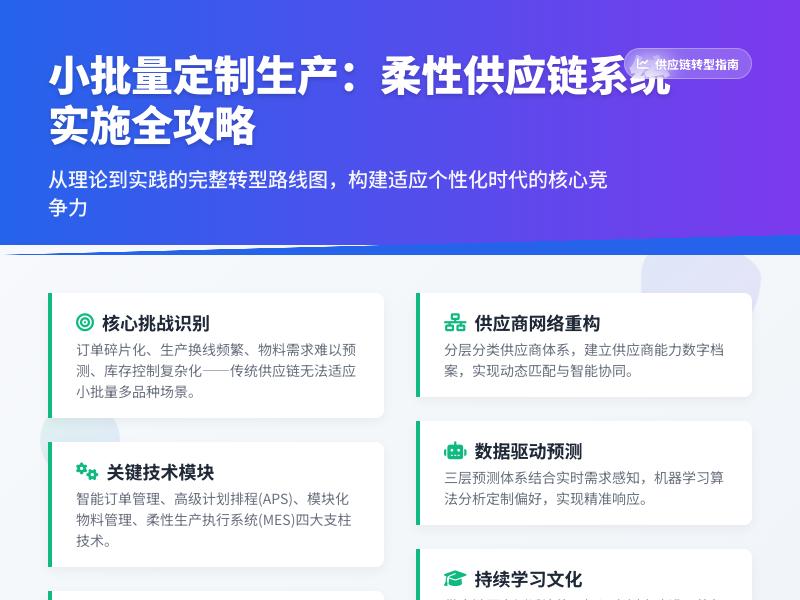
开发指南:为WordPress网站创建自定义在线问卷调查工具 引言:为什么需要自定义问卷调查工具 在当今数据驱动的互联网时代,问卷调查已成为网站收集用户反馈、进行市场研究、评估客户满意度的重要工具。虽然WordPress生态中有许多现成的问卷调查插件,如WPForms、Gravity Forms等,但这些通用解决方案往往无法完全满足特定业务需求。自定义问卷调查工具能够提供更精准的数据收集、更符合品牌形象的用户界面以及更灵活的集成能力。 通过WordPress代码二次开发实现自定义问卷调查工具,不仅可以节省长期使用付费插件的成本,还能确保工具完全按照您的业务流程和需求定制。本指南将详细介绍如何从零开始,为WordPress网站开发一个功能完善的自定义在线问卷调查工具。 第一章:开发前的准备工作 1.1 环境搭建与工具选择 在开始开发之前,需要确保具备以下环境: 本地开发环境:推荐使用XAMPP、MAMP或Local by Flywheel搭建本地WordPress环境 代码编辑器:Visual Studio Code、PHPStorm或Sublime Text 版本控制:Git用于代码版本管理 浏览器开发者工具:用于调试前端代码 1.2 需求分析与功能规划 在编写代码之前,明确问卷调查工具的核心需求: 问卷创建与管理:后台界面用于创建、编辑和删除问卷 问题类型支持:单选题、多选题、文本题、评分题等 响应收集与存储:安全地存储用户提交的问卷数据 数据分析与导出:后台查看统计结果并导出数据 前端展示与交互:用户友好的问卷填写界面 权限控制:限制问卷访问权限(公开/私有) 1.3 数据库设计 设计合理的数据库结构是开发成功的关键。我们需要创建以下数据表: surveys表:存储问卷基本信息 id (主键) title (问卷标题) description (问卷描述) status (状态:草稿/发布/归档) created_at (创建时间) updated_at (更新时间) questions表:存储问题信息 id (主键) survey_id (关联问卷ID) question_text (问题文本) question_type (问题类型:单选/多选/文本等) options (选项,JSON格式存储) required (是否必答) sort_order (排序) responses表:存储用户回答 id (主键) survey_id (问卷ID) question_id (问题ID) answer (用户答案) user_id (用户ID,匿名则为空) submitted_at (提交时间) session_id (会话ID,用于匿名用户跟踪) 第二章:创建基础插件结构 2.1 初始化插件文件 在WordPress的wp-content/plugins/目录下创建新文件夹custom-survey-tool,并创建以下基础文件: custom-survey-tool/ ├── custom-survey-tool.php # 主插件文件 ├── includes/ │ ├── class-database.php # 数据库处理类 │ ├── class-survey.php # 问卷核心类 │ ├── class-admin.php # 后台管理类 │ └── class-frontend.php # 前端展示类 ├── admin/ │ ├── css/ │ │ └── admin-style.css # 后台样式 │ └── js/ │ └── admin-script.js # 后台脚本 ├── public/ │ ├── css/ │ │ └── public-style.css # 前端样式 │ └── js/ │ └── public-script.js # 前端脚本 ├── templates/ # 模板文件 └── assets/ # 静态资源 2.2 主插件文件配置 编辑custom-survey-tool.php文件,添加插件基本信息: <?php /** * Plugin Name: 自定义问卷调查工具 * Plugin URI: https://yourwebsite.com/ * Description: 为WordPress网站创建自定义在线问卷调查工具 * Version: 1.0.0 * Author: 您的名称 * License: GPL v2 or later * Text Domain: custom-survey-tool */ // 防止直接访问 if (!defined('ABSPATH')) { exit; } // 定义插件常量 define('CST_VERSION', '1.0.0'); define('CST_PLUGIN_DIR', plugin_dir_path(__FILE__)); define('CST_PLUGIN_URL', plugin_dir_url(__FILE__)); // 自动加载类文件 spl_autoload_register(function ($class_name) { $prefix = 'CST_'; $base_dir = CST_PLUGIN_DIR . 'includes/'; $len = strlen($prefix); if (strncmp($prefix, $class_name, $len) !== 0) { return; } $relative_class = substr($class_name, $len); $file = $base_dir . 'class-' . strtolower(str_replace('_', '-', $relative_class)) . '.php'; if (file_exists($file)) { require_once $file; } }); // 初始化插件 function cst_init() { // 检查WordPress版本 if (version_compare(get_bloginfo('version'), '5.0', '<')) { wp_die(__('本插件需要WordPress 5.0或更高版本', 'custom-survey-tool')); } // 实例化核心类 $database = new CST_Database(); $survey = new CST_Survey(); $admin = new CST_Admin(); $frontend = new CST_Frontend(); // 激活/停用钩子 register_activation_hook(__FILE__, array($database, 'create_tables')); register_deactivation_hook(__FILE__, array($database, 'drop_tables')); } add_action('plugins_loaded', 'cst_init'); 第三章:数据库与核心功能开发 3.1 数据库处理类 创建includes/class-database.php文件,处理数据库表的创建与维护: <?php class CST_Database { public function create_tables() { global $wpdb; $charset_collate = $wpdb->get_charset_collate(); $table_prefix = $wpdb->prefix . 'cst_'; // 创建问卷表 $surveys_table = $table_prefix . 'surveys'; $sql1 = "CREATE TABLE IF NOT EXISTS $surveys_table ( id int(11) NOT NULL AUTO_INCREMENT, title varchar(255) NOT NULL, description text, status varchar(20) DEFAULT 'draft', created_at datetime DEFAULT CURRENT_TIMESTAMP, updated_at datetime DEFAULT CURRENT_TIMESTAMP ON UPDATE CURRENT_TIMESTAMP, PRIMARY KEY (id) ) $charset_collate;"; // 创建问题表 $questions_table = $table_prefix . 'questions'; $sql2 = "CREATE TABLE IF NOT EXISTS $questions_table ( id int(11) NOT NULL AUTO_INCREMENT, survey_id int(11) NOT NULL, question_text text NOT NULL, question_type varchar(50) NOT NULL, options text, required tinyint(1) DEFAULT 0, sort_order int(11) DEFAULT 0, PRIMARY KEY (id), KEY survey_id (survey_id) ) $charset_collate;"; // 创建回答表 $responses_table = $table_prefix . 'responses'; $sql3 = "CREATE TABLE IF NOT EXISTS $responses_table ( id int(11) NOT NULL AUTO_INCREMENT, survey_id int(11) NOT NULL, question_id int(11) NOT NULL, answer text NOT NULL, user_id int(11) DEFAULT NULL, session_id varchar(100) DEFAULT NULL, submitted_at datetime DEFAULT CURRENT_TIMESTAMP, PRIMARY KEY (id), KEY survey_id (survey_id), KEY question_id (question_id), KEY user_id (user_id) ) $charset_collate;"; require_once(ABSPATH . 'wp-admin/includes/upgrade.php'); dbDelta($sql1); dbDelta($sql2); dbDelta($sql3); // 添加默认数据(示例问卷) $this->add_sample_data(); } private function add_sample_data() { global $wpdb; $table_prefix = $wpdb->prefix . 'cst_'; // 检查是否已有数据 $count = $wpdb->get_var("SELECT COUNT(*) FROM {$table_prefix}surveys"); if ($count == 0) { // 添加示例问卷 $wpdb->insert( $table_prefix . 'surveys', array( 'title' => '客户满意度调查', 'description' => '帮助我们改进服务的简短问卷', 'status' => 'published' ) ); $survey_id = $wpdb->insert_id; // 添加示例问题 $sample_questions = array( array( 'survey_id' => $survey_id, 'question_text' => '您如何评价我们的产品质量?', 'question_type' => 'rating', 'options' => json_encode(array('min' => 1, 'max' => 5, 'labels' => array('非常差', '差', '一般', '好', '非常好'))), 'required' => 1, 'sort_order' => 1 ), array( 'survey_id' => $survey_id, 'question_text' => '您是通过什么渠道了解到我们的?', 'question_type' => 'checkbox', 'options' => json_encode(array('搜索引擎', '社交媒体', '朋友推荐', '广告', '其他')), 'required' => 0, 'sort_order' => 2 ), array( 'survey_id' => $survey_id, 'question_text' => '您有什么改进建议?', 'question_type' => 'textarea', 'options' => json_encode(array('rows' => 4)), 'required' => 0, 'sort_order' => 3 ) ); foreach ($sample_questions as $question) { $wpdb->insert($table_prefix . 'questions', $question); } } } public function drop_tables() { global $wpdb; $tables = array( $wpdb->prefix . 'cst_surveys', $wpdb->prefix . 'cst_questions', $wpdb->prefix . 'cst_responses' ); foreach ($tables as $table) { $wpdb->query("DROP TABLE IF EXISTS $table"); } } } 3.2 问卷核心功能类 创建includes/class-survey.php文件,实现问卷的核心业务逻辑: <?php class CST_Survey { private $db; public function __construct() { global $wpdb; $this->db = $wpdb; $this->table_prefix = $wpdb->prefix . 'cst_'; } // 获取所有问卷 public function get_all_surveys($status = null) { $where = ''; if ($status) { $where = $this->db->prepare("WHERE status = %s", $status); } return $this->db->get_results( "SELECT * FROM {$this->table_prefix}surveys $where ORDER BY created_at DESC" ); } // 获取单个问卷 public function get_survey($id) { return $this->db->get_row( $this->db->prepare( "SELECT * FROM {$this->table_prefix}surveys WHERE id = %d", $id ) ); } // 获取问卷的所有问题 public function get_survey_questions($survey_id) { return $this->db->get_results( $this->db->prepare( "SELECT * FROM {$this->table_prefix}questions WHERE survey_id = %d ORDER BY sort_order ASC", $survey_id ) ); } // 创建新问卷 public function create_survey($data) { $defaults = array( 'title' => '新问卷', 'description' => '', 'status' => 'draft' ); $data = wp_parse_args($data, $defaults); $this->db->insert( $this->table_prefix . 'surveys', $data ); return $this->db->insert_id; } // 更新问卷 public function update_survey($id, $data) { return $this->db->update( $this->table_prefix . 'surveys', $data, array('id' => $id) ); } // 删除问卷 public function delete_survey($id) { // 先删除相关问题 $this->db->delete( $this->table_prefix . 'questions', array('survey_id' => $id) ); // 再删除问卷 return $this->db->delete( $this->table_prefix . 'surveys', array('id' => $id) ); } // 添加问题到问卷 public function add_question($survey_id, $data) { $defaults = array( 'survey_id' => $survey_id, 'question_text' => '新问题', 'question_type' => 'text', 'options' => '', 'required' => 0, 'sort_order' => 0 ); $data = wp_parse_args($data, $defaults); $this->db->insert( $this->table_prefix . 'questions', $data ); return $this->db->insert_id; } // 提交问卷回答 public function submit_response($survey_id, $responses, $user_id = null) { $session_id = $this->generate_session_id(); foreach ($responses as $question_id => $answer) { // 处理多选答案 if (is_array($answer)) { $answer = json_encode($answer); } $this->db->insert( $this->table_prefix . 'responses', array( 'survey_id' => $survey_id, 'question_id' => $question_id, 'answer' => $answer, 'user_id' => $user_id, 'session_id' => $session_id ) ); } return true; } // 获取问卷统计 public function get_survey_stats($survey_id) { $questions = $this->get_survey_questions($survey_id); $stats = array(); foreach ($questions as $question) { $answers = $this->db->get_results( $this->db->prepare( "SELECT answer FROM {$this->table_prefix}responses WHERE survey_id = %d AND question_id = %d", $survey_id, $question->id ) ); $question_stats = array( 'question' => $question->question_text, 'type' => $question->question_type, 'total_responses' => count($answers), 'answers' => array() ); // 根据问题类型统计答案 if ($question->question_type === 'radio' || $question->question_type === 'checkbox') { $options = json_decode($question->options, true); $counts = array(); foreach ($options as $option) { $counts[$option] = 0; } foreach ($answers as $answer) { if ($question->question_type === 'checkbox') { $user_answers = json_decode($answer->answer, true); if (is_array($user_answers)) { foreach ($user_answers as $user_answer) { if (isset($counts[$user_answer])) { $counts[$user_answer]++; } } } } else { if (isset($counts[$answer->answer])) { $counts[$answer->answer]++; } } } $question_stats['answers'] = $counts; } elseif ($question->question_type === 'rating') { $ratings = array(); foreach ($answers as $answer) { $ratings[] = intval($answer->answer); } if (!empty($ratings)) { $question_stats['answers'] = array( 'average' => round(array_sum($ratings) / count($ratings), 2), 'min' => min($ratings), 'max' => max($ratings), 'distribution' => array_count_values($ratings) ); } } $stats[] = $question_stats; } return $stats; } private function generate_session_id() { return md5(uniqid(rand(), true) . $_SERVER['REMOTE_ADDR']); } } 第四章:后台管理界面开发 4.1 管理类与菜单创建 创建includes/class-admin.php文件,实现后台管理功能: <?php class CST_Admin { private $survey; public function __construct() { $this->survey = new CST_Survey(); // 添加管理菜单 add_action('admin_menu', array($this, 'add_admin_menu')); // 加载脚本和样式 add_action('admin_enqueue_scripts', array($this, 'enqueue_admin_scripts')); // 处理表单提交 add_action('admin_post_cst_save_survey', array($this, 'save_survey')); add_action('admin_post_cst_delete_survey', array($this, 'delete_survey')); } 第四章:后台管理界面开发(续) 4.1 管理类与菜单创建(续) public function add_admin_menu() { // 主菜单 add_menu_page( '问卷调查工具', '问卷调查', 'manage_options', 'custom-survey-tool', array($this, 'surveys_list_page'), 'dashicons-feedback', 30 ); // 子菜单 add_submenu_page( 'custom-survey-tool', '所有问卷', '所有问卷', 'manage_options', 'custom-survey-tool', array($this, 'surveys_list_page') ); add_submenu_page( 'custom-survey-tool', '添加新问卷', '添加新问卷', 'manage_options', 'cst-add-survey', array($this, 'add_survey_page') ); add_submenu_page( 'custom-survey-tool', '问卷统计', '问卷统计', 'manage_options', 'cst-survey-stats', array($this, 'survey_stats_page') ); add_submenu_page( 'custom-survey-tool', '插件设置', '设置', 'manage_options', 'cst-settings', array($this, 'settings_page') ); } public function enqueue_admin_scripts($hook) { // 只在插件页面加载资源 if (strpos($hook, 'custom-survey-tool') === false && strpos($hook, 'cst-') === false) { return; } wp_enqueue_style( 'cst-admin-style', CST_PLUGIN_URL . 'admin/css/admin-style.css', array(), CST_VERSION ); wp_enqueue_script( 'cst-admin-script', CST_PLUGIN_URL . 'admin/js/admin-script.js', array('jquery', 'jquery-ui-sortable'), CST_VERSION, true ); // 本地化脚本 wp_localize_script('cst-admin-script', 'cst_admin', array( 'ajax_url' => admin_url('admin-ajax.php'), 'nonce' => wp_create_nonce('cst_admin_nonce'), 'confirm_delete' => __('确定要删除这个问卷吗?此操作不可撤销。', 'custom-survey-tool') )); } 4.2 问卷列表页面 public function surveys_list_page() { $action = isset($_GET['action']) ? sanitize_text_field($_GET['action']) : 'list'; $survey_id = isset($_GET['survey_id']) ? intval($_GET['survey_id']) : 0; switch ($action) { case 'edit': $this->edit_survey_page($survey_id); break; case 'view': $this->view_responses_page($survey_id); break; default: $this->display_surveys_list(); } } private function display_surveys_list() { $surveys = $this->survey->get_all_surveys(); ?> <div class="wrap cst-admin"> <h1 class="wp-heading-inline">问卷调查</h1> <a href="<?php echo admin_url('admin.php?page=cst-add-survey'); ?>" class="page-title-action"> 添加新问卷 </a> <?php if (isset($_GET['message'])): ?> <div class="notice notice-<?php echo sanitize_text_field($_GET['type'] ?? 'success'); ?> is-dismissible"> <p><?php echo esc_html($_GET['message']); ?></p> </div> <?php endif; ?> <div class="tablenav top"> <div class="alignleft actions"> <select name="status_filter" id="status_filter"> <option value="">所有状态</option> <option value="draft">草稿</option> <option value="published">已发布</option> <option value="archived">已归档</option> </select> <button class="button action" id="filter_action">筛选</button> </div> <br class="clear"> </div> <table class="wp-list-table widefat fixed striped surveys"> <thead> <tr> <th scope="col" class="column-id">ID</th> <th scope="col" class="column-title">问卷标题</th> <th scope="col" class="column-status">状态</th> <th scope="col" class="column-questions">问题数</th> <th scope="col" class="column-responses">回答数</th> <th scope="col" class="column-date">创建时间</th> <th scope="col" class="column-actions">操作</th> </tr> </thead> <tbody> <?php if (empty($surveys)): ?> <tr> <td colspan="7" class="no-items">暂无问卷,请点击"添加新问卷"创建第一个问卷。</td> </tr> <?php else: ?> <?php foreach ($surveys as $survey): $questions_count = $this->survey->get_questions_count($survey->id); $responses_count = $this->survey->get_responses_count($survey->id); ?> <tr> <td class="column-id"><?php echo $survey->id; ?></td> <td class="column-title"> <strong> <a href="<?php echo admin_url('admin.php?page=custom-survey-tool&action=edit&survey_id=' . $survey->id); ?>"> <?php echo esc_html($survey->title); ?> </a> </strong> <div class="row-actions"> <span class="edit"> <a href="<?php echo admin_url('admin.php?page=custom-survey-tool&action=edit&survey_id=' . $survey->id); ?>">编辑</a> | </span> <span class="view"> <a href="<?php echo admin_url('admin.php?page=cst-survey-stats&survey_id=' . $survey->id); ?>">统计</a> | </span> <span class="duplicate"> <a href="#" class="duplicate-survey" data-id="<?php echo $survey->id; ?>">复制</a> | </span> <span class="trash"> <a href="<?php echo wp_nonce_url(admin_url('admin-post.php?action=cst_delete_survey&survey_id=' . $survey->id), 'cst_delete_survey'); ?>" class="submitdelete" onclick="return confirm('确定要删除这个问卷吗?')">删除</a> </span> </div> </td> <td class="column-status"> <span class="status-badge status-<?php echo $survey->status; ?>"> <?php $status_labels = array( 'draft' => '草稿', 'published' => '已发布', 'archived' => '已归档' ); echo $status_labels[$survey->status] ?? $survey->status; ?> </span> </td> <td class="column-questions"><?php echo $questions_count; ?></td> <td class="column-responses"><?php echo $responses_count; ?></td> <td class="column-date"><?php echo date('Y-m-d H:i', strtotime($survey->created_at)); ?></td> <td class="column-actions"> <a href="<?php echo admin_url('admin.php?page=custom-survey-tool&action=edit&survey_id=' . $survey->id); ?>" class="button button-small">编辑</a> <a href="<?php echo admin_url('admin.php?page=cst-survey-stats&survey_id=' . $survey->id); ?>" class="button button-small">查看统计</a> </td> </tr> <?php endforeach; ?> <?php endif; ?> </tbody> </table> </div> <?php } 4.3 问卷编辑页面 private function edit_survey_page($survey_id) { $survey = $this->survey->get_survey($survey_id); $questions = $this->survey->get_survey_questions($survey_id); if (!$survey) { wp_die('问卷不存在'); } ?> <div class="wrap cst-admin"> <h1>编辑问卷: <?php echo esc_html($survey->title); ?></h1> <form method="post" action="<?php echo admin_url('admin-post.php'); ?>" id="survey-form"> <input type="hidden" name="action" value="cst_save_survey"> <input type="hidden" name="survey_id" value="<?php echo $survey_id; ?>"> <?php wp_nonce_field('cst_save_survey', 'cst_nonce'); ?> <div id="poststuff"> <div id="post-body" class="metabox-holder columns-2"> <!-- 主内容区 --> <div id="post-body-content"> <div class="postbox"> <h2 class="hndle">问卷基本信息</h2> <div class="inside"> <table class="form-table"> <tr> <th><label for="survey_title">问卷标题</label></th> <td> <input type="text" id="survey_title" name="survey_title" value="<?php echo esc_attr($survey->title); ?>" class="regular-text" required> </td> </tr> <tr> <th><label for="survey_description">问卷描述</label></th> <td> <textarea id="survey_description" name="survey_description" rows="3" class="large-text"><?php echo esc_textarea($survey->description); ?></textarea> <p class="description">显示在问卷开头的描述文字</p> </td> </tr> <tr> <th><label for="survey_status">状态</label></th> <td> <select id="survey_status" name="survey_status"> <option value="draft" <?php selected($survey->status, 'draft'); ?>>草稿</option> <option value="published" <?php selected($survey->status, 'published'); ?>>已发布</option> <option value="archived" <?php selected($survey->status, 'archived'); ?>>已归档</option> </select> </td> </tr> </table> </div> </div> <!-- 问题管理区域 --> <div class="postbox"> <h2 class="hndle">问卷问题</h2> <div class="inside"> <div id="questions-container" class="sortable-questions"> <?php if (empty($questions)): ?> <p class="no-questions">暂无问题,点击下方"添加问题"按钮开始添加。</p> <?php else: ?> <?php foreach ($questions as $index => $question): ?> <?php $this->render_question_editor($question, $index); ?> <?php endforeach; ?> <?php endif; ?> </div> <div class="add-question-section"> <button type="button" id="add-question" class="button button-primary"> <span class="dashicons dashicons-plus"></span> 添加问题 </button> <div class="question-type-selector" style="display: none;"> <select id="new-question-type"> <option value="text">单行文本</option> <option value="textarea">多行文本</option> <option value="radio">单选题</option> <option value="checkbox">多选题</option> <option value="select">下拉选择</option> <option value="rating">评分题</option> <option value="date">日期选择</option> <option value="email">邮箱地址</option> </select> <button type="button" id="confirm-add-question" class="button">确认添加</button> <button type="button" id="cancel-add-question" class="button button-link">取消</button> </div> </div> </div> </div> </div> <!-- 侧边栏 --> <div id="postbox-container-1" class="postbox-container"> <div class="postbox"> <h2 class="hndle">发布</h2> <div class="inside"> <div class="submitbox"> <div id="major-publishing-actions"> <div id="publishing-action"> <span class="spinner"></span> <input type="submit" name="save_survey" value="保存问卷" class="button button-primary button-large"> </div> <div class="clear"></div> </div> </div> </div> </div> <div class="postbox"> <h2 class="hndle">问卷短码</h2> <div class="inside"> <p>将以下短码插入到文章或页面中显示此问卷:</p> <input type="text" value="[custom_survey id='<?php echo $survey_id; ?>']" class="large-text code" readonly onclick="this.select();"> <p class="description">复制此短码并粘贴到任何文章或页面中</p> </div> </div> <div class="postbox"> <h2 class="hndle">问卷设置</h2> <div class="inside"> <table class="form-table"> <tr> <th><label for="allow_anonymous">允许匿名提交</label></th> <td> <input type="checkbox" id="allow_anonymous" name="allow_anonymous" value="1" checked> </td> </tr> <tr> <th><label for="limit_one_response">限制每人提交一次</label></th> <td> <input type="checkbox" id="limit_one_response" name="limit_one_response" value="1"> </td> </tr> <tr> <th><label for="show_progress">显示进度条</label></th> <td> <input type="checkbox" id="show_progress" name="show_progress" value="1" checked> </td> </tr> </table> </div> </div> </div> </div> </div> </form> </div> <?php } private function render_question_editor($question, $index) { $options = json_decode($question->options, true); ?> <div class="question-editor" data-index="<?php echo $index; ?>" data-id="<?php echo $question->id; ?>"> <div class="question-header"> <span class="question-number">问题 <?php echo $index + 1; ?></span> <span class="question-type-badge"><?php echo $this->get_question_type_label($question->question_type); ?></span> <button type="button" class="delete-question" title="删除问题"> <span class="dashicons dashicons-trash"></span> </button> <button type="button" class="toggle-question" title="展开/收起"> <span class="dashicons dashicons-arrow-down"></span> </button> </div> <div class="question-body"> <div class="question-main"> <input type="hidden" name="questions[<?php echo $index; ?>][id]" value="<?php echo $question->id; ?>"> <input type="hidden" name="questions[<?php echo $index; ?>][type]" value="<?php echo $question->question_type; ?>"> <div class="form-field"> <label>问题内容</label> <input type="text" name="questions[<?php echo $index; ?>][text]" value="<?php echo esc_attr($question->question_text); ?>" class="regular-text question-text" required> </div> <div class="form-field"> <label> <input type="checkbox" name="questions[<?php echo $index; ?>][required]" value="1" <?php checked($question->required, 1); ?>> 必填问题 </label> </div> <!-- 选项配置区域(根据问题类型显示) --> <div class="question-options" data-type="<?php echo $question->question_type; ?>"> <?php $this->render_question_options($question->question_type, $options, $index); ?> </div> </div> </div> </div> <?php } private function render_question_options($type, $options, $index) { switch ($type) { case 'radio': case 'checkbox': case 'select': ?> <div class="form-field"> <label>选项(每行一个)</label> <textarea name="questions[<?php echo $index; ?>][options]" rows="5" class="large-text"><?php if (is_array($options)) { echo implode("n", $options); } ?></textarea> <p class="description">每个选项单独一行</p> </div> <?php break; case 'rating': $min = $options['min'] ?? 1; $max = $options['max'] ?? 5; $labels = $options['labels'] ?? array(); ?>
发表评论
WordPress集成教程:连接主流电商平台与库存管理,通过代码二次开发实现常用互联网小工具功能 引言:WordPress的无限潜能 在当今数字化浪潮中,企业对于在线业务的需求日益复杂和多样化。从简单的展示型网站到功能齐全的电商平台,从内容管理系统到集成多种互联网工具的综合门户,市场对网站的要求越来越高。在这一背景下,WordPress作为全球最受欢迎的内容管理系统,凭借其开源、灵活、可扩展的特性,正成为越来越多企业和开发者的首选平台。 WordPress最初只是一个博客系统,但经过近二十年的发展,它已经演变成一个功能强大的网站构建框架。根据最新统计数据,全球超过43%的网站使用WordPress构建,这一数字在内容管理系统中占据了绝对主导地位。然而,许多用户仅仅利用了WordPress的基础功能,未能充分挖掘其深度集成的潜力。 本教程将深入探讨如何通过WordPress的代码二次开发,实现与主流电商平台的深度集成、高效的库存管理系统,以及常用互联网小工具的定制化功能。无论您是WordPress开发者、电商运营者还是企业技术负责人,都能从本文中找到将您的WordPress网站提升到新水平的方法和思路。 第一部分:WordPress开发基础与环境配置 1.1 WordPress架构概述 要充分发挥WordPress的集成潜力,首先需要理解其核心架构。WordPress采用MVC(模型-视图-控制器)的变体架构,主要由以下几个部分组成: 核心文件:WordPress的核心功能文件,通常不应直接修改 主题系统:控制网站外观和前端展示 插件系统:扩展WordPress功能的模块化组件 数据库结构:存储网站内容、设置和用户数据的MySQL/MariaDB数据库 API系统:包括REST API、XML-RPC等,用于外部系统集成 理解这一架构是进行有效二次开发的基础。WordPress的钩子(Hooks)系统是其扩展性的核心,包括动作(Actions)和过滤器(Filters),允许开发者在特定点插入自定义代码,修改默认行为。 1.2 开发环境搭建 在进行WordPress二次开发前,需要配置合适的开发环境: 本地开发环境:推荐使用Local by Flywheel、XAMPP或Docker WordPress开发环境 代码编辑器:VS Code、PHPStorm等,配备WordPress代码片段和调试工具 版本控制:Git是必须的,配合GitHub、GitLab或Bitbucket 调试工具:启用WP_DEBUG、安装Query Monitor插件、使用Xdebug进行PHP调试 浏览器开发工具:Chrome DevTools或Firefox Developer Tools 一个典型的本地开发环境配置如下: # 使用Docker配置WordPress开发环境 docker-compose.yml配置示例: version: '3.3' services: db: image: mysql:5.7 volumes: - db_data:/var/lib/mysql environment: MYSQL_ROOT_PASSWORD: your_password MYSQL_DATABASE: wordpress MYSQL_USER: wordpress MYSQL_PASSWORD: wordpress wordpress: depends_on: - db image: wordpress:latest ports: - "8000:80" environment: WORDPRESS_DB_HOST: db:3306 WORDPRESS_DB_USER: wordpress WORDPRESS_DB_PASSWORD: wordpress WORDPRESS_DB_NAME: wordpress volumes: - ./wp-content:/var/www/html/wp-content - ./themes/my-theme:/var/www/html/wp-content/themes/my-theme - ./plugins/my-plugin:/var/www/html/wp-content/plugins/my-plugin 1.3 子主题与自定义插件开发 为了避免主题更新覆盖自定义修改,最佳实践是创建子主题或自定义插件: 创建子主题: 在wp-content/themes/目录下创建新文件夹,如my-child-theme 创建style.css文件,包含必要的主题信息头 创建functions.php文件,用于添加自定义功能 通过@import或wp_enqueue_style()引入父主题样式 创建自定义插件: 在wp-content/plugins/目录下创建插件文件夹 创建主插件文件,包含插件信息头 使用面向对象编程(OOP)结构组织代码 遵循WordPress编码标准 第二部分:连接主流电商平台 2.1 WooCommerce深度集成 WooCommerce是WordPress最流行的电商插件,但默认功能可能无法满足特定需求。以下是如何通过代码扩展WooCommerce功能的示例: 自定义产品类型: // 注册新的产品类型 add_action('init', 'register_custom_product_type'); function register_custom_product_type() { class WC_Product_Custom extends WC_Product { public function __construct($product) { $this->product_type = 'custom'; parent::__construct($product); } public function get_type() { return 'custom'; } // 添加自定义方法 public function get_custom_price() { return get_post_meta($this->id, '_custom_price', true); } } } // 在产品类型选择中添加自定义类型 add_filter('product_type_selector', 'add_custom_product_type'); function add_custom_product_type($types) { $types['custom'] = __('自定义产品', 'text-domain'); return $types; } 与第三方支付网关集成: // 创建自定义支付网关 add_filter('woocommerce_payment_gateways', 'add_custom_gateway'); function add_custom_gateway($gateways) { $gateways[] = 'WC_Custom_Gateway'; return $gateways; } // 自定义支付网关类 class WC_Custom_Gateway extends WC_Payment_Gateway { public function __construct() { $this->id = 'custom_gateway'; $this->method_title = '自定义支付网关'; $this->method_description = '通过自定义API接口处理支付'; $this->has_fields = true; $this->init_form_fields(); $this->init_settings(); $this->title = $this->get_option('title'); $this->description = $this->get_option('description'); $this->api_key = $this->get_option('api_key'); add_action('woocommerce_update_options_payment_gateways_' . $this->id, array($this, 'process_admin_options')); } public function process_payment($order_id) { $order = wc_get_order($order_id); // 调用第三方支付API $api_response = $this->call_payment_api($order); if ($api_response['success']) { // 支付成功 $order->payment_complete(); wc_reduce_stock_levels($order_id); return array( 'result' => 'success', 'redirect' => $this->get_return_url($order) ); } else { // 支付失败 wc_add_notice('支付失败: ' . $api_response['message'], 'error'); return; } } private function call_payment_api($order) { // 实现与第三方支付API的通信逻辑 // 返回包含success和message的数组 } } 2.2 与Shopify、Magento等平台的数据同步 对于多平台运营的企业,保持数据同步至关重要。以下是实现WordPress与Shopify数据同步的示例: 产品数据同步: // Shopify产品同步类 class Shopify_Product_Sync { private $api_key; private $api_secret; private $store_url; public function __construct($api_key, $api_secret, $store_url) { $this->api_key = $api_key; $this->api_secret = $api_secret; $this->store_url = $store_url; } // 从Shopify获取产品 public function fetch_products_from_shopify() { $url = "https://{$this->api_key}:{$this->api_secret}@{$this->store_url}/admin/api/2023-01/products.json"; $response = wp_remote_get($url, array( 'timeout' => 30, 'headers' => array( 'Content-Type' => 'application/json', ) )); if (is_wp_error($response)) { error_log('Shopify API错误: ' . $response->get_error_message()); return false; } $body = wp_remote_retrieve_body($response); $products = json_decode($body, true); return $products['products'] ?? array(); } // 同步产品到WooCommerce public function sync_to_woocommerce($shopify_products) { foreach ($shopify_products as $shopify_product) { // 检查产品是否已存在 $existing_product_id = $this->find_existing_product($shopify_product['id'], 'shopify'); if ($existing_product_id) { // 更新现有产品 $this->update_woocommerce_product($existing_product_id, $shopify_product); } else { // 创建新产品 $this->create_woocommerce_product($shopify_product); } } } private function create_woocommerce_product($shopify_product) { $product = new WC_Product(); $product->set_name($shopify_product['title']); $product->set_description($shopify_product['body_html']); $product->set_short_description($this->extract_excerpt($shopify_product['body_html'])); $product->set_regular_price($shopify_product['variants'][0]['price']); $product->set_sku($shopify_product['variants'][0]['sku']); $product->set_stock_quantity($shopify_product['variants'][0]['inventory_quantity']); // 保存Shopify ID作为元数据,用于后续同步 $product_id = $product->save(); update_post_meta($product_id, '_shopify_product_id', $shopify_product['id']); update_post_meta($product_id, '_shopify_variant_id', $shopify_product['variants'][0]['id']); // 处理产品图片 $this->process_product_images($product_id, $shopify_product['images']); return $product_id; } } 订单数据同步: // 双向订单同步 class Order_Sync_Manager { public function sync_new_orders() { // 从WooCommerce获取新订单 $new_orders = wc_get_orders(array( 'limit' => 50, 'status' => array('processing', 'completed'), 'meta_key' => '_synced_to_external', 'meta_compare' => 'NOT EXISTS' )); foreach ($new_orders as $order) { $this->sync_order_to_external($order); update_post_meta($order->get_id(), '_synced_to_external', current_time('mysql')); } // 从外部平台获取新订单 $external_orders = $this->fetch_external_orders(); foreach ($external_orders as $external_order) { $this->create_order_from_external($external_order); } } private function sync_order_to_external($order) { // 实现将订单同步到Shopify、Magento等平台的逻辑 $order_data = array( 'order_id' => $order->get_id(), 'customer_email' => $order->get_billing_email(), 'total' => $order->get_total(), 'items' => array() ); foreach ($order->get_items() as $item) { $order_data['items'][] = array( 'product_id' => $item->get_product_id(), 'quantity' => $item->get_quantity(), 'price' => $item->get_total() ); } // 发送到外部平台API // $this->call_external_api('orders', $order_data); } } 2.3 使用REST API实现跨平台通信 WordPress REST API为跨平台集成提供了强大支持: 自定义REST API端点: // 注册自定义REST API端点 add_action('rest_api_init', 'register_custom_api_endpoints'); function register_custom_api_endpoints() { // 产品同步端点 register_rest_route('custom-api/v1', '/sync-products', array( 'methods' => 'POST', 'callback' => 'handle_product_sync', 'permission_callback' => 'validate_api_request' )); // 库存检查端点 register_rest_route('custom-api/v1', '/check-inventory/(?P<sku>[a-zA-Z0-9-]+)', array( 'methods' => 'GET', 'callback' => 'handle_inventory_check', 'permission_callback' => 'validate_api_request' )); // 订单状态更新端点 register_rest_route('custom-api/v1', '/update-order-status', array( 'methods' => 'PUT', 'callback' => 'handle_order_status_update', 'permission_callback' => 'validate_api_request' )); } // API请求验证 function validate_api_request($request) { $api_key = $request->get_header('X-API-Key'); $valid_key = get_option('custom_api_key'); if (!$api_key || $api_key !== $valid_key) { return new WP_Error('rest_forbidden', '无效的API密钥', array('status' => 403)); } return true; } // 处理产品同步 function handle_product_sync($request) { $parameters = $request->get_json_params(); $products = $parameters['products'] ?? array(); $results = array(); foreach ($products as $product_data) { $result = sync_single_product($product_data); $results[] = $result; } return new WP_REST_Response(array( 'success' => true, 'synced_count' => count($results), 'results' => $results ), 200); } // 库存检查处理 function handle_inventory_check($request) { $sku = $request['sku']; $product_id = wc_get_product_id_by_sku($sku); if (!$product_id) { return new WP_Error('not_found', '产品未找到', array('status' => 404)); } $product = wc_get_product($product_id); $stock_quantity = $product->get_stock_quantity(); $stock_status = $product->get_stock_status(); return new WP_REST_Response(array( 'sku' => $sku, 'product_id' => $product_id, 'stock_quantity' => $stock_quantity, 'stock_status' => $stock_status, 'in_stock' => $stock_status === 'instock' ), 200); } 第三部分:库存管理系统集成与优化 3.1 实时库存同步机制 库存管理是电商运营的核心环节。以下是实现实时库存同步的完整方案: 库存变更监听与同步: // 监听库存变化并同步到外部系统 class Inventory_Sync_Manager { private $external_systems = array(); public function __construct() { $this->init_hooks(); $this->load_external_systems(); } private function init_hooks() { // WooCommerce库存变化钩子 add_action('woocommerce_product_set_stock', array($this, 'on_stock_change'), 10, 1); add_action('woocommerce_variation_set_stock', array($this, 'on_stock_change'), 10, 1); // 订单状态变化钩子 add_action('woocommerce_order_status_changed', array($this, 'on_order_status_change'), 10, 4); // 计划任务,定期同步库存 add_action('init', array($this, 'schedule_inventory_sync')); add_action('daily_inventory_sync', array($this, 'full_inventory_sync')); } public function on_stock_change($product) { if (!$product || !is_a($product, 'WC_Product')) { return; } $product_id = $product->get_id(); $sku = $product->get_sku(); $stock_quantity = $product->get_stock_quantity(); $stock_status = $product->get_stock_status(); $inventory_data = array( 'product_id' => $product_id, 'sku' => $sku, 'quantity' => $stock_quantity, 'status' => $stock_status, 'timestamp' => current_time('mysql'), 'change_type' => 'manual_update' ); // 记录库存变化 $this->log_inventory_change($inventory_data); // 同步到所有外部系统 $this->sync_to_all_external_systems($inventory_data); } public function on_order_status_change($order_id, $old_status, $new_status, $order) { // 订单状态影响库存的逻辑 $statuses_that_reduce_stock = array('processing', 'completed'); $statuses_that_restore_stock = array('cancelled', 'refunded'); if (in_array($new_status, $statuses_that_reduce_stock) && !in_array($old_status, $statuses_that_reduce_stock)) { // 减少库存 $this->adjust_inventory_for_order($order, 'decrease'); } elseif (in_array($new_status, $statuses_that_restore_stock) && in_array($old_status, $statuses_that_reduce_stock)) { // 恢复库存 $this->adjust_inventory_for_order($order, 'increase'); } } 3.2 多仓库库存管理 对于拥有多个仓库或销售渠道的企业,需要更复杂的库存管理系统: 多仓库库存类: class Multi_Warehouse_Inventory { private $warehouses = array(); public function __construct() { $this->load_warehouses(); add_action('woocommerce_product_options_inventory_product_data', array($this, 'add_warehouse_inventory_fields')); add_action('woocommerce_process_product_meta', array($this, 'save_warehouse_inventory_data')); add_filter('woocommerce_product_get_stock_quantity', array($this, 'get_total_stock_quantity'), 10, 2); } private function load_warehouses() { // 从数据库加载仓库配置 $this->warehouses = get_option('custom_warehouses', array( 'main' => array('name' => '主仓库', 'location' => '上海'), 'north' => array('name' => '北方仓库', 'location' => '北京'), 'south' => array('name' => '南方仓库', 'location' => '广州') )); } public function add_warehouse_inventory_fields() { global $product_object; echo '<div class="options_group warehouse-inventory">'; echo '<h4>多仓库库存管理</h4>'; foreach ($this->warehouses as $warehouse_id => $warehouse) { woocommerce_wp_text_input(array( 'id' => "_warehouse_{$warehouse_id}_stock", 'label' => $warehouse['name'] . '库存', 'desc_tip' => true, 'description' => $warehouse['location'] . '仓库的库存数量', 'type' => 'number', 'custom_attributes' => array( 'step' => '1', 'min' => '0' ), 'value' => get_post_meta($product_object->get_id(), "_warehouse_{$warehouse_id}_stock", true) )); // 安全库存设置 woocommerce_wp_text_input(array( 'id' => "_warehouse_{$warehouse_id}_safety_stock", 'label' => $warehouse['name'] . '安全库存', 'desc_tip' => true, 'description' => '触发补货提醒的最小库存量', 'type' => 'number', 'custom_attributes' => array( 'step' => '1', 'min' => '0' ), 'value' => get_post_meta($product_object->get_id(), "_warehouse_{$warehouse_id}_safety_stock", true) )); } echo '</div>'; } public function save_warehouse_inventory_data($product_id) { foreach ($this->warehouses as $warehouse_id => $warehouse) { if (isset($_POST["_warehouse_{$warehouse_id}_stock"])) { $stock = intval($_POST["_warehouse_{$warehouse_id}_stock"]); update_post_meta($product_id, "_warehouse_{$warehouse_id}_stock", $stock); } if (isset($_POST["_warehouse_{$warehouse_id}_safety_stock"])) { $safety_stock = intval($_POST["_warehouse_{$warehouse_id}_safety_stock"]); update_post_meta($product_id, "_warehouse_{$warehouse_id}_safety_stock", $safety_stock); } } // 更新总库存 $this->update_total_stock($product_id); } public function get_total_stock_quantity($quantity, $product) { // 计算所有仓库的总库存 $total_stock = 0; foreach ($this->warehouses as $warehouse_id => $warehouse) { $warehouse_stock = get_post_meta($product->get_id(), "_warehouse_{$warehouse_id}_stock", true); $total_stock += intval($warehouse_stock); } return $total_stock > 0 ? $total_stock : $quantity; } private function update_total_stock($product_id) { $total_stock = 0; foreach ($this->warehouses as $warehouse_id => $warehouse) { $warehouse_stock = get_post_meta($product_id, "_warehouse_{$warehouse_id}_stock", true); $total_stock += intval($warehouse_stock); } // 更新WooCommerce库存 $product = wc_get_product($product_id); if ($product && $product->managing_stock()) { $product->set_stock_quantity($total_stock); $product->save(); } } // 智能分配库存 public function allocate_stock_for_order($order, $product_id, $quantity) { $warehouse_allocation = array(); $remaining_quantity = $quantity; // 按优先级分配库存(例如:按距离、库存量等) $priority_warehouses = $this->get_priority_warehouses($order); foreach ($priority_warehouses as $warehouse_id) { $available_stock = get_post_meta($product_id, "_warehouse_{$warehouse_id}_stock", true); $allocated = min($available_stock, $remaining_quantity); if ($allocated > 0) { $warehouse_allocation[$warehouse_id] = $allocated; $remaining_quantity -= $allocated; // 更新仓库库存 $new_stock = $available_stock - $allocated; update_post_meta($product_id, "_warehouse_{$warehouse_id}_stock", $new_stock); // 检查是否需要补货 $this->check_reorder_point($product_id, $warehouse_id, $new_stock); } if ($remaining_quantity <= 0) break; } if ($remaining_quantity > 0) { // 库存不足,触发缺货通知 $this->trigger_out_of_stock_notification($product_id, $remaining_quantity); } return $warehouse_allocation; } private function get_priority_warehouses($order) { // 根据订单地址确定最优仓库 $shipping_address = $order->get_shipping_address_1(); $shipping_city = $order->get_shipping_city(); // 简化的距离计算逻辑(实际应使用地理编码API) $warehouse_distances = array(); foreach ($this->warehouses as $warehouse_id => $warehouse) { $distance = $this->calculate_distance($shipping_city, $warehouse['location']); $warehouse_distances[$warehouse_id] = $distance; } asort($warehouse_distances); // 按距离升序排序 return array_keys($warehouse_distances); } } 3.3 库存预警与自动补货系统 库存监控与预警类: class Inventory_Monitoring_System { private $alert_thresholds = array(); public function __construct() { $this->alert_thresholds = array( 'critical' => 0.1, // 库存低于10%时发送紧急警报 'warning' => 0.3, // 库存低于30%时发送警告 'info' => 0.5 // 库存低于50%时发送通知 ); // 设置定时任务 add_action('init', array($this, 'schedule_inventory_checks')); add_action('hourly_inventory_check', array($this, 'check_inventory_levels')); add_action('daily_inventory_report', array($this, 'generate_inventory_report')); } public function schedule_inventory_checks() { if (!wp_next_scheduled('hourly_inventory_check')) { wp_schedule_event(time(), 'hourly', 'hourly_inventory_check'); } if (!wp_next_scheduled('daily_inventory_report')) { wp_schedule_event(time(), 'daily', 'daily_inventory_report'); } } public function check_inventory_levels() { $products = wc_get_products(array( 'limit' => -1, 'status' => 'publish', 'stock_status' => 'instock' )); foreach ($products as $product) { $this->check_single_product_inventory($product); } } private function check_single_product_inventory($product) { $product_id = $product->get_id(); $current_stock = $product->get_stock_quantity(); $max_stock = get_post_meta($product_id, '_max_stock_level', true); if (!$max_stock) { // 如果没有设置最大库存,使用最近30天的平均销量×2 $max_stock = $this->calculate_max_stock($product_id); update_post_meta($product_id, '_max_stock_level', $max_stock); } $stock_ratio = $current_stock / $max_stock; // 检查库存水平并触发相应警报 foreach ($this->alert_thresholds as $level => $threshold) { if ($stock_ratio <= $threshold) { $this->send_inventory_alert($product, $level, $stock_ratio); break; } } // 检查是否需要自动补货 if ($stock_ratio <= 0.2) { // 库存低于20%时触发补货 $this->initiate_reorder($product, $max_stock - $current_stock); } } private function calculate_max_stock($product_id) { // 计算最近30天的平均日销量 global $wpdb; $thirty_days_ago = date('Y-m-d', strtotime('-30 days')); $sales_data = $wpdb->get_row($wpdb->prepare(" SELECT SUM(oi.quantity) as total_sold FROM {$wpdb->prefix}woocommerce_order_items oi LEFT JOIN {$wpdb->prefix}woocommerce_order_itemmeta oim ON oi.order_item_id = oim.order_item_id LEFT JOIN {$wpdb->posts} p ON oi.order_id = p.ID WHERE oi.order_item_type = 'line_item' AND oim.meta_key = '_product_id' AND oim.meta_value = %d AND p.post_date >= %s AND p.post_status IN ('wc-completed', 'wc-processing') ", $product_id, $thirty_days_ago)); $total_sold = $sales_data->total_sold ?: 0; $average_daily_sales = $total_sold / 30; // 最大库存 = 平均日销量 × 补货周期(假设14天)× 安全系数(1.5) return ceil($average_daily_sales * 14 * 1.5); } private function send_inventory_alert($product, $level, $stock_ratio) { $product_name = $product->get_name(); $current_stock = $product->get_stock_quantity(); $sku = $product->get_sku(); $alert_messages = array( 'critical' => "紧急:产品 {$product_name} (SKU: {$sku}) 库存严重不足!当前库存:{$current_stock},库存率:".round($stock_ratio*100,1)."%", 'warning' => "警告:产品 {$product_name} (SKU: {$sku}) 库存偏低。当前库存:{$current_stock},库存率:".round($stock_ratio*100,1)."%", 'info' => "通知:产品 {$product_name} (SKU: {$sku}) 库存量中等。当前库存:{$current_stock},库存率:".round($stock_ratio*100,1)."%" ); $message = $alert_messages[$level] ?? "产品 {$product_name} 库存状态异常"; // 发送邮件通知 $this->send_email_alert($message, $level); // 发送Slack/钉钉通知 $this->send_im_alert($message, $level); // 记录到数据库 $this->log_alert($product->get_id(), $level, $message); } private function initiate_reorder($product, $reorder_quantity) { $product_id = $product->get_id(); $product_name = $product->get_name(); $sku = $product->get_sku(); // 检查是否已有待处理的补货单 $existing_reorder = get_posts(array( 'post_type' => 'reorder', 'meta_key' => '_product_id', 'meta_value' => $product_id, 'post_status' => array('pending', 'processing') )); if (empty($existing_reorder)) { // 创建补货单 $reorder_id = wp_insert_post(array( 'post_type' => 'reorder', 'post_title' => "补货单 - {$product_name}", 'post_status' => 'pending', 'post_content' => "自动生成的补货单,产品:{$product_name},补货数量:{$reorder_quantity}" )); update_post_meta($reorder_id, '_product_id', $product_id); update_post_meta($reorder_id, '_product_sku', $sku); update_post_meta($reorder_id, '_reorder_quantity', $reorder_quantity); update_post_meta($reorder_id, '_reorder_date', current_time('mysql')); update_post_meta($reorder_id, '_reorder_status', 'pending'); // 通知采购部门 $this->notify_purchasing_department($reorder_id, $product, $reorder_quantity); } } } 第四部分:常用互联网小工具功能实现 4.1 实时汇率计算器 汇率计算器小工具: class Currency_Converter_Widget extends WP_Widget { public function __construct() { parent::__construct( 'currency_converter', '实时汇率计算器', array('description' => '显示实时汇率转换工具') ); // 添加短代码支持 add_shortcode('currency_converter', array($this, 'shortcode_handler')); // 注册AJAX处理 add_action('wp_ajax_convert_currency', array($this, 'ajax_convert_currency')); add_action('wp_ajax_nopriv_convert_currency', array($this, 'ajax_convert_currency')); } public function widget($args, $instance) { echo $args['before_widget']; if (!empty($instance['title'])) { echo $args['before_title'] . apply_filters('widget_title', $instance['title']) . $args['after_title']; } $this->render_converter_form(); echo $args['after_widget']; } private function render_converter_form() { $currencies = $this->get_available_currencies(); $default_from = $instance['default_from'] ?? 'USD'; $default_to = $instance['default_to'] ?? 'CNY'; ?> <div class="currency-converter-widget"> <form id="currency-converter-form" method="post"> <div class="converter-input-group"> <input type="number" id="amount" name="amount" placeholder="输入金额" step="0.01" min="0" required> <select id="from_currency" name="from_currency"> <?php foreach ($currencies as $code => $name): ?> <option value="<?php echo esc_attr($code); ?>" <?php selected($code, $default_from); ?>> <?php echo esc_html("{$code} - {$name}"); ?> </option> <?php endforeach; ?> </select> </div> <div class="converter-swap"> <button type="button" id="swap-currencies" class="swap-button"> <span class="dashicons dashicons-sort"></span> </button> </div> <div class="converter-input-group"> <input type="text" id="converted_amount" name="converted_amount" placeholder="转换结果" readonly> <select id="to_currency" name="to_currency"> <?php foreach ($currencies as $code => $name): ?> <option value="<?php echo esc_attr($code); ?>" <?php selected($code, $default_to); ?>> <?php echo esc_html("{$code} - {$name}"); ?> </option> <?php endforeach; ?> </select> </div> <div class="converter-info"> <p id="exchange-rate-info">汇率: 加载中...</p> <p id="last-updated">最后更新: --</p> </div> <button type="submit" class="convert-button">转换</button> </form> <div id="conversion-history" class="conversion-history"> <h4>最近转换记录</h4> <ul id="history-list"></ul> </div> </div> <style> .currency-converter-widget { padding: 15px; background: #f9f9f9; border-radius: 8px; } .converter-input-group { display: flex; margin-bottom: 10px; } .converter-input-group input { flex: 2; padding: 10px; border: 1px solid #ddd; border-radius: 4px 0 0 4px;
发表评论
手把手教学:为WordPress网站添加多语言翻译工具 引言:为什么需要多语言支持? 在全球化时代,网站多语言化已成为吸引国际用户、扩大影响力的重要策略。据统计,超过75%的互联网用户更倾向于使用母语浏览内容,而超过50%的用户表示不会从不支持自己语言的网站购买产品。对于WordPress网站而言,添加多语言功能不仅能提升用户体验,还能显著提高国际搜索引擎排名和转化率。 本文将详细介绍三种为WordPress网站添加多语言翻译工具的方法:使用插件、自定义代码实现以及结合第三方翻译API。无论您是初学者还是有经验的开发者,都能找到适合您需求的解决方案。 方法一:使用多语言插件(推荐初学者) 1.1 选择适合的插件 WordPress生态系统中有多款优秀的多语言插件,其中最受欢迎的是: WPML(WordPress Multilingual Plugin):功能全面,支持40多种语言 Polylang:轻量级免费插件,适合中小型网站 Weglot:基于云翻译服务,自动化程度高 本教程将以Polylang为例,因为它免费且易于使用。 1.2 安装和配置Polylang 步骤1:安装插件 登录WordPress后台 进入"插件" → "安装插件" 搜索"Polylang" 点击"立即安装",然后激活 步骤2:基本配置 激活后,进入"语言" → "设置" 在"语言"选项卡中添加需要的语言(如英语、西班牙语等) 设置默认语言 在"URL修改"中选择语言识别方式(推荐使用目录形式,如example.com/en/) 步骤3:翻译内容 创建或编辑文章/页面时,会看到语言选择框 为每种语言创建对应的翻译版本 使用"+"按钮快速创建翻译副本 1.3 翻译主题字符串 Polylang可以翻译主题和插件中的硬编码字符串: // 示例:在主题中正确使用翻译函数 // 在主题的functions.php或模板文件中 // 1. 使用Polylang的翻译函数 if (function_exists('pll__')) { $translated_text = pll__('Welcome to our website'); echo $translated_text; } // 2. 注册可翻译字符串 add_action('init', function() { if (function_exists('pll_register_string')) { // 注册主题中需要翻译的字符串 pll_register_string('mytheme', 'Read More'); pll_register_string('mytheme', 'Contact Us'); pll_register_string('mytheme', 'Search...'); } }); // 3. 在模板中使用 if (function_exists('pll_e')) { pll_e('Read More'); // 直接输出翻译后的文本 } 方法二:自定义多语言解决方案 2.1 创建语言文件系统 对于开发者或需要高度定制化的网站,可以创建自定义多语言系统: // 在主题的functions.php中添加以下代码 class Custom_Multilingual { private $current_lang; private $available_langs = ['en', 'es', 'fr']; private $translations = []; public function __construct() { $this->detect_language(); $this->load_translations(); add_action('init', [$this, 'init_hooks']); } // 检测当前语言 private function detect_language() { // 1. 检查URL参数 if (isset($_GET['lang']) && in_array($_GET['lang'], $this->available_langs)) { $this->current_lang = $_GET['lang']; setcookie('site_lang', $this->current_lang, time() + (86400 * 30), "/"); } // 2. 检查Cookie elseif (isset($_COOKIE['site_lang']) && in_array($_COOKIE['site_lang'], $this->available_langs)) { $this->current_lang = $_COOKIE['site_lang']; } // 3. 检查浏览器语言 else { $browser_lang = substr($_SERVER['HTTP_ACCEPT_LANGUAGE'], 0, 2); $this->current_lang = in_array($browser_lang, $this->available_langs) ? $browser_lang : 'en'; } } // 加载翻译文件 private function load_translations() { $lang_file = get_template_directory() . '/languages/' . $this->current_lang . '.php'; if (file_exists($lang_file)) { $this->translations = include($lang_file); } else { // 默认英语翻译 $this->translations = include(get_template_directory() . '/languages/en.php'); } } // 初始化钩子 public function init_hooks() { // 添加语言切换器到菜单 add_filter('wp_nav_menu_items', [$this, 'add_language_switcher'], 10, 2); // 过滤内容 add_filter('the_title', [$this, 'translate_string']); add_filter('the_content', [$this, 'translate_content']); } // 翻译字符串 public function translate_string($text) { if (isset($this->translations[$text])) { return $this->translations[$text]; } return $text; } // 翻译内容(简化版) public function translate_content($content) { // 这里可以添加更复杂的内容翻译逻辑 // 例如替换特定短语或短代码 foreach ($this->translations as $original => $translation) { $content = str_replace($original, $translation, $content); } return $content; } // 添加语言切换器 public function add_language_switcher($items, $args) { if ($args->theme_location == 'primary') { $switcher = '<li class="menu-item language-switcher">'; $switcher .= '<span class="current-language">' . strtoupper($this->current_lang) . '</span>'; $switcher .= '<ul class="sub-menu">'; foreach ($this->available_langs as $lang) { if ($lang != $this->current_lang) { $url = add_query_arg('lang', $lang, home_url($_SERVER['REQUEST_URI'])); $lang_name = ($lang == 'en') ? 'English' : (($lang == 'es') ? 'Español' : 'Français'); $switcher .= '<li><a href="' . $url . '">' . $lang_name . '</a></li>'; } } $switcher .= '</ul></li>'; $items .= $switcher; } return $items; } // 获取当前语言 public function get_current_lang() { return $this->current_lang; } } // 初始化多语言系统 $custom_multilingual = new Custom_Multilingual(); // 辅助函数,方便在模板中使用 function custom_translate($text) { global $custom_multilingual; return $custom_multilingual->translate_string($text); } function get_current_language() { global $custom_multilingual; return $custom_multilingual->get_current_lang(); } 2.2 创建翻译文件 在主题目录下创建languages文件夹,然后为每种语言创建PHP文件: // languages/en.php - 英语翻译文件 <?php return [ 'Welcome' => 'Welcome', 'Read More' => 'Read More', 'Contact Us' => 'Contact Us', 'Search' => 'Search', 'About Us' => 'About Us', 'Our Services' => 'Our Services', 'Latest News' => 'Latest News', 'Home' => 'Home', ]; // languages/es.php - 西班牙语翻译文件 <?php return [ 'Welcome' => 'Bienvenido', 'Read More' => 'Leer Más', 'Contact Us' => 'Contáctenos', 'Search' => 'Buscar', 'About Us' => 'Sobre Nosotros', 'Our Services' => 'Nuestros Servicios', 'Latest News' => 'Últimas Noticias', 'Home' => 'Inicio', ]; 方法三:集成第三方翻译API 3.1 使用Google Translate API 对于需要实时翻译或大量内容的情况,可以集成Google Translate API: // 在主题的functions.php中添加Google翻译功能 class Google_Translate_Integration { private $api_key; private $cache_time = 604800; // 缓存一周 public function __construct($api_key) { $this->api_key = $api_key; add_action('wp_ajax_translate_content', [$this, 'ajax_translate_content']); add_action('wp_ajax_nopriv_translate_content', [$this, 'ajax_translate_content']); } // 翻译文本 public function translate_text($text, $target_lang, $source_lang = 'en') { // 检查缓存 $cache_key = 'translation_' . md5($text . $target_lang); $cached = get_transient($cache_key); if ($cached !== false) { return $cached; } // 调用Google Translate API $url = 'https://translation.googleapis.com/language/translate/v2'; $args = [ 'key' => $this->api_key, 'q' => $text, 'target' => $target_lang, 'source' => $source_lang, 'format' => 'text' ]; $response = wp_remote_post($url, [ 'body' => $args, 'timeout' => 15 ]); if (is_wp_error($response)) { error_log('Translation API error: ' . $response->get_error_message()); return $text; // 返回原文作为降级方案 } $body = wp_remote_retrieve_body($response); $data = json_decode($body, true); if (isset($data['data']['translations'][0]['translatedText'])) { $translated = $data['data']['translations'][0]['translatedText']; // 缓存结果 set_transient($cache_key, $translated, $this->cache_time); return $translated; } return $text; } // AJAX翻译处理 public function ajax_translate_content() { // 安全检查 if (!wp_verify_nonce($_POST['nonce'], 'translate_nonce')) { wp_die('Security check failed'); } $content = isset($_POST['content']) ? stripslashes($_POST['content']) : ''; $target_lang = isset($_POST['target_lang']) ? sanitize_text_field($_POST['target_lang']) : 'es'; if (empty($content)) { wp_send_json_error('No content provided'); } // 简单HTML内容处理(实际应用中需要更复杂的HTML解析) $translated = $this->translate_text($content, $target_lang); wp_send_json_success([ 'translated_content' => $translated, 'target_lang' => $target_lang ]); } // 在前端添加翻译按钮 public function add_translation_buttons() { if (is_single() || is_page()) { ?> <div class="translation-widget"> <span>Translate:</span> <button class="translate-btn" data-lang="es">Español</button> <button class="translate-btn" data-lang="fr">Français</button> <button class="translate-btn" data-lang="de">Deutsch</button> <button class="translate-btn" data-lang="zh-CN">中文</button> </div> <script> jQuery(document).ready(function($) { $('.translate-btn').click(function() { var targetLang = $(this).data('lang'); var content = $('.entry-content').html(); var nonce = '<?php echo wp_create_nonce("translate_nonce"); ?>'; // 显示加载状态 $(this).text('Translating...').prop('disabled', true); $.ajax({ url: '<?php echo admin_url("admin-ajax.php"); ?>', type: 'POST', data: { action: 'translate_content', content: content, target_lang: targetLang, nonce: nonce }, success: function(response) { if (response.success) { $('.entry-content').html(response.data.translated_content); $('.translate-btn').text('Translated').prop('disabled', true); } else { alert('Translation failed: ' + response.data); $('.translate-btn').prop('disabled', false); } }, error: function() { alert('Translation request failed'); $('.translate-btn').prop('disabled', false); } }); }); }); </script> <style> .translation-widget { margin: 20px 0; padding: 15px; background: #f5f5f5; border-radius: 5px; text-align: center; } .translation-widget span { margin-right: 10px; font-weight: bold; } .translate-btn { margin: 0 5px; padding: 8px 15px; background: #0073aa; color: white; border: none; border-radius: 3px; cursor: pointer; transition: background 0.3s; } .translate-btn:hover { background: #005a87; } .translate-btn:disabled { background: #cccccc; cursor: not-allowed; } </style> <?php } } } // 初始化(需要替换为您的Google API密钥) $google_translate = new Google_Translate_Integration('YOUR_GOOGLE_API_KEY_HERE'); add_action('wp_footer', [$google_translate, 'add_translation_buttons']); 最佳实践和优化建议 4.1 SEO优化 多语言网站的SEO至关重要: // 添加hreflang标签 function add_hreflang_tags() { if (class_exists('Custom_Multilingual')) { global $custom_multilingual; $current_url = get_permalink(); $languages = ['en', 'es', 'fr']; // 您的支持语言 foreach ($languages as $lang) { $lang_url = add_query_arg('lang', $lang, $current_url); echo '<link rel="alternate" hreflang="' . $lang . '" href="' . $lang_url . '" />' . "n"; } // x-default标签 echo '<link rel="alternate" hreflang="x-default" href="' . home_url() . '" />' . "n"; } } add_action('wp_head', 'add_hreflang_tags'); 4.2 性能优化 启用缓存:使用WP Rocket或W3 Total Cache缓存翻译页面 懒加载翻译:对非关键内容使用AJAX延迟加载翻译 CDN加速:使用CDN服务加速多语言静态资源 4.3 用户体验优化 智能语言检测:基于用户IP、浏览器设置自动跳转 语言切换器持久化:记住用户的语言选择 翻译质量反馈:允许用户报告翻译问题 常见问题解答 Q1: 多语言插件会影响网站速度吗?A: 合理配置的插件对速度影响很小。建议启用缓存并选择轻量级插件如Polylang。 Q2: 如何翻译Woocommerce产品?A: WPML和Polylang都有Woocommerce扩展,可以完美翻译产品、属性和分类。 Q3: 自动翻译和人工翻译哪个更好?A: 关键页面(首页、产品页、联系页)建议人工翻译,博客文章等可以使用自动翻译加人工校对。 Q4: 多语言网站如何维护?A: 建立翻译工作流,使用ACF(高级自定义字段)管理多语言内容,定期审核翻译质量。 结语 为WordPress网站添加多语言功能不再是复杂的技术挑战。无论您选择使用成熟的插件、自定义开发还是集成第三方API,都能找到适合您需求和技能水平的解决方案。关键是根据您的具体需求(预算、内容量、维护能力)选择最合适的方法。 记住,多语言不仅仅是技术实现,更是对全球用户的尊重和承诺。良好的多语言体验将为您打开国际市场的大门,带来更广泛的受众和更多的商业机会。 开始行动吧,让您的WordPress网站与世界对话! 手把手教学:为WordPress网站添加多语言翻译工具(续篇) 五、高级实现:构建完整的自定义多语言框架 5.1 数据库架构设计 对于大型多语言网站,需要设计合理的数据库结构来存储翻译内容: // 创建自定义翻译表 function create_multilingual_tables() { global $wpdb; $charset_collate = $wpdb->get_charset_collate(); // 翻译内容表 $table_name = $wpdb->prefix . 'multilingual_content'; $sql = "CREATE TABLE IF NOT EXISTS $table_name ( id bigint(20) NOT NULL AUTO_INCREMENT, original_id bigint(20) NOT NULL, post_type varchar(50) NOT NULL, language_code varchar(10) NOT NULL, title text NOT NULL, content longtext NOT NULL, excerpt text, status varchar(20) DEFAULT 'draft', created_at datetime DEFAULT CURRENT_TIMESTAMP, updated_at datetime DEFAULT CURRENT_TIMESTAMP ON UPDATE CURRENT_TIMESTAMP, PRIMARY KEY (id), KEY original_id (original_id), KEY language_code (language_code), KEY post_type (post_type), UNIQUE KEY unique_translation (original_id, language_code) ) $charset_collate;"; require_once(ABSPATH . 'wp-admin/includes/upgrade.php'); dbDelta($sql); // 翻译字符串表 $strings_table = $wpdb->prefix . 'multilingual_strings'; $sql2 = "CREATE TABLE IF NOT EXISTS $strings_table ( id bigint(20) NOT NULL AUTO_INCREMENT, string_key varchar(255) NOT NULL, context varchar(100) DEFAULT 'theme', original_text text NOT NULL, translations longtext, created_at datetime DEFAULT CURRENT_TIMESTAMP, PRIMARY KEY (id), UNIQUE KEY string_key_context (string_key, context) ) $charset_collate;"; dbDelta($sql2); } register_activation_hook(__FILE__, 'create_multilingual_tables'); 5.2 高级翻译管理器类 class Advanced_Translation_Manager { private static $instance = null; private $current_language; private $default_language = 'en'; private $supported_languages = ['en', 'es', 'fr', 'de', 'zh']; public static function get_instance() { if (null === self::$instance) { self::$instance = new self(); } return self::$instance; } private function __construct() { $this->init(); } private function init() { $this->detect_language(); $this->setup_hooks(); $this->load_translation_files(); } private function detect_language() { // 1. URL参数优先 if (isset($_GET['lang']) && in_array($_GET['lang'], $this->supported_languages)) { $this->current_language = $_GET['lang']; setcookie('site_language', $this->current_language, time() + YEAR_IN_SECONDS, COOKIEPATH, COOKIE_DOMAIN); } // 2. Cookie检测 elseif (isset($_COOKIE['site_language']) && in_array($_COOKIE['site_language'], $this->supported_languages)) { $this->current_language = $_COOKIE['site_language']; } // 3. 浏览器语言检测 else { $this->current_language = $this->get_browser_language(); } } private function get_browser_language() { $browser_lang = substr($_SERVER['HTTP_ACCEPT_LANGUAGE'], 0, 2); return in_array($browser_lang, $this->supported_languages) ? $browser_lang : $this->default_language; } private function setup_hooks() { // 重写规则 add_action('init', [$this, 'add_rewrite_rules']); add_filter('query_vars', [$this, 'add_query_vars']); // 内容过滤 add_filter('the_title', [$this, 'translate_post_title'], 10, 2); add_filter('the_content', [$this, 'translate_post_content']); add_filter('gettext', [$this, 'translate_theme_text'], 10, 3); // 管理员界面 add_action('add_meta_boxes', [$this, 'add_translation_meta_box']); add_action('save_post', [$this, 'save_translation_meta'], 10, 2); // REST API端点 add_action('rest_api_init', [$this, 'register_rest_endpoints']); } public function add_rewrite_rules() { // 添加语言前缀到URL foreach ($this->supported_languages as $lang) { if ($lang !== $this->default_language) { add_rewrite_rule( '^' . $lang . '/(.*)?', 'index.php?lang=' . $lang . '&pagename=$matches[1]', 'top' ); } } // 刷新重写规则(仅在需要时) if (get_option('multilingual_rewrite_flushed') !== '1') { flush_rewrite_rules(); update_option('multilingual_rewrite_flushed', '1'); } } public function add_query_vars($vars) { $vars[] = 'lang'; return $vars; } public function translate_post_title($title, $post_id = null) { if (is_admin() || !$post_id) { return $title; } if ($this->current_language === $this->default_language) { return $title; } $translated_title = $this->get_post_translation($post_id, 'title'); return $translated_title ?: $title; } public function translate_post_content($content) { global $post; if (is_admin() || !isset($post->ID) || $this->current_language === $this->default_language) { return $content; } $translated_content = $this->get_post_translation($post->ID, 'content'); return $translated_content ?: $content; } private function get_post_translation($post_id, $field) { global $wpdb; $table_name = $wpdb->prefix . 'multilingual_content'; $query = $wpdb->prepare( "SELECT $field FROM $table_name WHERE original_id = %d AND language_code = %s AND status = 'published'", $post_id, $this->current_language ); return $wpdb->get_var($query); } public function add_translation_meta_box() { $post_types = get_post_types(['public' => true]); foreach ($post_types as $post_type) { add_meta_box( 'multilingual_translations', __('Translations', 'textdomain'), [$this, 'render_translation_meta_box'], $post_type, 'side', 'high' ); } } public function render_translation_meta_box($post) { wp_nonce_field('save_translations', 'translation_nonce'); echo '<div class="translation-status">'; echo '<p><strong>' . __('Current Language', 'textdomain') . ':</strong> ' . strtoupper($this->default_language) . '</p>'; foreach ($this->supported_languages as $lang) { if ($lang === $this->default_language) continue; $status = $this->get_translation_status($post->ID, $lang); $status_class = $status ? 'status-translated' : 'status-untranslated'; $status_text = $status ? __('Translated', 'textdomain') : __('Not Translated', 'textdomain'); echo '<div class="language-row ' . $status_class . '">'; echo '<span class="language-flag">' . strtoupper($lang) . '</span>'; echo '<span class="language-status">' . $status_text . '</span>'; echo '<a href="#" class="edit-translation" data-lang="' . $lang . '" data-post="' . $post->ID . '">' . __('Edit', 'textdomain') . '</a>'; echo '</div>'; } echo '</div>'; // 内联编辑表单 echo '<div id="translation-editor" style="display:none;">'; echo '<textarea id="translation-content" rows="10" style="width:100%;"></textarea>'; echo '<button id="save-translation" class="button button-primary">' . __('Save Translation', 'textdomain') . '</button>'; echo '</div>'; // 添加必要的JavaScript $this->enqueue_admin_scripts(); } private function enqueue_admin_scripts() { ?> <script> jQuery(document).ready(function($) { $('.edit-translation').click(function(e) { e.preventDefault(); var lang = $(this).data('lang'); var postId = $(this).data('post'); // 显示加载指示器 $(this).text('Loading...'); // 获取现有翻译 $.ajax({ url: ajaxurl, type: 'POST', data: { action: 'get_translation', post_id: postId, language: lang, nonce: '<?php echo wp_create_nonce("translation_ajax"); ?>' }, success: function(response) { if (response.success) { $('#translation-content').val(response.data.content); $('#translation-editor').show().data('lang', lang).data('post', postId); } }, complete: function() { $('.edit-translation').text('Edit'); } }); }); $('#save-translation').click(function() { var editor = $('#translation-editor'); var lang = editor.data('lang'); var postId = editor.data('post'); var content = $('#translation-content').val(); $.ajax({ url: ajaxurl, type: 'POST', data: { action: 'save_translation', post_id: postId, language: lang, content: content, nonce: '<?php echo wp_create_nonce("translation_ajax"); ?>' }, success: function(response) { if (response.success) { alert('Translation saved!'); location.reload(); } } }); }); }); </script> <style> .language-row { padding: 8px; margin: 5px 0; border: 1px solid #ddd; border-radius: 3px; display: flex; justify-content: space-between; align-items: center; } .status-translated { background-color: #f0f9f0; border-color: #46b450; } .status-untranslated { background-color: #fef7f1; border-color: #ffb900; } .language-flag { font-weight: bold; } .edit-translation { text-decoration: none; } </style> <?php } public function register_rest_endpoints() { register_rest_route('multilingual/v1', '/translate', [ 'methods' => 'POST', 'callback' => [$this, 'handle_translation_request'], 'permission_callback' => function() { return current_user_can('edit_posts'); } ]); register_rest_route('multilingual/v1', '/languages', [ 'methods' => 'GET', 'callback' => [$this, 'get_supported_languages'], 'permission_callback' => '__return_true' ]); } public function handle_translation_request(WP_REST_Request $request) { $text = $request->get_param('text'); $target_lang = $request->get_param('target_lang'); $source_lang = $request->get_param('source_lang') ?: $this->default_language; // 这里可以集成各种翻译服务 $translated = $this->translate_with_deepl($text, $target_lang, $source_lang); return new WP_REST_Response([ 'original' => $text, 'translated' => $translated, 'source_lang' => $source_lang, 'target_lang' => $target_lang ], 200); } private function translate_with_deepl($text, $target_lang, $source_lang) { // DeepL API集成示例 $api_key = get_option('deepl_api_key'); if (!$api_key) { return $text; // 返回原文作为降级 } $url = 'https://api-free.deepl.com/v2/translate'; $response = wp_remote_post($url, [ 'body' => [ 'auth_key' => $api_key, 'text' => $text, 'target_lang' => strtoupper($target_lang), 'source_lang' => strtoupper($source_lang) ], 'timeout' => 15 ]); if (is_wp_error($response)) { error_log('DeepL API Error: ' . $response->get_error_message()); return $text; } $body = json_decode(wp_remote_retrieve_body($response), true); if (isset($body['translations'][0]['text'])) { return $body['translations'][0]['text']; } return $text; } } // 初始化管理器 $translation_manager = Advanced_Translation_Manager::get_instance(); 六、性能优化与缓存策略 6.1 翻译缓存系统 class Translation_Cache_System { private $cache_group = 'multilingual'; private $cache_expiration = 86400; // 24小时 public function get_cached_translation($key, $language) { $cache_key = $this->generate_cache_key($key, $language); $cached = wp_cache_get($cache_key, $this->cache_group); if ($cached !== false) { return $cached; } // 检查数据库缓存 global $wpdb; $table_name = $wpdb->prefix . 'translation_cache'; $result = $wpdb->get_var($wpdb->prepare( "SELECT translation FROM $table_name WHERE original_key = %s AND language = %s AND expires_at > NOW()", $key, $language )); if ($result) { wp_cache_set($cache_key, $result, $this->cache_group, $this->cache_expiration); return $result; } return false; } public function cache_translation($key, $language, $translation) { $cache_key = $this->generate_cache_key($key, $language); // 内存缓存 wp_cache_set($cache_key, $translation, $this->cache_group, $this->cache_expiration); // 数据库缓存 global $wpdb; $table_name = $wpdb->prefix . 'translation_cache'; $wpdb->replace( $table_name, [ 'original_key' => $key, 'language' => $language, 'translation' => $translation, 'created_at' => current_time('mysql'), 'expires_at' => date('Y-m-d H:i:s', time() + $this->cache_expiration) ], ['%s', '%s', '%s', '%s', '%s'] ); } private function generate_cache_key($key, $language) { return md5($key . '_' . $language); } public function preload_translations() { // 预加载常用翻译 $common_phrases = [ 'Read More', 'Contact Us', 'Search', 'Home', 'About', 'Services', 'Products', 'Blog' ]; foreach ($common_phrases as $phrase) { foreach (['es', 'fr', 'de'] as $lang) { $this->warm_cache($phrase, $lang); } } } private function warm_cache($text, $language) { $cached = $this->get_cached_translation($text, $language); if (!$cached) { // 触发翻译并缓存 $translated = apply_filters('translate_text', $text, $language); $this->cache_translation($text, $language, $translated); } } } 6.2 延迟加载与代码分割 // 延迟加载翻译资源 function enqueue_translation_assets() { // 主翻译脚本 wp_enqueue_script( 'multilingual-core', get_template_directory_uri() . '/js/multilingual-core.js', [], '1.0.0', true ); // 延迟加载翻译模块 if (is_singular()) { wp_enqueue_script( 'multilingual-content', get_template_directory_uri() . '/js/multilingual-content.js', ['multilingual-core'], '1.0.0', true ); // 内联数据 wp_localize_script('multilingual-content', 'multilingualData', [ 'currentLang' => get_current_language(), 'postId' => get_the_ID(), 'ajaxUrl' => admin_url('admin-ajax.php'), 'nonce' => wp_create_nonce('translation_nonce') ]); } // 条件加载语言特定样式
发表评论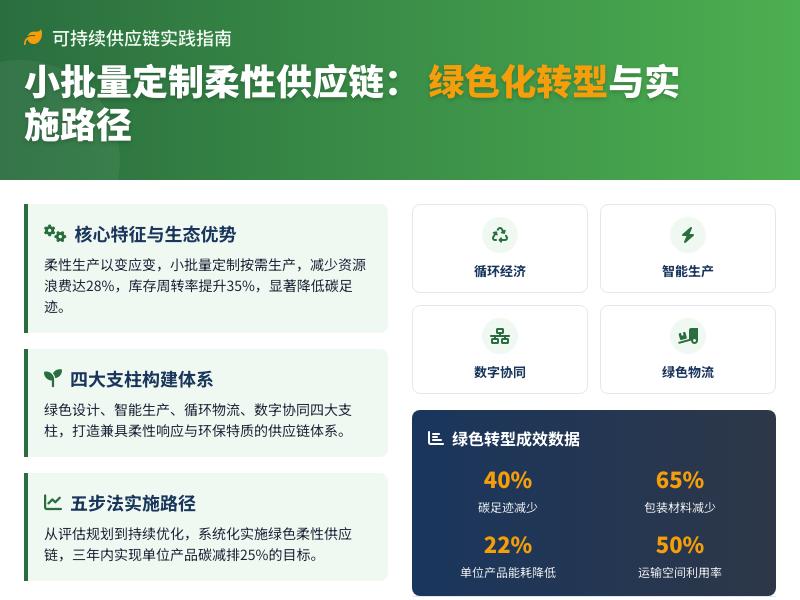
详细教程:集成网站实时在线聊天与通讯应用 概述 在当今数字化时代,实时在线聊天功能已成为网站和应用程序的标配功能。无论是电商平台的客服咨询、社交网站的即时通讯,还是企业内部协作工具,实时聊天功能都能显著提升用户体验和沟通效率。本教程将详细介绍如何为您的网站集成一个完整的实时在线聊天与通讯应用,包括前端界面、后端服务和数据库设计。 技术栈选择 在开始开发之前,我们需要选择合适的技术栈: 前端:HTML5、CSS3、JavaScript(使用原生JS或框架如React/Vue) 后端:Node.js + Express.js 实时通信:Socket.IO(基于WebSocket的库) 数据库:MongoDB(存储用户信息和聊天记录) 部署:可以使用Heroku、AWS或Vercel等云服务 项目结构设计 chat-application/ ├── public/ │ ├── index.html │ ├── css/ │ │ └── style.css │ └── js/ │ └── client.js ├── server/ │ ├── server.js │ ├── models/ │ │ └── Message.js │ └── routes/ │ └── api.js ├── package.json └── README.md 第一步:搭建基础服务器 首先,我们需要创建一个基础的Express服务器,并集成Socket.IO用于实时通信。 // server/server.js const express = require('express'); const http = require('http'); const socketIo = require('socket.io'); const mongoose = require('mongoose'); const cors = require('cors'); // 初始化Express应用 const app = express(); const server = http.createServer(app); // 配置Socket.IO const io = socketIo(server, { cors: { origin: "http://localhost:3000", // 前端地址 methods: ["GET", "POST"] } }); // 中间件配置 app.use(cors()); app.use(express.json()); app.use(express.static('public')); // 静态文件服务 // 连接MongoDB数据库 const mongoURI = 'mongodb://localhost:27017/chat_app'; mongoose.connect(mongoURI, { useNewUrlParser: true, useUnifiedTopology: true }) .then(() => console.log('MongoDB连接成功')) .catch(err => console.log('MongoDB连接失败:', err)); // 定义消息模型 const Message = require('./models/Message'); // Socket.IO连接处理 io.on('connection', (socket) => { console.log('新用户连接:', socket.id); // 用户加入聊天室 socket.on('join', (username) => { socket.username = username; socket.join('general'); // 加入默认聊天室 console.log(`${username}加入了聊天室`); // 通知其他用户 socket.to('general').emit('user_joined', { username: username, time: new Date() }); // 发送欢迎消息 socket.emit('message', { username: '系统', text: `欢迎 ${username} 加入聊天室!`, time: new Date() }); }); // 处理聊天消息 socket.on('chat_message', async (data) => { const message = new Message({ username: data.username, text: data.text, room: 'general', time: new Date() }); try { // 保存消息到数据库 await message.save(); // 广播消息给所有用户 io.to('general').emit('message', { username: data.username, text: data.text, time: new Date() }); } catch (error) { console.error('保存消息失败:', error); } }); // 用户断开连接 socket.on('disconnect', () => { if (socket.username) { console.log(`${socket.username}断开连接`); socket.to('general').emit('user_left', { username: socket.username, time: new Date() }); } }); }); // 启动服务器 const PORT = process.env.PORT || 3000; server.listen(PORT, () => { console.log(`服务器运行在 http://localhost:${PORT}`); }); 第二步:创建数据模型 接下来,我们需要定义MongoDB数据模型来存储聊天消息。 // server/models/Message.js const mongoose = require('mongoose'); const messageSchema = new mongoose.Schema({ username: { type: String, required: true, trim: true }, text: { type: String, required: true, trim: true, maxlength: 500 }, room: { type: String, default: 'general', trim: true }, time: { type: Date, default: Date.now } }); // 创建索引以提高查询效率 messageSchema.index({ room: 1, time: -1 }); module.exports = mongoose.model('Message', messageSchema); 第三步:构建前端界面 现在让我们创建一个美观且功能完整的聊天界面。 <!-- public/index.html --> <!DOCTYPE html> <html lang="zh-CN"> <head> <meta charset="UTF-8"> <meta name="viewport" content="width=device-width, initial-scale=1.0"> <title>实时在线聊天应用</title> <link rel="stylesheet" href="css/style.css"> <link rel="stylesheet" href="https://cdnjs.cloudflare.com/ajax/libs/font-awesome/6.0.0/css/all.min.css"> </head> <body> <div class="container"> <!-- 登录界面 --> <div id="login-container" class="login-container"> <div class="login-box"> <h1><i class="fas fa-comments"></i> 实时聊天室</h1> <p>请输入用户名加入聊天</p> <div class="input-group"> <input type="text" id="username" placeholder="请输入用户名" maxlength="20"> <button id="join-btn" class="btn-primary"> <i class="fas fa-sign-in-alt"></i> 加入聊天 </button> </div> <div class="room-selection"> <label for="room-select">选择聊天室:</label> <select id="room-select"> <option value="general">综合聊天室</option> <option value="tech">技术讨论</option> <option value="games">游戏交流</option> <option value="random">随机闲聊</option> </select> </div> </div> </div> <!-- 聊天主界面 --> <div id="chat-container" class="chat-container hidden"> <div class="chat-header"> <h2><i class="fas fa-comment-dots"></i> 实时聊天室</h2> <div class="user-info"> <span id="current-user"></span> <span id="current-room" class="room-badge"></span> <button id="leave-btn" class="btn-secondary"> <i class="fas fa-sign-out-alt"></i> 退出 </button> </div> </div> <div class="chat-main"> <!-- 在线用户列表 --> <div class="sidebar"> <h3><i class="fas fa-users"></i> 在线用户 (<span id="user-count">0</span>)</h3> <ul id="user-list"></ul> <div class="room-list"> <h4><i class="fas fa-door-open"></i> 聊天室</h4> <ul id="room-list"> <li class="active" data-room="general">综合聊天室</li> <li data-room="tech">技术讨论</li> <li data-room="games">游戏交流</li> <li data-room="random">随机闲聊</li> </ul> </div> </div> <!-- 聊天消息区域 --> <div class="chat-area"> <div id="messages" class="messages"> <!-- 消息将通过JavaScript动态添加 --> </div> <!-- 消息输入区域 --> <div class="message-input"> <div class="input-group"> <input type="text" id="message-input" placeholder="输入消息..." maxlength="500"> <button id="send-btn" class="btn-primary"> <i class="fas fa-paper-plane"></i> 发送 </button> </div> <div class="input-actions"> <button id="emoji-btn" class="btn-icon" title="表情"> <i class="far fa-smile"></i> </button> <button id="upload-btn" class="btn-icon" title="上传文件"> <i class="fas fa-paperclip"></i> </button> <span id="char-count">0/500</span> </div> </div> </div> </div> </div> </div> <!-- Socket.IO客户端库 --> <script src="/socket.io/socket.io.js"></script> <!-- 自定义JavaScript --> <script src="js/client.js"></script> </body> </html> 第四步:添加CSS样式 让我们为聊天应用添加现代化的样式。 /* public/css/style.css */ * { margin: 0; padding: 0; box-sizing: border-box; font-family: 'Segoe UI', Tahoma, Geneva, Verdana, sans-serif; } body { background: linear-gradient(135deg, #6a11cb 0%, #2575fc 100%); min-height: 100vh; display: flex; justify-content: center; align-items: center; padding: 20px; } .container { width: 100%; max-width: 1200px; height: 90vh; background-color: rgba(255, 255, 255, 0.95); border-radius: 20px; box-shadow: 0 15px 35px rgba(0, 0, 0, 0.2); overflow: hidden; } /* 登录界面样式 */ .login-container { display: flex; justify-content: center; align-items: center; height: 100%; padding: 20px; } .login-box { background: white; padding: 40px; border-radius: 15px; box-shadow: 0 10px 30px rgba(0, 0, 0, 0.1); text-align: center; width: 100%; max-width: 500px; } .login-box h1 { color: #2575fc; margin-bottom: 10px; font-size: 2.5rem; } .login-box p { color: #666; margin-bottom: 30px; font-size: 1.1rem; } .input-group { display: flex; margin-bottom: 20px; } .input-group input, .input-group select { flex: 1; padding: 15px; border: 2px solid #e1e5eb; border-radius: 10px 0 0 10px; font-size: 1rem; outline: none; transition: border-color 0.3s; } .input-group input:focus, .input-group select:focus { border-color: #2575fc; } .btn-primary { background: linear-gradient(to right, #6a11cb, #2575fc); color: white; border: none; padding: 15px 25px; border-radius: 0 10px 10px 0; cursor: pointer; font-size: 1rem; font-weight: 600; transition: all 0.3s; } .btn-primary:hover { opacity: 0.9; transform: translateY(-2px); } .room-selection { text-align: left; margin-top: 20px; } .room-selection label { display: block; margin-bottom: 8px; color: #555; font-weight: 500; } .room-selection select { width: 100%; padding: 12px; border-radius: 10px; border: 2px solid #e1e5eb; } /* 聊天界面样式 */ .chat-container { height: 100%; display: flex; flex-direction: column; } .chat-header { background: linear-gradient(to right, #6a11cb, #2575fc); color: white; padding: 20px 30px; display: flex; justify-content: space-between; align-items: center; } .chat-header h2 { font-size: 1.8rem; } .user-info { display: flex; align-items: center; gap: 15px; } .room-badge { background: rgba(255, 255, 255, 0.2); padding: 5px 15px; border-radius: 20px; font-size: 0.9rem; } .btn-secondary { background: transparent; color: white; border: 2px solid rgba(255, 255, 255, 0.5); padding: 8px 15px; border-radius: 10px; cursor: pointer; transition: all 0.3s; } .btn-secondary:hover { background: rgba(255, 255, 255, 0.1); } .chat-main { display: flex; flex: 1; overflow: hidden; } .sidebar { width: 250px; background: #f8f9fa; border-right: 1px solid #e1e5eb; padding: 20px; overflow-y: auto; } .sidebar h3, .sidebar h4 { color: #333; margin-bottom: 15px; padding-bottom: 10px; border-bottom: 2px solid #e1e5eb; } #user-list { list-style: none; margin-bottom: 30px; } #user-list li { padding: 10px 15px; margin-bottom: 8px; background: white; border-radius: 10px; display: flex; align-items: center; box-shadow: 0 2px 5px rgba(0,0,0,0.05); } #user-list li:before { content: "•"; color: #4CAF50; font-size: 2rem; margin-right: 10px; } .room-list ul { list-style: none; } .room-list li { padding: 12px 15px; margin-bottom: 8px; background: white; border-radius: 10px; cursor: pointer; transition: all 0.3s; } .room-list li:hover { background: #eef5ff; } .room-list li.active { background: #2575fc; color: white; font-weight: 600; } .chat-area { flex: 1; display: flex; flex-direction: column; padding: 20px; } .messages { flex: 1; overflow-y: auto; padding: 20px; background: white; border-radius: 15px; margin-bottom: 20px; box-shadow: inset 0 0 10px rgba(0,0,0,0.05); } .message { margin-bottom: 20px; padding: 15px; border-radius: 15px; max-width: 70%; word-wrap: break-word; } .message.system { background: #f0f0f0; color: #666; text-align: center; max-width: 100%; font-style: italic; } .message.received { background: #f1f3f4; align-self: flex-start; border-bottom-left-radius: 5px; } .message.sent { background: linear-gradient(to right, #6a11cb, #2575fc); color: white; align-self: flex-end; border-bottom-right-radius: 5px; } .message-header { display: flex; justify-content: space-between; margin-bottom: 5px; font-size: 0.9rem; } .message-sender { font-weight: 600; } .message-time { opacity: 0.7; } .message-text { line-height: 1.5; } .message-input { background: white; padding: 20px; border-radius: 15px; box-shadow: 0 5px 15px rgba(0,0,0,0.05); } .input-actions { display: flex; justify-content: space-between; align-items: center; margin-top: 10px; } .btn-icon { background: none; border: none; color: #666; font-size: 1.2rem; cursor: pointer; padding: 5px 10px; border-radius: 5px; transition: all 0.3s; } .btn-icon:hover { background: #f0f0f0; color: #2575fc; } #char-count { color: #999; font-size: 0.9rem; } .hidden { display: none !important; } /* 响应式设计 */ @media (max-width: 768px) { .chat-main { flex-direction: column; } .sidebar { width: 100%; height: 200px; border-right: none; border-bottom: 1px solid #e1e5eb; } .message { max-width: 85%; } .chat-header { flex-direction: column; gap: 15px; text-align: center; } } 第五步:实现客户端逻辑 最后,我们需要编写客户端JavaScript代码来处理用户交互和Socket.IO通信。 // public/js/client.js document.addEventListener('DOMContentLoaded', function() { // 获取DOM元素 // public/js/client.js - 续接上文 const chatContainer = document.getElementById('chat-container'); const usernameInput = document.getElementById('username'); const joinBtn = document.getElementById('join-btn'); const leaveBtn = document.getElementById('leave-btn'); const messageInput = document.getElementById('message-input'); const sendBtn = document.getElementById('send-btn'); const messagesContainer = document.getElementById('messages'); const userList = document.getElementById('user-list'); const userCount = document.getElementById('user-count'); const currentUserSpan = document.getElementById('current-user'); const currentRoomSpan = document.getElementById('current-room'); const roomSelect = document.getElementById('room-select'); const roomListItems = document.querySelectorAll('#room-list li'); const charCount = document.getElementById('char-count'); const emojiBtn = document.getElementById('emoji-btn'); // 初始化变量 let socket; let currentUser = ''; let currentRoom = 'general'; let onlineUsers = new Set(); // 连接Socket.IO服务器 function connectToServer() { // 连接到后端服务器 socket = io('http://localhost:3000'); // 连接成功 socket.on('connect', () => { console.log('已连接到服务器'); }); // 接收消息 socket.on('message', (data) => { addMessage(data.username, data.text, data.time, data.username === currentUser ? 'sent' : 'received'); }); // 用户加入通知 socket.on('user_joined', (data) => { addSystemMessage(`${data.username} 加入了聊天室`, data.time); addUserToList(data.username); }); // 用户离开通知 socket.on('user_left', (data) => { addSystemMessage(`${data.username} 离开了聊天室`, data.time); removeUserFromList(data.username); }); // 错误处理 socket.on('connect_error', (error) => { console.error('连接错误:', error); alert('无法连接到服务器,请检查网络连接'); }); } // 添加消息到聊天界面 function addMessage(username, text, time, type = 'received') { const messageDiv = document.createElement('div'); messageDiv.className = `message ${type}`; const timeString = new Date(time).toLocaleTimeString([], { hour: '2-digit', minute: '2-digit' }); messageDiv.innerHTML = ` <div class="message-header"> <span class="message-sender">${username}</span> <span class="message-time">${timeString}</span> </div> <div class="message-text">${escapeHtml(text)}</div> `; messagesContainer.appendChild(messageDiv); scrollToBottom(); } // 添加系统消息 function addSystemMessage(text, time) { const messageDiv = document.createElement('div'); messageDiv.className = 'message system'; const timeString = new Date(time).toLocaleTimeString([], { hour: '2-digit', minute: '2-digit' }); messageDiv.innerHTML = ` <div class="message-text"> <i class="fas fa-info-circle"></i> ${escapeHtml(text)} <span class="message-time">${timeString}</span> </div> `; messagesContainer.appendChild(messageDiv); scrollToBottom(); } // 添加用户到在线列表 function addUserToList(username) { if (onlineUsers.has(username)) return; onlineUsers.add(username); updateUserList(); } // 从在线列表移除用户 function removeUserFromList(username) { onlineUsers.delete(username); updateUserList(); } // 更新在线用户列表 function updateUserList() { userList.innerHTML = ''; onlineUsers.forEach(user => { const li = document.createElement('li'); li.textContent = user; userList.appendChild(li); }); userCount.textContent = onlineUsers.size; } // 滚动到消息底部 function scrollToBottom() { messagesContainer.scrollTop = messagesContainer.scrollHeight; } // HTML转义防止XSS攻击 function escapeHtml(text) { const div = document.createElement('div'); div.textContent = text; return div.innerHTML; } // 加入聊天室 function joinChat() { const username = usernameInput.value.trim(); if (!username) { alert('请输入用户名'); usernameInput.focus(); return; } if (username.length > 20) { alert('用户名不能超过20个字符'); return; } currentUser = username; currentRoom = roomSelect.value; // 连接服务器 connectToServer(); // 发送加入请求 socket.emit('join', currentUser); // 更新界面 currentUserSpan.textContent = currentUser; currentRoomSpan.textContent = currentRoom; // 切换到聊天界面 loginContainer.classList.add('hidden'); chatContainer.classList.remove('hidden'); // 添加自己到用户列表 addUserToList(currentUser); // 聚焦到消息输入框 messageInput.focus(); } // 发送消息 function sendMessage() { const text = messageInput.value.trim(); if (!text) { alert('请输入消息内容'); return; } if (text.length > 500) { alert('消息不能超过500个字符'); return; } // 发送消息到服务器 socket.emit('chat_message', { username: currentUser, text: text, room: currentRoom }); // 清空输入框 messageInput.value = ''; updateCharCount(); } // 离开聊天室 function leaveChat() { if (socket) { socket.disconnect(); } // 重置状态 currentUser = ''; onlineUsers.clear(); messagesContainer.innerHTML = ''; userList.innerHTML = ''; usernameInput.value = ''; messageInput.value = ''; // 切换回登录界面 chatContainer.classList.add('hidden'); loginContainer.classList.remove('hidden'); } // 切换聊天室 function switchRoom(roomName) { if (roomName === currentRoom) return; // 更新当前房间 currentRoom = roomName; currentRoomSpan.textContent = roomName; // 更新房间选择状态 roomListItems.forEach(item => { if (item.dataset.room === roomName) { item.classList.add('active'); } else { item.classList.remove('active'); } }); // 清空当前消息 messagesContainer.innerHTML = ''; // 发送房间切换请求到服务器 socket.emit('switch_room', { username: currentUser, oldRoom: currentRoom, newRoom: roomName }); // 添加系统消息 addSystemMessage(`您已切换到 ${roomName} 聊天室`, new Date()); } // 更新字符计数 function updateCharCount() { const length = messageInput.value.length; charCount.textContent = `${length}/500`; if (length > 450) { charCount.style.color = '#ff6b6b'; } else if (length > 400) { charCount.style.color = '#ffa726'; } else { charCount.style.color = '#999'; } } // 初始化表情选择器 function initEmojiPicker() { // 简单的表情列表 const emojis = ['😀', '😂', '😊', '😍', '👍', '👋', '🎉', '🔥', '❤️', '✨']; emojiBtn.addEventListener('click', () => { // 创建表情选择器 const picker = document.createElement('div'); picker.className = 'emoji-picker'; picker.style.cssText = ` position: absolute; background: white; border: 1px solid #ddd; border-radius: 10px; padding: 10px; display: grid; grid-template-columns: repeat(5, 1fr); gap: 5px; box-shadow: 0 5px 15px rgba(0,0,0,0.1); z-index: 1000; `; // 添加表情按钮 emojis.forEach(emoji => { const btn = document.createElement('button'); btn.textContent = emoji; btn.style.cssText = ` background: none; border: none; font-size: 1.5rem; cursor: pointer; padding: 5px; border-radius: 5px; `; btn.addEventListener('click', () => { messageInput.value += emoji; messageInput.focus(); updateCharCount(); document.body.removeChild(picker); }); btn.addEventListener('mouseenter', () => { btn.style.backgroundColor = '#f0f0f0'; }); btn.addEventListener('mouseleave', () => { btn.style.backgroundColor = 'transparent'; }); picker.appendChild(btn); }); // 定位并添加选择器 const rect = emojiBtn.getBoundingClientRect(); picker.style.top = `${rect.top - 150}px`; picker.style.left = `${rect.left}px`; document.body.appendChild(picker); // 点击外部关闭选择器 const closePicker = (e) => { if (!picker.contains(e.target) && e.target !== emojiBtn) { document.body.removeChild(picker); document.removeEventListener('click', closePicker); } }; setTimeout(() => { document.addEventListener('click', closePicker); }, 100); }); } // 事件监听器 joinBtn.addEventListener('click', joinChat); usernameInput.addEventListener('keypress', (e) => { if (e.key === 'Enter') { joinChat(); } }); sendBtn.addEventListener('click', sendMessage); messageInput.addEventListener('keypress', (e) => { if (e.key === 'Enter' && !e.shiftKey) { e.preventDefault(); sendMessage(); } }); leaveBtn.addEventListener('click', leaveChat); messageInput.addEventListener('input', updateCharCount); // 房间切换事件 roomListItems.forEach(item => { item.addEventListener('click', () => { switchRoom(item.dataset.room); }); }); // 初始化表情选择器 initEmojiPicker(); // 初始字符计数 updateCharCount(); }); 第六步:扩展服务器功能 现在让我们扩展服务器功能,支持多房间聊天和消息历史记录。 // server/server.js - 扩展功能 // 在原有代码基础上添加以下内容 // 存储在线用户信息 const onlineUsers = new Map(); // 扩展Socket.IO连接处理 io.on('connection', (socket) => { console.log('新用户连接:', socket.id); // 用户加入聊天室 socket.on('join', async (username) => { socket.username = username; socket.room = 'general'; // 存储用户信息 onlineUsers.set(socket.id, { username: username, room: 'general', joinTime: new Date() }); socket.join('general'); console.log(`${username}加入了聊天室`); // 通知其他用户 socket.to('general').emit('user_joined', { username: username, time: new Date() }); // 发送欢迎消息 socket.emit('message', { username: '系统', text: `欢迎 ${username} 加入聊天室!`, time: new Date() }); // 发送当前在线用户列表 const usersInRoom = Array.from(onlineUsers.values()) .filter(user => user.room === 'general') .map(user => user.username); socket.emit('user_list', usersInRoom); // 发送最近的消息历史 try { const recentMessages = await Message.find({ room: 'general' }) .sort({ time: -1 }) .limit(50) .sort({ time: 1 }); recentMessages.forEach(msg => { socket.emit('message', { username: msg.username, text: msg.text, time: msg.time }); }); } catch (error) { console.error('获取消息历史失败:', error); } }); // 切换房间 socket.on('switch_room', async (data) => { const oldRoom = socket.room; const newRoom = data.newRoom; if (oldRoom === newRoom) return; // 离开旧房间 socket.leave(oldRoom); socket.to(oldRoom).emit('user_left', { username: socket.username, time: new Date() }); // 加入新房间 socket.join(newRoom); socket.room = newRoom; // 更新在线用户信息 if (onlineUsers.has(socket.id)) { onlineUsers.get(socket.id).room = newRoom; } // 通知新房间的用户 socket.to(newRoom).emit('user_joined', { username: socket.username, time: new Date() }); // 发送新房间的用户列表 const usersInNewRoom = Array.from(onlineUsers.values()) .filter(user => user.room === newRoom) .map(user => user.username); socket.emit('user_list', usersInNewRoom); // 发送新房间的消息历史 try { const recentMessages = await Message.find({ room: newRoom }) .sort({ time: -1 }) .limit(50) .sort({ time: 1 }); // 清空客户端当前消息 socket.emit('clear_messages'); // 发送历史消息 recentMessages.forEach(msg => { socket.emit('message', { username: msg.username, text: msg.text, time: msg.time }); }); } catch (error) { console.error('获取消息历史失败:', error); } }); // 处理私聊消息 socket.on('private_message', async (data) => { const { to, text } = data; // 查找目标用户的socket let targetSocketId = null; for (const [id, userInfo] of onlineUsers.entries()) { if (userInfo.username === to) { targetSocketId = id; break; } } if (targetSocketId) { // 发送私聊消息 io.to(targetSocketId).emit('private_message', { from: socket.username, text: text, time: new Date() }); // 保存私聊消息到数据库 const privateMessage = new Message({ username: socket.username, text: text, room: `private_${socket.username}_${to}`, time: new Date(), isPrivate: true, recipient: to }); try { await privateMessage.save(); } catch (error) { console.error('保存私聊消息失败:', error); } } else { // 用户不在线 socket.emit('error', { message: `用户 ${to} 不在线` }); } }); // 用户断开连接 socket.on('disconnect', () => { if (socket.username) { console.log(`${socket.username}断开连接`); // 通知房间内的其他用户 if (socket.room) { socket.to(socket.room).emit('user_left', { username: socket.username, time: new Date() }); } // 从在线用户列表中移除 onlineUsers.delete(socket.id); } }); }); // 添加API路由获取聊天统计信息 app.get('/api/stats', async (req, res) => { try { const totalMessages = await Message.countDocuments(); const totalUsers = await Message.distinct('username').count(); const messagesToday = await Message.countDocuments({ time: { $gte: new Date(new Date().setHours(0, 0, 0, 0)) } }); res.json({ totalMessages, totalUsers, messagesToday, onlineUsers: onlineUsers.size }); } catch (error) { res.status(500).json({ error: '获取统计信息失败' }); } }); // 添加API路由获取房间列表 app.get('/api/rooms', async (req, res) => { try { const rooms = await Message.distinct('room', { isPrivate: { $ne: true } }); res.json(rooms); } catch (error) { res.status(500).json({ error: '获取房间列表失败' }); } }); 第七步:添加高级功能 让我们添加一些高级功能,如消息通知、文件上传和用户状态。 // public/js/client.js - 高级功能扩展 // 在原有代码基础上添加以下内容 // 检查浏览器通知权限 function checkNotificationPermission() { if ('Notification' in window) { if (Notification.permission === 'granted') { return true; } else if (Notification.permission !== 'denied') { Notification.requestPermission().then(permission => { return permission === 'granted'; }); } } return false; } // 显示通知 function showNotification(title, body) { if (checkNotificationPermission() && document.hidden) { const notification = new Notification(title, { body: body, icon: '/favicon.ico' }); notification.onclick = () => { window.focus(); notification.close(); }; setTimeout(() => notification.close(), 5000); } } // 文件上传功能 function initFileUpload() { const uploadBtn = document.getElementById('upload-btn'); const fileInput = document.createElement('input'); fileInput.type = 'file';
发表评论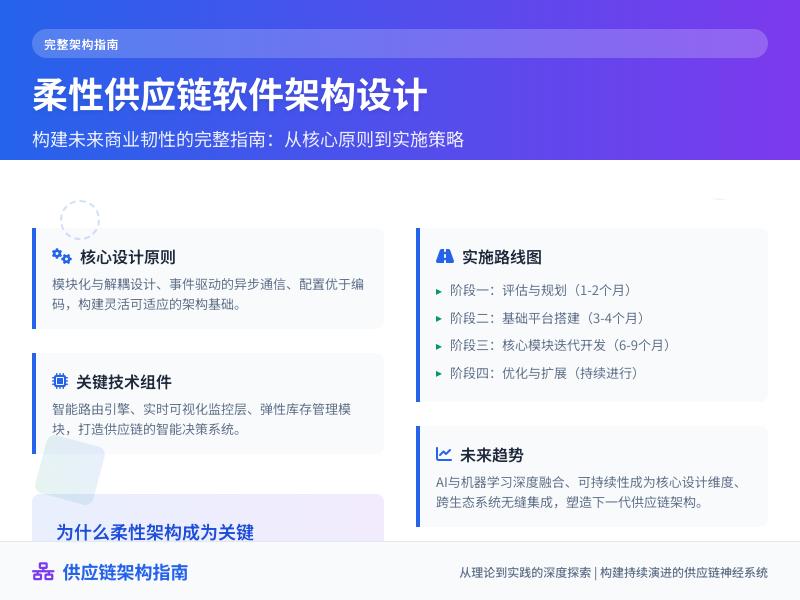
WordPress高级教程:开发网站用户行为分析工具 概述:为什么需要用户行为分析工具 在当今数字时代,了解用户在网站上的行为模式对于优化用户体验、提高转化率和制定有效的内容策略至关重要。WordPress作为全球最流行的内容管理系统,虽然拥有众多分析插件,但开发自定义的用户行为分析工具可以为您提供更精准、更符合业务需求的数据洞察。 本教程将引导您开发一个完整的WordPress用户行为分析工具,该工具将跟踪用户在网站上的点击、滚动、停留时间等关键行为,并将数据可视化呈现。我们将采用模块化设计,确保代码的可维护性和扩展性。 项目架构设计 我们的用户行为分析工具将包含以下核心模块: 数据收集模块:通过JavaScript捕获用户行为事件 数据处理模块:通过AJAX将数据发送到WordPress后端 数据存储模块:将数据安全地存储到数据库中 数据分析模块:处理和分析收集到的数据 数据可视化模块:通过管理界面展示分析结果 第一步:创建插件基础结构 首先,我们需要创建一个WordPress插件来容纳我们的用户行为分析工具。 <?php /** * Plugin Name: WordPress用户行为分析工具 * Plugin URI: https://yourwebsite.com/ * Description: 跟踪和分析用户在WordPress网站上的行为 * Version: 1.0.0 * Author: 您的名字 * License: GPL v2 or later * Text Domain: wp-user-behavior-analytics */ // 防止直接访问 if (!defined('ABSPATH')) { exit; } // 定义插件常量 define('WP_UBA_VERSION', '1.0.0'); define('WP_UBA_PLUGIN_DIR', plugin_dir_path(__FILE__)); define('WP_UBA_PLUGIN_URL', plugin_dir_url(__FILE__)); // 主类 class WP_User_Behavior_Analytics { private static $instance = null; public static function get_instance() { if (null === self::$instance) { self::$instance = new self(); } return self::$instance; } private function __construct() { $this->init_hooks(); } private function init_hooks() { // 激活和停用钩子 register_activation_hook(__FILE__, array($this, 'activate')); register_deactivation_hook(__FILE__, array($this, 'deactivate')); // 初始化 add_action('plugins_loaded', array($this, 'init')); } public function activate() { // 创建数据库表 $this->create_tables(); // 设置默认选项 $this->set_default_options(); } public function deactivate() { // 清理临时数据 // 注意:这里不清除分析数据,以便重新激活后可以继续使用 } public function init() { // 加载前端跟踪脚本 add_action('wp_enqueue_scripts', array($this, 'enqueue_tracking_scripts')); // 加载管理界面 add_action('admin_menu', array($this, 'add_admin_menu')); // 注册AJAX处理函数 add_action('wp_ajax_wp_uba_track_event', array($this, 'handle_tracking_event')); add_action('wp_ajax_nopriv_wp_uba_track_event', array($this, 'handle_tracking_event')); // 初始化数据库类 require_once WP_UBA_PLUGIN_DIR . 'includes/class-wp-uba-database.php'; WP_UBA_Database::init(); } private function create_tables() { global $wpdb; $charset_collate = $wpdb->get_charset_collate(); $table_name = $wpdb->prefix . 'uba_user_events'; $sql = "CREATE TABLE IF NOT EXISTS $table_name ( id bigint(20) NOT NULL AUTO_INCREMENT, user_id bigint(20) DEFAULT NULL, session_id varchar(64) NOT NULL, event_type varchar(50) NOT NULL, event_value text, page_url varchar(500) NOT NULL, element_info text, viewport_width int(11), viewport_height int(11), scroll_depth int(11) DEFAULT 0, time_on_page int(11) DEFAULT 0, created_at datetime DEFAULT CURRENT_TIMESTAMP, PRIMARY KEY (id), KEY user_id (user_id), KEY session_id (session_id), KEY event_type (event_type), KEY created_at (created_at) ) $charset_collate;"; require_once(ABSPATH . 'wp-admin/includes/upgrade.php'); dbDelta($sql); } private function set_default_options() { $default_options = array( 'track_clicks' => true, 'track_scroll' => true, 'track_time' => true, 'exclude_admin' => true, 'data_retention_days' => 90, 'anonymize_ip' => true ); add_option('wp_uba_settings', $default_options); } public function enqueue_tracking_scripts() { // 检查是否排除管理员 $settings = get_option('wp_uba_settings'); if ($settings['exclude_admin'] && current_user_can('manage_options')) { return; } // 注册并排队跟踪脚本 wp_enqueue_script( 'wp-uba-tracker', WP_UBA_PLUGIN_URL . 'assets/js/tracker.js', array('jquery'), WP_UBA_VERSION, true ); // 传递数据到JavaScript wp_localize_script('wp-uba-tracker', 'wpUba', array( 'ajax_url' => admin_url('admin-ajax.php'), 'nonce' => wp_create_nonce('wp_uba_tracking_nonce'), 'session_id' => $this->generate_session_id(), 'user_id' => get_current_user_id(), 'settings' => $settings )); } private function generate_session_id() { if (isset($_COOKIE['wp_uba_session_id'])) { return sanitize_text_field($_COOKIE['wp_uba_session_id']); } $session_id = md5(uniqid(wp_rand(), true)); setcookie('wp_uba_session_id', $session_id, time() + (86400 * 30), '/'); return $session_id; } public function add_admin_menu() { add_menu_page( '用户行为分析', '行为分析', 'manage_options', 'wp-user-behavior-analytics', array($this, 'render_admin_page'), 'dashicons-chart-area', 30 ); // 添加子菜单 add_submenu_page( 'wp-user-behavior-analytics', '分析仪表板', '仪表板', 'manage_options', 'wp-user-behavior-analytics', array($this, 'render_admin_page') ); add_submenu_page( 'wp-user-behavior-analytics', '设置', '设置', 'manage_options', 'wp-uba-settings', array($this, 'render_settings_page') ); } public function render_admin_page() { include WP_UBA_PLUGIN_DIR . 'admin/views/dashboard.php'; } public function render_settings_page() { include WP_UBA_PLUGIN_DIR . 'admin/views/settings.php'; } public function handle_tracking_event() { // 验证nonce if (!wp_verify_nonce($_POST['nonce'], 'wp_uba_tracking_nonce')) { wp_die('安全验证失败'); } // 处理跟踪数据 $data = array( 'user_id' => intval($_POST['user_id']), 'session_id' => sanitize_text_field($_POST['session_id']), 'event_type' => sanitize_text_field($_POST['event_type']), 'event_value' => sanitize_textarea_field($_POST['event_value']), 'page_url' => esc_url_raw($_POST['page_url']), 'element_info' => sanitize_textarea_field($_POST['element_info']), 'viewport_width' => intval($_POST['viewport_width']), 'viewport_height' => intval($_POST['viewport_height']), 'scroll_depth' => intval($_POST['scroll_depth']), 'time_on_page' => intval($_POST['time_on_page']) ); // 保存到数据库 global $wpdb; $table_name = $wpdb->prefix . 'uba_user_events'; $wpdb->insert($table_name, $data); wp_die('success'); } } // 初始化插件 WP_User_Behavior_Analytics::get_instance(); ?> 第二步:创建数据库操作类 <?php // 文件路径: includes/class-wp-uba-database.php class WP_UBA_Database { public static function init() { // 初始化数据库操作 } /** * 获取用户事件数据 * * @param array $args 查询参数 * @return array 事件数据 */ public static function get_user_events($args = array()) { global $wpdb; $defaults = array( 'limit' => 100, 'offset' => 0, 'event_type' => '', 'user_id' => '', 'start_date' => '', 'end_date' => '' ); $args = wp_parse_args($args, $defaults); $table_name = $wpdb->prefix . 'uba_user_events'; $where = array('1=1'); $prepare_values = array(); if (!empty($args['event_type'])) { $where[] = 'event_type = %s'; $prepare_values[] = $args['event_type']; } if (!empty($args['user_id'])) { $where[] = 'user_id = %d'; $prepare_values[] = $args['user_id']; } if (!empty($args['start_date'])) { $where[] = 'created_at >= %s'; $prepare_values[] = $args['start_date']; } if (!empty($args['end_date'])) { $where[] = 'created_at <= %s'; $prepare_values[] = $args['end_date']; } $where_clause = implode(' AND ', $where); $query = "SELECT * FROM $table_name WHERE $where_clause ORDER BY created_at DESC LIMIT %d OFFSET %d"; $prepare_values[] = $args['limit']; $prepare_values[] = $args['offset']; if (!empty($prepare_values)) { $query = $wpdb->prepare($query, $prepare_values); } return $wpdb->get_results($query); } /** * 获取热门点击元素 * * @param string $period 时间周期 (today, week, month) * @return array 热门点击数据 */ public static function get_top_clicks($period = 'week') { global $wpdb; $table_name = $wpdb->prefix . 'uba_user_events'; // 根据时间周期设置日期范围 $date_condition = ''; switch ($period) { case 'today': $date_condition = "DATE(created_at) = CURDATE()"; break; case 'week': $date_condition = "created_at >= DATE_SUB(NOW(), INTERVAL 7 DAY)"; break; case 'month': $date_condition = "created_at >= DATE_SUB(NOW(), INTERVAL 30 DAY)"; break; default: $date_condition = "1=1"; } $query = $wpdb->prepare( "SELECT element_info, COUNT(*) as click_count, page_url, COUNT(DISTINCT session_id) as unique_users FROM $table_name WHERE event_type = 'click' AND $date_condition GROUP BY element_info, page_url ORDER BY click_count DESC LIMIT 10" ); return $wpdb->get_results($query); } /** * 获取滚动深度分析 */ public static function get_scroll_depth_stats() { global $wpdb; $table_name = $wpdb->prefix . 'uba_user_events'; $query = "SELECT AVG(scroll_depth) as avg_scroll_depth, MAX(scroll_depth) as max_scroll_depth, COUNT(CASE WHEN scroll_depth >= 75 THEN 1 END) * 100.0 / COUNT(*) as percent_75, COUNT(CASE WHEN scroll_depth >= 90 THEN 1 END) * 100.0 / COUNT(*) as percent_90 FROM $table_name WHERE event_type = 'page_exit' AND scroll_depth > 0"; return $wpdb->get_row($query); } } ?> 第三步:创建前端跟踪脚本 // 文件路径: assets/js/tracker.js (function($) { 'use strict'; // 用户行为跟踪器类 var UserBehaviorTracker = { // 初始化配置 config: { sessionId: '', userId: 0, pageStartTime: null, maxScrollDepth: 0, trackingEnabled: true }, // 初始化跟踪器 init: function() { if (!this.config.trackingEnabled) { return; } // 设置页面开始时间 this.config.pageStartTime = new Date(); // 绑定事件监听器 this.bindEvents(); // 发送页面浏览事件 this.trackPageView(); // 设置页面卸载时的处理 this.setupPageUnload(); }, // 绑定事件监听器 bindEvents: function() { var self = this; // 跟踪点击事件 $(document).on('click', function(e) { self.trackClick(e); }); // 跟踪滚动事件(使用节流函数优化性能) $(window).on('scroll', this.throttle(function() { self.trackScroll(); }, 500)); // 跟踪表单交互 $(document).on('change', 'input, select, textarea', function(e) { self.trackFormInteraction(e); }); }, // 跟踪页面浏览 trackPageView: function() { this.sendEvent('page_view', { page_title: document.title, referrer: document.referrer || 'direct' }); }, // 跟踪点击事件 trackClick: function(event) { var $target = $(event.target); var elementInfo = this.getElementInfo($target); // 忽略某些元素 if (this.shouldIgnoreElement($target)) { return; } this.sendEvent('click', { element: elementInfo, text: $target.text().substring(0, 100) // 限制文本长度 }); }, // 跟踪滚动深度 trackScroll: function() { var scrollTop = $(window).scrollTop(); var windowHeight = $(window).height(); var documentHeight = $(document).height(); // 计算滚动百分比 var scrollDepth = Math.round((scrollTop + windowHeight) / documentHeight * 100); // 只记录最大滚动深度 if (scrollDepth > this.config.maxScrollDepth) { this.config.maxScrollDepth = scrollDepth; } }, // 跟踪表单交互 trackFormInteraction: function(event) { var $target = $(event.target); var elementInfo = this.getElementInfo($target); this.sendEvent('form_interaction', { element: elementInfo, value: $target.val().substring(0, 200), field_type: $target.prop('tagName').toLowerCase() }); }, // 获取元素信息 getElementInfo: function($element) { var info = { tag: $element.prop('tagName').toLowerCase(), id: $element.attr('id') || '', class: $element.attr('class') || '', name: $element.attr('name') || '' }; // 构建可读的选择器 var selector = info.tag; if (info.id) { selector += '#' + info.id; } else if (info.class) { var classes = info.class.split(' ')[0]; if (classes) { selector += '.' + classes; } } return selector; }, // 检查是否应该忽略元素 shouldIgnoreElement: function($element) { // 忽略特定类型的元素 var ignoreTags = ['html', 'body', 'script', 'style']; var tagName = $element.prop('tagName').toLowerCase(); if (ignoreTags.indexOf(tagName) !== -1) { return true; } // 忽略特定类名的元素 var ignoreClasses = ['uba-ignore', 'no-track']; var elementClasses = $element.attr('class') || ''; for (var i = 0; i < ignoreClasses.length; i++) { if (elementClasses.indexOf(ignoreClasses[i]) !== -1) { return true; } } return false; }, // 发送事件到服务器 sendEvent: function(eventType, eventData) { var self = this; // 计算页面停留时间 var timeOnPage = 0; if (this.config.pageStartTime) { timeOnPage = Math.round((new Date() - this.config.pageStartTime) / 1000); } // 准备发送的数据 var data = { action: 'wp_uba_track_event', nonce: wpUba.nonce, user_id: wpUba.user_id, session_id: wpUba.session_id, event_type: eventType, event_value: JSON.stringify(eventData), page_url: window.location.href, element_info: eventData.element || '', viewport_width: window.innerWidth, viewport_height: window.innerHeight, scroll_depth: this.config.maxScrollDepth, time_on_page: timeOnPage }; // 使用navigator.sendBeacon如果可用(用于页面卸载时发送) if (navigator.sendBeacon && eventType === 'page_exit') { var formData = new FormData(); for (var key in data) { formData.append(key, data[key]); } navigator.sendBeacon(wpUba.ajax_url, formData); } else { // 正常AJAX请求 $.post(wpUba.ajax_url, data, function(response) { console.log('Event tracked:', eventType); }).fail(function(xhr, status, error) { console.error('Tracking error:', error); }); } }, // 设置页面卸载处理 setupPageUnload: function() { var self = this; // 页面可见性变化处理 document.addEventListener('visibilitychange', function() { if (document.visibilityState === 'hidden') { self.trackPageExit(); } }); // 页面卸载前发送数据 window.addEventListener('beforeunload', function() { self.trackPageExit(); }); }, // 跟踪页面退出 trackPageExit: function() { if (!this.pageExitTracked) { this.sendEvent('page_exit', { exit_time: new Date().toISOString(), scroll_depth: this.config.maxScrollDepth }); this.pageExitTracked = true; } }, // 节流函数,优化性能 throttle: function(func, wait) { var timeout = null; return function() { var context = this, args = arguments; if (!timeout) { timeout = setTimeout(function() { func.apply(context, args); timeout = null; }, wait); } }; } }; // 当DOM加载完成后初始化跟踪器 $(document).ready(function() { // 检查是否启用跟踪 if (wpUba.settings.track_clicks || wpUba.settings.track_scroll || wpUba.settings.track_time) { UserBehaviorTracker.config.sessionId = wpUba.sessionId; UserBehaviorTracker.config.userId = wpUba.userId; UserBehaviorTracker.init(); } }); })(jQuery); ## 第四步:创建数据分析仪表板 <?php// 文件路径: admin/views/dashboard.php // 检查用户权限if (!current_user_can('manage_options')) { wp_die('您没有权限访问此页面'); } // 获取分析数据$top_clicks = WP_UBA_Database::get_top_clicks('week');$scroll_stats = WP_UBA_Database::get_scroll_depth_stats();$recent_events = WP_UBA_Database::get_user_events(array('limit' => 20)); // 计算基本统计global $wpdb;$table_name = $wpdb->prefix . 'uba_user_events';$total_events = $wpdb->get_var("SELECT COUNT(*) FROM $table_name");$unique_users = $wpdb->get_var("SELECT COUNT(DISTINCT session_id) FROM $table_name");$avg_time_on_page = $wpdb->get_var("SELECT AVG(time_on_page) FROM $table_name WHERE time_on_page > 0"); ?><div class="wrap"> <h1>用户行为分析仪表板</h1> <div class="uba-dashboard"> <!-- 概览卡片 --> <div class="uba-overview-cards"> <div class="uba-card"> <h3>总事件数</h3> <p class="uba-stat"><?php echo number_format($total_events); ?></p> </div> <div class="uba-card"> <h3>独立用户</h3> <p class="uba-stat"><?php echo number_format($unique_users); ?></p> </div> <div class="uba-card"> <h3>平均页面停留时间</h3> <p class="uba-stat"><?php echo round($avg_time_on_page); ?>秒</p> </div> <div class="uba-card"> <h3>平均滚动深度</h3> <p class="uba-stat"><?php echo round($scroll_stats->avg_scroll_depth); ?>%</p> </div> </div> <!-- 热门点击区域 --> <div class="uba-section"> <h2>本周热门点击</h2> <table class="wp-list-table widefat fixed striped"> <thead> <tr> <th>元素</th> <th>点击次数</th> <th>独立用户</th> <th>页面URL</th> </tr> </thead> <tbody> <?php if (empty($top_clicks)): ?> <tr> <td colspan="4">暂无数据</td> </tr> <?php else: ?> <?php foreach ($top_clicks as $click): ?> <tr> <td><?php echo esc_html($click->element_info); ?></td> <td><?php echo esc_html($click->click_count); ?></td> <td><?php echo esc_html($click->unique_users); ?></td> <td> <a href="<?php echo esc_url($click->page_url); ?>" target="_blank"> <?php echo esc_html(substr($click->page_url, 0, 50) . '...'); ?> </a> </td> </tr> <?php endforeach; ?> <?php endif; ?> </tbody> </table> </div> <!-- 滚动深度分析 --> <div class="uba-section"> <h2>滚动深度分析</h2> <div class="uba-stats-grid"> <div class="uba-stat-item"> <h4>平均滚动深度</h4> <div class="uba-progress-bar"> <div class="uba-progress-fill" style="width: <?php echo esc_attr($scroll_stats->avg_scroll_depth); ?>%"></div> </div> <span><?php echo round($scroll_stats->avg_scroll_depth); ?>%</span> </div> <div class="uba-stat-item"> <h4>滚动到75%的用户</h4> <div class="uba-progress-bar"> <div class="uba-progress-fill" style="width: <?php echo esc_attr($scroll_stats->percent_75); ?>%"></div> </div> <span><?php echo round($scroll_stats->percent_75, 1); ?>%</span> </div> <div class="uba-stat-item"> <h4>滚动到90%的用户</h4> <div class="uba-progress-bar"> <div class="uba-progress-fill" style="width: <?php echo esc_attr($scroll_stats->percent_90); ?>%"></div> </div> <span><?php echo round($scroll_stats->percent_90, 1); ?>%</span> </div> </div> </div> <!-- 最近事件 --> <div class="uba-section"> <h2>最近用户事件</h2> <table class="wp-list-table widefat fixed striped"> <thead> <tr> <th>时间</th> <th>事件类型</th> <th>用户/会话</th> <th>页面</th> <th>详细信息</th> </tr> </thead> <tbody> <?php if (empty($recent_events)): ?> <tr> <td colspan="5">暂无数据</td> </tr> <?php else: ?> <?php foreach ($recent_events as $event): ?> <tr> <td><?php echo date('Y-m-d H:i:s', strtotime($event->created_at)); ?></td> <td> <span class="uba-event-type uba-event-<?php echo esc_attr($event->event_type); ?>"> <?php echo esc_html($event->event_type); ?> </span> </td> <td> <?php if ($event->user_id): ?> 用户 #<?php echo esc_html($event->user_id); ?> <?php else: ?> 访客 <?php endif; ?> </td> <td> <a href="<?php echo esc_url($event->page_url); ?>" target="_blank"> <?php echo esc_html(parse_url($event->page_url, PHP_URL_PATH) ?: $event->page_url); ?> </a> </td> <td> <?php $event_value = json_decode($event->event_value, true); if ($event_value) { echo esc_html(substr(print_r($event_value, true), 0, 100) . '...'); } else { echo esc_html(substr($event->event_value, 0, 100) . '...'); } ?> </td> </tr> <?php endforeach; ?> <?php endif; ?> </tbody> </table> </div> </div> </div> <style>.uba-dashboard { margin-top: 20px; } .uba-overview-cards { display: grid; grid-template-columns: repeat(auto-fit, minmax(200px, 1fr)); gap: 20px; margin-bottom: 30px; } .uba-card { background: #fff; border: 1px solid #ccd0d4; border-radius: 4px; padding: 20px; text-align: center; box-shadow: 0 1px 3px rgba(0,0,0,0.1); } .uba-card h3 { margin-top: 0; color: #666; font-size: 14px; text-transform: uppercase; } .uba-stat { font-size: 32px; font-weight: bold; color: #2271b1; margin: 10px 0 0; } .uba-section { background: #fff; border: 1px solid #ccd0d4; border-radius: 4px; padding: 20px; margin-bottom: 20px; } .uba-section h2 { margin-top: 0; border-bottom: 1px solid #eee; padding-bottom: 10px; } .uba-stats-grid { display: grid; grid-template-columns: repeat(auto-fit, minmax(250px, 1fr)); gap: 20px; } .uba-stat-item { padding: 15px; background: #f8f9fa; border-radius: 4px; } .uba-stat-item h4 { margin-top: 0; margin-bottom: 10px; color: #555; } .uba-progress-bar { height: 20px; background: #e0e0e0; border-radius: 10px; overflow: hidden; margin-bottom: 5px; } .uba-progress-fill { height: 100%; background: linear-gradient(90deg, #2271b1, #00a0d2); transition: width 0.3s ease; } .uba-event-type { display: inline-block; padding: 2px 8px; border-radius: 3px; font-size: 12px; font-weight: bold; } .uba-event-click { background: #00a0d2; color: white; } .uba-event-page_view { background: #46b450; color: white; } .uba-event-page_exit { background: #dc3232; color: white; } .uba-event-form_interaction { background: #f56e28; color: white; }</style> ## 第五步:创建设置页面 <?php// 文件路径: admin/views/settings.php // 检查用户权限if (!current_user_can('manage_options')) { wp_die('您没有权限访问此页面'); } // 处理表单提交if (isset($_POST['submit'])) { // 验证nonce if (!wp_verify_nonce($_POST['wp_uba_settings_nonce'], 'wp_uba_save_settings')) { wp_die('安全验证失败'); } // 准备设置数据 $settings = array( 'track_clicks' => isset($_POST['track_clicks']) ? true : false, 'track_scroll' => isset($_POST['track_scroll']) ? true : false, 'track_time' => isset($_POST['track_time']) ? true : false, 'exclude_admin' => isset($_POST['exclude_admin']) ? true : false, 'data_retention_days' => intval($_POST['data_retention_days']), 'anonymize_ip' => isset($_POST['anonymize_ip']) ? true : false, 'ignore_selectors' => sanitize_textarea_field($_POST['ignore_selectors']) ); // 保存设置 update_option('wp_uba_settings', $settings); echo '<div class="notice notice-success"><p>设置已保存!</p></div>'; } // 获取当前设置$settings = get_option('wp_uba_settings', array()); ?><div class="wrap"> <h1>用户行为分析工具设置</h1> <form method="post" action=""> <?php wp_nonce_field('wp_uba_save_settings', 'wp_uba_settings_nonce'); ?> <table class="form-table"> <tr> <th scope="row">跟踪选项</th> <td> <fieldset> <legend class="screen-reader-text">跟踪选项</legend> <label> <input type="checkbox" name="track_clicks" value="1" <?php checked($settings['track_clicks'], true); ?>> 跟踪点击事件 </label> <br> <label> <input type="checkbox" name="track_scroll" value="1" <?php checked($settings['track_scroll'], true); ?>> 跟踪滚动深度 </label> <br> <label> <input type="checkbox" name="track_time" value="1" <?php checked($settings['track_time'], true); ?>> 跟踪页面停留时间 </label> </fieldset> </td> </tr> <tr> <th scope="row">隐私设置</th> <td> <fieldset> <legend class="screen-reader-text">隐私设置</legend> <label> <input type="checkbox" name="exclude_admin" value="1" <?php checked($settings['exclude_admin'], true); ?>> 排除管理员用户 </label> <p class="description">启用后,管理员用户在网站上的行为不会被跟踪</p> <br> <label> <input type="checkbox" name="anonymize_ip" value="1" <?php checked($settings['anonymize_ip'], true); ?>> 匿名化IP地址 </label> <p class="description">启用后,IP地址将被哈希处理以保护用户隐私</p> </fieldset> </td> </tr> <tr> <th scope="row">数据保留期限</th> <td> <input type="number" name="data_retention_days" value="<?php echo esc_attr($settings['data_retention_days']); ?>" min="1" max="365" class="small-text"> 天 <p class="description">设置用户行为数据的保留天数,超过此天数的数据将被自动清理</p> </td> </tr> <tr> <th scope="row">忽略的元素选择器</th> <td> <textarea name="ignore_selectors" rows="5" cols="50" class="large-text code"><?php echo esc_textarea($settings['ignore_selectors'] ?? ''); ?></textarea> <p class="description"> 每行一个CSS选择器,匹配的元素将不会被跟踪。<br> 例如:<code>.menu-item</code>, <code>#sidebar</code>, <code>button.submit</code> </p> </td> </tr> <tr> <th scope="row">数据管理</th> <td> <p> <a href="<?php echo admin_url('admin.php?page=wp-user-behavior-analytics&action=export'); ?>" class="button"> 导出数据 (CSV) </a> <button type="button" id="uba-clear-data" class="button button-secondary"> 清除所有数据 </button> </p> <p class="description"> 注意:清除数据操作不可逆,请谨慎操作! </p> </td> </tr> </table> <p class="submit"> <input type="submit" name="submit" id="submit" class="button button-primary" value="保存更改"> </p> </form> </div> <script>jQuery(document).ready(function($) { // 清除数据确认 $('#uba-clear-data').on('click', function(e) { e.preventDefault(); if (confirm('确定要清除所有用户行为数据吗?此操作不可恢复!')) { $.post(ajaxurl, { action: 'wp_uba_clear_data', nonce: '<?php echo wp_create_nonce("wp_uba_clear_data"); ?>' }, function(response) { if (response.success) { alert('数据已清除!');
发表评论
一步步教你,在WordPress中集成支付网关功能 引言:为什么需要在WordPress中集成支付功能? 在当今数字化时代,网站不再仅仅是信息展示平台,更是商业交易的重要渠道。无论是电子商务网站、会员制内容平台,还是在线服务预约系统,支付功能都是不可或缺的核心组件。WordPress作为全球最流行的内容管理系统,其强大的扩展性使得开发者能够通过代码二次开发实现各种支付网关的集成。 本文将详细指导您如何在WordPress中通过代码开发集成支付网关功能,实现安全、可靠的在线支付解决方案。我们将以支付宝和Stripe为例,展示完整的代码实现过程,并提供详细的代码注释,帮助您理解每一步的实现原理。 准备工作:环境配置与安全考虑 在开始编码之前,我们需要做好以下准备工作: 开发环境配置:确保您拥有一个本地或测试环境的WordPress安装,建议使用WordPress 5.0以上版本。 支付网关账户: 支付宝:需要企业支付宝账户并开通即时到账或电脑网站支付功能 Stripe:注册Stripe开发者账户获取API密钥 安全措施: 使用SSL证书确保数据传输安全 妥善保管API密钥,不要硬编码在代码中 实现支付结果验证机制,防止伪造支付通知 代码结构规划:我们将创建一个独立的插件来实现支付功能,确保与主题分离,便于维护和迁移。 第一步:创建支付插件基础结构 首先,我们创建一个名为"Custom-Payment-Gateway"的插件,建立基本文件结构: <?php /** * Plugin Name: 自定义支付网关 * Plugin URI: https://yourwebsite.com/ * Description: 为WordPress网站添加支付宝和Stripe支付功能 * Version: 1.0.0 * Author: 您的名称 * License: GPL v2 or later * Text Domain: custom-payment */ // 防止直接访问文件 if (!defined('ABSPATH')) { exit; } // 定义插件常量 define('CUSTOM_PAYMENT_VERSION', '1.0.0'); define('CUSTOM_PAYMENT_PLUGIN_DIR', plugin_dir_path(__FILE__)); define('CUSTOM_PAYMENT_PLUGIN_URL', plugin_dir_url(__FILE__)); // 初始化插件 add_action('plugins_loaded', 'custom_payment_init'); function custom_payment_init() { // 检查WooCommerce是否存在(如果需要在WooCommerce中集成) if (class_exists('WC_Payment_Gateway')) { // 包含支付网关类文件 require_once CUSTOM_PAYMENT_PLUGIN_DIR . 'includes/class-alipay-gateway.php'; require_once CUSTOM_PAYMENT_PLUGIN_DIR . 'includes/class-stripe-gateway.php'; // 注册支付网关到WooCommerce add_filter('woocommerce_payment_gateways', 'add_custom_payment_gateways'); } // 注册自定义支付处理钩子 add_action('init', 'register_custom_payment_endpoints'); } /** * 添加自定义支付网关到WooCommerce * @param array $gateways 现有支付网关数组 * @return array 更新后的支付网关数组 */ function add_custom_payment_gateways($gateways) { $gateways[] = 'WC_Alipay_Gateway'; $gateways[] = 'WC_Stripe_Gateway'; return $gateways; } /** * 注册自定义支付端点 */ function register_custom_payment_endpoints() { // 支付宝异步通知端点 add_rewrite_rule('^alipay-notify/?$', 'index.php?alipay_notify=1', 'top'); add_rewrite_rule('^alipay-return/?$', 'index.php?alipay_return=1', 'top'); // Stripe支付结果端点 add_rewrite_rule('^stripe-webhook/?$', 'index.php?stripe_webhook=1', 'top'); // 注册查询变量 add_filter('query_vars', function($vars) { $vars[] = 'alipay_notify'; $vars[] = 'alipay_return'; $vars[] = 'stripe_webhook'; return $vars; }); // 处理支付端点请求 add_action('template_redirect', 'handle_payment_endpoints'); } /** * 处理支付端点请求 */ function handle_payment_endpoints() { // 处理支付宝异步通知 if (get_query_var('alipay_notify')) { require_once CUSTOM_PAYMENT_PLUGIN_DIR . 'includes/alipay-notify-handler.php'; exit; } // 处理支付宝同步返回 if (get_query_var('alipay_return')) { require_once CUSTOM_PAYMENT_PLUGIN_DIR . 'includes/alipay-return-handler.php'; exit; } // 处理Stripe Webhook if (get_query_var('stripe_webhook')) { require_once CUSTOM_PAYMENT_PLUGIN_DIR . 'includes/stripe-webhook-handler.php'; exit; } } ?> 第二步:实现支付宝支付网关 接下来,我们创建支付宝支付网关类。首先创建文件 includes/class-alipay-gateway.php: <?php /** * 支付宝支付网关类 * 继承WooCommerce支付网关基类 */ if (!class_exists('WC_Payment_Gateway')) { return; } class WC_Alipay_Gateway extends WC_Payment_Gateway { /** * 构造函数,初始化支付网关 */ public function __construct() { $this->id = 'alipay'; // 支付网关ID $this->icon = CUSTOM_PAYMENT_PLUGIN_URL . 'assets/alipay-logo.png'; // 支付图标 $this->has_fields = false; // 不需要自定义支付字段 $this->method_title = '支付宝支付'; $this->method_description = '通过支付宝进行安全支付'; // 初始化设置字段 $this->init_form_fields(); $this->init_settings(); // 获取设置值 $this->title = $this->get_option('title'); $this->description = $this->get_option('description'); $this->enabled = $this->get_option('enabled'); $this->app_id = $this->get_option('app_id'); $this->merchant_private_key = $this->get_option('merchant_private_key'); $this->alipay_public_key = $this->get_option('alipay_public_key'); // 保存设置 add_action('woocommerce_update_options_payment_gateways_' . $this->id, array($this, 'process_admin_options')); // 注册支付结果处理 add_action('woocommerce_api_wc_alipay_gateway', array($this, 'handle_alipay_response')); } /** * 初始化设置表单字段 */ public function init_form_fields() { $this->form_fields = array( 'enabled' => array( 'title' => '启用/禁用', 'type' => 'checkbox', 'label' => '启用支付宝支付', 'default' => 'no' ), 'title' => array( 'title' => '标题', 'type' => 'text', 'description' => '支付时用户看到的标题', 'default' => '支付宝支付', 'desc_tip' => true ), 'description' => array( 'title' => '描述', 'type' => 'textarea', 'description' => '支付方式描述', 'default' => '通过支付宝安全支付' ), 'app_id' => array( 'title' => 'APP ID', 'type' => 'text', 'description' => '支付宝开放平台APP ID' ), 'merchant_private_key' => array( 'title' => '商户私钥', 'type' => 'textarea', 'description' => '商户私钥,用于签名' ), 'alipay_public_key' => array( 'title' => '支付宝公钥', 'type' => 'textarea', 'description' => '支付宝公钥,用于验证签名' ) ); } /** * 处理支付 * @param int $order_id 订单ID * @return array 支付结果 */ public function process_payment($order_id) { $order = wc_get_order($order_id); // 构建支付宝请求参数 $params = $this->build_alipay_params($order); // 生成签名 $params['sign'] = $this->generate_signature($params); // 构建表单自动提交到支付宝 $form_html = $this->build_alipay_form($params); return array( 'result' => 'success', 'redirect' => '', 'form_html' => $form_html ); } /** * 构建支付宝请求参数 * @param WC_Order $order 订单对象 * @return array 支付宝请求参数 */ private function build_alipay_params($order) { return array( 'app_id' => $this->app_id, 'method' => 'alipay.trade.page.pay', 'format' => 'JSON', 'charset' => 'utf-8', 'sign_type' => 'RSA2', 'timestamp' => date('Y-m-d H:i:s'), 'version' => '1.0', 'notify_url' => home_url('/alipay-notify/'), 'return_url' => home_url('/alipay-return/'), 'biz_content' => json_encode(array( 'out_trade_no' => $order->get_order_number(), 'product_code' => 'FAST_INSTANT_TRADE_PAY', 'total_amount' => $order->get_total(), 'subject' => '订单支付 - ' . $order->get_order_number(), 'body' => '商品描述', 'timeout_express' => '30m' )) ); } /** * 生成签名 * @param array $params 待签名参数 * @return string 签名结果 */ private function generate_signature($params) { // 参数排序 ksort($params); // 拼接参数字符串 $string_to_sign = ''; foreach ($params as $key => $value) { if ($key != 'sign' && $value != '') { $string_to_sign .= $key . '=' . $value . '&'; } } $string_to_sign = rtrim($string_to_sign, '&'); // 使用商户私钥签名 $private_key = "-----BEGIN RSA PRIVATE KEY-----n" . wordwrap($this->merchant_private_key, 64, "n", true) . "n-----END RSA PRIVATE KEY-----"; openssl_sign($string_to_sign, $signature, $private_key, OPENSSL_ALGO_SHA256); return base64_encode($signature); } /** * 构建支付宝支付表单 * @param array $params 支付参数 * @return string 表单HTML */ private function build_alipay_form($params) { $form = '<form id="alipay_submit" name="alipay_submit" action="https://openapi.alipay.com/gateway.do" method="POST">'; foreach ($params as $key => $value) { $form .= '<input type="hidden" name="' . esc_attr($key) . '" value="' . esc_attr($value) . '">'; } $form .= '</form>'; $form .= '<script>document.forms["alipay_submit"].submit();</script>'; return $form; } /** * 处理支付宝返回结果 */ public function handle_alipay_response() { // 获取支付宝返回参数 $params = $_POST; // 验证签名 if ($this->verify_signature($params)) { $out_trade_no = $params['out_trade_no']; $trade_status = $params['trade_status']; // 根据交易状态更新订单 $order = wc_get_order($out_trade_no); if ($trade_status == 'TRADE_SUCCESS' || $trade_status == 'TRADE_FINISHED') { // 支付成功 $order->payment_complete(); $order->add_order_note('支付宝支付成功,交易号:' . $params['trade_no']); // 重定向到感谢页面 wp_redirect($this->get_return_url($order)); exit; } else { // 支付失败 $order->update_status('failed', '支付宝支付失败:' . $trade_status); wc_add_notice('支付失败,请重试', 'error'); wp_redirect(wc_get_checkout_url()); exit; } } else { // 签名验证失败 wc_add_notice('支付验证失败', 'error'); wp_redirect(wc_get_checkout_url()); exit; } } /** * 验证支付宝签名 * @param array $params 支付宝返回参数 * @return bool 验证结果 */ private function verify_signature($params) { $sign = $params['sign']; unset($params['sign']); unset($params['sign_type']); // 参数排序 ksort($params); // 拼接参数字符串 $string_to_sign = ''; foreach ($params as $key => $value) { if ($value != '') { $string_to_sign .= $key . '=' . $value . '&'; } } $string_to_sign = rtrim($string_to_sign, '&'); // 使用支付宝公钥验证签名 $public_key = "-----BEGIN PUBLIC KEY-----n" . wordwrap($this->alipay_public_key, 64, "n", true) . "n-----END PUBLIC KEY-----"; return openssl_verify($string_to_sign, base64_decode($sign), $public_key, OPENSSL_ALGO_SHA256) === 1; } } ?> 第三步:实现Stripe支付网关 创建Stripe支付网关类文件 includes/class-stripe-gateway.php: <?php /** * Stripe支付网关类 */ if (!class_exists('WC_Payment_Gateway')) { return; } class WC_Stripe_Gateway extends WC_Payment_Gateway { /** * 构造函数 */ public function __construct() { $this->id = 'stripe'; $this->icon = CUSTOM_PAYMENT_PLUGIN_URL . 'assets/stripe-logo.png'; $this->has_fields = true; // 需要自定义支付字段(信用卡信息) $this->method_title = 'Stripe支付'; $this->method_description = '通过Stripe接受信用卡支付'; // 初始化设置 $this->init_form_fields(); $this->init_settings(); // 获取设置值 $this->title = $this->get_option('title'); $this->description = $this->get_option('description'); $this->enabled = $this->get_option('enabled'); $this->testmode = 'yes' === $this->get_option('testmode'); $this->publishable_key = $this->testmode ? $this->get_option('test_publishable_key') : $this->get_option('live_publishable_key'); $this->secret_key = $this->testmode ? $this->get_option('test_secret_key') : $this->get_option('live_secret_key'); // 保存设置 add_action('woocommerce_update_options_payment_gateways_' . $this->id, array($this, 'process_admin_options')); // 加载Stripe JS库 add_action('wp_enqueue_scripts', array($this, 'payment_scripts')); } /** * 初始化设置表单字段 */ public function init_form_fields() { $this->form_fields = array( 'enabled' => array( 'title' => '启用/禁用', 'type' => 'checkbox', 'label' => '启用Stripe支付', 'default' => 'no' ), 'title' => array( 'title' => '标题', 'type' => 'text', 'description' => '支付时用户看到的标题', 'default' => '信用卡支付 (Stripe)', 'desc_tip' => true ), 'description' => array( 'title' => '描述', 'type' => 'textarea', 'description' => '支付方式描述', 'default' => '使用信用卡安全支付' ), 'testmode' => array( 'title' => '测试模式', 'type' => 'checkbox', 'label' => '启用测试模式', 'default' => 'yes', 'description' => '测试模式下使用测试API密钥' ), 'test_publishable_key' => array( 'title' => '测试Publishable Key', 'type' => 'text' ), 'test_secret_key' => array( 'title' => '测试Secret Key', 'type' => 'password' ), 'live_publishable_key' => array( 'title' => '正式Publishable Key', 'type' => 'text' ), 'live_secret_key' => array( 'title' => '正式Secret Key', 'type' => 'password' ) ); } /** * 加载支付脚本 */ public function payment_scripts() { $this->is_available()) { return; } // 加载Stripe.js wp_enqueue_script('stripe-js', 'https://js.stripe.com/v3/', array(), null, true); // 加载自定义支付脚本 wp_enqueue_script( 'stripe-payment', CUSTOM_PAYMENT_PLUGIN_URL . 'assets/js/stripe-payment.js', array('jquery', 'stripe-js'), CUSTOM_PAYMENT_VERSION, true ); // 传递参数到JavaScript wp_localize_script('stripe-payment', 'stripe_params', array( 'publishable_key' => $this->publishable_key, 'ajax_url' => admin_url('admin-ajax.php'), 'nonce' => wp_create_nonce('stripe-payment-nonce') )); } /** * 支付字段(信用卡表单) */ public function payment_fields() { echo '<div class="stripe-credit-card-form">'; if ($this->description) { echo wpautop(wp_kses_post($this->description)); } // 信用卡表单 echo ' <div class="form-row"> <label for="stripe-card-element">信用卡信息</label> <div id="stripe-card-element" class="stripe-card-element"> <!-- Stripe Card Element will be inserted here --> </div> <div id="stripe-card-errors" role="alert" class="stripe-card-errors"></div> </div> <div class="form-row"> <label for="stripe-card-name">持卡人姓名</label> <input id="stripe-card-name" type="text" placeholder="姓名" class="stripe-card-name"> </div>'; echo '</div>'; } /** * 验证支付字段 * @return bool 验证结果 */ public function validate_fields() { // 前端验证已在JavaScript中完成 // 这里可以进行额外的后端验证 return true; } /** * 处理支付 * @param int $order_id 订单ID * @return array 支付结果 */ public function process_payment($order_id) { $order = wc_get_order($order_id); try { // 初始化Stripe StripeStripe::setApiKey($this->secret_key); // 创建支付意向 $intent = StripePaymentIntent::create([ 'amount' => $this->get_stripe_amount($order->get_total()), 'currency' => strtolower(get_woocommerce_currency()), 'description' => '订单 #' . $order->get_order_number(), 'metadata' => [ 'order_id' => $order_id, 'customer_ip' => $order->get_customer_ip_address() ], 'payment_method_types' => ['card'], ]); // 保存支付意向ID到订单 $order->update_meta_data('_stripe_payment_intent_id', $intent->id); $order->save(); // 返回支付结果 return [ 'result' => 'success', 'redirect' => $this->get_return_url($order), 'intent_id' => $intent->id, 'client_secret' => $intent->client_secret ]; } catch (StripeExceptionApiErrorException $e) { wc_add_notice('支付处理错误: ' . $e->getMessage(), 'error'); return [ 'result' => 'fail', 'redirect' => '' ]; } } /** * 转换金额为Stripe格式(分/美分) * @param float $amount 金额 * @return int Stripe格式金额 */ private function get_stripe_amount($amount) { $currency = get_woocommerce_currency(); // 处理零小数货币 $zero_decimal_currencies = ['JPY', 'KRW', 'VND']; if (in_array($currency, $zero_decimal_currencies)) { return absint($amount); } // 其他货币转换为分/美分 return absint(wc_format_decimal($amount, 2) * 100); } /** * 处理Stripe Webhook */ public static function handle_webhook() { $payload = @file_get_contents('php://input'); $event = null; try { // 验证Webhook签名 $signature_header = $_SERVER['HTTP_STRIPE_SIGNATURE']; $endpoint_secret = get_option('woocommerce_stripe_webhook_secret'); $event = StripeWebhook::constructEvent( $payload, $signature_header, $endpoint_secret ); } catch(UnexpectedValueException $e) { // 无效的payload http_response_code(400); exit(); } catch(StripeExceptionSignatureVerificationException $e) { // 无效的签名 http_response_code(400); exit(); } // 处理事件 switch ($event->type) { case 'payment_intent.succeeded': self::handle_payment_intent_succeeded($event->data->object); break; case 'payment_intent.payment_failed': self::handle_payment_intent_failed($event->data->object); break; case 'charge.refunded': self::handle_charge_refunded($event->data->object); break; } http_response_code(200); } /** * 处理支付成功事件 * @param object $payment_intent 支付意向对象 */ private static function handle_payment_intent_succeeded($payment_intent) { $order_id = $payment_intent->metadata->order_id; if ($order_id) { $order = wc_get_order($order_id); if ($order && !$order->is_paid()) { // 更新订单状态 $order->payment_complete(); $order->add_order_note('Stripe支付成功,交易ID: ' . $payment_intent->id); // 保存交易ID $order->update_meta_data('_stripe_transaction_id', $payment_intent->id); $order->save(); } } } /** * 处理支付失败事件 * @param object $payment_intent 支付意向对象 */ private static function handle_payment_intent_failed($payment_intent) { $order_id = $payment_intent->metadata->order_id; if ($order_id) { $order = wc_get_order($order_id); if ($order && !$order->is_paid()) { $order->update_status('failed', 'Stripe支付失败: ' . $payment_intent->last_payment_error->message); } } } }?> ## 第四步:创建支付处理脚本 创建Stripe前端支付脚本 `assets/js/stripe-payment.js`: /** Stripe支付前端处理脚本 */ jQuery(document).ready(function($) { // 初始化Stripe const stripe = Stripe(stripe_params.publishable_key); const elements = stripe.elements(); // 创建信用卡元素 const cardElement = elements.create('card', { style: { base: { fontSize: '16px', color: '#32325d', fontFamily: '"Helvetica Neue", Helvetica, sans-serif', '::placeholder': { color: '#aab7c4' } }, invalid: { color: '#fa755a', iconColor: '#fa755a' } } }); // 挂载信用卡元素 cardElement.mount('#stripe-card-element'); // 实时验证错误 cardElement.addEventListener('change', function(event) { const displayError = document.getElementById('stripe-card-errors'); if (event.error) { displayError.textContent = event.error.message; } else { displayError.textContent = ''; } }); // 处理表单提交 $('form.checkout').on('checkout_place_order_stripe', function(e) { e.preventDefault(); const $form = $(this); const $submitButton = $form.find('#place_order'); // 禁用提交按钮防止重复提交 $submitButton.prop('disabled', true).val('处理中...'); // 获取持卡人姓名 const cardName = $('#stripe-card-name').val(); if (!cardName) { $('#stripe-card-errors').text('请输入持卡人姓名'); $submitButton.prop('disabled', false).val('下订单'); return false; } // 创建支付方法 stripe.createPaymentMethod({ type: 'card', card: cardElement, billing_details: { name: cardName } }).then(function(result) { if (result.error) { // 显示错误 $('#stripe-card-errors').text(result.error.message); $submitButton.prop('disabled', false).val('下订单'); } else { // 发送支付方法到服务器 $.ajax({ url: stripe_params.ajax_url, type: 'POST', data: { action: 'stripe_create_payment_intent', payment_method_id: result.paymentMethod.id, order_id: $form.find('#order_id').val(), nonce: stripe_params.nonce }, success: function(response) { if (response.success) { // 确认支付 stripe.confirmCardPayment(response.data.client_secret, { payment_method: result.paymentMethod.id }).then(function(confirmResult) { if (confirmResult.error) { $('#stripe-card-errors').text(confirmResult.error.message); $submitButton.prop('disabled', false).val('下订单'); } else { // 支付成功,提交表单 $form.submit(); } }); } else { $('#stripe-card-errors').text(response.data.message); $submitButton.prop('disabled', false).val('下订单'); } } }); } }); return false; }); }); ## 第五步:创建支付结果处理页面 创建支付宝异步通知处理文件 `includes/alipay-notify-handler.php`: <?php/** 支付宝异步通知处理 */ // 防止直接访问if (!defined('ABSPATH')) { exit; } // 获取POST数据$post_data = $_POST; // 验证签名require_once CUSTOM_PAYMENT_PLUGIN_DIR . 'includes/class-alipay-gateway.php';$gateway = new WC_Alipay_Gateway(); if ($gateway->verify_signature($post_data)) { // 获取订单信息 $out_trade_no = $post_data['out_trade_no']; $trade_no = $post_data['trade_no']; $trade_status = $post_data['trade_status']; // 获取订单 $order = wc_get_order($out_trade_no); if ($order) { // 检查订单是否已处理 if (!$order->is_paid()) { switch ($trade_status) { case 'TRADE_SUCCESS': case 'TRADE_FINISHED': // 支付成功 $order->payment_complete(); $order->add_order_note('支付宝支付成功,交易号:' . $trade_no); // 更新订单元数据 $order->update_meta_data('_alipay_transaction_id', $trade_no); $order->save(); break; case 'TRADE_CLOSED': // 交易关闭 $order->update_status('cancelled', '支付宝交易已关闭'); break; default: // 其他状态 break; } } } // 返回成功响应给支付宝 echo 'success'; } else { // 签名验证失败 echo 'fail'; }?> ## 第六步:创建管理界面和工具函数 创建工具函数文件 `includes/functions.php`: <?php/** 支付工具函数 */ /** 记录支付日志 @param string $message 日志消息 @param string $level 日志级别 */ function custom_payment_log($message, $level = 'info') { $log_file = CUSTOM_PAYMENT_PLUGIN_DIR . 'logs/payment.log'; // 创建日志目录 $log_dir = dirname($log_file); if (!file_exists($log_dir)) { wp_mkdir_p($log_dir); } // 格式化日志消息 $timestamp = current_time('mysql'); $log_message = sprintf("[%s] %s: %sn", $timestamp, strtoupper($level), $message); // 写入日志文件 file_put_contents($log_file, $log_message, FILE_APPEND | LOCK_EX); } /** 验证IP地址是否来自支付宝 @param string $ip 要验证的IP地址 @return bool 验证结果 */ function is_alipay_ip($ip) { $alipay_ips = [ '110.75.128.0/19', '110.75.160.0/19', '110.75.192.0/19', '110.76.0.0/18', '110.76.64.0/18', '110.76.128.0/18', '110.76.192.0/19', '121.0.16.0/20', '121.0.24.0/21', '121.0.32.0/19', '121.0.64.0/18', '121.0.128.0/17', '121.1.0.0/16', '121.2.0.0/17', '121.2.128.0/17', '121.3.0.0/16', '121.4.0.0/15', '121.8.0.0/13', '121.16.0.0/12', '121.32.0.0/13', '121.40.0.0/14', '121.46.0.0/18', '121.46.64.0/19', '121.46.128.0/17', '121.47.0.0/16', '121.48.0.0/15', '121.50.8.0/21', '121.51.0.0/16', '121.52.0.0/15', '121.54.0.0/15', '121.56.0.0/13', '121.64.0.0/14', '121.68.0.0/14', '121.72.0.0/13', '121.80.0.0/14', '121.84.0.0/14', '121.88.0.0/16', '121.89.0.0/16', '121.90.0.0/15', '121.92.0.0/16', '121.93.0.0/16', '121.94.0.0/15', '121.96.0.0/15', '121.98.0.0/16', '121.99.0.0/16', '121.100.0.0/16', '121.101.0.0/18', '121.101.64.0/18', '121.101.128.0/17', '121.102.0.0/16', '121.103.0.0/16', '121.104.0.0/14', '121.108.0.0/14', '121.112.0.0/13', '121.120.0.0/14', '121.124.0.0/15', '121.126.0.0/16', '121.127.0.0/16', '121.128.0.0/10', '121.192.0.0/13', '121.200.0.0/14', '121.204.0.0/14', '121.208.0.0/12', '121.224.0.0/12', '121.240.0.0/13', '121.248.0.0/14', '121.252.0.0/15', '121.254.0.0/16', '122.0.64.0/18', '122.0.128.0/17', '122.4.0.0/14', '122.8.0.0/15', '122.10.0.0/17', '122.10.128.0/17', '122.11.0.0/17', '122.12.0.0/15', '122.14.0.0/16', '122.48.0.0/16', '122.49.0.0/18', '122.51.0.0/16', '122.64.0.0/11', '122.96.0.0/15', '122.102.0.0/20', '122.102.64.0/19', '122.112.0.0/14', '122.119.0.0/16', '122.128.100.0/22', '122.128.
发表评论