实战教程:为你的网站集成在线预约与日程管理 概述:为什么需要在线预约与日程管理功能 在当今数字化时代,网站已不仅仅是信息展示的平台,更是企业与客户互动的重要渠道。无论是服务行业、咨询机构、医疗机构还是教育机构,在线预约与日程管理功能都已成为提升用户体验、优化运营效率的关键工具。通过集成这些功能,您可以: 减少人工沟通成本,实现24/7自助预约 避免时间冲突,提高资源利用率 提升专业形象,增强客户信任感 自动化提醒功能,降低爽约率 本教程将指导您通过WordPress代码二次开发,为您的网站添加完整的在线预约与日程管理系统,无需依赖昂贵的第三方插件,完全自主控制数据与功能。 环境准备与基础配置 在开始编码之前,请确保您的WordPress环境满足以下要求: WordPress 5.0或更高版本 PHP 7.4或更高版本 MySQL 5.6或更高版本 已安装并激活一个支持子主题的WordPress主题 首先,我们需要创建一个自定义插件来承载我们的预约系统。在wp-content/plugins/目录下创建新文件夹custom-booking-system,并在其中创建主插件文件: <?php /** * Plugin Name: 自定义预约与日程管理系统 * Plugin URI: https://yourwebsite.com/ * Description: 为WordPress网站添加完整的在线预约与日程管理功能 * Version: 1.0.0 * Author: 您的名称 * License: GPL v2 or later */ // 防止直接访问 if (!defined('ABSPATH')) { exit; } // 定义插件常量 define('CBS_VERSION', '1.0.0'); define('CBS_PLUGIN_DIR', plugin_dir_path(__FILE__)); define('CBS_PLUGIN_URL', plugin_dir_url(__FILE__)); // 初始化插件 function cbs_init() { // 检查必要组件 if (!function_exists('register_post_type')) { wp_die('此插件需要WordPress 3.0或更高版本。'); } // 加载文本域(用于国际化) load_plugin_textdomain('custom-booking-system', false, dirname(plugin_basename(__FILE__)) . '/languages'); } add_action('plugins_loaded', 'cbs_init'); // 激活插件时执行的操作 function cbs_activate() { // 创建数据库表 cbs_create_tables(); // 设置默认选项 cbs_set_default_options(); // 刷新重写规则 flush_rewrite_rules(); } register_activation_hook(__FILE__, 'cbs_activate'); // 停用插件时执行的操作 function cbs_deactivate() { // 清理临时数据 // 注意:这里我们不删除数据,以便用户重新激活时保留数据 flush_rewrite_rules(); } register_deactivation_hook(__FILE__, 'cbs_deactivate'); 数据库设计与表结构创建 预约系统需要存储预约数据、服务项目、员工信息和时间安排。我们将创建以下数据库表: // 创建数据库表 function cbs_create_tables() { global $wpdb; $charset_collate = $wpdb->get_charset_collate(); $table_prefix = $wpdb->prefix . 'cbs_'; // 预约表 $bookings_table = $table_prefix . 'bookings'; $services_table = $table_prefix . 'services'; $staff_table = $table_prefix . 'staff'; $schedule_table = $table_prefix . 'schedules'; require_once(ABSPATH . 'wp-admin/includes/upgrade.php'); // 创建服务项目表 $sql_services = "CREATE TABLE IF NOT EXISTS $services_table ( id mediumint(9) NOT NULL AUTO_INCREMENT, name varchar(100) NOT NULL, description text, duration int NOT NULL DEFAULT 60 COMMENT '服务时长(分钟)', price decimal(10,2) DEFAULT 0.00, active tinyint(1) DEFAULT 1, created_at datetime DEFAULT CURRENT_TIMESTAMP, PRIMARY KEY (id) ) $charset_collate;"; // 创建员工表 $sql_staff = "CREATE TABLE IF NOT EXISTS $staff_table ( id mediumint(9) NOT NULL AUTO_INCREMENT, user_id bigint(20) unsigned, name varchar(100) NOT NULL, email varchar(100), phone varchar(20), services text COMMENT '可提供的服务ID,逗号分隔', work_hours text COMMENT '工作时间安排', active tinyint(1) DEFAULT 1, PRIMARY KEY (id), FOREIGN KEY (user_id) REFERENCES {$wpdb->users}(ID) ON DELETE SET NULL ) $charset_collate;"; // 创建预约表 $sql_bookings = "CREATE TABLE IF NOT EXISTS $bookings_table ( id mediumint(9) NOT NULL AUTO_INCREMENT, booking_code varchar(20) NOT NULL UNIQUE COMMENT '预约编号', customer_name varchar(100) NOT NULL, customer_email varchar(100) NOT NULL, customer_phone varchar(20), service_id mediumint(9) NOT NULL, staff_id mediumint(9), booking_date date NOT NULL, start_time time NOT NULL, end_time time NOT NULL, status varchar(20) DEFAULT 'pending' COMMENT 'pending, confirmed, cancelled, completed', notes text, ip_address varchar(45), created_at datetime DEFAULT CURRENT_TIMESTAMP, updated_at datetime DEFAULT CURRENT_TIMESTAMP ON UPDATE CURRENT_TIMESTAMP, PRIMARY KEY (id), FOREIGN KEY (service_id) REFERENCES $services_table(id) ON DELETE CASCADE, FOREIGN KEY (staff_id) REFERENCES $staff_table(id) ON DELETE SET NULL ) $charset_collate;"; // 创建日程表 $sql_schedules = "CREATE TABLE IF NOT EXISTS $schedule_table ( id mediumint(9) NOT NULL AUTO_INCREMENT, staff_id mediumint(9), date date NOT NULL, start_time time NOT NULL, end_time time NOT NULL, max_bookings int DEFAULT 1 COMMENT '该时段最大预约数', booked_count int DEFAULT 0 COMMENT '已预约数', is_dayoff tinyint(1) DEFAULT 0 COMMENT '是否休息日', PRIMARY KEY (id), FOREIGN KEY (staff_id) REFERENCES $staff_table(id) ON DELETE CASCADE, UNIQUE KEY unique_schedule (staff_id, date, start_time) ) $charset_collate;"; // 执行SQL dbDelta($sql_services); dbDelta($sql_staff); dbDelta($sql_bookings); dbDelta($sql_schedules); // 添加示例数据(仅当表为空时) cbs_add_sample_data($services_table, $staff_table); } // 添加示例数据 function cbs_add_sample_data($services_table, $staff_table) { global $wpdb; // 检查服务表是否为空 $service_count = $wpdb->get_var("SELECT COUNT(*) FROM $services_table"); if ($service_count == 0) { $wpdb->insert($services_table, [ 'name' => '基础咨询', 'description' => '30分钟的专业咨询服务', 'duration' => 30, 'price' => 50.00 ]); $wpdb->insert($services_table, [ 'name' => '深度服务', 'description' => '60分钟的深度服务', 'duration' => 60, 'price' => 100.00 ]); } // 检查员工表是否为空 $staff_count = $wpdb->get_var("SELECT COUNT(*) FROM $staff_table"); if ($staff_count == 0) { $wpdb->insert($staff_table, [ 'name' => '张顾问', 'email' => 'consultant@example.com', 'phone' => '13800138000', 'services' => '1,2' ]); } } 预约表单前端实现 接下来,我们创建前端预约表单,让用户可以轻松选择服务、日期和时间: // 预约表单短代码 function cbs_booking_form_shortcode($atts) { // 提取短代码属性 $atts = shortcode_atts([ 'service_id' => 0, 'staff_id' => 0, 'title' => '在线预约' ], $atts, 'booking_form'); ob_start(); // 开始输出缓冲 // 加载必要样式和脚本 wp_enqueue_style('cbs-frontend-style', CBS_PLUGIN_URL . 'assets/css/frontend.css'); wp_enqueue_script('cbs-frontend-script', CBS_PLUGIN_URL . 'assets/js/frontend.js', ['jquery', 'jquery-ui-datepicker'], CBS_VERSION, true); // 本地化脚本,传递数据给JavaScript wp_localize_script('cbs-frontend-script', 'cbs_ajax', [ 'ajax_url' => admin_url('admin-ajax.php'), 'nonce' => wp_create_nonce('cbs_booking_nonce') ]); // 加载jQuery UI日期选择器样式 wp_enqueue_style('jquery-ui-style', '//code.jquery.com/ui/1.12.1/themes/base/jquery-ui.css'); ?> <div class="cbs-booking-container"> <h2><?php echo esc_html($atts['title']); ?></h2> <div id="cbs-booking-message" class="cbs-message" style="display:none;"></div> <form id="cbs-booking-form" method="post"> <!-- 客户信息 --> <div class="cbs-form-section"> <h3>您的信息</h3> <div class="cbs-form-group"> <label for="cbs-customer-name">姓名 *</label> <input type="text" id="cbs-customer-name" name="customer_name" required> </div> <div class="cbs-form-group"> <label for="cbs-customer-email">邮箱 *</label> <input type="email" id="cbs-customer-email" name="customer_email" required> </div> <div class="cbs-form-group"> <label for="cbs-customer-phone">电话</label> <input type="tel" id="cbs-customer-phone" name="customer_phone"> </div> </div> <!-- 服务选择 --> <div class="cbs-form-section"> <h3>选择服务</h3> <div class="cbs-form-group"> <label for="cbs-service">服务项目 *</label> <select id="cbs-service" name="service_id" required> <option value="">请选择服务项目</option> <?php global $wpdb; $services = $wpdb->get_results("SELECT * FROM {$wpdb->prefix}cbs_services WHERE active = 1"); foreach ($services as $service) { $selected = ($service->id == $atts['service_id']) ? 'selected' : ''; echo '<option value="' . esc_attr($service->id) . '" ' . $selected . '>' . esc_html($service->name) . ' (' . esc_html($service->duration) . '分钟)' . '</option>'; } ?> </select> </div> </div> <!-- 日期选择 --> <div class="cbs-form-section"> <h3>选择日期</h3> <div class="cbs-form-group"> <label for="cbs-booking-date">预约日期 *</label> <input type="text" id="cbs-booking-date" name="booking_date" class="cbs-datepicker" required readonly> <p class="cbs-description">请选择未来30天内的日期</p> </div> </div> <!-- 时间选择 --> <div class="cbs-form-section"> <h3>选择时间</h3> <div class="cbs-form-group"> <label>可用时间段</label> <div id="cbs-time-slots"> <p>请先选择日期以查看可用时间段</p> </div> </div> </div> <!-- 备注 --> <div class="cbs-form-section"> <h3>备注信息</h3> <div class="cbs-form-group"> <label for="cbs-notes">特殊要求或备注</label> <textarea id="cbs-notes" name="notes" rows="3"></textarea> </div> </div> <!-- 提交按钮 --> <div class="cbs-form-section"> <input type="hidden" name="action" value="cbs_submit_booking"> <?php wp_nonce_field('cbs_booking_action', 'cbs_booking_nonce'); ?> <button type="submit" id="cbs-submit-booking" class="cbs-submit-btn">提交预约</button> </div> </form> </div> <?php return ob_get_clean(); // 返回缓冲内容 } add_shortcode('booking_form', 'cbs_booking_form_shortcode'); AJAX处理与后端逻辑 现在我们需要创建AJAX处理函数,用于处理表单提交和获取可用时间: // 获取可用时间段的AJAX处理 function cbs_get_available_times() { // 验证nonce check_ajax_referer('cbs_booking_nonce', 'nonce'); $date = sanitize_text_field($_POST['date']); $service_id = intval($_POST['service_id']); if (empty($date) || empty($service_id)) { wp_send_json_error('缺少必要参数'); } global $wpdb; // 获取服务时长 $service = $wpdb->get_row($wpdb->prepare( "SELECT duration FROM {$wpdb->prefix}cbs_services WHERE id = %d", $service_id )); if (!$service) { wp_send_json_error('服务不存在'); } $duration = $service->duration; // 获取所有员工的工作时间 $staff_schedules = $wpdb->get_results($wpdb->prepare( "SELECT s.*, st.name as staff_name FROM {$wpdb->prefix}cbs_schedules s LEFT JOIN {$wpdb->prefix}cbs_staff st ON s.staff_id = st.id WHERE s.date = %s AND s.is_dayoff = 0", $date )); // 获取该日期已有的预约 $existing_bookings = $wpdb->get_results($wpdb->prepare( "SELECT start_time, end_time, staff_id FROM {$wpdb->prefix}cbs_bookings WHERE booking_date = %s AND status IN ('pending', 'confirmed')", $date )); // 生成可用时间段 $available_slots = []; foreach ($staff_schedules as $schedule) { $start = strtotime($schedule->start_time); $end = strtotime($schedule->end_time); // 以30分钟为间隔生成时间段 for ($time = $start; $time < $end; $time += 30 * 60) { $slot_end = $time + ($duration * 60); // 检查是否超出工作时间 if ($slot_end > $end) { continue; } // 检查该时间段是否已满 $booked_count = 0; foreach ($existing_bookings as $booking) { $booking_start = strtotime($booking->start_time); $booking_end = strtotime($booking->end_time); // 检查时间是否冲突 if ($time < $booking_end && $slot_end > $booking_start) { if ($booking->staff_id == $schedule->staff_id || $booking->staff_id === null) { $booked_count++; } } } // 如果未超过最大预约数,则添加为可用时间段 if ($booked_count < $schedule->max_bookings) { $available_slots[] = [ 'time' => date('H:i', $time), 'staff_id' => $schedule->staff_id, 'staff_name' => $schedule->staff_name, 'end_time' => date('H:i', $slot_end) ]; } } } // 按时间排序 usort($available_slots, function($a, $b) { return strcmp($a['time'], $b['time']); }); wp_send_json_success($available_slots); } add_action('wp_ajax_cbs_get_available_times', 'cbs_get_available_times'); add_action('wp_ajax_nopriv_cbs_get_available_times', 'cbs_get_available_times'); // 处理预约提交 function cbs_submit_booking() { // 验证nonce if (!isset($_POST['cbs_booking_nonce']) || !wp_verify_nonce($_POST['cbs_booking_nonce'], 'cbs_booking_action')) { wp_die('安全验证失败'); } // 验证并清理数据 $customer_name = sanitize_text_field($_POST['customer_name']); $customer_email = sanitize_email($_POST['customer_email']); $customer_phone = sanitize_text_field($_POST['customer_phone']); $service_id = intval($_POST['service_id']); $booking_date = sanitize_text_field($_POST['booking_date']); $start_time = sanitize_text_field($_POST['start_time']); $notes = sanitize_textarea_field($_POST['notes']); // 基本验证 if (empty($customer_name) || empty($customer_email) || empty($service_id) || empty($booking_date) || empty($start_time)) { wp_die('请填写所有必填字段'); } // 验证日期格式 if (!preg_match('/^d{4}-d{2}-d{2}$/', $booking_date)) { wp_die('日期格式不正确'); } // 验证时间格式 if (!preg_match('/^d{2}:d{2}$/', $start_time)) { wp_die('时间格式不正确'); } global $wpdb; // 获取服务信息 $service = $wpdb->get_row($wpdb->prepare( "SELECT duration FROM {$wpdb->prefix}cbs_services WHERE id = %d", $service_id )); if (!$service) { wp_die('选择的服务不存在'); } // 计算结束时间 $start_timestamp = strtotime($booking_date . ' ' . $start_time); $end_timestamp = $start_timestamp + ($service->duration * 60); $end_time = date('H:i', $end_timestamp); // 检查时间是否可用 $is_available = cbs_check_time_availability($booking_date, $start_time, $end_time, $service_id); if (!$is_available) { wp_die('选择的时间段已被预约,请选择其他时间'); } // 生成预约编号 $booking_code = 'BK' . date('Ymd') . strtoupper(wp_generate_password(6, false)); // 插入预约数据 $insert_data = [ 'booking_code' => $booking_code, 'customer_name' => $customer_name, 'customer_email' => $customer_email, 'customer_phone' => $customer_phone, 'service_id' => $service_id, 'booking_date' => $booking_date, 'start_time' => $start_time, 'end_time' => $end_time, 'status' => 'pending', 'notes' => $notes, 'ip_address' => $_SERVER['REMOTE_ADDR'] ]; $result = $wpdb->insert( $wpdb->prefix . 'cbs_bookings', $insert_data ); if ($result === false) { wp_die('预约提交失败,请稍后重试'); } $booking_id = $wpdb->insert_id; // 发送确认邮件 cbs_send_confirmation_email($booking_id); // 返回成功信息 $success_message = sprintf( '<div class="cbs-success-message"> <h3>预约提交成功!</h3> <p>您的预约编号:<strong>%s</strong></p> <p>我们已向您的邮箱发送确认邮件,请注意查收。</p> <p>您可以在预约管理页面查看预约状态。</p> </div>', $booking_code ); wp_die($success_message); }add_action('wp_ajax_cbs_submit_booking', 'cbs_submit_booking');add_action('wp_ajax_nopriv_cbs_submit_booking', 'cbs_submit_booking'); // 检查时间可用性function cbs_check_time_availability($date, $start_time, $end_time, $service_id, $exclude_booking_id = 0) { global $wpdb; $query = $wpdb->prepare( "SELECT COUNT(*) FROM {$wpdb->prefix}cbs_bookings WHERE booking_date = %s AND status IN ('pending', 'confirmed') AND id != %d AND ( (start_time < %s AND end_time > %s) OR (start_time >= %s AND start_time < %s) )", $date, $exclude_booking_id, $end_time, $start_time, $start_time, $end_time ); $conflict_count = $wpdb->get_var($query); return $conflict_count == 0; } ## 后台管理界面开发 创建后台管理界面,让管理员可以管理预约、服务和员工: // 添加管理菜单function cbs_add_admin_menu() { // 主菜单 add_menu_page( '预约管理', '预约系统', 'manage_options', 'cbs-dashboard', 'cbs_dashboard_page', 'dashicons-calendar-alt', 30 ); // 子菜单 add_submenu_page( 'cbs-dashboard', '所有预约', '所有预约', 'manage_options', 'cbs-bookings', 'cbs_bookings_page' ); add_submenu_page( 'cbs-dashboard', '服务管理', '服务管理', 'manage_options', 'cbs-services', 'cbs_services_page' ); add_submenu_page( 'cbs-dashboard', '员工管理', '员工管理', 'manage_options', 'cbs-staff', 'cbs_staff_page' ); add_submenu_page( 'cbs-dashboard', '日程设置', '日程设置', 'manage_options', 'cbs-schedules', 'cbs_schedules_page' ); add_submenu_page( 'cbs-dashboard', '系统设置', '系统设置', 'manage_options', 'cbs-settings', 'cbs_settings_page' ); }add_action('admin_menu', 'cbs_add_admin_menu'); // 预约管理页面function cbs_bookings_page() { global $wpdb; // 处理批量操作 if (isset($_POST['action']) && isset($_POST['booking_ids'])) { cbs_process_bulk_actions(); } // 处理单个操作 if (isset($_GET['action']) && isset($_GET['id'])) { cbs_process_single_action(); } // 获取预约数据 $bookings = $wpdb->get_results(" SELECT b.*, s.name as service_name FROM {$wpdb->prefix}cbs_bookings b LEFT JOIN {$wpdb->prefix}cbs_services s ON b.service_id = s.id ORDER BY b.booking_date DESC, b.start_time DESC LIMIT 100 "); ?> <div class="wrap"> <h1 class="wp-heading-inline">预约管理</h1> <a href="<?php echo admin_url('admin.php?page=cbs-dashboard'); ?>" class="page-title-action">返回仪表板</a> <hr class="wp-header-end"> <form method="post" action=""> <?php wp_nonce_field('cbs_bulk_action', 'cbs_bulk_nonce'); ?> <div class="tablenav top"> <div class="alignleft actions bulkactions"> <select name="action" id="bulk-action-selector-top"> <option value="-1">批量操作</option> <option value="confirm">确认预约</option> <option value="cancel">取消预约</option> <option value="delete">删除预约</option> </select> <input type="submit" id="doaction" class="button action" value="应用"> </div> <br class="clear"> </div> <table class="wp-list-table widefat fixed striped"> <thead> <tr> <td id="cb" class="manage-column column-cb check-column"> <input type="checkbox" id="cb-select-all-1"> </td> <th>预约编号</th> <th>客户姓名</th> <th>服务项目</th> <th>预约时间</th> <th>状态</th> <th>操作</th> </tr> </thead> <tbody> <?php if (empty($bookings)): ?> <tr> <td colspan="7">暂无预约记录</td> </tr> <?php else: ?> <?php foreach ($bookings as $booking): ?> <tr> <th scope="row" class="check-column"> <input type="checkbox" name="booking_ids[]" value="<?php echo $booking->id; ?>"> </th> <td><?php echo esc_html($booking->booking_code); ?></td> <td> <?php echo esc_html($booking->customer_name); ?><br> <small><?php echo esc_html($booking->customer_email); ?></small> </td> <td><?php echo esc_html($booking->service_name); ?></td> <td> <?php echo date('Y-m-d', strtotime($booking->booking_date)); ?><br> <?php echo $booking->start_time; ?> - <?php echo $booking->end_time; ?> </td> <td> <?php $status_labels = [ 'pending' => '<span class="cbs-status pending">待确认</span>', 'confirmed' => '<span class="cbs-status confirmed">已确认</span>', 'cancelled' => '<span class="cbs-status cancelled">已取消</span>', 'completed' => '<span class="cbs-status completed">已完成</span>' ]; echo $status_labels[$booking->status] ?? $booking->status; ?> </td> <td> <a href="<?php echo admin_url('admin.php?page=cbs-bookings&action=view&id=' . $booking->id); ?>" class="button button-small">查看</a> <a href="<?php echo admin_url('admin.php?page=cbs-bookings&action=edit&id=' . $booking->id); ?>" class="button button-small">编辑</a> <?php if ($booking->status == 'pending'): ?> <a href="<?php echo admin_url('admin.php?page=cbs-bookings&action=confirm&id=' . $booking->id); ?>" class="button button-small button-primary">确认</a> <?php endif; ?> </td> </tr> <?php endforeach; ?> <?php endif; ?> </tbody> </table> </form> </div> <style> .cbs-status { padding: 3px 8px; border-radius: 3px; font-size: 12px; font-weight: bold; } .cbs-status.pending { background: #f0ad4e; color: white; } .cbs-status.confirmed { background: #5cb85c; color: white; } .cbs-status.cancelled { background: #d9534f; color: white; } .cbs-status.completed { background: #337ab7; color: white; } </style> <?php } // 服务管理页面function cbs_services_page() { global $wpdb; // 处理表单提交 if ($_SERVER['REQUEST_METHOD'] === 'POST') { if (isset($_POST['add_service'])) { cbs_add_service(); } elseif (isset($_POST['update_service'])) { cbs_update_service(); } } // 处理删除 if (isset($_GET['action']) && $_GET['action'] === 'delete' && isset($_GET['id'])) { cbs_delete_service(intval($_GET['id'])); } // 获取所有服务 $services = $wpdb->get_results("SELECT * FROM {$wpdb->prefix}cbs_services ORDER BY id DESC"); ?> <div class="wrap"> <h1>服务管理</h1> <div class="cbs-admin-container"> <!-- 添加服务表单 --> <div class="cbs-admin-card"> <h2><?php echo isset($_GET['edit']) ? '编辑服务' : '添加新服务'; ?></h2> <form method="post" action=""> <?php if (isset($_GET['edit'])) { $edit_id = intval($_GET['edit']); $service = $wpdb->get_row($wpdb->prepare( "SELECT * FROM {$wpdb->prefix}cbs_services WHERE id = %d", $edit_id )); } ?> <table class="form-table"> <tr> <th><label for="service_name">服务名称</label></th> <td> <input type="text" id="service_name" name="service_name" value="<?php echo isset($service) ? esc_attr($service->name) : ''; ?>" class="regular-text" required> </td> </tr> <tr> <th><label for="service_description">服务描述</label></th> <td> <textarea id="service_description" name="service_description" rows="3" class="large-text"><?php echo isset($service) ? esc_textarea($service->description) : ''; ?></textarea> </td> </tr> <tr> <th><label for="service_duration">服务时长(分钟)</label></th> <td> <input type="number" id="service_duration" name="service_duration" value="<?php echo isset($service) ? esc_attr($service->duration) : '60'; ?>" min="15" step="15" required> <p class="description">建议设置为15的倍数</p> </td> </tr> <tr> <th><label for="service_price">价格(元)</label></th> <td> <input type="number" id="service_price" name="service_price" value="<?php echo isset($service) ? esc_attr($service->price) : '0'; ?>" min="0" step="0.01" class="small-text"> </td> </tr> <tr> <th><label for="service_active">状态</label></th> <td> <label> <input type="checkbox" id="service_active" name="service_active" value="1" <?php echo (isset($service) && $service->active) || !isset($service) ? 'checked' : ''; ?>> 启用此服务 </label> </td> </tr> </table> <?php if (isset($_GET['edit'])): ?> <input type="hidden" name="service_id" value="<?php echo $edit_id; ?>"> <?php wp_nonce_field('cbs_update_service', 'cbs_service_nonce'); ?> <p class="submit"> <input type="submit" name="update_service" class="button button-primary" value="更新服务"> <a href="<?php echo admin_url('admin.php?page=cbs-services'); ?>" class="button">取消</a> </p> <?php else: ?> <?php wp_nonce_field('cbs_add_service', 'cbs_service_nonce'); ?> <p class="submit"> <input type="submit" name="add_service" class="button button-primary" value="添加服务"> </p> <?php endif; ?> </form> </div> <!-- 服务列表 --> <div class="cbs-admin-card"> <h2>服务列表</h2> <table class="wp-list-table widefat fixed striped"> <thead> <tr> <th>ID</th> <th>服务名称</th> <th>时长</th> <th>价格</th> <th>状态</th> <th>操作</th> </tr> </thead> <tbody> <?php if (empty($services)): ?> <tr> <td colspan="6">暂无服务项目</td> </tr> <?php else: ?> <?php foreach ($services as $service): ?> <tr> <td><?php echo $service->id; ?></td> <td> <strong><?php echo esc_html($service->name); ?></strong> <?php if ($service->description): ?> <p class="description"><?php echo esc_html($service->description); ?></p> <?php endif; ?> </td> <td><?php echo $service->duration; ?>分钟</td> <td><?php echo $service->price ? '¥' . number_format($service->price, 2) : '免费'; ?></td> <td> <?php if ($service->active): ?> <span class="dashicons dashicons-yes" style="color: #46b450;"></span> 启用 <?php else: ?> <span class="dashicons dashicons-no" style="color: #dc3232;"></span> 停用 <?php endif; ?> </td> <td> <a href="<?php echo admin_url('admin.php?page=cbs-services&edit=' . $service->id); ?>" class="button button-small">编辑</a> <a href="<?php echo admin_url('admin.php?page=cbs-services&action=delete&id=' . $service->id); ?>" class="button button-small button-link-delete" onclick="return confirm('确定要删除这个服务吗?');">删除</a> </td> </tr> <?php endforeach; ?> <?php endif; ?> </tbody> </table> </div> </div> </div> <style> .cbs-admin-container { display: grid; grid-template-columns: 1fr 1fr; gap: 20px; margin-top: 20px; } .cbs-admin-card { background: white; padding: 20px; border: 1px solid #ccd0d4;
发表评论分类: 网站建设

WordPress插件开发教程:打造专属社交媒体分享工具 一、前言:为什么需要自定义社交媒体分享插件 在当今数字时代,社交媒体分享功能已成为网站不可或缺的一部分。虽然市场上有许多现成的分享插件,但它们往往包含不必要的功能、加载速度慢,或者不符合网站的设计风格。通过开发自己的WordPress社交媒体分享插件,您可以完全控制功能、设计和性能,打造与品牌完美融合的分享工具。 本教程将引导您从零开始创建一个功能完整、代码优雅的社交媒体分享插件。我们将通过WordPress的插件架构,实现一个可自定义的分享工具,支持主流社交平台,并确保代码的可维护性和扩展性。 二、开发环境准备与插件基础结构 在开始编码之前,我们需要设置开发环境并创建插件的基本结构。 <?php /** * 插件名称: Custom Social Share * 插件URI: https://yourwebsite.com/custom-social-share * 描述: 自定义社交媒体分享工具,轻量高效,支持多平台 * 版本: 1.0.0 * 作者: 您的姓名 * 作者URI: https://yourwebsite.com * 许可证: GPL v2 或更高版本 * 文本域: custom-social-share */ // 防止直接访问文件 if (!defined('ABSPATH')) { exit; } // 定义插件常量 define('CSS_PLUGIN_VERSION', '1.0.0'); define('CSS_PLUGIN_PATH', plugin_dir_path(__FILE__)); define('CSS_PLUGIN_URL', plugin_dir_url(__FILE__)); /** * 主插件类 - 管理插件的所有功能 */ class CustomSocialShare { private static $instance = null; /** * 获取插件单例实例 * 使用单例模式确保插件只被初始化一次 */ public static function get_instance() { if (null === self::$instance) { self::$instance = new self(); } return self::$instance; } /** * 构造函数 - 初始化插件 */ private function __construct() { $this->init_hooks(); } /** * 初始化WordPress钩子(动作和过滤器) */ private function init_hooks() { // 插件激活时执行的操作 register_activation_hook(__FILE__, array($this, 'activate_plugin')); // 插件停用时执行的操作 register_deactivation_hook(__FILE__, array($this, 'deactivate_plugin')); // 初始化插件 add_action('plugins_loaded', array($this, 'init_plugin')); } /** * 插件激活时执行 */ public function activate_plugin() { // 创建或更新数据库表(如果需要) $this->create_database_tables(); // 设置默认选项 $this->set_default_options(); // 刷新WordPress重写规则 flush_rewrite_rules(); } /** * 插件停用时执行 */ public function deactivate_plugin() { // 清理临时数据 // 注意:通常不删除用户数据,除非用户明确要求 flush_rewrite_rules(); } /** * 创建数据库表(示例) */ private function create_database_tables() { global $wpdb; $table_name = $wpdb->prefix . 'social_share_stats'; $charset_collate = $wpdb->get_charset_collate(); // 检查表是否已存在 if ($wpdb->get_var("SHOW TABLES LIKE '$table_name'") != $table_name) { $sql = "CREATE TABLE $table_name ( id mediumint(9) NOT NULL AUTO_INCREMENT, post_id bigint(20) NOT NULL, platform varchar(50) NOT NULL, share_count int(11) DEFAULT 0, last_shared datetime DEFAULT '0000-00-00 00:00:00', PRIMARY KEY (id), KEY post_id (post_id), KEY platform (platform) ) $charset_collate;"; require_once(ABSPATH . 'wp-admin/includes/upgrade.php'); dbDelta($sql); } } /** * 设置默认插件选项 */ private function set_default_options() { $default_options = array( 'enabled_platforms' => array('facebook', 'twitter', 'linkedin', 'pinterest'), 'display_position' => 'after_content', 'button_style' => 'rounded', 'share_text' => '分享到', 'show_count' => true, 'custom_css' => '', ); // 如果选项不存在,则添加默认选项 if (false === get_option('custom_social_share_options')) { add_option('custom_social_share_options', $default_options); } } /** * 初始化插件功能 */ public function init_plugin() { // 加载文本域用于国际化 load_plugin_textdomain( 'custom-social-share', false, dirname(plugin_basename(__FILE__)) . '/languages' ); // 初始化前端功能 $this->init_frontend(); // 初始化管理后台功能 if (is_admin()) { $this->init_admin(); } } // 其他方法将在后续部分实现 } // 初始化插件 CustomSocialShare::get_instance(); ?> 三、前端分享按钮实现 现在我们来创建前端分享按钮的显示功能。这部分代码负责在文章内容前后添加分享按钮。 <?php // 接续上面的CustomSocialShare类 /** * 初始化前端功能 */ private function init_frontend() { // 在文章内容后添加分享按钮 add_filter('the_content', array($this, 'add_share_buttons_to_content')); // 注册前端样式和脚本 add_action('wp_enqueue_scripts', array($this, 'enqueue_frontend_assets')); // 注册AJAX处理函数 add_action('wp_ajax_record_share', array($this, 'record_share_ajax')); add_action('wp_ajax_nopriv_record_share', array($this, 'record_share_ajax')); } /** * 在文章内容中添加分享按钮 * * @param string $content 文章内容 * @return string 添加分享按钮后的内容 */ public function add_share_buttons_to_content($content) { // 只在单篇文章页面显示分享按钮 if (!is_single()) { return $content; } // 获取插件选项 $options = get_option('custom_social_share_options'); $position = isset($options['display_position']) ? $options['display_position'] : 'after_content'; // 生成分享按钮HTML $share_buttons = $this->generate_share_buttons(); // 根据设置的位置添加按钮 if ('before_content' === $position) { return $share_buttons . $content; } elseif ('after_content' === $position) { return $content . $share_buttons; } elseif ('both' === $position) { return $share_buttons . $content . $share_buttons; } return $content; } /** * 生成分享按钮HTML * * @return string 分享按钮的HTML代码 */ private function generate_share_buttons() { global $post; // 获取当前文章信息 $post_id = $post->ID; $post_title = urlencode(get_the_title($post_id)); $post_url = urlencode(get_permalink($post_id)); $post_excerpt = urlencode(wp_trim_words(get_the_excerpt($post_id), 20)); // 获取特色图片 $post_thumbnail = ''; if (has_post_thumbnail($post_id)) { $thumbnail_id = get_post_thumbnail_id($post_id); $post_thumbnail = urlencode(wp_get_attachment_image_url($thumbnail_id, 'full')); } // 获取插件选项 $options = get_option('custom_social_share_options'); $enabled_platforms = isset($options['enabled_platforms']) ? $options['enabled_platforms'] : array(); $share_text = isset($options['share_text']) ? $options['share_text'] : '分享到'; $button_style = isset($options['button_style']) ? $options['button_style'] : 'rounded'; // 平台配置 $platforms = array( 'facebook' => array( 'name' => 'Facebook', 'url' => "https://www.facebook.com/sharer/sharer.php?u={$post_url}"e={$post_title}", 'icon' => 'facebook-f', 'color' => '#1877f2' ), 'twitter' => array( 'name' => 'Twitter', 'url' => "https://twitter.com/intent/tweet?text={$post_title}&url={$post_url}", 'icon' => 'twitter', 'color' => '#1da1f2' ), 'linkedin' => array( 'name' => 'LinkedIn', 'url' => "https://www.linkedin.com/shareArticle?mini=true&url={$post_url}&title={$post_title}&summary={$post_excerpt}", 'icon' => 'linkedin-in', 'color' => '#0077b5' ), 'pinterest' => array( 'name' => 'Pinterest', 'url' => "https://pinterest.com/pin/create/button/?url={$post_url}&media={$post_thumbnail}&description={$post_title}", 'icon' => 'pinterest-p', 'color' => '#bd081c' ), 'weibo' => array( 'name' => '微博', 'url' => "http://service.weibo.com/share/share.php?url={$post_url}&title={$post_title}", 'icon' => 'weibo', 'color' => '#e6162d' ), 'whatsapp' => array( 'name' => 'WhatsApp', 'url' => "https://api.whatsapp.com/send?text={$post_title}%20{$post_url}", 'icon' => 'whatsapp', 'color' => '#25d366' ), 'telegram' => array( 'name' => 'Telegram', 'url' => "https://t.me/share/url?url={$post_url}&text={$post_title}", 'icon' => 'telegram-plane', 'color' => '#0088cc' ) ); // 开始构建HTML $html = '<div class="custom-social-share-container">'; $html .= '<div class="share-label">' . esc_html($share_text) . '</div>'; $html .= '<div class="share-buttons ' . esc_attr($button_style) . '">'; foreach ($enabled_platforms as $platform) { if (isset($platforms[$platform])) { $platform_data = $platforms[$platform]; $html .= sprintf( '<a href="%s" class="share-button share-%s" data-platform="%s" target="_blank" rel="noopener noreferrer" style="background-color: %s;" onclick="recordShare(%d, '%s')">', esc_url($platform_data['url']), esc_attr($platform), esc_attr($platform), esc_attr($platform_data['color']), $post_id, esc_js($platform) ); $html .= '<i class="fab fa-' . esc_attr($platform_data['icon']) . '"></i>'; $html .= '<span class="platform-name">' . esc_html($platform_data['name']) . '</span>'; // 显示分享计数(如果启用) if (isset($options['show_count']) && $options['show_count']) { $share_count = $this->get_share_count($post_id, $platform); if ($share_count > 0) { $html .= '<span class="share-count">' . intval($share_count) . '</span>'; } } $html .= '</a>'; } } $html .= '</div></div>'; return $html; } /** * 获取分享计数 * * @param int $post_id 文章ID * @param string $platform 平台名称 * @return int 分享次数 */ private function get_share_count($post_id, $platform) { global $wpdb; $table_name = $wpdb->prefix . 'social_share_stats'; $count = $wpdb->get_var($wpdb->prepare( "SELECT share_count FROM $table_name WHERE post_id = %d AND platform = %s", $post_id, $platform )); return $count ? intval($count) : 0; } /** * 注册前端资源(CSS和JS) */ public function enqueue_frontend_assets() { // 只在文章页面加载资源 if (!is_single()) { return; } // 加载Font Awesome图标库 wp_enqueue_style( 'font-awesome', 'https://cdnjs.cloudflare.com/ajax/libs/font-awesome/5.15.4/css/all.min.css', array(), '5.15.4' ); // 加载插件自定义样式 wp_enqueue_style( 'custom-social-share-style', CSS_PLUGIN_URL . 'assets/css/frontend.css', array(), CSS_PLUGIN_VERSION ); // 加载插件自定义脚本 wp_enqueue_script( 'custom-social-share-script', CSS_PLUGIN_URL . 'assets/js/frontend.js', array('jquery'), CSS_PLUGIN_VERSION, true ); // 传递AJAX URL到前端脚本 wp_localize_script('custom-social-share-script', 'css_ajax', array( 'ajax_url' => admin_url('admin-ajax.php'), 'nonce' => wp_create_nonce('record_share_nonce') )); } /** * 处理分享记录的AJAX请求 */ public function record_share_ajax() { // 验证nonce if (!isset($_POST['nonce']) || !wp_verify_nonce($_POST['nonce'], 'record_share_nonce')) { wp_die('安全验证失败'); } $post_id = isset($_POST['post_id']) ? intval($_POST['post_id']) : 0; $platform = isset($_POST['platform']) ? sanitize_text_field($_POST['platform']) : ''; if ($post_id > 0 && !empty($platform)) { $this->record_share($post_id, $platform); wp_send_json_success(array('message' => '分享记录已更新')); } else { wp_send_json_error(array('message' => '参数错误')); } } /** * 记录分享到数据库 * * @param int $post_id 文章ID * @param string $platform 平台名称 */ private function record_share($post_id, $platform) { global $wpdb; $table_name = $wpdb->prefix . 'social_share_stats'; $current_time = current_time('mysql'); // 检查是否已有记录 $existing = $wpdb->get_row($wpdb->prepare( "SELECT id, share_count FROM $table_name WHERE post_id = %d AND platform = %s", $post_id, $platform )); if ($existing) { // 更新现有记录 $wpdb->update( $table_name, array( 'share_count' => $existing->share_count + 1, 'last_shared' => $current_time ), array('id' => $existing->id), array('%d', '%s'), array('%d') ); } else { // 插入新记录 $wpdb->insert( $table_name, array( 'post_id' => $post_id, 'platform' => $platform, 'share_count' => 1, 'last_shared' => $current_time ), array('%d', '%s', '%d', '%s') ); } } ?> 四、前端样式与脚本文件 创建前端CSS和JavaScript文件来美化分享按钮并添加交互功能。 assets/css/frontend.css: /* 社交媒体分享插件 - 前端样式 */ .custom-social-share-container { margin: 30px 0; padding: 20px; border-top: 1px solid #eee; border-bottom: 1px solid #eee; text-align: center; } .share-label { font-size: 16px; font-weight: 600; margin-bottom: 15px; color: #333; } .share-buttons { display: flex; flex-wrap: wrap; justify-content: center; gap: 10px; } .share-button { display: inline-flex; align-items: center; padding: 10px 15px; border-radius: 4px; color: white; text-decoration: none; font-size: 14px; font-weight: 500; transition: all 0.3s ease; box-shadow: 0 2px 5px rgba(0,0,0,0.1); } .share-button:hover { transform: translateY(-2px); box-shadow: 0 4px 10px rgba(0,0,0,0.15); color: white; text-decoration: none; } .share-button i { font-size: 18px; margin-right: 8px; } .platform-name { margin-right: 5px; } .share-count { 好的,我们继续生成剩余部分。 assets/css/frontend.css (续): padding: 2px 6px; border-radius: 10px; font-size: 12px; margin-left: 5px; } /* 圆角按钮样式 */ .share-buttons.rounded .share-button { border-radius: 25px; } /* 方形按钮样式 */ .share-buttons.square .share-button { border-radius: 4px; } /* 圆形按钮样式 */ .share-buttons.circle .share-button { border-radius: 50%; width: 50px; height: 50px; padding: 0; justify-content: center; } .share-buttons.circle .platform-name, .share-buttons.circle .share-count { display: none; } .share-buttons.circle i { margin-right: 0; font-size: 20px; } /* 响应式设计 */ @media (max-width: 768px) { .share-button { padding: 8px 12px; font-size: 13px; } .share-button i { font-size: 16px; margin-right: 5px; } .share-buttons.circle .share-button { width: 45px; height: 45px; } } @media (max-width: 480px) { .share-buttons { gap: 8px; } .share-button { padding: 6px 10px; font-size: 12px; } .platform-name { display: none; } .share-button i { margin-right: 0; } } assets/js/frontend.js: /** * 自定义社交媒体分享插件 - 前端脚本 */ (function($) { 'use strict'; /** * 记录分享到数据库 * @param {number} postId 文章ID * @param {string} platform 平台名称 */ window.recordShare = function(postId, platform) { // 发送AJAX请求记录分享 $.ajax({ url: css_ajax.ajax_url, type: 'POST', data: { action: 'record_share', post_id: postId, platform: platform, nonce: css_ajax.nonce }, success: function(response) { if (response.success) { // 更新前端计数显示 updateShareCountDisplay(postId, platform); } }, error: function() { console.log('分享记录失败'); } }); // 延迟打开分享窗口,确保记录请求已发送 setTimeout(function() { // 这里不阻止默认行为,让链接正常打开 }, 100); }; /** * 更新分享计数显示 * @param {number} postId 文章ID * @param {string} platform 平台名称 */ function updateShareCountDisplay(postId, platform) { var $button = $('.share-button[data-platform="' + platform + '"]'); var $countSpan = $button.find('.share-count'); if ($countSpan.length) { var currentCount = parseInt($countSpan.text()) || 0; $countSpan.text(currentCount + 1); } else { // 如果之前没有计数显示,现在添加 $button.append('<span class="share-count">1</span>'); } } /** * 初始化分享按钮点击事件 */ function initShareButtons() { $('.share-button').on('click', function(e) { var $button = $(this); var platform = $button.data('platform'); var postId = $button.closest('.custom-social-share-container') .find('.share-button') .first() .attr('onclick') .match(/recordShare((d+)/); if (postId && postId[1]) { recordShare(parseInt(postId[1]), platform); } }); } // 文档加载完成后初始化 $(document).ready(function() { initShareButtons(); }); })(jQuery); 五、管理后台设置页面 现在创建插件在WordPress后台的设置页面,让用户可以自定义分享工具。 <?php // 接续上面的CustomSocialShare类 /** * 初始化管理后台功能 */ private function init_admin() { // 添加设置菜单 add_action('admin_menu', array($this, 'add_admin_menu')); // 注册插件设置 add_action('admin_init', array($this, 'register_settings')); // 加载管理后台资源 add_action('admin_enqueue_scripts', array($this, 'enqueue_admin_assets')); // 添加插件设置链接 add_filter('plugin_action_links_' . plugin_basename(__FILE__), array($this, 'add_plugin_action_links')); } /** * 添加管理菜单 */ public function add_admin_menu() { add_options_page( __('社交媒体分享设置', 'custom-social-share'), __('社交分享', 'custom-social-share'), 'manage_options', 'custom-social-share', array($this, 'render_settings_page') ); // 添加统计子菜单(可选) add_submenu_page( null, // 不显示在菜单中 __('分享统计', 'custom-social-share'), '', 'manage_options', 'custom-social-share-stats', array($this, 'render_stats_page') ); } /** * 渲染设置页面 */ public function render_settings_page() { // 检查用户权限 if (!current_user_can('manage_options')) { wp_die(__('您没有权限访问此页面。', 'custom-social-share')); } ?> <div class="wrap"> <h1><?php echo esc_html(get_admin_page_title()); ?></h1> <form action="options.php" method="post"> <?php // 输出设置字段 settings_fields('custom_social_share_settings'); do_settings_sections('custom-social-share'); submit_button(__('保存设置', 'custom-social-share')); ?> </form> <div class="css-preview-section"> <h2><?php _e('预览', 'custom-social-share'); ?></h2> <p><?php _e('以下是根据当前设置生成的分享按钮预览:', 'custom-social-share'); ?></p> <div id="css-preview-container"> <!-- 预览将通过JavaScript动态生成 --> </div> </div> </div> <?php } /** * 注册插件设置 */ public function register_settings() { // 注册设置 register_setting( 'custom_social_share_settings', 'custom_social_share_options', array($this, 'sanitize_options') ); // 添加基本设置部分 add_settings_section( 'css_basic_settings', __('基本设置', 'custom-social-share'), array($this, 'render_basic_settings_section'), 'custom-social-share' ); // 添加显示设置部分 add_settings_section( 'css_display_settings', __('显示设置', 'custom-social-share'), array($this, 'render_display_settings_section'), 'custom-social-share' ); // 添加高级设置部分 add_settings_section( 'css_advanced_settings', __('高级设置', 'custom-social-share'), array($this, 'render_advanced_settings_section'), 'custom-social-share' ); // 平台选择字段 add_settings_field( 'enabled_platforms', __('启用平台', 'custom-social-share'), array($this, 'render_platforms_field'), 'custom-social-share', 'css_basic_settings' ); // 显示位置字段 add_settings_field( 'display_position', __('显示位置', 'custom-social-share'), array($this, 'render_position_field'), 'custom-social-share', 'css_display_settings' ); // 按钮样式字段 add_settings_field( 'button_style', __('按钮样式', 'custom-social-share'), array($this, 'render_button_style_field'), 'custom-social-share', 'css_display_settings' ); // 分享文本字段 add_settings_field( 'share_text', __('分享文本', 'custom-social-share'), array($this, 'render_share_text_field'), 'custom-social-share', 'css_display_settings' ); // 显示计数字段 add_settings_field( 'show_count', __('显示分享计数', 'custom-social-share'), array($this, 'render_show_count_field'), 'custom-social-share', 'css_display_settings' ); // 自定义CSS字段 add_settings_field( 'custom_css', __('自定义CSS', 'custom-social-share'), array($this, 'render_custom_css_field'), 'custom-social-share', 'css_advanced_settings' ); } /** * 清理和验证选项 */ public function sanitize_options($input) { $sanitized = array(); // 清理平台选择 if (isset($input['enabled_platforms']) && is_array($input['enabled_platforms'])) { $allowed_platforms = array('facebook', 'twitter', 'linkedin', 'pinterest', 'weibo', 'whatsapp', 'telegram'); $sanitized['enabled_platforms'] = array(); foreach ($input['enabled_platforms'] as $platform) { if (in_array($platform, $allowed_platforms)) { $sanitized['enabled_platforms'][] = sanitize_text_field($platform); } } } // 清理显示位置 if (isset($input['display_position'])) { $allowed_positions = array('before_content', 'after_content', 'both', 'none'); $sanitized['display_position'] = in_array($input['display_position'], $allowed_positions) ? sanitize_text_field($input['display_position']) : 'after_content'; } // 清理按钮样式 if (isset($input['button_style'])) { $allowed_styles = array('rounded', 'square', 'circle'); $sanitized['button_style'] = in_array($input['button_style'], $allowed_styles) ? sanitize_text_field($input['button_style']) : 'rounded'; } // 清理分享文本 if (isset($input['share_text'])) { $sanitized['share_text'] = sanitize_text_field($input['share_text']); } // 清理显示计数 $sanitized['show_count'] = isset($input['show_count']) ? (bool) $input['show_count'] : false; // 清理自定义CSS if (isset($input['custom_css'])) { $sanitized['custom_css'] = wp_strip_all_tags($input['custom_css']); } return $sanitized; } /** * 渲染平台选择字段 */ public function render_platforms_field() { $options = get_option('custom_social_share_options'); $enabled_platforms = isset($options['enabled_platforms']) ? $options['enabled_platforms'] : array(); $platforms = array( 'facebook' => __('Facebook', 'custom-social-share'), 'twitter' => __('Twitter', 'custom-social-share'), 'linkedin' => __('LinkedIn', 'custom-social-share'), 'pinterest' => __('Pinterest', 'custom-social-share'), 'weibo' => __('微博', 'custom-social-share'), 'whatsapp' => __('WhatsApp', 'custom-social-share'), 'telegram' => __('Telegram', 'custom-social-share') ); foreach ($platforms as $value => $label) { $checked = in_array($value, $enabled_platforms) ? 'checked' : ''; echo sprintf( '<label style="margin-right: 15px; display: inline-block; margin-bottom: 10px;"> <input type="checkbox" name="custom_social_share_options[enabled_platforms][]" value="%s" %s> %s </label>', esc_attr($value), $checked, esc_html($label) ); } } /** * 渲染显示位置字段 */ public function render_position_field() { $options = get_option('custom_social_share_options'); $current_position = isset($options['display_position']) ? $options['display_position'] : 'after_content'; $positions = array( 'before_content' => __('内容之前', 'custom-social-share'), 'after_content' => __('内容之后', 'custom-social-share'), 'both' => __('两者都显示', 'custom-social-share'), 'none' => __('不自动显示(使用短代码)', 'custom-social-share') ); foreach ($positions as $value => $label) { $checked = ($current_position === $value) ? 'checked' : ''; echo sprintf( '<label style="display: block; margin-bottom: 5px;"> <input type="radio" name="custom_social_share_options[display_position]" value="%s" %s> %s </label>', esc_attr($value), $checked, esc_html($label) ); } } /** * 渲染按钮样式字段 */ public function render_button_style_field() { $options = get_option('custom_social_share_options'); $current_style = isset($options['button_style']) ? $options['button_style'] : 'rounded'; $styles = array( 'rounded' => __('圆角', 'custom-social-share'), 'square' => __('方形', 'custom-social-share'), 'circle' => __('圆形(仅图标)', 'custom-social-share') ); foreach ($styles as $value => $label) { $checked = ($current_style === $value) ? 'checked' : ''; echo sprintf( '<label style="margin-right: 15px;"> <input type="radio" name="custom_social_share_options[button_style]" value="%s" %s> %s </label>', esc_attr($value), $checked, esc_html($label) ); } } /** * 渲染分享文本字段 */ public function render_share_text_field() { $options = get_option('custom_social_share_options'); $current_text = isset($options['share_text']) ? $options['share_text'] : '分享到'; echo sprintf( '<input type="text" name="custom_social_share_options[share_text]" value="%s" class="regular-text">', esc_attr($current_text) ); } /** * 渲染显示计数字段 */ public function render_show_count_field() { $options = get_option('custom_social_share_options'); $checked = isset($options['show_count']) && $options['show_count'] ? 'checked' : ''; echo sprintf( '<label> <input type="checkbox" name="custom_social_share_options[show_count]" value="1" %s> %s </label>', $checked, __('启用分享计数显示', 'custom-social-share') ); } /** * 渲染自定义CSS字段 */ public function render_custom_css_field() { $options = get_option('custom_social_share_options'); $current_css = isset($options['custom_css']) ? $options['custom_css'] : ''; echo sprintf( '<textarea name="custom_social_share_options[custom_css]" rows="10" cols="50" class="large-text code">%s</textarea> <p class="description">%s</p>', esc_textarea($current_css), __('在这里添加自定义CSS样式来修改分享按钮的外观。', 'custom-social-share') ); } /** * 加载管理后台资源 */ public function enqueue_admin_assets($hook) { // 只在插件设置页面加载 if ('settings_page_custom-social-share' !== $hook) { return; } wp_enqueue_style( 'custom-social-share-admin', CSS_PLUGIN_URL . 'assets/css/admin.css', array(), CSS_PLUGIN_VERSION ); wp_enqueue_script( 'custom-social-share-admin', CSS_PLUGIN_URL . 'assets/js/admin.js', array('jquery'), CSS_PLUGIN_VERSION, true ); } /** * 在插件列表中添加设置链接 */ public function add_plugin_action_links($links) { $settings_link = sprintf( '<a href="%s">%s</a>', admin_url('options-general.php?page=custom-social-share'), __('设置', 'custom-social-share') ); array_unshift($links, $settings_link); return $links; } ?> 六、短代码与高级功能 添加短代码功能,让用户可以在任何位置插入分享按钮。 <?php // 接续上面的CustomSocialShare类 /** * 初始化短代码 */ private function init_shortcodes() { add_shortcode('social_share', array($this, 'social_share_shortcode')); } /** * 社交分享短代码 * * @param array $atts 短代码属性 * @return string 分享按钮HTML */ public function social_share_shortcode($atts) { // 解析短代码属性 $atts = shortcode_atts(array( 'platforms' => '', // 指定平台,用逗号分隔 'style' => '', // 覆盖默认样式 'title' => '', // 自定义标题
发表评论
详细指南:在WordPress中集成邮件订阅与营销工具的代码实现 概述:为什么需要在WordPress中集成邮件订阅功能 在当今的数字营销环境中,邮件订阅系统是建立稳定受众群体、提升用户参与度和推动业务增长的关键工具。WordPress作为全球最流行的内容管理系统,虽然拥有众多插件可以实现邮件订阅功能,但通过代码二次开发实现这一功能具有独特优势:更高的性能、更好的定制性、更强的数据控制能力,以及减少对第三方插件的依赖。 本指南将详细介绍如何通过WordPress代码二次开发,实现一个完整的邮件订阅与营销工具系统。我们将从基础架构开始,逐步构建订阅表单、邮件发送、用户管理等功能模块,所有代码均包含详细注释,方便开发者理解和修改。 环境准备与基础配置 在开始编码之前,我们需要确保WordPress环境已正确配置,并创建必要的数据表结构来存储订阅者信息。 <?php /** * 邮件订阅系统 - 数据库表创建 * 这段代码应该放在主题的functions.php文件中,或者创建一个独立的插件 */ // 插件激活时创建数据库表 function mail_subscription_activate() { global $wpdb; // 设置数据库表名(带前缀) $table_name = $wpdb->prefix . 'mail_subscribers'; $charset_collate = $wpdb->get_charset_collate(); // SQL语句创建订阅者表 $sql = "CREATE TABLE IF NOT EXISTS $table_name ( id mediumint(9) NOT NULL AUTO_INCREMENT, email varchar(100) NOT NULL, name varchar(100) DEFAULT '', status varchar(20) DEFAULT 'pending', -- pending, confirmed, unsubscribed subscription_date datetime DEFAULT CURRENT_TIMESTAMP, confirmation_code varchar(32) DEFAULT '', last_email_sent datetime DEFAULT NULL, user_ip varchar(45) DEFAULT '', meta_data text DEFAULT '', PRIMARY KEY (id), UNIQUE KEY email (email) ) $charset_collate;"; // 包含WordPress升级文件以使用dbDelta函数 require_once(ABSPATH . 'wp-admin/includes/upgrade.php'); dbDelta($sql); // 创建邮件日志表 $log_table_name = $wpdb->prefix . 'mail_subscription_logs'; $log_sql = "CREATE TABLE IF NOT EXISTS $log_table_name ( id mediumint(9) NOT NULL AUTO_INCREMENT, subscriber_id mediumint(9) NOT NULL, email_type varchar(50) NOT NULL, subject varchar(255) NOT NULL, sent_date datetime DEFAULT CURRENT_TIMESTAMP, status varchar(20) DEFAULT 'sent', -- sent, failed, opened open_count mediumint(9) DEFAULT 0, PRIMARY KEY (id), KEY subscriber_id (subscriber_id) ) $charset_collate;"; dbDelta($log_sql); } register_activation_hook(__FILE__, 'mail_subscription_activate'); // 添加管理菜单 function mail_subscription_admin_menu() { add_menu_page( '邮件订阅管理', // 页面标题 '邮件订阅', // 菜单标题 'manage_options', // 权限要求 'mail-subscription', // 菜单slug 'mail_subscription_admin_page', // 回调函数 'dashicons-email-alt', // 图标 30 // 位置 ); // 添加子菜单 add_submenu_page( 'mail-subscription', '订阅者列表', '订阅者列表', 'manage_options', 'mail-subscription-subscribers', 'mail_subscription_subscribers_page' ); add_submenu_page( 'mail-subscription', '发送邮件', '发送邮件', 'manage_options', 'mail-subscription-send', 'mail_subscription_send_page' ); } add_action('admin_menu', 'mail_subscription_admin_menu'); ?> 创建邮件订阅表单前端组件 订阅表单是与用户交互的第一界面,需要设计得既美观又实用。以下代码实现了一个响应式订阅表单。 <?php /** * 邮件订阅表单短代码 * 使用方式:[mail_subscription_form] */ function mail_subscription_form_shortcode($atts) { // 提取短代码属性 $atts = shortcode_atts(array( 'title' => '订阅我们的新闻通讯', 'description' => '获取最新更新和独家优惠', 'button_text' => '立即订阅', 'show_name_field' => 'yes' ), $atts); // 处理表单提交 $message = ''; if (isset($_POST['mail_subscription_submit'])) { $result = process_subscription_form(); if ($result['success']) { $message = '<div class="subscription-success">' . $result['message'] . '</div>'; } else { $message = '<div class="subscription-error">' . $result['message'] . '</div>'; } } // 构建表单HTML ob_start(); ?> <div class="mail-subscription-form-wrapper"> <?php echo $message; ?> <div class="subscription-header"> <h3><?php echo esc_html($atts['title']); ?></h3> <?php if ($atts['description']) : ?> <p><?php echo esc_html($atts['description']); ?></p> <?php endif; ?> </div> <form method="post" action="" class="mail-subscription-form" id="mail-subscription-form"> <?php wp_nonce_field('mail_subscription_action', 'mail_subscription_nonce'); ?> <?php if ($atts['show_name_field'] === 'yes') : ?> <div class="form-group"> <label for="subscriber_name">姓名 (可选)</label> <input type="text" name="subscriber_name" id="subscriber_name" placeholder="请输入您的姓名" class="form-control"> </div> <?php endif; ?> <div class="form-group"> <label for="subscriber_email">邮箱地址 *</label> <input type="email" name="subscriber_email" id="subscriber_email" placeholder="your@email.com" required class="form-control"> </div> <div class="form-group privacy-checkbox"> <input type="checkbox" name="privacy_agreement" id="privacy_agreement" required> <label for="privacy_agreement"> 我同意接收营销邮件并已阅读 <a href="<?php echo get_privacy_policy_url(); ?>" target="_blank">隐私政策</a> </label> </div> <div class="form-group"> <button type="submit" name="mail_subscription_submit" class="subscription-button"> <?php echo esc_html($atts['button_text']); ?> </button> </div> </form> <div class="subscription-footer"> <small>随时可以取消订阅,我们尊重您的隐私</small> </div> </div> <style> .mail-subscription-form-wrapper { max-width: 500px; margin: 20px auto; padding: 30px; background: #f8f9fa; border-radius: 10px; box-shadow: 0 5px 15px rgba(0,0,0,0.05); } .subscription-header h3 { margin-top: 0; color: #333; } .form-group { margin-bottom: 20px; } .form-control { width: 100%; padding: 12px 15px; border: 1px solid #ddd; border-radius: 5px; font-size: 16px; box-sizing: border-box; } .privacy-checkbox { display: flex; align-items: center; } .privacy-checkbox input { margin-right: 10px; } .subscription-button { background: #007cba; color: white; border: none; padding: 14px 30px; font-size: 16px; border-radius: 5px; cursor: pointer; width: 100%; transition: background 0.3s; } .subscription-button:hover { background: #005a87; } .subscription-success { background: #d4edda; color: #155724; padding: 12px; border-radius: 5px; margin-bottom: 20px; border: 1px solid #c3e6cb; } .subscription-error { background: #f8d7da; color: #721c24; padding: 12px; border-radius: 5px; margin-bottom: 20px; border: 1px solid #f5c6cb; } </style> <script> // 前端表单验证 document.getElementById('mail-subscription-form').addEventListener('submit', function(e) { var email = document.getElementById('subscriber_email').value; var emailRegex = /^[^s@]+@[^s@]+.[^s@]+$/; if (!emailRegex.test(email)) { e.preventDefault(); alert('请输入有效的邮箱地址'); return false; } var privacyCheck = document.getElementById('privacy_agreement'); if (!privacyCheck.checked) { e.preventDefault(); alert('请同意隐私政策'); return false; } // 防止重复提交 var submitBtn = document.querySelector('[name="mail_subscription_submit"]'); submitBtn.disabled = true; submitBtn.innerHTML = '处理中...'; }); </script> <?php return ob_get_clean(); } add_shortcode('mail_subscription_form', 'mail_subscription_form_shortcode'); /** * 处理订阅表单提交 */ function process_subscription_form() { // 验证nonce if (!isset($_POST['mail_subscription_nonce']) || !wp_verify_nonce($_POST['mail_subscription_nonce'], 'mail_subscription_action')) { return array('success' => false, 'message' => '安全验证失败'); } // 获取并清理表单数据 $email = sanitize_email($_POST['subscriber_email']); $name = isset($_POST['subscriber_name']) ? sanitize_text_field($_POST['subscriber_name']) : ''; // 验证邮箱 if (!is_email($email)) { return array('success' => false, 'message' => '请输入有效的邮箱地址'); } global $wpdb; $table_name = $wpdb->prefix . 'mail_subscribers'; // 检查是否已存在 $existing = $wpdb->get_var($wpdb->prepare( "SELECT id FROM $table_name WHERE email = %s", $email )); if ($existing) { return array('success' => false, 'message' => '该邮箱地址已订阅'); } // 生成确认码 $confirmation_code = wp_generate_password(32, false); // 获取用户IP $user_ip = $_SERVER['REMOTE_ADDR']; // 插入新订阅者 $result = $wpdb->insert( $table_name, array( 'email' => $email, 'name' => $name, 'status' => 'pending', 'confirmation_code' => $confirmation_code, 'user_ip' => $user_ip, 'subscription_date' => current_time('mysql') ), array('%s', '%s', '%s', '%s', '%s', '%s') ); if ($result) { // 发送确认邮件 send_confirmation_email($email, $name, $confirmation_code); return array( 'success' => true, 'message' => '订阅成功!请检查您的邮箱确认订阅。' ); } return array('success' => false, 'message' => '订阅失败,请稍后重试'); } ?> 邮件发送与确认系统 邮件发送是订阅系统的核心功能。以下代码实现了双重确认机制和邮件发送功能。 <?php /** * 发送确认邮件 */ function send_confirmation_email($email, $name, $confirmation_code) { $site_name = get_bloginfo('name'); $site_url = get_site_url(); // 构建确认链接 $confirmation_link = add_query_arg( array( 'confirm_subscription' => '1', 'email' => urlencode($email), 'code' => $confirmation_code ), $site_url ); // 邮件主题 $subject = sprintf('请确认订阅 %s 的新闻通讯', $site_name); // 邮件内容 $message = "<html><body>"; $message .= "<h2>感谢您订阅 $site_name</h2>"; $message .= "<p>尊敬的" . ($name ?: '用户') . ",</p>"; $message .= "<p>请点击以下链接确认您的订阅:</p>"; $message .= "<p><a href='$confirmation_link' style='background:#007cba;color:white;padding:12px 24px;text-decoration:none;border-radius:5px;display:inline-block;'>确认订阅</a></p>"; $message .= "<p>或者复制以下链接到浏览器:<br>$confirmation_link</p>"; $message .= "<p>如果您没有请求订阅,请忽略此邮件。</p>"; $message .= "<hr><small>此邮件由 $site_name 系统自动发送</small>"; $message .= "</body></html>"; // 邮件头 $headers = array( 'Content-Type: text/html; charset=UTF-8', 'From: ' . $site_name . ' <' . get_option('admin_email') . '>' ); // 发送邮件 $sent = wp_mail($email, $subject, $message, $headers); // 记录邮件发送 if ($sent) { global $wpdb; $subscriber_id = $wpdb->get_var($wpdb->prepare( "SELECT id FROM {$wpdb->prefix}mail_subscribers WHERE email = %s", $email )); if ($subscriber_id) { $wpdb->insert( $wpdb->prefix . 'mail_subscription_logs', array( 'subscriber_id' => $subscriber_id, 'email_type' => 'confirmation', 'subject' => $subject, 'sent_date' => current_time('mysql') ), array('%d', '%s', '%s', '%s') ); } } return $sent; } /** * 处理确认链接 */ function handle_subscription_confirmation() { if (isset($_GET['confirm_subscription']) && $_GET['confirm_subscription'] == '1') { if (isset($_GET['email']) && isset($_GET['code'])) { $email = sanitize_email($_GET['email']); $code = sanitize_text_field($_GET['code']); global $wpdb; $table_name = $wpdb->prefix . 'mail_subscribers'; // 验证确认码 $result = $wpdb->update( $table_name, array('status' => 'confirmed', 'confirmation_code' => ''), array('email' => $email, 'confirmation_code' => $code, 'status' => 'pending'), array('%s', '%s'), array('%s', '%s', '%s') ); if ($result) { // 发送欢迎邮件 send_welcome_email($email); // 显示成功消息 wp_die( '<h1>订阅确认成功!</h1>' . '<p>感谢您确认订阅。您将开始收到我们的最新更新。</p>' . '<p><a href="' . home_url() . '">返回首页</a></p>', '订阅确认成功', array('response' => 200) ); } else { wp_die( '<h1>确认失败</h1>' . '<p>确认链接无效或已过期。</p>' . '<p><a href="' . home_url() . '">返回首页</a></p>', '确认失败', array('response' => 400) ); } } } } add_action('init', 'handle_subscription_confirmation'); /** * 发送欢迎邮件 */ function send_welcome_email($email) { global $wpdb; $table_name = $wpdb->prefix . 'mail_subscribers'; $subscriber = $wpdb->get_row($wpdb->prepare( "SELECT name FROM $table_name WHERE email = %s", $email )); $site_name = get_bloginfo('name'); $subject = "欢迎订阅 $site_name"; $message = "<html><body>"; $message .= "<h2>欢迎加入 $site_name 社区!</h2>"; $message .= "<p>尊敬的" . ($subscriber->name ?: '用户') . ",</p>"; $message .= "<p>感谢您确认订阅。您将定期收到:</p>"; $message .= "<ul>"; $message .= "<li>最新文章和教程</li>"; $message .= "<li>独家优惠和折扣</li>"; $message .= "<li>行业动态和趋势分析</li>"; $message .= "</ul>"; $message .= "<p>如果您有任何问题,请随时回复此邮件。</p>"; $message .= "<hr>"; $message .= "<p><small><a href='" . add_query_arg('unsubscribe', '1', home_url()) . "?email=" . urlencode($email) . "'>取消订阅</a></small></p>"; $message .= "</body></html>"; $headers = array( 'Content-Type: text/html; charset=UTF-8', 'From: ' . $site_name . ' <' . get_option('admin_email') . '>' ); wp_mail($email, $subject, $message, $headers); } ?> 批量邮件发送与营销功能 实现批量邮件发送功能是营销工具的核心。以下代码提供了安全的邮件队列系统。 <?php /** * 邮件队列系统 - 发送批量邮件 */ // 添加定时任务发送队列邮件 function mail_subscription_schedule_events() { if (!wp_next_scheduled('mail_subscription_send_queue')) { wp_schedule_event(time(), 'hourly', 'mail_subscription_send_queue'); } } add_action('wp', 'mail_subscription_schedule_events'); // 处理邮件队列 function process_mail_queue() { global $wpdb; // 获取待发送的邮件(每次最多50封) $queue_table = $wpdb->prefix . 'mail_queue'; $emails = $wpdb->get_results( "SELECT * FROM $queue_table WHERE status = 'pending' AND send_time <= NOW() ORDER BY priority DESC, created_at ASC LIMIT 50" ); foreach ($emails as $email) { $sent = send_marketing_email( $email->recipient_email, $email->subject, $email->content, $email->email_type ); if ($sent) { $wpdb->update( $queue_table, array('status' => 'sent', 'sent_at' => current_time('mysql')), array('id' => $email->id), array('%s', '%s'), array('%d') ); } else { $wpdb->update( $queue_table, array('status' => 'failed', 'attempts' => $email->attempts + 1), array('id' => $email->id), array('%s', '%d'), array('%d') ); } // 防止服务器过载,每发送一封邮件暂停0.5秒 usleep(500000); } } add_action('mail_subscription_send_queue', 'process_mail_queue'); /** * 发送营销邮件 */ function send_marketing_email($recipient_email, $subject, $content, $email_type = 'newsletter') { global $wpdb; // 获取订阅者信息 $subscriber_table = $wpdb->prefix . 'mail_subscribers'; $subscriber = $wpdb->get_row($wpdb->prepare( "SELECT * FROM $subscriber_table WHERE email = %s AND status = 'confirmed'", $recipient_email )); if (!$subscriber) { return false; } // 个性化内容 $personalized_content = personalize_email_content($content, $subscriber); // 添加退订链接 $unsubscribe_link = add_query_arg( array( 'unsubscribe' => '1', 'email' => urlencode($recipient_email), 'code' => wp_hash($recipient_email . 'unsubscribe') ), home_url() ); $footer = "<hr style='margin:30px 0;border-top:1px solid #eee;'>"; $footer .= "<p style='font-size:12px;color:#666;text-align:center;'>"; $footer .= "您收到此邮件是因为您订阅了" . get_bloginfo('name') . "的邮件列表。<br>"; $footer .= "<a href='$unsubscribe_link' style='color:#666;'>点击这里退订</a>"; $footer .= "</p>"; $full_content = $personalized_content . $footer; // 邮件头 $headers = array( 'Content-Type: text/html; charset=UTF-8', 'From: ' . get_bloginfo('name') . ' <' . get_option('admin_email') . '>', 'List-Unsubscribe: <' . $unsubscribe_link . '>', 'Precedence: bulk' ); // 发送邮件 $sent = wp_mail($recipient_email, $subject, $full_content, $headers); // 记录发送日志 if ($sent) { $wpdb->insert( $wpdb->prefix . 'mail_subscription_logs', array( 'subscriber_id' => $subscriber->id, 'email_type' => $email_type, 'subject' => $subject, 'sent_date' => current_time('mysql'), 'status' => 'sent' ), array('%d', '%s', '%s', '%s', '%s') ); // 更新最后发送时间 $wpdb->update( $subscriber_table, array('last_email_sent' => current_time('mysql')), array('id' => $subscriber->id), array('%s'), array('%d') ); } return $sent; } /** * 个性化邮件内容 */ function personalize_email_content($content, $subscriber) { $replacements = array( '{name}' => $subscriber->name ?: '朋友', '{email}' => $subscriber->email, '{site_name}' => get_bloginfo('name'), '{site_url}' => home_url(), '{date}' => date('Y年m月d日'), '{unsubscribe_link}' => add_query_arg( array('unsubscribe' => '1', 'email' => urlencode($subscriber->email)), home_url() ) ); return str_replace(array_keys($replacements), array_values($replacements), $content); } /** * 创建邮件队列表 */ function create_mail_queue_table() { global $wpdb; $table_name = $wpdb->prefix . 'mail_queue'; $charset_collate = $wpdb->get_charset_collate(); $sql = "CREATE TABLE IF NOT EXISTS $table_name ( id bigint(20) NOT NULL AUTO_INCREMENT, recipient_email varchar(100) NOT NULL, subject varchar(255) NOT NULL, content longtext NOT NULL, email_type varchar(50) DEFAULT 'newsletter', status varchar(20) DEFAULT 'pending', -- pending, sent, failed priority int(11) DEFAULT 0, send_time datetime DEFAULT CURRENT_TIMESTAMP, created_at datetime DEFAULT CURRENT_TIMESTAMP, sent_at datetime DEFAULT NULL, attempts int(11) DEFAULT 0, meta_data text DEFAULT '', PRIMARY KEY (id), KEY status (status), KEY send_time (send_time) ) $charset_collate;"; require_once(ABSPATH . 'wp-admin/includes/upgrade.php'); dbDelta($sql); } register_activation_hook(__FILE__, 'create_mail_queue_table'); ?> 管理后台界面实现 创建功能完善的管理后台,方便管理订阅者和发送邮件。 <?php /** * 订阅者管理页面 */ function mail_subscription_subscribers_page() { global $wpdb; $table_name = $wpdb->prefix . 'mail_subscribers'; // 处理批量操作 if (isset($_POST['bulk_action']) && isset($_POST['subscribers'])) { $action = $_POST['bulk_action']; $subscriber_ids = array_map('intval', $_POST['subscribers']); if ($action === 'delete') { foreach ($subscriber_ids as $id) { $wpdb->delete($table_name, array('id' => $id), array('%d')); } echo '<div class="notice notice-success"><p>已删除选中的订阅者</p></div>'; } elseif ($action === 'confirm') { $wpdb->query("UPDATE $table_name SET status = 'confirmed' WHERE id IN (" . implode(',', $subscriber_ids) . ")"); echo '<div class="notice notice-success"><p>已确认选中的订阅者</p></div>'; } } // 分页设置 $per_page = 20; $current_page = isset($_GET['paged']) ? max(1, intval($_GET['paged'])) : 1; $offset = ($current_page - 1) * $per_page; // 获取订阅者总数 $total_items = $wpdb->get_var("SELECT COUNT(*) FROM $table_name"); $total_pages = ceil($total_items / $per_page); // 获取当前页数据 $subscribers = $wpdb->get_results( $wpdb->prepare( "SELECT * FROM $table_name ORDER BY subscription_date DESC LIMIT %d OFFSET %d", $per_page, $offset ) ); ?> <div class="wrap"> <h1 class="wp-heading-inline">邮件订阅者管理</h1> <a href="<?php echo admin_url('admin.php?page=mail-subscription-send'); ?>" class="page-title-action">发送邮件</a> <hr class="wp-header-end"> <form method="post" action=""> <div class="tablenav top"> <div class="alignleft actions bulkactions"> <label for="bulk-action-selector-top" class="screen-reader-text">选择批量操作</label> <select name="bulk_action" id="bulk-action-selector-top"> <option value="-1">批量操作</option> <option value="confirm">确认订阅</option> <option value="delete">删除</option> </select> <input type="submit" class="button action" value="应用"> </div> <div class="tablenav-pages"> <span class="displaying-num"><?php echo $total_items; ?> 个项目</span> <?php if ($total_pages > 1): ?> <span class="pagination-links"> <?php echo paginate_links(array( 'base' => add_query_arg('paged', '%#%'), 'format' => '', 'prev_text' => '«', 'next_text' => '»', 'total' => $total_pages, 'current' => $current_page )); ?> </span> <?php endif; ?> </div> <br class="clear"> </div> <table class="wp-list-table widefat fixed striped"> <thead> <tr> <td id="cb" class="manage-column column-cb check-column"> <label class="screen-reader-text" for="cb-select-all-1">全选</label> <input id="cb-select-all-1" type="checkbox"> </td> <th scope="col" class="manage-column column-email">邮箱地址</th> <th scope="col" class="manage-column column-name">姓名</th> <th scope="col" class="manage-column column-status">状态</th> <th scope="col" class="manage-column column-date">订阅时间</th> <th scope="col" class="manage-column column-last-sent">最后发送</th> <th scope="col" class="manage-column column-actions">操作</th> </tr> </thead> <tbody> <?php if ($subscribers): ?> <?php foreach ($subscribers as $subscriber): ?> <tr> <th scope="row" class="check-column"> <input type="checkbox" name="subscribers[]" value="<?php echo $subscriber->id; ?>"> </th> <td class="column-email"> <strong><?php echo esc_html($subscriber->email); ?></strong> </td> <td class="column-name"><?php echo esc_html($subscriber->name); ?></td> <td class="column-status"> <?php $status_labels = array( 'pending' => '<span class="dashicons dashicons-clock" style="color:#f56e28;"></span> 待确认', 'confirmed' => '<span class="dashicons dashicons-yes" style="color:#46b450;"></span> 已确认', 'unsubscribed' => '<span class="dashicons dashicons-no" style="color:#dc3232;"></span> 已退订' ); echo $status_labels[$subscriber->status] ?? $subscriber->status; ?> </td> <td class="column-date"><?php echo date('Y-m-d H:i', strtotime($subscriber->subscription_date)); ?></td> <td class="column-last-sent"> <?php echo $subscriber->last_email_sent ? date('Y-m-d H:i', strtotime($subscriber->last_email_sent)) : '从未'; ?> </td> <td class="column-actions"> <a href="<?php echo wp_nonce_url(admin_url('admin.php?page=mail-subscription-subscribers&action=delete&id=' . $subscriber->id), 'delete_subscriber_' . $subscriber->id); ?>" class="button button-small" onclick="return confirm('确定要删除这个订阅者吗?')">删除</a> <?php if ($subscriber->status === 'pending'): ?> <a href="<?php echo wp_nonce_url(admin_url('admin.php?page=mail-subscription-subscribers&action=confirm&id=' . $subscriber->id), 'confirm_subscriber_' . $subscriber->id); ?>" class="button button-small button-primary">确认</a> <?php endif; ?> </td> </tr> <?php endforeach; ?> <?php else: ?> <tr> <td colspan="7" style="text-align:center;">暂无订阅者</td> </tr> <?php endif; ?> </tbody> </table> </form> </div> <style> .column-email { width: 25%; } .column-name { width: 15%; } .column-status { width: 15%; } .column-date { width: 15%; } .column-last-sent { width: 15%; } .column-actions { width: 15%; } </style> <?php } /** * 邮件发送页面 */ function mail_subscription_send_page() { // 处理邮件发送 if (isset($_POST['send_email'])) { $subject = sanitize_text_field($_POST['email_subject']); $content = wp_kses_post($_POST['email_content']); $email_type = sanitize_text_field($_POST['email_type']); if (empty($subject) || empty($content)) { echo '<div class="notice notice-error"><p>请填写邮件主题和内容</p></div>'; } else { // 获取所有已确认的订阅者 global $wpdb; $subscribers = $wpdb->get_results( "SELECT email FROM {$wpdb->prefix}mail_subscribers WHERE status = 'confirmed'" ); $count = 0; foreach ($subscribers as $subscriber) { // 添加到邮件队列 $wpdb->insert( $wpdb->prefix . 'mail_queue', array( 'recipient_email' => $subscriber->email, 'subject' => $subject, 'content' => $content, 'email_type' => $email_type, 'send_time' => current_time('mysql') ), array('%s', '%s', '%s', '%s', '%s') ); $count++; } echo '<div class="notice notice-success"><p>已成功将邮件添加到发送队列,共 ' . $count . ' 封邮件</p></div>'; } } ?> <div class="wrap"> <h1>发送营销邮件</h1> <div class="notice notice-info"> <p>此功能将向所有已确认的订阅者发送邮件。邮件将通过队列系统发送,避免服务器过载。</p> </div> <form method="post" action=""> <table class="form-table"> <tr> <th scope="row"><label for="email_subject">邮件主题</label></th> <td> <input type="text" name="email_subject" id="email_subject" class="regular-text" required placeholder="请输入邮件主题"> <p class="description">这将显示在收件人的邮箱主题中</p> </td> </tr> <tr> <th scope="row"><label for="email_type">邮件类型</label></th> <td> <select name="email_type" id="email_type" class="regular-text"> <option value="newsletter">新闻通讯</option> <option value="promotion">促销活动</option> <option value="announcement">公告通知</option> <option value="update">更新通知</option> </select> </td> </tr> <tr> <th scope="row"><label for="email_content">邮件内容</label></th> <td> <?php $editor_id = 'email_content'; $settings = array( 'textarea_name' => 'email_content', 'textarea_rows' => 15, 'media_buttons' => true, 'tinymce' => array( 'toolbar1' => 'formatselect,bold,italic,bullist,numlist,blockquote,alignleft,aligncenter,alignright,link,unlink,undo,redo', 'toolbar2' => '' ), 'quicktags' => true ); wp_editor('', $editor_id, $settings); ?> <p class="description">支持HTML格式。可用变量:{name} {email} {site_name} {date}</p> </td> </tr> <tr> <th scope="row">预览</th> <td>
发表评论
手把手教程:为WordPress网站添加智能在线客服系统及常用互联网小工具 摘要 本文将详细介绍如何通过WordPress代码二次开发,为网站添加智能在线客服系统,并实现多种常用互联网小工具功能。我们将从基础环境搭建开始,逐步实现一个完整的客服系统,包含前端界面、后台管理、数据库设计和常用工具集成。教程包含完整的代码示例和详细注释,适合有一定WordPress开发基础的读者。 一、环境准备与项目规划 1.1 开发环境要求 在开始开发之前,请确保您的环境满足以下要求: WordPress 5.0及以上版本 PHP 7.2及以上版本 MySQL 5.6及以上版本 基本的HTML、CSS、JavaScript知识 对WordPress插件开发有基本了解 1.2 项目结构规划 我们将创建一个名为"Smart-Chat-System"的WordPress插件,主要包含以下模块: 客服系统主界面 聊天消息管理 用户会话管理 常用工具集成(如文件传输、快捷回复等) 后台管理界面 1.3 创建插件基础文件 首先,在WordPress的wp-content/plugins目录下创建我们的插件文件夹: <?php /** * Plugin Name: 智能在线客服系统 * Plugin URI: https://yourwebsite.com/smart-chat-system * Description: 为WordPress网站添加智能在线客服系统,集成多种实用工具 * Version: 1.0.0 * Author: 您的名称 * Author URI: https://yourwebsite.com * License: GPL v2 or later * Text Domain: smart-chat-system */ // 防止直接访问 if (!defined('ABSPATH')) { exit; } // 定义插件常量 define('SCS_VERSION', '1.0.0'); define('SCS_PLUGIN_DIR', plugin_dir_path(__FILE__)); define('SCS_PLUGIN_URL', plugin_dir_url(__FILE__)); // 初始化插件 function scs_init() { // 检查WordPress版本 if (version_compare(get_bloginfo('version'), '5.0', '<')) { wp_die(__('本插件需要WordPress 5.0或更高版本', 'smart-chat-system')); } // 加载文本域 load_plugin_textdomain('smart-chat-system', false, dirname(plugin_basename(__FILE__)) . '/languages'); } add_action('plugins_loaded', 'scs_init'); ?> 二、数据库设计与创建 2.1 设计数据库表结构 我们需要创建三张主要数据表: scs_conversations - 存储会话信息 scs_messages - 存储聊天消息 scs_quick_replies - 存储快捷回复模板 2.2 创建数据库表 在插件激活时创建所需的数据库表: <?php /** * 创建插件所需的数据库表 */ function scs_create_database_tables() { global $wpdb; $charset_collate = $wpdb->get_charset_collate(); $table_prefix = $wpdb->prefix . 'scs_'; // 会话表 $conversations_table = $table_prefix . 'conversations'; $conversations_sql = "CREATE TABLE IF NOT EXISTS $conversations_table ( id BIGINT(20) UNSIGNED NOT NULL AUTO_INCREMENT, user_id BIGINT(20) UNSIGNED DEFAULT NULL, visitor_id VARCHAR(100) NOT NULL, visitor_name VARCHAR(100) DEFAULT '访客', visitor_email VARCHAR(100) DEFAULT NULL, visitor_ip VARCHAR(45) DEFAULT NULL, status ENUM('active', 'closed', 'pending') DEFAULT 'active', assigned_to BIGINT(20) UNSIGNED DEFAULT NULL, created_at DATETIME DEFAULT CURRENT_TIMESTAMP, updated_at DATETIME DEFAULT CURRENT_TIMESTAMP ON UPDATE CURRENT_TIMESTAMP, PRIMARY KEY (id), KEY visitor_id (visitor_id), KEY status (status), KEY assigned_to (assigned_to) ) $charset_collate;"; // 消息表 $messages_table = $table_prefix . 'messages'; $messages_sql = "CREATE TABLE IF NOT EXISTS $messages_table ( id BIGINT(20) UNSIGNED NOT NULL AUTO_INCREMENT, conversation_id BIGINT(20) UNSIGNED NOT NULL, sender_type ENUM('visitor', 'agent', 'system') NOT NULL, sender_id BIGINT(20) UNSIGNED DEFAULT NULL, message_type ENUM('text', 'image', 'file', 'quick_reply') DEFAULT 'text', content LONGTEXT NOT NULL, attachment_url VARCHAR(500) DEFAULT NULL, attachment_name VARCHAR(255) DEFAULT NULL, is_read TINYINT(1) DEFAULT 0, created_at DATETIME DEFAULT CURRENT_TIMESTAMP, PRIMARY KEY (id), KEY conversation_id (conversation_id), KEY sender_type (sender_type), KEY is_read (is_read), FOREIGN KEY (conversation_id) REFERENCES $conversations_table(id) ON DELETE CASCADE ) $charset_collate;"; // 快捷回复表 $quick_replies_table = $table_prefix . 'quick_replies'; $quick_replies_sql = "CREATE TABLE IF NOT EXISTS $quick_replies_table ( id BIGINT(20) UNSIGNED NOT NULL AUTO_INCREMENT, title VARCHAR(200) NOT NULL, content TEXT NOT NULL, category VARCHAR(100) DEFAULT 'general', created_by BIGINT(20) UNSIGNED NOT NULL, use_count INT(11) DEFAULT 0, created_at DATETIME DEFAULT CURRENT_TIMESTAMP, updated_at DATETIME DEFAULT CURRENT_TIMESTAMP ON UPDATE CURRENT_TIMESTAMP, PRIMARY KEY (id), KEY category (category), KEY created_by (created_by) ) $charset_collate;"; require_once(ABSPATH . 'wp-admin/includes/upgrade.php'); // 执行SQL语句 dbDelta($conversations_sql); dbDelta($messages_sql); dbDelta($quick_replies_sql); // 添加默认的快捷回复 scs_add_default_quick_replies(); } /** * 添加默认的快捷回复 */ function scs_add_default_quick_replies() { global $wpdb; $table_name = $wpdb->prefix . 'scs_quick_replies'; $current_user_id = get_current_user_id(); $default_replies = array( array( 'title' => '欢迎语', 'content' => '您好!欢迎咨询,请问有什么可以帮您?', 'category' => 'greeting' ), array( 'title' => '稍等回复', 'content' => '请稍等,我马上为您查询相关信息。', 'category' => 'general' ), array( 'title' => '结束语', 'content' => '感谢您的咨询,如果还有其他问题,请随时联系我们!', 'category' => 'closing' ) ); foreach ($default_replies as $reply) { $wpdb->insert( $table_name, array_merge($reply, array('created_by' => $current_user_id)), array('%s', '%s', '%s', '%d') ); } } // 注册激活钩子 register_activation_hook(__FILE__, 'scs_create_database_tables'); ?> 三、前端聊天界面开发 3.1 创建聊天窗口HTML结构 创建前端聊天界面的HTML结构: <!-- 文件路径: smart-chat-system/templates/chat-window.php --> <div id="scs-chat-container" class="scs-chat-container"> <!-- 聊天窗口头部 --> <div class="scs-chat-header"> <div class="scs-header-left"> <div class="scs-avatar"> <img src="<?php echo SCS_PLUGIN_URL . 'assets/images/avatar.png'; ?>" alt="客服头像"> </div> <div class="scs-header-info"> <h3 class="scs-agent-name">在线客服</h3> <span class="scs-status-indicator online"></span> <span class="scs-status-text">在线</span> </div> </div> <div class="scs-header-right"> <button class="scs-minimize-btn" title="最小化"> <span class="dashicons dashicons-minus"></span> </button> <button class="scs-close-btn" title="关闭"> <span class="dashicons dashicons-no-alt"></span> </button> </div> </div> <!-- 聊天消息区域 --> <div class="scs-chat-body" id="scs-chat-messages"> <!-- 消息将通过JavaScript动态加载 --> <div class="scs-welcome-message"> <p>您好!我是智能客服,请问有什么可以帮您?</p> <p>我们的工作时间是周一至周五 9:00-18:00</p> </div> </div> <!-- 聊天输入区域 --> <div class="scs-chat-footer"> <!-- 工具栏 --> <div class="scs-toolbar"> <button class="scs-tool-btn" data-tool="emoji" title="表情"> <span class="dashicons dashicons-smiley"></span> </button> <button class="scs-tool-btn" data-tool="image" title="发送图片"> <span class="dashicons dashicons-format-image"></span> </button> <button class="scs-tool-btn" data-tool="file" title="发送文件"> <span class="dashicons dashicons-paperclip"></span> </button> <button class="scs-tool-btn" data-tool="quick-reply" title="快捷回复"> <span class="dashicons dashicons-admin-comments"></span> </button> </div> <!-- 输入框 --> <div class="scs-input-container"> <textarea id="scs-message-input" class="scs-message-input" placeholder="请输入消息..." rows="3" ></textarea> <button id="scs-send-btn" class="scs-send-btn" title="发送"> <span class="dashicons dashicons-arrow-right-alt"></span> </button> </div> <!-- 快捷回复面板 --> <div class="scs-quick-replies-panel" id="scs-quick-replies-panel"> <div class="scs-quick-replies-header"> <h4>快捷回复</h4> <button class="scs-close-panel">×</button> </div> <div class="scs-quick-replies-content"> <!-- 快捷回复内容将通过AJAX加载 --> </div> </div> </div> </div> <!-- 聊天触发按钮 --> <button id="scs-chat-toggle" class="scs-chat-toggle"> <span class="scs-toggle-icon dashicons dashicons-format-chat"></span> <span class="scs-toggle-text">在线咨询</span> </button> 3.2 添加CSS样式 创建聊天界面的CSS样式: /* 文件路径: smart-chat-system/assets/css/chat-style.css */ /* 聊天容器 */ .scs-chat-container { position: fixed; bottom: 100px; right: 20px; width: 380px; height: 500px; background: #fff; border-radius: 10px; box-shadow: 0 5px 25px rgba(0, 0, 0, 0.15); display: flex; flex-direction: column; z-index: 999999; font-family: -apple-system, BlinkMacSystemFont, 'Segoe UI', Roboto, Oxygen, Ubuntu, sans-serif; transition: all 0.3s ease; overflow: hidden; } /* 最小化状态 */ .scs-chat-container.minimized { height: 60px; } /* 隐藏状态 */ .scs-chat-container.hidden { display: none; } /* 聊天头部 */ .scs-chat-header { background: linear-gradient(135deg, #667eea 0%, #764ba2 100%); color: white; padding: 15px 20px; display: flex; justify-content: space-between; align-items: center; flex-shrink: 0; } .scs-header-left { display: flex; align-items: center; gap: 12px; } .scs-avatar { width: 40px; height: 40px; border-radius: 50%; overflow: hidden; border: 2px solid rgba(255, 255, 255, 0.3); } .scs-avatar img { width: 100%; height: 100%; object-fit: cover; } .scs-header-info h3 { margin: 0 0 4px 0; font-size: 16px; font-weight: 600; } .scs-status-indicator { display: inline-block; width: 8px; height: 8px; border-radius: 50%; margin-right: 5px; } .scs-status-indicator.online { background: #4CAF50; box-shadow: 0 0 0 2px rgba(76, 175, 80, 0.3); } .scs-status-text { font-size: 12px; opacity: 0.9; } .scs-header-right { display: flex; gap: 10px; } .scs-header-right button { background: none; border: none; color: white; cursor: pointer; padding: 5px; border-radius: 4px; transition: background 0.2s; } .scs-header-right button:hover { background: rgba(255, 255, 255, 0.1); } /* 聊天消息区域 */ .scs-chat-body { flex: 1; padding: 20px; overflow-y: auto; background: #f8f9fa; } .scs-welcome-message { background: white; padding: 15px; border-radius: 10px; margin-bottom: 20px; box-shadow: 0 2px 5px rgba(0, 0, 0, 0.05); border-left: 4px solid #667eea; } .scs-welcome-message p { margin: 5px 0; color: #333; font-size: 14px; line-height: 1.5; } /* 消息气泡 */ .scs-message { margin-bottom: 15px; display: flex; flex-direction: column; } .scs-message.visitor { align-items: flex-end; } .scs-message.agent { align-items: flex-start; } .scs-message-bubble { max-width: 80%; padding: 12px 16px; border-radius: 18px; position: relative; word-wrap: break-word; line-height: 1.4; } .scs-message.visitor .scs-message-bubble { background: #667eea; color: white; border-bottom-right-radius: 4px; } .scs-message.agent .scs-message-bubble { background: white; color: #333; border-bottom-left-radius: 4px; box-shadow: 0 2px 5px rgba(0, 0, 0, 0.05); } .scs-message-time { font-size: 11px; color: #999; margin-top: 5px; padding: 0 5px; } /* 聊天底部 */ .scs-chat-footer { border-top: 1px solid #eee; background: white; flex-shrink: 0; } .scs-toolbar { padding: 10px 15px; border-bottom: 1px solid #eee; display: flex; gap: 10px; } .scs-tool-btn { background: none; border: none; color: #666; cursor: pointer; padding: 5px; border-radius: 4px; transition: all 0.2s; } .scs-tool-btn:hover { background: #f0f0f0; color: #333; } .scs-input-container { padding: 15px; display: flex; gap: 10px; align-items: flex-end; } .scs-message-input { flex: 1; border: 1px solid #ddd; border-radius: 20px; padding: 12px 15px; font-size: 14px; resize: none; outline: none; transition: border 0.2s; font-family: inherit; } .scs-message-input:focus { border-color: #667eea; } .scs-send-btn { background: #667eea; color: white; border: none; width: 40px; height: 40px; border-radius: 50%; cursor: pointer; display: flex; align-items: center; justify-content: center; transition: background 0.2s; } .scs-send-btn:hover { background: #5a6fd8; } /* 快捷回复面板 */ .scs-quick-replies-panel { position: absolute; bottom: 100%; left: 0; right: 0; background: white; border: 1px solid #ddd; border-radius: 10px; 手把手教程:为WordPress网站添加智能在线客服系统及常用互联网小工具(续) 三、前端聊天界面开发(续) 3.3 JavaScript交互功能 创建聊天系统的核心JavaScript功能: // 文件路径: smart-chat-system/assets/js/chat-system.js (function($) { 'use strict'; // 智能在线客服系统主对象 var SmartChatSystem = { // 初始化配置 config: { ajaxUrl: scs_ajax.ajax_url, nonce: scs_ajax.nonce, visitorId: null, conversationId: null, pollInterval: 3000, // 轮询间隔3秒 maxFileSize: 5 * 1024 * 1024, // 最大文件大小5MB allowedFileTypes: ['image/jpeg', 'image/png', 'image/gif', 'application/pdf', 'text/plain'] }, // 初始化函数 init: function() { this.setupEventListeners(); this.generateVisitorId(); this.loadConversation(); this.startMessagePolling(); this.setupToolbar(); }, // 生成访客ID generateVisitorId: function() { var visitorId = localStorage.getItem('scs_visitor_id'); if (!visitorId) { visitorId = 'visitor_' + Date.now() + '_' + Math.random().toString(36).substr(2, 9); localStorage.setItem('scs_visitor_id', visitorId); } this.config.visitorId = visitorId; }, // 设置事件监听器 setupEventListeners: function() { var self = this; // 聊天窗口切换 $('#scs-chat-toggle').on('click', function() { self.toggleChatWindow(); }); // 最小化/关闭按钮 $('.scs-minimize-btn').on('click', function() { self.minimizeChat(); }); $('.scs-close-btn').on('click', function() { self.closeChat(); }); // 发送消息 $('#scs-send-btn').on('click', function() { self.sendMessage(); }); // 回车发送消息(Ctrl+Enter换行) $('#scs-message-input').on('keydown', function(e) { if (e.key === 'Enter' && !e.shiftKey && !e.ctrlKey) { e.preventDefault(); self.sendMessage(); } }); // 快捷回复面板 $('.scs-tool-btn[data-tool="quick-reply"]').on('click', function() { self.toggleQuickReplies(); }); $('.scs-close-panel').on('click', function() { $('#scs-quick-replies-panel').hide(); }); // 文件上传 $('.scs-tool-btn[data-tool="file"]').on('click', function() { $('#scs-file-upload').click(); }); // 监听文件选择 $(document).on('change', '#scs-file-upload', function(e) { self.handleFileUpload(e.target.files[0]); }); }, // 切换聊天窗口显示/隐藏 toggleChatWindow: function() { var $container = $('#scs-chat-container'); if ($container.hasClass('hidden')) { $container.removeClass('hidden minimized'); $('#scs-message-input').focus(); } else { this.minimizeChat(); } }, // 最小化聊天窗口 minimizeChat: function() { var $container = $('#scs-chat-container'); if ($container.hasClass('minimized')) { $container.removeClass('minimized'); $('#scs-message-input').focus(); } else { $container.addClass('minimized'); } }, // 关闭聊天窗口 closeChat: function() { $('#scs-chat-container').addClass('hidden'); }, // 加载或创建会话 loadConversation: function() { var self = this; $.ajax({ url: self.config.ajaxUrl, type: 'POST', data: { action: 'scs_get_conversation', visitor_id: self.config.visitorId, nonce: self.config.nonce }, success: function(response) { if (response.success && response.data.conversation_id) { self.config.conversationId = response.data.conversation_id; self.loadMessages(); // 如果有未读消息,显示通知 if (response.data.unread_count > 0) { self.showNotification('您有' + response.data.unread_count + '条未读消息'); } } } }); }, // 发送消息 sendMessage: function() { var self = this; var $input = $('#scs-message-input'); var message = $input.val().trim(); if (!message) return; // 显示发送中的消息 self.appendMessage(message, 'visitor', 'sending'); // 清空输入框 $input.val(''); // 发送到服务器 $.ajax({ url: self.config.ajaxUrl, type: 'POST', data: { action: 'scs_send_message', conversation_id: self.config.conversationId, visitor_id: self.config.visitorId, message: message, nonce: self.config.nonce }, success: function(response) { if (response.success) { // 更新消息状态为已发送 self.updateMessageStatus(response.data.message_id); self.config.conversationId = response.data.conversation_id; } else { // 发送失败,显示错误 self.showError('消息发送失败: ' + response.data); } }, error: function() { self.showError('网络错误,请检查连接'); } }); }, // 处理文件上传 handleFileUpload: function(file) { var self = this; // 验证文件大小 if (file.size > self.config.maxFileSize) { self.showError('文件大小不能超过5MB'); return; } // 验证文件类型 if (self.config.allowedFileTypes.indexOf(file.type) === -1) { self.showError('不支持的文件类型'); return; } // 创建FormData对象 var formData = new FormData(); formData.append('action', 'scs_upload_file'); formData.append('conversation_id', self.config.conversationId); formData.append('visitor_id', self.config.visitorId); formData.append('file', file); formData.append('nonce', self.config.nonce); // 显示上传进度 self.appendMessage('正在上传文件: ' + file.name, 'visitor', 'uploading'); // 发送文件 $.ajax({ url: self.config.ajaxUrl, type: 'POST', data: formData, processData: false, contentType: false, xhr: function() { var xhr = new XMLHttpRequest(); // 上传进度事件 xhr.upload.addEventListener('progress', function(e) { if (e.lengthComputable) { var percent = Math.round((e.loaded / e.total) * 100); self.updateUploadProgress(percent); } }, false); return xhr; }, success: function(response) { if (response.success) { self.updateMessageStatus(response.data.message_id, 'file'); self.appendFileMessage(response.data, 'visitor'); } else { self.showError('文件上传失败: ' + response.data); } }, error: function() { self.showError('文件上传失败,请重试'); } }); }, // 开始轮询新消息 startMessagePolling: function() { var self = this; setInterval(function() { if (self.config.conversationId) { self.checkNewMessages(); } }, self.config.pollInterval); }, // 检查新消息 checkNewMessages: function() { var self = this; $.ajax({ url: self.config.ajaxUrl, type: 'POST', data: { action: 'scs_get_new_messages', conversation_id: self.config.conversationId, last_message_id: self.getLastMessageId(), nonce: self.config.nonce }, success: function(response) { if (response.success && response.data.messages.length > 0) { response.data.messages.forEach(function(message) { self.appendMessageFromServer(message); }); // 如果有新消息且窗口最小化,显示通知 if ($('#scs-chat-container').hasClass('minimized')) { self.showNotification('您有新消息'); } // 播放提示音 self.playNotificationSound(); } } }); }, // 加载历史消息 loadMessages: function() { var self = this; $.ajax({ url: self.config.ajaxUrl, type: 'POST', data: { action: 'scs_get_messages', conversation_id: self.config.conversationId, nonce: self.config.nonce }, success: function(response) { if (response.success) { var $container = $('#scs-chat-messages'); $container.empty(); response.data.messages.forEach(function(message) { self.appendMessageFromServer(message); }); // 滚动到底部 self.scrollToBottom(); } } }); }, // 从服务器获取的消息添加到界面 appendMessageFromServer: function(message) { var senderClass = message.sender_type === 'visitor' ? 'visitor' : 'agent'; var messageType = message.message_type || 'text'; if (messageType === 'file') { this.appendFileMessage(message, senderClass); } else { this.appendMessage(message.content, senderClass, 'sent', message.created_at, message.id); } }, // 添加文本消息 appendMessage: function(content, sender, status, timestamp, messageId) { var $container = $('#scs-chat-messages'); var messageClass = 'scs-message ' + sender; var time = timestamp || this.getCurrentTime(); var messageHtml = ''; if (status === 'sending') { messageHtml = ` <div class="${messageClass}" data-message-id="sending_${Date.now()}"> <div class="scs-message-bubble"> ${this.escapeHtml(content)} <div class="scs-sending-indicator"> <span></span><span></span><span></span> </div> </div> <div class="scs-message-time">发送中...</div> </div> `; } else { messageHtml = ` <div class="${messageClass}" data-message-id="${messageId || ''}"> <div class="scs-message-bubble"> ${this.escapeHtml(content)} </div> <div class="scs-message-time">${time}</div> </div> `; } $container.append(messageHtml); if (status !== 'sending') { this.scrollToBottom(); } }, // 添加文件消息 appendFileMessage: function(fileData, sender) { var $container = $('#scs-chat-messages'); var messageClass = 'scs-message ' + sender; var fileIcon = this.getFileIcon(fileData.file_type); var fileSize = this.formatFileSize(fileData.file_size); var messageHtml = ` <div class="${messageClass}" data-message-id="${fileData.message_id || ''}"> <div class="scs-message-bubble scs-file-message"> <div class="scs-file-info"> <div class="scs-file-icon">${fileIcon}</div> <div class="scs-file-details"> <div class="scs-file-name">${this.escapeHtml(fileData.file_name)}</div> <div class="scs-file-size">${fileSize}</div> </div> </div> <a href="${fileData.file_url}" class="scs-file-download" target="_blank" download> 下载 </a> </div> <div class="scs-message-time">${fileData.created_at || this.getCurrentTime()}</div> </div> `; $container.append(messageHtml); this.scrollToBottom(); }, // 更新消息状态 updateMessageStatus: function(messageId, messageType) { var $message = $('[data-message-id^="sending_"]').first(); if ($message.length) { $message.attr('data-message-id', messageId); $message.find('.scs-sending-indicator').remove(); $message.find('.scs-message-time').text(this.getCurrentTime()); } }, // 更新上传进度 updateUploadProgress: function(percent) { var $uploadingMessage = $('.scs-message .scs-message-bubble:contains("正在上传文件")').last(); if ($uploadingMessage.length) { $uploadingMessage.append('<div class="scs-upload-progress">' + percent + '%</div>'); } }, // 获取最后一条消息的ID getLastMessageId: function() { var $messages = $('#scs-chat-messages .scs-message[data-message-id]'); if ($messages.length) { var lastMessage = $messages.last(); var messageId = lastMessage.data('message-id'); return messageId && !messageId.startsWith('sending_') ? messageId : 0; } return 0; }, // 设置工具栏功能 setupToolbar: function() { var self = this; // 创建隐藏的文件上传输入 if (!$('#scs-file-upload').length) { $('body').append('<input type="file" id="scs-file-upload" style="display: none;">'); } // 表情选择器 $('.scs-tool-btn[data-tool="emoji"]').on('click', function() { self.toggleEmojiPicker(); }); // 图片上传 $('.scs-tool-btn[data-tool="image"]').on('click', function() { $('#scs-image-upload').click(); }); // 创建隐藏的图片上传输入 if (!$('#scs-image-upload').length) { $('body').append('<input type="file" id="scs-image-upload" accept="image/*" style="display: none;">'); } $(document).on('change', '#scs-image-upload', function(e) { self.handleImageUpload(e.target.files[0]); }); }, // 切换快捷回复面板 toggleQuickReplies: function() { var $panel = $('#scs-quick-replies-panel'); if ($panel.is(':visible')) { $panel.hide(); } else { this.loadQuickReplies(); $panel.show(); } }, // 加载快捷回复 loadQuickReplies: function() { var self = this; var $content = $('#scs-quick-replies-panel .scs-quick-replies-content'); $.ajax({ url: self.config.ajaxUrl, type: 'POST', data: { action: 'scs_get_quick_replies', nonce: self.config.nonce }, success: function(response) { if (response.success) { var html = '<div class="scs-quick-replies-categories">'; // 按分类分组 var categories = {}; response.data.replies.forEach(function(reply) { if (!categories[reply.category]) { categories[reply.category] = []; } categories[reply.category].push(reply); }); // 生成分类标签页 var categoryNames = Object.keys(categories); html += '<div class="scs-category-tabs">'; categoryNames.forEach(function(category, index) { var activeClass = index === 0 ? 'active' : ''; html += `<button class="scs-category-tab ${activeClass}" data-category="${category}">${category}</button>`; }); html += '</div>'; // 生成回复内容 categoryNames.forEach(function(category, index) { var displayStyle = index === 0 ? 'block' : 'none'; html += `<div class="scs-category-content" data-category="${category}" style="display: ${displayStyle}">`; categories[category].forEach(function(reply) { html += ` <div class="scs-quick-reply-item" data-content="${self.escapeHtml(reply.content)}"> <div class="scs-reply-title">${self.escapeHtml(reply.title)}</div> <div class="scs-reply-content">${self.escapeHtml(reply.content)}</div> </div> `; }); html += '</div>'; }); html += '</div>'; $content.html(html); // 绑定分类标签页点击事件 $('.scs-category-tab').on('click', function() { var category = $(this).data('category'); $('.scs-category-tab').removeClass('active'); $(this).addClass('active'); $('.scs-category-content').hide(); $(`.scs-category-content[data-category="${category}"]`).show(); }); // 绑定快捷回复项点击事件 $('.scs-quick-reply-item').on('click', function() {
发表评论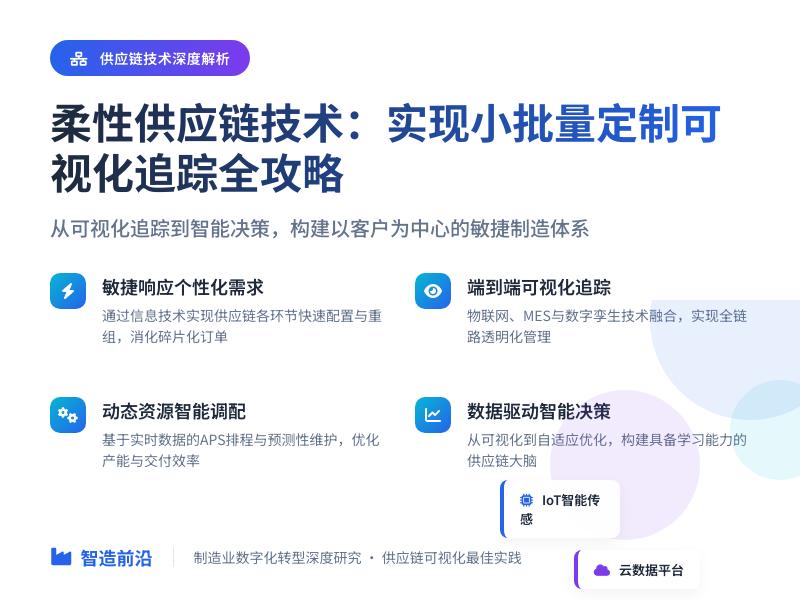
WordPress REST API 开发教程:集成第三方数据服务实现实用小工具 引言:WordPress REST API 的强大潜力 WordPress REST API 是现代WordPress开发的核心组件之一,它提供了一种标准化的方式与WordPress进行数据交互。通过REST API,开发者可以创建、读取、更新和删除WordPress内容,更重要的是,它允许我们将WordPress转变为一个功能强大的应用程序平台。 本教程将深入探讨如何利用WordPress REST API集成第三方数据服务,通过代码二次开发实现各种实用的互联网小工具。我们将从基础概念开始,逐步构建完整的解决方案,每个代码示例都包含详细注释,确保您能够完全理解并应用这些技术。 第一部分:WordPress REST API 基础与环境配置 1.1 REST API 基础概念 WordPress REST API 遵循RESTful架构原则,使用HTTP方法(GET、POST、PUT、DELETE)来操作资源。每个WordPress内容类型(如文章、页面、用户等)都有对应的API端点。 <?php /** * WordPress REST API 基础示例 * 演示如何注册自定义API端点 */ // 确保在WordPress环境中运行 if (!defined('ABSPATH')) { exit; } /** * 初始化REST API相关功能 */ function my_custom_api_init() { // 注册自定义命名空间 register_rest_route('myplugin/v1', '/test', array( 'methods' => 'GET', 'callback' => 'my_custom_api_test', 'permission_callback' => '__return_true' // 允许公开访问 )); } add_action('rest_api_init', 'my_custom_api_init'); /** * 自定义API端点回调函数 * * @param WP_REST_Request $request 请求对象 * @return WP_REST_Response 响应对象 */ function my_custom_api_test($request) { // 准备响应数据 $data = array( 'status' => 'success', 'message' => 'Hello from WordPress REST API!', 'timestamp' => current_time('timestamp'), 'site_name' => get_bloginfo('name') ); // 创建并返回响应 return new WP_REST_Response($data, 200); } /** * 添加自定义API字段到文章端点 */ function my_custom_api_register_fields() { register_rest_field('post', 'custom_field', array( 'get_callback' => 'my_custom_api_get_field', 'update_callback' => null, 'schema' => array( 'description' => '自定义字段示例', 'type' => 'string', 'context' => array('view', 'edit') ) )); } add_action('rest_api_init', 'my_custom_api_register_fields'); /** * 获取自定义字段值的回调函数 */ function my_custom_api_get_field($object, $field_name, $request) { return get_post_meta($object['id'], $field_name, true); } ?> 1.2 开发环境配置 在开始开发前,需要确保您的WordPress环境已正确配置: 启用永久链接:REST API需要干净的URL结构 调试模式:在wp-config.php中启用调试功能 安装必要插件:如"WP REST API Controller"用于管理API端点 使用开发者工具:推荐Postman或Insomnia测试API 第二部分:集成第三方天气数据服务 2.1 选择天气API服务 我们将使用OpenWeatherMap API作为示例,它提供免费的天气数据服务。首先需要注册获取API密钥。 <?php /** * WordPress天气小工具 * 集成OpenWeatherMap API */ class Weather_Widget_Tool { private $api_key; private $cache_time; /** * 构造函数 * * @param string $api_key OpenWeatherMap API密钥 * @param int $cache_time 缓存时间(秒) */ public function __construct($api_key = '', $cache_time = 1800) { $this->api_key = $api_key; $this->cache_time = $cache_time; // 初始化钩子 $this->init_hooks(); } /** * 初始化WordPress钩子 */ private function init_hooks() { // 注册REST API端点 add_action('rest_api_init', array($this, 'register_weather_endpoints')); // 注册短代码 add_shortcode('weather_widget', array($this, 'weather_shortcode')); // 注册小工具 add_action('widgets_init', function() { register_widget('Weather_Widget_Class'); }); } /** * 注册天气相关的REST API端点 */ public function register_weather_endpoints() { // 获取当前天气 register_rest_route('weather/v1', '/current/(?P<city>[a-zA-Z0-9s,]+)', array( 'methods' => 'GET', 'callback' => array($this, 'get_current_weather'), 'args' => array( 'city' => array( 'required' => true, 'validate_callback' => function($param) { return !empty($param); } ), 'units' => array( 'required' => false, 'default' => 'metric', 'enum' => array('metric', 'imperial') ) ), 'permission_callback' => '__return_true' )); // 获取天气预报 register_rest_route('weather/v1', '/forecast/(?P<city>[a-zA-Z0-9s,]+)', array( 'methods' => 'GET', 'callback' => array($this, 'get_weather_forecast'), 'permission_callback' => '__return_true' )); } /** * 获取当前天气数据 * * @param WP_REST_Request $request 请求对象 * @return WP_REST_Response|WP_Error 响应数据或错误 */ public function get_current_weather($request) { $city = sanitize_text_field($request['city']); $units = sanitize_text_field($request->get_param('units') ?: 'metric'); // 检查缓存 $cache_key = 'weather_current_' . md5($city . $units); $cached_data = get_transient($cache_key); if ($cached_data !== false) { return new WP_REST_Response($cached_data, 200); } // 构建API请求URL $api_url = add_query_arg(array( 'q' => $city, 'appid' => $this->api_key, 'units' => $units, 'lang' => get_locale() ), 'https://api.openweathermap.org/data/2.5/weather'); // 发送API请求 $response = wp_remote_get($api_url, array( 'timeout' => 15 )); // 检查请求是否成功 if (is_wp_error($response)) { return new WP_Error('api_error', __('无法连接到天气服务', 'textdomain'), array('status' => 500)); } $body = wp_remote_retrieve_body($response); $data = json_decode($body, true); // 检查API响应 if (isset($data['cod']) && $data['cod'] != 200) { return new WP_Error('weather_error', $data['message'] ?? __('获取天气数据失败', 'textdomain'), array('status' => $data['cod'])); } // 格式化响应数据 $formatted_data = array( 'city' => $data['name'] ?? $city, 'country' => $data['sys']['country'] ?? '', 'temperature' => round($data['main']['temp']), 'feels_like' => round($data['main']['feels_like']), 'humidity' => $data['main']['humidity'], 'pressure' => $data['main']['pressure'], 'weather' => array( 'main' => $data['weather'][0]['main'], 'description' => $data['weather'][0]['description'], 'icon' => $this->get_weather_icon_url($data['weather'][0]['icon']) ), 'wind' => array( 'speed' => $data['wind']['speed'], 'deg' => $data['wind']['deg'] ?? 0 ), 'units' => $units, 'timestamp' => time(), 'sunrise' => $data['sys']['sunrise'], 'sunset' => $data['sys']['sunset'] ); // 缓存数据 set_transient($cache_key, $formatted_data, $this->cache_time); return new WP_REST_Response($formatted_data, 200); } /** * 获取天气图标URL * * @param string $icon_code 图标代码 * @return string 图标URL */ private function get_weather_icon_url($icon_code) { return sprintf('https://openweathermap.org/img/wn/%s@2x.png', $icon_code); } /** * 天气小工具短代码 * * @param array $atts 短代码属性 * @return string HTML输出 */ public function weather_shortcode($atts) { $atts = shortcode_atts(array( 'city' => 'Beijing', 'units' => 'metric', 'show_icon' => true, 'show_details' => false ), $atts, 'weather_widget'); // 获取天气数据 $request = new WP_REST_Request('GET', '/weather/v1/current/' . urlencode($atts['city'])); $request->set_param('units', $atts['units']); $response = rest_do_request($request); if ($response->is_error()) { return '<div class="weather-error">' . __('无法加载天气数据', 'textdomain') . '</div>'; } $weather_data = $response->get_data(); // 构建HTML输出 ob_start(); ?> <div class="weather-widget" data-city="<?php echo esc_attr($atts['city']); ?>"> <div class="weather-header"> <h3><?php echo esc_html($weather_data['city']); ?></h3> <?php if ($atts['show_icon']): ?> <img src="<?php echo esc_url($weather_data['weather']['icon']); ?>" alt="<?php echo esc_attr($weather_data['weather']['description']); ?>" class="weather-icon"> <?php endif; ?> </div> <div class="weather-main"> <div class="temperature"> <?php echo esc_html($weather_data['temperature']); ?>° <?php echo $atts['units'] == 'metric' ? 'C' : 'F'; ?> </div> <div class="description"> <?php echo esc_html($weather_data['weather']['description']); ?> </div> </div> <?php if ($atts['show_details']): ?> <div class="weather-details"> <div class="detail-item"> <span class="label"><?php _e('体感温度', 'textdomain'); ?>:</span> <span class="value"><?php echo esc_html($weather_data['feels_like']); ?>°</span> </div> <div class="detail-item"> <span class="label"><?php _e('湿度', 'textdomain'); ?>:</span> <span class="value"><?php echo esc_html($weather_data['humidity']); ?>%</span> </div> <div class="detail-item"> <span class="label"><?php _e('风速', 'textdomain'); ?>:</span> <span class="value"><?php echo esc_html($weather_data['wind']['speed']); ?> m/s</span> </div> </div> <?php endif; ?> </div> <style> .weather-widget { border: 1px solid #e0e0e0; border-radius: 8px; padding: 20px; max-width: 300px; background: linear-gradient(135deg, #667eea 0%, #764ba2 100%); color: white; font-family: -apple-system, BlinkMacSystemFont, 'Segoe UI', Roboto, sans-serif; } .weather-header { display: flex; justify-content: space-between; align-items: center; margin-bottom: 15px; } .weather-header h3 { margin: 0; font-size: 1.5em; } .weather-icon { width: 60px; height: 60px; } .weather-main { text-align: center; margin-bottom: 15px; } .temperature { font-size: 3em; font-weight: bold; line-height: 1; } .description { font-size: 1.2em; text-transform: capitalize; } .weather-details { border-top: 1px solid rgba(255,255,255,0.2); padding-top: 15px; } .detail-item { display: flex; justify-content: space-between; margin-bottom: 8px; font-size: 0.9em; } .weather-error { padding: 10px; background: #f8d7da; color: #721c24; border: 1px solid #f5c6cb; border-radius: 4px; } </style> <?php return ob_get_clean(); } } /** * 天气小工具类 */ class Weather_Widget_Class extends WP_Widget { public function __construct() { parent::__construct( 'weather_widget', __('天气小工具', 'textdomain'), array('description' => __('显示当前天气信息', 'textdomain')) ); } public function widget($args, $instance) { echo $args['before_widget']; if (!empty($instance['title'])) { echo $args['before_title'] . apply_filters('widget_title', $instance['title']) . $args['after_title']; } // 使用短代码显示天气 echo do_shortcode('[weather_widget city="' . esc_attr($instance['city']) . '" units="' . esc_attr($instance['units']) . '" show_details="' . ($instance['show_details'] ? 'true' : 'false') . '"]'); echo $args['after_widget']; } public function form($instance) { $title = !empty($instance['title']) ? $instance['title'] : ''; $city = !empty($instance['city']) ? $instance['city'] : 'Beijing'; $units = !empty($instance['units']) ? $instance['units'] : 'metric'; $show_details = !empty($instance['show_details']) ? $instance['show_details'] : false; ?> <p> <label for="<?php echo esc_attr($this->get_field_id('title')); ?>"> <?php _e('标题:', 'textdomain'); ?> </label> <input class="widefat" id="<?php echo esc_attr($this->get_field_id('title')); ?>" name="<?php echo esc_attr($this->get_field_name('title')); ?>" type="text" value="<?php echo esc_attr($title); ?>"> </p> <p> <label for="<?php echo esc_attr($this->get_field_id('city')); ?>"> <?php _e('城市:', 'textdomain'); ?> </label> <input class="widefat" id="<?php echo esc_attr($this->get_field_id('city')); ?>" name="<?php echo esc_attr($this->get_field_name('city')); ?>" type="text" value="<?php echo esc_attr($city); ?>"> </p> <p> <label for="<?php echo esc_attr($this->get_field_id('units')); ?>"> <?php _e('单位:', 'textdomain'); ?> </label> <select class="widefat" id="<?php echo esc_attr($this->get_field_id('units')); ?>" name="<?php echo esc_attr($this->get_field_name('units')); ?>"> <option value="metric" <?php selected($units, 'metric'); ?>> <?php _e('公制 (°C)', 'textdomain'); ?> </option> <option value="imperial" <?php selected($units, 'imperial'); ?>> <?php _e('英制 (°F)', 'textdomain'); ?> </option> </select> </p> <p> <input type="checkbox" id="<?php echo esc_attr($this->get_field_id('show_details')); ?>" name="<?php echo esc_attr($this->get_field_name('show_details')); ?>" value="1" <?php checked($show_details, 1); ?>> <label for="<?php echo esc_attr($this->get_field_id('show_details')); ?>"> <?php _e('显示详细天气信息', 'textdomain'); ?> </label> </p> <?php } public function update($new_instance, $old_instance) { $instance = array(); $instance['title'] = (!empty($new_instance['title'])) ? strip_tags($new_instance['title']) : ''; $instance['city'] = (!empty($new_instance['city'])) ? city']) : 'Beijing'; $instance['units'] = (!empty($new_instance['units'])) ? sanitize_text_field($new_instance['units']) : 'metric'; $instance['show_details'] = (!empty($new_instance['show_details'])) ? 1 : 0; return $instance; } } // 初始化天气小工具$weather_api_key = 'your_openweathermap_api_key_here'; // 请替换为您的API密钥new Weather_Widget_Tool($weather_api_key);?> ### 2.2 天气预报功能扩展 <?php/** 天气预报功能扩展 提供5天天气预报数据 */ class Weather_Forecast_Extension { private $api_key; public function __construct($api_key) { $this->api_key = $api_key; $this->init(); } private function init() { // 注册天气预报短代码 add_shortcode('weather_forecast', array($this, 'forecast_shortcode')); // 添加AJAX处理 add_action('wp_ajax_get_weather_forecast', array($this, 'ajax_get_forecast')); add_action('wp_ajax_nopriv_get_weather_forecast', array($this, 'ajax_get_forecast')); // 注册前端脚本 add_action('wp_enqueue_scripts', array($this, 'enqueue_scripts')); } /** * 获取天气预报数据 */ public function get_weather_forecast($request) { $city = sanitize_text_field($request['city']); $units = sanitize_text_field($request->get_param('units') ?: 'metric'); $cache_key = 'weather_forecast_' . md5($city . $units); $cached_data = get_transient($cache_key); if ($cached_data !== false) { return new WP_REST_Response($cached_data, 200); } $api_url = add_query_arg(array( 'q' => $city, 'appid' => $this->api_key, 'units' => $units, 'cnt' => 40 // 5天数据(每3小时一次) ), 'https://api.openweathermap.org/data/2.5/forecast'); $response = wp_remote_get($api_url, array('timeout' => 15)); if (is_wp_error($response)) { return new WP_Error('api_error', __('无法获取天气预报数据', 'textdomain'), array('status' => 500)); } $data = json_decode(wp_remote_retrieve_body($response), true); if ($data['cod'] != '200') { return new WP_Error('forecast_error', $data['message'] ?? __('获取预报数据失败', 'textdomain'), array('status' => $data['cod'])); } // 按天分组预报数据 $forecast_by_day = array(); foreach ($data['list'] as $forecast) { $date = date('Y-m-d', $forecast['dt']); if (!isset($forecast_by_day[$date])) { $forecast_by_day[$date] = array( 'date' => $date, 'day_name' => date_i18n('l', $forecast['dt']), 'forecasts' => array(), 'temp_min' => PHP_INT_MAX, 'temp_max' => PHP_INT_MIN, 'icons' => array() ); } $forecast_by_day[$date]['forecasts'][] = array( 'time' => date('H:i', $forecast['dt']), 'temp' => round($forecast['main']['temp']), 'feels_like' => round($forecast['main']['feels_like']), 'humidity' => $forecast['main']['humidity'], 'weather' => array( 'main' => $forecast['weather'][0]['main'], 'description' => $forecast['weather'][0]['description'], 'icon' => $this->get_weather_icon_url($forecast['weather'][0]['icon']) ), 'wind_speed' => $forecast['wind']['speed'] ); // 更新当天温度范围 $forecast_by_day[$date]['temp_min'] = min( $forecast_by_day[$date]['temp_min'], round($forecast['main']['temp_min']) ); $forecast_by_day[$date]['temp_max'] = max( $forecast_by_day[$date]['temp_max'], round($forecast['main']['temp_max']) ); // 收集天气图标 $forecast_by_day[$date]['icons'][] = $forecast['weather'][0]['icon']; } // 确定每天的主要天气图标 foreach ($forecast_by_day as &$day) { $icon_counts = array_count_values($day['icons']); arsort($icon_counts); $day['main_icon'] = $this->get_weather_icon_url(key($icon_counts)); } $formatted_data = array( 'city' => $data['city']['name'], 'country' => $data['city']['country'], 'forecast_days' => array_values($forecast_by_day), 'units' => $units, 'updated_at' => current_time('mysql') ); set_transient($cache_key, $formatted_data, 3600); // 缓存1小时 return new WP_REST_Response($formatted_data, 200); } private function get_weather_icon_url($icon_code) { return sprintf('https://openweathermap.org/img/wn/%s@2x.png', $icon_code); } /** * 天气预报短代码 */ public function forecast_shortcode($atts) { $atts = shortcode_atts(array( 'city' => 'Beijing', 'days' => 5, 'units' => 'metric', 'layout' => 'horizontal' // horizontal 或 vertical ), $atts, 'weather_forecast'); ob_start(); ?> <div class="weather-forecast-widget" data-city="<?php echo esc_attr($atts['city']); ?>" data-days="<?php echo esc_attr($atts['days']); ?>" data-units="<?php echo esc_attr($atts['units']); ?>" data-layout="<?php echo esc_attr($atts['layout']); ?>"> <div class="forecast-loading"> <?php _e('加载天气预报...', 'textdomain'); ?> </div> <div class="forecast-content" style="display: none;"></div> </div> <?php return ob_get_clean(); } /** * 注册前端脚本 */ public function enqueue_scripts() { wp_register_script('weather-forecast', plugins_url('js/weather-forecast.js', __FILE__), array('jquery'), '1.0.0', true); wp_localize_script('weather-forecast', 'weatherForecast', array( 'ajax_url' => admin_url('admin-ajax.php'), 'nonce' => wp_create_nonce('weather_forecast_nonce') )); wp_enqueue_script('weather-forecast'); wp_enqueue_style('weather-forecast-style', plugins_url('css/weather-forecast.css', __FILE__)); } /** * AJAX获取天气预报 */ public function ajax_get_forecast() { // 验证nonce if (!wp_verify_nonce($_POST['nonce'], 'weather_forecast_nonce')) { wp_die('Security check failed'); } $city = sanitize_text_field($_POST['city']); $units = sanitize_text_field($_POST['units']); // 构建REST请求 $request = new WP_REST_Request('GET', '/weather/v1/forecast/' . urlencode($city)); $request->set_param('units', $units); $response = rest_do_request($request); if ($response->is_error()) { wp_send_json_error($response->as_error()->get_error_message()); } wp_send_json_success($response->get_data()); } } // 初始化天气预报扩展$forecast_extension = new Weather_Forecast_Extension($weather_api_key);?> ## 第三部分:集成汇率转换工具 ### 3.1 汇率API集成 <?php/** 汇率转换工具 使用免费汇率API */ class Currency_Converter_Tool { private $api_base = 'https://api.exchangerate-api.com/v4/latest/'; private $cache_time = 3600; // 1小时缓存 public function __construct() { $this->init_hooks(); } private function init_hooks() { // 注册REST API端点 add_action('rest_api_init', array($this, 'register_currency_endpoints')); // 注册短代码 add_shortcode('currency_converter', array($this, 'converter_shortcode')); // 注册小工具 add_action('widgets_init', function() { register_widget('Currency_Converter_Widget'); }); } /** * 注册汇率API端点 */ public function register_currency_endpoints() { // 获取汇率 register_rest_route('currency/v1', '/rates/(?P<base>[A-Z]{3})', array( 'methods' => 'GET', 'callback' => array($this, 'get_exchange_rates'), 'args' => array( 'base' => array( 'required' => true, 'validate_callback' => function($param) { return preg_match('/^[A-Z]{3}$/', $param); } ) ), 'permission_callback' => '__return_true' )); // 货币转换 register_rest_route('currency/v1', '/convert', array( 'methods' => 'GET', 'callback' => array($this, 'convert_currency'), 'args' => array( 'amount' => array( 'required' => true, 'validate_callback' => function($param) { return is_numeric($param) && $param > 0; } ), 'from' => array( 'required' => true, 'validate_callback' => function($param) { return preg_match('/^[A-Z]{3}$/', $param); } ), 'to' => array( 'required' => true, 'validate_callback' => function($param) { return preg_match('/^[A-Z]{3}$/', $param); } ) ), 'permission_callback' => '__return_true' )); // 获取支持的货币列表 register_rest_route('currency/v1', '/currencies', array( 'methods' => 'GET', 'callback' => array($this, 'get_currency_list'), 'permission_callback' => '__return_true' )); } /** * 获取汇率数据 */ public function get_exchange_rates($request) { $base_currency = strtoupper($request['base']); $cache_key = 'exchange_rates_' . $base_currency; $cached_data = get_transient($cache_key); if ($cached_data !== false) { return new WP_REST_Response($cached_data, 200); } $api_url = $this->api_base . $base_currency; $response = wp_remote_get($api_url, array('timeout' => 15)); if (is_wp_error($response)) { // 备用API $api_url = "https://api.exchangerate.host/latest?base={$base_currency}"; $response = wp_remote_get($api_url, array('timeout' => 15)); if (is_wp_error($response)) { return new WP_Error('api_error', __('无法获取汇率数据', 'textdomain'), array('status' => 500)); } } $data = json_decode(wp_remote_retrieve_body($response), true); if (empty($data['rates'])) { return new WP_Error('data_error', __('无效的汇率数据', 'textdomain'), array('status' => 500)); } $formatted_data = array( 'base' => $base_currency, 'rates' => $data['rates'], 'date' => $data['date'] ?? current_time('Y-m-d'), 'timestamp' => time() ); set_transient($cache_key, $formatted_data, $this->cache_time); return new WP_REST_Response($formatted_data, 200); } /** * 货币转换 */ public function convert_currency($request) { $amount = floatval($request['amount']); $from_currency = strtoupper($request['from']); $to_currency = strtoupper($request['to']); // 获取汇率 $rates_request = new WP_REST_Request('GET', '/currency/v1/rates/' . $from_currency); $rates_response = rest_do_request($rates_request); if ($rates_response->is_error()) { return $rates_response->as_error(); } $rates_data = $rates_response->get_data(); if (!isset($rates_data['rates'][$to_currency])) { return new WP_Error('currency_error', __('不支持的目标货币', 'textdomain'), array('status' => 400)); } $rate = $rates_data['rates'][$to_currency]; $converted_amount = $amount * $rate; $result = array( 'amount' => $amount, 'from' => $from_currency, 'to' => $to_currency, 'rate' => $rate, 'converted' => round($converted_amount, 4), 'timestamp' => time(), 'date' => $rates_data['date'] ); return new WP_REST_Response($result, 200); } /** * 获取货币列表 */ public function get_currency_list() { $currencies = array( 'USD' => __('美元', 'textdomain'), 'EUR' => __('欧元', 'textdomain'), 'GBP' => __('英镑', 'textdomain'), 'JPY' => __('日元', 'textdomain'), 'CNY' => __('人民币', 'textdomain'), 'CAD' => __('加元', 'textdomain'), 'AUD' => __('澳元', 'textdomain'), 'CHF' => __('瑞士法郎', 'textdomain'), 'HKD' => __('港币', 'textdomain'), 'SGD' => __('新加坡元', 'textdomain'), 'KRW' => __('韩元', 'textdomain'), 'INR' => __('印度卢比', 'textdomain'), 'RUB' => __('俄罗斯卢布', 'textdomain'), 'BRL' => __('巴西雷亚尔', 'textdomain'), 'MXN' => __('墨西哥比索', 'textdomain') ); return new WP_REST_Response($currencies, 200); } /** * 汇率转换器短代码 */ public function converter_shortcode($atts) { $atts = shortcode_atts(array( 'default_from' => 'USD', 'default_to' => 'CNY', 'show_historical' => false, 'theme' => 'light' ), $atts, 'currency_converter'); // 获取货币列表 $request = new WP_REST_Request('GET', '/currency/v1/currencies'); $response = rest_do_request($request); $currencies = $response->is_error() ? array() : $response->get_data(); ob_start(); ?> <div class="currency-converter-widget theme-<?php echo esc_attr($atts['theme']); ?>"> <div class="converter-header"> <h3><?php _e('汇率转换器', 'textdomain'); ?></h3> <div class="last-updated"> <?php _e('实时汇率', 'textdomain'); ?> </div> </div> <div class="converter-form"> <div class="input-group"> <div class="input-wrapper"> <input type="number" class="amount-input" value="1" min="0" step="0.01" placeholder="<?php esc_attr_e('金额', 'textdomain'); ?>"> <select class="currency-select from-currency"> <?php foreach ($currencies as $code => $name): ?> <option value="<?php echo esc_attr($code); ?>" <?php selected($code, $atts['default_from']); ?>> <?php echo esc_html("$code - $name"); ?> </option> <?php endforeach; ?> </select> </div> <div class="swap-button"> <button type="button" class="swap-currencies"> <span class="swap-icon">⇄</span> </button> </div> <div class="input-wrapper"> <input type="text" class="result-output" readonly placeholder="<?php esc_attr_e('转换结果', 'textdomain'); ?>"> <select class="currency-select to-currency"> <?php foreach ($currencies as $code => $name): ?> <option value="<?php echo esc_attr($code); ?>" <?php selected($code, $atts['default_to']);
发表评论
法规知识:个人电子商务经营者准入规则再探讨,电子商务本身虚拟性极强,消费者对其信赖度天然较低;互联网的虚拟性也使得国家事后管控经营者要付出较大成本。基于提升信赖度、增进交易安全、维护网络交易环境、便于国家管理、节约成本、促进电商经济发展等因素,对电子商务经营者进行登记是消费者、平台、国家三方共赢的选择。电子商务平台准入机制中,争议最大的莫过于对个人电子商务经营者的安置。电子商务法的出台虽在实证法角度使该问题有了定论,但其背后蕴含着丰富的学理研究价值。通过与小商贩制度进行类比可知,对于个人电子商务经营者的确应当予以特殊对待,但相关制度安排仍需细化。因此,本文拟构建个人电子商务经营者登记制度模型,以期构建平台与政府配合下的低成本、高效率管理制度。
Comments closed
建站笔记:选择一枚优质域名是初创团队脱颖而出的必备条件,域名在互联网发展中有不可缺少的作用,从ipv4升级ipv6以后更是凸现域名来简化更长而复杂的地址转化,商业应用中有个属于自己的“域”,会更加完善。
Comments closedRCEP原产地规则(案例:钢笔HS:960830),从原材料明细表中可以看出,笔芯油、新PMMA塑胶料、聚乙烯塑胶片等非原产材料均符合品目改变,但美国原产的笔五金零件(HS:960899)、德国原产的笔尖粒(HS:960891)与最终成品钢笔(HS:960830)同属于9608品目,不满足“品目改变”的要求。
Comments closed